Here is an infographic on the cybersecurity trends to be known from 2020 to 2030.
With the number of cyber incidents on the rise, there is a pressing need to be on top of IT security more than ever.
This infographic looks at the new innovations and emerging technologies in 2020 that are helping organisations strengthen their cybersecurity practices.
The past decade witnessed a dramatic surge in cyber threats, and the years 2020 to 2030 are likely to see this trend continue with even more sophisticated and multifaceted attacks. Staying ahead of the curve requires understanding the key cybersecurity trends.
Here are some to watch:
Essential Trends In Cybersecurity To Know Right Now
1. Deepfakes and Disinformation
Malicious actors will increasingly leverage deepfakes, synthetic AI-generated media, to manipulate public opinion, disrupt trust in institutions, and launch targeted scams. Detecting and mitigating these deepfakes will pose a significant challenge.
2. Convergence of IT and OT
As Operational Technology (OT) systems controlling critical infrastructure, like power grids and transportation, become more interconnected with Information Technology (IT), the attack surface will expand significantly. Securing these converged systems will be crucial.
RaaS models, where pre-built ransomware and attack tools are offered for rent, make cyberattacks more accessible to less skilled individuals and criminal organizations. Expect more frequent and devastating ransomware attacks.
4. AI-powered Attacks and Defense
Both attackers and defenders will increasingly leverage Artificial Intelligence (AI) to automate tasks, analyze data, and predict vulnerabilities and attack patterns. The “arms race” between offensive and defensive AI will intensify.
5. Quantum Computing and Cryptography
The emergence of quantum computers could break current encryption standards, potentially rendering much of our online security obsolete. Quantum-resistant cryptography is being developed, but the transition will be complex and time-consuming.
6. Supply Chain Attacks
Targeting vulnerabilities in third-party vendors and software suppliers will become a common tactic to gain access to larger organizations. Building a secure software supply chain will be critical for mitigating these risks.
As biometric authentication becomes more prevalent, attackers will develop techniques to exploit these systems, like forging fingerprints or using deepfakes to bypass facial recognition. Multi-factor authentication and continuous security improvements will be necessary.
8. Increased Regulation and Privacy Concerns
Governments worldwide are likely to implement stricter data privacy regulations to protect individuals. Organizations must adapt their practices to comply with these regulations while maintaining security effectiveness.
The demand for skilled cybersecurity professionals will continue to outpace the supply, making it even more challenging for organizations to find and retain qualified talent. Upskilling and reskilling existing employees will be crucial.
10. Focus on Proactive Risk Management
Organizations must move from reactive cybersecurity measures to proactive risk management strategies, continuously identifying and mitigating vulnerabilities before attackers exploit them.
What are the biggest cybersecurity threats of 2024?
Supply Chain Attacks: These attacks target third-party vendors and partners to gain access to a target organization’s systems. Since many businesses rely on a complex web of suppliers, a single compromised vendor can create a significant security risk.
Ransomware-as-a-Service (RaaS): This model makes it easier for even individuals with limited technical expertise to launch ransomware attacks. RaaS attackers can purchase or rent ransomware tools and infrastructure from cybercriminal marketplaces.
Phishing Attacks: Phishing attacks continue to be a major threat, and cybercriminals are constantly developing new techniques to trick users into revealing sensitive information or clicking on malicious links. Be extra cautious of phishing attempts through SMS, text messages, or social media.
Cloud Security Challenges: As more businesses move their data and applications to the cloud, cloud security becomes an increasingly important concern. Security misconfigurations, insecure APIs, and unauthorized access to cloud storage are some challenges organizations face.
What are some emerging cybersecurity technologies that can help mitigate these threats?
Zero Trust Architecture (ZTA): ZTA is a security model that eliminates the concept of implicit trust on a network. It assumes that no user or device is inherently trustworthy and requires continuous verification throughout a session.
Extended Detection and Response (XDR): XDR goes beyond traditional endpoint detection and response (EDR) solutions by collecting data from various sources, including network devices, cloud workloads, and user activity. This allows for more comprehensive threat detection and investigation.
Artificial Intelligence (AI) and Machine Learning (ML): AI and ML are being used to develop more sophisticated security solutions to detect and respond to cyber threats in real time. These technologies can help to automate security tasks and identify patterns that might be missed by human analysts.
Biometric Authentication: Biometric authentication, such as fingerprint scanning or facial recognition, is becoming increasingly popular to add more security to user authentication.
How can businesses stay ahead of the cybersecurity curve?
Regular Security Assessments: Businesses should conduct regular security assessments to identify system and application vulnerabilities.
Employee Training: Educate employees about cybersecurity best practices, such as identifying phishing attacks and creating strong passwords.
Software Updates: Keep all software applications and operating systems updated with the latest security patches.
Incident Response Plan: Develop a plan for responding to a cyberattack, including data breach notification procedures.
Security Awareness Programs: Implement ongoing security awareness programs to inform employees about the latest cyber threats.
What steps can individuals take to protect themselves from cyber threats?
Use Strong Passwords and Multi-Factor Authentication (MFA): Create strong, unique passwords for all your online accounts and enable MFA whenever possible.
Be Wary of Phishing Attempts: Don’t click on suspicious links or attachments in emails, and be cautious of unsolicited messages.
Beware of Social Engineering Scams: Social engineering scams attempt to trick you into revealing sensitive information or taking actions that could compromise your security.
Keep Software Updated: Keep your operating system, web browser, and other software applications updated with the latest security patches.
Be Cautious on Public Wi-Fi: Avoid accessing sensitive information or financial accounts when using public Wi-Fi networks. Consider using a VPN for added security.
Take Your Knowledge To The Next Level
These are key trends shaping the cybersecurity landscape in the coming decade.
Organizations and individuals can better protect themselves in the increasingly complex digital world by staying informed and adapting to these evolving threats.
Staying across these trends has a personal and professional impact, so you’re maintaining a high-level approach to protecting your data and cybersecurity best practices.
Remember, cybersecurity is an ongoing journey, not a one-time fix, and requires constant vigilance and adaptation.
Here, we will show you all you should know when choosing digital signage software.
Last year, we saw a significant increase in the number of digital signage software options available.
To help you choose between them and figure out which one is best for your business, we’ve compiled this list to highlight a few benefits that come with using digital signage software.
The first benefit is that digital signage software helps to improve communication. With the ability to quickly and easily update messages, you can ensure that your contacts are always up-to-date and relevant.
Secondly, digital signage software makes it easy to manage content. For example, you can create playlists of videos, images, and text for your displays, making it simple to keep your screens looking fresh and engaging.
Thirdly, using digital signage software can help you save time and money. Rather than printing out multiple versions of documents or advertisements, you can send them electronically to be displayed on your screens. Additionally, by reducing the need for printed materials, you’ll be helping the environment!
Fourthly, digital signage software gives you the ability to monitor your ads. With analytics reports, you can measure how often each ad is viewed and decide which ones should be shown more frequently.
1. Digital signage software helps improve customer service by providing an easy way to ask questions or place orders: they can use a mobile device or computer to access content on one of your screens!
The possibilities are endless with this option – don’t limit yourself just because we haven’t thought up all potential uses yet.
2. Digital signage software makes it easier for everyone in your company (from executives down) to reach their audiences through dynamic multimedia displays that update automatically and engage viewers at every turn.
Rather than passively consuming information, viewers are prompted to interact with your signage and learn more about what you have to offer.
When choosing digital signage software, there are a few factors to consider. The following tips will help you choose the right software for your needs.
Few Tips To Consider When Choosing Digital Signage Software
First, decide what type of content you want to display. For example, some software can only manage text-based content, while others can also handle videos and photos.
Second, think about how often you’ll need to update the content. If you plan on changing it frequently, you’ll need software that’s easy to use and navigate. Otherwise, you may end up wasting time trying to figure out how to use the software every time you want to make a change.
Third, consider the size of your organization and how many people need access to the software. For example, some programs can be accessed by multiple users on a network, while others are designed for solo use.
Finally, choose the features you need most. For example, some programs allow you to add branding and logos to your content display. Other options include QR code integration or social media sharing buttons that can help increase engagement with viewers of your digital signage.
What Is Digital Signage Software?
Digital signage software is a tool that enables you to create, manage, and display multimedia content on digital signs and screens.
It simplifies the process of using these displays for informational or promotional purposes in various public and commercial settings.
Here’s a breakdown of its key features:
Content Management
Create content like text, images, videos, and interactive elements using built-in tools or drag-and-drop interfaces.
Schedule content to display at specific times or based on triggers (e.g., sensor data, weather updates).
Manage multiple displays and create playlists for different locations or purposes.
Device Management
Remotely control and configure connected digital signs.
Monitor their performance and troubleshoot any issues.
Update software and content wirelessly across your network.
Analytics and Reporting
Track content performance and audience engagement data.
Gain insights into how viewers interact with your displays.
Measure the effectiveness of your messaging and campaigns.
Popular Digital Signage Software Options
Screenly: User-friendly and affordable, good for beginners.
Xibo: Scalable and feature-rich, suitable for enterprise use.
BrightSign: Powerful and reliable, ideal for complex deployments.
Mvix: Cloud-based and versatile, great for multi-location businesses.
Nsign: Feature-packed and customizable, excellent for interactive displays.
Choosing the right digital signage software depends on your specific needs and budget. Consider factors like desired features, ease of use, scalability, and integration capabilities.
Many popular software options feature user-friendly interfaces with drag-and-drop functionality, making them accessible even for those with limited technical experience. Some platforms even offer pre-designed templates and content libraries to further simplify the process.
How much does digital signage software cost?
Pricing varies depending on features, functionality, and the number of licenses needed. Basic cloud-based options can start at around $20 per month, while enterprise-grade solutions with advanced features may cost hundreds of dollars per license. Consider free trials or demos to explore different options before committing.
What hardware do I need to use digital signage software?
The hardware requirements will depend on the capabilities of your chosen software and the size and resolution of your displays. You’ll typically need commercial-grade displays, media players to connect the displays to the network, and cables. Some software might offer cloud-based rendering, eliminating the need for local media players.
Is digital signage software secure?
Security is crucial, especially when displaying sensitive information. Look for software that offers features like user authentication, access control, and content encryption to ensure your data and displays are protected. Additionally, choose a reputable vendor with a commitment to data security and software updates.
How can I measure the success of my digital signage?
Most digital signage software offers built-in analytics tools to track content performance and audience engagement. You can monitor metrics like impressions, clicks, dwell time, and heatmaps to understand how viewers interact with your displays and adjust your strategy accordingly.
In conclusion, using digital signage software can help you improve your business. By cutting down on waste, providing customer service that’s second to none, and reaching audiences engagingly through dynamic multimedia displays, this solution is a win for everyone involved!
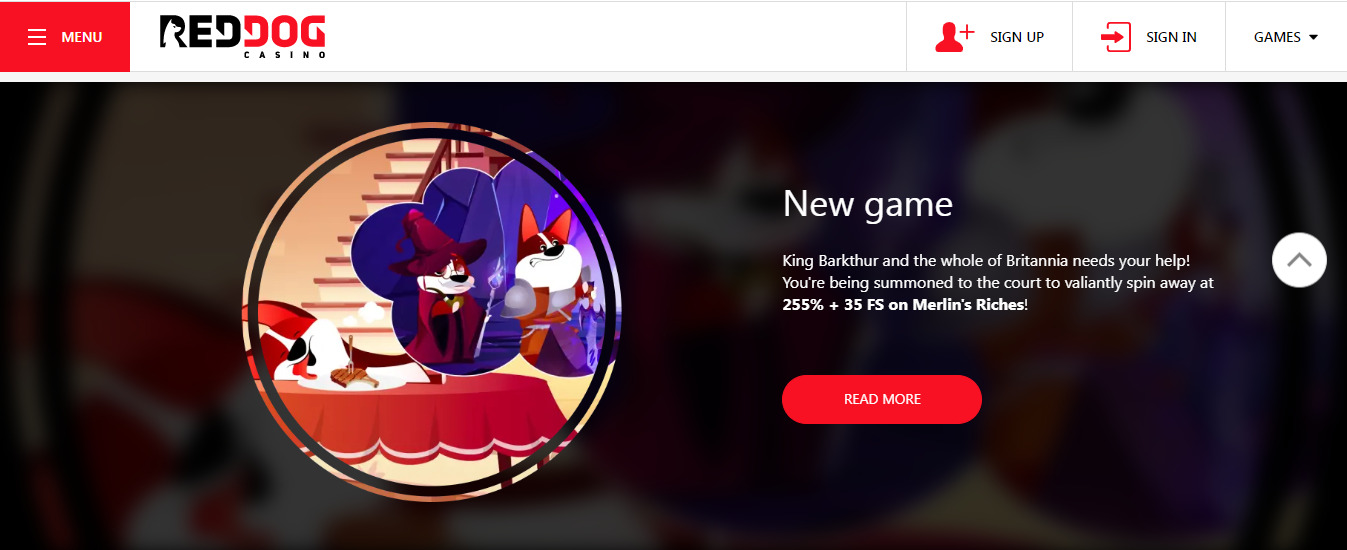
Red Dog Casino is a young project on the American market but it has already managed to achieve good results so in a short time it might enter the top of the reliable gambling platforms.
The casino makes interest for newcomers, high rollers and bonus hunters, offering conditions that are really favorable.
You will enjoy certified content from leading providers, prompt withdrawals to credit cards and e-wallets, user-friendly interface with an original design and English language support.
In reviews, customers note the generous bonuses from Red Dog Casino so it is worth learning about the bonus program of the casino to take advantage of the best offers of the season.
No Deposit Bonus to Each Player
The administration of the online casino is confident in the quality of software and a high level of service and it offers you to test the conditions without investing. For this purpose, an additional promo has been developed to allow newcomers to receive a no deposit bonus. You just need to meet several requirements:
Complete the registration
Confirm your email
After a performance of these simple actions the system will automatically give you 40$. You can spend money on any game, except the Live section, but it is forbidden to exceed the maximum bet of $10.
Withdrawal of the no deposit bonus becomes available only after the x50 wagering is fulfilled. There is no limit on the maximum amount of bonus money in the rules so it is allowed to withdraw the bonus and all winnings received from it.
Welcome Deposit Bonus
After testing the service and conditions thanks to the no deposit bonus, you can safely top up your account and start playing for real money. Online casino will increase your starting deposit by 225%, and moreover, you can get the welcome bonus 5 times.
It is allowed to withdraw the money given only after you wager it 30 times, you also can spend the money in slots, poker, baccarat, blackjack and lotteries. Get bonuses at online casinos Red Dog can be found on the official site https://slotsandcasinos.org/casino-red-dog-bonuses/.
Red Dog Casino offers additional promos for visitors who often bet on the site. You can enjoy generous reloads weekly and there are three types of them. For a deposit of $30-74, you will be given additional 120%, a deposit of $75-149 is awarded with 135%, while the maximum bonus of 160% is given to players who make a deposit of $150 or more.
To withdraw the money received, you have to make a 35-fold turnover during no longer than 7 days. A promo code is not required as the main thing is to deposit the amount, which meets the requirements, in one payment.
Seasonal Free Spins for a Minimum Deposit
Red Dog online casino regularly gives out free spins for different slots, and this season you can receive FS for the new Desert Raider slot by Realtime Gaming.
You can explore in full all the slot’s features as 110 free spins are given. To get the bonus, you need to top up at least $10, but mind that withdrawal of money won from the spins is possible after a 5-times wagering, with no maximum limits.
What Bonuses Does Red Dog Casino Offer Its Gamblers?
Red Dog Casino offers a variety of bonuses and promotions for new and existing gamblers. Here’s a breakdown of some of their offerings, but it’s important to note that bonuses and terms can change, so it’s always best to check their website for the latest information:
New Player Welcome Bonuses
Up to $2,800 in Slots Welcome Bonus: This bonus can be claimed across your first five deposits, with varying match percentages. Be sure to check the bonus code requirements for each deposit.
Up to $2,450 Welcome Bonus: This bonus offers a match on your first deposit.
$50 No Deposit Bonus Code: This bonus might be available with a specific bonus code, allowing you to try the casino with a small, free amount of money before you deposit your own.
Other Promotions
24/7 Bonus: This reload bonus offers a match percentage on deposits you make throughout the day, with varying percentages depending on the deposit amount.
Crypto Bonus: If you deposit using cryptocurrency, you might be eligible for a higher match bonus compared to traditional payment methods.
Free Spins: Red Dog Casino may offer free spins on specific slots as part of promotions or loyalty rewards.
General Terms to Consider
Minimum Deposit: Each bonus might have a minimum deposit requirement to qualify.
Wagering Requirements: Bonus funds typically come with wagering requirements, which means you need to bet a certain amount before you can withdraw any winnings earned with the bonus money.
Game Restrictions: Some bonuses might be restricted to specific games or game types.
Time Limits: Bonuses often have time limits for claiming and meeting wagering requirements.
Here are some additional things to keep in mind:
Always gamble responsibly: Set a budget and stick to it. Only bet what you can afford to lose.
Review the terms and conditions: Before claiming any bonus, carefully read and understand the terms and conditions associated with it.
Bonuses can be a great way to boost your bankroll, but they are not guaranteed winnings.
For the latest and most accurate information on Red Dog Casino’s bonuses and promotions, it’s always best to visit their official website.
Companies tend to put the majority of their focus on preventing external threats—such as hackers and viruses—despite the fact that internal threats are more common. It’s likely your organization spends considerable resources to protect itself against data breaches—and rightly so. Data breaches can result in compliance violations, large expenses, and damaged reputations.
According to the Ponemon Institute’s 2020 Cost of Insider Threats Report, insider-caused cybersecurity threats are up 47% since 2018 and the average annual cost of internal threats has risen to $11.45 million—up 31% in two years.
Internal breaches sprout from a wide array of motivations: a current employee feels overlooked for an opportunity; a departing employee wants to impress their new employer by copying intellectual property or contact lists; or a contractor is unhappy about being let go.
The added danger of these internal threats is they can easily go undetected. They have all the access, but who’d suspect a current employee? It would likely be an invisible attack. Further, many organizations fail to adequately remove access from departing or terminated employees.
Incomplete offboarding remains a major risk throughout many businesses, but former employees are quickly forgotten. Too often, no one is looking for or monitoring their accounts. Plus, these users tend to know their way around the network.
An internal breach in 2017 saw the City of Calgary’s payout fines of 92.9 million Canadian dollars. This scandal started when an email was sent by an employee to a colleague at another municipality. The email shared personal information of more than 3,700 employees. Leaving your network unprotected can leave you vulnerable to a similar threat.
Manual Access Management
When access management is done manually, the granting and revocation of access often has flaws. Manual efforts regularly suffer from a lack of consistent data entry and logging—causing inconsistencies and loss of records—or from lax policies. Employees are frequently given too much access and, with no review system in place, this leads to severe oversights both during and after employment.
Each employee or contractor’s manager is responsible for making the IT team aware of the level of access needed (i.e. read, write, edit, admin), so the IT staff can issue the relevant permissions for each organizational system, app, and file share. However, IT staff do not have the day-to-day business and operational experience to determine which user roles should access what.
Making requests and waiting for them to be fulfilled can often be time-consuming. As a result of this, managers frequently request excess access to avoid having to request additional rights in the future. This can lead to employees acquiring a level of access that they shouldn’t have.
This ‘extra access’, also known as permission bloat, can lead to a large security risk to your organization. Even if the employee has no malicious intent, there is always the chance that their credentials are stolen, and if that happens, a large amount of your organization’s resources become put at risk.
In addition, managers are responsible for notifying the IT department when an employee is terminated or departing. This notice should begin the offboarding process so the given user’s access can be revoked. If managers forget or take longer than is ideal, employees may retain access to sensitive information/resources after their term of employment has ended.
Even if the offboarding process is executed, IT has to check every location and resource in your environment to which the given user retained access. Any missed spots risk breaches or compliance violations and manual management efforts simply aren’t thorough enough.
Vast and overlooked access rights lack transparency and leave a great deal of room for human error or exploitation by malicious actors. They are unequivocally, without a doubt, a massive cause of internal breaches, and an issue your organization needs to address.
So, what’s the solution?
With one of the biggest internal threats to data security right under the noses of organizations, how do you make access easier while retaining security against the threat of data breaches?
The level of security employed would typically depend on the sensitivity of the data being protected and the compliance pressures stemming from your organization’s particular industry.
That said, there are a few universal steps that all organizations can take to not only mitigate breaches, but also optimize their processes. With automation, the entire provisioning and access management processes are made more centralized, efficient, cost-effective, and transparent.
How To Protect Your Organization From Internal Threats
1. User provisioning
Let’s look at access in a chronological sense, starting with onboarding. Unlike manual processes, identity and access management (IAM) solutions connects disparate management systems throughout the network to automate processes.
For example, the HRMS tracks users’ personal details—e.g., their names and addresses, employment start and end dates, departments, positions—and then the IAM solution automatically synchronizes users’ account information between the HRMS and the network.
Changes made in the HRMS are detected, then automatically updated or implemented across the network. The management dashboard within an IAM solution allows IT and managerial staff to oversee access beyond the automated processes.
2. Access governance
An automated access governance solution integrates with the IAM tool to determine, on a per-user basis, what access rights a user should have.
Authorization matrices in the solution use an employee or contractor’s job role to determine access rights for various company resources. These rights include whether the employee or contractor can perform certain transactions, access a particular system, or access specific physical locations.
To enforce this authorization matrix, access rights are recorded in the solution and then issued, changed, and withdrawn for each user accordingly. This type of role-based access control allows for the ability to oversee and track individuals who have access to what, and these changes can be monitored.
Automated solutions also allow managers to generate overviews of and fully report on each employee or contractor’s activity. The IAM technology logs and tracks the individuals performing activities and when these occured.
Solutions that automatically revise access rights according to user changes help prevent permission bloat by ensuring every employee is held to the Principle of Least Privilege (PoLP).
Adhering to PoLP ensures that your users retain access to exactly the resources they need—no more, no less. This prevents the security and compliance risks that occur over time due to unreviewed access rights.
3. Workflow management and self-service
While automated provisioning helps keep onboarding efforts secure, some users require additional access rights beyond what is configured for their base job role. Whether additional assignments, temporary projects, or other responsibilities, not every employee will perfectly fit your role model.
To account for unique roles and the many other unplanned for scenarios that occur within organizations, access must be maintained appropriately throughout the employee/contractor lifecycle.
Workflow management and self-service solutions allow team members and leaders to request, monitor and approve resources without any IT intervention. For example, an employee that needs access to a resource to complete a task will request access to an that resource (whether it is an application or a file share). The approval process for granting that access should be part of a structured workflow within the overall IAM solution.
Then, the team leader authorizes each permission or request and how access is granted within the network. The employee receives access to the required resource and moves forward with the tasks at hand. Note that with the right solution, all these processes are executed with zero IT involvement.
A strong self-service solution will allow users to directly request access from their managers or the appointed and knowledgeable decision-maker. As already mentioned, IT staff do not typically have the knowledge of day-to-day business operations and what access may or may not be problematic. Bypassing IT allows the correct people to approve or deny the request, with the solution executing all changes automatically. Moments after requesting a resource, a manger can approve it; moments after approval, the user has their resource.
Not only do IAM solutions make it easy to grant and revoke user access rights, but they can also grant or revoke physical access to work areas, and allow the user to submit helpdesk tickets.
4. User de-provisioning
The final stage of the employee/contractor lifecycle requires deprovisioning whether they are departing to a new organization, their contract simply expired, they were terminated, or other reason. De-provisioning should be your organization’s number one priority since orphaned accounts (accounts without an active user) often pose as major security risks, if not taken care of properly.
IAM solutions can detect a change in an employee or contractor’s employment status in the HRMS system and instantly disable the network account in all centrally located systems and applications.
If an employee or contractor terminates their employment early for some reason, make sure your organization’s policies include alerting the IT team or the systems administrator, so someone can revoke all access within the IAM system. The transparency provided by an automated IAM system reduces access pollution, so you can clearly see when all access is removed.
Bottom Line – Internalize Security
In today’s competitive business landscape, a breach scandal can sink an organization. It’s important to protect against both external threats and the more-common internal threats.
An IAM system replaces spreadsheets and other manual entry templates. It ensures that all users maintain the correct authorizations appropriate to their individual roles, as well as relieves the IT team from mundane and repetitive provisioning tasks. With all that time reclaimed, IT can focus on other, more impactful projects instead of menial data entry.
IAM solutions streamline access management, increase efficiency, and provide a transparent access trail for easy auditing that relieves worries of compliance and auditing on polluted file systems. The sophisticated access controls and automated processes help minimize the typical weak points exploited by internal security threats.
In this post, learn how to cut down your company’s costs with outsourced IT support.
Companies use various processes to keep their business operations afloat and generate revenue. Aside from strategizing marketing campaigns and managing their products and services to meet the expectations of customers, another critical aspect of any business is its IT infrastructure.
In today’s modern age, a company’s IT infrastructure can affect the business’s productivity and connectivity and the security management of digital assets such as business information and consumer data.
With a robust IT system, operations can be more efficient and seamless as the exchange of information becomes highly accessible and convenient. Furthermore, you can be assured your organization is compliant with various data protection laws.
Considering how crucial IT infrastructure is in your business, it may require a significant cost to set up and maintain it.
For one, you’d need to invest in equipment and hire an internal team to ensure its upkeep. And ultimately, its running cost could consume a portion of your business income. Fortunately, one way you can manage this expense and still have a healthy revenue is to outsource your business’s IT needs.
In this article, we’ll outline how you can benefit and cut down your company’s costs with outsourced IT support. Continue reading to learn more.
How To Cut Down Your Company’s Costs With Outsourced IT Support
1. Decreased In-House Team Cost
Perhaps one of the notable benefits of outsourcing your IT needs is how it can minimize employee payroll costs. Since you’ll be working with service providers such as RMCS, you won’t need to hire an in-house team to do the task. The firm you’ll hire will have its team and equipment to handle your IT concerns and needs.
With that, there’s no need to cover employee salaries, compensations, benefits, leave credits, and employee training. There’s also no need to invest in high-tech, expensive tools and other resources to accomplish IT-related tasks. This can go a long way towards cutting down on company costs.
2. Reduced IT Risk
Information technology (IT) risk is a potential threat to the vulnerable assets of a business, which can disrupt its processes and damage its reputation. These IT risks may include human error, malicious threats, digital asset attacks, software failure, poor password implementation, and lack of information security training.
Without an effective IT response system and a highly experienced staff, companies might face data loss and costly regulation fees that could damage their reputation.
While an in-house team can address the issue and suggest remedies, an IT service provider may be more equipped to handle possible threats. For one, your internal team only works a specific shift or schedule (from nine to five), so they might not be available to respond immediately during security emergencies, which can lead to downtime.
On the other hand, IT firms already have training and experience to effectively respond to system issues that might arise beyond regular working hours.
Furthermore, such agencies can help keep your organizational networks secure and instantly update software features. They can also assist you in creating a disaster recovery plan to ensure confidential information is recoverable with backups in the cloud.
And so, should an impactful security risk strike your company, it won’t interrupt vital processes, and transactions will continue to operate, preventing you from losing revenue.
As modern organizations continue to grow, their operations are likely to demand more efficiency in delivery to meet customers’ demands. Thus, they must use the latest technologies to increase their workforce’s productivity and automate repetitive tasks to speed up business processes.
Since using new technology is beneficial but costly, outsourcing IT support can save expenses on these tools by giving you access to them.
These advanced technologies can offer opportunities to streamline processes like machine learning preparation, data analytics accumulation, and artificial intelligence training. And as you automate these activities with the latest tools, your company can improve all your business operations without spending as much.
4. Helps Avoid Downtimes
Downtime is when technical glitches, natural disasters, application unavailability, and network outages interrupt business processes.
When a server is unavailable, the staff becomes unproductive in tasks, online transactions are stopped, and companies process their consumers’ orders. Without a thorough continuity strategy, this threat might paralyze the company and cause costly damages.
Since downtime can significantly affect your organization, you must create a tracking and prevention plan with outsourced IT support.
This team can provide you with ongoing system monitoring so your company won’t have to go through an extended downtime, and online operations will return quickly. As a result, your staff can stay updated with system upgrades and run regular maintenance to secure digital devices and resolve risks before they can damage systems.
Another benefit of outsourcing support for your company is that it will minimize the effects of outages to avoid downtime. They can regularly assess the performance of server backups and track other devices like firewalls, switches, and workstations.
After noticing a potential threat, they can notify you about possible outages so you can schedule maintenance immediately and communicate with every affected department in advance.
Regardless of the industry, every app can generate impactful errors within a business system, like scarcity of product information and elongated payment processes.
However, a misinformed in-house employee might unknowingly share sensitive customer information like credit card account details that hackers could mishandle.
Without having an effective error monitoring strategy, companies might not be able to respond to these emergencies immediately, which generates costly reputational risks.
Since app errors can affect your company’s reputation, your in-house IT team must patiently wait for the server to clear the error, affecting their productivity.
On the other hand, outsourced IT support won’t have to go through this waiting period since they can quickly identify the system’s issues and eliminate variables.
As they narrow down possible causes, this team can tweak settings related to the case, repair corrupted documents, swap faulty parts, and update software until they resolve it.
Final Words
As a business owner, it’s essential to grasp the weight of your IT system in your operations and data protection and how costly it can be. And to help you balance the cost and function, outsourcing your IT needs can be a smart move.
With the above insights, you can be guided on cutting down your company’s costs with outsourced IT support.
What Does a Business Manager Such as David Bolno do in a Day? Read on to find out…
In the quick-moving and cutthroat universe of amusement, achievement is often the consequence of cautious preparation, vital navigation, and mastering the board. Behind numerous fruitful performers, you’ll find a committed business director like David Bolno, whose job is pivotal in exploring the complicated scene of media outlets.
David Bolno is an exceptionally fruitful business director who has worked with probably the greatest names in the music business, including Justin Bieber, Drake, Post Malone, Pharrell Williams, and Will.i.am. His skill and vital direction play had a critical impact on moulding the vocations of these famous craftsmen.
All in all, what precisely does a business director like David Bolno do in a day? We should investigate the job of a business chief in the diversion business and why the good cause is a significant part of their work.
One of the essential obligations of a business director in media outlets is monetary administration and arranging.
This incorporates directing the client’s funds, planning, anticipating income, and guaranteeing that the client’s profit is expanded and their resources are safeguarded.
Business directors like David Bolno work intimately with their clients to develop venture methodologies, oversee obligations, and improve charge arranging.
Vital Organizations and Arrangement Making
Business directors likewise assume an urgent part in building key organizations and arranging client bargains.
They work intimately with record names, film studios, brands, and other vital participants in the business to get rewarding agreements, underwriting bargains, and different open doors for their clients.
David Bolno’s broad organization of contacts and industry information make him an essential resource in arranging cheerful arrangements for his clients.
Altruistic Work and Offering in Return
Past the business side of their work, numerous business chiefs, including David Bolno, are likewise associated with generous work and rewarding the local area.
They figure out the significance of utilizing their prosperity to have a beneficial outcome on the world and frequently support different worthy missions and drives.
Whether through monetary gifts, raising support occasions, or chipping in their time, business supervisors like David Bolno are devoted to having an effect.
Grasping the Job of a Superstar Business Supervisor
“Before diving into the subtleties of a big-name business supervisor’s everyday exercises, getting a handle on the degree of their responsibilities is fundamental.
A big-name business director fills in as both a monetary tactician and counsellor, persistently dealing with the economic features of a VIP’s expert process.
Their job envelops different errands, from planning and speculation oversight to burden arranging and overall monetary navigation.”
David Bolno, an exceptionally regarded name in the domain of VIP business on the board, has worked with various high-profile clients.
A regular day in his life is a fastidious dance between monetary examination, essential preparation, and keeping up areas of strength connections.
Morning Schedule
For David Bolno, the day ordinarily starts ahead of schedule. Mornings is dedicated to evaluating budget summaries, checking speculation portfolios, and keeping current with market advancements that might affect his clients.
This includes breaking down monetary reports, surveying speculation execution, and guaranteeing that all financial issues are together.
Client Gatherings
A critical part of a VIP business supervisor’s day includes client interfacing. These gatherings are tied to examining monetary figures and grasping the client’s objectives, goals, and concerns.
David Bolno stresses the significance of building solid associations with clients to comprehend their monetary scene and give customized arrangements thoroughly.
Vital Preparation
When the morning schedule and client gatherings are wrapped up, the centre moves to vital preparation.
Prominent name business chiefs like David Bolno are not simply number-crunchers but vital scholars who devise monetary plans aligned with their clients’ drawn-out goals.
This includes investigating venture valuable open doors, assessing dangers, and creating monetary procedures that align with media outlets’ consistently developing nature.
Guaranteeing that their clients consent to burden guidelines and other legitimate necessities is a vital part of a superstar business supervisor’s job.
This includes liaising with legitimate experts, remaining refreshed on charge regulations, and guaranteeing their clients’ monetary exercises are above board.
David Bolno stresses the significance of careful meticulousness in exploring the complex legitimate scene that encompasses significant name funds.
Group Joint Effort
No superstar business director works in disengagement. Coordinated effort with a group of monetary specialists, bookkeepers, and lawful experts is fundamental for guaranteeing far-reaching and viable monetary administration.
David Bolno accentuates collaboration’s meaning in tending to high-profile clients’ diverse monetary necessities.
Industry Systems Administration
A VIP business chief must remain associated with the diversion and monetary ventures. Evenings might include attending industry occasions, organizing with different experts, and remaining informed about industry patterns.
Building a hearty organization upgrades the director’s capacity to give the best monetary guidance and remain on the ball.
Conclusion
In conclusion, the job of a business chief in media outlets is diverse and fundamental for their client’s progress.
From monetary administration to critical organizations and benevolent work, business chiefs assume a crucial part in forming and supporting the professions of performers.
David Bolno’s work epitomizes the devotion and mastery expected to prevail in this complex and dynamic industry.
This post will show you how to protect SaaS applications against Ransomware.
SaaS adoption is growing at a faster rate than ever, with a Deloitte survey from the end of 2018 revealing that a massive 93% of respondents reported that they were adopting or at least considering cloud computing, with over half expecting to use cloud software for mission-critical applications over the next three years.
Even though businesses are increasing the overall trust they place in these cloud applications through their daily use, users are still expressing security concerns over the data they are storing within and transmitting through the cloud.
Although accidental deletion is the leading cause of data loss within SaaS environments – a more easily compatible risk through improving internal policies – this is closely followed by Ransomware, a much more aggressive and unpredictable threat.
This article will discuss the rise of Ransomware, the threat this poses to your SaaS applications, and clear, actionable steps to secure your environment, such as cloud-to-cloud backup or security awareness training.
Before diving into the growing ransomware threat, we first need to establish how organizations use SaaS technology to understand the associated vulnerabilities.
Although the same few prominent providers might come to mind when considering SaaS applications – such as Microsoft, Adobe and Salesforce – most businesses use department-specific apps without realizing it.
The average company with 200 to 500 employees uses about 123 SaaS apps regularly, making application management a daunting task.
The Threat of Ransomware
After years of making headlines, Ransomware remains one of the most damaging threats to organizations globally. Recent studies show that 85% of managed service providers named Ransomware the most common malware threat to their clients in the last year, with 1 in 5 SMBs falling victim to an attack. But how does this affect cloud users?
In 2018, 44% of scanned organizations had some form of malware in at least one of their cloud applications, and as the most common form of malicious software, Ransomware is likely to make up most of these numbers. With how drastically SaaS adoption has grown in the few years since this, experts are warning users to prepare for an upsurge in cloud-targeting Ransomware in the coming year.
Typically, ransomware attacks infiltrate cloud applications through social engineering campaigns delivered to users via email. These emails use varying tactics to manipulate recipients into opening malicious attachments or links, often by impersonating trusted services or personal contacts.
From here, just like any other ransomware attack, the attauser’sompromises the user’s device key, making all of their importfilesiled inaccessible until a ransom is paid – but when the user in question is connected to the cloud, the threat doesn’t end there.
Hackers can spread the impact to more users within the company by uploading an infected file to the cloud. This can be done in two ways; either the hacker can sit back and allow a tool like Google & Sync or Office 365 Sync to do the work for them automatically, or if the user does not have file synchronization, they may use their social engineering tactics to get their hands on the targettargetinntials, compromising their account and uploading the corrupted file manually.
From this point the malware has the potential to encrypt every file within the cloud storage, as well as the on-premises data of any users who try to download the infected files.
“Cloud-computing organisations have an environment that is not only likely to be hosting a lot more data than those working strictly on-premises, but it also creates an easy path for criminals to spread the threat through the whole network by weaponizing shared files. For attackers looking to create the biggest impact, and thereby claim the biggest ransom, it is certainly in their best interests to have their sights aimed at the cloud, and the fast rate of SaaS adoption is only going to bring them to this realisation sooner.”
Ben Carr, Technical Services Manager at Altinet UK
Protecting Your Cloud Environment
Due to the complexity of Ransomware attacks and the fast-changing nature of the tactics involved, there is no single solution to securing against the threat – instead, ad users must follow recommended best practices and consider adopting a multi-layered security salongsideprotect their data at every entry-point.
Below are various suggested steps that, when actioned along-side each other, make up a highly effective strategy for mitigating the ransomware threat for your SaaS applications and cloud-hosted data.
SaaS providers take full responsibility for monitoring applications for vulnerabilities and patching them through completely automated updates – o, you have nothing to worry about, right?
Not exactly. As previously highlighted, the average company uses over 100 SaaS applications, and many users fail to consider that these services can eventually shut down and – just as we’re doing with Windows 7 at the moment – this means that the provider is no longer ensuring these applications are free of vulnerabilities.
It outlines clear security policies that ensure the IT team approves all new cloud applications and is regularly monitored to avoid this scenario.
Security Awareness Training
With Ransomware being most commonly introduced to companies through social engineering – a tactic that relies solely on user error through manipulation – the most effective solution for preventing the threat is to regularly train your users on how to effectively identify and respond to suspicious emails that show signs of containing malware.
Identity & Access Management
To minimize the impact that a successful Ransomware infection could have on a company, admins should define access rights according to user roles and responsibilities, segmenting the network into smaller, similar groups so that any single affected user cannot lead to a company-wide data compromise.
Cloud-to-Cloud Backup
Cloud-to-cloud backup solutions are purpose-built for SaaS environments and involve securing data by backing it up from one cloud to another. Most C2C Backup solutions include point-in-time retrieval, meaning that in the event of an attack, users can delete the encrypted files and restore a version before the attack.
How To Protect Your SaaS Applications Against Ransomware: FAQs
What is the best way to protect against ransomware attacks?
A layered approach combining various security measures is most effective:
Strong Passwords and MFA: Implement robust password policies and enforce Multi-Factor Authentication (MFA) for all SaaS applications. This adds an extra layer of security beyond just a password.
User Awareness Training: Educate employees on recognizing phishing attempts and social engineering tactics commonly used in ransomware attacks.
Regular Backups: Regularly back up your critical data stored in SaaS applications. Ideally, store backups offline or in a separate cloud storage solution to ensure they are not compromised during an attack.
SaaS Provider Security Features: Many SaaS providers offer built-in security features like data encryption, access controls, and anomaly detection. Please familiarize yourself with these features and utilize them effectively.
Security Software: Consider implementing endpoint security software on devices used to access SaaS applications. This can help detect and block malware that might attempt to encrypt your data.
Can cloud providers prevent ransomware attacks?
Cloud providers offer a certain level of security for hosted data but cannot wholly prevent ransomware attacks. Your responsibility lies in securing your access and data within the SaaS application.
How do organizations protect against Ransomware?
Organizations can protect themselves from Ransomware through a combination of the following strategies:
Vulnerability Management: Regularly update software and operating systems on devices that access SaaS applications to patch known vulnerabilities that attackers might exploit.
Access Controls: Implement granular access controls within SaaS applications, granting users only the permissions they need to perform their tasks. This minimizes the potential damage if an account is compromised.
Incident Response Plan: Develop a clear incident response plan outlining the steps to take in case of a ransomware attack. This plan should include procedures for isolating the attack, notifying relevant authorities, and restoring data from backups.
What are ransomware protection practices used to protect the application data?
Here are some specific ransomware protection practices focused on application data:
Data Encryption: Encrypting your data at rest and in transit adds an extra layer of security, making it more difficult for attackers to decrypt it even if they gain access. Some SaaS providers offer data encryption options, while others might require you to implement encryption solutions.
Data Loss Prevention (DLP): DLP solutions can help prevent sensitive data from being accidentally, maliciously leaked, or exfiltrated from SaaS applications.
What is the first action to take against Ransomware?
The first action to take depends on the specific situation. However, some general steps include:
Identify and Isolate the Threat: Identify the infected device or application and isolate it from the network to prevent the Ransomware from spreading.
Disconnect Infected Devices: Disconnect any infected devices from the internet to prevent further communication with the attack attackerattackattackers’nd overs.
Assess the Damage: Evaluate the extent of the attack and determine what data has been compromised.
Report the Attack: Report the ransomware attack to the relevant authorities and your SaaS provider.
Restore from Backups: If possible, restore your data from clean backups to recover from the attack.
By implementing these security measures and being prepared to respond to an attack, you can significantly reduce the risk of Ransomware impacting your SaaS applications and minimize potential damage.
As a Hong Kong internet user, you should use only the best VPNs for China and Hong Kong, which we will discuss in this post.
The year 2020 saw the introduction of the new Chinese security law. The laws were being implemented to control the pro-democracy contest happening in Hong Kong.
It sure does affect internet censorship and usage, not just in Hong Kong but also in China. The Government is up to penalize “criminals” who go against their jurisdiction offline and online.
This turn of events has seen a spike in using VPNs in Hong Kong. VPNs have responsibilities, but only the best ones can fulfill them fully.
Do I Need A VPN For China And Hong Kong?
Considering the high rate of internet censorship in China, you need a VPN in both Hong Kong and China to browse freely. More than 70 internet restrictions have been imposed by the Chinese Government, which affect viewing/reading materials and publishing content online.
Social platforms like Twitter, Facebook, and YouTube are widely used globally, but in China, they are blocked. Needing to connect with your friends, family, and favorite celebrities via these platforms will not be possible, and with the new Chinese laws, the internet rules have been further stretched.
To stay off all of these rules and censorship, you need a VPN for Hong Kong.
Let’s show you the best VPNs for Hong Kong and China without further ado.
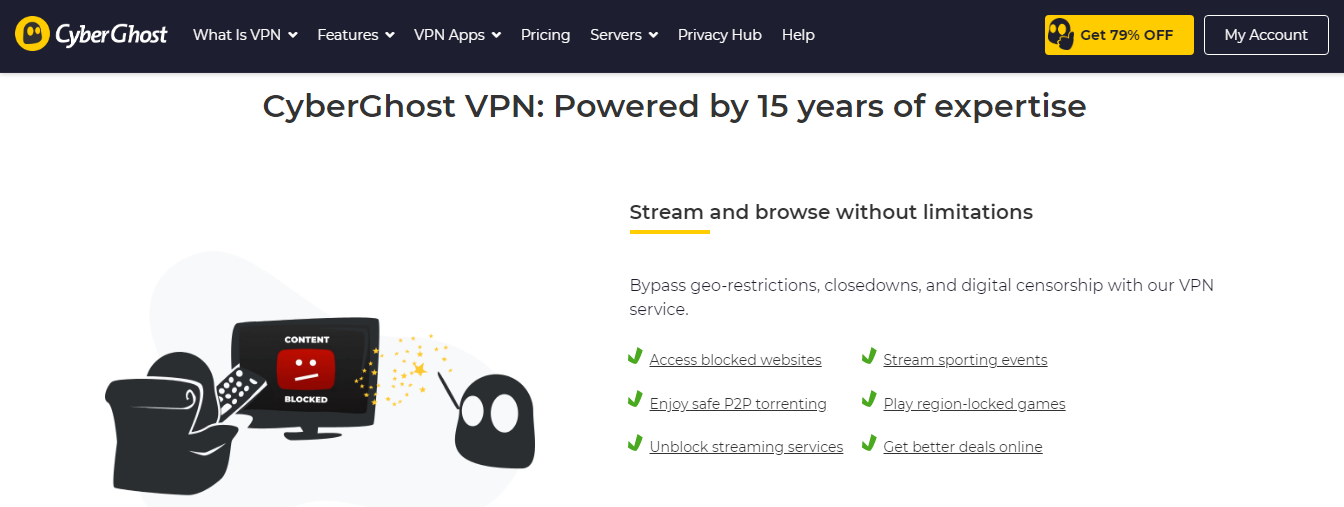
CyberGhost provides a fast and secure VPN service. With this VPN, you can bypass restrictions and internet censorship in Hong Kong. Not to mention, there are applications for all major device platforms.
Critical features of CyberGhost VPN
Fast speed
Auto Kill Switch
Over 6500 VPN servers
No logs policy
Support for OpenVPN, L2TP-IPsec, and PPTP protocols
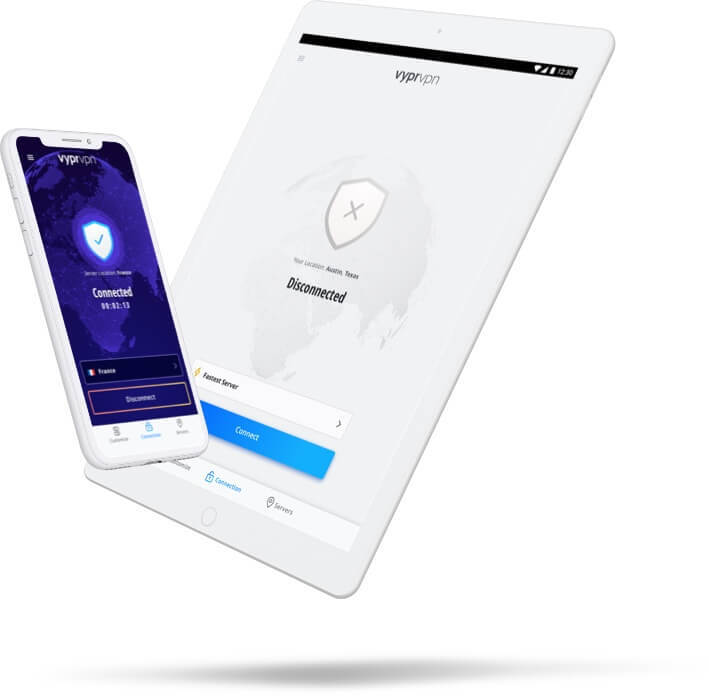
With VyprVPN, you gain internet freedom wherever you are, be it Hong Kong or another city in China. It is a VPN service renowned for security, streaming, and privacy. There are VyprVPN apps for mobile, desktop, and TV devices.
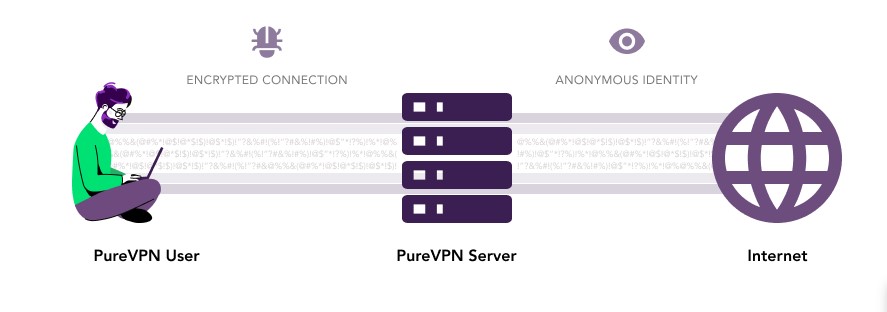
PureVPN is a Hong Kong-based VPN service trusted by top platforms such as Yahoo Tech, LifeHacker, and TNW. It allows you to access restricted content and browse anonymously on the internet.
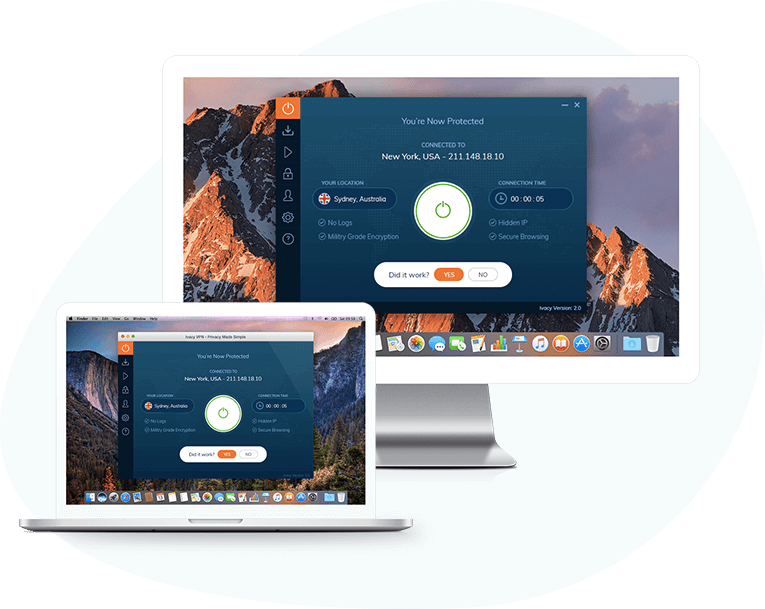
You can mask your IP address and browse the internet freely in Hong Kong with Ivacy VPN. The VPN is compatible with iOS, Android, Windows, macOS, and Linux devices.
ZenMate VPN is a VPN that provides complete internet freedom. It can unblock geo-restricted websites and other applications blocked in Hong Kong and supports various devices and browsing platforms.
BullGuard VPN is a VPN service provider that targets online privacy, freedom, and security. It is easy to use and offers total online freedom on your Windows, iOS, Android, and macOS devices.
NordVPN is a VPN service provider that takes online privacy and security seriously. You can use it on Android, iOS, Windows, macOS, Linux, and Android TV.
Key features of NordVPN
Next generation encryption
No-logs policy
DNS Leak protection
Over 5700 VPN servers
Kill Switch
Supports up to 6 devices
IP address masking
Dedicated IP address
Supports Onion Router
Ads and malware blocker
Chrome and Firefox Browser Extensions
24/7 support
Download NordVPN
Other Reliable VPNs For Hong Kong And China
Below are other reliable VPN services for browsing safely from Hong Kong or China.
With Surfshark VPN, you can protect an unlimited number of devices with over 1700 servers, and it collects no logs. The featured Whitelister will make the VPN easier to use, and the ad blocker lets you browse ad-free.
You will find the TunnelBear VPN very easy to use. The VPN is optimized for maximum speed, and with AES 256-bit encryption, your connection stays secure. TunnelBear has up to multiple VPN servers spread across 23 countries.
Avira Phantom VPN is a maximum encrypted VPN that secures your online connection and prevents leaks. It supports unlimited devices and has 38 Avira Phantom VPN server locations worldwide.
Private Internet Access VPN does what its description implies – it allows you to access the internet privately. The VPN service is encrypted and supports multiple gateways. You can connect up to devices, and the bandwidth is unmetered.
Best VPNs For China And Hong Kong: Frequently Asked Questions
Which VPN works best in China?
There’s no single “best” VPN for China, as effectiveness can depend on server availability, connection speeds, and encryption techniques. However, some VPNs consistently perform well in China:
ExpressVPN: A popular choice known for its speed, reliability, and strong ability to bypass the Great Firewall.
NordVPN: Offers robust security features, a vast server network, and effective obfuscation technology to help circumvent censorship.
Astrill VPN: A provider with a long track record in China, known for its focus on bypassing restrictions and offering multiple connection protocols.
Important Note: Download your chosen VPN before arriving in China, as some websites might be blocked.
Which VPN to use in Hong Kong?
While internet freedom is greater in Hong Kong, some censorship concerns might still exist. Here are some strong options:
NordVPN: Provides excellent security and a large server network, allowing you to connect to servers outside Hong Kong for unrestricted access.
Surfshark: A good balance of affordability, strong security features, and a strict no-logs policy.
PrivateVPN: Offers reliable speeds, good security, and a focus on privacy, making it a solid choice for Hong Kong users.
Which VPN can bypass China’s Great Firewall?
Several VPNs can bypass the Great Firewall with varying degrees of success. The effectiveness depends on the VPN’s ability to:
Use Obfuscation Techniques: Disguise VPN traffic as regular internet traffic to avoid detection by censorship filters.
Maintain a Large Server Network: A diverse server network allows quick switching if one server gets blocked.
Offer Up-to-date Protocols: VPNs with the latest encryption protocols provide the strongest defense against blocking attempts.
The VPNs mentioned earlier (ExpressVPN, NordVPN, Astrill VPN) are known for their ability to bypass the Great Firewall.
Does ExpressVPN work in Hong Kong?
Yes, ExpressVPN works well in Hong Kong. It offers a good balance of speed, security, and access to geo-restricted content.
Choosing the right VPN depends on your specific needs. Consider factors like your location, budget, desired level of security, and features like access to streaming services. Research and compare different VPN providers before making your decision.
Final Thoughts
There you go! Our Best VPNs for China and Hong Kong!
Using a VPN in China or Hong Kong, you can bypass all internet restrictions and browse the internet anonymously.
That way, the Government won’t detect you, and you will have internet freedom and be safe from the new security laws. The VPNs listed above are the best VPNs you can use in Hong Kong.
Want the best 1 year VPN deal, best VPN 3 year plan, best 2 year VPN deal, or are you looking for the best yearly VPN services? Look no further.
A VPN, or virtual private network, is a service that encrypts your internet traffic and routes it through a secure server. This helps to protect your privacy and security online, and can also be used to access geo-blocked content.
There are many different VPN services available, and it can be difficult to know which one is right for you. In this article, we will take a look at the best yearly VPN services for 2023.
The internet is essential to our lives, whether we use it to stay connected or stay hidden from prying eyes. However, the internet is not always safe. Hackers can steal our personal information, spy on us, and even harm us. That’s why using a VPN is essential.
A VPN encrypts our data before sending it over the internet, making it impossible for anyone to see what we’re doing online. Regardless of our individual needs, one thing is clear: VPNs are essential for privacy protection, secure internet access, and unlimited access to geo-restricted entertainment platforms.
If you’re looking for the best yearly VPN services for working from home and accessing geo-restricted entertainment platforms, including Netflix US, consider these top picks.
Short On Time: Quick List Of The Best Yearly VPN Services
If you have ample time, check out the quick list of the best yearly VPN services:
Surfshark is one of the most affordable VPN services on the market, with a 24-month plan that costs just $2.30 per month. This gives you unlimited device protection, which is great if you have multiple devices that you need to protect.
Another reason why Surfshark is a popular choice is because of its Surfshark One offering. This is a bundled cybersecurity package that includes a VPN, antivirus, alert system, and search engine. This can be a great value for users who are looking for a comprehensive cybersecurity solution.
In addition to its affordable pricing and Surfshark One offering, Surfshark also offers a number of other great features, including:
Over 3,200 VPN servers in over 65 countries
Camouflage mode to prevent ISPs from detecting VPN traffic
Strict no-logs policy
Strong encryption protocols
30-day money-back guarantee
Overall, Surfshark is a great choice for users who are looking for an affordable, reliable, and feature-rich VPN service.
I would also add that Surfshark has a strong reputation for security and privacy. Independent security firms have audited them, and they have a strict no-logs policy. This means that your browsing activity is not tracked or logged by Surfshark.
If you’re looking for a VPN service that offers great value for money and a strong focus on security and privacy, Surfshark is a great option to consider.
Surfshark
Surfshark is an award-winning VPN service for keeping your digital life secure. Surfshark VPN has servers located in...Show More
Surfshark is an award-winning VPN service for keeping your digital life secure. Surfshark VPN has servers located in more than 60 countries worldwide. Show Less
Ivacy VPN offers the best yearly VPN deal on the market, with a 5-year plan that costs just $1 per month. This means that you can get 5 years of VPN protection for the price of just one year from most other VPN providers.
In addition to its incredible pricing, Ivacy VPN also offers a number of other great features, including:
Access to geo-blocked content from all major entertainment platforms
Malware protection
Enhanced encryption protocols
Unlimited bandwidth
VPN services for ten devices
Over 5700 servers in 100+ locations scattered across the world
Ivacy VPN also has a strong reputation for security and privacy. They have a strict no-logs policy, and they use strong encryption protocols to protect your data. Ivacy VPN has also been audited by independent security firms, further validating their commitment to privacy.
Overall, Ivacy VPN is the best yearly VPN deal on the market. It offers great value for money, a wide range of features, and a strong focus on security and privacy.
Here is a new sentence that I would add to the entry:
Ivacy VPN is the perfect choice for users who want to save money on a reliable and feature-rich VPN service.
CyberGhost VPN offers some of the best yearly VPN plans on the market. Their 2-year plan is particularly affordable, at $2.19 per month for the first 24 months, plus 2 months free. This means that you can get 26 months of VPN protection for the price of 24 months, which is a great deal.
In addition to their affordable pricing, CyberGhost VPN also offers a number of other great features, including:
VPN protection on up to 7 devices
Access to over 9,200 VPN servers in over 90 countries
Unrestricted access to geo-blocked sites and platforms
Anonymous P2P torrenting
Maximum data encryption and protection
Complete anonymization of subscribers
Maximum protection of subscribers’ details
If you’re looking for a VPN service that offers great value for money, CyberGhost VPN is a great option to consider.
I would also add that CyberGhost VPN has a strong reputation for security and privacy. They have a strict no-logs policy, and they use strong encryption protocols to protect your data. CyberGhost VPN has also been audited by independent security firms, further validating their commitment to privacy.
Overall, CyberGhost VPN is a great choice for users who are looking for an affordable and reliable VPN service with a strong focus on security and privacy.
CyberGhost VPN
CyberGhost VPN is a VPN service provider with more than 9,000 VPN servers spread in over 90 countries. Complete privacy...Show More
CyberGhost VPN is a VPN service provider with more than 9,000 VPN servers spread in over 90 countries. Complete privacy protection for up to 7 devices! Show Less
PureVPN is a great choice for users who are looking for a VPN service with a wide range of features and a strong focus on security and privacy. Their 2-year plan is particularly affordable, at just $2.29 per month. Also, they offer $2.22 per month for their 3-year plan.
In addition to its affordable pricing, PureVPN also offers a number of other great features, including:
Fast internet connectivity
Total security and anonymity
Unlimited access to restricted sites
Over 6,500 servers strategically located around the world
VPN protection on up to 10 devices
PureVPN also has a strong reputation for security and privacy. They have a strict no-logs policy, and they use strong encryption protocols to protect your data. PureVPN has also been audited by independent security firms, which further validates their commitment to privacy.
Overall, PureVPN is a great choice for users who are looking for a reliable, feature-rich, and secure VPN service.
PureVPN is the perfect choice for users who want to get the most out of their VPN subscription without breaking the bank.
PureVPN
PureVPN is one of the best VPN service providers with presence across 150 countries in the world. An industry VPN leader...Show More
PureVPN is one of the best VPN service providers with presence across 150 countries in the world. An industry VPN leader with more than 6,500 optimized VPN servers. Show Less
TunnelBear VPN is a great choice for users who are looking for a secure and affordable VPN service with a free trial. Their 3-year plan is particularly affordable, at just $3.33 per month.
In addition to its affordable pricing, TunnelBear VPN also offers a number of other great features, including:
100% data traffic and privacy protection
Bypass for geo-restricted websites and entertainment platforms
VPN access on up to five devices simultaneously
Free VPN services with a limited bandwidth of 2GB per month
Servers spread over 47 countries
TunnelBear VPN is known for its strong security and privacy features. It has a strict no-logs policy, uses strong encryption protocols, and has been audited by independent security firms.
Overall, TunnelBear VPN is a great choice for users who are looking for a reliable, secure, affordable, and easy-to-use VPN service.
TunnelBear VPN is a good option for users who are looking for a VPN service that offers a free trial so that they can try it out before committing to a paid plan.
TunnelBear VPN
TunnelBear is a VPN service provider that provides you with privacy, security, and anonymity advantages. It has VPN...Show More
TunnelBear is a VPN service provider that provides you with privacy, security, and anonymity advantages. It has VPN servers in more than 46 countries worldwide. Show Less
VyprVPN’s 12-month plan is one of the best yearly VPN deals on the market at just $5 per month. This gives you access to fast and reliable connections to over 700 VPN servers in over 70 locations.
With VyprVPN, you can bypass geo-restrictions, enjoy unlimited streaming, and protect your data traffic with its proprietary Chameleon protocol. VyprVPN also has a strict no-logs policy, so your privacy is always protected.
Overall, VyprVPN is a great choice for users who are looking for a reliable, secure, and affordable VPN service.
VyprVPN is a good option for users who want to get the most out of their VPN subscription without breaking the bank.
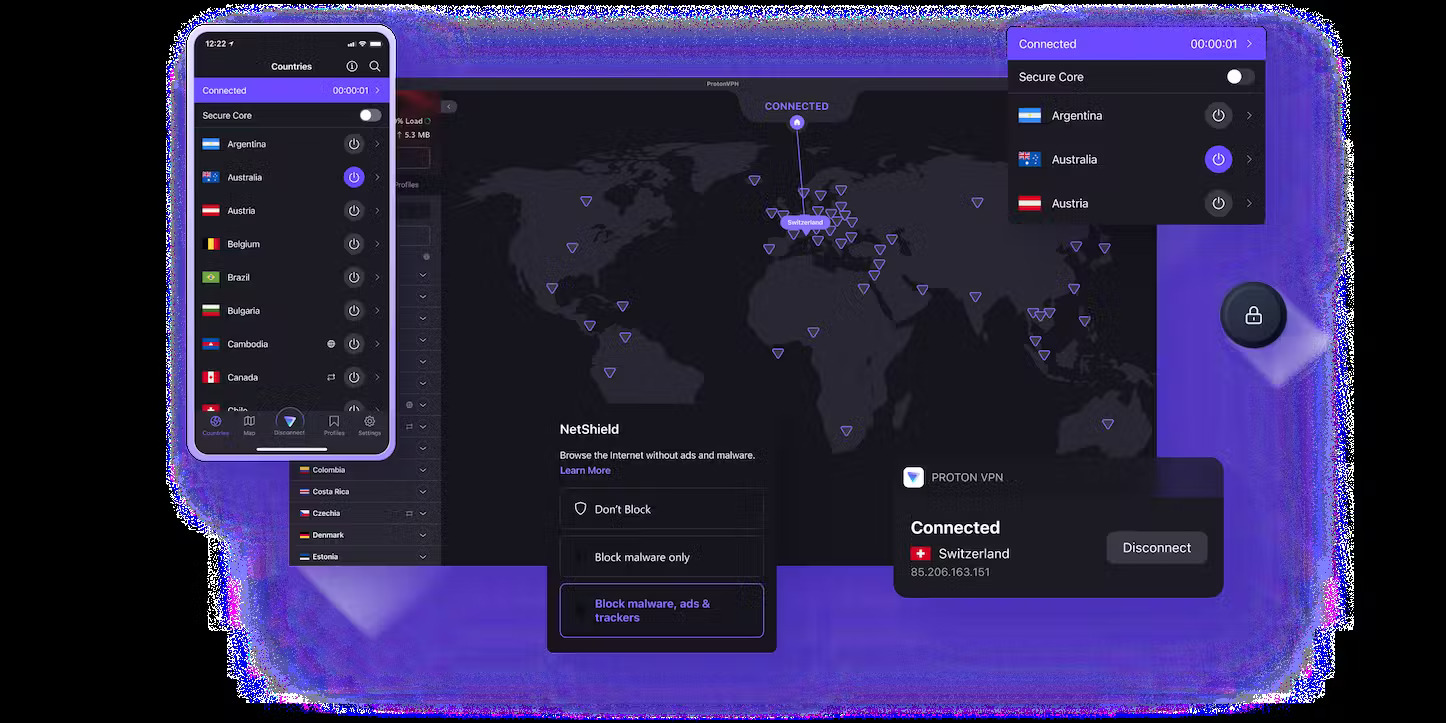
Another mention on our list of the best yearly VPN services is ProtonVPN.
ProtonVPN is a great choice for users who are looking for a secure and privacy-focused VPN service. It offers a number of features that make it ideal for users who want to protect their online activity, including:
A strict no-logs policy: ProtonVPN does not collect any logs of your online activity, so your privacy is always protected.
Strong encryption protocols: ProtonVPN uses strong encryption protocols to protect your data from unauthorized access.
Secure VPN servers: ProtonVPN’s VPN servers are located in countries with strong privacy laws, so you can be confident that your data is safe.
Fast speeds: ProtonVPN offers fast speeds so that you can enjoy streaming and gaming without any interruptions.
ProtonVPN also offers a number of other features, such as split tunneling, Tor over VPN, and SecureCore servers.
ProtonVPN’s yearly plan is a great value for users who want a reliable, secure, and privacy-focused VPN service. It costs just $4.99 per month for its 2-year plan and includes all of ProtonVPN’s features.
ProtonVPN is a good option for users who are concerned about their online privacy and want a VPN service that is transparent about its practices.
ProtonVPN
A swiss VPN service that goes the extra mile to balance speed with privacy protection.
A swiss VPN service that goes the extra mile to balance speed with privacy protection. Show Less
ExpressVPN is one of the best yearly VPN services on the market, and for good reason. It offers a number of features that make it ideal for users who want a fast, reliable, and secure VPN service.
ExpressVPN has a large network of servers located in over 90 countries, so you can always find a server that is close to you and provides fast speeds. ExpressVPN also uses strong encryption protocols to protect your data from unauthorized access.
ExpressVPN is known for its excellent performance and reliability. It can easily handle streaming HD video and gaming without any buffering or lag. ExpressVPN also offers a number of features that make it ideal for users who want to bypass geo-restrictions, such as its Smart Location feature.
ExpressVPN’s yearly plan is a great value for users who want a reliable, secure, and fast VPN service. It costs just $6.67 monthly for 12 months + 3 free months and includes all of ExpressVPN’s features.
ExpressVPN is a good option for users who want a VPN service that can handle all of their online needs, from streaming video to gaming to accessing geo-restricted content.
ExpressVPN
A dependable VPN service that works on all devices and platforms.
A dependable VPN service that works on all devices and platforms. Show Less
VeePN is a great choice for users who are looking for a secure and affordable VPN service. It offers a number of features that make it a good value for the price, including:
A strict no-logs policy: VeePN does not collect any logs of your online activity, so your privacy is always protected.
Strong encryption protocols: VeePN uses strong encryption protocols to protect your data from unauthorized access.
Over 2,500 servers in over 94 countries: VeePN has a large network of servers that gives you plenty of options to choose from, wherever you are in the world.
Fast speeds: VeePN offers fast speeds so that you can enjoy streaming and gaming without any interruptions.
VeePN also offers a number of other features, such as split tunneling, ad blocking, and malware protection.
VeePN’s yearly plan is a great value for users who want a reliable, secure, and affordable VPN service. It costs just $1.67 monthly for its 5-year plan and includes all of VeePN’s features.
VeePN is a good option for users who are looking for a VPN service that offers a good balance of features and price.
VeePN
VeePN is a virtual private network (VPN) service that provides online privacy and security by encrypting internet...Show More
VeePN is a virtual private network (VPN) service that provides online privacy and security by encrypting internet traffic and hiding the user's IP address. Show Less
Among our list of the best yearly VPN services is ZenMate VPN.
ZenMate VPN is no longer available as a standalone service. It was acquired by CyberGhost VPN in 2023 and is now integrated into CyberGhost’s platform.
However, CyberGhost VPN does offer a number of features that were previously available with ZenMate VPN, such as:
Affordable yearly pricing: CyberGhost VPN’s yearly plan costs just $2.19 per month, which is similar to ZenMate VPN’s pricing.
Protection for an unlimited number of devices: CyberGhost VPN also allows you to protect an unlimited number of devices with a single subscription.
Fast connectivity speeds: CyberGhost VPN has a large network of servers located in over 90 countries, so you can always find a server that is close to you and provides fast speeds.
Military-grade encryption: CyberGhost VPN uses strong encryption protocols to protect your data from unauthorized access.
Access to geo-blocked services: CyberGhost VPN can help you bypass geo-restrictions and access content from all over the world.
Compatibility with a wide range of devices and OS: CyberGhost VPN is compatible with a wide range of devices and operating systems, including Windows, macOS, Linux, Android, and iOS.
If you were considering using ZenMate VPN, I recommend that you consider switching to CyberGhost VPN instead. CyberGhost VPN offers a similar set of features at a similar price point.
CyberGhost VPN
CyberGhost VPN is a VPN service provider with more than 9,000 VPN servers spread in over 90 countries. Complete privacy...Show More
CyberGhost VPN is a VPN service provider with more than 9,000 VPN servers spread in over 90 countries. Complete privacy protection for up to 7 devices! Show Less
When choosing a yearly VPN service, there are a few factors that you should consider:
Security: Make sure that the VPN service uses strong encryption protocols and has a good reputation for security.
Speed: If you plan on using the VPN service for streaming or gaming, you need to ensure that it offers fast speeds.
Features: Consider which features are important to you, such as a kill switch, ad blocker, and malware protection.
Price: Yearly VPN subscriptions are typically cheaper than monthly subscriptions.
Best Yearly VPN Service: Frequently Asked Questions
What is the number 1 VPN service?
There isn’t a single universally “number 1” VPN service. Reviewers rank VPNs based on speed, security, server network, features, and price. Some popular top contenders include:
ExpressVPN: Known for ease of use and reliable connections.
NordVPN: Offers strong security features and a vast server network.
Surfshark: Popular for its unlimited simultaneous connections.
Do some research to see which VPN best suits your priorities!
What is the best VPN of all time?
It’s difficult to say definitively which VPN is the “best of all time” as the landscape constantly evolves. However, some VPNs consistently rank highly for their features and performance over time. Look for providers with a proven track record of security and innovation.
How much is a yearly VPN subscription?
Yearly VPN subscriptions generally offer the best value compared to monthly plans. Prices can vary depending on the provider and features, typically from $30 to $100 per year.
How much is a VPN per year?
As mentioned above, yearly VPN subscriptions typically cost between $30 and $100. Check individual VPN provider websites for their specific pricing plans.
What is the most expensive VPN?
Not all premium VPNs are the most expensive. Some lesser-known providers might offer high prices, but established brands with top-tier features can also be pricier. Focus on finding a VPN that delivers the value you need at a comfortable price.
Conclusion: What Is The Best Yearly VPN Service?
Whether you’re looking for the best 1-year VPN deal, the best VPN 3-year plan, the best 2-year VPN deal, or the best VPN 5-year plan, our list of the 10 best yearly VPN services has you covered.
With so many VPN services on the market, it can be tough to choose the best one. But it’s important to consider factors like data protection, geo-restricted content access, user anonymity, and pricing.
Free VPN services are often not worth the risk. They can harvest your data, infect your device with adware, and provide poor performance.
Instead, opt for a paid VPN service that offers a money-back guarantee. This way, you can try it before committing to a long-term subscription.
If you’re unsure what VPN services to patronize, you can try out their trial plans or cash in on their money-back guarantee. With Surfshark VPN, you have a 30-day money-back guarantee, which gives you enough time to decide about your choice of VPN service.
Surfshark
Surfshark is an award-winning VPN service for keeping your digital life secure. Surfshark VPN has servers located in...Show More
Surfshark is an award-winning VPN service for keeping your digital life secure. Surfshark VPN has servers located in more than 60 countries worldwide. Show Less
Note:This post was originally published in March 2022 but has been updated to reflect the latest information and accuracy.