Home Blog Page 200

How IT Professionals Can Monitor Remote Employees’ PCs Without Violating Privacy Laws

Remote working is here to stay and may very well become the new standard for employees’ work. But this leaves IT professionals in a bit of a quandary- how can they monitor the activities of their remote employees without breaching privacy protection laws? Let’s take a look at how to best go about it. 

With in-office work, monitoring employees’ work computers was completely legal to ensure they were doing company-related work on time. Everything from browsing Facebook and spending too much time on YouTube was flagged, and some employers even went as far as creating their own music streaming network so employees wouldn’t spend valuable time fiddling with Spotify. 

In any case, this level of monitoring has been the norm, especially since the IT equipment used in the office is company property. It even extends to employees working outside the office but still using company-owned equipment, including cars, laptops, mobile phones, etc. 

However, what if the employee works remotely but uses their personal computers or smartphones to do the work? How do you monitor that? More importantly, is it even legal?

READ ALSO: Secure Remote Access VPN: Everything You Need to Know 

The Short Answer…

How IT Professionals Can Monitor Remote Employees’ PCs Without Violating Privacy Laws

Yes, it is indeed possible for IT professionals to monitor their remote employees’ personal computers, provided the employee is using it for company work. This means the employees are connected to the work network during that period. 

The network firewalls of the company network can pick up unauthorized activities, such as browsing social media or playing online games, during work hours. If you really think about it, the network is where the bulk of the work gets done anyway regarding remote work. Everything from emails and cloud storage to file sharing and other digital assets is hosted on the company’s network. 

However, firewalls generally offer entry-level monitoring. This has resulted in the rise of add-ons and alternative programs designed to monitor employee activity more closely. 

What Does The Law Say About Monitoring Personal Computers?

More importantly, how much disclosure should employees receive about such monitoring? There’s no straight answer, as a uniform law has yet to govern this type of scenario. However, if a country has specific provisions for personal computer monitoring, then such laws are subject to interpretation by the legal system of that region. 

In the United States, the Electronic Communications Privacy Act of 1986 allows companies to monitor the activities of their employees using their systems. This means network administrators can track other non-work activities as long as the employee is still logged in to the company’s network and it involves a legitimate business need. 

As you can see, this can conflict with other laws with specific provisions covering digital privacy. For instance, across Europe and some regions in the U.S., the General Data Protection Regulation (GDPR) laws give individuals control over what third parties access their personal data and how much information they can access. This means there must be consent on both ends — the party doing the monitoring and the party being monitored. 

As the employer or IT leader, this grey area may require further interpretation. For example, the employee might log in to their personal Facebook account while on the company network for a quick chat with a friend. You may be allowed to track this activity, but you may breach the GDPR law since monitoring the activity can give you access to the employee’s friend’s information. 

READ ALSO: What Is The Best Country For VPN Anonymity?

What You Can Do About It?

As the idea of remote working becoming a new norm gets further cemented, it’s only a matter of time before we start seeing new legislation that provides clear guidelines for tracking remote employees’ activities using their PCs for work. 

In the meantime, you can tackle such matters by setting up a comprehensive company policy to govern remote working. If necessary, get a lawyer to provide professional guidance so there are no grey areas, and everyone knows what is expected of them. 

For instance, the policy can state that employees may not launch any non-work-related emails and chatting apps while logged into the company network. 

As long as the employee consented to this rule, the network admin can monitor work activity and simply delete any data pertaining to third-party communications outside of work. The company’s HR department can also take disciplinary action against employees for doing non-work-related activities during company hours. 

Since employees are more productive when not spending time on outside distractions, it can be safe to assume that companies can reasonably ban the use of all non-work programs while logged in to the company network. 

What Do Employees Need To Know?

What Do Employees Need To Know?

Generally, employees must be informed if the employer is tracking their work-related activities on their personal computers or mobile devices. However, the employer is not necessarily required to obtain their consent. 

Still, providing disclosure and obtaining consent can go a long way in preventing potential issues, especially as remote working takes more center stage. 

READ ALSO: 20 Online Security Tips For Remote Workers

What If The Employee Is Still Logged Into The Company Network Outside Of Work Hours?

Perhaps it’s the end of the workday, but the employee stays logged in and is now browsing their favorite online store or scrolling down their Twitter feed — it is their PC, after all. In this instance, there’s no need to actively monitor the employee’s online activity since it does not pertain to the legitimate business needs of the company. 

However, this doesn’t mean that the network’s firewall or tracking program will not track the activity. The data may be helpful in some cases, such as if a security issue occurred during that period, but otherwise, the administrator should simply delete it. 

READ ALSO: Essential Cyber Security Plan for Small Business

The Bottom Line

Even as governments worldwide lifted their imposed lockdowns and declared it relatively safe to return to the office, many employees remain reluctant to resume the daily grind and prefer to continue working from home for remote working. 

This represents a new workplace dynamic that companies need to include in their policies to avoid violating privacy laws. 

Note: This was initially published in September 2020, but has been updated for freshness and accuracy.


SUGGESTED READINGS

How To Install & Activate Discovery Channel On Firestick

0

This post will show you how to install & activate the Discovery Channel on Firestick.

Amazon FireStick allows you to transform any TV into a Smart TV by spending a few bucks. You can enjoy many TV channels, online streaming, and more on FireStick. The stick is a USB-type key connected to the TV’s HDMI port, allowing you to access online and stored content.

For its compact size, it can be easily carried when traveling. In this article, I will explain how to install & activate the Discovery channel on Firestick. So, get Discovery on Firestick and watch all the content on your TV screen.

READ ALSO: 23 Best Cybersecurity YouTube Channels

Without further ado, let me show you the Discovery activate hack…

How To Install & Activate Discovery Channel On Firestick?

If you want to enjoy the Discovery channel on your Firestick device, you have to install and activate the Discovery channel on the Firestick. Let’s see how to do it:

  • First, connect the Firestick to your TV and install the Discovery app on your Firestick.
  • Start the Discovery app, and a sign-up window will appear on the screen.
  • Give all credentials as they want and then click on the sign-up button.
  • Log in to the account with the registered details and go to www.discoverygo.com/activate.
  • From here, you will get a code number and enter the code in the required place.
  • Choose the TV channel service provider to enjoy all the entertainment services.
  • Then, choose the device and activate it with the code number.

Now, you can enjoy Discovery on your Amazon Firestick.

Set Up Amazon Fire TV Stick

After activating the Discovery channel on the Fire TV Stick’s essential functions and commands, you can customize the device more advanced from the Settings menu at the top left of the screen. The menu consists of the following functions:

  • Notifications: Set preferences for suggestions and other Fire TV Stick notifications;
  • Network: Configure the Wi-Fi connection, Sounds, and screen, where you can adjust the settings related to video and audio outputs;
  • Applications: Easily control the apps that are installed on the device;
  • Preferences: Set the parental control, the time zone, and more;
  • Device: Command the restart or reset of the Fire TV Stick and activate the developer options;
  • Accessibility: Adjust the settings related to the accessibility functions
  • My account: You can change the Amazon account linked with the FireStick.

Browse Discovery Channel On Amazon Fire TV Stick From Smartphones And Tablets

Amazon FireStick is handy for operating an app called the FireStick Remote Control. The app’s operation is effortless: after downloading the FireStick Remote Control from the Play Store or the App Store, start the latter, ensuring the smartphone or tablet is connected to the same Wi-Fi network as the Amazon Fire TV Stick. Then, select the name and enter the secret confirmation code from the screen.

READ ALSO: 5 Benefits of Having a Home Security System

Why Use Amazon FireStick To Watch The Discovery Channel?

The FireStick provides HD-quality videos and Dolby format audio better than the other streaming devices. You can watch all the Discovery programs in 4K and have a clear view. Its compact design allows you to place the same device more efficiently, even when the HDMI input is awkwardly on the TV.

With the Firestick, you can use voice control to give precise orders that Alexa will fulfill in the best possible way. With dynamic images and bright colors, each Discovery channel content will become a truly unique experience.

Turn Your Smartphone Into The Amazon FireStick Remote Control

The key is supplied with its remote control for easy access to the various functions, but it is also possible to use your smartphone to get to the heart of the device options we describe.

How to do it? The same layout as the remote will appear on display when downloading and opening the official Fire TV app (or similar apps like Cetus). Can’t find the remote control anymore? No problem, check everything directly from your mobile. Can’t find your smartphone anymore? Please note that the official Fire TV app is available for:

  • Fire tablet from the 4th generation;
  • All Android devices with 4.0.3 or higher operating system;
  • Devices with iOS 7.0 or higher.

Now, watch Discovery on FireStick by converting your smartphone as a remote controller.

Fire Up Discovery on Your Fire Stick: Your FAQs Answered

Discovery Channel content isn’t directly available as a standalone app on Fire Stick anymore. However, there are a couple of ways to access Discovery Channel programming:

1. Through Discovery Plus

Discovery Plus is a streaming service offering a wide range of Discovery Channel shows and other content from the Discovery family of networks. Here’s how to get it:

Does Fire TV have Discovery Plus?

Yes, Discovery Plus is available on Fire Stick.

How do you activate Discovery Plus?

  1. Search for “Discovery Plus” on your Fire Stick using the search function.
  2. Download and install the Discovery Plus app.
  3. Open the app and sign up for a Discovery Plus subscription (or log in if you already have an account).
  4. Once subscribed, you can access Discovery Channel content and other programs within the Discovery Plus app.

2. Through Cable/Satellite TV Provider Subscriptions

Some cable or satellite TV providers allow you to access their apps on Fire Stick, which might include Discovery Channel depending on your specific package.

How do I add channels to my fire stick?

You can’t directly add individual channels like Discovery Channel. However, some TV provider apps might offer access to Discovery Channel if it’s part of your cable/satellite TV package.

Does Discovery Channel have an app?

Discovery Channel doesn’t have a separate app for Fire Stick anymore. Content is now primarily available through Discovery Plus or certain cable/satellite TV provider apps.

Here are some additional points to consider:

  • Free vs. Paid Options: Discovery Plus offers a free tier with limited content, while a paid subscription unlocks the full library.
  • Cable/Satellite TV Provider App Requirements: Using your cable/satellite TV provider app to access Discovery Channel might require a subscription that includes your provider’s channel and login credentials.

You can enjoy Discovery Channel content on your Fire Stick device by following these steps and considering your preferred method (Discovery Plus or cable/satellite TV provider app).

READ ALSO: 9 Apps That Will Help Every Student Stick To A Routine

Final Words

We have shown the steps on how to install & activate the Discovery Channel on Firestick. By completing it, you can enjoy all the content the Discovery Channel offers. The main menu of the FireStick is extremely intuitive: at the top left, there is the navigation menu to go to the Home of the FireStick.

You must use the directional wheel on the remote control and select the Discovery channel contents to watch. Very simple! Also, it allows you to mirror the screen and enjoy all content on smartphones and other devices. Its many features make it reliable for all types of users.

Note: This was initially published in October 2020, but has been updated for freshness and accuracy.


RELATED POSTS

9 Things That Every Gamer Should Have For Seamless Online Gaming

Here, I will show you 9 things every gamer should have for seamless online gaming.

The current pandemic has affected the way we live our lives. Now that more than half of the world’s population is at home, each of us has been thinking of ways to keep ourselves busy.

One of them is online gaming. Online gaming is an effective way to pass the time, relieve stress, and escape reality. Whether you are an amateur or a gaming veteran, having a dedicated gaming setup is a requirement so you can fully enjoy playing.

We have you covered if you want to fully convert yourself into a full-pledged e-bor or e-girl. Ready your wallet because this hobby can indeed break your bank! 

READ ALSO: Essential Gaming Guide

9 Things For Seamless Online Gaming

1. Invest in a good gaming laptop 

Invest in a good gaming laptop 

Well, this is not a prerequisite. If your laptop or PC can handle online gaming, skip this part.

But if you want an upgrade, a good gaming laptop is recommended. Plus, if your computer can handle online gaming, it can handle other activities like editing and video chats. A good gaming laptop should include high-performing processors and enough memory. 

A gaming laptop’s speed is always top-notch. Turning on a gaming laptop should only take a few minutes. Since these laptops are specially made for gaming, graphics, sounds, and overall quality are good! 

READ ALSO: The Retail Revolution: 10 Steps to a Seamless Ecommerce Transition

2. Reliable internet speed

Of course, you are going to need a stable internet connection. You don’t want your device to lag halfway through the game, right? You may wonder, ‘What internet speed do I need for gaming?’

However, you will need a minimum of 6MB per second per device for a PC. Use an ethernet cable to connect your PC to your router to enjoy a faster connection.

Another factor you should also know is your internet’s download and upload speed. You might be familiar with download speed because that’s typically the aspect most internet service providers focus on when marketing their services.

However, upload speed is just as important if you are into online gaming. Upload speed refers to how fast you can send or transfer information from your computer to the internet. 

3. Switch up your router

If you are already subscribed to a good plan from your internet service provider and your internet is still slow, your modem might be the problem. If you’re not the only one using the internet in your household, then this can also affect the internet speed.

Routers your internet service provider gives are often outdated, vulnerable to attacks, and might not meet the demand for data-heavy activities like online gaming. There are a lot of routers made for gaming that can lower your ping rate.

But the thing about gaming routers is that it can get really expensive. Some may even range between $300-$400. Make sure to research thoroughly before you shell out a lot of money. You can score a good router for $100 and can still perform just as well as a $350 router.

READ ALSO: Up Your Game: Top Gaming Equipment Recommendations for Competitive Players

4. Gaming headphones

If you follow a few gamers online, you will see that aside from their gaming laptop, they use accessories. A good quality headphone can aid you when communicating with your teammates online. Aside from the audio quality, you should also check the quality of the microphone.

It must be sensitive enough to pick up sounds without needing you to modulate your voice. Noise-canceling headphones can also keep you from distraction. Ensure that the headphones you will pick are lightweight, too. 

5. Gaming Chair

You have probably seen those bulky, customized gaming chairs online. Since you will be sitting for a few hours, you must also be comfortable.

Gaming chairs are tailored for people who need to sit for hours in front of a computer. It keeps the posture upright so you don’t hurt your back. 

6. Gaming Mouse

A dedicated gaming mouse is a must. Similar to the comfort that a gaming chair brings to your back, a gaming mouse should also fit perfectly in your hand.

Compared to a standard mouse, a gaming mouse is more sensitive, which makes it ideal for playing. A gaming mouse also has a lot of buttons that you can specifically find on the sides. This makes it more convenient for gamers compared to using a regular mouse. 

7. Gaming Keyboard

Gaming Keyboard

Mechanical keyboards are becoming more popular in gaming. There are a lot of gaming boards out there–from customized control pads to

colorful backlights. Gaming keyboards are also smaller in size so gamers can type faster. You may also commission someone to customize one for you.

A gaming keyboard will also complete your gaming station’s aesthetic and contribute to the gaming experience. 

8. A Good Set of Speakers

If you are not a fan of using headphones when playing then you should get a good set of speakers.

A Sound Boosted feel can also level up your gaming experience. It makes gaming more immersive and can make you feel part of the game. 

9. A Gaming Desk 

Of course, you will need a desk to keep everything in place. If you have more than one monitor, an ergonomically designed gaming desk is advised so you can easily switch from one monitor to another.

An L-shaped desk is also suitable. Aside from the space your equipment will occupy, you should also consider your own space. This includes its height, leg space, elbow rest, and other things that make you feel more comfortable. 

Wrap Up: Always invest in quality gaming items

There you have it! Listed above are the must-haves to complete your gaming setup dream. You are not required to tick off everything on the list right away.

Always make sure that you are investing in high-quality things to make the most out of your money.

Whether you are just starting to pick up on this hobby or looking for the perfect gift for a gamer, you should check out the ones listed in this article. 

Note: This was initially published in September 2020, but has been updated for freshness and accuracy.


RELATED POSTS

7 Things You Need To Know About Cybersecurity And Payday Loans (Infographics)

In this post, we will show you 7 things to need to know about cybersecurity and payday loans. Plus, we will provide an infographic at the end.

With the digital revolution reeling the world, things have changed in a big way. Our businesses, markets, institutions, and whole financial setup have changed.

And with this, there arise new instruments, like Payday Loans. Although payday loans are revolutionary, rising cybersecurity cannot be ignored.

What Makes Payday Loans To Trend?

Payday loans are loans with a large amount, available at a short interval of time. Although the loans carry a high interest rate, they are still in vogue.

Payday Loans provide in a short time a considerable amount, which saves a day for the many.

Payday loans help you pay admission fees for your college. For the youngsters looking for funding for their new ventures, it gives them relief. Also for any businessman reeling under financial stress, they certainly reduce the burden.

How Is Cybersecurity Linked With Payday Loans?

The more good they sound, the more vulnerable they are. The payday loans are like simple loans, with a similar way of the procedure.

With their growing trend, hackers are now coming onto the scene. Now, these people see new kinds of attacks on your loans.

The hacking and the malware are not new, but their ways of doing things have changed. The card details are the most common target for these to get into. Also, email spoofing and IP address spoofing are some of the common ways they attack your loan details.

Things To Know About Cybersecurity And Payday Loans

How Cybersecurity Is Linked With Payday Loans?

The cybersecurity threats with the time are only going to increase. Thus, it makes more sense to be prepared for these attacks in the future. Here, we will see some of the things you should be aware of the payday loans and the cybersecurity.

Without further ado, let’s get straight in!

  1. Payday loans are not immune to cyber attacks

By now, you might have got this point in your head. Payday loans, like any other system, can be hacked for their benefits. Be it very secured systems, with the growing technology in hand, nothing seems to be impossible here.

You should not be fooled by the loaners about security. Instead, one should be prepared for any kind of circumstance in the future. All this can be achieved if you are aware of the current.

  1. Be alert about your personal details

Now, once you are aware of the truth about the market, The second thing you should genuinely care about is your details. These personal details are like the soul of your business. Once the soul is taken away, no one can protect your business.

You should not be sharing your personal details with any tom, dick, and harry. First, get to know whether it is your bank or someone else. It is always the best bet to first confirm with the bank about such an inquiry.

  1. Choose the right institutions for payday loans

It is a noted fact that cybercriminals are more likely to attack a weak system first. And if the institution to which you are availing of the loan is a latter one, You are taking a considerable risk ahead. This kind of risk can cost you your whole business.

It is best to look for the reputed names in the market. These usually have a strong system to maintain the brand value. And they are more likely secured than others.

READ ALSO: Why A One-Size-Fits-All Approach No Longer Works For Modern Banking Clients

  1. Get to know about the expertise of banks

Yes. It is also essential to know how perfect they are for you. You should try to learn more about their systems before coming to an agreement. One can look for the security details posted on their website and recheck them with other systems.

And it will be good to get there and talk to them in person. How can these banks assure you of their security? The answer to this question will help you from landing in trouble.

  1. Proper handling of the personal details by you

As necessary is to know about others’ expertise, the more is to keep care from your side. You should be careful about yourself first. And the way you handle the personal details is again an important thing.

You should be getting the most essential details in a safe server. Using a well-known cloud service can help you with this. Also, being a bit more careful about the frequency at which you share the data is important.

  1. Be in touch with the right officials

Now, you should also be in touch with the right persons for your security concerns. These cybercriminals are clever enough. They sometimes try to fool the person by masquerading themselves as the legit ones.

This mistake can cost you heavily. Always, first, cross-check the details given about the officials. One can ask the bank about employee history. The alertness from your side can save you from a hazard.

  1. Do not take cyberattacks lightly

It is not always possible to protect yourself from cyber-attacks. In case the attack happens to your bank or personal details. You should not be taking the attacks lightly at all.

You should be conveying the banks about the same. And immediately blocking the cards and freezing the accounts should be done.

READ ALSO: Cyber Security Risks And Solutions In 2024

Things To Know About Cybersecurity and Payday Loans: FAQs

What is cybersecurity in e-banking?

Cybersecurity in e-banking refers to the practices and technologies employed to protect your financial information and transactions when using online banking services. This includes safeguarding your online bank accounts from unauthorized access, theft, and fraud.

Why is cybersecurity important in e-banking?

E-banking offers convenience, but it also carries inherent risks. Cybersecurity helps mitigate these risks by protecting your sensitive data, such as login credentials, account numbers, and transaction details. Strong cybersecurity measures prevent unauthorized access that could result in stolen funds or fraudulent activity.

What security is required for a loan?

For payday loans specifically, the security requirements may vary depending on the lender. They typically ask for basic information like bank account details to verify your identity and facilitate electronic fund transfers. However, reputable lenders will prioritize secure practices to protect your information.

Things to consider regarding cybersecurity with payday loans

  • Borrower beware: Be cautious of lenders with lax security practices. Look for lenders that use encryption to protect your data and offer two-factor authentication for added security.
  • Phishing scams: Payday loan providers can also be targets for phishing scams. Be wary of unsolicited emails or calls claiming to be from your lender. Don’t click on suspicious links or reveal personal information.
  • Review your bank statements: Regularly monitor your bank statements to identify any unauthorized debits related to payday loans or other financial transactions.

General Cybersecurity Tips

  • Use strong, unique passwords for each online account.
  • Enable two-factor authentication (2FA) whenever possible. 2FA adds an extra layer of security during login attempts.
  • Beware of phishing scams. Don’t click on suspicious links or attachments in emails or messages.
  • Keep your devices and software up to date. Regularly update your operating system, web browser, and other software to patch security vulnerabilities.
  • Be cautious when using public Wi-Fi. Avoid accessing sensitive information like bank accounts on unsecured networks.

By following these cybersecurity best practices, you can significantly reduce the risk of falling victim to cyberattacks and protect your financial information, whether you’re using e-banking services or applying for payday loans.

Things You Need to Know About Cyber Security & Payday Loans infographics

Note: This was initially published in August 2020, but has been updated for freshness and accuracy.


RELATED POSTS

How To Choose The Best Password Manager

Are you looking for password management software? This post will show you how to choose the best password manager.

Organizations and private users widely accept the use of a password manager. Password managers are very important. Due to the complexity of the management of passwords, individuals and companies have adopted password managers to secure passwords and comply with standard password hygiene.

There are a lot of password managers out there, whether cloud-based or self-hosted password managers like Password. How do you make a perfect choice? Given a wide array of providers, there is a need to understand the features of a standard password manager. This would help you avoid paying for software that would leak your passwords.

What are the features to look out for in a password manager? This article is dedicated to providing a comprehensive answer to this question. 

There are some standard features a good password management software must have. You must look out for these features before committing your credit card. 

READ ALSO: Best Password Manager According To Reddit Users

Let’s delve in!

Features To Look Out For In A Good Password Manager

1. Encryption

password management software

The essence of using password managers is to have secure passwords. Encryption is what ensures that. This is one of the significant features to look out for. You have to ascertain how reliable the encryption of a password manager is. 

Reliable password management software should have advanced encryption/military-grade encryption. This is because hackers are relentlessly working to crack such applications. 

READ ALSO: Full Review of RememBear – A Reliable Password Manager Application

2. Ease of Use

In as much as password management applications have robust technology, they should not be difficult to use. Today, an average user has a lot of accounts to access. So, retrieving login credentials should be hassle-free. 

This should also apply to organizations’ password managers. Making the software available to the employees ought to be simple and effective. 

Ensuring ease of use will always boost user experience, which is one of the reasons people opt for password management solutions. No one wants to go through the trouble of having to memorize passwords.

Choosing a password manager empowers you to take control of your online security. You can find the perfect tool to manage your passwords securely by considering your needs.

3. Is the Vendor Verified?

This software as a service is very sensitive. They help you keep credentials that are used to access accounts. Considering this, you wouldn’t want to hand over your login information or your organization’s account information to any random password management software vendor. 

You must have to understand the legitimacy of such a company. Consider the country where the vendor operates, government regulations, company policies, and history. 

All of these are to ensure you are doing business with a legitimate software company committed to securing your data. Remember, we are talking about passwords here. You’ve got to be careful with the password management application you use.

4. Ability to Generate Strong Passwords

password managers

This is one of the significant characteristics a password manager should hold. It doesn’t stop at generating passwords; there should be additional features such as determining the length of a password, choosing the types of characters, and some other set of filters that give users control over the software.

5. Auto-fill Feature

Would you enjoy opening a password manager whenever you want to access your accounts? What if a password manager could autofill login pages for you? I know you would prefer your manager to do this recurring task. After all, who doesn’t like convenience?

Any password management software that lacks this feature is somewhat behind. Contemporary password managers are built to fill in login forms automatically.

READ ALSO: Full Review of 1Password – Reliable Password Manager

6. Password Audit

A reliable password manager should be able to audit and regulate user’s password habits. A good password manager examines the strength of passwords and how often the user uses them and makes suggestions to the users regarding needful changes. 

Here are the things a comprehensive password audit should cover:

  • Password strength
  • Reuse of passwords across accounts
  • When to change passwords

7. Responsive Support

Every SaaS company ought to have responsive support. The need to fix something as urgent as possible would always arise. Before settling with a provider, ensure the support platform is responsive.

8. Specialized Package for Businesses

Businesses require more control when using a password manager. This calls for advanced features that allow the IT department to regulate and manage employees’ accounts. 

Before you choose a password manager for your business, make sure it offers a friendly interface and features that make it easy to manage the password habits of your employees.

9. Additional Features

What if you can do more with your password manager than generate and keep passwords? Some applications have additional features that allow you to make and save notes, upload files, and keep other sensitive things besides passwords. 

READ ALSO: Full Review of RoboForm – Secure Password Manager

Some password managers work as browsers as well. In this case, it helps users to browse securely. So, if you are interested in some other additional features, make sure the service you are considering has them before committing your money.

Today, password managers are not just for keeping passwords only. Look out for a multi-faceted manager.

READ ALSO: The Pros And Cons Of Outsourcing Your Cybersecurity Audit

How To Choose The Best Password Manager: Frequently Asked Questions

Selecting the perfect password manager can feel overwhelming. Here are some FAQs to help you navigate the options and find the best fit for your needs:

How do you choose a password manager?

Consider these factors when choosing a password manager:

  • Security: This is paramount. Look for a manager with robust encryption (AES-256 is a common standard) and multi-factor authentication (MFA) to protect your passwords.
  • Features: Do you need password-sharing capabilities, secure storage for notes or documents, or automatic password generation? Identify the features that are important to you.
  • Cross-platform compatibility: Ensure the password manager works seamlessly across all your devices (desktop, mobile, browser).
  • Ease of use: A user-friendly interface makes managing passwords less of a chore. Consider how intuitive the password manager is for you.
  • Price: Free and paid options exist. Paid plans often offer additional features and storage space.

Which password manager is best for me?

There’s no single “best” password manager. Different options cater to specific needs. Reviewing and comparing features across popular choices like LastPass, 1Password, Bitwarden, Dashlane, and Keeper can help you decide.

What password manager should I switch to?

If you’re unhappy with your current password manager, consider the factors mentioned above (security, features, etc.) Many password managers offer easy import/export functions to transfer your existing passwords securely.

What is a good password manager for Android?

Popular password managers like those mentioned offer Android apps alongside desktop and browser extensions. When choosing, consider features relevant to mobile use, such as fingerprint unlock or autofill functionality within Android apps.

Are all password managers the same?

Password managers differ in features, pricing models, and even underlying security architecture. Some prioritize ease of use, while others offer advanced features for security-conscious users. Evaluating your needs will help you choose the most suitable option.

What are the three basic types of password manager?

There isn’t a universally agreed-upon categorization into three distinct types. However, password managers can be broadly classified based on storage location:

  • Local-only password managers: These store passwords encrypted on your device and don’t require cloud storage.
  • Cloud-based password managers: These store your passwords on encrypted cloud servers, accessible from any device. Convenience comes with some trust considerations, as you rely on the provider’s security measures.
  • Zero-knowledge password managers: This is a subcategory within cloud-based managers. The company never actually sees your passwords in plain text. They only store encrypted data that you can decrypt with your master password.

Rounding Up

Hopefully, you can now choose the best password manager for your use.

The password management software you settle for determines the safety of your credentials. Not every vendor is good for you. I’ve furnished you with some features you must look out for before you bring out your credit card. 

Another vital thing to do is to look out for reviews. Ask your colleagues to recommend products for you. This approach would help you make a fantastic choice. There is no adequate substitution for comprehensive product research. Make sure you do extensive research before making a final decision.

Note: This was initially published in August 2020, but has been updated for freshness and accuracy.


RELATED POSTS

Why Is Data Backup And Recovery So Important?

Is data backup and recovery important? Have you ever wondered what can go wrong if you lose your data to a malware attack, natural disaster, or data theft? Yeah, you’re right!

You can lose sensitive data that means so much to you or an organization. How much would that cost compared with subscribing or securing a data recovery solution?

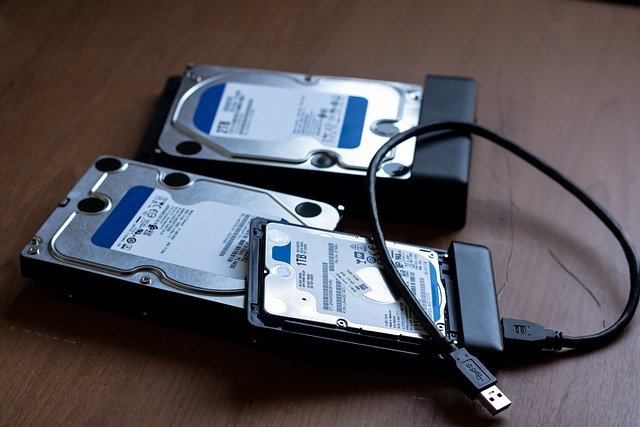
Data backup is copying and archiving data stored on local computer storage to separate digital storage devices or to remote computers, commonly referred to as ‘Cloud’ to prevent total loss of data, which can be as a result of data theft, hacking, malware attack, physical damages caused by fire, flooding, accident, etc.

Data recovery is restoring lost, damaged, or stolen data from backup locations. In present-day data backup solutions, most individuals and organizations back up their data in the cloud, thus making it possible to restore backed-up data to any device irrespective of their location.

READ ALSO: Data Recovery Guide: Strategies, Tools, and Best Practices

What Data Backup And Recovery Is Important?

What Data Backup And Recovery Is Important?

Data backup plays an essential role in ensuring the safety and integrity of data for individuals, businesses, and corporations. Therefore, the reasons below highlight the benefits of data backup and recovery for individuals and organizations.

  1. Malware attacks

Malware attacks are the most significant cause of data loss in history. Common malware, such as viruses, ransomware, and worms, have led to the crashing of several computers worldwide, resulting in the loss of data, hardware, and software worth billions of dollars. Backing up data could have saved multitudes the headache of data loss due to ravaging novel malware attacks, but it can protect you from unforeseen data loss and new malware outbreaks.

READ ALSO: Recover Lost Data With UltData Android Data Recovery

  1. Hardware failure

Hardware failure can be as a result of the following

  • Use of obsolete computing devices
  • Natural disasters in the case of floods, earthquakes, tornados, extreme heat or cold, etc
  • Electrical faults are primarily due to power surge,s which can damage computer hard drives
  • Fire outbreaks are a common occurrence mainly due to electrical faults.

Since most causes of hardware failure are unpredictable, and the havoc they wreck is not controllable, a consistent backup solution will save you or your business from the eventual data loss caused by the factors l have listed above.

In the case of businesses, you wouldn’t have to worry about delays or customer data loss as you can quickly restore relevant data from the cloud to computing devices.

READ ALSO: How To Prepare Your Business For Data Loss

  1. Thefts and mistakes

Hacking is a primary form of data theft, bedeviling the world as tons of data have been lost to hackers. Data theft is not only limited to hackers working outside of organizations, as evidenced by the research conducted by BISCOM, secure data delivery solutions.

In its research, 20% of employees in organizations admit that they are willing to steal data belonging to the organization if they were fired or laid off from work wrongfully.

Hackers and employee data theft can damage organizations as stolen data are permanently deleted or rendered meaningless by encryption, primarily if such a business or organization does not engage in any form of data backup.

  1. The need to scale up your business

Part of scaling up your business or organization should include embracing cloud backup. With a cloud backup solution, your employees and business partners can access your data and work remotely from home or any part of the world, thus giving your business some degree of global presence. Protect your business-critical cloud data with CloudAlly Microsoft 365 Backup.

Also, cloud backup gives your business an edge over its competitors as it is ready to bounce back even after suffering a collateral data loss.

READ ALSO: Use UltData iPhone Data Recovery to recover data on Damaged iOS device

Importance of Data Backup and Recovery

Importance of Data Backup and Recovery

Prevents Data Loss

Disasters (natural or human-caused), hardware failures, cyberattacks, and accidental deletions can all lead to data loss. Backups provide a safety net, ensuring you have a copy of your data to restore in case of such events.

Minimizes Downtime

Data loss can significantly disrupt operations. Recovering from backups lets you get your systems back up and running quickly, minimizing downtime and lost productivity.

Ensures Business Continuity

In today’s data-driven world, access to information is essential for business continuity. Backups help organizations recover critical data and resume operations efficiently, minimizing potential financial losses.

Maintains Regulatory Compliance

Many industries have regulations requiring data retention and accessibility. Backups ensure you meet these requirements and avoid hefty fines or legal repercussions.

Provides Peace of Mind

Knowing your data is safeguarded offers peace of mind. You can work and store information confidently without worrying about permanent loss.

Primary Goal of Data Backup and Recovery:

  • To restore lost, corrupted, or inaccessible data to a usable state. This can involve restoring entire systems, individual files, or specific versions of data, depending on the situation and backup strategy.

Why is Data Recovery Important?

Data recovery is an essential part of the backup and recovery process. Even with backups in place, unexpected events can still occur. Data recovery allows you to retrieve your information from backups and restore it to its original state, minimizing the impact of data loss.

READ ALSO: 3 Things You Need To Know About Cloud Backup

Two Main Objectives of a Backup and Recovery Strategy

  1. Data Protection: This involves creating regular backups of your data using appropriate methods and storing them securely in a separate location.
  2. Data Accessibility: This focuses on having the necessary procedures and tools in place to recover data from backups when needed efficiently. A good strategy ensures a smooth and swift restoration process.

By understanding these aspects, you can appreciate why data backup and recovery is critical for safeguarding valuable information and ensuring its availability when needed.

READ ALSO: What is Ransomware? Signs and How to remove it?

Wrapping Up

To get the best of backup, you have to engage in regular and consistent data backup to minimize the drastic effect of data loss if it eventually happens.

Most cloud backup solutions provide a routine, automated, and scheduled backup to reduce the amount of data loss between two successive data backups.

Note: This was initially published in July 2020, but has been updated for freshness and accuracy.


SUGGESTED READINGS

Why Is Cybersecurity In Financial Services Important?

In this post, we will answer why cybersecurity in financial services is important.

Not so long ago, we only had to worry about physical theft. But then came computer fraud, and now we are vulnerable to multiple threats.

Digital innovation in the financial industry helps financial service providers meet customer demands and poses risks by increasing the attack surface of new entry points that cybercriminals can easily exploit.

Therefore, there should be a much greater emphasis on examining the importance of cybersecurity in financial services.

A secure digital transformation requires the financial industry to prioritize cyber hygiene. Essentially, hygiene practices equip financial service providers with the right tools to detect and remediate ecosystem vulnerabilities. The industry can then meet the demand for innovation without compromising security.

Cyber Security Threats to the Financial Sector

Given our globalized world, where everything is interconnected, a cyberattack against the largest U.S. bank can significantly affect the global financial system.

Here are the top trends in the category of cyberattacks on financial institutions.

  • Ransomware— An attack on organizations and businesses, where they are pressured to pay a fee to restore regular access and run their daily operations.
  • Distributed Denial-of-Service (DDoS)—These attacks overload a website’s traffic flow, causing it to become inoperable.
  • Web Applications—Misconfiguration within such applications leaves an organization vulnerable to cyberattacks.
  • Phishing is one of the most prevalent cybersecurity threats to financial institutions, which involves tricking employees into disclosing sensitive information or downloading malware.

Cybersecurity Challenges in Financial Services

The following are a few of the biggest challenges affecting cybersecurity in financial services, financial technology (Fintech) enterprises, and startups.

  • Increased Data—Protecting information and data generated from mobile and internet banking solutions is one of the biggest cybersecurity and privacy challenges. There is a need to work with the right data protection service providers, such as Triada Cybersecurity, to enable active protection against modern cyber threats.
  • Cloud-based Security Risks—Cloud services power digital transformation by providing speed, security, scalability, and other benefits. However, using cheap and inefficient cloud services can compromise cybersecurity in the banking sector.  
  • Data Sharing—The collaboration between digital financial enterprises and conventional organizations makes it easier for consumers to get better products and services at low prices. Businesses in the Fintech industry need to capitalize on modern technology and processes to encrypt data throughout the process to ensure protection from cyberattacks.
  • Cross-platform Malware Infection—Hackers develop malware that infects one platform, which propagates into other connected platforms.
  • Digital identity management—Stolen identities make it easy for attackers to access and steal vast financial resources from personal accounts. Financial services must use patented and reliable disaster recovery and data backup services powered by Artificial Intelligence (AI) to prevent this occurrence.

Using AI-Driven Solutions to Maintain Data Security

fingerprint unlock cyber security threats to the financial sector AI solutions

A self-learning, AI-based cybersecurity system should solve the abovementioned problems and challenges.

Below are essential tips for operationalizing AI and maintaining security solutions to keep cyberattacks at bay!

Consider the goals and risks

Before implementing AI into your cybersecurity operations, establish the risks, expectations, and success criteria.

AI has a powerful potential to offer advanced detection capabilities based on cybersecurity trends in financial services and your unique known and unknown threats.

READ ALSO: The Intersection of Cybersecurity and AI: Exploring Challenges and Opportunities

Have a strong foundation

AI can augment your current cybersecurity tools beyond the traditional approaches for rapid prioritization and validation of threats. Network basics covered by AI include:

  • Visibility—This allows accounting for all assets within a network
  • Governance—AI is most effective when it can link multiple data feeds into a single truth source using a single common data model
  • Storage and processing—Decoupling the storage and computation layers helps AI systems run freely without slowing down the real-time identification of threats
  • Workflow—Financial organizations should have defined and organized processes and workflows that extend beyond their cybersecurity financial system teams

Complement human effort

AI supports analysts by reducing errors, speeding up the analysis, and automating labor-intensive tasks. To manage, mobilize, and maximize the human element of AI in your cybersecurity:

  • Identify tasks for automating
  • Plan to evolve cyber roles like testing and evaluation, systems administration, and infrastructure support.
  • Introduce emerging roles into your business, including employees who maintain Machine Learning (ML) models and cyber data scientists.
  • Identify the education process your organization has in place to inform employees about the function of AI in your institution through webinars, online tutorials, and podcasts.

Focus on use

This requires breaking down the workflow to understand better where AI is needed. Accounting for all unmonitored and monitored data sources is also critical for applying AI  in your organization. Identification of individual use cases for automation helps improve the speed of detection and response.

Automate for fast Return on Investment (ROI)

Automating simple processes will reduce execution times and free up staff time, creating better efficiency and outcomes. Companies with an already developed AI talent base, operational structures, and resources can consider creating autonomous cybersecurity financial services in 2020 based on need and possible future threats.

Strengthen Your Defenses with Good Financial System Cybersecurity

Strengthen Your Defenses with Good Financial System Cybersecurity

In the current cybersecurity environment, criminals often use increasingly sophisticated cyberattacks against financial institutions like yours. The reactive, traditional measures are no longer sufficient.

Moving forward, using the most effective solutions for cybersecurity in financial services can help eradicate these challenges, alleviate your worries, and win customer trust.

The time to act is now!

Cybersecurity sounds difficult to understand, and it’s even more challenging to stay on top of its applications and development.

That is why SecureBlitz Media sorts through the noise, lets you know what is important and recommends which actions to take. Visit our website and find out about the latest cybercrimes today!

Note: This was initially published in September 2020, but has been updated for freshness and accuracy.


SUGGESTED READINGS

VPN Extension For Google Chrome – Benefits And Useful Tricks

Want to use a VPN extension for Google Chrome? In this post, we will show you its benefits and useful tricks. Read on!

Almost every day, the Internet is full of news about cases of identity theft in some companies, hacker attacks on servers, leakage of important information, etc.

Even continuing to live expecting that large companies with a worldwide reputation will maintain a high standard for their data protection, in everyday life we ​​rarely think about our own privacy and keep connecting to unprotected Wi-Fi in a cafe or shopping center, thereby serving ourselves for attackers on a silver platter.

Regardless of the level of your online activity, whether you enter the internet for two minutes or for two hours, you are still exposed to potential threats of cyberattacks. You will not know at what point someone will want to break into your computer and steal personal files, in particular passwords, payment card data, and contact information.

Unfortunately, today, connecting to any external Wi-Fi network, that is, outside the area of ​​your network, creates the risk of hacking attacks and surveillance. However, sometimes, even the home network may be vulnerable if you do not use an exceptional VPN service.

It is enough to connect a virtual private network so that all your data will be encrypted and protected during transmission. In addition, the real IP will be masked, and you will no longer be afraid of regional restrictions and website blocking due to your geolocation identification.

Now, more and more users are realizing the need for a VPN connection to surf the network anonymously and without surveillance risks. There is no need to install a full-fledged program; try a convenient and free VPN RUSVPN Chrome extension. As of now, your work in the browser will be completely safe.

What Are The Benefits Of The VPN Extension For Google Chrome?

virtual private network extension for google chrome

The Google Chrome browser is world-famous and superior to its competitors. This factor made virtual private network providers think about creating a particular extension. Thus, the user gets an optimized utility with a high-performance indicator, which makes it stand out against the traditional plugins.

Among the key benefits of the Chrome VPN extension, it’s important to note the following:

  • It operates as a proxy server for VPN, which increases the traffic protection generated when using a browser. Data is encrypted and hidden from outsiders;
  • The extension is unique and, at the same time, very easy to use compared to a full-fledged application. Perhaps its functionality will not be enough for someone, but it comes with the main tasks of protection 100 percent;
  • it is convenient to use this utility when you are surfing with a device having a limited memory capacity or resource power level, which does not allow you to launch the full version of the VPN program. The expansion is characterized by flexibility and compactness; at that, you get full data protection and save your device’s technical resources;
  • it blocks ads – in addition to traffic encryption, you also get a filter for annoying ads that will no longer appear on websites, and the collection of information about the user for forming his digital portrait and studying his habits is also excluded.

What Is Important To Know Before Connecting A VPN Extension For Google Chrome Browser

It is convenient and functional to use the virtual private network extension for the browser to take care of the private data security. It is essential to understand that encryption covers all information sent through the browser.

However, if you communicate through a third-party messenger or enter an online game – that is, in both cases, you do not use Google Chrome – this data will not be protected. The utility is explicitly focused on browser use and providing security in it. Also, you cannot encrypt data using Opera, Mozilla Firefox, or another browser instead of Chrome.

If you plan to be always safe and expand the capabilities of the VPN for full computer protection, it is best to buy a full subscription to the service application. Currently, providers offer functional programs that are convenient for permanent and long-term use.

So far as VPN services are at the peak of their popularity now, the market is expanding and the level of offers from suppliers is relatively high. Although the extension is promoted as a proxy, it has the same standards as in a full-fledged application.

The first parameter that users pay attention to is the connection speed. And this indicator will be fundamentally important for those who like playing games or creating broadcasts. You need to choose a service from a provider that guarantees a stable connection without losing quality as if you were using the Internet without a VPN.

The second point is the availability of servers to bypass blockings and restrictions in the regions. Most often, providers provide information on how many servers they have and in which countries they are located. This will allow you to assess the scale of the network and select the points for connection corresponding to the countries where your popular sites and web resources are located.

It is crucial to familiarize yourself with the privacy policy and only then decide on purchasing a product. Your data should not be registered and recorded to maintain complete confidentiality when using the virtual private network.

CHECK OUT: RUSVPN Chrome Extension

Note: This was initially published in July 2020, but has been updated for freshness and accuracy.


RELATED POST

Exclusive Interview With Bob Baxley, CTO Of Bastille Networks

Here’s an exclusive interview with Bob Baxley, CTO of Bastille Networks – a leader in enterprise threat detection through software-defined radio.

When facilities say “no devices allowed,” that’s not necessarily true.

The problem: most of these devices have radio frequency (RF) communication interfaces that make them vulnerable to RF attacks.

As such, enterprises must implement and enforce more nuanced electronic device policies to accurately distinguish between approved and unapproved electronic devices in secure areas and detect and locate unauthorized cellular, Bluetooth, BLE, Wi-Fi, and IoT devices.

Bastille offers unparalleled situational awareness with cellular and RF-based threat detection, location, and alerts to help prevent RF attacks.

Bastille’s ongoing partnership with the Department of Homeland Security underscores their dedication to protecting nations and securing enterprises.

Exclusive Interview With Bob Baxley, CTO Of Bastille Networks

So, in this interview, we spoke with Bob Baxley to learn more about their security solutions and how enterprises can protect their devices from cybersecurity threats.

Here are Bob Baxley’s responses to our questions:

1. Question: Tell me more about Bastille Networks

Bob Baxley: Bastille is the leader in enterprise threat detection through software-defined radio. Bastille provides full visibility into the known and unknown mobile, wireless, and Internet of Things devices inside an enterprise’s corporate airspace–the Internet of Radios. Through its patented software-defined radio and machine learning technology, Bastille senses, identifies, and localizes threats, providing security teams the ability to accurately quantify risk and mitigate airborne threats that could threaten network infrastructure.

READ ALSO: Enterprise Security Guide: Your Roadmap To A Secure Business

2. Question: What’s unique and different about Bastille than other solutions/companies?

Bob Baxley: Until Bastille, there was no way to apply network security mechanisms and countermeasures to RF-enabled IoT devices. IT security professionals couldn’t buy a security service like Bastille Enterprise until we invented it.

3. Question: Can you dive into radio frequency security and why it’s essential for enterprises?

Bob Baxley: Corporate airspaces are under attack from invisible threats operating on Radio Frequencies (RF). Enterprises often crucially rely on wireless protocols they don’t even know they’re using (Bluetooth, Wi-Fi, BLE, Zigbee, Z-Wave, etc.).

These protocols are used to build controls and access for employee communications, IT, and employees. The exploitation of vulnerable wireless devices is growing increasingly common.

Sophisticated attacks use compromised RF devices as entry points into government and corporate networks. Foreign governments, competitors, and cybercriminals are conducting radio-based attacks on enterprises to access intellectual property and sensitive information.

READ ALSO: The Importance Of Cybersecurity In Business

4. Question: Can you discuss why enterprises must implement and enforce more nuanced electronic device policies to accurately distinguish between approved and unapproved electronic devices in secure areas?

Bob Baxley: RF-enabled devices are everywhere: According to Statistica, there are 4.7 billion Cellular phones, 8.4 billion Bluetooth devices, and 9 billion Wi-Fi devices; added to this is the increasing use of “wearables” such as FitBits and other personal devices with embedded radios, with a variety of audio/video capture, pairing and transmission capabilities.

Current policies are outdated: While some government and commercial buildings have secure areas where no cell phones or other RF-emitting devices are allowed, detecting and locating radio-enabled devices is primarily based on the honor system or one-time scans for devices. Bad actors do not follow the honor system; one-time scans are just that, one time, and cannot be monitored 24×7. 

New solutions for a new age: Bastille enables security teams to differentiate between approved and unapproved devices, accurately places dots on a floor-plan map for device location, and sends alerts when a device is found where it should not be or doing what it should not do. Bastille Networks also integrates with existing security systems such as Splunk, MDM, and camera systems.

READ ALSO: Is Cybersecurity Essential For Online Casino Websites?

5. Question: What cybersecurity measures would you recommend for enterprises and why?

Bob Baxley: 

Take Control of Your Airspace: Obtain visibility into devices that use the big four protocols: cellular, Wi-Fi, Bluetooth, and BLE. Locating every radio emitter provides situational awareness of devices in an enterprise’s network.

  • Evaluate RF Technology: Assessing RF security solutions is vital in preserving company secrets. As security teams examine RF products in the market, a checklist of capabilities should include solutions that can detect, analyze, alert, and accurately locate cellular devices that incorporate airspaces in real-time.
  • Deploy RF Solutions: Proactively equipping an organization with RF security technology will future-proof an enterprise from an RF breach. Adopting RF solutions that constantly monitor and detect the transmissions of devices in the wireless spectrum will combat nefarious attacks.

6. Question: Can you shed more light on Bastille Express?

Bob Baxley: Earlier this year, Bastille launched Bastille Express, the commercial version of the government spec Bastille FlyAway Kit, for forward-deployed locations.

Bastille Express can detect and locate authorized and unauthorized Cellular, Bluetooth, BLE, and Wi-Fi devices operating within 3,000 to 5,000 square feet, such as conference meeting rooms, remote offices, hotel areas, or speaking locations. 

Bastille networks logo

Visit the official Bastille Networks website

Note: This was initially published in July 2020, but has been updated for freshness and accuracy.


SIMILAR INTERVIEWS