Calling all cybersecurity professionals in the Gulf Region! The SANS Institute, a recognized leader in cybersecurity training and certifications, is hosting its biggest ever regional event in Dubai this November.
Two Weeks of Intensive Training (November 16th – 28th, 2019)
From November 16th to 28th, 2019, SANS will offer a comprehensive two-week program designed to equip security professionals with the critical skills they need to combat today’s cyber threats.
Ten intensive information security training courses will be delivered by SANS’ highly qualified and experienced instructors.
Addressing the Growing Need for Cybersecurity Expertise
The Gulf Region has witnessed a rapid rise in digitalization in recent years. Unfortunately, this progress has also made it a prime target for cybercriminals and nation-state hacktivists due to its strategic and geopolitical importance.
Empowering Regional Security Teams
The SANS Gulf Region event directly addresses this critical need. The program is designed to equip security experts across the GCC with the in-depth technical knowledge and practical skills necessary to stay ahead of cyber threats and protect regional organizations.
Course Highlights:
Comprehensive Curriculum: The course offerings will cover a wide range of essential security topics, including incident response, digital forensics, threat hunting, reverse engineering, hacker and network tools, forensics, and skills for purple, red, and blue teams.
Hands-on Learning: Participants will benefit from extensive hands-on lab time, utilizing real-world malware samples and pre-built virtual machines, to gain practical experience in investigating and analyzing cyber threats.
DFIR NetWars Tournaments: A unique feature of the event is the inclusion of two free DFIR NetWars tournaments. These tournaments, offered with any 4-6 day course registration, simulate real-world security incidents and help organizations identify areas where their response teams may need additional training.
The SANS faculty boasts renowned instructors with extensive real-world experience. Here are some featured courses and instructors:
SANS FOR610: Reverse-Engineering Malware: Malware Analysis Tools and Techniques (Taught by Jess Garcia): This course is specifically designed for incident responders, security engineers, and forensic investigators, providing them with the necessary skills to analyze and dissect malicious programs targeting Windows systems.
SEC599: Defeating Advanced Adversaries; Kill Chain Defenses and Purple Team Tactics (Taught by Erik van Buggenhout and Michel Coene): In today’s complex threat landscape, purely preventative security measures are no longer sufficient. This course equips participants with the skills to implement a holistic “kill chain” defense strategy, combining detection, response, and proactive measures to counter sophisticated cyberattacks.
SEC504: Hacker Tools, Incident Handling, Techniques, and Exploits (Taught by Chris Dale): Participants in this course will gain a fundamental understanding of the methods, tools, and exploit techniques used by attackers in real-world security breaches. This knowledge is critical for developing effective incident response strategies and staying ahead of evolving threats.
SANS is committed to fostering a culture of self-reliance and advanced cybersecurity expertise within the GCC region.
By providing state-of-the-art training and industry-recognized GIAC certifications, SANS empowers individuals and organizations to protect themselves from cyberattacks and safeguard valuable assets.
Don’t miss this opportunity to gain the critical skills and knowledge needed to excel in today’s ever-evolving cybersecurity landscape. Register for the SANS Gulf Region event in Dubai this November!
Note: This was initially published in October, 2019 but has been updated for freshness and accuracy.
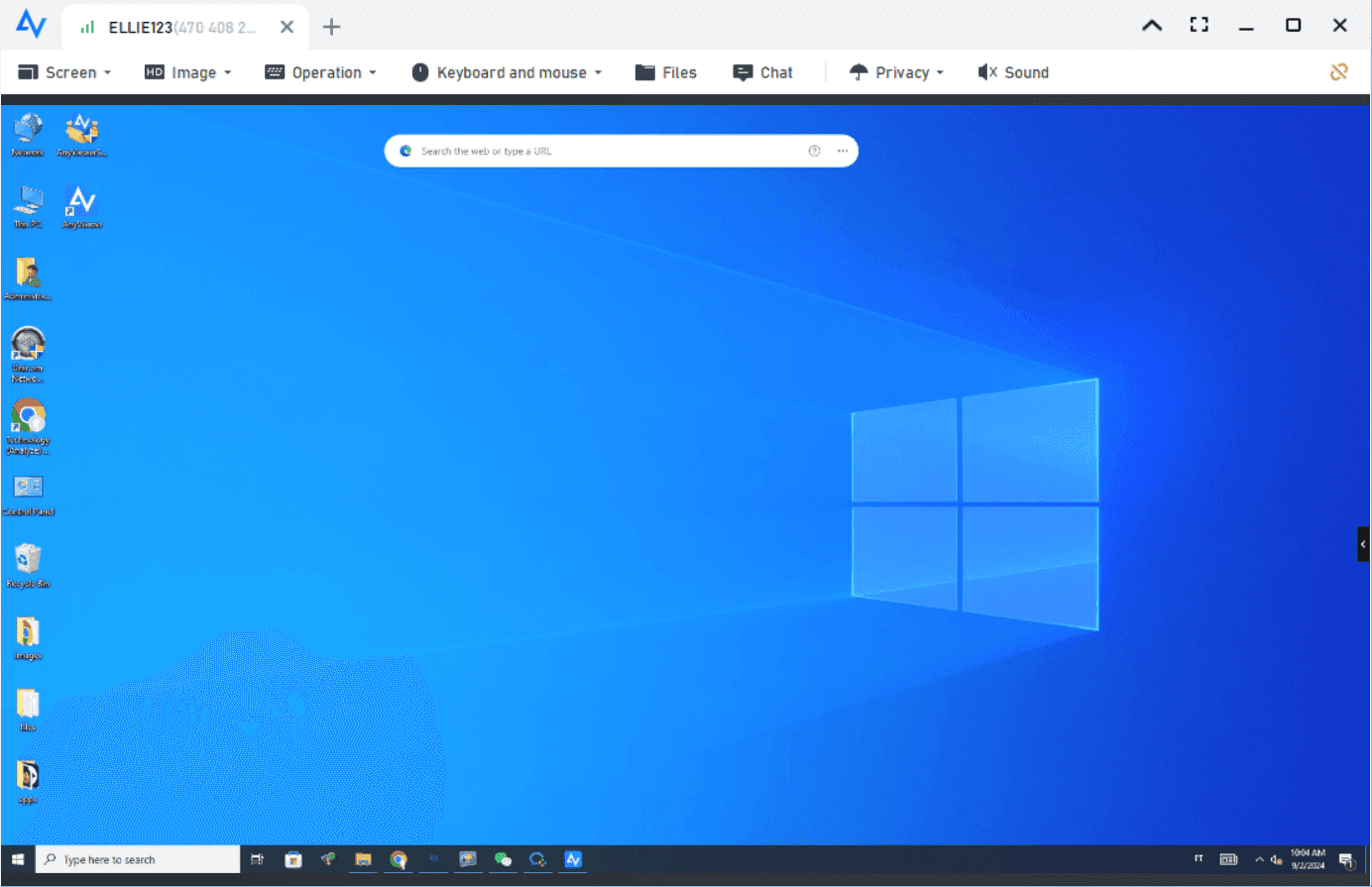
Do you need the best remote access software for small business? AnyViewer is easy to use, secure, and packed with features to help your team work from anywhere.
Why do small businesses need remote access software?
Small business teams are often spread across cities, or even continents. Remote access tools make collaboration seamless. They help employees access files, run applications, and troubleshoot issues—without being physically present.
With cyber threats on the rise, reliable and secure remote access is more important than ever. The best remote access software for small business should offer encryption, two-factor authentication, and easy setup.
AnyViewer – The Best Remote Access Software For Small Business
When it comes to combining performance with cost-effectiveness, AnyViewer stands out as the best remote access software for small businesses. Designed with small businesses in mind, it offers a perfect mix of power, security, and ease of use.
Powerful features built for business
AnyViewer delivers a seamless remote access experience backed by enterprise-level performance. Its user-friendly interface and robust capabilities help teams collaborate efficiently—without the burden of technical complexity.
High-speed connections even in low-bandwidth environments
Unattended access to office computers from any location
Real-time file transfer with simple drag-and-drop functionality
Cross-platform compatibility across Windows, Mac, iOS, and Android
Mobile screen mirroring for on-the-go presentations or support
Easy screen sharing for streamlined collaboration
Unlimited simultaneous remote sessions for flexible multitasking
Screen-wall display for real-time monitoring of multiple devices
These advanced features make AnyViewer an ideal solution for businesses aiming to scale operations without overinvesting in IT infrastructure.
Built for security: Protection you can count on
Security is non-negotiable. AnyViewer uses end-to-end encryption, secure login, and optional two-factor authentication to keep every connection safe. This gives peace of mind, especially when handling sensitive business data.
ECC 256-bit end-to-end encryption for maximum data protection
Peer-to-peer connection ensures your data never passes through AnyViewer servers
GDPR compliance with clear data usage policies and minimal data processing
Two-Factor Authentication for an added layer of account protection
Role-based permission management to control sub-account access
Session logs to monitor remote access activity and ensure compliance
Block and allowlist settings to manage and restrict device access
Affordable for growing teams
AnyViewer is built to grow with your business. Unlike many remote access solutions that charge hefty fees, AnyViewer provides flexible, transparent pricing with no hidden costs.
Even the free plan includes essential features, making it a smart choice for startups and small teams. As your business expands, upgrading is hassle-free—offering advanced tools and scalable solutions without breaking the bank.
Simple setup, seamless experience
No more complex configurations or lengthy installations. With AnyViewer, you can get started in just a few minutes—no IT expertise needed. Remote access has never been this effortless. Simply follow the three steps below:
Step 1. Download and install
Step 2. Sign up
Step 3. Connect
Whether your team is working from desktops, laptops, or mobile devices, AnyViewer ensures a smooth, consistent experience across platforms. For mobile-first businesses, the intuitive app makes remote access and control easy on smartphones and tablets—keeping your team connected and productive wherever they are.
Which small businesses benefit most from AnyViewer?
AnyViewer is incredibly versatile as one of the best remote desktop solutions for small business. It fits perfectly into a wide range of industries and business models:
IT Support & Tech Services – Offer remote troubleshooting and maintenance with ease.
Freelancers & Consultants – Access client files and systems from anywhere.
Accounting & Finance Firms – Securely manage sensitive data and work with remote clients.
Real Estate Agencies – Work from different locations while keeping access to central systems and property listings (whether managing luxury condos or a tiny house for sale in Indiana).
Marketing & Creative Agencies – Share files and manage campaigns from home or the office.
eCommerce & Retail Businesses – Monitor back-end systems remotely and provide fast support.
No matter your industry, if you need fast, secure, and reliable remote access, AnyViewer delivers.
Conclusion
If you’re looking for the best remote access software fo small business, AnyViewer is the standout choice. It’s secure, simple, and scalable—everything a modern business needs to thrive in a flexible work environment.
It works well across devices, protects your data, and won’t break your budget. Whether you’re in tech support, finance, real estate, or any other field, AnyViewer helps your team work smoothly and grow with ease.
This post reveals how to write an introduction to a research paper, especially for a cybersecurity audience.
The introduction of an essay determines whether a reader will maintain the interest and curiosity generated by the title. It should provide a general overview of the paper’s content, so the reader knows what to expect. It also must elicit more questions about the topic you intend to tackle.
Writing the introduction of your paper may come in the beginning or upon completion of the body. However, the first draft is always written at the beginning to guide you through the writing process. Use research paper examples to give you an idea of how to write the best essay introduction.
Here are excellent tips to guide you when introducing your essay.
How To Write A Research Paper Introduction (Cybersecurity)
Read Widely About the Idea You Wish to Discuss
The introduction is supposed to capture the general idea about the topic of discussion. Since it provides an overview of your paper, you must read widely to achieve a comprehensive understanding. This is why experts recommend writing the last section of your essay.
Reading widely also provides you with fresh ideas that can be incorporated into your paper. It is one of the ways of enriching your research paper essay, making it more captivating to read. Since you have read widely, you can now do what you are about to learn in the next point below.
Create a Context and Background
When someone asks, “Who are you?” the informant” they could” be targeting is your name, where you come from, why you are at a venue or meeting, and such general knowledge information. The same principle applies when writing the introduction. Use research essay examples to discover effective ways to provide the reader with an overview, context, and background information about the topic.
The context should include what is already known about the topic and why you feel more needs to be said through your paper. It helps the reader begin to see the topic from your point of view. You will be taking the reader on board as you draft the paper.
Ask Questions and Make Suggestions
The introduction does not give all the details or findings you have encountered about your thesis statement. It is meant to elicit questions and curiosity about your discussions. Get a sample research paper to guide you on how to entice the reader to go beyond the introduction.
State Your Hypothesis
Present your point of view and promise to justify it in the body. It should not be explicit but points a reader in a particular direction. Whether it is outrageous or agreeable, the body of your essay will prove it right or wrong.
Draft the Introduction but Fine-Tune after Completing the Body
The original introduction is written as you begin drafting the paper. It serves as a guide to your research and thought process. However, you change or confirm positions as you research the subject. That’s why the best introductions are made after the body is completed. It provides a clearer indication of what the paper is about.
If you are uncertain about writing the introduction, use a research paper sample. It gives you confidence that you are doing the right thing. Craft an introduction that entices anyone across the paper to read deep into the chapters.
Crafting a Compelling Introduction for Your Cybersecurity Research Paper: FAQs
The introduction sets the stage for your cybersecurity research paper. Here’s a breakdown of the questions needed for you to craft an impactful opening:
What is the introduction to cybersecurity research?
The introduction serves several purposes:
Captures Attention: Hook your reader with a compelling statement or statistic that highlights the significance of your research topic in the cybersecurity landscape.
Establishes Context: Provide a concise background on your chosen cybersecurity area, explaining its significance and the relevant challenges it presents.
Identifies the Research Gap: Point out the limitations or unanswered questions in existing research within your chosen topic.
Presents Your Thesis Statement: Clearly state your research question or hypothesis, outlining what your paper aims to investigate or prove.
How do you write cybersecurity research?
Here’s a general roadwritiHere’sybersecuritysecurity research paper:
Choose a Research Topic: Select a specific and relevant topic within cybersecurity that aligns with your interests and potential data availability.
Conduct a Literature Review: Thoroughly research existing literature on your chosen topic to understand the current state of knowledge and identify research gaps.
Develop Your Research Question/Hypothesis: Formulate a clear and focused question or hypothesis that guides your research and analysis.
Methodology: Choose an appropriate research methodology (e.g., surveys, data analysis, case studies) to gather and analyze data relevant to your research question.
Data Analysis and Results: Analyze your data thoroughly and present your findings clearly and concisely.
Discussion and Conclusion: Discuss the implications of your findings, tie them back to the research gap, and offer potential solutions or recommendations.
References: Include a comprehensive list of all sources used in your research.
A basic introduction to cybersecurity can explain the ever-increasing importance of protecting information systems, networks, and data from unauthorized access, use, disclosure, disruption, modification, or destruction. You can mention the various threat actors and attack vectors in the digital world.
How do you publish a research paper in cybersecurity?
Publishing a cybersecurity research paper typically involves the following:
You are selecting a Target Journal: Research reputable academic journals in the cybersecurity field that align with your topic and target audience.
Formatting Your Paper: Ensure your paper adheres to the specific formatting guidelines of the chosen journal.
Submission Process: This is the journal’s submission process, which involves online submission portals and peer review.
Cybersecurity research is a broad field encompassing various areas like:
Vulnerability Analysis: Identifying and analyzing vulnerabilities in software, hardware, or network systems.
Cryptography & Encryption: Developing and studying encryption techniques to protect data confidentiality and integrity.
Intrusion Detection & Prevention Systems (IDS/IPS): Research methods to detect and prevent cyberattacks on networks and systems.
Cybercrime & Forensics: Investigating cybercrime activities and developing forensic techniques to collect and analyze digital evidence.
Social Engineering & Phishing: Understanding social engineering tactics used by attackers and developing countermeasures.
By addressing these FAQs and following the tips provided, you can craft a compelling and informative introduction that sets the tone for your cybersecurity research paper.
Cyber warfare refers to the use of cyberattacks against nations or states, causing significant harms that include physical damage, loss of life, and vital computer systems.
Cyber warfare refers to the use of cyberattacks by a state or non-state actor to disrupt, disable, or destroy critical infrastructure, computer systems, or information with the intent to cause significant harm to another state or nation. This harm encompasses:
Physical damage: Disruption of critical infrastructure leading to power outages, transportation delays, or damage to essential facilities.
Loss of life: Cyberattacks targeting medical systems or critical infrastructure can directly lead to casualties.
Erosion of national security: Espionage, data theft, and manipulation of information can undermine national security and decision-making processes.
Economic damage: Cyberattacks can cripple businesses, financial institutions, and essential services, leading to significant economic losses.
Social unrest: Cyberattacks can disrupt communication networks, spread misinformation, and manipulate public opinion, potentially leading to social unrest and instability.
Defining the boundaries of cyber warfare remains a complex issue. Some argue it only encompasses attacks between states, while others include actions by non-state actors acting on behalf of a state. Additionally, the line between cybercrime and cyber warfare can be blurred, making a clear distinction challenging.
In the present times, there are examples that suspect cyber warfare in history, and there is no definition of cyber warfare, which generally refers to a cyberattack that relates to loss of life.
The principal aim of cyber warfare is to weaken or destroy the other nation.
While cyber warfare’s primary goal remains weakening or destroying a target nation, its objectives are multifaceted and can extend beyond simple destruction. Here’s an updated breakdown:
1. Disruption of Critical Infrastructure
Cyberattacks aim to cripple vital systems like power grids, transportation networks, financial institutions, and communication infrastructure, causing widespread chaos and instability.
This can lead to economic losses, public safety concerns, and damage to essential services.
2. Espionage and Data Theft
Cyber espionage involves stealing sensitive information for political, economic, or military gain. This can include government secrets, corporate trade secrets, and personal data of citizens.
Data theft can be used for blackmail, manipulation, and influencing political decisions.
3. Propaganda and Misinformation
Cyberattacks can be used to spread false information and propaganda, sow discord among citizens, and manipulate public opinion.
This can undermine trust in institutions, destabilize governments, and even incite violence.
4. Psychological Warfare
Cyberattacks can be used to target individuals or groups with the aim of causing psychological distress, fear, and panic.
This can be achieved through social media manipulation, cyberbullying, and other forms of online harassment.
5. Denial of Service (DoS) Attacks
These attacks overwhelm targeted systems with traffic, rendering them unavailable to legitimate users.
DoS attacks can disrupt critical services, cause economic losses, and damage the reputation of targeted organizations.
6. Sabotage of Physical Infrastructure
In extreme cases, cyberattacks can be used to remotely control and sabotage physical infrastructure, causing significant damage and loss of life.
This could include attacks on power plants, transportation systems, and even nuclear facilities.
Distinguishing between Cyber Warfare and Cyber Espionage
While often used together, cyber warfare and cyber espionage are distinct concepts.
Cyber warfare focuses on disrupting and destroying a target nation’s infrastructure and capabilities.
Cyber espionage aims to gather sensitive information for strategic advantage without necessarily causing immediate harm.
Cyber Warfare vs. Cyber Surveillance
Cyber surveillance involves monitoring individuals or groups online to gather information about their activities and communications.
While cyber surveillance can be used for various purposes, including criminal investigations and national security, it doesn’t necessarily involve malicious intent.
Understanding the evolving nature of cyber threats is crucial. As technology advances, so do the capabilities of cyber attackers.
Nations and organizations need to continually adapt their cybersecurity strategies to address these evolving threats and protect themselves from the devastating consequences of cyber warfare.
Yes, cyberwarfare is a crime. International law recognizes it as a serious violation that can have devastating consequences for individuals, nations, and the global community.
Here’s why cyberwarfare is considered a crime:
It violates international law: The Tallinn Manual, a widely respected guide to international law applicable to cyber operations, clearly outlines that cyberwarfare breaches existing legal frameworks.
It causes significant harm: Cyberattacks targeting critical infrastructure, communication networks, and financial systems can lead to widespread damage, economic losses, and even loss of life.
It undermines international security: Cyberwarfare can destabilize governments, incite conflict, and erode trust between nations.
It violates human rights: Cyberattacks can infringe on privacy rights, freedom of expression, and access to information.
Challenges in prosecuting cyberwarfare
Attribution: Identifying the perpetrators of cyberattacks can be extremely difficult due to the anonymity and complexity of the internet.
Jurisdiction: Cyberattacks often transcend national borders, making it unclear which country has the jurisdiction to prosecute.
Lack of international legal framework: While existing international law can be applied to cyberwarfare, there is no comprehensive legal framework specifically addressing it.
Efforts to address cyberwarfare
International cooperation: Nations are increasingly working together to develop and implement cybercrime treaties and legal frameworks.
Norms and standards: Initiatives like the UN Group of Governmental Experts on Developments in the Field of Information and Telecommunications in the Context of International Security are establishing norms and standards for responsible state behavior in cyberspace.
Capacity building: Efforts are underway to help countries develop their cybersecurity capabilities and improve their ability to respond to cyberattacks.
The legal response to cyberwar crimes
Universal jurisdiction: This principle allows any country to prosecute individuals accused of the most serious crimes, regardless of where the crime was committed or their nationality.
International tribunals: Courts like the International Criminal Court are increasingly considering cyberwarfare as a potential crime falling under their jurisdiction.
Domestic prosecutions: Several countries have enacted domestic legislation specifically addressing cyberwarfare and other cybercrimes.
Cyberwarfare is a complex and evolving issue, but it is clear that it poses a significant threat to global security and stability. The international community must continue to work together to develop effective legal frameworks and responses to hold perpetrators accountable and deter future attacks.
As nations become increasingly reliant on interconnected critical infrastructure and digital systems, the threat of cyber warfare escalates.
Here are some key warnings to consider:
1. Increased sophistication and frequency of attacks: Cyber attackers are constantly developing new techniques and tools, making it harder to defend against attacks. Additionally, the frequency of cyberattacks is increasing, with both state-sponsored actors and criminal organizations posing threats.
2. Targeting critical infrastructure: Cyberattacks increasingly target essential systems like power grids, transportation networks, financial institutions, and communication infrastructure. These attacks can lead to widespread disruption, economic losses, and even loss of life.
3. Weaponization of emerging technologies: Technologies like artificial intelligence, machine learning, and the Internet of Things (IoT) have the potential to be weaponized for cyberattacks. These technologies could allow attackers to launch more sophisticated and damaging attacks.
4. Difficulty in attribution and prosecution: Identifying the perpetrators of cyberattacks can be extremely challenging due to the anonymity and complexity of the internet. This makes it difficult to hold attackers accountable and deter future attacks.
5. Vulnerability of insider threats: Cyberattacks can be initiated by individuals with authorized access to systems, making them even harder to detect and prevent. These insider threats can be motivated by various factors, including financial gain, political ideology, or personal grievances.
These threats trigger from inside and leave behind a significant risk for the organization that safeguards the system from any disturbance and are highly vigorous when it comes to hacking. It allows the hacker to enter the network directly and allows the hacker to steal sensitive data.
Examples of specific cyberwarfare tactics
Distributed Denial-of-Service (DDoS) attacks: These attacks overwhelm targeted systems with traffic, rendering them unavailable to legitimate users.
Phishing and social engineering: These techniques trick users into revealing sensitive information or clicking on malicious links that can compromise their systems.
Supply chain attacks: These attacks target software providers or other vendors to infiltrate the systems of their customers.
Zero-day attacks: These exploit previously unknown vulnerabilities in software, making them difficult to defend against.
Cyber warfare is a serious threat that requires a proactive and coordinated approach to address. By understanding the evolving nature of the threats and taking appropriate precautions, nations and organizations can mitigate the risks and build a more resilient and secure cyber environment.
While pinpointing precise involvement in cyberwarfare remains a complex task due to attribution challenges, several countries consistently raise concerns.
Here’s an updated overview incorporating the latest information from December 2023:
Tier 1: High Activity and Capability
Russia: A persistent actor with a proven history of offensive cyber operations, including attacks on Ukraine, the US, and the UN. Possesses highly developed capabilities and remains a significant cyber threat.
China: Rapidly advancing its cyber program and increasingly displaying offensive capabilities. Accused of cyber espionage and intellectual property theft, targeting critical infrastructure and government networks worldwide.
North Korea: Linked to several high-profile attacks like the Sony Pictures hack and the Bangladesh Bank heist. The Lazarus Group, attributed to North Korea, continues to pose a significant threat with its sophisticated tactics.
Iran: Investing heavily in cyberwarfare and believed to be behind attacks targeting regional rivals like Saudi Arabia and Israel. Iranian hackers possess notable capabilities and pose a growing threat to international security.
Tier 2: Active Capabilities and Growing Presence
United States: Acknowledges conducting offensive cyber operations and possesses advanced capabilities primarily focused on intelligence gathering and disrupting adversaries. Plays a leading role in international efforts to establish norms and standards for responsible state behaviour in cyberspace.
Israel: Possesses advanced cyber capabilities and actively engages in offensive operations, playing a significant role in regional cybersecurity.
India: Rapidly developing its cyber program and focusing on building strong offensive capabilities.
France: Investing heavily in cyber defence and actively collaborates in international cyber initiatives.
United Kingdom: Possesses a strong cyber program and maintains close collaboration with the US on cyber operations.
Tier 3: Developing Capabilities and Potential for Future Activity
Vietnam: Expanding its cyber capabilities and demonstrating growing interest in offensive operations.
South Korea: Actively developing its cyber program and strengthening its cyber defence posture.
Turkey: Increasingly involved in cyber operations and expanding its cyber capabilities.
Saudi Arabia: Investing heavily in cyber defence and building offensive capabilities to counter regional threats.
United Arab Emirates: Actively involved in cyber operations and building its cyber program.
Emerging Threats
Non-state actors: Groups like Anonymous and state-sponsored militias are increasingly active in cyberspace, posing a growing cyber threat to critical infrastructure and government networks.
Criminal organizations: Cybercrime syndicates are becoming increasingly sophisticated in their tactics and pose a significant risk to individuals and businesses alike.
Cyber mercenaries: Independent actors offering their cyber expertise to governments and criminal organizations, adding another layer of complexity and risk to the cyber landscape.
It’s crucial to remember that this list is not exhaustive and represents a snapshot of the current cyber landscape. The situation is constantly evolving, with new actors emerging and existing players adapting their capabilities.
Staying informed about these developments and understanding the potential threats are crucial for nations and organizations to protect themselves from cyberattacks and ensure a more secure cyberspace for all.
Conclusion
Cyber warfare is more dangerous and destructive as compared to biological weapons. The risk and uncertainty about cyber warfare have now come out of the box and have also ripped through the laws of war, but that might be too late.
Are you looking for cheap wildcard SSL certificates? Unlock savings and secure your domain today. Buy now and protect every subdomain instantly!
SSL certificates have become the driving force behind secure internet transactions. When you encounter a site that contains https and a padlock icon, it is SSL doing its job, locking away and scrambling data, making it hard, even impossible to snoop, as well as promising any visitor that it is safe to browse. With cyber threats becoming more and more numerous and advanced, securing the data of users is no longer an optional practice, but a necessity.
For organizations, it has become a game-changer, more so for organizations that incorporate numerous subdomains. Instead of purchasing individual certificates for each domain of web presence, it is possible to buy wildcard SSL certificates, which are far simpler and cheaper.
What is a Wildcard, and Why Would You Want a Wildcard?
A wildcard SSL certificate can help in covering all the subdomains in a whole cluster with a single certificate. What is the difference between these certificates? They can be differentiated by the incorporation of a wildcard asterisk symbol, so that by securing `. yourdomain.com`, one can instantly cover `news.yourdomain.com`, `shop.yourdomain.com`, and as many unique subdomains as it can deploy.
Standard SSL secures only a single domain, whereas with the wildcard SSL, any number of subdomains on a single domain tier can be secured.
Wildcard-based SSL is highly adaptable – it is perfect for online businesses, software as a service providers, or any other organization that has the potential to go online.
Wildcard SSL – Meant for Whom?
The increasing online shops that are separating their warehouses, blogging, and assistance into various subdomains.
Tech startups with tailored dashboards to every user (e.g., `alice.saascompany.com`).
Schools or news websites where a new section is regularly added.
Why Wildcard SSL? Looking at Advantages.
Long-Term Costs Are Way Lower
Why buy one or several certificates per subdomain when a bundle of them can be bought at once? There is a reduction of purchase costs, renewals and overheads, and administrative expenses.
Lean Management
No more worry about SSL expiry dates! A wildcard means to manage and renew only a single certificate, which allows preventing the managing headaches to a minimum.
Security 24*7 365 Days
Wildcard SSL is available on all levels of playing field, all subs that it covers, and enjoy encryption. All data packets are secured, whether it is a payment gateway or blog.
Choosing a Cheap Wildcard SSL: How to be a Smart Shopper?
Here are the things to consider when purchasing:
Seek a good reputation and a large number of positive customer reviews.
Excellent 24/7 Tech Support will have your back in case you hit a roadblock during installation or should an outage take place.
Most of the leading providers support their certificates with warranties – insurance against imitation.
A majority of budget wildcards provide Domain Validation (DV). To enhance credibility higher levels such as Organization Validation (OV) may be used, and they may be expensive.
The feature comparison should be done beyond the price – unlimited server licenses, clickable site seal, and malware scanning like security addons.
Ensure compatibility that the wildcard SSL fits perfectly in the system of your hosting provider and the technologies that support your site.
Where to Get Cheap Wildcard SSL Certificates?
Best Providers to Look into:
SSLcertshop.com: Affordable SSL solutions offering trusted certificates from leading brands to secure your domain and boost online trust.
SSLs.com and CheapSSLsecurity.com: Discount specialists who resell big names certificates.
GoDaddy: Getting a wildcard always has regular deals.
Comodo/Sectigo, RapidSSL and GeoTrust: providers of cheap and secure SSL
Easy Checklist – How to Buy?
Choose your review sites wisely to research before your shop.
Confirm once again that the type of the certificate you want to obtain allows the domain setup you have in mind (e.g. `. yourdomain.com`).
Follow the order procedure of a selected provider-this usually involves the creation of Certificate Signing Request (CSR).
Full domain verification that may be a plain email or alteration of a DNS.
Download your certificate and supporting documents.
Install the certificate to your web server (if you do not know how, ask your host!).
How to Go About Discount Hunting?
Pay attention to seasonal campaigns or festive sales of vendors.
Look into multi-year certificate products- they tend to unlock the lowest rates on an annualized basis.
Register with the vendors to get access to coupon codes or early bird pricing.
Wildcard SSL Management Post Installation
Nuts and bolts of installation are as follows:
Create a CSR that has your wildcard domain name in it (i.e., `. institute.edu`).
Upload your CSR as you buy when checking out.
When they are done validating, download your certificates.
Certificate files generation and deployment, with the necessary CA bundles to your server.
To redirect all the traffic to HTTPS, configure the settings of your web server or adjust the configuration of your CMS.
Issues and Resolutions:
Error with Certificates: Ensure hostname matches the certificate so that it’s valid to use.
Intermediate CA errors: To prevent browser warnings, it is always good to install supplied CA bundles.
Renewal lapses: Note expiry dates–an expired certificate gets the site to go out of fashion instantly in the mind of the visitor.
Pro Tip: Automated renewal reminders or make auto-renewal permanent, so you are at ease.
SEO Edge with SSL in 2025
Better Position on the Site: Most search engines, and in particular Google, will prioritize HTTPS websites. Deficiency in SSL would declassify your presence in the organic search.
Increased User Confidence and Interaction: A non-secured site can be frightening to users; the padlock icon of SSL is a silent yet very effective form of trust indicator.
Conversion Rates: Users will make more purchases and sign-ups on secure sites, which will affect your bottom line.
Why is Cheap Wildcard SSL Certificate the Smartest Value Buy?
In the context of internet threats that will constantly attack against services in 2025, and internet competition heating on, trying to make website security corners is no longer the future.
Buying cheap wildcard SSL certificates gives you the capability to secure all the pages of your site structure with strong assurance, which can be much less expensive than using the piecemeal method. The most intelligent digital companies will just keep adopting it as wildcard SSL as it is so cost-effective, management is so much easier, and brings so much relief to those running the sites as well as those merely visiting.
If you are on the way to build a successful e-commerce business based on an online store, have a popular learning center with a growing community, or build your personal brand as a blogger, a low-cost wildcard SSL certificate is a good idea, as it will provide long-term protection, stability, and reputation to the whole web ecosystem.
Banana Pro: The Fastest Way to Trade Meme Coins, Earn Auto Rewards, and Stay Ahead in Crypto
Banana Gun just delivered its biggest week since January, and it’s not slowing down. With $163.7 million in trading bot volume, 30,318 active users, and 73% dominance on Ethereum, the Banana ecosystem continues to separate itself from the rest of the market.
At the center of it all is Banana Pro, a browser-based crypto trading terminal for Solana that’s winning over both new traders and sniping veterans.
But it’s not just about trading anymore. Banana Pro users are now getting paid every 4 hours, passively, with no clicks and no staking.
What’s Fueling the Surge: A Look at the Latest Data
$163.7M in bot volume: a new 2025 high 30,318 users: 16.7K new, 13.5K returning $256K in fees: with 40% redistributed to $BANANA holders 73% of ETH bot volume routed through Banana Gun #1 in trading bots: outpacing Trojan and Maestro again
Even with some router-based spoofing noise in the data, the fee output remains verifiably real — and that’s what funds the rewards system that pays holders every 4 hours.
Auto Rewards: Hold-to-Earn, No Strings Attached
Unlike most staking platforms, Banana Gun doesn’t require lockups, dApps, or on-chain claims. Just hold 50+ $BANANA tokens in your wallet, and every 4 hours, you’ll receive a payout in $BANANA or ETH. It’s hands-off, non-custodial, and brutally efficient.
Over $100K in rewards was distributed to holders this past week alone, directly from trading fees, not token emissions.
That’s not theoretical APY. That’s real yield from real users, every few hours, all week long.
Banana Pro: Trading Terminal Built for Degens
Banana Pro is a modular Solana terminal with features designed around one thing: making serious plays, fast.
🔫Auto-Sniping Engine – Trigger buys on new tokens by liquidity, LP lock, taxes
Live Token Intel – Rug checks, sniper tags, deploy alerts, and migration indicators
Security First – Wallet PINs, no key custody, optional 2FA via X, TG, Google
No Extensions – It’s all browser-native, no installs, no Chrome exploits
Whether you’re farming new launches or managing a multi-wallet strategy, Banana Pro trims the fat and leaves you with nothing but speed and visibility.
BananaTV: Daily Recaps That Actually Matter
The Banana ecosystem isn’t just pushing buttons, it’s dropping intel.
BananaTV delivers short-form, daily updates on:
https://www.youtube.com/watch?v=I3lDsJK8w5w
Memecoin pumps and new launches (e.g. $LMEOW 34x, $MAGIC 33x)
ETF approvals and market catalysts (like Fidelity’s ETH moves)
Twitter alpha recaps and trending CT narratives
Forget crypto influencers recycling headlines. This is fast, contextual, and trader-first coverage that makes you smarter every day.
Banana Gun vs The Rest: Why It’s Winning
Banana Gun: $159.3M
Trojan: $117.9M
Maestro: $63.9M
Even as router spoofing adds noise to Dune dashboards, Banana Gun’s fee payouts, user retention, and ETH dominance tell the real story.
Last week, 73% of all ETH trading bot volume went through Banana Gun, up from 70.7%. That’s not momentum. That’s market takeover.
FAQ (For First-Timers)
Q: What is Banana Pro? A full-featured Solana trading terminal with tools for sniping, PNL tracking, live deploy feeds, and passive rewards, all in your browser.
Q: Do I need to stake to earn rewards? No. Just hold 50+ $BANANA tokens in your wallet. Payouts happen every 4 hours.
Q: Is this just for Telegram users? Not anymore. Banana Pro is web-based, with 2FA login through X, Google, or Telegram.
Q: What’s the risk? Banana Gun never holds your keys. Wallets are self-managed. Use PINs, avoid phishing, and always check links.
Security researchers have identified a new and concerning malware threat: a multi-platform framework called “MATA.” This framework has been targeting victims globally since at least April 2018.
The emergence of MATA highlights the evolving tactics of cybercriminals. Businesses and individuals should remain vigilant, maintain robust cybersecurity measures, and stay updated on the latest threats.
MATA Malware: Frequently Asked Questions
What is MATA?
MATA is a multi-platform malware framework that can infect Windows, macOS, or Linux devices. It has been used to target victims globally since at least April 2018.
Who is behind MATA?
Kaspersky Lab’s analysis suggests a link between MATA and the Lazarus Group, a notorious cybercrime group responsible for various attacks.
What are the targets of MATA attacks?
MATA has targeted companies across various sectors, including e-commerce, software development, and internet service providers (ISPs).
What are the goals of MATA attacks?
The attackers have used MATA for malicious purposes, such as stealing customer data and deploying ransomware.
How can I protect myself from MATA?
Stay informed about the latest cyber threats.
Use reputable security software and keep it updated.
Be cautious when downloading files from unknown sources.
Implement strong passwords and enable two-factor authentication (2FA) when available.
Back up your data regularly.
Note: This was initially published in May 2020 but has been updated.
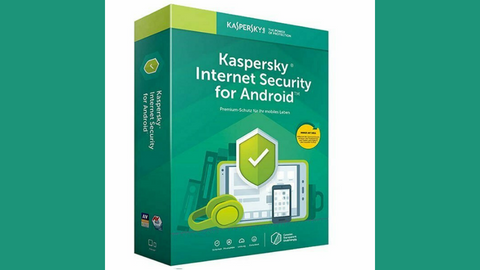
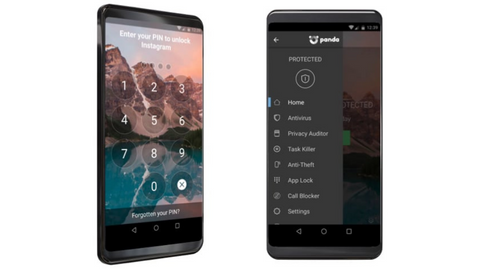
Do I need antivirus app on Android phone? Read on for the answer.
Antivirus apps are known to provide extra layers of security to computer devices like Android and other operating systems. However, you might be wondering if you really need them on an Android phone.
Android is one of the most popular operating systems in the world today. Newer versions of the phones are released daily with an increasing number of users.
These phones serve a lot of purposes for their users including managing and storing data.
In fact, a lot of people rely on Android phones to carry out bank transactions as well as manage their social media accounts.
This implies that the most confidential information can be stored on an Android phone.
So, it is normal to ask this question ‘do I need an Antivirus app on an Android phone?’
Don’t worry; you will find an answer as you read through.
What Is An Antivirus App?
In today’s digital world, online threats are lurking everywhere. That’s where antivirus apps come in – your digital guardians protecting your devices from malicious software (malware) like viruses, trojans, worms, and adware.
These Antivirus apps work tirelessly behind the scenes to keep your devices safe, whether you’re using an Android phone, iPhone, iPad, Windows PC, or Linux system.
How it Works:
Shield against threats: Antivirus apps constantly scan your device and files for suspicious activity or known malware patterns. They can identify and neutralize threats before they cause harm, such as stealing your data, corrupting files, or hijacking your device.
Real-time protection: Most antivirus apps offer real-time protection, meaning they continuously monitor your device for incoming threats. This includes scanning files you download, websites you visit, and emails you receive.
Regular updates: The digital landscape is constantly evolving, so antivirus apps need to adapt too. They receive regular updates from developers, ensuring they stay up-to-date with the latest threats and vulnerabilities.
Can Android Phones Get Virus?
Android does not easily get infected with the traditional virus that replicates itself but can get infected with malware designed to monitor the activities on Android devices.
This malware can also control your device without your permission. They put your personal information like; passwords, card pins, location, messages, contacts at the risk of leaking to the hands of cybercriminals.
Learn about OmniWatch in our review, a tool designed to purge your personal information from the dark web and data broker sites.
Unfortunately, most of this malware is installed on our Android unintentionally or carelessly through the following;
Downloading software from untrusted sources
Visiting Unsafe Websites
Receiving apps from other devices through offline transfers
Real-time protection for Android devices against all threat types.
Real-time protection for Android devices against all threat types. Show Less
Does a Smartphone Need Antivirus?
Absolutely! A smartphone definitely needs antivirus software to protect it from various security threats. In today’s digital age, our smartphones have become an integral part of our lives.
We use them for everything – from making calls and sending messages to browsing the internet, online shopping, banking, and even accessing sensitive personal and professional information.
Just like computers, smartphones are vulnerable to malware, viruses, and other cyber threats. While it’s true that the Android and iOS operating systems have built-in security features, they are not foolproof. Hackers and cybercriminals are constantly finding new ways to exploit vulnerabilities in these systems.
Antivirus software acts as a shield for your smartphone, protecting it against viruses, malware, spyware, and other malicious software. It scans your device for any potential threats and alerts you if it detects any suspicious activity. It also provides real-time protection by blocking malicious apps and websites that may try to steal your personal information or infect your device.
Here are a few reasons why having antivirus software on your smartphone is crucial:
Protection against malware: Malware can infect your smartphone through various means like malicious apps, infected websites, or even through Bluetooth connections. Antivirus software scans all incoming files and apps for malware and removes them before they can cause any harm.
Privacy protection: Your smartphone contains a treasure trove of personal information – contacts, emails, photos, banking details, and more. Antivirus software ensures that your data remains secure and protected from unauthorized access.
Wi-Fi security: When you connect to public Wi-Fi networks, you expose your smartphone to potential risks. Hackers can intercept your data or create fake Wi-Fi networks to steal personal information. Antivirus software helps protect your device while using public Wi-Fi by encrypting your data and detecting any suspicious activities.
Phishing protection: Phishing attacks are becoming increasingly sophisticated, with scammers using various techniques to trick users into revealing their sensitive information. Antivirus software can detect phishing attempts and warn you before you fall victim to such scams.
Performance optimization: Some antivirus software also offers additional features like junk file cleaning and battery optimization. They help improve the overall performance of your smartphone by removing unnecessary files and optimizing system resources.
Remember that not all antivirus software is created equal. It’s important to choose a reputable and trusted antivirus app from a reliable source like Google Play Store or Apple App Store. Read reviews, check ratings, and ensure that the software is regularly updated to keep up with evolving threats.
Enhance Your Android Safe Browsing: Top Tips Beyond Antivirus
While an antivirus app is a great first step, securing your Android browsing experience takes more than just one tool.
Here are some proactive ways to boost your Android phone online safety:
1. Update, Update, Update
OS Updates: Prioritize installing all Android security patches and OS updates as soon as they become available. These updates often contain critical fixes for vulnerabilities attackers exploit.
App Updates: Regularly update all your apps, especially browsers and those related to online financial transactions. Outdated apps are prime targets for hackers.
2. Secure Your Browsing
Safe Browsing in Chrome: Enable Chrome’s built-in Safe Browsing feature for real-time warnings about unsafe websites and downloads. Consider upgrading to “Enhanced protection” for advanced safety.
Alternative Browsers: Explore privacy-focused browsers like DuckDuckGo or Firefox Focus for stricter tracking protection and anonymization options.
3. App Installation Safety
Google Play Store is King: Stick to downloading apps from the official Google Play Store. It provides multiple layers of security and malware scanning compared to unknown sources.
App Permissions Scrutiny: Before installing an app, carefully review its requested permissions. Do they seem excessive or unrelated to the app’s function? If so, it’s a red flag.
Third-Party App Stores with Caution: If venturing beyond the Play Store, stick to well-established and reputable app stores with stringent security measures. Always research the app and reviews before installing.
4. Password Fortress
Unique Passwords: Use strong, unique passwords for every app and account. Avoid easy-to-guess patterns or personal information.
Password Managers: Consider using a password manager to generate and store secure passwords for all your accounts.
5. Be Phishing Wary
Suspicious Links: Be cautious of clicking on links received through emails, texts, or even social media. Verify the sender’s legitimacy before clicking.
Double-check URLs: Before entering any sensitive information on a website, double-check the URL for typos or suspicious alterations. Look for the secure padlock symbol (HTTPS) in the address bar.
6. Bonus Tips
Beware of Public Wi-Fi: Avoid using public Wi-Fi networks for sensitive activities like online banking or sending confidential data. Use a VPN for added security if necessary.
Disable Auto-fill: Consider disabling auto-fill features for login credentials, especially on public devices or shared browsers.
Clear Browsing Data: Regularly clear your browsing data, including cookies and browsing history, to limit your digital footprint.
Remember, online safety is a continuous process, not a one-time fix. By incorporating these tips into your browsing habits, you can significantly enhance your Android phone’s security and enjoy a safer online experience.
Conclusion
You need an antivirus app on your Android phone to provide it with an extra layer of security.
There are possibilities you unknowingly install malware on your Android phone, but when you have an antivirus app, you are protected because an antivirus will alert you of dangerous apps before installing them.
Conversely, if you are sure to keep safe browsing at all times, then you don’t need an antivirus app. It all depends on you.
Meanwhile, ensure that you share this article with your colleagues online who might be interested in the answer to the question, ‘do I need antivirus app on Android phone?’
Are You Ready for Smooth Skin this Summer? Learn more with GentleMax Pro!
Ah, summer—the season of sun-kissed days, laughter-filled nights, and flaunting that flawless skin. If you’ve longed for silky-smooth skin without the hassle of constant shaving or waxing, then the Candela GentleMax Pro is your golden ticket to confidence.
In this guide, we’ll take you on a journey to discover the wonders of this revolutionary laser technology and why it’s the secret weapon for achieving skin perfection. But before we dive into the world of smooth skin, let’s embark on a brief anecdotal detour into the fascinating realm of the word “Symbian.”
Unraveling the Symbian Mystery
Picture this: it’s a balmy evening, and you are engrossed in a riveting conversation about technology. Suddenly, the term “Symbian” pops up, triggering memories of a bygone era in mobile phones.
As I reminisce about my first mobile phone, a relic from the early 2000s, equipped with the now-defunct Symbian operating system, I can’t help but marvel at the rapid evolution of technology.
Just as Symbian paved the way for modern mobile platforms, the Candela gentlemax laser is at the forefrontof a beauty revolution, transforming how we approach hair removal.
Unveiling the Magic: Candela GentleMax Pro
Back to the main stage—your journey to smooth skin with the Candela GentleMax Pro. This cutting-edge laser technology is not just a game-changer; it’s a life-changer.
The GentleMax Pro takes the crown when it comes to removing unwanted hair, rejuvenating your skin, and bidding farewell to the constant struggle against stubborn stubble.
The Candela GentleMax Pro laser price might raise an eyebrow, but let me assure you, it’s a worthy investment in your self-care journey. Imagine a world where you wake up, throw on your favorite summer dress, and confidently step out, knowing your skin is smooth.
That’s the power of the GentleMax Pro. Say goodbye to tedious hair removal routines and hello to effortless elegance.
A Pentecost of Transformation
Let’s take a moment to explore the term “Pentecost.” In religious contexts, Pentecost represents a transformative moment of renewal and enlightenment.
Much like the transformative power of Pentecost, the Candela GentleMax Pro offers a revolutionary experience. It’s not just a laser; it’s a beacon of confidence, guiding you towards a summer of radiant, hair-free skin.
Your First Encounter with Candela GentleMax Pro
Picture this scenario: you enter a luxurious spa, your senses enveloped in a serene ambiance. As you recline on a plush chair, the Candela GentleMax Pro comes to life, its gentle hum resonating with promises of smooth skin.
The first pulse of the laser feels like a gentle caress, and in that moment, you realize you’re on the verge of a transformative experience—a Pentecost for your skin.
Navigating the Journey to Smooth Skin: Understanding the Technology
Now that you’re acquainted with the emotional allure of the GentleMax Pro let’s delve into the science.
The Candela GentleMax Pro utilizes an advanced laser system that precisely targets hair follicles. It’s not just about removing hair; it’s about giving your skin the love and care it deserves.
The Candela GentleMax Pro Laser Price – A Wise Investment
Yes, we’ve heard it before—the GentleMax laser price may give you pause. But let’s reframe it. It’s an investment in yourself, your confidence, and the freedom to embrace the summer sun without worrying about unwanted hair. You deserve the best, and the GentleMax Pro is here to deliver.
Embracing the Summer Sun: Post-Treatment Glow
You’ve completed your sessions, and the results are astonishing. Your skin reflects the golden hues of summer, free from the shackles of razors and wax strips.
The Candela GentleMax has removed unwanted hair and unveiled a radiant, rejuvenated version of you.
The Liberating Feeling
As you bask in the warm embrace of the summer sun, a liberating feeling washes over you. Gone are the days of fretting over razor burns and ingrown hairs. You are free to savor every moment, every sunbeam, and every laugh without a care in the world.
Closing Thoughts
So, are you ready for smooth skin this summer? The answer lies in your hands, in the comforting hum of the Candela GentleMax Pro. It’s not just a laser; it’s a companion in your journey to confidence and radiance.
Embrace the transformative power, relish the post-treatment glow, and let the Candela GentleMax Pro be your Pentecost of skin renewal. Remember, the Candela GentleMax Pro laser price is not a mere cost; it’s an investment in your most precious asset—you.