Home Blog Page 196

Why Is Anti-Spy Software Important To My Online Security?

If you have always wanted to get an answer to the question, ‘Why is anti-spy software important to my online security?’ then congratulations, as you are just on the right page.

You should take your online security seriously, just as you do in real life. If your online security is weak, then you are not safe in real life.

This is so because the damages caused as a result of poor online security can cost you money and lead to the loss of files, stolen passwords, hacked systems, and others. 

Meanwhile, I believe that you are not ready to experience any of such anytime soon.

But have you ever wondered what puts your online presence at such risk? Yes, among them are viruses and malware, and a typical example is spyware.

CHECK OUT: Best Antivirus Reddit Users Recommended 2024

What Is A Spyware?

What Is A Spyware

Spyware is a type of malicious software that is installed on a computer without the consent of the owner. It overruns the system, steals sensitive information (passwords, credit card details, email accounts), data usage, and then transfer them to external users like data firms and advertisers.

From the definition above, you can easily tell how dangerous it can be. 

Just like a virus, it can be complicated to remove this spyware. The fact that you may not be aware that spyware is present in your computer makes them more dangerous because they work in the background of the computer system.

Meanwhile, the best way to protect your computer from spyware attacks is by installing Anti-Spy Software on your computer.

READ ALSO: Spyware Guide: The Invisible Intruder Lurking in Your Devices

What Is Anti-Spy Software?

What Is Anti-Spy Software

Anti-Spy software is installed on computers to consistently detect and prevent unwanted spyware on your computer, and also remove them.

This software checks your system regularly to ensure its safety. It also ensures 24/7 privacy protection to prevent any form of intrusion.

Meanwhile, you should be careful with the kind of Anti-Spy Software that you install on your computer so that you don’t end up downloading a fake one.

Don’t worry, we will recommend some good Anti-Spy software to you later in this article. For now, let’s answer the question below!

Why Is Anti-spy Software Important To My Online Security? Today’s Answer
Why Is Antispy Software Important To My Online Security

It is always important to have an Anti-Spy program that is capable of eliminating spyware that you may have installed on your computer without even knowing it.

As long as you surf the net with your computer, there is a high risk of your system being infected by spyware.

In addition to the ones mentioned earlier, below are some other effects of malware/spyware.

  • Loss of important data that was not backed up.
  • Reduced computer performance or inability to use it.
  • Fraud and theft of personal data sent to other computers. A very common example is the one that has to do with the credit card number.
  • Identity theft – Hackers being able to use a computer to carry out new attacks.

So installing spyware software in your system will prevent the above and do the following;

  • Enhance your computer security.
  • Protect your sensitive information.
  • Protect your system against unwanted pop-ups.
  • Avoid low system performance.
  • It provides a warning whenever you are about to enter an unsafe file or download an infected document.
  • Offers webcam protection
  • Protects you from dark web monitoring.
  • Provides frequent system check-ups depending on how to set it.

At this point, you must have figured out why Anti-Spyware software is important for your online security.

Recommended Anti-Spy Software For Your Online Security

As we promised, here we will be recommending some of the best Anti-Spyware software that you can use for your computer. 

Most of them have a lot of positive feedback from their customers and a lot of users. So, check out the best anti-spyware software below;

Why Anti-Spyware Software is Your Digital Bodyguard: FAQs

Anti-spyware software is a crucial line of defence in today’s online world. This FAQ explores how it safeguards your privacy and combats sneaky threats.

Why is Anti-Spyware Important?

Anti-spyware shields you from malicious software (malware) specifically designed to steal your personal information, like passwords, browsing habits, and financial details, all without your knowledge.

What Does Anti-Spyware Software Do?

Here are some key ways anti-spyware protects you:

  • Detection and Removal: It scans your device for spyware and removes it, preventing data theft.
  • Real-Time Protection: It constantly monitors your system for suspicious activity, blocking spyware attempts in real time.
  • Privacy Guard: It can help prevent unauthorized access to your webcam and microphone.

How Does Spyware Work?

Spyware can infiltrate your device through various means, such as:

  • Deceptive Downloads: Clicking malicious links or downloading infected files.
  • Bundled Software: Free software installations that sneak in spyware during setup.
  • Phishing Attacks: Emails or websites trick you into revealing personal information or downloading spyware.

Why Be Proactive Against Spyware?

Spyware can wreak havoc:

  • Identity Theft: Stolen data can be used for fraudulent purposes.
  • Financial Loss: Spyware might target your financial information.
  • System Performance Issues: Spyware can slow down your device and drain resources.

Is Anti-Spyware Good?

Anti-spyware software is a valuable tool for online security. However, a comprehensive approach is ideal. Combine anti-spyware with:

  • Strong Passwords and Multi-Factor Authentication (MFA): Make hacking your accounts much harder.
  • Smart Browsing Habits: Be cautious about clicking links and downloading files.
  • Security Software Updates: Keep your operating system and security software up-to-date.

By using anti-spyware software alongside these practices, you significantly strengthen your online security posture.

Conclusion

I believe that you now have an answer to the question ‘why is Anti-Spy software important to my online security?’.

From what you have read so far, you must have understood that having Anti-Spy software is one of the best ways to stay safe in the online space.

Recent research we made helped us realize that there are more people searching for an answer to this question: ‘Why is anti-spy software important to my online security?’

Since you already have the answer to the question, why is anti-spyware software important to my online security? Feel free to share your thoughts in the comment section below.


Ultimate Guide To Low-code And No-code Platform Security

This post will show you all you need to know about Low-code and No-code platform security.

Since the trend for mobile app development is never-ending, the future prediction for app revenue is $808 billion in 2022 compared to the year, 2021, which was $581 billion. 

People worldwide are well-occupied with the latest gadgets around. The applications are changing the world virtually as electronic devices can connect through specialised apps. 

It is making life more manageable, and people find an error-less hand to help out their daily tasks. 

Seeing this increasing demand for app development, developers cannot build apps in such a large amount. Therefore, we have a quick resolution in place, which is a no-code low code software

These platforms have impacted the app development industry greatly. Using them is linear for both technical and non-technical (citizen) developers. Due to this and more, managers are also in the developing field to manage the brand’s market reputation more professionally. 

Are No-code and Low-code Platforms Same?

Are No-code and Low-code Platforms Same

Usually, people cannot differentiate low-code from no-code and consider them the same thing with different names. With this assumption, we can say that these platforms are similar to some extent.

However, there is a clear distinguishing table for separating low-code from no-code. Factors to compare are:

Difference Between Low-code and No-code Platform

Low-CodeNo-Code
It is developer-specific, or knowing about coding even basic is required to initiate with low-code software.It is a business-specific tool that both technical and non-technical individuals can use without the obligation of knowing code.
It is a platform that, along with dragging and dropping, allows developers to write the code manually.You cannot get into manual code writing, but the interface provides only visual features to develop the complete app.
Used to make a wide array of features through customisations in apps.It comes with pre-built features that can be inserted as it is but develops apps quickly.
Requires a beginner’s level knowledge of coding.Requires no previous coding experience and can be used right away after landing on it.
This is an open system where changes can be easily made.This is a closed system and the big advantage is it stays safe from upgrades that is to do with code.
More flexible than no-codeLess flexible than low-code

Based on the above differences, the purpose of using no-code and low code platform changes. You should prefer low code in places where more details are required, such as multi-language addition, integrations of APIs and other plugins.

Comparatively, no code is easy to use for the bulk development of apps and works progressively.

READ ALSO: 17 Best VPN For Surveys [Tested, Reviewed, And Ranked]

In essence, no-code offers less control but potentially stronger inherent security, while low-code provides more control but requires stricter development hygiene.

Low-code and No-code Platform Security

Low-code and No-code Platform Security

Without security, no application can reach its purpose. Pro developers and individuals who are just starting out with no code and low code software must admit that security is the key element to ensure at the end of the app development and before launching it.

Whether the app is general-purpose or assisting people with their financial solutions, protection from invaders or strangers is highly required.

Low code and no-code platforms ensure security at the stage of app featurisation. Each element added is, however, based on code that is visible for developers in the coding script in the case of low code.

But the platform applies security code alongside, which is hidden from developers and works to protect all the visible components like a professional.

A well-built app with no code and low code stands compatible against present hacking tricks and vulnerabilities. The security in these apps means having underlying protection code scripts that perceive transparently which entry is real and which is doubtful.

Still, those who are quite new to coding terms and this no-code software can make mistakes and end up launching the website vulnerable by not taking professional help in making it secure.

READ ALSO: How To Start A Cybersecurity Company

How To Make Low-code Platform’s Security Strong?

How to Make Low-code Platform’s Security Strong

If you are done with app development on no-code and low-code platforms and are not sure about their security, here are some ways to make security stronger and assured.

Navigate Suppliers

Create and set a standard monetization of products you shift or move across different apps. It must not include a single opening left that can invite malicious movement, increasing the chances for breach.

Allow the suppliers to enter through a specific portal made for them. Involve senior development in the procedure of development to check whether the elements are verified or not.  

Educate Citizen Developers

Education can do what innate abilities can’t. Learning the areas of security and involving them to a schedule to share with non-technical or citizen developers is highly crucial for the thorough implementation of security strategies. 

Hiring a professional aid

The last but not most minor step you can take to make your security up to the mark is hiring a security team that can find out points of weakness in your app.

If identified, you need to check where a low-security issue can be resolved.

Demystifying Security in Low-Code/No-Code Kingdoms: FAQs

This FAQ tackles common questions concerning security in the exciting realm of low-code/no-code platforms.

Low-Code vs. No-Code: A Security Showdown?

Both categories offer advantages and security considerations:

  • Low-code: Requires some coding knowledge but allows more granular control. Security hinges on proper development practices and platform safeguards.
  • No-code: Focuses on drag-and-drop simplicity. Security relies heavily on the platform’s built-in security features.

Are Low-Code Platforms Secure?

Security in low-code/no-code platforms depends on several factors:

  • Platform Security: The platform itself should have robust security features like access controls, encryption, and regular security updates.
  • Development Practices: For low-code, secure coding practices are crucial to prevent vulnerabilities.
  • User Awareness: Educating users on secure application building is vital.

Low-code Vs No-code Platform Security: Verdict

There’s no clear winner. Here’s a breakdown for decision-making:

  • Choose low-code if: You have in-house development resources and prioritize granular control over security.

  • Choose no-code if: You prioritize ease of use and rely on the platform’s built-in security features.

Conclusion

Security is paramount in both low-code and no-code environments. Carefully evaluate platform security, implement secure development practices, and educate users to build trust in your low-code/no-code applications.

Low-code does not indicate low gamble. This concept swears to enhance the expansion strategy and entangle non-technical users to build apps. This supplies an elevating user ground in new cloud-based platforms for building mobile and web applications.

These actions are safer than the reserve during the WFH situation. The cloud dealers can also execute international key rules and consents to provide a single statement of data consumed. This delivers an optimistic and logical source for the enterprise.


INTERESTING POSTS

A Brief Introduction To The Security Guard Job Position

Have you ever thought of being a security guard, but you do not know the exact requirements? Well, if you live in Denver and are looking to work as a guard at a Denver security guards service company, you should read this article before applying. 

What Are Some Tasks Of A Security Guard? 

What Are Some Tasks Of A Security Guard

A security guard makes sure that all visitors and workers are safe within the location they monitor. They communicate with various people during working hours and act quickly if something wrong happens. 

There are a few other duties for a security guard: 

  • Respond to any energy such as fire or robbery 
  • Protect the building against any danger
  • Monitor the location they guard 
  • Write reports about the incidents that occur
  • Check people on arrival and departure 
  • Make sure that the alarms and cameras are working 

What Are The Skills Required For Being A Security Guard? 

What Are The Skills Required For Being A Security Guard

Security guards might want to do several duties every day and must be ready for such things by mastering the following skills:

1. Paying attention to details

One of the essential skills of a security guard is finding out if something is unordinary. They should always pay attention to their environment and watch for anything suspicious. Security guards must monitor the unusual activities and prevent any negative repercussions.

2. Being patient 

Most of the time, security guards might not have a lot of tasks to do. They usually spend most of their time standing in the same area. Therefore, they must be patient and not feel bored. 

3. Compliance

Security guards should abide by the company’s laws and policies. They should follow the rules if something wrong happens.

4. Being fit 

A security guard must be physically active to do any activities, such as catching a thief. Their job might require running or standing for long periods. Therefore, they should have high fitness levels to achieve better results.

5. The ability to communicate 

Security guards will meet many people during their job. Therefore, they must learn to listen to people to get the needed information to achieve safety. Also, a security guard should learn how to cool in challenging situations.

6. The ability to make decisions 

There is a time when a guard should react on instinct. Therefore, they should learn to deal with dangerous situations and handle them just and swiftly. This requires making wise decisions and actions with consideration to your surroundings. 

READ ALSO: Do You Still Need Antivirus Protection For Your Business?

What Is The Average Salary Of A Security Guard?

The salary differs based on the position and the years of experience. But usually, a security guard working in the U.S may gain $14 per hour. 

What Does It Take You To Become A Security Guard? 

What Does It Take You To Become A Security Guard

The security guard position needs a candidate who takes specific steps. Here are these steps:   

1. Obtaining a high school degree

Security guards should be 18 years old and own a high school diploma.

2. Undergoing pre-job training

After applying for the job, you must undergo the required training. This training will teach you the job essentials and how to deal with the dangerous situations you might face. If you are willing to apply for an armed security license, you must undergo another training. 

3. Passing a background check

A Security guard should pass a background check. Many companies will also ask you to pass a drug test.

4. Getting a security license

The candidates must apply for a license depending on if they will be firearms. You can take this test at several security training centres. Completing the training and test will allow you to apply for the job position. 

Conclusion

If you’re looking for a career that offers stability, variety, and the chance to make a real difference, then security guard might be the perfect fit.

It’s a role that allows you to be on the front lines of keeping people and property safe, and the skills you learn can be valuable in many other fields.

With a growing demand for security professionals, there’s no better time to explore this exciting opportunity.


INTERESTING POSTS

Can I Trust Mobile Casino Sites?

In this post, we will answer the question –  can I trust mobile casino sites? Read on.

Online gaming has made gambling easier since the mid-’90s since players do not have to leave the comfort of their homes before enjoying all the features of a brick-and-mortar casino. Players can even play-live games, pay online, and withdraw their earnings right from their devices. 

The popularity of online gaming has led to the proliferation of legitimate and illegitimate gambling sites alike, making it difficult to identify legitimate online casino sites.

Can I Trust Mobile Casino Sites?

Can I Trust Mobile Casino Sites

You can trust a mobile casino site only if it has security features that guarantee data safety, legitimate gambling certifications, player authentication process, secured multiple deposit and withdrawal methods, and positive reviews from players.

As a gambler, it is important that you visit the best mobile casino sites that are reliable. Here are features that make a gambling site trustworthy:

1. Site Security 

All trusted online gaming sites must be SSL certified. SSL is an internet security protocol that uses robust encryption to secure users’ data. 

Websites that implement the SSL protocols have ‘HTTPS’ and a secured padlock logo, signifying that users’ data are protected from third-party interception. 

Trusted online casino sites must be SSL secured to protect players’ data and payment info. Always watch out for the SSL logo before gambling on any mobile casino site.

2. Licensing and Certifications

All legitimate online casinos are regulated and certified by reputable gambling jurisdictions like:

  1. Uk Gambling Commission (UKGC)
  2. Curacao Gaming Control Board (CGCB)
  3. Isle of Man Gambling Supervision Committee (IMGSC)
  4. Panama Gaming Control Board (PGCB)
  5. Gibraltar Betting and Gaming Association (GBGA)
  6. Alderney Gambling Control Commission (AGCC)
  7. Kahnawake Gaming Commission (KGC).

Therefore, a seal of trust from any gambling jurisdiction proves that you’re on a trusted mobile casino site, and your rights as a player are protected.

3. Regular audit by reputable and independent auditors

Independent, third-party Auditors audit casino games for fairness, ensuring that a player’s right is protected, and monitor how the casino handles players and funds, ensuring that players get the right RTP and bonuses as advertised by the casino. 

Before playing on any mobile casino site, you should watch out for certification from any of the following reputable and trusted independent auditors:

  1. eCOGRA
  2. iTech labs
  3. Gaming Laboratories International (GLI)
  4. SQS Audited Online Casinos

4. Gaming software providers 

Gaming software providers

A trusted mobile casino site should offer games from reputable gaming software providers that ensure that all their games use algorithms that generate random outcomes (RNG), ensuring that the game is fair, without patterns that can be guessed or predicted. 

Below is a list of some trusted and reputable gaming software providers with trusted RNG:

  1. Microgaming
  2. Net Entertainment (Net Ent)
  3. BetSoft
  4. Playtech
  5. NextGen

These trusted gaming software providers are noted for designing games with RNG that ensures that the game is fair to players. 

5. Multiple deposit and withdrawal options

A trusted Casino site must provide multiple secure deposit and withdrawal options while using SSL to protect players’ data and payment info. 

Commonly used deposit and withdrawal options include:

  1. MasterCard
  2. Visa Card
  3. Skrill
  4. Neteller
  5. PaysafeCard
  6. Bitcoin

6. Positive Reviews

A dependable mobile casino site earns its trust with positive reviews from players. Before gambling on mobile casino sites, always check out what other players are saying by reading players’ reviews.

There are several scam mobile casino sites; hence, checking out players’ reviews in addition to the features listed above will save you from falling victim to scam casino sites. 

Credible review sites include www.trustpilot.com. It is advisable to check out and gamble only on mobile casinos with sites listed on trusted review websites.

7. Customer Care

Trusted mobile casino sites have customer care services willing to handle and solve all customer issues quickly. This assures you that any issue you may run into will be resolved quickly and professionally. 

So, always test out a mobile casino’s customer care service before committing your money to gamble on such gambling sites.

Best Mobile Casino for You

Instead of a single “best” mobile casino, finding one that suits your preferences is better. Consider factors like:

  • Game Selection: Does the casino offer your favorite games (slots, blackjack, roulette, etc.)?
  • Mobile Compatibility: Is the casino optimized for your mobile device (phone or tablet)?
  • Bonuses and Promotions: Do the bonus offers and promotions align with your playing style?
  • Payment Methods: Does the casino offer deposit and withdrawal methods that are convenient for you?

Winning Real Money on Casino Apps

Yes, you can win real money on casino apps, but it’s important to remember that gambling involves inherent risk. Only play with money you can afford to lose, and never chase losses.

If you win real money at a reputable online casino, you should be able to withdraw your winnings using a verified payment method (usually the same method you used to deposit). However, always double-check the casino’s withdrawal terms and processing times to avoid any surprises.

Remember, gambling should be for entertainment, not a way to make money. Always play responsibly and be wary of any mobile casino site that seems too good to be true.

Conclusion 

You should gamble only on mobile casino sites that are verified as safe and trusted. Hence, always watch out for all the features of trusted online casino sites listed below before committing your funds to play on any mobile casino site. 

Above all, remember to watch out for an SSL certification that certifies that your data are 100% safe and secured with robust encryption protocols to prevent third-party interception. 


INTERESTING POSTS

How To Download And Install CyberGhost VPN On Your PC [Windows & Mac]

Today, we will show you how to download and install CyberGhost VPN on your Windows and Mac PCs.

CyberGhost VPN is a powerful VPN application used by so many people across the globe. This VPN service protects your online identity from hackers, ISPs, and legal authorities.

How does it do this? It changes your IP address and redirects your web traffic to that of a different country.

With CyberGhost VPN, you can access online activities that your country is restricted to when you switch your IP. You can protect your Wi-Fi when you connect to a public network and keep the information you send and receive across the net safe. This is made possible via an AES 256-bit encryption.

CyberGhost VPN services are not free; you pay to get access to them. With one subscription, you can connect up to seven devices and keep them all secure. A 7-day free trial is available to test how the VPN works before subscribing.

In this post, we will look at how to download and install the CyberGhost VPN on two major desktops: Windows and Mac.

READ ALSO: Honest And Unbiased CyberGhost VPN Review

How To Download And Install CyberGhost VPN On Windows PC 

To be able to download and install CyberGhost VPN on your Windows PC, your device should meet these requirements;

  • It should be running on a Windows version 7 and above
  • The Microsoft NET Framework software should be installed
  • 1 GHz PC Processor
  • About 310 MB of free space on the hard disk

If your Windows PC meets these requirements, download and install the CyberGhost VPN.

Download

Windows users can download the CyberGhost VPN application from the CyberGhost official website. The file is light (about 55 kilobytes) and should waste no time downloading it.

Installation 

To install CyberGhost VPN on your Windows PC:

  • Click and run the software file you download
  • Follow the installation instructions to start the installation
  • Allow the installer to run completely

That is all; you can now log in and enjoy CyberGhost VPN services on your Windows PC.

READ ALSO: Full Review of CyberGhost VPN – Fast and Secure VPN Service

How To Download And Install CyberGhost VPN On Mac PC 

The following requirements must be met before you can successfully install the CyberGhost VPN on your Mac OS PC:

  • A Mac OS version X 10.12 or newer
  • Up to 70 MB free space on your hard disk

If your Mac OS PC is compatible, you can continue downloading and installing.

Download 

The CyberGhost VPN for Mac OS can be downloaded from the CyberGhost official website.

Installation 

To install CyberGhost VPN on your Mac OS PC:

  • Double click on the software file you downloaded
  • Follow the installation instructions to start installing
  • Enter your Mac OS username and password to allow installation of new software
  • Allow the app to run by entering your password again after installation

Way to go! You have successfully installed the CyberGhost VPN on your Mac OS PC.

READ ALSO: PureVPN Vs. CyberGhost VPN – Which Is Better?

Unleashing Security: A Guide to Downloading and Installing CyberGhost VPN (FAQs)

CyberGhost VPN offers a powerful tool to enhance your online privacy and security. Here’s a guide with some FAQs to navigate downloading and installing it:

Is CyberGhost VPN free?

No, CyberGhost VPN offers freemium plans with limited features and paid plans with more features and functionalities.

How do I download CyberGhost VPN?

There are two main ways to download CyberGhost VPN:

  1. Through the Website:

    • Visit the official CyberGhost VPN website
    • Click on the “Get CyberGhost VPN” button.
    • Choose your preferred subscription plan.
    • Create a new account or log in to your existing account.
    • Once your payment is confirmed, you’ll be directed to the download page or receive a download link via email.
  2. Through App Stores (Mobile Devices):

    • Open the App Store (Apple devices) or Google Play Store (Android devices).
    • Search for “CyberGhost VPN”.
    • Locate the official CyberGhost VPN app and tap “Install”.
    • Follow the on-screen instructions to complete the installation.

How do I install CyberGhost VPN?

The installation process will vary slightly depending on whether you’re using a computer or a mobile device:

On Computers:

  • Once you download the installation file, locate it on your device (usually in the Downloads folder).
  • Double-click the downloaded file.
  • Follow the on-screen instructions to complete the installation process. This might involve accepting license agreements and choosing installation locations.

On Mobile Devices:

Installing will typically happen automatically once you tap “Install” on the app store. You might need to provide your device PIN or fingerprint for verification.

How do I activate CyberGhost VPN?

  • Launch the CyberGhost VPN app.
  • If you’re a new user, you’ll be prompted to log in with your newly created account credentials.
  • If you’re an existing user, log in with your username and password.
  • Once logged in, the app will usually display a prominent button to “Connect”. Click on it to connect to the recommended server.
  • Alternatively, you can choose a specific server location from the available list.

How to set up CyberGhost VPN on specific devices (Android, Chrome etc.)?

While the general download and installation process is similar across devices, CyberGhost VPN offers specific setup guides for various platforms on its website’s support section. These guides might provide more detailed instructions for setting up CyberGhost VPN on Android, Chrome extensions, or other specific devices.

Remember:

  • Refer to the official CyberGhost VPN website or support resources for the latest download links and detailed installation instructions for your device and operating system.
  • Choose a paid subscription plan that offers stronger encryption and more features for optimal security.

Following these steps and consulting the official resources, you can download, install, and activate CyberGhost VPN to enhance your online security and privacy.

Conclusion 

From the information provided above, you can see that downloading and installing the CyberGhost VPN is easy.

The process is not so cumbersome for Windows and Mac PCs as both can be completed in minutes.


RELATED POSTS

How Do I Install WordPress On Media Temple?

0

This post will teach you how to install a WordPress website on Media Temple.

If you’re a newbie to website hosting and development, this post will walk you through the simple steps of getting your website up and running in no time.

Media Temple is a US-based web hosting service provider that has been around since 1998, and it has been one of the first hosting options considered by many due to its unique and affordable web hosting plans.

READ ALSO: Best DediPath Alternatives

Getting Started On Media Temple

WordPress is the most popular website-building tool most businesses use to create a strong online presence; hence, it is an option for most web hosting services.

If you start a physical business, you must rent office space. The same applies to owning a website; you must rent an online space to host your website. 

Therefore, web hosting services provide you with the needed server space to host your website and get it running and accessible to users worldwide.

Choosing A Name For Your Website

Just as names tell individuals and businesses apart, a website name also sets it apart from other websites by being unique. 

Your website’s name is referred to as a domain name, and based on the type and purpose of your website, your domain name can be a .com, .org, .net, .me, finance, .uk, or .us, the domain name (the list is endless); your domain name can be meforexample.com. 

Note that a domain name should reflect your business/brand name or the purpose of creation to make it easy for your audience to locate you online via a search engine. 

The following steps will get you started on hosting a WordPress website on a shared Media Temple hosting plan.

  1. Sign up on Media Temple and choose an appropriate hosting plan for your website. If you’re new, choosing a shared hosting plan will be ideal. 
  2. Login to your Media Temple accounts to get started. Remember not to forget your username and password because you will need them to log into your WordPress site.
  3. You have two options, ‘DOMAIN TOOLS’ and ‘ADMIN,’ so click on ADMIN.
  4. Navigate to the ‘Application’ area of your dashboard.
  5. Click on ‘Installatron’ to be directed to the Installation Applications Browser page.
  6. Select ‘WordPress’ in the Apps for Content Management section 

The following steps will guide you through choosing a domain name and installing WordPress on Media Temple by filling out the following fields.

  1. ‘Location – Domain’ field: Choose a .com, .org, .net, or any other domain name you want to use
  2. ‘Location – Directory’ field: leave this field blank if you’re using WordPress as a CMS
  3. ‘Version Settings’ field: It is advisable not to mess around with this field; leaving all options in the ‘version settings’ as default will be the best option.
  4. ‘Advanced’ field: This field allows setting up database management and backup options for your WordPress website.
  5. Login to your WordPress dashboard using a web browser to change your theme and layout and add more widgets, plugins, etc. You will need to set up your website to meet your objectives.
  6. Updating your site title: You may need to change your website title to fit your business, brand, or personality. To do so,
    1. Navigate to the left-hand side of your WordPress menu and select ‘Settings.’ 
    2. Select ‘General’ from the displayed options,
    3. fill in your ‘Site title’ and ‘Tagline’ in the fields provided
  7. Choose a theme: Go back to the WordPress menu, select ‘Appearance’ and click on Themes
  8. Scroll through WordPress’s theme repositories and select the best option for your blog. You can also upload and install any theme of your choice.
  9. Add plugins: depending on the purpose of your website, you might want to add plugins to enhance the website’s purpose. For example, if you’re building an e-commerce website, you will add the e-commerce plugging to your WordPress template.
  10. Click on ‘Pages’ to start adding pages to your WordPress website. Some of the pages you can add include:
    1. Homepage
    2. About us
    3. Contact, etc.
  11.  Add widgets to your website: Widgets work as sub-menus to make navigation easier for website visitors.

Installing WordPress on Media Temple: Your Essential FAQ Guide

Media Temple offers a user-friendly platform for building your WordPress website. Here are some FAQs to guide you through the installation process:

Do I need to install WordPress myself on Media Temple?

No, not necessarily. Media Temple offers two options:

  • Self-installation: You can install WordPress manually using Media Temple’s tools like Web Hosting Control Panel (WHM) or Webuzo (a one-click installer).
  • Pre-installed WordPress: Many Media Temple hosting plans come with WordPress pre-installed. If you opted for this option during signup, WordPress is already ready for you to use.

How do I install WordPress if it’s not pre-installed?

There are two main methods for manual installation:

  • Using Web Hosting Control Panel (WHM):

    • Log in to your Media Temple WHM account.
    • Locate the “Softaculous App Installer” section (sometimes called “Software” or “Installations”).
    • Find “WordPress” in the list of applications and click “Install”.
    • Follow the on-screen instructions, specifying your domain name, directory (usually left blank for root directory), and desired login credentials for your WordPress site.
    • Once the installation is complete, you’ll receive a confirmation message and login details to access your WordPress admin panel.
  • Using Webuzo (one-click installer):

    • Log in to your Media Temple control panel.
    • Locate the Webuzo icon or section (if available on your plan).
    • Search for “WordPress” in the Webuzo app store.
    • Click “Install” and follow the on-screen prompts. Webuzo will guide you through setting the domain name, directory, and admin credentials.

What if I’m unsure about the process?

Media Temple offers extensive documentation and tutorials on their website to guide you through the WordPress installation process using WHM or Webuzo.

Media Temple’s support team can also assist you with the installation process if needed.

What to do after installing WordPress?

Once your WordPress site is installed, you can access the admin panel using the login credentials you created during installation (usually your domain name followed by “/wp-admin”).

You can explore themes, plugins, and other features from the WordPress admin panel to customize your website’s appearance and functionality.

Are there any additional steps specific to Media Temple?

While the general WordPress installation process remains similar, checking Media Temple’s documentation for any specific steps or considerations related to their platform is always recommended. They might have slight variations or additional pointers to ensure a smooth server installation.

What if I encounter errors during installation?

If you encounter any error messages during installation, carefully review the error message itself, as it might offer clues about the cause.

Media Temple’s documentation or support team can help troubleshoot common installation errors.

Wrapping Up

Congratulations on setting up your first WordPress website with Media Temple. You can add, edit, or delete features from your WordPress dashboard.


INTERESTING POSTS

How To Scrape SERPs To Optimize For Search Intent

0

Here, we will show you how to scrape SERPs to optimize for search intent.

Search Engine Optimization (SEO) has proven to be one of the most effective ways to draw website traffic. The higher a site ranks on major search engines, the more traffic it attracts. 

This often yields higher conversions in sales and a similarly higher number of returning visitors to the site. 

To have a high ranking, you must identify the right keywords and optimize your website’s content based on them, along with other markers. 

For instance, you need to consider the user’s search intent to increase engagement, higher retention, and more conversions. Before we show you how to scrape SERPs, let’s answer the question  – what is search intent?

What Is Search Intent?

What Is Search Intent

Search intent can be described as the purpose of a user’s search. Also referred to as user or audience intent, it is usually why a given individual conducts a specific search on the internet or how a given search engine perceives the use of particular terms. Usually, search engines consider the search intent to display the best results for a given search phrase.

Search intent can improve your website’s conversion rates when suitably executed, especially for your transactional landing pages. It can also yield lower bounce rates, higher page views, a wider audience reach, and an appearance on more answer boxes.

In this regard, your content will be recommended/displayed to more people, a factor you can leverage to grow your business or sell more products and services.

Types of Search Intent

There are four main types of search intent, namely: 

  • Informational
  • Navigational
  • Transactional/Commercial

Informational intent is responsible for most searches on all popular search engines, making it integral for acquiring leads. Usually, users with informational intent look for answers to specific questions or more information on one particular topic. 

In addition, navigational intent involves users wishing to visit a specific website, while transactional intent involves finding the best purchase.

Lastly, commercial/transactional intent involves individuals researching to buy or lease a product.

What Is SERP Scraping?

What Is SERP Scraping?


Search engine results pages (SERP) scraping is the process of automatically gathering publicly available data from the top results displayed by search engines.

This allows you to retrieve SERP data such as URLs, descriptions, titles, and other forms of data from search engines. After you scrape SERPs, it also converts this data into a structured format.

Given its automation, SERP scraping is one of the most effective ways to extract and subsequently analyze SEO data. Typically, this data is collected using a SERP scraper

How SERP Scraping Works

SERP scraping mainly involves deploying an automated bot (SERP scraper) that combs through HTML code to extract SERP data from the top results for a given search phrase/keyword.

This saves you from manually isolating the data while presenting you with a wealth of information that can inform your SEO strategy and decision. 

You can utilize a SERP Application Programming Interface (API) to make the entire process even more efficient and easier. 

SERP Scraper API

SERP Scraper API

The SERP scraper API is a specialized tool that offers added benefits and capabilities. For instance, it allows you to retrieve localized search data from any country thanks to its vast pool of IP addresses. 

This vast pool, coupled with a proxy rotator, also helps avoid IP blocks and CAPTCHAs. The SERP Scraper API achieves this by ensuring that only a limited number of requests originate from one IP address.

Additionally, it enables you to collect various types of SERP data, including snippets (URLs, slugs, meta descriptions, and titles), image metadata, location information from maps, emerging news, and more. 

At the same time, you can use the SERP Scraper API to gather data that you can then use to optimize your web pages for search intent. For instance, this tool extracts useful SERP data from the “People Also Ask” section.

Alternatively, you can retrieve helpful keywords from search phrase predictions. Then, armed with this data, you can identify the search intent associated with specific phrases. 

Even more compellingly, the SERP scraper API parses the SERP data. Parsing refers to the conversion of unstructured data into a structured format. Thus, it eases the analysis process. 

READ ALSO: 7 Best Proxy Service For 2024 [Tested, Reviewed & Ranked]

Conclusion

Now, you should know how to scrape SERPs. With how rapidly things are changing in this internet age, it is only suitable for businesses and business owners to stay up to speed with the happenings, particularly concerning SEO marketing.

SERP scraping is proving to be helpful at the moment, offering many benefits and opportunities that can be exploited for search intent optimization, increased traffic, conversions, and website sales.

For the best results, it is essential to use sophisticated SERP scraping tools, such as the SERP Scraper API. It will help you bypass some hurdles associated with extracting data from large websites, such as search engines, through proxies and a proxy rotator feature.


INTERESTING POSTS

How To Host Website on Namecheap

If you don’t know how to host a website on Namecheap, you are at the right place. Don’t stop now, read on!

Hosting a website on Namecheap is a cinch and can be done by you, even if you have no experience. This article will show you how to do it in two steps.

How To Host Website On Namecheap

Step 1. Register a Domain Name

How To Host Website On Namecheap

A name is the identity of a thing. You need to give your future website a domain name to give it an identity. This is how it can be found on the internet.

No coupons found.

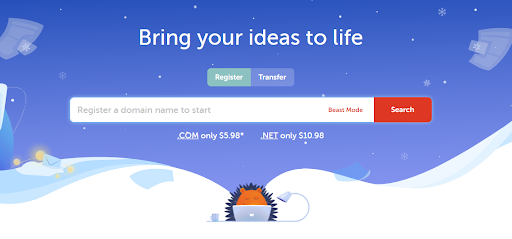
With Namecheap, you can either Register a new domain name or Transfer an already-owned one. To register a domain name;

  • Click on Register, which is located on Namecheap’s homepage.
  • Type in your domain name and click on the search icon to select your preferred option.
  • Click on the cart icon in front of your chosen option, then scroll down and click on Check Out. A Domain Registration form will pop up. 
  • On the form, choose between the one-year and 5-years plans, click on Confirm Order, and Continue to proceed with payment.
  • Create an account to log in by inputting your preferred username, password (following the outlined requirements), first name, last name, and email address. Tick on the box below if you want to receive newsletters from Namecheap regularly, then select Create Account.
  • Fill in your Account Contact Information then click on Continue.
  • Provide the WHOIS Contact Information.
  • Click on Continue and pick your preferred payment option, then click on Continue to pay.

To transfer an already owned domain name, follow the process above, but start by clicking on Transfer instead on the homepage.

READ ALSO: 13 Best Web Hosts Reddit Users Love And Upvoted

Step 2. Select a Hosting Plan

Select a Hosting Plan

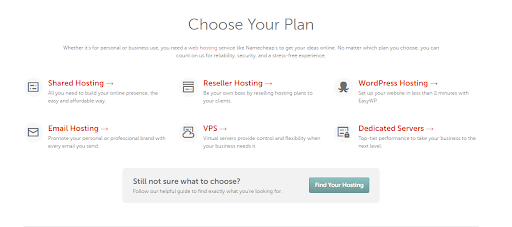
There are several hosting plans on Namecheap. The type of hosting you choose is significant to your website. On Namecheap, the hosting plans you can pick from are:

  • Shared Hosting

This is the best for starters with no tech experience. With it, you are given access to a physical server but you are not paying for the server fully, just for the part you are using. It is the best for new websites with less bandwidth and low traffic. It is the cheapest hosting plan and is easy to set up. Plus, it comes with a website builder and SSL certificates.

  • Managed WordPress Hosting

Namecheap uses EasyWP Managed WordPress Hosting and it is very easy to set up. Managed WordPress takes care of all technical tasks. It is faster and you can manage more than one website from one dashboard. You can take advantage of it to create quality content for your website.

  • Reseller Hosting

This is a higher hosting plan than Shared Hosting. It allows you to divide your space into sub-accounts for more storage and bandwidth. You don’t have to perform much administrative work on the server.

  • VPS Hosting

They provide reliable performance with dedicated resources at your disposal.  It has enough bandwidth and storage space to house a heavy-data website. Using VPS is like using a private server because of how a server is separated into virtual servers and the server setup is customizable.

  • Email Hosting

This is for when your hosting plan doesn’t come with email hosting. This allows you to create an email address with the same name as your website. It helps you to promote your brand through every email sent.

READ ALSO: Most Secure Web Hosting Services

  • Dedicated Hosting

Dedicated here means no sharing. You don’t get to share any resources with anyone. With Dedicated Hosting, you are entitled to one server that you can configure to suit you. It is, however, the most expensive and requires technical knowledge. It is the best for digital service providers.

No coupons found.

Planting Your Web Presence: A Guide to Hosting a Website on Namecheap (FAQs)

Namecheap offers a user-friendly platform to host your website. Here are some FAQs to explore the process:

Do I need to purchase a domain name before hosting?

Yes, a domain name acts as your website’s address on the internet. You can purchase your domain name through Namecheap or another registrar before signing up for hosting.

What type of hosting plan do I need?

Namecheap offers various hosting plans to suit different website needs. Here’s a simplified breakdown:

  • Shared Hosting: Ideal for beginners and small websites. It’s a cost-effective option where your website shares server resources with other websites.
  • WordPress Hosting: Optimized for WordPress websites, often with pre-installed WordPress and features to simplify management.
  • VPS Hosting: Offers more control and resources than shared hosting, suitable for growing websites with moderate traffic.
  • Dedicated Hosting: Provides the highest level of control and resources, ideal for high-traffic websites or those with specific performance requirements.

Consider your website’s size, traffic expectations, and budget when choosing a plan. Namecheap offers guidance on its website to help you select the most suitable option.

READ ALSO: Unveiling the Truth: Is NameCheap Legit?

How do I sign up for hosting with Namecheap?

  1. Visit the Namecheap website and navigate to the “Hosting” section.
  2. Choose your preferred hosting plan.
  3. During signup, you can purchase a new domain name or use an existing one you already own.
  4. Follow the on-screen instructions to complete the signup process, which might involve choosing a billing cycle and creating an account.

How do I connect my domain name to my hosting account?

  1. Log in to your Namecheap account.
  2. Navigate to the “Domain List” section and locate your domain name.
  3. Find the option to “Manage DNS” or “Nameservers”.
  4. Update the nameservers with the names provided by Namecheap during your hosting signup process. This links your domain name to your hosting account.
  5. Allow some time (usually up to 24 hours) for the nameserver propagation to complete.

How do I install content management systems (CMS) like WordPress?

  1. Some Namecheap hosting plans, particularly WordPress Hosting options, come with WordPress pre-installed.
  2. If WordPress isn’t pre-installed, Namecheap offers tools like Softaculous within their control panel, allowing one-click installation of WordPress and other applications.
  3. You can manually upload and install WordPress files using FTP (File Transfer Protocol) tools.

What if I need help with the hosting process?

  • Namecheap offers a comprehensive knowledge base with articles and tutorials to guide you through the hosting setup process.
  • Their customer support team can also assist you via chat or tickets if you encounter any difficulties.

A Final Word

Now, you should be able to host website on Namecheap.

When picking a hosting plan, you need to consider many things, such as the kind of website you are building, the services you will be offering, technical specifications, server reliability, add-ons, security measures, and so much more. 

Carefully read through the offers provided by each hosting plan and pick the one that can cater to your needs.

Was this helpful?


INTERESTING POSTS

Exclusive Interview With Stefan Ćertić, CTO Of ETalc Technologies

In this interview, we spoke with Stefan Ćertić, the CTO of ETalc Technologies, regarding the mobile security industry.

Stefan has spent over 15 years working as CTO and Lead Consultant with some leading mobile companies worldwide.

Here Are His Responses To Our Questions:

1. Question: You have garnered practical experience in the Mobile and Security industry over the years. How has the journey been so far?

Stefan Ćertić: 

At the very beginning, it’s essential to understand the challenges of the Mobile Industry properly. It was a matter of a single decade between the environment in which Mobile Communication was expensive and therefore exclusive to a small group of high-grade individuals who could afford it out of reach for the broad consumer market – only to quickly get us to where we are – everyone carries at least one if not more devices in their pocket. 

Huge demand required rapid development, which comes with the price tag of a heavily unregulated market, and as such, making it one of the most significant security concerns. Technology developed way faster than national or international regulators could follow up. Vendors were put into a position to develop solutions overnight and support the business, and these Lucrative businesses emerged on every corner. 

By early 2013, initial topology flaws were expensive to address as they required infrastructural changes. Simply put, network protocols were not designed to support several users. SIGTRAN, on one side, managed to cut significant leased links costs of roaming partners by simply tunneling SS7 (STP / SCTP) through regular Internet compared to these old ladies E1/T1 (kids are unlikely to remember). 

It was a massive boost for revenue, but we saw an emerging number of cyber-attacks utilizing SRI / PSI / ATI map commands – back in the days exclusive for legitimate government use. And that’s what happens when you blind one in to cut the costs and boost the economy. 

We were in a situation where we found both Active and Passive IMSI catchers everywhere. I could say it went out of stock globally. Someone needs to speak out loud within the academic and professional community. 

Hopefully, I managed to help by publishing that famous 2FA Vulnerabilities research paper and demonstration, as well as remote SIM cloning, leading to intense debate within GSMA back in the day. 

Quickly after, a lot of intelligent solutions were incorporated. These Home  ocation Registers were not returning IMSI anymore, we witnessed the birth of TMSI. It was a go d sign we started investing in security. With the re ent Diameter implementation, more flaws were addressed. We are far  rom being 100% secure, but you know the saying:

“Security is always threated as unnecessary expense till you get a breach. Suddenly everyone is raising question why no-one predicted” – Mobile Security is no exception. 

2. Question: In your opinion, how successful has the fight against web vulnerabilities been?

Stefan Ćertić: 

You know, it should be treated as a chess game. You need to analyze a few steps ahead before saying EUREKA. Back in 201 , Google announced SSL/TLS encrypted web communication would translate as a positive signal in search engine ranking. In following y ars, the SEO race made us to a point where the majority, 51.8 percent, of websites now use SSL. That’s a co l thing fighting the most widespread attacks through sniffing. 

Before you say EUREKA, remember that it was difficult for an average ice cream store owner to think about cryptography. Hence few S aS providers emerged with the proposition “Point your name servers to us and let us do it for you”. I was a warm welcome. Nowadays yo r ISP or “a guy-next-door” can’t decode your surfing data or passwords through ethernet or Wifi sniffing. 

On the other hand, we have companies serving millions of sites with a single centralized place where these private keys are stored. Did we get  or a better or worse? One is for  ure; we moved the point of attack. Now you don t need a suspicious WAN in front of your house; everything can be done from the comfort of the office

3. Question: What are the threats associated with exposed personal information?

Stefan Ćertić: 

You don’t need to ask me twice, lol – it’s an Analysis of social habits building a fingerprint as accurate as DNA. These two t ings are likely the only ones you can’t change.

You decide to become invisible and prevent anyone from locating you.

You throw away your mobile phone and the sim card and buy a new one or start using the ‘Burner’ phone; the same goes for a laptop or any identifiable information.  You even change city and state. Totally change the way you look?

And you got found within a day. How, you may ask?

Your habit is to have breakfast at a restaurant at about 9 am, and your new phone goes with you. Do You enjo  taking a long walk at the park after your breakfast? Your new ph ne walks with you. Do you like rock music and habitually visit gigs each Friday? Your new ph ne too!

Now give me all the phones that used to connect to a base station in the restaurant, park, rock venue…you name it at the specific time patterns. The number of f matches: 1. Gotha!

We a e living in the era of developed ML algorithms. Private dat  exposes you like never before. Remember th  TV Series “MacGyver”. Well, just  remove the fiction part and there you are. 

4. Question: How effective has the government protected citizens’ personally identifiable information?

Stefan Ćertić: 

Working with governments on security solutions, protection, and intelligence made me realize how much productivity you can achieve once you strip the ROI out of the equation. The ofauty of working in a “non-profit” environment that can afford top-notch people and technology is nothing but results. 

Many technologies developed ten or more years ago in these “smoking-allowed” offices work perfectly today. A good exam le is Asymmetric Elliptic Curve Cryptography. You may kno  it from Bitcoins, Cryptocurrencies, and a blockchain. But did you know the same technology globally within your passport booklet chip long before blockchain? The same goes for tons of other technologies. 

From the regulatory side, initiatives such as GDPR are nothing but good security practices proven to work well in protecting these very same offices. Same stands with HIPAA or more specialized standards such as FIPS 140-2. Of course, there are also failures in the government sector, but I have a strong impression that everyone realizes there’s no winner in the data acquisition race. 

5. Question: Is mobile security essential for smartphone users? If yes, why do you think so?

Stefan Ćertić: 

More than ever. The fact that it’s always with you makes your smartphone a key to your universe. You use it for communication, social media, financial transactions, and even to start your car. 

As such, it’s the primary target and most valuable digital asset. You can’t expect ordinarymon Joe to become a security expert but rather provide a secure environment.

Mobile Security should not be an “Over-the-top” service but a fundamental base. This is why *nix-based smartphones dominate the market. That kernel comes packed with experience dating back from 1960. Funny trivi , it was AT&T Bell Labs who developed one of the first for the mainframe.

6. Question: What are the most effective tips to mitigate cyber threats?

Stefan Ćertić: 

Prevention is critical. There is a set of standards published by NIST, and 95% of attacks I saw, result from not following these guidelines or implementing them on a level of formality. 

One should take these standards, such as ISO 27001, and understand them as “knowledge transfer” and a set of good practices made by the experience of others so you don’t pay the exact toll. 

However, once compromised, the best advice I can give in migration is to threaten the whole system as compromised, regardless of the escalation level. There are tons of funny situations where companies migrate an attack by restoring backups, while in fact, backups are infected in a way that provides security escalation; otherwise, it is not possible. There’s no partial breach in my vocabulary. 

7. Question: Do you offer consultancy services for businesses with cybersecurity needs?

Stefan Ćertić: 

Please don’t hesitate to get in touch. I have a lot of consultancies. Playing chess with the bad guys has been my driving force for over a decade; it’s not difficult to attract me if you have trouble with one.

Stefan Ćertić
Stefan Ćertić, CTO of ETalc Technologies

Reach Stefan Ćertić through: 

  • Website: https://www.certic.info
  • Twitter: https://twitter.com/cs_networks
  • Facebook: https://www.facebook.com/stefancerticofficial

Note: This was initially published in February 2022 but has been updated for freshness and accuracy.


INTERESTING INTERVIEWS