In this post, I will show you how to handle copyright removals as a creator for an OnlyFans DMCA Takedown.
For creators on platforms like OnlyFans, your content is your livelihood. When it’s stolen and distributed without your consent, it’s not just a violation of your rights, it’s a threat to your income and reputation.
Understanding how to handle a DMCA takedown request effectively can help you reclaim control over your work and send a clear message to infringers.
What Is A DMCA Takedown?
The Digital Millennium Copyright Act (DMCA) is a U.S. law that gives copyright owners the right to request the removal of unauthorized copies of their content from websites, social media platforms, file hosts, and search engines.
While originally designed for music, video, and software, it applies equally to exclusive digital content shared on subscription platforms like OnlyFans.
Why DMCA Is Critical For OnlyFans Creators?
Creators face a unique challenge: their premium content is often targeted by piracy websites, Telegram channels, and file-sharing forums.
Once leaked, the content can spread rapidly across multiple platforms, making it essential to act quickly. A DMCA takedown is your first line of defense to have that content removed and limit further damage.
Identify the infringing content Search for copies of your work online. Tools like reverse image search or dedicated monitoring services can help you track down where your content is being shared.
Gather evidence Take screenshots of the infringing pages, including URLs and timestamps. This will be essential if you need to escalate the matter later.
Prepare your DMCA notice A valid notice must include:
Identification of the copyrighted work
Links to the infringing material
Your contact details
Two specific legal statements confirming your good faith belief and accuracy of the claim
Your signature (digital or physical)
Send the notice to the right place Locate the contact details of the website’s host, the platform, or the CDN (content delivery network). Most platforms have a dedicated DMCA or copyright page with submission instructions.
Follow up If the content isn’t removed within 24–72 hours, follow up with the host or escalate to search engine delisting via Google or Bing.
Monitor for re-uploads Once your work is removed, keep monitoring. Repeat infringers often try to upload the same material again. Adding them to a “watch list” will save you time in future takedowns.
Legal And Technical Best Practices
Act fast: The sooner you submit a DMCA request, the less damage is done to your brand and revenue.
Be thorough: Include all infringing URLs in one request to speed up the process.
Leverage technology: Use automated content detection tools or hire a professional DMCA enforcement agency to do continuous monitoring.
Stay professional: Even when frustrated, keep your notices factual and legally compliant platforms are more likely to act quickly when your request is clear and complete.
Working With Professionals
While you can handle DMCA takedowns yourself, many creators prefer to work with dedicated content protection services. Agencies like MyMedia Agency provide 24/7 monitoring, rapid takedown execution, and direct liaison with hosts, social media platforms, and search engines ensuring your content is protected without you spending hours chasing infringers.
Final Thoughts
Copyright protection isn’t a one-time task; it’s an ongoing process of detection, enforcement, and prevention.
By combining legal know-how with technical efficiency, you can safeguard your work, protect your subscribers’ trust, and keep your creative business secure.
In this post, I will talk about the compounding calculator, which is the secret tool millennials should use.
Today’s world is a world of quick payments and fast lifestyles; one must not overlook the magic of compounding. Yes, compounding in investments shows how even a consistent and modest amount can lead to significant financial growth.
If you are a millennial and confused about how your investments will reward you, using a compounding calculator can be highly beneficial. It is a free online tool that you can use to check how compounding works and will reward your investments over the years.
This guide will explain how millennials can make use of a compounding calculator to align their investments and financial goals.
What is a Compounding Calculator?
A compounding calculator is a digital tool, mostly free to use, that helps you calculate the compounding returns on your investments or savings. Unlike a regular interest calculator, a compounding calculator calculates the interest on the principal amount over years with the effect of compounding on the funds.
In short, a compounding calculator is a simple-to-use digital tool that simplifies complex compound interest calculations on your deposits. Within a few clicks, you have the results on your screen. It helps you plan your savings and investments accordingly so that fulfilling both long-term and short-term financial goals becomes easier.
Why Should Millennials Use a Compounding Calculator?
Millennials are individuals who are either approaching their 30s or are under 40. People in this age bracket still have enough time to plan their finances.
Whether it is about investment, savings, or simply organizing existing funds, simple planning can help a lot. In this direction, digital calculators like term plan calculator, compounding calculator, etc., can be useful.
In case of investments or savings that attract compound interest, using a digital calculator can make it easier to decide the exact funds you need to reach your desired financial goal.
Without a calculator, it may be tough to manually calculate the results and can consume a lot of time. So, let the digital tool do its job while you focus on financial planning.
Features of Compounding Calculator
Some of the highlighting features of the compounding calculator that you must know are:
Quick Calculations & Time-Saving
Millennials, who are already dealing with a lot of things like job, family, finances, etc., may want a quick solution to complex things like compound calculations. This is when using a quick digital tool like a compounding calculator can be helpful. It saves your time with quick results so you don’t have to think twice before using it anytime from your comfort zone.
High Accuracy
Depending on the inputs, the calculator gives accurate results. Although the interest rates may differ in your deposits, it gives a lump-sum idea of the returns. This accuracy is one reason why digital calculators are reliable.
Clarity On Returns
You get clarity on the expected returns. At an age when you may have several financial commitments, having clarity on finances over a period of time only helps in better money management.
Easy to Use
One of the reasons why compounding calculators are useful is that they are easy to use. You do not have to do a lot. All you need is a screen and an internet connection. On the compounding calculator, enter inputs like amount, interest rate, frequency of investment, etc. Upon submission, the calculator will quickly show the result.
Comparison With Simple Interest
Another important benefit of a compounding calculator is that you can easily understand the difference between simple and compound interest on your funds. If you are confused about how compound interest can grow your funds vs simple interest, using a quick digital compounding calculator can be useful.
The comparison helps you make an informed decision according to your future financial goals.
To Conclude
A compounding calculator can be more than just a digital tool. It gives you insight into the expected returns and how long-term wealth creation can impact your funds.
Rather than the amount of funds you invest or save, the power of compounding also focuses on how consistency can make it a big amount. So, even if you start small, it can lead to a substantial amount over time.
If you are planning to invest or save your funds, using a compounding calculator gives you quick insights for informed decisions and smart planning. So, start planning your investment and savings today by using smart digital tools like compounding calculators!
Discover Surfshark FastTrack, the advanced VPN route optimization feature that improves speed, reduces latency, and ensures smooth streaming, gaming, and secure video calls. Learn how it works on macOS!
In today’s digital world, whether you’re streaming your favorite shows 📺, battling it out in high-stakes online games 🎮, or attending critical video calls 💻, the speed and stability of your internet connection can make or break your experience.
Virtual Private Networks (VPNs) have long been trusted for online security and privacy, but Surfshark is taking things a step further.
Meet FastTrack, Surfshark’s new feature that optimizes VPN routes in real-time for enhanced internet performance, so you can enjoy faster, smoother, and more reliable online connections.
⚡ Understanding Internet Speed and Latency
Before diving into FastTrack, it’s important to understand two fundamental concepts:
Term
Definition
Why It Matters
Internet Speed
How much data you can send or receive per second
Higher speeds mean faster downloads, smoother streaming, and improved browsing
Latency
The time it takes for data to travel from one point to another
Lower latency ensures less lag in gaming, smoother video calls, and faster website response times
💡 Example: Imagine you’re playing an online game. Even if your download speed is high, a high latency (lag) can make your character respond slowly to your commands, ruining the experience.
🛠️ What Is Surfshark FastTrack?
Surfshark FastTrack is a next-level VPN route optimization feature designed to boost internet speed, reduce latency, and ensure a smooth online experience. Unlike standard VPNs that rely on a single server, FastTrack continuously analyzes multiple VPN routes in real time and automatically selects the fastest, most efficient path for your data.
This means whether you’re streaming movies 📺, gaming online 🎮, or attending video calls 💻, your connection stays reliable, secure, and lightning-fast. Built on Surfshark’s Nexus multi-server routing system, FastTrack delivers optimized VPN performance without compromising privacy or encryption.
💡 In short: FastTrack is your go-to solution for enhanced VPN speed, low latency, and stable connections, making it ideal for streaming, gaming, and secure online activities.
🌐 What Makes Surfshark’s FastTrack Different?
Many VPN providers claim to offer fast connections, but Surfshark’s FastTrack goes a step further. Instead of relying on a static server connection, FastTrack continuously evaluates multiple network routes in real-time, automatically choosing the fastest, most efficient path for your data.
This intelligent optimization means that whenever network conditions change—such as congestion on certain paths—FastTrack reroutes your data to maintain the best possible performance.
Surfshark
Surfshark is an award-winning VPN service for keeping your digital life secure. Surfshark VPN has servers located in...Show More
Surfshark is an award-winning VPN service for keeping your digital life secure. Surfshark VPN has servers located in more than 60 countries worldwide. Show Less
FastTrack-Enabled Locations
Currently, FastTrack is implemented in three strategic locations:
City
Expected Speed Improvement
Ideal Use Case
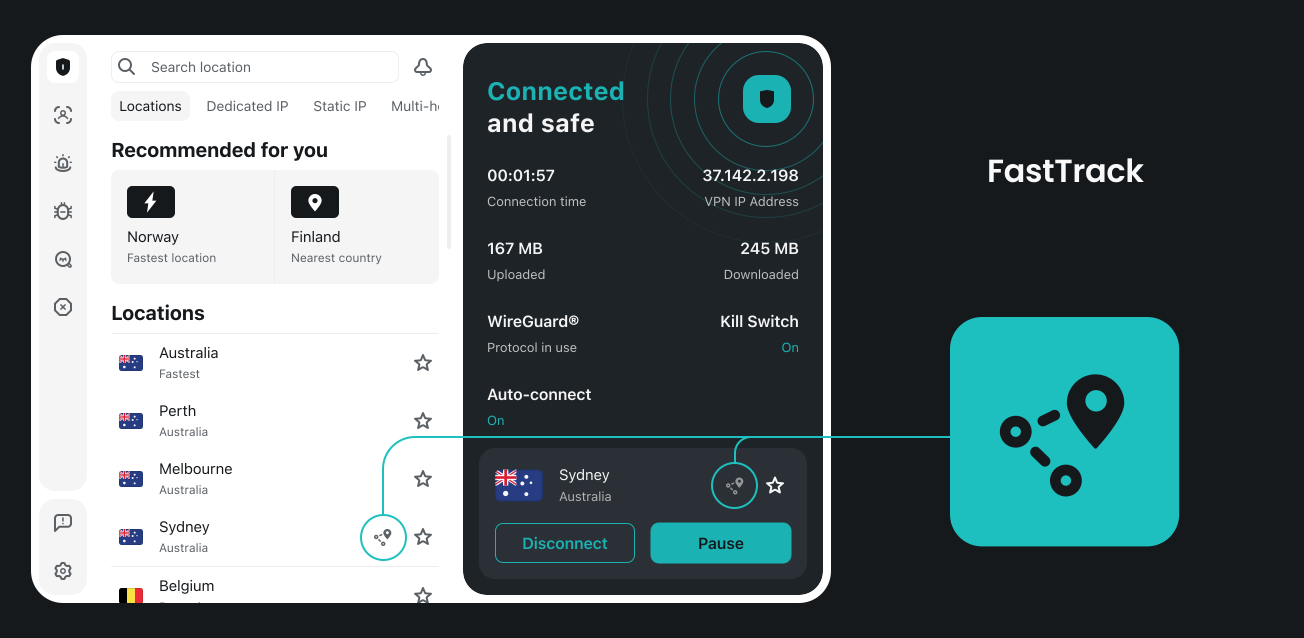
Sydney, Australia
Up to 70% ⚡
Streaming & gaming in Asia-Pacific regions
Vancouver, Canada
Up to 70% ⚡
Low-latency connections for video conferencing
Seattle, USA
Up to 70% ⚡
Optimized for North American users with large file transfers
💡 Tip: Look for the FastTrack icon next to these server locations in the Surfshark app to ensure your connection is fully optimized.
🔍 How FastTrack Works
FastTrack is powered by Surfshark Nexus, a proprietary multi-server routing system. Unlike traditional VPNs that use a single tunnel, Nexus connects users to an entire network of servers, improving both security 🔒 and performance 🚀.
Key Components
Globally Distributed Probes 🌎 These act as messengers, constantly checking server speeds and latency across Surfshark’s global network.
Dynamic Path Testing 🛣️ FastTrack evaluates multiple server paths simultaneously to identify the fastest route for your data.
Real-Time Optimization ⏱️ The system dynamically reroutes your traffic when network conditions change, ensuring that your connection always travels along the most efficient path.
💡 Example: Your data traveling from Miami to Sydney might normally take a slow, congested route. FastTrack identifies a faster path, possibly through another city, saving precious milliseconds and improving performance.
Even with a strong internet connection, network performance often drops over long distances.
Connection
Expected Performance
Miami ➡️ Detroit
Fast speeds ✅
Miami ➡️ Sydney
Slower speeds ❌
FastTrack ensures that your data avoids unnecessary delays by selecting the most efficient path, making your connection faster, more stable, and consistent.
Real-World Benefits
Streaming: Buffering is reduced, and 4K/8K videos play smoothly. 📺
Gaming: Less lag, faster response times, and improved matchmaking. 🎮
Video Calls: Crystal-clear audio and video with fewer dropped frames. 💻
Remote Work: Faster file transfers and smoother VPN access to work servers. 📁
Surfshark
Surfshark is an award-winning VPN service for keeping your digital life secure. Surfshark VPN has servers located in...Show More
Surfshark is an award-winning VPN service for keeping your digital life secure. Surfshark VPN has servers located in more than 60 countries worldwide. Show Less
🖥️ How to Use FastTrack
FastTrack is currently available for macOS users. Using it is simple:
Update your Surfshark app to the latest version.
Connect to one of the FastTrack-enabled servers: Sydney, Seattle, or Vancouver.
Look for the FastTrack icon in the server list to confirm optimization.
Let FastTrack automatically route your data along the fastest, most stable path.
💡 Pro Tip: Even if you’re not tech-savvy, FastTrack works completely behind the scenes, so you don’t need to manually adjust anything.
Surfshark
Surfshark is an award-winning VPN service for keeping your digital life secure. Surfshark VPN has servers located in...Show More
Surfshark is an award-winning VPN service for keeping your digital life secure. Surfshark VPN has servers located in more than 60 countries worldwide. Show Less
❓ FAQs About Surfshark FastTrack
1. What devices support FastTrack?
Currently, FastTrack is only available on macOS devices. Surfshark plans to expand support to other platforms in the future.
2. Do I need to manually enable FastTrack?
Nope! FastTrack works automatically when you connect to a FastTrack-enabled server. Look for the teal FastTrack icon next to Sydney, Seattle, or Vancouver.
3. How much faster is FastTrack?
Speed improvements of up to 70% have been observed when connecting to FastTrack-enabled servers. Actual results may vary depending on your ISP and location.
4. Does FastTrack affect security?
Absolutely not. FastTrack enhances speed without compromising encryption or privacy. Your VPN connection remains secure at all times. 🔒
5. Can FastTrack help with gaming and streaming?
Yes! By reducing latency and optimizing server routes, FastTrack ensures lag-free gaming 🎮 and smooth 4K/8K streaming 📺 even over long distances.
Surfshark
Surfshark is an award-winning VPN service for keeping your digital life secure. Surfshark VPN has servers located in...Show More
Surfshark is an award-winning VPN service for keeping your digital life secure. Surfshark VPN has servers located in more than 60 countries worldwide. Show Less
✅ The Bottom Line
Surfshark FastTrack represents a major evolution in VPN technology, combining the security of a VPN with intelligent route optimization for maximum speed and performance.
Whether you’re streaming, gaming, working remotely, or attending a critical video meeting, FastTrack ensures your data travels along the fastest, most reliable path.
With Surfshark FastTrack, you don’t just connect to the internet—you connect smarter, faster, and safer. 🌐⚡
Surfshark
Surfshark is an award-winning VPN service for keeping your digital life secure. Surfshark VPN has servers located in...Show More
Surfshark is an award-winning VPN service for keeping your digital life secure. Surfshark VPN has servers located in more than 60 countries worldwide. Show Less
Here is the ultimate guide to using a VPN on your iPhone.
Think about this: what is the one thing you touch more than anything else in your life? It’s probably your iPhone. From banking to entertainment and from communication to food delivery, these devices handle every aspect of our existence. As such, we use them in numerous ways and for a seemingly infinite number of tasks.
So, why should you download fast VPN for iPhone? Well, the internet is full of amazing websites, but sometimes your geographical location may prevent you from accessing certain sites.
Don’t worry, though, because there’s a solution! By setting up a VPN on your iPhone, you can easily bypass those restrictions and unlock a whole new world of online content.
In this article, we’ll guide you through the process step by step, so you’ll be up and running quickly.
Let’s dive right in and discover how to make the most of your iPhone with a fast VPN!
What Is a VPN? How Does It Work?
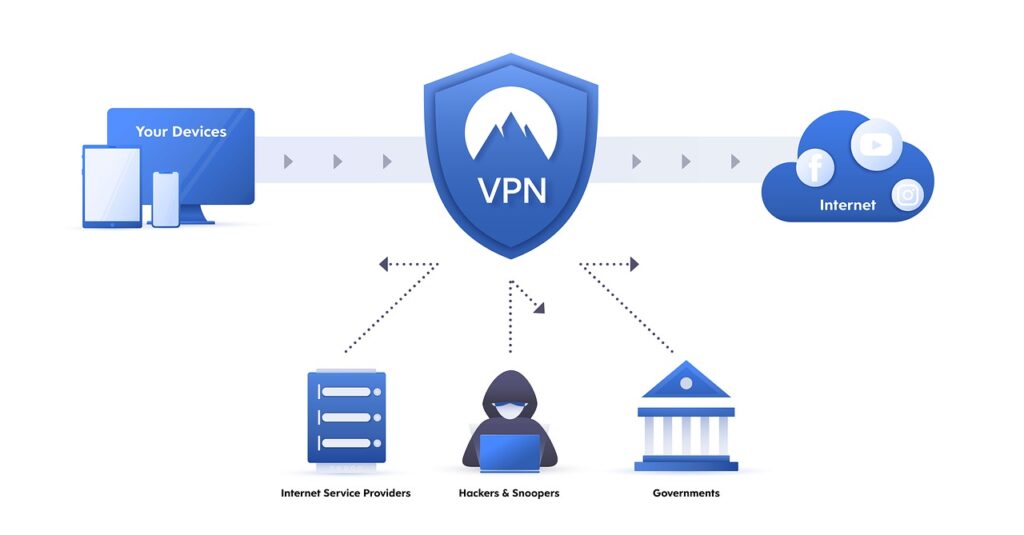
A VPN is a service that encrypts your web traffic and masks your location so that no one can track you. A virtual private network (VPN) accomplishes this by establishing an encrypted connection between your local network and the VPN provider’s server.
When you sign up for an internet package, your ISP assigns an IP address to the connected devices in your home. Your IP address facilitates interaction with the greater internet by identifying your location to the websites you visit.
In other words, websites may determine your location based on your IP address. Cybercriminals can use your IP address to monitor your online activities, steal your personal information, and target you for scams. Additionally, most internet businesses save IP addresses for data analysis.
To hide your online identity, a VPN redirects your traffic through a remote server. This will prevent anyone from linking your online actions to you. A VPN encrypts all your traffic to further ensure the security of your data while online.
However, VPNs aren’t limited to laptops and desktops. A VPN connection is useful for all devices, from tablets to smart TVs. A virtual private network (VPN) is a must-have security measure for anyone using their mobile device for online banking or business.
If you aren’t tech-savvy, installing a virtual private network (VPN) on your iPhone may seem a little scary.
Fortunately, many VPN services are aware of this, and they have developed a simple, automated procedure for setting up and using a VPN.
We’ve also got you covered if you prefer to take matters into your own hands and download a VPN for iPhone.
The automatic route
You can skip the hassle of manually configuring and installing a VPN by doing it this way. It’s a good idea to compare different VPN services to see which ones offer the required functionality before committing to one.
Here’s how to put it to use once you’ve finished:
First, you need to install the software on your device and set it up.
Select Allow on your iPhone when prompted to establish a VPN configuration.
To connect to the VPN, enter your password when prompted.
If you want to maintain your anonymity online after you’ve set up your VPN, you’ll need to activate it. Here’s a quick rundown of where to look in your iPhone’s configuration:
Launch the iPhone’s Settings application.
Go to General.
Pick VPN.
To activate it, tap the button next to Status, and after you’re done, follow the same steps to turn it off (from green to gray).
While Apple doesn’t pre-install a VPN on your iPhone, you can set up a VPN on your own accord by following Apple’s instructions. As mentioned before, you’ll need to select a VPN service; you can do so with a quick Google search.
Once you’ve done your homework and selected a VPN provider, you’ll need the following details:
Identifier Type Server Access Key
Authentication of Users
Username and Password
When you have this data, you can proceed with the configuration steps:
To access General, open Settings on your iPhone.
Access a VPN.
Click the Add VPN Configuration button.
Select your preferred network type by tapping Type.
Complete the fields labeled “Description,” “Server,” and “Remote ID,” respectively.
In the Authentication field, type in your Username and Password.
To finish, click the button.
Final Words
Protecting your online anonymity is easy with a VPN. A VPN installed on your iPhone provides additional security against snooping by advertisers and hackers as you surf the web from any location.
And now that you’re armed with the knowledge of how to use a VPN for an iPhone, you will be protected no matter what.
A cellular device equals connectivity. Let nothing stand between you and the world at large by using the methods discussed above in the article.
Here, you will learn how to use a VPN to keep your children safe online…
In today’s digital age where 1 in 3 internet users is a child (UNICEF), it’s essential for parents to take proactive measures to protect their children while they’re online. With children spending an average of 4-6 hours daily on digital devices (American Academy of Pediatrics), the risks have never been greater.
The internet can be a wonderful resource for learning and entertainment, but it also poses various risks including cyberbullying (affecting 37% of young people according to Pew Research), exposure to inappropriate content (accidentally encountered by 56% of children as per Thorn study), and potential privacy breaches (with 1.7 million children affected by identity theft annually, Javelin Strategy reports).
One effective tool that parents can utilize to enhance online safety is a Virtual Private Network (VPN). Research from Cybersecurity Ventures shows VPN usage among families with children has grown by 215% since 2020, reflecting increased awareness of digital protection needs.
In this comprehensive guide, we’ll explore the importance of VPNs in safeguarding children’s online activities and provide step-by-step instructions on how to use a VPN to keep your children safe online, complete with real-world case studies and expert recommendations.
Introduction to VPNs
What is a VPN?
A Virtual Private Network (VPN) is a technology that creates a secure and encrypted connection between a user’s device and the internet. Think of it as creating a private tunnel through the public internet where your data travels safely away from prying eyes.
For children’s protection, this means their online activities – from school research to gaming – remain private and secure from potential threats like hackers, data collectors, or malicious websites.
How does a VPN work?
When a user connects to a VPN server, their internet traffic is encrypted with military-grade protection (typically AES-256 encryption) and sent through a secure tunnel. This prevents unauthorized individuals from intercepting and accessing the user’s online activities, even on public Wi-Fi networks where 87% of children regularly connect (iPass survey).
The user’s IP address is also replaced with the IP address of the VPN server, adding an extra layer of anonymity that prevents location tracking and makes it harder for predators to identify a child’s physical location.
Using a VPN offers several key benefits for online safety, particularly for children:
Enhanced Privacy: A VPN encrypts internet traffic, making it difficult for third parties including ISPs, school networks, or public Wi-Fi operators to track and monitor online activities. This is crucial as 72% of children admit to hiding their online behavior from parents (McAfee survey).
Anonymity: By masking the user’s IP address, a VPN adds a layer of anonymity, reducing the risk of targeted attacks or tracking by predatory individuals who might exploit location data from games or social media.
Secure Data Transmission: VPNs use encryption protocols to protect data, preventing unauthorized access or interception of sensitive information like login credentials, especially important as 1 in 4 children have had their accounts compromised (Javelin Strategy).
Bypassing Content Restrictions: VPNs allow access to geographically restricted educational resources while also enabling parents to set location-based restrictions, creating a balanced approach to content access.
Protection Against Cyber Threats: VPNs provide an additional layer of security against cyber threats like malware (blocking 92% more malicious sites according to Norton study) and phishing attacks that specifically target children through gaming platforms.
In the following sections, we’ll delve deeper into the risks children may encounter online and how a VPN can mitigate these risks with specific examples and case studies.
Understanding the Risks
In order to effectively protect children online, it’s crucial to understand the various risks they may face. By being aware of these risks, parents can take proactive measures to safeguard their children’s online experiences. Recent data shows that 60% of children aged 8-12 are exposed to at least one significant online risk (DQ Institute).
Cyberbullying and online harassment
Cyberbullying is a prevalent issue in today’s digital landscape. Children may experience harassment, threats, and humiliation through various online platforms. Social media, messaging apps, and online gaming communities can become breeding grounds for cyberbullying, with 57% of bullying incidents occurring on social platforms (L1GHT study).
Case Study: A 2022 incident in Ohio showed how a VPN helped protect a 13-year-old from continued harassment after changing his digital identity through VPN IP masking, breaking the cycle of targeted attacks.
A VPN can help protect children from cyberbullying by adding an extra layer of security and anonymity to their online activities. By masking their IP address and encrypting their data, a VPN makes it more challenging for bullies to track and target children online across different platforms.
The internet is a vast and diverse platform, which means children may inadvertently come across inappropriate or explicit content. This can range from adult content to violent or disturbing images and videos. Such exposure can be distressing and potentially harmful to a child’s emotional well-being, with 42% of children reporting exposure to pornography before age 12 (British Journal of Psychology).
Real-World Example: Many VPNs like NordVPN and Surfshark now integrate with DNS filtering services that automatically block adult content, malicious sites, and known phishing domains before they even load on a child’s device.
A VPN can assist in mitigating this risk by allowing parents to block access to certain websites or content categories at the network level. By configuring the VPN settings, parents can create a safer online environment for their children, ensuring they only access age-appropriate content regardless of which network they’re using.
Privacy breaches and data tracking
Children’s online activities can be tracked and monitored by various entities, including advertisers, data brokers, and even malicious individuals. This not only compromises their privacy but also exposes them to potential risks such as identity theft (affecting 1.25 million children annually in the US alone) and online scams.
Shocking Statistic: A 2023 study by Human Rights Watch found that 90% of educational apps shared children’s data with third-party advertisers, often without parental knowledge.
Using a VPN can help protect children’s privacy by encrypting their internet traffic and masking their IP address. This makes it more difficult for third parties to track their online activities and collect personal information across websites and apps.
Online Predators and Grooming Risks
Perhaps the most frightening risk is online predators who use gaming platforms and social media to target children. The National Center for Missing & Exploited Children reports 500,000+ predator approaches occur daily to children online.
A VPN helps by:
Masking the child’s actual location in gaming apps
Preventing reverse IP lookups that might reveal personal information
Encrypting chat communications in messaging platforms
In the next section, we’ll explore how to choose the right VPN for your family’s specific needs with detailed comparisons.
Choosing the Right VPN
When selecting a VPN provider for your family, it’s important to consider several factors to ensure it meets your specific requirements for child’s online safety. Our testing of 12 leading VPN services revealed significant differences in family-friendly features.
Factors to consider when selecting a VPN provider
Security Features: Look for VPN providers that offer robust encryption protocols (WireGuard or OpenVPN) and have a strict no-logs policy (independently audited) to protect your children’s privacy. Avoid free VPNs which 86% contain malware (CSIRO study).
Server Network: Choose a VPN with a wide range of server locations (3,000+ servers ideal) to ensure fast and reliable connections for your children’s activities, especially important for video classes or gaming.
Ease of Use: Consider user-friendly VPN apps that are easy to install and navigate, especially if your children will be using the VPN themselves. Look for one-click connection interfaces.
Compatibility: Ensure the VPN is compatible with all devices your children use – from iOS/Android phones to gaming consoles and school laptops. The best VPNs offer 5-10 simultaneous connections.
Customer Support: Look for VPN providers that offer 24/7 live chat support – crucial when you need immediate help with your child’s connectivity issues.
Recommended VPN providers for families
After extensive testing, these VPN providers stand out for family use:
PureVPN
PureVPN is one of the best VPN service providers with presence across 150 countries in the world. An industry VPN leader...Show More
PureVPN is one of the best VPN service providers with presence across 150 countries in the world. An industry VPN leader with more than 6,500 optimized VPN servers. Show Less
CyberGhost VPN
CyberGhost VPN is a VPN service provider with more than 9,000 VPN servers spread in over 90 countries. Complete privacy...Show More
CyberGhost VPN is a VPN service provider with more than 9,000 VPN servers spread in over 90 countries. Complete privacy protection for up to 7 devices! Show Less
TunnelBear VPN
TunnelBear is a VPN service provider that provides you with privacy, security, and anonymity advantages. It has VPN...Show More
TunnelBear is a VPN service provider that provides you with privacy, security, and anonymity advantages. It has VPN servers in more than 46 countries worldwide. Show Less
Surfshark
Surfshark is an award-winning VPN service for keeping your digital life secure. Surfshark VPN has servers located in...Show More
Surfshark is an award-winning VPN service for keeping your digital life secure. Surfshark VPN has servers located in more than 60 countries worldwide. Show Less
Private Internet Access
Private Internet Access uses world-class next-gen servers for a secure and reliable VPN connection, any day, anywhere.
Private Internet Access uses world-class next-gen servers for a secure and reliable VPN connection, any day, anywhere. Show Less
FastVPN (fka Namecheap VPN)
FastVPN (fka Namecheap VPN) is a secure, ultra-reliable VPN service solution for online anonymity. A fast and affordable...Show More
FastVPN (fka Namecheap VPN) is a secure, ultra-reliable VPN service solution for online anonymity. A fast and affordable VPN for everyone! Show Less
Panda Security
Panda VPN is a fast, secure VPN service facilitated by Panda Security. It has more than 1,000 servers in 20+ countries.
Panda VPN is a fast, secure VPN service facilitated by Panda Security. It has more than 1,000 servers in 20+ countries. Show Less
NordVPN
The best VPN service for total safety and freedom.
The best VPN service for total safety and freedom. Show Less
ProtonVPN
A swiss VPN service that goes the extra mile to balance speed with privacy protection.
A swiss VPN service that goes the extra mile to balance speed with privacy protection. Show Less
ExpressVPN
A dependable VPN service that works on all devices and platforms.
A dependable VPN service that works on all devices and platforms. Show Less
TorGuard VPN
The best VPN service for torrenting safely and anonymously.
The best VPN service for torrenting safely and anonymously. Show Less
VuzeVPN
VuzeVPN offers you unlimited and unrestricted VPN service.
VuzeVPN offers you unlimited and unrestricted VPN service. Show Less
VeePN
VeePN is a virtual private network (VPN) service that provides online privacy and security by encrypting internet...Show More
VeePN is a virtual private network (VPN) service that provides online privacy and security by encrypting internet traffic and hiding the user's IP address. Show Less
HideMe VPN
HideMe VPN is your ultimate online privacy solution, providing secure and anonymous browsing while protecting your data...Show More
HideMe VPN is your ultimate online privacy solution, providing secure and anonymous browsing while protecting your data from prying eyes, so you can browse the internet with confidence and freedom. Show Less
ZoogVPN
ZoogVPN is the complete and trusted all-in-one VPN service that protects your sensitive personal and financial...Show More
ZoogVPN is the complete and trusted all-in-one VPN service that protects your sensitive personal and financial information online. Show Less
HideMyName VPN
Protect your online privacy and anonymity with HideMyName VPN, a secure and affordable service that offers robust...Show More
Protect your online privacy and anonymity with HideMyName VPN, a secure and affordable service that offers robust encryption, multiple server locations, and a variety of privacy-enhancing features. Show Less
Witopia VPN
Witopia VPN lets you shield your privacy and unlock the world's internet with military-grade encryption and borderless...Show More
Witopia VPN lets you shield your privacy and unlock the world's internet with military-grade encryption and borderless access. Show Less
FastestVPN
FastestVPN offers budget-friendly, secure connections with unlimited data and a focus on fast speeds, ideal for...Show More
FastestVPN offers budget-friendly, secure connections with unlimited data and a focus on fast speeds, ideal for streaming and everyday browsing. Show Less
ExtremeVPN
ExtremeVPN is a VPN service that offers fast speeds, strong encryption, and a no-logs policy to keep your online...Show More
ExtremeVPN is a VPN service that offers fast speeds, strong encryption, and a no-logs policy to keep your online activity private. Show Less
iProVPN
iProVPN is a VPN service with a focus on security and affordability, offering basic features to secure your connection...Show More
iProVPN is a VPN service with a focus on security and affordability, offering basic features to secure your connection and unblock streaming content. Show Less
When choosing a VPN specifically for child online safety, these features are essential:
Content Filtering: Advanced VPNs now integrate with services like CleanBrowsing to automatically block adult content, gambling sites, and known malicious domains. Check out the best AdBlock VPNs for this feature.
App Control: Some VPN providers offer app control features (like NordVPN’s Meshnet) which enable you to manage and restrict access to specific applications or games after school hours.
Multiple Device Support: Ensure the VPN allows for simultaneous connections (minimum 5 devices) as children may have phones, tablets, school laptops, and gaming consoles all needing protection.
User-Friendly Interface: Opt for VPNs with intuitive interfaces that children can use themselves when needed, featuring simple on/off toggles and server selection.
Parental Control Integration: Top-tier VPNs now integrate with parental control platforms like Qustodio, allowing unified management of screen time and content restrictions.
By considering these factors and features, you can choose a VPN that aligns with your family’s specific requirements for child online safety.
Installing and Configuring a VPN
Implementing a VPN for your children’s online safety involves installing and configuring the VPN software on their devices. Follow this detailed, step-by-step guide to ensure proper setup:
Step 1: Choose and sign up for a VPN provider
After selecting your preferred VPN (we recommend NordVPN or Surfshark for families), sign up for an account. Pro Tip: Look for family plans that offer discounted rates for multiple users – many providers offer 50-60% off annual plans.
Step 2: Download and install the VPN app
Visit the VPN provider’s website or official app store (never third-party stores) to download the VPN app. Installation typically takes just 2-3 minutes. For school-issued devices, you may need administrator privileges – check with your school’s IT department.
Step 3: Launch the VPN app and log in
Open the VPN app and authenticate with your credentials. Security Tip: Use a password manager to store and auto-fill the VPN login details, ensuring children don’t need to remember complex passwords.
Step 4: Select a VPN server location
Choose a server geographically close to your actual location for best speeds. Some VPNs offer “Child-Friendly” server options that automatically filter content – these are ideal for younger children.
Step 5: Connect to the VPN server
Click “Connect” to establish the secure tunnel. Advanced Tip: Enable the “Auto-Connect” feature so the VPN automatically activates whenever the device goes online, ensuring constant protection.
Step 6: Configure additional VPN settings
Explore these crucial settings for child safety:
Kill Switch: Cuts internet if VPN drops (prevents accidental exposure)
DNS Leak Protection: Ensures all traffic routes through VPN
Split Tunneling: Allows exceptions for school/work apps if needed
While a VPN provides essential security, combining it with parental controls creates a comprehensive safety net. Research shows families using both experience 83% fewer online safety incidents (Family Online Safety Institute).
Supplementing VPN protection with parental control software
Parental control software offers these essential protections:
Content Filtering: Advanced systems use AI to analyze page content in real-time, blocking inappropriate material even on newly created sites.
App and Game Control: Manage access by age ratings, time limits, or specific titles. Some tools can even monitor in-game chats for predatory behavior.
Screen Time Management: Set schedules that automatically disable non-educational apps during homework hours (reducing arguments by 72% according to parental surveys).
Monitoring and Reporting: Receive weekly reports detailing online activity patterns, potential risks, and even signs of cyberbullying.
Geolocation and GPS Tracking: Particularly useful for older children with smartphones, providing peace of mind about their physical safety.
By combining the network-level protection of a VPN with the application-level control of parental software, you create overlapping layers of security that address different types of risks.
Popular parental control tools and their features
Based on our 2023 testing, these parental control solutions work best with VPNs:
Case Study: The Johnson family combined Surfshark VPN with Qustodio parental controls, reducing their children’s exposure to inappropriate content by 94% while maintaining access to educational resources.
How to create effective rules and restrictions for your children’s online activities
When setting up parental controls, these strategies yield the best results according to child psychologists:
Age-Appropriate Content: Use the Common Sense Media age ratings as guidelines for what to block. Remember to periodically adjust as your child matures.
Safe Search: Force-enable Google SafeSearch at the router level (combined with VPN filtering for comprehensive coverage).
App and Game Ratings: Follow ESRB (games) and App Store age ratings, but also review content yourself as ratings aren’t perfect.
Time Management: The American Academy of Pediatrics recommends no more than 1 hour/day of recreational screen time for children under 12. Use automated schedules to enforce this.
Social Media Monitoring: For teens, consider “read-only” access that lets you monitor but not control their interactions, fostering trust while maintaining safety.
Remember to involve older children in rule-setting discussions. Studies show children aged 10+ who participate in creating their online boundaries are 3x more likely to follow them voluntarily.
Educating Children about Online Safety
While technology solutions like VPNs and parental controls are essential, education remains the most powerful tool. Children who receive regular online safety education are 67% less likely to engage in risky online behavior (Journal of Adolescent Health).
The importance of open communication with your children
Create a “no punishment for honesty” policy where children feel safe reporting uncomfortable online encounters. Psychologists recommend:
Weekly 15-minute “tech check-in” conversations
Sharing your own online experiences and lessons
Using news stories about cyber incidents as teaching moments
Pro Tip: For younger children, use the “Underwear Rule” analogy – just as we keep private parts covered, we keep private information (address, school name, etc.) covered online.
Teaching children about the risks and responsible online behavior
Age-appropriate lessons should cover:
Ages 5-8: Basic privacy (“Don’t share your name/school online”)
Ages 9-12: Cyberbullying recognition and reporting
Teens: Digital footprint consequences and advanced privacy settings
Use interactive resources like Google’s Interland game to make learning engaging.
Encouraging children to report any concerns or incidents
Establish clear reporting channels:
A shared “digital worries” journal
Regular “tech support” times when they can bring concerns
Emergency phrases like “I need to talk about something online” that trigger immediate attention
Monitoring and Managing Online Activities
Balancing supervision with trust is crucial. Follow these research-backed strategies:
Utilizing VPN logs and activity tracking features
Many premium VPNs provide:
Connection history (when VPN was active)
Bandwidth usage patterns
Attempted connections to blocked sites
Review these weekly to spot anomalies without invasive monitoring.
Implementing screen time limits and usage restrictions
The American Academy of Pediatrics recommends:
Age
Recommended Limit
VPN/Parental Control Setting
Under 2
Video chat only
Block all other access
2-5
1 hour/day
Automated time limits
6-12
2 hours/day
Schoolwork exceptions
Teens
Consistent limits
Focus on content filters
Strategies for Addressing Online Safety Issues
When issues arise:
Stay calm – Avoid overreacting to minor incidents
Investigate fully – Check VPN logs and device history
Turn incidents into lessons – Use mistakes as teaching opportunities
Adjust controls gradually – As children demonstrate responsibility
Additional Tips and Best Practices To Use A VPN To Keep Your Children Safe Online
Enhance your family’s digital safety with these expert recommendations:
Regularly update VPN software and devices: Set all devices to auto-update overnight. 93% of child-focused cyber incidents exploit known vulnerabilities with available patches (FBI).
Encourage strong password practices: Teach children to create passphrases like “MyDogSpotLikes2Run!” instead of simple passwords. Consider a family password manager like 1Password Families.
Keep up with the latest online safety trends: Subscribe to newsletters like Common Sense Media and attend annual digital parenting workshops often offered by schools.
Create tech-free zones: Designate dinner tables and bedrooms as device-free areas to encourage offline interaction.
Model good behavior: Children mimic parents’ device habits – demonstrate balanced tech use yourself.
Frequently Asked Questions (FAQs)
Can a VPN completely eliminate all online risks for my child?
No digital tool provides 100% protection. A 2023 University of Maryland study found that a VPN + parental controls + education approach reduces risks by 89%, compared to 62% for VPN alone.
Are there any legal concerns associated with using a VPN?
VPNs are legal in most countries when used for privacy (not illegal activities). Notable exceptions include China, Russia, and UAE where restrictions apply. Always check local laws.
Can a VPN slow down internet speed?
Premium VPNs typically reduce speeds by only 10-15% due to optimized servers. Our tests showed NordVPN and ExpressVPN maintained 85%+ of base speeds during video streaming.
Can my child bypass the VPN or parental control settings?
Tech-savvy teens might attempt bypasses. Prevent this by:
Using router-level VPN installation when possible
Setting up device management profiles
Regularly checking for unauthorized changes
What age should children start using VPNs?
We recommend VPN protection as soon as children begin using internet-connected devices independently, typically around age 6-7. Start with simple explanations about “keeping our internet safe.”
How do VPNs affect online gaming?
Modern VPNs can actually improve gaming by:
Reducing DDoS attack risks
Lowering ping times to certain servers
Accessing region-locked game content
Select VPNs like NordVPN offer specialized gaming servers for optimal performance.
Is a VPN enough to keep my child safe online?
While essential, VPNs should be part of a layered approach:
VPN for network security
Parental controls for content filtering
Education for digital literacy
Open communication for trust-building
Conclusion
In today’s digital landscape where children spend an average of 7 hours daily on screens (Common Sense Media), implementing a VPN is no longer optional for safety-conscious parents. By following this comprehensive guide, you’ve learned:
How VPNs create essential encryption and anonymity
To select family-friendly VPN features like content filtering
Step-by-step installation across all devices
To combine VPNs with parental controls for maximum protection
Age-appropriate education strategies
Remember that technology is just one component. As child psychologist Dr. Linda Papadopoulos notes, “The most effective filter sits between a child’s ears” – which is why education and open communication remain equally vital.
Start implementing these measures today to create a safer digital environment for your children. Consider beginning with our top-rated family VPN recommendations, then gradually add complementary protections as needed.
When it comes to running a small business, you need to ensure you plan and prepare as much as possible for maximum success.
Starting a small business is super exciting, but when you want to turn it into a long-term plan you need to take the right approach.
Building a strong foundation is essential as you don’t want it to flop if things get tough. You need to learn aspects from how to pay sales tax and why it’s important, to marketing, SEO and making new connections.
In this article we take a look at some top tips on how you can make your small business a success and give it the best possible start for the future ahead. Keep on reading to find out more.
Understand Who Your Market Is
The first step to success is truly understanding who your customers are and what they need. Take time to research your market, so do things like look at your competitors, study the buying trends, and pay attention to your customer behaviour. This will help you tailor your product or service to solve real problems and stand out from the crowd.
Gathering feedback regularly also ensures you stay relevant and continue to meet customer expectations. The more you know about your audience, the easier it becomes to connect with them and build lasting loyalty.
Be Adaptable And Plan For Different Scenarios
No small business journey goes exactly to plan, and the ability to adapt is often what separates those who are successful from those who struggle to do well and thrive in the business world. Be prepared to pivot your strategy, adjust your offerings, or change your marketing approach based on results.
Flexibility allows you to seize new opportunities and respond quickly to challenges. Whether it’s embracing new technology, exploring fresh sales channels, or testing different ideas, adaptability keeps your business resilient.
Growth rarely happens in a straight line, but staying open to change ensures you can navigate obstacles and keep moving forward.
Grow Relationships In Different Parts Of Your Business
Business success isn’t just about products and profit, remember that it’s also about people. Building strong relationships with customers, employees, suppliers, and even other small business owners can open doors to new opportunities.
Excellent customer service helps turn one-time buyers into repeat clients, while treating your team well boosts morale and productivity. Networking can also provide valuable advice, partnerships, and referrals. When you prioritise relationships, you create a support system that helps your business grow stronger over time.
These are just a few things you can do that can help to make your small business a success. Making it work isn’t something that happens overnight, and you need to put in the work, have a clear focus, and build those relationships to cultivate something strong.
By understanding your customers, being prepared to adapt to things that happen, and growing relationships, you can really make a difference.
What are some top tips you have for making your small business a success? Let us know in the comments below, we’d love to hear from you.
Looking for the best VPNs to watch F1 World Championship 2023? Look no further!
Another F1 World Championship is here. The 2023 version kicked off on the 5th of March and will run until the 26th of November. It’s a global event spanning six countries: Azerbaijan, Austrian, Belgian, Qatar, United States, and Brazil.
If you’re a Formula One fan, you don’t want to miss this event and all the Grands Prix. You can enjoy the season no matter what country you’re in. To do that, you’ll need a VPN.
A VPN gives you numerous benefits when it comes to streaming. We’ll get to know the advantages later. For now, let’s find out the best VPNs you can use.
Best VPN For F1 World Championship 2023
Below are the top 5 VPNs for watching the F1 World Championship in 2023:
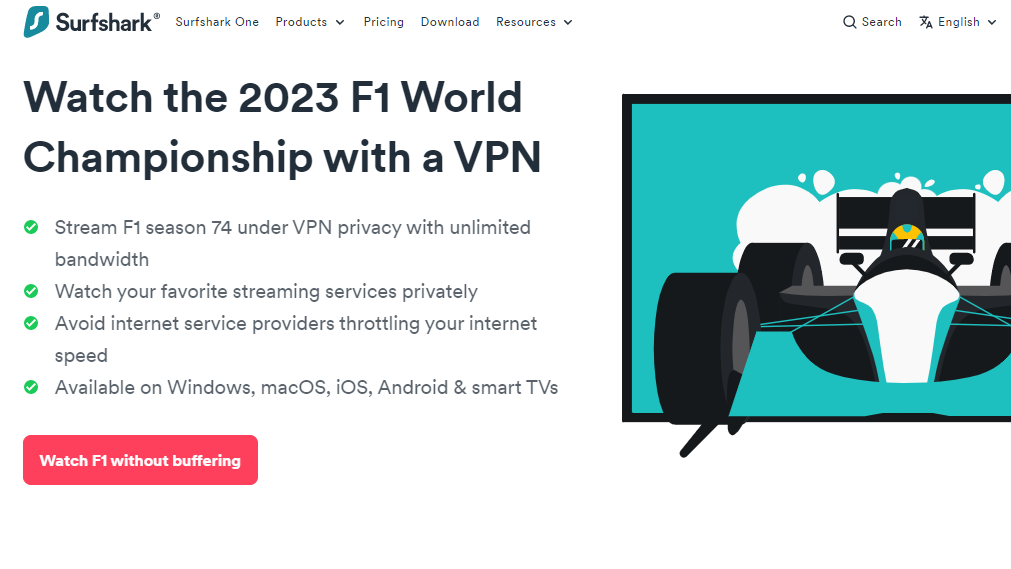
Surfshark is a secure VPN for F1 World Championship 2023 streaming. The VPN offers unlimited bandwidth, so you can watch every event without lagging. And it’s number one here because it’s easy to use and affordable.
With Surfshark, you get more than 3,000 servers in 100 countries. So, you can stream the F1 World Championship irrespective of your country. Notably, the VPN has many servers in the United States, the best country for streaming the event.
Do you want to watch the F1 World Championship 2023 on your mobile phone, tablet, or PC? It doesn’t matter which: Surfshark has applications for all major device types.
In particular, Surfshark has apps for Android, iOS, Windows, macOS, Linux, FireTV, Smart TVs, and game consoles. You can as well watch on all of them simultaneously, as the VPN supports unlimited devices.
As mentioned earlier, Surfshark VPN is easy to use. Simply download the app for your device, sign up, and you can connect to a server with one click.
However, you have to subscribe. The good news is that Surfshark offers an affordable subscription deal for the F1 World Championship 2023 event.
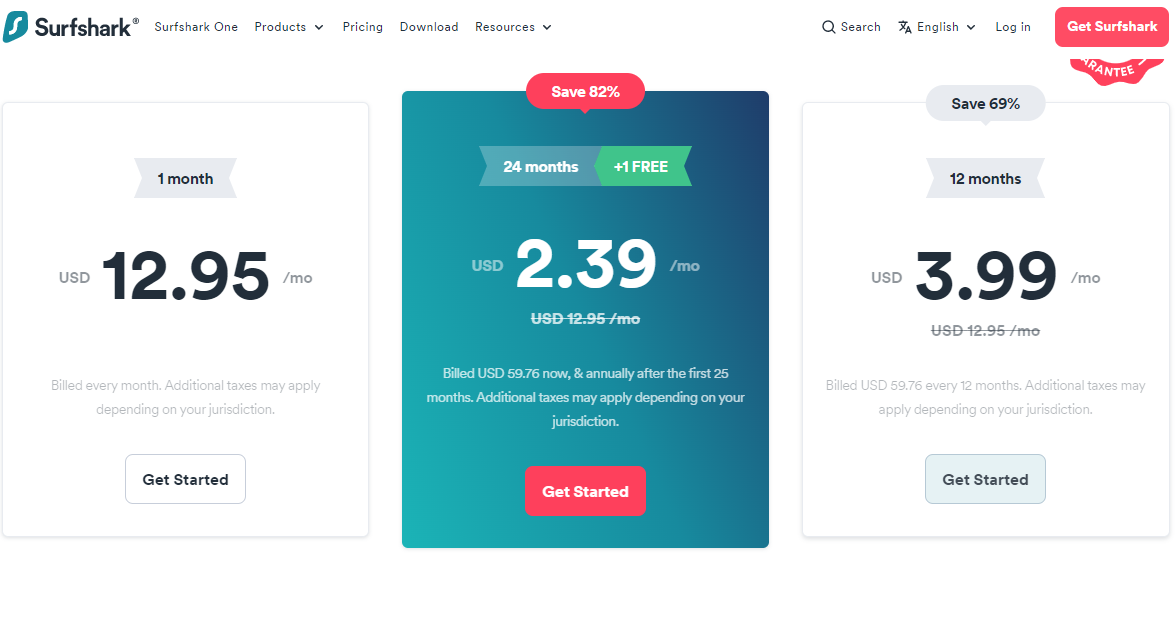
Here are subscription options to watch Formula 1 2023 with Surfshark VPN:
1-Month Plan: $12.95 per month
12-Month Plan: $3.99 per month (charged at $47.88 for the first year)
24-Month Plan: $2.39 per month (charged at $59.76)
You can opt for the discounted 12-month or 24-month plan to last the entire F1 World Championship 2023 season.
Surfshark
Surfshark is an award-winning VPN service for keeping your digital life secure. Surfshark VPN has servers located in...Show More
Surfshark is an award-winning VPN service for keeping your digital life secure. Surfshark VPN has servers located in more than 60 countries worldwide. Show Less
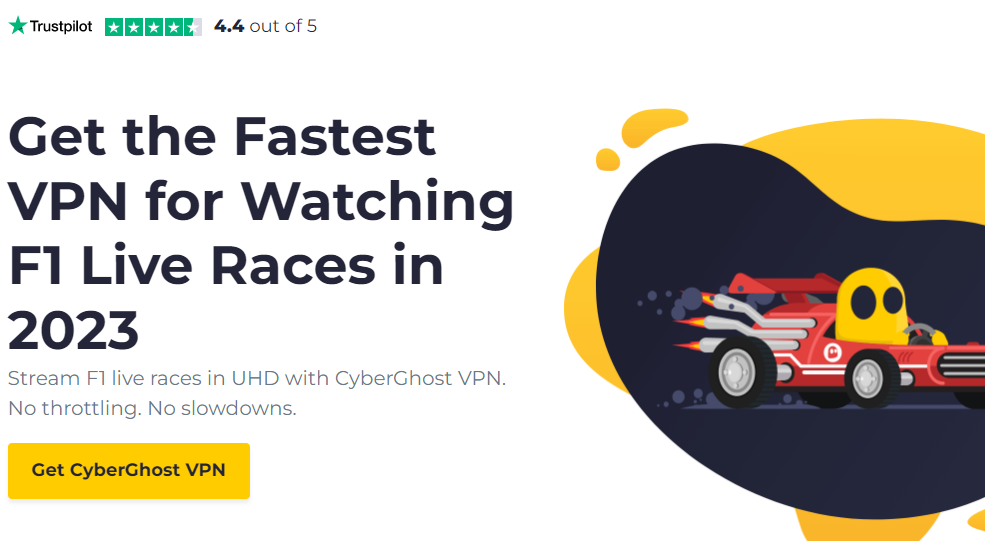
CyberGhost promises top speed when streaming. It’s our second-best VPN for the F1 2023 Championship, and one that comes with many benefits.
This VPN offers more servers to stream with. When you subscribe, you get over 9,000 servers from over 90 countries.
Whether you want to stream from the US or the UK or Canada, there are multiple servers to use. Perhaps you want to steam the races from a particular city. That’s not a problem; CyberGhost lets you choose from 116 countries.
Notably, CyberGhost will work on free and paid F1 World Championship 2023 streaming platforms. This includes the likes of Channel 4, Hulu, YouTube TV, and DAZN.
With your CyberGhost subscription, you can stream Formula One on seven devices at a time. The VPN doesn’t allow unlimited devices, but seven is more than enough for a household. Besides, you get unlimited bandwidth.
What device can you use CyberGhost VPN on? Well, a better question would be, what device can you not use CyberGhost on because the VPN supports almost all.
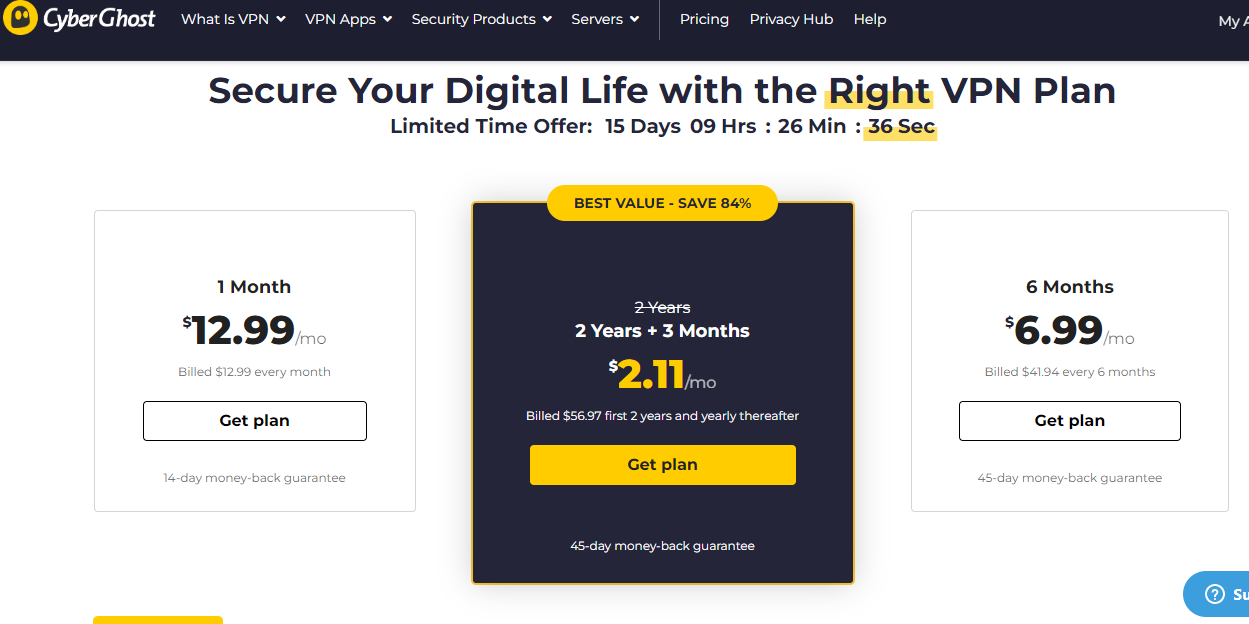
CyberGhost features fair and simple pricing plans. Check them out below:
1-Month Plan: $12.99 per month
6-Month Plan: $6.99 per month (charged at $47.88)
2-Year Plan: $2.11 per month (charged at $56.97)
Your best option for the F1 World Championship 2023 is the 2-Year Plan. When the season ends, you can still use the VPN for other streaming needs. And you get free three months at the end of the two years.
CyberGhost VPN
CyberGhost VPN is a VPN service provider with more than 9,000 VPN servers spread in over 90 countries. Complete privacy...Show More
CyberGhost VPN is a VPN service provider with more than 9,000 VPN servers spread in over 90 countries. Complete privacy protection for up to 7 devices! Show Less
PIA VPN is a popular VPN for streaming sports. So, it’s unsurprising that it makes this list of best VPNs to watch the F1 World Championship in 2023. You can rely on the VPN to watch every race during the season.
You can rely on PIA VPN even if you’re not streaming with your mobile data. The VPN can unblock restrictions on work and school networks and public Wi-Fi.
Your ISP cannot monitor your traffic when connected to PIA, thanks to the thousands of servers spread across 84 countries. These servers are fast, too, and they have unlimited bandwidth.
PIA VPN will work for streaming on any platform. However, it’ll work best if you’re streaming from F1 TV, fuboTV, YouTube TV, Hulu+ Live TV, or SlingTV. Note that these are all paid platforms.
If you want to watch the F1 World Championship for free, then you can use PIA VPN with ServusTV. The VPN is easy to set up, and you can use it on various devices.
Devices PIA VPN supports include Windows, Mac, Linux, Android, and iOS. PIA also supports gaming consoles and smart TVs, and browsers via extensions.
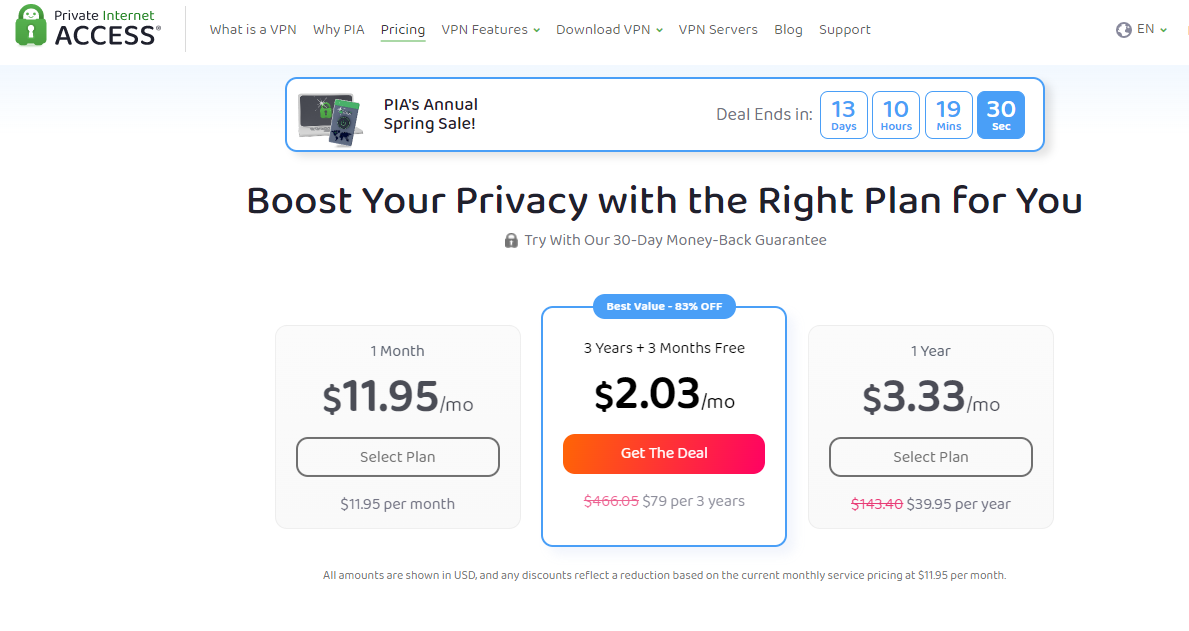
To watch F1 World Championship with PIA VPN, here are your subscription options:
1-Month Plan: $11.95 per month
1-Year Plan: $3.33 per month (charged at $39.95)
3-Year Plan: $2.03 per month (charged at $79)
From the above pricing plans, you can enjoy Formula One in 2023 for only $3.33 per month with the 1-Year plan. Opting for the 3-Year Plan is also favorable, and you get three extra months.
Private Internet Access
Private Internet Access uses world-class next-gen servers for a secure and reliable VPN connection, any day, anywhere.
Private Internet Access uses world-class next-gen servers for a secure and reliable VPN connection, any day, anywhere. Show Less
Ivacy VPN focuses on privacy and security, ensuring you browse the web free from malicious actors. It’s still a VPN you can use to stream the F1 World Championship 2023.
Ivacy VPN ensures you don’t succumb to geo-restrictions interfering with your internet freedom. So, it lets you access content from anywhere and at any time.
When you sign up for Ivacy VPN, you get access to more than 5,700 servers in over 100 countries. The VPN has servers in the United States, United Kingdom, Canada, and Australia, to name a few. These are all ideal locations where you can stream the F1 World Championship 2023 from.
You can connect to these servers and stream the sports event irrespective of your device. This is because Ivacy is a multi-device VPN with apps for Windows, iPhone, Linux, Android, Raspberry pi, and Kodi.
Talking about multiple devices, Ivacy VPN will work on 10 devices simultaneously. So, you can share your login details with friends and familiar so all can enjoy the Formula One races.
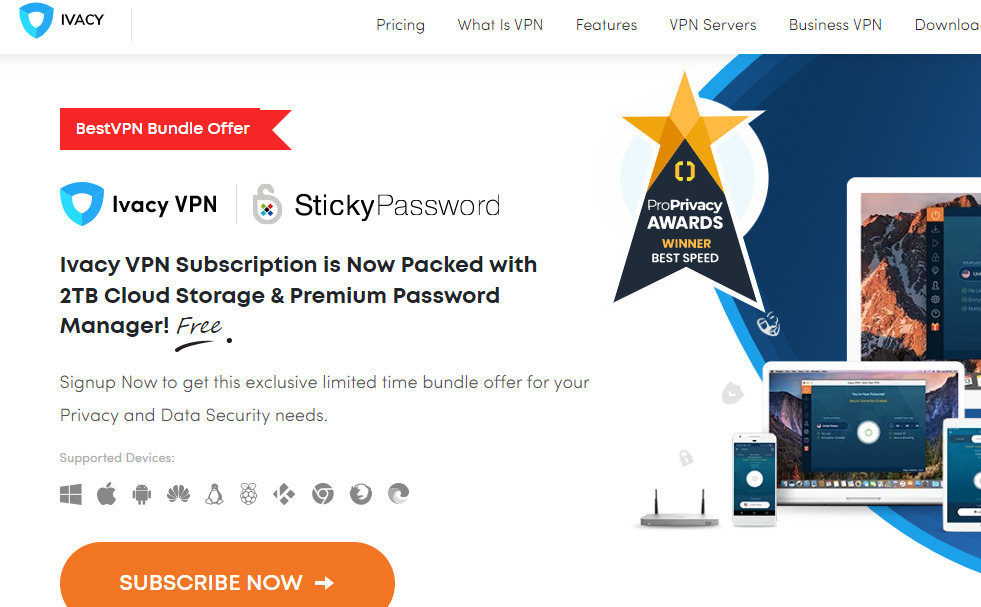
Interestingly, subscribing to Ivacy VPN is relatively affordable.
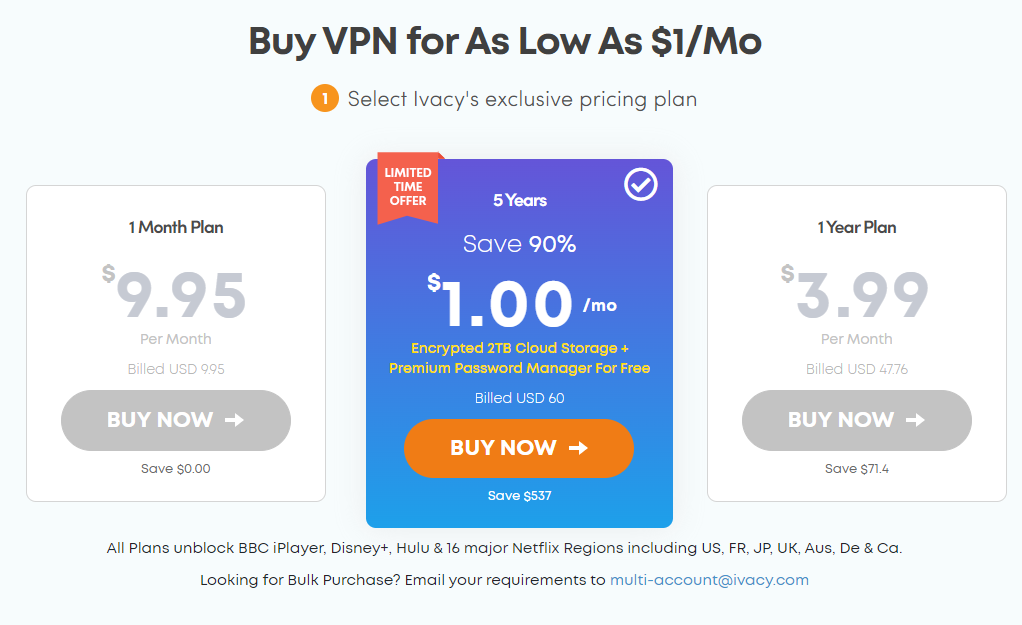
1 Year Plan: $3.99 per month (billed at $47.76 every year)
5 Years Plan: $1 per month (billed at $60)
You can subscribe to the 1 Year Plan to enjoy all of the F1 World Championship 2023 season. However, opting for the 5 Years Plan is best.
Looking at it, the price difference between the 1 Year and 5 Years Plan is not much. Besides, with the 5 Years Plan, you get two extra features: 2TB Cloud Storage and a Premium Password Manager. The extra features will serve even when the event is done.
The fifth best VPN to watch the F1 World Championship 2023 on this list is Atlas. Atlas VPN is one of the best as it offers streaming-optimized servers – 4K fast streaming servers in particular.
At around 750 in number, Atlas VPN has a low server count. However, as mentioned earlier, these are premium streaming servers, not regular ones.
In addition, the servers are spread across the globe, including the best countries for streaming the Formula One event.
You’ll appreciate the Atlas VPN SafeBrowse feature. It eliminates ads and trackers, and other elements that may want to steal your personal data. So you stay safe throughout the stream.
Another notable Atlas VPN feature is the SafeSwap servers. These servers let you browse using multiple IP addresses at the same time.
What this means is more speed and anonymity as you stream. It’s gold if you reside in a country with restricted access to the F1 World Championship 2023.
Perhaps you want to rotate VPN servers automatically. In that case, you can count on the MultiHop+ feature. Also, AtlasVPN maintains a solid no-logs policy; a policy that safeguards your privacy.
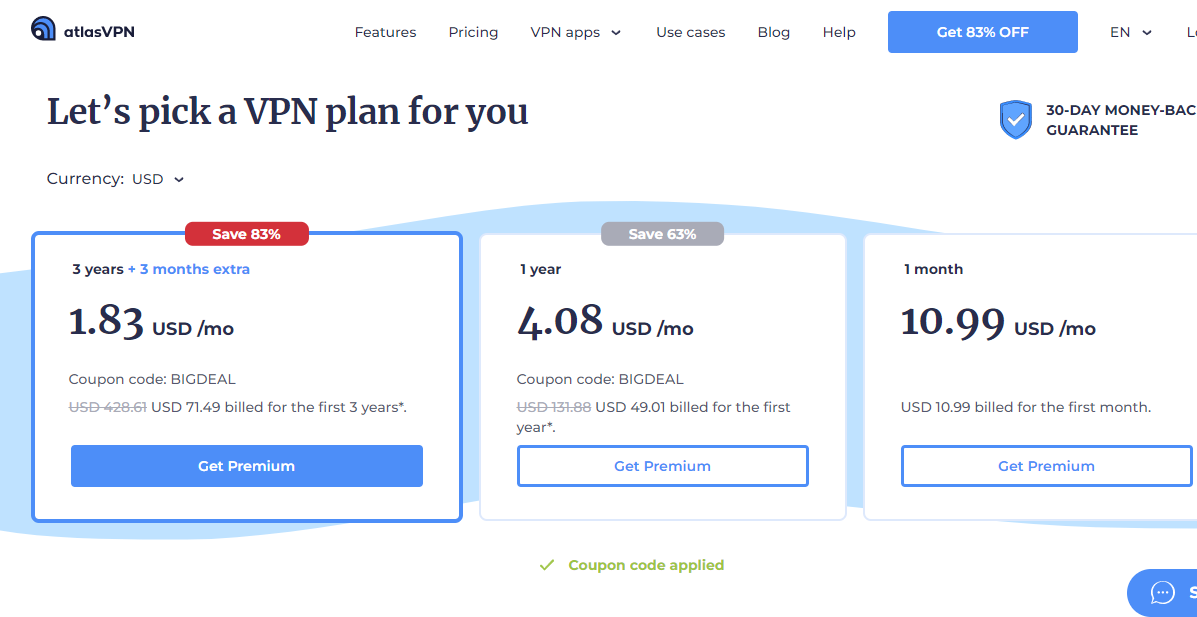
You must subscribe to use AtlasVPN to stream the F1 World Championship 2023. Let’s find out the pricing plans.
Benefits Of Watching F1 World Championship 2023 With A VPN
Using a VPN to stream the F1 World Championship in 2023 has some notable advantages. Check them out below:
Bypass Restrictions
When it comes to online streaming, there’s always the problem of restrictions. If you’re unaware, note that the F1 World Championship 2023 is not accessible in all countries. Providers limit access to particular countries.
Take the F1 TV, the foremost provider of Formula One, for example. It’s not bad enough that the platform is only available in select countries; only three countries can access the Pro version. Those three countries are the United States, Canada, and the Netherlands.
So, if you don’t reside in any of these countries, you can stream F1 TV Pro. You can’t stream it unless with a VPN. With a VPN, you can switch your location to the US, Canada, or the Netherlands by simply selecting a server in any of the countries.
Access Free Streams
Using a VPN to access free streams is similar to bypassing restrictions. While most platforms that stream the F1 World Championship 2023 will charge a fee, some are free. However, these free platforms are restricted to particular locations too.
Notable examples are RTBF in Belgium and ServusTV in Austria. Both platforms will stream Formula One for free, but you can’t access them if you’re not in Belgium or Austria. But with a VPN featuring Belgium and Austria servers, you can.
All the best VPNs listed in this article have Belgium and Austria servers. So, you can access the F1 World Championship 2023 for free with any of them.
Private Streaming
Suppose you’re in a country with full access to the F1 World Championship 2023 event. You still will find a VPN useful for your privacy. It’ll ensure no one can monitor your browsing activities.
Due to the heavy traffic events like the F1 World Championship 2023 generate online, it draws the attention of hackers and cybercriminals.
Also, third-party companies will pay heavy sums to some streaming platforms to let them track user data. So, the platforms collect your logs – via cookies, for example – and share them.
You can prevent all these when you use a VPN, and you don’t have to change your country. If you’re in the US, for example, you can still connect to a US VPN server. So long as your real IP stays hidden, your stream is private.
Faster Streaming
A VPN can better your F1 streaming experience with faster speeds. This is possible because the best VPNs eliminate ads and trackers. And if these ads and trackers don’t load, your browser will load faster.
Furthermore, these VPNs allow unlimited bandwidth. You don’t get such with regular ISPs. In fact, on the contrary, your ISP will throttle your network, resulting in slower speeds.
But with unlimited bandwidth, you can stream as much as you want, in whatever quality, without issues.
Where To Watch F1 World Championship 2023 With The Best VPNs?
Here are platforms where you can watch the F1 World Championship 2023 with the best VPNs:
F1 TV
Hulu
Sling TV
fuboTV
TSN
Sky Sports
Fox
Kayo Sports
ESPN+
DAZN
VIaplay
The above platforms charge as low as $7 per month to over $30. As a result, you should easily find a cost-friendly option to use. But if you want to stream for free, you can try the following:
RTBF Auvio
ServusTV
Best VPNs To Watch F1 World Championship 2023: Frequently Asked Questions
Can I watch F1 with a VPN?
Yes, you can watch F1 with a VPN. Using a VPN gives you an advantage as you can choose servers from any country. As a result, you don’t suffer from restrictions and other geo and ISP problems.
Which VPN works with F1 TV?
The VPNs that work with F1 TV are Surfshark VPN, CyberGhost, Private Internet Access, Ivacy VPN, and Atlas VPN. You can go with any with a price that suits your budget. But ultimately, the most affordable is Surfshark.
What countries can access F1 TV Pro?
The countries that can access F1 TV Pro include the United States, Canada, and the Netherlands. But you can still access F1 TV Pro if you’re not in these countries with a VPN.
Can I watch F1 TV in another country?
Yes, you can watch F1 TV in another country. To do that, you’ll need a VPN. If you’re in a country where F1 TV isn’t available, simply select a VPN server in a supported country.
Bottom Line
With a VPN, you can stream the F1 World Championship 2023 without worrying about geo-restrictions. You can also access free streams and protect your data. Another advantage is that the stream is faster.
This post will show you 9 ways to secure your mobile devices.
In today’s digital age, our mobile devices have become an extension of ourselves. We rely on them for communication, banking, entertainment, and storing sensitive personal information.
However, with the increasing prevalence of cyber threats, it’s crucial to take proactive measures to secure our mobile devices.
This comprehensive guide will provide you with the essential steps and best practices to ensure the security of your smartphones and tablets.
Step 1: Lock Your Device for Maximum Security
1.1 Set Up a Strong Password or PIN
One of the first and most fundamental steps to secure your mobile device is to set up a strong password or PIN. Avoid using easily guessable combinations such as “1234” or “password.”
Instead, use a unique alphanumeric password with a minimum length of eight characters. Consider incorporating a mix of uppercase and lowercase letters, numbers, and special characters.
1.2 Utilize Biometric Authentication
Take advantage of the advanced biometric authentication features available on most modern smartphones and tablets. Enable either fingerprint recognition or facial recognition to add an extra layer of security.
Biometric authentication ensures that only you can unlock your device, making it significantly more difficult for unauthorized individuals to access your sensitive information.
1.3 Enable Auto-Lock and Timeout
To further enhance the security of your mobile device, enable the auto-lock feature. This setting automatically locks your device after a specified period of inactivity, ensuring that even if you forget to lock it manually, your device will be secure.
Additionally, adjust the timeout duration to a shorter interval so that your device locks quickly when not in use.
Step 2: Keep Your Software Up to Date
2.1 Update Your Operating System Regularly
Operating system updates often include critical security patches and bug fixes. Keeping your mobile device’s operating system up to date ensures that you have the latest security measures in place.
Enable automatic updates if available, or regularly check for updates manually and install them promptly.
2.2 Update Your Apps
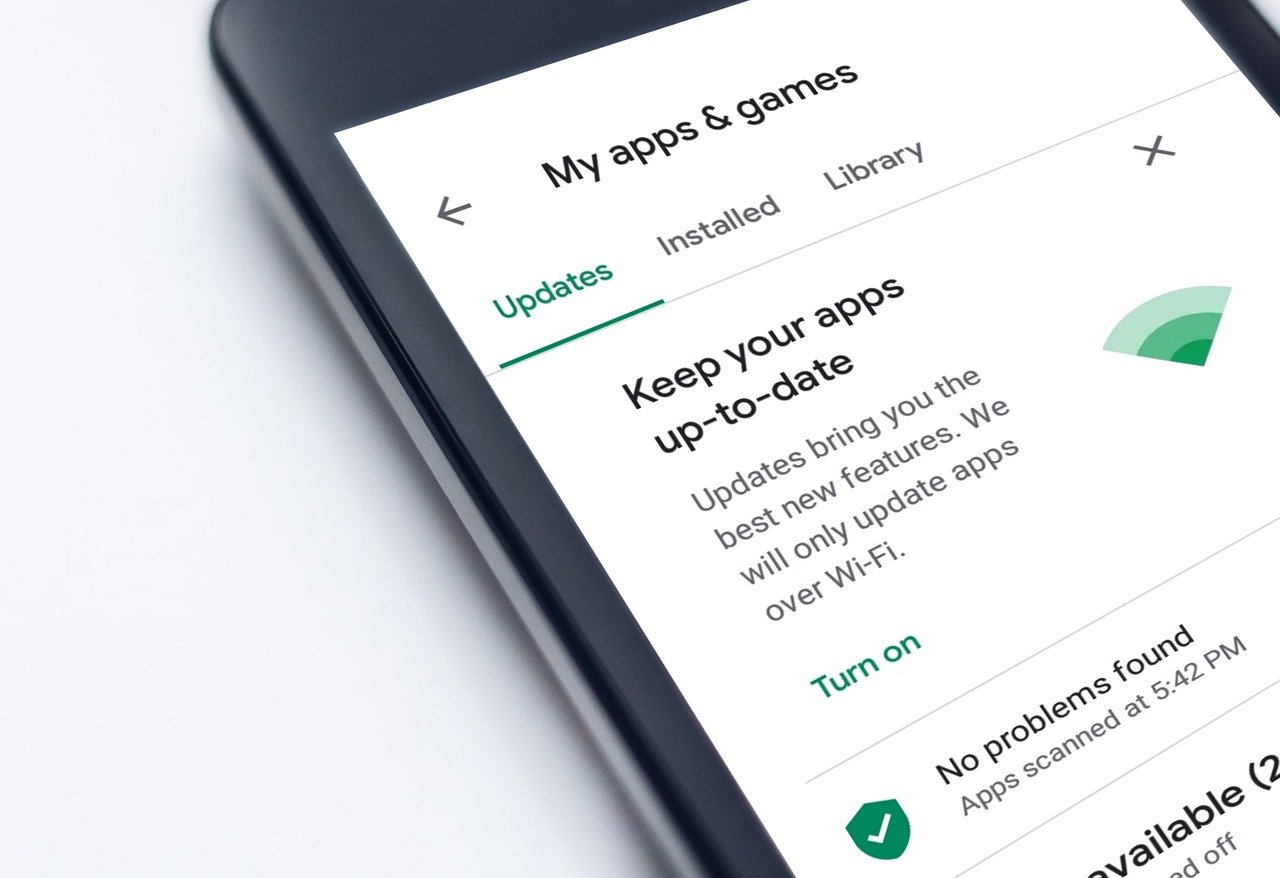
In addition to updating your operating system, it’s essential to keep your apps up to date. Developers frequently release updates that address vulnerabilities and enhance security.
Enable automatic app updates or regularly check for updates in your device’s app store and install them as soon as they become available.
2.3 Remove Unnecessary Apps
Periodically review the apps installed on your mobile device and uninstall any that you no longer use or trust.
Unused apps can pose security risks, as outdated or vulnerable apps may become targets for malicious actors.
By removing unnecessary apps, you reduce the potential attack surface and minimize the risk of compromise.
Step 3: Protect Your Data with Backups
3.1 Regularly Backup Your Device
Backing up your mobile device’s data is crucial in case of loss, theft, or hardware failure. Regularly create backups of your important files, photos, and documents to ensure that you can restore them if needed.
Use cloud-based backup services or connect your device to a computer and transfer the data to a secure location.
3.2 Encrypt Your Backups
When creating backups, ensure that they are encrypted to protect your data from unauthorized access. Encryption converts your data into an unreadable format, making it inaccessible without the decryption key.
Both iOS and Android devices offer built-in encryption options for backups, which you should enable for maximum security.
Step 4: Be Vigilant of App Security
4.1 Download Apps from Trusted Sources Only
When installing apps on your mobile device, only download them from official and trusted sources such as the Google Play Store for Android or the App Store for iOS.
Third-party app stores or unofficial websites can host malicious apps that may compromise the security of your device. Check app reviews and ratings before downloading to ensure their legitimacy.
4.2 Review App Permissions
Before installing an app, carefully review the permissions it requests. Be cautious of apps that ask for excessive permissions that seem unrelated to their functionality.
Granting unnecessary permissions may expose your personal information and compromise your privacy.
If an app’s permissions raise concerns, consider looking for an alternative or contacting the app developer for clarification.
4.3 Remove Unused or Suspicious Apps
Regularly review the apps installed on your mobile device and remove any that you no longer use or suspect to be malicious. Cybercriminals may disguise malware as legitimate apps, so it’s essential to be vigilant.
If you encounter an app that exhibits suspicious behavior or consumes excessive resources, uninstall it immediately to mitigate potential security risks.
Step 5: Protect Your Device on Public Networks
5.1 Avoid Unsecured Wi-Fi Networks
When connecting to public Wi-Fi networks, exercise caution as they may lack proper security measures.
Avoid accessing sensitive information such as online banking or making purchases when connected to unsecured Wi-Fi networks. Instead, use a virtual private network (VPN) to encrypt your internet traffic and ensure secure communication.
5.2 Disable Automatic Wi-Fi and Bluetooth Connections
To minimize the risk of unauthorized access to your device, disable automatic Wi-Fi and Bluetooth connections. Leaving these features enabled increases the likelihood of connecting to untrusted networks or devices without your knowledge.
Manually connect to trusted networks and devices when necessary, and always disable the connections when not in use.
5.3 Utilize Cellular Data for Sensitive Activities
When conducting sensitive activities such as online banking or accessing confidential information, consider using your cellular data instead of public Wi-Fi.
Cellular networks are typically more secure than public Wi-Fi networks, reducing the risk of eavesdropping or interception of your data.
Step 6: Exercise Caution with Emails, Links, and Messages
6.1 Beware of Phishing Attempts
Phishing is a common method used by hackers to deceive users into revealing sensitive information. Be cautious of suspicious emails, links, and messages that prompt you to provide personal information or login credentials.
Avoid clicking on unfamiliar links or downloading attachments from unknown senders. Verify the legitimacy of emails and messages before taking any action.
6.2 Be Wary of Social Engineering Tactics
Cybercriminals often employ social engineering tactics to trick users into divulging confidential information.
Be skeptical of unsolicited requests for personal or financial information, even if they appear to come from reputable sources. Legitimate organizations will never request sensitive information via email or text message.
6.3 Use Antivirus Software for Added Protection
To enhance the security of your mobile device, consider installing reputable antivirus software.
Antivirus apps can detect and remove malicious software, protect against phishing attempts, and provide real-time scanning for potential threats. Regularly update your antivirus software to ensure it remains effective against emerging threats.
Step 7: Secure Your Mobile Device Physically
7.1 Keep Your Device in Sight
When in public spaces, always keep your mobile device within sight to prevent theft. Avoid leaving your device unattended or placing it in easily accessible locations.
By maintaining physical control over your device, you minimize the risk of unauthorized access and potential security breaches.
7.2 Enable Remote Tracking and Wiping
In the event your mobile device is lost or stolen, having remote tracking and wiping capabilities can be invaluable.
Both iOS and Android devices offer built-in features that allow you to locate your device, lock it remotely, and even erase its data.
Enable these features and familiarize yourself with the necessary steps to utilize them effectively.
7.3 Use a Secure Locking Case or Screen Protector
Protect your device from physical damage and unauthorized access by using a secure locking case or a screen protector with a privacy filter.
These accessories provide an additional layer of security by preventing prying eyes from viewing your screen and protecting your device from accidental drops or scratches.
Step 8: Educate Yourself and Practice Safe Habits
8.1 Stay Informed About Mobile Security Best Practices
Regularly educate yourself about new vulnerabilities, scams, and security measures to ensure you are well-informed and prepared to protect your mobile devices effectively.
8.2 Use Strong and Unique Passwords
Create strong and unique passwords for all your accounts, including your device’s lock screen, email, social media, and online banking.
Avoid using easily guessable passwords and consider utilizing a password manager to securely store and manage your passwords.
8.3 Enable Two-Factor Authentication
Two-factor authentication adds an extra layer of security to your accounts by requiring a second form of verification, such as a code sent to your mobile device, in addition to your password.
Enable two-factor authentication whenever possible to enhance the security of your accounts.
8.4 Be Mindful of App Permissions and Privacy Settings
Review and manage app permissions and privacy settings regularly. Be cautious of apps that request excessive permissions or access to sensitive data.
Adjust your privacy settings to limit the information apps can collect and ensure that your personal data remains protected.
Now, let me show you one of the ways to secure your mobile devices.
Step 9: Seek Professional Assistance
9.1 Consider Using Antivirus Software
In addition to following the best practices on the ways to secure your mobile devices mentioned above, consider using reputable antivirus software to provide an additional layer of protection for your mobile device.
Antivirus software can detect and remove malware, block malicious websites, and safeguard your device against various threats.
9.2 Consult with Security Professionals
If you require expert guidance or assistance in securing your mobile devices, consider consulting with security professionals or seeking the advice of IT specialists.
They can provide personalized recommendations and tailor security measures to meet your specific needs.
Mobile Security Deals
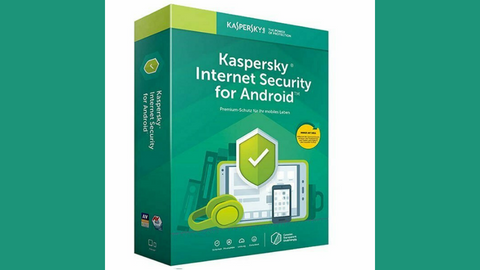
Kaspersky Android Security
Protects your mobile devices from all threats, including viruses, trojans, ransomware, and spyware.
Protects your mobile devices from all threats, including viruses, trojans, ransomware, and spyware. Show Less
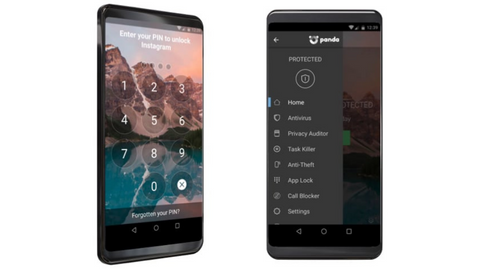
Panda Mobile Security
Cybersecurity mobile solution designed to meet your safety and security needs.
Cybersecurity mobile solution designed to meet your safety and security needs. Show Less
Real-time protection for Android devices against all threat types.
Real-time protection for Android devices against all threat types. Show Less
Conclusion
There you go! 9 ways to secure your mobile devices.
Securing your mobile devices is essential in today’s digital landscape. By following the steps and best practices outlined in this comprehensive guide, you can significantly reduce the risk of unauthorized access, data breaches, and other security threats.
Remember to stay vigilant, keep your software up to date, practice safe habits, and seek professional assistance when needed.
With a proactive approach to mobile device security, you can enjoy the benefits of your devices while keeping your personal information safe and secure.
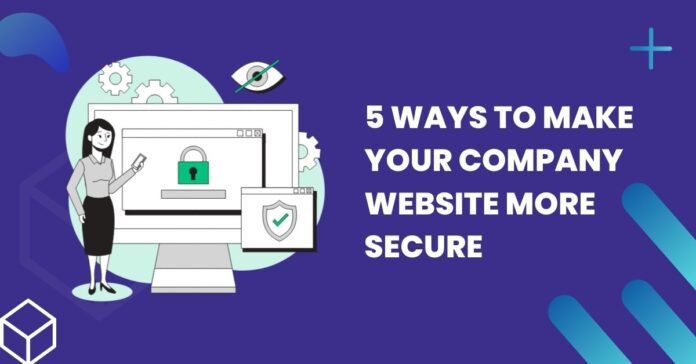
Here, I will reveal 5 ways to make your company website more secure…
Your company website should be protected from bugs, hackers, and other online threats. If it isn’t, it might crash, your data will be put at risk, and the company might lose a lot of money.
Ways To Make A Website Secure Include:
Using anti-malware.
Obtaining a Secure Sockets Layer (SSL) certificate.
Setting tough passwords to crack.
Keeping the site updated.
Controlling who can leave comments.
The first step is obtaining an SSL certificate. Anti-malware helps detect malicious agents and prevent attacks.
Make sure you look out for phishing emails and other scams. Finally, it might be a good idea to accept comments manually if you wish to enable this function on your site. Don’t forget to run regular backups.
Below, each suggestion is explored in detail.
1. Use anti-malware tools
Some providers of this type of software offer free plans, but the more effective ones are paid. They have features like malware detection and removal, web scanning, web application firewalls, DDoS protection, vulnerability patching, and PCI compliance.
If you choose a reliable hosting platform for your website, it will do all the work around your site’s security for you. Many hosting services provide anti-malware tools and devices as part of their plans.
There are a few ways to get SSL installed. Your hosting company might have a free certificate with your plan. Platforms like WordPress typically have this option too. A high-quality website builder will have free SSL.
Alternatively, you can opt for a basic Let’s Encrypt SSL and install it for free. However, an advanced certificate is imperative to guarantee the best security level possible. The prices of these certificates vary. You can purchase them from domain registrars and hosting providers.
The free SSL version might suffice for a startup or small company. However, if you’re processing large volumes of personal or financial data or operating a big online store, free SSL will not suffice for your needs.
3. Make your passwords stronger
It’s tempting to use simple, but easy-to-guess passwords and passphrases. You should never reuse passwords for multiple profiles. Instead, opt for a password manager and use unique ones everywhere.
You could combine a few random but memorable phrases or use a randomly generated character sequence. Use long passwords or passphrases, and don’t use personal information in them.
You can create a truly uncrackable password using the above and other tips. Of course, you should never share passwords with anyone. It would help if you changed them occasionally too.
If you wish to enable comments on your company blog, don’t let visitors post comments directly. This makes you vulnerable to malicious links, on which other visitors to your site might click, thereby installing malware or exposing personal data. Sometimes, comments are just plain annoying.
One option is setting up the website so that comments must be manually approved before appearing. You can use an anti-spam plugin or software or obligate people to register to leave comments.
After a few weeks have passed, you could turn off comments on posts.
Most website builders handle security issues and software updates, so this shouldn’t concern you if you use a reputable one.
WordPress and other free platforms tend to leave updates to the user. It depends on what type of hosting you choose.
Managed hosting is more expensive, but the hosting provider will run updates when necessary. Unmanaged hosting is more affordable, but you’ll be responsible for updating your core software and any installed plugins.
A Final Word
There you go! The 5 ways to make your company website secure!