Home Blog Page 227

How Does Data Recovery Works

0
How Does Data Recovery Works

Here, I will show you how data recovery works.

A system may encounter data loss due to several reasons. It could be due to accidental deletion, overwriting, power outages, or even hard drive failures. In fact, it can also occur due to cyberattack intervention or malicious problems.  

So, that’s why you must stay prepared with data backups for any data recovery. Data recovery is useful for retrieving any data that has been corrupted or damaged. It repairs and recovers files/media and brings them back to you safely. 

Now, you must be thinking, how does data recovery work? Here’s the process:

Backup for Data Recovery

Backup for Data Recovery

Successful data recovery requires file backup. You must create a copy of all your crucial data for any blunders or emergencies in the future. So that once you face any data loss, it can be re-accessed from the backup.  

A great way to backup your data files is by following the 3-2-1 rule. The iconic process was introduced by photographer/writer Peter Krogh in his book, “The DAM Book: Digital Asset Management for Photographers.” 

It emphasizes how you must create multiple backups for your data in different locations. The rule elaborates as follows:

3 – One primary backup, two copies of data

2 – Backups in two different media

1 – One backup offsite

The best thing about this rule is that you’ll have multiple backup access, even if one of them fails for some reason. If your online backup gets corrupted, you have offline backups to retrieve the data, and vice-versa. So backups are important for self-data recovery. 

If you don’t have a backup source and you encounter issues like a corrupted hard drive, try connecting the device to some other PC or system. The problem could be related to the Operating System. 

Now, let me show you how data recovery works.

READ ALSO: Data Recovery Guide: Strategies, Tools, and Best Practices

Data Recovery Process: How Does It Work?
Data Recovery Process: How Does It Work? 

Sometimes we make the mistake of not keeping any backups for the file. And when you lose data, you can’t figure out what to do. 

The first thing you must do to avoid any further data loss is to stop writing data and shut down the computer. After that, call professional data recovery service providers who are experienced in handling data recovery cases. 

As they are well-versed in both common/complex data recovery, you can stay assured of quick data retrieval. Whether it’s deleted, corrupted, or a missing file, they will handle them all. You just have to leave things to them and relax!

How Do Data Recovery Professionals Restore Your Data?

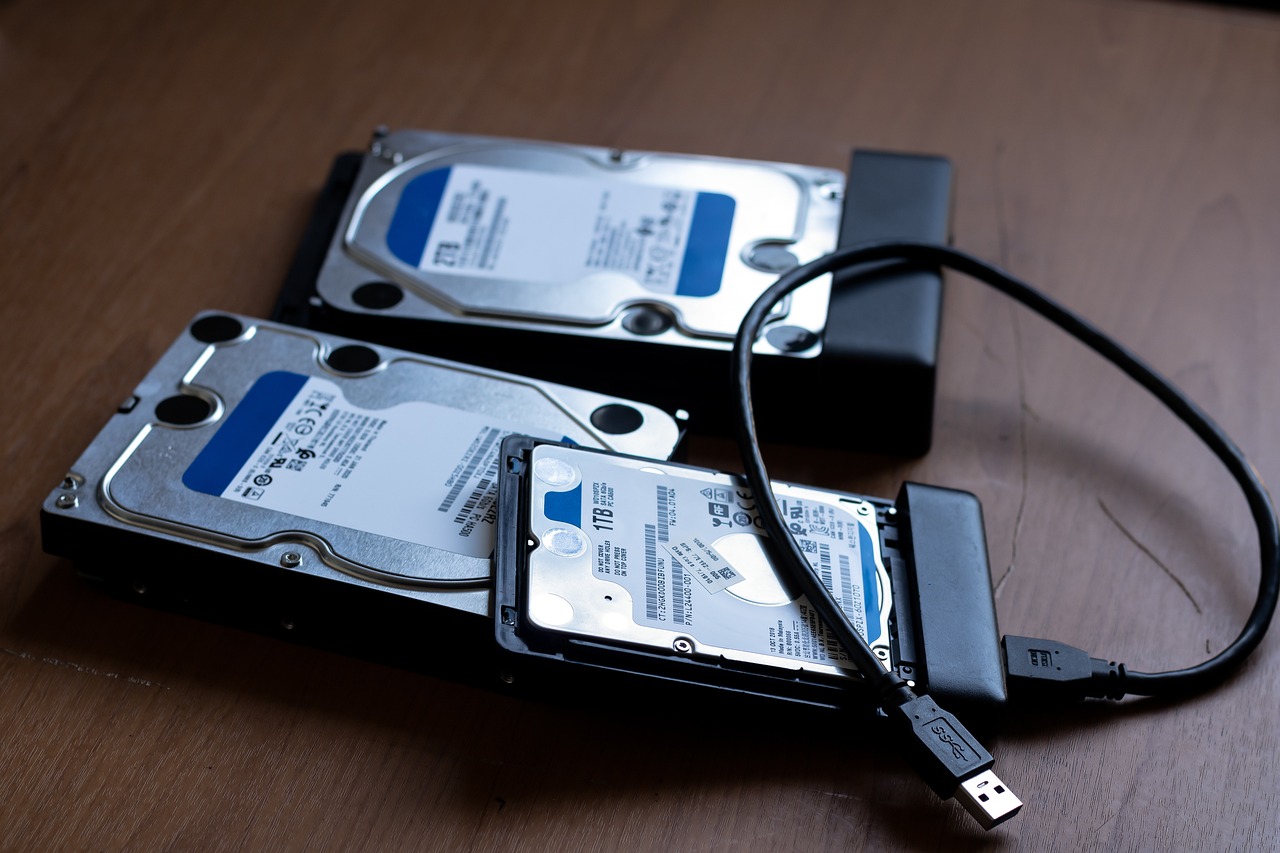
Data recovery professionals work in a simple way. For example, if they are recovering your hard drive data, they start by rebuilding the hard drive.

After that, they trace the data tree and extract the files. Once done, they send the files to you for review and approval.

Here you’ll have to confirm whether all your data is retrieved. If not, you can let them know, so they can work accordingly. As soon as you give them the green flag, they return your hard drive with restored data. 

What Data Can Data Recovery Service Providers Recover?

When you consult data recovery service providers for your data recovery, they can help you recover the following:

  • Server data
  • RAID recovery 
  • Computer data 
  • SSD data  
  • Laptop data 
  • MAC data
  • Camera data
  • External hard drive
  • Deleted files 
  • Ransomware recovery

Not just that, if you choose the right data recovery service providers, you can expect 24*7 data recovery even during nights/weekends. 

How Does Data Recovery Work: FAQs

Data loss can be stressful, but data recovery can be a lifesaver. Here are five frequently asked questions to shed light on the process:

What happens to my data when I delete it?

Contrary to what it seems, deleting a file often doesn’t erase it completely. It simply removes the directory entry that tells your computer where the data resides. The actual data may still be on the storage device until it’s overwritten by new information.

How does data recovery software work?

Data recovery software scans your storage device for these “lost” files. It searches for patterns and fragments that indicate where the data might be located and attempts to piece them back together into usable files.

Can I recover data after formatting a drive?

Formatting wipes out the directory structure, making it more difficult but not impossible to recover data. The success rate depends on how much of the drive has been overwritten with new data.

What if my storage device is physically damaged?

Software recovery might not be enough for physically damaged drives. In such cases, data recovery specialists use specialized tools and techniques to access the platters within the drive and attempt to recover data directly.

What can I do to improve my chances of successful data recovery?

  • Stop using the storage device: The more you use it, the higher the chance of overwriting lost data.
  • Shut down the computer: Especially if you suspect physical damage to the drive.
  • Seek professional help for critical or damaged drives: Early intervention by a data recovery specialist can significantly improve success rates.

Choosing the Right Data Recovery Service Providers
Choosing the Right Data Recovery Service Providers

When selecting a data recovery service provider, you must look for the following: 

Cost: The data recovery charges may differ as per the professionals you are selecting. So, it’s advised to choose a data recovery service provider that offers high-quality service at a reasonable cost. Find more detailed info about cost here. 

Reputation: Look for a data recovery professional with a proven history of authentic services. You can check their reputation by reading the reviews. 

Disaster Recovery: Any service provider with a disaster recovery plan is a green flag. They can help you if you encounter unexpected data loss and need immediate assistance.

Security Practises: You should always ask the data recovery professionals about their safety protocols and what safety infrastructure they use. It’s recommended to choose them only if you find them genuine. 

That’s all! Hopefully, now you know how data recovery works. 


INTERESTING POSTS

How To Generate Strong Passwords With SecureBlitz Password Generator

1
How To Generate Strong Passwords With SecureBlitz Password Generator

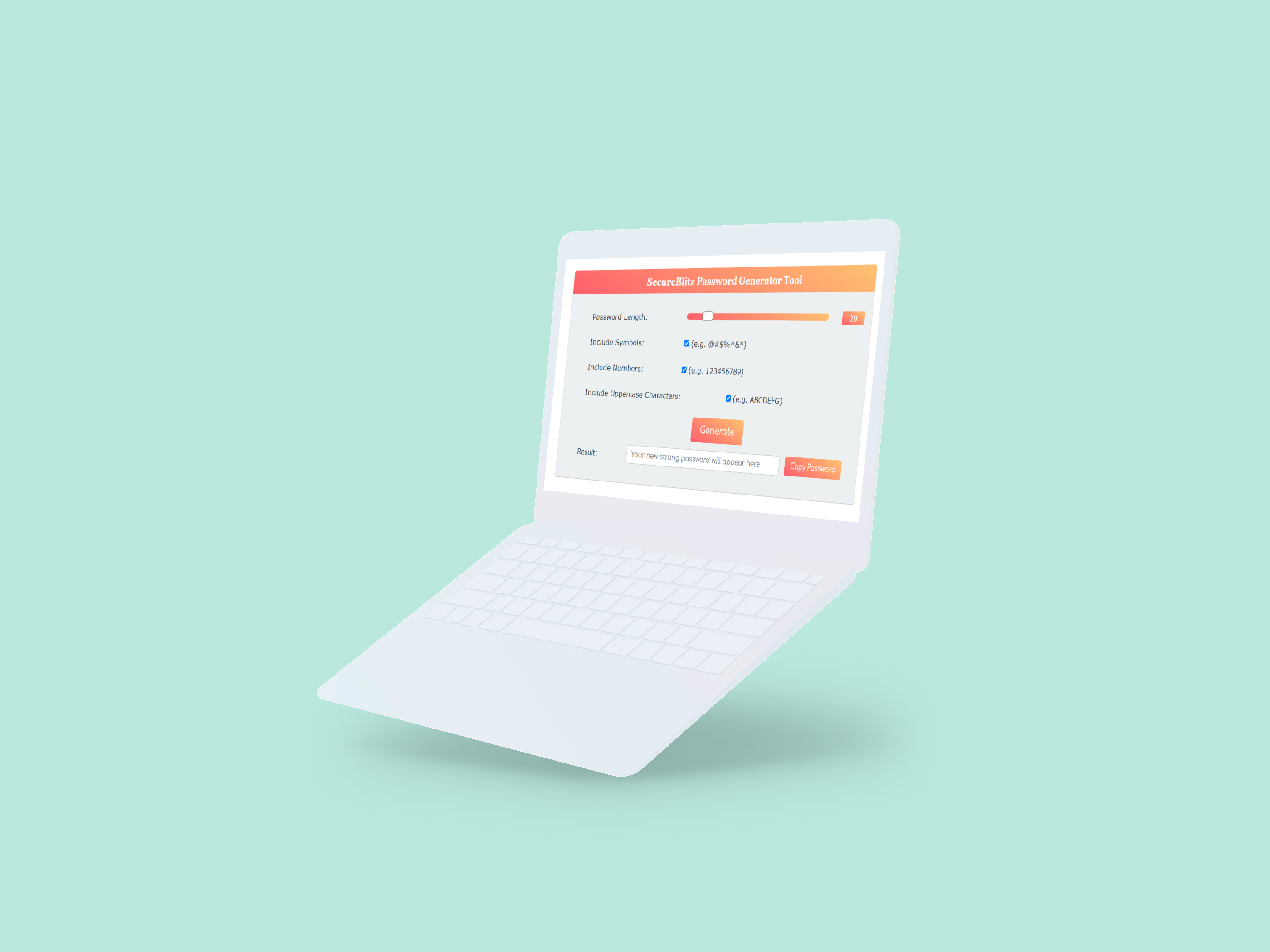
In this post, we will show you how to use our very own SecureBlitz Strong Password Generator. A completely free online password generator for internet users.

It is no longer news that cybercriminals have doubled, and are wreaking havoc all over the world, cybersecurity experts and researchers reel out periodic findings on cyber-attacks week after week with private data getting stolen in the process.

Password hacking has been on the front burner in most reports. Your password is key to your online privacy door, which grants access to your precious data. With this in mind, you should be thinking of ways to strengthen your password against being overrun by hackers.

If your password is not strong enough, cybercriminals can be hacked through various methods like brute force attacks, phishing, and dictionary attacks.

How, then, do you generate passwords that can help you stay ahead of cybercriminals using the above techniques to hunt victims? You can overcome your password woes by using SecureBlitz Password Generator.

What Is A Strong Password?

What Is A Strong Password?

A strong password is difficult for anyone to guess or break, even with access to powerful computers and advanced algorithms.

Generally speaking, a strong password should be at least 16 characters long and contain upper and lowercase letters, numbers, and symbols. It should also not contain any words found in the dictionary or any personal information like your name or birthdate.

You should also avoid using the same password for multiple accounts. If a hacker gets access to one of your accounts, they may be able to use the same password to gain access to other accounts.

It’s a good idea to create a unique password for each of your online accounts and use a password manager to help you keep track of them all.

Finally, you should also make sure to change your passwords regularly. Even if you have a strong password, it can become less secure over time as hackers become more sophisticated.

Changing your passwords periodically (every 3-6 months is recommended) can help ensure that your accounts remain secure.

Benefits Of Using Strong Passwords

Benefits Of Using Strong Passwords

The importance of using a strong password cannot be understated. Having a strong password is one of the most important measures you can take to ensure the security of your online accounts and personal information.

So, what are the benefits of using a strong password?

First, strong passwords are more difficult for hackers to guess or crack. Weak passwords are easier for hackers to guess or crack with programs that try thousands of combinations in a short amount of time. A strong password is longer and includes numbers, symbols, and both upper and lower case letters, making it much more difficult for attackers to break in.

Second, strong passwords protect your online accounts from being hijacked. If you use a weak password, it’s easy for hackers to gain access to your account and change your password or steal your personal information. With a strong password, it’s much harder for an attacker to gain access and they likely won’t even bother trying.

Third, strong passwords can help protect your financial information. If you use the same password on all of your accounts, an attacker only needs to find one weak link in order to gain access to all of your accounts. With a strong password that is unique for each account, it’s much harder for an attacker to gain access to all of your accounts.

Finally, strong passwords can help protect your identity. If an attacker gains access to your accounts or personal information, they can use it to commit identity theft or other types of fraud. A strong password helps protect you from this type of attack.

Overall, using a strong password is one of the best ways to protect your online accounts and personal information. It may be tempting to use a weak or easy-to-remember password, but the benefits of using a strong password far outweigh any convenience you get from using a weak one.

READ ALSO: 11 Best Password Generators Of 2024

How Does SecureBlitz Strong Password Generator Work?

generate strong passwords

SecureBlitz Strong Password Generator is the perfect solution to all password mistakes. It is a 100% FREE and secure online password generator developed by – Daniel Segun, the SecureBlitz Founder – to help internet users generate formidable passwords that can withstand all known hacking gimmicks.

Passwords are generated on SB Strong Password Generator using a mixture of numbers, symbols, special characters, and lower- and upper-case letters to strengthen the quality of your password further.

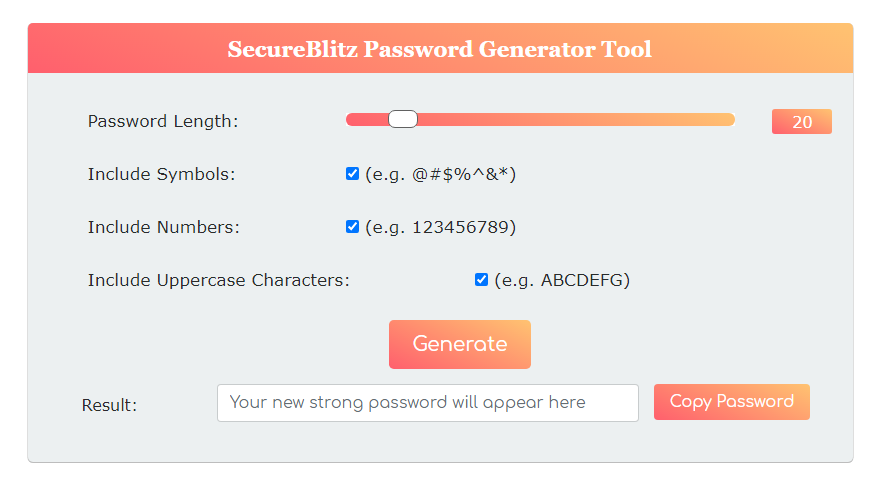
In addition, this password tool allows you to decide the length of your password with the aid of the length scroll bar from left to right. The default password length is 16, with room for longer passwords.

You can also generate an unlimited number of passwords simultaneously secure enough for usage on any operating system, program, site, and even for your bank profiles.

SecureBlitz Password Generator tool is 100% web-based. All you have to do is copy the generated passwords in a safe place.

It does not store any of the created passwords internally or anywhere else, which makes it one of the best hack-proof password generator tools present.

How To Generate Strong Passwords With SecureBlitz Password Generator

Here’s how to generate hack-proof passwords with the SB Strong Password Generator tool:

  • Go to the SB Strong Password Generator page
  • Use the labelled “Password length” scrollbar to set your password length. Our expert advice is a minimum of 16. You can drag the scrollbar from left to right if you desire a longer-generated password.
  • For a hack-proof generated password, ensure that you tick the three checkboxes available on the page, which will enable the password generator tool to mix up the generated password with uppercase characters, numbers, and symbols.
  • Then, click on “Generate” to create your desired secure password.
  • Copy the ‘generate’ password and use it to create an online account.

Strong Password Generation: Best Practices

Creating strong passwords is crucial for online security. Here are some tips:

  • Length is key: Aim for at least 16 characters, combining uppercase and lowercase letters, numbers, and symbols.
  • Avoid personal information: Don’t use birthdays, addresses, or easily guessable details in your passwords.
  • Variation is vital: Use different passwords for different accounts. A password manager can help you store and manage complex passwords securely.

Bottom Line

Now, you should be able to generate strong passwords with the SecureBlitz Password Generator tool.

If you are still in the habit of using personal information to generate your passwords, then you must cease from this because it can be easily hacked by cybercriminals, instead use SB Strong Password Generator to create encrypted and secure passwords.

Moreover, our Password Generator tool does not store any of the generated passwords anywhere.


RELATED POSTS

Things To Look Out For When Making Payments Online

0

This post will show you things to look out for when making payments online…

Nowadays, services and products are abundant and available on the web, and many internet users enjoy them on a daily basis.

To take advantage of everything the WWW has to offer safely, it is vital to pay attention to the needed cybersecurity measures to keep your data safe – especially when transmitting sensitive information such as personal details and bank credentials online.

Before your next purchase online, make sure to look out for these things.

Are Your Computer And Network Secure?

Making payments online

Cybersecurity starts with your own hardware and network. Is your computer secured with a trusted and updated antivirus program? This should be your first step to using the internet safely.

Antivirus and anti-malware programs detect and remove many types of malware, such as Trojan horses and spyware, and protect you from emerging cyber threats that might try to steal your data.

If your hardware is secure, you should also ensure your internet connection is safe. It is best to be connected to a private network for which you know the password when you’re planning on making a payment online.

You shouldn’t do any online transactions while you’re connected to a public Wi-Fi network, as those unprotected networks are especially vulnerable to hackers.

If, however, you want to use a public hotspot, using a trusted VPN service with good reviews from experts is highly recommended to hide your identity and encrypt your traffic.

CHECK OUT: What To Do If You’ve Been Scammed Online: A Comprehensive Guide

Are You On A Secure Website?

Are You On A Secure Website

Are your hardware and connection secured? Then, it’s time to pay attention to the details on the website you would like to make a purchase.

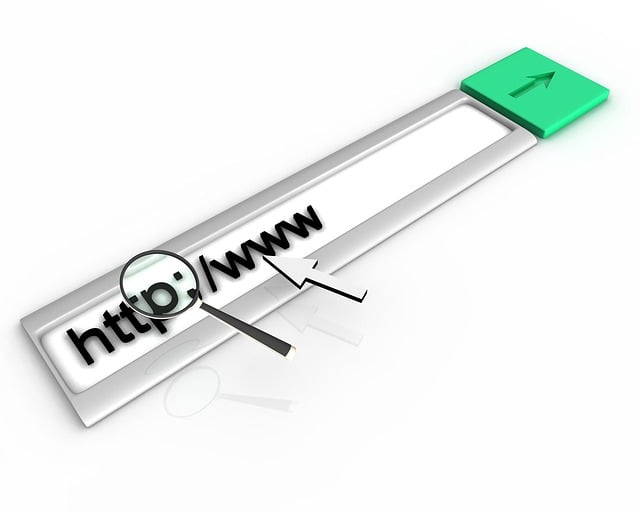
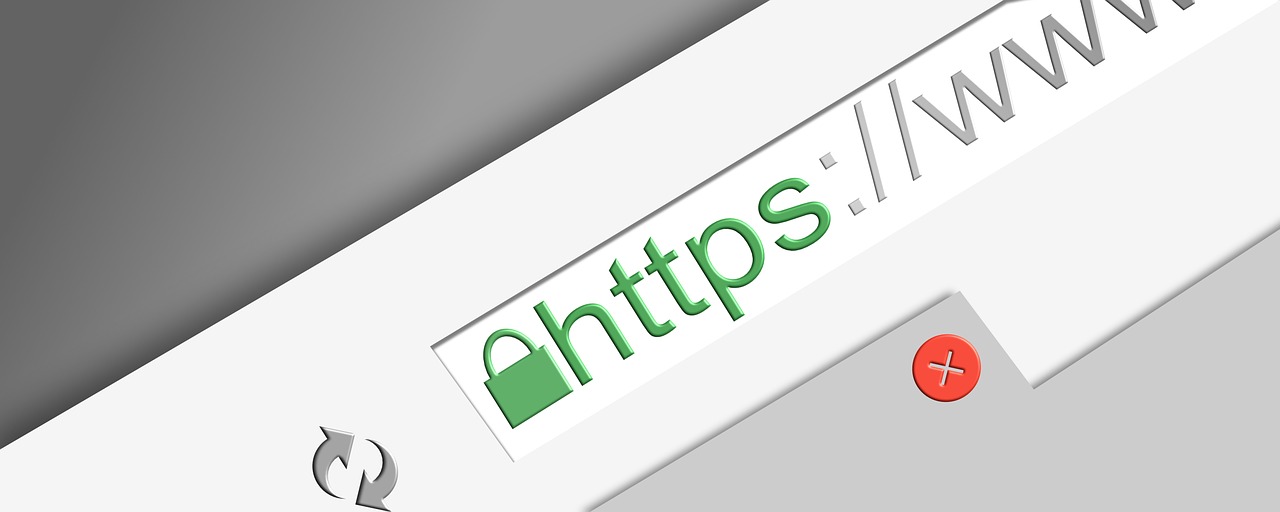
If it’s a website that handles financial transactions, it should be suitably secured. Check the URL to see if it’s using a secure, encrypted connection. Does it have an “https://” tag with that extra “s”? If so, the website has an SSL certificate, which stands for Secure Sockets Layer and means your connection is secure and encrypted.

If, however, that extra “s” representing this security certificate is missing, it is not advisable to make any form of transaction on that site. While you’re checking the URL, make sure to read it thoroughly.

If you find any spelling mistakes in the URL and switched letters, that could be a sign of a fake website. Some fake shops try to imitate known platforms, so paying attention to details can be essential to make sure you’re on a safe website.

The website’s contact information, security policies, and potentially any quality labels, certificates, and/or awards are also great indicators of whether it can be trusted. Paying attention to details before making payments online is immensely important to make sure your data is safe.

READ ALSO: Most Secure Online Payment Services

Are Safe Payment Options Available?

Are Safe Payment Options Available

If you’ve taken the security measures mentioned above and the website seems legitimate, have a look at the available payment options. The availability and variety of payment methods offered can be a big indicator of whether it is safe to make a purchase or not.

Trustworthy websites will offer a selection of payment options, including digital payment methods that offer an added layer of security. PayPal has established itself as one of the most popular payment options when shopping for clothes and other products online.

As you don’t have to share your payment credentials with the website directly and through added features such as buyer protection, this type of payment is especially secure. Other providers have made a name for themselves in different industries.

For instance, the payment service Neteller has evolved as one of the most popular options for online gaming. Platforms offering real money slots online, which have received positive reviews from experts, let users make deposits to place wagers on different casino games using a variety of payment options.

Neteller is one of the main ones that lets players deposit and withdraw money online safely. For any online transaction, digital payment options such as these are a safe choice.

The internet boasts near-endless options of things to do, enjoy, and buy. When scouring the entirety of the WWW and finding the best products and services, keep your cybersecurity in mind and take the necessary precautions to keep your data safe.

If you watch out for these things before making payments online or any transaction online, you have taken a big step toward enjoying everything the web has to offer with peace of mind.

Things To Look Out For When Making Payments Online: FAQs

Making payments online is convenient, but it’s important to be cautious to protect yourself from fraud. Here are answers to some frequently asked questions to help you shop online securely:

Is it safe to use my credit card for online purchases?

Credit cards generally offer more protection than debit cards for online transactions. Most credit card companies have fraud protection measures in place, and you’re not typically liable for unauthorized charges if you report them promptly.

What are some red flags to watch out for on a website?

  • Poor website design: Typos, grammatical errors, or unprofessional design can indicate a fake website.
  • Unrealistic deals: If a deal seems too good to be true, it probably is. Beware of extremely discounted products.
  • No contact information: A legitimate business should have a physical address, phone number, and email address listed on their website.
  • Insecure connection: The website’s address bar should display “https://” and a padlock symbol. This indicates a secure connection that encrypts your data.

How can I protect myself from phishing scams?

Phishing scams involve emails or texts tricking you into revealing personal information or clicking on malicious links. Be wary of any unsolicited messages urging you to click on links or download attachments. Never enter your financial information on a website you don’t trust.

What are some safe practices for online shopping?

  • Shop from reputable websites: Look for established online stores with a good reputation. Read customer reviews before making a purchase.
  • Use strong passwords and enable two-factor authentication: This adds an extra layer of security to your accounts.
  • Beware of public Wi-Fi: Avoid making online purchases or accessing financial accounts on public Wi-Fi networks, as they can be less secure.
  • Review your bank statements regularly: Monitor your bank statements for any suspicious activity and report unauthorized charges immediately.

What should I do if I suspect fraud after making an online payment?

  • Contact the merchant: If you believe you’ve been scammed, contact the merchant where you made the purchase and report the issue.
  • Contact your bank: Report any unauthorized charges to your bank or credit card company as soon as possible. They may be able to reverse the charges and help you recover your funds.
  • Report the scam: You can also report the scam to the Federal Trade Commission (FTC) to help prevent others from falling victim.

A Final Word…

By following these tips and being vigilant, you can minimize the risk of fraud and shop online with greater confidence.

Remember, if something seems suspicious, it probably is. Trust your gut and err on the side of caution when making online payments.


INTERESTING POSTS

Phone Photography: Photography Tips On The Phone

0
Phone Photography: Photography Tips On The Phone

Here are photography tips on the phone. It used to be quite difficult to capture your vacation in a photo – not everyone had a camera, and even fewer knew how to use it. Today, you can take hundreds of images every day.

Smartphones and their cameras are getting smarter, and the photos are getting better and better. But often, the desire to take lots and lots of photos spoils the experience for those who later have to look at them.

Try to stop grabbing your phone every second for fear of missing something important. Take three minutes to learn nine practical tips for hikers.

How do you take pictures with your phone so that your vacation photos won’t embarrass you? You won’t be the only one interested in them. If you want to know what is the best phone for camera quality read Skylum’s blog.

person holding a phone near cliff during daytime

Photography Tips On The Phone

1. Wake up early

Most of the beautiful photographs are taken during what is known as mode time. Early morning or early evening, when the sun is gentle and its rays are soft. The harsh shadows disappear, and the light paints beautiful colors.

It’s not a “workaday afternoon” when bright lights give you black-black shadows and overexposed faces. Mode time is perfect for taking portraits or selfies.

2. Quit the trembling in your hands

If you don’t want blurry shots, hold the phone firmly. Don’t shake it. Press your elbows to your sides and hold your breath (just kidding!). Just keep the trembling in your hands to a minimum, and don’t wobble.

If you’re not able to hold yourself upright (vacation, after all!), and you want to shoot, then press against the wall, elbows to your sides, and… hold your breath – no kidding here. Just don’t forget to start breathing again.

READ ALSO: Israeli Cyber Experts Discover Security Flaws in Digital Cameras

3. Turn off the flash

Once and for all, turn off the automatic flash unless you’re shooting in total darkness. The flash kills the naturalness of the shot, making the portrait look like a puppet. A modern smartphone can take a normal picture even in difficult conditions without blitzing.

4. Charge your phone on time

It often happens: a masterpiece says “hello”, and the battery says “goodbye”. Timely charge your phone on vacation, and not only. And just in case you need to buy a power bank, it’s a very useful thing, a universal tool for long journeys.

Socket in your pocket, so to speak. There are a lot of wireless chargers for different tastes, power, and weight. A good thing – is a power bank capacity of 20,000 mAh. But it’s heavy.

So if it says 10,000 mAh on the box, that’s enough for a vacation, too. But do not forget to recharge this thing from time to time.

5. Take different pictures

Don’t get hung up on just general plans or portraits. Shoot in different ways:

  • landscapes;
  • panoramas;
  • side views.

More variety means more chances to take an exceptional photo that you wouldn’t be ashamed of showing off online. Don’t forget about the details. Sometimes, just one detail can tell you more about a trip or a country than a whole series of general shots.

man in gray jacket taking photo of body of water during daytime

6. Study the classic photos so you don’t repeat yourself

It always amazes me when the Japanese shoot the Mona Lisa, our Gioconda, with expensive smartphones and even more expensive cameras.

Why? Buy a postcard! Now, if there are enough classic photos, why add another hundred? Make one standard one, and then fantasize.

READ ALSO: 9 Ways Technology Can Be Utilized to Streamline Workforce Management

7. Break patterns

See how everyone shoots and does it differently. Climb on top, sit down or even lie down to find an unusual point, move further away, or get closer. Be original. Then, the shot will play with new colors.

8. Make doubles

One of the photography tips on the phone is to make doubles. There’s always something that spoils the perfect shot. Vacationers, dogs, birds, meteorites accidentally flying into our universe… Although you can only dream of the latter. So take takes, especially when you’re shooting a portrait.

So you won’t see closed eyes and open mouths. Everyone wants to look perfect even if it’s the third or fourth time.

9. Delete the bad photos right away

Don’t fall into the eternal trap of “I’ll take more pictures, then I’ll delete them. Then it’s a thorny and arduous path through a thousand photos, including dozens of the same ones. Then it’s never!

You have to filter and select photos every day on vacation. You sit in a bar or on a terrace in the evening, breathe in the sea breeze (or alcoholic vapors), and delete bad photos. Repeated “not bad” shots are also removed immediately. No regrets.

Conclusion

Don’t take a standard photo just because everyone is doing it. Or to prove that you were there. Take a picture of something that really surprised, amazed, and attracted your attention.

Then the picture will be interesting to watch not only your wife and mother, but, you know, and dad will condescend to your creativity.

Not to mention the rest of the world, for whom you’ll provide your masterpiece. Now you know how to properly shoot on your phone with these photography tips on the phone. If you want to know which gadget is the best phone for camera quality read Skylum’s blog.


INTERESTING POSTS

How To Secure Your Business In The Times Of All-pervasive Hackers

0

This post will show you how to secure your business.

The rapid development of technology has made our lives much easier by providing us with great conveniences. However, it has also exposed us to cyber threats on a global scale. 

Hackers are always looking for vulnerabilities in any system that can be exploited for their personal gain or for some political agenda. 

The more we are connected through the internet, the higher chances there are for hackers to get into our systems and steal valuable data from them.

The thing is that most businesses have no clue how vulnerable they are when it comes to cyber attacks – until it’s too late.

READ ALSO: Enterprise Security Guide

Here are six important steps you need to take in order to secure your business:

How To Secure Your Business In The Times Of All-pervasive Hackers

#1. Install the latest updates

Install the latest updates

The first thing you should do is to make sure all your devices are running the latest version of their operating systems and applications.

Updates are important because they fix bugs, improve performance, and can even add new features that could help secure your network and data.

If you aren’t sure whether or not you have the latest updates for your devices, check for them manually on each device’s Settings panel.

READ ALSO: 16 Best Protection Tools Against Hackers [100% WORKING]

Use strong passwords

A strong password is the most important thing you can do to secure your accounts. Hackers are constantly scanning for weak and reused passwords, which means that if you use any of these on multiple sites, they could gain access to all of them at once.

To avoid this, using a password manager and generating unique logins for each site or service you sign up for is best. This way, if one gets compromised, the damage will be contained to only that single account.

A good rule of thumb is using 8 to 16-character random combinations of letters, numbers, symbols, and capitalizations.

READ ALSO: How To Generate Strong Passwords With SecureBlitz Password Generator

#3. Set up strong authentication

Set up strong authentication

The third step to secure your business is to set up strong authentication. As we mentioned earlier, passwords are easily hacked and should be avoided whenever possible.

Instead of relying solely on passwords for authentication, you’ll want to add two-factor authentication (2FA) or biometric authentication methods.

These measures can be used in conjunction with passwords and will help prevent hackers from accessing your accounts even if they do gain access to one of your passwords.

#4. Secure your mobile devices and networks

Secure your mobile devices and networks

To protect your sensitive data, you should use a VPN (Virtual Private Network). A VPN encrypts all of the data that travels to and from your device and then forwards it to the desired destination. This makes it much harder for hackers to intercept communications between your devices and other systems.

It’s also a good idea to enable encryption on any mobile devices in use by employees at work. This will prevent unauthorized access even if the device is stolen or lost altogether!

In addition, all devices must have a passcode or other login mechanism enabled so that only authorized users can gain access when needed.

READ ALSO: How To Become A Certified Ethical Hacker

#5. Safeguard website, payment systems, and customer data

Safeguard website, payment systems, and customer data

The most common way hackers break into a company’s system is through the website. This is because it’s easier to get in than the actual network of a business or organization, which is usually protected by a firewall.

So if you haven’t yet made sure your website has been scanned for vulnerabilities and isn’t protected by a firewall, do so immediately. Once that step is taken care of, consider hiring someone who can help secure both your website and your payment systems against hackers.

Next up, make sure that you have backups of all important data stored somewhere other than where it normally exists on your server. In case hackers manage to access it anyway via the web or via an employee’s computer connected directly to the network where all these files are stored.

READ ALSO: Network Firewalls: Comprehensive Guide For Non-Tech-Savvy People

#6. Secure your office

Secure your office

You can also secure your office by protecting your network, access points, servers, workstations, and printers.

  • Secure your network with a firewall and intrusion detection systems.
  • Ensure that all employees have the latest antivirus software installed on their computers and regularly update it to keep pace with the latest threats.
  • Install an IDS/IPS device on each computer that will alert you if someone tries to access sensitive data or attempts to install malware onto their machine (many of these devices offer real-time alerts).
  • Place physical barriers around sensitive data, such as files and folders stored on drives attached to client machines, to prevent unauthorized persons from accessing them when they come into contact with a client machine.
  • Keep an assortment of guns, ammo, and parts like AR 15 barrel to deal with any physical threat knocking at your door. 

Editor’s Note: We don’t support violence.

Conclusion

We hope this article has given you some insight into the world of cyber security.

There’s a lot to learn, but by keeping these tips in mind and following them, you can secure your business from hackers and other malicious actors. 


INTERESTING POSTS

9 Apps That Will Help Every Student Stick To A Routine

0
9 Apps That Will Help Every Student Stick To A Routine

Do you want time management apps for students? How many times have you been distracted too easily and, as a result, fail to finish the task? Or how frequently do you catch yourself thinking about where all your time went that you couldn’t accomplish much during the day? 

Don’t worry; even the most productive students tend to be distracted and struggle to keep everything under control, especially given the heavy homework load. This can lead to academic burnout, stress, and anxiety. 

Luckily, students can pay to write essay to get rid of this tension. By turning to qualified specialists, you save so much time and prevent any possible mental and even physical health issues. 

The key to keeping up lies in working smarter – learning the art of time management. In this article, we will guide you on several apps designed to keep you on track and build healthy habits. 

9 Apps That Will Help Every Student Stick To A Routine

1. Rize

The cool thing about this useful tool is that it will not only teach you how to track your time but also provide you with valuable insights. Besides, with this app, you can build better habits and stay focused for the whole day.

The highlight is that this app automatically inputs information for you. Keeping yourself on track and managing time efficiently with this tool has never been easier.

With Rize, you can track how many hours you have dedicated to studying and working and how much of that time you really focused on your tasks. In addition, you will see time spent context-switching along with information about websites that distract you most during the working process.

Apps That Will Help Every Student Stick To A Routine

2. Momentum Habit Tracker

Wondering how to build and track healthy habits? This tool will come in handy as it provides customers with tons of useful features designed to monitor any routine.

The one cool fact about this app is that you can even import your data into an Excel document. That means you can perform cross-platform viewing of your progress. 

One of the disadvantages of Momentum is that it’s only optimized for Apple devices. That’s why, unfortunately, Android users can’t give this tool a try. However, a benefit of this con is that the Momentum profile can be easily integrated into iCloud.

READ ALSO: Student Cybersecurity: 5 Simple Tips for Safety

3. Todoist

If you keep putting things off for tomorrow, it’s the right time to download Todoist, as it is a great checklist app that will help you prioritize your tasks and manage time.

With its rich features, this user-friendly tool will definitely help you to manage time efficiently and, in turn, study and work smarter.

It is designed to simplify your workflow and organize tasks easily. In addition, you can prioritize and personalize assignments to match them with your study methods and workflow. 

4. Toggl Plan

This tool is considered to be one of the most efficient checklist apps designed to optimize your management tasks, as huge companies like Netflix, Stripe, Spotify, and Airbnb trust it.

In addition, people prefer using Toggl as it has a straightforward, easy-to-operate drag-and-drop interface.

With the help of this tool, you learn how to set up tasks and, assign deadlines accordingly and set up a daily estimated time you must dedicate for each assignment. Thus, you will keep everything under control, save time, and study smarter.

Pomodoro technique

5. Forest

Unlike other apps, Forest incorporates the Pomodoro technique: breaking a big task into small ones with short intervals.  

If you are concentrated on your work, your virtual forest will grow. Otherwise, if you are distracted and lose focus, trees will die one by one. By the way, answering the call doesn’t count as a distraction.

In the end, if you remain a diligent student, you will grow a wonderful forest. But keep in mind that dead trees will not disappear anywhere.

Such an idea was developed so that anytime people who were not focused on the tasks by looking at those trees would regret killing them, thus learning to stay concentrated and complete everything in time.

READ ALSO: Exploring The Benefits Of AI-Powered At The 2022 Qatar World Cup

6. StickK

SticK is quite a unique app as after signing up, you conclude a commitment contract with yourself. You can even bet money on yourself. Besides, if you lack self-discipline and can’t stick to the contract, you can assign a family member or friend to check your progress.

On top of everything, this tool will catch your attention with its interesting layout and interface.

time app

7. 135List

Being a student means being overloaded with plenty of tasks and overwhelmed with deadlines. When people are under such pressure, they simply don’t know where to start. 

Thus, this time management tool will definitely come in handy as it guides you on how to prioritize the assignments by following one simple 3-step formula:

  • pick one major task to accomplish,
  • divide it into three medium tasks 
  • divide those three medium tasks into five small ones

8. Focusmate

This tool is a great alternative for students who prefer working and studying in groups. As the name indicates, in Focusmate, you will be involved in working with an accountability partner to get important work done.

Thus, you will improve your time management and teamwork skills and will stay productive. 

Best Features:

  • You decide when you want to be productive
  • You will be provided with 50-minute sessions to study and work peacefully in tandem with your mate

time management

9. Noisli

One of the main distractions that can interfere with your studying or working process is your surroundings, whether it’s your neighbours, family members, or some random noises outside.

It’s quite challenging to get down to business and stick to a routine in such an environment. Luckily, you can download Noisli, as it helps to get rid of distractive noises with ambient background sounds.

Best Features:

  • Provides customers with high-quality, realistic sounds
  • You can mix different sounds to create your perfect work environment

READ ALSO: Google Chromecast Vs Amazon FireStick – Which Is Better?

To Wrap It Up

Make sure to try all the apps listed above to determine which one suits you better and meets your expectations.


RECOMMENDED POSTS

How Do I Know What New Casinos In New Zealand I Can Trust?

0
How Do I Know What New Casinos In New Zealand I Can Trust?

Here, I will show you what online casino to trust in New Zealand. The online casino industry in New Zealand is growing at an exponential rate. More and more users are joining in on the fun of online casinos. Because of this growth, new online casinos have started to pop up all over the web. 

Usually, you can find plenty of reviews on Google on existing online casinos in New Zealand, but you may find it difficult to find any reviews on some of the best new online casinos in NZ.

And this could be a cause for concern. With no prior history or reviews, it can be hard to trust a casino with your money. However, there are many other ways you can check the authenticity of these casinos. 

In this article, we will go over all the most useful ways you can check to see if a new online casino is legit or not.

READ ALSO: Protect and Play: The Importance of Online Casino Security for Player Trust

Best Ways To Check If An Online Casino Is Legit 

1. They Should Have Proper Licensing and Regulation

By far, the best way to check if an online casino in New Zealand is legit is to check if they have proper licensing and regulations from the top regulatory authorities in New Zealand.

You can check with the Gambling Commission of New Zealand, the Gibraltar Gaming Commission, or the Malta Gaming Authority to make sure the casino you’re looking to play in has the proper licenses and approvals.

Most online casino sites show their licenses at the bottom of their website. Alternatively, they can be located on the website’s footer. You can also visit these sites and see if you can locate a stamp from any of the stated regulatory bodies. If you can find it, then that casino site is probably not a scam. 

online casino in New Zealand

2. They Should Have Good Customer Service

We’ve observed that most shady online casinos in New Zealand don’t have good customer service. Since their objective is to scam and not to provide a positive experience to their consumers, they don’t pay attention to customer service. 

This is why if you want to check whether a casino really cares about its customers and is not trying to scam them, its customer service should be top-notch. You need to make sure the customer service is easily accessible.

The websites should provide a contact number, chat support, an email address, etc. A chatbot or a FAQ section is also convenient. Next, you should see if their response is timely and professional. Their tone of voice should be polite and to the point. 

READ ALSO: 5 Ways To Identify Phishing Or Fake Websites

3. They Should Have Clear Terms and Conditions

Casinos are obligated to have a “Terms and Service” page where they display all their rules and conditions, whether they are conditions set for quick withdrawal or conditions set for availing bonus offers.

A terms and conditions page should communicate to users what they can and cannot do. Everything should be mentioned here. A reputable and trusted casino website will display clear terms and conditions. They will be transparent with how they operate.

However, a shady casino website will not come clean with its rules. They may try to bury policies or rules that are unfair to customers amid a lot of text.

4. They Should Have Different Payment Options

You can get a good idea about an online casino by looking at how many payment options they offer. A trustable casino in New Zealand will typically provide you a Mastercard and Visa at a bare minimum.

But they may offer you more payment options like e-wallets, cryptocurrency wallets, bank transfers, prepaid cards, etc.

You might want to stay weary of any casino sites that offer wire transfers, crypto, or preloaded money cards only since these options are harder to trace and are the most common among scammers.

online casino

5. They Should Be Using the Latest Data Protection Methods

Casino websites are typically very secure since they use all the latest safety methods. They should use the most updated techniques to keep players’ data secure on the web.

Most trustworthy online casinos use a 128-bit or 256-bit encryption system that is hard to decrypt unless you know the decryption key. The latter is only known to the online casino security specialist and no one else. 

Other than that, they also have an SSL certificate and a firewall that makes it impossible for anyone to get access to your data. A shady website does not have these protocols in place.

You can identify a website that is not secure by looking at its URL. If the web address starts with HTTP, then this means the website lacks an SSL certificate. A website with an SSL certificate will start with HTTPS. 

READ ALSO: Should I Trust VPN Review Sites?

6. They Should Be Going Through Regular RNG Audits

One way to make sure an online casino is safe is by making sure it goes through regular audits by an RNG auditing company.

A random number generator (RNG) makes sure that an outcome from any given game is completely random and not tampered with. This makes sure the games are fair for all participants.

All notable online casinos in New Zealand display their seal of approval at the bottom of their website.

7. Check for Independent Reviews

In addition to the above tips, it is also a good idea to check for independent reviews of online casinos before you sign up. This will give you a good idea of what other players have experienced and whether they have had any problems with the casino.

Many different websites publish online casino reviews. Some of the most popular ones include AskGamblers, TrustPilot, and Casino.org.

When reading reviews, it is important to be aware of the fact that some casinos may pay for positive reviews. This is why it is important to read a variety of reviews from different sources.

Here are a few things to look for in independent reviews:

  • Overall rating: What is the casino’s overall rating? A good rating is a good sign that the casino is trustworthy and reliable.
  • Customer service: What do other players say about the casino’s customer service? Is it responsive and helpful?
  • Payouts: Do players report receiving their winnings on time and without any problems?
  • Game fairness: Do players report that the games on the casino are fair and random?
  • Bonuses and promotions: Do players report that the casino’s bonuses and promotions are fair and easy to redeem?

If you see any red flags in the reviews, such as many complaints about customer service or payouts, it is best to avoid that online casino.

Conclusion

To mitigate the chances of a scam, you must verify the authenticity of online casinos so that you can have a positive and carefree gambling experience.

By applying these tips, you will hopefully be able to identify whether an online casino site from New Zealand is legit or not.


INTERESTING POSTS

What Is Warehouse Management System?

0

In this post, I’ll answer the question – what is warehouse management system?

The warehouse management system is a software solution that helps you manage inventory and fulfill orders quickly, easily, and accurately.

Whether you are a large chain of retail stores or an online retailer with thousands of products, having the right WMS will help you with the following details:

  • Know where your products are at any given time so that you can fulfill customer orders quickly and accurately.
  • Keep track of your inventory so that you never run out of best-selling items.
  • Reduce labor costs by automating picking, packing, and shipping processes.

READ ALSO: Craigslist Scams: Examples And How Not To Fall For Them

What Is a Warehouse Management System?

What Is a Warehouse Management System?

Warehouse management is a vital component of the operations of any company, large or small.

Warehouse management can be standalone software or part of an enterprise resource planning (ERP) system that works with other modules that are integrated into the company’s system, such as order management, customer relationship management (CRM), inventory management, MRP, accounting, and more using one central system and data source.

Warehouse management allows for efficient storage and retrieval of goods and materials. Warehouse management provides companies with the tools they need to track stock levels and orders so they can make the right amount of goods available to the customers at the right time.

Enterprise resource planning (ERP) software systems integrate all aspects of your company’s operations, including accounting, order management, inventory management, manufacturing resource planning (MRP), customer relationship management (CRM), and more. 

An ERP system is usually implemented as a single centralized system that houses all your data in a single drive so everyone can easily access it. This system allows you to use one set of tools to manage everything from orders to invoices and even customer service issues.

ERP systems are designed for businesses with large amounts of data that require more complex functionality than standalone warehouse management providers. They’re often less expensive than buying multiple pieces of software because they’re bundled together in one package.

Your warehouse is the heart of your company. It’s where your products are stored and sorted and the place from where they’re shipped out to customers. It can be a disaster if you do not have a system in place to manage your warehouse.

Warehouse management helps you to keep track of what is coming into and out of the warehouse, so you don’t run out of inventory and have to start scrambling at the last minute. 

READ ALSO: Managing Open-Source Vulnerabilities Like A Pro!

It also makes you stay on top of what is needed and when, so shipments can go out on time without delay or confusion. Due to how simple it was for them, your clients will appreciate not having to wait long for their products and are likely to return.

Warehouse management is important for any organization, large or small, that needs to track and organize its inventory. Whether you own a small family business or a major corporation, warehouse management can help keep your inventory in order, increase productivity, and save time.

READ ALSO: Can VPNs Help Prevent Cyberattacks? [We Have The Answer]

How can a WMS benefit my business?

How can a WMS benefit my business?

There are many potential benefits to implementing a WMS. Here are a few key ones:

  • Improved accuracy and efficiency: A WMS reduces errors in inventory management and order fulfillment, leading to faster order processing and happier customers.
  • Reduced costs: By optimizing processes and minimizing waste, a WMS can help you save money on labor, storage space, and shipping.
  • Enhanced visibility and control: A WMS provides real-time data on your inventory levels, making it easier to track stock and make informed decisions.

Warehouse Management System: FAQs

Warehouse Management Systems (WMS) are software solutions that streamline and optimize warehouse operations. But if you’re considering a WMS, you might have some questions. Here are five frequently asked ones:

What is a Warehouse Management System (WMS)?

A WMS is a software program that helps businesses manage and control everything that happens within their warehouse. It tracks inventory, automates tasks, and optimizes processes like receiving, putaway, picking, packing, and shipping.

Is a WMS right for my business?

A WMS can be beneficial for businesses of all sizes, but it’s especially helpful for companies with complex inventory or high order volumes. If you’re struggling with warehouse inefficiency or inaccurate inventory, a WMS could be a good solution.

READ ALSO: How To Keep Track Of Your Income In Smart Ways

What are the different types of WMS?

There are several types of WMS available, including cloud-based, on-premise, and standalone systems. The best option for your business will depend on your specific needs and budget.

How much does a WMS cost?

The cost of a WMS can vary depending on the features you need, the size of your business, and the deployment model (cloud-based vs. on-premise). It’s important to research different vendors and get quotes to find a system that fits your budget.

READ ALSO: How To Make Your Thrift Store A Success

Conclusion

In this day and age of retail, organizations must be able to track their inventory to stay on top of demand.

Warehouse management systems allow you to keep track of all items that pass through your warehouse by scanning them in as they come in and out of your warehouse.

This allows you to see exactly how much of each product you have at any given time and what needs replenishing.


INTERESTING POSTS 

How To Get A USA IP Address [2 Sure METHODS]

0
How To Get A USA IP Address

Learn how to get a USA IP address in this post. Read on! Creating an online presence for your business can be challenging when you don’t have the right tools or information.

One of the most common issues business owners face is an IP address that identifies your computer with a certain country. However, a USA VPN can help you to get an IP address that originates from the USA.

When you use different websites, services, and apps from around the world, it can be difficult to establish yourself as a credible business.

To get past these roadblocks, here’s how you can get a USA IP address so that you can access USA-only sites and services easily. An IP address is a unique numerical identifier for any device connected to the Internet via Wi-Fi or Ethernet cables.

These numbers are assigned to devices by their Internet service providers (ISPs) based on their geographical location — not their physical location.

An IP address also helps network administrators monitor network traffic more efficiently and keep track of which computers are accessing specific websites or applications.

READ ALSO: The Ultimate Social Media Security Guide for Individuals and Businesses

How To Get A USA IP Address

1. Change Your IP Address With A VPN Service

Change Your IP Address With A VPN Service

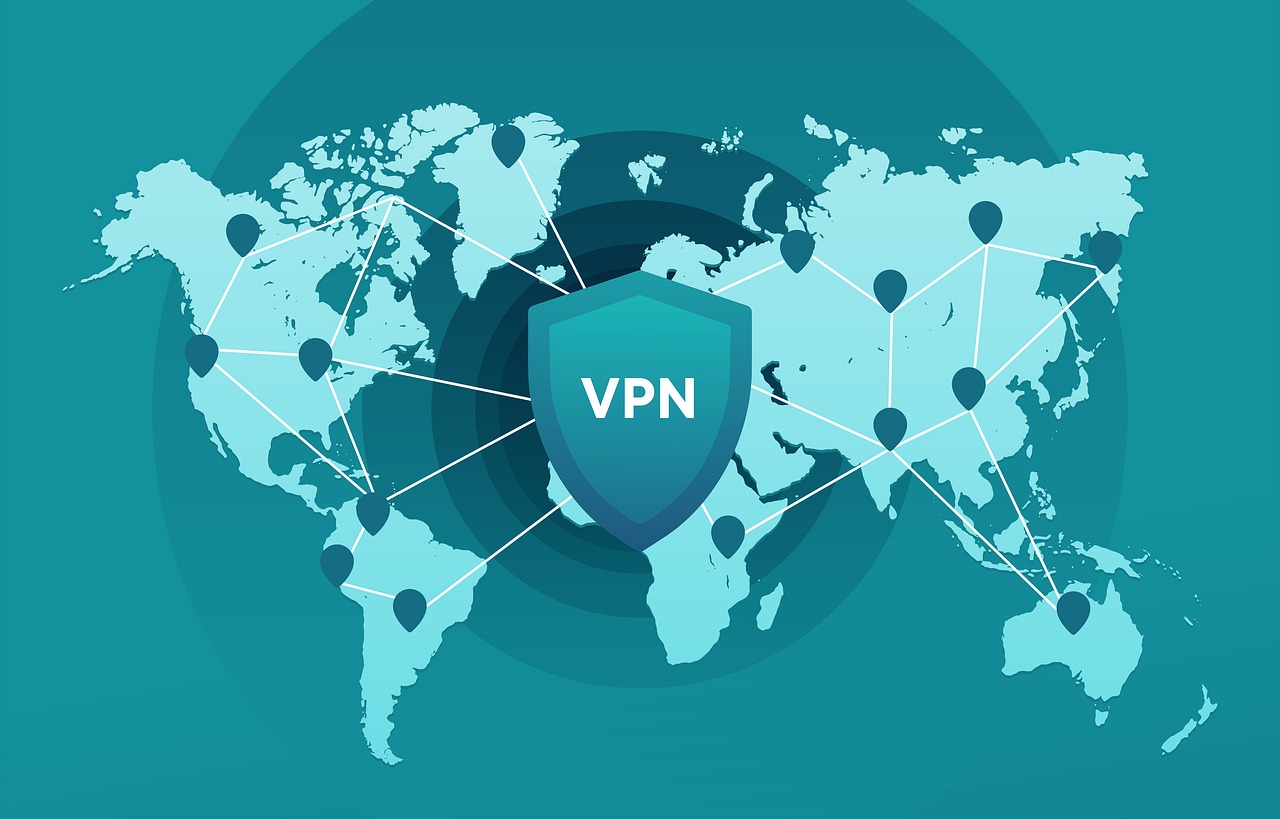
The first thing you should do to change the IP address of your device is to use a VPN. This method is the easiest way to get a USA IP address, and it’s also one of the most reliable. A USA VPN essentially creates a private network that extends across the Internet.

This network shares a single IP address with all of your devices, which effectively masks your online presence so that you can access websites, apps, and services that are blocked outside the United States.

VPNs also help to protect your privacy and keep your data secure while you’re browsing online, so you don’t have to worry about ISPs or hackers spying on your activity. VPNs are subscription services, which means that you have to pay for them monthly, yearly, or even on a per-user basis.

Professional VPN services like Surfshark VPN are great for high-stakes operations, like managing team members and other operations that require high levels of security. If you just need to access USA-only sites, a free VPN service is a good way to get started.

A free VPN service might not provide the same level of privacy and security as a paid service, but it will still help you get a USA IP address and access USA-only sites easily.

2. Use a Proxy Server

Use a Proxy Server

A proxy server is another way to get a USA IP address, and it’s also a great option for people who want to protect their privacy while browsing the Web. A proxy server is a network device that acts as a go-between for your computer and the Internet.

When you connect to a proxy server, it routes your network traffic through its own IP address — effectively fooling websites and apps into thinking that you’re accessing them from a different geographical location.

There are a number of proxy server services that you can use to get a USA IP address. Some of these services are free, and others are paid, so you can choose whichever solution works best for your budget.

Note that proxy servers might not work with certain websites and apps, so you might need to try a few different services to find one that works for you.

Frequently Asked Questions (FAQs) About US IP Addresses

How To Get A USA IP Address

Are there other ways to get a USA IP address?

There are limited and often unreliable methods like Tor. However, these methods may not be secure or effective for all purposes.

Is it legal to use a VPN or proxy server?

Using a VPN or proxy server is generally legal in most countries. However, it’s important to check the laws in your region and avoid using them for any illegal activities.

Will using a VPN slow down my internet connection?

VPNs can sometimes cause a slight slowdown in internet speed due to encryption and additional routing. However, reputable VPN providers offer good speeds, and the trade-off for security and privacy is usually worthwhile.

What if I need a US IP address for streaming services?

While some streaming services may work with a VPN or proxy, their terms of service often prohibit using them to bypass geo-restrictions. Check the terms of service before using a VPN or proxy for streaming.

How do I know if I have a US IP address?

Many websites offer free IP address checks. A quick Google search for “IP address check” will reveal these tools. They will display your current IP address and location. Once you’ve connected to your VPN or proxy server, run the check again to see if it shows a US location.

Conclusion

Getting a USA IP address is an easy way to access USA-only websites and apps, regardless of where you’re physically located. There are two main ways to get a USA IP address: using a virtual private network (VPN) and using a proxy server.

Even if you’re trying to access a USA-only site for fun, these methods can come in handy in a number of situations.

Digital marketers, for example, often use a USA IP address to test and promote their websites and apps more easily and effectively.

If you’re looking to create a more mature online presence for your business, getting a USA IP address is the first step.


INTERESTING POSTS