Home Blog Page 190

Why Is A CompTIA Certificate Important?

A lot of workers in the IT industry have CompTIA certificates. As a result, many IT professionals consider the certificate entry-level and too basic. Some say the certificate won’t help them as they don’t see the value in a certification that doesn’t set them apart from other IT experts.

However, many others still count on the value of the certificate to help them get jobs and promotions. To be straightforward, a CompTIA certificate is important for any IT professional who wants to build a long-term career.

There are many reasons for this, which are explained below:

Global Usability

With a CompTIA certificate, your options are endless. The certification is independent of specific software or hardware programs. As a result, you can use it to prepare for a job in any sector of the IT industry.

In the long run, a CompTIA certificate opens doors to in-demand fields like computer networking and cybersecurity. Not to mention the CompTIA A+ certification is recognized around the world because it has ISO/ANSI accreditation.

Currently, the world is leaning more towards remote working. Many workers are not mandated to work from offices or other locations. Instead, they can work from home or other locations they find convenient.

READ ALSO: Difference Between Bitcoin And Bitcoin Cash – Which Is Safer?

With a certificate like CompTIA that companies worldwide recognize, your employment chances will transcend your locality.
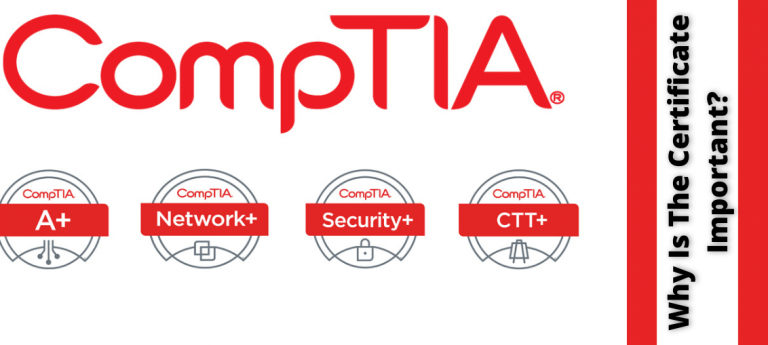
Why Is a CompTIA Certificate Important?

Proof Of Experience

Having a CompTIA certification shows that you are up-to-date on the basics of computer systems and applications. You can apply the skills you acquire to fixing any electronic device, from PCs to mobile phones.

Most CompTIA training programs include security plus training. As a result, you can also become a cybersecurity expert who is well-informed on security technologies and policies.

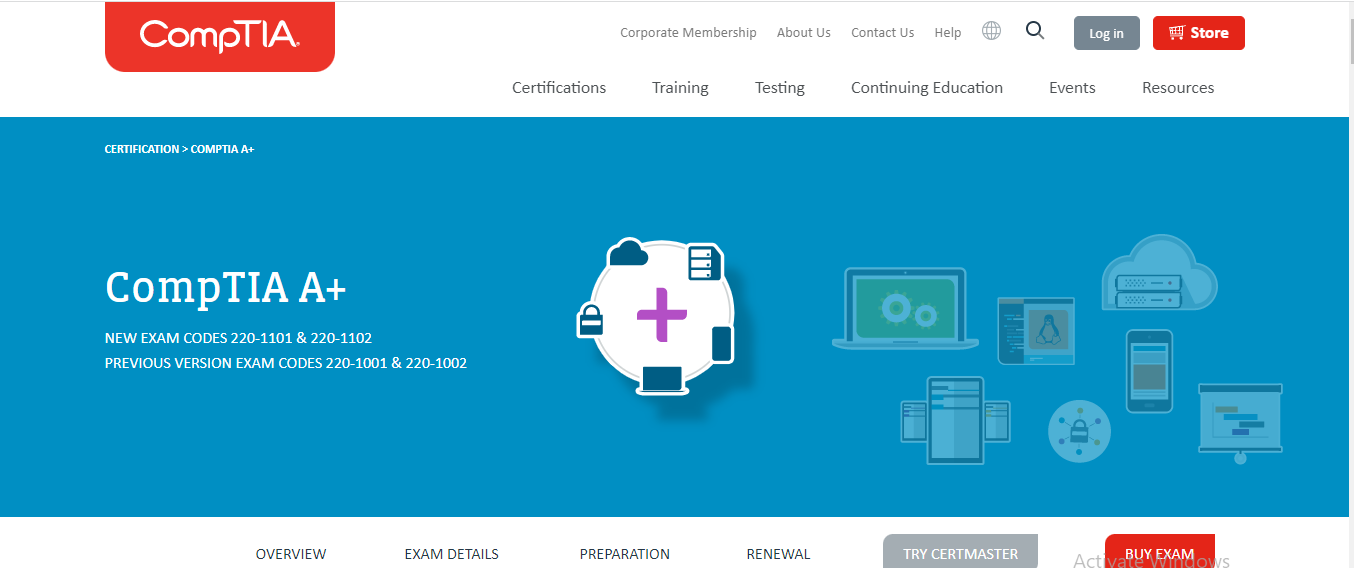
Furthermore, the CompTIA A+ certification was developed and is regularly updated by IT professionals from various fields. If you have a CompTIA certification, you can boast of your IT skills being up to par with what real employers expect from their IT workers today.
Why Is a CompTIA Certificate Important?

Better Salary And Credit

Tech jobs are some of the best-paying jobs we have right now, and there are many of them. Every day, new positions become available. You need to meet different criteria to qualify for a job in IT, but having a CompTIA certificate increases your chances.

Many major tech companies – including Microsoft, Novell, HP, and Cisco  – accept CompTIA certifications, such as the A+ and Network+, as equivalent to their own. In addition, some colleges and institutions award college credit to students who have obtained CompTIA certifications.

CompTIA certifications are often listed as criteria for entry-level jobs, and many firms and organizations have declared them necessary for certain professions. In addition, data shows that certified experts earn a higher salary than their non-certified IT professional counterparts.

READ ALSO: Benefits of CompTIA Certifications for IT Careers

Professional Community

People who think CompTIA certificates are not valuable because many people have them are mistaken. On the contrary, having a CompTIA certificate makes you a member of a massive global community of IT professionals.

CompTIA confirms that more than 2.5 million tech professionals from more than 100 countries have a certification.

Undoubtedly, you’ll feel odd if you’re the only person in your workplace who doesn’t have a CompTIA certificate. Also, you will miss out on being a part of this global professional community.

Better Work Confidence

Anyone would agree that getting a CompTIA certificate isn’t an easy feat. You need to study and prepare hard to succeed in the examinations.

Therefore, one of the most significant advantages of CompTIA certifications – especially for newcomers in the IT industry – is the boost in confidence. The certificate is not only a mark of professional distinction but also a symbol of personal success and accomplishment in your field.
Why Is a CompTIA Certificate Important?

READ ALSO: 20 Online Security Tips For Remote Workers

Why Is A CompTIA Certificate Important?: 5 FAQs

CompTIA certifications are valued credentials in the IT industry. Here are some answers to frequently asked questions about their importance:

Why get a CompTIA certificate?

There are several reasons why a CompTIA certificate can be important for your IT career:

  • Validation of Skills: Earning a CompTIA certification demonstrates you have the foundational knowledge and skills necessary for various IT roles.
  • Career Advancement: Many IT employers look for CompTIA certifications when hiring for entry-level and some mid-level positions. A certification can give you a competitive edge in the job market.
  • Increased Earning Potential: Studies have shown that IT professionals with CompTIA certifications tend to earn higher salaries compared to those without.
  • Industry Recognition: CompTIA certifications are well-respected within the IT industry, showcasing your commitment to professional development.
  • Stepping Stone: Earning a CompTIA certification can be a stepping stone towards more specialized IT certifications.

Which CompTIA certification is right for me?

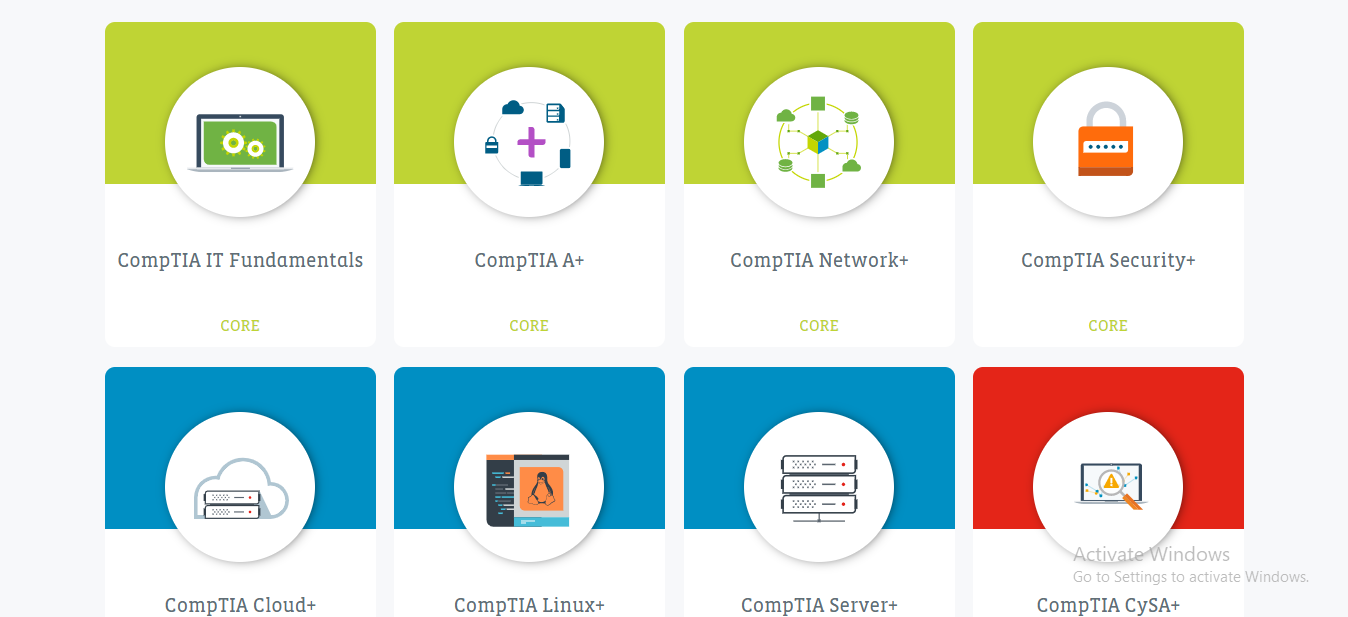
CompTIA offers a range of certifications catering to different career paths. Popular options include:

  • A+: The foundation for many IT careers, focusing on core hardware and software troubleshooting skills.
  • Network+: Covers essential networking concepts like network design, configuration, and troubleshooting.
  • Security+: Provides a solid understanding of cybersecurity fundamentals and best practices.

READ ALSO: How To Prepare Your Business For Data Loss

How can I prepare for a CompTIA exam?

There are various resources available to help you prepare for a CompTIA exam:

  • CompTIA Official Study Guides: These guides are developed by CompTIA and offer comprehensive exam coverage.
  • Online Courses and Training: Many online platforms offer video lectures, practice tests, and other resources.
  • Bootcamps: Intensive training programs designed to get you exam-ready in a short period.

How much does a CompTIA certification cost?

The cost of a CompTIA certification exam varies depending on the specific exam. Generally, they range from $200 to $400 USD per exam.

Do CompTIA certifications expire?

Yes, most CompTIA certifications have a three-year validity period. To maintain your certification, you need to retest or pursue continuing education options offered by CompTIA.

Earning a CompTIA certification is an investment in your IT career. By demonstrating your foundational knowledge and commitment to professional development, you can increase your job prospects and earning potential.

Bottom Line

You can’t go wrong with a CompTIA certificate if you’re looking to break into the IT industry. This certification will get your foot in the door and put you on the right track.

Having a CompTIA certificate makes you part of a supportive professional network where members may share knowledge and expertise and receive and offer assistance to others.

Finally, you have to renew your CompTIA certificate from time to time. Hence, it’s a continuous track. Staying on this track shows dedication to your profession and an interest in staying current with changes in the IT field.


INTERESTING POSTS

4 Cybersecurity Best Practices To Prevent Cyber Attacks

Here, I will show you 4 cybersecurity best practices to prevent cyber attacks…

The past few years have seen the world increase its dependence on digitization. The use of digital tools has, likewise, increased exponentially. In turn, the spike in online activities has resulted in the creation of data so large that it’s estimated to reach almost five zettabytes by 2022. 

Considering that a zettabyte equals about a billion terabytes, five zettabytes mean you’d need about a billion one-terabyte hard drives to store such an amount of data.

This size illustrates how much digital information has grown over the past few years. And, with this increase also comes the increase in cyberattacks. 

Rise Of Cyberattacks

In 2021, the global cost of cyberattacks was more than USD$6 trillion, a marked increase from 2020, which was USD$1 trillion.

It’s also projected that the total cost of cyberattacks will reach USD$10 trillion in 2025. These are alarming figures, but such numbers are compelling arguments for shoring up your company’s cybersecurity

CHECK OUT: 2024 Cybersecurity: The Rise of CyberAttacks

The instances of attacks are getting numerous due to the increased digital presence of businesses, making targets plentiful. Automation has also increased, and since codes create this system, it can also create opportunities for hackers to access it if not properly secured.

Moreover, cybercriminals are also getting sophisticated. The more businesses use digital processes, the more opportunities there are for cybercriminals. You can check out our web security guide to learn more.

READ ALSO: How to Troubleshoot Antivirus Problems: A Comprehensive Guide

An Overview Of Cyberattacks

An Overview Of Cyberattacks

Cyberattack refers to a malicious attempt done by cybercriminals or hackers to steal or attempt to steal data, or disrupt or cause damage to networks and computers.

Deliberate, malicious attacks like these can cause data breaches and cripple computers. Hackers can also use compromised computers as a springboard to launch attacks on other systems.

Here are a few of the most common cyberattacks:

  • Malware
  • Rootkits
  • Password attacks
  • Phishing
  • SQL injections
  • Denial-of-service (DOS) attacks
  • Distributed denial-of-service (DDOS) attacks
  • Zero-day exploit
  • Cross-site scripting
  • Insider threats

There have been security advancements to counter these rising threats. Currently, a kind of cybersecurity ‘arms race’ between hackers and security experts is going on. Moreover, hackers aren’t the only ones getting sophisticated.

Recent technological advancements, such as the addition of artificial intelligence (AI) and its subsets, like machine learning (ML), to cybersecurity, make it more difficult for cyberattacks to succeed.

READ ALSO: How to Use a VPN to Bypass Geo-Blocks: Unlocking Access to Restricted Content

Cybersecurity Best Practices To Prevent Cyber Attacks

However, digital safety doesn’t stop at downloading and installing security solutions on your system. There are cybersecurity best practices that you need to implement in addition to cybersecurity solutions.

Below are some of the best practices that help you protect your technological infrastructure.

1. Raise Your Team’s Web Security Awareness

A 2022 report by the Ponemon Institute states that insider threats grew by 44% from the previous two years. Making all personnel in your company aware and educated about cybersecurity threats is, therefore, an excellent first step.

It won’t matter if you have state-of-the-art security solutions. If the company staff doesn’t take security threats as seriously as they should, no security system in the world can make you safe.

READ ALSO: Best VPN For 2024: Tested By Privacy Experts

Employees should follow your security team’s recommendations and help them appreciate the importance of following security policies and the dangers that cyberattacks pose. Instruct them about possible sources of threats and how to react to malicious activities.

Also, ensure that the entire company personnel knows about properly handling sensitive data. The IT department can also introduce training sessions and seminars about handling phishing attempts and using robust passwords. The seminars should also include how social engineering and scamware work.

Furthermore, establish security protocols for each computer, i.e., only approved apps should be installed, endpoint protection against malware, etc.

READ ALSO: Best Dark Web Monitoring Services In 2024 [Tested, Reviewed & Ranked]

2. Implement Regular System Updates

There’s a reason why regular system updates are standard operating procedures for businesses. For one thing, most software updates are security patches that address vulnerabilities discovered in the previous versions.

Updates also improve features, introduce new ones, and strengthen process stability. They keep your software up-to-date, fix bugs and other issues, improving system performance.

Security patches also help in ensuring that only authorized personnel have access to your data. Moreover, patches and updates help organizations follow the compliance standards of regulatory bodies, like the Health Insurance Portability and Accountability (HIPAA) and General Data Protection Regulation (GPDR).  

Various software and operating systems can be updated centrally or manually using patch management software. Manual patch management works great with fewer computers, but this system might not be efficient when working with multiple devices.

Software patches are released continuously and can number up to hundreds, so an automated process is better to help you keep track of the devices and the updates.

Patch management software makes updating and patching your devices more straightforward to monitor. You can install the updates automatically, so there’ll be no need for the device user or IT staff member to search for new updates manually.

READ ALSO: Best Lightweight Antivirus For Old Computers [EXPERT LIST]

3. Conduct Regular Penetration Testing

Conduct Regular Penetration Testing

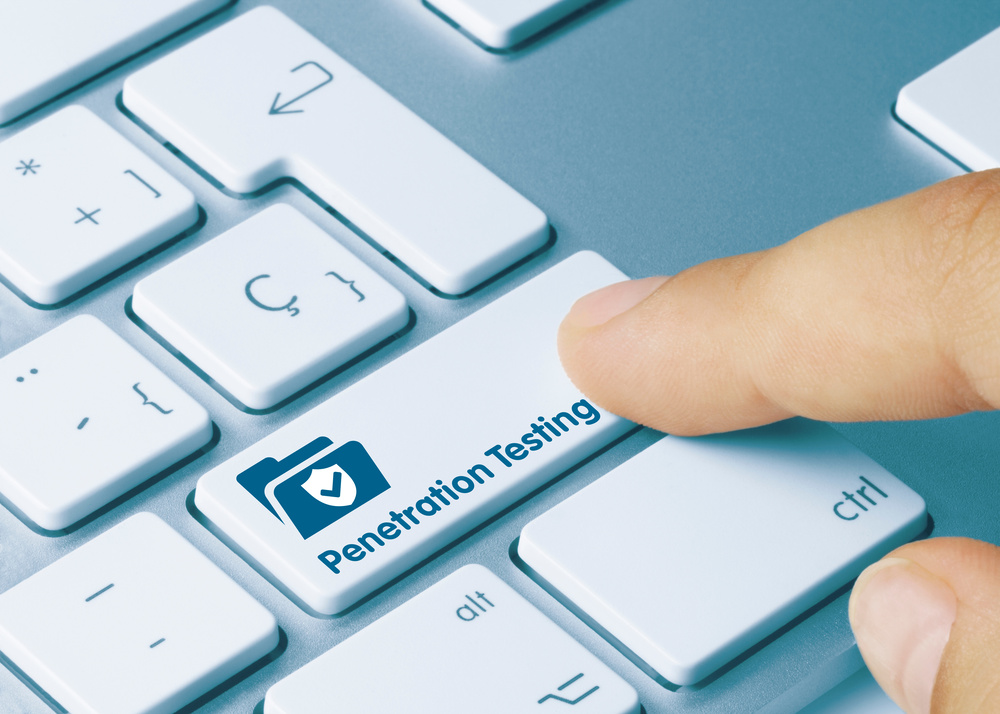
Cybercriminals are quick to pounce on vulnerabilities and exploit them. By doing penetration tests, you can discover weaknesses and vulnerabilities in your system and remedy them before anyone can exploit them. ‘Pen tests’ can evaluate your organization’s security, a sort of ‘fire drill’ to test your level of preparedness. 

A penetration test, or pen test for short, is a simulated cyberattack on your system to discover weak points in your infrastructure.

Such tests are typically performed by qualified security professionals, also known as ‘ethical hackers’ or ‘white hat hackers.’ However, there are pen test tools that can be automated and, thus, easier to run. A security team can run these tools for vulnerability scans, phishing simulations, and others.   

4. Back Up Your Data

To prevent any catastrophic losses and costly downtimes, create backups for all your data. Protection is great, but disasters could still happen. Your financial files, databases, account files, human resources files, and other vital records and documents should have backups. 

They should be stored digitally in the cloud and on different premises. Remember, disasters like floods or fires can happen, and you don’t want to be caught unprepared for such eventualities and end up losing all of your data.

Use any backup method you think is feasible. Ensure that making backups is scheduled regularly as one of the tasks of the IT staff. An up-to-date backup is one of the best defenses an organization can have in a ransomware attack.

READ ALSO: Surfshark Antivirus vs McAfee: Which Is Better?

Final Thoughts

The threat of cyberattacks is increasing, and hackers are getting more and more sophisticated. However, cybersecurity has also come a long way. The addition of AI and its subsets, like ML, is proving to be a big boon to cybersecurity.

But, cybersecurity doesn’t stop at installing security solutions. There are cybersecurity best practices to prevent cyber attacks, like the ones discussed above, that enterprises should adopt to thwart such threats.

Note: This was initially published in August 2022, but has been updated for freshness and accuracy.


INTERESTING POSTS

A Simple Rundown Of Cryptocurrency And Blockchain Technology

Here, I will show you a rundown of cryptocurrency and blockchain technology.

While many people are familiar with the terms crypto and cryptocurrency trading, the technologies involved and the mechanisms for how the processes work are often misunderstood. 

Whether you are an active cryptocurrency trader or simply interested in learning more, understanding the rundown of cryptocurrency and blockchain technology is essential. This guide is here to help you better understand what technologies are used in cryptocurrencies and blockchains. 

What Is Blockchain Technology? 

What Is Blockchain Technology

A blockchain is a form of a decentralized ledger that stores all transactions and tracks assets across a peer-to-peer network. A blockchain acts as a form of database that stores information electronically. 

Blockchains play a vital role in cryptocurrencies such as Bitcoin, as they maintain a secure and decentralized record of transactions. 

What makes blockchain technology so different from traditional databases is the way that it is structured. 

A blockchain collects information together into groups, which are known as blocks. These blocks have a certain level of storage capacity. Once the blocks are filled, they are then closed and connected to the previous block, forming a data chain.

Other Technologies To Know 

technical blockchain terms

Some other technical terms that you will likely encounter when you enter the world of cryptocurrency trading are listed below: 

  • Wallet

Your wallet is the location where you will store your cryptocurrency holdings. Wallets are either hot, which is online and software-based, or cold, which is offline, stored on your device. 

  • A Smart Contract 

This is an algorithmic program that enacts a contract automatically based on a code. 

  • A Private Key 

This is an encrypted code that will allow you to access your cryptocurrency directly. 

  • A Public Key 

A public key is a name for your wallet’s address that acts like a bank account number, allowing you to share your information with others so you can send or receive cryptocurrencies. 

  • Node 

This is the name of a computer that connects to a blockchain network. 

  • Hash 

This is the unique string of numbers and letters that identify blocks that are then connected to cryptocurrency buyers and sellers. 

  • Exchange 

An exchange is a digital marketplace location where cryptocurrency traders will buy and sell cryptocurrency. Exchanges can also be used to find out more information about the history and standing of a cryptocurrency. For example, you access OKX’s Ethereum live price charts to gain more knowledge about your trading opportunities. 

  • Decentralized Applications 

Decentralized applications, otherwise known as DApps, will exist on a blockchain with the purpose of allowing users to carry out actions without any intermediaries. 

Cryptocurrency 

The majority of cryptocurrencies out there exist without backing from a central bank or government. Instead, cryptocurrencies exist with the help of a decentralized technology known as blockchains.

Not only do cryptocurrencies not have the banking of physical banks, but they also exist without the need for physical notes or coins. Instead, cryptocurrencies exist online as virtual tokens that can be boarded or sold for different values depending on the market forces.

A cryptocurrency is formed through a process known as mining. Mining involves using computer processing power to solve a series of complex mathematical problems to earn coins, which is both resource and time-intensive. The only legal way to obtain a cryptocurrency other than mining is to buy the currency.

A Simple Rundown of Cryptocurrency and Blockchain Technology: FAQs

Cryptocurrency and blockchain technology are hot topics, but can be confusing. Here’s a breakdown in frequently asked questions:

What is cryptocurrency?

Cryptocurrency is a digital form of money that uses cryptography for security. Unlike traditional currencies controlled by governments, cryptocurrency operates on a decentralized system. Transactions are recorded on a public ledger called a blockchain.

How does blockchain work?

Imagine a shared record book, accessible to everyone, where transactions are chronologically listed. This is essentially a blockchain. Each entry (called a block) contains transaction information and is linked to the previous block using cryptography, creating a secure chain.

What are the benefits of blockchain?

  • Security: Cryptography makes it nearly impossible to tamper with data on the blockchain.
  • Transparency: Everyone can see the transaction history, promoting trust and accountability.
  • Decentralization: No single entity controls the blockchain, reducing reliance on central authorities.

What are some popular cryptocurrencies?

  • Bitcoin (BTC): The first and most well-known cryptocurrency.
  • Ethereum (ETH): A platform for building decentralized applications (dApps).
  • Litecoin (LTC): Often seen as a faster and cheaper alternative to Bitcoin.

How can I buy cryptocurrency?

Cryptocurrency can be purchased on cryptocurrency exchanges using traditional money like USD or EUR.

Is cryptocurrency a good investment?

Cryptocurrency is a highly volatile and speculative market. While some have seen significant gains, there’s also a risk of losing your investment.

How is cryptocurrency used?

  • Digital payments: Some merchants accept cryptocurrency for goods and services.
  • Investment: People buy cryptocurrency hoping for future value appreciation.
  • Decentralized finance (DeFi): Blockchain enables new financial applications like peer-to-peer lending.

Conclusion

Blockchain technology is still evolving, but blockchain has the potential to revolutionize various industries beyond finance, such as supply chain management and voting systems.

It’s important to do your own research before making any investment decisions related to cryptocurrency.


INTERESTING POSTS

4rabet App Download For Android And iOS

Any new user is looking for a company that is popular and, most importantly, safe. All this is just about 4rabet. 

4rabet was formed in 2019 and, in such a short period, has managed to gain popularity with a huge number of users from India. The number of users is hundreds of thousands. The company has such an avalanche of popularity thanks to the wide range of services it renders to its users daily. 

Entering the official site, you will see an excellent sportsbook where each user will find the sport he likes the most. The sportsbook also includes cricket, which the people of India love so much. 4rabet is also a great place where you can place live bets, play casino games and bet on virtual sports.

Therefore, this site is a good starting platform where you can start betting and not be afraid for your money because the company is fully licensed.

About 4rabet

4rabet Mobile Website Overview

There are a large number of betting companies, hence the growing competition in the market for new users. That’s why the company is doing everything possible to attract new users and retain those already registered. 

Once you go to the company’s official website, you will see an excellent and structured interface designed in dark blue tones. This colour is favourable for perception, so you can stay on the site for a long time and not lose attention. 

At the top of your screen, you will see a bar consisting of tabs such as live, cricket, casino, TV games, virtual sports, and bonuses. These tabs are the most important, so it won’t be too difficult for new users to find them. You can also use them to sign in or sign up for an account.

On the left side of the screen, you will see a list of the most popular live events currently taking place and be able to bet on them. If you go a little lower you will see the sports on which you can also bet.

There is also some useful information at the end of the site. There, you will be able to find out who owns the company and choose the language, including Hindi, which is very convenient for Indian users. Also, you can learn about the privacy policy and company rules.

Now let’s talk about the main information – the mobile app.

READ ALSO: How To Download And Install CyberGhost VPN On Your PC [Windows & Mac]

4rabet Mobile App

4rabet Mobile App

As indicated earlier, the company is doing everything possible to attract new users and retain those already registered. That’s why it’s now possible to 4rabet download apps regardless of your operating system, as it’s available for both Android and iOS. 

The 4rabet app is a good alternative to the official website. The design of the application is designed for the human eye, so betting is even more fun and, most importantly, faster because the interface is fully structured. 

Thanks to the 4rabet app India, you will be aware of everything that is going on, as there is an option to connect push notifications. The application works quickly, even on older phone models, which is a huge plus.

Upon entering the application, you will see the following tabs:

  1. Live, where you can view all the live events that are happening now, as well as a schedule of further events;
  2. TV games, which will be a list of the most popular games that exist on the site. For example, Lucky 7, Baccarat, Bet-on-Poker, and others. There will also be a list of new games that have just appeared and that you will be able to try out;
  3. Live dealers, where you can choose a casino and play with a real dealer. This is quite fun and exciting because it feels like you sit in a casino and make bets;
  4. My bets. This tab is very useful because there you can view all your bets;
  5. My profile. Here, you can view your personal account information, read the privacy policy, and contact the support centre.

If you like all the benefits of the mobile app and want to start betting right now, then instructions on how to download the 4rabet app officially will be spelt out below.

READ ALSO: Blockchain Trends That Are Shaping the Betting Industry

How To Download A 4rabet Mobile App For Android And iOS

Sometimes, new users may have questions about how to download the mobile app. Therefore, to make the process quick, follow the instructions below.

For Android (4rabet APK):

  1. First, go to the company’s official website and find the mobile app button. Once you click on it, you will be prompted to download the 4rabet app for Android and iOS. Select 4rabet APK download;
  2. Next, you must allow unknown sources to download to your device. This can be done in the security section settings. Do not worry; the file does not contain any viruses. Also, remember to check the stability of your Internet connection;
  3. Wait for the installer file to download, and then go to the download section and start installing the 4rabet APK on your phone;
  4. Congratulations, the installation process is over, and you can bet even faster.

Visit the official site to see the system requirements for your phone and your phone model.

For iOS:

  1. The process of installing an application on iOS is similar to the process of downloading an application on Android. First, go to the official website of the company and find the button called the mobile application;
  2. In the window that appears, select download the mobile app for iOS. As soon as you do this, you will be automatically redirected to the AppStore;
  3. Now, you can install the application by clicking on the get button. So, you can place bets and earn money from it.

You can find the system requirements and the required model of your iPhone on the official website of the company.

To place bets, you need to decide on the payment method, as there are several of them. Therefore, the heading below will present the possible payment methods that are presented on the site.

READ ALSO: How To Stay Secure: 5 Top Tips When Betting Online To Implement And Follow!

4rabet Payment Methods

Many users have difficulty choosing one or another payment method. Therefore, if your bet has gone or you want to deposit your account, you can use the following payment methods that are presented on the company’s website.

The site will offer you the following payment methods:

  • The site supports e-wallets. Therefore, you can use Skrill, Neteller, PhonePe, Perfect Money;
  • Also, you can use your credit cards like Visa and MasterCard;
  • You can also use UPI to make your transactions even faster.

The withdrawal and replenishment time will depend on the payment method you have chosen. More information about this information can be found on the official website.

During the process of depositing and withdrawing funds, the company will ask you to go through the verification process. There is nothing to worry about; just follow the instructions in the title below.

READ ALSO: How To Identify And Avoid Online Gaming Scams

4rabet Verification Process

Verification Process

The verification process is an integral part of depositing and withdrawing funds; here are detailed instructions on how to do it:

  1. The verification process can be completed immediately after registration. As soon as you want to do this, you need to confirm your identity by sending a colour photograph or a scan of a document confirming your identity. The photo must be clear; it must show your last name, first name, and patronymic, as well as the year of your birth, signature, and your photo;
  2. Further, if you want to replenish your account using your card, then you need to link it to your account by sending a photo of your card from both sides. The photo must also be clear so that you can see the first 6 digits and the last 4, the name of the cardholder, and its expiration date. Also, don’t forget to hide the CVV code;
  3. After that, you need to wait for approval from the company, and then the verification process can be considered complete.

If you have any additional questions, you can always contact the support centre of the company, about which there will be information below.

READ ALSO: The Legalities Of Crypto Betting: A Global Perspective

4rabet Support

Before contacting the support center, you can look at the frequently asked questions section on the company’s official website. If there you did not find the answer you were looking for, then you can contact the support center in the following way:

  1. By sending a question of interest to the company’s mail at the following address – support@4rabets.in;
  2. The site also has a live chat that works quickly and smoothly;
  3. The company also has accounts on social networks such as Facebook, Instagram, Twitter, and Telegram.

INTERESTING POSTS

Power System Cybersecurity: More Important Than Ever

Here, I will talk about power cybersecurity. Read on.

Industrial facilities like power plants continue to be vital parts of the critical infrastructure in every country. Clearly, the highest protection measures should be implemented to avoid any kind of unlawful invasion, including terrorist acts.

Physical and administrative security is often handled well. However, for many technical reasons, cybersecurity at industrial facilities could be better. Notorious examples of cyber-attacks on the energy sector include Stuxnet – a virus that disabled Iranian nuclear centrifuges, and the Colonial Pipeline ransomware attack in the US.

Due to rapid technological development, engineers at power plants can monitor hardware processes online. This gives attackers an opportunity to infect such networks with malware and disrupt the operation, causing severe environmental consequences, economic turmoil, and losses of life.

Power Plant Cybersecurity: Where To Start?

Power Plant Cybersecurity: Where To Start

The security of digital networks in critical infrastructure depends on many factors. Generally, the operation of power plants relies on the sensor data that informs engineering centers. Software supply chain attacks also enhance the danger of direct attacks. For example, the Solar Winds attack gave bad actors access to power networks. 

It’s important to start with monitoring and parsing data logs, which gives security engineers enough data to detect incoming threats. Then, software solutions like SOC Prime’s Detection as Code platform provide generic Sigma-based detection content that can be applied to log data and identify possible attacks, creating security alerts.

SOC teams can also use free tools like Uncoder.IO, which allow performing an instant translation of search queries, filters, and API requests to a vendor-specific format.

Ensuring the cybersecurity of large plants with lots of unique equipment is not an easy task. Let’s review the components of industrial data safety and ways to protect information, processes, and people.

How To Achieve Industrial Cybersecurity?

How To Achieve Industrial Cybersecurity

Traditionally, the cybersecurity domain has had three major constituents: confidentiality, integrity, and availability. These properties might be applied to the industrial cybersecurity sector as well.

Confidentiality might be applicable on different levels. On a higher level, it’s about the private use of proprietary information: how the equipment works, how it’s built, what technology is used, how the power is distributed, what the other network participants are, and much more.

On a lower level, power usage patterns can potentially reveal personal information about individual appliances.

The activity of personal devices can also be monitored from a central power facility, so if spyware infiltrates the network, it can target precise individuals like political activists, journalists, and people who hold responsible positions in governments.

Confidentiality of software is also critically important since the cybersecurity of industrial networks relies on the secrecy of methods used to maintain the facilities.

The integrity of data is of the utmost importance. Tampering with data, like in the case of man-in-the-middle attacks, might lead to disastrous consequences. If the power plant sends the wrong datasets to the network, it might lead to power shortages.

Attackers might also act more stealthily, injecting negative prices and causing utilization spikes. The integrity of sensor data is crucial because the wrong information coming from sensors might lead to missing critical temperatures or other metrics.

The result of overheating is well known by previous nuclear explosions on power plants that happened in the XX century. Finally, the compromise of software integrity can lead to attackers taking control of devices and grid components.

Availability means that the necessary information is available whenever it is needed. Denial of service (DoS) or Distributed Denial of Service (DDoS) attacks might provoke an overflow of data packets, which clog the network traffic and prevent servers from working correctly.

When it comes to the energy sector, having sensor information at hand and being able to control devices, appliances, and grids is critically essential. If engineers fail to act on the data they have, this might also lead to undesirable consequences.

Physical Safety And Cybersecurity

Physical Safety And Cybersecurity

There are many ways to perform a cyber-attack. Yet, many cybersecurity professionals consider only the software part when it comes to ensuring informational security. This can be a mistake because a cybersecurity attack might also start from a physical attack.

Insiders most commonly perform such attacks because some of them have exclusive access to hardware and operational controls. It’s much easier for an adversary to bride an employee than to gain access to precisely monitored rooms.

A physical attack might start from installing additional devices on top of the legitimate ones or simply stealing information with the help of USB sticks. One of the reported cases includes the seizure of transformers manufactured in China.

It turns out that manufacturers added some additional appliances to the original hardware, the purpose of which remains unknown to the public. Researchers say that thousands of similar Chinese devices are still installed in industrial operation controls.

Power cybersecurity should be one of the key considerations during the process of designing specific hardware for the industrial sector.

When it happens otherwise, the proper security level can’t be provided in later stages because cybersecurity software simply can’t integrate with such specific endpoints and networks.

Steps To Ensure Industrial Cybersecurity

Steps To Ensure Industrial Cybersecurity

President Biden’s executive order issued in May 2021 gives some guidelines on enhancing power cybersecurity across many industries, critical infrastructure included.

Furthermore, organizations like CISA, NIST, and MITRE also give their recommendations. MITRE ATT&CK framework has a few matrices, one of which is specifically dedicated to the industrial sector.

Major power system operators say they participate in simulations hosted by GridEX and the Department of Energy. These industry protective exercises help to try out the response and recovery procedures during simulated attacks that combine cyber and physical patterns.

The latest survey shows that C-level respondents are aware of the surge of cyber-attacks in the energy sector, but it’s challenging to keep up due to the lack of expertise and numerous vulnerabilities that are disguised in long supply chains. 


INTERESTING POSTS

Planting The Seeds: How to Future-Proof Your Business

Learn how to future-proof your business in this post.

The most ambitious and successful entrepreneurs had a fantastic start in the industry due to their propensity for looking forward. They’re not just looking into the success of current business endeavours; they’re already thinking several steps ahead and dealing with potential scalability issues.

It’s not easy to be a forward-thinker, especially in a competitive industry where you’re often worried about your business making it through the year.

However, there are ways to make it easier for yourself, and much has to do with shifting the mindset. Here are some tips to help you future-proof your company.

How to Future-Proof Your Business

1. Impact, not money (at least not always)

future-proof your business

Yes, a company must make money to survive, especially in today’s competitive business landscape. However, if your thoughts are only about making money, it’s easy for your potential supporters to read the room—resulting in a loss of overall revenue.

One prime example is the world of gaming and the rise of microtransactions and mobile money-making machines. While they are undoubtedly making money, public reception is terrible, and they’re only able to keep a fraction of their user base at a time.

It makes money, but there’s little room to improve and potentially transform a business into something more. You’re here to make an impact first and foremost, and to get people talking. A mindset toward making an impact can ensure you push for game-changing success in the near future.

READ ALSO: How to Securely Send Sensitive Information Over the Internet

2. The power of upward trends and breakthroughs

The ability to use information to their advantage is how some entrepreneurs manage to experience standout success over others in similar situations.

While it’s a world where big data is readily available for everyone, the ability to decipher big data and filter out relevant results is another story entirely.

If you want to future-proof your business, it’s a good idea to look into a news API provider that can help offer relevant topics and content for your company.

With such information divided into machine-readable data to provide the most bang for buck, a news API can potentially build you a solid roadmap for success. Industry breakthroughs could potentially transform your business for the better, provided you know where to look.

3. Your employees come first

Your employees come first

Any company owner who believes the customer comes first in all things is only setting themselves up for failure in the long run. It’s crucial to remember that taking care of your employees is the first step toward taking care of your customers.

Happy employees equate to happy customers, as the former is more than happy to cater to the latter. Disgruntled employees—even just one—act to undermine your company from the inside. It’s a shame that so many business owners still prioritize their customers over their employees, as they are unknowingly making things worse.

READ ALSO: Best System Optimization Tools for 2024

FAQs About Future-Proofing Your Business

Isn’t future-proofing impossible, given how unpredictable things can be?

While you can’t predict the future perfectly, future-proofing involves taking steps to make your business more resilient and adaptable to change.

These strategies seem broad – where do I start?

Start by conducting a thorough business analysis to identify your strengths, weaknesses, opportunities, and threats (SWOT analysis). This will help you prioritize future-proofing efforts.

Future-proofing sounds expensive. Can smaller businesses afford it?

Many future-proofing strategies don’t require significant upfront investment. Start by focusing on low-cost initiatives like fostering a culture of innovation and encouraging continuous learning among employees.

How can I convince my leadership team of the importance of future-proofing?

Frame future-proofing as an investment in the long-term success and sustainability of the business. Highlight potential risks of not adapting and showcase success stories of companies that have thrived through change.

What are some resources available to help businesses future-proof?

Numerous resources are available online and through industry associations. Look for articles, whitepapers, and workshops on future-proofing strategies specific to your industry.

READ ALSO: How To Start A Cybersecurity Company

Is future-proofing a one-time thing?

No. Future-proofing is an ongoing process. Regularly monitor industry trends, customer needs, and technological advancements to ensure your strategies remain relevant.

By planting the seeds of future-proofing now, you can cultivate a business that thrives in the face of change and flourishes in the years to come. Remember, it’s a continuous journey, not a one-time destination.

Conclusion

Now, you should know how to future-proof your business. Future-proofing your business is all about looking ahead, which can be hard to do when you’re trying your best to keep things afloat.

That said, the above tips can help you keep things in order as you manoeuvre your company through a competitive industry landscape.


SUGGESTED READS

How A PDF Can Contain Malware

Learn how a PDF can contain malware in this post…

A PDF is one of the most frequently used file formats for sending documents, commonly used everywhere, a successful replacement for print-outs, and favorite means of attack among malicious actors. PDF files are not easily edited in comparison to rich text files and cannot just be opened and altered.

A PDF is typically used for contracts, bank statements, and other essential documents that need to be signed and sent. Unfortunately, a PDF file can contain a virus, but it’s not the text or illustrations that harm your device.

Instead, it is everything else within these files, combined with software, that triggers the threats. The “fill & sign” abilities of PDFs are where the danger is located, working from inside with the help of special scripts.

This article will discuss how malicious code can be lying dormant within a PDF file and how PDFs need proactive, multi-tiered protection against viruses and malware to keep them from infecting your device.  

How PDFs Can Contain A Virus

Security threats come in a number of different ways. PDFs may sometimes be embedded with code allowing documents to be signed and edited, and they may also contain viruses. A virus is a program that may change or delete data, while trojans typically gather information on a user or their device.

This is comparable to Microsoft Word files that are infected with viruses as the malware is hidden inside macros scripts, and the infected PDF file contains malicious JavaScript code.

Viruses, trojans, and malware can often be found in email downloads or attachments like eBooks and other documents and sent from unknown or unfamiliar senders.

How a PDF Can Contain Malware

Because PDF files can execute code on your device, dynamic and static elements can be manipulated to inject malicious scripts, such as: 

  • Javascript: Javascript is used in coding to control browser appearance and functionality and has previously been used to exploit vulnerabilities in Adobe and other PDF readers.
  • Hidden Objects: PDFs can have embedded and encrypted objects that are executed when a file is opened by the user, which prevents antivirus scanners from analyzing them.
  • Multimedia Control: Embedded objects in a PDF can also be a QuickTime media or flash file, which have vulnerabilities attackers can exploit.

READ ALSO: PDFBear: Your Online Alternative For Merging PDF Files

How An Infected PDF Can Contaminate Your Device

As PDFs often contain scripts for extended capabilities, such as the fill and sign functionality, they can also display the date, add print buttons, and format data. Unfortunately, hackers will likely use more sophisticated methods to add malicious code to PDF files.

PDF readers are an unwilling accomplice of hackers due to the apps themselves or their plugins being able to run the injected code. Third-party plugins in PDF-reading software can also be a gateway for malicious scripts.

Another method attackers will use is PDF phishing, an approach where emails are sometimes executed more efficiently than generic phishing attempts and target specific recipients.

The content of the email won’t have suspicious links; instead, it will contain files with hidden viruses in the scripts, download links to malware files, or have a trojan virus disguised as a PDF in the attachment.

How To Protect From A PDF Virus

How To Protect From A PDF Virus

Should you receive a PDF from a suspicious sender, scanning the document for viruses is vital. It is possible to extract a safe copy of the file, but sometimes, it’s best not to open the document. Some other tips to prevent an infection include:

  • Disable JavaScript on your PDF reader.
  • Do not allow PDF readers to execute Non-PDF files using external applications.
  • Disable PDF reader from Windows startup programs.
  • Keep Macros disabled. Malicious files might persuade you to enable them, but you should not unless it is necessary.
  • Do not download or open file attachments sent by unknown email senders.
  • Ensure Windows OS, PDF reader program, and Antivirus is up to date.
  • Back up regularly and keep it encrypted.
  • Be cautious when clicking links in PDFs from unknown senders.

How A PDF Can Contain Malware: FAQs

PDFs are a convenient way to share documents, but they can also be a potential security risk. Here are some answers to frequently asked questions about malware in PDFs:

Can PDFs actually contain malware?

Yes, PDFs can harbor malware just like other file formats. Hackers can exploit various features within PDFs to embed malicious code.

How do PDFs typically contain malware?

There are a few ways malware can sneak into a PDF:

  • Embedded Scripts: PDFs can include JavaScript code. Malicious scripts can download malware, steal data, or redirect users to phishing sites.
  • Hidden Content: Hackers might hide malicious code within the PDF itself, making it invisible to the naked eye. This code can activate when the user performs a specific action, like clicking a link or opening an attachment.
  • Social Engineering: PDFs can be used in phishing scams. The PDF might look like a legitimate document from a bank or credit card company, tricking users into opening malicious attachments or clicking infected links.

What are some signs a PDF might be malicious?

  • Unexpected Attachments: Be wary of PDFs containing unexpected attachments, especially if you weren’t expecting them.
  • Typos and Grammatical Errors: Legitimate companies typically proofread their documents. PDFs with typos or grammatical errors could be a red flag.
  • Urgency or Scarcity Tactics: Phishing scams often create a sense of urgency or scarcity to pressure users into clicking links. Be cautious of PDFs that use such tactics.

How can I stay safe from malware in PDFs?

  • Download from Trusted Sources: Only download PDFs from reputable sources. Avoid opening PDFs from unknown senders or suspicious websites.
  • Disable JavaScript in Your PDF Reader: Most PDF readers allow you to disable JavaScript. This can help prevent malicious scripts from running.
  • Keep Your PDF Reader Updated: Software updates often include security patches. Ensure your PDF reader is updated with the latest version.
  • Use Antivirus Software: A good antivirus program can help detect and block malware hidden within PDFs.

What should I do if I suspect a PDF is malicious?

  • Don’t Open It: The safest course of action is to avoid opening a suspicious PDF altogether.
  • Delete It: Delete the PDF from your device.
  • Scan Your System: If you’ve already opened the PDF, run a scan with your antivirus software to detect any potential malware.

The Bottom Line

Regardless of whether or not a PDF is infected, it does not solely depend on the file extension but also depends on the vulnerabilities in the software.

Because a PDF reader may potentially contain a buffer overflow vulnerability, an attacker can construct a special PDF file to exploit that vulnerability.

A PDF can contain a virus hidden in multimedia files, JavaScript code, hyperlinks, or system commands. The virus can be triggered in your system by opening the file or executing specific tasks.

To prevent malicious actors from infecting your device, you can test the PDF for malware and protect your systems from infection using best cybersecurity practices.


INTERESTING POSTS

What Do You Get With Professional Data Recovery Services

Here, I will reveal what you get with professional data recovery services…

Data is the most valuable asset to every business – small, medium, or large organization. But, as the world is fast moving towards digital transformation, data becomes vulnerable to electronic threats like ransomware, virus, etc. 

Although businesses invest so much into protecting data, there’s always a risk of losing important files – whether because of a cyberattack or even an accidental file deletion. Nothing is more devastating than losing your sensitive data.

Fortunately, many data recovery services help you get your lost data back. While there are some data recovery strategies you can apply yourself, it’s better to hire professionals most of the time.

READ ALSO: Data Recovery Guide: Strategies, Tools, and Best Practices

Why Hire Professional Data Recovery Services

Why Hire Professional Data Recovery Services

According to a survey from Deloitte, data analytics help them make better decisions and enable key strategic initiatives. Keeping a record of those analytics is vital to track any long-term goals, that’s why safe data storage is a valuable asset to businesses. That’s why you don’t want to compromise your data by hiring cheap and uncertified services.

You should hire a dedicated and reputed data recovery service provider, like SalvageData Recovery. These professional service providers have certifications to prove their ability to recover your data completely, accurately, and safely.

In addition, such a service can restore your lost data with government-level privacy and high-tech security.

READ ALSO: How To Keep Your Business Running Smoothly

Benefits of Hiring Professional Data Recovery Services

Minimum Downtime

Data loss may lead to downtime, which can cost you so much. Recovering lost data from different types of devices needs specialized skills and tools that you can only find with a professional data recovery services provider. Hiring a professional means your lost data is restored in the quickest possible time.

Affordable Data Recovery

Affordable Data Recovery

Many people think that professional data recovery services are expensive. But this is not true. You can find a reliable, secure, and affordable data recovery company easily. It just needs proper research.

Even if the price tends to be higher than doing it with an in-house IT team, hiring professionals always saves you time, money, and frustration in the long run. Most importantly, you get peace of mind knowing that you’ll get a safe solution.

Experience Counts

Some issues, like hard drive failure, can be tricky to diagnose and fix. Even a tech-savvy person might not be able to figure out the cause of the crash. On the other hand, trained professionals already know the common causes of hard drive failures or similar issues.

So, they remove the guesswork and recover the lost data quickly. After all, they’ve seen it all, from basic issues to major reasons behind the problem. Their experience gives them a competitive edge in data recovery that your in-house IT team may not have.

Improve Your Cybersecurity

A reliable, professional data recovery service recovers your lost data and ensures that you don’t face such issues in the future. They also provide a secure way of sending the recovered data back, as well as offer an in-depth analysis on what caused the data loss in the first place.

You can also ask them for advanced data protection and cybersecurity solutions to protect you against cyberattacks. Also, continuous remote monitoring allows you to track your network’s status. So, you can quickly respond to any data breach or other potential issues.

READ ALSO: Why Is Data Backup And Recovery So Important?

What Do You Get With Professional Data Recovery Services: FAQs

Data loss can be a stressful experience. Professional data recovery services offer a lifeline to get your important files back. Here are some answers to frequently asked questions about what you can expect:

Can professional data recovery services recover any type of data loss?

While data recovery services are powerful, they can’t guarantee success in every situation. The recoverability of your data depends on the severity of the data loss and the condition of the storage device.

What kind of storage devices can data recovery specialists work with?

Professionals can typically recover data from a variety of storage devices, including:

  • Hard Disk Drives (HDD)
  • Solid State Drives (SSD)
  • USB Flash Drives
  • Memory Cards
  • External Hard Drives
  • RAID Systems
  • And more

What’s the process involved in professional data recovery?

  • Evaluation: The data recovery service will first assess your storage device to diagnose the cause of data loss and determine the feasibility of recovery. This evaluation often involves a free consultation.
  • Data Recovery Attempt: If recovery seems possible, technicians will use specialized tools and techniques to attempt to recover your data. Different techniques are used depending on the situation.
  • Data Verification: Once recovered, the data will be scanned and verified to ensure its usability. You’ll have the chance to confirm the recovered files before they are transferred to a new storage device.
  • Data Delivery: The recovered data will be securely transferred to a new storage device you provide or one the service offers.

How much do professional data recovery services cost?

The cost of data recovery services can vary depending on several factors, including:

  • The type of storage device
  • The severity of the data loss
  • The amount of data to be recovered
  • The urgency of the recovery

However, most data recovery services offer a free evaluation upfront, so you’ll have a clearer idea of the cost before committing to the recovery process.

What are some advantages of using professional data recovery services?

  • Expertise: Data recovery companies have the specialized tools, knowledge, and experience to handle complex data loss scenarios.
  • Increased Success Rates: Professionals have a higher chance of successful recovery compared to DIY attempts, which can further damage the data.
  • Clean Room Environments: Data recovery often happens in specialized clean rooms to minimize dust and contamination risks during the process.
  • Reduced Risk of Further Damage: Improper data recovery attempts can permanently damage your storage device and erase any chance of getting your files back.

While data recovery isn’t always successful, professional services offer the best chance of retrieving your lost data. They can provide valuable expertise, increase your chances of success, and minimize the risk of further damage.

Final Words

In addition to the above-listed benefits, hiring professional data recovery services also saves you time while helping avoid unnecessary stress.

Remember that recovering data is a process you shouldn’t do on your own – hire a reliable professional. 


INTERESTING POSTS

How To Secure Your Gmail Account

Here, I will show you how to secure your Gmail account. Read on.

Your Gmail account houses a lot of personal information, from passwords to contacts and even bank statements. This makes it the target for hackers because accessing it would give them access to every other account you own and all your personal information.

Do not wait till you are hacked or hope that you won’t get hacked. Carefully and thoroughly utilize the tips below to secure your Gmail account.

How To Secure Your Gmail Account

How To Secure Your Gmail Account

1. Update Your Software

When apps, browsers, and operating systems get out of date, they can be easily hacked. That is why there is a need to update them, as updated versions are more secured regularly. To secure your Gmail account, keep your software updated when there are new updates.

READ ALSO: Email Security Guide

2. Carry Out Security Check-Ups

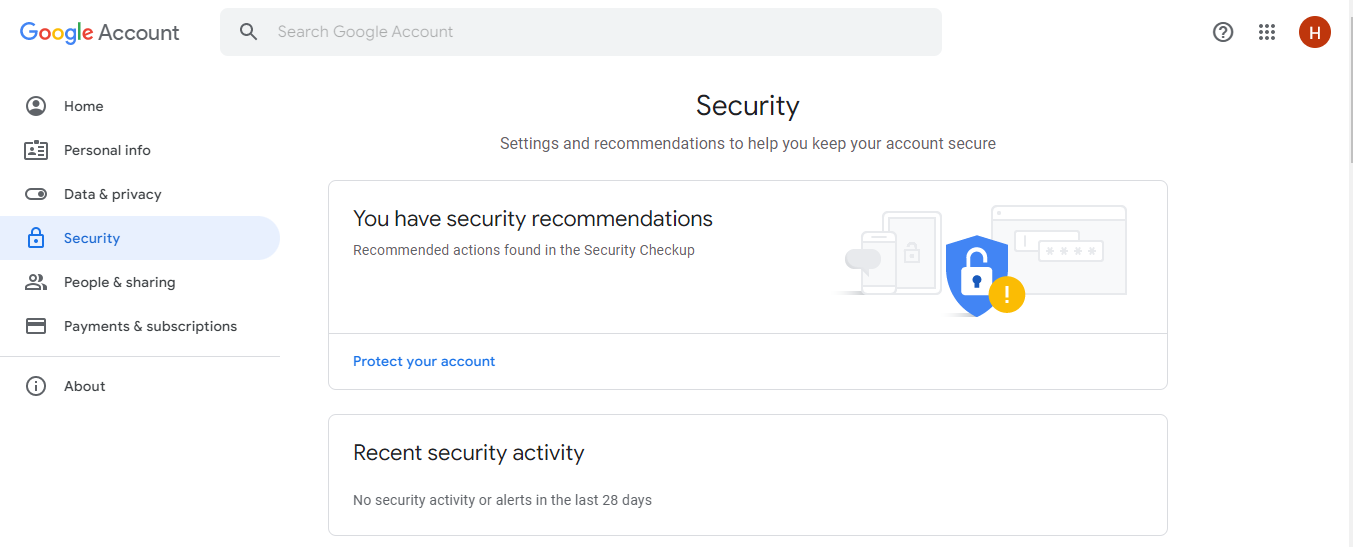
Carrying out security check-ups will help Google personalize your account’s security based on your device. While doing this check-up, you will get to know all the activities that have been going on on your account and if someone has been trying to log into your account. 

To carry out a security checkup, log into your Gmail account, go to Settings, click on your email address, then click on Manage your Gmail Account. When the page opens, go to Security and review your security activity. Doing this will show you how secure your account is.

How To Secure Your Gmail Account

3. Activate the 2-Step Verification

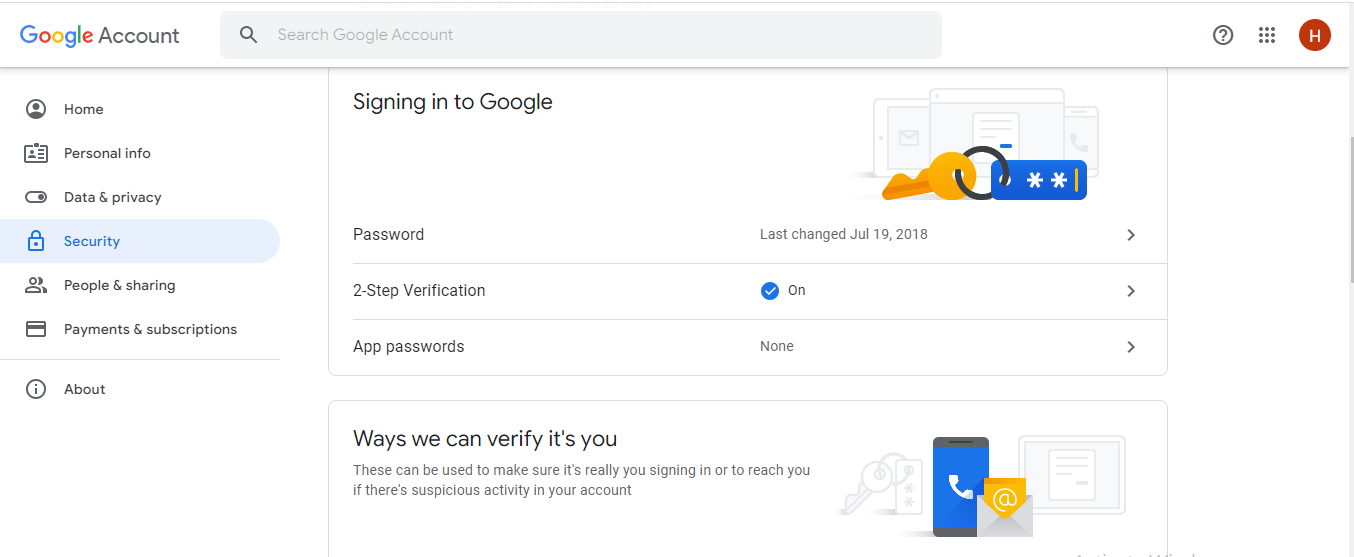
The 2-Step Verification is an extra layer of security. If hackers get hold of your password, they will not be able to access your account because they will need your 2-Step Verification code to access it. 

Once the code cannot be provided, Google will immediately inform you that someone is trying to log into your account, and you can log the person off your device. 

To activate the 2-Step Verification,  log into your Gmail account, go to Settings, click on your email address, and then click on Manage your Gmail Account. When the page opens, go to Security and click on 2-Step Verification, then Get Started.

4. Add Account Recovery Options

Account recovery options include your recovery phone number and email address. They are helpful contact info that will be used to contact you when someone tries to log in to your account. They also help you recover your account if you get locked out of it.

5. Set Screen Lock

Adding screen locks to your Gmail app or device will keep out an intruder who wants to access your account without your permission. The lock could be a pattern, pin, or password, whichever you choose make sure it’s what you can remember.

6. Do Not Disclose Your Password, Username, And PIN

Your password, username, and PIN are personal information and should remain personal. For no reason should you disclose them to anyone to avoid it getting into the wrong hands.

How To Secure Your Gmail Account

7. Use Strong Password And PIN

When activating or changing your password and PIN, use strong and unique ones. Do not use the same password and PIN for multiple accounts and sites. This is because if one account or site gets hacked, then all your other accounts or sites will be accessed effortlessly. 

Make use of information that is unique to you, and don’t use popular details like your phone number and birthdate that can be gotten easily. 

8. Switch on Google Play Protect

There are many dangerous apps on the internet that hackers have designed to get your personal information and access your Gmail account when you input your details upon activation. Google Play Protect safeguards Android devices from harmful apps.

9. Avoid suspicious websites

When surfing the web, you may come across fraudulent websites. They are usually filled with suspicious contents. If you come across such, do not input your personal information as there are hackers waiting to get hold of them and use it to access your account.

10. Ignore Suspicious Emails, Calls, And Text Messages

Hackers use emails, phone calls, and text messages to gain personal information, like your password, username, and PIN. They most times pretend to be a family member, Google agent, or security personnel. 

The good news is that they can’t get your personal information unless you give it to them. Never click on links or reply to anyone requesting that you provide personal information. 

Google will never ask you to provide your details through any of these means because they know the importance of these details. That is why they are encrypted. You can know a suspicious email by checking to see if the sender’s name matches the email address.

How To Secure Your Gmail Account

Fort Knox Your Gmail: FAQs on Securing Your Account

Gmail is a widely used email platform, but it’s crucial to secure your account and protect your privacy. Here are FAQs to equip you with the knowledge to turn your Gmail into a fortress:

How strong is my current password?

  • Length is key: Aim for a complex password with at least 12 characters.
  • Mix it up: Combine uppercase and lowercase letters, numbers, and symbols for better security.
  • Avoid personal details: Don’t use birthdays, addresses, or pet names – these are easily guessable.
  • Unique for each account: Resist the urge to reuse the same password for multiple accounts.

How can I create a strong password?

  • Password managers: Consider using a password manager to generate and store strong, unique passwords for all your accounts.
  • Passphrase approach: String together multiple unrelated words to create a long and memorable password.
  • Two-factor authentication (2FA): Even with a strong password, enable 2FA for an extra layer of security. This typically involves a code from your phone in addition to your password.

What are the security settings I should check in Gmail?

  • Enable “Always use HTTPS”: This ensures your connection to Gmail is encrypted, making it harder for hackers to intercept your data.
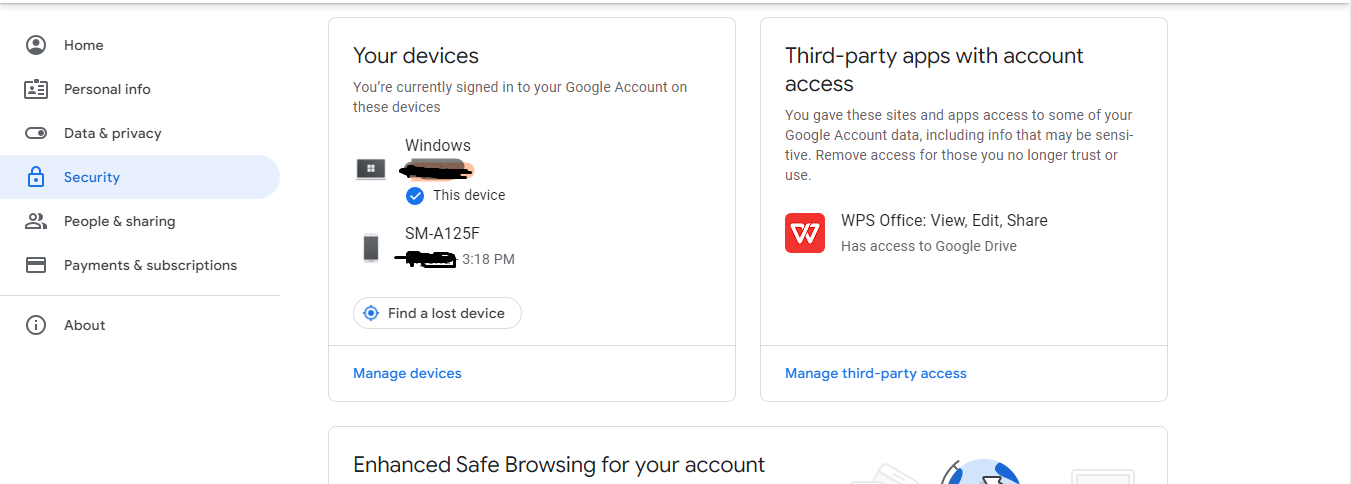
  • Review “Less secure app access”: Revoke access to any unrecognized or unused apps or devices that might have access to your Gmail.
  • Manage forwarding and POP/IMAP access: Disable these features if you’re not actively forwarding emails or using them with other email clients.
  • Set up account activity alerts: Receive notifications whenever suspicious activity is detected, like logins from unrecognized devices.

How can I spot phishing emails?

  • Suspicious sender addresses: Be wary of emails from unknown senders or addresses that don’t match the sender name.
  • Sense of urgency or threats: Phishing emails often create a sense of urgency or threaten negative consequences if you don’t act immediately.
  • Grammatical errors and poor formatting: Legitimate companies typically send professional emails with proper grammar and formatting.
  • Unfamiliar links or attachments: Don’t click on links or download attachments from suspicious emails. Hover over the link to see the actual destination URL before clicking.

What should I do if I suspect a phishing email?

  • Do not click on links or attachments.
  • Report the email to Gmail as phishing.

Is it safe to use public Wi-Fi to access Gmail?

Public Wi-Fi networks are not inherently secure. If you must access Gmail on public Wi-Fi, consider:

  • Enabling 2FA for an extra security layer.
  • Avoiding sensitive activities like financial transactions or sending confidential information.
  • Using a virtual private network (VPN) to encrypt your internet traffic.

How can I keep my Gmail account clean and organized?

  • Enable automatic spam filtering: Let Gmail filter out most spam messages automatically.
  • Unsubscribe from unwanted emails: Click the unsubscribe link in unwanted emails to avoid future messages from those senders.
  • Organize with labels and folders: Create labels and folders to categorize your emails and keep your inbox clutter-free.
  • Delete old emails regularly: Clear out old emails you don’t need anymore to free up storage space.

What about Gmail backup and recovery?

  • Enable Gmail backup: Consider using Google Drive or another cloud storage service to back up your important emails in case of accidental deletion.
  • Keep your recovery information up-to-date: Ensure your recovery phone number and email address are accurate for account recovery if needed.

Are there additional security measures I can take?

  • Beware of social engineering scams: Don’t share personal information or account details over email unless you’re absolutely certain of the sender’s legitimacy.
  • Be cautious about what you share online: Avoid publicly sharing information that could be used to guess your password or security questions.

Conclusion

Trust me, you don’t want to be told ‘Sorry’. To save yourself from being a victim, secure your Gmail account today by ensuring that you use these tips to secure your Gmail account. 


RECOMMENDED POSTS