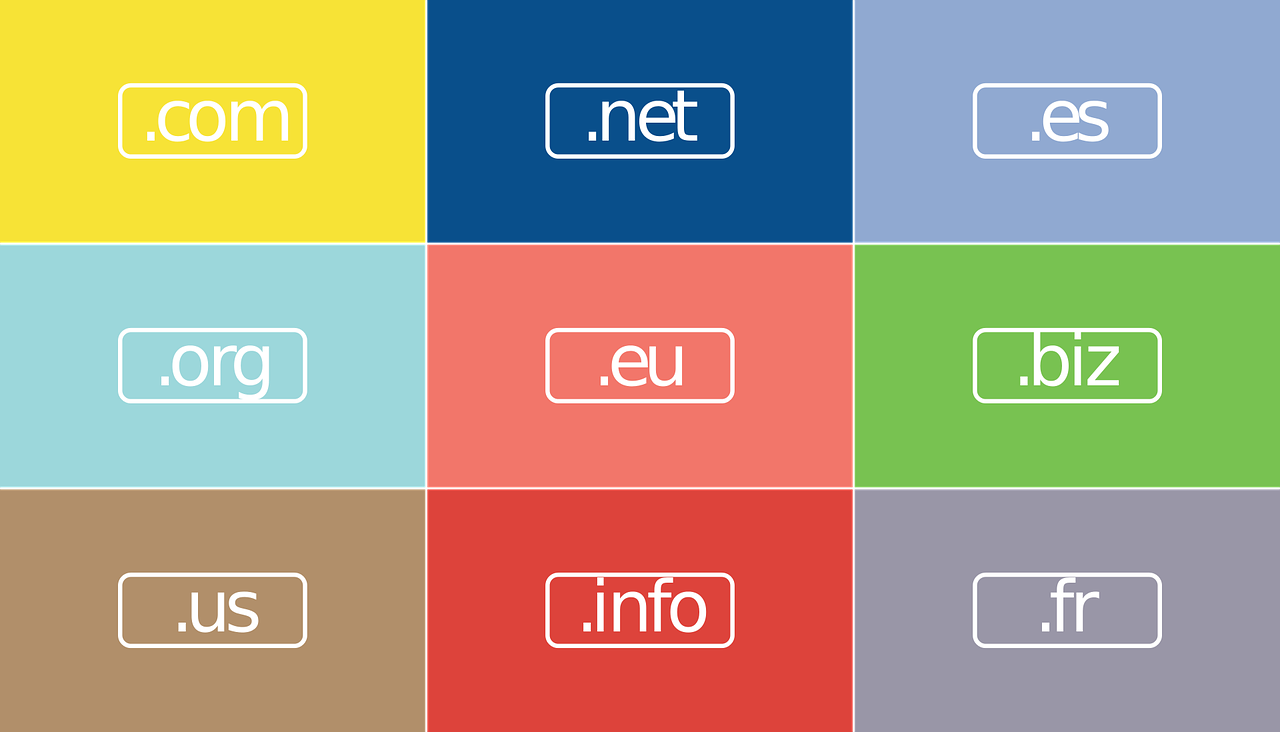
Here, I will show you how to register your .eu domain with Site.eu.
Entering the digital age requires a trustworthy and robust partner, particularly when you’re trying to establish your brand online. A .eu domain signifies a strong connection to Europe, one of the most digitally evolved regions in the world.
Registering your .EU domain is an essential step for any business planning to expand its operations across the European Union.
So, where should you go for this crucial task? We recommend Site.eu, a one-stop solution for your online needs that makes establishing your online presence a piece of cake.
Table of Contents
Site.eu: Your Go-to Platform for .eu Domain Registration
Choosing Site.eu as your domain provider comes with numerous benefits. The platform has a reputation for its top-tier domain registration services, which has won the trust of many users over time.
Their all-in-one solution means you no longer have to get overwhelmed by the multiple packages required for your online business.
With Site.eu, you receive a full package when you register your domain name, including the option of creating a business email address, among other features. Of course, if you prefer a simple domain registration without any added services, Site.eu can cater to that as well.
Creating Business Email Address
One of the unique offerings of Site.eu is its feature to create an unlimited number of email addresses for any domain name. This is especially significant if you’re wondering how to create a free business email. With Site.eu, you get unlimited data storage for each email address.
Regardless of whether you’re a startup in need of a single email or a multinational corporation requiring thousands, Site.eu has you covered.
You can access your emails through their webmail or use your email client. They provide support for POP, IMAP, and SMTP, ensuring seamless operation regardless of your technical proficiency.
Professional Spam Filters
One of the most annoying aspects of digital communication is spam emails. They fill up your inbox and divert your attention from essential communication.
Site.eu’s professional spam filters ensure that your inbox remains free from any spam. This way, you can focus on what truly matters: growing your business.
Site.eu: More Than Just a Domain Provider
Site.eu offers more than domain registration and email services. It is a platform that helps you create a strong and dynamic online presence, without the hassle of dealing with multiple service providers.
From the moment you register your domain name, Site.eu ensures that your online activities run smoothly.
Site.eu has been instrumental in assisting businesses to transition into the digital world, making it a reliable partner for your online journey.
Whether it’s about securing your domain, creating a business email address, or maintaining a clutter-free inbox, Site.eu makes these processes effortless.
While this might stir some controversy, the importance of a .eu domain cannot be overstated. As businesses become increasingly global, having a .eu domain positions your brand as a player in the dynamic and prosperous European market.
Despite the chatter about .com or .net, choosing a .eu domain, particularly with a reliable domain provider like Site.eu, can set your business up for success in the European market.
While it might not be the conventional choice, the decision to register a .eu domain through Site.eu offers a unique opportunity to showcase your business’s commitment to engaging with the European market.
Site.eu ensures a hassle-free registration process, which, coupled with their all-in-one service offering, makes them a preferred choice for many businesses.
Conclusion: Your Online Success Starts with Site.eu
In a world increasingly shifting towards digital, having a strong online presence is no longer an option but a necessity.
Site.eu helps make this transition easier by providing all-encompassing services, starting from registering your .eu domain, creating a business email address, to ensuring your inbox remains spam-free.
Choosing a .eu domain might seem controversial, but with a provider like Site.eu, you’re setting your business up for a strong presence in the European market. It’s a smart, bold move that could pay significant dividends in the long run.
Your online journey starts with Site.eu – the one-stop solution that makes creating an impactful online presence as easy as pie. So why wait? Register your .eu domain with Site.eu today and see the difference it makes to your business.
Big data analytics and the increasing usage of VDRs have changed investment banking. The way investment banks and other financial organizations conduct business is changing due to these innovations.
Access to enormous volumes of data that can be evaluated is made possible by VDRs.
Table of Contents
The Power Of Virtual Data Rooms In Mitigating Banking Risks
Reliable information exchange systems are crucial to preventing data breaches and unauthorized disclosures. The latter results in serious reputational injury, legal repercussions, and monetary losses.
Because of this, according to IBM Security’s forecast for 2022, the average cost of a data breach in the banking sector will be $5.97 million.
Massive amounts of sensitive data are handled and maintained by financial institutions. Thus, it’s crucial to manage information using strong data security solutions. Strong cybersecurity in banking is a requirement, not an option. Check more at VDRSolutions.
Potential dangers and outcomes of managing financial data insecurely
Insecure financial data management creates serious security risks to the banking sector. Let’s examine some serious risks:
Breaches of data. Unauthorized access to financial records can lead to a variety of issues. These include the theft of personal information, identity fraud, and financial damages. It might damage consumer trust, draw regulatory attention, and have legal repercussions. It’s important to comply with PCI DSS when transferring files. Furthermore, it aids in preventing intrusions from involving credit card information. Its primary responsibility is to guarantee the security and support of cardholder information.
Theft of intellectual property. Proprietary information, trade secrets, and competitive strategies may become public due to improper information exchange procedures. Financial setbacks, a diminished competitive edge, and reputational harm result.
Internal dangers. Data compromise may also be caused by employee negligence and insider threats. Internal vulnerabilities are exacerbated by improper transfers, unintentional leaks, and a lack of access controls. Additionally, they harm its reputation.
Violation of regulations. Data protection laws are broken when information is handled insecurely. Fines, penalties, and reputational harm are the results.
The financial services sector must employ secure file-sharing alternatives, banking encryption, intrusion control, and audit procedures to safeguard private data to reduce these risks. Additionally, these algorithms guarantee client confidence and adherence to legal standards.
How Does Banking Use VDR Software?
In the world of banking and finance, the majority of operations take place online. The following are the most typical applications for VDR investment banking solutions:
Specifying and managing transaction time
Creating investment propositions for prospective participants
To enhance the buyers’ and sellers’ collaboration
Exercise diligence
Specifying and managing transaction time
Creating investment propositions for prospective participants
To enhance the buyers’ and sellers’ collaboration
Exercise diligence
To effectively organize the integration
It should totally meet all of your investment banking demands, whether you require data room solutions for IPOs or mergers and acquisitions.
Key Features Of Secure File-Sharing Systems In VDRs For Banks
A secure information transfer system for financial companies should have the following basic characteristics:
Encryption protects financial data from unwanted interception or theft by converting documents into an unreadable format during transmission and storage.
Access controls—Prevent any unauthorized entry and enhance data protection by limiting documentation admission to authorized individuals or organizations.
Auditing tools—Tracking and monitoring user actions to look for suspicious file activity, recognizing potential safety violations, seeing suspicious activity, and assisting with regulatory compliance.
These guidelines are the undeniable benchmark. They contribute to the development of a safe system for the transfer of private banking information.
Why are VDRs the Most Secure Way to Share Files in Banking?
The market for virtual data room services is expected to reach $3.66 billion by 2027 as more businesses, notably those in the banking industry, start employing VDRs. The data rooms’ top priorities include ensuring data privacy and specific branding for the banking sector.
Thus, the key characteristics of virtual data rooms that contribute to their extraordinary position are as follows:
Precise access restrictions. Users’ permissions can be defined and managed at different levels by administrators. This guarantees that only approved workers or clients can access particular files or folders. It reduces the possibility of illegal access to corporate data.
Documents that are encrypted. Each part is encrypted using a special encoding key. Clients are further protected by this added degree of security. It also ensures that other files are protected even if a hacker compromises one of them.
Watermarking. Identifying data, such as the recipient’s email address or other special identifier. It aids in tracking down file distribution that is not authorized.
Audit trails and activity monitoring: enables administrators to keep track of file views, downloads, uploads, and modifications. These features completely document all file-related actions.
Authenticating users securely, Users can choose between two-factor authentication (2FA) and multi-factor authentication (MFA). They ensure that only authorized users with legitimate credentials can access VRD virtual data room.
Digital rights management (DRM) capabilities: tools that let administrators set file usage guidelines. They increase the level of security around confidential data. These consist of copying, printing, and sending papers.
Pleasant user interface Clients enjoy a smooth experience because of intuitive interfaces and efficient procedures.
Certifications and conformity: adherence to strict security guidelines and requirements.
Fair virtual data room reviews: The users of VDR services write honest reviews concerning the VDR software providers based on their personal experience, which helps others find the perfect solution for their needs.
Banks can share documents while maintaining basic governance and security requirements. They provide openness and control over private data. Encryption of personally identifiable information (PII), secure mobile access, two-factor authentication, and remote wiping for lost or stolen devices are further noteworthy features.
Conclusion
By utilizing a virtual data room, businesses can ensure regulatory compliance, securely share sensitive information with stakeholders, and maintain the trust of customers and employees.
Investment banks can function more productively, reduce costs, and foster growth by utilizing data room in investment banking to securely communicate sensitive information and data analytics to get insights into market trends and customer needs.
If you work for an investment bank and want to increase productivity and streamline your deal-making processes, you may now sign up for a VDR online.
This post will talk about AI-driven facial analysis.
In the ever-evolving landscape of photography and digital imaging, the integration of artificial intelligence (AI) has ushered in a new era of creativity and efficiency.
Among its many applications, AI-driven facial analysis stands out as a groundbreaking tool for enhancing portrait composition and framing, particularly in the realm of professional headshots.
In this comprehensive exploration, we delve into the intricacies of AI technology, its impact on the photography industry, and how it is reshaping the way we approach portrait photography.
Table of Contents
The Evolution of Portrait Photography
Portrait photography has long been regarded as a means of capturing the essence and personality of individuals.
From traditional painted portraits to modern-day digital photography, the art form has undergone significant transformations over the years.
However, despite advancements in camera technology and editing software, achieving the perfect composition and framing in professional headshots remains a challenge for many photographers.
Enter AI Headshot Generator
With the emergence of AI headshot generators, photographers now have access to powerful tools that can analyze facial features and optimize composition in real-time.
These AI-driven solutions leverage machine learning algorithms to identify key facial landmarks, such as the eyes, nose, and mouth, and make precise adjustments to enhance overall aesthetics.
By automatically adjusting elements such as framing, lighting, and focus, AI headshot generators empower photographers to capture stunning portraits with ease and efficiency.
Demystifying AI-Driven Facial Analysis in Portraiture
AI-powered facial analysis software utilizes complex algorithms to identify and analyze various facial features within an image. These features can include:
Eye position and gaze: AI can detect where a subject is looking, ensuring proper eye contact or a captivating gaze towards the camera.
Facial symmetry and balance: The software can assess the symmetry of facial features, helping photographers achieve a balanced and aesthetically pleasing composition.
Expression recognition: AI can identify emotions like happiness, seriousness, or confidence, allowing photographers to guide their subjects towards the desired emotional portrayal.
Lighting and shadow analysis: Some AI tools can evaluate lighting on the face, helping photographers identify areas of unwanted shadow or uneven exposure.
This information is then translated into actionable insights displayed on the camera screen or editing software. These insights can range from basic suggestions like “move slightly to the left for better eye contact” to more nuanced feedback on lighting and expression.
The Benefits of AI-Driven Facial Analysis for Professional Headshots
Professional headshots are crucial for building a strong personal brand. Here’s how AI can enhance the headshot experience:
Guaranteed Consistency: AI ensures consistent framing and lighting across multiple headshot sessions, creating a unified visual identity for individuals with multiple professional profiles or those needing regular headshot updates.
Improved Client Satisfaction: AI feedback empowers photographers to capture headshots that flatter the client’s features, leading to higher satisfaction and potentially more positive online reviews and referrals.
Streamlined Workflow: AI can expedite the headshot process by identifying optimal poses and expressions quickly, saving valuable time for both the photographer and the client. This allows photographers to take on more clients or dedicate more time to other aspects of the photoshoot, such as creative direction and background selection.
Enhanced Credibility: By utilizing cutting-edge technology, photographers can showcase their commitment to innovation and deliver exceptional results, potentially attracting a wider clientele who value a modern and tech-savvy approach.
Enhancing Client Experience
In addition to benefiting photographers, AI-driven facial analysis also enhances the overall experience for clients.
By providing real-time feedback and preview options, the AI headshot generator allows clients to participate in the creative process actively, ensuring that their preferences and expectations are met.
This level of interactivity not only fosters trust and collaboration but also results in more satisfying outcomes for both photographers and clients alike.
Furthermore, AI-driven facial analysis opens up new possibilities for customization and personalization in professional headshots.
Whether it’s adjusting facial expressions, experimenting with different poses, or applying digital enhancements, AI headshot generators empower photographers to cater to the unique needs and preferences of each client, ultimately delivering portraits that are as individual as they are.
The Art of Human Connection: A Vital Ingredient
AI can undoubtedly provide valuable technical guidance, but it cannot replicate the human connection that is so essential to capturing a truly captivating portrait.
Skilled photographers possess an innate ability to build rapport with their subjects, guide them towards nuanced expressions, and elicit genuine emotions that shine through in the final image.
This human connection allows photographers to capture the essence of a person – their personality, confidence, and perhaps even a hint of their story. AI may struggle to replicate this intangible quality, highlighting the enduring importance of the photographer’s role in portraiture.
Beyond the Technical: Exploring Creativity with AI
While AI excels at providing technical analysis, its potential extends beyond simply optimizing composition and lighting. Imagine AI tools that assist photographers in exploring creative possibilities.
For instance, AI could analyze a subject’s facial features and suggest lighting setups that create dramatic shadows or unique highlights, pushing the boundaries of traditional portraiture.
Additionally, AI could analyze existing portraiture styles and recommend compositions or poses inspired by renowned photographers, fostering creative exploration for both professional and amateur photographers
The Future of Portrait Photography
As AI technology continues to advance, the future of portrait photography looks brighter than ever before.
With ongoing developments in facial recognition, image processing, and machine learning, we can expect to see even more sophisticated AI headshot generators that further push the boundaries of creativity and innovation.
From automated retouching to virtual studio environments, the possibilities are endless when it comes to leveraging AI-driven facial analysis in professional photography.
In Conclusion
AI-driven facial analysis represents a paradigm shift in the world of portrait photography, offering photographers unprecedented tools for enhancing composition and framing in professional headshots.
By harnessing the power of AI headshot generators, photographers can streamline their workflows, overcome common challenges, and deliver exceptional results that exceed client expectations.
As we look ahead to the future, it’s clear that AI technology will continue to play a pivotal role in shaping the way we capture and preserve memories through the art of photography.
Let’s embrace this technological advancement while recognizing the irreplaceable value of human creativity and connection in capturing the essence of a portrait.
Want the top gaming equipment recommendations for competitive players… This post is for you!
When it comes to gaming, nearly everyone has their approach to it. While some enjoy titles with relaxing gameplay, others prefer worlds with lots of action. But regardless of your approach to gaming, it is always easy to personalize your experience to fit your needs.
For instance, satisfying your intense requirements during a gaming session might seem difficult if you are a competitive gamer. But once you know how to build the proper setup for your needs, you can put your best foot forward each time you fire up your favorite games.
Here are the top equipment recommendations for competitive players to assist you with this process.
Whether you want to get the most out of Xbox performance mode or remain big on PS5 multiplayer games, getting a gaming headset enhances your gameplay in more ways than one.
From spatial sound to noise canceling, these headsets treat your sense of hearing with multiple features to transport you to the virtual worlds you choose.
You can pair your headset with a gaming mic to elevate your performance further. Since these headsets are available in various colors and designs, they also help you bring out the look of your gaming setup.
Mechanical Keyboard
Mechanical keyboards can be a pricey investment, but they are worth the cost when you can register your keystrokes by touch and type more easily than you can on a traditional keyboard.
As a result, you always catch timely defense or much-needed attacks whenever you are playing your game.
This makes mechanical keyboards a must-have piece of equipment for those who are into PC gaming. With that being said, if you play on a console and have a controller patent poster hanging on your wall, this accessory might not be the right fit for you.
Besides giving you a higher DPI to move your cursor faster with each movement, a gaming mouse also comes with an ergonomic grip and additional buttons. This helps you easily maneuver your way through your games.
Once again, a gaming mouse is a perfect piece of equipment for PC games, but it doesn’t hold the same appeal for those who see consoles as their go-to option to play their games.
Wi-Fi Extender
The advancements of modern connectivity allow you to do away with wires and enjoy multiplayer games. You can also enhance your safety by learning how to ensure a secure connection with online gaming.
But if your connection breaks away every few minutes or compromises the promised speed by your provider, it can heavily affect your gaming performance.
With a Wi-Fi extender, you can increase the range of your internet connectivity from your router. This helps maintain ideal connectivity if your router is outside your primary gaming room. These solutions are not expensive, giving you another reason to install them to boost your gaming performance.
Lastly, a gaming chair is one of the most important purchases you can make as an avid gamer.
It is because when you are sitting in the same position for hours on end, your body needs ideal support across your back, neck, arms, and legs. This helps you steer clear of short-term soreness and long-term conditions.
A proper gaming chair enhances your comfort and takes your performance to another level, especially for extended gaming sessions. Getting a gaming chair that aligns with your taste can pull your entire room together if you still need to finalize your gaming setup.
These solutions ensure that you can up your game without any trouble. You can fulfill these requirements without breaking the bank by looking for deals from reliable vendors.
Here, I will talk about integrating private equity deal tracking software into your investment workflow.
The private equity sector’s dynamics are increasingly complex, with multifaceted deal structures, rising competition, and a perpetually changing regulatory environment.
To maintain an edge in this competitive landscape, it is vital for investors to harness the power of advanced technological tools. In the first quarter of 2023, tech-focused deals accounted for 50% of private equity’s total activity by value, a significant increase from approximately 25% in the same period of 2022.
This surge underscores the growing emphasis on technology within the private equity sector, particularly in areas such as cybersecurity, artificial intelligence, machine learning, big data, and analytics.
One such tool that has become increasingly popular is private equity (PE) deal-tracking software. This article explores the integration of private equity deal-tracking software into your investment workflow and how it can bring transformative benefits.
Table of Contents
Understanding PE Deal Tracking Software
In a few words, private equity deal tracking software is a technology solution that assists in managing, tracking, and analyzing private equity deals. It centralizes deal data and offers real-time insights, enabling investors to monitor the deal pipeline, assess potential investments, and oversee ongoing deals with enhanced transparency and efficiency.
Why You Need PE Deal Tracking Software:
Private equity deal tracking software is necessary for the current investment landscape, primarily for five critical reasons.
First, it addresses the challenge of data centralization. When dealing with disparate data sources, manual consolidation can be a time-consuming and error-prone task. Private equity deal tracking software consolidates all data in a single location, ensuring consistency and accessibility, which are key for efficient decision-making.
Second, the software provides real-time monitoring of all your deals. In the fast-paced private equity sector, immediate updates mean you can react quickly to changes, make timely investment decisions, and seize new opportunities as they arise.
Third, the software enhances due diligence efforts. Due diligence is a crucial aspect of private equity investments, and the software aids in this process by offering extensive data analysis features. This capability leads to better decision-making and risk management, mitigating potential investment risks.
Fourth, the software improves collaboration within the team. In the often siloed world of investments, communication and collaboration can pose a challenge. The software enables seamless sharing of deal-related information among team members, fostering a collaborative work environment and ensuring everyone is on the same page.
Lastly, integrating PE deal-tracking software into your workflow improves overall efficiency and productivity. The automation of the tracking process saves time and reduces the chances of human errors, allowing you and your team to focus more on strategic tasks and thereby leading to an increase in productivity.
Integrating PE Deal Tracking Software into Your Investment Workflow
Seamlessly integrating PE deal-tracking software into your investment workflow is an operation that demands attention to detail, strategic planning, and consistent effort.
Start by defining your specific requirements for the software. Understand what your team needs most. Do you require stronger capabilities in deal sourcing, or is the emphasis on due diligence features? Perhaps post-deal portfolio monitoring is a priority.
Clearly outlining your requirements is the first step toward making an informed choice, and it ensures that the software will effectively serve your unique needs and business objectives.
The next stage is to navigate the saturated market of PE deal tracking software to find the right fit. This step goes beyond simply comparing prices or features.
It’s about gauging the user interface’s intuitiveness, the quality of customer support, and the reviews from other users. Weigh these factors when choosing software that delivers maximum value and aligns with your investment workflow.
Once you’ve chosen the software, the real work begins. Work closely with the vendor to configure and customize the software according to your specific investment workflow.
This process should be as collaborative as possible, ensuring the software will fit seamlessly into your existing processes and contribute positively to your work environment.
Training your team is a step that cannot be emphasized enough. The software’s benefits can only be fully harnessed when all users are proficient in its functionalities.
Allocate enough time and resources for comprehensive training sessions and provide your team with sufficient opportunities to practice using the software in a low-stakes environment before it is fully integrated into your workflow.
Remember that implementing PE deal tracking software is not a one-time event but a process that requires regular review and updates. Constantly evaluate the software’s performance, and solicit and consider feedback from your team.
As your business evolves, so will your needs, so be ready to make necessary updates or changes to the system to ensure it continues to serve you effectively. This dynamic approach to integration ensures that the software remains a powerful tool in your investment strategy.
Conclusion
PE deal tracking software is more than just a fancy add-on; it’s a potent tool that can drive decision-making, improve operational efficiency, and increase deal success rates. By carefully integrating it into your investment workflow, you can elevate your private equity investments to new heights.
Remember that every tool is as good as the user, so adequate training and consistent reviews are crucial. Leveraging technology in private equity is no longer optional but necessary to stay competitive in this fast-paced and dynamic industry.
For newcomers, starting the financial literacy journey might be intimidating, but it’s an essential step on the path to financial security and independence.
In this beginner’s guide, you’ll learn the fundamental principles for navigating the world of finance with confidence.
From comprehending fundamental ideas to establishing financial objectives and handling debt, every segment offers useful perspectives to enable you on your financial path.
Table of Contents
Understanding the Basics of Personal Finance
It’s important to know the fundamentals of personal finance before you start your financial journey. Managing your finances and choosing wisely when it comes to investing, saving, and spending are referred to as personal finance.
To properly traverse the world of finance, one must understand basic financial phrases and ideas. This entails being aware of ideas like debt management, investing, saving, and budgeting. Gaining knowledge of these fundamentals will help you build a strong foundation for your financial future.
Your ability to make wise financial decisions and reach your financial objectives is enhanced by financial literacy. Gaining a solid understanding of personal finance fundamentals is the first step towards creating a safe financial future, regardless of your experience level.
Creating a Budget
Making a budget is a crucial part of being a good financial manager. To make sure you’re living within your means, it entails listing your income and expenses.
Make a list of every source of revenue you have, including bonuses, wages, and other earnings. Next, list all of your out-of-pocket expenses, including rent, utilities, food, and entertainment. Sort your costs into several categories and check if you’re spending more than you’re making.
If so, search for places to make savings in order to maintain financial balance. To keep track of your expenditures and stay on top of your financial objectives, use applications or tools for budgeting.
You can take charge of your money and work toward reaching your financial goals by making and adhering to a budget.
Managing Debt
One of the most important parts of financial responsibility is managing debt. Start by being aware of the several kinds of debt you have, including mortgages, school loans, and credit card debt.
Make consistent payments on high-interest debt as part of a plan to pay off your debt. Consolidate your debt or try negotiating a reduced interest rate or monthly payment with your creditors. By living within your means and adopting appropriate spending habits, you can prevent taking on additional debt.
Additionally, maintain a low debt-to-income ratio and make on-time payments to raise your credit score. You can lessen financial stress and move closer to reaching your long-term financial objectives by taking an active approach to managing your debt.
Saving and Investing
The foundations of accumulating money and safeguarding your financial future are investing and saving.
While investing means placing your money into assets that have the potential to increase in value over time, saving entails setting aside money for unforeseen costs or emergencies. Recognize the differences between investing and saving by knowing their goals and schedules.
While investing is normally done for long-term goals like retirement or wealth creation, saving is usually done for emergencies or short-term aims. Examine investment options that are suitable for beginners, such as mutual funds, index funds, or retirement accounts like 401(k)s and IRAs.
Increase your investments gradually as you gain experience and comfort level with the procedure. In regards to investing, taking advice from a reputable financial planner can also prove valuable.
These professionals have the expertise and experience to suggest programs that offer the best returns and profits. You can take advantage of compound interest to increase your wealth over time by saving and investing on a regular basis.
Building Financial Literacy Skills
Developing your financial literacy is essential to your long-term financial security. Continue your education by taking courses, reading books, or using the internet to learn about personal finance.
Seek guidance from counselors, planners, or other financial professionals to acquire insights particular to your circumstances.
Long-term success requires forming sound financial practices, such as investing, saving, and budgeting. Maintain discipline in your money management and keep up with any developments or trends in the economy that can affect your financial circumstances.
Making educated judgments and putting financial education first will help you confidently navigate the complex world of finance. Keep in mind that acquiring financial literacy is a lifetime endeavor, so commit to doing so. You can create a safe financial future for yourself and your loved ones by achieving your financial goals and gaining knowledge.
Conclusion
As you read this beginner’s guide, remember that acquiring financial literacy is a continuous process.
You can lay a strong foundation for your financial future by learning the fundamentals of personal finance, establishing specific financial objectives, and engaging in responsible money management practices.
Accept the path of ongoing education and development, ask for help when you need it, and remain dedicated to your financial objectives.
Here, I will talk about advanced authentication and how to strengthen your digital defense.
In today’s interconnected world, where digital threats continue to evolve, safeguarding sensitive information has become more critical than ever. Traditional authentication techniques, such as passwords and PINs, are no longer enough to safeguard against sophisticated assaults.
CSO Online recently reported a concerning trend in the cybersecurity landscape: a significant rise in authentication-related attacks throughout 2022. The study, commissioned by HYPR, a leading provider of passwordless multifactor authentication (MFA) solutions, highlighted the vulnerability of outdated, password-based authentication systems.
As a result, advanced authentication mechanisms have emerged, offering enhanced security and protection for individuals and organizations alike. This article explores the rise of advanced authentication and its role in strengthening digital defense.
Table of Contents
The Inadequacy of Traditional Authentication
Traditional authentication methods, such as passwords and PINs, have long been the standard for accessing digital platforms. However, they suffer from several inherent weaknesses that make them vulnerable to exploitation.
Common issues include weak passwords, password reuse across multiple accounts, and susceptibility to brute-force attacks. Cybercriminals have become adept at bypassing these security measures, leading to an alarming increase in data breaches and identity theft.
A recent survey conducted by GoodFirms revealed that weak passwords continue to pose a significant security risk. The survey targeted IT professionals and found that 30% of respondents had experienced a data breach directly caused by weak passwords.
The Evolution of Advanced Authentication
Advanced authentication methods have gained popularity to counteract the limitations of traditional authentication. These mechanisms leverage innovative technologies and techniques to provide an extra layer of security.
KYC (Know Your Customer) and EDD (Enhanced Due Diligence) are crucial components of advanced authentication, particularly in finance, banking, and online marketplaces.
These practices go beyond traditional authentication by verifying the identity of individuals or organizations before granting access to sensitive information. You can learn more about them at Au10tix.
There is also biometric authentication. It uses unique physical or behavioural traits, such as fingerprints, facial recognition, or voice patterns, to verify a user’s identity. This approach significantly reduces the risk of unauthorized access, as biometric data is difficult to replicate or forge.
MFA has emerged as an effective method for enhancing digital protection. Unlike single-factor authentication, which is based on a single piece of information, multi-factor authentication requires users to present various forms of identity before giving access.
This might involve a mix of something the user knows (for example, a passcode), something the user possesses (for example, a security token), and something the user has (for example, biometric data). By integrating many criteria, MFA makes it substantially more difficult for fraudsters to get illegal access.
According to statistics on Zippia, in 2017, the usage of MFA stood at a modest 28% of accounts. However, by 2021, that figure had skyrocketed to an impressive 78%. This represents a remarkable surge of 178% in just four years, indicating a growing recognition of the importance and effectiveness of MFA in bolstering security measures.
The Role of Artificial Intelligence
Artificial intelligence (AI) has revolutionized various aspects of cybersecurity, including authentication. AI-powered authentication systems utilize machine learning algorithms to analyze vast amounts of data and identify patterns that help distinguish legitimate users from potential threats.
These systems can detect anomalies, such as unusual login times or locations, and prompt additional verification steps if needed. By continuously learning and adapting, AI-driven authentication systems stay one step ahead of malicious actors.
Strengthening Authentication with Blockchain
Blockchain technology, famous for its association with cryptocurrencies, also finds applications in authentication. By leveraging blockchain’s decentralized and tamper-resistant nature, authentication processes can be significantly enhanced.
Blockchain-based authentication systems eliminate the need for a centralized authority to validate and store user identities, reducing the risk of data breaches and single points of failure. Additionally, the immutability of blockchain records ensures the integrity of authentication transactions.
Overcoming Challenges and Shaping the Future
While advanced authentication mechanisms offer significant benefits, challenges remain. User acceptance, implementation complexity, and interoperability between different systems are some of the hurdles that must be overcome.
Additionally, as authentication methods become more sophisticated, so do the techniques employed by cybercriminals. Continuous innovation and collaboration between technology providers, organizations, and security experts will be crucial in staying ahead of these evolving threats.
Key Takeaways
The rise of advanced authentication mechanisms represents a crucial step forward in strengthening digital defense against evolving cyber threats. Traditional authentication methods have proven inadequate, with weak passwords and password reuse being exploited by cybercriminals.
Advanced authentication, including biometrics, multi-factor authentication, AI-powered systems, and blockchain-based solutions, addresses these vulnerabilities and offers enhanced security. The growing adoption of MFA and the incorporation of AI and blockchain in authentication processes demonstrate a recognition of their effectiveness.
However, challenges such as user acceptance and implementation complexity must be addressed.
To ensure a secure digital future, ongoing innovation, collaboration, and proactive measures are essential to stay ahead of ever-evolving cyber threats.
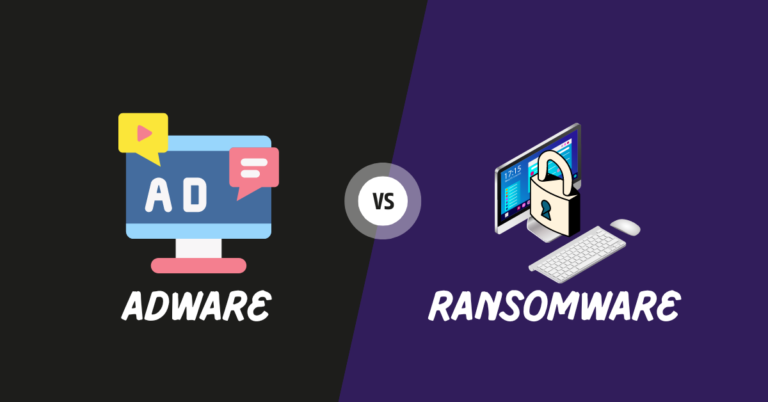
Here is the Adware vs Ransomware comparison. Read on!
In today’s digital landscape, threats to computer systems and online security are prevalent. Two common types of malware that can cause significant disruptions and pose risks to users are adware and ransomware.
While they both fall under the umbrella term of malware, adware, and ransomware have distinct characteristics and purposes.
This article aims to provide a comprehensive comparison between adware and ransomware, highlighting their differences in terms of functionality, impact, and prevention.
Table of Contents
What Is Adware?
Adware, short for advertising-supported software, is a type of software that is designed to display advertisements on a user’s computer or mobile device. It is often installed without the user’s knowledge or consent and can be bundled with legitimate software or distributed through deceptive practices.
The primary purpose of adware is to generate revenue for its creators by delivering targeted advertisements to users.
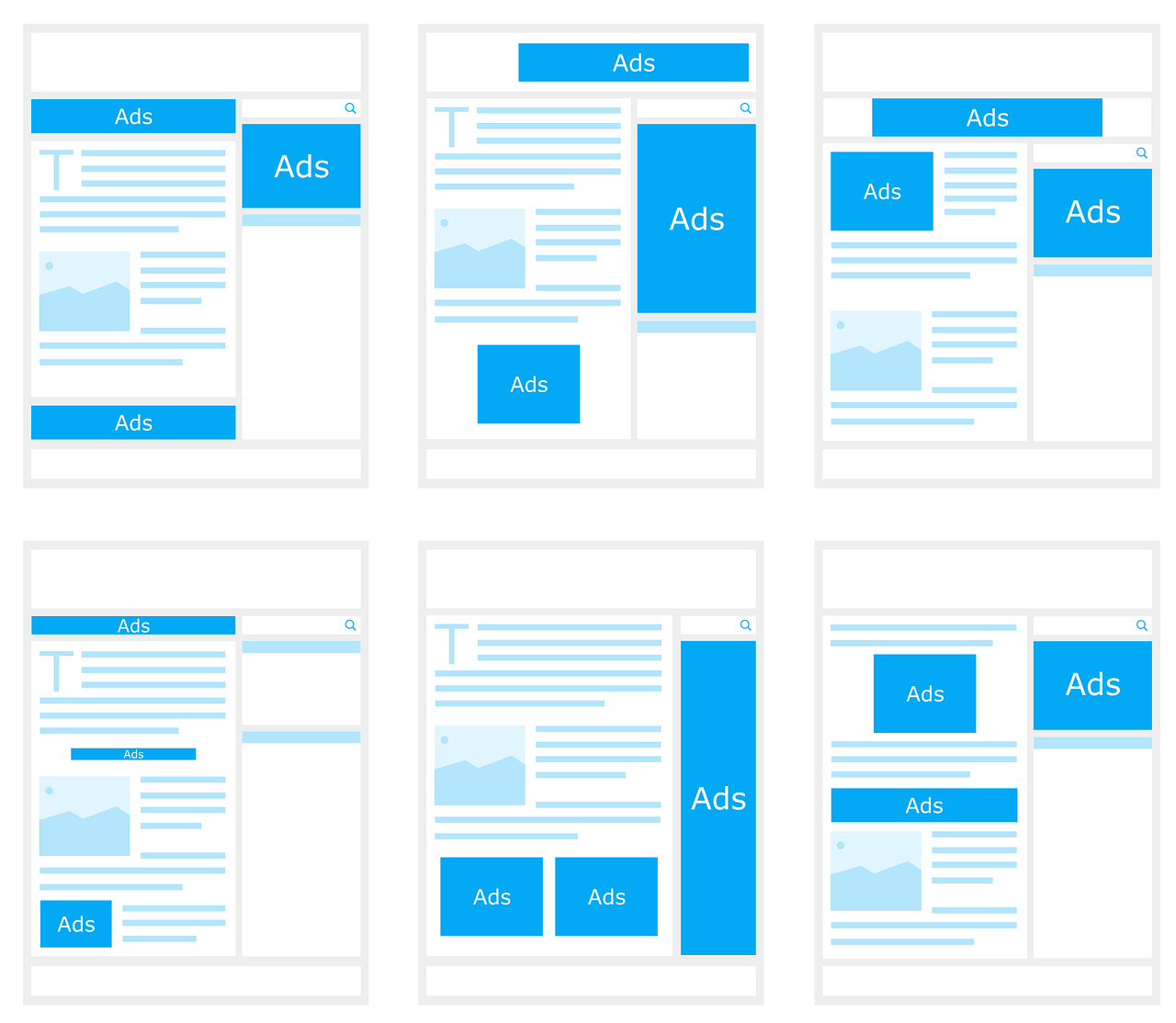
These advertisements can take various forms, such as pop-up windows, banners, in-text ads, or even redirecting web traffic to specific sites. Adware developers typically earn money through pay-per-click (PPC) schemes or by selling advertising space to third-party advertisers.
While some forms of adware may be relatively harmless and display ads within the context of the user’s browsing experience, others can be more intrusive and disruptive. They can slow down computer performance, consume system resources, and interfere with the user’s online activities.
Additionally, some adware goes beyond displaying advertisements and collects user data without explicit consent.
This data may include:
browsing habits
search queries
IP addresses
other personally identifiable information
The collected data is then used for targeted advertising or may be sold to third parties, raising privacy concerns.
It’s important to note that not all advertisements displayed on a computer or mobile device are a result of adware. Legitimate advertising networks and websites display ads as part of their revenue model.
However, when adware is involved, the advertisements are typically unwanted, intrusive, and disruptive to the user experience.
To protect against adware, users should be cautious when downloading software from untrusted sources and pay attention to the installation process, as adware often comes bundled with freeware or shareware applications.
Installing reputable antivirus and anti-malware software can help detect and remove adware infections. Regularly updating software and browsers and avoiding clicking on suspicious ads or pop-ups can also mitigate the risks associated with adware.
Adware can be caused by various factors, and understanding these causes can help users take preventive measures to minimize the risk of adware infections.
Here are some common causes of adware:
Software Bundling: Adware often enters a user’s system through software bundling. Some legitimate software programs, especially free applications, may include additional adware as part of their installation package. When users download and install such software without carefully reviewing the installation process, they may inadvertently allow the adware to be installed on their system.
Deceptive or Misleading Websites: Visiting deceptive or misleading websites, especially those involved in piracy, adult content, or illegal downloads, can expose users to adware. These websites may employ deceptive tactics or social engineering techniques to trick users into clicking on malicious ads or downloading software that contains adware.
Clicking on Suspicious Ads or Pop-ups: Clicking on random or suspicious ads, especially pop-ups, can lead to adware infections as I have experienced several times. Adware creators often utilize deceptive and enticing advertisements to encourage users to click on them. These ads may claim to offer free downloads, system optimization tools, or prizes, but instead, they install adware on the user’s device.
Peer-to-Peer (P2P) File Sharing: Downloading files through P2P networks or using torrent clients can expose users to adware. Illegitimate or unauthorized sources often distribute adware-infected files through these networks, targeting users who are looking for free or pirated software, movies, music, or other media.
Drive-by Downloads: Visiting compromised or malicious websites that are infected with exploit kits can lead to drive-by downloads. These downloads occur without the user’s knowledge or consent and can install adware or other malware onto the user’s system by exploiting vulnerabilities in the browser or outdated software.
Freeware or Shareware Applications: Some freeware or shareware applications include adware as a means of monetization. Users who download and install these applications without carefully reviewing the terms and conditions or opting out of optional installations may unknowingly allow adware to be installed alongside the desired software.
Unpatched Software and Operating Systems: Outdated software, including operating systems, web browsers, and plugins, may have vulnerabilities that adware can exploit to gain unauthorized access to a user’s system. Failing to apply software updates and security patches increases the risk of adware infections.
To minimize the risk of adware, users should practice safe browsing habits, avoid downloading software from untrusted sources, be cautious when clicking on ads or pop-ups, use reputable antivirus and anti-malware software, and employ a firewall to block unauthorized access.
Types Of Adware
Adware can manifest in different forms, each with its own characteristics and behaviors. Here are some common types of adware:
Pop-up Adware: This type of adware generates intrusive pop-up windows that appear on a user’s screen, often overlaying the content of websites visited or popping up at regular intervals. Pop-up adware aims to attract the user’s attention and promote specific products or services.
Browser Extension Adware: Browser extensions or add-ons that display advertisements within web browsers are another prevalent form of adware. These extensions may modify the user’s browsing experience by injecting ads into webpages, displaying banners, or highlighting keywords that trigger pop-up ads.
Search Engine Adware: Search engine adware alters the search results displayed to users by injecting additional advertisements or sponsored links into search engine pages. It can manipulate the search results to redirect users to specific websites or display paid ads prominently.
Redirect Adware: Redirect adware forcibly redirects a user’s browser to specific websites or landing pages, often unrelated to the user’s original intent. It may modify browser settings, such as the default homepage or search engine, and override the user’s preferences.
Malvertising: Malvertising, short for malicious advertising, involves the distribution of ads containing malicious code or links. These ads can appear on legitimate websites and exploit vulnerabilities in browsers or plugins to install adware or other malware onto the user’s system.
Adware Bundlers: Adware bundlers package multiple adware programs together with legitimate software installers. When users download and install the desired software, the bundled adware is also installed without the user’s explicit consent. This method allows adware to spread widely and covertly.
Spyware-Adware Combo: Some adware programs have spyware capabilities, meaning they not only display ads but also track the user’s online activities, collect personal information, and monitor behavior for targeted advertising purposes. This combination of adware and spyware raises significant privacy concerns.
Editor’s Note: It’s important to note that adware can evolve and adapt over time, with new variants and techniques continually emerging. Adware creators often employ sophisticated tactics to evade detection by antivirus software and exploit vulnerabilities in systems or user behavior.
Effects Of Adware
Adware can have several negative effects on users and their computer systems.
While the impact may vary depending on the specific type and severity of adware, here are some common effects associated with adware infections:
Intrusive and Disruptive Advertisements: Adware typically floods the user’s screen with intrusive advertisements in various forms, such as pop-ups, banners, in-text ads, or even full-page overlays. These ads can be highly disruptive, interrupting the user’s browsing experience, and making it difficult to navigate websites or view content.
Slowed System Performance: Adware consumes system resources, including CPU usage, memory, and network bandwidth, which can result in a noticeable slowdown in the performance of the user’s computer or mobile device. This can lead to slower response times, sluggishness when running applications, and overall reduced productivity.
Browser and System Instability: Some adware can cause instability in web browsers, leading to frequent crashes, unresponsive tabs, or freezing. It may also modify browser settings, such as the default homepage or search engine, without the user’s consent, making it challenging to revert to preferred settings.
Privacy Concerns: Adware often collects user data without explicit consent, including browsing habits, search queries, IP addresses, and other personally identifiable information. This invasion of privacy raises significant concerns, as the collected data can be used for targeted advertising or potentially sold to third parties without the user’s knowledge or consent.
Increased Security Risks: In some cases, adware can open doors for additional security risks. Malicious ads or links delivered by adware may lead users to websites infected with malware or phishing attempts, potentially exposing sensitive information or infecting the system with other forms of malware.
User Tracking and Profiling: Adware with spyware capabilities can track a user’s online activities, monitoring their behavior, and collecting data to create user profiles. This information can be used to deliver more targeted ads or sold to third-party advertisers, further compromising privacy.
Network and Bandwidth Usage: Adware can consume significant network bandwidth, especially if it engages in aggressive ad delivery or performs background tasks. This can lead to increased data usage and slower internet speeds, affecting not only the infected device but also other devices connected to the same network.
Negative User Experience: The presence of adware can result in a negative overall user experience, with constant interruptions, intrusive ads, and system issues causing frustration and annoyance. This can undermine productivity, disrupt online activities, and erode trust in the affected system.
It’s important to promptly address adware infections by employing reputable antivirus and anti-malware software to detect and remove adware from the system.
Regular system scans, safe browsing practices, and keeping software up to date can help prevent adware infections and mitigate their effects.
What Is Ransomware?
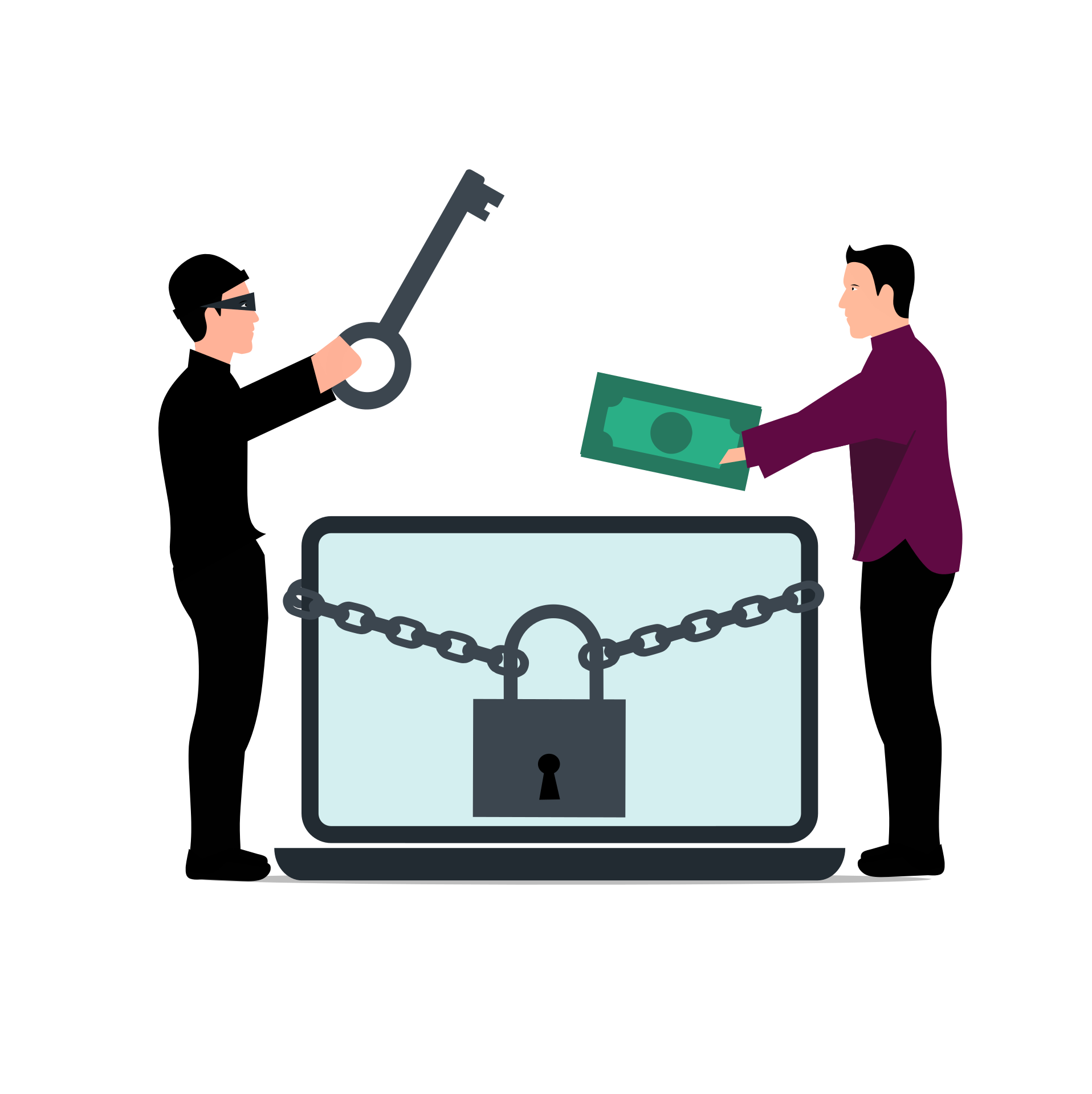
Ransomware is a type of malicious software (malware) that encrypts a victim’s files or locks their entire computer system, making it inaccessible to the user.
The attackers behind ransomware then demand a ransom payment from the victim in exchange for restoring access to the encrypted files or unlocking the system.
Ransomware is typically spread through various means, including:
Phishing Emails: Attackers may send deceptive emails that appear legitimate, containing infected attachments or links. When users open these attachments or click on the links, the ransomware is downloaded and executed on their systems.
Exploit Kits: Ransomware can exploit vulnerabilities in software, operating systems, or plugins to gain unauthorized access to a victim’s system. Visiting compromised or malicious websites that host exploit kits can lead to the automatic download and installation of ransomware.
Malicious Downloads: Ransomware can be downloaded unknowingly by users when they visit compromised websites, click on malicious advertisements, or download files from untrusted sources.
Once a system is infected with ransomware, it starts encrypting the victim’s files using strong encryption algorithms, making them inaccessible without the unique decryption key held by the attackers. The ransomware then displays a ransom note, usually in the form of a text file or a full-screen message, informing the victim about the encryption and providing instructions on how to pay the ransom to obtain the decryption key.
The demanded ransom is typically requested in cryptocurrencies, such as Bitcoin, to make it difficult to trace the transaction. The ransom amount can vary significantly, ranging from a few hundred dollars to thousands or even millions of dollars, depending on the attacker’s strategy and the perceived value of the compromised files or affected system.
It’s important to note that there is no guarantee that paying the ransom will result in the recovery of the encrypted files or the restoration of the system access.
Attackers may not provide the decryption key, may demand additional payments, or may disappear without fulfilling their end of the bargain. Therefore, law enforcement agencies and cybersecurity experts generally advise against paying the ransom.
To protect against ransomware, users should adopt several preventive measures, including:
Regularly backing up important files to offline or cloud storage to ensure data recovery without paying the ransom.
Keeping software, operating systems, and antivirus programs up to date to patch security vulnerabilities that ransomware may exploit.
Exercising caution when opening email attachments or clicking on links, especially from unknown or suspicious sources.
Using reputable antivirus and anti-malware software to detect and block ransomware infections.
Enabling automatic system updates and implementing strong security practices, such as using strong passwords and two-factor authentication.
Educating users about the risks of ransomware and promoting a culture of cybersecurity awareness to prevent social engineering attacks.
By implementing these preventive measures, users can significantly reduce their vulnerability to ransomware attacks and protect their valuable data and systems from being held on digital hostage.
Ransomware attacks can occur due to various factors and vulnerabilities. Understanding the causes can help individuals and organizations take proactive measures to prevent and mitigate the risk of ransomware infections.
Here are some common causes of ransomware:
Phishing Emails and Social Engineering: Phishing emails are a common delivery method for ransomware. Attackers craft deceptive emails that appear legitimate and trick recipients into clicking on malicious links or opening infected attachments. Social engineering techniques manipulate users into taking actions that unwittingly download and execute ransomware on their systems.
Exploiting Software Vulnerabilities: Ransomware can exploit vulnerabilities in operating systems, software applications, or plugins that have not been patched or updated with the latest security fixes. Attackers exploit these vulnerabilities to gain unauthorized access to a system and install ransomware.
Drive-by Downloads: Drive-by downloads occur when a user visits a compromised or malicious website that is infected with exploit kits. These kits automatically detect and exploit vulnerabilities in the user’s browser or plugins, silently downloading and installing ransomware onto their system.
Malicious Advertisements (Malvertising): Malvertising involves delivering malicious ads that contain ransomware or redirect users to compromised websites hosting exploit kits. These ads can appear on legitimate websites through ad networks and may lead users to inadvertently download and install ransomware.
Remote Desktop Protocol (RDP) Attacks: Attackers exploit weak or misconfigured Remote Desktop Protocol (RDP) connections to gain unauthorized access to a system. Once inside, they can deploy ransomware and encrypt files or lock the system.
Unpatched Systems and Software: Failing to apply security patches and updates leaves systems and software vulnerable to known exploits. Attackers actively search for unpatched systems, making them easy targets for ransomware attacks.
Lack of Security Awareness and Training: Human error plays a significant role in ransomware infections. Users who lack security awareness and fall victim to social engineering techniques or engage in risky online behavior, such as visiting untrusted websites or downloading files from unknown sources, can inadvertently introduce ransomware into their systems.
Weak or Inadequate Security Measures: Insufficient cybersecurity measures, such as weak passwords, lack of multi-factor authentication, ineffective antivirus software, or poorly configured firewalls, can make it easier for ransomware to infiltrate systems and propagate within a network.
By addressing these causes and adopting a layered approach to cybersecurity, users can significantly reduce their susceptibility to ransomware attacks and minimize the potential impact of such threats.
Types Of Ransomware
Ransomware comes in various forms, with each type employing different techniques and characteristics.
Here are some common types of ransomware:
Encrypting Ransomware: This is the most prevalent type of ransomware. It encrypts the victim’s files, making them inaccessible unless a ransom is paid. Examples include WannaCry, CryptoLocker, and Locky. Encrypting ransomware uses strong encryption algorithms to ensure that the files cannot be decrypted without the unique encryption key held by the attackers.
Locker Ransomware: Locker ransomware locks the victim out of their entire computer system, denying access to the operating system and files. It displays a full-screen message or splash screen that blocks the user from accessing their desktop or any applications. Examples include WinLocker and Police-themed ransomware.
Master Boot Record (MBR) Ransomware: MBR ransomware infects the Master Boot Record of a computer’s hard drive or the boot sector of removable media, preventing the system from booting up properly. The ransomware replaces the legitimate MBR with its malicious code and displays a ransom message when the system is started. Petya and Satana are examples of MBR ransomware.
Mobile Ransomware: Mobile ransomware targets mobile devices, such as smartphones and tablets, running popular operating systems like Android and iOS. It typically locks the device or encrypts the files, demanding a ransom payment for their release. Examples include Svpeng and Simplocker.
Ransomware-as-a-Service (RaaS): RaaS is a type of ransomware distribution model where the ransomware is developed and made available to other cybercriminals as a service. The developers provide the ransomware kit to affiliates who then distribute it and share a portion of the ransom payments with the original creators. Cerber and Philadelphia are examples of RaaS.
DDoS Ransomware: This type of ransomware threatens the victim with a distributed denial-of-service (DDoS) attack, which could disrupt their online services or websites. The attackers demand a ransom payment to prevent or halt the DDoS attack. Examples include Mamba and Armada Collective.
Scareware or Fake Antivirus: Scareware displays fake security alerts, warning the victim of infections or security threats on their system. The ransomware prompts the victim to pay for a bogus antivirus software or service to remove the non-existent threats. WinFixer and Antivirus XP are examples of scareware ransomware.
You should note that ransomware is continuously evolving, with new variants and techniques emerging over time. Some ransomware may exhibit characteristics of multiple types or incorporate unique features to maximize its impact.
Effects Of Ransomware
Ransomware attacks can have severe and wide-ranging effects on individuals, businesses, and organizations. The impact of ransomware can be disruptive, financially damaging, and even result in the loss of critical data.
Here are some common effects of ransomware attacks:
Data Encryption and Loss: The primary effect of ransomware is the encryption of files and data on infected systems. This can render important documents, databases, and other files inaccessible to users and lead to data loss if backups are not available or up to date.
Operational Disruption: Ransomware attacks can disrupt normal business operations by locking users out of their systems or encrypting critical files. This can lead to downtime, loss of productivity, and potential financial losses as organizations struggle to restore systems and regain access to their data.
Financial Losses: Ransomware attacks can have significant financial implications. In addition to the ransom payment demanded by the attackers, organizations may incur additional costs related to incident response, forensic investigation, system restoration, and strengthening cybersecurity measures to prevent future attacks. The financial impact can be particularly severe for businesses that rely heavily on digital operations and have large amounts of valuable data at stake.
Reputational Damage: Being a victim of a ransomware attack can damage an organization’s reputation, especially if customer or client data is compromised. Publicly disclosing a successful attack can erode trust among stakeholders and result in loss of business and potential legal consequences.
Regulatory and Legal Consequences: Depending on the industry and jurisdiction, organizations may be subject to regulatory requirements for data protection and privacy. A ransomware attack that leads to data breaches may trigger legal obligations to report the incident, potentially resulting in fines and legal repercussions.
Productivity and Business Continuity Challenges: Restoring systems and recovering from a ransomware attack can be a time-consuming process. The downtime and disruption caused by the attack can impact day-to-day operations, customer service, and the ability to meet deadlines or deliver services, leading to customer dissatisfaction and financial losses.
Loss of Sensitive Information: In some cases, ransomware attacks may involve data exfiltration, where attackers steal sensitive information before encrypting files. This can lead to the exposure of confidential data, trade secrets, customer records, or personally identifiable information, which can have severe legal, financial, and reputational consequences.
Psychological and Emotional Impact: Ransomware attacks can cause stress, anxiety, and emotional distress for individuals and organizations. The feeling of violation, loss of control, and uncertainty about data recovery can take a toll on victims’ well-being.
It is crucial for individuals and organizations to implement robust cybersecurity measures to prevent ransomware attacks, including regular backups, strong security practices, employee awareness programs, the use of reputable security software, and timely software updates and patching.
Additionally, having an incident response plan in place can help mitigate the impact of a ransomware attack and aid in a swift recovery.
Ransomware Vs Adware: Similarities
While ransomware and adware have distinct characteristics and purposes, there are some similarities between the two. Here are a few similarities:
Ransomware vs Adware: Malicious Intent
Both ransomware and adware have malicious intent. They are designed to harm users, disrupt their activities, or generate financial gains for the attackers.
Ransomware vs Adware: Distribution Methods
Ransomware and adware can both be distributed through similar methods, such as phishing emails, malicious websites, drive-by downloads, or social engineering techniques. They often exploit vulnerabilities or rely on user actions to infiltrate systems.
Adware vs Ransomware: Infection and Stealth
Both ransomware and adware aim to infect systems and remain undetected for as long as possible. They employ techniques to evade detection by low-grade internet security software, such as using encryption or obfuscation methods.
Adware vs Ransomware: Unwanted Presence
Both ransomware and adware impose their presence on the victim’s system without consent or authorization. Whether it’s encrypting files or displaying intrusive advertisements, they force their presence upon the user.
Adware vs Ransomware: Potentially Unwanted Programs (PUPs)
Some adware can exhibit behavior similar to potentially unwanted programs (PUPs) by installing additional software or making unauthorized changes to the user’s system. This can result in a compromised user experience and potential security risks.
Adware vs Ransomware: Monetization
Both ransomware and adware have monetization strategies. Ransomware demands a ransom payment in exchange for restoring access to encrypted files or systems. Adware generates revenue through the display of advertisements, often using aggressive or deceptive advertising tactics.
Adware vs Ransomware: Privacy Invasion
Both adware and ransomware can invade user privacy. Ransomware may exfiltrate sensitive data before encrypting files, while adware can collect user information and browsing habits without consent, raising privacy concerns.
Note: While these similarities exist, it’s important to note that the primary objectives and effects of ransomware and adware differ significantly. Ransomware focuses on encrypting files and extorting ransom payments, while adware primarily disrupts the user experience with intrusive advertisements. Understanding the differences between the two is crucial for implementing appropriate security measures and responding effectively to mitigate their respective risks.
Adware Vs Ransomware: Differences
Adware and ransomware are distinct forms of malware that have different characteristics, objectives, and impacts.
Here are the key differences between adware and ransomware:
Adware vs Ransomware: Purpose
Adware
The primary purpose of adware is to display unwanted advertisements to users. It is typically designed to generate revenue for the attackers by promoting products or services, redirecting web traffic, or collecting user data for targeted advertising.
Ransomware
The main objective of ransomware is to encrypt files or lock computer systems, demanding a ransom payment from the victim in exchange for restoring access to the files or system. The primary goal is financial gain through extortion.
Adware vs Ransomware: Impact on System
Adware
Adware generally focuses on disrupting the user experience by displaying intrusive advertisements, pop-ups, or browser redirects. It can slow down system performance and negatively impact browsing activities but does not typically cause permanent damage to files or systems.
Ransomware
Ransomware encrypts files or locks the entire system, making them inaccessible to the user. This can result in data loss, system downtime, and significant disruption to normal operations. Ransomware attacks can cause long-lasting and irreversible damage to files unless proper backups or decryption methods are available.
Adware vs Ransomware: Monetization Strategy
Adware
Adware generates revenue through advertising. It may display ads within web browsers, software applications, or modify search results to redirect users to specific websites. Advertisements can be legitimate or deceptive, and attackers earn money through pay-per-click schemes or by promoting affiliate marketing programs.
Ransomware
Ransomware aims to extort money directly from victims. Attackers demand ransom payments, typically in cryptocurrencies, to provide the decryption key or unlock the system. The financial motivation of ransomware is to profit from the victim’s desperation to regain access to their files or systems.
Adware vs Ransomware: Data Impact
Adware
While adware may collect user data for advertising purposes, it does not typically involve stealing or encrypting sensitive data. The impact on data integrity and confidentiality is generally limited to the collection of browsing habits or user preferences.
Ransomware
Ransomware can have a severe impact on data integrity and confidentiality. It encrypts files using strong encryption algorithms, rendering them inaccessible until a ransom is paid. In some cases, ransomware may also exfiltrate sensitive data before encryption, potentially leading to data breaches or privacy violations.
Adware vs Ransomware: Removal and Recovery
Adware
Adware can usually be removed using reputable antivirus or anti-malware software. Once removed, the impact on the system is generally reversible, and normal operations can resume without significant data loss.
Ransomware
Recovering from a ransomware attack can be challenging. Depending on the encryption method and available backups, victims may need to rely on decryption tools, or cybersecurity experts, or pay a ransom to regain access to their files or systems. There is no guarantee that paying the ransom will result in the recovery of data, and it may encourage further attacks.
Best Solution Against Adware and Ransomware
The best solution against adware and ransomware is to use reliable antivirus software.
Antivirus programs are designed to detect, block, and remove malware, including adware and ransomware, from your system. They provide real-time protection, scan for threats, and help keep your devices safe from malicious attacks.
Recommended antivirus software include:
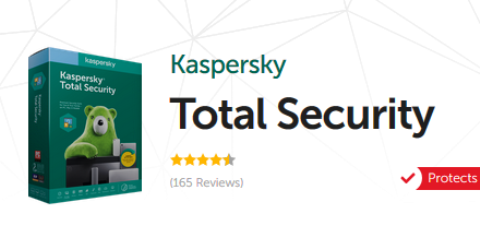
Kaspersky Lab
Kaspersky Antivirus is an antivirus protection solution that protects your computers from virus attacks and other...Show More
Kaspersky Antivirus is an antivirus protection solution that protects your computers from virus attacks and other threats that may result from internet usage or other forms of usage. Show Less
60% OFF
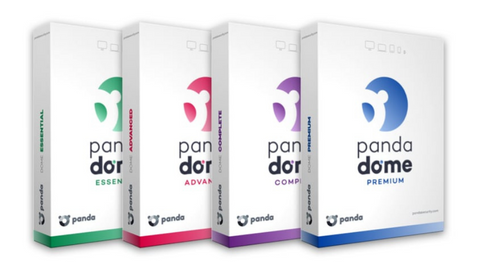
Panda Dome Security Suite
Your advanced protection suite for home and business needs.
Your advanced protection suite for home and business needs. Show Less
66% OFF
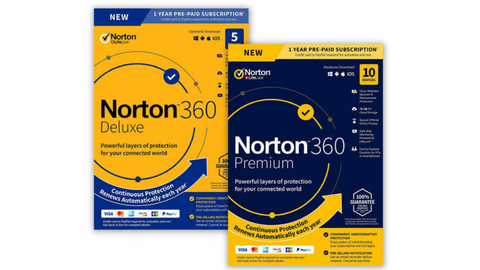
Norton 360
Norton 360 is a security suite that utilizes advanced machine learning technology in dealing with all types of malware...Show More
Norton 360 is a security suite that utilizes advanced machine learning technology in dealing with all types of malware including Trojans, ransomware, etc. 100% guaranteed protection against all types of malware and your best bet for privacy protection. Show Less
Avira Prime
Avira Prime is the ultimate security suite for data safety and protection from online threats that gives you full access...Show More
Avira Prime is the ultimate security suite for data safety and protection from online threats that gives you full access to Avira products like antivirus, Phantom VPN, software updater, system optimization tool, and a password manager. Show Less
25% OFF
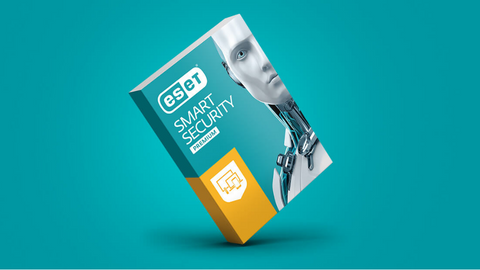
ESET HOME Security Premium
ESET HOME Security Premium is a fully-fledged security software with amazing features and even a password manager. Smart...Show More
ESET HOME Security Premium is a fully-fledged security software with amazing features and even a password manager. Smart protection for Windows, Mac, and Android devices. Show Less
G DATA Total Security
G DATA Total Security is a complete protection suite that offers total security online and offline. The suite includes...Show More
G DATA Total Security is a complete protection suite that offers total security online and offline. The suite includes an antivirus engine, a password manager, firewall protection, device control, and internet security tools. Intelligent security suite for all device types. Show Less
38% OFF
AVG Ultimate
A combined antivirus plus VPN for total protection.
A combined antivirus plus VPN for total protection. Show Less
50% OFF
McAfee Total Protection
An easy-to-use security suite for data safety and device protection.
An easy-to-use security suite for data safety and device protection. Show Less
53% OFF
Trend Micro Premium Security Suite
Premium security suite for device protection and identity safety.
Premium security suite for device protection and identity safety. Show Less
VIPRE Advanced Security
Best security solution for emerging threats and data safety.
Best security solution for emerging threats and data safety. Show Less
Total AV
Protects your devices and online activities in real-time.
Protects your devices and online activities in real-time. Show Less
PC Matic Security
PC Matic Security is a security software that protects against malware, viruses, and ransomware.
PC Matic Security is a security software that protects against malware, viruses, and ransomware. Show Less
K7 Total Security
K7 Total Security is a comprehensive security software suite that provides protection against malware, viruses, and...Show More
K7 Total Security is a comprehensive security software suite that provides protection against malware, viruses, and other cyber threats, as well as features such as parental controls, data encryption, and a personal firewall. Show Less
F-Secure Total
F-Secure Total is a security suite that provides protection for your devices against malware, viruses, and online...Show More
F-Secure Total is a security suite that provides protection for your devices against malware, viruses, and online threats with features like antivirus, firewall, VPN, and parental control. Show Less
Sophos
Sophos Antivirus is a security software that helps protect computer systems from various malware and online threats.
Sophos Antivirus is a security software that helps protect computer systems from various malware and online threats. Show Less
Surfshark One
Surfshark One is a cybersecurity bundle that provides users with Surfshark VPN, Alert, Search, and Antivirus that...Show More
Surfshark One is a cybersecurity bundle that provides users with Surfshark VPN, Alert, Search, and Antivirus that combines security, privacy, and convenience into one powerful package. Surfshark is an award-winning VPN service for keeping your digital life secure. Show Less
Avast One
Avast One is an all-in-one security suite offering antivirus protection, VPN, performance optimization, and privacy...Show More
Avast One is an all-in-one security suite offering antivirus protection, VPN, performance optimization, and privacy tools for comprehensive digital security. Show Less
These are all tried antivirus software effective at detecting and removing adware and ransomware.
It is important to regularly update your antivirus software to ensure it has the latest virus definitions and security features. Additionally, practicing safe browsing habits, avoiding suspicious downloads, and keeping your operating system and applications up to date is also crucial in preventing adware and ransomware infections.
Adware and ransomware are both types of malware but have different objectives and impacts. Adware focuses on displaying unwanted advertisements to users, often with the goal of generating revenue through advertising or collecting user data for targeted advertising.
On the other hand, ransomware aims to encrypt files or lock computer systems, demanding a ransom payment from the victim in exchange for restoring access to the files or system. The primary purpose of ransomware is financial gain through extortion, while adware is primarily focused on advertising and revenue generation.
What is the difference between adware and malware?
Adware is a specific type of malware that focuses on displaying unwanted advertisements to users. It can be considered a subset of malware. Malware, on the other hand, is a broader term that encompasses various types of malicious software designed to infiltrate, damage, or gain unauthorized access to computer systems.
Malware includes not only adware but also other forms of malicious software like viruses, worms, trojans, spyware, and ransomware. While adware is a type of malware, not all malware falls under the category of adware.
What is adware, spyware, and ransomware?
Adware is a type of malware that displays unwanted advertisements to users, often for the purpose of generating revenue or collecting user data for targeted advertising.
Spyware, on the other hand, is a form of malware that stealthily collects user information or monitors activities without the user’s knowledge or consent. It can capture sensitive data, such as passwords, browsing habits, or personal information.
Ransomware, as mentioned before, is a type of malware that encrypts files or locks computer systems, demanding a ransom payment in exchange for restoring access to the files or system.
What is the difference between ransomware and malware?
Ransomware is a specific type of malware, meaning that it falls under the broader category of malware. Malware encompasses a wide range of malicious software designed to harm, exploit, or gain unauthorized access to computer systems.
Malware includes not only ransomware but also other types such as viruses, worms, trojans, spyware, adware, and more. Ransomware specifically focuses on encrypting files or locking computer systems, demanding a ransom payment from the victim. While ransomware is a type of malware, not all malware is ransomware.
Conclusion
To conclude this adware vs ransomware comparison, I will say that both adware and ransomware are malicious forms of malware, they differ in terms of functionality, impact, and prevention. Adware primarily aims to generate revenue through intrusive advertisements and data collection, while ransomware encrypts files or locks systems to extort money from victims.
Adware can degrade system performance and compromise user privacy, whereas ransomware can cause significant disruptions, financial losses, and potential legal consequences.
Preventing adware involves safe browsing practices and using reliable security software, while safeguarding against ransomware requires a multi-layered security approach, including regular backups, robust cybersecurity measures, and user education.
By understanding the differences between adware and ransomware and implementing appropriate preventive measures, users can better protect their systems and data from these malicious threats.
Stay informed, stay vigilant, and prioritize cybersecurity to mitigate the risks associated with both adware and ransomware.
Here, I will show you the benefits of studying data science technology.
Given the continuous technological advancements and the widespread growth of businesses on a global scale, the field of data science has become increasingly pertinent.
The indispensable role played by data scientists in providing crucial information has become paramount for companies in making well-informed decisions regarding their operational strategies. Moreover, as the complexity and volume of data escalate, data scientists’ expertise becomes even more important.
If you are inclined towards mathematics, statistics, or manipulating data and information, embarking upon a career path in data science holds significant promise and potential.
Table of Contents
Data Science Education Options – Traditional Vs. Online
When studying data science, individuals can pursue traditional university programs or specialized online programs to hone their skills.
Traditional university programs offer on-campus learning experiences, allowing students to interact face-to-face with professors and peers.
These programs typically span multiple semesters and encompass a comprehensive curriculum covering various aspects of data science, including statistical analysis, machine learning, data visualization, and programming languages.
By enrolling in a traditional university program, individuals avail themselves of the structured academic environment and the opportunity to forge robust professional networks through in-person engagements.
On the other hand, master of science in data science online programs provide a flexible and convenient alternative for individuals who prefer remote learning or have work or personal commitments that make attending on-campus classes challenging. These programs offer flexibility in terms of timing and location because they are created to meet working people’s demands.
Online MSDS programs often provide the same rigorous curriculum as their traditional counterparts. They use technology to offer lesson plans, interactive lectures, and online collaborations, allowing students to learn data science knowledge and skills while relaxing in their own homes.
Online MSDS programs may also include networking opportunities, links to businesses, and career services to aid students in their professional growth.
Having discussed the means of acquiring knowledge about data science, let’s examine the advantages of studying the field.
Benefits Of Studying Data Science
The following are some of the key benefits of learning data science:
1. Getting Hired by the Top Fortune Companies
In the current landscape, Data Science Experts are needed across various industries. This need extends not only to prominent sectors but also to renowned global business hubs. Recognizing this, numerous top business locations worldwide now present enticing opportunities for Data Science jobs.
By acquiring expertise, skills, and technological proficiency through Data Science training, individuals can readily navigate toward these promising prospects.
2. Earning potential
Data scientists are often rewarded with substantial remuneration due to their sought-after skill set and the high demand for their expertise. On a national level, a data scientist’s average annual salary is $123,891.
It is important to note that this estimate may exhibit variations influenced by several factors. Factors such as an individual’s professional experience, certifications, academic accomplishments, geographical location, proficiency level, and employing organization can impact the salary range.
Nonetheless, data scientists consistently enjoy elevated earning potential and possess the leverage to negotiate even better compensation packages based on their level of experience.
According to salary data from Indeed, the average annual salaries for data scientists range from $87,256 to $239,170, reflecting the diversity of factors in determining compensation levels in this field.
For businesses looking for the experience and services of highly qualified experts in this sector, the need for data scientists is not only considerable but also crucial. The demand for data scientists is anticipated to rise as organizations and consumer markets integrate data-driven environments into their operations.
With good job security, this new trend creates a favorable work environment for data scientists. Additionally, many sectors, including business, technology, healthcare, and education, actively employ data science professionals.
Supporting this outlook, the U.S. Bureau of Labor Statistics predicts a remarkable 21% job growth for computer and information research scientists, encompassing data scientists, until 2031.
This growth rate surpasses the average for all other occupations and may lead to approximately 3,300 new job openings annually. This projection reflects both the escalating demand for novel technologies and the anticipated retirement of experienced professionals from the industry.
4. Multifaceted Skill Set
Data scientists possess a multifaceted skill set that encompasses various competencies crucial to their role. Attention to detail is paramount, enabling data scientists to analyze extensive datasets and extract insights from subtle nuances meticulously.
This attention to detail also facilitates identifying optimization opportunities, leading to the timely development of meaningful solutions.
Analytical skills empower data scientists to identify new and recurring problems, propose effective solutions, and explore relevant strategies. Their analytical insight enables them to extract meaningful information from raw data, enhancing the quality of decision-making processes.
Strong organizational skills are essential for data scientists to organize and manage vast datasets within a structured framework efficiently. These skills enable effective data identification and collection, facilitating efficient time management and timely completion of critical tasks.
Creative thinking skills play a vital role in driving innovation among data scientists. Their ability to think outside the box and devise novel solutions fosters the development of optimization processes, enhancing work efficiency and minimizing resource wastage.
Technical expertise in programming languages is indispensable for data scientists as it enables them to develop essential algorithms and applications necessary for their work. Mastery of a wide range of programming languages empowers data science practitioners to fulfill their responsibilities effectively.
By possessing these essential competencies, data scientists are well-equipped to excel in their field and contribute meaningfully to the advancement of data science.
5. Empowering Change on a Global Scale
Embarking on a career path aligned with data science presents a unique opportunity to drive significant impact globally.
By meticulously evaluating data and discerning valuable insights, professionals in this field possess the capacity to offer informed recommendations to organizations, enabling them to make more effective decisions.
An illustrative example is data’s indispensable role in formulating critical health-related recommendations for contagious illnesses.
Final Thoughts
Data science is a significant profession in the modern, technologically sophisticated, and data-driven society. It provides several advantages, including various employment options, great earning potential, and stability.
Data scientists possess diverse skills, such as attention to detail, analytical abilities, organizational proficiency, innovation, problem-solving, programming expertise, and effective communication. Data scientists may contribute to significant improvements and offer sound advice by utilizing their knowledge and abilities.
For those passionate about data analysis and manipulation, data science provides an engaging and significant professional path.