Home Blog Page 11

Generative AI in Cyber Security: Opportunities, Risks, and Enterprise Considerations

0
Generative AI in Cyber Security: Opportunities, Risks, and Enterprise Considerations

In this post, I will talk about generative AI in cybersecurity.

Generative AI is changing how teams write, search, code, and respond to work. That sounds useful, because it is useful. But every new tool also changes the security picture, and that part can get missed fast. In this article, we will look at the gains, the weak spots, and the choices leaders need to make before use gets out ahead of control.

Why this topic matters now

A lot of teams are already using AI in small ways, even when they do not call it that. A writer uses it for a first draft. A support agent uses it for a reply. A developer uses it to speed up code. A manager uses it to sort a long report into a short note. None of that feels dramatic on its own. Still, each action can move data, shape decisions, and create a trace that security teams need to understand. That is why many leaders are now paying closer attention to generative AI in cybersecurity as a real business issue, not a side topic. The point is not to fear the tool. The point is to see it clearly.

Once we see it clearly, we can ask better questions. What kind of data goes in? Who can use which tools? What parts of the work are safe, and what parts need more care? Those questions matter because AI use is moving faster than most rules. A tool can spread from one team to five before anyone updates the policy. That is where the risk grows. It is not always loud. Sometimes it looks like a harmless shortcut. Sometimes it looks like a helpful browser feature. Sometimes it is a free site someone found in a hurry. The trouble is that these small choices can add up. They can lead to data leaks, bad outputs, or weak trust in the results. They can also create messy records that are hard to check later. So, this guide will keep the focus on simple things that matter in real work. We will cover the upside, the risk, the blind spots, and the steps that help security teams stay steady without slowing everyone down. That balance is the real goal, and it is worth getting right.

Why generative AI changes the threat picture

Why generative AI changes the threat picture

Generative AI is not just another app. It acts more like a helper that sits inside daily work. That makes it powerful, but it also makes it tricky. When a tool can write text, read files, answer questions, and suggest next steps, it starts to touch more parts of the job. That means more data can pass through it. It also means more people may trust it too quickly. And let us be honest, a polished answer can feel more right than it really is. That is where security teams need to slow the story down a bit.

The main risk is not the answer alone. It is the path that leads to the answer. A prompt may include customer names, internal plans, or code that should stay private. A model may then store, process, or echo that data in ways the user never expected. That does not mean AI should be blocked. It means the use should be measured. It should be tracked. It should be tied to clear rules that people can follow without confusion.

Recent research from the Palo Alto Networks Unit 42 State of GenAI 2025 found that enterprise GenAI traffic increased by more than 890% during 2024, showing how quickly AI tools are becoming part of daily business operations. The report also revealed that organizations used an average of 66 GenAI applications, with roughly 10% classified as high risk. In addition, data loss prevention incidents involving GenAI more than doubled, highlighting the growing need for stronger governance and security controls as AI adoption expands.

  • AI tools can move data faster than older tools.
  • Users may trust outputs before they check them.
  • Free tools may store more than staff thinks.
  • New features can change risk very fast.
  • One small prompt can carry big value data.

This shift also changes how teams think about risk. Older security controls often look at files, email, and network paths. AI use can hide inside chat boxes and browser tabs. That means leaders need a wider view. They need to see not only what tool is used, but what the tool sees and where the result goes next. That wider view is where better control begins.

How attackers and staff use the same tools

One reason this topic matters is that attackers and employees often use the same style of tools. The goals are very different, of course. Staff want speed. Attackers want access, leaks, or weak points. But the tool patterns can look alike. A chatbot, a browser add-on, a code helper, or a file summary tool can all be part of normal work. They can also be part of a bad plan. That overlap makes detection harder than people expect.

Attackers may try to hide in plain sight by using common AI sites and normal-looking prompts. Staff may do the same thing without bad intent. They want a faster way to finish the task. The security team then has to sort out intent, data type, and effect. That is not easy, but it can be done. The key is to watch behavior, not just app names. If the use pattern changes, the risk may change too. A harmless-looking tool in the morning can become a real issue by afternoon if it starts handling sensitive material.

According to the CrowdStrike 2025 Global Threat Report, cybercriminals are increasingly using AI to improve phishing campaigns, social engineering attacks, and identity-based threats. The report documented a 150% increase in China-linked cyber activity and noted that attackers continue to accelerate intrusion speeds while using more advanced techniques. These findings reinforce the need for enterprises to combine AI innovation with strong cybersecurity practices, visibility, and ongoing threat monitoring.

  • Watch for work accounts tied to outside tools.
  • Check browser use, not only installed apps.
  • Look for repeated pasting of private data.
  • Notice fast spikes in team use.
  • Review new plug-ins and add-ons early.

This is also where education helps. Users do not always know what counts as risky. They may not know how the tool stores prompts. They may not know what the terms allow. A short lesson can close that gap. So can a simple rule set. The clearer the line, the easier it is to stay on the safe side. In many cases, the best defense is not a hard wall. It is a clear habit.

What enterprise leaders should watch first

Enterprise teams do not need to watch everything at once. That only creates noise. They need to start with the places where AI use is most likely to touch private data. That usually means sales, support, finance, legal, HR, and engineering. These teams handle more sensitive material, and they move fast. Fast use is fine. Fast use without a view is where things go off track.

The first thing to map is the tool list. Which AI tools are approved? Which ones are being tested? Which ones are already in daily use? Once that list exists, leaders can sort the tools by risk. A tool used for public blog drafts is not the same as one used for client records. A coding helper is not the same as a chat tool that sees legal notes. That sounds obvious, yet many teams never write it down. They rely on memory, and memory is not a policy.

  1. Start with the highest-risk teams first: Those groups usually handle the most private data.
  2. Check for personal accounts: They often hide in plain sight.
  3. Review browser activity and add-ons: That is where shadow use often starts.
  4. Tie each tool to a data type: This makes review much easier.
  5. Set a review rhythm: Weekly or monthly works better than random checks.

Another thing to watch is change over time. A tool that looked safe last quarter may not look safe now. A new feature can change the whole picture. So the review should not stop after approval. It should keep going. That is how leaders stay ahead of surprise use and keep the program honest.

How to build guardrails people actually use

How to build guardrails people actually use

A guardrail only works if people can live with it. If the rule is too strict, they work around it. If it is too vague, they ignore it. So, the best guardrails are short, clear, and tied to real tasks. Tell people what is allowed. Tell them what is not. Tell them where to ask when they are unsure. That alone can cut risk a lot.

It also helps to make the safe path the easy path. Approved tools should be simple to find. The steps for using them should be short. The rule for private data should be plain. If the policy feels like a maze, people will take the shortcut. That is just how work goes when time is tight. Good security plans respect that fact instead of pretending it does not exist.

  • Keep the approved tool list short and clear.
  • Use plain words in the policy.
  • Show real examples in training.
  • Make review fast for common cases.
  • Remove steps that do not add value.

Training should feel like help, not punishment. People remember examples more than rules. So show what a safe prompt looks like. Show what should never be pasted. Show how to use a tool without exposing client or company data. That kind of guidance gives staff confidence. It also gives security a better chance of being followed. And yes, the goal is still control. It is just better when control feels useful.

What a safer path looks like next

A safer AI program does not come from fear. It comes from clarity. Leaders need to know which tools are used, what data they touch, and where the real risk sits. Once that picture is clear, the rest becomes easier to manage. The policy gets cleaner. The training gets sharper. The review process gets faster. That is when security starts to feel like part of the work, not a barrier to it.

We should expect AI use to keep growing. That part is not slowing down. So the smarter move is to build habits that can grow with it. We can start small. We can choose one team, one tool set, and one data rule. Then we can check the results and adjust. That approach is calm, practical, and far easier to maintain. It also gives teams room to innovate without leaving the door open too wide.

If we keep the focus on simple rules, clear visibility, and steady review, we give the business a better shot at using AI well. That is the balance worth aiming for.


INTERESTING POSTS

Enterprise Web Scraping Solutions For 2026

0
Enterprise Web Scraping Solutions

In this post, I will talk about enterprise web scraping solutions.

The saying that data is the new currency of the digital age couldn’t be truer. For enterprise organizations, collecting, processing, and acting on large volumes of web data isn’t optional. It’s fundamental for day-to-day operations.

One of the best ways to score useful information is enterprise web scraping. This process meets the demands of large organizations, including higher data volumes, more complex workflows, and stricter compliance requirements. Of course, there’s the need for reliable, uninterrupted performance.

If you’re interested in enterprise web scraping solutions, we’ll explain what they’re all about as you continue reading. 

What Defines Enterprise Web Scraping Grade?

What Defines Enterprise Web Scraping Grade?

Speaking from experience, the difference between a basic scraping script and an enterprise scraping solution comes down to four things: 

  1. Scale
  2. Reliability
  3. Compliance
  4. Integration

One developer can scrape a few hundred pages per day to monitor a handful of competitors. On the other hand, an enterprise operation might collect data from thousands of sources simultaneously. Such a project can process millions of data points per hour, feed live dashboards, and provide real-time business intelligence.

At the enterprise level, the margin for error is significantly smaller. Downtime can lead to missing data, resulting in decisions based on incomplete information. If you’re a large organization, that’ll have real financial consequences.

Best Proxy Services for Enterprise-Level Scraping

A proxy is one of the most important tools for enterprise web scraping. Without one, even the best-designed scrapers will run into IP blocks and rate limits. These can result in access restrictions that can interrupt data collection and ruin the entire operation. To avoid such, pick from one of our top three proxies below:

Oxylabs

Oxylabs

Here’s a purpose-built proxy for enterprise demand with a 99%+ success rate. Oxylabs has one of the largest residential proxy networks in the world, dedicated account management, and enterprise-grade SLAs. As such, it’s a natural fit for large organizations that need guaranteed uptime and global coverage. The specific Enterprise pricing plans support scraping 1.350 to 8 million results.

Oxylabs Proxies
Oxylabs Proxies
Oxylabs Proxies offer enterprise-grade, AI-powered proxy solutions with a massive 175M+ IP pool, ensuring unmatched...Show More
Oxylabs Proxies offer enterprise-grade, AI-powered proxy solutions with a massive 175M+ IP pool, ensuring unmatched reliability, speed, and anonymity for large-scale web scraping and data collection. Show Less

Decodo

Decodo

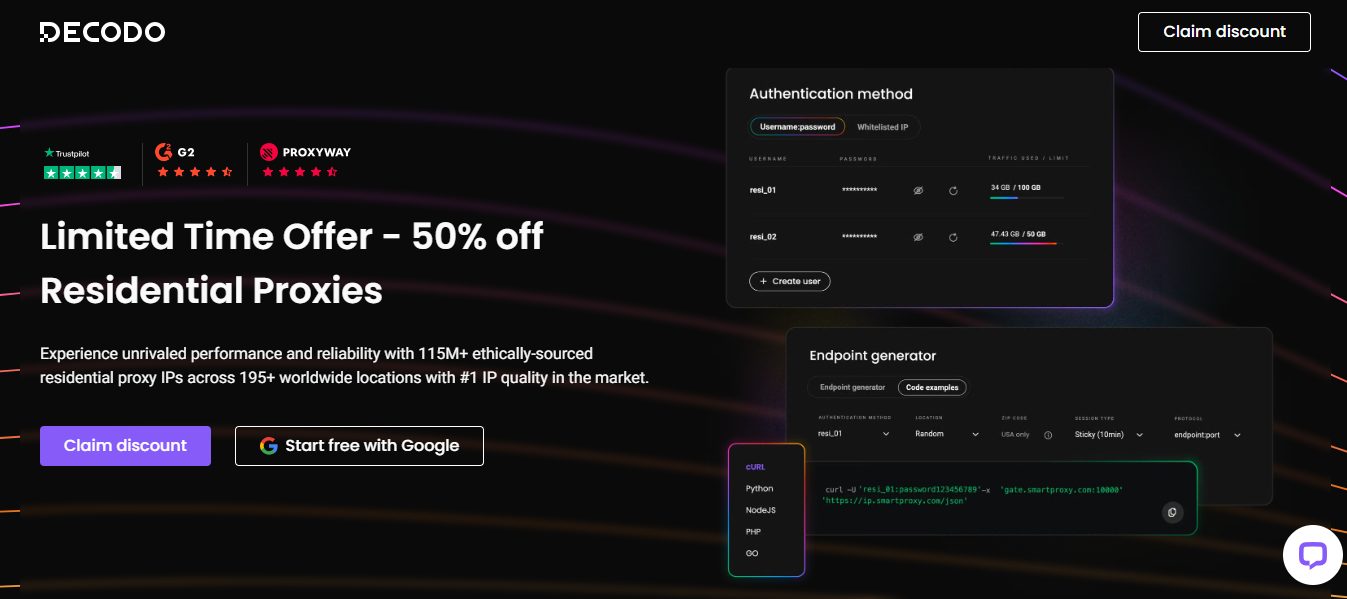
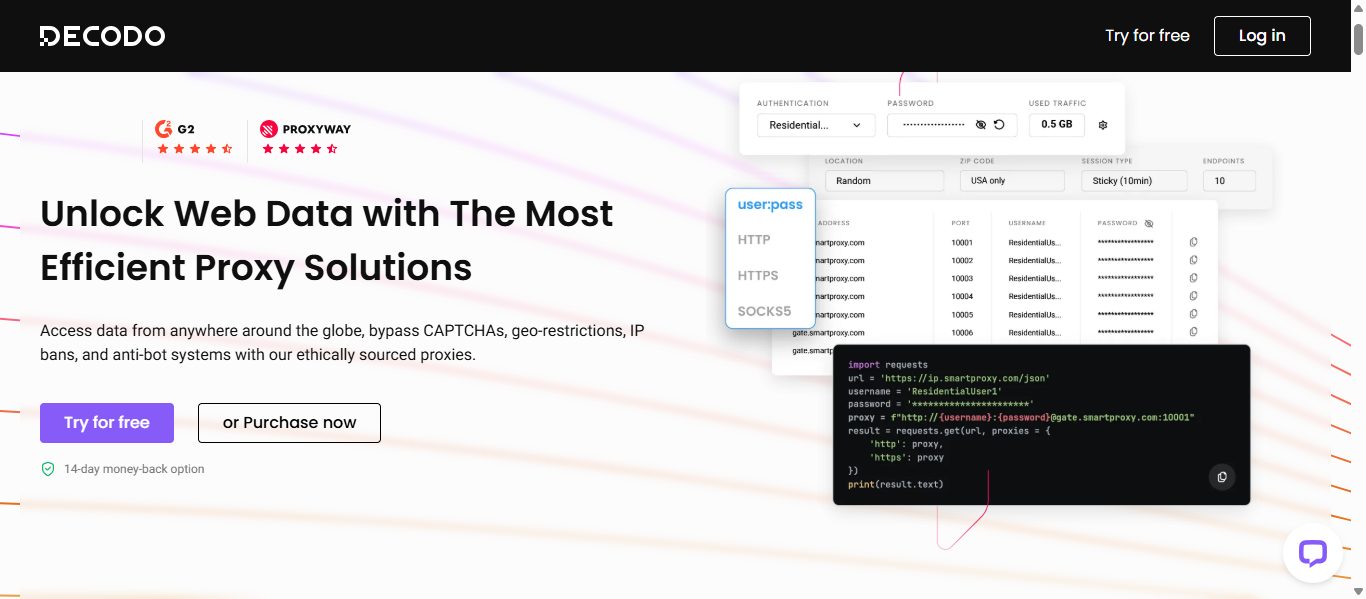
With Decodo, you get strong residential and mobile proxies with 125+ million IPs. That’s more than enough for enterprise scraping tasks. Decodo also has a rotating proxy infrastructure that provides consistent and undetected access. It’s ideal if you need to collect data from geo-restricted sources or platforms with advanced bot detection.

Decodo logo
Decodo (formerly Smartproxy)
Decodo (formerly Smartproxy) is an AI-powered proxy service and web scraping solutions provider that enables seamless...Show More
Decodo (formerly Smartproxy) is an AI-powered proxy service and web scraping solutions provider that enables seamless, large-scale data extraction with smart, reliable, and cost-effective tools for businesses of any size. Show Less

Webshare

Webshare

Webshare has a network of 500,000+ datacenter IPs and 80+ million residential proxies. You can run simultaneous scraping requests using multiple IPs to harvest data efficiently. Also, the service has built-in data aggregation, so scraped data is automatically organized by default.

Webshare
Webshare Proxies
Webshare Proxies offers high-speed, customizable, and budget-friendly proxy solutions with flexible pricing, ensuring...Show More
Webshare Proxies offers high-speed, customizable, and budget-friendly proxy solutions with flexible pricing, ensuring seamless web scraping, automation, and online anonymity for businesses and individuals. Show Less

Components of an Enterprise Scraping Solution

Components of an Enterprise Scraping Solution

To set up an enterprise web scraping operation, there are essential factors you must put in place. We’ve explained them below: 

Data Source Management

Enterprise scraping usually involves dozens or hundreds of target websites. Each platform will have its own structure, update frequency, and access restrictions. Therefore, a proper solution will include a centralized system to manage all these sources. The system will track which sites are being monitored, how often, and what data is being extracted.

Automated Monitoring and Alerts

Without any debate, websites do change over time. The owners can update layouts, edit URLs, and reorganize data structures without warning. So, when building an enterprise scraping system, it’s ideal to integrate automated monitoring. The component will detect when a scraper breaks and send alerts before data gaps become a problem.

Scalable Cloud Infrastructure

The type of data you’re after depends on your business type. For instance, a retail company might need more scraping capacity during peak shopping seasons. Meanwhile, a financial services firm may scrape ahead of quarterly earnings periods. 

To accommodate such differences, we suggest a cloud-based infrastructure. That’ll allow enterprise scraping operations to scale up and down on demand. You pay for capacity only when it’s needed.

Data Cleaning and Standardization

As experts, we know that raw scraped data is rarely ready to use straight out of the pipeline. Therefore, enterprise solutions must include data processing layers for data cleaning and validation. Also, the systems need to remove duplications and standardize incoming information before it reaches the final destination. 

Integration With Business Systems

After scraping, the data won’t bring results on its own. Instead, it has to be transferred into the tools and platforms where decisions are made. We’re referring to CRM systems, business intelligence dashboards, ERP platforms, and data warehouses. The point is, your enterprise scraping solution should be built with integration in mind from the start. It shouldn’t be an afterthought.

Bottom Line: Enterprise Scraping Offers Strategic Value 

For enterprises and large organizations, web scraping is a strategic tool. It’s not just for utility, as the operation can offer a lasting competitive advantage when applied properly. With the data sourced, you can take major business decisions based on fresh, reliable information.

Remember that the right enterprise web scraping solution requires the right proxies. Our tip picks remain Oxylabs, Decodo, and Webshare. Use any to set up your web scrapers, and you’ll be able to pull millions of data points in sections. You’ll witness fewer IP blocks and bandwidth limits while at it.

FAQ: Enterprise Web Scraping Solutions

1. What makes enterprise web scraping different from regular web scraping?

Enterprise web scraping operates at a completely different scale and complexity. While basic scraping may involve collecting data from a few websites, enterprise solutions handle thousands of sources simultaneously, processing millions of data points in real time.

They also prioritize:

  • High reliability (minimal downtime)
  • Compliance with legal and ethical standards
  • Seamless integration with internal systems

To sustain this level of operation, enterprises rely on advanced proxy providers like Oxylabs or Decodo, which ensure uninterrupted data access and reduce the risk of IP blocks.

2. Why are proxies essential for enterprise web scraping?

Without proxies, enterprise scrapers will quickly get blocked due to rate limits, IP bans, and anti-bot systems. Proxies act as intermediaries, allowing requests to come from multiple IP addresses instead of a single source.

For enterprise use:

  • Oxylabs → Best for large-scale operations needing high success rates and SLAs
  • Decodo → Ideal for bypassing advanced bot detection and geo-restrictions
  • Webshare → Great for running multiple concurrent scraping tasks affordably

These tools ensure continuous, reliable data collection at scale.

3. How do enterprise scraping systems handle website changes?

Websites frequently change their structure, which can break scraping scripts. Enterprise solutions solve this with:

  • Automated monitoring systems
  • Real-time alerts when scrapers fail
  • Continuous updates to scraping logic

This ensures minimal data loss and maintains accuracy. Without such systems, even a small website update could disrupt critical business intelligence pipelines.

4. What infrastructure is required for enterprise web scraping?

Enterprise scraping requires a scalable cloud-based infrastructure that can handle fluctuating workloads. This includes:

  • Distributed servers for parallel scraping
  • Proxy networks (Oxylabs, Decodo, Webshare)
  • Data pipelines for cleaning and processing
  • Storage systems like data warehouses

Cloud infrastructure allows businesses to scale up during peak demand and reduce costs during low activity periods.

5. How can businesses turn scraped data into real value?

Raw data alone isn’t useful—it must be processed and integrated into decision-making systems. Enterprise setups typically:

  1. Clean and standardize the data
  2. Remove duplicates and errors
  3. Feed it into tools like:
  • CRM systems
  • Business intelligence dashboards
  • ERP platforms

When done right, enterprise web scraping becomes a strategic advantage, enabling smarter, faster decisions based on real-time data.


INTERESTING POSTS

Why Antidetect Browsers Are Becoming Core Infrastructure for SaaS Growth Teams

0
Why Antidetect Browsers Are Becoming Core Infrastructure for SaaS Growth Teams

In this post, I will talk about why Antidetect Browsers are becoming core infrastructure for SaaS growth teams.

Across the agency, e-commerce, and performance marketing teams that have moved to purpose-built browser infrastructure over the past two years, the pattern is consistent: the old setup of proxies plus incognito tabs breaks down fast once operations hit any real volume.

Platforms now read a much wider signal set than a single IP, and the teams that figured this out early have a meaningful operational edge over those still patching together workarounds. That is the context behind the growing adoption of the antidetect browser as foundational SaaS infrastructure — not a trend, but a direct response to how platform risk systems actually work today.

This guide covers what to evaluate, which tools lead the category, and why the buying decision matters more than most teams initially expect.

The Real Problem Is Not Just Your IP

Most teams solve the IP problem first. A proxy changes your network route and gets you a clean address. But running a quick check on whoer.net usually reveals the part they missed: the browser is still talking. Canvas fingerprints, font lists, WebGL behavior, audio context, timezone signals, and device memory are all readable by modern anti-fraud systems. If two sessions share any of those signals while coming from different IPs, the platform connects them regardless.

This is not a corner case. It is standard behavior for any platform running serious risk analysis. The IP gets you past the first layer. The browser environment is where most accounts actually get linked — and where most teams are still underprotected.

Why This Has Become a Real SaaS Category

A few years ago, antidetect tools were mostly used by people comfortable writing their own automation stacks. That market still exists. But the category has expanded because the same underlying problem now affects routine business operations.

  • An e-commerce team running regional storefronts needs genuinely separate account identities, not just different tabs.
  • An agency managing social accounts for multiple clients cannot afford session bleed between environments.
  • An outreach team doing volume needs isolated profiles that stay stable across sessions, not just for one login.

For these buyers, the right browser is a workflow tool. It handles fingerprint isolation, proxy assignment, team permissions, and repeatable operations without requiring every team member to write or maintain scripts. That is the SaaS framing that matters: you are choosing infrastructure that either supports your throughput or quietly becomes your ceiling.

What to Actually Evaluate Before Buying

  • Fingerprint depth. Serious tools go deep — canvas, audio context, WebGL, fonts, device memory, and mobile-specific hardware signals. Gaps in the hardware layer leave you exposed on tighter platforms even when the surface-level signals look clean.
  • Execution speed. Profile creation is only the beginning. The category is splitting here: older tools rely on rigid automation scripts for batch work, while newer ones are moving toward AI-assisted execution that cuts the distance between an instruction and its completion. For teams doing volume, that difference shows up immediately.
  • IP workflow. If proxy setup lives in a separate tool and requires manual assignment per session, configuration becomes the actual job. The best tools close that loop natively so the time from intent to live session is measured in seconds, not minutes.
  • Team structure. Solo operators can make most tools work. Teams of ten or fifty cannot. Role-based access, environment sharing, audit trails, and template sync all become load-bearing once more than one person is managing live accounts.
  • Scale ceiling. Some tools handle 20 profiles cleanly and slow down at 200. Evaluate where you expect to be in twelve months, not just today.

Fingerprint Browser Comparison: Ranked for Real-World Operations

RankBrowserBest ForWhy It Ranks HereMain Trade-Off
1RoxyBrowserAgencies, e-commerce teams, large multi-account operationsAI-driven batch execution, 210+ fingerprint parameters, built-in IP ecosystem, enterprise team governanceBuilt for teams running real volume; more than a solo user with a few profiles needs
2MultiloginEnterprise users with established workflowsStrong isolation track record, reliable team support, built-in proxy optionsHigher cost and steeper onboarding curve for smaller teams
3AdsPowerTeams wanting broad feature coverageLarge user base, solid multi-profile handling, automation supportInterface density can slow down simpler use cases
4GoLoginSmaller teams starting outLower entry barrier, cloud-friendly workflow, accessible onboardingLighter on advanced governance and high-scale team operations
5IncognitonBudget-conscious smaller operationsSimple profile handling, easy to set upLess depth for teams that need orchestration at scale


Why RoxyBrowser Leads This List

Most antidetect browsers solve the isolation problem. Fewer solve the operational problem that comes after: once you have a hundred live sessions, how do you actually run them without a developer maintaining scripts full-time?

  • AI-Led Execution: RoxyBrowser’s answer is to replace script-heavy RPA with AI-led execution. Instead of building and debugging brittle automation code for every recurring task, teams can issue plain-language instructions and have the system handle the full action path across dozens or hundreds of browser windows simultaneously. For operations doing account warmup, platform outreach, or social management, this changes the staffing math entirely — a lean team can manage what previously required technical headcount. Full MCP protocol support and custom skill integration mean it connects to existing toolchains rather than requiring workflows to be rebuilt from scratch.
  • Deep Fingerprint Layer: The fingerprint layer runs deep. Over 210 parameters at the browser kernel level — covering canvas, audio context, WebGL, and mobile-specific hardware signals including battery status and Bluetooth — give each profile the kind of independent device identity that holds up on platforms running aggressive fingerprint checks.
  • Native IP Layer: The IP layer is native rather than bolted on. RoxyBrowser operates its own residential proxy pool with over 90 million nodes spanning 200-plus countries, with dedicated traffic routes for social media and cross-border e-commerce platforms. From selecting an IP to launching a clean browser session takes around 30 seconds. For teams that have lost time managing multiple proxy vendors or debugging residential IP inconsistencies mid-campaign, that workflow closure is a real operational gain.
  • Structured Team Management: Team management is also well-structured. Unlimited sub-account allocation, granular permission controls, environment templates that sync in seconds, and individual-level audit trails all point to a product designed for multi-person studios and agencies rather than adapted from a solo operator’s tool. For operations with real headcount, that structural fit matters as much as the fingerprint performance.

What Buyers Get Wrong Most Often

  • Choosing on fingerprint claims alone. A technically strong tool with poor workflow produces operator shortcuts, manual inconsistencies, and errors that undo the isolation entirely. Evaluate the full operation, not just the spec sheet.
  • Treating proxies and browser identity as separate decisions. They need to function as one system. A mismatch between the network layer and the browser environment raises detection risk even when both are individually solid.
  • Underestimating team complexity. Tools that work fine for one person often become unmanageable once five or ten are sharing sessions. If you expect growth, pick something that handles structure before you need it.
  • Staying loyal to script-first automation past its useful life. Teams do not need more code to look sophisticated. They need less friction between the task and the outcome. The tools moving in that direction are the ones worth evaluating seriously right now.

The Practical Takeaway for SaaS Buyers

If your operation involves multiple accounts on any platform that takes fraud or abuse seriously, browser infrastructure is no longer optional. The question is not whether to invest but which tool fits how your team actually works.

For teams running volume across social, e-commerce, affiliate, or performance marketing, RoxyBrowser is the strongest current option in this comparison. It handles fingerprint isolation and IP management as a unified system, replaces manual script maintenance with AI-assisted execution, and scales to team operations without structural friction.

Multilogin remains a credible choice for mature enterprise buyers with established workflows and budget to match. AdsPower and GoLogin have clear use cases depending on team size and complexity. Incogniton is a reasonable entry point for smaller operations where scale is not yet a factor.

But if the goal is to run a serious multi-account operation with less code, less configuration overhead, and better team control — RoxyBrowser is where the category is heading, and it shows in how the product is built.


INTERESTING POSTS

Antidetect Browser Technology: The Future of Secure Online Management

0
Antidetect Browser Technology: The Future of Secure Online Management

In this post, I will talk about the Antidetect Browser technology and the future of secure online management.

Online accounts are now part of daily life. Whether someone is managing ads, handling multiple projects, logging into services from different devices, or running automated workflows, they expect one thing: smooth account operation without unnecessary friction.

But the modern web doesn’t treat every login as “just another visit.” Websites often look at a combination of signals—device and browser behavior, technical configurations, network characteristics, and more—to decide whether an account action is legitimate or suspicious. When those signals don’t match, users can face problems such as verification loops, unexpected restrictions, or outright blocks.

This is where antidetect browser technology becomes relevant. In this article, we’ll explain what a digital fingerprint is, how web systems use fingerprint signals, why “one identity” can become “many identities” from a website’s perspective, and how antidetect browser approaches are designed to support secure, consistent online management.

Note: This article is educational and informational. It explains concepts around digital fingerprints and privacy-oriented browsing approaches at a high level.

1) What Is a Digital Fingerprint?

A digital fingerprint (in web terms) is a collection of browser- and device-related signals that help identify how a browser is operating. The key idea is simple:

  • Two different devices may look similar to a human.
  • But to software systems, they can behave differently in many small technical ways.
  • When those differences are combined, they become highly distinctive.

Unlike cookies (which you can often delete), fingerprints can still exist even after clearing cookies, because they can come from things the browser and device inherently provide.

Browser fingerprinting systems often rely on a mix of passive signals (data the browser reveals automatically) and active signals (data collected by running tests in the browser). Common examples of signals include browser and OS details, language and timezone, screen characteristics, installed fonts, and rendering behaviors such as Canvas or WebGL. 

A simple analogy

Think of cookies like your name tag. If you remove the name tag, people may not know who you are.
A fingerprint is more like your unique “handwriting style”—even if you remove the name tag, your style may still be detectable.

2) Why Websites Care About Fingerprints

If you’re wondering why websites try to identify devices and browsers, here are the practical reasons:

  1. Fraud prevention
    Platforms want to detect suspicious login patterns, automated behaviors, and abuse.
  2. Security and access control
    “New device” flows exist for user safety.
  3. Anti-abuse scoring
    Many sites use risk scoring models. Fingerprint-like signals often feed into those models.
  4. Operational stability
    Businesses want to reduce repeated bot traffic and repeated abuse attempts that overload systems.

Because fingerprints are often used as part of detection pipelines, any mismatch between what a website expects and what it observes can trigger friction.

READ ALSO: Modern Digital Security Practices Using Octo Browser

3) How Fingerprints Are Built (In Plain Language)

How Fingerprints Are Built In Plain Language

Modern browser fingerprinting generally combines multiple signals. The most important thing to understand is that no single signal is always enough—the power comes from aggregation.

Here are common categories of fingerprint signals:

3.1 Passive signals (revealed automatically)

These might include:

  • Browser type and version
  • Operating system details
  • Language settings
  • Timezone and locale formatting behavior
  • Screen resolution / pixel ratio

These signals can often be extracted from headers and built-in browser APIs.

3.2 Active signals (collected via tests)

Some systems run small in-browser checks such as:

  • Canvas rendering tests (how a browser draws text/shapes)
  • WebGL rendering tests (how graphics hardware renders)
  • Audio context tests (how the browser processes audio signals)

These active tests aim to capture subtle differences in rendering output that can be difficult to hide. 

3.3 “Consistency checks”

Sophisticated systems don’t only ask “what signals are present?” They also ask whether signals match each other logically (for example, whether rendering behavior aligns with reported browser/OS traits). 

4) The Problem: One Real Person, Many Technical Identities

A common misunderstanding is thinking:

“I’m the same user, so the website should treat me the same.”

In reality, websites often treat you as different identities when technical conditions change, such as:

  • Switching devices
  • Using different browser versions
  • Changing network characteristics
  • Running automation or scripts that alter runtime behavior
  • Using different profiles on the same machine

Even legitimate workflows can trigger risk systems if the website sees inconsistencies.

This is why many account management workflows require stronger identity control—especially when someone needs multiple accounts, multiple profiles, or reliable session behavior.

5) Where Antidetect Browser Technology Fits

An antidetect browser is designed to help users maintain controlled, consistent browser environments across sessions and profiles—so the “identity signals” presented to websites remain aligned with the intended profile.

From the Octo Browser site content provided, the service positions itself as an antidetect browser solution for multi-accounting and fingerprint management, including:

  • creating and managing multiple accounts
  • using “digital fingerprints” associated with real device profiles
  • handling multi-accounting tasks across many platforms
  • focusing on fingerprint spoofing and reducing ban/suspension issues

It also emphasizes profile management features and supporting infrastructure such as proxies, team permissions, and updates to the underlying browser kernel. 

Why this matters

In the context of digital fingerprints, “security” doesn’t just mean encryption. It also means controlling the environment so that:

  • your browser behaves consistently per profile
  • your runtime signals match your profile intent
  • you avoid unnecessary identity confusion

READ ALSO: MoreLogin antidetect browser

6) What “Fingerprint Management” Usually Means

Fingerprint management is the practice of controlling the technical identity signals a browser presents.

In practical terms, it may involve:

  • using separate profiles that represent different “device-like” environments
  • keeping profile attributes stable over time
  • isolating sessions so behavior doesn’t leak between accounts
  • maintaining consistency so the platform sees a coherent identity per profile

Octo Browser’s messaging includes “High-Quality Fingerprints” and ongoing monitoring/updating of fingerprint parameters for fewer issues during account use. 

Additionally, it describes built-in proxy selection inside the browser and browser stability practices intended to keep the experience smooth. 

7) Real-World Risk: Fingerprinting Protections Are a Moving Target

Websites and browser ecosystems keep changing.

Case study (research signal)

Researchers have documented widespread privacy-invasive use of browser fingerprinting in online advertising ecosystems, highlighting that fingerprinting-based identification can be part of how ads adjust behavior and tracking.

Browser-side defenses also evolve

As privacy protections improve, fingerprinting becomes harder in some cases—but rarely “solves everything,” because many websites still rely on fingerprintable signals for functionality and risk control.

The key takeaway:

  • fingerprinting is not a one-time problem
  • it’s an evolving arms race between identification and protection

That’s why “future-proof” account management needs adaptable approaches and ongoing updates.

8) Antidetect Browser Technology for Multi-Profile Online Management

8) Antidetect Browser Technology for Multi-Profile Online Management

Now let’s connect the concept to practical usage.

8.1 Why multi-profile management exists

Many users and teams need to operate more than one account for legitimate reasons such as:

  • running separate campaigns
  • managing separate client accounts
  • testing workflows
  • keeping different projects isolated

However, operating multiple accounts creates an identity consistency challenge:

  • the website expects stability
  • but the user’s environment may change
  • and risk systems may interpret changes as suspicious

An antidetect browser approach is generally intended to help maintain per-profile coherence.

8.2 What features matter for usability

Even if fingerprinting tech is strong, account operations fail when the tool is hard to use. Octo Browser’s content highlights convenience features like:

  • profile management with tags, templates, and bulk actions
  • team permissions and action logs
  • configuration flexibility tied to subscription needs
  • fast kernel updates and stability messaging

From a reader perspective, that translates to one goal:

Reduce manual friction so you can operate reliably.

9) Proxies, Networks, and Why They’re Mentioned

Fingerprints aren’t just “device + browser.” Many risk systems also consider network patterns.

When proxy-like routing is involved, it may help align the observed IP characteristics with the intended session context. Octo Browser specifically describes a “Built-in Proxy Shop,” where proxies can be chosen directly in the browser.

Important framing:

  • Proxies are not a magic shield.
  • But in real systems, identity signals often include both network and client behavior.

So, reliable account environments typically involve more than one layer of alignment.

10) Security vs. “Avoiding Detection”: A Helpful Way to Think About It

Some people associate antidetect tools only with “hiding.” That’s an incomplete understanding.

A more constructive framing is:

Security through consistency

  • A website sees identity signals.
  • If the environment is inconsistent, it can trigger risk controls.
  • A managed profile environment helps ensure consistency.

Privacy through compartmentalization

  • Profiles and sessions can be isolated.
  • Data leakage across accounts can be reduced.

Octo Browser’s description includes themes like anonymity, data protection practices, and 2-factor authentication and encryption-related statements about profile passwords. 

While you should always review the details directly from the provider and your own compliance requirements, the general concept is that controlled environments can reduce accidental exposure.

11) A Simple Step-by-Step Guide to Digital Fingerprint Concepts (No Tech Skills Needed)

If you want to understand this topic without diving into code, use this mental checklist:

  1. Identify what the website can observe
    • browser headers, device traits, render outputs, and runtime behaviors
  2. Recognize what changes
    • browser version, screen resolution, locale/timezone, rendering pipeline, network characteristics
  3. Understand that “clearing cookies” isn’t enough
    • fingerprints can come from deeper browser/device behaviors
  4. Separate work into profiles
    • per-account isolation reduces accidental mixing of signals
  5. Maintain consistency per profile
    • stable runtime signals reduce confusion

This is the practical “why” behind fingerprint management technologies.

12) Why This Technology Is Becoming the “Future” of Online Management

The future isn’t just more content—it’s more signals.

As websites adopt more advanced detection strategies, purely cookie-based or single-session approaches become less reliable for multi-account needs.

Meanwhile, identity-sensitive operations (automation, multi-project management, multi-device workflows) will increasingly require:

  • environment control
  • profile-level separation
  • ongoing adaptation when browser kernels and detection systems change

In Octo Browser’s positioning, this future is represented through claims such as frequent kernel updates, stability focus, and continuous fingerprint parameter monitoring.

13) Best Practices for Anyone Exploring Fingerprint-Aware Browsing

Whether you use an antidetect browser or just want safer multi-session habits, keep these best practices in mind:

  • Use separate profiles for separate accounts
  • Avoid unnecessary environment changes during key actions
  • Keep your browser consistent
  • Plan for updates (both browsers and websites evolve)
  • Prefer tools and workflows that provide visibility
    • action logs, permission controls, and stable operations help teams

From Octo Browser’s content, features like tags/templates, team management permissions, and action logs are positioned as part of operational control.

14) Frequently Asked Questions (Simple and Direct)

Is a digital fingerprint the same as a cookie?

No. Cookies are stored data you can often delete. Fingerprints are derived from browser/device signals that may persist even if cookies are cleared.

Why do some login attempts get flagged even when I’m the real user?

Because risk systems often evaluate multiple signals together and may detect inconsistencies between sessions, devices, or technical behavior.

What does an antidetect browser help with?

It’s generally intended to support multi-profile operations by helping keep identity-related signals more consistent per profile. Octo Browser describes this approach as “antidetect browser for multi-accounting” with fingerprint management.

Conclusion: Antidetect Browser Technology and the Next Era of Online Identity Control

Digital fingerprints are becoming a central part of how the modern web understands and evaluates user sessions. Fingerprinting systems often combine many signals—passive attributes like screen size and locale with active rendering behaviors like Canvas or WebGL—into a powerful identity representation.

Because those signals can change across devices, profiles, and runtime configurations, legitimate multi-account workflows can face friction when identity appears inconsistent.

Antidetect browser technology addresses this challenge by enabling controlled, profile-based environments designed to keep fingerprint signals coherent and consistent—supporting secure online management at scale. Based on the provided Octo Browser content, the service positions itself around multi-accounting, fingerprint management, profile handling, proxies, teamwork permissions, stability, and kernel update practices.

In short: as online platforms continue to rely on identity signals beyond cookies, the future of secure online management is moving toward structured profile control and fingerprint-aware browsing—and that’s the core promise of an antidetect browser approach.


INTERESTING POSTS

Why Tigoals Live Score Updates Are Faster Than Most Football Apps

0
Why Tigoals Live Score Updates Are Faster Than Most Football Apps

In this post, I will talk about why Tigoals Live Score updates are faster than most football apps.

Football apps have a weird problem. They are free, everyone has three copies and somehow they are always a bit ‘out of the loop’. You are watching a match and your cell phone beeps with the notification of a goal two minutes after you saw it go in.

Or you’re not watching, and you check the score and realize that in 4 minutes the app hasn’t been updated, and you don’t know if what you’re looking at is up to date. That lag might sound small, but in football, two minutes is an eternity, and tigoals live football handles this better than most dedicated score apps manage to.

Why Apps Fall Behind

Most football apps push score updates through notification systems that add delays before anything reaches your screen.

The goal occurs, data is captured, it passes through the server of the app, it is processed, added to an update queue containing updates from dozens of other games and finally appears on the user’s phone. Every step in that chain adds seconds. Multiply that across a busy Saturday with thirty matches running simultaneously, and those seconds stack up into something noticeable.

What Happens on a Busy Saturday

Eight matches kicking off at three o’clock. Goals are going in everywhere at once. Your app is trying to process updates from all of them simultaneously, and the system slows under that load.

The matches you care about most are competing with updates from games you have never heard of for the same processing bandwidth. The result is that the score you check after hearing crowd noise from your neighbor’s television is already two minutes old before it appears on your screen.

Browser-Based Updates Move Differently

Opening a live score page in a browser rather than checking an app changes how the updates reach you. The page pulls information directly rather than waiting for a notification system to push it through.

When you refresh or when the page updates automatically, you are getting current data rather than whatever was sitting in a queue waiting to be delivered. That difference in how information travels is why browser-based score tracking often feels snappier than app notifications even when the underlying data source is similar.

Following a Match You Cannot Watch

You are at dinner, phone face down on the table, sneaking looks every few minutes. The situation where live score speed matters most is exactly this one. You check Tigoals live football and the score shows nil-nil in the sixty-eighth minute. You check again four minutes later, and it shows one-nil. 

Midway through that stretch of time, a score occurred. The moment matters. Knowing right away feels necessary, even if others learned much earlier. Information lags behind events. That delay creates distance. Closeness comes from timing. Not waiting keeps you present. Real-time awareness shapes experience differently. Delayed knowledge lands flat. 

Running Several Matches Simultaneously

There are six matches on Tuesday, Champions League shows, in two start times. You wish to monitor every one of them without switching between multiple applications or opening six tabs.

Having everything on one page that updates in real time across all matches simultaneously is genuinely more useful than any collection of individual app notifications arriving in random order on your lock screen throughout the evening.

The Notification Problem With Apps

App notifications for goals sound useful in theory. In practice, your phone buzzes constantly during a busy fixture schedule, and half the notifications are for matches you have no interest in. Turning off notifications solves that problem, but then you lose the live update function entirely.

Checking a live score page on demand when you actually want to know something is a cleaner experience than managing a notification system that either gives you too much or too little, depending on how you have it configured.

When the Score Actually Matters

In the last ten minutes of a match, your team needs to win while a rival plays somewhere else simultaneously. Every single update in both matches carries enormous weight.

Both of these can be seen on the same page in Tigoals live football, and the updates are fast enough that you don’t spend a lot of time wondering if what you are seeing is up to date. The confidence in those moments when it counts is what truly sets a good live score feed apart from one that can be relied upon only for casual viewing.

A slight detail like fast score updates becomes so important when you’re racing titles or fighting for relegation, and each minute of information is worth it. 


INTERESTING POSTS

How To Build a Strong Credit Score: Your Guide to Financial Success

0
Building a Strong Credit Score Your Guide to Financial Success

This post will show you how to build a strong credit score.

In today’s financial landscape, your credit score is crucial in many aspects of your life. From securing loans and credit cards to renting an apartment or even landing a job, a good credit score can open doors and save you money. 

On the flip side, a poor credit score can create significant obstacles and cost you dearly in the long run. This guide will walk you through the essentials of building and maintaining a strong credit score, empowering you to take control of your financial future.

Understanding Credit Scores

Before diving into strategies for improving your credit score, it’s important to understand what a credit score is and how it’s calculated.

What is a credit score? 

A credit score numerically represents your creditworthiness, typically ranging from 300 to 850. The higher your score, the more likely you will be approved for loans and credit cards with favourable terms.

How is a credit score calculated? 

While there are several credit scoring models, the most widely used is the FICO score. FICO scores are calculated based on five main factors:

  1. Payment history (35%)
  2. Credit utilization (30%)
  3. Length of credit history (15%)
  4. Credit mix (10%)
  5. New credit inquiries (10%)

Understanding these factors is key to developing strategies for improving your credit score.

Top Identity Protection Deals To Build Strong Credit Scores

McAfee Identity Protection
Total protection from identity theft and financial crimes.
Total protection from identity theft and financial crimes. Show Less
Norton LifeLock Identity Advisor
Your best solution to protect your personal information from data leaks.
Your best solution to protect your personal information from data leaks. Show Less
Incogni banner ad55% OFF
Incogni
Incogni wipes off your personal information from data brokers.
Incogni wipes off your personal information from data brokers. Show Less
BFDEAL25
DeleteMe
DeleteMe
DeleteMe is a service provided by Abine that helps users remove their personal information from data brokers and other...Show More
DeleteMe is a service provided by Abine that helps users remove their personal information from data brokers and other websites to protect their privacy online. Show Less
Social Catfish
Social Catfish
Social Catfish is an online service that helps individuals verify and investigate the identity of people they meet...Show More
Social Catfish is an online service that helps individuals verify and investigate the identity of people they meet online, including potential scammers and catfishers. Show Less
Surfshark Alert
Surfshark Alert
Surfshark Alert is a real-time data breach protection tool that safeguards your email accounts, passwords, personal...Show More
Surfshark Alert is a real-time data breach protection tool that safeguards your email accounts, passwords, personal identification numbers, and credit cards from cyber-attacks. Show Less
OmniWatch
OmniWatch
Safeguard your identity with OmniWatch, the comprehensive identity theft protection service that provides proactive...Show More
Safeguard your identity with OmniWatch, the comprehensive identity theft protection service that provides proactive monitoring, dark web surveillance, and expert assistance in case of a breach. Show Less
AVG BreachGuard
AVG BreachGuard
AVG BreachGuard shields your online data from leaks and breaches, like a vigilant bodyguard for your digital life.
AVG BreachGuard shields your online data from leaks and breaches, like a vigilant bodyguard for your digital life. Show Less
Avast BreachGuard
Avast BreachGuard
Avast BreachGuard is a privacy tool designed to protect personal information online by preventing data breaches...Show More
Avast BreachGuard is a privacy tool designed to protect personal information online by preventing data breaches, removing personal data from data brokers, and providing real-time alerts for compromised data. Show Less
WhiteBridge AI
WhiteBridge AI
WhiteBridge AI is your digital identity detective — an AI-powered tool that uncovers, verifies, and organizes...Show More
WhiteBridge AI is your digital identity detective — an AI-powered tool that uncovers, verifies, and organizes everything the internet says about a person into one powerful, insightful report. It transforms scattered online chaos into a clear story you can trust, helping you protect your reputation, make smarter decisions, and see people as they truly are. Show Less
Privacy365
Privacy365
Privacy365 is a service that removes your personal information from data brokers and people search websites while...Show More
Privacy365 is a service that removes your personal information from data brokers and people search websites while continuously monitoring for new exposures. By cleaning up your digital footprint, it helps protect you from identity theft, doxxing, and unwanted contact. Show Less
NordProtect
NordProtect
NordProtect is a comprehensive identity theft and cyber protection service provided by Nord Security. It provides...Show More
NordProtect is a comprehensive identity theft and cyber protection service provided by Nord Security. It provides all-around protection against identity theft, including credit monitoring, dark web surveillance, security alerts, identity theft recovery, cyber extortion protection, and online fraud coverage. Show Less

Steps to Build a Good Credit Score

1. Pay Your Bills on Time

Payment history is the single most important factor in determining your credit score. Consistently paying your bills on time demonstrates responsibility and reliability to lenders.

Tips for timely payments:

  • Set up automatic payments for recurring bills and travel expenses
  • Use calendar reminders for due dates
  • Consider paying bills twice a month to avoid missing due dates

2. Keep Your Credit Utilization Low

Credit utilization refers to the amount of credit you use compared to your credit limits. Aim to keep your utilization below 30% across all your credit cards and lines of credit.

Strategies to lower credit utilization:

  • Pay down existing balances
  • Request credit limit increases
  • Spread purchases across multiple cards
  • Make multiple payments throughout the month

3. Maintain a Long Credit History

The length of your credit history contributes to your credit score. Keep your oldest accounts open, even if you don’t use them frequently.

Ways to build credit history:

  • Become an authorized user on a family member’s long-standing account
  • Open a secured credit card if you’re new to credit
  • Keep old accounts open, making occasional small purchases to keep them active

4. Diversify Your Credit Mix

A mix of different types of credit (e.g., credit cards, personal loans, mortgage) can positively impact your score. However, don’t open new accounts for this purpose if you don’t need them.

Examples of different credit types:

  • Revolving credit (credit cards)
  • Installment loans (personal loans, auto loans)
  • Mortgage loans
  • Student loans

5. Limit New Credit Applications

Each time you apply for credit, a hard inquiry is recorded on your credit report. Too many inquiries in a short period can negatively impact your score.

Tips for managing credit inquiries:

  • Only apply for credit when necessary
  • Research and compare offers before applying
  • Take advantage of pre-qualification tools that use soft inquiries

6. Monitor Your Credit Reports Regularly

Regularly checking your credit reports allows you to spot errors or fraudulent activity that could hurt your score.

How to monitor your credit:

  • Request free annual credit reports from AnnualCreditReport.com
  • Use credit monitoring services offered by credit card companies
  • Use identity protection tools like Incogni, DeleteMe, or OmniWatch Identity to safeguard your personal information.

7. Address Negative Items on Your Credit Report

If you find errors or outdated information on your credit report, take steps to have them corrected or removed.

Steps to address negative items:

  • Dispute errors with the credit bureaus
  • Negotiate with creditors to remove negative items in exchange for payment
  • Consider working with a reputable credit repair company for complex issues

8. Use Credit Responsibly

Responsible credit use is key to building and maintaining a good credit score. This means using credit when necessary but avoiding overreliance on borrowed money.

Responsible credit habits:

  • Only charge what you can afford to pay off
  • Pay more than the minimum payment whenever possible
  • Avoid maxing out credit cards
  • Use credit for planned purchases rather than impulsive spending

9. Consider a Secured Credit Card

If you’re new to credit or rebuilding after financial difficulties, a secured credit card can be an excellent tool for establishing a positive payment history.

Benefits of secured credit cards:

  • Easier to qualify for than traditional credit cards
  • Reports to major credit bureaus
  • It helps build a credit history
  • Can graduate to an unsecured card with responsible use

10. Become an Authorized User

Being added as an authorized user on someone else’s credit card account (preferably someone with a long history of responsible use) can help boost your credit score.

Tips for becoming an authorized user:

  • Choose someone with a strong credit history
  • Ensure the primary account holder makes timely payments
  • Verify that the card issuer reports authorized user activity to credit bureaus

11. Keep Old Accounts Open

The length of your credit history impacts your score, so keeping old accounts open can be beneficial, even if you don’t use them frequently.

Strategies for maintaining old accounts:

  • Make small, occasional purchases on old cards
  • Set up recurring payments for small bills on older accounts
  • Store old cards safely to prevent fraudulent use

12. Use Credit-Building Tools

Several tools and services are designed to help individuals build or improve their credit scores.

Credit-building tools to consider:

  • Credit-builder loans
  • Rent reporting services
  • Experian Boost (reports utility and streaming service payments)

13. Manage Student Loans Responsibly

For many young adults, student loans are their first experience with credit. Managing these loans responsibly can help establish a positive credit history.

Tips for managing student loans:

  • Make payments on time
  • Consider income-driven repayment plans if struggling
  • Look into loan forgiveness programs if eligible

14. Avoid Common Credit Mistakes

Awareness of common pitfalls can help you avoid actions that could negatively impact your credit score.

Mistakes to avoid:

  • Closing credit cards with long histories
  • Co-signing loans for unreliable borrowers
  • Ignoring credit card statements
  • Settling debts without understanding the credit implications

15. Seek Professional Help When Needed

Don’t hesitate to seek professional assistance if you’re struggling with debt or complex credit issues.

Resources for professional help:

  • Credit counseling agencies
  • Financial advisors
  • Debt consolidation services
  • Bankruptcy attorneys (as a last resort)

16. Protect Your Identity

Identity theft can wreak havoc on your credit score. Taking steps to protect your personal information is crucial for maintaining good credit.

Identity protection strategies:

  • Use strong, unique passwords for all financial accounts
  • Enable two-factor authentication when available
  • Be cautious about sharing personal information online
  • Consider using identity protection tools like Incogni, DeleteMe, or OmniWatch Identity

These tools offer various services to help safeguard your personal information:

Incogni: Helps remove your personal information from data broker databases, reducing the risk of identity theft and unwanted marketing.

Incogni banner ad
Incogni
Incogni wipes off your personal information from data brokers.
Incogni wipes off your personal information from data brokers. Show Less

DeleteMe: Specializes in removing personal information from public records and people-search websites.

DeleteMe
DeleteMe
DeleteMe is a service provided by Abine that helps users remove their personal information from data brokers and other...Show More
DeleteMe is a service provided by Abine that helps users remove their personal information from data brokers and other websites to protect their privacy online. Show Less

OmniWatch: Offers comprehensive identity monitoring and protection services, including dark web monitoring and identity theft insurance.

OmniWatch
OmniWatch
Safeguard your identity with OmniWatch, the comprehensive identity theft protection service that provides proactive...Show More
Safeguard your identity with OmniWatch, the comprehensive identity theft protection service that provides proactive monitoring, dark web surveillance, and expert assistance in case of a breach. Show Less

While these tools can be valuable additions to your identity protection strategy, it’s important to research and choose the one that best fits your needs and budget.

17. Be Patient and Persistent

Building a good credit score takes time and consistent effort. Don’t get discouraged if you don’t see immediate results.

Long-term strategies:

  • Set realistic credit score goals
  • Celebrate small improvements
  • Stay committed to responsible credit habits
  • Regularly review and adjust your credit-building strategy

18. Educate Yourself Continuously

The world of credit and finance is always evolving. Staying informed about changes in credit scoring models, new financial products, and best practices can help you make better decisions.

Ways to stay informed:

  • Follow reputable financial news sources
  • Attend financial literacy workshops
  • Read books on personal finance and credit
  • Join online communities focused on credit-building

19. Plan for the Future

As you build your strong credit score, it’s important to consider how a good credit score fits into your broader financial goals.

Future considerations:

  • Saving for major purchases (e.g., home, car)
  • Building an emergency fund
  • Planning for retirement
  • Investing for long-term growth

Conclusion

Building a strong credit score is a journey that requires patience, discipline, and knowledge. By understanding how credit scores work and implementing the strategies outlined in this guide, you can take control of your financial future. 

Remember that good credit is just one aspect of overall financial health. Combine these credit-building strategies with sound budgeting, saving, and investing habits to create a solid foundation for long-term financial success.

Whether you’re just starting to build credit or working to improve an existing score, the key is to stay committed to responsible financial habits. With time and consistent effort, you can achieve and maintain a credit score that opens doors to better financial opportunities and peace of mind.

As you embark on your credit-building journey, don’t forget to protect your hard-earned progress by safeguarding your personal information. Tools like Incogni, DeleteMe, and OmniWatch Identity can provide an extra layer of protection against identity theft and fraud, helping to ensure that your credit score accurately reflects your financial responsibility.

Remember, your credit score reflects your financial habits and responsibility. By making informed decisions and staying committed to your goals, you can build a strong credit score that will serve you well throughout your financial life.


INTERESTING POSTS
Market Research Web Scraping

0
Market Research Web Scraping

In this post, I will talk about market research web scraping.

Market research has to do with gathering the right information at the ideal time. Nowadays, almost every business is data-driven, and web scraping is one of the most reliable ways to collect data at scale. You may want to track your competitors or monitor your customers’ preferences. Whichever it is, we’ll explain how web scraping can help as you continue reading. 

What is Market Research Web Scraping?

What is Market Research Web Scraping?

Simply put, market research web scraping involves extracting publicly available data for business purposes. As a business owner, your team won’t have to manually visit hundreds of web pages to copy information. Instead, you use scraping tools and scripts to automatically collect, structure, and analyze the data. It’s faster and much more efficient.

You can gather almost any type of market information using web scraping. That said, the common details most businesses are after include: 

  • Competitor pricing 
  • Product listings 
  • Customer reviews 
  • Social media mentions 
  • Job postings
  • News articles
  • Industry trends 

If done properly, market research web scraping gets you detailed insights that would be impossible to do manually.

Reliable Proxies for Market Research Web Scraping

Choosing the right provider is critical because your entire data pipeline depends on speed, success rate, and resistance to blocking. Below are some of the best-performing options:

Oxylabs — High Success Rate & Enterprise Reliability

Oxylabs

Oxylabs is widely recognized for delivering premium, enterprise-grade proxy infrastructure. With a 99% success rate, it’s built to handle demanding market research tasks where missing data is not an option.

It offers:

  • Dedicated datacenter proxies for high-volume scraping
  • One of the largest residential proxy networks globally
  • Advanced tools like a Web Scraper API for automation

This makes Oxylabs especially effective for:

  • Large-scale competitor price monitoring
  • Aggregating product listings across multiple platforms
  • Continuous data collection without interruptions

👉 If your focus is accuracy, uptime, and scale, Oxylabs is a top-tier choice.

Oxylabs Proxies
Oxylabs Proxies
Oxylabs Proxies offer enterprise-grade, AI-powered proxy solutions with a massive 175M+ IP pool, ensuring unmatched...Show More
Oxylabs Proxies offer enterprise-grade, AI-powered proxy solutions with a massive 175M+ IP pool, ensuring unmatched reliability, speed, and anonymity for large-scale web scraping and data collection. Show Less

Decodo — Smart Scraping with Built-In Automation

Decodo (Formerly Smartproxy) – Best All-in-One Proxy + Scraper Toolkit

Decodo (formerly Smartproxy) is an award-winning proxy provider designed for efficiency and ease of use. Its standout feature is the dedicated Web Scraping API, which simplifies complex scraping workflows.

Key advantages include:

  • Access to millions of IPs worldwide
  • Automatic proxy rotation to avoid detection
  • Built-in anti-blocking and CAPTCHA handling

Decodo is ideal for:

  • Businesses that want plug-and-play scraping solutions
  • Teams scaling data collection without heavy infrastructure
  • Projects involving geo-targeted or restricted content

👉 If you want a balance of power, automation, and simplicity, Decodo delivers strong performance.

Decodo logo
Decodo (formerly Smartproxy)
Decodo (formerly Smartproxy) is an AI-powered proxy service and web scraping solutions provider that enables seamless...Show More
Decodo (formerly Smartproxy) is an AI-powered proxy service and web scraping solutions provider that enables seamless, large-scale data extraction with smart, reliable, and cost-effective tools for businesses of any size. Show Less

Webshare — Scalable, Cost-Effective & Easy to Use

Webshare – Best for Customizable Proxy Plans

Webshare is a practical option for businesses that need reliable performance without excessive costs. With 500,000+ datacenter IPs and millions of residential proxies, it supports a wide range of market research use cases.

What makes Webshare stand out:

  • Optimized for pricing intelligence and public data extraction
  • Fast servers with dedicated bandwidth for consistent speed
  • 24/7 expert customer support to assist with setup and scaling

It’s particularly useful for:

  • Startups and growing data teams
  • High-volume scraping with budget considerations
  • Teams that want a simple, no-friction setup

👉 If your goal is affordable scalability with dependable support, Webshare is a solid choice.

Webshare
Webshare Proxies
Webshare Proxies offers high-speed, customizable, and budget-friendly proxy solutions with flexible pricing, ensuring...Show More
Webshare Proxies offers high-speed, customizable, and budget-friendly proxy solutions with flexible pricing, ensuring seamless web scraping, automation, and online anonymity for businesses and individuals. Show Less

Quick Recommendation Guide

NeedBest Option
Enterprise-scale, high accuracy🟢 Oxylabs
Automation + ease of integration🔵 Decodo
Budget-friendly, scalable scraping🟠 Webshare

5 Major Use Cases in Market Research

As we explained earlier, you can source various types of data using market research web scraping. Let’s now look at the five major ones:

1. Competitor Price Monitoring

Many businesses want to know what their competitors are charging, so they can adjust their prices accordingly. This is common, especially for service providers, where pricing is often private. Large-scale online businesses like e-commerce and travel platforms also use it to aggregate data from many sites. In such niches, web scraping allows you to extract and monitor costs in real time. 

2. Consumer Sentiment Analysis

After competitors, customers are the most important profiles to businesses. So, many companies use market research web scraping to source product reviews, forum discussions, and social media comments. That way, they know how customers feel about their products and services. It’s qualitative data that’s invaluable for marketing strategies and business development. 

3. Trend Identification 

If you’re in an industry and you don’t know what’s trending, your business won’t sell. To catch all the latest updates, you can use web scraping to retrieve data from news sites, niche blogs, and search engine results. The main advantage is that you’ll spot the trends early, before they become mainstream. As you adjust your strategy or product roadmap, you stay ahead of the competition.

4. Lead Generation and Prospecting 

Converting leads and prospects is one of the best signs of a successful business. Market research web scraping on directories, LinkedIn, and other industry sites can help you identify the right people to message. From the data you collect, you can build comprehensive prospect lists with business names, contact information, and company details.

5. Product and Inventory Research

This use case applies mostly if you’re a manufacturer or product retailer. Web scraping can be reliable in curating information from supplier catalogs and competitor product pages. Subsequently, you apply the data to track inventory levels and launch new, better products.

Proxies for Market Research Web Scraping

Proxies for Market Research Web Scraping

When scraping data for market research, it’s usually a large-scale project. Therefore, it’s necessary to get a reliable proxy to facilitate the process. The reason is that most websites set rate limits per IP address. So, if a site detects too many requests from a single IP, it automatically blocks that IP. Without proxies, then, data collection is slow, and the entire research operation may fail.

Thankfully, there are many secure proxies you can rely on for your market research. Here are our best picks: 

  • Oxylabs: Offers high-quality proxies with a 99% success rate for retrieving public data. It has dedicated datacenter IPs for high-volume web scraping in the market research space.
  • Decodo: An award-winning proxy service with a dedicated web scraping API. The API lets you scrape data with millions of IPs and built-in anti-blocking technology. 
  • Webshare: Features 500,000+ datacenter IPs with specific use cases for pricing intelligence and public data. Expert customer support is available 24/7 to help you with your project. 

If you’re on a tighter budget, you can also consider IP Royal or Mars Proxies. Both have first-hand residential proxies that can be used for web scraping efficiently.

Bottom Line: Web Scraping Offers a Competitive Advantage

As a business, investing in web scraping for market research can easily put you ahead of your competitors. That’s because it gives you a broad view of the entire industry with data you can’t fetch through manual browsing or periodic reports. All you need is a proper scraping tool and a secure proxy like Oxylabs, Decodo, or Webshare.

You can use the Python-based Scrapy, which is highly customizable. Alternatively, you can go for Puppeteer or Playwright if the site is JavaScript-heavy and requires browser rendering. BeautifulSoup is also a decent option for lighter parsing tasks.

While scraping, it’s important to maintain ethical standards. What you’re after is mainly product or service information, pricing, reviews, and other publicly available business data. Define your targets, and avoid collecting personal information. Also, if the source website has an API, use it instead of scraping directly.

FAQs: Market Research Web Scraping

What is market research web scraping?

Market research web scraping is the process of automatically collecting publicly available data from websites to gain business insights. Instead of manually browsing hundreds of pages, scraping tools gather and structure data such as:

  • Competitor pricing
  • Product listings
  • Customer reviews
  • Social media mentions
  • Industry trends

This allows businesses to make faster, data-driven decisions at scale.

How do businesses use web scraping for market research?

Businesses use web scraping across several key areas:

  • Competitor monitoring → Track pricing and offerings
  • Customer insights → Analyze reviews and sentiment
  • Trend discovery → Identify emerging market opportunities
  • Lead generation → Build targeted prospect lists
  • Product research → Monitor inventory and supplier data

These insights help companies stay competitive and respond quickly to market changes.

Why are proxies important for market research scraping?

When scraping at scale, sending too many requests from a single IP can trigger rate limits or blocks. Proxies solve this by distributing requests across multiple IP addresses, ensuring smooth and uninterrupted data collection.

Top proxy providers for market research include:

  • Oxylabs → High success rates and strong performance for large datasets
  • Decodo → Advanced scraping API with built-in anti-blocking features
  • Webshare → Reliable datacenter proxies with strong support and scalability

Using proxies ensures your scraping operation remains efficient and consistent.

4. Is market research web scraping legal?

Yes—if done correctly. Market research scraping should focus only on publicly available data such as pricing, product information, and reviews.

Best practices include:

  • Avoid scraping personal or sensitive data
  • Respect website terms of service
  • Use official APIs where available

Following these guidelines helps ensure your data collection remains ethical and compliant.

5. What tools are best for market research web scraping?

The right tools depend on the complexity of your project:

  • Scrapy → Powerful and customizable for large-scale scraping
  • Puppeteer / Playwright → Ideal for JavaScript-heavy websites
  • BeautifulSoup → Lightweight option for simple parsing tasks

To maximize performance, combine these tools with reliable proxies like Oxylabs, Decodo, or Webshare for scalable data extraction.

This combination allows you to build a robust, efficient market research system.


INTERESTING POSTS

Legal Considerations for Web Scraping

0
Legal Considerations for Web Scraping

In this post, I will talk about the legal considerations for web scraping.

Although web scraping has been in use for years, its legal status remains complex. For a fact, automated data collection is now more common across industries than before. So, courts, regulators, and legislators worldwide are paying closer attention to how and where scraping is being used. 

If you want to scrape the web, it’s essential to grasp the legal framework before kicking off. We’ll explain in detail as you continue reading. 

Terms of Service Agreements

Per our expertise, a website’s Terms of Service (ToS) is the first and most crucial legal consideration. Why? Well, most sites include clauses that prohibit data mining, scraping, or any automated access. 

Going against the terms makes you subject to legal problems. It doesn’t matter whether the data being collected is publicly available.

In our research, we noted that some courts have issued mixed rulings on whether ToS violations alone are illegal. However, the risk is real enough to take seriously. It’s best to read the terms of any site you intend to scrape and follow the instructions. If possible, seek written permission from the site owner.

The Computer Fraud and Abuse Act (CFAA)

The CFAA is a US federal law originally designed to prevent hacking and unauthorized computer access. In recent times, we’ve seen it apply to web scraping cases with varying outcomes. The biggest question under the CFAA is whether scraping a publicly accessible site equals unauthorized access. 

Let’s take an example with the landmark hiQ Labs v. LinkedIn case. The Ninth Circuit Court of Appeals ruled that scraping publicly available data doesn’t violate the CFAA. It was a significant decision for the web scraping industry, but it doesn’t mean automatic protection.

From what we know, the ruling applies only to publicly accessible data. It doesn’t cover situations where you may bypass authentication, technical restrictions, or access data behind a login wall. Our point is that scraping publicly available information is easier to defend. However, anything beyond that carries a higher legal risk under the CFAA.

The General Data Protection Regulation (GDPR)

The General Data Protection Regulation (GDPR)

If you intend to scrape data that involves European Union residents, you can’t skip the GDPR. We consider it to be one of the most significant legal frameworks to understand. Even if your business is based outside of Europe, GDPR applies if you’re collecting data about EU individuals.

Under GDPR, personal details can’t be collected, stored, or processed without lawful permission. That covers names, email addresses, phone numbers, and any information that can identify a person. So, if you scrape such data, it’s a direct violation, with fines that can reach €20 million or 4% of global annual turnover. The higher figure applies.

Therefore, to stay in a legal position, the safest approach is to collect non-personal and aggregated data. These can be pricing information, product listings, business names, or industry trends.

Copyright Law

Scraping is one thing, and what you do with the data is another. The latter can lead to copyright issues. Most website content is protected by copyright the moment it’s created, especially text, images, product descriptions, and reviews.

If you scrape and publish content verbatim, it’s a direct copyright infringement. There’ll be less legal risk if you collect and analyze data for internal research purposes only. However, if you must put it out, it should be written differently or properly attributed to the source.

Best Proxies for Legal Compliance

As experts, we know that using proxy tools is a standard practice in web scraping. The good news is that they’re legal when applied responsibly. That said, it also depends on the service you’re using. For this reason, it’s essential to choose an established proxy provider to be on the safe side.

Reputable proxy services build their networks with compliance in mind, and these are the best three we recommend:

Oxylabs — Enterprise-Grade Performance & Reliability

Oxylabs

Oxylabs stands out as a premium, enterprise-focused proxy provider built for organizations that cannot afford downtime or data gaps. Its infrastructure is backed by ISO, ANSI/TIA, and NIST-certified datacenters, which signals strong adherence to global security and operational standards.

Beyond just proxies, Oxylabs offers a dedicated Web Scraper API, allowing businesses to streamline data extraction without building everything from scratch. Combined with a massive residential proxy pool and high success rates, it’s particularly well-suited for:

  • Large-scale data collection (millions of requests)
  • Mission-critical scraping operations
  • Businesses requiring SLAs and dedicated account support

👉 If your priority is stability, compliance, and guaranteed performance, Oxylabs is one of the safest long-term investments.

Oxylabs Proxies
Oxylabs Proxies
Oxylabs Proxies offer enterprise-grade, AI-powered proxy solutions with a massive 175M+ IP pool, ensuring unmatched...Show More
Oxylabs Proxies offer enterprise-grade, AI-powered proxy solutions with a massive 175M+ IP pool, ensuring unmatched reliability, speed, and anonymity for large-scale web scraping and data collection. Show Less

Decodo — Scalable, Flexible & Ethically Sourced

Decodo

Decodo (formerly Smartproxy) strikes a strong balance between power, flexibility, and ethical sourcing. With access to 125+ million IP addresses, it provides excellent global coverage for both residential and mobile proxies.

One of its biggest strengths is its EWDCI certification, which emphasizes that its proxy network is built through ethical and sustainable sourcing practices—a growing concern in modern data operations.

Decodo is especially effective for:

  • Bypassing advanced anti-bot systems
  • Accessing geo-restricted content
  • Scaling scraping operations without excessive complexity

👉 If you want a solution that is powerful yet adaptable, while maintaining ethical standards, Decodo is a very smart choice.

Decodo logo
Decodo (formerly Smartproxy)
Decodo (formerly Smartproxy) is an AI-powered proxy service and web scraping solutions provider that enables seamless...Show More
Decodo (formerly Smartproxy) is an AI-powered proxy service and web scraping solutions provider that enables seamless, large-scale data extraction with smart, reliable, and cost-effective tools for businesses of any size. Show Less

Webshare — Cost-Effective Scale with Built-In Simplicity

Webshare

Webshare is known for delivering accessible, budget-friendly proxy solutions without sacrificing global reach. Its network includes 80+ million residential IPs and coverage across 195+ countries, making it ideal for distributed scraping tasks.

What makes Webshare particularly attractive is its ease of use and built-in data handling features, such as automatic aggregation, which reduces the need for additional tooling. It also operates under a clear and transparent Compliance Policy, reinforcing its commitment to legal usage.

Webshare works best for:

  • Startups and growing scraping operations
  • High-volume concurrent requests
  • Teams that want simplicity without heavy infrastructure

👉 If your focus is affordability, scalability, and ease of deployment, Webshare offers excellent value.

Webshare
Webshare Proxies
Webshare Proxies offers high-speed, customizable, and budget-friendly proxy solutions with flexible pricing, ensuring...Show More
Webshare Proxies offers high-speed, customizable, and budget-friendly proxy solutions with flexible pricing, ensuring seamless web scraping, automation, and online anonymity for businesses and individuals. Show Less

Quick Positioning Guide

Use CaseBest Choice
Enterprise, mission-critical scraping🟢 Oxylabs
Flexible scaling + ethical sourcing🔵 Decodo
Budget-friendly, high-volume scraping🟠 Webshare

To avoid risks, don’t use proxies to bypass specific legal restrictions or authentication systems. Also, don’t deploy your scraping requests in a way that’s against a site’s terms.

Other Data Protection Laws

We’ve talked about GDPR, which is the most well-known data protection framework. However, it’s far from being the only one. We need to be aware of:

  • CCPA (California Consumer Privacy Act): Governs the collection and use of personal data belonging to California residents.
  • PIPEDA (Canada): Canada’s federal privacy law covering personal data collection in commercial contexts.
  • PDPA (Thailand, Singapore, and others): Various Asia-Pacific nations have their own personal data protection laws with international reach.

Before performing a scraping operation targeting users or data from multiple countries, we advise conducting a jurisdiction-by-jurisdiction legal review. That way, you’ll know what specific data protection laws apply and what’s legal.

Bottom Line: Legal Compliance is Crucial for Sustainable Scraping

Businesses that successfully run durable, long-term scraping operations prioritize legal compliance. For your web scraping projects, you should treat compliance as a foundation rather than an afterthought.

As we explained, it starts by respecting the Terms of Service of your target site. Also, you have to stay within the boundaries of laws like the CFAA and GDPR, and use compliant proxy providers. Oxylabs, Decodo, and Webshare are the three top proxy services we recommend.  

Finally, collect only the data you genuinely need for your project. If you do these, you can scrape with confidence, without unnecessary legal exposure.​​​​​​​​​​​​​​​​

FAQ: Legal Considerations for Web Scraping

1. Is web scraping legal?

Web scraping is not outright illegal, but its legality depends on how and what you scrape. The legal landscape is complex and varies by jurisdiction.

Key factors that determine legality include:

  • Whether the data is publicly accessible
  • Compliance with a website’s Terms of Service
  • Whether personal data is involved
  • How the data is used after collection

For sustainable operations, businesses must treat compliance as a core foundation, not an afterthought.

2. Can I scrape any website if the data is public?

Not necessarily. Even if data is publicly available, you must still respect the website’s Terms of Service (ToS). Many sites explicitly prohibit scraping or automated access.

Violating these terms can expose you to legal risks, even if courts have issued mixed rulings on enforcement.

Best practice:

  • Always review the ToS before scraping
  • Seek permission when possible
  • Avoid aggressive scraping behavior

Public data is easier to defend legally—but it’s not a free pass.

3. What laws should I be aware of when scraping data?

Several major laws and regulations impact web scraping:

  • CFAA (U.S.) → Focuses on unauthorized access (especially bypassing restrictions)
  • GDPR (EU) → Strict rules on collecting personal data
  • CCPA, PIPEDA, PDPA → Regional data protection laws across the US, Canada, and Asia

For example, under GDPR, collecting personal data without lawful basis can lead to fines up to €20 million or 4% of global turnover.

To stay safe, focus on non-personal, aggregated data like pricing, product listings, or trends.

4. Can I reuse or publish scraped content?

You need to be careful here. Most website content is protected by copyright law the moment it’s created.

  • Copying and republishing content directly → ❌ High legal risk
  • Using data for internal analysis → ✅ Safer
  • Publishing insights with original wording or attribution → ✅ Acceptable

The key rule: Don’t reproduce scraped content verbatim without permission.

5. Are proxies legal to use for web scraping?

Yes—proxies are legal when used responsibly. They are a standard tool for managing requests and avoiding blocks. However, misuse (like bypassing login systems or legal restrictions) can create serious legal exposure.

To stay compliant, use reputable providers that prioritize ethical sourcing and legal standards:

  • Oxylabs → Enterprise-grade proxies with certified infrastructure and Web Scraper API
  • Decodo → Ethically sourced IPs with strong compliance credentials
  • Webshare → Global proxy network with a clear compliance policy

Using trusted providers helps ensure your scraping operations remain both effective and legally sound.


INTERESTING POSTS

Ethical Web Scraping Guidelines

0
Ethical Web Scraping Guidelines

In this post, I will talk about ethical web scraping guidelines.

Web scraping is one of the best tools for data collection, research, and analysis. However, the activity comes with responsibilities, as questions remain about its legality. So, if you’re going to engage in web scraping, you have to do it ethically. 

Our guide is here to help you achieve that. We’ll explain ethical guidelines you can follow to avoid issues while scraping the web. Let’s get started. 

1. Understand the Law

Before writing a single line of code, you have to check the web scraping laws in your target region. That’s because rules vary from place to place, although a few principles generally apply. 

To confirm, check the terms and conditions of the site you want to scrape. Many platforms directly state whether they allow or prohibit automated data collection. If the site doesn’t permit it, scraping may lead to legal issues even if the information is public. 

2. Check robots.txt

Check robots txt

The robots.txt file tells you which parts of a site bots are and aren’t permitted to access. For an ethical web scraping operation, you have to check the file and confirm. You can usually access it at “https://website.com/robots.txt.”

We must clarify that robots.txt isn’t legally binding in most jurisdictions. However, if you ignore it completely, you’ll be going against proper web etiquette. If a site doesn’t allow scraping of some directories or paths, respect the boundaries. 

3. Don’t Overload Servers

One major ethical mistake in web scraping is sending too many requests within a short period. In other words, it’s bombarding the server with hundreds of requests per second. That’s more or less a denial-of-service (DoS) attack, even though it may not be intentional.

When you overload servers during web scraping, you affect the site’s performance for regular users. Also, the platform’s owners incur bandwidth costs. 

An ethical way to scrape data is to delay requests by 1–2 seconds. Also, you can perform the operation during off-peak hours, when server load is lower. 

4. Use Proxies Responsibly 

Proxy services are essential for web scraping, especially for large-scale operations. With these tools, you can distribute requests across multiple IP addresses. The advantage is that you’ll avoid rate limits and IP bans. 

We recommend using any of the following proxy services: 

This service provides access to more than 175 million residential proxies and 2 million datacenter proxies. It’s one of the best web scraping tools globally, and you can try it for free before paying.

Oxylabs Proxies
Oxylabs Proxies
Oxylabs Proxies offer enterprise-grade, AI-powered proxy solutions with a massive 175M+ IP pool, ensuring unmatched...Show More
Oxylabs Proxies offer enterprise-grade, AI-powered proxy solutions with a massive 175M+ IP pool, ensuring unmatched reliability, speed, and anonymity for large-scale web scraping and data collection. Show Less

This platform boasts an award-winning proxy network with over 125 million IPs. You can choose from 195+ countries, and the proxies are fast, with an average speed of less than 0.2 seconds. 

Decodo logo
Decodo (formerly Smartproxy)
Decodo (formerly Smartproxy) is an AI-powered proxy service and web scraping solutions provider that enables seamless...Show More
Decodo (formerly Smartproxy) is an AI-powered proxy service and web scraping solutions provider that enables seamless, large-scale data extraction with smart, reliable, and cost-effective tools for businesses of any size. Show Less

This brand offers datacenter, static residential, and dynamic residential proxies. All are suitable for web scraping, depending on the tasks. With a 99.97% success rate, you can fully rely on the network.

Webshare
Webshare Proxies
Webshare Proxies offers high-speed, customizable, and budget-friendly proxy solutions with flexible pricing, ensuring...Show More
Webshare Proxies offers high-speed, customizable, and budget-friendly proxy solutions with flexible pricing, ensuring seamless web scraping, automation, and online anonymity for businesses and individuals. Show Less

Don’t use proxies to bypass strict access restrictions or scrape data that a site clearly restricts. Such applications are against ethical practices.

5. Only Scrape What You Need

You can’t talk about responsible web scraping without mentioning data minimization; it’s a core principle. We understand how tempting it is to collect the entire data and sort out what’s useful later. However, the approach is risky, both legally and in terms of data management.

A better move is to find what information you need before scraping. Then, only collect the fields you require and avoid storing sensitive or personal details unless there’s a lawful reason for it. 

6. Handle Data Properly

Many people use scraped data in published works, products, and reports. If that also applies to you, it’s necessary to credit the source. Also, don’t republish in such a way that it competes with the original piece. Besides ethical concerns, you’ll be dealing with copyright and plagiarism issues.

Furthermore, store any data you collect securely and only use it for the intended purpose. You should not sell, rent, or share it with other parties without appropriate permissions. When you treat the scraped data with integrity, you reduce the risk of legal challenges later.

7. Ask Questions

Ask Questions

We consider this the most overlooked approach in web scraping. If anything is unclear, contact the website owner and ask for permission to scrape or access the data you need. Many platforms have official APIs that provide structured, rate-limited access to information. 

Based on our expertise, using an API is almost always preferable to traditional scraping. If no API is available, the site can arrange a data-sharing collaboration that benefits both parties. This may take more time, but it removes ethical problems entirely. 

Bottom Line

Ethical web scraping isn’t just about avoiding legal trouble. It also involves being responsible for collecting, handling, and storing data. From our guidelines, achieving it isn’t a Herculean task.

At a basic level, you need to respect the website’s terms, limit your requests, and use reputable proxy providers such as Oxylabs, Decodo, and Webshare. Also, only collect what you need and ask for direct API access when possible. Follow these instructions, and you’ll build ethical scraping operations. 

FAQs – Ethical Web Scraping Guidelines

1. What is ethical web scraping?

Ethical web scraping means collecting data responsibly, legally, and with respect for website owners and users. It goes beyond just extracting data—it involves:

  • Following the website Terms of Service
  • Respecting robots.txt guidelines
  • Avoiding excessive server load
  • Handling data securely and fairly

The goal is to gather useful information without harming systems, violating privacy, or breaking trust.

2. Is it enough to scrape only publicly available data?

Not always. Even if data is public, you still need to consider:

  • The website’s Terms of Service
  • Any restrictions in robots.txt
  • Local laws and regulations

Some websites explicitly prohibit scraping, and ignoring those rules can lead to legal or ethical issues.

👉 Public data is safer—but permission and compliance still matter.

3. How can I avoid overloading a website while scraping?

Overloading servers is one of the most common ethical mistakes. To prevent this:

  • Add delays (1–2 seconds) between requests
  • Limit the number of concurrent requests
  • Scrape during off-peak hours
  • Monitor server responses and adjust accordingly

This ensures your scraping does not negatively impact the website’s performance or user experience.

4. Are proxies ethical to use in web scraping?

Yes—proxies are ethical when used responsibly. They help distribute requests across multiple IPs, making large-scale scraping more stable.

Trusted providers include:

  • Oxylabs → Massive proxy network with high reliability
  • Decodo → Fast proxies with global coverage and strong performance
  • Webshare → Flexible proxy options with high success rates

However, proxies should not be used to bypass strict restrictions or access prohibited data. Ethical use is about maintaining balance between efficiency and respect for boundaries.

5. What is the best way to ensure long-term ethical scraping?

To build sustainable and ethical scraping operations:

  • Collect only the data you need (data minimization)
  • Avoid storing or using personal/sensitive information without permission
  • Credit sources when publishing data
  • Use official APIs whenever available
  • Ask website owners for permission if unsure

Taking these steps helps you stay compliant while building trustworthy, long-term data systems.


INTERESTING POSTS