In this post, I will show you a practical guide to SOC 2 certification for Australian SaaS, fintech, and cloud businesses in 2026 — Type I vs Type II, timelines, costs, and how to get certified fast.
What Is SOC 2 and Why Does It Matter in 2026?
SOC 2 (System and Organisation Controls 2) is the security certification that US and UK enterprise buyers require before signing contracts with Australian technology vendors. Developed by the American Institute of Certified Public Accountants (AICPA), SOC 2 proves your organisation has the controls in place to protect customer data.
In 2026, SOC 2 certification is no longer optional for Australian SaaS companies, fintech firms, and cloud service providers competing in global markets. Without it, you are disqualified from US enterprise procurement before a single conversation takes place.
Australian businesses seeking expert SOC 2 certification support — from initial gap assessment to official AICPA report — can work with specialists such as CyberSapiens, an Australian cybersecurity firm with CISSP, CISM, and ISO 27001 certified auditors.
The 5 Trust Services Criteria
Every SOC 2 report evaluates your organisation against these five criteria:
Security — Prevents unauthorised access (mandatory for all reports)
Availability — Systems operate as promised
Processing Integrity — Data is processed accurately
Confidentiality — Sensitive information stays protected
Privacy — Personal data is handled responsibly
SOC 2 Type I vs Type II — Which Do You Need?
SOC 2 Type I
Confirms your controls are properly designed at one point in time
Timeline: 6 to 8 weeks
Best for: Startups, urgent client deadlines, new vendors
First step — gets you in the door for enterprise deals fast
SOC 2 Type II
Confirms your controls operated effectively over 6 to 12 months
Timeline: 8 to 14 months total
Best for: Established SaaS, fintech, cloud businesses targeting enterprise
Gold standard — highest trust with US clients and investors
Recommended path: Get Type I in 6 to 8 weeks to unlock enterprise sales immediately, then transition to Type II within 12 months.
Why Australian Businesses Need SOC 2 Right Now
1. US Enterprise Contracts Require It
American companies in financial services, healthcare, and SaaS have made SOC 2 a standard vendor onboarding requirement. No SOC 2 report = no contract conversation.
2. Average AU Data Breach Costs AUD $4.26M
SOC 2 forces implementation of the exact controls — access management, encryption, incident response — that prevent the most costly breach scenarios.
3. Australian Privacy Act Alignment
SOC 2 Privacy and Security criteria directly align with Australian Privacy Principles (APPs) — making it a dual-purpose compliance investment for Australian technology businesses.
4. APRA CPS 234 Overlap
For Adelaide, Sydney, and Melbourne fintech firms governed by APRA, SOC 2 Security criteria closely aligns with CPS 234 requirements — one framework, two compliance outcomes.
The 6-Step SOC 2 Certification Process
Step 1 — Gap Assessment
Review current security controls vs SOC 2 requirements. Receive a full gap report before your audit begins.
Step 2 — Scope Definition
Define which systems and Trust Services Criteria apply. Correct scoping saves time and money.
Every control requires documented proof — logs, screenshots, policy records. Start collecting from day one, not six weeks before your audit.
Step 5 — Formal AICPA Audit
Only AICPA-accredited CPA firms can issue official SOC 2 reports. Your auditor independently reviews all controls and issues a formal opinion.
Step 6 — Ongoing Compliance
SOC 2 is not a one-time event. Annual renewal audits and continuous monitoring keep your certification current and credible.
3 Common Mistakes to Avoid
1. Treating SOC 2 as a documentation exercise
Auditors look for evidence controls operate in practice — not just well-written policy documents.
2. Underestimating evidence requirements
Type II audits require continuous evidence across the entire 6 to 12 month observation period. Start collecting from day one.
3. Selecting your auditor too late
Good AICPA-accredited auditors book months in advance. Engage yours at the start of your compliance journey.
Getting SOC 2 Certified in Australia
When selecting a SOC 2 compliance partner, look for:
CISSP, CISM, and ISO 27001 certified team
Knowledge of Australian Privacy Act and APRA CPS 234
Partnership with AICPA-accredited CPA audit firm
End-to-end support from gap assessment to renewal
Fixed pricing with no hidden costs
CyberSapiens is an Australian cybersecurity and compliance firm specialising in SOC 2 Type I and Type II certification — guiding businesses from initial gap assessment to official AICPA report, aligned with Australian Privacy Act 1988 and APRA CPS 234.
Author
Written by the CyberSapiens cybersecurity team — Australian SOC 2 compliance specialists with CISSP, CISM, and ISO 27001 certified auditors serving businesses across Sydney, Melbourne, Brisbane, Perth, and Adelaide.
This post will show you basic tips to ensure online safety.
Increased online activity brings with it a necessity for improved online safety practices.
Nowadays, many of us rely on the internet for all sorts of things. Communication, banking, entertainment, and career progression often depend on how well we use the internet.
But some of us sometimes forget to keep personal online information as private as it should be. This can lead to all sorts of trouble. Here, then, are some basic tips to keep internet use as safe as possible.
Know Where You Are Paying
Making quick and easy monetary transactions via banking apps and devices is just one of the ways that the Internet benefits daily life.
However, internet banking information should be kept just as secure as a physical credit card or checkbook.
Whenever you make a purchase or a deposit online, check the status of the site you are paying to.
A good tip is whether the web address starts with HTTPS rather than just HTTP – the ‘s’ stands for secure. Safe sites may also have a padlock icon next to the address.
Playing games at a safe online casino is vital to making the most of entertainment in the best of confidence. You need to be sure you are paying for a legitimate process when depositing an online casino account.
Pick Strong Passwords
A great password should include a combination of capital letters, numbers, symbols, and more than 8 characters.
If you have trouble remembering the password, try thinking of a phrase or a song and then changing some of the characters around. For example, the letter ‘I’ could become the symbol ‘!’.
Password manager programs can provide randomly generated secure passwords for you to use with your accounts. These same programs can also help manage groups of passwords so you don’t forget them.
Take Care Downloading Files
Always consider what you are downloading and where it comes from. A danger of online activity is inadvertently downloading malware disguised within an app, email link, or program.
Ransomware is a type of malware that threatens to publish personal data unless a sum of money is paid out. It could also freeze your computer making all functions inaccessible to you.
The best way to guard against this is by filtering and inspecting the content that you receive. It is also sensible to block websites that have been identified as malicious.
Phishing Scams
Phishing scams aiming to obtain personal information often take the form of trying to get the target to click on links.
This might arrive in an email informing you that your account is in danger of being deactivated. It will then ask you to click a link asking for personal information and possible banking details to resolve the situation.
It is easy enough to spot if you don’t have an account with whoever they are purporting to be. Not so easy if you do.
The best way to combat any doubt about the email’s legitimacy is to carefully inspect the link. Check where the link is directing the browser to.
You can see if it’s lining up to the proper site. Alternatively, you could go to the site without clicking the link.
But if you’re in doubt about the legitimacy of a link within an email, it’s easy. Do not click on it.
Keep Apps and Programs Up to Date
Another basic tip to ensure online safety is to update your apps and programs.
Often a prompt to update an app or an online service is because a security issue has been found and they have resolved it. If you choose not to update it, you are leaving yourself vulnerable to a known issue that can be guarded against.
For those evaluating broader protection strategies, it can also be useful to compare Cybersecurity, Privacy & Compliance Software to better understand tools that help manage updates, enforce security policies, and maintain compliance across systems.
The updates are usually easy to complete and will bring the security level of the service back to normal.
Keep Personal Information Private
More information about you on public social media profiles and forums makes you more of a target for internet scammers.
The best thing to do is to lock down all that info that could be used as answers to security questions.
Linked to this is the need to check your privacy settings on every social media platform you use. Most accounts will have security settings that can be accessed to tighten how much or how little is visible publicly.
Always take care with what you post and who can see it. Social media programs often allow you to control who can see what.
Be Careful Who You Meet Online
Here’s another basic tip to ensure online safety. Meeting people online is not the same as meeting folk in real life.
Always be wary of accepting requests from people you don’t know. Most social media profiles can be set to filter out contacts that you don’t have some connection with.
This danger is also present in online dating. Around a third of people who use online dating have infected their devices with malware instead of 12% of people who don’t.
Reviewing all security protocols is therefore essential when meeting people online.
Take Care with Public Wi-Fi
The rise of public Wi-Fi is extraordinary, but security should always be paramount.
It is best to avoid sending any files over a public network. Anything sent over a coffee shop, train, or plane could be intercepted. A Virtual Private Network, or VPN, can encrypt any information sent over a public Wi-Fi system. It will also mask the location from which it was sent.
Conclusion
The internet is a fantastic tool for connection, information, and entertainment, but it’s essential to be aware of the potential risks.
By following these basic tips, you can significantly improve your online safety and navigate the digital world with more confidence.
Remember, online safety is an ongoing process. New threats always emerge, so stay vigilant, keep your software updated, and don’t hesitate to seek help if you encounter something suspicious.
By taking these steps, you can protect yourself and your data, and continue to enjoy all the wonderful things the internet offers. Now, go forth and explore safely!
In this post, I will talk about managing brand drift and discuss the framework for Multi-Channel batch asset production.
The primary challenge for creative teams today is no longer just generating a high-quality image; it is generating a hundred high-quality images that all feel like they belong to the same campaign. When an asset moves from a high-intent Instagram ad to a conversion-focused landing page, any slight shift in color grading, lighting, or character consistency creates “brand drift.” This visual friction can subconsciously signal a lack of professionalism to the user, potentially lowering conversion rates.
Operationalizing an AI-driven creative pipeline requires moving away from the “one-shot prompt” mentality and toward a structured architecture. This architecture relies on specific models like Nano Banana Pro and a centralized workflow that prioritizes consistency over sheer volume.
The Problem of Stochastic Variance in Batch Production
Standard generative AI workflows are inherently stochastic. Even with identical prompts, the underlying weights of a model can produce different interpretations of “modern minimalism” or “high-contrast lighting” across multiple generations. For a marketer trying to scale ads across diverse platforms, this variance is a significant bottleneck.
The risk of brand drift increases as the complexity of the campaign grows. If you are using Nano Banana for a product launch, you might find that the first batch of assets looks pristine, but the subsequent batch for email headers feels slightly more saturated or employs a different depth of field. This is where the choice of the underlying platform becomes critical. Using Banana Pro allows teams to anchor their aesthetic choices within a canvas-based environment, reducing the chaos typically associated with disparate AI outputs.
It is important to acknowledge a fundamental limitation here: no AI model, including Nano Banana Pro, can currently guarantee 100% pixel-perfect consistency across 500 unique assets without some level of human intervention. Expecting the machine to perfectly replicate a specific brand’s proprietary hex codes or distinct kerning in a single pass is unrealistic. There will always be a margin of error that requires a trained eye to catch.
Establishing the Creative Foundation with Nano Banana Pro
To prevent drift, the production process must begin with a “Master Asset” or a “Style Guide Anchor.” Instead of starting with text prompts for every new channel, teams should use the Nano Banana Pro model to establish the core visual language of the campaign. This model is particularly adept at handling specific stylistic constraints that broader, more general-purpose models often overlook.
By generating a small set of high-fidelity “North Star” images, you create a visual reference point. These images define the texture, lighting, and palette. In a production environment, these assets serve as the source for image-to-image workflows. Rather than asking the AI to “create a new image of a laptop in an office,” you are asking theBanana AI to “create an image of this specific laptop in this specific office lighting,” using the Master Asset as a structural and tonal guide.
This method significantly narrows the range of possible outputs, ensuring that the visual DNA remains intact whether the final output is a 9:16 vertical video or a 16:9 hero banner.
Using the AI Image Editor for Component-Level Consistency
Scaling visuals often involves swapping components within a scene. A landing page might require a product shot with a white background, while a social post needs the same product in a lifestyle setting. This is where a specialized AI Image Editor becomes indispensable.
Instead of re-generating the entire scene—which introduces the risk of the product itself changing slightly—teams should utilize inpainting and selective editing. By masking the product and varying only the background, you maintain the “truth” of the core asset. This modular approach is far more efficient than the “generate and pray” method.
However, there is an uncertainty factor involved in complex inpainting. When blending a high-resolution product shot into a generated environment, the shadow logic can sometimes fail, leading to objects that look “pasted on.” This is a moment where the tool’s output must be scrutinized. If the AI Image Editor produces a shadow that defies the light source of the original background, the creator must manually adjust the prompt or the mask to force a recalculation. AI is a powerful assistant, but it lacks a physical understanding of the world; it only understands pixel relationships.
Workflow Integration: From Canvas to Channel
A major friction point in creative operations is the “app-switching” tax. Moving from a generator to a separate editor and then to a video suite breaks the creative flow and often leads to versioning errors. A unified canvas workflow solves this by allowing creators to keep all assets for a single campaign within one visual space.
In this environment, a team can generate a core visual using Nano Banana, immediately move it into the editing phase to fix artifacts, and then push that corrected image into a video generation pipeline. This linear progression ensures that the metadata and the “visual memory” of the project stay consistent.
For instance, when scaling for social media, the primary concern is often the “hook.” You might need five different versions of a 5-second video clip. By using the same refined image from the AI Image Editor as the starting frame for each video, the beginning of every ad variant will look identical, reinforcing the brand identity every time it appears in a user’s feed.
Managing the Batch Process at Scale
When the goal is to produce hundreds of assets for performance marketing, manual oversight of every pixel becomes impossible. The framework must shift toward “Batch and Filter.”
Generation: Run large batches (20–50 images at a time) using high-consistency models like Nano Banana Pro.
Culling: Rapidly discard assets that deviate from the Master Asset’s color profile.
Refinement: Use the AI Image Editor to fix minor flaws in the “top 10%” of the batch.
Transformation: Convert those top assets into the various aspect ratios and formats required by the media plan.
This tiered approach respects the reality of AI production: volume is easy, but quality control is the actual work. By focusing human energy on the refinement of a few “perfect” assets rather than the generation of many mediocre ones, the overall quality of the campaign remains high.
The Role of Human Judgment in Visual Logic
One of the most significant resets in expectation for teams adopting these tools is the realization that “AI-driven” does not mean “hands-off.” The most successful campaigns using Nano Banana are those where a creative lead sets the constraints and then uses the AI to explore the variations within those bounds.
There is a subtle limitation in how AI interprets “brand personality.” A model might be able to replicate a “sleek” look, but it doesn’t understand the emotional nuance of a brand’s specific “sleekness.” Is it cold and clinical? Or warm and approachable? These are distinctions that still require human direction. If the batch starts leaning too far into a clinical aesthetic when the brand is supposed to be approachable, the creator must pivot the prompt engineering or the reference images to correct the course.
Furthermore, we must be cautious about the “AI look.” Over-optimized images—those that are too smooth, too perfectly lit, or too symmetrical—can actually trigger a negative response in some audiences who have become fatigued by generative content. Maintaining brand consistency means also maintaining a level of “visual grit” or realism that aligns with the brand’s actual identity, rather than just accepting the most “beautiful” output the model provides.
Practical Implementation: A Step-by-Step Approach
To implement this framework, teams should follow a structured deployment:
Step 1: The Style Reference. Generate 3–5 core images that define the campaign. These should be the highest possible quality and should be vetted by all stakeholders.
Step 2: The Variation Phase. Use these reference images in an image-to-image workflow. This keeps the composition and color palette within a strict range. Use the Nano Banana Pro model here for its high-performance output during repetitive tasks.
Step 3: Post-Production. Bring the best variations into the editor. Fix any anatomical errors, text hallucinations, or lighting inconsistencies. This is where the AI Image Editor is most valuable, as it allows for surgical changes without destroying the entire image.
Step 4: Extension. Once the static images are finalized, extend them into video or dynamic formats. By starting from a finalized, edited image, the downstream video content inherits the same level of consistency and quality.
Closing the Loop on Creative Operations
The ultimate goal of using tools like Nano Banana is to reduce the time from concept to deployment without sacrificing the integrity of the brand. Batch production shouldn’t be a race to the bottom in terms of quality. Instead, it should be an opportunity to flood the market with high-quality, consistent variations that speak to different audience segments.
By treating the generative process as a structured pipeline—moving from a foundation of Nano Banana assets through a rigorous refinement phase—teams can manage brand drift effectively. The technology is a multiplier for creative intent, but the intent must be clearly defined and the output must be continuously measured against the brand’s “North Star.”
As the landscape of generative media continues to mature, the competitive advantage will shift away from those who can simply generate images and toward those who can manage a consistent visual identity across thousands of touchpoints. This requires a disciplined approach to the tools at hand and a realistic understanding of where the machine ends and the creator begins.
In this post, I will show you 5 affordable enterprise Internet scalability solutions in South Carolina.
South Carolina’s connectivity boom is here. Armed with $551.5 million in new BEAD funding, fiber crews are wiring Columbia, Charleston, and the Upstate according to the state’s broadband map release.
For the first time, midsize firms can buy enterprise-grade bandwidth without Fortune-100 price tags.
Yet more options mean more confusion. Every carrier touts “gig-speed” service and “99.9 percent” uptime but rarely explains what that means for your backups or rural clinics.
We vetted a dozen networks, rating each on cost, scale, reliability, reach, and security. Five rose to the top.
Next, you’ll see our rubric, provider snapshots, and real-world pricing tactics. Let’s dive in.
What mid-market enterprises in South Carolina need and how we scored each provider
We judged every carrier on five must-haves—scalable bandwidth, reliability, cost efficiency, statewide reach, and baked-in security—so you can see at a glance who really supports growth.
Fast speeds look great on a spec sheet, but they’re meaningless if a cloud call times out during a client demo. We asked a simple question: what keeps a growing South Carolina firm productive when every minute of downtime hurts?
First, bandwidth must scale on demand. Manufacturers along the I-85 corridor already push 4K production video to analytics hubs in Charlotte; tomorrow they’ll stream digital twins in real time. We awarded the most points to networks that let you dial service from a few hundred megabits to multiple gigs without replacing gear.
Reliability came next. Atlantic storms and accidental fiber cuts can wreck project timelines, so we looked for protected rings, diverse routes, and signed SLAs promising at least 99.95 percent uptime plus rapid repair windows. Providers that peer at Columbia’s new Bridge IX—a local exchange keeping traffic in-state—earned bonus credit for lower latency and higher resilience.
Cost still matters. We normalized quotes to “dollars per protected megabit,” checking that promo pricing didn’t jump in year two. Any carrier that hid mandatory router rentals or construction charges lost points.
Coverage rounded out the core criteria. A solution isn’t enterprise-ready if your Charleston HQ hums while the Georgetown warehouse crawls on DSL. Statewide fiber footprints or SD-WAN bundles that blend cable and 5G links scored higher.
Finally, security and compliance broke the ties. Native DDoS scrubbing, HIPAA-aligned contracts, and in-state SOC teams proved decisive for healthcare systems and fintech shops.
Weighting all five factors—scalability, price efficiency, SLA strength, reach, and security—gave us a transparent, repeatable score. Next, you’ll see how those numbers shake out, starting with a newcomer turning heads in the Upstate.
#1 WOW! Business: the fiber challenger redrawing Upstate pricing
Greenville’s skyline isn’t the only thing under construction. WOW! Business has threaded fresh fiber beneath Main Street since 2023 and, by mid-2025, passed 100,000 locations in its greenfield markets—Greenville County tops the list. New plant means lower congestion, cleaner optics, and room to crank speeds without repeat digs.
For enterprise customers, WOW! packages its scalable network solutions for enterprises as dedicated internet from 100 Mbps to 10 Gbps on the same all-IP backbone. Upgrades take a phone call; engineers simply change the profile on your lit strand. Early adopters report a 1 Gbps DIA circuit at about $480 a month on a three-year term, roughly 15 percent below incumbent quotes. Uploads match downloads, so CAD files leave as quickly as backups arrive.
Uptime promises hit 99.99 percent, and the network rides protected rings into Atlanta and Charlotte for diversity. Support runs from a regional NOC, so you speak with someone who can pronounce “Mauldin.” That local touch earns WOW! the top spot in our value-per-megabit scoreboard.
Caveats? Coverage remains spotty outside the Upstate. Charleston and the Grand Strand are on the roadmap, so multi-city firms need a second provider for now. For headquarters north of I-20, though, WOW! delivers premium fiber at budget-friendly pricing—hard to ignore.
#2 AT&T dedicated internet: statewide muscle with rock-solid SLAs
AT&T’s fiber already runs past most South Carolina curbs, from Spartanburg warehouses to Beaufort shipyards. That reach gives the carrier an edge when you want one contract for every branch, not five.
AT&T Dedicated Internet business fiber product page screenshot
Dedicated internet access starts at 100 Mbps and scales to 10 Gbps on the same port, so you can raise bandwidth without a truck roll. The SLA guarantees 100 percent uptime and a four-hour mean time to repair—welcome numbers when your ERP lives in Azure and Friday is payroll day. Larger sites can add a wireless fail-safe that shifts traffic to AT&T’s 5G network if a backhoe misbehaves.
Pricing sits above newer challengers. Expect a gigabit DIA quote of $650–$800 on a three-year term, though fresh builds often see promotional dips. Many CIOs treat that premium as insurance: you pay for dual-diverse routes, a global backbone, and a support desk that solves fiber cuts before most staff finish a second coffee.
AT&T’s ecosystem runs deep. Need a private on-ramp to AWS or a managed firewall that satisfies a bank examiner? The catalog already covers it, trimming vendor sprawl along with latency.
Trade-offs? Scale can feel impersonal; construction tickets may move slowly, and smaller issues can bounce between tiers. Yet if uptime is non-negotiable and every site must live on the same letterhead, AT&T remains the safe statewide pick.
Charter’s Spectrum network reaches most South Carolina business addresses, so you can light up a circuit fast. A coax drop often goes live in days, not months, giving branch offices an immediate 300 Mbps–1 Gbps downlink while you plan longer-term upgrades. Spectrum also lets you keep coax on a month-to-month plan, so there’s no early-termination fee if you later shift to fiber.
When you need more muscle, the same team can move your headquarters to a dedicated fiber port—anywhere from 100 Mbps to 10 Gbps—with a 100 percent uptime guarantee. We’ve seen 1 Gbps DIA quotes near $500 in Columbia and Charleston, sitting below telco peers yet above a shared coax line. That price buys symmetrical speeds, proactive monitoring, and credits if latency drifts off spec.
Reach remains Spectrum’s biggest draw. If you run shops from Myrtle Beach to Rock Hill, the same backbone likely serves them all, simplifying VPN design and billing. Many companies even keep coax as low-cost failover behind a new fiber primary, a two-circuit tactic few rivals match under one logo.
Trade-offs exist. Coax uploads top out near 35 Mbps, which can slow large cloud backups, and support reviews mix rave notes with tales of ticket ping-pong. Still, for firms that want quick installs, contract flexibility, and a clear path into enterprise fiber, Spectrum offers reliable statewide coverage.
#4 Segra (Cox Business): custom fiber built by Carolinas engineers
Some projects outgrow off-the-rack circuits. When you stitch together a hospital network or a university ring, you need an engineer who speaks routing tables, not a chatbot. That is Segra’s lane. Born from regional telcos and now backed by Cox Business, Segra runs a 100 percent fiber backbone that stretches from Charleston’s port cranes to Spartanburg data labs.
The pitch is simple: explain what you are building, and Segra splices a private wavelength, dark-fiber pair, or Ethernet LAN that acts like one campus no matter how many ZIP codes separate sites. Need 10 Gbps today and 40 Gbps next quarter? Their DWDM gear is already racked. For standard DIA, Segra commits to 99.99 percent uptime, and many customers add a protected ring that lifts that promise to 100 percent inside metro loops.
Latency stays low because Segra peers locally at Columbia’s Bridge IX and multiple carrier hotels, keeping South Carolina traffic in-state rather than hair-pinning through Atlanta. Healthcare IT teams value the saved milliseconds on real-time imaging, and auditors like that Segra’s network never shares paths with residential traffic.
Pricing lands above Spectrum but often undercuts national telcos by double digits once you reach a gigabit. Large deals often include waived construction fees and a named solutions architect on speed dial. The trade-off: small offices chasing a budget 100 Mbps link may find Segra over-qualified and over-budget. For enterprises that treat bandwidth like power and plan aggressive growth, Segra delivers tailored fiber without Manhattan prices.
#5 Windstream Enterprise: SD-WAN glue for multi-site resilience
If your office map spans Columbia, Chester, and the coast, Windstream deserves a close look. Its SD-WAN platform bonds whatever circuits each site can get—Kinetic fiber in Lexington, Spectrum coax in Myrtle Beach, a 5G modem at a lumber mill—and steers traffic around trouble in real time.
Bandwidth starts strong: on-net Kinetic locations see symmetrical gigabit fiber for about $200 a month. Where only copper or cable exists, Windstream still pulls workable speeds and layers LTE failover that clicks in within seconds. The managed portal shows every link on one screen and lets you prioritize voice or production traffic with a few clicks.
Dual transports under one controller nearly erase the nine hours a year hidden in most 99.9 percent SLAs. Because Windstream owns many rural last-mile exchanges, field techs roll faster than larger carriers that rely on partners.
Pricing stays competitive. Clients pay under $400 per site for dual links, an edge device, and full management—less than they once spent on a single MPLS T1. Lean IT teams appreciate focusing on apps instead of carrier tickets.
Legacy baggage lingers. The 2019 bankruptcy still worries some boards, and support can vary when third-party loops fail. Yet the balance sheet is solid today, and Gartner Peer reviews continue to praise the SD-WAN execution.
If you manage dozens of locations and need consistent uptime without Fortune-500 spend, Windstream’s mix-and-match fabric ties the state together well.
How the five solutions stack up at a glance
Provider
Scalability path
Typical starting cost*
Published SLA
Contract flexibility
Built-in security
Stand-out strength
WOW! Business
100 Mbps → 10 Gbps on new fiber; coax backup
≈ $300 for 500 Mbps DIA
99.99 % uptime, < 5 ms metro
1, 3, 5-yr; coax month-to-month
Optional DDoS, HIPAA BAA
New fiber at challenger pricing
AT&T dedicated internet
100 Mbps → 10 Gbps statewide fiber
≈ $650 for 1 Gbps DIA
100 % uptime, 4 hr MTTR
1–3 yr; wireless fail-safe add-on
Managed firewall, cloud on-ramps
Reach plus deep service catalog
Spectrum Enterprise
Coax 300 Mbps → fiber 10 Gbps
≈ $500 for 1 Gbps DIA; coax lower
100 % on fiber, best-effort on coax
Fiber 1–3 yr; coax no term
DDoS on fiber, basic firewall
Quick installs and statewide footprint
Segra / Cox Business
DIA 50 Mbps → 100 Gbps, dark fiber, waves
Quote-based; often 10 % under telcos at ≥ 1 Gbps
99.99 % std; 100 % on protected ring
3 yr typical; negotiable
Encrypted L2, regional SOC
Custom engineering with low latency
Windstream Enterprise
SD-WAN bonds fiber, coax, 5G
≈ $400 per site for dual links + mgmt
99.99 % on fiber; SD-WAN path SLA
1–3 yr coterminous
Cloud firewall, PCI/HIPAA ready
Multi-link resilience on a budget
*Ballpark monthly rates in South Carolina metros, three-year term unless noted. Construction fees, taxes, and promotions vary.
Scan first for your non-negotiable—uptime, cost, or coverage—then short-list two contenders for detailed quoting. Real savings appear only after providers see competitive pressure.
FAQ: picking the right connection without second-guessing
Do I need dedicated internet access?
Yes, if your business runs real-time apps such as VoIP, cloud CAD, or tele-medicine. DIA guarantees symmetrical throughput and stable latency. Shared cable or 5G works for email and browsing, but performance changes with neighborhood traffic. Many firms mix tiers: DIA at data-heavy hubs, business broadband at lighter branches.
What matters most in an SLA?
Focus on mean time to repair. A 99.99 percent uptime promise is hollow if the carrier allows 24 hours to fix an outage. Push for a four-hour MTTR or better and ensure credits apply automatically.
How early should we order service for a new site?
Plan on 60–120 days for fresh fiber, longer if crews must bore under a state highway. Order when you sign the lease and bridge the gap with a month-to-month 5G router. Carriers often waive install fees when you plan ahead.
Is price per megabit the only metric that counts?
No. Cheap bandwidth that fails during hurricane season costs more in downtime. Weigh sticker price against redundancy costs; pairing a low-cost cable line with SD-WAN resilience can beat a single premium circuit on uptime and dollars.
How can I keep my renewal bill from doubling?
Set a reminder 180 days before term end. Collect two competitor quotes and share them with your account manager. Providers prefer a reasonable discount to a churn report, especially in South Carolina’s competitive market.
Conclusion
Still deciding? Pick two providers from the table above, request parallel quotes, and let real numbers—not marketing copy—guide the choice.
In this post, I will talk about the 6 best Bitcoin vulnerability scanners & blockchain security tools.
Last year, North Korean hackers siphoned $2 billion in cryptocurrency—about sixty percent of all reported thefts in 2025—with a single $1.5 billion exchange breach leading the spree. Google’s Quantum AI team estimates a quantum computer will break Bitcoin’s signature scheme as early as 2029. Meanwhile, Project Eleven tracks 13.7 million exposed addresses holding 6.78 million BTC—coins that will vanish the moment “Q-Day” hits.
You need proven defenses now. We reviewed incident data, vendor documentation, and developer forums to rank six tools that guard everything from exposed keys to phishing drains. Here’s how they stack up.
How we picked the stand-out six
We needed a yardstick you can trust, before calling anything “best.”
First, we asked one question: Does this tool stop or reveal a weakness that can cost you Bitcoin? It never left the bench, if the answer was “no.”
Next, we graded every candidate on five measurable attributes. The comparison table that follows shows the scores, and here’s the plain-language logic:
Bitcoin focus. A scanner that understands UTXO quirks earns full marks. Pure-Ethereum tools sink to the bottom.
Ease & integration. Security that lives in silos gathers dust. APIs, CI hooks, and friendly dashboards ranked higher than “consult the CLI manual.”
Cost & access. Free tiers and open source widen adoption, so they gain points. Enterprise-only price tags lose a little shine.
Update cadence. Crypto threats shift hourly. Tools that refresh signatures or intel in near real time climbed the ranks.
Project 11 proves the point—its August 2025 release notes for RISQ List v2 show the crawler re-indexes the full Bitcoin network every week, classifies each exposed address by root cause (key reuse, P2PK, partial spend, etc.), and even graphs how the at-risk balance changes over time, so ops teams can prove risk is shrinking instead of reacting to a one-off alert.
No single factor wins alone. A flawless Bitcoin focus means little if the database sits stale for months, and a lightning-fast scanner fails if it ignores BTC address logic.
We totaled the scores, debated edge cases, and pressure-tested the shortlist against real incidents, such as last year’s $2 billion Lazarus haul and the ticking quantum countdown.
The six survivors you’re about to meet didn’t just check boxes. They already cut risk today and keep pace with tomorrow’s threats.
Let’s get started.
Table 1: Compare the six tools at a glance
You know the scoring system; now see how the finalists stack up side by side.
Tool
Core purpose
Bitcoin support
Free version
Stand-out strength
Project Eleven – Bitcoin RISQ List
Flags addresses whose public keys are exposed and therefore quantum-vulnerable
✔ Bitcoin-only
✔
Quantifies “BTC at risk” and updates every block
Chainalysis KYT
Real-time AML and illicit-flow monitoring
✔ 100+ chains incl. BTC
Demo
Compliance gold standard used by exchanges and law enforcement
Tenable Nessus
Network and server CVE scanner
Partial (Bitcoin node plugins)
✔ Essentials
Finds misconfigurations that open the door to hacks
Slither
Static analysis for Solidity contracts
✖ (EVM focus)
✔ Open source
Catches code bugs in seconds; plugs into CI pipelines
CertiK Skynet + Audits
Deep audit plus 24/7 on-chain monitoring
Limited BTC touch-points
✖
Combines manual expertise with AI alerts for live protocols
Blockaid
Real-time scam and phishing transaction filter
Some (flags known BTC scam addrs)
✖
Warns users before they sign a malicious transaction
Use this table as your quick reference. The next sections unpack each tool, starting with the priority for Bitcoin holders: moving coins already exposed to quantum risk.
1. Project Eleven – Bitcoin RISQ List
What this tool is
Project Eleven runs a live, searchable database that spotlights every Bitcoin address whose public key is already visible on-chain.
That detail matters more than most people realise. Once a key is exposed, a future quantum computer can reverse the private key and sweep the coins within minutes. The latest snapshot shows the RISQ List tracking 13.7 million addresses holding 6.78 million BTC, which is about one third of the entire supply.
The site updates with every block. You paste an address and see at a glance whether your coins are safe or need to move. No installation, no API keys, no guesswork.
In plain terms, it is a Geiger counter for quantum risk. Instead of hoping your wallets are fine, you see the exposure and can fix it before Q-Day.
How it works under the hood
Every Bitcoin address starts life protected because its public key is hidden by a hash. The danger appears only after you spend from that address; the key becomes visible in the spending transaction and stays on-chain forever.
Project Eleven’s crawler watches each new block, collects output scripts, and checks two facts:
Has the public key for this address appeared on-chain?
Does that address still hold unspent coins?
If both answers are yes, the address lands on the RISQ List with a red flag and a timestamp. The system sums the satoshis across all flagged addresses, updates the headline metric, and exposes a CSV so anyone can audit the math.
Because the scan runs block by block, exposure windows stay brief. After you sweep coins to a new Taproot address, the dashboard reflects one fewer risky wallet within minutes. The process relies on standard Bitcoin Core RPC calls plus a dedicated indexer; no proprietary heuristics.
Why it matters to you
Quantum risk feels distant. It becomes immediate the moment a capable machine arrives. If Google’s timeline holds, any BTC with a revealed public key becomes easy pickings by 2029.
That includes exchange deposit wallets, early hodler addresses, and the Satoshi stash. Bitcoin’s signature scheme cannot be upgraded overnight, and moving millions of UTXOs in a panic would clog the network.
The RISQ List quantifies every Bitcoin at risk of quantum attack, letting you act now, move funds gradually, and shrink the attack surface long before the deadline. Think of it as patch management for public keys.
Where it shines
Zero friction: web interface plus downloadable CSV; even non-technical treasurers can audit wallets during lunch.
Granular insight: flags why an address is exposed (P2PKH reuse, old P2SH script, or a multisig reveal), so you solve the root cause.
Open data: the dataset is public, which keeps vendors and exchanges honest.
Where it falls short
Narrow focus: it will not alert you to malware, phishing, or node CVEs. Pair it with other tools in this guide.
No migration wizard: you still have to craft and sign sweeping transactions or rely on wallet software.
Early-access API: enterprises must request firehose access; self-serve endpoints are coming.
Quick win checklist
Export every cold-storage address you control.
Paste them into Project Eleven’s checker.
Sweep any flagged balance to a fresh Taproot address that you will never reuse.
Run the scan again and confirm the risk score falls to zero.
Schedule a quarterly review so keys stay safe and you sleep better.
Bottom line: if you hold Bitcoin for the long haul, this free tool buys time, the one resource nobody can reclaim once Q-Day lands.
2. Chainalysis KYT: your AML early-warning radar
What KYT is in plain English
Chainalysis KYT (short for “Know Your Transaction”) is a real-time screening engine that checks every Bitcoin transfer you handle—plus transactions on more than 100 other chains—against the largest database of illicit blockchain activity on earth.
Picture airport security for crypto flows. The moment a deposit lands on your exchange or a withdrawal heads out, KYT flashes green for clean coins or red if those sats link to hacks, sanctions, darknet markets, or ransomware wallets.
Chainalysis KYT AML monitoring dashboard with real-time risk alerts
Big exchanges rely on it to freeze funds before regulators or North Korean hackers make headlines. We use it because it shuts the compliance door before dirty money sneaks through and poisons the books.
How KYT works behind the screen
Every deposit, withdrawal, or internal transfer you process flies through three lightning-fast checkpoints.
KYT tags the origin and destination addresses against its constantly updated library of more than a billion labeled wallets. If an address belongs to a sanctioned entity, a darknet marketplace, or last night’s hacked exchange, the system assigns a high risk score.
It reconstructs the money trail several hops backward and forward. Mixing services, peel chains, or hop patterns light up like flares. Machine-learning models weigh the evidence and adjust the score in milliseconds.
KYT triggers real-time alerts through an API endpoint (or a visual dashboard). Your compliance rule set decides what happens next: auto-freeze, manual review, or straight-through processing.
Because the engine sees the full blockchain firehose, it spots illicit flows within minutes. Its data helped Bybit intercept and recover $300 million in suspected scam withdrawals in late 2025.
Net result: you stay on the right side of regulators, fraudsters hit a brick wall, and clean users glide through without friction.
Why KYT belongs in your stack
Last year, crypto thieves grabbed more than $2 billion, and Chainalysis data shows North Korean crews took most of that haul by funnelling hacked coins through mixers and shell accounts.
Regulators noticed. Today, one tainted deposit can freeze an exchange’s banking lines or trigger a hefty fine. KYT flips that risk around: instead of reacting after funds settle, you block or flag suspect flows the instant they touch your ledger. Clients keep trading; auditors keep smiling.
For investigators, the payoff is bigger. KYT’s historical graph turns scrambled mixers into breadcrumb trails. When law-enforcement subpoenas arrive, you already have the dossier.
Strengths you’ll feel on day one
Depth of intel. Chainalysis maps more addresses, mixers, and scam clusters than any rival, giving risk scores real teeth.
Milliseconds, not minutes. The API handles burst traffic without slowing user deposits, which helps during market surges.
Custom policy engine. You set thresholds, sanctions lists, and regional rules, so alerts match your appetite, not someone else’s.
Trade-offs to watch
KYT is an enterprise product with enterprise pricing. Solo traders will not like the bill, and privacy maximalists dislike on-chain surveillance. If those concerns matter, lightweight lookups like Scorechain’s free address checker provide basic hygiene but lack KYT’s muscle.
Quick start tip
Point KYT at your cold-wallet sweep address first. Stopping dirty inbound coins early prevents a compliance mess later, and you’ll see value before tackling every hot-wallet edge case.
3. Tenable Nessus: patch the holes hackers love to exploit
What Nessus brings to the table
Most crypto breaches do not start on-chain. They begin with an open port, an unpatched CVE, or a dev server running last year’s Linux kernel. Nessus is the scanner that spots those weak points before attackers do.
Point it at your exchange frontend, custody servers, or even the box running bitcoind. In minutes you receive a colour-coded report of every known vulnerability, ranked by severity and linked to clear remediation steps.
Tenable Nessus vulnerability scan report for Bitcoin infrastructure
For Bitcoin teams, Nessus also recognises crypto-specific services. One plugin flags a host that exposes port 8333, the Bitcoin peer port; another detects stray Stratum-mining daemons. If someone leaves a node or mining proxy live on a production subnet, you will know quickly.
How the scan cycle works
Nessus ships with more than 70,000 plugins. Each plugin checks a single flaw: version numbers, unsafe configs, or a benign payload that shows how software reacts.
We schedule a weekly external scan to catch internet-facing risks and a monthly credentialed scan inside the firewall for patch hygiene. New plugins land every few days, so the tool stays current with fresh CVEs such as Heartbleed, Log4Shell, or tomorrow’s wallet-API bug.
Strengths you will notice immediately
Breadth. From SSL misconfigurations to WordPress wallet-plugin XSS, Nessus covers the full stack.
Actionable reports. Findings map to CVE advisories and vendor patches, so both rookies and veterans can act fast.
Free entry point. The Essentials licence scans up to 16 IPs; perfect for a lean custody setup or side project.
Where it falls short
Nessus does not read blockchain data or smart-contract logic. It will not warn you about a malicious token approval or an exposed public key. Treat it as your baseline hygiene layer, not a substitute for on-chain tools.
Quick win checklist
Add every node and web asset to a visible inventory.
Run a credentialed scan and fix anything tagged High or Critical first.
Create an alert in your CI pipeline to block deploys if Nessus finds a new Critical on staging.
Re-scan after patching to verify the fix and sleep easier.
Use Nessus to close the common doors. Attackers then have to work harder, and you can focus on the truly crypto-native threats.
4. Slither: catch smart-contract bugs before launch day
Why Bitcoin teams should still care
“Wait, I build on Bitcoin. Why worry about Solidity?” Wrapped BTC, bridges, and sidechains push your coins into EVM land every day. If the contract holding your wBTC has a reentrancy hole, you are one hack away from watching value vanish.
That is where Slither shines. Built by the audit team at Trail of Bits, this open-source static analyser scans Solidity code and flags more than 100 known vulnerability patterns in seconds. Think of it as eslint for smart contracts, except the stakes are deposits, not dev kudos.
How a Slither run looks
Clone the repo, point it at your project folder, and type slither .. You receive a concise report: unchecked external call on line 142, missing reentrancy guard on line 207, unused return value in transferFrom. Each finding links to docs that explain impact and fixes.
Because Slither parses the Abstract Syntax Tree, it never executes the code, so analysis finishes before coffee brews. Output formats include JSON and SARIF, making it simple to wire into GitHub Actions. Break the build when severity ≥ High, and no sloppy commit reaches mainnet.
Strengths that save real money
Speed. Hundreds of contracts scanned in under a minute; perfect for every pull request.
Signal over noise. Years of audit feedback keep false positives low, so developers trust the output.
Community growth. New detectors land fast; the latest release added “dangerous delegatecall” and “unchecked SafeERC20 return” rules.
Limitations to note
Slither does not catch runtime or economic exploits that appear only during complex state changes. It also ignores non-EVM code, so pure Bitcoin Script remains outside its scope. Pair it with dynamic fuzzers like Echidna and with on-chain monitors for full coverage.
Quick start tip
Set up a GitHub Action that runs Slither on every PR. Fail the build if any High issue surfaces. Developers fix bugs while context is fresh, audits shrink, and launch day feels less like roulette.
5. CertiK: audit plus 24/7 Skynet eyes
The value proposition in one line
CertiK delivers a deep pre-launch code audit and a live security operations center that keeps watching long after your contracts reach mainnet.
How the two halves fit together
When you share your repo with CertiK, its engineers run multiple analyzers (Slither forks, formal-verification tools, symbolic execution) and then review every line by hand. The result is a public report with severity ratings and recommended fixes, often the difference between investor trust and hesitation.
After you deploy, Skynet takes over. The cloud dashboard ingests on-chain data, GitHub commits, and even social chatter. It scores your project daily, pings you if an admin key changes, and tweets real-time alerts when an exploit starts draining funds. Media outlets quote those alerts because they often reach the public before the dev team.
For Bitcoin-adjacent projects such as bridges, staking wrappers, and sidechains, this continuous monitoring is gold. If your wrapped-BTC pool suddenly spikes in outflow volume, Skynet sounds a siren while there is still time to pause contracts.
Where CertiK excels
Credibility. CertiK has worked with more than 5,000 enterprise clients and secured over $600 billion in digital assets; users recognise it.
Broad coverage. Code health, on-chain behaviour, governance risks, and social signals roll into one score.
Incident response. Analysts dissect hacks minutes after they start and help victims coordinate freezes and law-enforcement outreach.
Costs and caveats
Audits are not cheap; mid-five figures is common, and Skynet is a paid subscription. Because humans are in the loop, timelines can slip when the market heats up. If your project relies only on Bitcoin Script, CertiK adds limited value.
Quick start tip
Book an audit early, before marketing ramps. Fixes found pre-launch stay quiet; post-launch patches become PR headaches. Keep Skynet running in read-only mode so the dashboard doubles as a public trust signal.
6. Blockaid: stop scam transactions before you click “Confirm”
Why Blockaid exists
Most individual losses are not caused by zero-day exploits. They happen with a single signature, approved on a fake website after a slick social-engineering pitch. Blockaid acts as a firewall at that moment, warning users when a smart contract or Bitcoin address looks fraudulent.
How it works in practice
When your wallet or exchange front end integrates Blockaid’s API, every outbound transaction runs through three checks in less than 200 milliseconds.
Database match. The engine compares destination addresses and contract bytecode against a live blacklist of ransomware wallets, drainer contracts, and pig-butchering rings.
Transaction simulation. It executes the call off-chain to show what would happen if you sign. If the contract tries to transfer your entire balance next, the system raises the alarm.
Machine-learning layer. New addresses are clustered by behaviour across time-series flows, token mix, and prior links, so even fresh scams with no history trigger a probabilistic risk score.
Your UI then shows a clear “High-risk transaction” banner or blocks the send outright, depending on your policy.
What makes it special
User-centric. Protection sits at the wallet layer, where the decision happens, not after coins are gone.
Zero-day coverage. Pattern analysis lets Blockaid detect novel drainers within the first few victims, not the hundredth.
Chain-agnostic with Bitcoin hooks. While the simulation shines on EVM chains, Blockaid also flags known Bitcoin scam addresses, so a phisher cannot trick someone into sending BTC to a ransomware wallet.
Downsides to weigh
Blockaid is a commercial API. If you run an open-source wallet on a tight budget, licensing could sting. Privacy advocates may note that transaction details leave the device for scoring, although partners state that metadata is hashed and minimised.
Quick win checklist
Enable Blockaid in your wallet build; test a known drainer address to watch the alert fire.
Add a policy that blocks “approve unlimited spend” unless the user toggles an advanced setting.
Feed any new scam addresses you discover back to Blockaid, so the network learns and every other user benefits.
With Blockaid in the stack, the next phishing DM or deep-fake video call is far less likely to end in an empty balance. That is one of the cheapest security moves you can make.
Conclusion
No single tool, or even our top six combined, covers every crack in Bitcoin security. Each scanner lights one area, leaving others in shadow. Before we finish, here are three blind spots and quick habits that close them.
Quantum complacency
The RISQ List reveals exposed addresses, but only you can move the coins. Block out a quarterly key-rotation day. Sweep old balances into fresh Taproot addresses, even if they hold pocket change. Small, steady moves beat a rushed migration in 2029.
CI/CD blind zones
Slither protects pull requests, yet many teams skip infrastructure scans in the same pipeline. Add Nessus (or the open-source OpenVAS) to a nightly workflow. Fail the build if a new Critical CVE appears on staging. Security then becomes another test, not a special meeting.
Human fallibility
Blockaid warns users at the moment of truth, but only if wallets embed it. Teach staff and friends to treat “Paste address here” like entering a wire-transfer number: double-check the first and last four characters, use address books, and verify requests on a second channel. Tools help; habits stick.
In this post, I will answer the question – who is the youngest player in the NFL?.
The Age Question the League Asks Every September
There is something the NFL does at the start of every season that most other major sports leagues never have to think about quite as deliberately — it calculates exactly how young its youngest player is. Not the youngest star, not the youngest starter, but the youngest person on an active roster. Analysts, roster-watchers and platforms like db bet track this number with genuine curiosity because it tells you something specific about the pipeline of young football players entering professional sport at the earliest point the rules allow. For the 2025-26 season, that number belonged to a running back from Baton Rouge named Dylan Sampson, who was twenty years old when the Cleveland Browns took the field for Week 1.
Twenty. Against fully grown professional defensive linemen who have been lifting weights since before he started high school.
The Rule That Sets the Floor
Before getting into who the youngest NFL player in the current cycle is, the rule that creates the situation is worth understanding. The NFL requires players to be at least three years removed from high school graduation before they can be drafted. This is not the same as requiring players to complete four years of college — it means a player who graduates high school in May 2022 is eligible for the draft in April 2025, regardless of how much college they played.
The practical effect is that the youngest players tend to arrive through one of two paths: early college enrollment, where a player starts college a semester ahead of schedule and compresses his eligible window, or exceptional early development that makes declaring after two or three college seasons the obvious choice. Either way, the NFL occasionally gets players who are genuinely twenty years old when professional football begins, carrying pads through a locker room full of veterans who are a decade older.
The youngest player in any era of NFL history is Jim Snyder, who played one game with the Milwaukee Badgers in 1925 at the age of just sixteen. In the modern NFL, the honor goes to Amobi Okoye, a defensive tackle who was just nineteen when he was drafted by the Houston Texans in 2007. Those records are unlikely to fall given the current eligibility framework.
Dylan Sampson: The Answer to Who Is the Youngest Player in the NFL
So who is the youngest player in the nfl for the 2025-26 season? Dylan Sampson, a rookie running back from the University of Tennessee selected in the fourth round by the Cleveland Browns, was twenty years old at the start of the season — the only player from the 2025 draft class who hadn’t celebrated his twenty-first birthday when the regular season kicked off.
Sampson was born September 14, 2004, in Baton Rouge, Louisiana, and attended Dutchtown High School in Geismar, where he surpassed Eddie Lacy as the school’s all-time leading rusher. The Tennessee career he built from there was legitimately impressive before it was old enough to vote. He won the 2024 SEC Offensive Player of the Year award after rushing for 1,491 yards and leading the conference with 22 rushing touchdowns, also leading the SEC in rushing yards per game at 114.69.
Sampson was selected 126th overall in the 2025 draft. Fourth round. Not a first-round prospect, which matters for understanding his situation in Cleveland — he arrived as a complementary back, not a franchise investment, which creates a different kind of pressure for a twenty-year-old trying to prove he belongs.
What Sampson’s Rookie Season Actually Looked Like
The honest answer is: uneven. Which is exactly what you would expect from a fourth-round rookie running back on a team in the middle of a quarterback situation that changed multiple times across the season.
Sampson rushed twelve times for 29 yards and caught eight passes for 64 yards in his NFL debut, a 17-16 loss to the Bengals in Week 1. After that, with second-round pick Quinshon Judkins entering the backfield, Sampson’s playing time dropped and there were questions about whether the undersized rookie — 5-foot-8, 200 pounds — had the physical profile to hold up at NFL level.
Then Week 12 happened. Sampson provided a spark in the Browns’ 24-10 win over the Las Vegas Raiders — his most significant performance of the season — taking a screen pass from Shedeur Sanders 66 yards for a touchdown, the first passing score of Sanders’ NFL career. Through eleven games, he had started once, with 38 carries for 89 yards and 23 catches for 195 yards with two scores.
Those numbers don’t make him a star. They make him a young football player learning the NFL while navigating a difficult roster situation — which is actually a fairly normal first year for a player his age and draft position.
The Broader Cohort: Not Just Sampson
Answering who is the youngest player in the nfl at any given moment captures one name, but it undersells the actual width of the NFL’s youth movement in the 2025-26 cycle. The layer directly above Sampson’s age is genuinely deep.
Braelon Allen of the New York Jets entered 2025 at 21, having already spent a season learning behind Breece Hall. Allen’s profile — six feet one inch, 235 pounds, 3,494 rushing yards and 35 touchdowns on 597 carries at Wisconsin — suggested from the start that his frame would translate. In the 2024 season, Allen became the youngest player in NFL history to score two touchdowns in a single game. That record is structurally almost impossible to beat given the eligibility rules, which makes it one of the stranger permanent marks in league history.
Malik Nabers at the New York Giants represents a different kind of young football player story — the one who arrives and immediately looks like he belongs. In his 2024 rookie season, Nabers shattered the Giants’ rookie reception record and ranked sixth in ESPN receiver tracking metrics as a 21-year-old. Seriously, sixth in tracking metrics across the entire league, as a rookie. That is not a developmental number. That is a player who arrived ready.
Drake Maye in New England operates in yet another tier of expectation that few young football players are asked to handle. First-round quarterback selections carry franchise weight that no other position in the sport generates. Maye was handed the Patriots’ starting job in his first season, asked to run an offence that wasn’t fully built around his strengths, and evaluated in real time against an impossibly compressed timeline. The Super Bowl LX result — six sacks, two interceptions, scoreless for three quarters — was a difficult night for a 22-year-old, but it was also his second professional season in a conference that included Patrick Mahomes.
What the Three-Year Rule Produces and What It Costs
The NFL’s entry age requirement is occasionally described as a player welfare measure — keeping nineteen-year-olds out of a physically brutal professional league until they’ve had time to develop. That framing is partially accurate but doesn’t capture the full picture, because the rule also serves college football’s commercial interests in retaining talent through the most profitable viewing years.
What it produces in practice is a league where the youngest players are almost always twenty or twenty-one, carrying bodies that are physically ready but operating within systems of professional complexity they’ve been exposed to for months rather than years. The adjustment period is real. Browns coach Kevin Stefanski noted during Sampson’s early struggles that the rookie wasn’t getting adequate blocking when he received the ball — a charitable but not entirely wrong assessment of a situation where a twenty-year-old was being evaluated before the infrastructure around him was functioning.
The flip side of entry age is that the players who arrive young and survive the adjustment often develop into some of the best players the league produces. Youth at entry means more developmental years under professional coaching before the physical decline that eventually affects every player. A wekawin.com or lose individual games, the teams that invest in twenty and twenty-one-year-old talent are making a bet on what those players look like at twenty-five and twenty-six — which is, for most positions, when NFL players reach their actual ceiling.
The Historical Baseline: How Young Has the NFL Ever Gone?
In the modern NFL, the honour of youngest player ever drafted goes to Amobi Okoye, a defensive tackle who was just nineteen when he was selected by the Houston Texans in 2007. Okoye had accelerated through school, graduating high school at sixteen and completing three years at Louisville before declaring. He played seven NFL seasons — a respectable career, though never the dominant force his draft position and pre-draft profile suggested.
The gap between nineteen and twenty sounds small. In professional sport, in a physical collision game where bodies absorb punishment at NFL speed, it is not small. The players who have entered at nineteen or twenty in various eras have almost universally described the physical adjustment as something they couldn’t fully anticipate from college football alone, regardless of how good their college competition was.
Sampson’s age relative to Okoye’s record puts the current moment in context. The youngest nfl player of the 2025 season is still a full year older than the youngest player the modern draft has ever produced.
What Youth Actually Buys in the NFL
There is a version of the young football players conversation that focuses purely on upside — the developmental arc, the untapped potential, the cost-controlled contracts that allow teams to build depth. All of that is real. But it coexists with a harder reality about what youth costs in a league where the average career lasts roughly three seasons.
A twenty-year-old entering the NFL has, statistically, more career ahead of him than a twenty-four-year-old. He also has less experience navigating the specific pressures that compress NFL careers — injury, positional depth changes, scheme transitions, contract disputes, the particular psychological weight of being evaluated in public by an industry that moves very quickly from one player to the next.
Seriously, the players who survive the transition from youngest-in-the-league to established starter tend to be the ones who found something to do in their limited opportunities during those early seasons. For Sampson, Week 12 against Las Vegas was that moment — one 66-yard screen pass that changed how coaches viewed him, how fans discussed him, and how his own season was being written. Not a career statement. A data point that kept the narrative open rather than closing it.
Conclusion
Who is the youngest player in the nfl is a question with a clean annual answer and a complicated context. For 2025-26, that answer was Dylan Sampson — a twenty-year-old running back from Tennessee who spent his first professional season working out of a rotation, fighting through questions about his size, and producing the occasional play that reminded people why he was worth the fourth-round investment.
Around him, a cohort of young football players — Allen, Nabers, Maye, Mykel Williams, LeQuint Allen Jr., a dozen others — is in the process of determining whether youth at entry translates into impact at peak. Some of them will. Some won’t. The NFL has never been particularly sentimental about which outcome arrives for which player.
The youngest nfl player of any given season is usually carrying more weight than his age suggests he should be. That gap between expectation and experience is, in one form or another, the whole story of how young people enter the hardest professional league in American sport.
Here’s the AVG Secure Browser review. Are you in search of a secure web browsing experience that not only protects your online privacy but also offers fast and reliable performance? Look no further than AVG Secure Browser.
AVG Secure Browser is one of the best browser software you can find around. AVG does not just serve as a browser, it also has a rich suite of features that make it stand out when compared to other browsers.
This powerful browser is designed to give you a seamless and secure online experience, ensuring your personal data remains protected from cyber threats.
But is it really worth switching to AVG Secure Browser from your current browser?
In this post, we’ll take a closer look at its features, performance, and security measures to help you make an informed decision.
So, whether you’re a tech enthusiast, a privacy advocate, or just someone looking for a better browsing experience, keep reading to find out if AVG Secure Browser is the right choice for you.
In this post, we will review the key features of the AVG browser that make it very popular among its user base.
What Is AVG Secure Browser?
AVG Secure Browser is a web browser developed by AVG Technologies, a Czech Republic-based computer software company that has been in existence since 1991.
AVG stands for Anti Virus Guard, and the company has developed several products over the years, including AVG Internet Security and AVG Antivirus.
AVG Secure Browser is a product of the company that prides itself on providing a next-level secure browsing experience. Its feature collection includes data encryption, built-in VPN, ads blocker, anti-tracking, unique PIN lock, and more.
Let’s dive deeper into each of these features.
Data Encryption: AVG Secure Browser encrypts all data, which means that any information that you send or receive while browsing is scrambled and can only be read by the intended recipient.
Built-in VPN: A virtual private network (VPN) provides an additional layer of security by creating a secure tunnel between your device and the internet. AVG Secure Browser has a built-in VPN that can be turned on at any time to protect your online activity from prying eyes.
Ads Blocker: AVG Secure Browser comes with an ads blocker that blocks all ads, pop-ups, and other types of online advertising. This not only improves your browsing experience but also protects you from potentially harmful ads that may contain malware.
Anti-tracking: AVG Secure Browser also has an anti-tracking feature that stops websites from tracking your online activity. This feature ensures that your privacy is protected, and your online activity remains anonymous.
Unique PIN lock: One of the unique features of AVG Secure Browser is its PIN lock functionality. This feature allows you to create a unique PIN that you must enter every time you open the browser. This adds an extra layer of security to the browser and ensures that no one else can access your browsing history or other sensitive information.
Overall, AVG Secure Browser is a product of AVG Technologies that prides itself on providing a next-level secure browsing experience.
If you’re looking for a browser that prioritizes your online security and privacy, AVG Secure Browser is definitely worth considering.
AVG Internet Security
Your award-winning antivirus for total security
Your award-winning antivirus for total security Show Less
You can install AVG Secure browser on your Windows, and Mac PC and also on your Android device.
On your Mac or Windows PC, ensure that no other application is running. Go to the AVG official website and download the AVG Secure browser setup for your device. Ensure that you save the setup to a familiar location on your device.
On Windows, right-click the setup, then run it as administrator. Click “Yes” on the prompt that follows. For Mac, double-click the setup to install and click “Yes” in the prompt that follows.
Accept the license agreement and wait for the installation to complete.
For Android users, it is quite easy. Go to the Google Play Store and search for AVG Browser. Then click on the install button. Wait for the installation to complete, and you are ready to go.
AVG Internet Security
Your award-winning antivirus for total security
Your award-winning antivirus for total security Show Less
AVG Browser Features
Below, we have highlighted some of the features that make this web browser truly unique and very popular amongst its users.
Seamless Anti-virus Integration
This certainly is one of the features that stand the AVG Secure Browser out. The browser can easily integrate with AVG antivirus.
This helps you protect your device online from malware or any type of phishing that you might encounter while on the internet. In an age where we spend a lot of time online, this could prove very useful.
Protect Against Ads Tracking
The AVG Secure Browser makes it impossible for third-party websites to track you using scripts and pixel targeting.
Most regular browsers do not have this feature so users get targeted with ads that are related to the activities they perform online. AVG browser ensures that such does not happen.
Mask Your Digital Footprint
Not only does AVG integrate with the AVG antivirus, but it is also possible to protect your online footprint when your this web browser integrates with the AVG Virtual Private Network.
With this feature, you can mask your location and further make it hard for hackers to target you online.
Additionally, the Private mode on the browser does not store your browsing history.
You are certain to have a smooth online experience whenever you browse the internet using AVG Secure Browser.
The reason for this is that AVG Secure Browser automatically blocks ads from showing up when you load a page. This way you save time and use your data on what you really want.
AVG Internet Security
Your award-winning antivirus for total security
Your award-winning antivirus for total security Show Less
AVG Secure Browser is a very safe browser that has built-in features which ensure that all of your online activities are protected. The browser is purposely built for your online data protection and security. You can rest assured your data is secure and private.
Is AVG Secure Browser any good?
AVG Secure Browser is a good choice for anyone who values privacy and security when browsing the internet. It offers a range of features that help to keep your online activity safe from hackers and other malicious actors.
While it may not be the fastest browser on the market, its focus on security makes it a solid choice for anyone concerned about their online safety.
AVG Secure Browser is a web browser developed by the renowned cybersecurity company, AVG Technologies. However, in 2016, AVG Technologies was acquired by Avast Software, another cybersecurity company that provides security software solutions for individuals and businesses.
As a result of this acquisition, Avast Software became the parent company of AVG Technologies and all its products, including the AVG Secure Browser. Therefore, it is safe to say that currently, Avast Software is the owner of AVG Secure Browser.
How much does AVG Secure Browser cost?
Well, the good news is that it’s actually completely free to download and use. That’s right, you don’t need to pay a single penny to start using AVG Secure Browser.
Of course, while the browser itself is free, there are some additional features and services that AVG offers for a fee. For example, if you want to use AVG’s VPN service to enhance your online security and privacy further, you’ll need to pay for a subscription.
AVG Internet Security
Your award-winning antivirus for total security
Your award-winning antivirus for total security Show Less
Is AVG Secure Browser a VPN?
No, AVG Secure Browser is not a VPN. While AVG Secure Browser does offer some privacy and security features, such as anti-tracking, anti-phishing, and anti-fingerprinting protections, it does not provide the same level of privacy and anonymity that a VPN does.
A VPN (Virtual Private Network) is a service that encrypts your internet connection and routes it through a remote server, making it difficult for anyone to track your online activity or determine your location. VPNs also offer the ability to bypass geo-restrictions and access content that may be blocked in your region.
AVG Secure Browser, on the other hand, is a web browser developed by AVG Technologies that offers additional security features to help protect users from online threats. These features include a built-in ad blocker, anti-phishing protection, and a password manager.
While AVG Secure Browser can help enhance your online privacy and security, it is not a substitute for a VPN. If you want to ensure maximum privacy and anonymity online, you should consider using a reputable VPN service in addition to your browser’s security features.
Is AVG Secure Browser a Virus?
No, AVG Secure Browser is not a virus. In fact, it is a web browser developed by AVG Technologies, a well-known cybersecurity company. AVG Secure Browser is designed to enhance your online security and privacy while browsing the internet.
If you have recently installed AVG Secure Browser on your computer and are concerned that it may be a virus, there are a few things you can do to check.
First, make sure that you download the browser from a trusted source, such as the official AVG website.
Second, run a full system scan using your antivirus software to check for any malware or viruses on your computer.
AVG Secure Browser installed itself, what should I do?
If AVG Secure Browser has installed itself on your computer without your knowledge or consent, you might be wondering what to do next.
In this situation, there are a few steps you can take to remove it from your system and prevent it from causing any further issues.
First and foremost, it’s essential to understand what AVG Secure Browser is and why it might have installed itself on your computer.
AVG Secure Browser is a web browser that is designed to provide additional security features compared to other browsers like Chrome or Firefox.
You might have inadvertently installed it as part of another software package.
Here are some steps you can take to remove AVG Secure Browser from your system:
1. Uninstall AVG Secure Browser from your computer
The first step is to remove AVG Secure Browser from your computer. To do this, go to the Control Panel on your computer and select “Programs and Features.” Look for “AVG Secure Browser” in the list of installed programs and click the “Uninstall” button.
2. Remove any leftover files or settings
After you’ve uninstalled AVG Secure Browser, it’s a good idea to check for any leftover files or settings that might still be on your system. Open File Explorer and navigate to the following folders:
Delete any files or folders related to AVG Secure Browser that you find in these locations.
Wrapping Up The AVG Secure Browser Review
To even wrap up this AVG Secure Browser review Reddit users indicated that it is one of the foremost browsers you can use.
It is feature-rich, easy to use, and perfectly protects your online activities and data. You can be confident that you have an extra layer of protection whenever you are online.
Nevertheless, we recommend that you also get the AVG Antivirus suite for additional protection.
AVG Internet Security
Your award-winning antivirus for total security
Your award-winning antivirus for total security Show Less
In this post, I will show you the best VPN for online surveys based on real testing.
Completing paid online surveys is one means of making money on the internet. You can find these surveys on websites like Swagbucks, InboxDollars, Toluna, Survey Junkie, and Opinion Outpost, to name a few.
However, some of these sites only accept users from select countries.
Take, for instance, Swagbucks, which has an average of 17 million monthly visits, only lets people from eleven countries sign up: the United States, Ireland, France, Germany, Australia, New Zealand, India, Canada, Spain, Portugal, and the United Kingdom.
If you don’t live in one of the above countries, you can’t use Swagbucks to get rewards. It’s a similar situation with other survey platforms.
Nevertheless, you can bypass these restrictions by using a VPN. With a VPN, you can access survey sites using a foreign IP address — an IP address of a country the survey site supports, like the USA for Swagbucks, for example.
Check out the best VPNs for online surveys below.
What Is The Best VPN For Survey Sites?
Here’s a list of the best VPNs for online survey sites:
With the Surfshark VPN, you get an award-winning VPN and an affordable one. The best thing about this VPN is that you can use one account on an unlimited number of devices.
For online surveys, you can make use of the IP rotator tool. The IP rotator changes your IP address periodically, making it impossible for websites to track you. It works based on your settings, and there are over 6,200 servers available in 70 countries.
CyberGhost VPN is often included on lists of the best VPNs. The service has developed a reputation for itself in the industry for highly reliable performance.
In addition, CyberGhost VPN focuses more on hiding IP addresses, which is what you need to get around restrictions on survey sites.
You can use it on your favorite devices, including smart TVs. As the website says, “You don’t have to be a tech guru to use CyberGhost VPN.”
You’ll find the VPN interface simple and intuitive. Even if it’s your first time using a VPN, you’ll be able to set it up.
With 9,000+ servers in over 90 countries, CyberGhost VPN is possibly the number one VPN for coverage.
Another entry on our list of the best VPN for online survey sites is PIA VPN.
The Private Internet Access VPN exists to give you control over your digital activities. It offers unrestricted access to global servers, is blazing fast, and is private.
It’s an affordable VPN and one of the best for freelancers. What you get with Private Internet Access VPN is dedicated IP addresses, which are more reliable than shared IP addresses.
There are servers in over 84 countries spread across every continent. While you browse, the VPN won’t track your records or store any of your data.
Notably, the VPN comes with a built-in privacy-first antivirus. Hence, you’ll be safe even if you visit potentially malware-infested survey websites.
The antivirus also blocks online trackers and malicious ads.
ExpressVPN offers blazing speed, unlimited bandwidth, and cutting-edge security technology. It’s no surprise that it’s one of the most used VPNs.
With ExpressVPN, you can connect to servers in over 94 different countries. Hence, you have many options for foreign IP addresses for your online surveys.
The VPN is easy to use. You only need a click to connect to your preferred server location. Furthermore, your activities are private as ExpressVPN doesn’t retain logs.
You can use this VPN on different devices, including Windows, iOS, Mac, and Linux. In addition, you can use a single account subscription on up to five devices.
It’s a premium VPN, and while the pricing is budget-friendly, you also get a 30-day money-back guarantee.
TorGuard VPN is a privacy-focused VPN. For online survey sites, you’ll need as much privacy as possible to avoid leaking your original IP address. The VPN has a 4.5-star rating by TrustPilot, a testament to its reliability.
TorGuard is more than an anonymous VPN; it’s also a secure SSL proxy. Your web traffic is encrypted, and the VPN comes with a built-in stealth feature to bypass VPN blocks and DPI firewalls.
The VPN works on Windows, Mac, Linux, iOS, Android, and WiFi routers. There are over 3,000 VPN servers in 50+ countries to use. As a result, you never run out of options when completing surveys with TorGuard VPN.
What’s more? The VPN ensures unlimited bandwidth and zero throttling.
According to its developers, IPVanish is the “fastest, most reliable VPN service.” You can argue that, but you can’t argue that IPVanish will maintain your online privacy. The VPN has 2,000+ servers, 75+ VPN locations, and 40,000+ IP addresses.
As one of the best VPN for online surveys, IPVanish VPN offers advanced security and high-speed connections. It allows you to mask your original IP address and keep your data safe from cybercriminals and other third parties.
Because of its simplicity, IPVanish VPN is one of the best for online surveys. You need something you can connect to with just a tap and focus on the main task: completing online surveys.
Furthermore, you can complete surveys on any of your devices. IPVanish allows unlimited connections per account.
Do you use Namecheap as a web host? If yes, you already know how reliable their services are. You enjoy the same reliability when using Namecheap FastVPN.
The easy, secure VPN offers 1000+ servers in 50+ locations worldwide. It may not be as much as some other VPNs mentioned on this list, but it’s more than enough for online surveys. Notably, there are servers in North America, South America, Europe, Asia, and Oceania.
The name “FastVPN” isn’t just for fancy. Namecheap FastVPN servers are indeed fast, with unlimited bandwidth and no logging.
You can use Namecheap’s FastVPN on Android, Windows, iOS, macOS, Linux, and WiFi routers.
Want to have fun with a VPN while taking online surveys? If so, TunnelBear is a VPN that’ll interest you. It does the necessary VPN task — protect online privacy, bypass websites, encrypt connections — and more.
Some survey sites track your information without your knowledge. You can prevent this with TunnelBear. The VPN prevents IP-based tracking. You won’t be using your original IP but a new foreign IP address.
You can bypass both global and local restrictions. Therefore, it doesn’t matter whether the survey website you’re trying to access is in your region. You remain anonymous and safe.
Also, the TunnelBear VPN stops speed throttling, and you can use it on sites and survey apps.
Another entry on our list of the best VPN for online survey sites is ProtonVPN.
Proton is a renowned security company, and ProtonVPN is its lead product. ProtonVPN was built with extra security features so that it offers more privacy protection than ordinary VPNs.
Proton initially built this VPN to help ProtonMail users bypass internet censorship. Likewise, you can use it to bypass restrictions on survey websites. When you connect to survey sites, the VPN encrypts your traffic via a tunnel, so none of your data is public.
It’s one of the best for coverage, with servers in 67 countries, 1,860+ server locations, and a 2,181 Gbps capacity. Each connection is fast, with at least 10 Gbps, and the VPN keeps no logs.
In over 15 years of operation, PureVPN has attracted users from all over the world. It’s all about online privacy, security, and internet freedom.
You should consider PureVPN if your first concern is your security on survey websites. The VPN takes a unique approach to keeping you safe online by routing your traffic through multiple tunnels.
PureVPN is also one of the best on paper, with a self-managed global network of over 6,500 servers in over 78 countries.
You’ll find PureVPN’s pricing plans budget-friendly. In addition, you are protected with a 31-Day Money-Back Guarantee — a day more than the standard in the industry.
Furthermore, the PureVPN support team is always ready to assist you if you need help. You can reach them via email, chat, or ticket.
Here is another best VPN for online surveys. VyprVPN is a VPN built by experts. The developers consider privacy as a human right, so when you use this VPN, you don’t have to worry about being tracked online.
Also, with VyprVPN, you’re never restricted or silenced on the internet. The VPN has “obfuscated servers” that’ll mask your original location and let you bypass any internet restrictions.
You can choose from different servers in 70+ countries across North America, South America, Europe, Asia, Africa, and Oceania. The VPN servers have over 300,000 IP addresses and are fast because they use the WireGuard protocol.
Furthermore, VyprVPN keeps no logs, supports multiple devices, and includes a kill switch.
Here is the last but not the least among the best VPN for online survey sites.
PrivateVPN protects you online and lets you access any website. With military-grade encryption, the VPN will protect your online activities from prying eyes. You can access any restricted survey sites and earn rewards, which helps you get free internet.
There are more than 200 servers in 63 countries available through PrivateVPN. Supercharged connections ensure you get the fastest possible speeds.
Yes, you can use a VPN to do multiple online surveys. A virtual private network (VPN) is a technology that allows you to create a secure connection to another network over the Internet. This connection is often used to bypass geographical restrictions on content, such as those imposed by online survey sites.
Using a VPN for multiple online surveys can be beneficial in several ways. First, it can help you access surveys that are blocked in your region. It can also protect your data while you complete surveys, as all of your information is encrypted while being sent to the survey providers.
Finally, using a VPN can help you avoid being tracked by survey companies, as your true IP address will be hidden from them.
When choosing a VPN for multiple online surveys, it’s important to find one that offers fast speeds and strong security.
You should also look for a provider with servers in multiple countries so you can easily access surveys from different regions.
Additionally, make sure the VPN supports multiple simultaneous connections so you can access surveys on multiple devices at once.
What is the most reliable survey website?
When it comes to reliable survey websites, there are a few key factors to consider.
First, make sure the website is secure, and your data is protected. Secondly, you want to ensure the surveys are well-crafted, accurate, and objective.
Lastly, make sure the surveys are properly compensated.
With all that in mind, I believe the most reliable survey website is SurveyMonkey. SurveyMonkey offers a wide range of surveys, from basic polls to more complex market research surveys.
They also offer a variety of payment options, including PayPal and gift cards. Plus, they offer a secure platform and have built-in safeguards to protect your data.
The surveys themselves are also designed to be accurate and objective. They use a combination of multiple-choice and open-ended questions, which helps ensure respondents give honest answers.
Additionally, SurveyMonkey has a team of experts who review the surveys for accuracy, so you can be sure that the results are reliable.
Finally, SurveyMonkey offers an incentive program that allows you to earn points for completing surveys. These points can then be redeemed for rewards such as gift cards, discount codes, and more.
This helps encourage people to take their surveys seriously and ensures that respondents are properly compensated for their time.
Overall, I believe that SurveyMonkey is the most reliable survey website available today. It offers a secure platform, well-crafted surveys, and proper compensation for respondents. So if you’re looking for a reliable survey website, Survey Monkey is definitely worth considering.
Can I use Swagbucks with a VPN?
Yes, you can use Swagbucks with a VPN. VPNs, or Virtual Private Networks, are a great way to help protect your privacy and security when you’re browsing the web. They work by connecting your computer to a secure server that encrypts your data and keeps your identity anonymous.
Using a VPN with Swagbucks is a great way to ensure that your personal information stays safe and secure while you earn rewards.
Your internet activity will be encrypted, so you don’t have to worry about anyone accessing your data or tracking your IP address. Plus, your location won’t be revealed, so you can access Swagbucks from anywhere in the world.
Overall, using a VPN with Swagbucks is an excellent way to stay safe and secure while you earn rewards. Just make sure to research the different VPNs available and find one that works best for you.
What is the best free VPN for surveys?
If you’re looking for the best free VPN for surveys, look no further with Proton VPN. It offers a variety of features that make it ideal for completing surveys online.
In essence, Proton VPN is incredibly secure and offers military-grade encryption. This means that your data is kept safe from prying eyes, and you can be sure that you won’t have to worry about anyone intercepting your information while you’re completing surveys.
In addition, Proton VPN is fast and reliable. With its VPN servers located all around the world, you can be sure that you’ll always have a connection with minimal latency.
Finally, Proton VPN has a user-friendly interface and offers an easy setup process. You don’t need to be an expert in computer science to get this VPN up and running.
Plus, it’s compatible with a variety of platforms and devices, so you can use it on your laptop, tablet, or even your smartphone.
Overall, Proton VPN is the best free VPN for surveys. It’s secure, fast, reliable, and has a user-friendly interface that makes setup easy. If you’re looking for the perfect VPN for completing surveys online, Proton VPN is the ideal service to consider.
The best Survey Junkie VPN really depends on your needs. There are a few VPNs that can work well with Survey Junkie. Some of the more popular ones are Surfshark, ExpressVPN, NordVPN, and CyberGhost VPN.
Surfshark is an excellent VPN service for online survey sites, most especially Survey Junkie. It also has affordable pricing plans starting from $2.03 per month.
ExpressVPN is a great choice if you are looking for a secure and reliable connection when completing surveys. It has over 3,000 servers located in 94 countries and offers a no-logs policy. It also has a kill switch feature to keep your data secure and private.
NordVPN is another top option for Survey Junkie, offering excellent security and privacy features. It has 5,100+ servers in 59 countries, so you can easily connect to one near you. It also offers a no-logs policy and has a kill switch feature to ensure your safety.
CyberGhost VPN is also a great choice for Survey Junkie. It has over 9,000 servers across 90 countries and uses strong encryption to keep your data safe. It also has an ad blocker and malware blocker built into its app to keep you safe while surfing the web.
No matter which VPN you choose, you can make the most of your survey experience.
Bottom Line
There you go! Here are the 13 best VPNs for surveys.
Any of the VPNs from the list above will work for online surveys. You can go for any of them that fits your budget.
Nevertheless, the best VPN for surveys is Surfshark. This is due to its superior features, cross-platform apps, affordable pricing, and support from several online survey sites.
Here is a guide on creating engaging presentations for trade show visitors…
Making an interesting presentation is critical in the busy setting of a trade fair, where every booth fights for attention. Displays that appeal to visitors’ interests pique their curiosity and provide something unforgettable that entices them.
A well-designed presentation may turn casual viewers into eager participants and, finally, into devoted consumers. Using the newest visual and interactive technologies and writing a story that grabs people’s attention guarantees that your booth will be a center of activity among the noise.
A presentation that appeals to trade fair attendees must find the ideal mix of aesthetically pleasing components and relevant educational materials. Success is in knowing the subtleties of involvement, including narrative, and deftly fusing strategy with creativity.
Using Visual Stories to Create Connection
Turning a trade fair presentation into an engaging experience depends critically on visual storytelling. This method tells a story that emotionally interacts with the audience by use of images, visuals, and visual cues, therefore making the message more relevant and simpler for retention.
A presentation should have a visual flow guiding guests over a trip. Starting with a strong picture or graphic that piques interest and establishes the story’s tone. Every next slide or show element should build on the story and provide resonance and clarity.
In addition to breaking the monotony of text-heavy presentations, engaging images like infographics, animations, and videos help the audience to absorb difficult material rapidly. Your booth becomes a masterwork of storytelling when you connect your images to the customer’s journey, noting their difficulties and offering your answers.
Furthermore, improving visual storytelling are immersive technologies such as virtual reality (VR) or augmented reality (AR). These technologies let guests investigate goods or services in a virtual environment, therefore offering hands-on involvement. Such innovations provide a lasting impact hence, your trade fair booth will be unforgettable for guests.
Planning a Backlit Trade Show Booth for Optimal Effect
The appeal of a backlit trade show booth lies in its capacity to demand attention. With their vivid hues and strong lighting, backlit exhibits serve as lighthouses, attracting guests even from far distances. Correctly integrating illuminated components into your booth design can greatly improve its appearance and highlight the message.
Backlit panels placed strategically and with strong colors and high-resolution images produce a visually engaging environment. To keep clarity on these panels, concentrate on putting a core message or topic front and clear. Emphasize important areas—such as company logos, interactive displays, or product exhibits—using lighting. Programmed to change color or intensity, a dynamic lighting system may also create interest and keep visitors focused.
Match the illuminated booth design with a coherent arrangement that lets natural movement flow. Set aside areas where guests may examine many facets of your business. To inspire guests to connect more deeply with your brand, place interactive kiosks or touchscreen panels next to the rear lit portions. This coherent mix of design, illumination, and utility guarantees that your booth not only looks great but is also a useful instrument for engagement and communication.
The Value of Live Demonstrations in Captivating Audiences
Live demonstrations provide a unique chance to highlight goods or services in use. They provide guests with actual evidence of value, performance, and quality. Live demonstrations go beyond simple instruction to include many senses, therefore enhancing the unforgettable experience.
Start with a vibrant opening to grab the audience right away. Show how your product answers practical difficulties using relevant situations. Emphasize their unique advantages to highlight elements that distinguish your products from rivals. Make sure the demonstration is knowledgeable in both the product and audience involvement strategies for a flawless encounter. A confident and informed presenter creates an audience that is more inclined to trust the brand.
Including audience members in live events adds even another degree of involvement. Letting guests engage with the product fosters responsibility and confidence. After the show, have a well-defined follow-up plan, maybe sending guests further materials or providing trial samples. This guarantees that the demonstration’s created interest becomes practical results.
Creating Interactive Experiences for Increased Depth of Engagement
A trade fair presentation that is interesting mostly depends on interaction. Giving guests active participation chances fosters a closer relationship with the brand. The impact left on participants is more powerful the more practical and realistic the event is.
Excellent means for presenting customized materials include interactive touchscreens and digital kiosks. These interfaces let guests examine material quickly and lead them through a well-chosen experience. Another effective tactic is gamification, which transforms learning about your product into a fun and profitable experience. Keep guests interested using trivia games, virtual product tours, or interactive quizzes, then gently transmit important ideas.
Including data-collecting systems in these exchanges may also provide important new perspectives on visitor preferences. To get tailored suggestions, for instance, let participants enter their choices into an interactive interface. This not only enhances customer experience but also gives your staff useful information to develop leads properly.
Conclusion
Beyond the trade fair itself, an interesting presentation leaves attendees with a strong sense of the value and inventiveness of the brand.
A trade show booth becomes a dynamic venue for engagement and discovery when its elements—visuals, immersive narrative, and interactive components—are combined into a coherent approach.
Ensure every element speaks to the audience’s requirements; success will show up as long-term possibilities and genuine relationships.









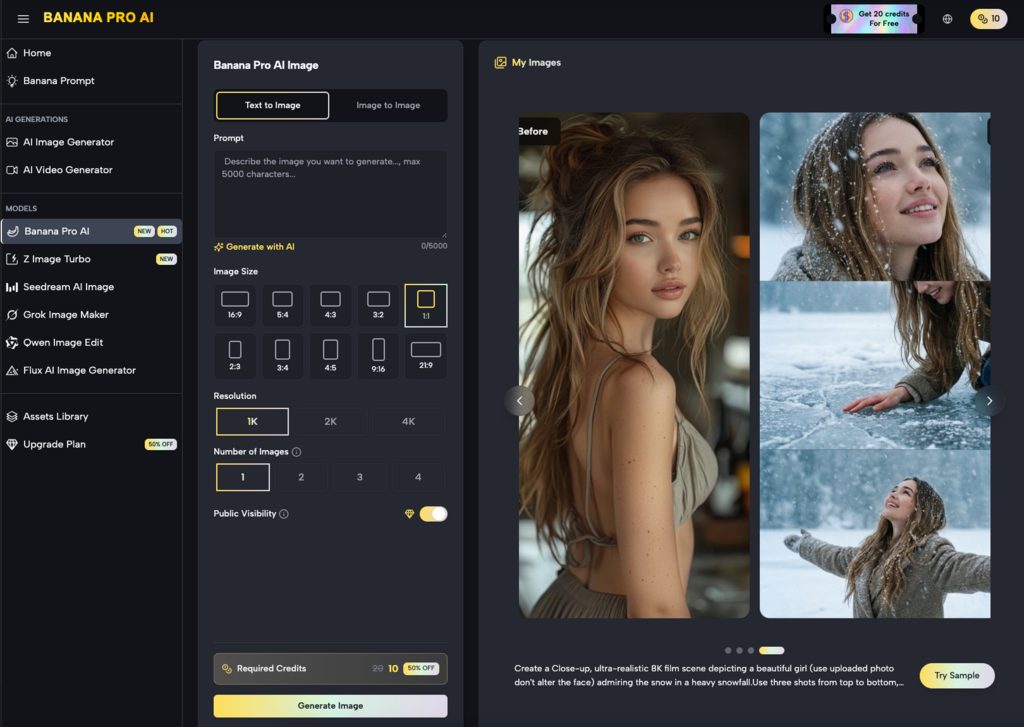
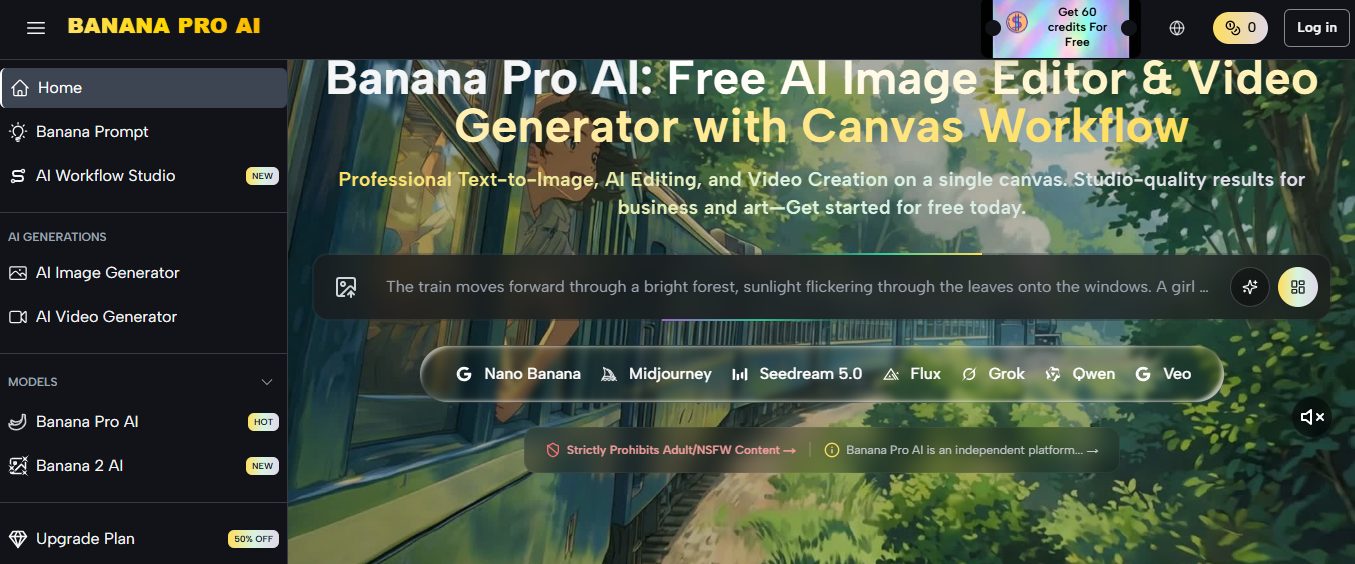
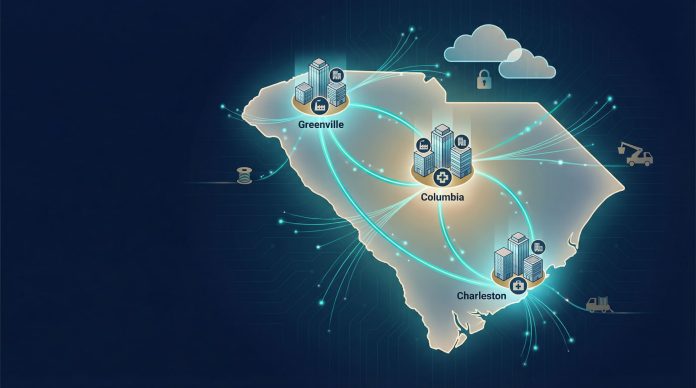
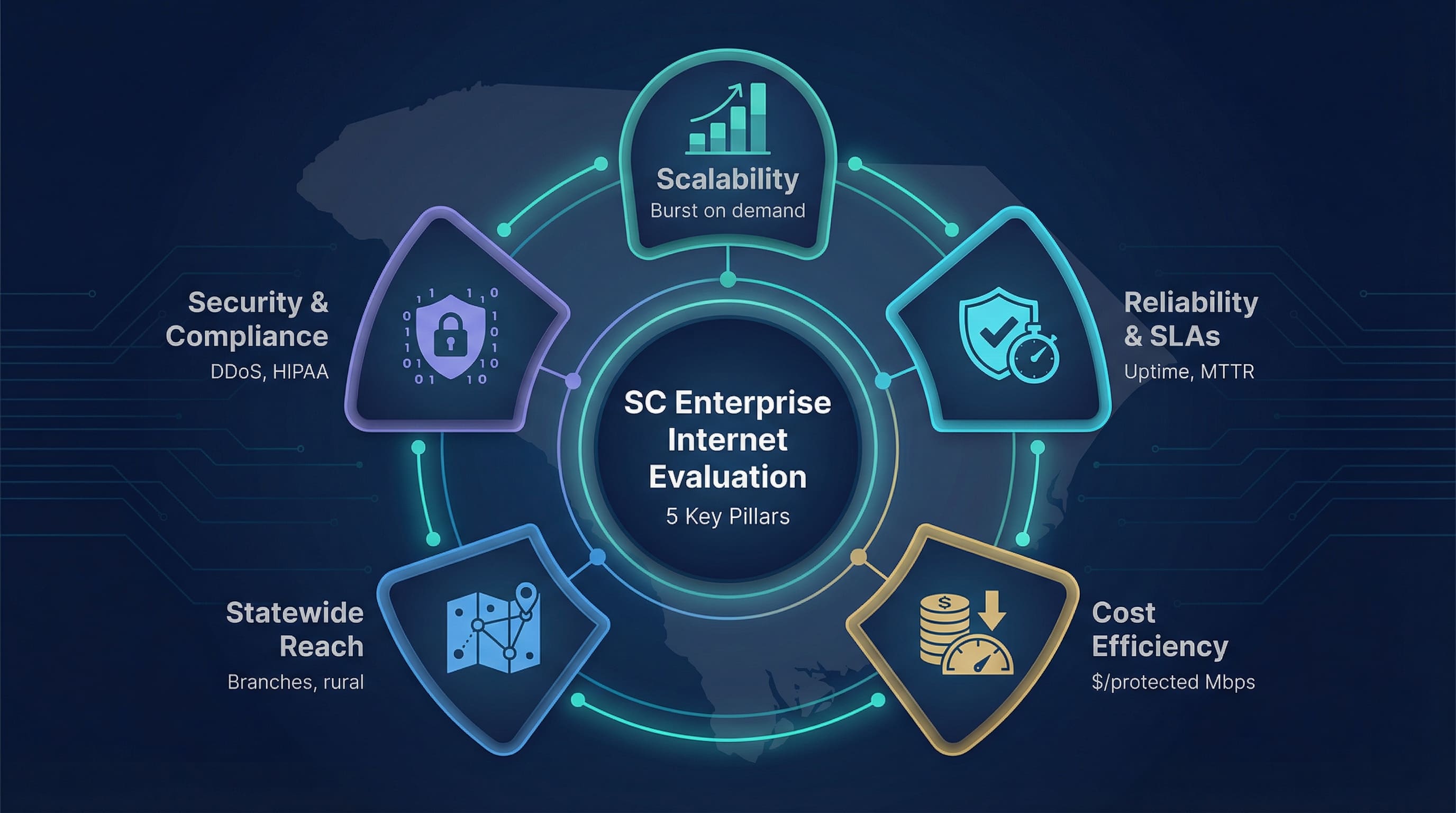
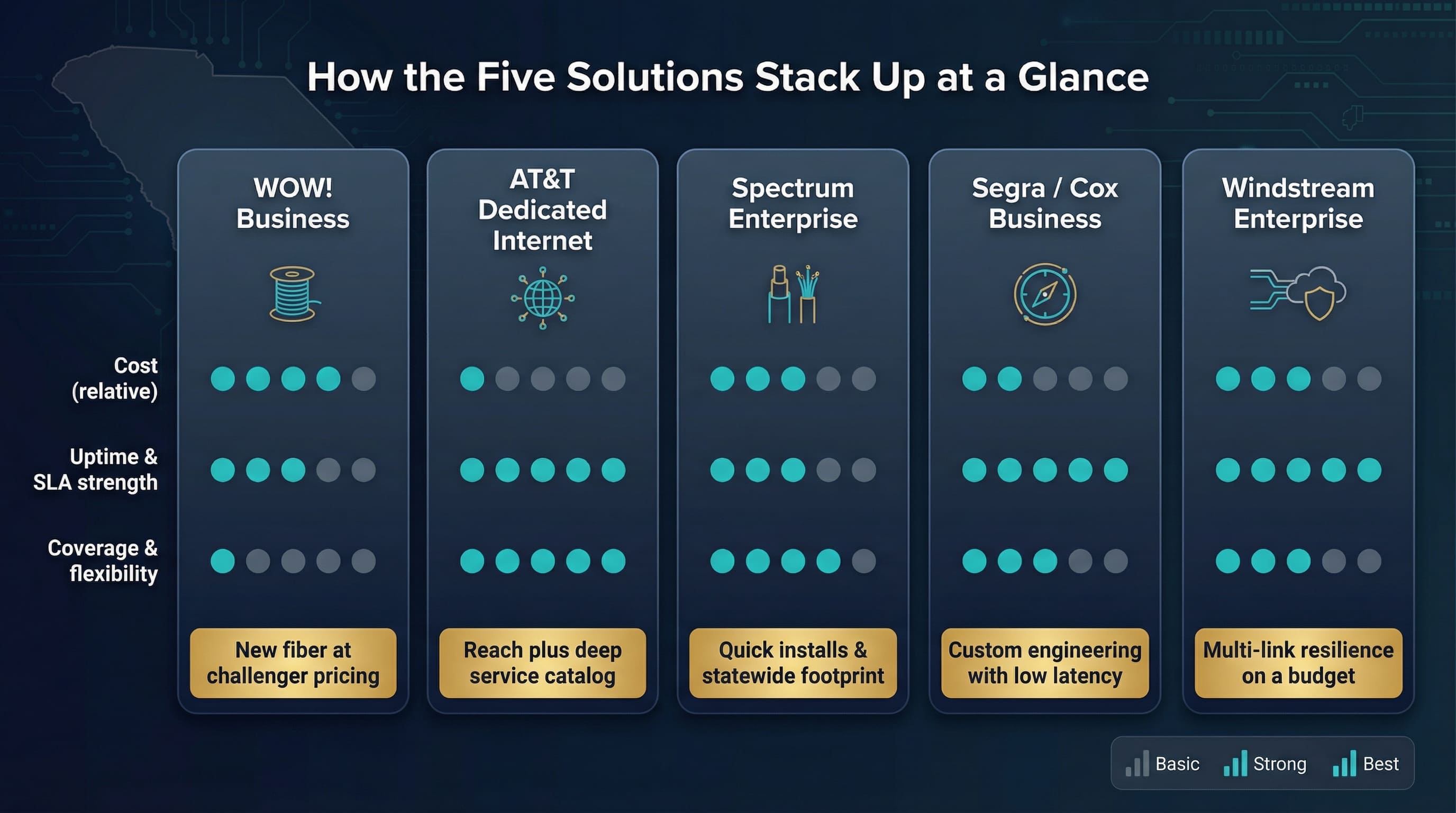
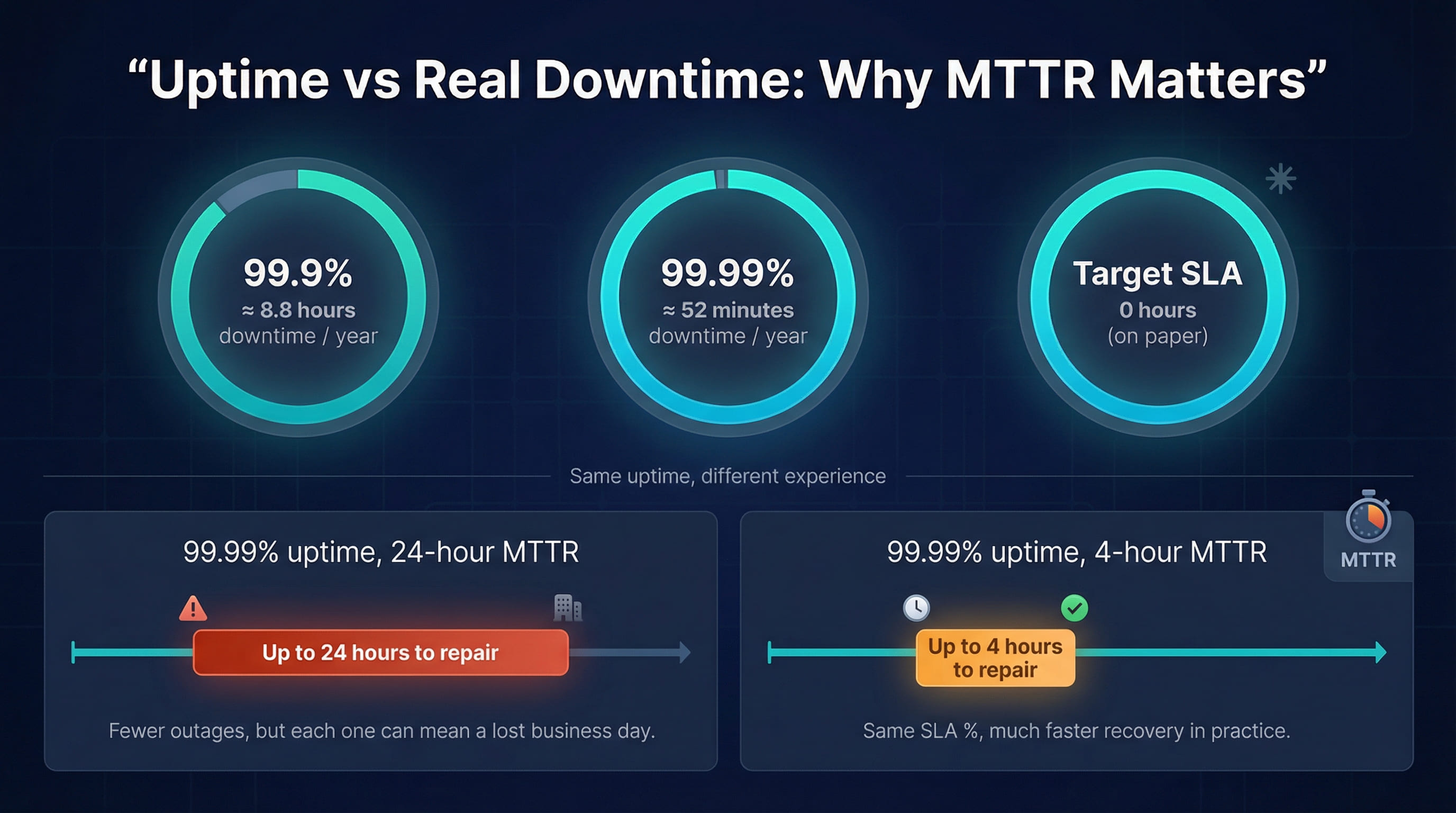

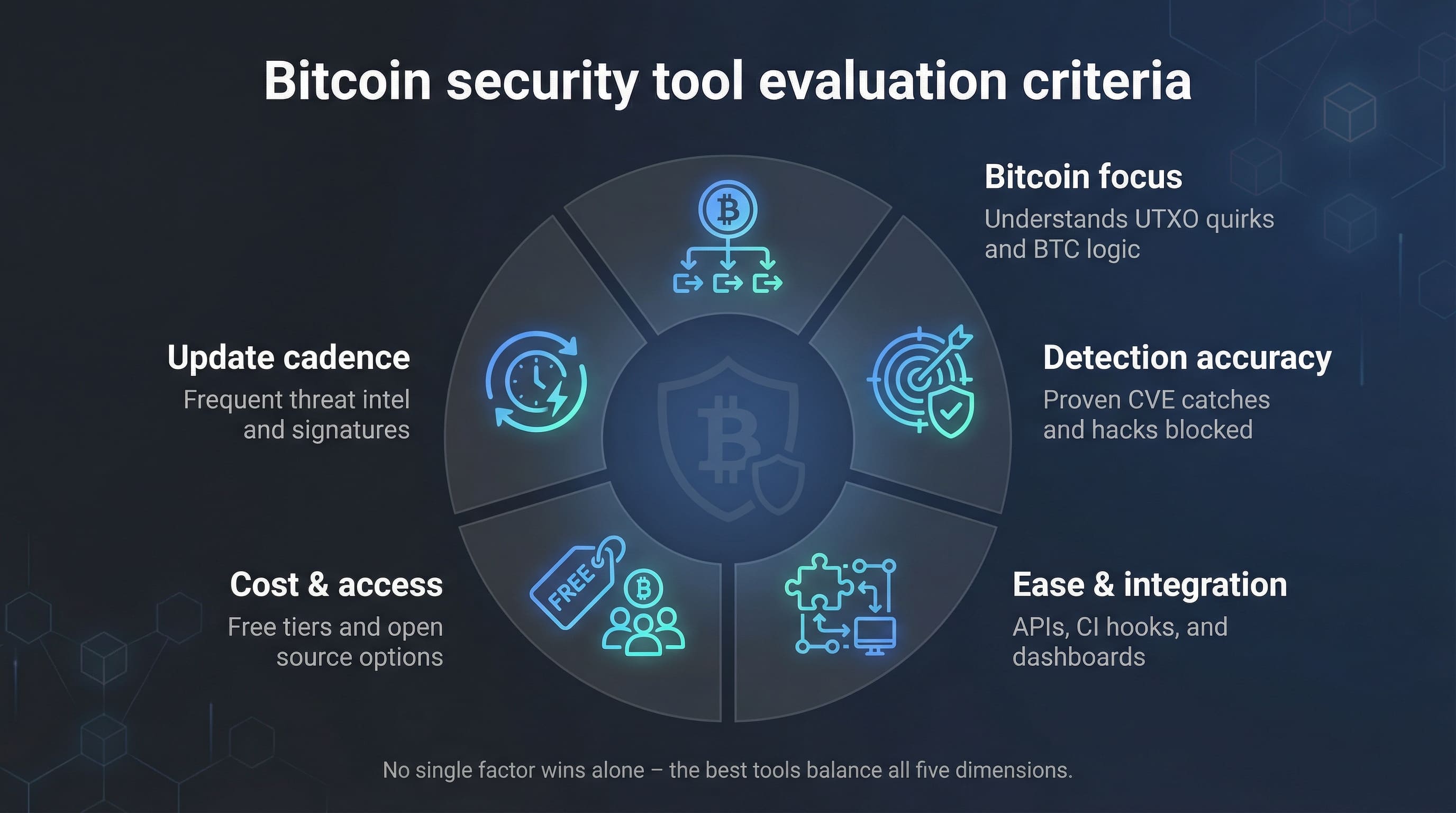
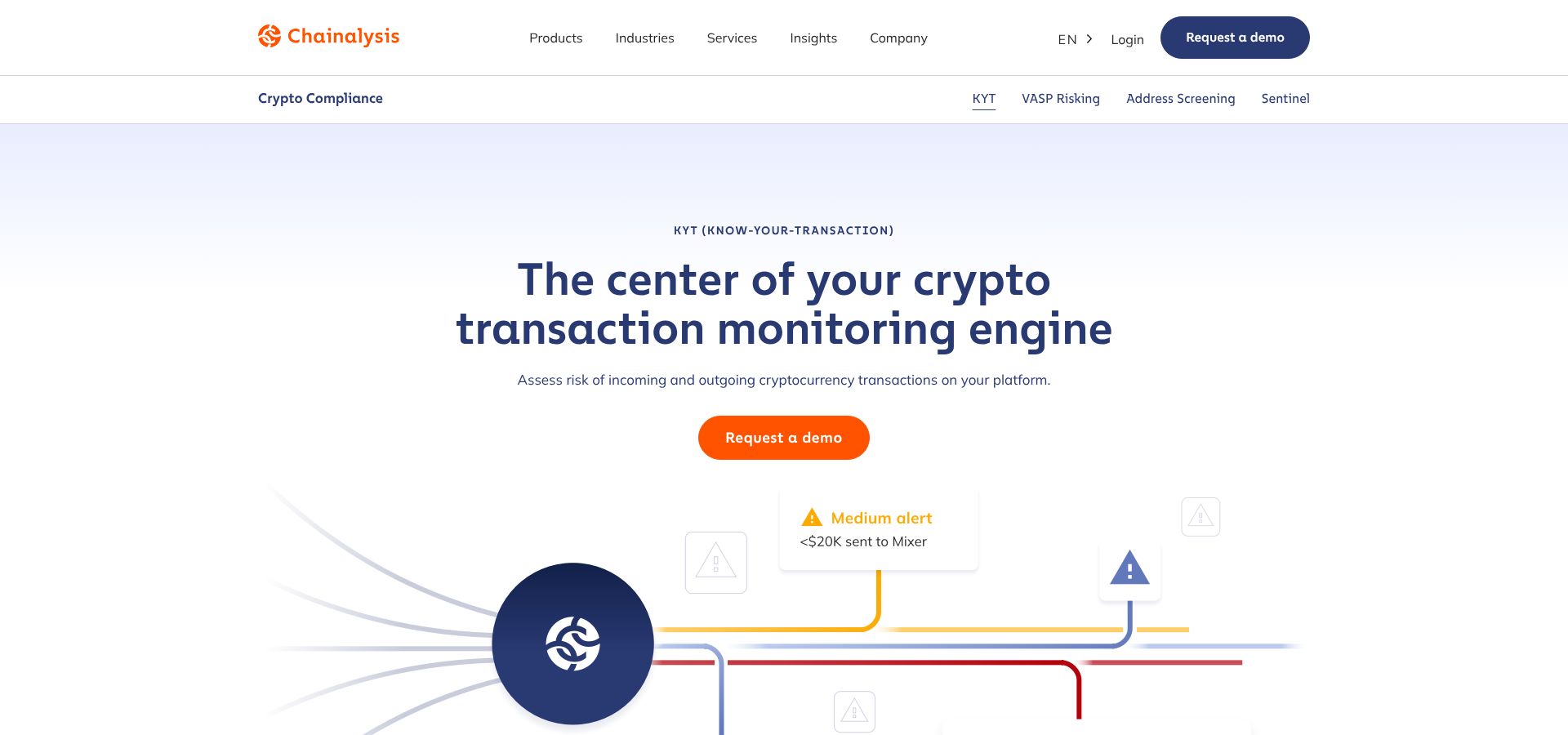
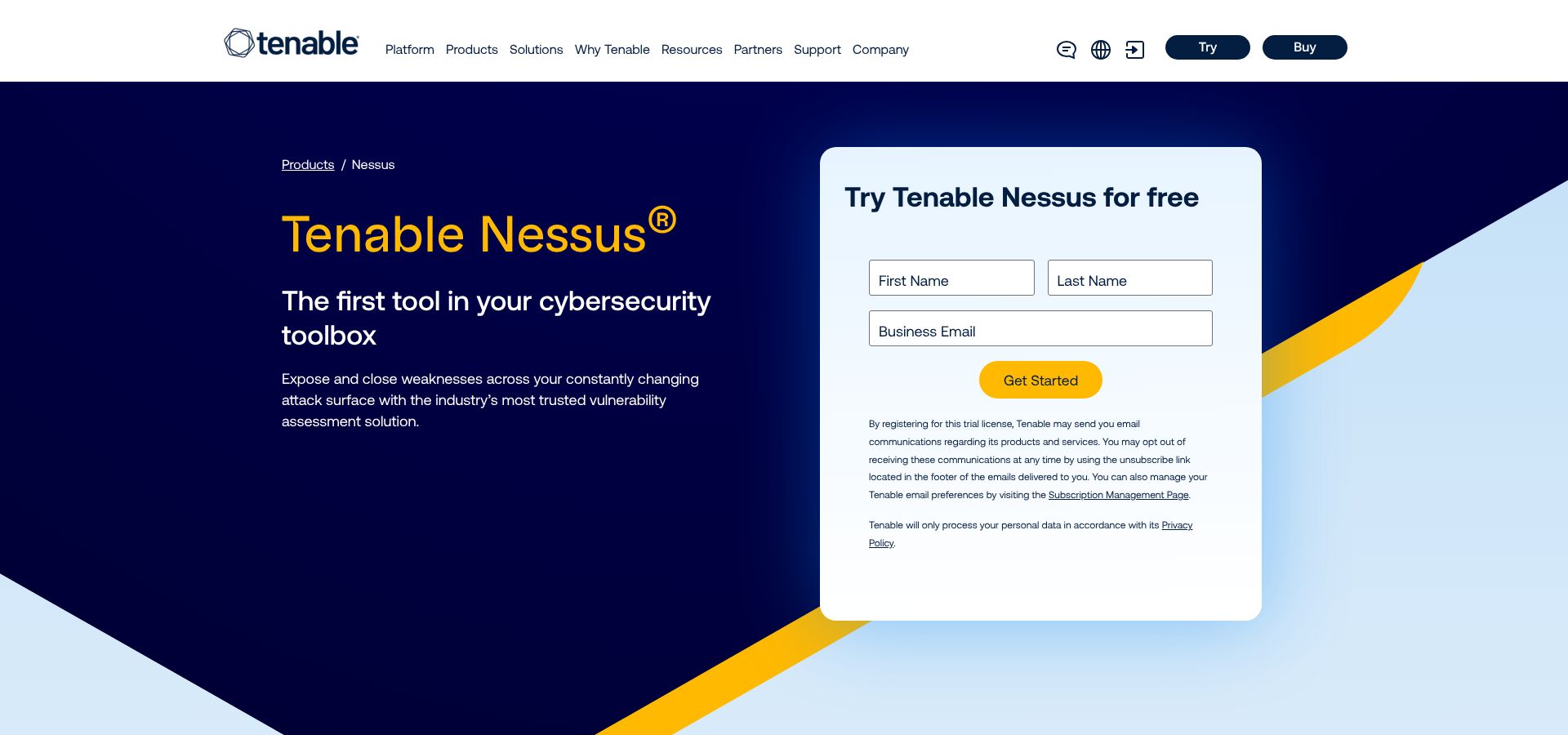

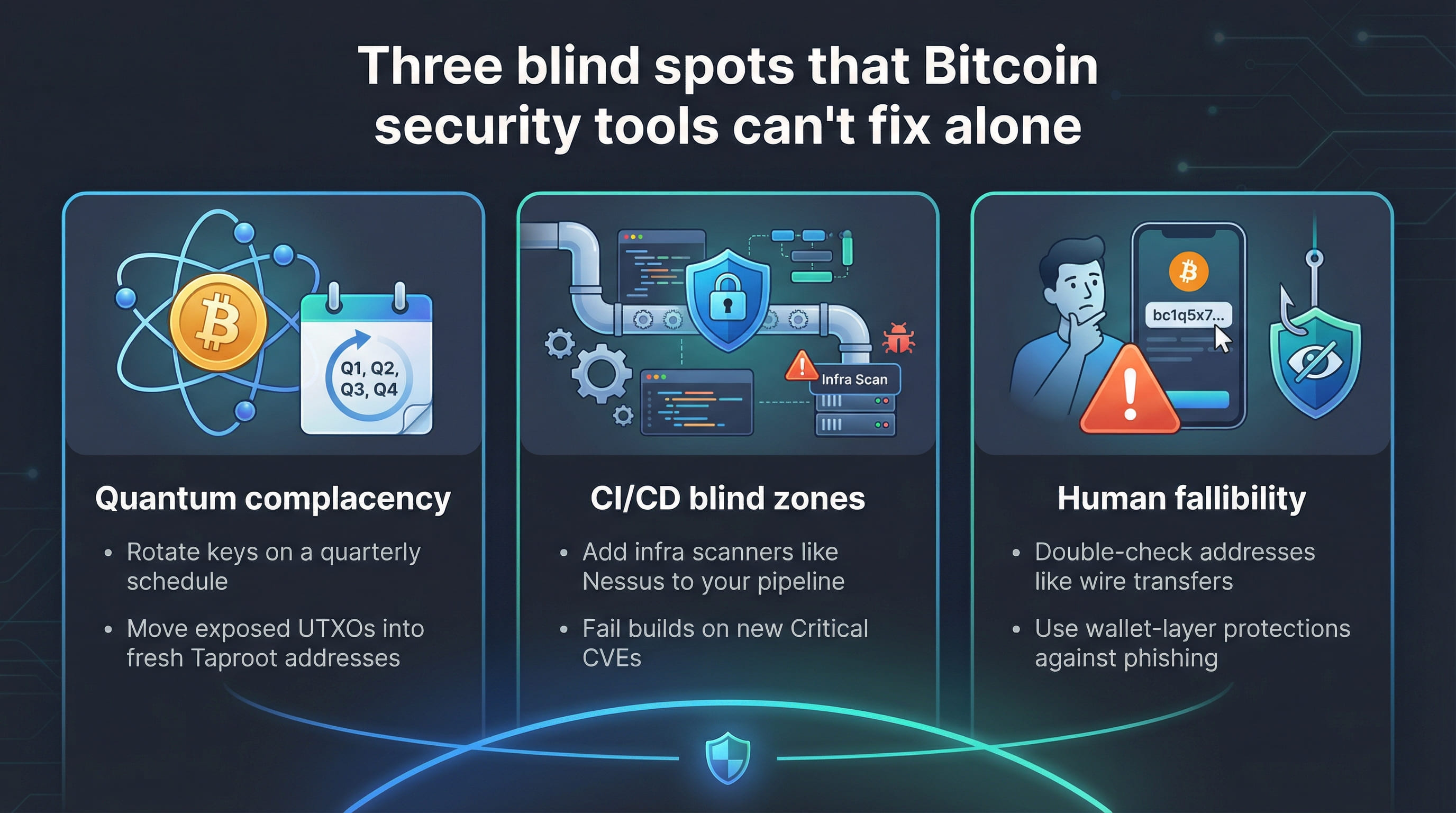




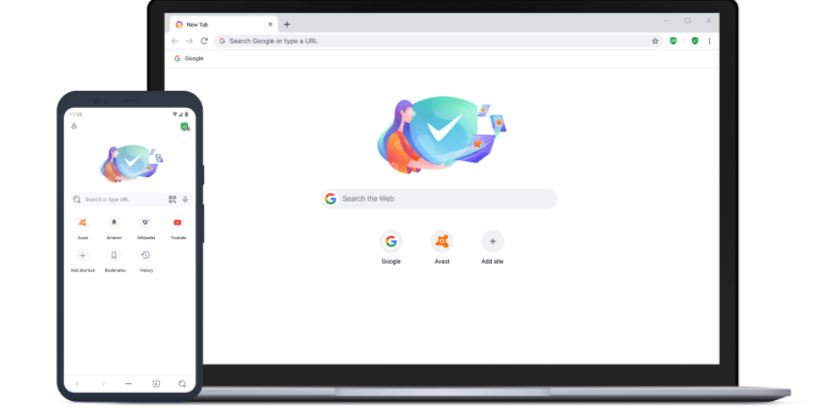
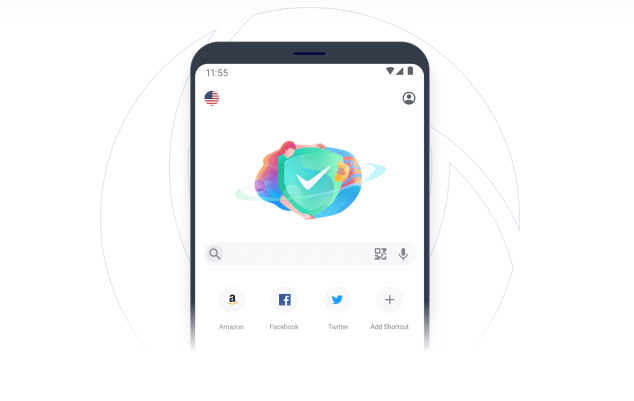
![17 Best VPN For Surveys [Tested, Reviewed, And Ranked]](https://secureblitz.com/wp-content/uploads/2022/06/17-Best-VPN-For-Surveys-Tested-Reviewed-And-Ranked.png "17 Best VPN For Surveys [Tested, Reviewed, And Ranked]")