Learn how to create Pixel Art online like a Pro in this post.
Pixel art is more than a nostalgic throwback. It’s a powerful, minimalist art form that continues to captivate digital creators across industries. From indie game devs to educators and social media artists, pixel art offers a creative outlet that’s simple, satisfying, and surprisingly versatile.
And thanks to modern browser tools like SuperFile’sPixel Art Maker, getting started has never been easier. No downloads, no setup, just your imagination and a grid of possibilities.
Table of Contents
Why Pixel Art Still Feels Fresh?
In an era of ultra-HD graphics and constant visual noise, pixel art cuts through the clutter. It’s the art of doing more with less. Every pixel counts. Every color choice matters.
That constraint isn’t limiting; it’s empowering. Like writing a poem in haiku form, pixel art invites intentional creativity. It’s both fun and focused, making it perfect for everything from casual doodles to professional design work.
Who’s Using Pixel Art Today?
Pixel art isn’t just for retro gamers. Here’s who’s embracing it in 2025:
Game Developers – Crafting 2D characters, environments, and animations
Graphic Designers – Designing icons, logos, and minimalist illustrations
Teachers & Students – Exploring digital art fundamentals in classrooms
Social Media Creators – Making custom GIFs, avatars, and pixel memes
Makers & Crafters – Turning pixel grids into beadwork, embroidery, or printables
NFT & Digital Artists – Building collectible artwork with crisp, lo-fi charm
Best of all? They’re doing it straight from their browser. No installations. No tech headaches. Just click and create.
What Makes a Great Pixel Art Maker?
If you want to create pixel-perfect work, your tools should work with you, not against you. Here’s what to look for in a top-tier online pixel art app:
Custom Canvas Sizes – From tiny 8×8 icons to 64×64 sprites or larger
Zoom & Grid Options – Zoom in tight for detail work; FPI stays aligned with grid snapping
Color Palette Management – Save your favorite shades or input exact hex codes
Drawing & Erasing Tools – Single-pixel, fill, and shape tools for precision
Layers & Onion Skinning – Perfect for frame-by-frame animation
Easy Export Options – Download as PNG, GIF, or even SVG for flexibility
A great pixel art tool feels intuitive and responsive and stays out of your way, letting you focus on the pixels, not the process. Whether you’re creating for games, education, or just for fun, the right features make all the difference.
Why Use a Free Online Pixel Art Maker?
Let’s compare: traditional design software like Photoshop or Krita offers robust features, but they’re often overkill for simple pixel art, especially when you’re just starting.
Instant Access – No installation or updates
Cross-Device Compatible – Works on laptops, tablets, and smartphones
Distraction-Free Interface – Clean tools focused on pixel art only
Great for Learning or Sketching – Perfect for students, hobbyists, or brainstorming game assets
Totally Free – No trials, no logins, no commitment
In under a minute, you can go from a blank canvas to your first sprite, all within your browser.
How to Use Superfile.ai’s Pixel Art Maker (Step-by-Step)
Creating your first piece of pixel art on Superfile.ai is as easy as it gets:
Choose a Canvas Size Select from presets like 16×16 or 32×32, or set custom dimensions.
Pick Your Tool Use the pencil, eraser, fill bucket, or shape tools to draw.
Select a Color Use the built-in palette or input your hex color codes.
Draw Your Art Click on the grid and bring your idea to life, one square at a time.
Export Your Work Download your creation instantly as a PNG or GIF.
Whether you’re prototyping a game sprite or just having fun, this tool has everything you need.
What Can You Do With Your Pixel Art?
Once you’ve created something you love, don’t let it gather digital dust. Here are a few creative ways to use your pixel art:
Add to a Game Project (Unity, Godot, etc.)
Use as a Social Avatar or Profile Picture
Print on Stickers, T-Shirts, or Mugs
Share on Instagram, Reddit, or X
Make Animated GIFs with multiple frames
Turn into Cross-Stitch or Bead Templates
Some creators start as hobbyists and end up launching full-fledged game studios or Etsy shops from their pixel projects. You never know where one pixel can take you.
Final Thoughts: Creativity Doesn’t Need Complexity
Pixel art reminds us that you don’t need complex tools or a design degree to make something meaningful. Sometimes, all you need is a simple grid, a splash of color, and a good idea.
So if you’ve ever wanted to try digital art, create a game asset, or just play with color and form, now’s the time.
Because big ideas often start with the smallest squares.
In this interview, we spoke with Jamie Read & Gregory Dharma LePard, on behalf of BriteStart and Cybersnap.
As the freelance economy grows—now representing over 13% of the workforce—so does an underreported vulnerability: cybersecurity.
Unlike traditional employees, freelancers often work without the safety net of IT departments or formal training. That makes them prime targets for phishing, credential theft, and scams—risks compounded by the fact that 95% of cyber incidents stem from human error.
Jamie Read
Jamie has nearly 20 years of experience working in global advertising and marketing agencies for some of the world’s biggest brands in North America, the Middle East and Asia. Jamie founded the BriteBirch Collective, a global network of experienced freelancers and solopreneurs, delivering bespoke teams to help solve brand and business challenges.
Now, after years of working at the forefront of the decentralized work movement, Jamie has launched BriteStart, a community of freelancers and solo business owners designed to support independent small businesses in their first year by providing training, mentorship, networking and work opportunities.
Gregory Dharma LePard, a cybersecurity veteran with over 20 years of experience in ethical hacking, cloud security, and public education, is raising awareness of this blind spot. Known for both his technical expertise and public advocacy, Gregory has authored several cybersecurity guides and volunteers as a mentor for immigrants entering the tech sector.
In partnership with BriteStart, a new initiative supporting independent professionals, Gregory is committed to offering simple, practical steps freelancers can take to better protect themselves in an increasingly digital economy.
So, we spoke with Gregory and Jamie Read, the founder of BriteStart:
How freelancers have become a growing target for cybercrime
The specific digital risks solo workers face—and how they differ from traditional organizations
Why improving cyber literacy is essential to supporting Canada’s innovation and self-employment goals
Table of Contents
Here Are Their Responses To Our Questions:
1. Why are freelancers increasingly becoming prime targets for cyberattacks, and how does this differ from the threats facing traditional employees in organizations?
Greg: Freelancers lack the safety net of an organization’s IT department and security policies, so they manage their own devices and networks without regular security training. Juggling multiple clients and platforms increases their exposure, making them easier targets for attackers. Unlike companies with a built-in culture of security, freelancers are on their own and must develop strong personal security habits to stay protected.
Jamie: And from a broader workforce perspective, the lines between “inside” and “outside” an organization are increasingly blurred. As businesses lean on flexible talent, the cybersecurity knowledge of freelancers becomes critical. Companies are beginning to realize that freelancers can be one of their greatest assets, or their biggest vulnerability if they aren’t properly equipped. That’s why we see more clients expecting freelancers to be upskilled and certified in areas like cybersecurity.
2. From your experience, what are the top three cybersecurity mistakes freelancers tend to make — and how can they avoid them?
Greg: I’d highlight three big ones:
Top 3 Cybersecurity Mistakes (and Easy Fixes)
Weak or Reused Passwords: Use a password manager to create and store strong, unique passwords for every account.
Ignoring Software Updates: Turn on automatic updates so your devices and apps stay protected against new threats.
Using Public Wi-Fi Without Protection: Always use a VPN or your phone’s hotspot for sensitive work on public networks.
Pro Tip: Cybersecurity is about building smart habits, not just checking boxes. Stay aware and make security part of your routine.
Jamie: What I’d add is that there is a cultural piece also. Many freelancers see cybersecurity as a tech issue, not part of their brand reputation or as a business continuity issue. But there is a real risk for freelancers or any small business of exposing theirs and their clients’ companies to cybercriminals. In reality, today’s clients look for partners who demonstrate professional cyber hygiene. It’s why we’re building this mindset into BriteStart’s program: freelancers see security as integral to their craft and business identity, and that they safeguard their clients’ security as much as their own.
3. Many freelancers rely on public Wi-Fi or shared cloud tools. What practical steps can they take to protect their data and communications?
Greg: First off, use a VPN on public Wi-Fi—think of it as locking the door behind you. Always double-check you’re connecting to the real network, not a fake one. For cloud tools, enable two-factor authentication and pick reputable services with strong security reputations.
However, just as important, discuss cybersecurity with your peers and clients. Share tips, ask questions, and make it part of your everyday workflow. When you treat security as a shared responsibility, it becomes part of your culture, not just an afterthought.
Jamie: Exactly. We encourage freelancers to look at cybersecurity as a collaborative norm, not a checkbox. Being vocal with clients about how you protect their data builds trust and sets you apart in an increasingly competitive landscape where the threat of cybercrime is only growing.
4. How does the BriteStart initiative specifically help freelancers raise their cyber literacy and protect their digital livelihoods?
Greg: What I appreciate about BriteStart is how approachable it makes security. Through our partnership, we’re not just handing freelancers dry compliance material. It’s practical, in plain language, and built around real freelancer workflows. There are toolkits, short courses, and easy certifications that give freelancers immediate, credible proof of their cyber readiness.
But what stands out to me even more is their people-first approach. They encourage freelancers to connect, share experiences, and support each other. It’s not just about ticking off a checklist—it’s about building a culture where looking out for your own security and your peers’ becomes second nature. That sense of community and shared responsibility is what makes the most significant difference in actually protecting your digital livelihood.
Jamie: And beyond tools, it’s about mindset. BriteStart is fostering a community of independent professionals and we aim to help them see cybersecurity as a shared value. Clients are increasingly demanding this. Through our customized training and certification, freelancers not only upskill—they signal to clients that they’re serious about protecting mutual interests.
5. Gregory, you’ve mentored immigrants entering the tech sector. What unique cybersecurity challenges do newcomers to the freelance world face, and how can they be better supported?
Greg:Immigrants face unique challenges—they’re often new to the local threat landscape, there may be language barriers, and they might not have a strong support network yet. That’s why we offer resources in multiple languages and connect newcomers with mentors who understand their background.
But again, it’s about more than just information. We work to build a welcoming culture where newcomers feel comfortable asking questions and sharing concerns. That people-centric approach makes it easier to learn and adopt good security habits.
Jamie: Immigrants are resilient, resourceful and driven, which makes freelancing and entrepreneurship more broadly an enticing opportunity for establishing themselves in a new country. Through BriteStart, we’re connecting these freelancers with mentors who understand these nuances. It’s also part of our mission to build inclusive communities. Diverse perspectives provide resiliency in today’s business landscape but they need the right support structures. Helping new entrants feel secure and savvy in their digital practices sets them up to thrive and collaborate globally.
6. Looking ahead, what trends should independent professionals watch for in 2025 and beyond when it comes to online security and digital risks?
Greg: The threat landscape is always shifting. We’re seeing more ransomware-as-a-service, more sophisticated phishing thanks to AI, and more risks as work moves to the cloud and edge devices.
But the constant is that people remain both the biggest target and the best defence. Building a culture of security—where you’re always learning, sharing, and staying alert—will be the most important trend going forward.
Jamie: And from a market standpoint, with job numbers down, freelancing is becoming the best option for people that wish to build a career. meanwhile companies look to take advantage of the shift toward flexible talent. So as more people freelance and more freelancers are hired to support companies, they’re going to demand demonstrable cybersecurity practices from freelancers, whether that’s certifications, protocols, or contract clauses. Staying ahead isn’t just safer, or a good business practice, it’s going to be essential for winning work.
7. If you could recommend just one cybersecurity habit every freelancer should adopt immediately, what would it be — and why?
Greg: If I had to pick one, I’d say: turn on two-factor authentication everywhere you can. It’s simple, it’s effective, and it’s a habit that signals you take security seriously. But even more, I’d encourage freelancers to talk about security with their peers—make it part of your professional culture. When people support each other and stay aware, everyone benefits.
Jamie: And if I can add—talk about it. Share with your network, ask your clients about their practices, build it into how you present yourself. It’s not just about avoiding breaches; it’s about showing that you’re a future-proof, trustworthy partner in an increasingly digital economy. Oh and maybe sign up for a BriteStart cybersecurity certification training by Cybersnap.
Thank you, Jamie Read & Gregory Dharma LePard, for your time!
About BriteStart
BriteStart is a platform where the workforce of the future gains experience, guidance and wisdom that will set them up for success as global freelance professionals.
BriteStart is an initiative from BriteBirch Collective designed to empower the next generation of independent professionals. In a world where businesses are increasingly turning to flexible, freelance talent, BriteStart helps ensure these professionals are not just ready to deliver, but ready to thrive.
From upskilling and networking opportunities to practical tools and tailored training, BriteStart equips freelancers with the expertise, confidence, and perspective they need to meet the evolving demands of modern clients.
BriteStart x Cybersnap: Protecting the Future of Work
In partnership with Cybersnap, BriteStart has launched the industry’s first cybersecurity training and certification program created specifically for freelancers. This innovative program goes beyond traditional compliance. It delivers bite-sized, practical modules that fit freelance workflows, demystifies digital risk, and provides a clear pathway to cyber certification.
Together, BriteStart and Cybersnap are helping freelancers safeguard their digital livelihoods — while giving clients peace of mind that the talent they engage is not a weak link, but a secure, savvy extension of their team.
A few days ago, we discovered that many people are searching for the best VPN Quora. Judging from what we saw, we could easily tell that they needed suggestions from Quora for the best VPN to use.
Quora is a website where people can ask questions and receive answers from other users. Quora has many topics, but one of the most popular ones is VPNs.
Are you aware that when you go on Quora to search for the best VPN, you will find many suggestions from users on the forum?
So, our team of VPN experts went on the forum to filter only the best VPNs from these suggestions. And the good news is that you will get them on this page today.
Table of Contents
Quick Summary Of The Best VPN Quora Users Recommended
Are you short on time? Here are the Best VPN Quora users suggested.
PureVPN is a reputable service known for its excellent security, no-logging policy, and impressive coverage of over 6500 servers in over 140 countries.
But there is more…
It provides a reliable connection, unblocks Netflix, and allows torrenting in most countries. It also has 24/7 live chat customer support ready to answer all your questions.
Considering PureVPN’s extremely low prices, five devices per account, and a wide range of supported platforms, it is easy to recommend them to most users.
PIA is a great VPN that has good speed, unlocks Netflix, and allows torrenting. So it is not surprising that it is one of the most popular services in the world.
Their service is leak-free, uses military-grade encryption, and allows anonymous payment. PIA also has low prices and a generous limit of connecting ten devices to a single account.
If you live in Europe or North America, where Private Internet Access has the most servers, then this is probably the right tool for you.
Key Features of Private Internet Access
Unlimited Bandwidth
Very affordable
DNS leak proof to protect location and IP
Great for torrenting
It supports the connection of 10 devices to a single account.
NordVPN has bank-level encryption, malware protection, and two types of kill switches that will keep your IP address protected.
This VPN provider also has responsive apps for all popular devices, including Windows, Mac, Android, and iOS. It supports routers and provides manual configuration.
It allows file transfer via torrent and unlocks multiple streaming platforms, including Netflix, BBC iPlayer, and Hulu.
Ivacy VPN has brilliant security features, including a wide variety of tunnelling protocols and encryption levels.
Aside from that, it is leak-free and protects your connection with a built-in kill switch.
Although Ivacy doesn’t have stealth protocols, its excellent list of servers (over 3500 servers in over 100 countries) makes it a decent choice for users in Asian countries like China.
Key Features of Ivacy VPN
It is a decent choice for China.
It has thousands of servers.
Great kill switch technology.
No log policy
It allows the connection of 10 devices to a single account.
Namecheap is popularly known to be a domain name registrar and a web hosting platform. They just entered the VPN market a few years ago, but they are doing well.
Namecheap VPN came around to be one of the most affordable VPN services, providing a quality one at the same time.
So, if you are still searching for the best VPN Quora, you should give this service a try.
Bullguard VPN is managed by two internet security firms (Nord VPN and Bullguard). This VPN service is well commended for its great speed, irrespective of your location.
It is capable of unlocking most streaming platforms, including; Netflix, Hulu, Amazon Prime Video, and BBC iPlayer.
Meanwhile, Bullguard is one of the best VPN overall.
What are the top 5 VPNs, and what’s the main strength of each?
This is a common question on Quora, and the answer will vary depending on individual needs and preferences. However, some popular choices consistently mentioned include ProtonVPN (best overall), ExpressVPN (fastest speeds), NordVPN (strong security), Surfshark (budget-friendly), and IPVanish (excellent for streaming). Each has its own strengths, such as ease of use, strong encryption, a large server network, or competitive pricing.
Is there a “best” VPN, or is it better to choose one based on individual needs?
There is no single “best” VPN as it depends on individual priorities and requirements. Consider factors like:
Purpose: Do you need it for privacy, bypassing censorship, streaming geo-restricted content, or secure online transactions?
Features: Does it offer the features you need, like a kill switch, strict no-logs policy, or specific protocols?
Number of devices: Do you need to connect multiple devices simultaneously?
Budget: How much are you willing to pay?
What are the key features to look for when choosing a VPN?
Some key features to consider include:
Strong encryption: AES-256 encryption is considered the gold standard.
No-logs policy: Ensures your online activity is not stored or monitored.
Kill switch: Automatically disconnects your internet if the VPN connection drops.
Large server network: Provides more options for location and connection speed.
Multiple protocols: Offers flexibility for different needs.
Simultaneous connections: Allows you to connect multiple devices at once.
24/7 customer support: Ensures you have help if needed.
Are free VPNs safe and reliable?
While free VPNs exist, they often have limitations and may not be as secure or reliable as paid options. Some free VPNs may sell user data, throttle speeds, or limit data usage. If you need a VPN for security or privacy, it’s best to invest in a paid service.
How much does a good VPN cost?
VPN prices vary depending on features, subscription length, and promotions. Generally, expect to pay around $5-$10 per month for a good VPN. However, many providers offer discounts for longer subscriptions, and some budget-friendly options can be found for around $3-$4 per month.
Conclusion – Best VPN Quora
After reviewing all the 10 VPNs shown above, we can easily conclude that the best VPN Quora is the CyberGhost VPN.
Why CyberGhost VPN?
CyberGhost VPN has a wider range of features compared to others that we talked about today. The fact that they have a 45-day money-back guarantee makes it my favourite personally.
Meanwhile, do you know any VPN better than CyberGhost VPN? Kindly share it with your reasons in the comment section below.
Want the best antivirus for 2023? This post is for you.
Year after year, device users encounter different security threats. The most prevalent, however, remain viruses and malware.
Antivirus software programs exist to help keep your devices – irrespective of platform and OS – free from these malicious elements.
You can only keep your devices free from such threats with reliable antivirus and anti-malware programs. Unfortunately, the software market is packed, which makes it challenging to find the right software.
Not to worry, we at SecureBlitz have done the homework. In this post, you’ll find the best antivirus programs for 2023. Before that, let’s look at the factors you should consider before selecting an antivirus.
Table of Contents
Factors To Consider Before Selecting The Best Antivirus For 2023
Many factors influence the best antivirus you should use. The significant ones include:
Compatibility
Compatibility with your computer system should be a top priority when selecting an antivirus program. If not, you risk spending money on a program that won’t your computer as thoroughly as it should.
Notably, this applies most to Windows users since some antivirus programs work with specific Windows versions. It may not be overly critical for Mac users, but getting the right software will ensure optimal performance.
Speed
You should consider how quickly an antivirus can scan your PC. If you need to do a check on the fly, you’ll need an antivirus program that offers “Quick Scan.” Short scans can give you some relief from malware, even if they aren’t as detailed as a complete scan.
Price
One of the most important factors to think about while looking for antivirus software is, of course, the price. Different variants and options will have varying pricing points.
You’ll find both free, premium, and freemium software in the market. However, you should choose a solution that won’t break the bank; protecting your computer doesn’t require top-of-the-line software.
Features
The most effective antivirus software does more than just scan for and block viruses; it also looks for and removes other forms of malware, such as spyware. Other features may want to look out for include email scanning and download protection.
The best 2023 antivirus software on our list is Surfshark Antivirus.
Surfshark Antivirus is described as a lightweight antivirus solution. It’s a simple option if you wish to protect your device against known and unknown viruses and malware threats.
The antivirus employs a unique technology via the Surfshark Cloud Protect system. You can run a manual scan, scheduled scan, or keep the antivirus working 24/7 with real-time scan.
One of the features you’ll appreciate with Surfshark Antivirus is the simple interface. Thanks to the intuitive interface, the antivirus is easy to use on all device types.
You can install the antivirus on Mac, Windows, Linux, iOS, and Android devices.
Surfshark Antivirus will also ensure you can browse the internet free of distractions. It comes with a Clean Web feature that eliminates ads, trackers, malware, and phishing websites.
However, this feature is only available if you purchase the antivirus as part of the Surfshark One Suite. In particular, Surfshark One comes with a VPN, Search, and Alerts tool. Together with the antivirus, you get complete protection.
Surfshark is an antivirus that won’t track your activities. It maintains a strict no-logs policy, which you’ll appreciate most if you use the antivirus with the VPN.
Furthermore, it’s an affordable antivirus. Yet, you get a 30-day money-back guarantee after subscribing.
Surfshark Antivirus is a relatively affordable antivirus for 2023. However, it offers no free trial, so you must pay from the onset. Check out the pricing plans below:
1 Month Plan: $14.44 per month
12 Months Plan: $41.88 for the first year
24 Months Plan: $95.52 for the first two years
With Surfshark Antivirus, you can pay using cryptocurrency, PayPal, Apple Pay, Google Pay, and Amazon Pay. Furthermore, you can purchase the antivirus as a part of the Surfshark One Suite. The suite comes with other tools, including a VPN.
Pros
Supports WireGuard protocol
Comes with a VPN and other extra features
Offers real-time protection
Dependable customer support
Blocks ads and trackers
Monitors for data breach
Cons
No free version or free trial
Data breach monitoring is not available in all countries
Summary
Surfshark ranks number one on this list because it’s easy to use and lightweight. After installing, you won’t notice the app running in the background. Hence, it won’t interfere with your other activities. It’s also worth noting that you won’t break the bank to get Surfshark Antivirus.
Surfshark Antivirus
A 360-degree solution for all threat categories.
A 360-degree solution for all threat categories. Show Less
Another top pick on our list as the best antivirus of 2023 is Heimdal Security.
Heimdal Security protects your devices with intelligent cybersecurity algorithms. It does not just defend you from viruses and malware but also insider threats and email compromises.
With this antivirus, you can detect and prevent viruses and malware before they infect your device. In addition, the software has tools to safeguard critical data and assets.
You can unify your device security with Heimdal Security’s intuitive central dashboard. Furthermore, you can protect your device irrespective of its location with the Remote Desktop Control feature.
In particular, Heimdal boasts a four-layer endpoint antivirus. The first layer deals with files stored locally on your device, which is traditional antivirus activity.
Meanwhile, the second layer employs Threat Cloud scanning using machine-learning algorithms. This provides a state-of-the-art protection system.
The third and fourth layers monitor suspicious execution files, control connections, and malicious commands. It does this using a bulletproof sandbox system with a hundred percent detection rate.
With this multi-layer protection system, it’s almost impossible for viruses or malware to get into your device with Heimdal Security Antivirus.
Furthermore, Heimdal Security boasts anti-ransomware encryption protection. It’s a feature that’ll save you from malicious encryption attempts.
Other top features with Heimdal include DNS filtering, vulnerability management, and privilege access management.
Heimdal Security offers different pricing plans, depending on how you want to deploy the software. Nevertheless, the popular pricing option is the Heimdal Next-Gen Antivirus Home plan.
The plan costs $35.97 per year, and you can try the software for free for 30 days before paying. Sometimes, you can purchase the Antivirus Home plan for $34.98, with a 50% discount.
You can go for the Premium Security plan if you don’t purchase the Antivirus Home plan. With this plan, you get more than antivirus features.
The Premium Security plan costs $99.99 yearly but $39.98 with the 60% discount by using the link below.
Pros
Relatively fast
Stops viruses and malware
Simple interface
Fast customer support
Comes with a firewall
Cons
Internal DNS is complex
The firewall is basic
Summary
Heimdal Security provides a high level of security against viruses and malware with the four-layer protection mechanism. That, in particular, makes the software stand out of the many in the market. As a result, it’s justifiable that it ranks among the best antivirus for 2023.
Heimdal Security
Heimdal Security protects its users from advanced malware attacks by making use of next-generation technology. Your best...Show More
Heimdal Security protects its users from advanced malware attacks by making use of next-generation technology. Your best intelligent threat prevention tool. Show Less
Norton boasts more than 50 million customers, which is also a testament that the software works. It’s a renowned antivirus software that offers real-time threat protection for home and business users.
Thankfully, Norton Antivirus will protect you from online and offline threats. It uses a database of over 9 million cyber threats, so no malware or virus goes unnoticed.
Norton is another antivirus software that employs the multilayer virus and malware protection system. These include IPS, behavioral protection, reputation protection, PEP, and Power Eraser.
The IPS — Intrusion Protection System — is a notable protection layer that ensures threats don’t get close to your computer.
With Norton, you get access to 24/7 quality customer support. You can rely on the customer support team if you have any issues with using the antivirus.
Furthermore, you don’t have to pay to use Norton from the onset. Irrespective of your device — PC, Mac, Android, or iOS — you get access to a free trial.
Notably, the smart firewall protects against local threats, and with cloud backup, you can securely store your most important files.
In addition to an antivirus, Norton comes with a secure VPN. With bank-grade encryption, you can use the antivirus to browse the internet safely without leaving traceable logs.
Norton has four main pricing plans for its antivirus software. The plans include:
Norton Antivirus Plus: $19.99 per year for one device
Norton 360 Standard: $39.99 per year for three devices
Norton 360 Deluxe: $49.99 per year for five devices
Norton 360 with LifeLock Select: $9.99 per month or $99.99 per year
Notably, Norton offers first-timers heavy discounts. For example, if you’re a new user, you’ll pay only $19.99 for the Norton Antivirus Plus plan for the first year. Plus, similar discounts exist for all plans.
Pros
Many security features
Comes with an intelligent firewall
Comes with a password manager
Stops unauthorized webcam access
Stops phishing websites and emails
Doesn’t consume much system resources
Cons
Pricing is relatively expensive
Slight learning curve for new users
Summary
With Norton, you get more than an antivirus. You also get a software to protect against network intrusions, zero-day attacks, and suspicious applications. So, it’s a worthy choice if you need an antivirus that offers all-round protection.
Norton Antivirus Plus
Your award-winning cybersecurity solution for complete device protection.
Your award-winning cybersecurity solution for complete device protection. Show Less
McAfee is an award-winning antivirus and all-round threat protection software. The software has all features you need to keep your devices free from ransomware, malware, phishing, and others.
You can install the McAfee antivirus on all major devices, including macOS, Android, iOS, and Windows. Notably, the software also supports ChromeOS.
To get the best out of McAfee, you must go for the plus plan. McAfee Plus gives you Identity Monitoring, Credit Monitoring, Personal Data Removal, Unlimited VPN, and a $1 million ID theft coverage.
It’s difficult to see another antivirus software that offers this more security and privacy protection. Yet, that’s not all you get from McAfee.
It’s notable that McAfee Plus has a firewall. You can count on the firewall to stop hackers and spies from accessing your network.
Another exciting feature is the File Shredder. In simple terms, the File Shredder will completely erase sensitive files from your computer, such that no trace is left.
As the best antivirus for 2023, McAfee is easy to use as all tools are accessible from one dashboard. The software stays up to date with the latest malware and online threats. As a result, it can provide 24/7 protection for all connected devices.
You can download a trial version of the McAfee antivirus software. Ultimately, you must subscribe to any of the below plans to continue using the software:
5 Devices Plus Plan: $79.99 per 2-year; $39.99 for the first year
Unlimited Devices Premium Plan: $139.99 per year; $54.99 for the first year
Unlimited Devices Advanced Plan: $199.99 per year; $89.99 for the first year
McAfee offers a 100% guarantee to rid your devices of viruses and malware. If the software doesn’t, you can request your money back.
Pros
Suitable for home and business users
Regular updates
Instant threat alerts and notifications
User-friendly interface
Blocks unsafe websites
Easy to customize
Cons
Displays random native popups
High cost
Summary
McAfee is recommended as one of the best 2023 antivirus programs if you’re a business user. With features like Credit Monitoring and $1 million ID theft coverage, it’s easy to understand why. The antivirus is relatively affordable, but you can pay less if you subscribe to multiple devices.
McAfee Total Protection
An easy-to-use security suite for data safety and device protection.
An easy-to-use security suite for data safety and device protection. Show Less
Described as super lightweight, AVG is a popular antivirus software among mobile users, especially Android. However, it works just as well for other supported operating systems – Mac, iOS, and Windows.
AVG protects your devices via a unique six-layer security approach. The layers work to stop malware, virus, and spyware.
AVG is a popular antivirus solution for mobile users. The software’s Android and iOS mobile apps are appraised for their high performance.
Notably, the mobile app runs quietly in the background. Yet, it completely protects you from viruses, spyware, and malware.
For emphasis, AVG antivirus has a 2022 AV-Test Certified Android certification and 2021 AV-Approved Mobile Security certification.
Two notable features of AVG include the anti-theft and malware force uninstaller. As you’d suggest, the anti-theft feature protects you from online data theft, which is common with mobile devices.
In addition, it’ll help you recover any stolen or lost data. On the other hand, the malware force uninstaller will help remove any stubborn malware app from your device.
With the email shield feature, you can protect data from malicious email attachments and phishing links. It’s a feature you’ll appreciate if you’re a business user.
Furthermore, the real-time updates, 24/7 scans, and intuitive interface are other features that make AVG one of the best antivirus for 2023.
The AVG Antivirus is free. You can download the version for your device at no cost from the official website.
However, you should purchase the Internet Security plan if you want more than protection against viruses and malware.
The internet security plan is only available for Windows and Mac users. Mobile users are to use the designated mobile security software.
AVG Internet Security costs:
$39.99 for one year for one device
$39.99 for one year for ten devices
You can try these plans for 60 days before subscribing.
Pros
Available for free
Stops online and offline threats
Consumes low system resources
Doesn’t lag the device
Easy customer service
Mozilla Firefox browser extension
Cons
Free version is limited
Set up takes time
Summary
So far, this is the first free 2023 antivirus software on our list. Although it has a paid plan, the AVG free antivirus version is an antivirus to count on. As a result, it qualifies as one of the best free antiviruses for 2023. Besides, the price of the paid plan is relatively cost-effective.
AVG Ultimate
A combined antivirus plus VPN for total protection.
A combined antivirus plus VPN for total protection. Show Less
Trend Micro is one of the best antiviruses for 2023 for Windows users, as it’s fully compatible with Windows 11. It safeguards your device against complex threats with relatively simple settings.
You won’t have to worry about ransomware and other infamous online threats, as Trend Micro offers 24/7 web protection.
In addition, it protects you against online fraud and scams by flagging phishing and malicious sites. Consequently, you can browse the internet more safely.
As mentioned before, Trend Micro features relatively simple settings. Void of complexities, you’ll find the software’s intuitive interface simple, even if it’s your first time using an antivirus.
You can get the Trend Micro Hybrid Cloud Solution with the Cloud One suite. The Hybrid Cloud Solution can secure your files in physical, virtual, cloud, and container environments.
Furthermore, there’s Trend Micro Network One, a solution that’ll protect your network against new and old network vulnerabilities.
You also get a cyber defense center with Trend Micro, known as Vision One. Vision One simply helps you detect and respond to cyber-attacks faster. The defense center will ensure no cyber attack takes you unawares.
Trend Micro offers a free trial you can access on Windows Windows 11, 10, 8.1, or 7. It lasts for 30 days, and you can access all of the software’s features during this period.
After 30 days, you must switch to a paid plan to continue protecting your device. You can only purchase the antivirus for one device at a time. The pricing option- include:
1-Year Plan: $49.95 per year for 5 devices.
2-Year Plan: $99.90 for two years for 5 devices.
Pros
Has a basic free version
Allows trial period on the premium version
Best for desktop devices
Advanced antivirus protection
Quick to eliminate viruses and malware
Cons
Unstable browser extension
Complex policy management
Summary
Modern antiviruses don’t limit their performance to just blocking viruses. They offer extra protection. But Trend Micro takes things to a different level. So, if you need much more than a regular antivirus, you should consider this antivirus software.
Trend Micro Maximum Security
Maximum security for households and office use.
Maximum security for households and office use. Show Less
Vipre offers an antivirus solution for home and business users. However, the software is more suitable for business users considering its features.
The Vipre Antivirus can protect you from malware, phishing, and data loss. It offers endpoint security, email security, user protection, and threat intelligence.
The software is cloud-enabled, which guarantees the fastest protection, and it scans in real-time, 24/7.
If you opt for Vipre antivirus for home, you also get top-rated software. Notably, the home version is lightweight and won’t affect the speed of your computer.
It’s easy to use, and you can customize the software to your preference. For example, you can schedule scans anytime, check for definition updates, and customize patches, among others.
With the advanced security plan, you also get a firewall that will protect your device from local threats like unauthorized network connections. Furthermore, the ultimate security plan comes with a dark web scanner that flags identity theft and fraud.
However, most of the advanced features you get with Vipre Antivirus are only available for Windows users.
Viper is a US-based antivirus solution. While the antivirus company offers quality support to all users, it provides exclusive support to US users. Hence, in terms of customer support, Vipre is one of the best antiviruses for 2023 if you’re in the US.
Vipre has three main pricing plans for home users, and they include:
Antivirus Plus Plan: $54.99 per year; $31.42 for the first year. This plan only supports Windows PC
Advanced Security Plan: $74.99 per year; $34.08 for the first year. This plan supports Windows PC and Mac
Advanced Security Plan: $139.99 per year; $59.99 for the first year. This plan supports Windows PC and Mac.
Vipre doesn’t feature public pricing for its business solutions. After requesting a demo, users must contact the sales team to discuss the price.
Pros
Highly customizable
Blocks ads and trackers
Comes with a data breach scanner
Supports VPN with the bundle plan
Protects up to five devices
Offers a 30-day free trial before subscribing
Also scans emails
Cons
Not available for iOS
Not for low-end PCs
Summary
Vipre is renowned, with over twenty-five years of experience to prove it. It’s one of the best antiviruses as it serves home and business users, ensuring everyone gets top-quality protection from viruses and malware.
VIPRE Antivirus Plus
Top-rated cybersecurity solutions for essential protection.
Top-rated cybersecurity solutions for essential protection. Show Less
If you’re on a budget, Panda Security is an antivirus you should utilize for your devices’ protection. It’s suitable as the best antivirus for 2023 that you can use for free.
However, you can only use Panda Security for free on Windows and Android. For iOS and Mac, you must pay a subscription. In addition, the Windows and Android antivirus solutions also have paid options.
You can count on Panda Security to protect you against viruses and advanced threats. The software will safeguard your data, protect you from hackers on public Wi-Fi, and scan external devices for infections.
Impressively, Panda Security features Parental Control, making it a good antivirus solution for home users.
When you pay for Panda Security, you get a next-gen antivirus. Aside from viruses and malware, it’ll also protect you online, especially when shopping, from cyber attacks like phishing.
One feature of Panda Security that makes it stand out is the device locator. If you have the antivirus installed on your device and misplace it, you can remotely locate it.
Furthermore, Panda Security premium comes with round-the-clock technical support. When you have complex issues such as configuration or customization problems, contact technical support for help.
Panda Security has different pricing plans for various devices. Check them out below:
For Windows:
Essential Protection Plan: $47.99 per year; $35.99 for the first year
Advanced Protection Plan: $56.99 per year; $42.74 for the first year
Complete Protection Plan: $85.99 per year; $64.49 for the first year
Essential Protection Plan: $133.99 per year; $100.49 for the first year
For Android:
1-Year Plan: $7.99; $5.59 for the first year
2-Year Plan; 12.99; $7.79 for the first year
Pros
Reliable for stopping malware
Comes with a private VPN
Perfect for Windows and Android devices
Comes with a password manager
Dependable email protection
Cons
Not the best for iOS and macOS
Somewhat expensive
Summary
Whether you need a free or paid antivirus, Panda Security is one of the best antivirus 2023. If you use an Android or Windows device, you can begin with the free plan and migrate to a paid plan with time. It’s worth noting that you get cheaper plans for your first year as a new user.
Panda Antivirus Pro
A working antivirus solution for all devices.
A working antivirus solution for all devices. Show Less
Acronis is a digital security suite, which means it’s more than an antivirus. Previously, the Antivirus software was simply Acronis True Image, but it’s now part of Acronis Cyber Protect Home Office.
With Acronis, you get a full-featured solution that will keep your devices free from malware and cyberattacks. It uses advanced technology and integration to protect your devices from known and unknown threats.
Notably, Acronis automatically backs up your files. While it keeps you safe from malware, it also securely stores your files should you need data recovery.
A feature that makes Acronis one of the best is the intuitive interface. You can set up the antivirus with just two clicks, and it’ll operate automatically afterward.
You can opt for the Acronis antivirus as a service provider, business, or individual. The antivirus has different solutions to cater to your needs.
Suppose you opt for the individual version. In that case, you get an antivirus and anti-malware with an integrated backup solution. The business version offers similar but adds protection management.
However, the service provider version doesn’t protect you alone, but also your clients. Hence, what you get is a two-way antivirus solution. That’s not all.
As a service provider, Acronis also gives you access to more than fifty integrations. Some include Google Workspace, Microsoft 365, Atera, Kaseya, and ConnectWise.
These are all commendable features. So, it’s not surprising that Acronis records more than two hundred thousand service providers among its clientele.
Acronis has no free plan. To use the antivirus software, you must subscribe to any of the below premium plans:
Essentials Plan: $49.99 per year for one computer; $79.99 per year for three computers; $99.99 per year for five computers
Advanced Plan: $89.99 per year for one computer; $129.99 per year for three computers; $189.99 per year for five computers
Premium Plan: $124.99 per year for one computer; $189.99 per year for three computers; $209.99 per year for five computers
Pros
Supports free trial
Ideal for small businesses
Comes with cloud backup and storage space
Dependable in stopping ransomware
Includes forensic backup
Cons
Cloud storage is charged separately
The mobile app is exclusive to higher plans
Summary
The Acronis antivirus will make a good option for individual users. However, as one of the best antivirus for 2023, it’s more suitable for businesses and service providers. It’s an antivirus solution that you pay for and get 100% value for your money.
Acronis Cyber Protect (Formerly True Image)
Acronis Cyber Protect provides data protection for personal users, including backup, archive, access, and recovery for...Show More
Acronis Cyber Protect provides data protection for personal users, including backup, archive, access, and recovery for Windows, macOS, iOS, and Android operating systems. Your all-in-one solution for cybersecurity. Show Less
Founded in 2007, Kaspersky remains one of the best antivirus programs for 2023. It’s an antivirus you can install on Windows, macOS, Android, and iOS.
You’ll appreciate the free Kaspersky Antivirus version. It’s not up to par with the premium version but it is enough to keep your devices free from viruses and similar threats. Conversely, Kaspersky also has an endpoint security program for Linux devices.
The software has the numbers to back up its features. Within a year, Kaspersky Antivirus prevented 687 million cyberattacks, blocked 114 million malicious links, and neutralized 64 million malicious objects.
Kaspersky Antivirus is a relatively light software. It works silently in the background, keeping your device free from threats but not becoming a threat itself. It won’t affect the performance of your device in any way.
Many antivirus software on this list offers home and business solutions. Kaspersky, an antivirus that works in real-time, is yet another.
You get optimal dependability whether you opt for the home or business version, and there are stats to prove it. Since its launch, the antivirus has stopped more than 687 million cyber-attacks and blocked 114 million unique malicious links.
In addition, the antivirus also records over 64 million neutralized objects. Kaspersky further offers online payment protection and identity protection. Whenever you run into trouble, the remote IT support is always available.
In addition to the free version, the Kaspersky Antivirus has the following paid plans:
Kaspersky Standard Plan: starting from $27.99 per year
Kaspersky Plus Plan: starting from $32.99 per year
Kaspersky Premium Plan: starting from $33.99 per year
All Kaspersky Antivirus premium plans supports Windows, macOS, Android, and iOS devices. The exact amount you pay depends on your device. Typically, the price is higher for desktop devices.
Pros
Updates regularly
Protects external devices
Comes with a firewall
Easy to deploy
Helps with data recovery
Optimized for Windows 10
Cons
Not the best for iOS
Might slow down some computers
Summary
Kaspersky is a straightforward antivirus software — both in how it operates and its pricing. So, whether you’re a home or business user, you should find it easy to use. If you’re a home user, you can use the software for free.
Kaspersky Lab
Kaspersky Antivirus is an antivirus protection solution that protects your computers from virus attacks and other...Show More
Kaspersky Antivirus is an antivirus protection solution that protects your computers from virus attacks and other threats that may result from internet usage or other forms of usage. Show Less
ESET, an antivirus and cybersecurity company, has been around for over thirty years. In this period, the antivirus had recorded more than 110 million users, which is just one testament to it being one of the best.
You can use the ESET antivirus with a Mac or Windows PC. The software also has mobile apps for Android and iOS, but it’s best for desktop devices. In particular, ESET is famous as an antivirus for gamers.
If you’re an online gamer, you can be a target of other anonymous malicious users. With ESET, you can protect your device from phishing, which you can encounter on gaming websites.
The antivirus software specifically targets money and data phishing attacks. In addition, it ensures there’s no slowdown as you game by keeping your device free from malware and virus.
Aside from home protection, ESET offers solutions to business and enterprise customers.
You have three levels of protection to choose from with ESET. This includes Premium Security, Advanced Security, and Essential Security. All levels are dependable, but Essential Security offers the most extensive protection.
In particular, Essential Security is ideal for businesses and enterprises. If you’re an individual or agency, Premium Security and Advanced Security, respectively, will be sufficient.
You can start using ESET for free on trial. The trial period lasts for 30 days, after which you can go with any of the paid plans below:
Ultimate Security Plan: $59.99 per year
Advanced Protection: $49.99 per year
Essential Protection: $39.99 per year
Notably, you get up to a 24% discount on all paid plans if you pay for two years instead of one. You get 33% if you pay for three years. Furthermore, ESET offers discounts if you pay for multiple devices.
Pros
Easy to use
Advanced virus protection features
Suitable for Android devices
Comes with anti-theft security
Dependable technical support
Supports free trial period
Cons
Doesn’t support iOS
Relatively expensive
Summary
With different levels of security, Essential Security antivirus essentially lets you choose how you want to secure your devices. The good news, however, is that you get optimal security, regardless of which level you choose.
ESET NOD32 Antivirus
ESET NOD32 Antivirus is essential protection against malware, giving you peace of mind that your devices are safe from...Show More
ESET NOD32 Antivirus is essential protection against malware, giving you peace of mind that your devices are safe from threats. NOD32 also has a blazing-fast virus scanning engine that can detect, block, and remove cyber threats in real-time, so your system is always protected against the latest malware strains. Show Less
When you opt for Total AV, you opt for an award-winning antivirus software. It’s an antivirus you can depend on to keep your personal information out of the wrong hands.
Total AV is available for mobile and desktop devices. In particular, it’s compatible with Windows PC, Mac, Android, and iOS Operating Systems which makes it a good choice among the best antivirus for 2023.
The antivirus offers real-time protection. It scans all downloads, installs, and executables for viruses and malware, and eliminates them upon discovery.
With Total AV, you can browse the internet safely thanks to the WebShield Protection feature. WebShield Protection will protect your device from fraudulent, scam, phishing, and spoofing websites. In addition, it blocks unwanted ads and trackers.
If you opt for the Total AV Pro plan, you can purchase the antivirus along with the VPN. The VPN boasts over 70 fast servers in more than 30 countries.
Another interesting feature you get is the Password Vault, where you can store and manage complex passwords.
Total AV is available for free, but you get the best performance when you subscribe to the pro version. Total AV Pro has a simple pricing plan.
You pay just $29 for the first year. For subsequent years, the antivirus costs $119/year.
Pros
User-friendly interface
Low resources consumption
Supports all major OS
Has device optimization features
Has a basic free version
Stops internet threats
Cons
Faulty safe-search feature
The free version has no real-time protection
Summary
Total AV supports all major operating systems. So, it’s one of the best antiviruses for 2023 you can use, irrespective of your device. Also, you can rely on it to protect you from online and offline threats.
Total AV
Protects your devices and online activities in real-time.
Protects your devices and online activities in real-time. Show Less
You should consider G Data Security if you’re a business or enterprise owner that needs an antivirus software. The software also has versions for individual users, but the business version takes the spotlight.
With over 35 years in the cybersecurity industry, G Data has an enviable protection record. The software boasts over $142 billion in prevented damage. In addition, it processes more than 600,000 malicious files per day.
G Data is able to do all these with state-of-the-art endpoint protection, using AI technologies such as DeepRay. The company is German-based, so it follows German data protection laws, one of the strictest in Europe.
Irrespective of your industry and the size of your business, you can count on G Data Security to safeguard your digital activities.
If you intend to use G Data Security as an individual, you can opt for the Windows or Mac version. Both are dependable, but the Windows version is more powerful.
In particular, G Data Security for Windows comes with BEAST and DeepRay technologies. These technologies employ behavioral analysis and artificial intelligence to identify and eliminate malware.
You’ll be a step ahead of hackers because, with artificial intelligence, G Data Security can predict hack attacks earlier. If you use the internet for online banking or shopping, you can also rely on G DATA BankGuard to keep you safe.
As an antivirus software focused on business and enterprise customers, G Data pricing is private. You’ll have to contact the sales team to fix a price.
Nevertheless, the pricing plans for individual users are public, and they include:
1-Device Plan: $39.95 per year; $29.95 for the first year
2-Device Plan: $44.95 per year; $34.95 for the first year
3-Device Plan: $49.95 per year; $39.95 for the first year
You can purchase the antivirus for up to 10 devices at most.
Pros
Comprehensive antivirus and anti-malware features
Offers keylogging protection
Blocks phishing and scam links
Filters spam emails
Dependable customer support
Cons
The interface is not so modern
No free trial
Summary
As a business, you can use G Data Security. As an individual, you can use G Data Security. It’s an antivirus for everyone, with unique features you can get anywhere. Although the business pricing is private, you can discuss a favorable price with the sales team.
G DATA Antivirus
A proactive antivirus program against all malware types.
A proactive antivirus program against all malware types. Show Less
Another entry on our list of the best antivirus for 2023 is Intego Antivirus, an antivirus solution exclusive to Windows and macOS devices. The software records 34 million users with over 28 million protected devices.
You can install and run the antivirus on your computer within minutes. Intego uses a unique technology to offer 24/7 PC protection.
It’s a suitable solution if you browse a lot. With the Intego Web Shield feature, you won’t have to worry about fake websites, phishing attacks, and similar threats. It blocks all automatically.
Intego Antivirus currently records more than 28 million devices with the antivirus installed. In terms of registered users, the antivirus records more than 34 million.
The antivirus further protects against over 56 million threats daily. So, not surprisingly, it’s rated by top publications like Time Magazine, Wired, and MacWorld as among the best.
As mentioned earlier, it’s an antivirus for Windows and Mac computers. However, Intego Antivirus is more prevalent among Mac users. The Windows version is, in fact, a recent addition.
One of the best things about Intego Antivirus is that it’s easy to install and set up. You won’t have problems with the configuration even if it’s your first time using an antivirus.
Like most antivirus programs on this list, Intego offers a free trial before subscription. You can access the free trial for seven days and then go for any of the below plans:
Personal Plan: $35.99 per year; $29.99 for the first year
Family Plan: $47.99 per year; $39.99 for the first year
Extended Plan: $95.99 per year; $79.99 for the first year
Pros
Dependable for fighting malware
Has an efficient firewall
Will free up space in your device
Supports a fast VPN
Has parental control options
Cons
Only suitable for Mac
VPN is expensive
Summary
Intego Antivirus is recommended as one of the best antiviruses for 2023 for Mac computers. This is without ignoring that it’s still a dependable solution for Windows users.
Intego - Mac Premium Bundle X9
Total Protection for all Mac device types
Total Protection for all Mac device types Show Less
Malwarebytes aims to make cybersecurity accessible to everyone. It works against ransomware, spyware, adware, viruses, and other malware.
It’s a reliable antivirus to protect individual devices, but it’s more recommended as a business antivirus solution.
In particular, Malwarebytes is popular among small businesses with 1 to 99 employees. You can also use the antivirus solution if you’re an enterprise with over a thousand employees.
Malwarebytes uses advanced behavioral-based technology to fight ransomware, one of the key cyber threats businesses face. It’ll also keep your systems safe when you connect to the internet with features like DNS filtering and VPN.
Notably, Malwarebytes record over 225 million scans each month and 95 million threat blocks each day.
When choosing a Malwarebytes plan, you’ll find a free download version among the available options. The free version, although basic, will help keep your device clean from viruses and malware.
If you skip the free version, you can go for the Premium Personal plan if you’re an individual. For companies and enterprises, there are Business plans.
In particular, Malwarebytes have business plans with public pricing and business plans with private pricing. Naturally, the latter is for high-end businesses and companies.
You don’t have to pay for Malwarebytes, as you can use the free version. However, premium protection isn’t free, so you may have to upgrade. The available pricing plans include:
1 Device Premium: $3.75 per month
5 Devices Premium: $6.67 per month
5 Devices Premium + VPN: $8.33 per month
While Malwarebytes prices are listed per month, they are billed annually. For example, you pay $44.59 for the 1 Device Premium for a year. Furthermore, Malwarebytes has exclusive pricing for businesses.
Pros
Has a free version
Blocks malicious websites and links
Comes with a VPN
Comes with a password manager
Won’t stress your CPU
Cons
Free version doesn’t support real-time protection
Lacks live chat support
Summary
Malwarebytes brings cybersecurity to all with free, personal, and business plans. The antivirus promises to crush any cyber threat, including ransomware, spyware, adware, viruses, and all malware. In truth, it keeps its promise, which makes it one of the best antivirus 2023.
Malwarebytes
Your everyday protection against malware like ransomware, spyware, viruses, and more.
Your everyday protection against malware like ransomware, spyware, viruses, and more. Show Less
Avira Security is another option to consider if you need a free antivirus solution. In fact, you get more than an antivirus for free with Avira Security.
Unlike many free antiviruses, Avira Security doesn’t come with ads or other elements that could affect your experience. In addition to the antivirus, you also get a free VPN.
Furthermore, Avira Security works to block unwanted callers and block virtual assistants – like Siri – from accessing your private messages.
The free Avira Security antivirus provides real-time protection against viruses and malware. In particular, it’ll protect your device from ransomware, trojans, and worms, among others.
Also, you get a cloud sensor that predicts and detects potential cyber attacks before they happen. That way, you can always avoid falling victim to hackers. In addition to being free, Acura Security is also a fast and lightweight antivirus software.
Like some antiviruses on this list, Avira Security promotes safe browsing. In that regard, the antivirus comes with an ad blocker, which blocks not only ads but also harmful websites.
You can use Avira Security on Windows, Mac, Android, and iOS. It supports all the major operating systems.
You can use Avira Security across all supported devices for free. The antivirus has different paid plans for different devices, and the price depends on the number of devices.
Here are the pricing plans for Windows:
Avira Antivirus Pro: $35.99 per year for one device; $21.99 for the first year
Avira Prime: $79.99 per year for five devices; $21.99 for the first year
Avira Internet Security: $46.99 per year; $27.99 for the first year
If you want the complete Avira Security experience, you should opt for Avira Prime. Note that the higher the number of devices you pay for, the lower the cost.
Pros
Comes with a VPN
Offers a free version
Features anti-spam filters
Supports file encryption
Comes with web protection and parental controls
Cons
Relatively expensive
Basic version has many limitations
Summary
There are three main reasons why Avira Security is among the best antivirus programs this year: it’s fast, lightweight, and free. Not to mention, it’s also a feature-rich security program.
Avira Antivirus Pro
Avira Antivirus Pro is an award-winning anti-ransomware protection that secures your PC against cyber threats. Your best...Show More
Avira Antivirus Pro is an award-winning anti-ransomware protection that secures your PC against cyber threats. Your best malware solution for Windows and Mac. Show Less
F-Secure boasts an award-winning antivirus that protects your device offline and online. With the full version trial, you can use the security software for 30 days without payment. And when you subscribe, you get a 30-day money-back guarantee.
Considering the features, it’s evident F-Secure is one of the best antiviruses for 2023. The program blocks viruses, ransomware, spyware, and other malware. In addition, it’s lightweight, so it doesn’t slow your device’s performance.
As mentioned earlier, F-secure also protects your device online. In particular, the antivirus blocks dangerous ads, trackers, and websites. Ultimately, you get not just a risk-free browsing experience but also a more convenient one.
If you’re a gamer, then there’s an F-Secure feature you’ll particularly appreciate. This feature is Gaming Mode. Once activated, it frees up space in your device, ensuring that resources flow mainly to the gaming session. At the same time, it protects from harm.
You can purchase the F-Secure antivirus also with the privacy package. The privacy package includes features like VPN, Wi-Fi protection, and a kill switch. These will come in handy in different use cases. For example, you can use the VPN for online shopping and bypass restrictions.
To use the F-Secure Antivirus, you either purchase the Internet Security or Total Security plan. Both options support one device, 5, and 10 devices. Check out the prices below:
1-Device Plan
Internet Security: $39.99 for the first year ($52.99 for subsequent years)
Total Security: $39.99 for the first year ($79.99 for subsequent years)
5-Device Plan
Internet Security: $49.99 for the first year ($72.99 for subsequent years)
Total Security: $59.99 for the first year ($109.99 for subsequent years)
10-Device Plan
Internet Security: $54.99 for the first year ($86.99 for subsequent years)
Total Security: $64.99 for the first year ($129.99 for subsequent years)
Pros
Protects online and offline
Additional features like VPN
Gamers Mode
Lightweight
Full access free trial
Cons
Limited features on iOS
Might block some safe sites
Summary
F-Secure differs from your average antivirus as it keeps your device safe from local and internet dangers. The option to add other features like VPN and kill switch further makes the software first-rate.
F-Secure Total
F-Secure Total is a security suite that provides protection for your devices against malware, viruses, and online...Show More
F-Secure Total is a security suite that provides protection for your devices against malware, viruses, and online threats with features like antivirus, firewall, VPN, and parental control. Show Less
The Avast software isn’t popular for its antivirus alone, but also for its VPN. Avast antivirus records more than 435 million users, and they’ve been in the industry for over 30 years.
Having been featured among the top antiviruses by PCMag, AV-Test, and AV-Comparatives, it’s not a surprise it’s one of the best antivirus for 2023.
The antivirus employs six layers of security to find and eliminate vulnerabilities. It protects your device against viruses, malware, ransomware, and intruding Wi-Fi networks.
Furthermore, it’s easy to install and easy to use software. Avast will work on Android, iOS, Mac, or Windows PC. You can install the Chrome extension to protect your device while you browse the web.
Notably, you can access the six security layers and fend off ransomware with the free version. As mentioned, this antivirus is popular for its VPN too. And you can get it along with the VPN at a relatively low cost.
Avast had paid plans, but you can start using the antivirus for free. The free version is available for all supported devices — Android, iOS, Mac, and Windows.
Avast Pricing
Avast Antivirus is available for free. If you need more than what the free version offers, here are the paid plans you can opt for:
1 PC Plan: $77.99 per year; $39.99 for the first year
10 Devices Plan: $99.99 per year; $49.99 for the first year
Note that you may have slightly different pricing with mobile plans for Android and iOS. However, the 10 Devices Plan covers all.
Furthermore, you can try the 1 PC plan free for 30 days before paying the subscription. It’s a no-risk free trial as you don’t have to enter your card details.
Pros
Runs quietly in the background
Sends on-time threat notifications
Scans relatively fast
Comprehensive business solution
Regularly updates
Cons
High price
Installing takes time
Summary
If you need an antivirus and a VPN in one deal, the Avast Antivirus is an excellent option to consider. With the six layers of security and WiFi protection, the software will, indeed, keep you safe.
Sophos Antivirus is an ideal antivirus for businesses and families. The software focuses not only on security but also on privacy and management.
With Malware Scan and Clean, you can rest assured that Sophos will always fish out any virus or malware. In addition, the software offers ransomware protection, and AI threat detection will warn you of zero-day threats.
You can browse the internet securely with Sophos Antivirus. It offers dependable web protection by blocking ads and flagging phishing websites.
However, note that Sophos is primarily available for Windows and Mac desktop devices. The software has a client for mobile — Intercept X – but it’s not as comprehensive as the desktop software.
You can try Sophos Antivirus for free for a limited period. However, you should note that the free trial comes with ads. You can get a better experience with any of the below paid plans:
1 Year Plan: $59.99 per year; $44.99 for the first year
2 Years Plan: $99.99 every two years; $74.99 for the first two years
3 Years Plan: $139.99 every three years; $104.99 for the first three years
Pros
User friendly interface
Supports parental control
Stops different types of online threats
Comes with AI threat detector
Free trial period for premium version
Cons
Full scans take time
No quick scan option
Summary
Sophos may not be as popular as many others on this list, but it’s 100% one of the bests. Notably, it’s more suitable for desktop users — Windows and Mac — than mobile users — Android and iOS.
Sophos
Sophos Antivirus is a security software that helps protect computer systems from various malware and online threats.
Sophos Antivirus is a security software that helps protect computer systems from various malware and online threats. Show Less
HitmanPro does two things: it finds and destroys viruses. Not just viruses but also all other malware types like trojans, keyloggers, spyware, trackers, and rootkits. It’s an all-round security software.
Despite its extensive features, the HitmanPro antivirus is lightweight at just 10 MB. It’s a portable tool and, as a result, doesn’t require installation. Simply download and run the program file.
Another advantage of using HitmanPro is the software helps your device run faster. This is thanks to the built-in junk cleaner.
However, note that you can only use HitmanPro on Windows PC. The app is currently unavailable for mobile. But if you have a Mac computer, you can use SophosHome, the parent product.
HitmanPro has a straightforward pricing scheme. You pay $25.95 to use the software for one year on one device.
If you pay for three devices at a time, the price of the third device is free. The same applies if you pay for three years rather than one.
Pros
Lightweight
Can run without installation
Pricing discounts
Ideal for Windows
Built-in junk cleaner
Cons
Not available for mobile
Not available for Mac OS
Summary
If you own a Windows PC, the HitmanPro Antivirus is one of the best options. In particular, consider the software if you prioritize simplicity. It’s lightweight, and you don’t have to install it.
HitmanPro
HitmanPro is a cloud-based anti-malware software that provides advanced scanning and removal of various types of viruses...Show More
HitmanPro is a cloud-based anti-malware software that provides advanced scanning and removal of various types of viruses and malware. Show Less
Best Antivirus For 2023: Frequently Asked Questions
What Is An Antivirus Software?
An antivirus software is an incredibly important tool to protect your computer and data from viruses, malware, and other malicious software.
At its core, antivirus software is designed to detect and remove any malicious software such as viruses, worms, and Trojan horses that may have been installed on your computer without your knowledge. It also helps to protect your computer from being infected in the first place. The software does this by scanning for known viruses, monitoring activities on your computer, and blocking any malicious code from running on your machine.
In addition to removing malicious code, antivirus software also helps to protect your data and personal information from being compromised. An antivirus software can detect suspicious activity and alert you if it finds something that appears to be a security threat.
It can also help to keep your passwords safe by encrypting them so they can’t be easily stolen or used without your knowledge.
It’s important to note that antivirus software won’t always prevent all threats – it’s best used in conjunction with other security measures such as firewalls and regular updates for your operating system.
However, having an antivirus program installed can go a long way in keeping your data and computer secure from malicious software.
Do I Need Antivirus Software In 2023?
Yes, you need antivirus software in 2023. This is because the threats posed by cyber criminals are constantly evolving, and antivirus software is the best way to protect your computer from these threats.
Antivirus software provides protection from viruses, malware, spyware, and other malicious software that can cause damage to your computer or steal your personal information.
It can also help stop phishing attempts, which are attempts to gain access to your personal information by pretending to be a legitimate source.
Antivirus software works by scanning your computer for any malicious software, and then blocking or removing it if it finds anything suspicious. It also keeps track of any changes to your computer, so that it can detect any malicious activity.
In addition, some antivirus programs also provide real-time protection, which means that it will scan as soon as you open a file or an application on your computer.
In 2023, it will be more important than ever to have antivirus software installed on your computer. Cyber criminals are becoming more sophisticated in their methods, so having an up-to-date antivirus program is essential for keeping your computer safe.
So make sure you have one installed and running in the background of your computer to ensure the security of your personal information and data.
What Does Antivirus Software Cost?
When it comes to the cost of antivirus software, it really depends on the type of antivirus program you’re looking for and what features you need.
Generally speaking, free antivirus programs offer basic protection from viruses and malware, while more advanced programs offer additional features such as parental controls, real-time malware protection, and identity theft protection.
If you’re looking for a basic antivirus program, there are many free options available such as AVG Antivirus Free, Avast Free Antivirus, and Malwarebytes Free. These free antivirus programs offer basic protection from viruses, spyware, and other malicious software.
For more advanced protection, there are premium antivirus programs such as Heimdall Security, Norton 360, McAfee Total Protection, and Kaspersky Total Security.
In essence, premium antivirus software offers additional features such as real-time protection, identity theft protection, parental controls, ransomware protection, advanced malware protection, enhanced firewall protection, and more.
The cost of these premium antivirus programs can range from around $30-$100 per year depending on the features you need.
Overall, the cost of antivirus software can vary greatly depending on the type of program you need and the features you require.
If you’re looking for basic protection, there are many free options available.
If you’re looking for more advanced protection, there are paid options ranging from around $30 – $150 per year.
What Is The Best Free Antivirus Software For 2023?
Some well-known and highly regarded free antivirus options include Avast Free Antivirus, AVG AntiVirus Free, Kaspersky Security Cloud Free, Malwarebytes Free, and Avira Free Antivirus.
It is important to keep in mind that while free antivirus software can be effective at protecting your computer, paid antivirus programs may offer additional features and better protection.
It is a good idea to research and compare different antivirus programs to determine which one is the best fit for your needs.
Is Free Antivirus Software Any Good?
Free antivirus software can provide basic protection against malware and other online threats. While it may not offer all the features and capabilities of a paid antivirus solution, it can still be effective at detecting and blocking many types of malware.
However, it is important to choose a reputable antivirus solution, whether free or paid, as some free antivirus software may actually contain malware or other unwanted programs.
It is always a good idea to research and compare different antivirus options before making a decision.
To make things easier, you can check out the 2023 antivirus programs mentioned in this post.
What Antivirus Software Is Ranked #1 For This Year?
Surfshark Antivirus is the #1 ranked antivirus software of 2023! It offers an array of features that make it the top choice for computer security.
First and foremost, Surfshark Antivirus offers the most advanced protection against all kinds of threats.
It not only blocks malware, but also detects and removes rootkits, Trojans, and other malicious software. It also protects your device from hackers and other cybercriminals. Plus, it has a firewall that safeguards your data from unauthorized access.
In addition, Surfshark Antivirus has a comprehensive suite of tools to help you manage your security settings. It allows you to customize your own protection levels, as well as scan your system for any possible vulnerabilities.
Surfshark Antivirus also provides a range of additional benefits. It has a user-friendly interface and easy-to-understand tutorials to help you get started quickly.
Plus, it has an extensive database of virus definitions that are updated on a regular basis.
Finally, Surfshark Antivirus is highly affordable. It offers a wide range of subscription plans to fit any budget, so you can protect your device without breaking the bank.
So if you’re looking for the best antivirus software for 2023, look no further than Surfshark Antivirus!
The best antivirus for 2023 includes Surfshark Antivirus, Heimdal Security, Norton Antivirus, McAfee, and Trend Micro. You can install these programs and be 100% assured that your device is safe from malware.
Conclusion
The antivirus programs listed above are renowned and reliable, and thousands of users attest to their dependability. Each of them has its strengths and targets. Hence, you should go for one that meets your antivirus needs.
Nevertheless, the ultimate best antivirus for 2023 is Surfshark Antivirus. Apart from its several real-time security features, Surfshark Antivirus is lightweight on the system. Also, it is affordable and compatible with multiple devices.
Which of the best antivirus for 2023 interests you?
In this post, I will show you the best VPN for 2023. Read on!
VPN provides much-needed online protection against cyber threats. These virtual networks employ encryption, IP masking, and dependable protocols to maintain online privacy, security, and anonymity.
If you’re not using a VPN, you’re exposing your device and yourself to several internet dangers. It’s critical if you’re a business or an individual who performs intricate tasks on the web.
In this post, you’ll find the best VPNs for 2023 – dependable solutions you can rely on to keep you safe. We’ll look at the key factors to consider first.
Table of Contents
Factors To Consider Before Selecting The Best VPN For 2023
Since you have many VPN options to choose from, it’s vital to know what makes a VPN reliable. Here are the factors you should consider before selecting the best VPN:
Server Count
You should pick a VPN with servers in several locations since the speed of your connection depends on how close you are to the server. The best VPNs will feature thousands of servers in countries on different continents.
Log-free
To protect your privacy, you should consider a VPN that does not record your online activity. What you browse online should be your business and nobody else’s. Fortunately, most premium VPNs are log-free, so it’s a relatively common feature.
Compatibility
You likely have multiple browsing devices. Hence, the best VPN for 2023 you’ll use should be one that supports different devices. At the minimum, the VPN should support the major devices, including Windows, Android, iOS, and Mac.
Bandwidth
How much bandwidth your VPN allows will determine what you can do with it. For example, a low-bandwidth VPN will not be dependable for gaming or live streaming tasks. Fortunately, many premium VPNs offer unlimited bandwidth.
Cost
How much you pay for a VPN matters. In this case, it’s ideal to consider a VPN that offers a free trial or money-back guarantee. That way, you can try out the VPN at no risk to be sure it’s dependable.
Surfshark is an award-winning VPN service for keeping your digital life secure. Surfshark VPN has servers located in...Show More
Surfshark is an award-winning VPN service for keeping your digital life secure. Surfshark VPN has servers located in more than 60 countries worldwide. Show Less
CyberGhost VPN
CyberGhost VPN is a VPN service provider with more than 9,000 VPN servers spread in over 90 countries. Complete privacy...Show More
CyberGhost VPN is a VPN service provider with more than 9,000 VPN servers spread in over 90 countries. Complete privacy protection for up to 7 devices! Show Less
OmniWatch
Safeguard your identity with OmniWatch, the comprehensive identity theft protection service that provides proactive...Show More
Safeguard your identity with OmniWatch, the comprehensive identity theft protection service that provides proactive monitoring, dark web surveillance, and expert assistance in case of a breach. Show Less
Incogni
Incogni wipes off your personal information from data brokers.
Incogni wipes off your personal information from data brokers. Show Less
Hostinger
Your all-in-one hosting solution for managing a website. Hostinger is a web hosting company that provides affordable...Show More
Your all-in-one hosting solution for managing a website. Hostinger is a web hosting company that provides affordable shared hosting, VPS hosting, and cloud hosting services, along with a range of other website-related services. Show Less
Best VPN For 2023
Are you short on time? Here is a summary of the top VPN picks by our VPN experts:
CyberGhost VPN can protect you from any watching eye on the internet, including hackers, trackers, advertisers, and the government.
This VPN service uses top-notch encryption technology to mask your original IP address. With this, you can browse from any virtual location of your choice. The VPN has servers across America, Europe, Asia, and Africa.
One advantage of opting for CyberGhost VPN is that you can connect up to seven devices simultaneously. All CyberGhost VPN apps across the different platforms are easy to use, so using them simultaneously won’t be difficult.
You can count on CyberGhost VPN if you need a fast VPN service. It’s suitable for streaming live content, playing online games, and downloading large files.
You don’t have to worry about your VPN connection dropping as you browse. If in any situation it does, the automatic kill switch will disconnect you from the internet, ensuring your privacy is intact.
Notably, CyberGhost VPN has apps for all popular devices. You can use it on Android, iOS, Windows, Mac, and Linux. Furthermore, the VPN works for smart TVs, game consoles, and Amazon Fire TV Stick.
As you browse with CyberGhost VPN, the VPN keeps no log. In other words, it doesn’t track and won’t share your browsing data with any third party.
Furthermore, CyberGhost has 24/7 customer support. You can contact them whenever you run into any issues with the VPN.
CyberGhost VPN can protect you from any watching eye on the internet, including hackers, trackers, advertisers, and the government.
Servers and Apps: With CyberGhost VPN, you can protect up to 7 devices at a time. The app is available for Windows, Mac, Android, iOS, Linux, smart TVs, and game consoles. You get over 9,000 servers with this VPN, far more than other apps offer.
Privacy and Security: To protect you online, CyberGhost uses 256-bit AES encryption. This encryption ensures nobody can monitor your traffic or uncover your location. Also, the VPN keeps no logs and follows strict privacy laws.
Features: CyberGhost comes with a kill switch that terminates your online traffic the second your connection drops. It automatically restores once the connection is up again. Another notable feature of this VPN is the DNS leak protection, ensuring you don’t fall victim to malicious requests.
Customer Support: You can reach CyberGhost customer support at any time of the day. All you need to do is log in and submit a support ticket. Besides that, the VPN also has a well-detailed Help Center with articles, guides, and FAQs.
CyberGhost offers monthly, annual, biannual, and triannual plans. They include:
1 Month Plan: $12.99 per month
1 Year Plan: $4.29 per month; $51.48 per year
2 Years Plan: $3.25 per month; $78 every two years
3 Years Plan: $2.29 per month; $89.31 every three years + 3 free months
Summary
With close to 10,000 servers in more than ninety countries, CyberGhost has one of the largest VPN networks. It’s fast, secure, and safe. Deservedly, it’s one of the best VPNs for 2023.
CyberGhost VPN
CyberGhost VPN is a VPN service provider with more than 9,000 VPN servers spread in over 90 countries. Complete privacy...Show More
CyberGhost VPN is a VPN service provider with more than 9,000 VPN servers spread in over 90 countries. Complete privacy protection for up to 7 devices! Show Less
Surfshark is a renowned VPN, rated as an editor’s choice as the best VPN for 2023 after CyberGhost VPN. This VPN service gives you 100 percent internet freedom and security. You can browse any website without worrying about giving away your private data.
Many Surfshark users confirm that the VPN is fast. Also, our VPN experts tested it extensively in our digital lab. As a result, it’s recommended as one of the best VPNs for 2023 if you prioritize speed.
A commendable feature you get with Surfshark is MultiHop. It allows you to connect to two VPN servers simultaneously. This increases your device’s security and anonymity, and few VPNs come with this feature.
Thanks to CleanWeb, browsing with Surfshark VPN is extra convenient. CleanWeb will block all adverts and pop-ups so that you can browse without distractions. This will also help you save data and browse even faster.
One of the best things about using Surfshark is that it supports unlimited devices. With one subscription, irrespective of the plan, you can use the VPN on any number of devices you want.
In addition, you can extend the VPN’s functionality to include an antivirus with Surfshark One.
Moneywise, Surfshark is cost-effective, as you’ll confirm from the pricing below. In addition, you can try the VPN for free for seven days before you pay. And you also get a 30-day money-back guarantee after you pay.
Surfshark is a renowned VPN, rated as an editor’s choice as the best VPN for 2023 after CyberGhost VPN. This VPN service gives you 100 percent internet freedom and security.
Servers and Apps: You can install the Surfshark VPN app on iOS, Mac, Android, Windows, Linux, and FireTV. There are browser extensions, also. And it’s worth mentioning that you can use your subscription on unlimited devices. After installing, you have more than 3,200 servers in 100 countries.
Privacy and Security: Surfshark masks your real IP and routes your traffic via an AES-256-GCM encrypted tunnel. The VPN also employs secure protocols like WireGuard, OpenVPN, and IKEv2. In addition, Kill Switch and Private DNS are available to protect you.
Features: Surfshark has notable features like Camouflage Mode and NoBorders Mode. They allow you to browse and access any website on the internet. You browse in such a way that no one, not even your internet provider, can detect you’re using a VPN.
Customer Support: The Surfshark Help Center is the primary support resource. You’ll find guides on getting started, billing, account, fixing issues, etc. You have two options to reach the support team directly: email and live chat.
Surfshark pricing plans are relatively affordable. Check them out below:
1-month Plan: $12.95 per month
12 months Plan: $3.99 per month; $47.88 every year
24 months Plan: $2.49 per month; $59.76 every two years
Summary
Surfshark qualifies as a low-cost VPN, which is one of the reasons it’s popular. But aside from the price, the VPN also has top-notch features like CleanWeb and MultiHop. Not to mention, it has over 3,000 VPN servers.
Surfshark
Surfshark is an award-winning VPN service for keeping your digital life secure. Surfshark VPN has servers located in...Show More
Surfshark is an award-winning VPN service for keeping your digital life secure. Surfshark VPN has servers located in more than 60 countries worldwide. Show Less
Self-described as the number one trusted leader in VPN, ExpressVPN guarantees secure, worldwide internet access. It boasts a network spanning over 94 countries in different parts of the world.
ExpressVPN is a high-speed VPN, thanks to the Lightway protection technology. But most importantly, it offers strong data protection with best-in-class encryption.
In addition to the encryption, ExpressVPN comes with TrustedServer Technology. This technology ensures your data is never stored in the hard drive. Hence, there’s less risk of anyone accessing your data.
Furthermore, the VPN app is intuitive, irrespective of your device. You can download and install the app on mobile, tablet, desktop, and router devices.
All it takes is one click to connect to your preferred server, and you can browse anonymously and securely afterward.
Another key feature is the Threat Manager, which blocks websites from connecting to trackers. In addition to websites, the feature also works within apps. In addition to trackers, the feature also blocks connections with other malicious third parties.
If you have any issues with using the VPN, the 24/7 support team is available to help you. You can reach the support team via email and live chat.
ExpressVPN doesn’t fall short of resources as well. It has an active blog where you get tips, tutorials, and insights, to help you make the best of the service.
Self-described as the number one trusted leader in VPN, ExpressVPN guarantees secure, worldwide internet access. And it boasts a network spanning continents.
Servers and Apps: You can use ExpressVPN on almost every device. The top supported ones are Windows, Mac, Android, iOS, Linux, Chromebook, and Kindle Fire. The exact number of servers the VPN supports is unclear, but there’s at least one in over 94 countries.
Privacy and Security: With ExpressVPN, you get instant online protection thanks to the best-in-class encryption. The VPN is super anonymous, so much so that it supports Bitcoin for subscriptions. Then, there is the private DNS protection and Threat Manager.
Features: The most notable ExpressVPN feature is speed. With the native Lightway protocol, the VPN is much faster than average. Another noteworthy feature is split tunneling, which allows you to select apps whose traffic you want to encrypt. The network kill-switch and TrustedServer technology are worth mentioning too.
Customer Support: ExpressVPN provides direct support via live chat, which is available 24/7. If you don’t use live chat, you can send an email. But for self-support, you have the Help Center with many guides and troubleshooting articles to assist you.
You can pay for ExpressVPN using your credit card or more convenient options like PayPal and Bitcoin. The pricing plans include:
1-Month Plan: $12.95 per month
6-Month Plan: $9.99 per month; billed at $59.94 every six months
12-Month Plan: $8.23 per month; billed at $98.76 annually
Summary
ExpressVPN may not be the most affordable VPN service, but it does have advanced features to back up its pricing. Overall, you get your money’s worth if you opt for this VPN service.
ExpressVPN
A dependable VPN service that works on all devices and platforms.
A dependable VPN service that works on all devices and platforms. Show Less
PrivateVPN is a VPN app for any online activity, from video streaming to social media. It lets you unblock websites and keeps you anonymous.
The VPN’s military-grade encryption keeps you safe from third parties, including cybercriminals and governments.
In particular, PrivateVPN comes with 2048-bit encryption — a more advanced encryption technology you won’t find with many VPNs. The VPN also employs the industry standard AES-256 encryption.
With zero buffering tolerance and high speed, PrivateVPN is dependable for online streaming.
If you opt for this VPN, you’ll appreciate its speed. Also, PrivateVPN is a relatively simple VPN to set up, irrespective of your device.
You can connect to over 200 servers in 63 different countries. The VPN servers span the Americas, Asia Pacific, Europe, Africa, and the Middle East.
The server count is relatively low, but it’s important to note that PrivateVPN is a growing VPN. Having a presence in 63 countries is commendable. And the VPN promises to add more servers sooner than later.
Furthermore, PrivateVPN offers one of the best customer support services to users. As a user, you get in touch with the developers and not just any random staff. You can chat with them in real time or send a message via a contact form.
PrivateVPN is a VPN app for any online activity, from video streaming to social media. It lets you unblock websites and keeps you anonymous.
Servers and Apps: Private VPN is relatively new, so it’s understandable why it has few servers. In total, it has 200 servers. But the good news is that the servers are spread over 63 countries. Also, the VPN performs better in terms of supported platforms. The app is available for Windows, Mac, Linux, Android, iOS, Kodi, and routers.
Privacy and Security: Private VPN is all about privacy and security, as the VPN’s name reflects. Thanks to the 2048-bit military-grade encryption, complete anonymity is guaranteed when you connect to any server. In addition, the VPN keeps no logs.
Features: Private VPN ranks among the best with features like fast speed and unlimited bandwidth. It’s no surprise, then, that the VPN is popular for streaming. Also notable is the fact that you can protect up to 10 devices with one subscription. And with port forwarding, you can leverage the benefit of 21 TCP/UDP protocols.
Customer Support: Premium customer support is available to all Private VPN users via live chat and email. You can as well consult the Support Center and FAQ sections for help.
After completing the Private VPN free trial, you have the following options to continue using the solution:
1 Month Plan: $9.90 per month
3 Months Plan: $6 per month; $17.99 every 3 months
36 Months Plan: $2 per month; $72 every 12 months
Summary
From the description, you already know this VPN is all about privacy. Hence, while it’s still a growing VPN, PrivateVPN is recommended as one of the best this year.
Private Internet Access, shortened as PIA, is an all-around VPN that offers you fast access to global servers. Some top companies, including Gizmodo, LifeHacker, Forbes, and Wired, use this VPN service.
As the name implies, PIA focuses on privacy. It hides your original IP address and browsing history from any online surveillance. Data you send and receive across the web stay encrypted, and not even the VPN servers can access them.
Notably, Private Internet Access VPN stands out from others as an open-source VPN. In fact, many agree that it’s the best open-source VPN in the market. Being open-source means, the VPN remains transparent.
A notable feature of PIA VPN is WireGuard. The state-of-the-art technology enables you to browse faster and more efficiently. With this technology, PIA runs on just 4,000 lines of code, compared to over 100,000 that most VPN protocols use.
Perhaps you want more than the standard VPN features. In that case, you can purchase and connect any premium add-ons that Private Internet Access supports.
If you use the Chrome browser a lot, you’ll appreciate the Private Internet Access Chrome Extension. The Chrome extension is more than just a VPN. It’s also an AdBlocker and will cut out all ads, pop-ups, and trackers. Also, it is secure, just as secure as the VPN app.
Private Internet Access, shortened as PIA, is an all-around VPN that offers you fast access to global servers. Top companies like Gizmodo, LifeHacker, Forbes, and Wired use this VPN service.
Servers and Apps: The PIA VPN network spans 84 countries. While the exact number of servers isn’t available, you can expect a thousand at least. You can use PIA VPN on the top-five devices: Windows, Mac, Linux, Android, and iOS. In addition, the VPN has extensions for Google Chrome, Mozilla Firefox, and Opera.
Privacy and Security: From the name, this VPN prioritizes privacy and security. The VPN gives you dedicated IP, which provides extra anonymity. And it’s open source, allowing you to scale up the security infrastructure if you’re a programmer.
Features: PIA VPN’s advanced features make it one of the best. These include split-tunneling, WireGuard protocol support, and ad & malware blocking. That’s not all. The VPN also supports premium add-ons, allowing you to add more functionality.
Customer Support: Private Internet Access VPN boasts 24/7 support via live chat. You can still submit a support ticket or visit the content-full Help Center.
3-Year + 3 Months Plan: $2.03 per month; $79 every three years
Summary
As a VPN, Private Internet Access has about everything. But, the primary reason it stands out is its open-source nature. Not many open-source VPNs are as secure and reliable as Private Internet Access VPN.
Private Internet Access
Private Internet Access uses world-class next-gen servers for a secure and reliable VPN connection, any day, anywhere.
Private Internet Access uses world-class next-gen servers for a secure and reliable VPN connection, any day, anywhere. Show Less
You should consider Ivacy VPN if you prioritize anonymity. All VPNs work to keep you anonymous online, but Ivacy takes it up a notch.
Ivacy VPN will also be among your top options if you need a VPN with wide coverage. It boasts more than 5,700 servers in more than 100 locations. You also get unlimited bandwidth.
The VPN keeps you anonymous while browsing the web and when connected to public Wi-Fi. With its 256-bit-encryption, no one can breach your security, and the no-logs policy means no one tracks your data.
Notably, Ivacy VPN is one of the best VPNs for 2023 if you stream lots of content. Optimized for buffer-free streaming across all popular platforms, you can use the VPN seamlessly with Amazon Prime, Netflix, HBO, ESPN, and Hulu.
You’ll appreciate the Smart Purpose Selection feature. It scans your network and online activity to recommend if you should use a VPN or not.
Many VPNs on this list have apps for all major devices. Ivacy VPN does too, but it goes a step ahead to offer a dedicated app for Kodi. So, as already mentioned, the VPN is one of the best if you primarily stream content.
Ivacy VPN further gives you extra tools. In particular, with a subscription, you also get a premium password manager and 2TB of cloud storage. And, irrespective of your subscription plan, you can simultaneously use the VPN on up to ten devices.
You should consider Ivacy VPN if you prioritize anonymity. All VPNs work to keep you anonymous online, but Ivacy takes it up a notch.
Servers and Apps: What you get with Ivacy VPN is 5,700+ servers in over 100 locations. These are high-speed and secure servers. Servers that guarantee 99.9% uptime. Like the other VPNs on this list, you can use Ivacy VPN on Windows, Android, Mac, and iOS.
Privacy and Security: As a highly anonymous VPN, Ivacy comes with 256-bit military-grade encryption. In addition, it supports multiple protocols, including TCP, UDP, L2TP, and IKEV, to name a few. This encryption and protocol combination makes hacking the VPN app almost impossible.
Features: Ivacy VPN allows unlimited bandwidth, so you always get throttle-free browsing. And you can use the VPN on up to 10 devices simultaneously. A more notable feature is Smart Purpose Selection, which automatically connects you to the best server, considering speed and security.
Customer Support: Ivacy VPN customer support is available 24/7. You can reach them via email, support ticket, or live chat, and there’s the Support Center with quick start guides, FAQs, and tutorials.
5-Year Plan: $1.19 per month; $71.64 every five years
Summary
Native support for Kodi and over 5,700 servers is commendable from Ivacy VPN. Despite this and other features, the VPN offers one of the lowest prices with the five-year plan.
NordVPN is a relatively simple VPN service that prioritizes speed and security. It features some exclusive features you don’t get on many VPNs.
Some examples include the Meshnet, Dark Web Monitor, Multi-factor Authentication, and Split Tunnelling features. Also, the VPN lets you use a dedicated IP with Private DNS.
Considering the dark web monitor, it’s a feature that scans for your data on the dark web and notifies you if there’s a leak.
NordVPN doesn’t fall short when it comes to coverage as well. The VPN is present in close to 60 countries and has a total of 5,318 servers. There’s one server, at least, in each continent.
Interestingly, NordVPN has different VPN protocols for its various servers. However, the popular VPN protocols include NordLynx, IKEv2/IPSec, and OpenVPN UDP/TCP. With NordVPN, you can also request a dedicated IP. In other words, you get a VPN with IP addresses only you can use.
NordVPN supports all popular mobile and desktop devices; you can also install the VPN on your browser.
NordVPN is a relatively simple VPN service that prioritizes speed and security. It features some exclusive features you don’t get on many VPNs.
Servers and Apps: NordVPN has worldwide servers, and, in total, there are 5,610 available. You can choose locations from over 60 countries in the Americas, Asia, Africa, the Middle East, and Europe. The VPN apps are available for iOS, Linux, Windows, Android, and Mac.
Privacy and Security: You get secure encryption with NordVPN, and the Double VPN feature adds an extra encryption layer. The SmartDNS, Private DNS, and Kill Switch are all features that work towards privacy and security. And you can include additional protection with obfuscated servers, 2FA, and Tor routing.
Features: One of NordVPN’s top features is Threat Protection. It stops malware, ads, and web trackers, allowing you to browse without interference. Also, the Meshnet feature lets you create more private networks. And the Dark Web Monitor alerts you if anything goes wrong.
Customer Support: Customer support with NordVPN is available via live chat. You chat with a bot, however, not a real agent. To talk with a real agent, you can send an email. NordVPN also has rich support resources to help.
NordVPN has three pricing plans, which you can pay monthly, annually, or biannually. Check them out:
Standard Plan: $11 per month; or $99.48 per year; or $223.82 every two years
Plus Plan: $12.89 per month; or $126.96 per year; or $285.66 every two years
Complete Plan: $14.19 per month; or $198.84 per year; or $447.39 every two years
Notably, NordVPN offers up to 50 – 70% discounts for first-time subscribers who pay annually or biannually.
Summary
NordVPN ranks on the list of best VPNs for 2023 for its focus on privacy. Indeed, with features like MeshNet and Dark Web Monitor, it’s one of the best VPNs if you prioritize online privacy.
NordVPN
The best VPN service for total safety and freedom.
The best VPN service for total safety and freedom. Show Less
Another notable entry as the best VPN for 2023 is PureVPN.
With PureVPN, you get over 6,500 VPN servers in close to 80 countries. Also, you can connect up to ten devices simultaneously.
PureVPN prioritizes internet freedom and anonymity. It’s a renowned VPN that’s been featured in top publications like Mashable, PCMag, Yahoo Finance, and TechRadar.
You can depend on PureVPN if you want to bypass online restrictions. As a VPN that prioritizes freedom, it removes such restrictions and censorship, allowing you to stream content from anywhere.
But it’s worth noting that PureVPN is particular about online streaming. As a result, the VPN comes with native apps for streaming devices. These include Android TV, Amazon Fire TV, Apple TV, Samsung TV, Chromecast, and Nvidia.
The VPN lets you choose from over 6500 server networks across more than 78 countries. Thanks to the AES 256-bit encrypted network, you won’t have to worry about anyone accessing your data without your consent.
Not to mention, you can use PureVPN on all your devices. PureVPN has apps for Windows, Mac, Android, iOS, Linux, and Firefox, among others.
In addition, it has browser extensions for Google Chrome, Mozilla Firefox, Microsoft Edge, and Brave Browser. So, it’s a VPN you can use almost everywhere.
PureVPN still supports more devices. In particular, it has apps for gaming consoles, including Xbox and PlayStation.
PureVPN prioritizes internet freedom and anonymity. It’s a renowned VPN featured in top publications like Mashable, PCMag, Yahoo Finance, and TechRadar.
Servers and Apps: There’s at least one PureVPN server in over 70 countries. It’s a vast network, encompassing more than 6,500 servers – some residential, others virtual. For apps, PureVPN has one for Mac, Windows, Linux, iPhone, Android, Android TV, and Firestick TV.
Privacy and Security: PureVPN supports WireGuard, one of the world’s best VPN protocols. For your privacy, the app is leak-proof, shielding your browsing activities from all, including your ISP. Then, there’s IPV6 leak protection, DNS leak protection, and an Internet Kill Switch.
Features: A PureVPN feature you’ll appreciate is the smart server selection. It’ll help you select the best VPN server. PureVPN also allows port forwarding and premium add-ons are available if you need more features.
Customer Support: The PureVPN Support Center has guides and other articles to assist you. But with live chat, you get a minute reply when contacting customer support. You can still reach the support team via email, Facebook, YouTube, or Twitter.
You have three pricing plans to choose from with PureVPN, and they include:
1 Month Plan: $10.95 per month
12 Months Plan: $3.24 per month; $38.88 per 12 months
24 Months Plan: $1.99 per month; $53.95 per 24 months
Summary
As mentioned earlier, PureVPN is a VPN you can use almost anywhere. That’s the VPN’s primary strength and why it ranks among the best. However, it’s impossible to overlook the wide range of servers and countries.
PureVPN
PureVPN is one of the best VPN service providers with presence across 150 countries in the world. An industry VPN leader...Show More
PureVPN is one of the best VPN service providers with presence across 150 countries in the world. An industry VPN leader with more than 6,500 optimized VPN servers. Show Less
IPVanish aims to revolutionize VPN technology with modern protocols. Hence, the VPN uses state-of-the-art WireGuard tech, which guarantees faster speed and more security. With this, it’s no surprise that it’s one of the best VPNs for 2023.
You can use the IPVanish VPN on Windows, Mac, Android, iOS, and Amazon Firestick. It’ll protect you from online threats on the internet and also offline threats from public Wi-Fi connections.
You’ll find the IPVanish VPN easy to use, irrespective of your device. It takes just one click to connect to your preferred VPN server. You can rest assured that your privacy is intact thanks to advanced encryption and end-to-end security.
This end-to-end security will protect your data from advertisers, snoopers, and Man-in-the-Middle attacks. Hence, no third party can spy on your data. In addition, IPVanish, too, cannot spy on your data. The VPN has a no-logs policy, which is independently verified.
In numbers, you have 2,000+ servers, 75+ VPN locations, and 40,000+ IP addresses to use.
Note that IPVanish VPN has no connection limit. You can connect as many devices as you want with your subscription. Furthermore, the VPN boasts 24/7 customer support, which you can contact via live chat, email, and phone.
IPVanish aims to revolutionize VPN technology with modern protocols. With this, it’s no surprise that it’s one of the best VPNs for 2023.
Servers and Apps: When you sign up with IPVanish, you can access a fleet of over 2,200 servers. It may be less than the others, but note that you get highly anonymous IP addresses, over 40,000 of them. The VPN supports all major devices, including Fire TV and Chrome OS.
Privacy and Security: IPVanish is a no-log VPN. That guarantees your web activities forever remain private. The VPN further supports secure VPN protocols like WireGuard and IPSec. And there are features to protect you from traffic snoopers, advertisers, and Man-in-the-Middle attacks.
Features: IPVanish is a relatively fast VPN. This is possible thanks to the SOCKS5 proxy the app employs. It allows unmetered connections, which means you can protect unlimited devices. And features like split tunneling let you choose apps that use the VPN.
Customer Support: As one of the best VPNs for 2023, IPVanish offers users 24/7 support. This support is available via email, phone, and live chat. What more? You get a regularly updated knowledge base with tutorials and FAQ answers.
Simplicity is what you get from IPVanish in terms of pricing. Check out the available plans below:
Yearly Plan: $3.33 per month; $39.99 per year
Quarterly Plan: $4.44 per month; $13.33 per 3 months
Monthly Plan: $10.99 per month
Summary
Security and speed are the two pillars of IPVanish VPN. It’s one of the best VPNs for 2023 to protect you from spying eyes on the internet, and it’s recommended.
TorGuard is renowned as a secure VPN, especially when considering anonymity. The VPN combines OpenVPN, Wireguard, and IKEv2 protocols to keep you virtually invisible.
You can surf the web without worrying about leaks and log collection by websites, as the internal encrypted DNS protects the data you send and receive.
Furthermore, TorGuard VPN offers unlimited speeds, unlimited bandwidth, and multiple connections, irrespective of your plan. Also, you can choose from more than 3000 servers in 50+ countries.
Notably, TorGuard VPN allows up to eight simultaneous connections for all subscription plans.
You’ll appreciate TorGuard VPN if you’re a business. The VPN comes with extra features for business users, including Secure Remote Work VPN, Isolated Secure Network, Private Email, and Dedicated Account Manager.
With all these features, you might consider TorGuard VPN to be advanced enough as the best VPN for 2023. Nevertheless, you are provided with a fast 24/7/365 support to assist you in any case.
TorGuard VPN works on both mobile and desktop devices. On mobile, the app is available for iOS and Android. On desktop, the app is available for Windows, Mac OS, and Linux.
TorGuard is renowned as a secure VPN, especially when considering anonymity. The VPN combines OpenVPN, Wireguard, and IKEv2 protocols to keep you virtually invisible.
Servers and Apps: TorGuard VPN’s server count is impressive at over 3,000 in over 50 countries. It’s a cross-platform compatible VPN and works for Windows, iOS, Linux, Android, and Mac. Notably, you can connect up to 12 devices simultaneously.
Privacy and Security: Thanks to its Tor technology, TorGuard satisfies all VPN requirements regarding privacy and security. In particular, it’s a stealth VPN. That means nobody can detect the VPN IP, much less your real IP. As you’d expect, the app comes with 256-bit AES encryption.
Features: TorGuard VPN comes with an internal encrypted DNS. Such a feature does more than prevent DNS leaks. The VPN also has built-in shadowsocks, which work wonderfully to bypass firewall-imposed restrictions. You can as well bypass throttling and advertising.
Customer Support: TorGuard VPN promises prompt 24/7/365 customer support and sticks to it. Submitting a support ticket is how you reach the customer team or use social media. Regarding resources, TorGuard features a Support Center, forum, blog, and FAQ page.
TorGuard offers individual and business VPN plans. Check out the individual plans below:
Standard Monthly Plan: $9.99 per month
Standard Annual Plan: $59.99 per year
Pro Monthly Plan: $12.99 per month
Pro Annual Plan: $69.99 per year
Summary
TorGuard VPN comes with anonymity and security levels you would expect from Tor technology. Hence, it’s one of the best VPNs for 2023 to stay invisible on the web.
TorGuard VPN
The best VPN service for torrenting safely and anonymously.
The best VPN service for torrenting safely and anonymously. Show Less
Just like ProtonMail, ProtonVPN focuses on privacy. The VPN keeps your browsing activities private and doesn’t share them with third parties. You alone will have access to your data.
One ProtonVPN feature you’ll appreciate the most is the VPN accelerator. It’s a unique technology that increases the speed of the VPN. Already, ProtonVPN is fast. But with the VPN accelerator, you can go 400% faster.
Furthermore, ProtonVPN gives you unlimited bandwidth with 10 Gbps servers. In addition, you can use the VPN on up to ten devices simultaneously.
If you need the best free VPN for 2023, ProtonVPN is one of the best options to use. The Swiss-based VPN lets you access over 100 servers in three countries at no extra cost.
However, the paid plans give you access to over 1,700 servers in over 60 countries. Nevertheless, you can still count on the free VPN to keep you safe on the internet.
The VPN has a strict no-logs policy and medium speed. You can use it on Windows, iOS, Android, and Linux. Aside from the major platforms, ProtonVPN works for Chromebook, Android TV, and iPadOS.
If you need the best free VPN for 2023, ProtonVPN is one of the best options. It’s a Swiss-based VPN that lets you access over 100 servers at no cost.
Servers and Apps: ProtonVPN has high-speed servers with up to 3,194 Gbps capacity. Over 2,700 of them are available in 67 countries. Among the number also are secure core servers. The VPN app is available for Android, iPhone, Windows, macOS, Android TV, Linux, and Chromebook.
Privacy and Security: Most VPNs on this list support AES-256 encryption. ProtonVPN does too, but the app takes an extra step to support ChaCha20, which is faster. Another notable security feature is Forward Secrecy. It assigns a new, unique encryption key to each browsing section. As a result, your browsing history remains invisible.
Features: ProtonVPN is open-source, which isn’t common in the VPN industry. The VPN keeps no logs, supports a kill switch, and prevents DNS leaks. It also supports Tor technology. The NetShield option will block ads and trackers, while the VPN accelerator will make the already fast servers faster.
Customer Support: The ProtonVPN support team is reachable via email. But you can consult the articles and FAQs in the Support Center for quick support.
While you can use ProtonVPN for free, here are the paid plans if you need to upgrade:
1-Month Plan: €9.99 per month
1-Year Plan: €5.99 per month; €71.88 per year
2-Year Plan: €4.99 per month; €119.76 per year
Summary
All the best VPNs for 2023 on this list are secure. But if security is your number one priority, ProtonVPN should be among your top options. That you can use the VPN for free is also impressive.
ProtonVPN
A swiss VPN service that goes the extra mile to balance speed with privacy protection.
A swiss VPN service that goes the extra mile to balance speed with privacy protection. Show Less
You can opt for VyprVPN if you primarily want to protect your mobile devices. It’s a popular VPN among Android and iOS users, with over 4.5-star ratings on both platforms’ official app stores.
While VyprVPN is an excellent option for mobile devices, it also works well on desktops. You can download and install the app on Windows and Mac computers.
In addition, VyprVPN also has apps for QNAP, Blackphone, and Anonabox. For this reason, it’s recommended as one of the best options for compatibility.
VyprVPN keeps you anonymous online and free from internet restrictions. You can count on their masked VPN servers to prevent your ISP’s DNS servers from gaining access to your private data. Likewise, websites you visit won’t be able to access your data.
Furthermore, this VPN service boasts servers in more than 78 countries with top-tier WireGuard protocol for lightning-fast downloading, streaming, and web surfing.
In particular, there are over 700 VPN servers. The number is not much, especially compared to other VPNs on this list. But in all, you get over 300,000 IP addresses, which is relatively sufficient for any VPN task.
Although not natively supported, you can use VyprVPN on routers. The VPN has setup guides to connect DD-WRT, OpenWRT, AsusWRT, Boxee, and Synology routers.
You can opt for VyprVPN if you primarily want to protect your mobile devices. It’s a popular VPN among Android and iOS users, with over 4.5-star ratings on both official app stores.
Servers and Apps: VyprVPN has apps for Windows, Mac, Android, iOS, and Roku. Compared to the previously tested VPNs, the VyprVPN server count is relatively low, at around 700. However, you get a whooping 300,000+ IP addresses from these servers, which is commendable. And the servers are spread across 70 countries.
Privacy and Security: Public Wi-Fi protection is one of the critical security features of VyprVPN. Also, the VPN employs DNS leak protection to guard your online privacy. The kill switch works to prevent any traffic leak. And since the VPN keeps no logs, your data never leaks.
Features: With your VyprVPN subscription, you can secure up to 10 devices simultaneously. Thanks to its server spread, the VPN lets you access restricted content. And it works superbly for streaming, guaranteeing fast speed without lag or buffer.
Customer Support: On the VyprVPN website, you can initiate a live chat and talk to a support agent in real-time. Alternatively, you can submit a support request. The other support options you have are the Help Center and online forum.
VyprVPN is one of the most affordable VPNs on this list. It features two simple paid plans, and they include:
1 Month Plan: $10 per month
1 Year Plan: $5 per month ($60 per year)
Summary
The top-most advantage you get when you get VyprVPN is broad compatibility. But it’s also notable that the VPN has one of the most straightforward pricing plans in the market.
With TunnelBear, you may surf the web securely while staying anonymous on public Wi-Fi or any other network. It’s a convenient VPN solution that you can use for all your electronic gadgets.
Many VPN users chose TunnelBear because of its simplicity. Simply use the TunnelBear app, choose a destination nation, and activate. That’s all, and the VPN will work in the background to keep your data safe.
Aside from the simplicity, another reason TunnelBear stands out is its speed. You can also connect to the VPN with a single click. TunnelBear has an ad blocker tool, which helps keep malicious adverts and pop-ups away.
By default, TunnelBear employs a robust encryption method using AES 256 bits. The encryption ensures that no one can access your data.
Notably, TunnelBear publishes independent security assessments of their applications regularly. It’s a rare occurrence in the industry, which makes it a trusted VPN solution.
TunnelBear is one of the best options if you need a free VPN, especially for desktop users. You can use the VPN for free on Mac, Windows, Android, and iPhone. But there are more features to enjoy if you subscribe.
In addition to the Mac, Windows, Android, and iPhone apps, TunnelBear has a browser extension. The browser extension, which is lightweight and easy to install, is available for Chrome and Firefox browsers.
With TunnelBear, you may surf the web securely on public Wi-Fi or any other network. It’s a convenient VPN solution that you can use for all your electronic gadgets.
Servers and Apps: TunnelBear has servers in over 47 countries. The servers are fast enough for tasks like online streaming and gaming. For apps, TunnelBear supports iPhone, Android, Mac, and Windows. It’s not a VPN for smart TVs and routers.
Privacy and Security: TunnelBear VPN’s staunch AES 256-bit encryption is the primary guarantee for security. Also, the VPN gives you highly anonymous servers that are tracking-proof. You can consult the app’s regular independent audits to get updates about the security level.
Features: The most notable feature of TunnelBear is its simplicity. It’s undoubtedly one of the best VPNs for 2023 regarding ease of use. In other areas, the VPN excels as well. Areas like bypassing restrictions and censorship and streaming.
Customer Support: TunnelBear VPN allows users to submit support tickets for help when they log in. You can drop a quick message without logging in and expect a reply within 48 hours. It’s either that or you use the Help Center.
In addition to the free plan, TunnelBear VPN has the paid plans below:
Unlimited Plan: $3.33 per month
Teams Plan: $5.57 per user per month
Summary
TunnelBear boasts more than 21 million users, which tells a lot about the quality of the VPN service. However, the free version and relatively simple pricing make the VPN usable.
TunnelBear VPN
TunnelBear is a VPN service provider that provides you with privacy, security, and anonymity advantages. It has VPN...Show More
TunnelBear is a VPN service provider that provides you with privacy, security, and anonymity advantages. It has VPN servers in more than 46 countries worldwide. Show Less
ZenMate is one of the best VPNs to use in terms of coverage. The service features a network of multiple servers in more than 81 countries.
For emphasis, ZenMate has over 4,800 servers. There are servers in Africa, Asia, Australia, Europe, the Middle East, North America, and South America.
Furthermore, ZenMate uses multiple VPN protocols. These include iKEv2, L2TP/IPsec, and OpenVPN, and each has its best application.
That’s not all. ZenMate also comes with 256-AES, military-grade encryption. So, if you seek online anonymity, ZenMate is a VPN to consider.
Also, you can use ZenMate VPN on any digital device. It works with Windows, Linux, iOS, Mac, and Android.
The VPN has optimized browser extensions for Google Chrome, Mozilla Firefox, Microsoft Edge, and Opera. Interestingly, it supports OpenVPN, which makes it a suitable option for business users.
ZenMate is a no-log VPN, so you can rest assured that your private data is safe. Thanks to the killswitch, you can instantly end all web connections if the VPN stops working.
ZenMate is a relatively affordable VPN, especially when you consider the three-year plan. However, the most interesting thing is that you can protect an unlimited number of devices irrespective of your subscription plan.
ZenMate is one of the best VPNs to use in terms of coverage. It’s available for free, but you get the best value when you subscribe.
Servers and Apps: ZenMate supports all major devices, including Windows, Android, iOS, Mac, and Linux. Notably, it also supports OpenVPN. The VPN further boasts 4,600 servers in 81 countries. And most of them are fast, streaming servers.
Privacy and Security: Multiple protocols and military-grade encryption guarantee your privacy and security with ZenMate. The protocols are iKEv2, L2TP/IPsec, and OpenVPN; you can use any. How about encryption? It’s the industry standard 256-AES. Another security feature you’ll appreciate is the Kill Switch.
Features: ZenMate fits the description of a streaming VPN, as most of its features point towards the angle. The VPN allows unlimited simultaneous connections. As a result, you can use it on all your devices simultaneously. Also, there are easy-to-use extensions for browsers.
Customer Support: To contact ZenMate customer support, you have to submit a support ticket. It’s either that or you visit the publications in the Help Center. While you can submit a ticket whether you log in or not, it’s ideal to log in. That way, you get personalized help.
Like most other best 2023 VPNs on this list, ZenMate’s pricing plans are time-based. Check them out below:
1 Month Plan: $10.99 per month
1 Year Plan: $4.49 per month; $53.88 every year
3 Years Plan: $1.51 per month; $59 every three years
Summary
ZenMate is popular as an anonymous VPN and streaming VPN. But there’s more to the VPN’s qualities than streaming and staying anonymous online. The low-cost, for example. And the fact that you can use one subscription on unlimited devices.
Notable as the best VPN for professionals, VPN Proxy Master offers a far-reaching service. It boasts servers in over fifty countries in different parts of the world.
You can surf the web anonymously, faster, and unblock websites with VPN Proxy Master for free. It has more than 6700 fast servers with high bandwidth, which makes it popular for internet streaming.
Many users consider this VPN to be the fastest in the market. While that’s debatable, VPN Proxy Master is renowned as a streaming VPN. And for a VPN to work efficiently for streaming, it must be fast.
High-level VPN technologies like IPsec and OpenVPN ensure your data is secure. Nobody can monitor your online activities thanks to AES 128-bit encryption.
Furthermore, as the best VPN for 2023, VPN Proxy Master has a strict no-log policy. You’ll find it easy to use after installation. Notably, the VPN works with iOS, Mac, and Windows, and you can simultaneously secure up to five devices.
VPN Proxy Master doesn’t have the cheapest pricing plans. But the VPN does help users save costs with three free months if you pay annually. In addition, there’s a 30-day money-back guarantee to protect you after you pay.
You can pay for VPN Proxy Master to secure six or twenty devices. The latter costs more, as you’d expect, but it helps you save.
You can surf the web anonymously, faster, and unblock websites with VPN Proxy Master for free. With the premium version, you get even more browsing benefits.
Servers and Apps: You get at least one VPN Proxy Master server in over 6,000 locations in over 50 countries. Notably, these servers support unlimited bandwidth and come with full encryption. How about apps? You can use the VPN on desktop, mobile, VPN, and browsers via extensions.
Privacy and Security: One of VPN Proxy Master’s main targets is keeping users anonymous on the web. Accordingly, the VPN employs measures like IP masking, a no-logs policy, and a kill switch to guarantee users’ privacy and security. The AES 256-bit encryption and DDoS Protection also play significant roles.
Features: When you register and pay for VPN Proxy Master, you can install the app on six devices simultaneously. Thanks to the servers with unlimited bandwidth, browsing with the VPN is faster than average. Subsequently, you can use the app for streaming, gaming, and torrent downloading tasks.
Customer Support: Email and live chat are the two main options for contacting the VPN Proxy Master support team. Both are available 24/7. Like other VPNs on this list, there’s a Help Center and FAQ section.
You can pay for VPN Proxy Master monthly, for 15 months, or 24 months. Check out the plans below:
1 Month Plan: $12.99 per month
24 Months Plan: $3.75 per month; $89.99 every 24 months
15 Months Plan: $5.33 per month; $71.49 every 15 months
Summary
VPN Proxy Master is as simple as a VPN can get. Such simplicity is an advantage, especially in business settings. And the VPN is secure and fast as well.
BlufVPN is relatively new to the VPN market, debuting in 2020. It’s an Estonia-based VPN with over 500 servers across 60 different countries.
Despite being a new VPN, BlufVPN is popular, and the VPN has its features to thank for that.
In addition, BlufVPN is compatible with Windows, Android, Mac, and iOS. It also has browser extensions for Google Chrome, Microsoft Edge, and Mozilla Firefox.
BlufVPN protects your information with a 256-bit Advanced Encryption Standard (AES) key while keeping zero data records – not to mention the 4096-bit DH key encryption. These are world-class security protocols used by organizations such as NASA.
For a VPN to be among the best for 2023, it must keep zero logs. BlufVPN passes this requirement with a strict no-log policy. Also, BlufVPN lets you choose your favorite servers so you can connect to them quickly.
Suppose your VPN connection drops unaware while browsing. Such a situation gives snoopers and hackers a chance to steal your data. But with BlufVPN, it won’t happen, as the VPN will end all your connections with the Kill Switch.
With all of these, BlufVPN is one of the best VPNs for 2023 in terms of privacy. Notably, many customers applaud the VPN’s customer service team.
BlufVPN is relatively new to the VPN market, debuting in 2020. It’s an Estonia-based VPN that promises all-round online security.
Servers and Apps: BlufVPN is compatible with Windows, Android, Mac, and iOS. It also has browser extensions for Google Chrome, Microsoft Edge, and Mozilla Firefox. As for servers, the VPN has over 500 in 60 different countries.
Privacy and Security: BlufVPN protects your information with a 256-bit Advanced Encryption Standard (AES) key while keeping zero data records – not to mention the 4096-bit DH key encryption. With these, we rate BlufVPN as one of the best VPNs for 2023 in terms of privacy.
Features: With BlufVPN, you can open all closed doors online. And you’re safe while at it, thanks to the encryption. Should your network drop at any instance, the kill switch kicks in to protect you. It’s also worth noting that BlufVPN features some of the lowest VPN prices, as you’ll find subsequently.
Customer Support: You can chat with the BlufVPN support team from 9 AM to 5 PM any day of the week. Alternatively, you can submit a request form or send an email. The detailed FAQ section will also come in handy.
BlufVPN offers three main pricing plans, and they include:
1 Month Plan: $9.99 per month
1 Year Plan: $3.49 per month; $41.88 every year
3 Years Plan: $2 per month; $72 every three years
Summary
You can consider BlufVPN if you need an easy-to-use VPN with medium-level features. It’ll work on any of the most-used device types — Android, iOS, Windows, or Mac. Notably, each pricing plan comes with a 30-day money-back guarantee.
Atlas VPN is a free VPN client for Windows, Mac, Linux, Android, iOS, Android TV, and Amazon Fire TV.
It’s a VPN with extensive coverage — more than 750 premium and ultra-secure Privacy Pro & streaming servers. However, not all of Atlas VPN is free.
The VPN has premium plans that come with extra features. For example, while you get a 10 GB bandwidth limit each month for free, the bandwidth is unlimited if you pay.
In addition, the paid version is relatively faster than the free version. And this is because you get access to more servers and IPs. Subsequently, you can stream quicker and better — up to 4K.
This free VPN service lets you choose from three different servers. It’s dependable for blocking advertisements, malicious websites, phishing links, and bypassing geo-restrictions.
Aside from the Ad Blocker, Atlas VPN also comes with Email Protection. Email Protection is a feature you’ll find helpful if you’re a business user.
Furthermore, the free VPN offers a substantial 10 GB of bandwidth each month. With IPSec/IKEv2 protocol and AES-256 encryption, you can be sure that your data is secure.
Also, if your network suddenly goes down, you can end the connection immediately using the “kill switch.”
Another best VPN for 2023 is Atlas VPN. You can use it for free, but you can only access three servers. You can access hundreds more when you subscribe.
Servers and Apps: You can install Atlas VPN on Windows, Mac, Linux, Android, iOS, Android TV, and Amazon Fire TV. While the free version gives you three servers, you get 750+ with the premium version. Notably, you can choose servers from about 50 different countries.
Privacy and Security: Atlas VPN is reliable for blocking advertisements, malicious websites, and phishing links. The app also supports IPSec/IKEv2 protocol and AES-256 encryption, which means your data always stays secure. Typically, if your network goes down without notice, the connection ends immediately, thanks to the kill switch.
Features: Atlas VPN supports MultiHop+, an advanced version of the regular MultiHop. It allows you to use multiple rotating VPN locations, strengthening your security. Furthermore, the VPN app supports split tunneling, and among its network are SafeSwap servers. You also cannot ignore the data breach monitor.
Customer Support: Live chat is available only to premium users on the Atlas VPN website. Nevertheless, all users, free and premium, can get support via email and the Help Center.
Similar to many other VPN services on this list, Atlas VPN lets you pay per month, per year, or every three years. The prices include:
1 Month Plan: $10.99 per month
1 Year Plan: $3.29 per month; $39.42 every year
3 Years Plan: $1.99 per month; $71.49 every three years
Summary
Atlas VPN is one of the best free VPNs for 2023. Indeed, there are many top-notch features in the free version. You’ll only need to subscribe if you want to access all features.
You’ve undoubtedly heard of Namecheap if you know about web hosting or domain name registration. The same company owns FastVPN, which was launched in 2018.
FastVPN, like all the others on this list, is a no-log VPN. It’s reliable for unblocking websites, and you can use it from anywhere in the world.
FastVPN has a sizeable network with more than 1,000 servers in more than 50 countries. In addition, the VPN service has full control over its servers and infrastructure.
Hence, it provides lightning-fast connections for data-intensive activities like streaming, gaming, and file transfers.
FastVPN or Namecheap VPN uses AES-256 encryption with OpenVPN and IKEv2 protocols. The combination is more or less impenetrable, meaning no one can interfere with your online activities.
You’ll pay far less with FastVPN as a new user. In fact, no VPN is as affordable as this Namecheap VPN for first-time users. This is a Namecheap tradition, evident also in the company’s domain registration and hosting plans.
However, note that after your first subscription, you start paying the standard prices as listed in the below pricing section.
You’ve undoubtedly heard of Namecheap if you know about web hosting or domain name registration. The same company owns FastVPN, which was launched in 2018.
Servers and Apps: FastVPN has a sizeable network with more than 1,000 servers in more than 50 countries. That’s impressive, considering the VPN has been around for only a few years. Also remarkable is that you can install the app on Android, PC, Windows, Apple devices, Linux, and routers.
Privacy and Security: FastVPN or Namecheap VPN uses AES-256 encryption with OpenVPN and IKEv2 protocols. The combination is more or less impenetrable, meaning no one can interfere with your online activities. Subsequently, you can browse, shop, and pay on the net without worries.
Features: The IPs you get with FastVPN are all new and highly anonymous. With this, you experience zero lag and buffer when browsing, and the VPN keeps no logs. Notably, you can use FastVPN simultaneously on multiple devices thanks to zero bandwidth limitations.
Customer Support: Fast VPN’s friendly customer service is available 24/7. If you’re familiar with NameCheap, you’ll know the company offers one of the fastest support services you can get. And the same support team on the web host handles VPN queries.
FastVPN’s plans are straightforward. Check them out below:
Monthly Plan: $5.88 per month
1 Year Plan: $34.56 per year
Summary
With its extremely low pricing for first-time users, FastVPN is recommended for any casual VPN user. That doesn’t mean you can’t depend on the VPN if you’re a steady user. You can, and, in fact, FastVPN is ideal for businesses.
FastVPN (fka Namecheap VPN)
FastVPN (fka Namecheap VPN) is a secure, ultra-reliable VPN service solution for online anonymity. A fast and affordable...Show More
FastVPN (fka Namecheap VPN) is a secure, ultra-reliable VPN service solution for online anonymity. A fast and affordable VPN for everyone! Show Less
Mozilla VPN is from the same developers of the Firefox browser. Typically, the VPN will work best if you browse with Firefox. Nevertheless, you can use it with other browsers as well.
In addition, Mozilla VPN will allow you to surf and use the web without worrying about your privacy being compromised. This is thanks to the top-notch device-level encryption.
The VPN has more than 400 servers in over 30 countries. You can browse without bandwidth restrictions and it records no logs.
Notably, Mozilla VPN lets you secure up to five devices at a time. Also, the VPN uses the popular WireGuard protocol, which makes it relatively fast.
One downside of this VPN, however, is that it’s available in only seventeen countries. You can only use it in Austria, Belgium, Canada, Finland, France, Germany, Ireland, Italy, Malaysia, the Netherlands, New Zealand, Singapore, Spain, Sweden, Switzerland, the UK, and the US.
Nevertheless, Mozilla confirms that more countries are coming soon. So, if the VPN is unavailable in your country, you can join the waitlist to know when it will be.
Mozilla VPN is from the same developers of the Firefox browser. Typically, the VPN will work best if you browse with Firefox. Nevertheless, you can use it with other browsers as well.
Servers and Apps: This VPN has over 500 servers in over 30 countries, which, compared to many others in this list, is relatively low. However, note that Mozilla VPN is still developing, hence why it’s not available in many countries. But it ranks on this list due to its high security and privacy capabilities. You can download the VPN on all major devices.
Privacy and Security: Mozilla VPN performs outstandingly in terms of privacy and security. It supports device-level encryption, which guarantees more particular protection. Also, your browsing history is only visible to you, as the VPN keeps no logs.
Features: Mozilla VPN supports WireGuard protocol, which is lightweight and allows for smoother operation. In addition, the servers have no bandwidth limitations, and you can secure up to five devices simultaneously.
Customer Support: You can get support for this VPN from Mozilla’s general Support Center. It’s a vast resource with hundreds of help articles. You can also join the online community and discuss with other users.
If you want to use Mozilla VPN, here are the pricing plans you have to choose from:
Monthly Plan: $9.99 per month
12 Months Plan: $4.99 per month; charged at $59.88 per year
Summary
Mozilla VPN isn’t globally available. While that is a disadvantage, it also makes the VPN exclusive. Hence, if you reside in a supported country, you can consider it.
WeVPN is a relatively simple VPN, which you can rely on for internet freedom. Among its many features, the VPN focuses more on unblocking content from top platforms like Netflix, Disney+, Amazon Prime Video, and Hulu.
Although WeVPN may not be as popular as many on this list, but it’s renowned among experts in the VPN industry. It’s highly rated by PCWorld, Mashable, and VPNInfo among other publications.
One of the best perks of using WeVPN is that the software works everywhere. You can use it on over fifteen different platforms, including mobile, desktop, TV, gaming consoles, and browsers.
Furthermore, WeVPN lets you secure up to 10 devices with a single subscription.
WeVPN is a relatively simple VPN you can rely on for internet freedom. It may not be popular as many on this list, but it’s renowned among experts in the VPN industry. It’s highly rated by PCWorld, Mashable, and VPNInfo, among other publications.
Servers and Apps: You can install WeVPN on a wide range of devices. These include desktops, laptops, smartphones, tablets, smart TVs, and routers. After installation, you have over 100 servers in 50 countries, supporting multiple protocols.
Privacy and Security: Using top-notch encryption, WeVPN shields your device from malicious internet eyes. The VPN has auto-connect settings that keep you safe when connected to public Wi-Fi. Also notable is the WeBLOCK feature, which keeps ads, trackers, and malware away from your screen.
Features: The majority of WeVPN features make it perfect for streaming. One such feature is WePLAY, which lets you access any content on the web. Consequently, the VPN will unblock content from top platforms like Netflix, Disney+, Amazon Prime Video, and Hulu. Other notable features include the Sealed Server Technology and Private DNS protection.
Customer Support: You get a prompt response from the WeVPN support team by completing a contact form or initiating a live chat session. The support team is reachable via social media also. For self-help, you can use the Help Center, FAQ section, and setup tutorials on the website.
WeVPN has no free plan or free trial, but you have a 30-days money-back guarantee on your first subscription. Here are the available subscription plans:
Monthly Plan: $9.95 per month
1 Year Plan: $4.16 per month; charged at $49.95 every year
2 Years Plan: $2.59 per month; charged at $69.95 every two years
Summary
Many VPNs on this list are particular for streaming content, and WeVPN is one of them. Another reason the VPN ranks among the best is its affordable cost.
VuzeVPN boasts of providing “best VPN Service you will ever find online.” While that’s debatable, it’s true that the VPN will allow you to browse the internet without limit.
It’s a relatively light VPN that makes our list of the best VPN for 2023. Therefore, it won’t affect your device’s performance after installation. The VPN uses encryption with best-in-class security. In addition, it doesn’t record logs.
As you browse the web, DNS leak protection will ensure your data doesn’t get into the wrong hands. Also, if your VPN connection drops, you can terminate all your browsing activities at once using the Kill Switch.
VuzeVPN boasts of providing the “best VPN Service you will ever find online.” While that’s debatable, it’s true that the VPN will allow you to browse the internet without limit.
Servers and Apps: VuzeVPN promises high-speed servers. Indeed, the servers are super-fast, and there are over 200 of them. You can pick any in any of the 20+ locations. The VuzeVPN app is installable on macOS, Windows, Linux, Android, iOS, and Windows Phone. Browser extensions are also available for Chrome, Opera, and Firefox.
Privacy and Security: This VPN will keep your device free from online trackers. It achieves this thanks to encryption and best-in-class security protocols. Also, the VPN follows a strict no-logs policy and comes with a DNS Leak Protection feature.
Features: The kill switch is one of VuzeVPN’s top features. Typically, it will protect your device when your network drops by automatically ending all internet connections. Also, note that you can use the VPN on up to five devices simultaneously. And you get unlimited bandwidth across all connected devices.
Customer Support: As a VuzeVPN user, you get support by submitting a contact form. Unfortunately, the VPN doesn’t have live chat or direct email. Nevertheless, the many articles, guides, and FAQs in the support center will also help.
VuzeVPN has three pricing plans which you can pay for monthly or annually. Check them out below:
Basic Plan: $4.95 per month; $2.95 per month if you pay annually
Premium Plan: $11.95 per month; $5.95 per month if you pay annually
Enterprise Plan: custom pricing
Summary
Overall, VuzeVPN is recommended as one of the best lightweight VPNs for 2023. It’s also impressive that the VPN service has a custom pricing plan for enterprises.
VuzeVPN
VuzeVPN offers you unlimited and unrestricted VPN service.
VuzeVPN offers you unlimited and unrestricted VPN service. Show Less
At number 22 of the best VPN for 2023, we have Hotspot Shield VPN, a well known VPN in the industry. Hotspot Shield VPN has been featured on CNN, Bloomberg, Wall Street Journal, Fox, and the New York Times, to name a few.
With its advanced features, it’s easy to understand why it’s one of the best VPNs for this year.
Hotspot Shield VPN is fast, seemingly 2x faster than regular VPNs. As a result, it’s a popular choice for streaming and other high-bandwidth-consuming activities.
The built-in military-grade encryption ensures hackers come nowhere near your data. Also, you’ll find the interface intuitive and the VPN easy to use.
Hotspot Shield VPN features over 115 virtual servers across 80 countries. It has one of the largest coverage you can get.
At number 22 of the best VPN for 2023, we have Hotspot Shield VPN, a well-known VPN in the industry. Hotspot Shield VPN has been featured on CNN, Bloomberg, Wall Street Journal, Fox, and the New York Times, to name a few.
Servers and Apps: Hotspot Shield VPN features over 3,200 virtual servers across 80 countries. The total server count is impressive, but the country range is more impressive, as it’s one of the largest you can get. The VPN will install on all major devices, smart TVs, and routers.
Privacy and Security: The VPN’s built-in military-grade encryption ensures hackers come nowhere near your data. You can trust the VPN also in terms of privacy, as it keeps no logs. And the highly anonymous servers allow you to stay online without drawing any attention.
Features: Hotspot Shield VPN is fast, seemingly 2x faster than regular VPNs. As a result, it’s a popular choice for streaming and other high-bandwidth-consuming activities. Also, you’ll find the interface intuitive and the VPN easy to use.
Customer Support: On theHotspot Shield VPN website, there’s a content-rich Support Center where any user can get quick help. But if you want direct support, you can initiate a live chat session or submit a help form.
Hotspot Shield VPN Pricing
Hotspot Shield VPN has individual and family plans. You can pay monthly or annually, and they include:
Premium Plan: $12.66 per month; $7.80 per month if you pay annually.
Premium Family Plan: $19.50 per month; $11.70 per month if you pay annually.
Summary
Hotspot Shield VPN boasts top-notch VPN features. However, a major reason to consider it is if you need a VPN for an entire family. As you’ll confirm from this list, most VPNs don’t offer such family plans.
HotBot VPN has many attributes, but fast and anonymous stand out. You only need to tap a button to connect to a secure VPN server and browse the web anonymously.
Conversely, HotBot VPN ensures hackers don’t spy on your data. It does this using AES 256-bit encryption and hacker-proof VPN tunnelling.
Furthermore, the VPN offers real-time monitoring, ensuring your ISP isn’t tracking your activity.
HotBot VPN has many attributes, but fast and anonymous standout. You only need to tap a button to connect to a secure VPN server and browse the web anonymously.
Servers and Apps: HotBot VPN boasts 2,000+ server locations. The best thing about the servers is their fast speed, so fast that they’re perfect for streaming and downloading. Consequently, you can stream and download using the VPN app on Android, iOS, Windows, Mac, and Android TV.
Privacy and Security: For your privacy, HotBot VPN hides your real IP address. You get a masked one, which is highly anonymous, for accessing the web. Furthermore, the VPN supports DNS leak protection and employs military-grade AES-256 encryption.
Features: Like many VPNs on this list, HotBot VPN features a kill switch. Other interesting features are available also, like unlimited bandwidth, throttle-free browsing, and public Wi-Fi security. You should note that HotBot VPN is P2P Friendly, which makes it reliable for related sites.
Customer Support: Two support options are available with HotBot VPN: Help Desk and Support Ticket. If you visit the help desk, you get articles and guides addressing particular problems. But with the Support Ticket option, you can contact a support staff directly.
HotBot VPN offers new users a 7-day free trial. Afterward, you can pay a subscription with a 30-day money-back guarantee. The pricing plans are:
1 Month Plan: $9.99 per month
1 Year Plan: $3.33 per month; charged at $39.92 per month
Summary
The primary reason HotBot VPN is one of the best VPNs for 2023 on this list is its speed. But note that the VPN is also secure and private — which are must-have VPN characteristics.
Last but not least on our list of the best VPN for 2023 is HMA. Don’t let this VPN’s funny name fool you. You can 100% count on it to hide you from the dangerous eyes on the internet.
HideMyAss (HMA) is best for streaming as its servers are optimized to process high bandwidth, with zero data limits and 20 Gbps.
If you’re particular about privacy, HMA is a dependable VPN. Like many other VPNs on this list, it doesn’t track your logs and features the AES 256-Bit encryption.
However, what makes the VPN different from the others is its coverage. With HMA, you have over 1,040 servers, across 210 countries. Only a few VPNs like Surfshark and ExpressVPN beats it.
Don’t let this VPN’s funny name fool you. You can 100% count on it to hide you from the dangerous eyes on the internet.
Servers and Apps: HMA comes with apps for Windows, Mac, Android, iOS, and Android TV. Via these apps, you can access servers optimized to process high bandwidth, with zero data limits and 20 Gbps. In total, you get over 1,000 servers in over 190 countries.
Privacy and Security: HMA is one of the best VPNs in 2023 when talking about privacy and security. Primarily, the VPN doesn’t store logs, comes with DNS leak protection, and supports a kill switch. These are all key features to keep you safe online.
Features: One of HMA’s top features is split tunneling. You will appreciate the option if you don’t want all apps on your device to use the VPN. Another top HMA feature is IP shuffle. IP shuffle lets you rotate IPs, which is ideal if you’re particular about staying anonymous online.
Customer Support: If you need help as an HMA user, you either drop a message in the live chat or request form. Besides those, the Knowledge Base, starter guides, and FAQs are at your disposal. Not to mention, HMA also has a community forum.
HideMyAss Pricing
Despite its features, HMA is an affordable VPN. You can secure up to 5 to 10 devices at a time with any of the following options:
1 Month Plan: $11.99 per month for 5 connections.
12 Months Plan: $59.88 per year for 5 connections; $95.88 per year for 10 connections.
24 Months Plan: $167.76 every two years for 10 connections.
36 Months Plan: $107.64 every three years for 5 connections; $215.64 every three years for 10 connections.
Summary
HideMyAss VPN is yet another VPN whose primary strength is speed. Most VPNs boast having 10 Gbps servers, but HMA has 20 Gbps servers. Not to mention, there are zero data limits.
More than 48 million people use VeePN, which reflects that the VPN is reliable. The VPN also has high ratings on top platforms like TrustPilot and Sitejabber.
Servers and Apps: With VeePN, you get over 2,500 servers across 60 countries. And you can install the app on desktop, mobile, gaming consoles, and browsers.
Privacy and Security: The first VeePN security feature to note is NetGuard, which blocks online ads and trackers. That, in addition to first-rate encryption, DNS leak protection, and multiple VPN protocols, makes the VPN among the best.
Features: VeePN supports DoubleVPN technology, allowing you to use two VPN servers simultaneously. The app also allows split tunneling and an automatic kill switch. Notably, you can secure up to 10 devices with a VeePN subscription.
Customer Support: VeePN ranks among the options on this list with live chat support. But that option isn’t always available; in such a case, you can email or file a ticket. You can also read the support topics in Help Center.
VeePN
VeePN is a virtual private network (VPN) service that provides online privacy and security by encrypting internet...Show More
VeePN is a virtual private network (VPN) service that provides online privacy and security by encrypting internet traffic and hiding the user's IP address. Show Less
VPN Unlimited, a product from MonoDefense, is a VPN that offers absolute privacy. Also, it has a friendly interface and, consequently, is easy to use.
Servers and Apps: When you pay for VPN Unlimited, you get over 3,000 high-speed servers in 80+ locations. The VPN app is installable on Mac, iOS, Windows, Android, Linux, and routers.
Privacy and Security: As a MonoDefense product, VPN Unlimited is all about security and privacy. You get complete encryption when browsing, whether on mobile data or public Wi-Fi.
Features: VPN Unlimited gives you options to improve your VPN experience with a personal server or static IP. Both offers added security advantages and are best at unblocking restricted sites.
Customer Support: 24/7 customer support is available to VPN Unlimited subscribers. You can get help via live chat or email or by reading the guides, manuals, and FAQs.
The primary function of a VPN is to protect your online security and privacy. A VPN will mask your real IP address and let you browse with one from a virtual server. Also, the software sends your traffic via an encrypted channel, which ensures your real location remains hidden.
This relatively simple function allows you to use a VPN for many online activities. These include:
Protecting your data: Many hackers and cyber criminals travel the internet looking for victims. One easy way they catch victims is by exploiting their online details, like IP addresses, for example. When you mask your real IP address with a VPN, you make it impossible for hackers to follow you on the net. Likewise, data harvesters and trackers cannot monitor your online activities.
Bypass restrictions: There’s the notion that the internet must be free for all. But not everyone agrees with that. Therefore, some websites limit their content to specific regions. If you’re in the US, for example, you cannot access online content restricted to Europe residents. A VPN removes such restrictions. You simply need to connect to a server in a European country to access the content.
Protecting your device: Besides the internet, hackers exploit connection devices like public Wi-Fi. So, you’re at risk when you connect to that Wi-FI at the hotel, cafe, or airport. You’re at risk unless you use VPN. Thanks to the encrypted tunnels VPNs utilize, your connection to public WI-Fi will always be secure.
Stream faster: Do you stream movies, shows, and other live events? Then you can use a VPN to improve your experience. Using a fast VPN will reflect on your internet speed. As a result, your streaming will be lag-free and buffer-free.
How We Test VPNs: Our Methodology
Our experts at SecureBlitz took different approaches to select the best VPNs in 2023. An in-depth and thoroughgoing methodology is crucial to us to ensure the services we pick meet users’ satisfaction.
We start by exploring the VPN’s website. The website gives us quick details on what type of service a VPN offers. These include the features it offers, supported devices, and others. Next, we move to sign up and install the VPN to confirm that it fulfills its promise.
After installing the VPN app, we test and confirm the various features. We use the VPN for several tasks, both regular and advanced, depending on the service. We then score the VPN based on how it handles these tasks. In between, we monitor the app’s speed and if it affects the device positively or negatively.
Paid VPNs vs. Free VPNs: Which Should I Get?
It’s understandable why anyone would consider free VPNs. They are “free,” after all. You pay no cents. But compared to paid VPNs, free VPNs are unreliable in terms of service quality. Therefore, between paid and free VPNs, you should go for paid VPNs.
The technologies and protocols VPNs use to keep you safe online are not free. Top VPNs pay to integrate them, and as a result, their service cannot be free. If any of these top VPNs offer a free version, they’ll have many limitations. Users must upgrade to a higher plan for the VPN company to make a profit.
The question, then, is, how do free VPNs make money? That also is the problem. Because they don’t charge a fee, free VPNs turn to other methods to make a profit. Some will submerge your screen with ads, and others will collect and sell your browsing logs.
How Do I Get the Best VPN?
Getting the best VPN is a straightforward process. We’ve researched and outlined the best options available in this post. So start by reviewing our list and selecting an option that suits your needs and budget. After that, navigate to the VPN site to create an account.
The best VPNs are all premium, which means you need to subscribe. Thankfully, they feature varying pricing plans, and most offer heavy discounts when paying for a long-term subscription. Such long-term subscriptions are what we advise.
With your subscription confirmed, proceed to download the VPN application for your device. You can use the best VPN on any device, whether mobile, tablet, PC, TV, router, games console, or any streaming device.
VPNs are legal. If they were not, then there won’t be many VPN companies around. And we won’t be conducting research to find out the best VPN for 2023.
As stated earlier, VPNs primarily help protect online privacy and security. With the wide variety of online threats today, it’s more than essential for everyone to install a VPN on their device.
However, you can get into trouble using a VPN for illicit activities. It’s the same way anyone would get into trouble if they carry out malicious online activities.
For example, you trade on the dark web, share pirated files, or use your VPN to stalk and cyberbully. All these are illegal online activities.
Conclusion
A VPN is a must-have if you do a lot of internet browsing, considering the high number of existing cyber threats.
You can pick any of the above 26 best VPNs to protect your devices in 2023. All are dependable VPNs, and your budget will most likely be the primary factor influencing your choice.
If you are looking for the best VPN for Nigeria, this post reveals the best options. Also, in the end, we will reveal the VPN service providers that have VPN servers in Nigeria.
VPN in Nigeria is a must-use based on the recent clamor of Nigeria’s ruling political class to regulate social media usage by being in control of what goes on social media and what stays offline.
This agitation for internet restriction can be traced back to the recent protest against bad governance, which had widespread publicity and lasted beyond the anticipated number of days due to unrestricted internet and social media usage.
Funds poured in via blockchain technology and cryptocurrency transactions, especially bitcoin, to fund the protest. More people within and outside the nation lend their voice and support to the protest, and the government had no choice but to yield to the wishes of the masses; thanks to the internet and social media usage, a new weapon for the youths to fight the Nigerian government and demand for better governance.
The government is trying all means to regulate social media, and restrict internet usage to control the masses; hence, the need for widespread use of VPN by the Nigerian populace.
CyberGhost VPN is one of the VPN providers with the highest number of servers spread in over 90 countries. In Nigeria, there are 35 CyberGhost VPN servers. This makes CyberGhost VPN a force to reckon with in any part of the world as the 2019 winner of the Best Value VPN.
Over 6,500 servers spread in 90 countries worldwide
Has servers in Nigeria
100% No logging policy
Unblock restricted/censored websites and geo-blocked media services like Netflix US, Disney+, Hulu, etc.
45 days money-back guarantee
Optimized servers for Amazon Firestick and HD/4K streaming
Military-grade AES-256-bit encryption technology
Effective kill switch technology for data safety
Unlimited bandwidth
Supports 7 Simultaneous connections
WebRTC, DNS, and IPV6 leakproof
Non-member of the 5,9, and 14-eyes alliance
CyberGhost VPN
CyberGhost VPN is a VPN service provider with more than 9,000 VPN servers spread in over 90 countries. Complete privacy...Show More
CyberGhost VPN is a VPN service provider with more than 9,000 VPN servers spread in over 90 countries. Complete privacy protection for up to 7 devices! Show Less
PIA is one of the cheapest VPN services with premium features you can subscribe to when in Nigeria. In 2017, it won the Most Stable VPN award to earn a place amongst the top VPN providers in the world.
Features of PIA
29,336 servers spread in 77 countries worldwide
26 servers in Nigeria
Supports WireGuard and OpenVPN protocol
Military-grade AES-256-bit encryption technology
Intuitive user-interface
Operates a strict no-logging policy
Ten simultaneous connections for a single account
Unlimited bandwidth connectivity with multiple VPN Gateways
Unblock restricted/censored websites and geo-blocked media services like Netflix US, Disney+, BBC iPlayer, etc.
Supports anonymous payment methods via gift cards and bitcoin
WebRTC, DNS, and IPV6 leakproof
Private Internet Access
Private Internet Access uses world-class next-gen servers for a secure and reliable VPN connection, any day, anywhere.
Private Internet Access uses world-class next-gen servers for a secure and reliable VPN connection, any day, anywhere. Show Less
PureVPN, a Hong Kong-based VPN, is one of the oldest service providers globally, with a strong presence in Africa. Its fast servers, robust security features, and dedicated IP addresses make it a unique VPN service perfect for Nigeria.
Features of PureVPN
6,500 servers spread in 140 countries worldwide
4 Servers in Nigeria generating hundreds of Nigerian-based IP addresses
Supports split-tunneling
Supports ten simultaneous connections for a single account
Dedicated proxy IP addresses
Unlimited bandwidth
Strict no-logging policy
Supports port-forwarding
Military-grade encryption technology
WebRTC, DNS, and IPV6 leakproof
31-day moneyback guarantee
PureVPN
PureVPN is one of the best VPN service providers with presence across 150 countries in the world. An industry VPN leader...Show More
PureVPN is one of the best VPN service providers with presence across 150 countries in the world. An industry VPN leader with more than 6,500 optimized VPN servers. Show Less
If speed is your priority, Ivacy is one of the fastest VPNs you can count on. This makes it the 2019 award winner for the fastest VPN service. Aside from high-speed connectivity, Ivacy VPN boasts of premium features listed below.
Features of Ivacy VPN
1000+ servers spread in 100 countries worldwide
4 Server locations in Nigeria
Fastest VPN servers
Unblocks any website and geo-restricted media services like Netflix US, HBO, Hulu, etc
Although Surfshark is a relatively new player in the VPN industry, it is fast metamorphosing into a significant player in the industry with its innovative technology and significant price slashes.
Features of SurfShark
3200 servers in 65 countries worldwide
OpenVPN, Shadowsocks, WireGuard, and IKEv2 VPN protocols for speed and security
Unlimited device connectivity
WebRTC, DNS, and IPV6 leakproof
Multihop feature for maximum security
NoBorders mode for unblocking geo-restricted and censored websites
Military-grade encryption
Split tunneling
Strict no-logging policy
Optimized servers for streaming and torrenting
Surfshark
Surfshark is an award-winning VPN service for keeping your digital life secure. Surfshark VPN has servers located in...Show More
Surfshark is an award-winning VPN service for keeping your digital life secure. Surfshark VPN has servers located in more than 60 countries worldwide. Show Less
VyprVPN places a strong premium on privacy and security, thus it leaves no stone unturned in ensuring that its users enjoy 100% anonymity. Vypr’s 700 servers in 70 countries worldwide are self-owned and operated by Vypr using its proprietary Chameleon VPN protocol.
Features of VyprVPN
700 self-owned VPN servers optimized for streaming and torrenting
TunnelBear has fewer servers than other VPN services. However, it still guarantees a secure, bear-grade connection that guarantees you speed and security even when browsing over unprotected Wi-Fi networks.
Features of TunnelBear
Optimized servers in 26 countries
Bear-grade AES-256-bit encryption protocol
Browser extensions
Unlimited bandwidth with high connectivity speed
5 Simultaneous connection
Logs OS type and app version but does not log IP addresses.
Free 500MB monthly bandwidth
TunnelBear VPN
TunnelBear is a VPN service provider that provides you with privacy, security, and anonymity advantages. It has VPN...Show More
TunnelBear is a VPN service provider that provides you with privacy, security, and anonymity advantages. It has VPN servers in more than 46 countries worldwide. Show Less
ExpressVPN is known for its high connectivity, streaming, torrenting speeds, and ability to unblock any censored website or geo-blocked services. Although Express VPN doesn’t have servers in Nigeria, its robust security features combined with its speed make it an ideal VPN for Nigeria.
Features of ExpressVPN
Have servers spread in 94 countries
Supports multiple VPN protocols
Optimized for speed and security
Unlimited bandwidth
3 Simultaneous connection
webRTC, DNS, IPv6 leakproof
Split tunneling
Advanced kill switch technology
Military-grade encryption
Unlimited server switch
ExpressVPN
A dependable VPN service that works on all devices and platforms.
A dependable VPN service that works on all devices and platforms. Show Less
Namecheap’s decision to join the VPN industry in 2018 is attributed to its desire to make internet services secure and private. Namecheap VPN has over a thousand VPN servers in more than 40 countries worldwide.
Features of Namecheap VPN
1000+ servers in 40 countries worldwide
No server in Nigeria
Kill switch technology
No logging policy
Optimized for speed and security
IKEv2 VPN protocol
Military-grade encryption protocol
5 Simultaneous connections
WebRTC, DNS, and IPV6 leakproof
FastVPN (fka Namecheap VPN)
FastVPN (fka Namecheap VPN) is a secure, ultra-reliable VPN service solution for online anonymity. A fast and affordable...Show More
FastVPN (fka Namecheap VPN) is a secure, ultra-reliable VPN service solution for online anonymity. A fast and affordable VPN for everyone! Show Less
Zenmate is a VPN service targeted at non-tech users, which forms a larger portion of the Nigerian populace. Although Zenmate is located in Germany, it protects users data by sticking to a strict no-logging policy
Features of Zenmate
2,700+servers in 70 countries worldwide
11 server locations in Nigeria
Multiple VPN protocols
Unlimited device connectivity
Browser extensions
Kill switch technology
Unblock censored websites and geo-restricted services like Spotify, Disney+, etc.
Uses military-grade encryption technology for data security
=>>Get ZenMate VPN
Why You Need A VPN In Nigeria?
Below are reasons to use a VPN service in Nigeria.
Bypass CBN’s recent ban on cryptocurrency activities
In February, the CBN announced a ban on cryptocurrency activities by individuals via bank accounts and stipulated that banks should close the accounts of holders engaging in cryptocurrency activities. With a VPN service, you can bypass such restrictions and monitoring by the CBN, banks, and network providers, thus continuing cryptocurrency transactions.
Bypass government surveillance
Nigeria does not censor internet usage; hence, you can access any website content, stream X-rated content, and express yourself freely on social media. However, the government is clamping down on the internet and social media usage, and it has increased internet surveillance on its citizens. Using VPN ensures that your privacy is protected and you’re out of the government’s surveillance circle.
Access geo-restricted banking and entertainment services when away outside of Nigeria
When away outside of Nigeria, you might want to keep in touch with favorite local TV programs and also carry out financial transactions. You wouldn’t be able to do all of these things and more without connecting to a VPN service with servers in Nigeria.
Unblock geo-restricted web services, contents, and censored websites in Nigeria
Without subscribing to a VPN service in Nigeria, you can’t access geo-restricted services like Netflix US, Hulu IBO, BBC iPlayer, etc. Also, most foreign dating sites block access to Nigerians, and in Nigeria, some websites are restricted by the government. In all these, using a VPN service remains the best way of accessing geo-restricted services when in Nigeria.
Protect your data and privacy when connected to the internet
There are over 87 million people with internet access in Nigeria, and the figure keeps increasing due to the widespread proliferation of network providers and Wi-Fi access in Nigeria. This has also led to the increase in cybercrime in Nigeria’s cyberspace.
Most cyberattacks take place over unprotected Wi-Fi networks. Using VPN services protects you from such attacks and government snooping activities by encrypting your data traffic with military-grade encryption techniques that hackers or government agencies cannot hack.
You need a VPN for remote work
You need a VPN to protect the sensitive nature of data exchange taking place remotely between your computer and other client computers or workplace servers to prevent such data from falling into the wrong hands.
Speed and security are two essential factors to consider when choosing a VPN for use in Nigeria. An additional feature you might consider is server presence in Nigeria. Although this is not an essential feature to consider when choosing a VPN for Nigeria, it gives you an option to connect to Nigerian geo-blocked services when outside of Nigeria.
The best AdBlock VPNs guarantee your online security and privacy. Surfshark, NordVPN, and CyberGhost VPN are a few. Find out more in this post.
A VPN helps you browse the internet anonymously and unblock websites by masking your IP address. Meanwhile, an AdBlock lets you browse the internet free from distracting adverts. You don’t have to get both tools separately. Instead, simply go for an Adblock VPN.
With an Adblock VPN, you get the functions of a VPN and an AdBlock all in one. Aside from being easier to use, going for an ad blocker VPN will save you money.
In this post, you will find the best AdBlock VPNs to use, their pros and cons, and pricing deals. Before we get to the in-depth reviews, here’s a quick rundown of the best AdBlock VPNs:
To pick the best AdBlock VPN, you must know the features that make the difference. In that regard, here are some key factors to look for in the best AdBlocker VPNs:
Servers: If the VPN is the primary reason you need an Ad Blocker VPN, you must consider how many servers the tool has. The best options will come with hundreds and thousands of servers.
Security: Security is always crucial for any VPN or Ad Blocker software. At the least, the VPN AdBlock tool should come with industry-standard encryption.
Antimalware Protection: Adware can easily infect your device with malware, ransomware, spyware, and viruses. So, it’s ideal to consider an Ad Blocker VPN with protection against malware.
No Logs: Some VPNs and AdBlockers track your online activities and log your data. Such options cannot rank among the bests. The best ad blocker VPN will not log your data and will also stop third parties from doing so.
Compatibility: An AdBlock VPN you can use on almost any device is an advantage. Thankfully, most of these tools allow you to secure multiple devices simultaneously.
Price: Finally, price is an important factor to consider. Indeed, you don’t want to break the bank to get an ad blocker. The good news, however, is that most of the best VPN Ad Blockers in this list are cost-friendly.
The first on this list is Surfshark’s CleanWeb: an easy-to-use and affordable AdBlock VPN. In fact, CleanWeb is one of Surfshark’s latest features and, indeed, will ensure a clean web browsing experience.
The Surfshark AdBlock VPN is only available as a browser extension. So, you must download and install it on your Chrome, Firefox, or Edge browser. Also, you will need an active Surfshark subscription to use the browser extension.
Why Choose Surfshark CleanWeb?
Surfshark CleanWeb has all the features you’ll need in an Adblock VPN. The new upgraded version of the extension will block ads and cookies and protect you against malware and online threats.
In other words, you get an ad blocker, pop-up blocker, data breach alert, and malware alert tool in one. With ads and pop-ups out of the way, you can browse faster and safer. You can also save money since ads consume browsing data.
You get strong AES 256 GCM encryption and a strict no-logs policy for the VPN. The highlight, however, is that you get more than 3,200 servers in 100 countries.
As mentioned earlier, Surfshark CleanWeb is affordable. You can purchase a Surfshark subscription for 24 months at 84% off. At that discount, you’ll be paying just $2.05 per month.
Pros
Easy to use
Strong encryption and no-log policy
Blocks ads, cookies, and popups
Sends data breach and malware alerts
It helps you save money
Over 3,200 in 100 countries
Affordable at 84% discount
Supports Chrome, Firefox, and Edge browsers
Cons
Only available as a browser extension
Not favorable for mobile users
Surfshark
Surfshark is an award-winning VPN service for keeping your digital life secure. Surfshark VPN has servers located in...Show More
Surfshark is an award-winning VPN service for keeping your digital life secure. Surfshark VPN has servers located in more than 60 countries worldwide. Show Less
NordVPN is popular in the VPN industry. And to cement its stance as one of the best, the VPN now has an AdBlock feature. Not just ads; it also blocks trackers and malware.
You can use NordVPN on almost any device. The AdBlocker VPN has apps for Windows, Mac, Linux, Android, and iOS.
If you want an option you can use on the go as you browse, NordVPN also has Chrome, Firefox, and Edge browser extensions.
Why Choose NordVPN?
With NordVPN, you get a wide variety of servers to choose from. In particular, it has more than 5,300 servers in up to 60 countries. Notably, not all are regular VPN servers. Some are Obfuscated or Double VPN servers which offer an extra layer of security.
Thanks to NordVPN online threat protection, you get an ad and tracker blocker. With this, you can fend off intrusive ads, pop-ups, and tracker cookies. The result is a smooth browsing experience.
NordVPN also offers malware protection. As a result, the app will keep your devices free from malware-infected files and block malicious websites.
You can get NordVPN with the $11.99 per month Standard Plan. But if you pay for two years, you save 63% – you save 45% if you pay annually.
Pros
Threat protection from ads, trackers, and malware
More than 5,000 servers
Double and Obfuscated VPN servers
Supports all major mobile and desktop devices
Has browser extensions
Fast speed
Cons
Some features are not available on the Standard and Plus plans
Not easy to use on Linux
NordVPN
The best VPN service for total safety and freedom.
The best VPN service for total safety and freedom. Show Less
Proton VPN is one VPN that prioritizes online security, privacy, and freedom. It’s a fast AdBlock VPN that supports many devices, including all the major ones.
For blocking ads, Proton VPN comes with NetShield. NetShield is a reliable ad-blocker tool that uses DNS filtering to block ads, trackers, and malware.
It accesses every website you visit and every request you make, ensuring there’s no space for malicious actors to exploit.
Why Choose Proton VPN?
The primary advantage of using Proton VPN is speed. As noted earlier, the AdBlock VPN is fast, thanks to its high-speed servers running up to 10 GB per second. It’s worth noting that the servers have no bandwidth limit.
In addition, the VPN Ad Blocker comes with an Accelerator, which lets you browse even faster – up to 400% more.
This best VPN with ad blocker costs $9.99 per month. However, a 50% discount is available with the two-year plan, reducing the price to $4.99 per month. Also notable is that you can use the VPN for free, although with heavy limitations.
Pros
Fast VPN with AdBlocker
Up to 10 Gbps servers
VPN accelerator for up to 400% faster speed
Blocks ads, trackers, and malware
AdBlocker works with DNS filtering
Free account option
Cons
Configuration can be confusing
Limited customer support options
ProtonVPN
A swiss VPN service that goes the extra mile to balance speed with privacy protection.
A swiss VPN service that goes the extra mile to balance speed with privacy protection. Show Less
CyberGhost VPN is another well-known name in the VPN industry. To many, it’s the best VPN. So, it’s unsurprising that it ranks among the best AdBlock VPNs.
This VPN Ad Blocker comes with top-notch privacy tools that protect you from hackers, ISPs, and prying eyes.
The content blocker will protect you whenever you visit a website with malicious ads and malware.
Why Choose CyberGhost VPN?
CyberGhost VPN prioritizes privacy, which is its main advantage. The VPN comes with features like split tunneling, multi-protocols, dedicated IP address, and a connection checker.
It also doesn’t fall short in terms of versatility, as the VPN has more than 7,000 servers. What more? CyberGhost VPN keeps no logs, and with strong privacy laws, they stop others from tracking you.
You can count on the CyberGhost customer support team if you need any help with the VPN or content blocker. They’re available at any time via email and live chat.
CyberGhost costs $12.99 per month. It’s more affordable, at $6.99 per month, if you pay for six months.
Pros
Many privacy features
Supports multiple VPN protocols
Supports all major devices
Over 7,000 servers
Keeps no logs
Content blocked for ads and malware
Dependable customer supports
Cons
Ad Blocker supports limited customizations
Expensive monthly plan
CyberGhost VPN
CyberGhost VPN is a VPN service provider with more than 9,000 VPN servers spread in over 90 countries. Complete privacy...Show More
CyberGhost VPN is a VPN service provider with more than 9,000 VPN servers spread in over 90 countries. Complete privacy protection for up to 7 devices! Show Less
Start protecting your online privacy with CyberGhost VPN
Here is another best VPN with ad blocker. Atlas VPN boasts of being a security shield against all online dangers.
With the SafeSwap Servers and SafeBrowse features, it’s hard to argue otherwise.
There are many other notable features that make Atlas VPN one of the best AdBlock VPNs.
Why Choose Atlas VPN?
Atlas VPN stands out from other VPNs with its SafeSwap Servers. These servers allow you to browse the internet with multiple IP addresses simultaneously. It’s a super helpful feature for streamers and gamers.
SafeBrowse, the Atlas VPN Ad Blocker, will further protect you from online threats. It identifies malicious websites and stops you from accessing them.
Subsequently, it protects you from phishing, spyware, ransomware, and crypto-jacking.
If you plan to use a VPN Ad Blocker long term, you can save money with Atlas VPN. You can pay for the three-year plan at just $1.83 per month.
Most VPNs and Ad Blockers you’ll find are proprietary. However, Private Internet Access is different, as it’s 100% open-source.
Despite being open source, Private Internet Access VPN remains one of the best, with over 15 million customers. You can also count on the VPN’s Ad & Malware Blocker.
Why Choose Private Internet Access?
As the best AdBlock VPN, Private Internet Access VPN is reliable with advanced encryption settings, split tunneling, and open-source VPN protocols.
Much attention goes to the PIA Ad & Malware Blocker, known as MACE. It’s a tool that ensures you don’t fall victim to dangerous websites.
MACE works by returning the IPs of websites you visit, so they can’t track or display annoying ads. It’s a unique approach that makes Private Internet Access to stand out.
Private Internet Access VPN pricing starts at $11.95. But, like most others on this list, you get up to 83% off when you pay for three years with this best VPN with ad blocker.
Pros
Open source
Premium encryption settings
Split tunneling support
WireGuard Protocol and Dedicated IP
MACE Ad Blocker
24/7 customer support
Cons
MACE Ad Blocker is not available in the Android app
Relatively low server count
Private Internet Access
Private Internet Access uses world-class next-gen servers for a secure and reliable VPN connection, any day, anywhere.
Private Internet Access uses world-class next-gen servers for a secure and reliable VPN connection, any day, anywhere. Show Less
TunnelBear is popular as a free VPN. Indeed, it’s a free VPN you can trust not to track or log your data. This is commendable, considering how shady most free VPNs are.
Away from the VPN, TunnelBear also has a free and straightforward Ad Blocker known as BlockBear. You can use VPN and Ad Blocker on different platforms — although they come as different apps.
Why Choose TunnelBear?
The TunnelBear VPN and BlockBear Ad Blocker have free plans. Hence, they make a good choice if you’re on a low budget.
Despite the free plans, the VPN and Ad Blocker will protect you as well as any other. Another advantage of using TunnelBear is that the app is easy to use and fun.
With independent security audits and strong encryption, TunnelBear is reliably secure. You can always upgrade from your free account to a paid one, which costs just $3.33 per month if you pay annually.
Pros
Easy to use
Strong encryption with independent security audits
Available for free use
Global server network
Stops invasive ads and trackers
Cons
The VPN and Ad Blocker are standalone tools
The free plan is limited to 500 MB per month
TunnelBear VPN
TunnelBear is a VPN service provider that provides you with privacy, security, and anonymity advantages. It has VPN...Show More
TunnelBear is a VPN service provider that provides you with privacy, security, and anonymity advantages. It has VPN servers in more than 46 countries worldwide. Show Less
Another mention on our list of the best AdBlock VPNs is Ivacy.
Ivacy VPN has a presence in more than 100 locations. Collectively, there are more than 5,700 servers in these locations. So, it’s already a renowned and widely-used VPN service.
Another reason why Ivacy VPN is widely used is that it supports all major platforms. You can install the VPN with Ad Blocker on iOS, Android, Windows, and Linux. It’ll also work on Kodi, Xbox, PS4, Roku, and routers.
Why Choose Ivacy?
You’ll come across retargeted ads if you browse and shop for products a lot, and they can be annoying. Ivacy VPN focuses on helping you block such ads by masking your IP address.
Furthermore, Ivacy is the best VPN with Ad Blocker for long-term use. You can purchase the VPN for five years and save 90% off the monthly price. So, instead of $9.95 per month, you pay $1.00.
Pros
More than 5,700 servers
Supports all major devices
Supports multiple VPN protocols
Supports split tunneling and dedicated IP
Long-term subscription plan
Real-time download protection
Cons
Ad Blocker works only for retargeted ads
Doesn’t work on Mac
No coupons found.
Check out the Ivacy VPN five-year-long subscription plan.
PureVPN is a popular VPN for streaming content on Netflix, Disney, HBO, and others. This is due to the VPNs large fleet of fast servers and its availability on all major devices. As the best VPN with ad blocker, PureVPN comes with a Content Filter tool.
Why Choose PureVPN?
There are many positives to note about PureVPN. But the standout is the VPN’s server count. PureVPN has over 6,500 servers in over 96 locations and 78 countries.
You can count on PureVPN to unblock any website with this many servers. No matter where the website is hosted, there’s a high chance that the VPN has a server in the country.
The Content Filter may be a bit difficult to configure, but there’s a laid-out guide to walk you through. The VPN with Ad Blocker costs $10.95 per month, but you can get it for $3.24 if you pay annually.
Pros
Content filter for ad blocking
Supports all major devices
More than 6,500 servers
Dependable for unblocking websites
Fast servers
Cons
Configuring the content filter to block ads may be confusing
Few complaints about DNS leaks
PureVPN
PureVPN is one of the best VPN service providers with presence across 150 countries in the world. An industry VPN leader...Show More
PureVPN is one of the best VPN service providers with presence across 150 countries in the world. An industry VPN leader with more than 6,500 optimized VPN servers. Show Less
Explore PureVPN’s 6,500+ VPN servers to unblock any website.
Last but not least on our list of the best AdBlock VPNs is VyprVPN.
VyprVPN has all the features of a secure and private VPN. It’s popular among mobile users thanks to its easy-to-use Android and iOS app.
With DNS leak protection, the VPN will prevent ad trackers from stealing your data. However, a native AdBlocker tool is in the works.
Why Choose VyprVPN?
Many VyprVPN users commend how easy the mobile app is to use on Android and iPhone. As a result, it’s a good option if you need an AdBlocker VPN on mobile.
The top-notch security and privacy features are also worth noting. And you can use the VPN on up to ten devices at a time. The VPN is available for $5 per month if you pay annually. If you pay monthly, the price is $10.
A VPN alone may not be able to block ads on YouTube. However, with any of the best VPNs with AdBlock listed in this article, you can block YouTube ads easily.
How Does an Adblocking VPN Keep Me Secure?
An AdBlocker VPN keeps you secure by masking your real IP address. This keeps you from prying eyes on the internet and allows you to browse the web without restriction.
In addition, the AdBlock functionality will block malicious ads, which hackers use for phishing, among other cyber attacks.
How Does a VPN With Adblock Secure My Privacy?
A VPN with AdBlock secures your online privacy by not keeping logs of your data and blocking websites from accessing them. Also, it’s difficult for anyone to track you on the internet when your main IP address is hidden.
Do I Need an Adblocker and a VPN?
Yes, you need an AdBlocker and VPN if you care about your online privacy and security. However, instead of spending separately on an AdBlock and VPN, it’s better to get an AdBlocker VPN.
Conclusion
Not all VPNs come with Ad Blockers, and a VPN without an Ad Blocker falls short. You don’t have to use such VPNs without Ad Blockers when there are options listed in this article.
Any of the 10 best AdBlock VPNs discussed will make a good purchase. It depends on your needs, budget, and preference.
Among all the entries, Surfshark stands out as the best AdBlock VPN thanks to its CleanWeb functionality. Not to mention, it is relatively affordable at just $2.04 per month. Also, it supports modern web browsers like Google Chrome, Microsoft Edge, and Mozilla Firefox.
In this post, I will talk about the importance of grammar checker.
In the digital age, communication has become faster and more widespread than ever before. Whether it’s a professional email, a blog post, an academic paper, or a social media caption, the accuracy of your writing directly affects how others perceive you. This is where grammar checkers play a crucial role.
Table of Contents
What is a Grammar Checker?
A grammar checker is a digital tool designed to automatically detect and correct grammatical errors in written content. These tools often include checks for spelling, punctuation, sentence structure, and even style and tone, depending on their complexity.
Why is Grammar Important?
Correct grammar ensures clarity and precision. Poor grammar can distort your message, reduce credibility, and lead to misunderstandings. In professional or academic settings, it may even cost opportunities or marks.
Key Benefits of Using a Grammar Checker
1. Improved Writing Accuracy
Grammar checkers catch errors that may slip through even after proofreading. This includes typos, subject-verb disagreements, run-on sentences, or misplaced punctuation.
2. Saves Time
Instead of spending hours manually editing your work, a grammar checker provides instant corrections and suggestions, speeding up the revision process significantly.
3. Enhances Professionalism
Whether you’re sending a resume, business proposal, or client email, well-written content showcases professionalism and attention to detail.
4. Helps Non-Native Speakers
For non-native English speakers, grammar checkers serve as a reliable language assistant. They not only correct mistakes but also explain them, contributing to learning and long-term improvement.
5. Boosts Confidence
Writers often doubt their grammar, especially in formal writing. A grammar checker provides reassurance, helping you write with greater confidence and clarity.
6. Maintains Consistency
Consistency in tone, verb tense, and punctuation style is key to maintaining a strong voice in writing. Grammar tools help maintain this consistency across documents.
The Role of Plagiarism Checkers
In addition to grammar, originality is another critical aspect of quality writing. A plagiarism checker is a tool that scans your content against billions of online sources to detect any signs of duplication or unintentional copying. This is particularly important for:
Students, who must submit plagiarism-free assignments and theses.
Content writers and marketers, to ensure their work is original and SEO-friendly.
Researchers and academics, to maintain integrity in scholarly publications.
Using a plagiarism checker alongside a grammar checker ensures that your content is not only correct but also unique and ethically sound.
The Rise of Free AI Content Detectors
With the increasing use of AI writing tools, concerns about content authenticity have also risen. Free AI content detectors are tools that help identify whether a piece of writing has been generated by artificial intelligence.
These tools analyze patterns in the text, such as predictability, sentence structure, and word choice, to estimate the likelihood of AI involvement. They are especially helpful for teachers, publishers, and employers who want to verify that submissions are genuinely human-written.
While not 100% accurate, these detectors add an important layer of content validation when used alongside grammar and plagiarism checkers.
Use Cases of Grammar and Plagiarism Checkers
Students use them to perfect essays and ensure originality.
Professionals rely on them for writing and reviewing reports, proposals, and emails.
Writers and bloggers use them to polish content before publishing online.
Editors and educators use them to validate quality and authenticity.
Conclusion
In today’s fast-paced and competitive world, the importance of clear, grammatically correct, and original writing cannot be overstated. Tools like grammar and plagiarism checkers act as essential aids, ensuring your content is polished, professional, and credible.
While they don’t replace human editing entirely, they are indispensable for anyone who values high-quality writing.
Meme coin trading is no longer just a trend—it’s evolving into a full-scale movement with serious traction. In a market flooded with hype and volatility, Banana Pro has emerged as a breakout star, recording a staggering $124.5K in weekly trading volume. As the demand for streamlined, user-friendly crypto tools rises, Banana Pro stands out by merging meme culture with real-time functionality and built-in incentives.
Banana Pro isn’t a Telegram extension. It’s a full crypto trading platform built to replace the chaos of bots and spreadsheets with something real: a clean, modular webapp that actually feels good to use.
It launched as a customizable dashboard with precision execution and sub-second Solana sniping, and it’s already dominating volume charts. In the week ending July 20, Banana Gun (powered by Banana Pro) pushed $124.5M in bot trading volume, its highest this summer. ETH alone clocked $108.6M. Solana bounced to $11.6M, and $BANANA holders earned over $150K in distributed rewards from the $385K fee haul.
Table of Contents
Banana Pro Overview
Banana Pro makes crypto trading feel like online shopping:
Live metrics with rug filters, alerts, and copy-trade support
Multi-wallet interface with customizable dashboards
Onboarding Is Instant Start in seconds:
Connect a browser wallet (Phantom, Solflare, or any key-export wallet)
Or create a Banana Pro account with Google, Twitter, or Telegram
Generate/import wallets, fund with SOL, and start sniping
Sniping That Works Set min/max liquidity, slippage, and protection filters. Launchpad tokens appear in real-time, and Jito relays help avoid MEV. This week alone saw trades like:
73x on $PRX (from $45 to $3.2K, 7 minutes post-launch)
58x on $NEOGOD (sniped in 7 seconds)
29x more on same token by same wallet – $704 to $20K
DCA, wallet management, and better charting in development
Built-In Security
PIN lock, 2FA, no API keys
Full wallet control: modular and portable
No shared custodial layers
Weekly Performance Snapshot (July 14–20):
$124.5M total volume
17,921 active users (11,151 returning)
$385K in fees (40% shared with holders)
ETH dominance: 59.8% of bot trading
Market Trends & Banana Momentum DEXs gaining vs CEXs, with perps hitting ATHs. Institutional moves (like Fidelity buying 9,300 ETH post-ETF approval) confirm momentum. Meanwhile, Banana Pro holds the line as a Top 2 platform with top ETH dominance.
Community Still Buzzing @CryptoPepperP made “BUY $BANANA” meme-signs canon. @JChainsX dropped a full video breakdown. @CryptoThannos kept the ATH vibes alive.
Get Started Now: pro.bananagun.io Banana Pro isn’t a terminal. It’s a retail-grade trading experience. Fast, real-time, addicting and built for this market.
FAQ: Banana Pro & $BANANA Ecosystem
What is Banana Pro?
Banana Pro is a full-featured crypto trading webapp built for snipers, memecoin traders, and crypto natives. It combines real-time trading, customizable dashboards, wallet management, and deep analytics, all on Solana, for the fastest execution in the game.
Which chains are supported?
Banana Pro currently supports trading exclusively on Solana. Ethereum support is available via the Telegram bot, but the Pro webapp focuses on high-speed, low-fee SOL trading.
What’s the difference between Banana Pro and the Telegram bot?
The Telegram bot is ideal for fast sniping and casual mobile trades. Banana Pro is your full tactical command center, with charts, limit orders, snipe settings, multi-wallet control, and more, all in a browser-native interface.
How do I earn rewards with $BANANA?
Hold 50+ $BANANA tokens in a connected wallet and you’ll automatically earn rewards every 4 hours. No staking, no claiming, just passive income fed by bot trading volume.
How much do holders earn?
Last week alone, over $150,000 in trading fees went to $BANANA holders. Rewards scale with volume, which hit $124.5M across all bots last week.
Is Banana Pro free to use?
Yes. You can connect your wallet and use the app for free. Only trading incurs gas and platform fees. For the best experience, we recommend creating an account for persistent access and settings.
Yes. You can import an existing wallet (like Phantom or Solflare) or generate a fresh wallet inside Banana Pro. Always save your private key securely, you’ll only see it once.
How secure is Banana Pro?
Banana Pro includes PIN-based session locking, secure Privy authentication, wallet privacy modes, and MEV protection routing to Jito. You remain in full custody of your funds.
Does Banana Pro support limit orders and sniping?
Absolutely. You can place market and limit buys/sells, or configure highly specific snipes with liquidity filters and timing triggers. All with MEV protection options and advanced fee controls.










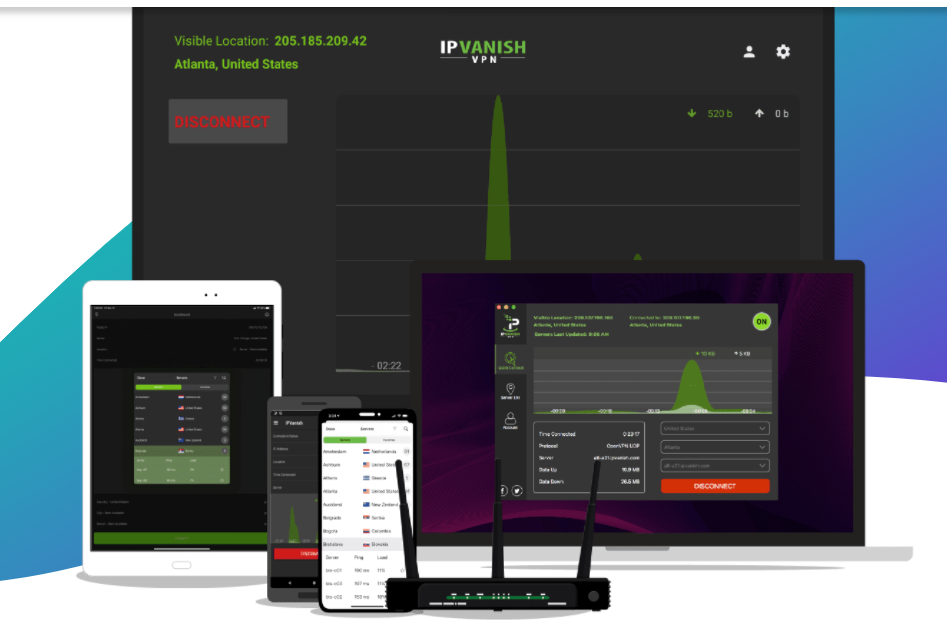
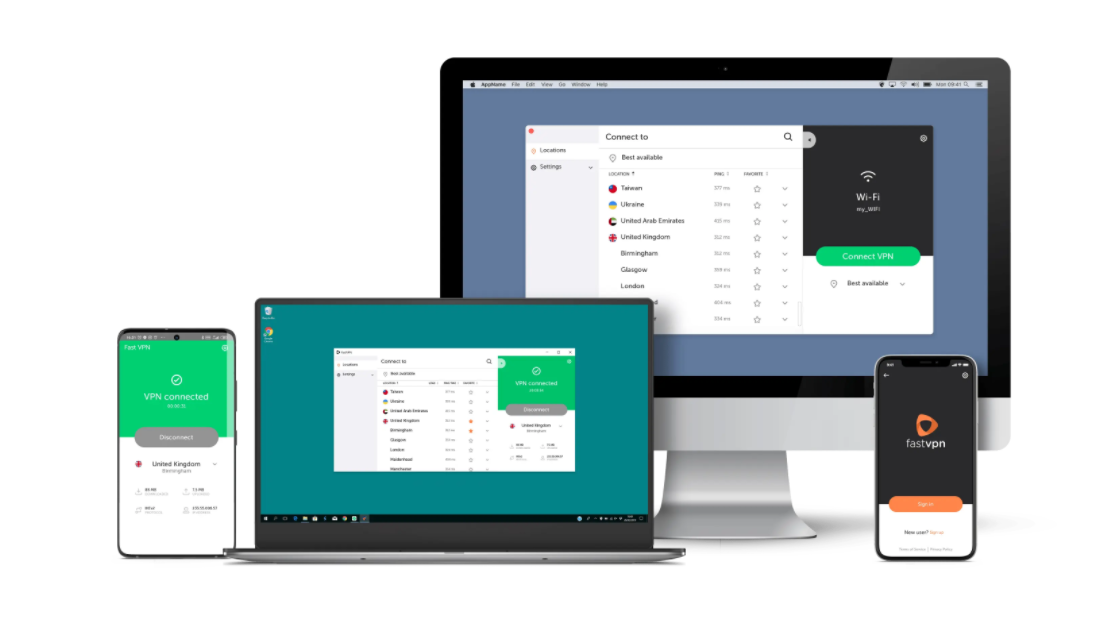
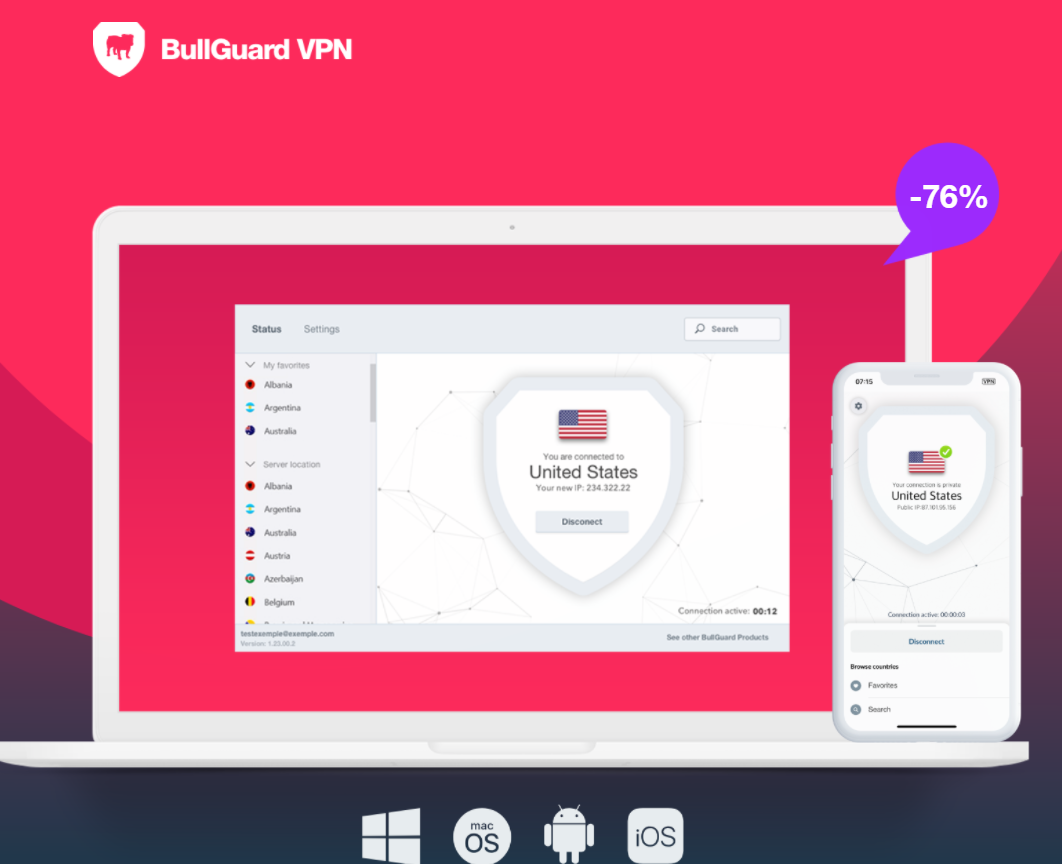

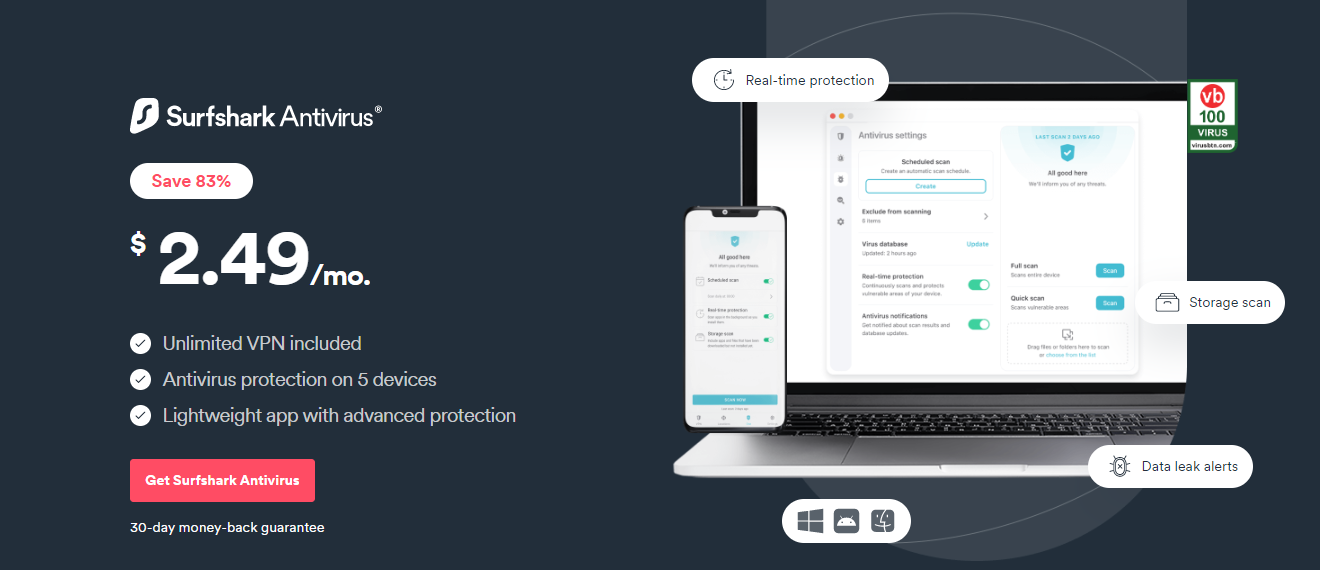
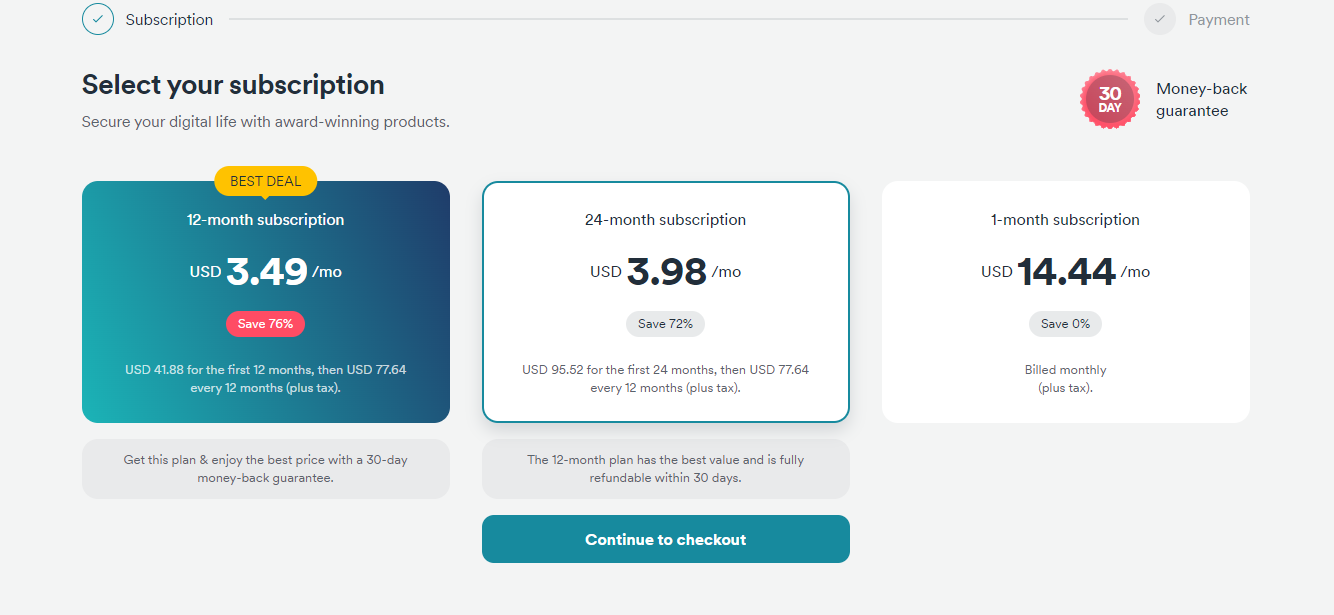
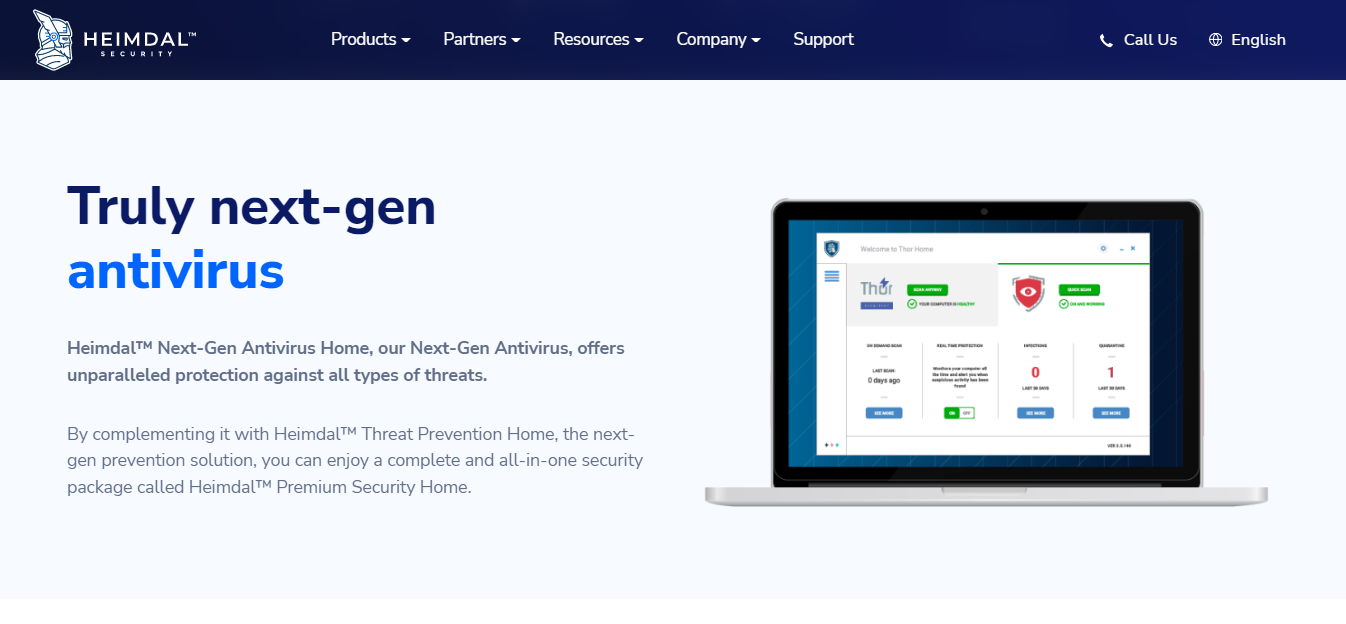
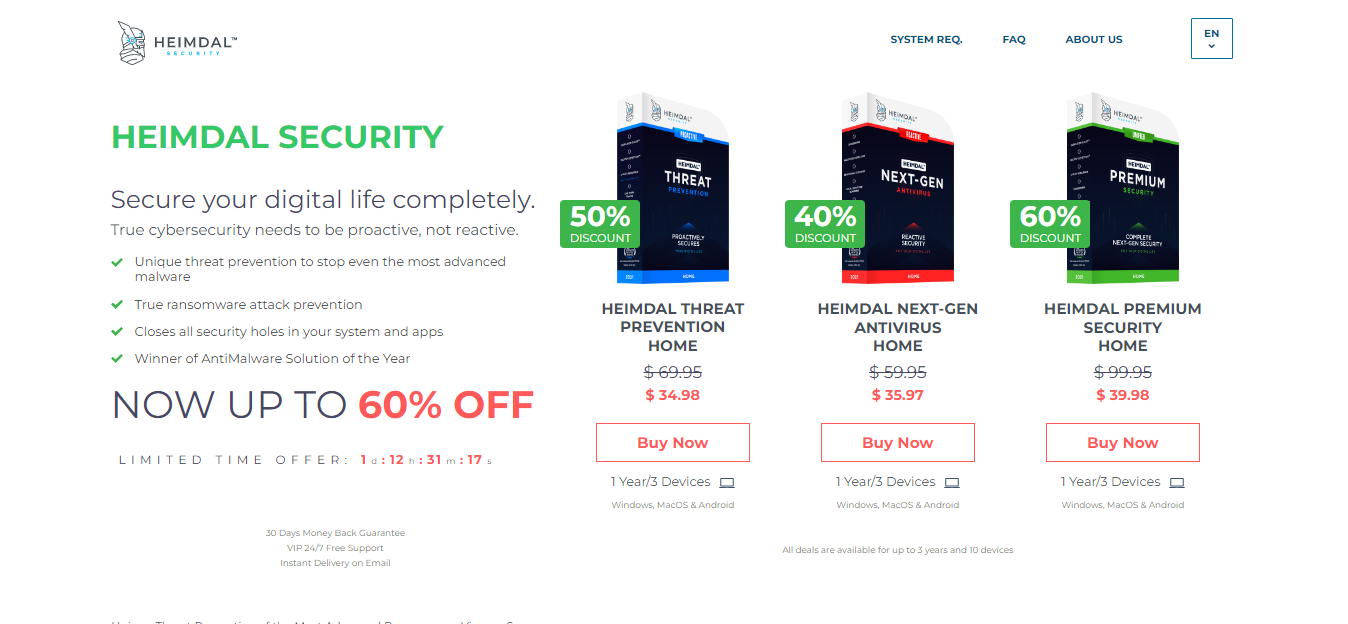
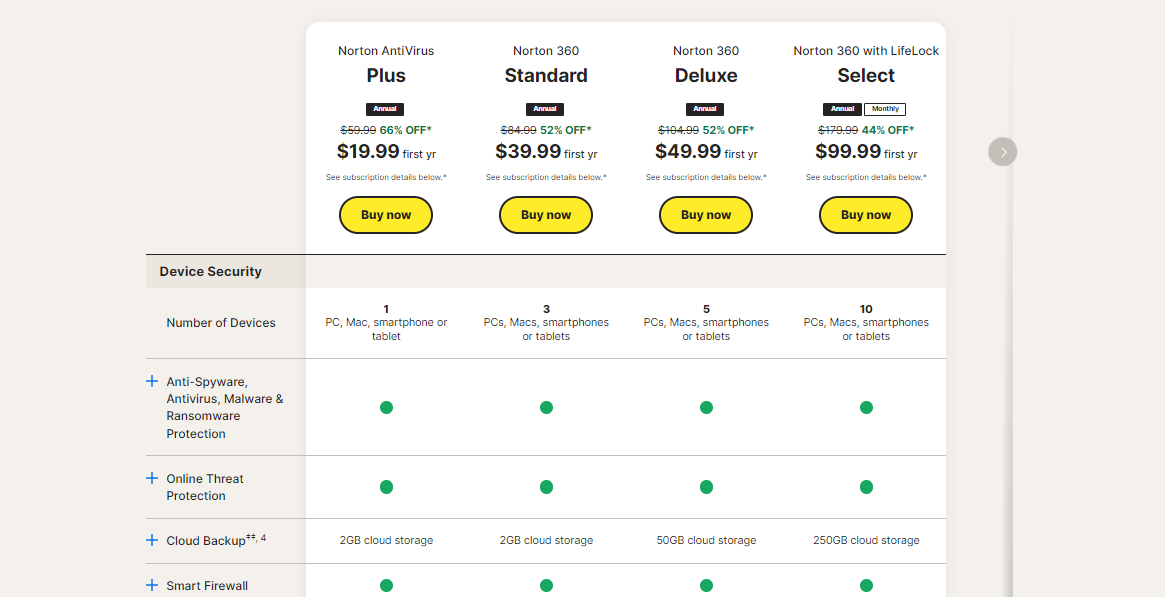
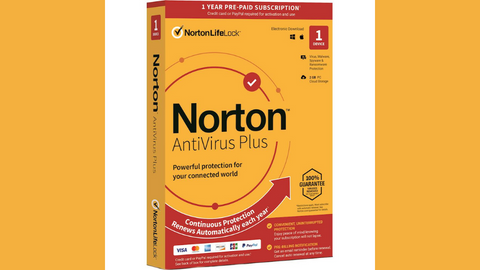
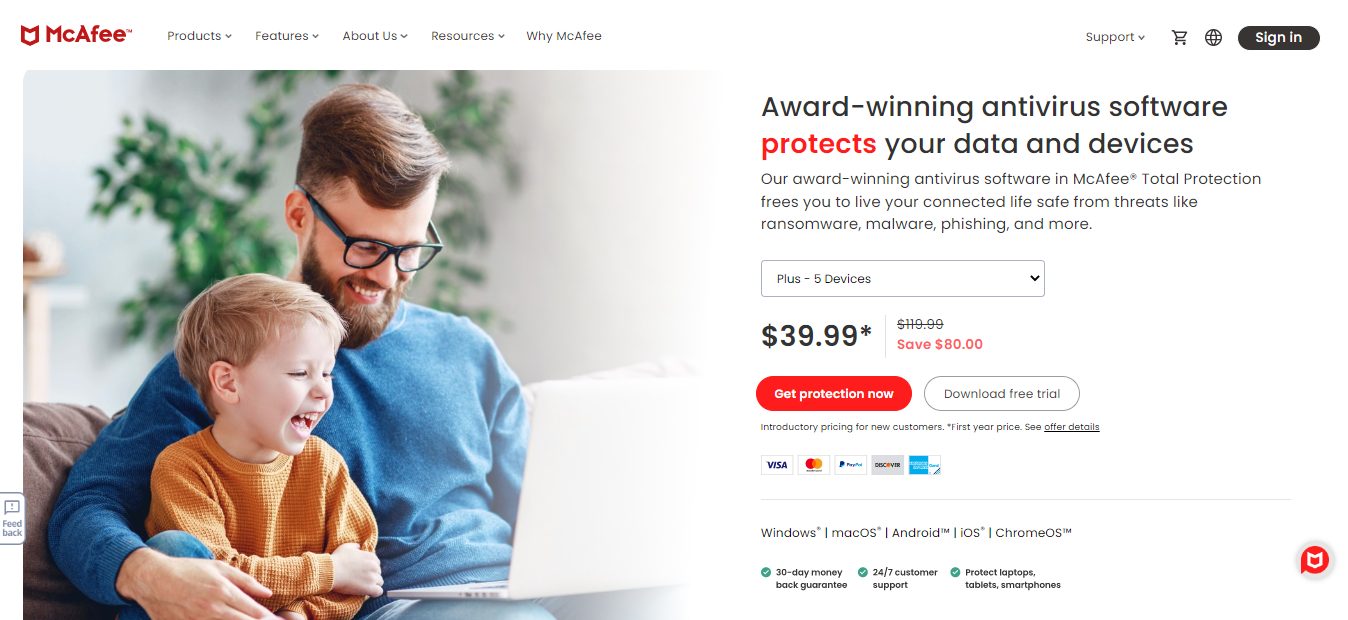
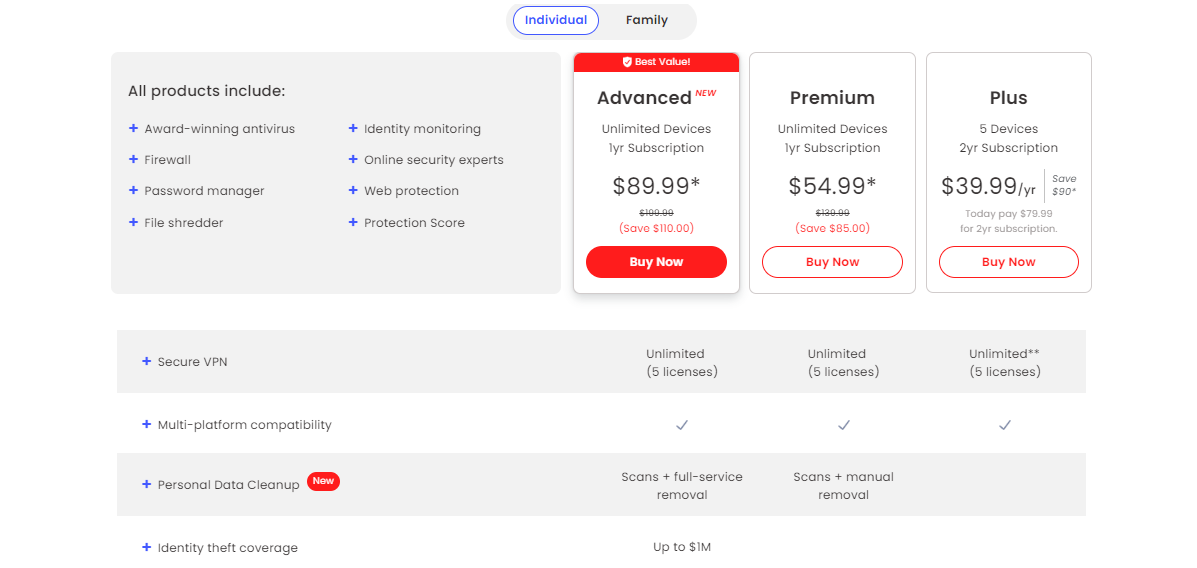
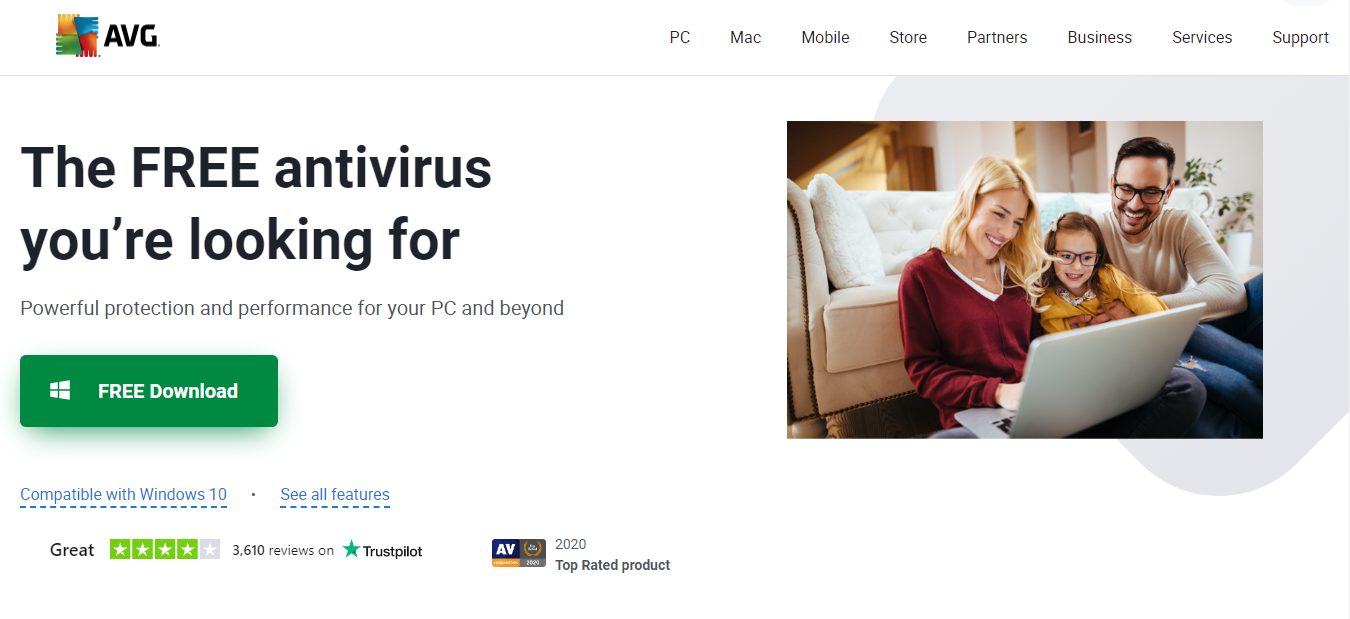

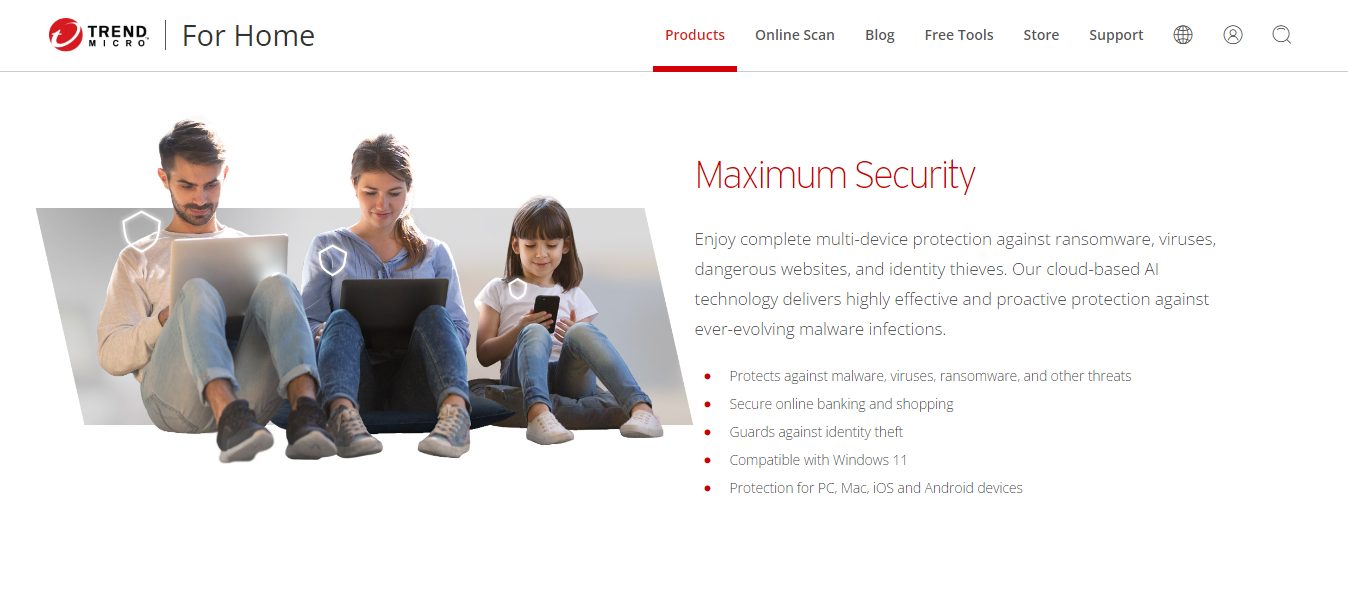
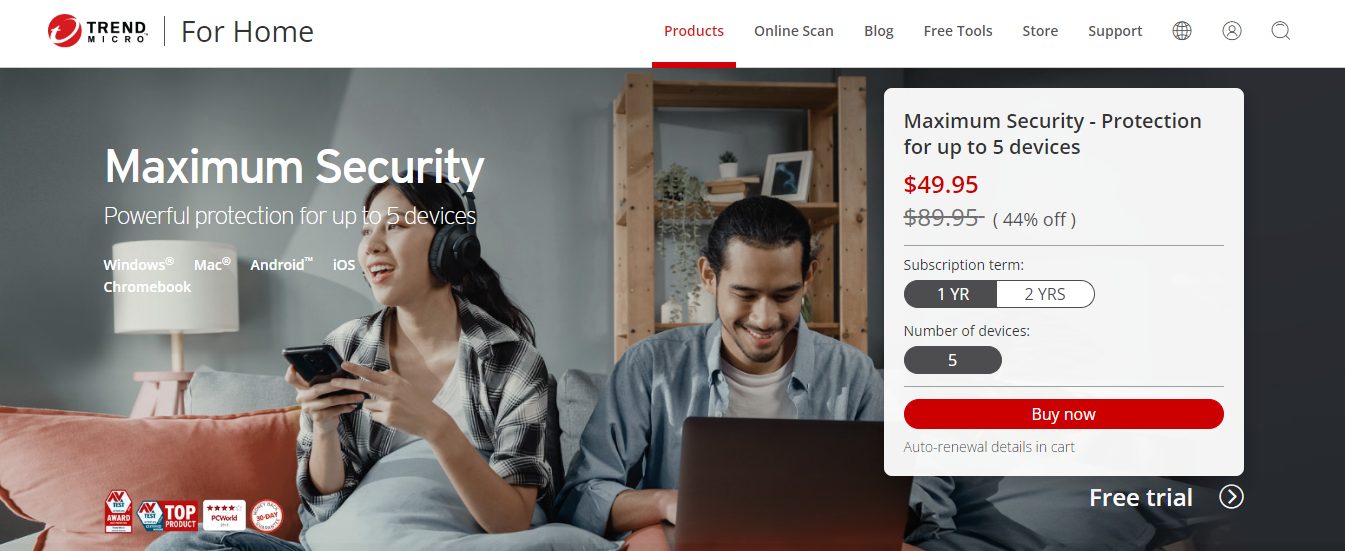
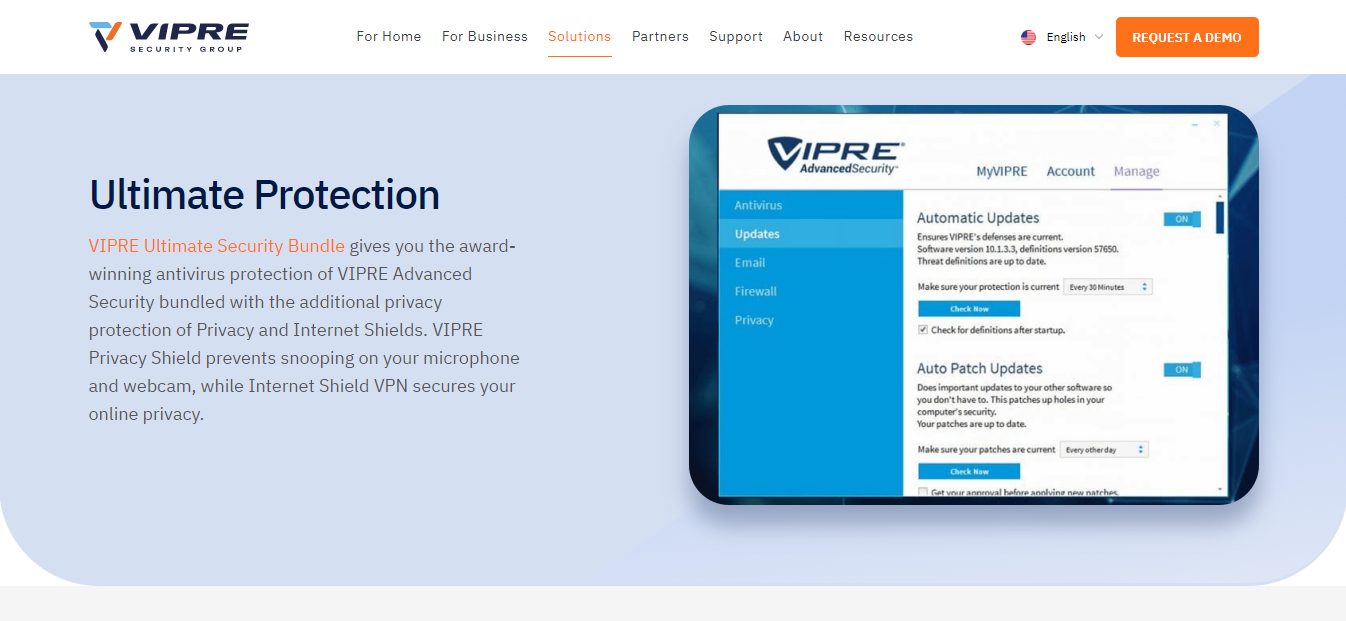
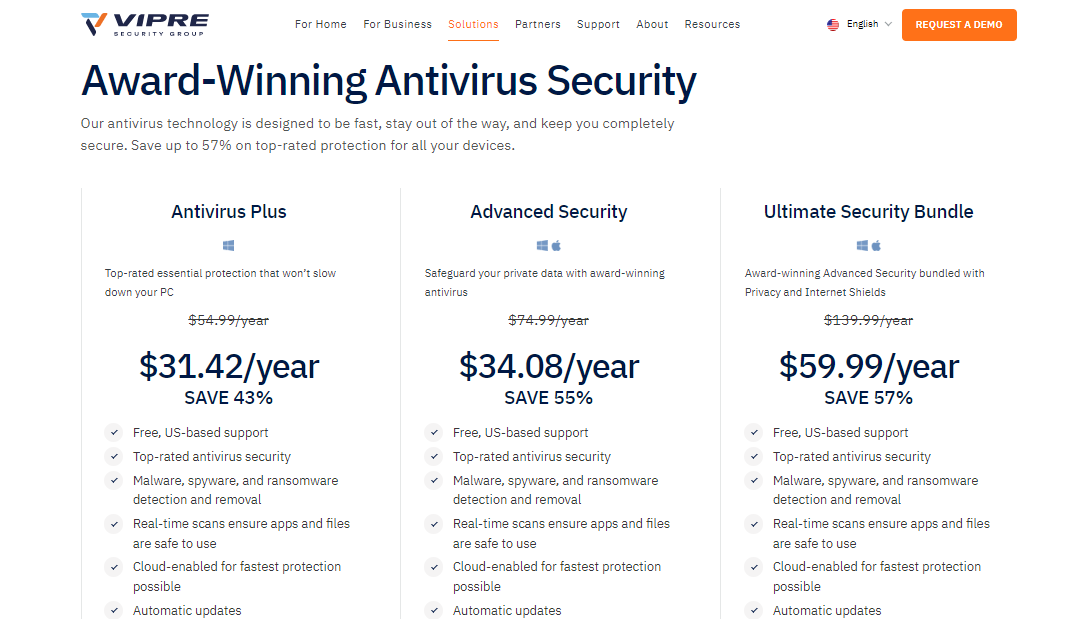
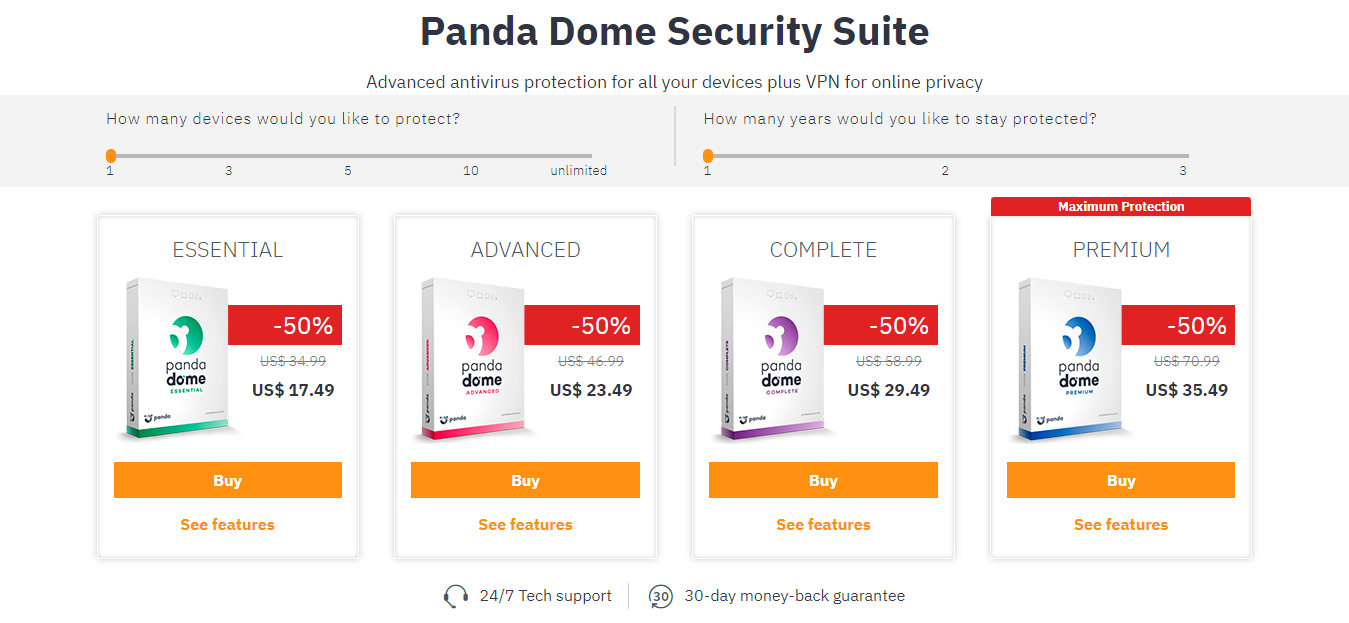
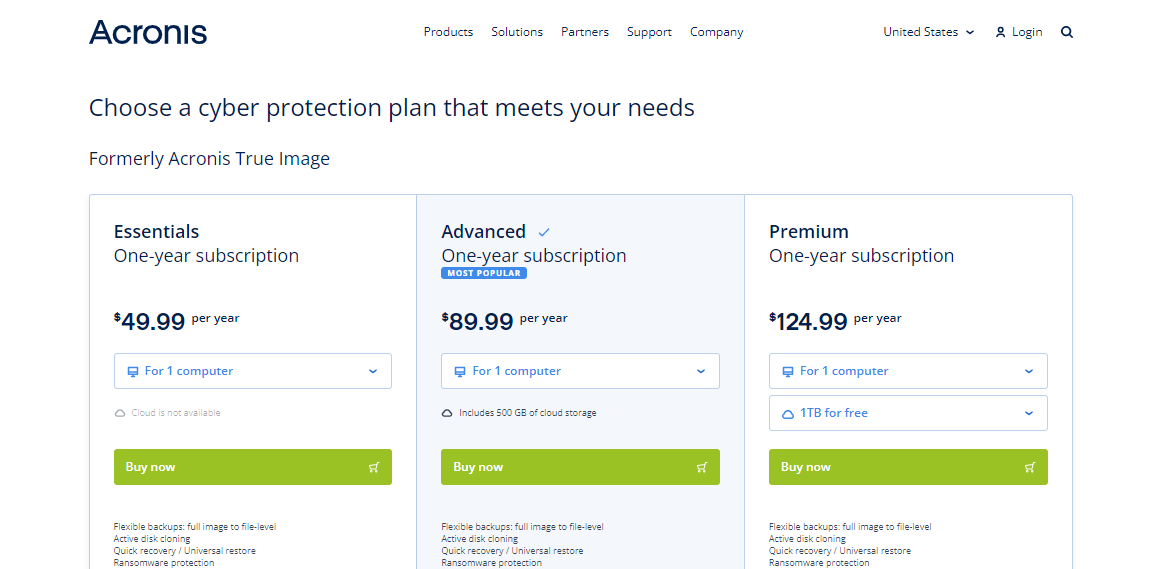

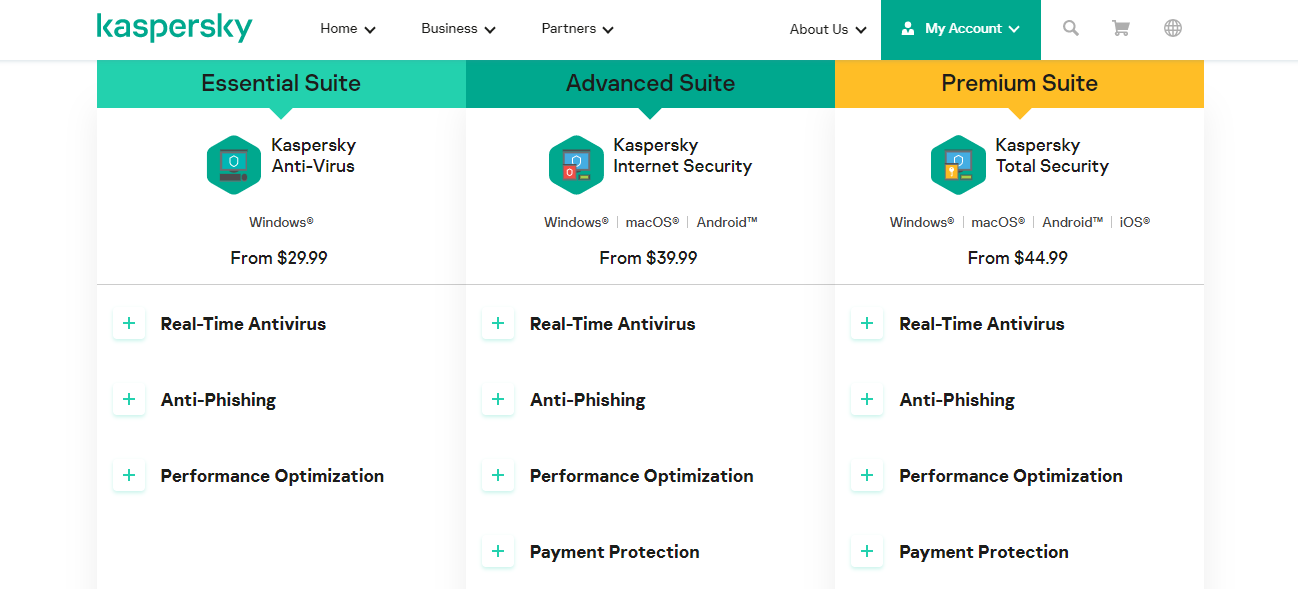
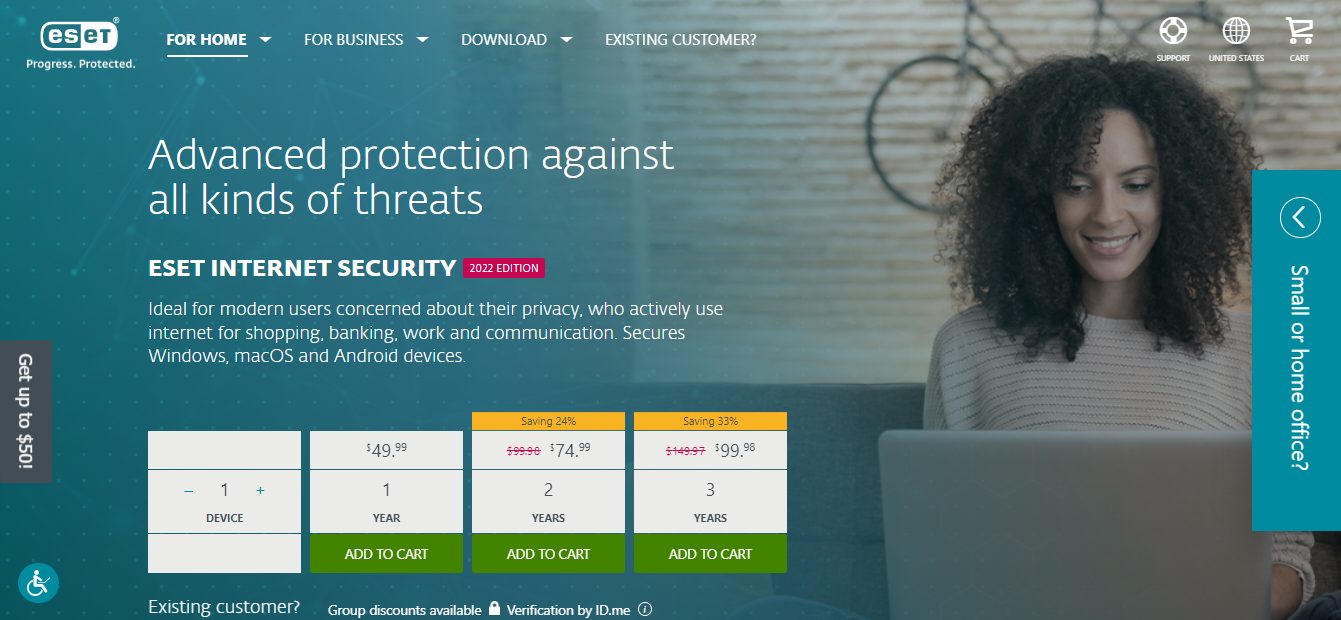
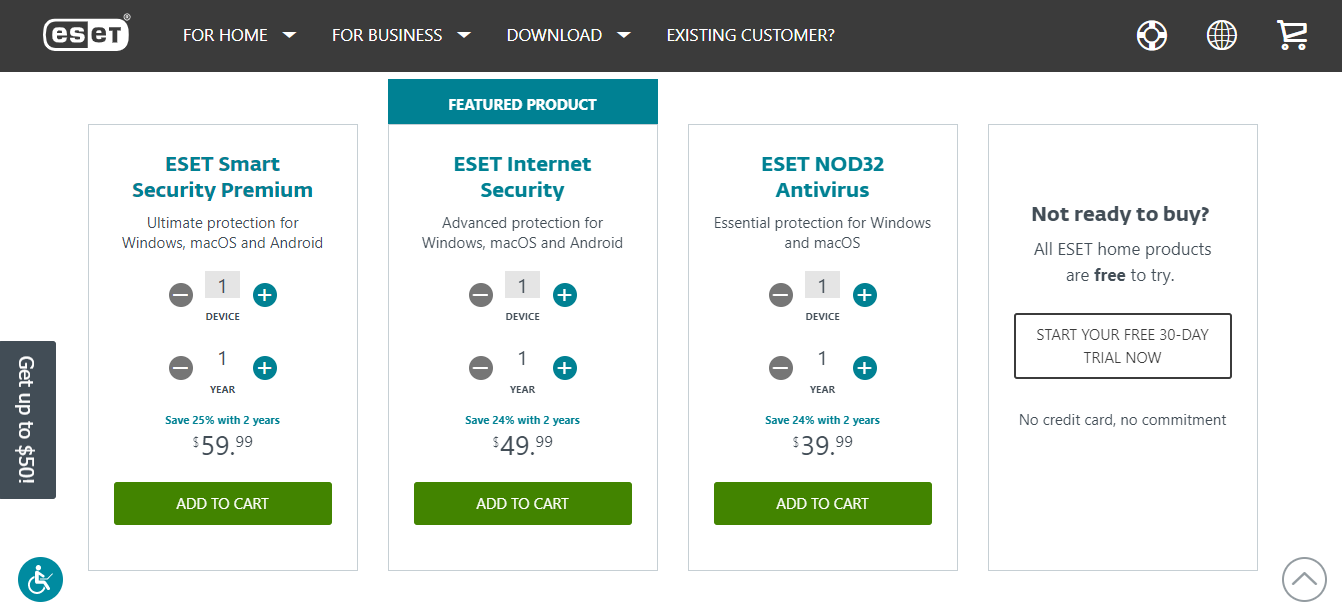
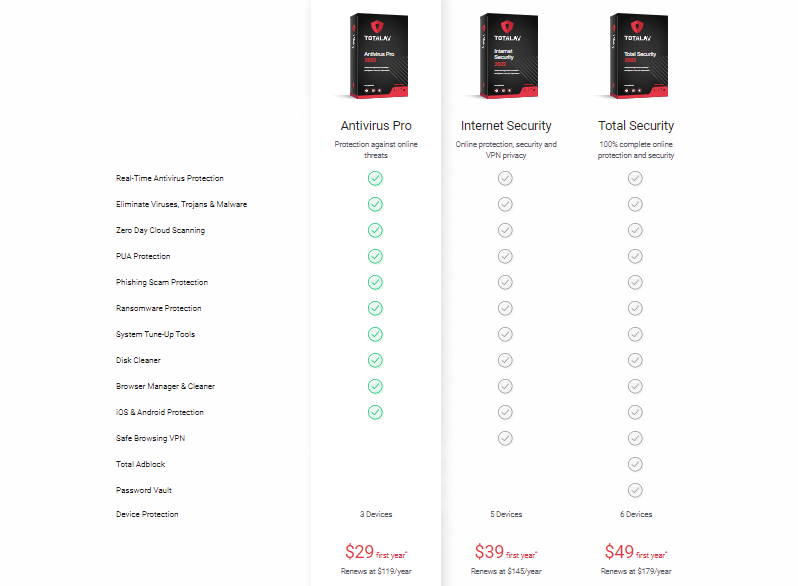
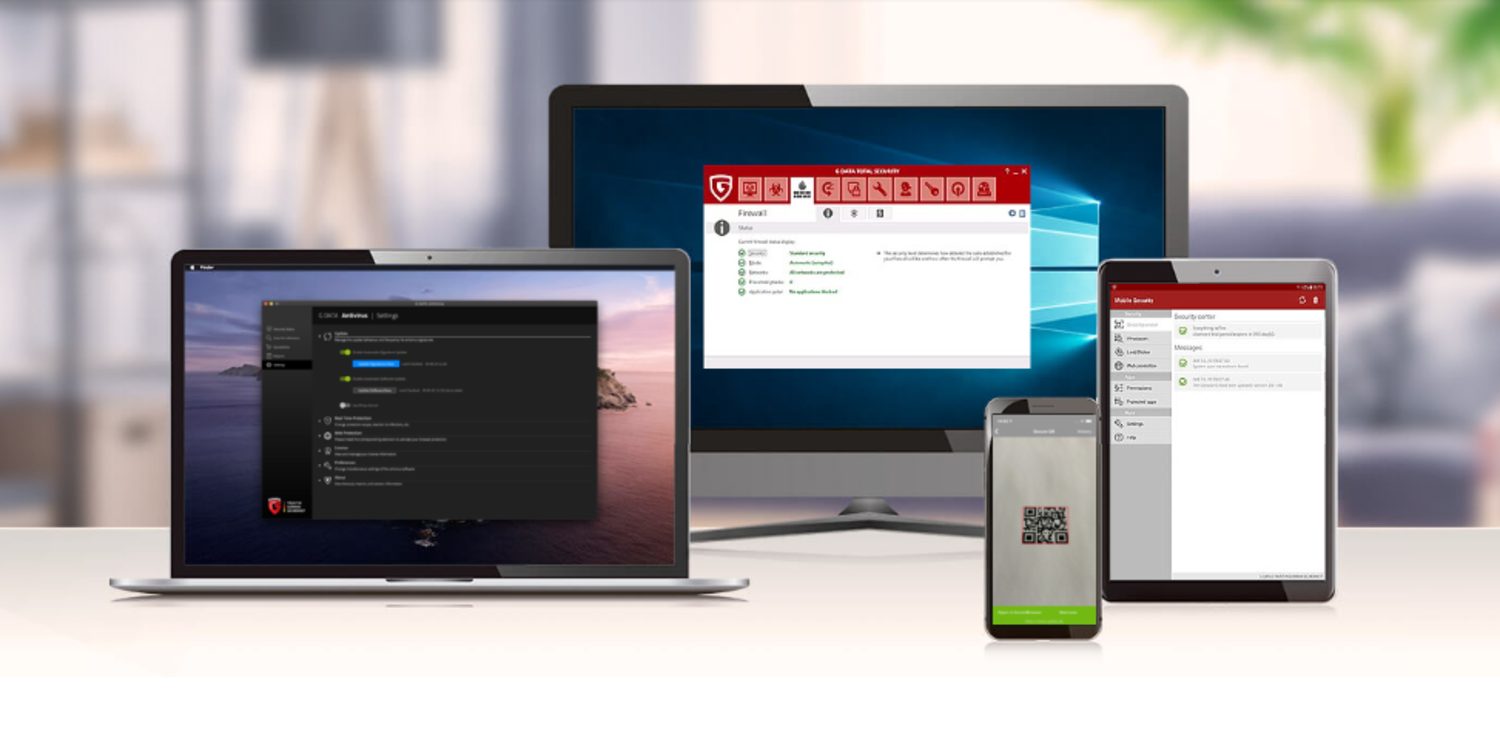
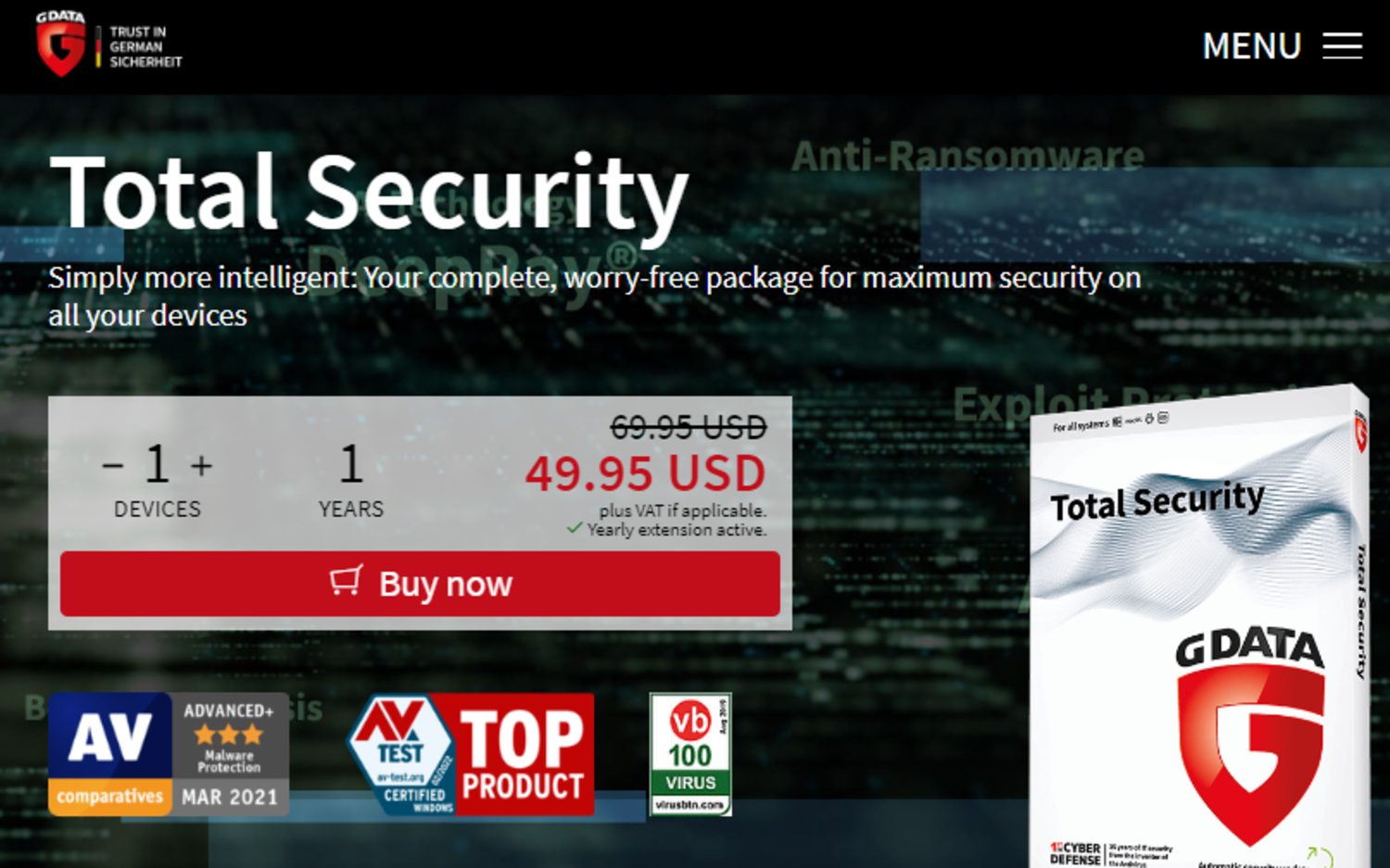
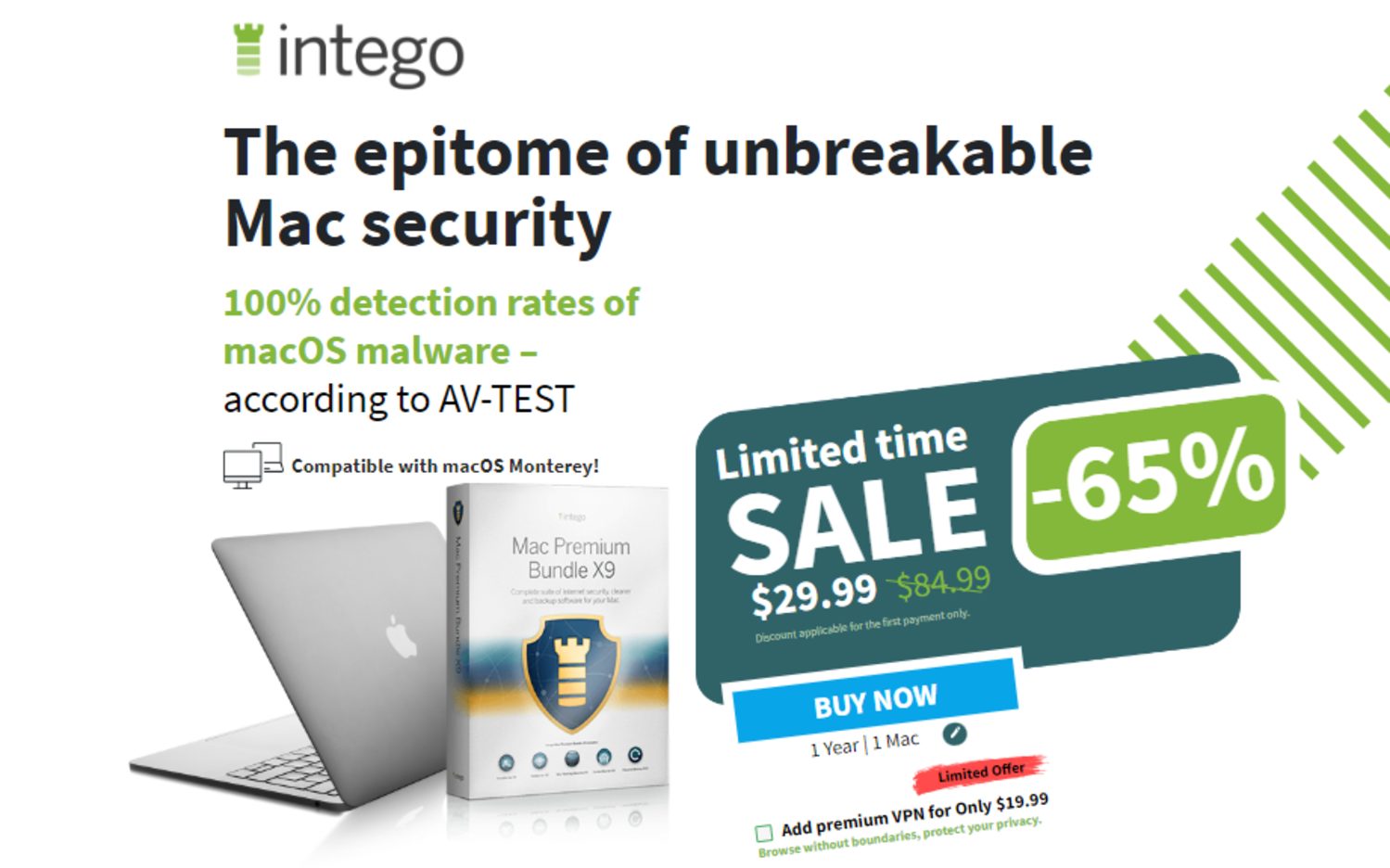
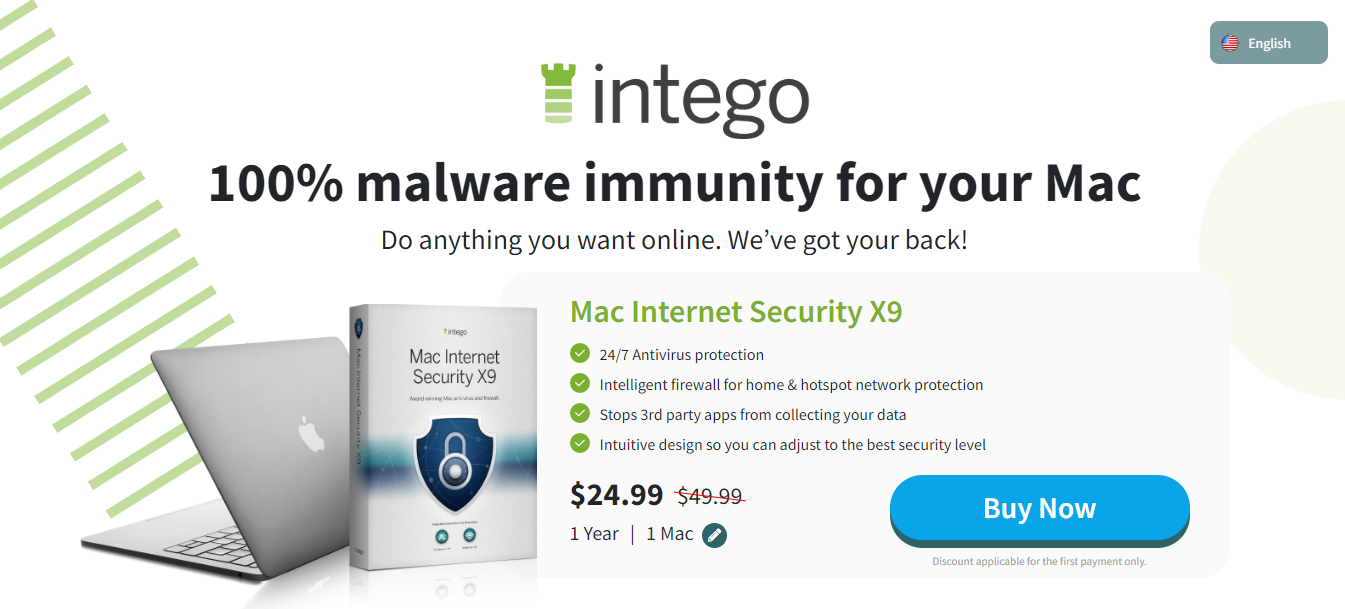
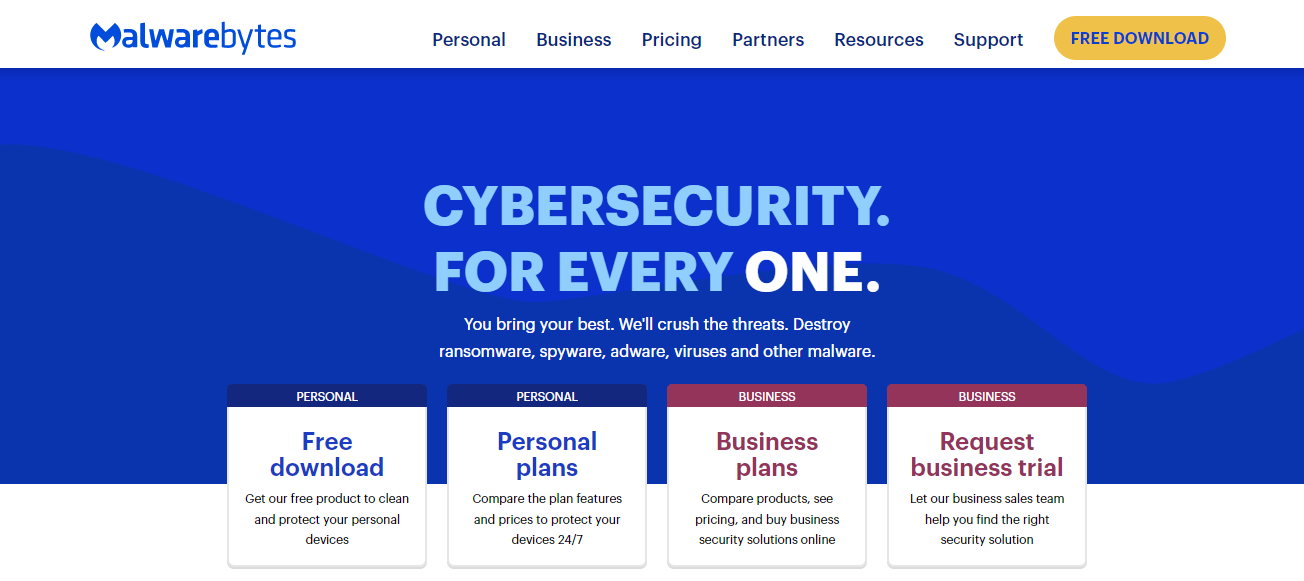
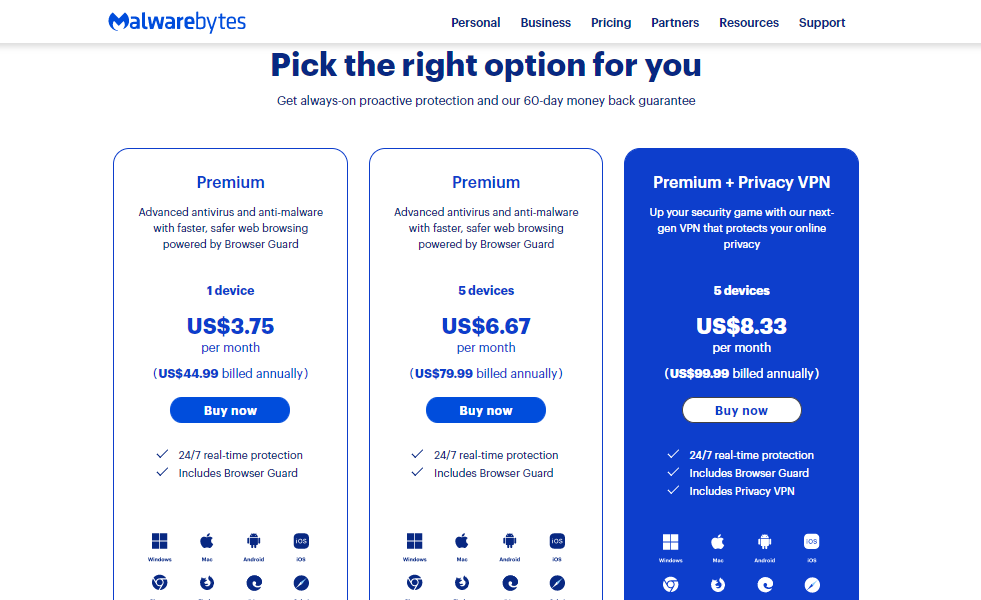
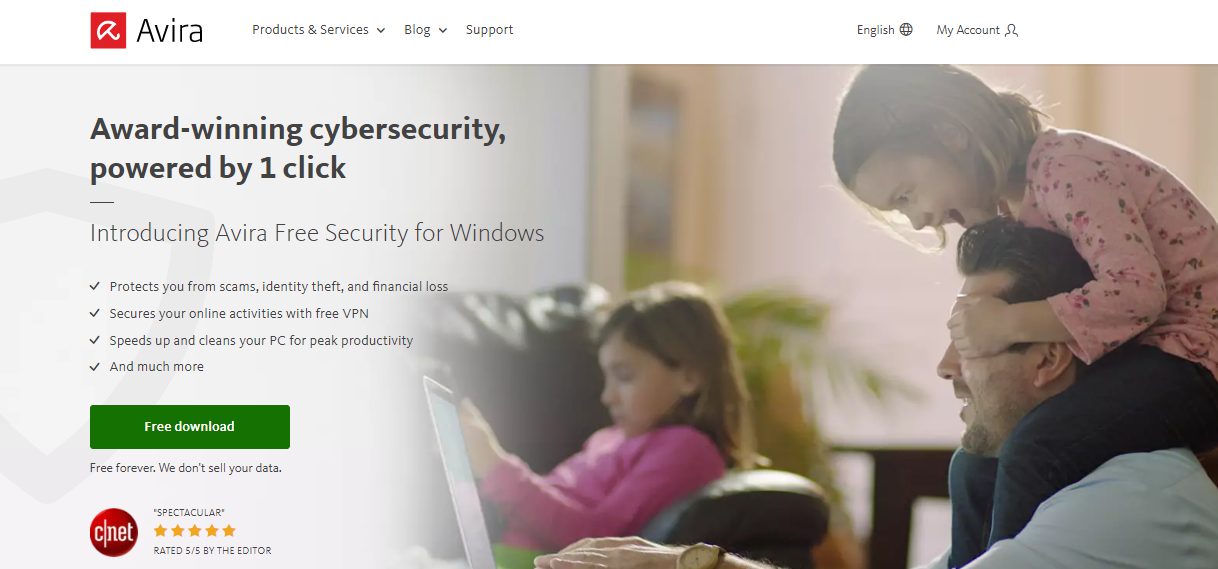
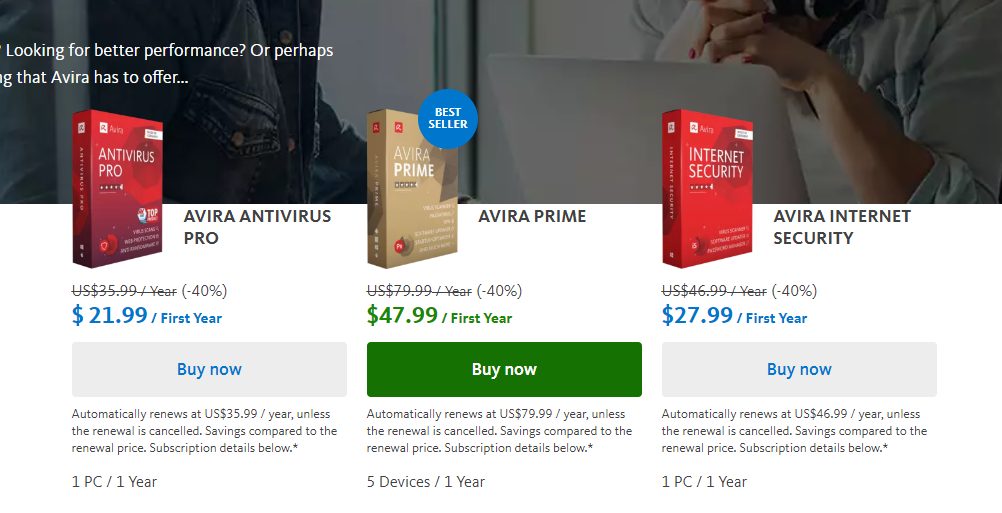
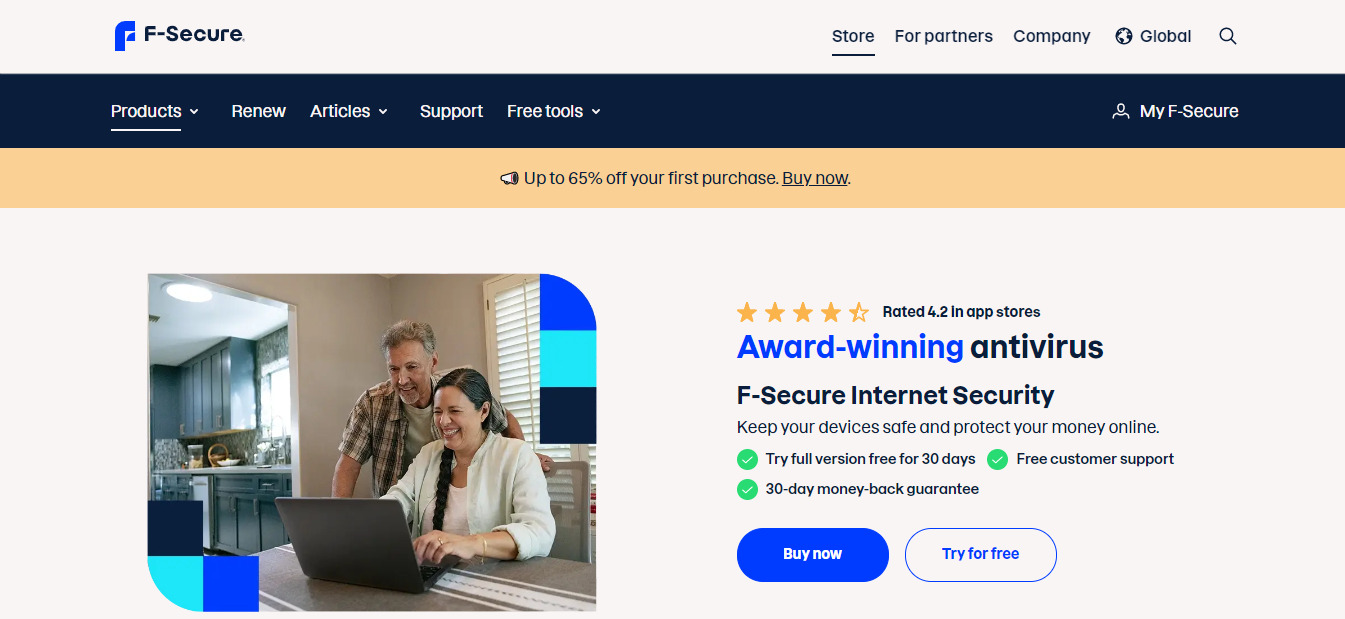
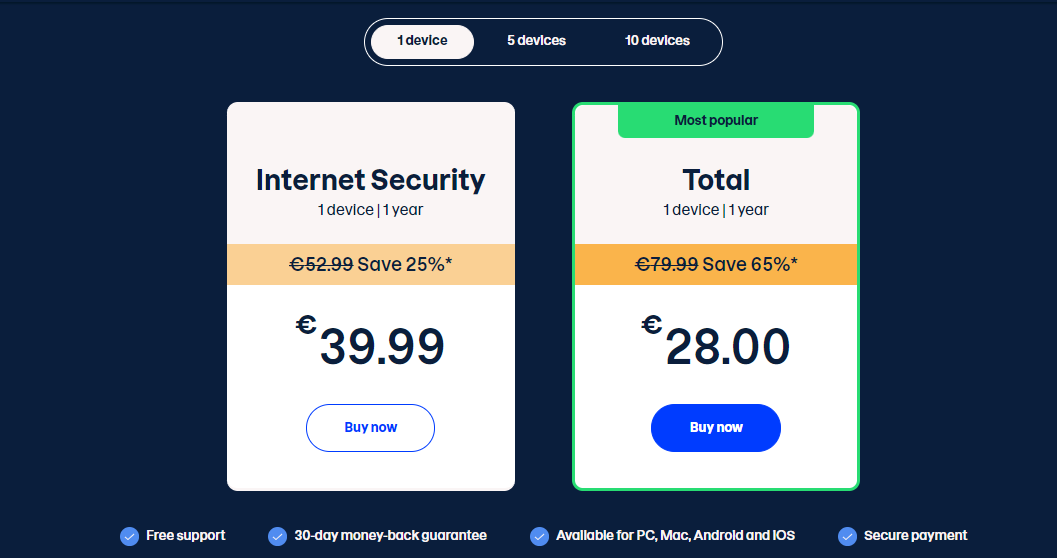
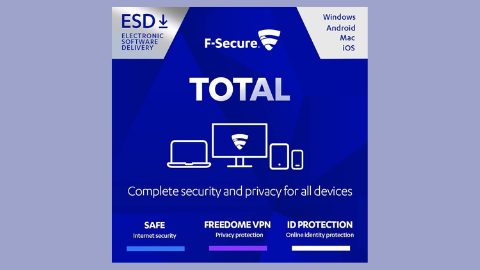
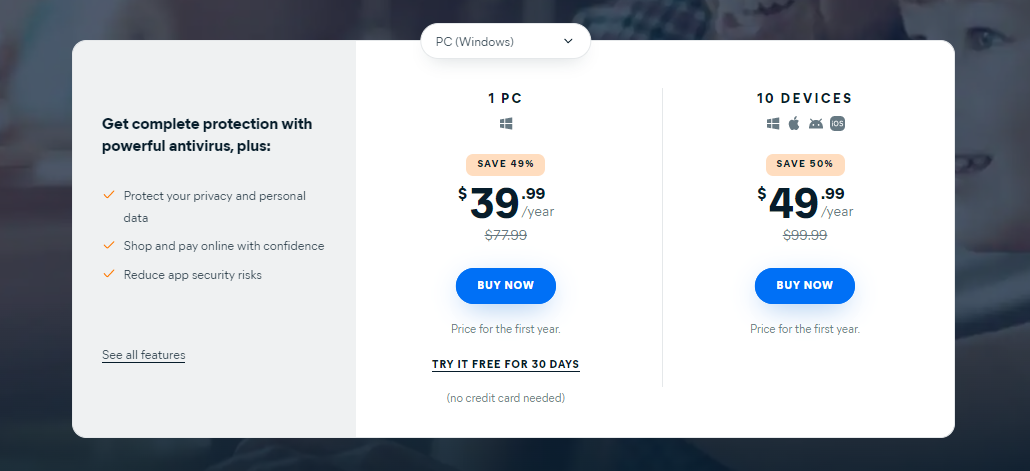
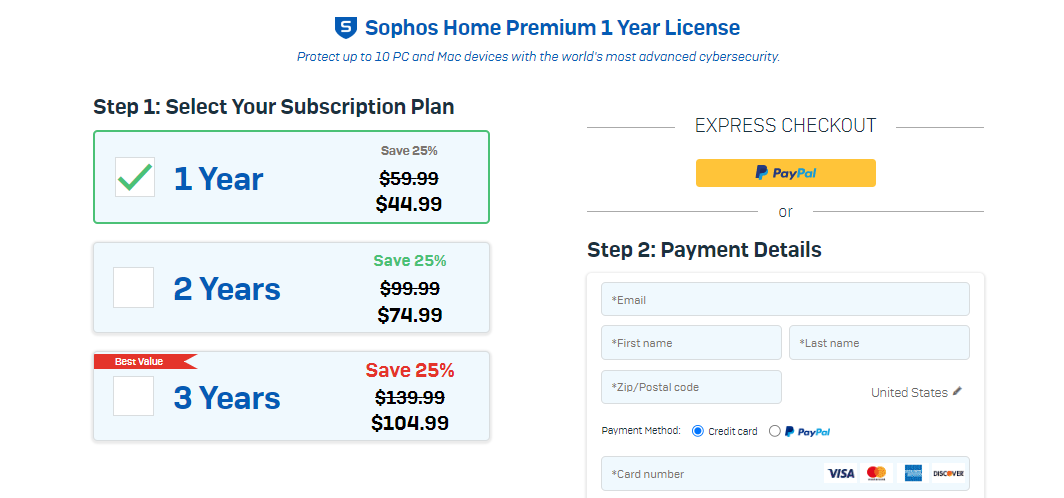
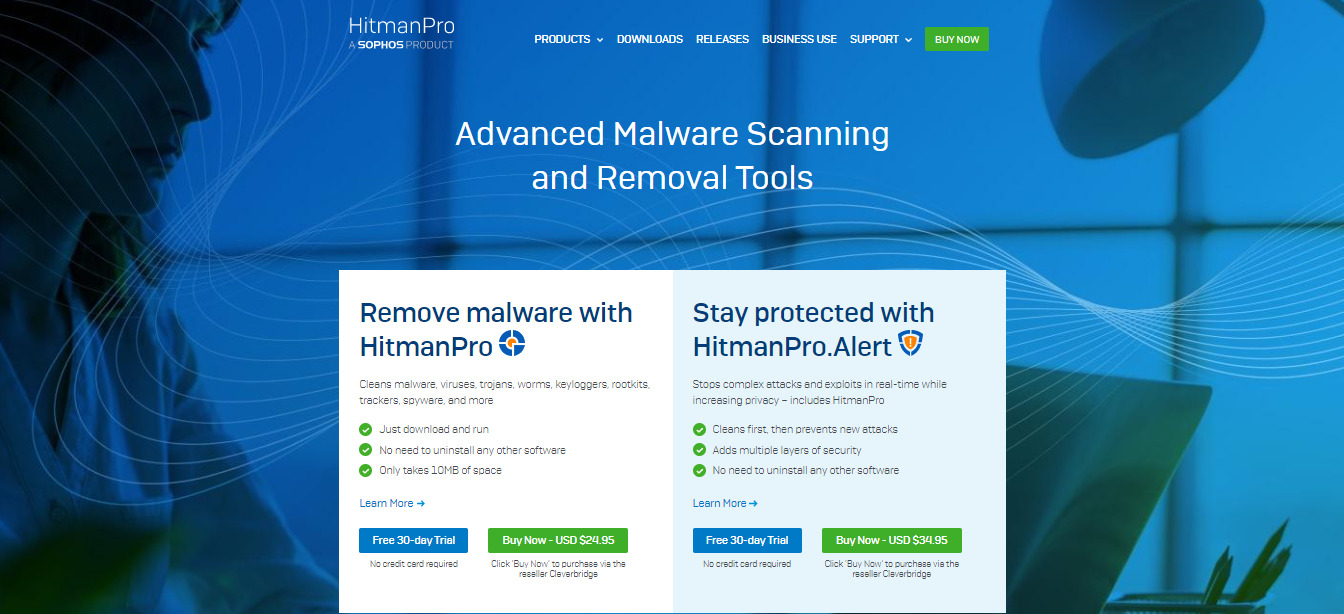
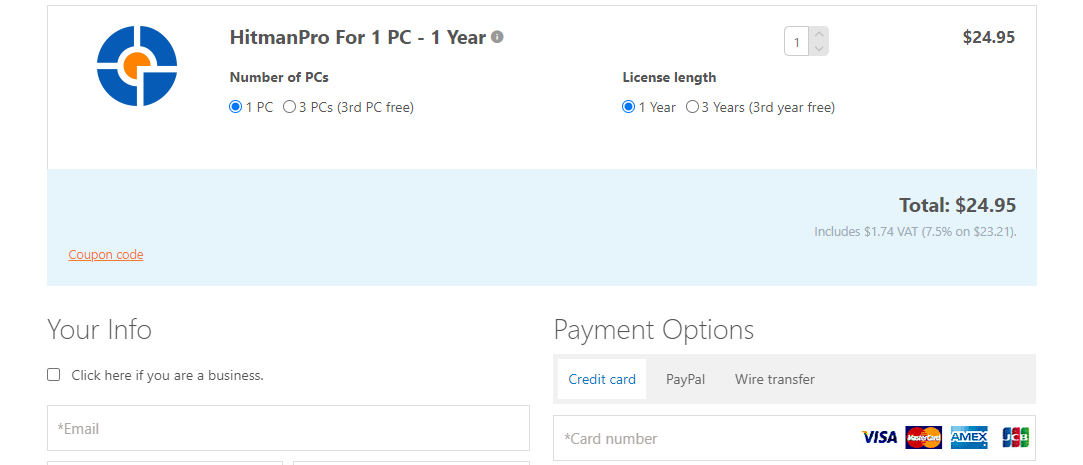
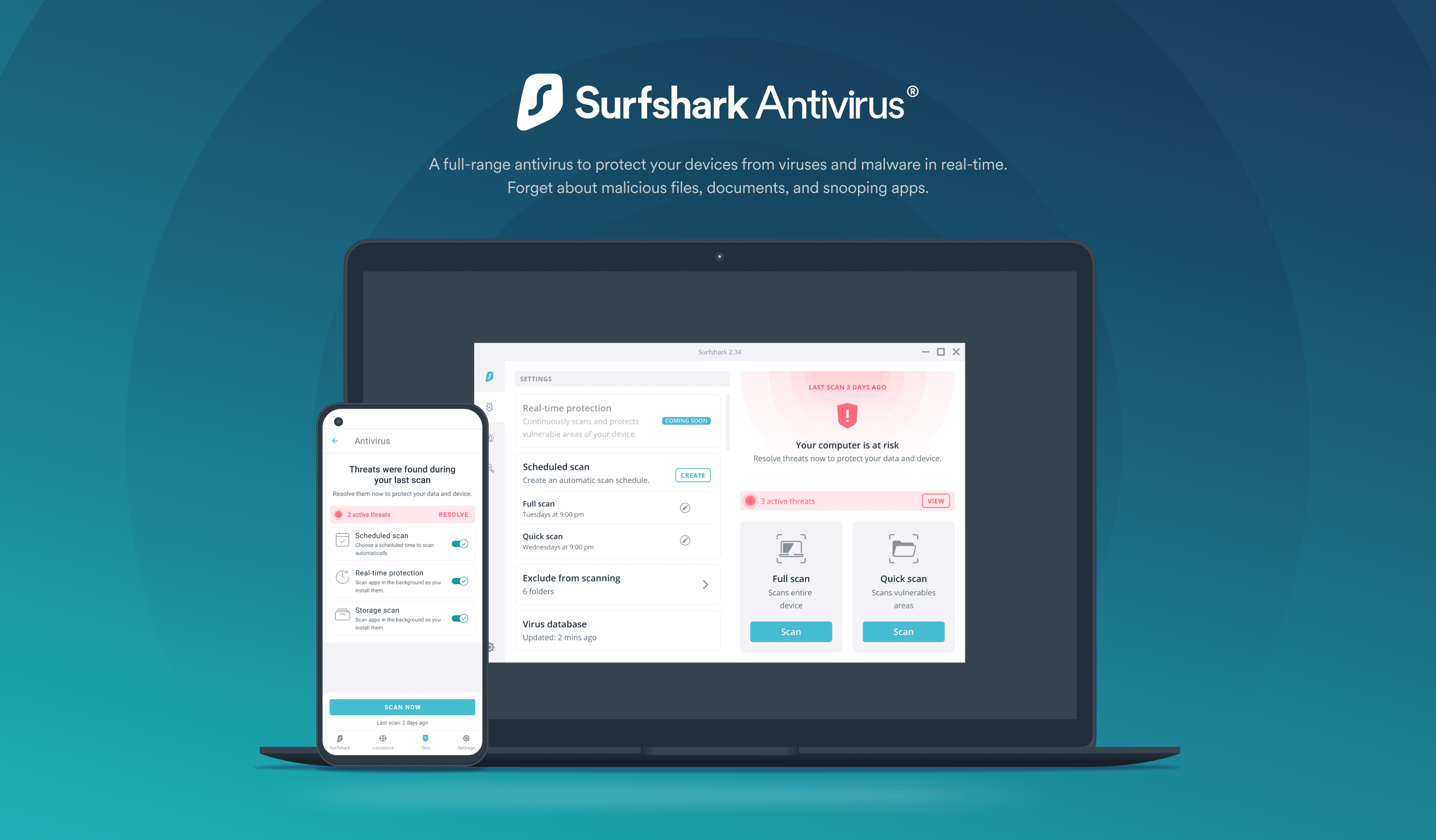

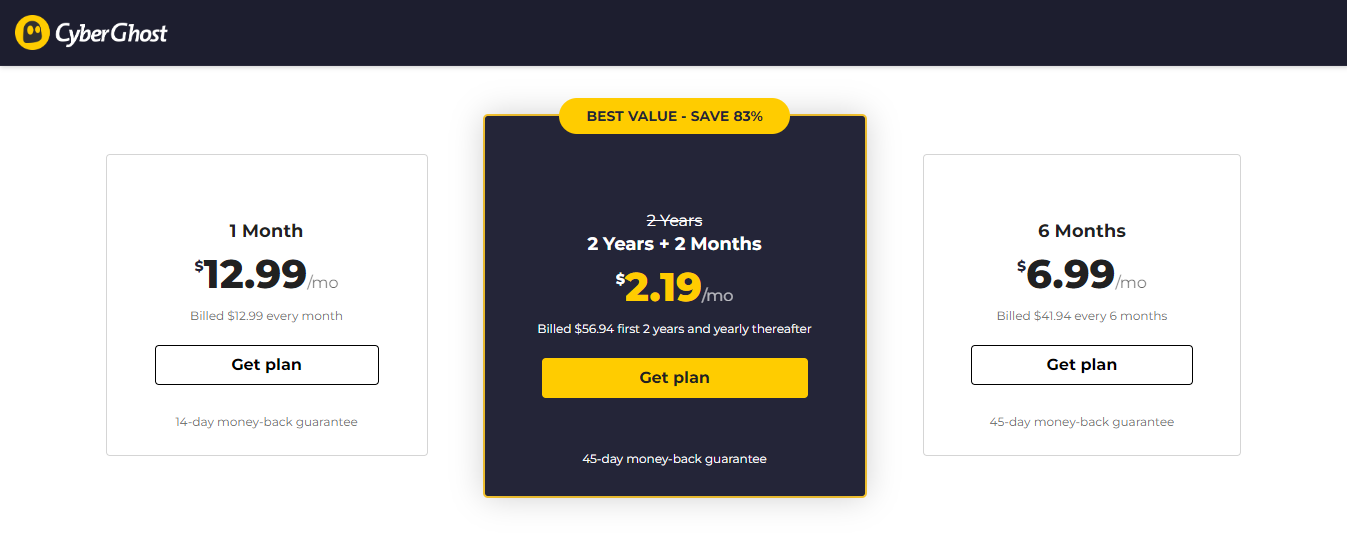
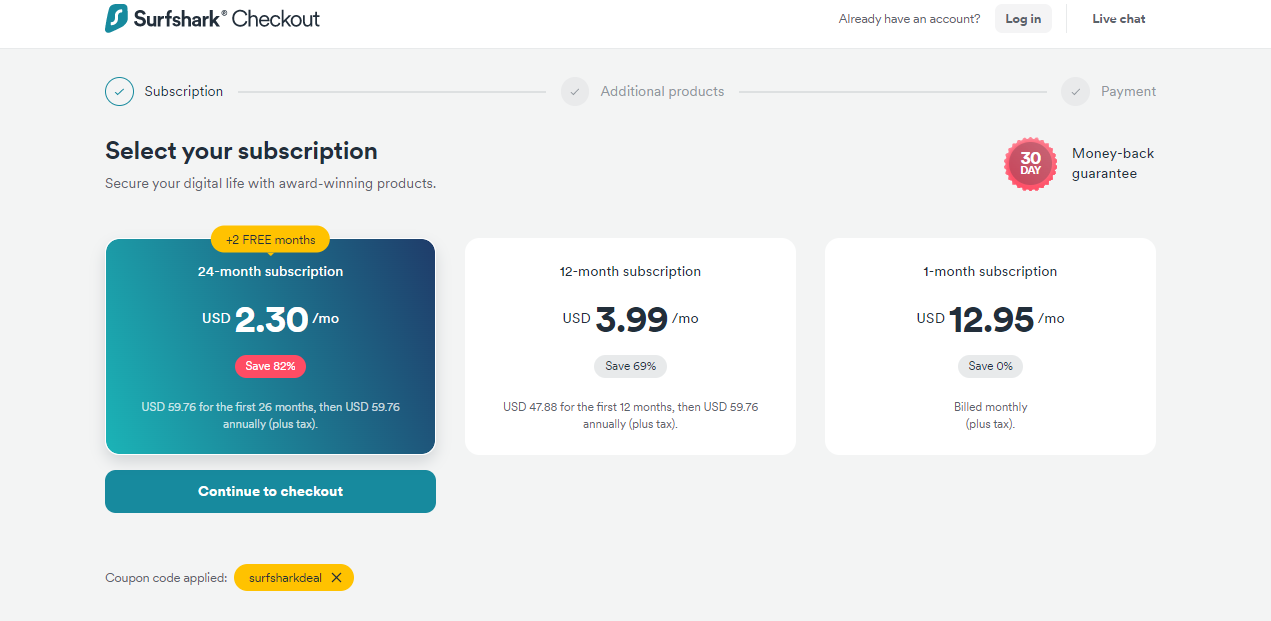
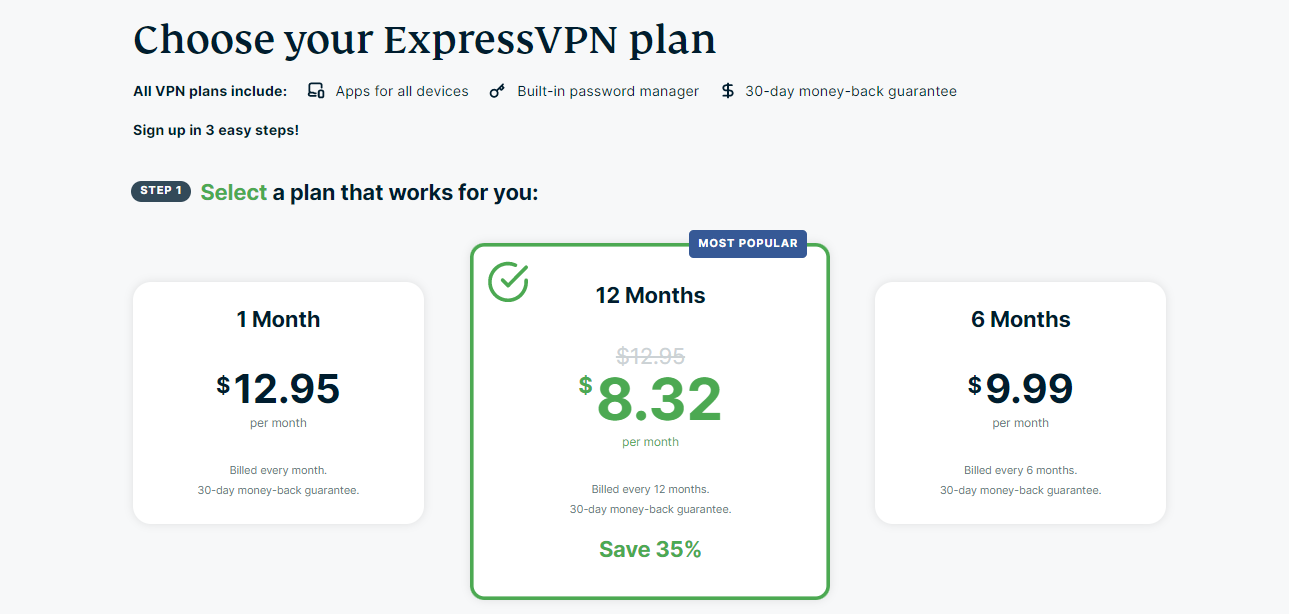
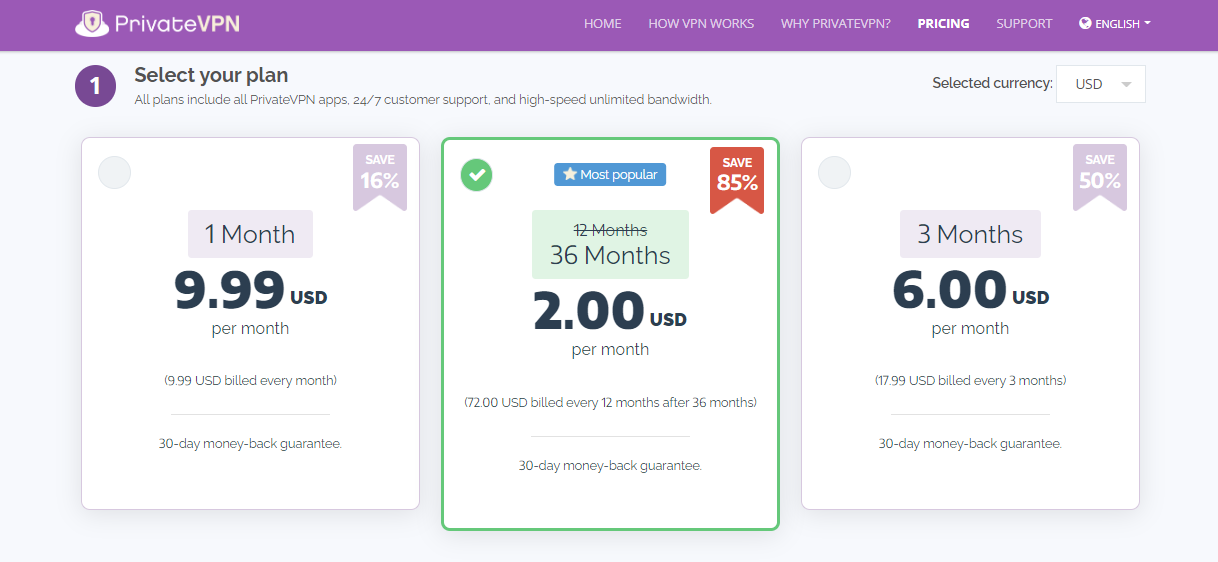
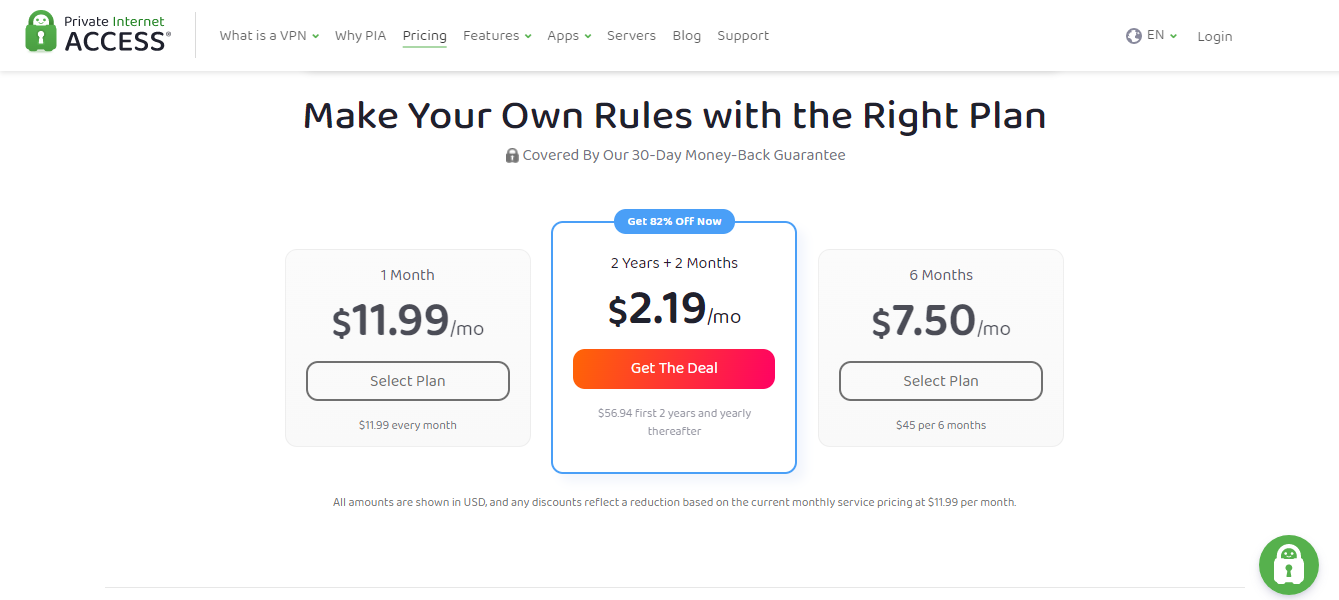

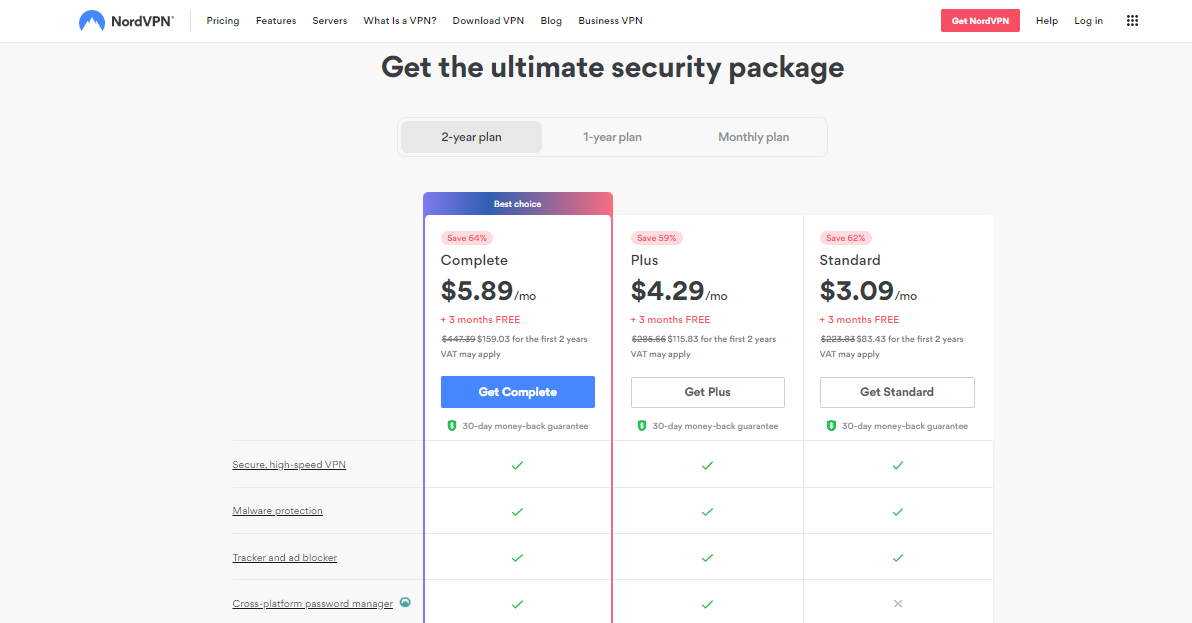
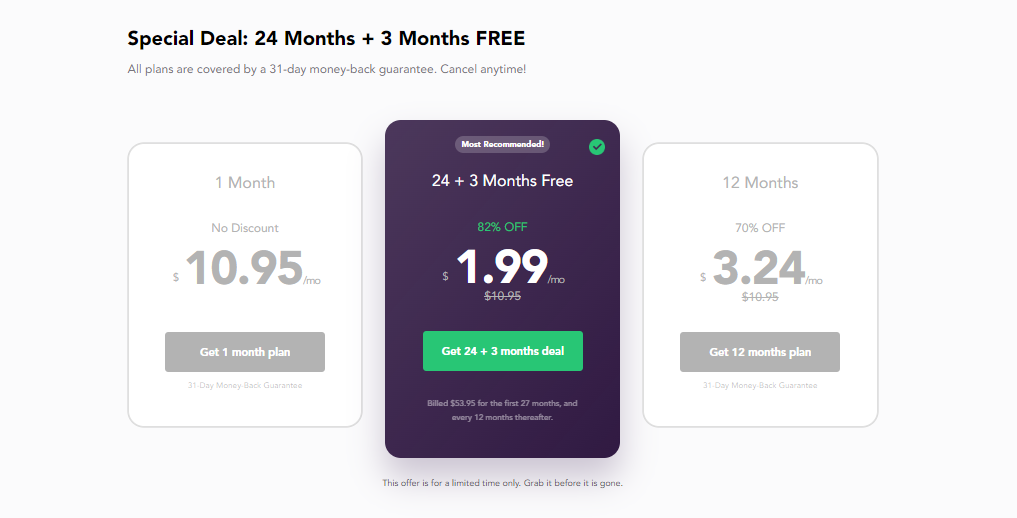
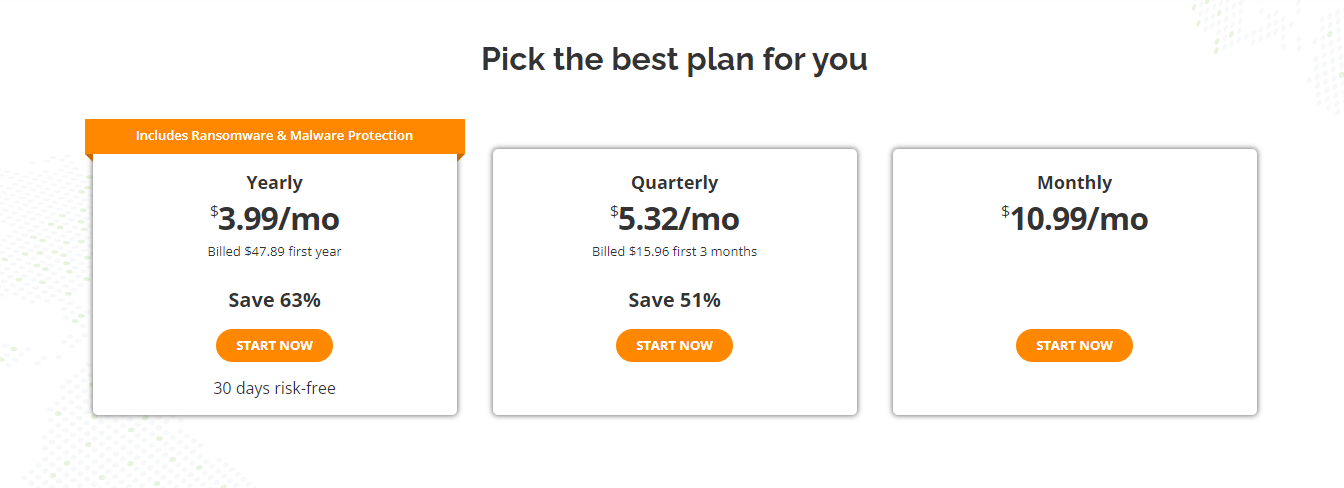

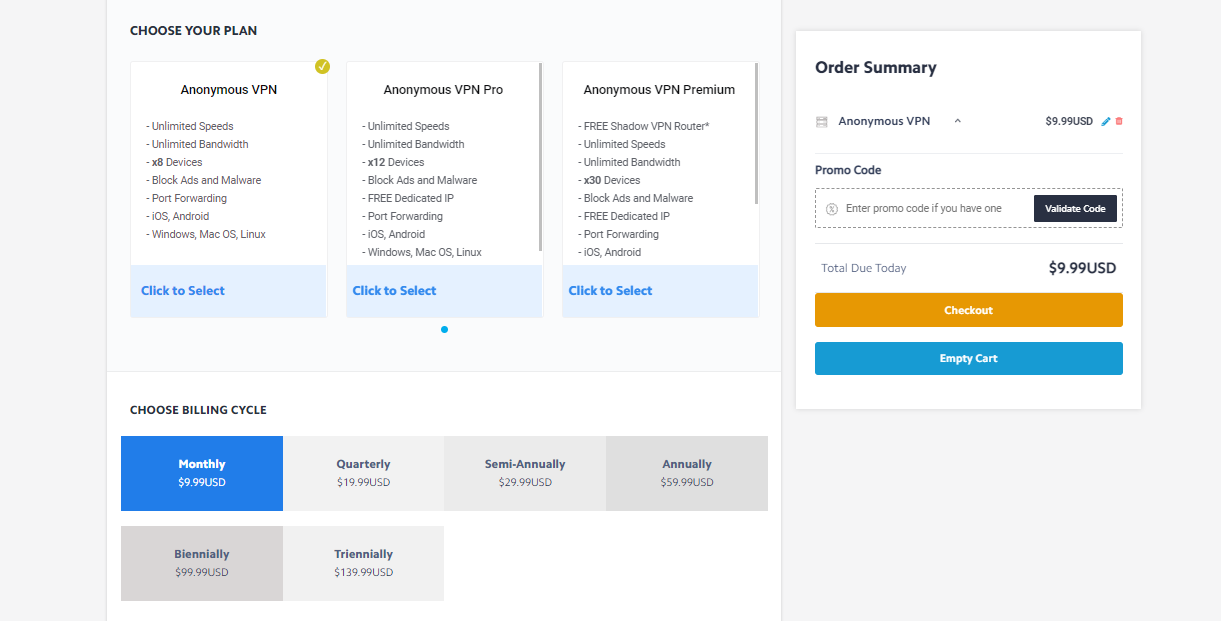
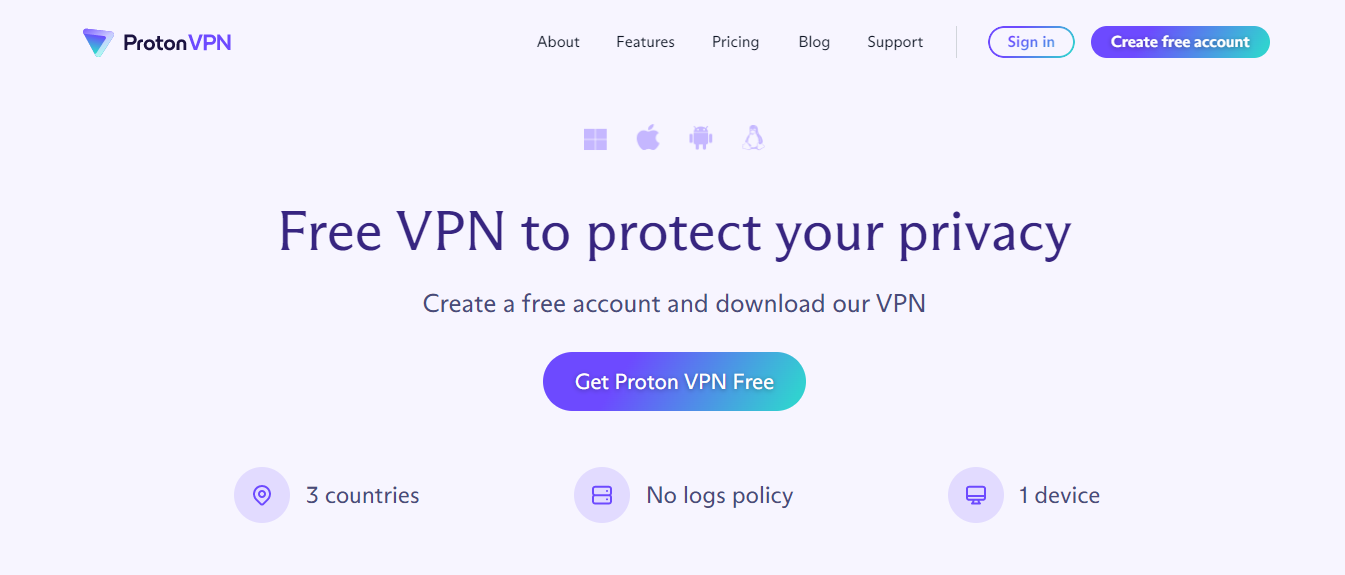
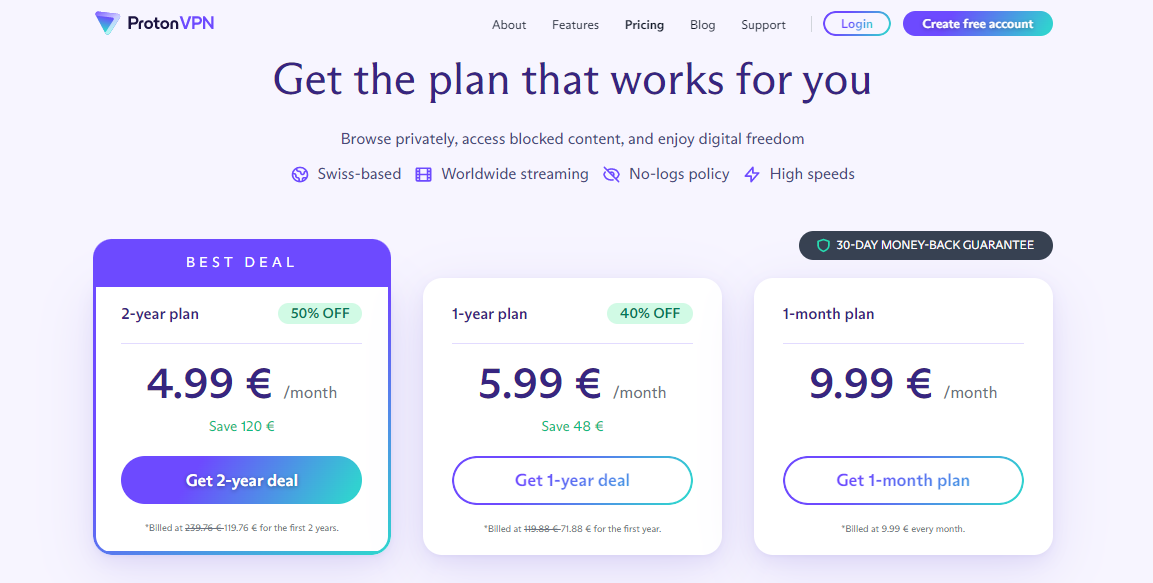
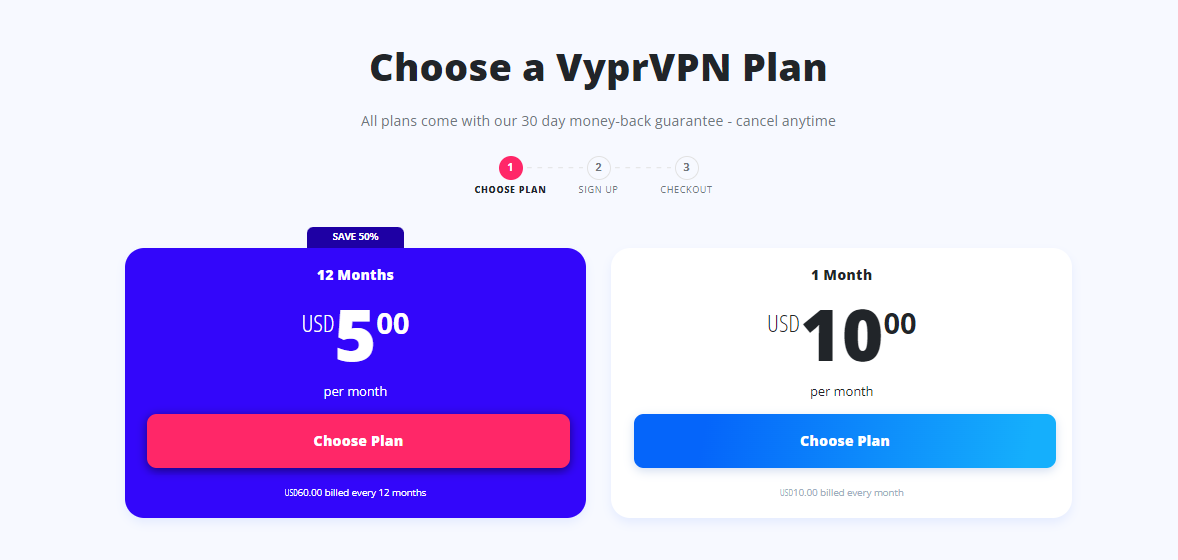
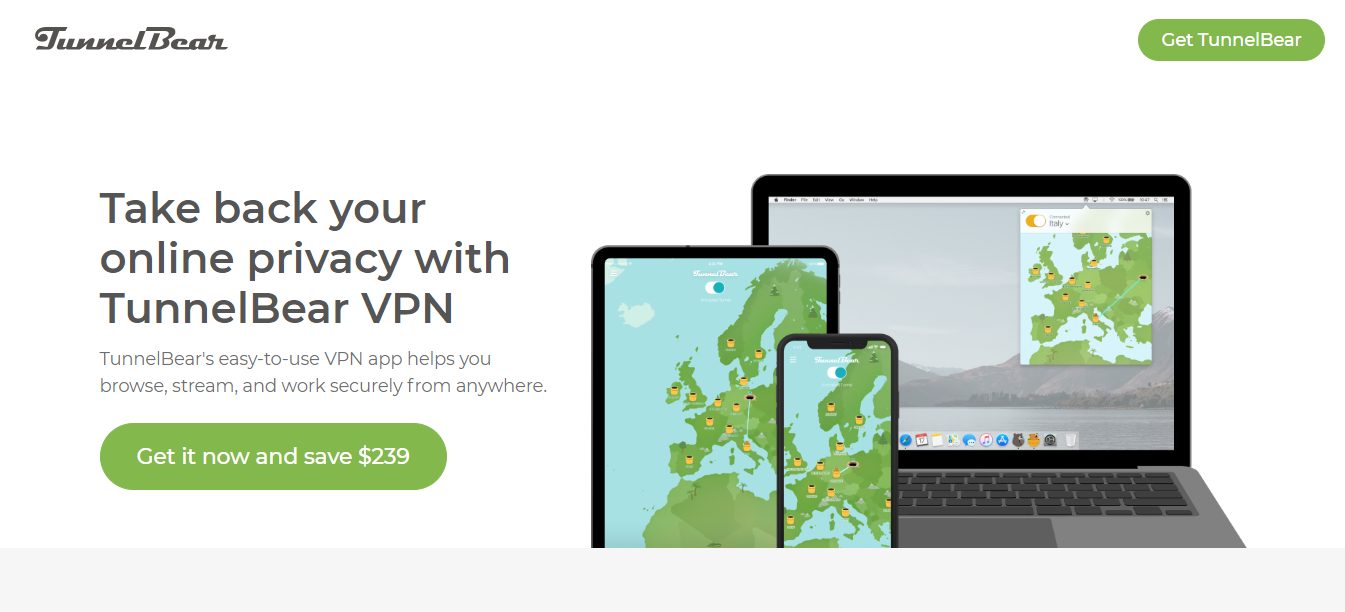
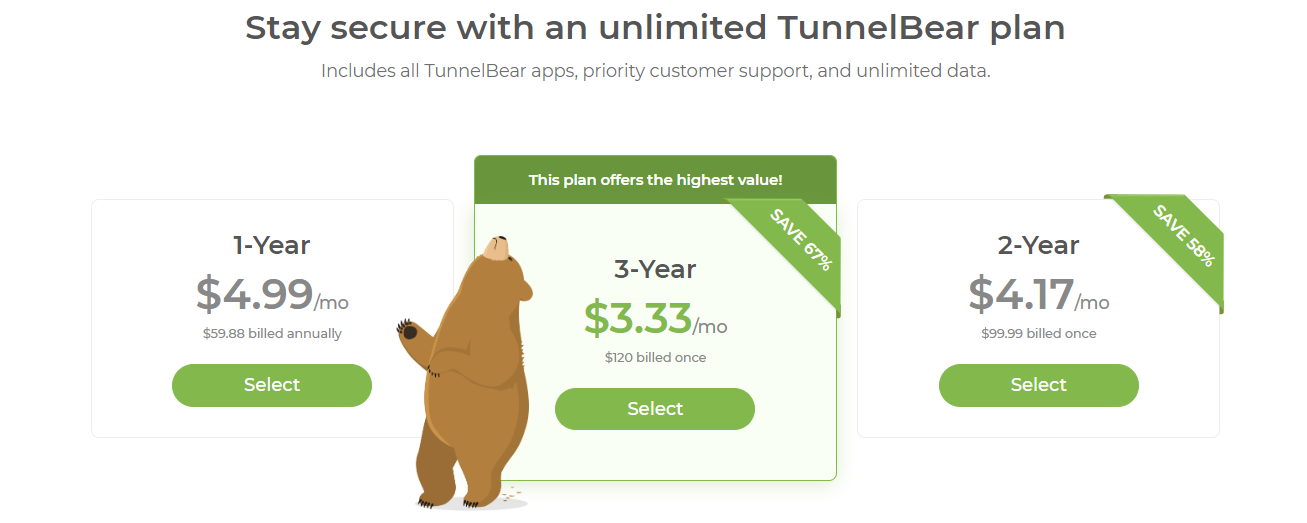
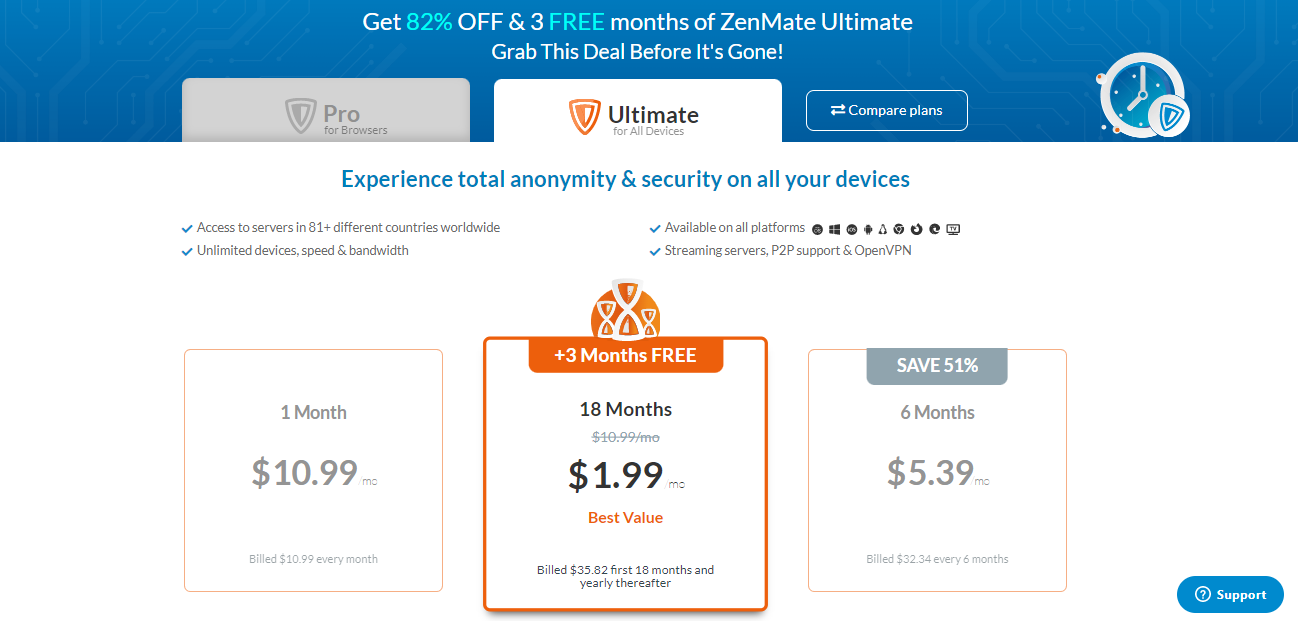
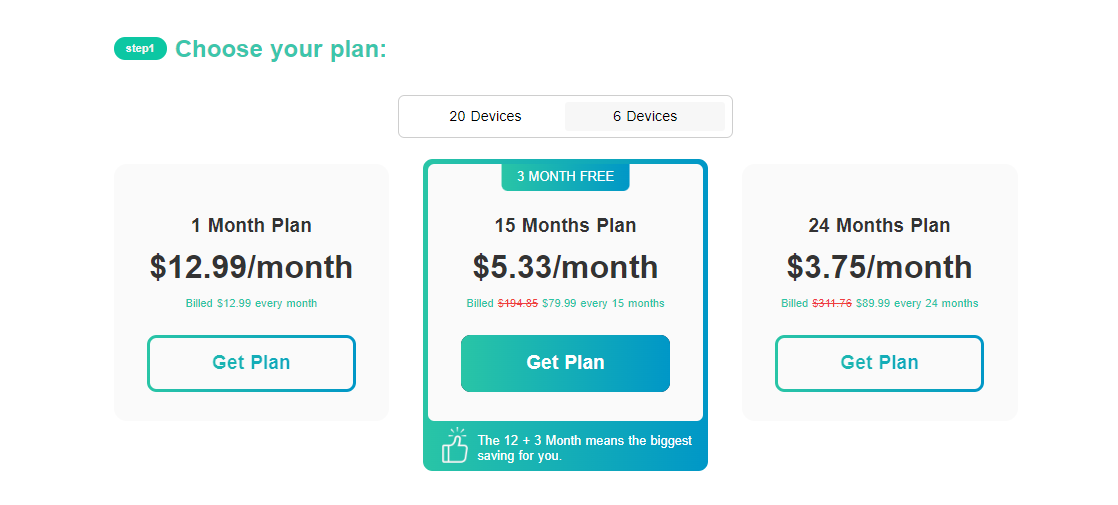
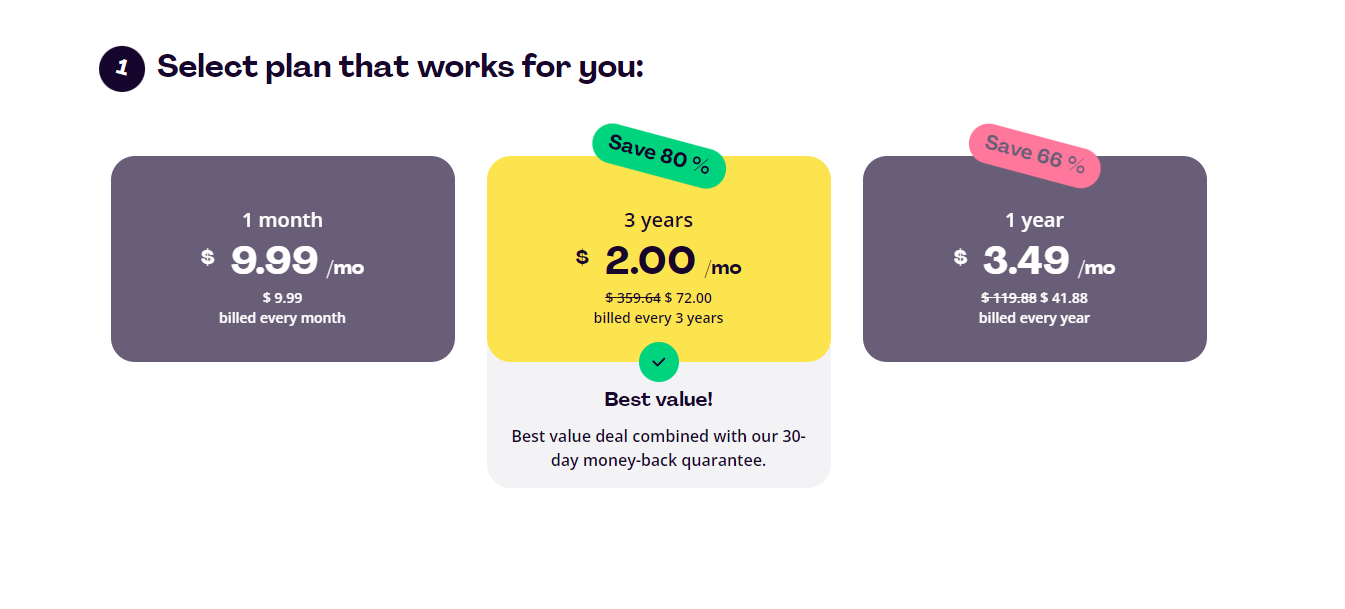
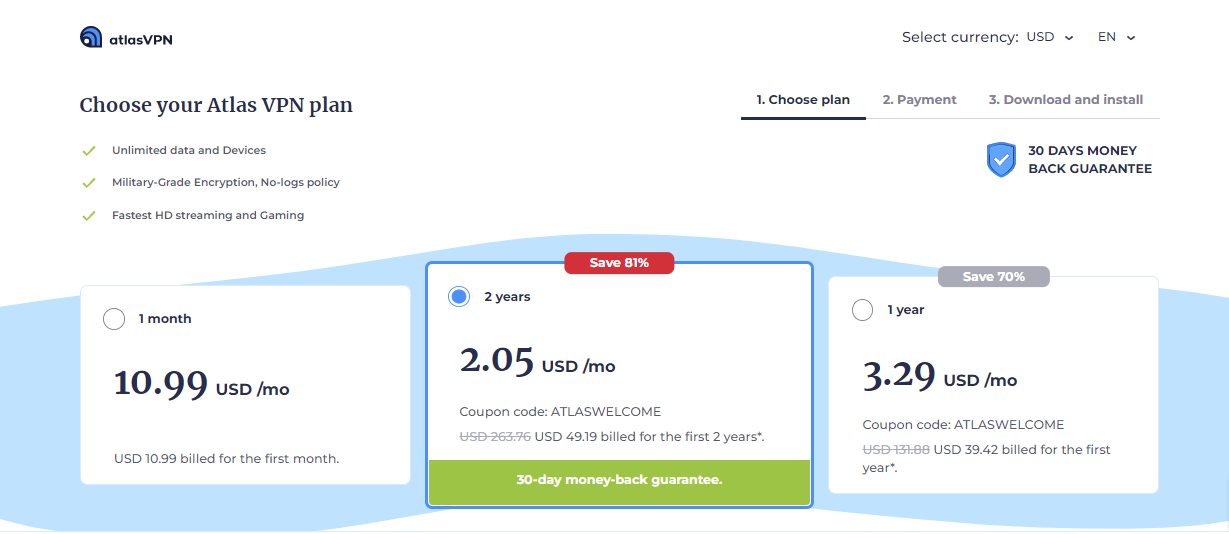
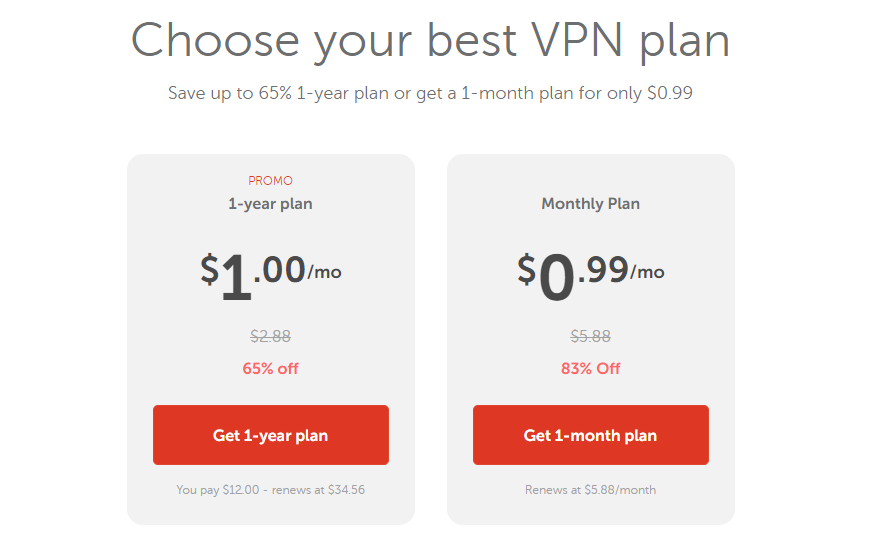
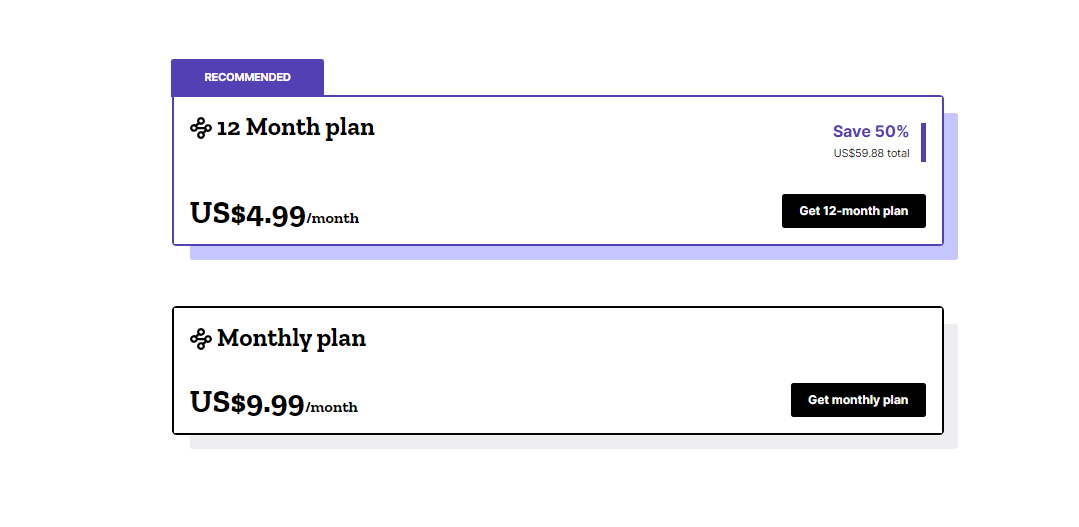
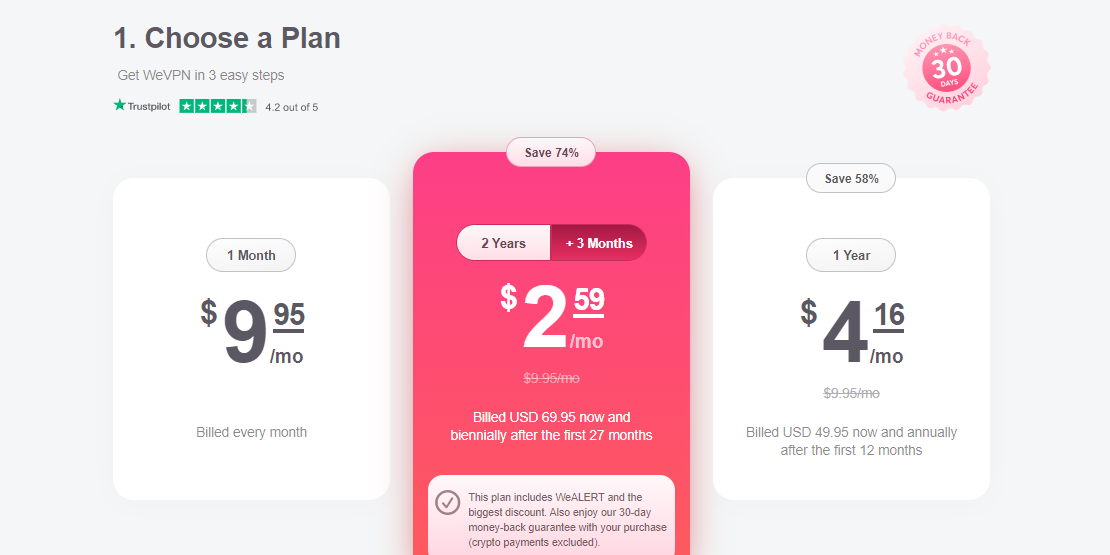
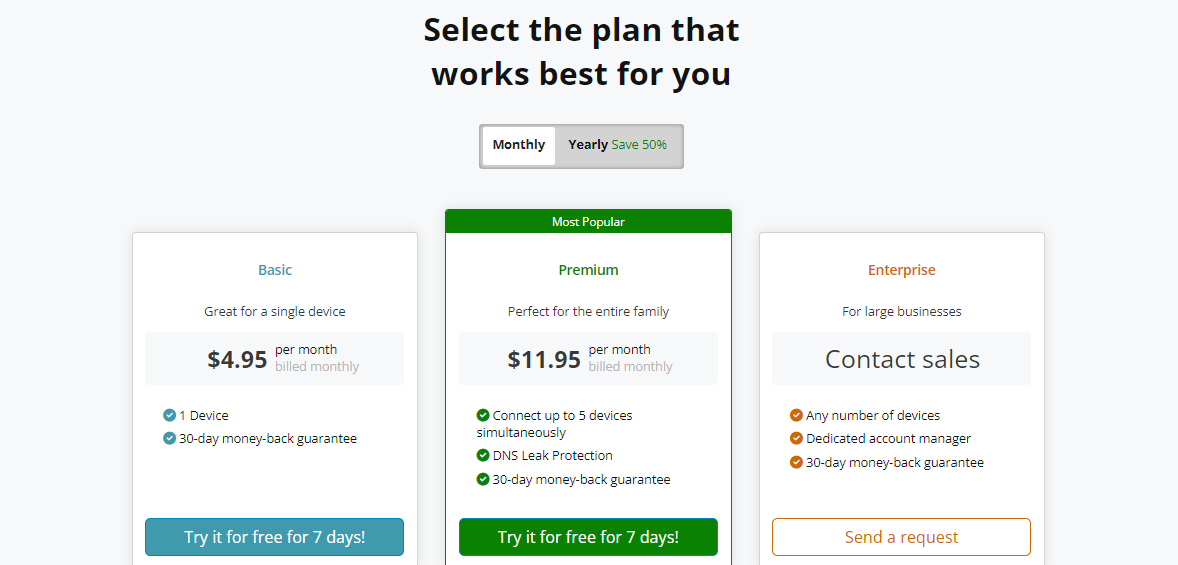
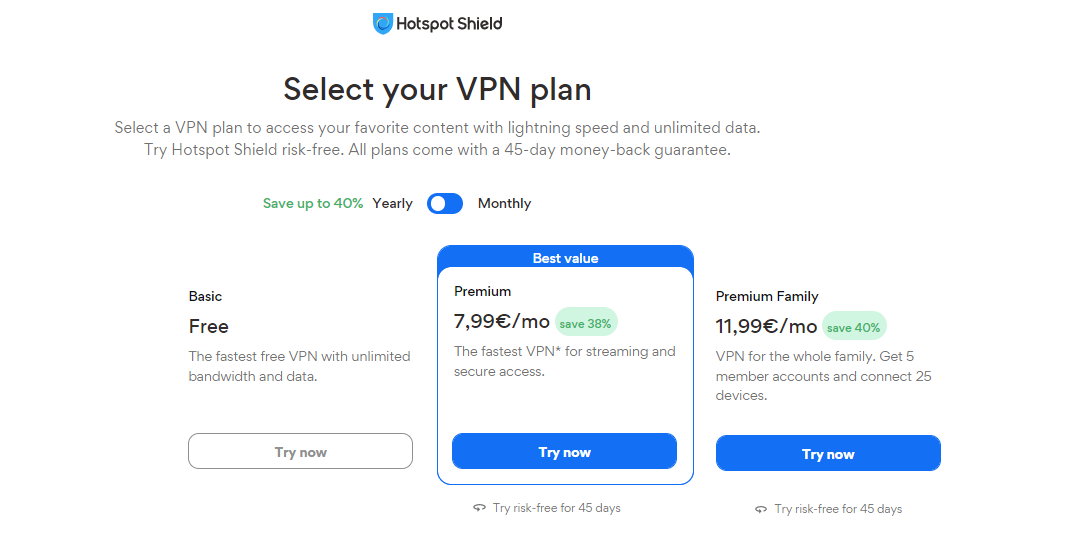
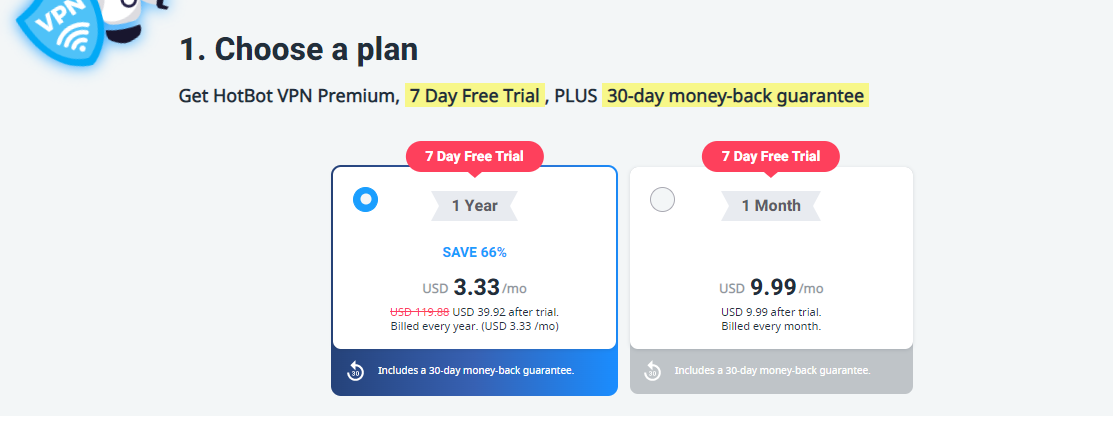
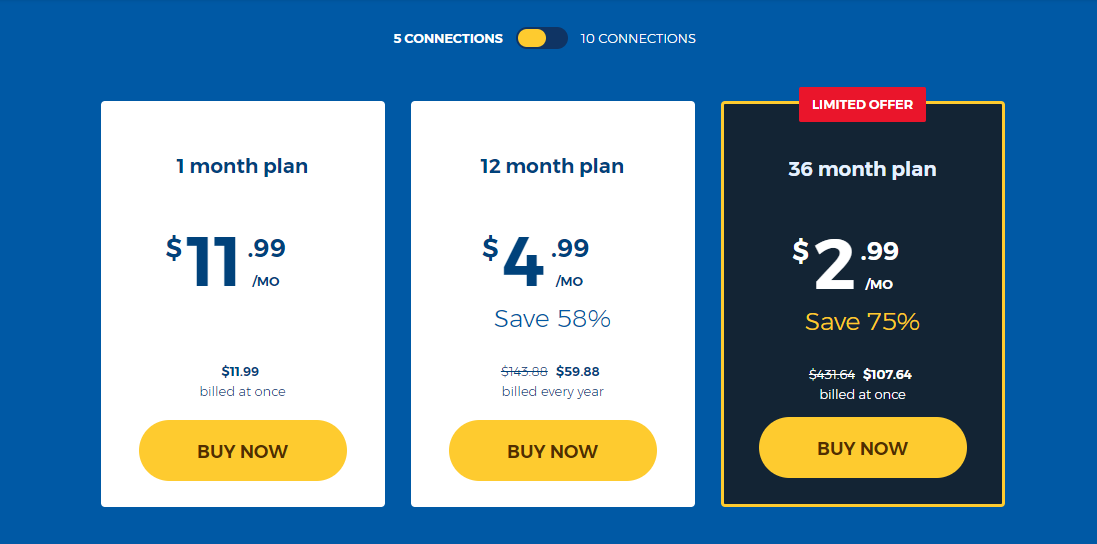
![10 Best VPN For Nigeria [2025 LIST]](https://secureblitz.com/wp-content/uploads/2021/05/10-Best-VPN-For-Nigeria-2021-LIST-768x402.png "10 Best VPN For Nigeria [2025 LIST]")
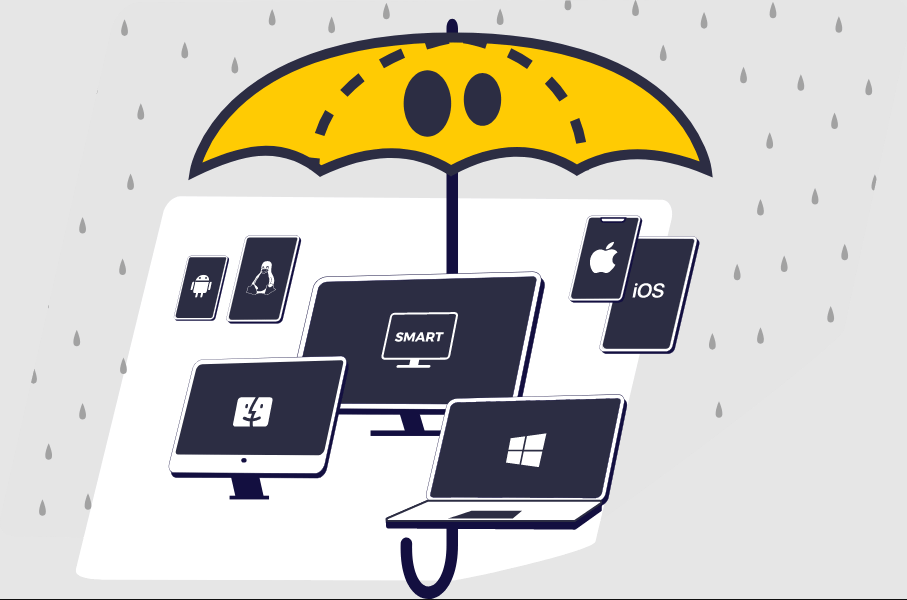
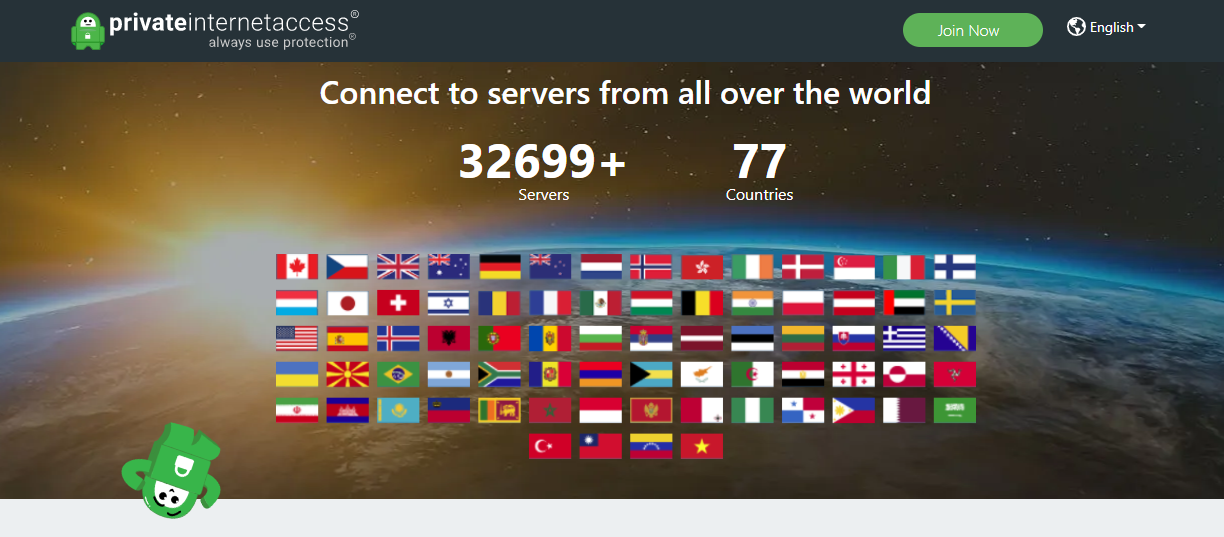
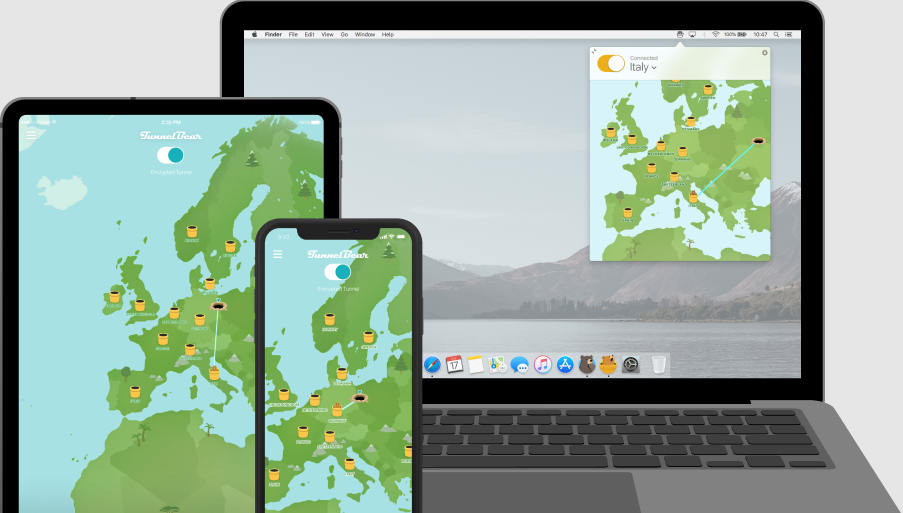

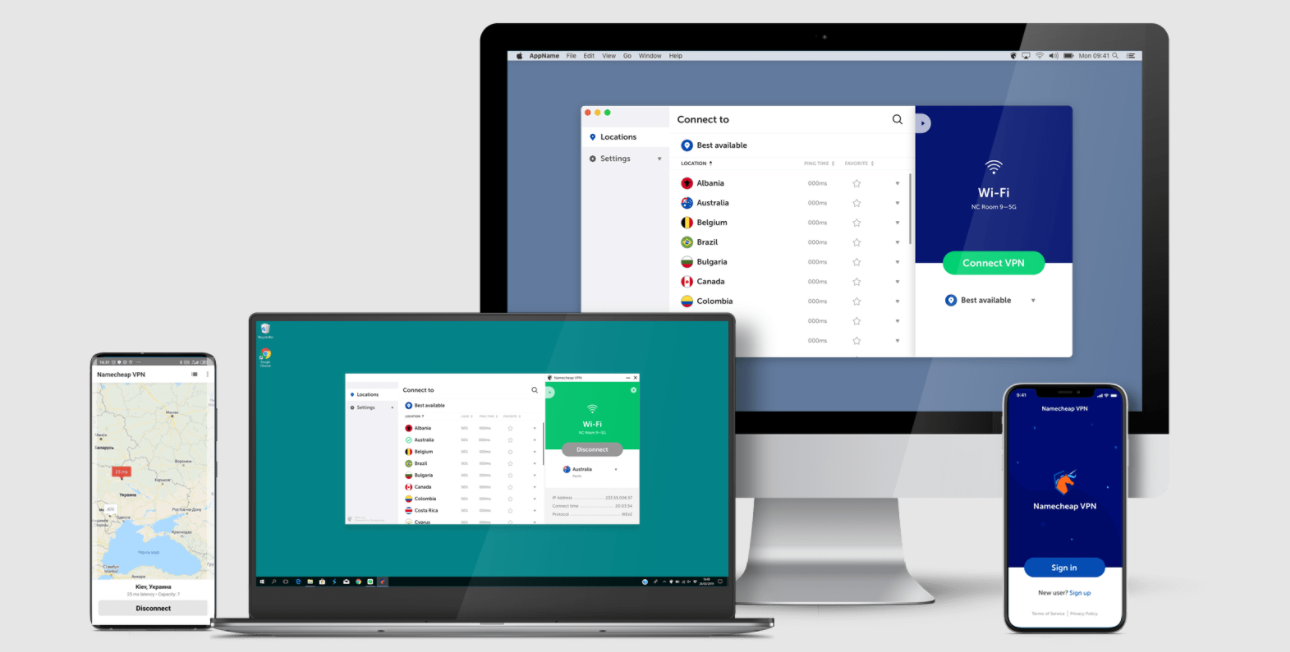

![10 Best AdBlock VPNs In 2025 [Tested & Reviewed]](https://secureblitz.com/wp-content/uploads/2022/12/Best-AdBlock-VPNs-768x402.png "10 Best AdBlock VPNs In 2025 [Tested & Reviewed]")