I will talk about role-based access control for security risk registers in this post. So, read on!
In the realm of cybersecurity and data management, safeguarding sensitive information is paramount. Security risk registers serve as vital repositories, housing critical data pertaining to an organization’s vulnerabilities, threats, and risk mitigation strategies.
Preserving the confidentiality and integrity of these registers is crucial to prevent unauthorized access and manipulation of sensitive data.
Role-Based Access Control (RBAC) emerges as a fundamental strategy in fortifying the security of risk registers. RBAC is a method of restricting system access to authorized users based on their roles within an organization.
It ensures that individuals are granted appropriate permissions, enabling them to access only the information necessary for their specific responsibilities.
RBAC operates on the principle of assigning roles to users and then regulating access rights based on these predefined roles. Each role encompasses a set of permissions, dictating what actions or data a user can access, modify, or delete within the system.
Roles within an organization can vary significantly, from entry-level employees to executives, IT administrators, auditors, and more. RBAC ensures that each role is carefully structured with corresponding access privileges aligned with the individual’s duties.
Implementing Role-Based Access Control (RBAC) for Security Risk Registers involves a meticulous process to ensure that the right individuals have appropriate access to sensitive data while maintaining confidentiality and integrity. Let’s delve deeper into the steps involved:
1. Role Identification and Analysis
Define User Roles:
Identify and classify different user roles within the organization that require access to the security risk registers. Roles might encompass risk managers, compliance officers, IT administrators, executives, auditors, and other relevant personnel.
Analyze Responsibilities:
Understand the specific responsibilities and tasks associated with each role. Determine the level of access required for individuals in each role to perform their duties without unnecessary access to sensitive data effectively.
Categorize and define various access levels or permissions necessary for each role. Consider factors like read-only access, data modification capabilities, viewing specific sections or categories within the registers, and any administrative privileges required.
Granular Permission Assignment:
Assign granular permissions to roles based on the principle of least privilege. This means granting users only the minimum permissions necessary to accomplish their tasks, reducing the risk of unintended data exposure or modifications.
3. Role Assignment and Access Control
Assign Roles to Users:
Match users to their respective roles based on their job descriptions and responsibilities within the organization. Ensure that each individual is assigned the appropriate role that aligns with their duties.
Access Control Enforcement:
Implement access control mechanisms based on the defined roles and permissions. This involves configuring the security risk register system to enforce RBAC policies effectively.
Conduct periodic reviews of roles and access rights to accommodate changes within the organization. As roles evolve or employees change positions, ensure that access permissions are updated accordingly to maintain the principle of least privilege.
Revocation of Access:
Promptly remove access for individuals who no longer require it due to job role changes, termination, or other reasons. Timely revocation of access prevents unauthorized entry to sensitive data.
5. Continuous Monitoring and Auditing
Monitoring Access Activities:
Implement tools or systems that monitor access activities within the security risk registers. This enables the identification of any anomalies or unauthorized access attempts for immediate mitigation.
Regular Auditing:
Perform regular audits to ensure compliance with RBAC policies. Audits help in assessing whether access rights align with established policies and regulations, facilitating necessary adjustments or improvements.
RBAC significantly enhances the security of risk registers by:
Limiting Access: RBAC ensures that only authorized individuals with specific roles and responsibilities have access to sensitive data within the risk registers. This restriction minimizes the risk of unauthorized access, reducing the likelihood of data breaches or leaks.
Preventing Unauthorized Modifications: By defining granular permissions, RBAC prevents unauthorized users from modifying or deleting critical information in the risk registers, preserving data integrity.
Mitigating Insider Threats: RBAC helps in mitigating insider threats by limiting access to information on a need-to-know basis, reducing the chances of data misuse or malicious activities by employees with excessive access.
RBAC simplifies administrative tasks related to user access and management by:
Structured Access Control: Roles are well-defined and organized, making it easier for administrators to manage and assign access rights based on predefined roles rather than individual user permissions.
Efficient Onboarding and Offboarding: When new employees join or existing ones change roles, RBAC simplifies the process of granting or updating access rights, ensuring swift onboarding and revocation of access upon employee offboarding.
3. Improved Compliance Adherence
RBAC facilitates adherence to regulatory requirements and industry standards by:
Role-Based Compliance: Assigning access rights according to roles ensures that individuals only access the information necessary for their job responsibilities, reducing the risk of non-compliance with regulations like GDPR, HIPAA, or industry-specific standards.
Audit Trail Facilitation: RBAC enables the creation of detailed audit trails by associating specific actions with respective roles. This audit trail aids in demonstrating compliance during regulatory audits.
4. Risk Mitigation and Error Prevention
RBAC contributes to risk mitigation and error prevention by:
Reducing Human Errors: By limiting access to relevant data, RBAC minimizes the probability of accidental modifications, deletions, or exposure of sensitive information, thereby reducing the potential for human errors.
Risk Reduction: By following the principle of least privilege, RBAC decreases the attack surface and potential vulnerabilities within the risk registers, thereby lowering the risk of data breaches or unauthorized access.
5. Scalability and Flexibility
RBAC offers scalability and flexibility by:
Scalable Access Control: RBAC can accommodate organizational growth and changes by easily incorporating new roles or adjusting permissions as needed without overhauling the entire access control structure.
Flexibility in Role Assignment: As job roles evolve or new functions emerge, RBAC allows for flexible role assignments, ensuring that access privileges stay aligned with evolving responsibilities.
Role-Based Access Control stands as a pivotal mechanism in fortifying the confidentiality and integrity of security risk registers. By effectively managing and regulating access to sensitive information, RBAC mitigates potential risks and fosters a more secure environment within organizations.
Embracing RBAC not only safeguards critical data but also aids in ensuring compliance with industry standards and regulations, ultimately fortifying the foundation of cybersecurity practices.
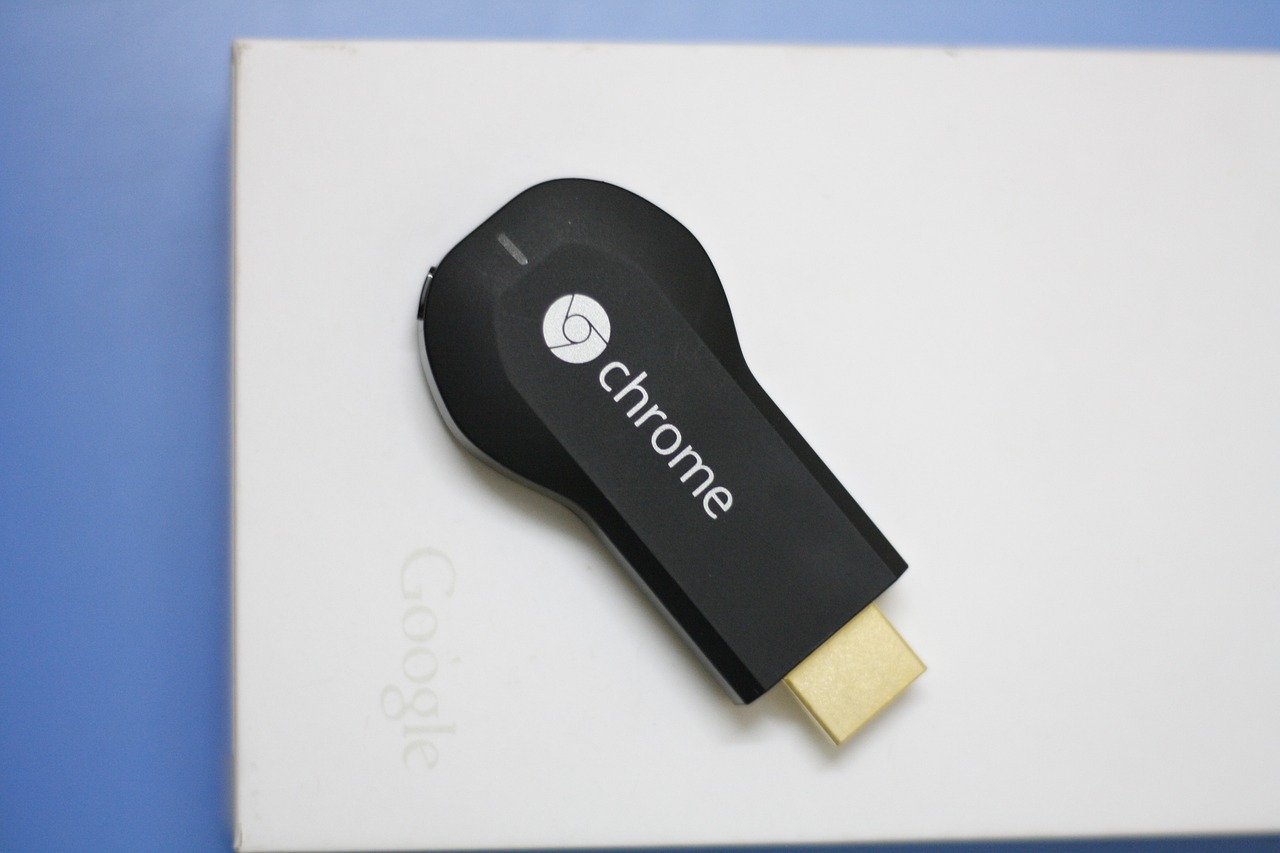
Want the best VPNs for Chromecast in 2024? Read this post to find out…
Adding internet services that stream to your TV via Chromecast is a terrific idea. Apart from reflecting other gadgets, the latest model provides streaming software. The problem is that most streaming services on Chromecast are geo-blocked.
For example, content accessible in the UK is not accessible in the US. On the other hand, a VPN can let you get around geo-blocks so you can access your chosen data or material from anywhere.
Table of Contents
How to Configure a VPN on Chromecast
A VPN cannot be used with Chromecast devices. Consequently, using a physical or virtual home router is your only option. Rooting your device is another possibility. However, it has a difficult installation procedure and is dangerous.
As a result, we advise setting up a VPN on your network and linking Chromecast to it. As a result, the VPN server will handle your traffic, allowing you to get around geo-restrictions.
Best Chromecast VPN Services
ExtremeVPN: Its amazing features and security make it one of the best VPNs. It also offers beneficial customer support. It is incredibly helpful when touring various historical places outside of restricted zones.
ExpressVPN: This VPN’s users may use all the resources required for secure and safe web browsing. Its platform is incredibly user-friendly and fast.
NordVPN: It provides excellent speeds and robust security features to safeguard users’ identity. Beginners will be satisfied with the VPN’s simple-to-operate design and full feature set.
1. ExtremeVPN
It is among the fastest VPN services and an excellent option for uploading or streaming files. Our assessment confirms that it is genuine, even though the service is recent to the VPN market and has run flawlessly. It provides excellent security and allows streaming services.
As dependable and efficient as encrypting and streaming, it’s one of the few VPNs available. All popular streaming providers are compatible with it. Additionally, it offers a range of server connections across multiple countries to circumvent local restrictions, server slowness, and overload.
The VPN above company is the greatest option for beginners because of its user-friendly interface and incredible features. It offers the quickest connection speeds.
It is a centralized location for downloading files more quickly, unblocking websites that have been blocked, and protecting client information online.
Travelers can view blocked websites from any nation because of their regional server. Its lightning-fast servers make viewing top-notch content from any location quick and convenient. Because of the immediate connection, users may stream everything in the best possible quality.
Pros
User-friendly software
Not keeps logs on file
Respect all applicable privacy laws
Five devices connect simultaneously
Cons
A bit expensive
3. NordVPN
This function is outstanding when, based on location, unblocking is included. This VPN also offers incredible speed.
By providing some of the most well-liked features for brand-new VPN users, NordVPN can thrive. It is a reliable VPN that offers many features. The company is renowned for providing a wide range of servers.
Pros
Has fast server connections
Sufficient safety measures
Reasonable subscriptions plans
Cons
The interface could be clearer
Criteria for Choosing Chromecast VPNs
Router assistance:Chromecast did not directly work with VPNs. Installing a VPN and connecting Chromecast to your network is the only way to utilize it. The VPNs on this list provide specific router apps and in-depth instructions for configuring popular router firmware.
Streaming blocked content:Location-blocked content may be unlocked with Chromecast VPNs, which is one of their primary uses. We conducted extensive research to identify the VPNs that can unblock well-known streaming sites.
Speed and security:You need a fast connection to view high-quality videos without buffering. We ran performance tests on several servers located all around the world. Every VPN provider on this list employs the safest encryption, which is quite difficult to penetrate. They also contain essential data leak protection to guarantee your information never leaves the encrypted tunnel.
Servers and network assistance: A large server network dispersed among numerous sites has numerous advantages. It will, first and foremost, allow you to gain access to Chromecast streaming services on a global scale. Second, if the connection has been disabled, you will have additional options. The VPNs that we mentioned have several servers spread across several nations. We contacted the VPN’s customer service to assess the caliber of their offerings and gauge how quickly they responded. All of them fall within the permissible range.
Can I Use a Free VPN for Google Chromecast?
We don’t recommend utilizing a free VPN with Chromecast. This is so because most free VPNs generate revenue through dishonest means. For example, they will gather and resell your private information to outside parties.
Additionally, they may bother you with intrusive advertisements on the video streaming sites you use. The worst part is that free VPNs are known for infecting consumers’ devices with malware. It follows that setting up a free VPN on your router puts all linked devices in danger.
The primary motivation behind most Chromecast VPN users is to increase their content access. Geo-blocks are a common technique well-known streaming sites like Netflix use to limit content to particular areas. It indicates that certain information is only accessible in specific nations.
For instance, compared to other nations, Netflix’s content inventory is larger in the US. With a VPN, you can alter your IP address and view content from a foreign country. Thus, for example, you can use a VPN to stream US-specific content in the UK.
Observe Internet Safety
Anything you do online attracts the attention of third parties, including the government, attackers, internet service providers, and advertising. On the other hand, a VPN will encrypt your data and safeguard your internet connection so that no one can see what you do online. It will protect your passwords and other private information and provide online anonymity.
Safe Kodi Usage
The burden of juggling multiple leisure alternatives is eliminated when you use Kodi, an excellent free-to-use media player. Luckily, Kodi and Chromecast work together. Furthermore, using a VPN will enable secure Kodi media access.
Chromecast VPN Setup
How to Set Up a Virtual Router to Use with Chromecast VPN
An easier way to use a VPN with Chromecast is to use a virtual router. Here, you may use a laptop to set up a Wi-Fi hotspot; any device you attach to the computer will have its traffic routed via the VPN server.
Unfortunately, using a VPN on Chromecast requires you to keep the laptop open and operating. The majority of contemporary computers are capable of creating hotspots; all you need is one. For connecting to the Wi-Fi network after configuring the virtual router, navigate to the Chromecast network preferences.
How to Set Up a Real Router for a VPN
This approach only requires a compatible router, not an extra computer. But keep in mind that if you install a VPN on your network, all connected devices’ traffic, including Chromecasts—will be traversed through the VPN.
Be aware that not every router can establish a VPN connection. For instance, low-cost routers don’t; if they do, their efficiency will suffer greatly due to the high resource requirements for traffic encryption and decryption.
Best VPNs For Chromecast: FAQs
Can I use a VPN with my Chromecast device?
Using a VPN to access restricted video on Chromecast is a good idea. You should, however, confirm your local laws and regulations, as some countries have strict restrictions against using VPNs.
Does Chromecast come with a built-in web browser?
It doesn’t come with a web browser, nor can you install it from the Google Play Store. Remember that using a web browser lacking a keyboard can be challenging.
Why isn’t Chromecast working on my device?
Your phone sends the file to your Chromecast when you cast something. Both devices need to be linked to the same network for this to operate.
Does smart DNS work with Chromecast?
No, Smart DNS is incompatible with Chromecast. This is so it can interact with Google’s DNS servers, which is how Chromecast is made.
Conclusion
Despite being a fantastic streaming device, Chromecast is VPN-incompatible. It implies you can only get within the geo-restrictions imposed by well-known streaming providers like Netflix.
Nevertheless, you can link the Chromecast to your router and install a VPN. ExtremeVPN is the Chromecast VPN of choice for us. It is ideal for the most private streaming experience because of its strong security infrastructure and remarkable unblocking capacity.
Do you need to travel for business? If so, you must ensure you stay as safe as possible. This is easier said than done, especially if you’re not used to taking things on the road.
If you want to help yourself here while keeping your business secure, then all you have to do is take a look below.
Table of Contents
Buy a Local SIM Card
One thing you need to do is buy a local SIM card. This way, you can easily avoid any expensive roaming charges. You can also keep in touch with your friends or family too.
When traveling, you may find that you use Google Maps quite a lot, but at the same time, this can use up a lot of data. Buying a local SIM is one of the best ways to protect yourself here, so keep that in mind.
Keep your Items Safe
When traveling, you will need to keep a lot of essential documents with you. This could include your contract documents, product information, driver’s license, and ID. You may also need to take a business laptop with you.
If you want to ensure that you don’t become a target for thieves, you can look into luggage storage. This is an excellent way to ensure you do not always carry sensitive business data around.
Ensure Access to Emergency Money
When traveling, it’s important not to keep all your money in one place. Having emergency money, mainly if it’s in different forms, is truly so important. Test out as many local ATMs as possible, and always keep a small amount of cash with you.
It’s far better to have small amounts of money with you, so if something happens, you know you are covered.
Buy Travel Insurance
If you travel for work, then you need to make sure that you have a solid travel insurance policy. Purchasing travel insurance will protect you if you ever have a flight canceled, and it will also cover you if you lose anything or if there is a delay. This is a huge mistake if you do not have corporate travel insurance,
Many people think that standard insurance will cover them for their business ventures, but this is not the case. If you are traveling for business purposes, you should ensure you have a business policy.
The main reason is that if your laptop gets stolen and it has confidential client data on it, you are at risk of being sued, which has dire consequences for your small business.
If you want to help yourself here, look into the available policies and choose one that reflects your company the most so you can avoid major issues or incidents from happening later down the line. You can also use a comparison site to compare policies.
Note Down Embassy Details
It’s so vital that you do some research before you travel. This is especially the case when you are entering a new country. Take some time to research where the nearest embassy is so that if you ever run into a local emergency, you know you have somewhere safe to be.
You can also protect yourself from adverse circumstances, such as stolen passports. Embassies can help you through nearly every situation imaginable, and they can also help provide you with up-to-date safety information.
Share Details of your Accommodation
Another handy thing that you can do is take the time to share details about your accommodation. This is especially useful if you are a solo business traveler. Sharing details with a friend or a family member will help you in an emergency.
Sharing general plans or your itinerary is also an excellent idea. You can keep your colleagues informed, and you can also keep your team aware of what you intend to be doing. This can be useful if you are cooperating with others abroad, but at the same time, it is one of the best ways to stay safe when traveling across the world.
If you are a solo traveler, always tell your hotel concierge where you intend to go so that if you do not return by a suitable hour, you know that you will always be protected.
In this post, I will talk about skill-based betting and its role in the future of online casinos.
The casino industry developed new features to match cultural and technical advancements. The casino sector now offers skill-based gaming as its newest innovation by merging gaming excitement with interactive gameplay.
Some platforms, like Betway, are experimenting with hybrid formats that borrow elements from video gaming—aiming to meet the expectations of players who value fast, interactive gameplay in their casino experience.
Table of Contents
Skill-Based Real-Money Gaming Is Still Alive And Well
Right now, the market shows low saturation levels, allowing new and unique offers that could find success with multiple audiences.
The younger male market shows better response to sports-themed games and party-style games rather than traditional female-targeted solitaire and bingo products that is also more catered to older players.
Market Growth And Demographics
The introduction of skill-based games serves to satisfy modern customers because they seek interactive gameplay with skill-based elements.
Modern casino environments draw this group through their video game style offerings that include stories, level advancements, and competitive features.
Online Gambling Markets May Be Becoming Stale
The legalization of sport betting and casinos that permit online gambling has led to diluted consumer focus between comparable betting offerings.
Customers prefer new entertainment alternatives rather than conventional sportsbooks and slot machines. Consumer demand for new entertainment options is demonstrated by the fast upward trend of Pick’em Style fantasy sports platforms.
The unique attributes of skill-based gaming appear to provide entertainment firms with possible market differentiation and customer satisfaction opportunities.
Regulatory And Development Challenges
Skilled games have proven alluring to casino operators, but establishing them has proven challenging. Casino operators encounter major operational difficulties due to gaming regulations and the requirement to mix conventional and innovative gaming content.
Developers should find ways to make these games profitable while offering fair betting odds to players which is hard to balance when it comes to casino gaming.
Skill Games Can Complement And Improve Your Current Gaming Product
Faceoff functions as an added feature that complements existing fantasy sports, sports betting, and casino gaming features. All platform systems can access your login credentials in the same manner.
The approach illustrates how entertainment companies should either bring gamification to their products or enhance existing gamification features to expand their product portfolio. Play-to-earn video games stand as clear proof of video games’ immense market potential and popularity for generating profits.
Economic Impacts And Industry Reception
Skill-based games can revitalize casino floors by increasing customer activity and presenting fresh interactive entertainment.
Different casinos using this technology experienced varying degrees of success because their adoption has led to increased interest by their younger clientele, that have expanded their visitor base.
The gaming benefits surpass simple gamification elements as the interactive features create new possibilities to change how upcoming customers will experience online casinos.
Skill-Based Gambling And Game Betting Are Shaping The Future
The development of casino businesses at Betway depends heavily on how well casinos integrate skill-based gambling systems and game betting elements. The new gambling options could attract young consumers and enhance the gambling experience for everyone.
Continued developments in this industry can affect casino operations and transform public perception, which could lead to an emerging age of interactive player engagement in online gambling.
Learn how to use a VPN to bypass geo-blocks and unlocking access to restricted content.
In today’s interconnected world, accessing online content from anywhere should be a seamless experience. However, geo-blocking, a practice that restricts access to internet content based on location, often hinders the freedom of internet users.
Whether you’re traveling abroad, seeking to watch your favorite TV shows, or accessing region-specific services, geo-blocks can be a significant inconvenience.
Thankfully, there is a solution: using a Virtual Private Network (VPN) to bypass geo-blocks and unlock access to restricted content. In this comprehensive guide, we will explore the ins and outs of VPNs and provide you with step-by-step instructions on how to use a VPN effectively to bypass geo-blocks and regain control over your online experience.
Table of Contents
Understanding Geo-Blocking
What is Geo-Blocking?
Geo-blocking is a practice employed by online platforms and websites to restrict access to content based on the user’s geographical location.
By analyzing the user’s IP address, which acts as a digital identifier, these platforms determine the user’s location and either grant or deny access to specific content.
Geo-blocking is commonly used by media streaming services, online retailers, and websites to comply with licensing agreements, copyright laws, and regional regulations.
Reasons for Geo-Blocking
Geo-blocking serves various purposes, primarily driven by licensing agreements, copyright protection, and market segmentation.
Media streaming platforms like Netflix and Amazon Prime Video implement geo-blocking to comply with licensing deals that grant access to content in specific countries or regions. This allows them to provide country-specific content libraries tailored to the preferences and legal requirements of each region.
Additionally, geo-blocking can be used to enforce copyright protection. Content creators and copyright holders may limit access to their intellectual property based on geographical boundaries to prevent unauthorized distribution or piracy.
By restricting access to specific regions, they can ensure compliance with licensing agreements and protect their revenue streams.
Moreover, geo-blocking is utilized for market segmentation, enabling companies to tailor their products, services, and pricing based on regional demand and market conditions. Online retailers like Amazon may employ geo-blocking to direct users to their local websites, offering localized pricing and product availability.
TOP DEALS
Surfshark
Surfshark is an award-winning VPN service for keeping your digital life secure. Surfshark VPN has servers located in...Show More
Surfshark is an award-winning VPN service for keeping your digital life secure. Surfshark VPN has servers located in more than 60 countries worldwide. Show Less
CyberGhost VPN
CyberGhost VPN is a VPN service provider with more than 9,000 VPN servers spread in over 90 countries. Complete privacy...Show More
CyberGhost VPN is a VPN service provider with more than 9,000 VPN servers spread in over 90 countries. Complete privacy protection for up to 7 devices! Show Less
OmniWatch
Safeguard your identity with OmniWatch, the comprehensive identity theft protection service that provides proactive...Show More
Safeguard your identity with OmniWatch, the comprehensive identity theft protection service that provides proactive monitoring, dark web surveillance, and expert assistance in case of a breach. Show Less
Incogni
Incogni wipes off your personal information from data brokers.
Incogni wipes off your personal information from data brokers. Show Less
Hostinger
Your all-in-one hosting solution for managing a website. Hostinger is a web hosting company that provides affordable...Show More
Your all-in-one hosting solution for managing a website. Hostinger is a web hosting company that provides affordable shared hosting, VPS hosting, and cloud hosting services, along with a range of other website-related services. Show Less
How Geo-Blocking Works
Geo-blocking works by analyzing the user’s IP address, a unique identifier assigned by their Internet Service Provider (ISP). Your IP address provides information about your geographic location, allowing websites and platforms to determine your eligibility to access specific content.
When you attempt to access geo-blocked content, the website or platform checks your IP address against a database of blocked or allowed regions. If your IP address falls within a blocked region, access is denied.
It’s important to note that your IP address can change depending on various factors, such as your physical location or the use of a VPN.
By utilizing a VPN, you can mask your IP address and make it appear as if you are accessing the internet from a different location, effectively bypassing geo-blocks and gaining access to restricted content.
Popular Examples of Geo-Blocking
Geo-blocking is prevalent across various online platforms and services. Let’s explore some common examples of geo-blocking:
Streaming Services: Streaming giants like Netflix and Amazon Prime Video employ geo-blocking to enforce licensing agreements and restrict access to their content libraries based on the user’s location. This results in different content availability across countries and regions, with some shows or movies being exclusive to specific countries.
Social Media Platforms: Some social media platforms, like Facebook and Twitter, may be blocked or restricted in certain countries due to government regulations or censorship policies. This can limit users’ ability to access and engage with these platforms while in those regions.
E-commerce Websites: Online retailers, such as Amazon, may employ geo-blocking to direct users to their local websites based on their IP address. This allows them to provide localized pricing, product availability, and shipping options.
Live Sports Streaming: Sports streaming platforms often use geo-blocking to enforce regional broadcasting rights. For example, the MLB TV app restricts streaming of baseball games based on the user’s location within a team’s cable broadcast region.
News Websites: Some news websites may employ geo-blocking to comply with local regulations or licensing agreements. This can result in certain articles or content being inaccessible to users outside of specific regions.
Legal Aspects of Geo-Blocking
Geo-blocking, while sometimes frustrating for users, is generally legal and serves various legitimate purposes. It allows companies to comply with licensing agreements, copyright laws, and regional regulations.
For example, streaming services like Netflix are bound by licensing contracts that dictate content availability in specific regions. By implementing geo-blocking, they ensure compliance with these agreements and avoid legal repercussions.
However, legal frameworks differ across countries, and some jurisdictions may have specific regulations or restrictions on geo-blocking practices. The European Union (EU), for instance, has taken steps to address unjustified geo-blocking within its member states.
The EU’s Geo-Blocking Regulation aims to promote a Digital Single Market by prohibiting unjustified geo-blocking and discrimination based on customers’ nationality or location within the EU.
The Benefits of Bypassing Geo-Blocks
Bypassing geo-blocks using a VPN offers several benefits for internet users:
Access to Restricted Content: By using a VPN, you can bypass geo-blocks and gain access to content that would otherwise be restricted based on your location. This includes streaming services, social media platforms, news websites, and other region-specific content.
Enhanced Privacy and Security: VPNs encrypt your internet traffic and protect your online activities from prying eyes, including your ISP, government surveillance, and potential hackers. By masking your IP address, VPNs provide an additional layer of privacy and security.
Online Anonymity: When you use a VPN, your online activities are associated with the IP address of the VPN server, not your actual IP address. This helps maintain your anonymity and prevents websites, advertisers, and other entities from tracking your online behavior.
Protection on Public Wi-Fi: Public Wi-Fi networks pose security risks, as they are often unencrypted and vulnerable to attacks. When connected to a VPN, your data is encrypted, making it significantly more secure while using public Wi-Fi hotspots.
Overcoming Censorship: In countries with strict internet censorship or content restrictions, a VPN can help bypass these limitations and provide access to blocked websites and services. By connecting to a VPN server located in a different country, you can bypass censorship and enjoy unrestricted internet access.
Methods to Bypass Geo-Blocking
Several methods can be used to bypass geo-blocking and regain access to restricted content. Let’s explore some popular methods:
Using a VPN
A VPN (Virtual Private Network) is the most effective and widely-used method to bypass geo-blocks. VPNs redirect your internet traffic through a server located in a different country, thereby masking your IP address and making it appear as if you are accessing the internet from that country. This allows you to bypass geo-restrictions and access region-specific content.
To use a VPN to bypass geo-blocks, follow these steps:
Choose a reputable VPN provider that offers servers in the desired location(s) for accessing the blocked content. Consider factors such as server network size, encryption protocols, and user reviews to make an informed decision.
Sign up for a VPN subscription plan that suits your needs, and download and install the VPN app on your device(s).
Launch the VPN app and log in using your credentials.
Connect to a server located in a country where the desired content is accessible. For example, if you want to access US-based streaming services, connect to a server in the United States.
Once connected, your IP address will be masked, and your internet traffic will be routed through the selected server. You can now access the previously blocked content as if you were physically located in the chosen country.
By using a VPN, you can bypass geo-blocks and enjoy unrestricted access to a wide range of online content.
BEST VPNs
87% OFF
PureVPN
PureVPN is one of the best VPN service providers with presence across 150 countries in the world. An industry VPN leader...Show More
PureVPN is one of the best VPN service providers with presence across 150 countries in the world. An industry VPN leader with more than 6,500 optimized VPN servers. Show Less
84% OFF
CyberGhost VPN
CyberGhost VPN is a VPN service provider with more than 9,000 VPN servers spread in over 90 countries. Complete privacy...Show More
CyberGhost VPN is a VPN service provider with more than 9,000 VPN servers spread in over 90 countries. Complete privacy protection for up to 7 devices! Show Less
67% OFF
TunnelBear VPN
TunnelBear is a VPN service provider that provides you with privacy, security, and anonymity advantages. It has VPN...Show More
TunnelBear is a VPN service provider that provides you with privacy, security, and anonymity advantages. It has VPN servers in more than 46 countries worldwide. Show Less
84% OFF
Surfshark
Surfshark is an award-winning VPN service for keeping your digital life secure. Surfshark VPN has servers located in...Show More
Surfshark is an award-winning VPN service for keeping your digital life secure. Surfshark VPN has servers located in more than 60 countries worldwide. Show Less
83% OFF
Private Internet Access
Private Internet Access uses world-class next-gen servers for a secure and reliable VPN connection, any day, anywhere.
Private Internet Access uses world-class next-gen servers for a secure and reliable VPN connection, any day, anywhere. Show Less
65% OFF
FastVPN (fka Namecheap VPN)
FastVPN (fka Namecheap VPN) is a secure, ultra-reliable VPN service solution for online anonymity. A fast and affordable...Show More
FastVPN (fka Namecheap VPN) is a secure, ultra-reliable VPN service solution for online anonymity. A fast and affordable VPN for everyone! Show Less
35% OFF
Panda Security
Panda VPN is a fast, secure VPN service facilitated by Panda Security. It has more than 1,000 servers in 20+ countries.
Panda VPN is a fast, secure VPN service facilitated by Panda Security. It has more than 1,000 servers in 20+ countries. Show Less
68% OFF
NordVPN
The best VPN service for total safety and freedom.
The best VPN service for total safety and freedom. Show Less
60% OFF
ProtonVPN
A swiss VPN service that goes the extra mile to balance speed with privacy protection.
A swiss VPN service that goes the extra mile to balance speed with privacy protection. Show Less
49% OFF
ExpressVPN
A dependable VPN service that works on all devices and platforms.
A dependable VPN service that works on all devices and platforms. Show Less
TorGuard VPN
The best VPN service for torrenting safely and anonymously.
The best VPN service for torrenting safely and anonymously. Show Less
50% OFF
VuzeVPN
VuzeVPN offers you unlimited and unrestricted VPN service.
VuzeVPN offers you unlimited and unrestricted VPN service. Show Less
VeePN
VeePN is a virtual private network (VPN) service that provides online privacy and security by encrypting internet...Show More
VeePN is a virtual private network (VPN) service that provides online privacy and security by encrypting internet traffic and hiding the user's IP address. Show Less
HideMe VPN
HideMe VPN is your ultimate online privacy solution, providing secure and anonymous browsing while protecting your data...Show More
HideMe VPN is your ultimate online privacy solution, providing secure and anonymous browsing while protecting your data from prying eyes, so you can browse the internet with confidence and freedom. Show Less
ZoogVPN
ZoogVPN is the complete and trusted all-in-one VPN service that protects your sensitive personal and financial...Show More
ZoogVPN is the complete and trusted all-in-one VPN service that protects your sensitive personal and financial information online. Show Less
HideMyName VPN
Protect your online privacy and anonymity with HideMyName VPN, a secure and affordable service that offers robust...Show More
Protect your online privacy and anonymity with HideMyName VPN, a secure and affordable service that offers robust encryption, multiple server locations, and a variety of privacy-enhancing features. Show Less
Witopia VPN
Witopia VPN lets you shield your privacy and unlock the world's internet with military-grade encryption and borderless...Show More
Witopia VPN lets you shield your privacy and unlock the world's internet with military-grade encryption and borderless access. Show Less
FastestVPN
FastestVPN offers budget-friendly, secure connections with unlimited data and a focus on fast speeds, ideal for...Show More
FastestVPN offers budget-friendly, secure connections with unlimited data and a focus on fast speeds, ideal for streaming and everyday browsing. Show Less
ExtremeVPN
ExtremeVPN is a VPN service that offers fast speeds, strong encryption, and a no-logs policy to keep your online...Show More
ExtremeVPN is a VPN service that offers fast speeds, strong encryption, and a no-logs policy to keep your online activity private. Show Less
iProVPN
iProVPN is a VPN service with a focus on security and affordability, offering basic features to secure your connection...Show More
iProVPN is a VPN service with a focus on security and affordability, offering basic features to secure your connection and unblock streaming content. Show Less
Proxy Servers
Proxy servers act as intermediaries between your device and the websites you want to access. When you connect to a proxy server, your requests are routed through the server, and the server’s IP address is used to access the requested content.
By choosing a proxy server located in a different country, you can bypass geo-blocks and access region-restricted content.
However, it’s important to note that proxy servers may not provide the same level of security and privacy as VPNs. Your internet traffic may not be encrypted, and your IP address may still be exposed to the websites you visit.
Additionally, some websites and services may detect and block proxy server IP addresses, limiting their effectiveness in bypassing geo-blocks.
Best Proxy Services
Nodemaven
NodeMaven is a premium proxy provider that delivers high-quality IPs, super sticky sessions, and unmatched customer...Show More
NodeMaven is a premium proxy provider that delivers high-quality IPs, super sticky sessions, and unmatched customer support. Show Less
IPRoyal
IPRoyal is a leading proxy provider offering reliable, high-speed proxies for various needs, including data scraping...Show More
IPRoyal is a leading proxy provider offering reliable, high-speed proxies for various needs, including data scraping, social media automation, and sneaker botting. Show Less
Mars Proxies
Mars Proxies is the go-to provider for sneaker coppers, offering unbanned IPs, blazing-fast speeds, and a massive pool...Show More
Mars Proxies is the go-to provider for sneaker coppers, offering unbanned IPs, blazing-fast speeds, and a massive pool of residential proxies. Show Less
NetNut
NetNut is the world's fastest residential proxy network, providing high-speed, reliable connections and a vast pool of...Show More
NetNut is the world's fastest residential proxy network, providing high-speed, reliable connections and a vast pool of IPs for seamless data scraping and automation. Show Less
Infatica
Infatica provides a robust proxy network with ethical sourcing, reliable performance, and a comprehensive suite of data...Show More
Infatica provides a robust proxy network with ethical sourcing, reliable performance, and a comprehensive suite of data collection tools. Show Less
Decodo (formerly Smartproxy)
Decodo (formerly Smartproxy) provides premium residential proxies for bypassing geo-restrictions, CAPTCHAs, and IP...Show More
Decodo (formerly Smartproxy) provides premium residential proxies for bypassing geo-restrictions, CAPTCHAs, and IP blocks with industry-leading success rates and flexible pricing options. Show Less
Oxylabs
Oxylabs proxies offer diverse, ethical, and reliable solutions for data scraping, web testing, and privacy needs.
Oxylabs proxies offer diverse, ethical, and reliable solutions for data scraping, web testing, and privacy needs. Show Less
Webshare
Webshare is a company that provides proxy servers that are used for data aggregation, analysis, and collection.
Webshare is a company that provides proxy servers that are used for data aggregation, analysis, and collection. Show Less
Live Proxies
Live Proxies is a proxy service that provides high-speed, reliable, and secure residential and datacenter proxy services...Show More
Live Proxies is a proxy service that provides high-speed, reliable, and secure residential and datacenter proxy services for web scraping, automation, and anonymity. Show Less
DigiProxy
DigiProxy offers proxy services, including residential, datacenter, and sneaker proxies, aimed at providing secure and...Show More
DigiProxy offers proxy services, including residential, datacenter, and sneaker proxies, aimed at providing secure and reliable internet access. Show Less
Oxylabs
Oxylabs is a leading proxy and web scraping solutions provider that empowers businesses with reliable, high-speed, and...Show More
Oxylabs is a leading proxy and web scraping solutions provider that empowers businesses with reliable, high-speed, and scalable data-gathering tools to stay ahead of the competition. Show Less
Webshare
Webshare delivers fast, affordable, and customizable proxy solutions designed to give businesses and developers seamless...Show More
Webshare delivers fast, affordable, and customizable proxy solutions designed to give businesses and developers seamless access to reliable data at scale. Show Less
Decodo (formerly Smartproxy)
Decodo (formerly Smartproxy) provides powerful, user-friendly proxy and web scraping solutions that make large-scale...Show More
Decodo (formerly Smartproxy) provides powerful, user-friendly proxy and web scraping solutions that make large-scale data access effortless, efficient, and cost-effective. Show Less
Oxylabs
Oxylabs is a leading proxy and web scraping solutions provider that empowers businesses with reliable, high-speed, and...Show More
Oxylabs is a leading proxy and web scraping solutions provider that empowers businesses with reliable, high-speed, and scalable data-gathering tools to stay ahead of the competition. Show Less
Webshare
Webshare delivers fast, affordable, and customizable proxy solutions designed to give businesses and developers seamless...Show More
Webshare delivers fast, affordable, and customizable proxy solutions designed to give businesses and developers seamless access to reliable data at scale. Show Less
Oxylabs
Oxylabs is a leading proxy and web scraping solutions provider that empowers businesses with reliable, high-speed, and...Show More
Oxylabs is a leading proxy and web scraping solutions provider that empowers businesses with reliable, high-speed, and scalable data-gathering tools to stay ahead of the competition. Show Less
Webshare
Webshare YouTube proxies deliver fast, reliable, and secure connections that let you bypass restrictions and stream...Show More
Webshare YouTube proxies deliver fast, reliable, and secure connections that let you bypass restrictions and stream, scrape, or manage multiple YouTube accounts seamlessly without interruptions. Show Less
Decodo (formerly Smartproxy)
Decodo (formerly Smartproxy) YouTube proxies provide high-quality, secure, and geo-flexible access that ensures smooth...Show More
Decodo (formerly Smartproxy) YouTube proxies provide high-quality, secure, and geo-flexible access that ensures smooth streaming, scraping, and account management on YouTube without blocks or interruptions. Show Less
Oxylabs
Oxylabs is a premium proxy and web intelligence solutions provider with 175M+ IPs across 195 countries, offering...Show More
Oxylabs is a premium proxy and web intelligence solutions provider with 175M+ IPs across 195 countries, offering ready-to-use Scraper APIs that seamlessly extract structured public data while bypassing IP blocks and CAPTCHAs. Show Less
Decodo (formerly Smartproxy)
Decodo (formerly Smartproxy) is an AI-powered proxy service and web scraping solutions provider that enables seamless...Show More
Decodo (formerly Smartproxy) is an AI-powered proxy service and web scraping solutions provider that enables seamless, large-scale data extraction with smart, reliable, and cost-effective tools for businesses of any size. Show Less
Decodo (formerly Smartproxy)
Decodo (formerly Smartproxy) is a powerful proxy service provider with advanced APIs, including its Amazon Scraping API...Show More
Decodo (formerly Smartproxy) is a powerful proxy service provider with advanced APIs, including its Amazon Scraping API, which delivers effortless, real-time access to accurate Amazon data at scale with zero blocks and zero maintenance. Show Less
Tor Browser
The Tor browser is a privacy-focused web browser that allows users to access the internet anonymously.
It works by routing your internet traffic through a network of volunteer-operated servers, known as Tor nodes or relays, which encrypt and redirect your connection multiple times. This process helps mask your IP address and provides a high level of anonymity.
While the Tor browser can help bypass geo-blocks, it’s important to note that the browsing experience may be slower compared to traditional browsers due to the multiple encryption layers and routing process.
Additionally, not all websites and services are accessible through the Tor network, as some may block connections from Tor exit nodes.
Smart DNS and DNS Changers
Smart DNS and DNS changers are alternative methods to bypass geo-blocking. These methods involve changing the DNS (Domain Name System) settings on your device to redirect DNS requests through servers located in different countries.
By using a smart DNS or DNS changer service, you can mask your IP address and access region-specific content.
It’s worth noting that smart DNS and DNS changers primarily focus on masking your location for the purpose of bypassing geo-blocks.
They do not provide the same level of encryption and privacy as VPNs, and your online activities may still be visible to your ISP and other entities.
How to Choose the Best VPN for Bypassing Geo-Blocks
When selecting a VPN for bypassing geo-blocks, consider the following factors:
Server Network: Ensure that the VPN provider offers a wide range of servers in various countries and regions. This will allow you to access content from different locations and bypass geo-restrictions effectively.
Speed and Performance: Look for VPNs that provide fast and reliable connections, as slow speeds can impact your streaming and browsing experience. Read reviews and consider conducting speed tests to assess a VPN’s performance.
Security and Privacy Features: Choose a VPN that offers robust encryption protocols, such as OpenVPN or IKEv2, to ensure the security of your internet traffic. Look for additional privacy features, such as a strict no-logs policy and DNS leak protection, to safeguard your online activities.
User-Friendly Interface: Opt for a VPN with an intuitive and user-friendly interface that makes it easy to connect to servers and navigate the VPN settings. A well-designed VPN app can enhance your overall user experience.
Customer Support: Consider the availability and quality of customer support provided by the VPN provider. Look for options such as live chat, email support, and comprehensive knowledge bases to address any concerns or issues that may arise.
By carefully evaluating these factors, you can choose the best VPN for bypassing geo-blocks and enjoy seamless access to restricted content.
Step-by-Step Guide: How to Use a VPN to Bypass Geo-Blocks
Now that you understand the benefits and methods of bypassing geo-blocks using a VPN, here’s a step-by-step guide on how to use a VPN effectively:
Research and Choose a VPN: Explore different VPN providers and compare their features, server networks, and user reviews. Select a VPN that meets your specific needs for bypassing geo-blocks.
Sign up and Install the VPN: Subscribe to a VPN plan and download the VPN app for your device(s). Follow the installation instructions provided by the VPN provider.
Launch the VPN App: Open the VPN app on your device and log in using your credentials.
Choose a Server Location: Select a server location in a country where the desired content is accessible. For example, if you want to access US-based streaming services, choose a server located in the United States.
Connect to the VPN Server: Click on the “Connect” button within the VPN app to establish a connection to the selected server. Wait for the app to establish a secure connection.
Verify Your New IP Address: After connecting to the VPN server, verify that your IP address has changed to the location of the server. You can use online tools or visit websites that display your IP address to confirm the change.
Access Geo-Blocked Content: With the VPN connection established, you can now access geo-blocked content as if you were located in the chosen server’s country. Enjoy unrestricted access to streaming services, websites, and other region-specific content.
By following these steps, you can effectively use a VPN to bypass geo-blocks and unlock access to a wide range of online content.
Best Practices for Bypassing Geo-Blocks
To ensure a smooth and effective experience when bypassing geo-blocks using a VPN, consider the following best practices:
Choose Reliable VPN Servers: Select VPN servers that are known to work effectively for bypassing geo-blocks. Research user reviews and recommendations to identify reliable servers for accessing specific content.
Regularly Update the VPN App: Keep your VPN app up to date by installing the latest updates and patches provided by the VPN provider. This ensures optimal performance and compatibility with the latest technologies and geo-blocking measures.
Clear Browser Cookies and Cache: Clear your browser’s cookies and cache regularly to avoid potential conflicts or issues when accessing geo-blocked content. This helps ensure a clean browsing session and minimizes the risk of encountering errors or restrictions.
Test Different Server Locations: If you encounter difficulties accessing certain geo-blocked content, try connecting to different server locations within the same country. Some content may be limited to specific regions within a country, and switching servers can help you bypass these restrictions.
Contact VPN Support for Assistance: If you experience persistent issues when bypassing geo-blocks, reach out to the VPN provider’s customer support for assistance. They can provide guidance, recommend alternative server locations, or troubleshoot any technical issues you may encounter.
By following these best practices, you can optimize your VPN bypassing experience and enjoy seamless access to geo-blocked content.
Conclusion
Geo-blocking can be a frustrating hurdle when trying to access online content from different locations. However, by utilizing a VPN, you can bypass geo-blocks and regain control over your online experience.
VPNs provide a secure and private connection that masks your IP address and routes your internet traffic through servers located in different countries, effectively bypassing geo-restrictions and allowing access to region-specific content.
Whether you’re traveling abroad, seeking to watch your favorite shows, or accessing region-specific services, a VPN is an essential tool to unlock the world of geo-blocked content and enjoy seamless internet access from anywhere in the world.
Choose the best VPN, follow our step-by-step guide, and embrace a truly unrestricted online experience.
Cryptocurrency has revolutionized many industries, including betting and online gaming. The concept of CryptoBetting is simple; your currency substitutes for fiat money in this type of betting.
When you deposit cryptocurrency into a bookmaker’s account, your balance is stored in cryptocurrency. You can then use your balance to place bets and receive payouts in cryptocurrency.
With the emergence of Bitcoin betting platforms, it is essential to understand the legal implications associated with this growing trend.
In this blog article, we will examine the legal landscape of Bitcoin betting from a global perspective, offering valuable insights to keep you informed about the latest trends.
Many Bitcoin betting platforms allow players to deposit and withdraw in cryptocurrencies. These sites treat cryptocurrency as another regular way of funding your account. When you deposit crypto, the site converts it into a cash equivalent and credits your account accordingly. This approach to Bitcoin betting has its complexities and advantages.
One of the benefits of this method is that it protects you from Bitcoin price fluctuations while you’re betting. If you also withdraw in Bitcoin, you can enjoy all the advantages of betting with cryptocurrencies while minimizing the associated risks.
However, there is a notable drawback to consider. Your reliance on the bookmaker’s conversion rate becomes significant in this case. Additionally, the ever-fluctuating cryptocurrency rate can pose another setback to this betting method.
Global Regulations Issues
Bitcoin betting regulations vary significantly from one country to another, reflecting the diverse global perspectives on Bitcoin. Some nations have embraced cryptocurrencies and established clear legal frameworks, while others remain skeptical or have imposed strict restrictions.
Let’s take a closer look at some countries with well-regulated crypto laws and those that have more stringent regulations:
Malta
Malta has established itself as a jurisdiction that is friendly to cryptocurrency and blockchain. The country has enacted comprehensive legislation, including the Virtual Financial Assets Act (VFAA), which provides a regulatory framework for cryptocurrency activities, including Bitcoin betting.
Isle of Man
The Isle of Man has also embraced cryptocurrencies and blockchain technology. It offers a favorable regulatory environment for Bitcoin betting operators through its Betting Supervision Commission. The Commission provides licenses to operators and ensures compliance with anti-money laundering regulations and player protection measures.
Curacao
Curacao is a popular destination for Bitcoin-betting operators due to its favorable licensing regime. The jurisdiction offers a “Crypto eGaming License,” allowing operators to provide cryptocurrency betting services in a regulated environment.
On the other hand, certain countries have implemented stricter regulations or outright bans on Bitcoin betting:
China
China has taken a firm stance against cryptocurrencies, banning financial and payment institutions from engaging in Bitcoin-related activities. The government has expressed concerns about the speculative nature of cryptocurrencies and their potential impact on financial stability.
India
India has shown skepticism towards cryptocurrencies, with the government considering legislation to outlaw private cryptocurrencies while exploring the potential of a digital rupee. The Reserve Bank of India has also issued directives limiting banking services for transactions related to cryptocurrencies.
While Bitcoin betting continues to gain popularity, legal challenges and concerns persist. One prominent concern revolves around the potential for money laundering and fraud due to the pseudonymous nature of cryptocurrency transactions.
Regulators worldwide are actively working to address these concerns by implementing stricter Know Your Customer (KYC) procedures and anti-money laundering measures. By establishing robust compliance frameworks, regulators aim to protect consumers and maintain the integrity of the betting ecosystem.
Licensing and Compliance
In Bitcoin betting, obtaining a proper license is essential for operators to establish legitimacy and foster user trust. Licensing requirements vary across jurisdictions, ranging from stringent regulations to more relaxed frameworks.
The United Kingdom has developed comprehensive licensing regulations for Bitcoin betting operators. The UK Betting Commission regulates and licenses operators, ensuring compliance with anti-money laundering regulations and consumer protection measures.
Gibraltar is another jurisdiction known for its favorable regulatory environment for Bitcoin betting operators. The Gibraltar Betting Division issues licenses and oversees compliance with stringent standards, including player protection and fair gaming practices.
The United States presents a unique regulatory landscape for Bitcoin betting, with a patchwork of regulations varying from state to state. While some states, like Nevada and New Jersey, have embraced online betting, others have stricter regulations or outright bans. Operators must navigate these regulations, obtain appropriate licenses, and comply with state-specific requirements.
Legal Challenges In Developing Countries
Developing countries face distinct legal challenges in regulating Bitcoin betting. The lack of clear legislation and regulatory frameworks often leads to uncertainty and potential risks. However, some developing countries are actively exploring opportunities in the Bitcoin betting space.
For example, countries such as the Philippines and Nigeria are considering regulatory approaches to harness the potential of cryptocurrencies while addressing concerns like fraud and money laundering.
Taxation And Financial Reporting
Another crucial aspect of Bitcoin betting is taxation and financial reporting. Cryptocurrencies are not yet universally recognized as legal tender, leading to uncertainty regarding the tax treatment of profits from Bitcoin betting.
Operators and bettors must understand the tax implications and reporting requirements of Bitcoin-betting activities.
Future Outlook And Evolving Regulations
The legal landscape of Bitcoin betting is continually evolving as governments and regulatory bodies adapt to this dynamic industry. As cryptocurrencies gain mainstream acceptance, discussions surrounding their regulation intensify.
Regulators are seeking ways to balance consumer protection with fostering innovation within the Bitcoin betting ecosystem. It is anticipated that ongoing dialogue and potential regulatory changes will shape the future of Bitcoin betting, ensuring a secure and fair environment for all players.
The Legalities Of Crypto Betting: FAQs
Is it safe to bet with cryptocurrency?
The safety of crypto betting depends on the platform you use. Select reputable, well-established platforms with a proven track record of security and fair play. General online safety practices, such as using strong passwords and avoiding suspicious links, also apply to crypto betting.
Can I get in trouble for using crypto betting sites?
The potential for legal trouble depends on your location and the specific laws in place. In some regions, there may not be explicit laws regarding cryptocurrency betting, but gambling with any form of currency may be illegal. Always err on the side of caution and research local regulations before engaging in any crypto betting activity.
What’s the future of crypto betting?
As cryptocurrency adoption increases, regulations surrounding crypto betting are likely to evolve. Some countries may introduce specific regulations for this sector, while others may update existing gambling laws to encompass cryptocurrency transactions.
Are there tax implications for crypto betting winnings?
Cryptocurrency winnings are generally considered taxable income in most jurisdictions. Tax laws surrounding cryptocurrencies can be complex, so it’s essential to consult with a tax professional to understand your specific obligations.
What are the advantages and disadvantages of crypto betting compared to traditional online gambling?
Advantages:
Faster Transactions: Crypto transactions are typically faster than traditional payment methods used in online gambling.
Enhanced Security: Blockchain technology offers high security for crypto transactions.
Potential Anonymity: Depending on the platform, crypto betting can offer more anonymity than traditional methods.
Disadvantages:
Volatility: The value of cryptocurrencies can fluctuate significantly, leading to potential losses even with winning bets.
Limited Regulation: The lack of clear regulations in some areas can increase the risk of fraud or unfair practices on some platforms.
Technical Challenges: Understanding and managing cryptocurrencies can be a barrier for users who are unfamiliar with the technology.
Conclusion
While the legalities of Bitcoin betting can be complex, staying informed and operating within the legal boundaries defined by your jurisdiction are vital.
By remaining informed and compliant, you can enjoy the exciting opportunities Bitcoin betting offers while ensuring a positive and legally sound experience in this fast-growing trend.
Remember, ‘CryptoBetting’ is a fast-growing trend that offers new opportunities, but staying knowledgeable and compliant is essential to ensure a positive and legally sound experience.
In this post, I will reveal the best antivirus Reddit users recommended.
If you’re keen on cybersecurity, you understand the value of a reliable antivirus. However, finding a program that fits the reliable description is not always simple.
One way I make light of the task is by drawing insights from those who have used the antivirus. Without question, Reddit is one of the best social platforms to find such user reviews.
I evaluated the different antivirus programs recommended by legitimate Reddit users to see how they compare.
In my best antivirus Reddit review, I considered different factors, including:
Protection range
Ease of use
System requirements
Features
Price
Support availability
Hence, you can trust the selections on this page to offer quality performance in safeguarding your devices from malware.
Now, let’s get to the best antivirus Reddit users recommended list.
Table of Contents
Best Antivirus Reddit 2024
Feature
TotalAV Antivirus
Surfshark Antivirus
Malwarebytes
Norton 360
Kaspersky
McAfee
ESET
AVG Ultimate
Sophos
Avira
Price (per year)
$50-$100
$40
$40-$80
$50-$100
$30-$100
$50-$100
$40-$80
$80-$130
$50-$90
$40-$80
Free version
No
No
Yes, limited features
Yes, limited features
Yes, limited features
Yes, limited features
Yes, limited features
Yes, limited features
No
Yes, limited features
Malware detection rate
Excellent
Excellent
Excellent
Excellent
Excellent
Excellent
Excellent
Excellent
Excellent
Good
Performance impact
Low
Low
Moderate
Moderate
Low
Moderate
Low
Moderate
Low
Low
Features
VPN, password manager, ad blocker
VPN, ad blocker
Real-time protection, anti-malware, anti-exploit
VPN, parental controls, password manager, dark web monitoring
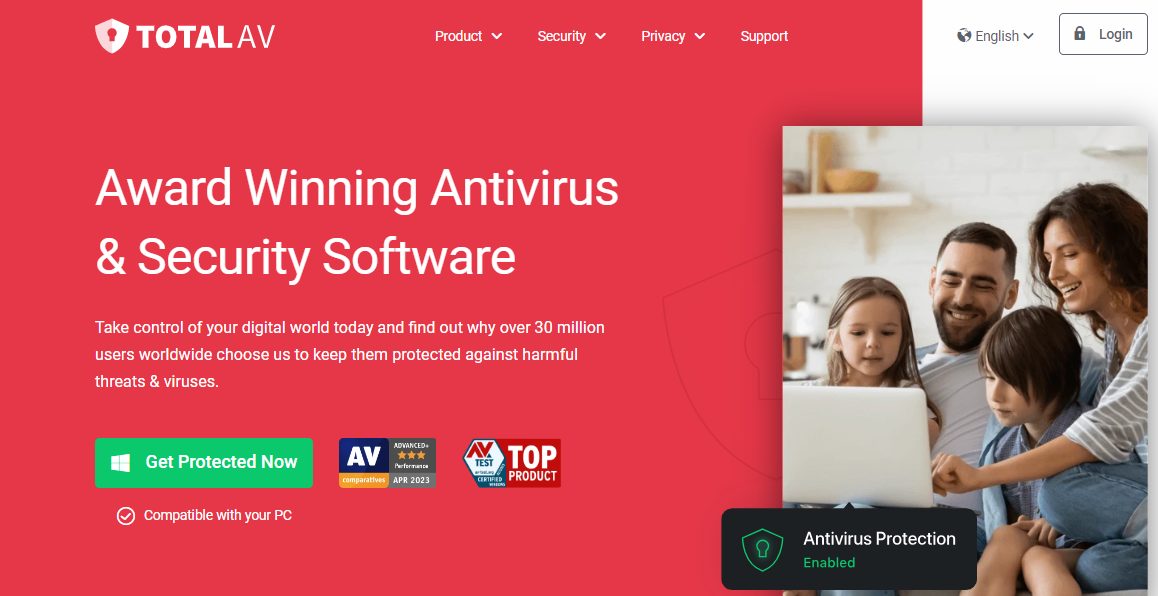
Total AV offers versatile protection across Windows, Mac, iOS, and Android devices. The software allows you to safeguard up to 6 devices. Also, the apps are user-friendly, which is why many Reddit users recommend it.
From my review, the real-time protection scans downloads, installs, and executables for viruses and potential threats. This helps keep your device free from harmful elements. There’s also WebShield to secure your online experience. Particularly, the feature defends against fake, scam, and phishing websites.
Total AV goes beyond virus protection to address interruptive ads. It not only blocks unlimited ads but also eliminates pop-ups and notifications that can disrupt your browsing. All this is thanks to the Total AdBlock tool.
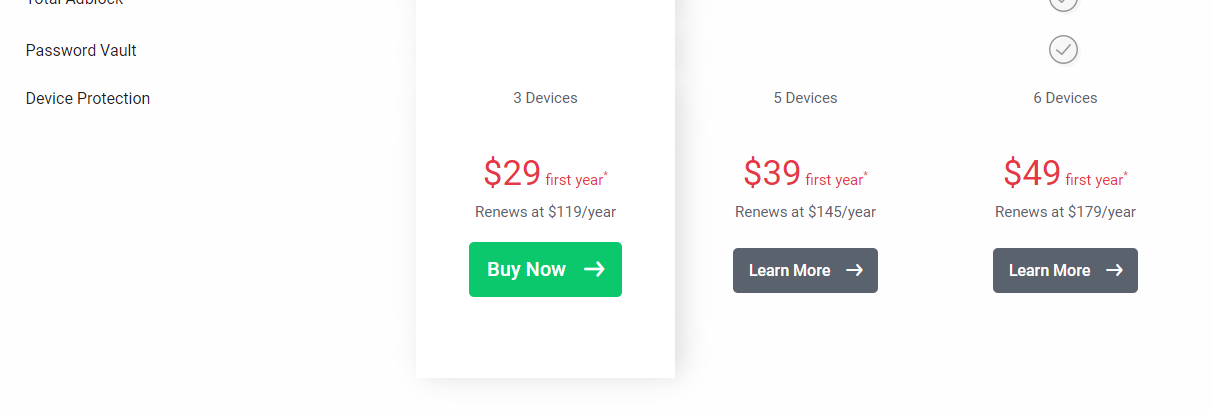
Total AV Pricing
Here are Total AV’s pricing plans:
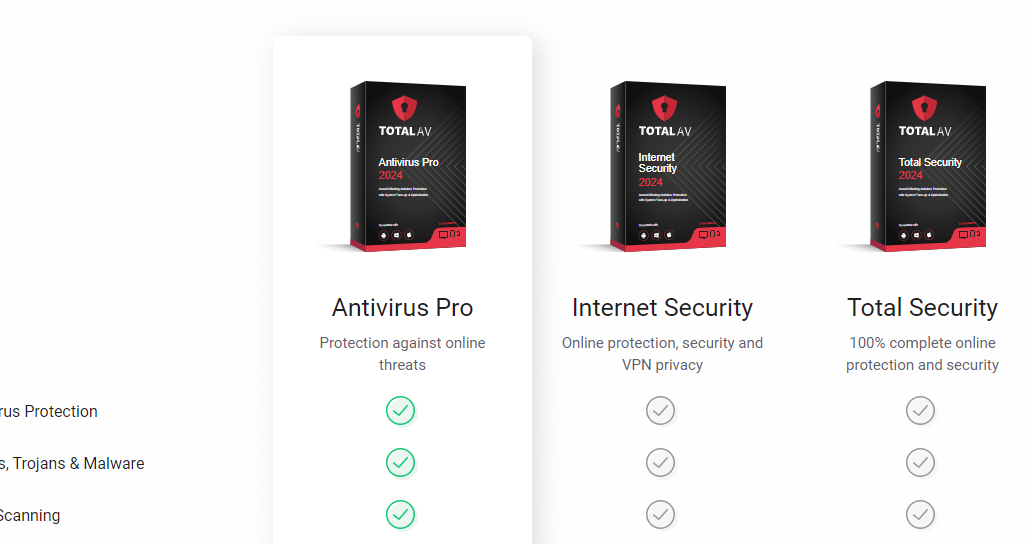
Antivirus Pro: $29 for the first year (Renews at $119 per year)
Internet Security: $39 for the first year (Renews at $145 per year)
Total Security: $49 for the first year (Renews at $179 per year)
Total AV
Protects your devices and online activities in real-time.
Protects your devices and online activities in real-time. Show Less
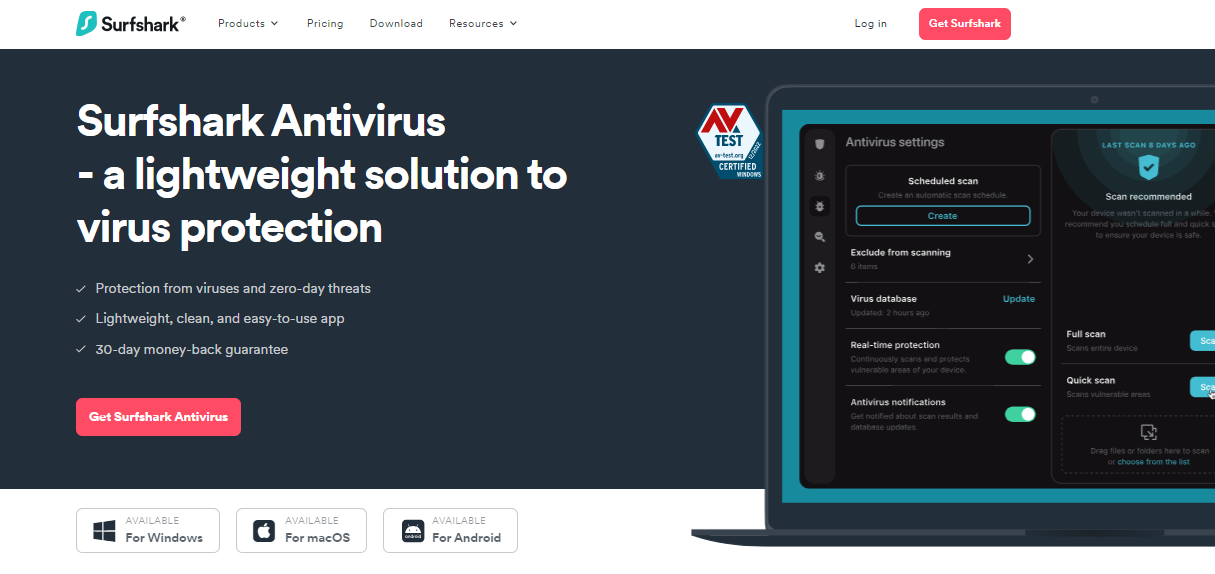
This best antivirus Reddit users recommended offers security tailored to your convenience. With real-time protection, it ensures you’re shielded from viruses on the go using manual or scheduled scans. You have the option to run scans at any time and exclude certain files or folders.
One standout feature is the Webcam protection that prevents unauthorized access to your camera. It also notifies you if anyone attempts to breach your privacy.
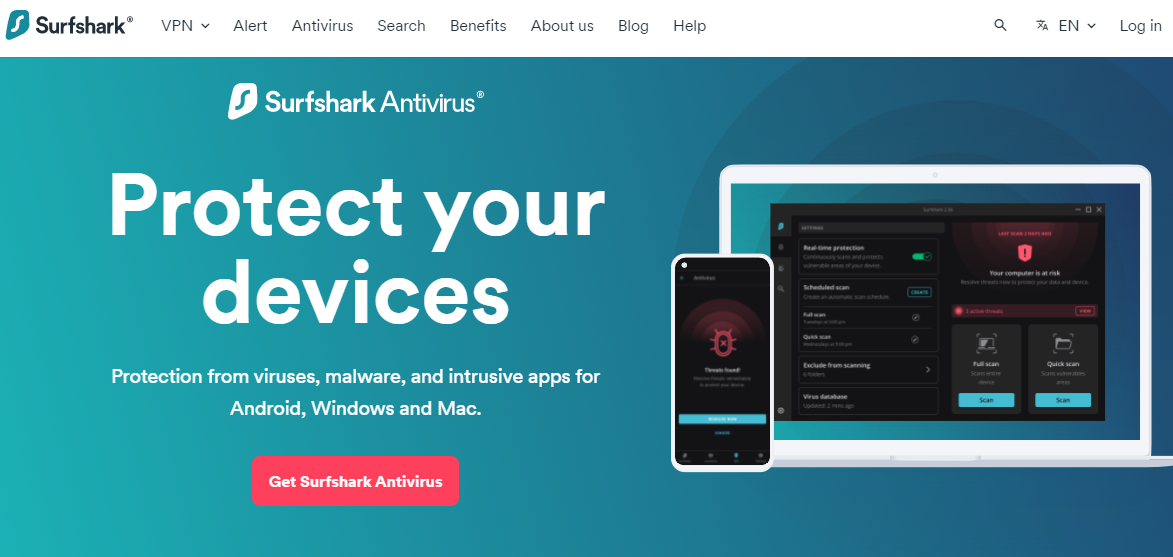
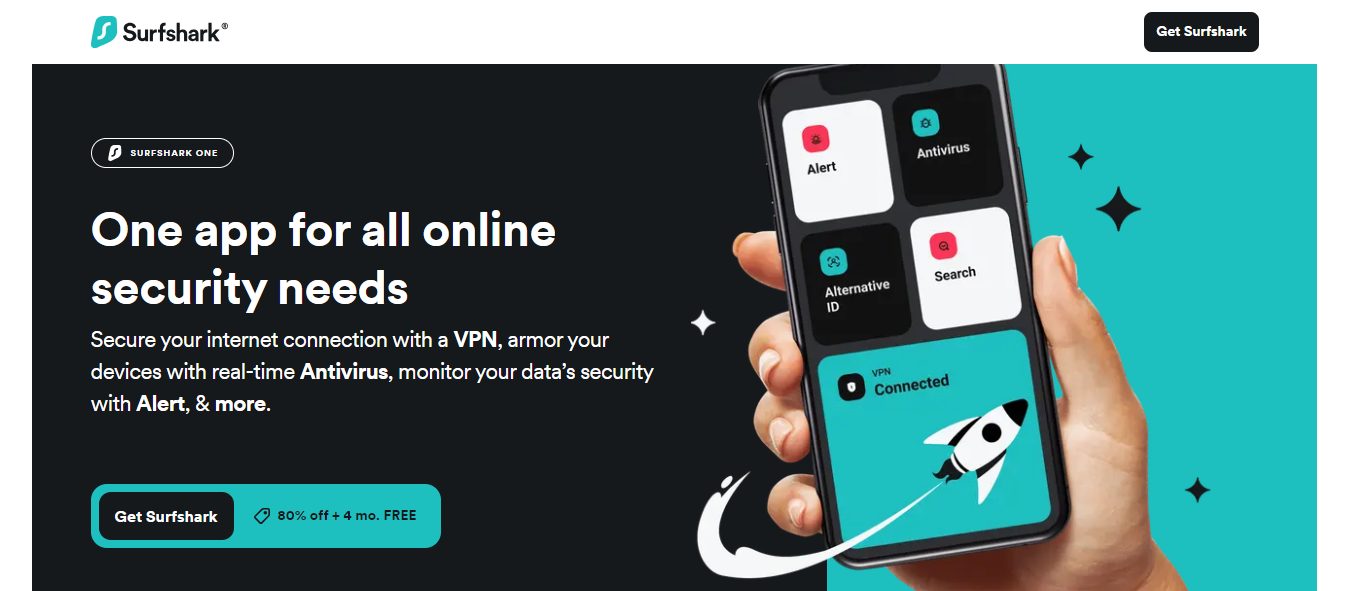
Since new viruses launch almost daily, the Surfshark Antivirus software is constantly updated. The Cloud Protect feature operates round the clock as a defence mechanism against emerging malware. Hence, it safeguards your device from even unidentified harm.
You can get Surfshark Antivirus with three additional products to get a security suite. These include the VPN, Alert, and Private Search tools. All are included in the Surfshark One Bundle.
Surfshark Antivirus Pricing
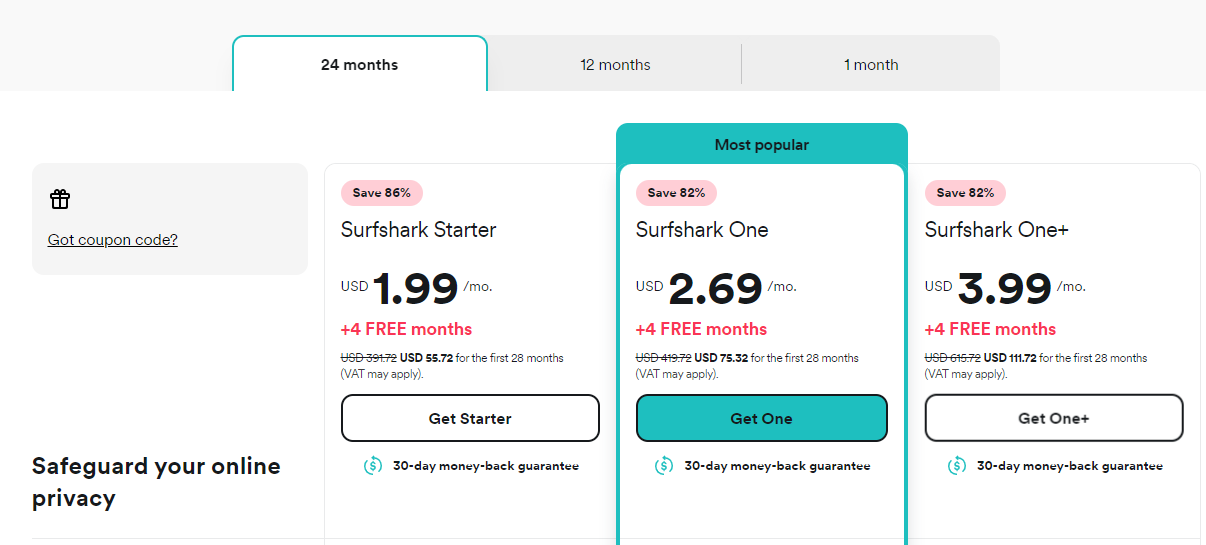
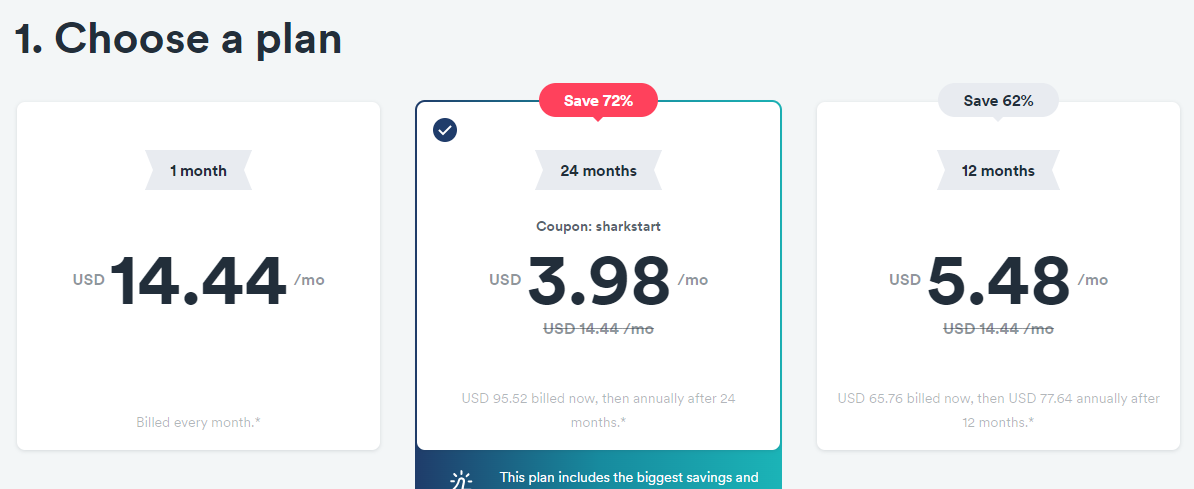
Surfshark has monthly, annual, and biannual plans. Here are the pricing plans for Surfshark One, which includes the Antivirus:
1-Month Plan: $13.99 per month
12-Month Plan: $4.09 per month (billed at $49.08 for the first year)
24-Month Plan: $2.69 per month (billed at $75.32 for the first 28 months)
Surfshark Antivirus
A 360-degree solution for all threat categories.
A 360-degree solution for all threat categories. Show Less
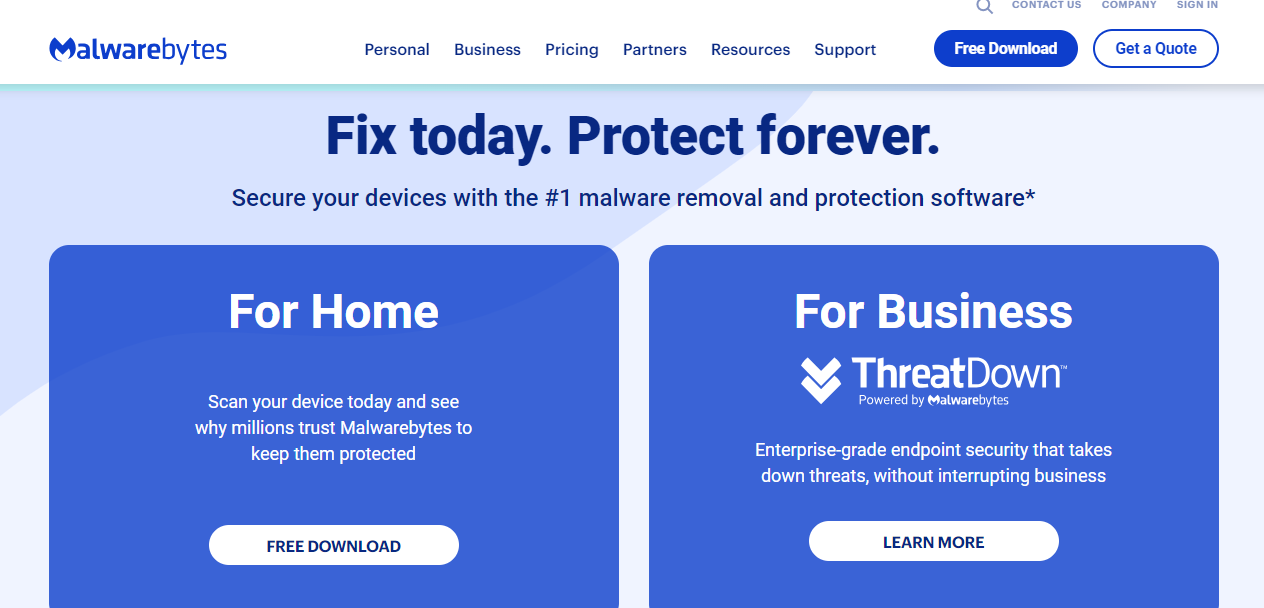
Malwarebytes earns its spot as a top antivirus, according to Reddit, with robust protection against a range of threats.
The software is a strong defender against modern threats like ransomware, phishing, credit card skimmers, scammers, and more. It offers simple control via an intuitive user interface. So, you can customize protection to your preferences.
For a boosted web experience, Malwarebytes features Browser Guard, which blocks malicious threats, ads, and third-party trackers. This not only ensures a safer online experience but also means faster and more private browsing. You can use it on Chrome, Firefox, Edge, and Safari.
The Security Advisor is another recommended feature. It delivers expert guidance by highlighting your real-time security status. Such insights help you make informed decisions and take necessary actions regarding your security. You can use it on Windows and Mac.
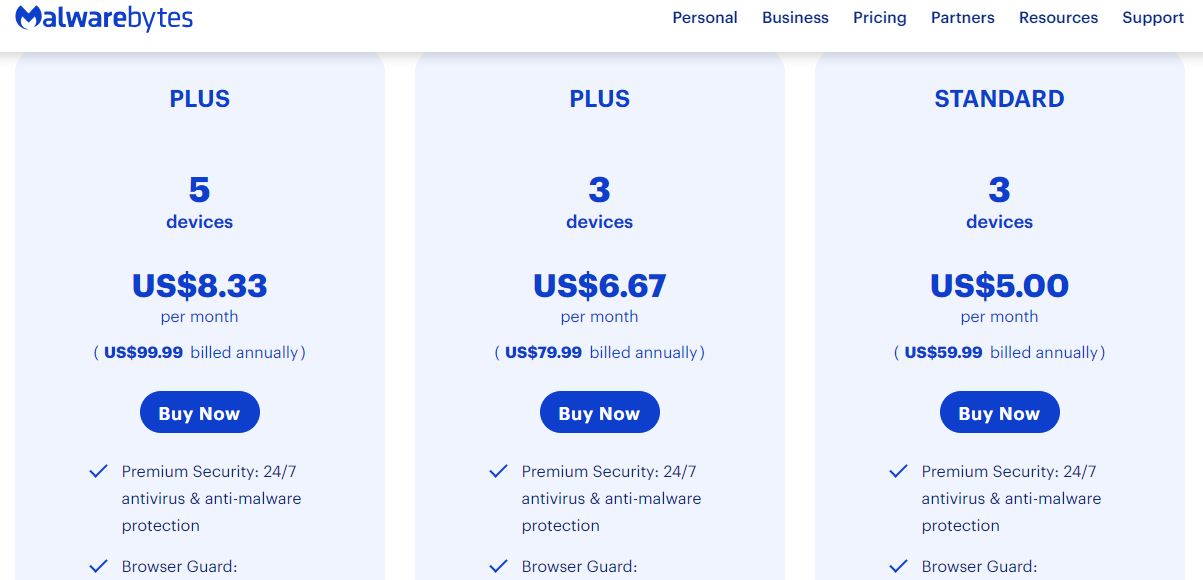
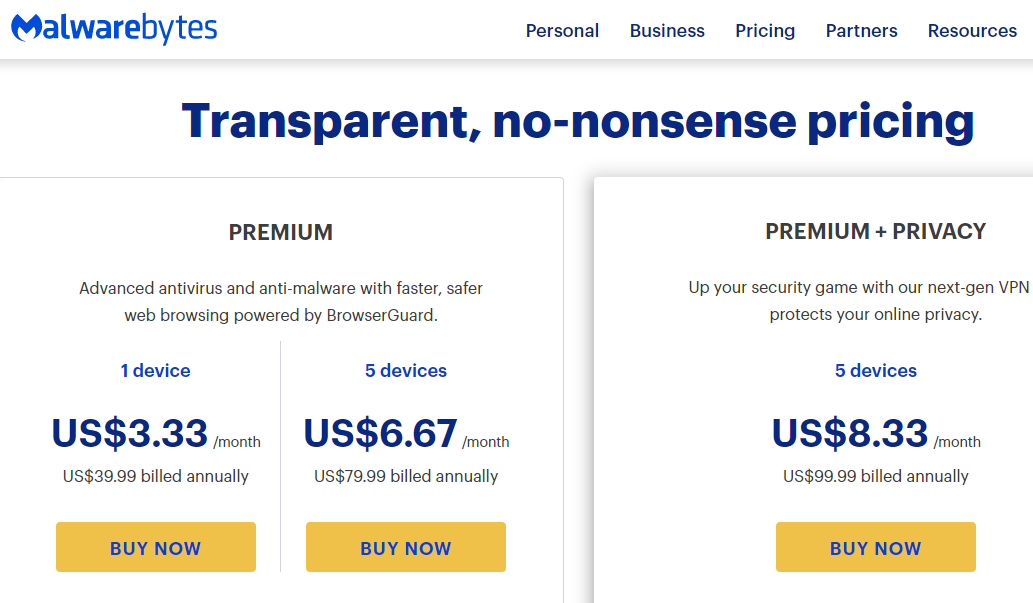
Malwarebytes Pricing
With Malwarebytes, you get personal, team, and business pricing plans. For personal, here are the prices:
Standard Plan for 1 Device: $3.75 per month
Standard Plan for 3 Devices: $5 per month
Plus Plan for 3 Devices: $6.67 per month
Plus Plan for 5 Devices: $8.33 per month
Note that all Malwarebytes plans are billed annually.
Malwarebytes
Your everyday protection against malware like ransomware, spyware, viruses, and more.
Your everyday protection against malware like ransomware, spyware, viruses, and more. Show Less
Here’s an antivirus that’s relatively popular among professionals. It provides advanced security with real-time threat protection. Particularly, you can rely on the software feature to safeguard your device against existing and emerging online threats. It ensures your private and financial information is safe when online.
Norton goes beyond just antivirus protection by offering a Password Manager. This tool can store and manage not just passwords but also credit card details and other credentials.
If you use a Windows PC, Norton introduces a Smart Firewall, while Mac users benefit from a dedicated Firewall. These features actively monitor traffic between your computer and others to block any unauthorized access. Hence, it boosts your overall digital defence.
Another key feature is the PC Cloud Backup. It allows you to store important files and documents against data loss. This can be handy in cases of hard drive failures, stolen devices, or even ransomware attacks.
Norton 360 Pricing
Norton 360 offers varying pricing plans for different products. You can find them all below:
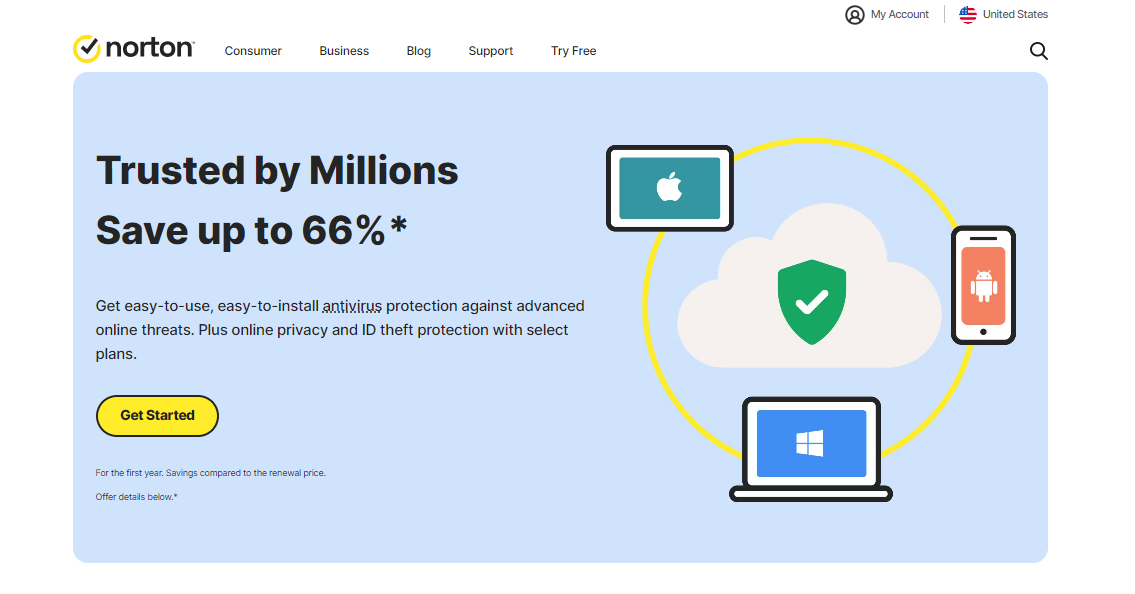
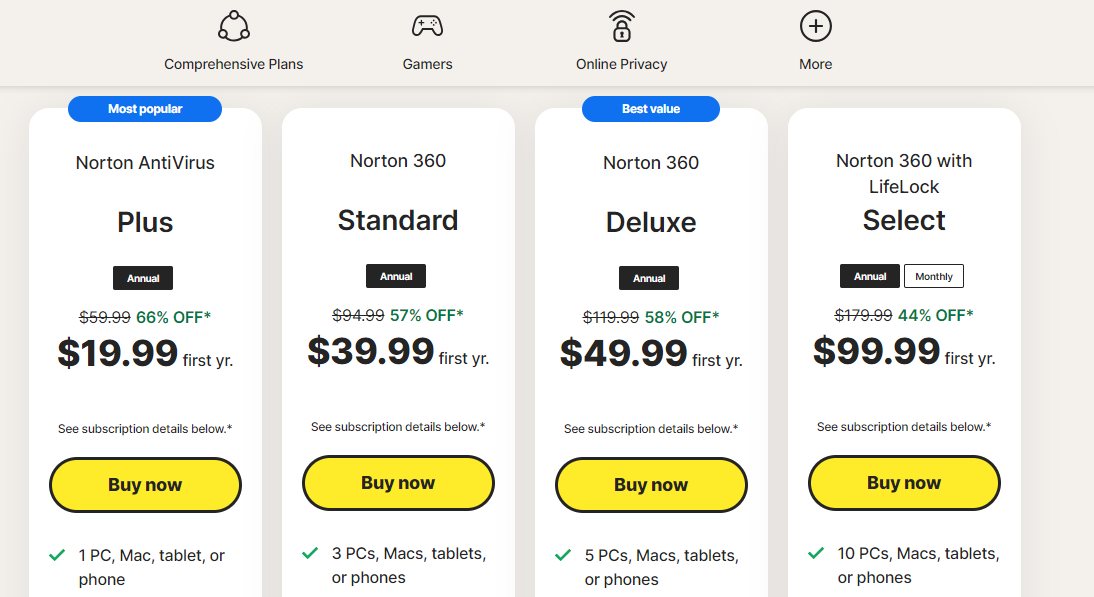
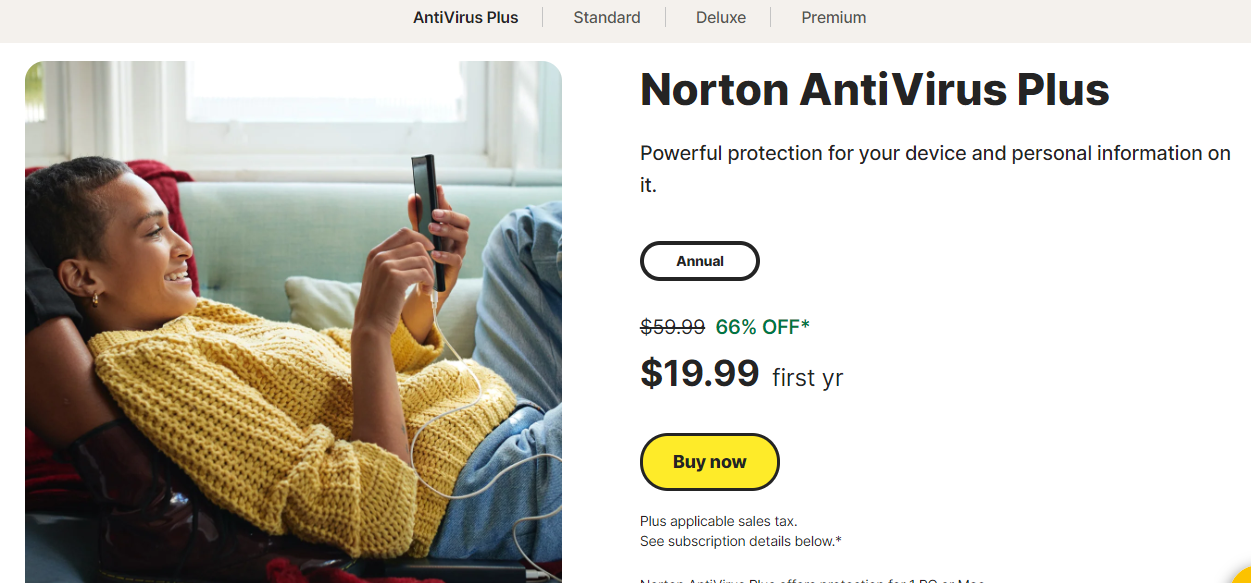
Norton Antivirus Plus: $19.99 for the first year ($59.99 per year afterwards)
Norton 360 Standard: $39.99 for the first year ($94.99 per year afterwards)
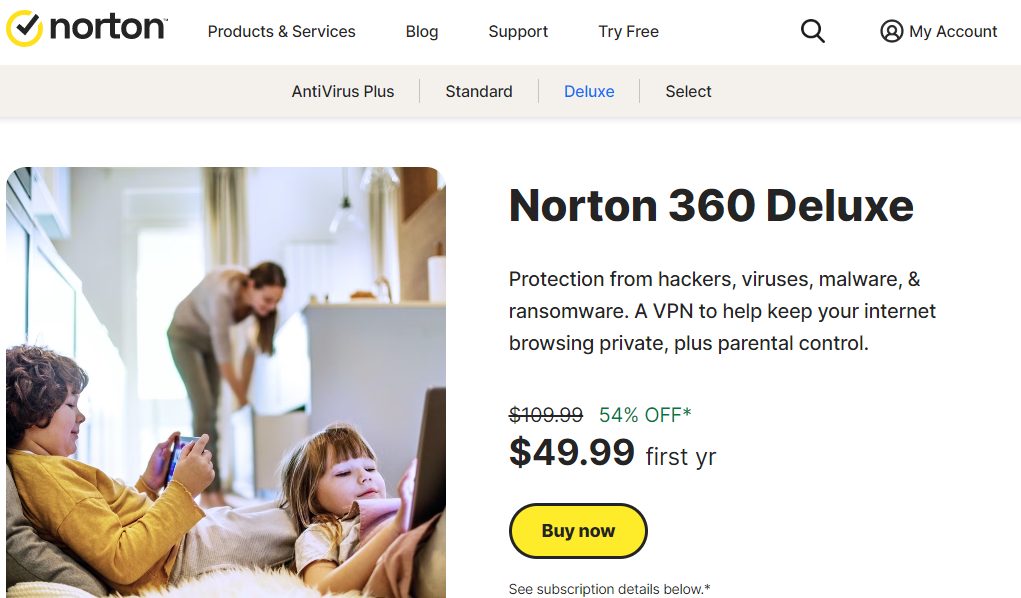
Norton 360 Deluxe: $49.99 for the first year ($119.99 per year afterwards)
Norton 360 with LifeLock Select: $99.99 for the first year ($179.99 per year afterwards)
Norton 360
Norton 360 is a security suite that utilizes advanced machine learning technology in dealing with all types of malware...Show More
Norton 360 is a security suite that utilizes advanced machine learning technology in dealing with all types of malware including Trojans, ransomware, etc. 100% guaranteed protection against all types of malware and your best bet for privacy protection. Show Less
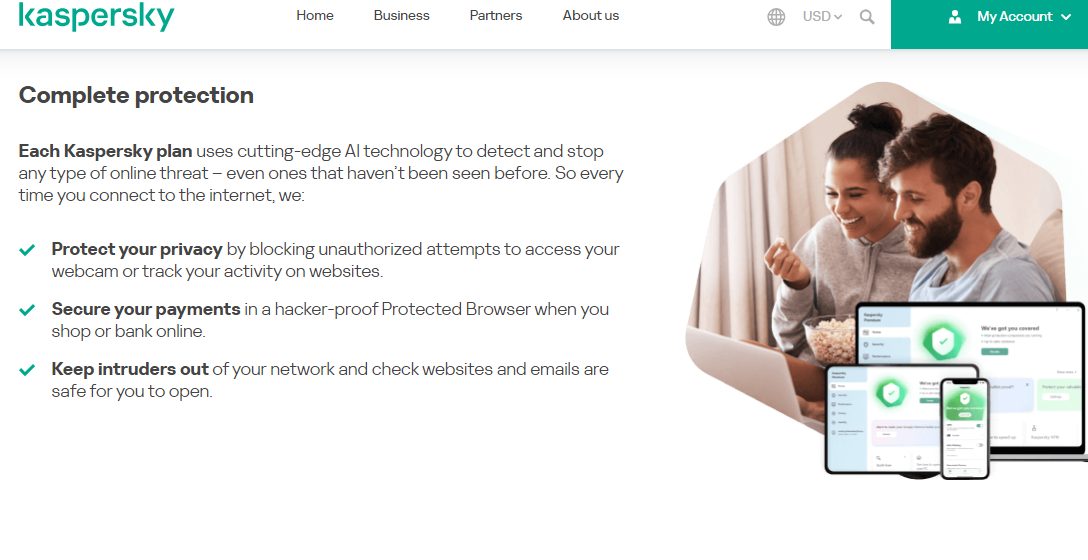
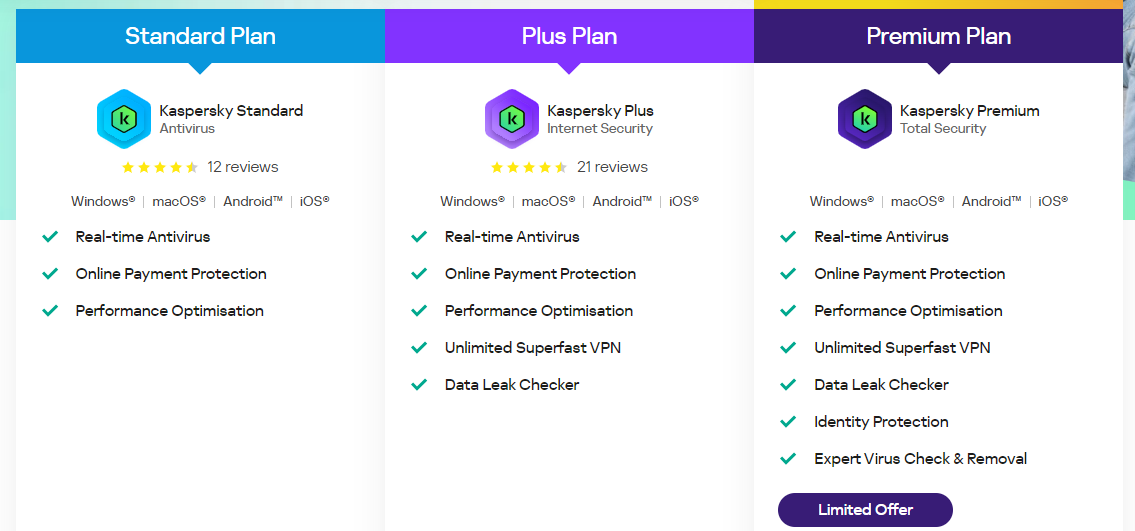
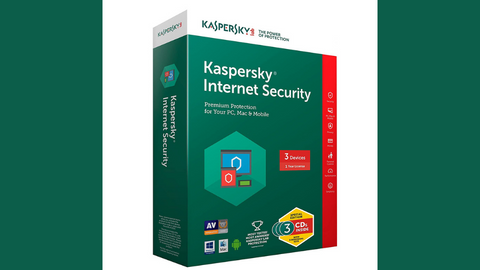
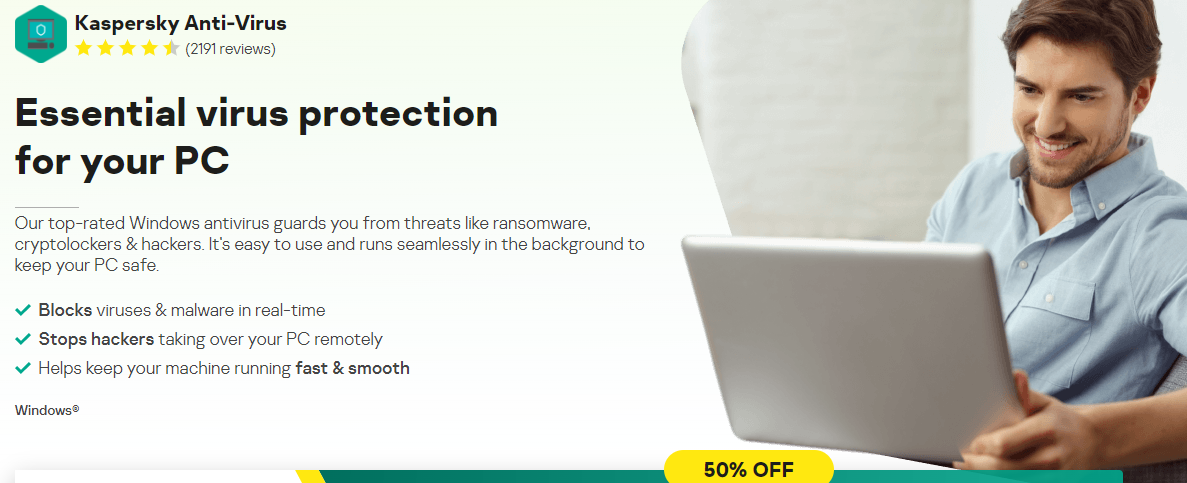
Another mention on our list of the best antivirus Reddit, we have Kaspersky, a comprehensive suite that covers more than antivirus protection. You’ll also get payment security and various privacy and ID protection features if you pick this option. It’s a reliable solution that works across Windows, macOS, Android, and iOS platforms.
Kaspersky’s features include real-time antivirus protection, online payment security, and performance optimization. Also, the software includes an unlimited superfast VPN, a data leak checker, and identity protection. One highlight is the expert virus check and removal tool, which ensures a thorough defence against online threats.
What Reddit users appreciate most about Kaspersky is the use of cutting-edge AI technology. It’s available in all plans and enables Kaspersky to detect and halt various online threats, including zero-day viruses.
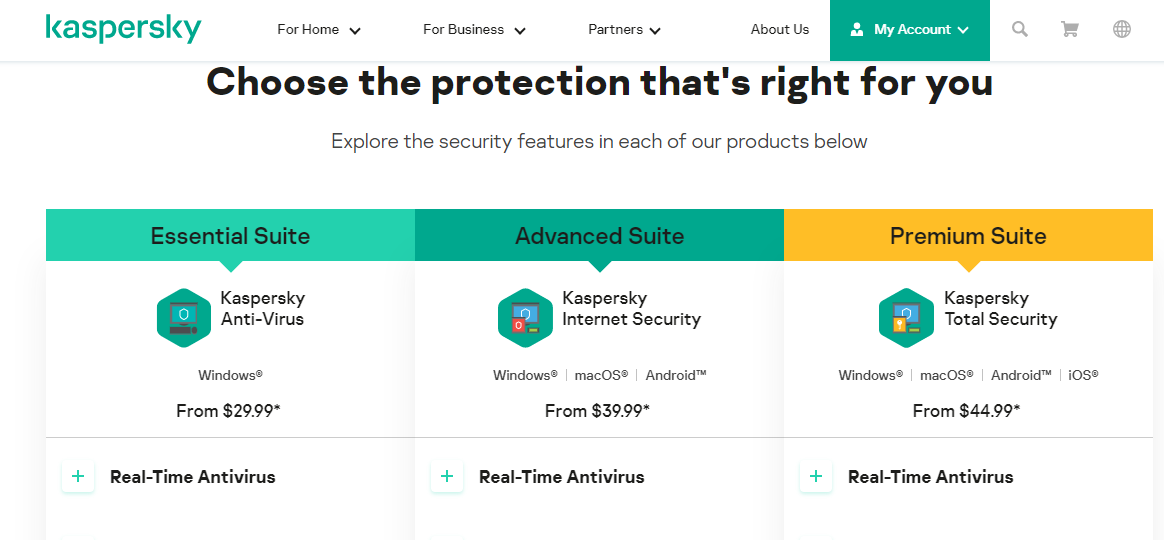
Kaspersky Pricing
Check out Kaspersky Pricing plans for home users below:
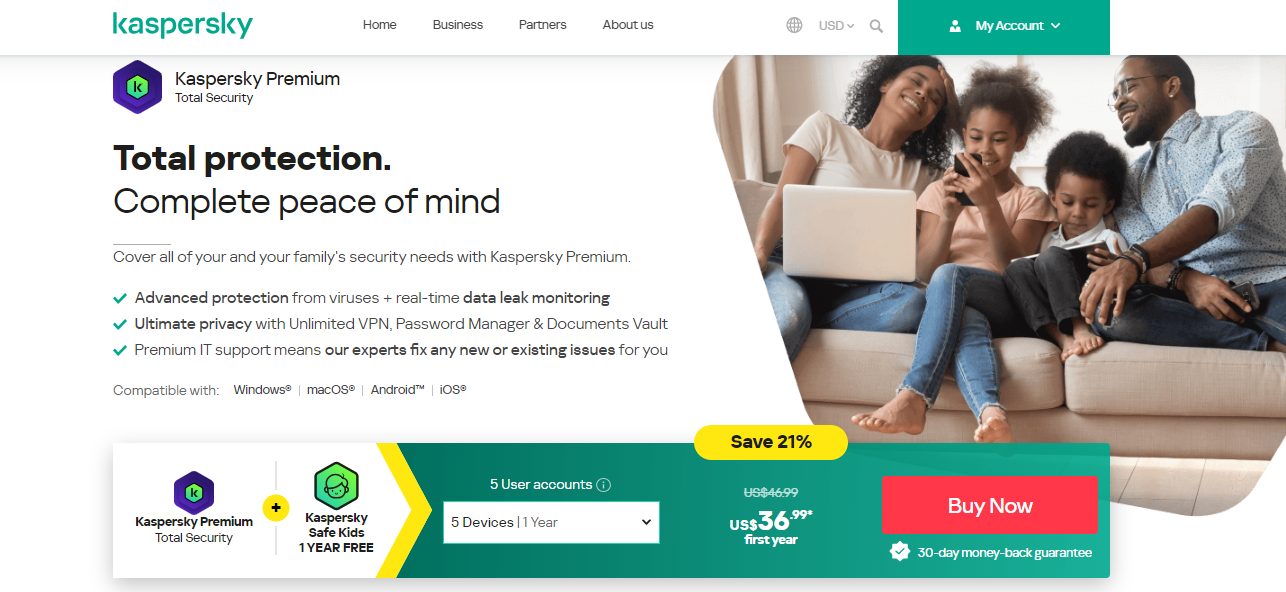
Standard Plan: $19.99 per year
Plus Plan: $28.99 per year
Premium Plan: $30.99 per year
Kaspersky Internet Security
Premium protection against online threats.
Premium protection against online threats. Show Less
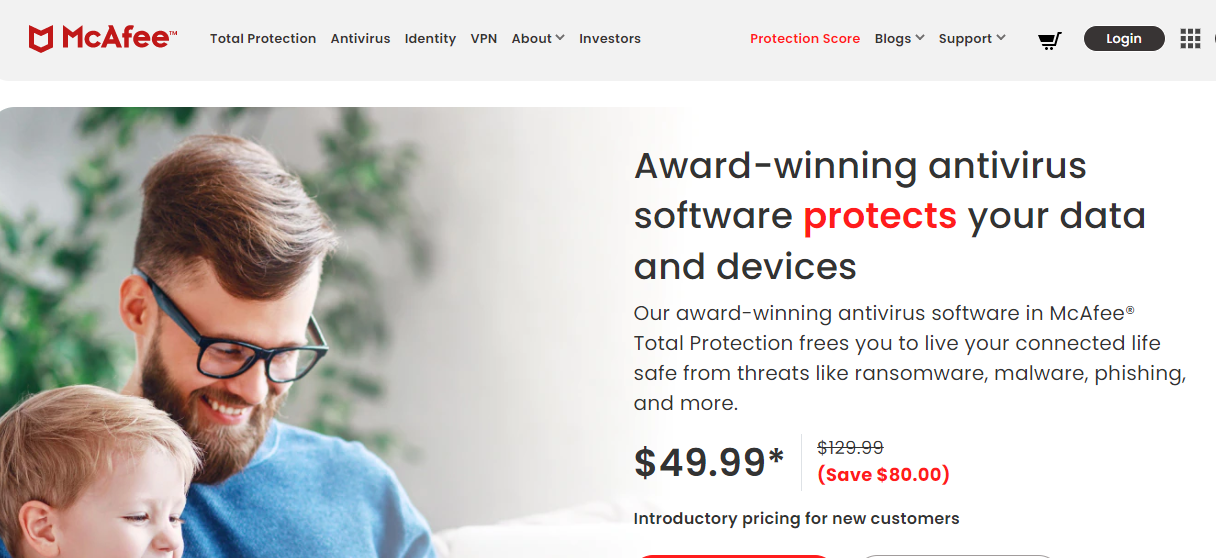
Number six on our list of best antivirus Reddit is McAfee. With a legacy of trust, McAfee boasts of being a leader in consumer security, safeguarding over 600 million devices. The award-winning software is now fortified with AI for enhanced speed and strength.
McAfee offers up to 3x faster scans, ensuring optimal PC performance without lagging. With the advanced firewall, you get 10x more protection with state-of-the-art threat intelligence. It’s not surprising, then, that the software has been recognized as a top product by AV-Test.org.
Thanks to the user-friendly design, it’s easy to connect and manage all your devices. You do so from a single dashboard. The Virus Protection Pledge offers a 100% guarantee to remove viruses from your devices or provide a refund on your subscription.
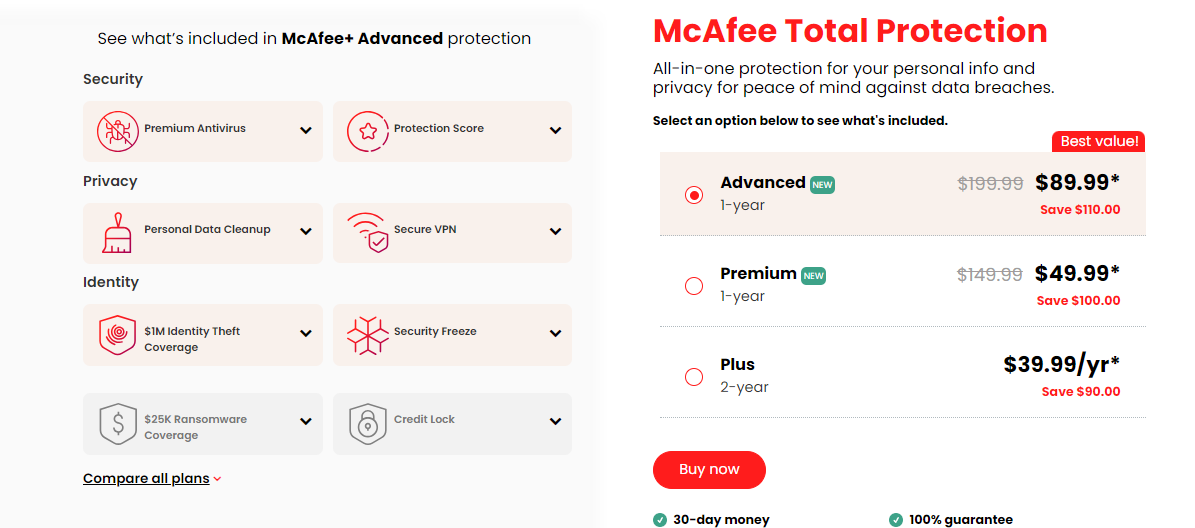
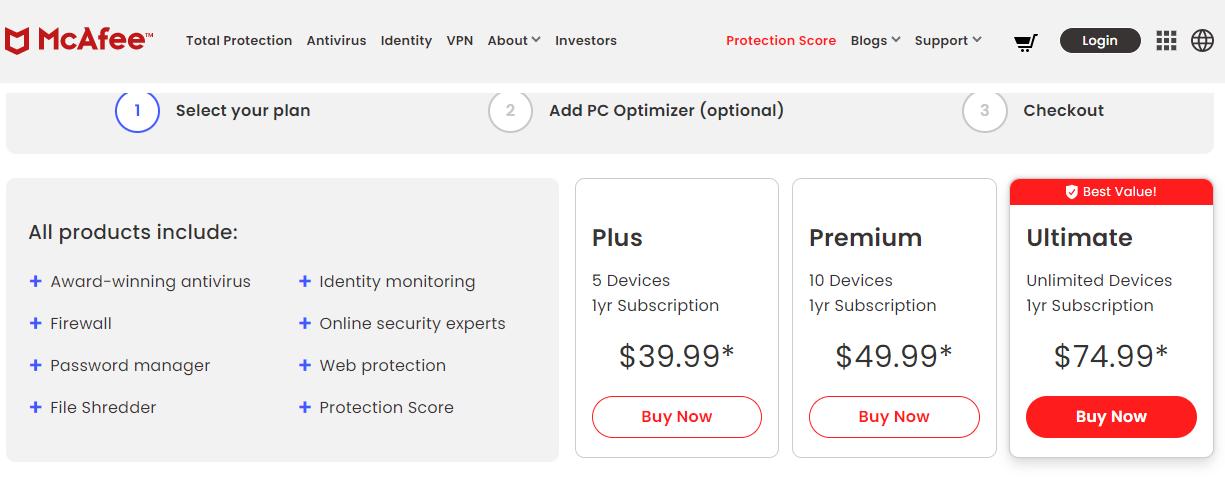
McAfee Antivirus Pricing
There are three main pricing plans to choose from as a McAfee user, including:
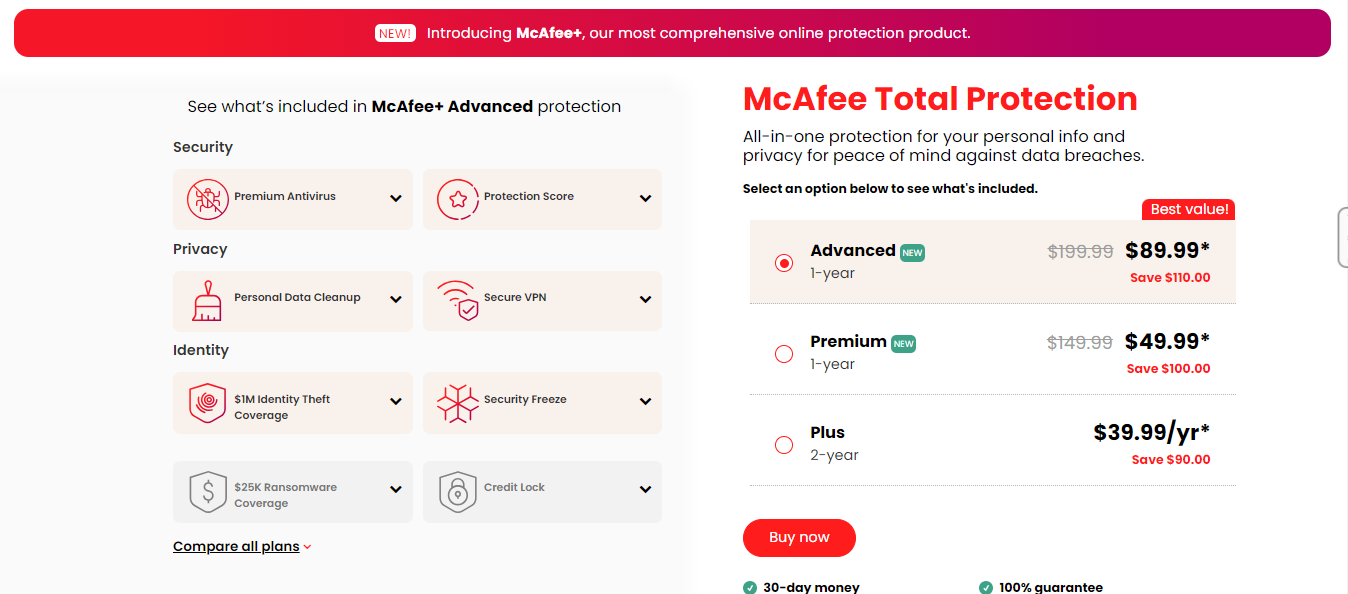
McAfee Advanced: $89.99 per year
McAfee Premium: $49.99 per year
McAfee Plus: $39.99 per year (for 2 years plan)
McAfee Total Protection
An easy-to-use security suite for data safety and device protection.
An easy-to-use security suite for data safety and device protection. Show Less
ESET proves to be a reliable antivirus, which is why it’s a top antivirus pick for many Reddit users. It provides multi-platform protection across Windows, macOS, Android, and even Linux. You can rely on the software to safeguard your data from ransomware attacks and prevent unauthorized access by hackers.
If you frequently shop and bank online, ESET proves reliable. You can conduct transactions with confidence, knowing that the antivirus is protecting your sensitive information. The software can also secure all connected smart devices at home.
Like a few other antivirus on this list, ESET has a password manager. So, it simplifies your digital life by safely storing and auto-filling your passwords. You won’t have to memorize them all the time.
ESET Antivirus Pricing
This antivirus software has a flexible pricing structure, depending on the number of devices you’re paying for. You can find out the base prices below:
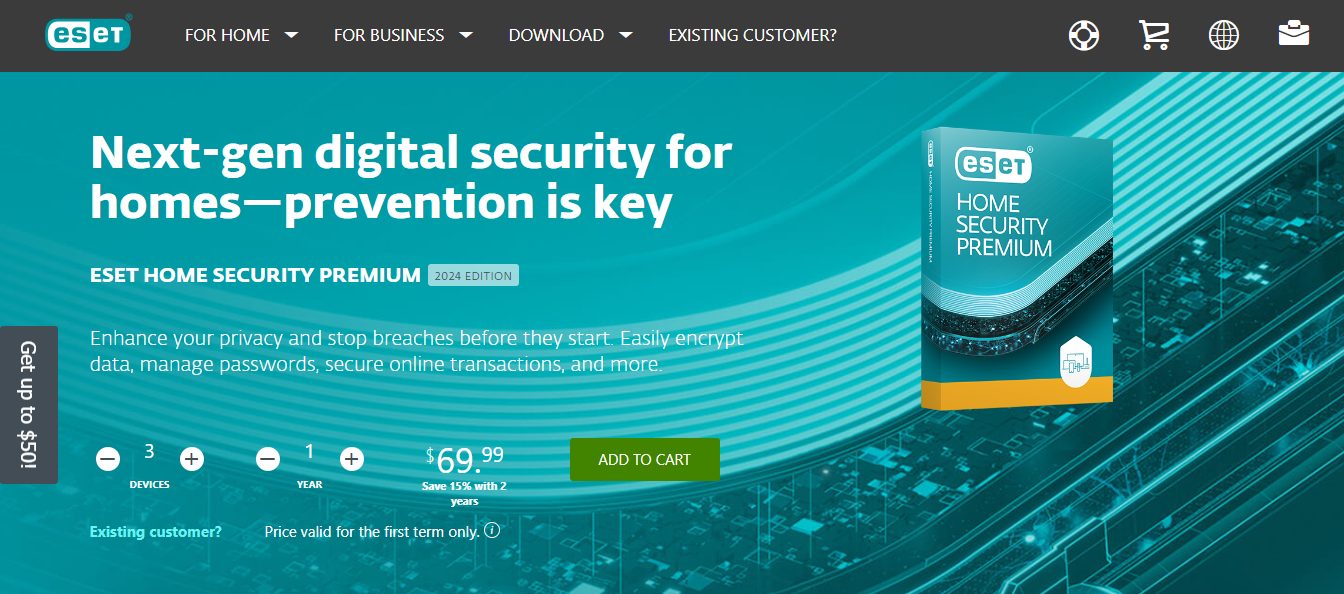
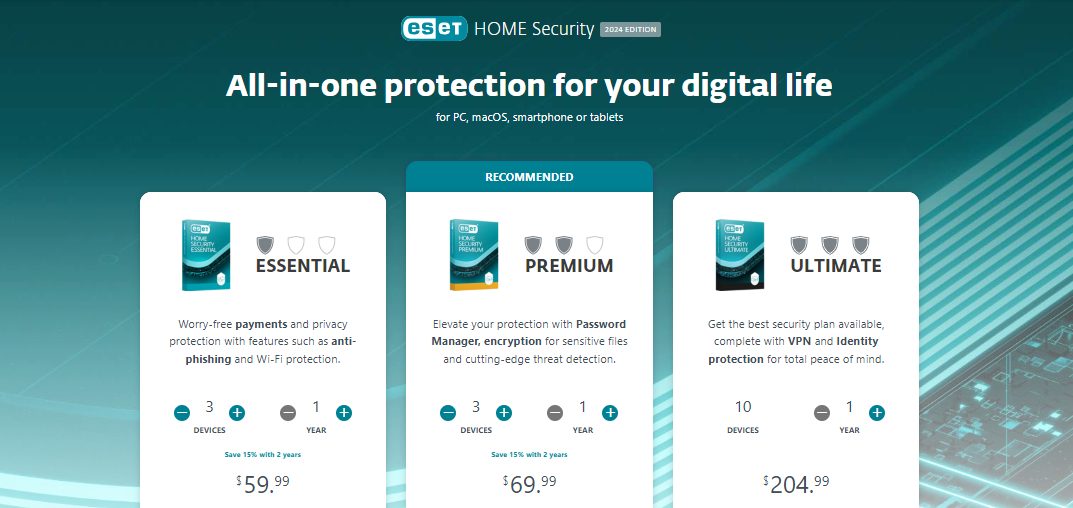
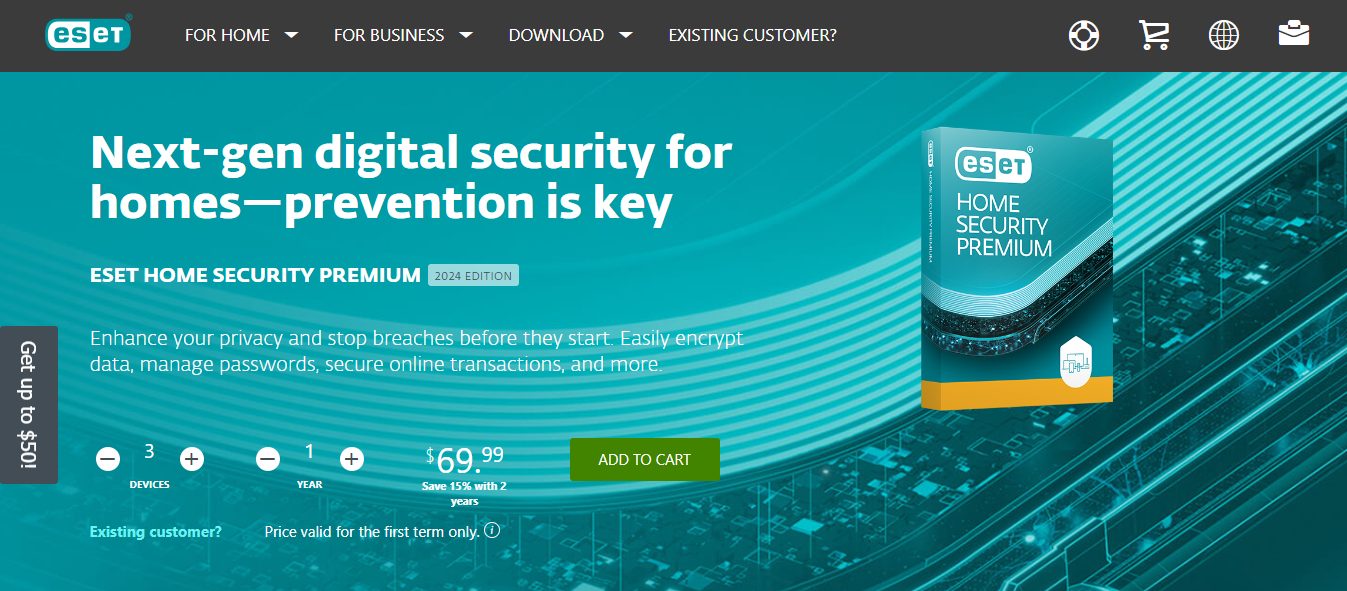
ESET Essential: Starts at $59.99 per year for 3 devices
ESET Premium: Starts at $69.99 per year for 3 devices
ESET Ultimate: $204.99 per year for 10 devices
ESET HOME Security Premium
ESET HOME Security Premium is a fully-fledged security software with amazing features and even a password manager. Smart...Show More
ESET HOME Security Premium is a fully-fledged security software with amazing features and even a password manager. Smart protection for Windows, Mac, and Android devices. Show Less
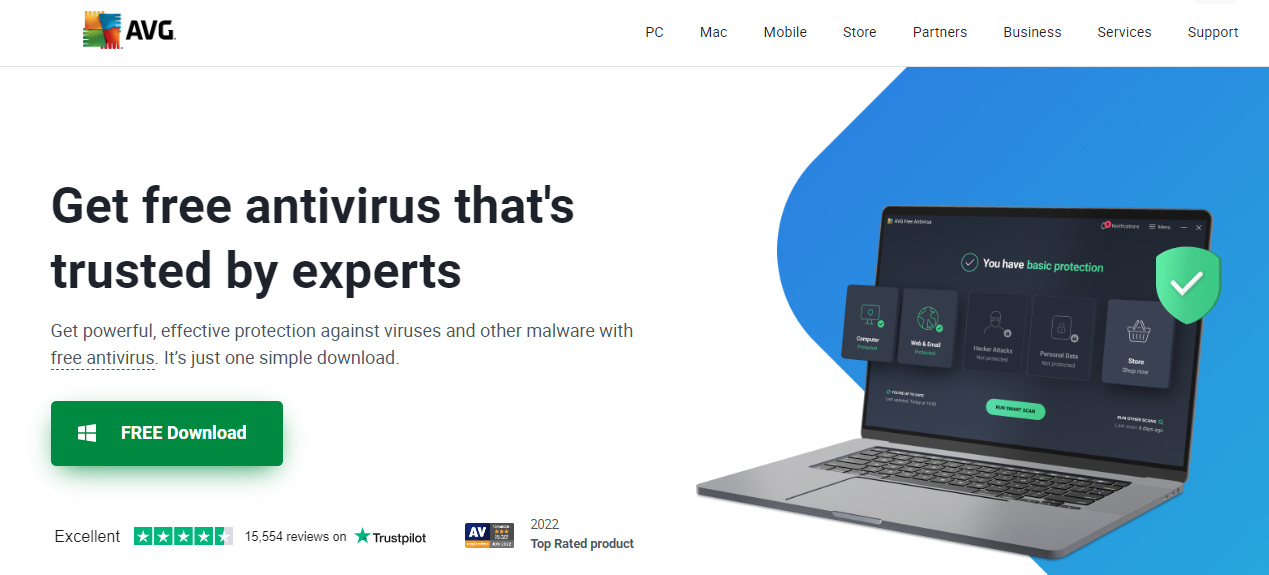
Another notable entry among the best antivirus Reddit users recommended is AVG Ultimate.
There are many upsides to using a staunch antivirus like AVG Ultimate. First, the software provides robust protection against hackers, ransomware, and various types of malware. Beyond security, AVG Ultimate boosts your device’s performance.
You get to experience a 30% boost in speed and a 79% quicker startup time. This is thanks to a suite of powerful optimizations and cleanup options. This efficiency is appreciated by Reddit users who want protection and a seamless digital experience.
The powerful 256-bit encryption is another noteworthy feature. It secures your devices with military-grade encryption. This feature is particularly useful if you access public Wi-Fi, as it keeps you safe and anonymous.
Notably, AVG Ultimate doesn’t limit its coverage, as it offers protection for up to 10 devices. Whether it’s PCs, Macs, or mobiles, AVG ensures that each device receives top-notch security.
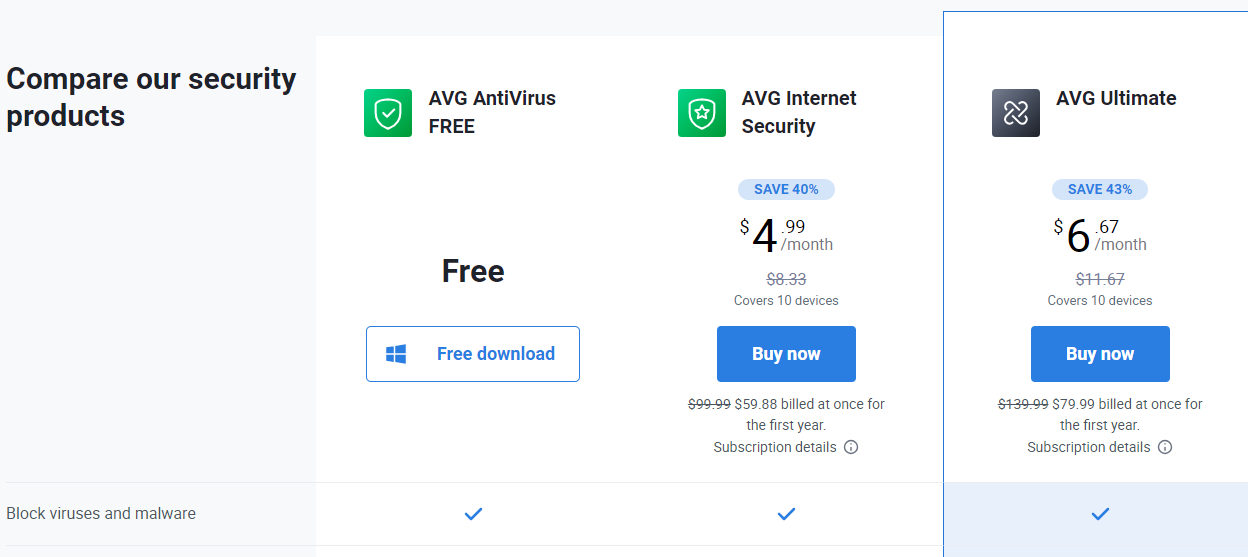
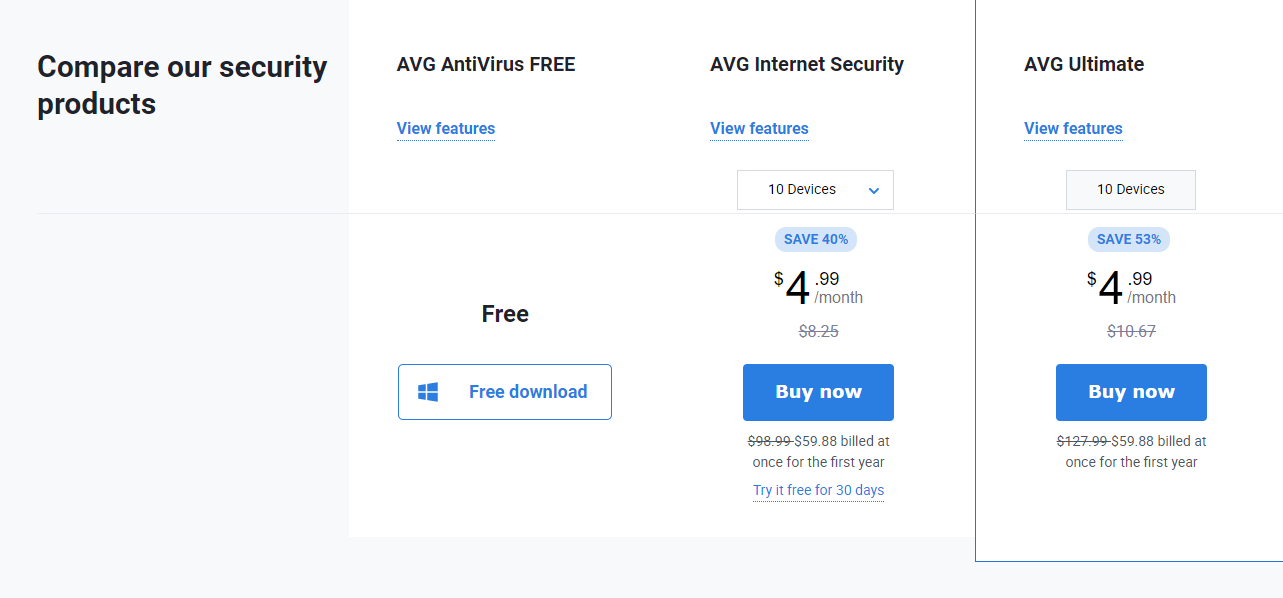
AVG Antivirus Pricing
One of the main advantages of the AVG antivirus software is that you can use it for free. However, you’ll have to go with any of the below premium plans if you want more protection:
AVG Internet Security: $59.88 for the first year ($99.99 per year afterward)
AVG Ultimate: $79.99 for the first year ($139.99 per year afterward)
Note that with each premium payment, you get to protect up to 10 devices.
AVG Ultimate
A combined antivirus plus VPN for total protection.
A combined antivirus plus VPN for total protection. Show Less
A software as comprehensive as Sophos receives applause across the Reddit community. It impresses with its Malware Scan and Clean feature. Starting with a deep scan, it checks for hidden threats, viruses, trojans, rootkits, spyware, and more.
Sophos takes a futuristic step with AI Threat Detection. You can rely on it for protection against a wide range of threats, even those not widely known yet.
Ransomware Security is also a standout feature, as it safeguards your personal files and photos. Not only will Sophos block ransomware, but it’ll also return affected files to their original state.
The software further includes Web Protection to fend off compromised websites — like phishing sites. This ensures safe browsing, banking, and shopping experiences. Additionally, Sophos adds extra browser security and automatically scans your downloads to enhance overall online safety.
Sophos Pricing
The plan I went for was Sophos’ Home, and the options were straightforward. You simply pay for the number of years you want to use the software.
Check out the pricing below:
1-year Subscription: $44.99 per year
2-year Subscription: $74.99 per year
3-year Subscription: $104.99 per year
Sophos
Sophos Antivirus is a security software that helps protect computer systems from various malware and online threats.
Sophos Antivirus is a security software that helps protect computer systems from various malware and online threats. Show Less
If you want a free antivirus you can rely on, many Reddit users recommend Avira. One major reason is its constant real-time monitoring and protection against malware. These include viruses, worms, Trojans, and ransomware, to name a few.
Avira’s free version allows you to run regular system scans. If there’s a suspicious file, its digital fingerprint is uploaded to the Avira Protection Cloud. Then, it undergoes real-time scanning against an extensive threat database. Avira will quickly quarantine and eliminate such files if infected.
With the Pro version, security goes further with signature-based and activity-based analyses. Such a dual approach enables the software to detect even unidentified ransomware. Also, with the advanced web protection feature, you get safety for your online activities.
Avira Pricing
Avira has a free version; however, if you want more protection from Avira, then you have to go for the Prime solution. Here are its pricing plans:
Avira Prime: $83.88 per year
Avira Internet Security: $46.99 per year
Avira Antivirus Pro: $35.99 per year
Avira Prime
Avira Prime is the ultimate security suite for data safety and protection from online threats that gives you full access...Show More
Avira Prime is the ultimate security suite for data safety and protection from online threats that gives you full access to Avira products like antivirus, Phantom VPN, software updater, system optimization tool, and a password manager. Show Less
Why Trust Reddit Reviews?
Based on my experience, user reviews on Reddit can be pivotal when searching for the best antivirus. The comments come from real-world experiences, so they offer valuable insights into the actual performance of the antivirus program. As you go through them, you’ll find that Reddit users share their encounters.
Particularly, they provide information on whether the antivirus is reliable in safeguarding against malware, viruses, and other cyber threats.
This firsthand information gives you a realistic expectation of what to anticipate from a particular antivirus. Hence, I maintain that following legit reviews from users on Reddit can be helpful.
Best Antivirus Reddit: Frequently Asked Questions
What Is An Antivirus Software?
Antivirus software, also known as anti-malware software, is a program designed to protect your computer and other devices from malicious software (malware).
This includes threats like:
Viruses: These can replicate and spread, causing damage to your files and system.
Worms: Similar to viruses, but they can spread across networks without needing human interaction.
Trojans: These disguise themselves as legitimate programs to trick you into installing them, then steal your data or harm your system.
Spyware: Monitors your activity and gathers information without your knowledge, often for malicious purposes.
Adware: Floods you with unwanted advertisements and can be difficult to remove.
Here’s how antivirus software works:
Scanning: It scans your files, emails, and internet traffic for suspicious patterns or known malware signatures.
Detection: If it finds a threat, it alerts you and gives you options to remove it.
Removal: It can quarantine or delete the malware to prevent it from causing harm.
Real-time protection: Many antivirus programs run in the background, continuously monitoring your system for threats.
What Are The Benefits Of Using An Antivirus Software Reddit?
Reddit users highlight several benefits of using antivirus software:
Enhanced Security: Antivirus software acts as a shield against malware, protecting your personal data, financial information, and system from harm.
Peace of Mind: Knowing your device is protected can give you peace of mind, especially when browsing the web or downloading files.
Improved System Performance: Some antivirus programs include features that optimize your system performance by removing unnecessary files and freeing up resources.
Additional Features: Many antivirus software offer additional features like firewalls, parental controls, password managers, and VPNs.
What is truly the best antivirus?
There is no single “best” antivirus software as it depends on your individual needs and budget. However, Reddit users frequently recommend the following options:
Top Recommendations
Norton 360: Praised for its excellent malware detection rates, comprehensive feature set (including VPN and parental controls), and user-friendly interface.
Avira: Offers a popular free version with good malware protection and additional features like browser extensions and password management (premium versions offer more advanced features).
Surfshark Antivirus: A reliable antivirus solution with a focus on security and performance. It offers excellent malware detection and a user-friendly interface.
McAfee: Provides robust protection with a range of features, including identity theft protection, firewall, and game mode.
TotalAV: Budget-friendly option with good malware protection.
Other Options:
Intego: Considered the best antivirus for Mac users.
Trend Micro: Popular AI-powered antivirus for any operating system.
What antivirus do you recommend Reddit?
My recommendation would depend on your specific needs and preferences. Here are some questions to consider:
What is your budget? Free antivirus options are available, but premium versions offer more features and advanced protection.
What features are important to you? Do you need a VPN, parental controls, or other security features?
What operating system do you use? Some antivirus software is specifically designed for Windows, macOS, or Android.
What is your level of technical expertise? Some antivirus programs are more user-friendly than others.
Once you have considered these factors, you can research the options mentioned above and read reviews from Reddit users to make an informed decision.
Is Avast a good antivirus Reddit 2024?
Avast has received mixed reviews on Reddit in 2024. Some users praise its free version for providing basic protection, while others criticize its performance impact and past data privacy concerns.
Some independent testing labs have also raised concerns about its effectiveness against certain malware types. Ultimately, whether Avast is a good choice for you depends on your individual needs and preferences.
Which antivirus is worth buying?
Several antivirus programs are considered “worth buying” in 2024, depending on your budget and needs. Here are some options:
Best overall:Total AV offers comprehensive security, excellent performance, and valuable additional features like VPN and parental controls.
Best value:Surfshark Antivirus provides top-notch protection at a competitive price and is known for its lightweight performance.
Best free option:AVG and Avira Free Antivirus offer basic protection and additional features like browser extensions and password management.
Best for advanced users: Malwarebytesprovides powerful security features and customization options for experienced users.
Do you need antivirus Reddit 2024?
While not absolutely essential, using antivirus software in 2024 is highly recommended for several reasons:
Increased online threats: Malware and cybercrime are constantly evolving, making it crucial to have protection.
Vulnerable personal data: Your personal information and files can be compromised by malware, leading to identity theft and financial losses.
System protection: Malware can damage your system and disrupt its functionality.
Peace of mind: Knowing you’re protected can provide peace of mind when using your computer and browsing the internet.
Bottom Line
There you have it: my picks of the best antivirus software after reviewing recommendations from Reddit users.
If you’re looking for a solution to keep your device free from malware, pick an option from the above list.
You’ll find both free and premium options with flexible pricing plans. So, regardless of your budget, you should find an antivirus that works.
If you are looking for the best BullGuard Antivirus alternatives, this post is for you!
As an internet security company, BullGuard provides solutions to keep individuals and small businesses safe online. The antivirus solution is one of their most popular products.
BullGuard Antivirus uses AI and machine learning to keep user devices free from viruses, malware, ransomware, and spyware. The antivirus costs about $60 for the first year.
While the software is excellent for detecting viruses, it lacks some features some customers would want. Furthermore, some users complain that the interface is outdated.
Not to mention, BullGuard has been acquired by Norton LifeLock; hence, it has shut down.
For example, BullGuard Antivirus isn’t optimized for Apple devices. It lacks an iOS application and the macOS app is limited.
If the BullGuard Antivirus program doesn’t meet your interest, here are the best alternatives to BullGuard that you can use:
Table of Contents
Best BullGuard Antivirus Alternatives
1.Heimdal Security
The first mention on our list of the best BullGuard Antivirus alternatives is Heimdal Security.
Heimdal Security is a platform for complete protection. It’s an antivirus and also threat prevention, access management, and vulnerability management software.
The Heimdal Antivirus is lightweight and easy to install and use. It uses local signature-based scanning to detect viruses, ransomware, data leakage, and exploits among others.
With real-time cloud scanning, the software prevents foreign threats from infecting your device. Here’s how it works; unknown files in your local storage are sent to Hemidal’s secure cloud system for real-time scanning.
Furthermore, this best BullGuard Antivirus alternative isolates potentially harmful files in a sandbox for thorough checking. It also stops malicious communication by detecting if the files attempt to access your device via a backdoor.
Heimdal Security ensures your firewall is always on.
Heimdal Security Pricing
Heimdal Security currently costs $44.96 but you can get it for $34.98 by using the link below. Note that you can try the software for free for 30 days before paying.
Heimdal Security
Heimdal Security protects its users from advanced malware attacks by making use of next-generation technology. Your best...Show More
Heimdal Security protects its users from advanced malware attacks by making use of next-generation technology. Your best intelligent threat prevention tool. Show Less
With Norton, you have the best BullGuard Antivirus alternative for your PCs and mobile devices.
Norton Antivirus employs emulation to check if a file could become a future threat. The file is run through a lightweight virtual machine once you attempt opening it. This is done in nanoseconds so you don’t notice a thing.
You can save power with this antivirus software. It features a Power Eraser that scans your device for high-resource-consuming programs; you can stop such programs with just a click.
The antivirus comes with additional features such as a VPN, password manager, and a smart firewall.
Norton Antivirus Pricing
Norton Antivirus costs $19.99 per year for 1 PC. In addition, you can download the free trial version to test the software.
Norton 360
Norton 360 is a security suite that utilizes advanced machine learning technology in dealing with all types of malware...Show More
Norton 360 is a security suite that utilizes advanced machine learning technology in dealing with all types of malware including Trojans, ransomware, etc. 100% guaranteed protection against all types of malware and your best bet for privacy protection. Show Less
McAfee aims to make online protection simple. The software company offers personalized protection, identity monitoring, online privacy, and device security solutions.
With the McAfee antivirus, you get 24/7 real-time threat protection. It’s easy to use and stays up to date with the latest virus and malware.
It’s an ideal BullGuard alternative if you have multiple devices to protect. The Antivirus Plus Plan lets you protect up to 10 devices. It also comes with a firewall, password manager, and file shredder.
McAfee Pricing
You have four pricing plans to choose from with McAfee. The plans include:
Antivirus Plus Plan: $29.99 for one-year subscription
Plus Plan: $39.99 for one-year subscription
Premium Plan: $49.99 for one-year subscription
Ultimate Plan: 74.99 for one-year subscription
McAfee Total Protection
An easy-to-use security suite for data safety and device protection.
An easy-to-use security suite for data safety and device protection. Show Less
Looking for a free BullGuard alternative? if yes, AVG is a good option. This free yet powerful anti-virus is available for PC, Mac, and mobile devices. You’ll find this antivirus easy to use thanks to the friendly UI.
AVG employs 6 layers of protection to stop viruses and all types of malware. The software features an expansive virus database that updates in real-time so it identifies the latest threats.
It protects against phishing by auto-blocking unsafe links and web pages. This best BullGuard Antivirus alternative also works as an email shield; it can auto-block malicious emails capable of stealing data.
AVG Pricing
AVG antivirus is free to use but only for personal and family use. For business and commercial use, you must use a paid plan. There are two premium plans (for 10 devices) including:
AVG Internet Security: $59.88 per year
AVG Ultimate: $59.88 per year
AVG Internet Security
Your award-winning antivirus for total security
Your award-winning antivirus for total security Show Less
Here’s a BullGuard alternative that supports all major device types except iPhones. The antivirus is available for home, business, and enterprise use. So far, more than 110 million people use ESET.
This antivirus can block and remove varieties of online threats. It’s an install-and-forget program as, after installation, it runs automatically in the background without interrupting other activities.
Aside from protecting against viruses and malware, ESET protects against phishing, script-based attacks, exploits, and UEFI threats.
ESET Pricing
You can download the ESET free, limited version, or a paid version with any of the following plans:
Ultimate Protection Plan: $59.99 per year
Advanced Protection: $49.99 per year
Essential Protection: $39.99 per year
Note that the above prices are for 1 device. Additional devices cost just $10 each for all plans. In addition, you can use the 30-day free trial before paying.
ESET HOME Security Premium
ESET HOME Security Premium is a fully-fledged security software with amazing features and even a password manager. Smart...Show More
ESET HOME Security Premium is a fully-fledged security software with amazing features and even a password manager. Smart protection for Windows, Mac, and Android devices. Show Less
Top brands like Epson, Samsung, Deloitte, and Glencore use Vipre Antivirus. It’s a favorite software, especially for businesses, due to its simplified approach.
Typically, Vipre Antivirus scans and removes viruses, malware, spyware, and ransomware from your devices. It works in real-time so you’re always safe and it’s fast.
Vipre offers businesses an exclusive cloud-based email and endpoint security solution. It’s easy to deploy and use with security awareness training for businesses.
You can use this best BullGuard Antivirus alternative on Windows, Mac, iPhone, and Android.
Vipre Antivirus Pricing
Vipre features a single, simple plan for home users:
Antivirus Plus Plan
1 PC: $9.99 per year
5 PCs: $14.99 per year
10 PC: $17.99 per year
Plans for business users are custom; you have to contact the Vipre sales team to get a quote.
VIPRE Antivirus Plus
Top-rated cybersecurity solutions for essential protection.
Top-rated cybersecurity solutions for essential protection. Show Less
Malwarebytes is another free BullGuard alternative. However, it’s only free for Windows PCs. You must pay to use it on Mac computers, Android, iPhone, iPad, and iPod devices.
This anti-virus features multiple malware-crushing layers. It uses a proprietary ransomware attack technology to protect files and data from harmful programs.
Malwarebytes will not strain your device as it uses less than 50% CPU resources. You can activate Play Mode, which turns off notifications and updates, to make the software invisible.
Malwarebytes Pricing
With the free Malwarebytes app, you can scan and remove malware and virus from your Windows device. For further protection on other devices and against phishing, exploits, and others, you can go with any of the following plans:
Premium Plans
1 Device Plan: $39.99 per year
5 Devices Plan: $79.99 per year
Premium + Privacy Plan
5 Devices Plan: $99.99 per year
A free 14-day trial is available for all plans.
Malwarebytes
Your everyday protection against malware like ransomware, spyware, viruses, and more.
Your everyday protection against malware like ransomware, spyware, viruses, and more. Show Less
Trend Micro provides simple protection against complex cybersecurity threats. It will stop malware, malicious files, and applications from entering your device. With a friendly UI, clear status reports, and intuitive settings, this is an easy-to-use antivirus.
Trend Micro is the best BullGuard alternative for safe browsing. The software automatically blocks harmful websites targeting your personal data. In addition, it flags malicious emails – for example, phishing emails.
Trend Micro Pricing
Trend Micro features three product/pricing options for three different security levels. They include:
Basic Plan (Antivirus + Security) 1 device: $19.95 for a year subscription
Better Plan (Internet Security) 3 devices: $39.95 for a year subscription
Best Plan (Maximum Security) 5 devices: 49.95 for a year subscription
Premium Security (10 devices): $59.95 for a year subscription
Note that the first two plans are only available for Windows devices. If you use a Mac, iPhone, Android, or Chromebook, the Best Plan is your only option.
Trend Micro Maximum Security
Maximum security for households and office use.
Maximum security for households and office use. Show Less
Another BullGuard antivirus replacement on our list is Panda Security.
Panda Security offers a freemium antivirus solution. The free antivirus is available for Windows and Android devices only. On the other hand, the premium version is available for Windows, Android, Mac, and iOS.
This antivirus will protect you against viruses, help you browse securely, keep your data & password safe, and help you monitor your device. Notably, it comes with a VPN for anonymous browsing.
Panda Security antivirus runs quietly, with minimum impact on your device as its operations are cloud-based. The location monitoring option is only available for mobile devices.
Panda Pricing
If you’re not using the free antivirus version, here are the available premium options:
Panda Dome Essential Plan: $17.49 per year
Panda Dome Advanced Plan: $23.49 per year
Panda Dome Complete Plan: $29.49 per year
Panda Dome Premium: $35.49 per year
Note that the first month is free for all monthly plans.
Panda Dome Security Suite
Your advanced protection suite for home and business needs.
Your advanced protection suite for home and business needs. Show Less
This is an innovative antivirus software for business and private users. It features Next-Gen tech – DeepRay and BEAST – which uses AI and behavioral analysis to detect malware.
G Data Security antivirus comes will scan your devices for viruses, scan emails for phishing and other suspicious content, and protect against ransomware. It also monitors and detects conspicuous in installed apps.
Notably, the G Data BankGuard is an exclusive feature to protect you while banking and shopping online.
G Data Security has antivirus applications for Windows, Mac, and Android. It’s not the best BullGuard alternative for iPhones.
G Data Security Pricing
G Data Security pricing plans are based on device count. Also, you can pay for 1 year or 2 years with an 8% discount. The pricing plans include:
1-year Pricing
1 device: $29.95
3 devices: $39.95
5 devices: $49.95
2-year Pricing
1 device: $54.95
3 devices: $74.95
5 devices: $94.95
G DATA Total Security
G DATA Total Security is a complete protection suite that offers total security online and offline. The suite includes...Show More
G DATA Total Security is a complete protection suite that offers total security online and offline. The suite includes an antivirus engine, a password manager, firewall protection, device control, and internet security tools. Intelligent security suite for all device types. Show Less
Surfshark is popular for its VPN. However, the security company has an antivirus that’s just as reliable. This antivirus is available for Windows, Android, and Mac. It has features to protect devices from viruses, malware, and intrusive apps.
With the Surfshark antivirus, you get real-time protection. It protects your device as you download, open, and view files, apps, and others.
You can perform manual scans or schedule automatic scans. In addition, you can customize scans – for example, you can exclude specific files and folders.
Surfshark Antivirus Pricing
Surfshark antivirus is sold in a bundle, Surfshark One, along with other Surfshark products – VPN, Search, and Alert. Hence, paying for the antivirus means paying for all. The plans include:
1-Month Plan: $14.44 per month
12-Month Plan: $5.48 per month (billed at $77.64 per year; $66.76 for the first year)
24-Month Plan: $3.98 per month (billed at $95.52 per year)
Surfshark Antivirus
A 360-degree solution for all threat categories.
A 360-degree solution for all threat categories. Show Less
Kaspersky is one of the best BullGuard antivirus alternatives for Windows. You can still use the antivirus on other device types, Mac and Android, but as a part of Kaspersky Internet Security. The exclusive antivirus software is only available for Windows.
As a real-time antivirus, Kaspersky protects your device from malware, ransomware, spyware, file-less attacks, and other advanced cyber threats. It also protects you from phishing by blocking fake websites and suspicious emails.
Ultimately, you can optimize your devices’ performance with Kaspersky.
Kaspersky Antivirus Pricing
Depending on the devices you want to protect, here are the Kaspersky pricing plans to choose from:
Kaspersky Antivirus: starts at $29.99 for the first year for 3 PCs
Kaspersky Internet Security: starts at $39.99 for the first year for 3 PCs
Kaspersky Total Security: starts at $49.99 for the first year for 3 PCs
Kaspersky Internet Security
Premium protection against online threats.
Premium protection against online threats. Show Less
Avira is an advanced antivirus software that will protect your devices from modern and complex threats. It’s a BullGuard alternative available for Windows, Android, Mac, and iPhone.
This antivirus can scan and detect viruses, spyware, malicious email attachments, and other malware.
Furthermore, as the best BullGuard Antivirus alternative, it provides:
browsing protection
banking protection
WiFi protection
tracking protection
breach alerts, etc.
With automatic updates, the software is always up to date and it works without slowing down your PC. Advanced plans like F-Secure Safe and F-Secure Total come with a personal VPN, Killswitch, and online identity monitor.
Avira Pricing
You can use this advanced antivirus software for free. Alternatively, you have three main pricing options to choose from:
Avira Internet Security – $27.99 per year for 1 PC
Avira Antivirus Pro – $35.99 per year for 1 PC
Avira Prime – $47.99 per year for 5 PCs
All plans come with a 60-day money-back guarantee.
Avira Antivirus Pro
Avira Antivirus Pro is an award-winning anti-ransomware protection that secures your PC against cyber threats. Your best...Show More
Avira Antivirus Pro is an award-winning anti-ransomware protection that secures your PC against cyber threats. Your best malware solution for Windows and Mac. Show Less
With its anti-malware engine, Total AV is competent in keeping your digital life safe, which makes it the best BullGuard Antivirus alternative. It’s an antivirus you can use for free on Windows, Mac, iPhone, and Android devices.
Total AV features a spyware remover and adware cleaner to keep your devices free from threats. The Advanced WebShield provides protection while browsing, especially against malicious websites.
Furthermore, Total AV features a data breach search database. Through the database, you can easily check if your private information has been compromised.
This best BullGuard Antivirus alternative also works as a PC optimizer with features like the junk cleaner and browser cleanup.
Total AV Antivirus Pricing
Total AV antivirus is free but Total AV Antivirus Pro is not. You can rely on the free antivirus but, the pro version does a lot more.
Features like real-time protection, smart scans, and PUA protection are only available with the Pro option. It costs $119 per year for 3 devices. However, you pay just $29 for the first year.
You can purchase Total AV Antivirus Pro as a part of Total AV Internet Security and Total AV Total Security for $145 and $179 per year respectively. The first year costs $39 and $49.
Total AV
Protects your devices and online activities in real-time.
Protects your devices and online activities in real-time. Show Less
Last, but not least, on our list of best BullGuard antivirus alternatives is Bitdefender.
Bitdefender is tagged as “the Only Free Antivirus You’ll Ever Need.” However, like most other free BullGuard antivirus alternatives on this list, Bitdefender free software is limited.
Nevertheless, it’s worthwhile free antivirus as it protects against all the latest viruses. It also prevents you from online threats, blocking phishing and fraudulent activities.
This best BullGuard Antivirus alternative is easy to install and the intuitive user interface makes it easy to use. You can download and use Bitdefender free on Windows, Mac, or Android.
Bitdefender Pricing
The free Bitdefender antivirus will scan your device for viruses and protect you online. With the Plus, premium plan, you can keep your device safe from ransomware, protect your network when public, mask your online profiles, and more.
Bitdefender Antivirus Plus costs $39.99 per year but you pay $19.99 for the first year. Don’t forget that pricing is subject to change.
Best BullGuard Antivirus Alternatives: Frequently Asked Questions
Which antivirus program is 100% effective?
The truth is that no antivirus program can guarantee complete protection, as malware is constantly evolving and becoming more sophisticated in its tactics.
However, there are several antivirus programs that are highly effective in detecting and removing malware, and one of those is Heimdal Security. An antivirus program that has consistently received high ratings from independent testing organizations like AV-Comparatives and AV-TEST.
Heimdal Security is a comprehensive security suite that offers much more than just antivirus protection. It provides advanced threat prevention, detection, and mitigation services that are designed to keep your computer and network safe from a wide range of cyber threats.
What has happened to BullGuard?
Norton LifeLock has acquired BullGuard, and all BullGuard plans have been discontinued and replaced with Norton’s plans.
Existing BullGuard subscribers will be able to use their product until its expiration date, after which they will have to switch over to Norton’s plans. Norton offers a range of digital security products that cater to different needs and has a strong reputation in the industry.
Speaking of Norton’s plans, they offer a wide range of digital security products that cater to different needs.
For example, Norton 360 Deluxe offers protection for up to 5 devices (PCs, Macs, smartphones, or tablets) with features like real-time threat protection, password manager, and parental controls.
It’s worth noting that Norton is a well-known name in the digital security industry and has been around since the early days of the Internet. So, you can rest assured that your data and security are in good hands.
Can I use two antivirus programs at the same time?
It’s generally not recommended to use two antivirus programs simultaneously. Running multiple antivirus programs can lead to conflicts and performance issues, potentially impacting your device’s stability and security. Additionally, some antivirus programs may interfere with each other’s functionality, rendering them ineffective.
How often should I update my antivirus software?
Antivirus software developers frequently release updates to address new threats and vulnerabilities. It’s crucial to keep your antivirus software updated to ensure you have the latest protection. Most antivirus programs offer automatic updates, but it’s important to confirm that this feature is enabled.
Can I trust free antivirus programs?
Several free antivirus programs provide adequate protection against everyday online threats. However, free versions often have limitations compared to paid options. They might offer fewer features, limit scan frequency, or display advertisements. Paid antivirus programs often provide comprehensive protection, real-time monitoring, and additional features like anti-theft or parental controls.
Conclusion – What is the Best BullGuard Antivirus Alternative?
Out of the 15 best BullGuard antivirus alternatives above, which among them will you pick?
Well, they are all reliable BullGuard antivirus alternatives, and ultimately, it depends on what you need. Nevertheless, I’ll recommend Heimdal Security as the best BullGuard Antivirus alternative.
Heimdal Securityhas everything you’ll need in an antivirus software. It is dependable and easy to use, and it incorporates robust security features.
Not to mention, it has affordable pricing plans, and although the price is above the competition, you get value for your money.
An Internet security suite is a collection of software functionalities that protect users online. It’s equivalent to an all-in-one software for web protection.
Consider the tools you need to stay safe online. Some include:
Antivirus
VPN
Firewall
AdBlocker
Data breach monitor
Password manager
An Internet security suite will typically feature all these software functionalities. So, users won’t need to download and use them individually. They simply install one software for multiple use cases.
Accordingly, the number one advantage of installing an Internet security suite is the ease of use. You’ll need to switch apps back and forth if you install multiple security programs. For example, you switch from your VPN to your antivirus, then to your firewall.
But with an Internet security suite, you don’t have to do this. These programs typically feature one central dashboard from where you can access all functions.
Another notable advantage is affordability. Undoubtedly, the cost of purchasing an all-in-one software is cheaper compared to purchasing each software individually.
Choosing the Best Internet Security Suite
With software programs, caution is always essential when picking which to use. Some Internet security suites are more reliable than others. And, naturally, you’ll want to use the best.
That’s why we analyzed and reviewed the best Internet security suites for you. Below are the most important factors when picking one;
Security Features: we’re talking about picking the best Internet security suite. As a result, it makes sense first to consider the security features. And regarding security, protection against viruses, malware, and other threats are the discussion. The best Internet security suite should offer real-time protection from viruses and malware, an ad blocker to stop trackers and anti-spam features. It’ll help if the software provides advanced features like webcam and microphone protection.
Compatibility: suppose you own an iPhone, Android, Windows PC, and Mac. Would you get different Internet security suites for each one? You probably won’t. So, it’s essential to pick a software with wide functionality. It should support the four significant devices OS already mentioned.
Ease of use: an Internet security suite combines multiple functions. But that doesn’t mean it should be complex to use. Our experts emphasized convenience and intuitiveness in selecting the best Internet security suites. As a result, you’ll have no trouble using these tools.
Add-ons: add-ons help add more functionality to your Internet security suite. A password manager add-on, for example, will help you manage your online accounts seamlessly. If you get cloud storage, that’s even better. You get a secure location to keep your files.
What Are The Best Internet Security Suites in 2024?
Now that you know what an Internet security suit is and how to pick the best one, check out our expert options below.
These are rated as the best Internet security suites in 2024 you can use right now:
Norton 360 Deluxe is the first Internet security suite on this list. The software offers powerful protection yet is extremely easy to use. And it has all the features you’ll need to stay safe.
Notably, millions of customers use this security solution. In addition, Norton 360 boasts awards and high ratings from SE Labs and AV-Test, among other top organizations.
Why Pick Norton 360?
Norton 360 stands out for the following reasons:
It fights viruses and malware with real-time antivirus
It protects you online against spam and data-stealing websites
It optimizes your device so it runs faster
It includes a VPN with thousands of servers for private browsing
It lets you protect up to five devices at the same time
It supports Windows, Mac, iOS, and Android
It includes a cloud storage and password manager
Norton 360 Pricing
To use the Norton 360 Internet security suite, subscribe to the Deluxe plan. The plan costs $109.99 per year. But as a new customer, you only have to pay $49.99 for the first year.
Norton 360 Pros
Antivirus and VPN
Cloud storage of 50 GB
Password manager
Supports up to 5 devices
Supports all major devices
Norton 360 Cons
Not the best for spyware
Norton 360
Norton 360 is a security suite that utilizes advanced machine learning technology in dealing with all types of malware...Show More
Norton 360 is a security suite that utilizes advanced machine learning technology in dealing with all types of malware including Trojans, ransomware, etc. 100% guaranteed protection against all types of malware and your best bet for privacy protection. Show Less
AVG Ultimate combined four AVG solutions. These include Internet security, secure VPN, TuneUp, and AntiTrack. With this, you get an idea of the extensive security the software offers.
If you just want to use an antivirus, AVG Ultimate features a free one to try. Nevertheless, you only get complete protection when you purchase the full security suite.
Why Use AVG Ultimate?
When you subscribe to AVG Ultimate, here’s what to expect:
The software keeps you secure online and on public Wi-Fi with 256-bit encryption
It stops websites and online trackers from logging your browsing activities
It clears junk files from your device so it operates optimally
It lets you browse without the feature of malware
It allows connection on up to 10 devices with each subscription
It includes a software updater that ensures your installed programs are always latest versions
AVG Ultimate Pricing
AVG Ultimate has a straightforward pricing structure. The Internet security suite costs $129.99 per year. However, $79.99 is what you pay when you register as a new user.
Pros
Reliable encryption
Includes antivirus and VPN
Supports up to 10 devices
Software updater
Helps devices operate faster
Cons
Some settings are complicated
AVG Ultimate
A combined antivirus plus VPN for total protection.
A combined antivirus plus VPN for total protection. Show Less
You can’t talk about cyber security without mentioning McAfee. And the company’s Total package is one of the best Internet security suites available.
With McAfee, you can easily monitor just how safe you are online with the Protection Score. In addition, technical assistance is available whenever you need it.
Why Use McAfee Total?
Below are the reasons you should consider McAfee Total if you need an Internet security suite:
The software employs advanced monitoring tools to protect your online identity
It includes an automated VPN and password manager
It can help remove your personal data from broker sites
It stops hackers and malware with antivirus and firewall
It features a file shredder that completely erases sensitive files
It’s compatible with multiple platforms
McAfee Total Pricing
You can get started with McAfee Internet Security Suite with the Basic Plan. The first-year price is an affordable $28.99. Afterward, the regular annual price is $89.99.
Pros
Affordable first-year price
Automated VPN
Multi-platform compatibility
Includes antivirus and firewall
Includes password manager
Cons
The basic plan supports one device
McAfee Total Protection
An easy-to-use security suite for data safety and device protection.
An easy-to-use security suite for data safety and device protection. Show Less
Trend Micro is one of the best Internet security suites for home users, especially if you use Windows PC. Interestingly, you can try out the software before paying a subscription.
Why Use Trend Micro?
Trend Micro Premium Security Suite does the following:
The software offers maximum security against malware, viruses, ransomware, and other threats
It protects you on public Wi-Fi with a secure VPN
The VPN further blocks unsafe websites
It offers exclusive mobile security for iOS and Android
It monitors the dark web for any data leakage
It offers premium support via a technical help desk
It includes a password manager
Trend Micro Pricing
Trend Micro Premium Security Suite is available for only $59.95 for your first- year subscription. That’s in addition to a free trial. The regular annual price is pegged at $129.95
Pros
Optimized for Windows PC
Optimized for mobile devices
Comes with a password manager and VPN
Dark web monitoring
Premium technical support
Cons
Few complaints about the reporting module
Trend Micro Premium Security Suite
Premium security suite for device protection and identity safety.
Premium security suite for device protection and identity safety. Show Less
At number five on our list of the best Internet security suites, we have Total AV. The software is popular as an antivirus, but you can’t go wrong when you pick the security suite. It works on Android, iOS, and Mac.
Why Pick Total AV?
Total AV ranks among the best Internet security suites for the reasons below:
It offers real-time antivirus protection
It comes with an AdBlocker for a swift and seamless browsing experience
It includes a VPN with which you can access servers in over 35 countries
It features a secure password generator
It includes tune-up tools for faster device performance
It comes with a disc cleaner
Total AV Pricing
Total AV has a relatively affordable first-year price. The regular cost is $179, but for your first year, you pay only $49.
Pros
Password vault
Blocks malicious ads
Helps device operate faster
Removes virus, malware, and trojans
Affordable first year price
Cons
Expensive regular price
Total AV
Protects your devices and online activities in real-time.
Protects your devices and online activities in real-time. Show Less
Surfshark One includes all the tools you’d expect from the best Internet security suites. It’s a software you can rely on to protect all aspects of your digital life. And, notably, it’s one of the most affordable available.
The software works in real-time, which means round-the-clock protection. Also, it’s highly customizable, so you can maintain your online security and privacy just how you want.
Why Pick Surfshark One?
Here’s what the Surfshark One security suite offers:
It lets you browse privately with an encrypted VPN
It lets you switch your digital location with thousands of servers
It stops malicious files, documents, and apps with a real-time antivirus
It includes webcam protection
It allows you search the web without dealing with ads and trackers
It alerts you if there’s an breach of your data online
Surfshark One Pricing
As mentioned earlier, Surfshark One is an affordable Internet security suite. You can purchase it at $65.76 for 12 months or $95.52 for 24 months. Hence, the longer the subscription, the cheaper the price.
Pros
Real-time antivirus
VPN with thousands of servers
Eliminates ads and trackers
Data breach monitoring
Webcam protection
Cons
Some features are limited on iOS
Surfshark One
Surfshark One is a cybersecurity bundle that provides users with Surfshark VPN, Alert, Search, and Antivirus that...Show More
Surfshark One is a cybersecurity bundle that provides users with Surfshark VPN, Alert, Search, and Antivirus that combines security, privacy, and convenience into one powerful package. Surfshark is an award-winning VPN service for keeping your digital life secure. Show Less
Panda Dome Security is an Internet security suite developed by WatchGuard, a Spanish-based company. The core of the software is the antivirus.
However, it now features more cybersecurity tools, hence why it’s one of the best options. Notably, Panda Dome Security works for Windows, iOS, and Mac.
Why Use Panda Dome Security?
Panda Dome Security features on this list for the following reasons:
It comes with a premium antivirus and firewall, offering real-time protection
It features a VPN for anonymous browsing — you get 150 MB free bandwidth each day.
The software protects your device from hackers when on public Wi-Fi
It supports identity protection, which protects you from data thieves and trackers
It includes a unique password generator
It features a CleanUp tool that’ll remove any file slowing down your computer
The software team offers technical support 24/7
Panda Dome Security Pricing
You have four pricing plans to choose from with Panda Security, and they include:
Panda Dome Essential: Starts at $2.99 per month
Panda Dome Advanced: Starts at $3.99 per month
Panda Dome Complete: Starts at $4.99 per month
Panda Dome Premium: Starts at $5.99 per month
Note that these pricing plans are billed monthly. However, as a new user, your first month subscription is free.
Pros
Antivirus and firewall
Wi-Fi protection
Password generator
Free VPN daily
24/7 Support
Cons
Limited features on Mac
Panda Dome Security Suite
Your advanced protection suite for home and business needs.
Your advanced protection suite for home and business needs. Show Less
Avira Prime is self-described as the “ultimate security suite.” That should give you an ideal of what to expect from this powerful cybersecurity solution.
It focuses on three sectors, including Security, Privacy, and Performance. With these, it’s no doubt Avira Prime is one of the best programs you can depend on for safety.
Why Use Avira Prime?
Avira Prime offers all-round security production, and this is how:
It stops malware and zero-day threats using antivirus
It blocks malicious sites, ads, and trackers with a premium AdBlocker
It automatically updates your outdated software programs and applications
It features an unlimited VPN with servers in multiple countries
It comes with a password manager that also doubles as a password generator
It features a PC Cleaner that erases junk files, allowing your device to run smoother
It supports up to 25 devices per subscription
Pricing
You can pay for Avira Prime monthly or annual, and the plans vary depending on device count. Check them out:
5-Device Plan: $7.99 per month or $47.99 for first year
25-Device Plan: $9.99 per month or $103.99 per year
Pros
VIP support
VPN and antivirus included
Password manager and generator included
Features AdBlocker
Cleans junk files
Cons
Has a learning curve
Avira Prime
Avira Prime is the ultimate security suite for data safety and protection from online threats that gives you full access...Show More
Avira Prime is the ultimate security suite for data safety and protection from online threats that gives you full access to Avira products like antivirus, Phantom VPN, software updater, system optimization tool, and a password manager. Show Less
ESET stands out as a comprehensive security solution. You can count on it to protect your Android, iOS, and Mac devices.
As a premium software, you have multiple subscription plans to choose from. However, the security solution is available for free for 30 days with the free trial.
Why Use ESET Smart Premium?
ESET Smart Premium is one of the best Internet security suites for the following reasons:
It supports LiveGuard, a feature that protects you from malware threats, including the newest ones
It comes with military-grade encryption, protecting your sensitive data
It includes a premium password manager
It offers banking and payment protection when shopping online
It includes a firewall and network inspector
It secures your data against phishing attacks
Eset Smart Premium Pricing
ESET lets you pay for one year, two years, or three years to use the Internet security suites. Notably, the more devices you pay for, the lower the price. Here are the pricing plans:
1-Year Plan: starts at $59.99 for one device
2-year Plan: starts at $89.99 for one device
3-Year Plan: starts at $119.98 for one device
Pros
Free 30-day trial
Seamless antivirus protection
Stops phishing
Military-grade encryption
Password manager included
Cons
Password manager is basic
ESET HOME Security Premium
ESET HOME Security Premium is a fully-fledged security software with amazing features and even a password manager. Smart...Show More
ESET HOME Security Premium is a fully-fledged security software with amazing features and even a password manager. Smart protection for Windows, Mac, and Android devices. Show Less
You get a simple yet intelligent Internet security suite with G Data Total Security. The software is more popular and optimized for Windows PCs. However, you can use it on other device types as well.
Why Pick G Data Security?
Wondering why we ranked G Data Security among the best? Here are the reasons:
The software uses antivirus and machine learning to uncover unknown malware files.
It automatically backs up your data, so there’s no loss scenario
It comes with a dependable password manager and generator
It encrypts sensitive details you send and receives online. In addition, it also encrypted USBs and other storage measures
It employs BankGuard technology to ensure all your transactions are safe
It includes a browser cleaner and performance tuner. Both tools work to improve the overall performance of your PC
It comes with a secure VPN for anonymous surfing
G Data Security Pricing
Here are the simple pricing plans for G Data Total Security features:
1-Device Plan: starts at $49.99 per year
3-Device Plan: starts at $65.95 per year
5-Device Plan: $81.95 per year
The above are for when you pay for one year. If you pay for two years, you get a 20% discount.
Pros
Ideal for Windows PC
Anonymous VPN
Includes BankGuard technology
Improves PC performance
Automatic data backup
Cons
VPN requires separate pricing
G DATA Total Security
G DATA Total Security is a complete protection suite that offers total security online and offline. The suite includes...Show More
G DATA Total Security is a complete protection suite that offers total security online and offline. The suite includes an antivirus engine, a password manager, firewall protection, device control, and internet security tools. Intelligent security suite for all device types. Show Less
The Kaspersky company is renowned for its cybersecurity solution, especially the antivirus. With over 25 years in the industry, it’s easy to understand why thousands of users trust the solution.
So, if you’re looking for an Internet security solution, Kaspersky Premium is one of the top options to consider. It offers not only security but also privacy and identity protection.
Why Use Kaspersky?
You get many premium benefits when you go with Kaspersky. Here’s why:
The security solution boasts a fast, unlimited VPN to keep you anonymous online
It includes a multi-layered anti-virus that neutralizes all kinds of malware
It features a firewall and crypto-jacking protection to stop hackers
It features a hard disk cleaner that works to improve your device’s health
It comes with a secure password vault, which stores more than passwords. It also stores credit card details
It offers 24/7 remote IT support
Pricing
You can purchase Kaspersky Premium for three devices at a $99.99 rate. But since you’ll be registering for the first time, you get a 66% discount. That means you pay only $33.99 for your first year. Furthermore, the price reduces if you purchase a subscription for more devices.
Pros
Multi-layered antivirus
Features secure password vault
Fast VPN
Firewall and crypto-jacking protection
24/7 remote support
Cons
May consume space
Kaspersky Lab
Kaspersky Antivirus is an antivirus protection solution that protects your computers from virus attacks and other...Show More
Kaspersky Antivirus is an antivirus protection solution that protects your computers from virus attacks and other threats that may result from internet usage or other forms of usage. Show Less
“One app to secure your digital moments” – that’s the first thing you see on the F-Secure website. Indeed, the platform does feature an all-in-one Internet security solution. You can use it without paying a fee for the first 30 days.
Why Use F-Secure Total?
These are the reasons why F-Secure features on this list of the best Internet security suites:
The software has an award-winning antivirus, which stops malware like ransomware, spyware, infostealers, and others
It includes banking protection to secure your online shopping activities
It masks your online footprint with an unlimited VPN
The VPN keeps your device safe while on public Wi-Fi
It monitors the web for any data leaks and, if any, alerts you immediately
It supports Gaming Mode, allowing you to play your best games without lag
F-Secure Pricing
F-Secure is available on trial for 30 days before you subscribe. During the trial period, you can access all features of the Internet security suite. Afterward, you choose from the annual or biannual plan.
For the first year, the price is $59.99 for 1 device. The 5-device and 10-device plans cost you $69.99 and $75.99, respectively. Up to 52% discount is available when you subscribe for two years.
Pros
Ideal for gamers
30-day free trial
Unlimited VPN
Award-winning antivirus
Web monitoring
Cons
Poor against phishing
F-Secure Total
F-Secure Total is a security suite that provides protection for your devices against malware, viruses, and online...Show More
F-Secure Total is a security suite that provides protection for your devices against malware, viruses, and online threats with features like antivirus, firewall, VPN, and parental control. Show Less
Based in Britain, Sophos is an Internet security suite popular among organizations. In particular, more than 5,000 businesses use the software. Accordingly, it’s an ideal one if you’re a company.
Nevertheless, Sophos still has a solution for home users. And you get the same top-notch security and privacy with it.
Why Use Sophos?
Sophos is a top-rated product when it comes to end-point protection, and these are the reasons:
Sophos is an anti-ransomware solution, and it employs behavioral analysis to stop malware and other threats
The software includes exploit prevention, which blocks hackers and other cyber criminals
It features a unified console from where you can control all security and privacy tools
It protects against phishing when shopping and banking online
It supports up to 10 devices per subscription
You get premium support as a premium user
Sophos Pricing
Sophos has a free trial, but afterward, here are the pricing options you have:
1-Year Plan: $59.99 per year ($44.99 for the first year)
2-Year Plan: $99.99 per year ($74.99 for the first year)
3-Year Plan: $139.99 per year ($104.99 for the first year)
Pros
Ideal for organizations
Easy-to-use console
Stops malware and phishing
Accommodates 10 devices
Employs AI
Cons
Premium support ends at 8 PM daily
Doesn’t include a native VPN
Sophos
Sophos Antivirus is a security software that helps protect computer systems from various malware and online threats.
Sophos Antivirus is a security software that helps protect computer systems from various malware and online threats. Show Less
Vipre is an American-based security solution. The software was launched in 2013 and focuses on computer and network Security. And, from our first-hand experience, it’s one of the best internet security suites available.
Notably, you can use Vipre Advanced Security for your home or business. To demonstrate its reliability, the software has awards from top organizations like AV-Test, AV-Comparatives, and Virus BTN.
Why use Vipre Advanced Security?
Below are the reasons you should consider opting for Vipre Advanced Security:
The software has an easy-to-use interface, which is also customizable
It offers advanced security against viruses, trojans, rootkits, exploits, spyware, and other threats
It features a sturdy firewall, which protects your Internet traffic
It includes email security to stop harmful links and virus-infected attachments
It comes with a real-time intelligence cloud that keeps you updated on the latest cyber threats
It includes an Internet Shield VPN
The software offers quality customer support, which you can access at anytime
Vipre Advanced Security Pricing
Unlike most other Internet security suites on this list, Vipre Advanced Security doesn’t set a fixed price. Instead, you’ll need to discuss with the sales team and settle on a workable quote. Before then, you can request a demo to try the software.
Pros
Advanced antivirus solution
Fast VPN
Email security protection
Quality customer support
Reliable firewall
Cons
Pricing isn’t transparent
VIPRE Advanced Security
Best security solution for emerging threats and data safety.
Best security solution for emerging threats and data safety. Show Less
With K7 Total Security, you get multiple tools to protect your device. The tool is more famous for the antivirus. However, the Total Security version offers all-round cyber security.
One of the reasons K7 Total Security ranks among the best internet security suites is the multi-layered AI technology. Consequently, the software employs machine learning to stop cyber threats.
Why Use K7 Total Security?
The following is what to expect when you purchase K7 Total Security:
The software uses AI and multi-layered technology to protect your device
It stops malware, spyware, and ransomware
It robust privacy protection to keep your digital identity intact
It doesn’t slow your device performance but instead improves it with TuneUp features
The software keeps your bank and credit card details safe with online protection
It includes a virtual keyboard that stops phishing and keylogging
It features a VPN concentrator
K7 Total Security Pricing
The K7 Total Security pricing option is straightforward. Pricing starts at $27 per year for 1 device. However, for your first year, the price is only $16.20.
You get better offers if you purchase for multiple devices and multiple years. For instance, the 5 devices for 3 years plan costs only $33.54 per year for each device.
Pros
Ideal for preventing phishing attempts
Online banking protection
TuneUp features
Multi-layered AI technology
Easy to use
Cons
VPN solution has separate pricing
K7 Total Security
K7 Total Security is a comprehensive security software suite that provides protection against malware, viruses, and...Show More
K7 Total Security is a comprehensive security software suite that provides protection against malware, viruses, and other cyber threats, as well as features such as parental controls, data encryption, and a personal firewall. Show Less
Best Internet Security Suites: Frequently Asked Questions
Do I Need Both Antivirus and Internet Security?
If you have an Internet security suite installed, you won’t need to install antivirus software. This is because Internet security suites usually come with antivirus and anti-malware functionality. Pick an option from our featured list to ensure your Internet security suite has this functionality.
Which Security Suite Also Covers Smartphones?
The majority of Internet security suites on our list support smartphones like Android and iOS. You can opt for any with an app for these devices. However, in particular, the following are recommended:
What To Pay Attention to When Purchasing a Security Suite?
When purchasing an Internet security suite, you must consider the supported functionality. Ask questions based on what the suite can do and not do.
For example, if the suite has an antivirus, then it can fight viruses and malware. If it has a VPN, it can protect against trackers and spies on the Internet. Generally, these are the functions to pay attention to:
Antivirus
VPN
Firewall
Adblocker
Final Thoughts On The Best Internet Security Suites 2024
If you need an internet security suite, simply pick one from our top 15 list. The solutions featured vary in functionality, price, and other critical areas. As a result, irrespective of your needs, you’ll find one to leverage.
Nevertheless, I highly recommend Norton 360 as the best Internet Security Suite for 2024. This is because it boasts the most comprehensive feature set, including a VPN, password manager, parental controls, cloud backup, and identity theft protection.
This all-in-one solution eliminates the need for multiple subscriptions and simplifies your online security.
Norton 360
Norton 360 is a security suite that utilizes advanced machine learning technology in dealing with all types of malware...Show More
Norton 360 is a security suite that utilizes advanced machine learning technology in dealing with all types of malware including Trojans, ransomware, etc. 100% guaranteed protection against all types of malware and your best bet for privacy protection. Show Less
For the price, Norton 360 delivers exceptional value. Compared to competitors with similar features, its pricing is competitive and often includes special introductory offers. Additionally, its 100% Virus Protection Promise provides peace of mind, knowing you’re covered.