Home Blog Page 185

Exclusive Interview With Dan Fusco, CEO of InnerPC

In this exclusive interview, we spoke with Dan Fusco, CEO of InnerPC to learn more about their managed IT services, cybersecurity tips for remote working, and more about their company.

InnerPC is a managed IT services company based in New York that helps individuals and small businesses with computer installations, upgrades & repairs, networking, data recovery & transfer, virus & malware issues, and computer tutoring.

Here are Dan Fusco’s responses to our questions:

1. Question: Your company has been operating for over ten years now; how has the journey been so far?

Dan Fusco: Starting a business is no easy feat. I remember when I first started. I had decided to fix laptops, but I had no idea how to get the word out that I was doing this. One day I was walking by the Saturday flea market on 79th street and saw that businesses had tents set up offering goods and services. The next week, I had a tent and was offering to fix laptops for $35.00.  My schedule for fixing laptops got filled up fast!

As time went on, I would often look at the high-rise buildings, and I would ask myself, “How do I fix computers in those offices?”. Every day I would come up with different ideas about how to get in contact with the partners or C-level employees in order to show them how I could make their IT department run more efficiently. Today InnerPC is responsible for managing the IT departments for more than 30 businesses in those buildings.

I remember fixing a laptop for a very wealthy business owner when I first started out, and I asked him what his key to success was, and he asked, “Is making even one penny profit?”

I said, “Yes.”

He replied, “Then never ever give up!”

READ ALSO: How To Reduce Operation Cost By Managed Service

2. Question: With the need to work from home due to the pandemic, has there been an increased need for managed IT services & support?

Dan Fusco: COVID-19 has had a huge impact on businesses.  During the past 3 months, I have hosted webinar events for the Chamber of Commerce, NCCPAP, and LITS, on ideas of how to work remotely in a fast, secure way. Our clients are already set up to work remotely as we host their data in partnership with Microsoft and the Azure infrastructure. They have had zero downtime during this pandemic.

Conversely, there are a lot of businesses that are not set up to work remotely and did experience significant downtime.  For these businesses, we are helping them create a roadmap for their IT department so they can work from anywhere in the world. There has been a huge amount of interest in working remotely and we are currently creating IT plans for many businesses.

3. Question: What is your advice to online businesses working remotely in terms of cybersecurity?

Dan Fusco: I often speak on Cyber Security at trade shows and for businesses. There are 5 key ingredients you need to work remotely securely:

1: Filter all emails before they get into your inbox.

2: Have an Anti-virus and firewall installed on your network

3: Back up your Data!!!! (Extremely important.)

4: Implement 2 Factor Authentication for logging into your network

5: Monitor and maintain patches and updates for desktops and servers

READ ALSO: Cyber Threats: How to Secure your Computer against Cyber Threats

4. Question: Based on your experience in the industry, how important would you rate data backup & network documentation?

Dan Fusco: Wow, this is the question of the day. When I speak about backing up data, I often ask who in the group is backing up their data. Only about half the room raises their hands. I also have found that the people who are backing up data have no idea how it is being done. They don’t get reports on successful backups and they are not backing data up offsite.

Backing up data both onsite and offsite is crucial for protecting your company against lost data and ransomware. Ransomware is a virus that encrypts your data, this virus can put you out of business. If you back up your data, you can easily recover those encrypted files.

Documentation is a key point in resolving issues in a timely manner. We document everything from usernames to IP addresses for firewalls. It helps technicians get access to crucial data to be able to troubleshoot and fix issues right away.

5. Question: InnerPC offers efficient service delivery to clients; what measures do you take to ensure that you meet up with this?

Dan Fusco: Standard operation procedures are the key to creating an IT department that runs smoothly.  We have a unique way of managing data in which there is 99.9% uptime.

To keep these systems running smoothly, we have a huddle meeting with all our technicians every morning to discuss any IT issues people are having and then come up with different ways of resolving those issues. We also are part of a network of 1000 other IT professionals, so we have access to a huge amount of knowledge.

Our clients are particularly happy that we answer the phone. This sounds simple, but how many times do you call a company and you are on hold for 2 hours? We respond to phone calls in 5 minutes and most resolutions are finished in 15 minutes.

READ ALSO: 4 Essential Cybersecurity Tips To Implement When Working Remotely

6. Question: What have been your significant achievement(s) in 2020 so far?

Dan Fusco: I am happy to say that our partnership with Microsoft is our biggest achievement.  We work with consultants from Microsoft every day.

Together, we discuss both the technical aspects of Office 365 and customer relations. This partnership is the key for us to be able to manage large companies with 500 employees.

Note: This was initially published in July 2020, but has been updated for freshness and accuracy.


RELATED POSTS

Cybersecurity Trends To Know In 2020 to 2030: A Decade of Evolving Threats and Shifting Landscapes (With Infographics)

Here is an infographic on the cybersecurity trends to be known from 2020 to 2030.

With the number of cyber incidents on the rise, there is a pressing need to be on top of IT security more than ever.

This infographic looks at the new innovations and emerging technologies in 2020 that are helping organisations strengthen their cybersecurity practices.

The past decade witnessed a dramatic surge in cyber threats, and the years 2020 to 2030 are likely to see this trend continue with even more sophisticated and multifaceted attacks. Staying ahead of the curve requires understanding the key cybersecurity trends.

Here are some to watch:

Essential Trends In Cybersecurity To Know Right Now

Essential Trends In Cybersecurity To Know Right Now

1. Deepfakes and Disinformation

Malicious actors will increasingly leverage deepfakes, synthetic AI-generated media, to manipulate public opinion, disrupt trust in institutions, and launch targeted scams. Detecting and mitigating these deepfakes will pose a significant challenge.

2. Convergence of IT and OT

As Operational Technology (OT) systems controlling critical infrastructure, like power grids and transportation, become more interconnected with Information Technology (IT), the attack surface will expand significantly. Securing these converged systems will be crucial.

READ ALSO: How To Detect Email Phishing Attempts (Like A Geek!)

3. Rise of Ransomware-as-a-Service (RaaS)

RaaS models, where pre-built ransomware and attack tools are offered for rent, make cyberattacks more accessible to less skilled individuals and criminal organizations. Expect more frequent and devastating ransomware attacks.

4. AI-powered Attacks and Defense

Both attackers and defenders will increasingly leverage Artificial Intelligence (AI) to automate tasks, analyze data, and predict vulnerabilities and attack patterns. The “arms race” between offensive and defensive AI will intensify.

5. Quantum Computing and Cryptography

The emergence of quantum computers could break current encryption standards, potentially rendering much of our online security obsolete. Quantum-resistant cryptography is being developed, but the transition will be complex and time-consuming.

6. Supply Chain Attacks

Targeting vulnerabilities in third-party vendors and software suppliers will become a common tactic to gain access to larger organizations. Building a secure software supply chain will be critical for mitigating these risks.

READ ALSO: Ways To Prevent Supply Chain Attacks

7. Biometric Hacking

As biometric authentication becomes more prevalent, attackers will develop techniques to exploit these systems, like forging fingerprints or using deepfakes to bypass facial recognition. Multi-factor authentication and continuous security improvements will be necessary.

8. Increased Regulation and Privacy Concerns

Governments worldwide are likely to implement stricter data privacy regulations to protect individuals. Organizations must adapt their practices to comply with these regulations while maintaining security effectiveness.

READ ALSO: The Gaming Industry Must Be Proactive About DDoS Attacks

9. Cybersecurity Skills Gap

The demand for skilled cybersecurity professionals will continue to outpace the supply, making it even more challenging for organizations to find and retain qualified talent. Upskilling and reskilling existing employees will be crucial.

10. Focus on Proactive Risk Management

Organizations must move from reactive cybersecurity measures to proactive risk management strategies, continuously identifying and mitigating vulnerabilities before attackers exploit them.

READ ALSO: 2024 Cybersecurity: The Rise of CyberAttacks

Essential Cybersecurity Trends: Frequently Asked Questions

What are the biggest cybersecurity threats of 2024?

  • Supply Chain Attacks: These attacks target third-party vendors and partners to gain access to a target organization’s systems. Since many businesses rely on a complex web of suppliers, a single compromised vendor can create a significant security risk.

  • Ransomware-as-a-Service (RaaS): This model makes it easier for even individuals with limited technical expertise to launch ransomware attacks. RaaS attackers can purchase or rent ransomware tools and infrastructure from cybercriminal marketplaces.

  • Phishing Attacks: Phishing attacks continue to be a major threat, and cybercriminals are constantly developing new techniques to trick users into revealing sensitive information or clicking on malicious links. Be extra cautious of phishing attempts through SMS, text messages, or social media.

  • Cloud Security Challenges: As more businesses move their data and applications to the cloud, cloud security becomes an increasingly important concern. Security misconfigurations, insecure APIs, and unauthorized access to cloud storage are some challenges organizations face.

What are some emerging cybersecurity technologies that can help mitigate these threats?

  • Zero Trust Architecture (ZTA): ZTA is a security model that eliminates the concept of implicit trust on a network. It assumes that no user or device is inherently trustworthy and requires continuous verification throughout a session.
  • Extended Detection and Response (XDR): XDR goes beyond traditional endpoint detection and response (EDR) solutions by collecting data from various sources, including network devices, cloud workloads, and user activity. This allows for more comprehensive threat detection and investigation.
  • Artificial Intelligence (AI) and Machine Learning (ML): AI and ML are being used to develop more sophisticated security solutions to detect and respond to cyber threats in real time. These technologies can help to automate security tasks and identify patterns that might be missed by human analysts.
  • Biometric Authentication: Biometric authentication, such as fingerprint scanning or facial recognition, is becoming increasingly popular to add more security to user authentication.

READ ALSO: 5 Cybersecurity Tips For Small Businesses

How can businesses stay ahead of the cybersecurity curve?

  • Regular Security Assessments: Businesses should conduct regular security assessments to identify system and application vulnerabilities.
  • Employee Training: Educate employees about cybersecurity best practices, such as identifying phishing attacks and creating strong passwords.
  • Software Updates: Keep all software applications and operating systems updated with the latest security patches.
  • Incident Response Plan: Develop a plan for responding to a cyberattack, including data breach notification procedures.
  • Security Awareness Programs: Implement ongoing security awareness programs to inform employees about the latest cyber threats.

What steps can individuals take to protect themselves from cyber threats?

  • Use Strong Passwords and Multi-Factor Authentication (MFA): Create strong, unique passwords for all your online accounts and enable MFA whenever possible.
  • Be Wary of Phishing Attempts: Don’t click on suspicious links or attachments in emails, and be cautious of unsolicited messages.
  • Beware of Social Engineering Scams: Social engineering scams attempt to trick you into revealing sensitive information or taking actions that could compromise your security.
  • Keep Software Updated: Keep your operating system, web browser, and other software applications updated with the latest security patches.
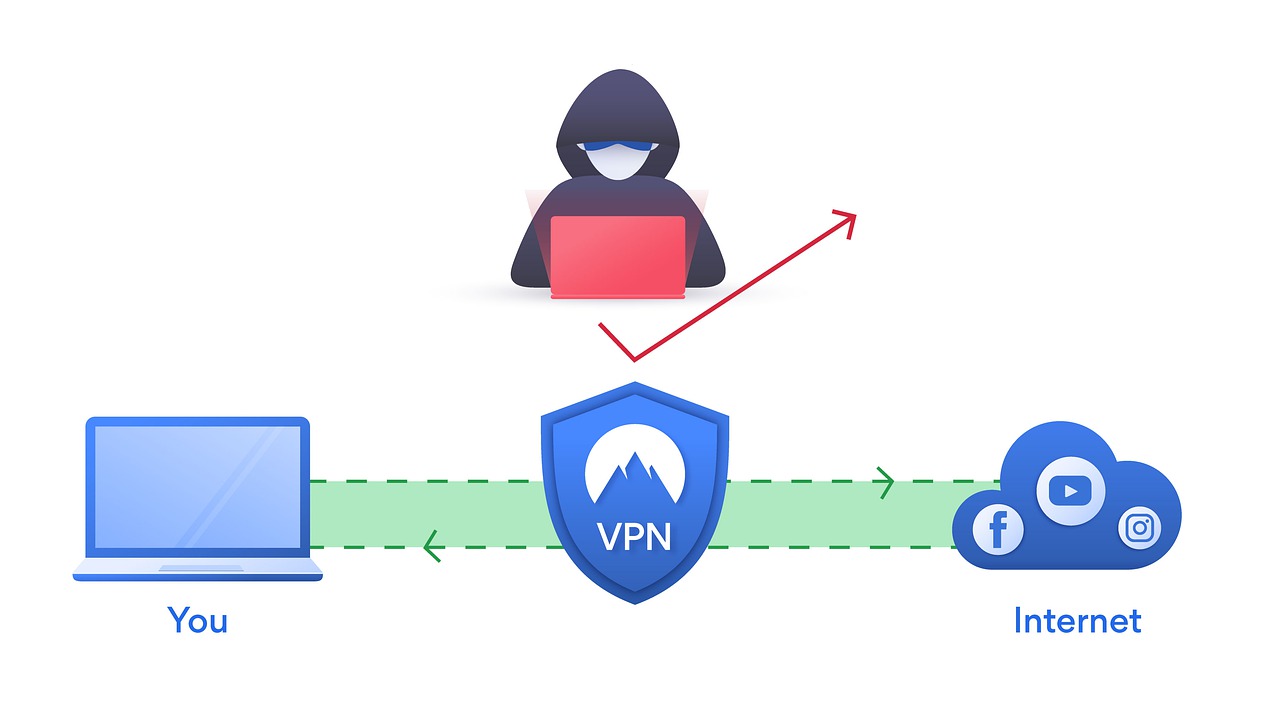
  • Be Cautious on Public Wi-Fi: Avoid accessing sensitive information or financial accounts when using public Wi-Fi networks. Consider using a VPN for added security.

Take Your Knowledge To The Next Level

These are key trends shaping the cybersecurity landscape in the coming decade.

Organizations and individuals can better protect themselves in the increasingly complex digital world by staying informed and adapting to these evolving threats.

Staying across these trends has a personal and professional impact, so you’re maintaining a high-level approach to protecting your data and cybersecurity best practices.

Remember, cybersecurity is an ongoing journey, not a one-time fix, and requires constant vigilance and adaptation.

Cybersecurity Trends to Know in 2020


INTERESTING POSTS

All About Choosing Digital Signage Software

Here, we will show you all you should know when choosing digital signage software.

Last year, we saw a significant increase in the number of digital signage software options available.

To help you choose between them and figure out which one is best for your business, we’ve compiled this list to highlight a few benefits that come with using digital signage software.

READ ALSO: The Ultimate List Of Geo-restricted Streaming Services

Pros Of Choosing Digital Signage Software

  • The first benefit is that digital signage software helps to improve communication. With the ability to quickly and easily update messages, you can ensure that your contacts are always up-to-date and relevant.
  • Secondly, digital signage software makes it easy to manage content. For example, you can create playlists of videos, images, and text for your displays, making it simple to keep your screens looking fresh and engaging.
  • Thirdly, using digital signage software can help you save time and money. Rather than printing out multiple versions of documents or advertisements, you can send them electronically to be displayed on your screens. Additionally, by reducing the need for printed materials, you’ll be helping the environment!
  • Fourthly, digital signage software gives you the ability to monitor your ads. With analytics reports, you can measure how often each ad is viewed and decide which ones should be shown more frequently.

READ ALSO: How To Measure SEO Success: KPIs You Need To Track

Makes Everything Easy & Smooth!

1. Digital signage software helps improve customer service by providing an easy way to ask questions or place orders: they can use a mobile device or computer to access content on one of your screens!

The possibilities are endless with this option – don’t limit yourself just because we haven’t thought up all potential uses yet.

2. Digital signage software makes it easier for everyone in your company (from executives down) to reach their audiences through dynamic multimedia displays that update automatically and engage viewers at every turn.

Rather than passively consuming information, viewers are prompted to interact with your signage and learn more about what you have to offer.

When choosing digital signage software, there are a few factors to consider. The following tips will help you choose the right software for your needs.

Pros Of Choosing Digital Signage Software

Few Tips To Consider When Choosing Digital Signage Software

  1. First, decide what type of content you want to display. For example, some software can only manage text-based content, while others can also handle videos and photos.
  2. Second, think about how often you’ll need to update the content. If you plan on changing it frequently, you’ll need software that’s easy to use and navigate. Otherwise, you may end up wasting time trying to figure out how to use the software every time you want to make a change.
  3. Third, consider the size of your organization and how many people need access to the software. For example, some programs can be accessed by multiple users on a network, while others are designed for solo use.
  4. Finally, choose the features you need most. For example, some programs allow you to add branding and logos to your content display. Other options include QR code integration or social media sharing buttons that can help increase engagement with viewers of your digital signage.

What Is Digital Signage Software?

What Is Digital Signage Software

Digital signage software is a tool that enables you to create, manage, and display multimedia content on digital signs and screens.

It simplifies the process of using these displays for informational or promotional purposes in various public and commercial settings.

Here’s a breakdown of its key features:

Content Management

  • Create content like text, images, videos, and interactive elements using built-in tools or drag-and-drop interfaces.
  • Schedule content to display at specific times or based on triggers (e.g., sensor data, weather updates).
  • Manage multiple displays and create playlists for different locations or purposes.

Device Management

  • Remotely control and configure connected digital signs.
  • Monitor their performance and troubleshoot any issues.
  • Update software and content wirelessly across your network.

Analytics and Reporting

  • Track content performance and audience engagement data.
  • Gain insights into how viewers interact with your displays.
  • Measure the effectiveness of your messaging and campaigns.

Popular Digital Signage Software Options

  • Screenly: User-friendly and affordable, good for beginners.
  • Xibo: Scalable and feature-rich, suitable for enterprise use.
  • BrightSign: Powerful and reliable, ideal for complex deployments.
  • Mvix: Cloud-based and versatile, great for multi-location businesses.
  • Nsign: Feature-packed and customizable, excellent for interactive displays.

Choosing the right digital signage software depends on your specific needs and budget. Consider factors like desired features, ease of use, scalability, and integration capabilities.

READ ALSO: How To Choose The Right Low Code Platform For Your Business Needs

Digital Signage Software: Frequently Asked Questions

Digital Signage Software: Frequently Asked Questions

What types of content can I display with digital signage software?

Digital signage software is incredibly versatile, allowing you to display a wide range of content, including:

  • Images: Photos, infographics, product showcases, branding elements.
  • Videos: Promotional clips, explainer videos, live streams, customer testimonials.
  • Text: Announcements, news updates, menus, social media feeds.
  • Interactive elements: Touchscreens, polls, quizzes, wayfinding maps.
  • Real-time information: Stock prices, weather updates, traffic conditions, flight arrival data.

Is digital signage software easy to use?

Many popular software options feature user-friendly interfaces with drag-and-drop functionality, making them accessible even for those with limited technical experience. Some platforms even offer pre-designed templates and content libraries to further simplify the process.

How much does digital signage software cost?

Pricing varies depending on features, functionality, and the number of licenses needed. Basic cloud-based options can start at around $20 per month, while enterprise-grade solutions with advanced features may cost hundreds of dollars per license. Consider free trials or demos to explore different options before committing.

What hardware do I need to use digital signage software?

The hardware requirements will depend on the capabilities of your chosen software and the size and resolution of your displays. You’ll typically need commercial-grade displays, media players to connect the displays to the network, and cables. Some software might offer cloud-based rendering, eliminating the need for local media players.

Is digital signage software secure?

Security is crucial, especially when displaying sensitive information. Look for software that offers features like user authentication, access control, and content encryption to ensure your data and displays are protected. Additionally, choose a reputable vendor with a commitment to data security and software updates.

How can I measure the success of my digital signage?

Most digital signage software offers built-in analytics tools to track content performance and audience engagement. You can monitor metrics like impressions, clicks, dwell time, and heatmaps to understand how viewers interact with your displays and adjust your strategy accordingly.

READ ALSO: 7 Cybersecurity Trends to Follow

Bottom Line

In conclusion, using digital signage software can help you improve your business. By cutting down on waste, providing customer service that’s second to none, and reaching audiences engagingly through dynamic multimedia displays, this solution is a win for everyone involved!


INTERESTING POSTS

Bonuses At American Casino Red Dog: How To Choose The Best Promotions?

0

Red Dog Casino is a young project on the American market but it has already managed to achieve good results so in a short time it might enter the top of the reliable gambling platforms.

The casino makes interest for newcomers, high rollers and bonus hunters, offering conditions that are really favorable. 

You will enjoy certified content from leading providers, prompt withdrawals to credit cards and e-wallets, user-friendly interface with an original design and English language support.

In reviews, customers note the generous bonuses from Red Dog Casino so it is worth learning about the bonus program of the casino to take advantage of the best offers of the season.

No Deposit Bonus to Each Player

The administration of the online casino is confident in the quality of software and a high level of service and it offers you to test the conditions without investing. For this purpose, an additional promo has been developed to allow newcomers to receive a no deposit bonus. You just need to meet several requirements:

  1. Complete the registration
  2. Confirm your email

After a performance of these simple actions the system will automatically give you 40$. You can spend money on any game, except the Live section, but it is forbidden to exceed the maximum bet of $10.

Withdrawal of the no deposit bonus becomes available only after the x50 wagering is fulfilled. There is no limit on the maximum amount of bonus money in the rules so it is allowed to withdraw the bonus and all winnings received from it.

Bonuses at American Casino Red Dog

Welcome Deposit Bonus

After testing the service and conditions thanks to the no deposit bonus, you can safely top up your account and start playing for real money. Online casino will increase your starting deposit by 225%, and moreover, you can get the welcome bonus 5 times.

It is allowed to withdraw the money given only after you wager it 30 times, you also can spend the money in slots, poker, baccarat, blackjack and lotteries. Get bonuses at online casinos Red Dog can be found on the official site https://slotsandcasinos.org/casino-red-dog-bonuses/.

READ ALSO: Hitting the Jackpot: A Look at the Rich Rewards of Hit It Rich! Casino Slots

Reloads to All Regular Players

Red Dog Casino offers additional promos for visitors who often bet on the site. You can enjoy generous reloads weekly and there are three types of them. For a deposit of $30-74, you will be given additional 120%, a deposit of $75-149 is awarded with 135%, while the maximum bonus of 160% is given to players who make a deposit of $150 or more.

To withdraw the money received, you have to make a 35-fold turnover during no longer than 7 days. A promo code is not required as the main thing is to deposit the amount, which meets the requirements, in one payment.

Bonuses at American Casino Red Dog

Seasonal Free Spins for a Minimum Deposit

Red Dog online casino regularly gives out free spins for different slots, and this season you can receive FS for the new Desert Raider slot by Realtime Gaming.

You can explore in full all the slot’s features as 110 free spins are given. To get the bonus, you need to top up at least $10, but mind that withdrawal of money won from the spins is possible after a 5-times wagering, with no maximum limits.

READ ALSO: Real Money Casinos For Australians

What Bonuses Does Red Dog Casino Offer Its Gamblers?

Red Dog Casino offers a variety of bonuses and promotions for new and existing gamblers. Here’s a breakdown of some of their offerings, but it’s important to note that bonuses and terms can change, so it’s always best to check their website for the latest information:

New Player Welcome Bonuses

  • Up to $2,800 in Slots Welcome Bonus: This bonus can be claimed across your first five deposits, with varying match percentages. Be sure to check the bonus code requirements for each deposit.
  • Up to $2,450 Welcome Bonus: This bonus offers a match on your first deposit.
  • $50 No Deposit Bonus Code: This bonus might be available with a specific bonus code, allowing you to try the casino with a small, free amount of money before you deposit your own.

Other Promotions

  • 24/7 Bonus: This reload bonus offers a match percentage on deposits you make throughout the day, with varying percentages depending on the deposit amount.
  • Crypto Bonus: If you deposit using cryptocurrency, you might be eligible for a higher match bonus compared to traditional payment methods.
  • Free Spins: Red Dog Casino may offer free spins on specific slots as part of promotions or loyalty rewards.

General Terms to Consider

  • Minimum Deposit: Each bonus might have a minimum deposit requirement to qualify.
  • Wagering Requirements: Bonus funds typically come with wagering requirements, which means you need to bet a certain amount before you can withdraw any winnings earned with the bonus money.
  • Game Restrictions: Some bonuses might be restricted to specific games or game types.
  • Time Limits: Bonuses often have time limits for claiming and meeting wagering requirements.

Here are some additional things to keep in mind:

  • Always gamble responsibly: Set a budget and stick to it. Only bet what you can afford to lose.
  • Review the terms and conditions: Before claiming any bonus, carefully read and understand the terms and conditions associated with it.
  • Bonuses can be a great way to boost your bankroll, but they are not guaranteed winnings.

For the latest and most accurate information on Red Dog Casino’s bonuses and promotions, it’s always best to visit their official website.


INTERESTING POSTS

Breachers Gonna Breach: Protect Your Organization From Internal Threats

Companies tend to put the majority of their focus on preventing external threats—such as hackers and viruses—despite the fact that internal threats are more common. It’s likely your organization spends considerable resources to protect itself against data breaches—and rightly so. Data breaches can result in compliance violations, large expenses, and damaged reputations.

According to the Ponemon Institute’s 2020 Cost of Insider Threats Report, insider-caused cybersecurity threats are up 47% since 2018 and the average annual cost of internal threats has risen to $11.45 million—up 31% in two years.

Internal breaches sprout from a wide array of motivations: a current employee feels overlooked for an opportunity; a departing employee wants to impress their new employer by copying intellectual property or contact lists; or a contractor is unhappy about being let go.

The added danger of these internal threats is they can easily go undetected. They have all the access, but who’d suspect a current employee? It would likely be an invisible attack. Further, many organizations fail to adequately remove access from departing or terminated employees.

Incomplete offboarding remains a major risk throughout many businesses, but former employees are quickly forgotten. Too often, no one is looking for or monitoring their accounts. Plus, these users tend to know their way around the network.

An internal breach in 2017 saw the City of Calgary’s payout fines of 92.9 million Canadian dollars. This scandal started when an email was sent by an employee to a colleague at another municipality. The email shared personal information of more than 3,700 employees. Leaving your network unprotected can leave you vulnerable to a similar threat.

Manual Access Management

identity and access management

When access management is done manually, the granting and revocation of access often has flaws. Manual efforts regularly suffer from a lack of consistent data entry and logging—causing inconsistencies and loss of records—or from lax policies. Employees are frequently given too much access and, with no review system in place, this leads to severe oversights both during and after employment.

Each employee or contractor’s manager is responsible for making the IT team aware of the level of access needed (i.e. read, write, edit, admin), so the IT staff can issue the relevant permissions for each organizational system, app, and file share. However, IT staff do not have the day-to-day business and operational experience to determine which user roles should access what.

Making requests and waiting for them to be fulfilled can often be time-consuming. As a result of this, managers frequently request excess access to avoid having to request additional rights in the future. This can lead to employees acquiring a level of access that they shouldn’t have.

This ‘extra access’, also known as permission bloat, can lead to a large security risk to your organization. Even if the employee has no malicious intent, there is always the chance that their credentials are stolen, and if that happens, a large amount of your organization’s resources become put at risk.

In addition, managers are responsible for notifying the IT department when an employee is terminated or departing. This notice should begin the offboarding process so the given user’s access can be revoked. If managers forget or take longer than is ideal, employees may retain access to sensitive information/resources after their term of employment has ended.

Even if the offboarding process is executed, IT has to check every location and resource in your environment to which the given user retained access. Any missed spots risk breaches or compliance violations and manual management efforts simply aren’t thorough enough.

Vast and overlooked access rights lack transparency and leave a great deal of room for human error or exploitation by malicious actors. They are unequivocally, without a doubt, a massive cause of internal breaches, and an issue your organization needs to address.

So, what’s the solution?

With one of the biggest internal threats to data security right under the noses of organizations, how do you make access easier while retaining security against the threat of data breaches?

The level of security employed would typically depend on the sensitivity of the data being protected and the compliance pressures stemming from your organization’s particular industry.

That said, there are a few universal steps that all organizations can take to not only mitigate breaches, but also optimize their processes. With automation, the entire provisioning and access management processes are made more centralized, efficient, cost-effective, and transparent.

How To Protect Your Organization From Internal Threats

1. User provisioning

Protect Your Organization From Internal Threats

Let’s look at access in a chronological sense, starting with onboarding. Unlike manual processes, identity and access management (IAM) solutions connects disparate management systems throughout the network to automate processes.

For example, the HRMS tracks users’ personal details—e.g., their names and addresses, employment start and end dates, departments, positions—and then the IAM solution automatically synchronizes users’ account information between the HRMS and the network.

Changes made in the HRMS are detected, then automatically updated or implemented across the network. The management dashboard within an IAM solution allows IT and managerial staff to oversee access beyond the automated processes.

2. Access governance

automated access governance solution

An automated access governance solution integrates with the IAM tool to determine, on a per-user basis, what access rights a user should have.

Authorization matrices in the solution use an employee or contractor’s job role to determine access rights for various company resources. These rights include whether the employee or contractor can perform certain transactions, access a particular system, or access specific physical locations.

To enforce this authorization matrix, access rights are recorded in the solution and then issued, changed, and withdrawn for each user accordingly. This type of role-based access control allows for the ability to oversee and track individuals who have access to what, and these changes can be monitored.

Automated solutions also allow managers to generate overviews of and fully report on each employee or contractor’s activity. The IAM technology logs and tracks the individuals performing activities and when these occured.

Solutions that automatically revise access rights according to user changes help prevent permission bloat by ensuring every employee is held to the Principle of Least Privilege (PoLP).

Adhering to PoLP ensures that your users retain access to exactly the resources they need—no more, no less. This prevents the security and compliance risks that occur over time due to unreviewed access rights.

3. Workflow management and self-service

Workflow management and self-service

While automated provisioning helps keep onboarding efforts secure, some users require additional access rights beyond what is configured for their base job role. Whether additional assignments, temporary projects, or other responsibilities, not every employee will perfectly fit your role model.

To account for unique roles and the many other unplanned for scenarios that occur within organizations, access must be maintained appropriately throughout the employee/contractor lifecycle.

Workflow management and self-service solutions allow team members and leaders to request, monitor and approve resources without any IT intervention. For example, an employee that needs access to a resource to complete a task will request access to an that resource (whether it is an application or a file share). The approval process for granting that access should be part of a structured workflow within the overall IAM solution.

Then, the team leader authorizes each permission or request and how access is granted within the network. The employee receives access to the required resource and moves forward with the tasks at hand. Note that with the right solution, all these processes are executed with zero IT involvement.

A strong self-service solution will allow users to directly request access from their managers or the appointed and knowledgeable decision-maker. As already mentioned, IT staff do not typically have the knowledge of day-to-day business operations and what access may or may not be problematic. Bypassing IT allows the correct people to approve or deny the request, with the solution executing all changes automatically. Moments after requesting a resource, a manger can approve it; moments after approval, the user has their resource.

Not only do IAM solutions make it easy to grant and revoke user access rights, but they can also grant or revoke physical access to work areas, and allow the user to submit helpdesk tickets.

4. User de-provisioning

The final stage of the employee/contractor lifecycle requires deprovisioning whether they are departing to a new organization, their contract simply expired, they were terminated, or other reason. De-provisioning should be your organization’s number one priority since orphaned accounts (accounts without an active user) often pose as major security risks, if not taken care of properly.

IAM solutions can detect a change in an employee or contractor’s employment status in the HRMS system and instantly disable the network account in all centrally located systems and applications.

If an employee or contractor terminates their employment early for some reason, make sure your organization’s policies include alerting the IT team or the systems administrator, so someone can revoke all access within the IAM system. The transparency provided by an automated IAM system reduces access pollution, so you can clearly see when all access is removed.

Bottom Line – Internalize Security

access rights

In today’s competitive business landscape, a breach scandal can sink an organization. It’s important to protect against both external threats and the more-common internal threats.

An IAM system replaces spreadsheets and other manual entry templates. It ensures that all users maintain the correct authorizations appropriate to their individual roles, as well as relieves the IT team from mundane and repetitive provisioning tasks. With all that time reclaimed, IT can focus on other, more impactful projects instead of menial data entry.

IAM solutions streamline access management, increase efficiency, and provide a transparent access trail for easy auditing that relieves worries of compliance and auditing on polluted file systems. The sophisticated access controls and automated processes help minimize the typical weak points exploited by internal security threats.


INTERESTING POSTS

How To Cut Down Your Company’s Costs With Outsourced IT Support

In this post, learn how to cut down your company’s costs with outsourced IT support.

Companies use various processes to keep their business operations afloat and generate revenue. Aside from strategizing marketing campaigns and managing their products and services to meet the expectations of customers, another critical aspect of any business is its IT infrastructure. 

In today’s modern age, a company’s IT infrastructure can affect the business’s productivity and connectivity and the security management of digital assets such as business information and consumer data.

With a robust IT system, operations can be more efficient and seamless as the exchange of information becomes highly accessible and convenient. Furthermore, you can be assured your organization is compliant with various data protection laws.

Considering how crucial IT infrastructure is in your business, it may require a significant cost to set up and maintain it.

For one, you’d need to invest in equipment and hire an internal team to ensure its upkeep. And ultimately, its running cost could consume a portion of your business income. Fortunately, one way you can manage this expense and still have a healthy revenue is to outsource your business’s IT needs.

In this article, we’ll outline how you can benefit and cut down your company’s costs with outsourced IT support. Continue reading to learn more.

How To Cut Down Your Company’s Costs With Outsourced IT Support

1. Decreased In-House Team Cost 

Decreased In-House Team Cost

Perhaps one of the notable benefits of outsourcing your IT needs is how it can minimize employee payroll costs. Since you’ll be working with service providers such as RMCS, you won’t need to hire an in-house team to do the task. The firm you’ll hire will have its team and equipment to handle your IT concerns and needs. 

With that, there’s no need to cover employee salaries, compensations, benefits, leave credits, and employee training. There’s also no need to invest in high-tech, expensive tools and other resources to accomplish IT-related tasks. This can go a long way towards cutting down on company costs.

2. Reduced IT Risk 

Information technology (IT) risk is a potential threat to the vulnerable assets of a business, which can disrupt its processes and damage its reputation. These IT risks may include human error, malicious threats, digital asset attacks, software failure, poor password implementation, and lack of information security training.

Without an effective IT response system and a highly experienced staff, companies might face data loss and costly regulation fees that could damage their reputation. 

While an in-house team can address the issue and suggest remedies, an IT service provider may be more equipped to handle possible threats. For one, your internal team only works a specific shift or schedule (from nine to five), so they might not be available to respond immediately during security emergencies, which can lead to downtime.

On the other hand, IT firms already have training and experience to effectively respond to system issues that might arise beyond regular working hours.

Furthermore, such agencies can help keep your organizational networks secure and instantly update software features. They can also assist you in creating a disaster recovery plan to ensure confidential information is recoverable with backups in the cloud.

And so, should an impactful security risk strike your company, it won’t interrupt vital processes, and transactions will continue to operate, preventing you from losing revenue.

READ ALSO: 7 Odd Signs That Your Website Has Been Hacked

3. Gives You Access To New Technology 

Gives You Access To New Technology

As modern organizations continue to grow, their operations are likely to demand more efficiency in delivery to meet customers’ demands. Thus, they must use the latest technologies to increase their workforce’s productivity and automate repetitive tasks to speed up business processes. 

Since using new technology is beneficial but costly, outsourcing IT support can save expenses on these tools by giving you access to them.

These advanced technologies can offer opportunities to streamline processes like machine learning preparation, data analytics accumulation, and artificial intelligence training. And as you automate these activities with the latest tools, your company can improve all your business operations without spending as much.

4. Helps Avoid Downtimes 

Downtime is when technical glitches, natural disasters, application unavailability, and network outages interrupt business processes.

When a server is unavailable, the staff becomes unproductive in tasks, online transactions are stopped, and companies process their consumers’ orders. Without a thorough continuity strategy, this threat might paralyze the company and cause costly damages.  

Since downtime can significantly affect your organization, you must create a tracking and prevention plan with outsourced IT support.

This team can provide you with ongoing system monitoring so your company won’t have to go through an extended downtime, and online operations will return quickly. As a result, your staff can stay updated with system upgrades and run regular maintenance to secure digital devices and resolve risks before they can damage systems. 

Another benefit of outsourcing support for your company is that it will minimize the effects of outages to avoid downtime. They can regularly assess the performance of server backups and track other devices like firewalls, switches, and workstations.

After noticing a potential threat, they can notify you about possible outages so you can schedule maintenance immediately and communicate with every affected department in advance. 

READ ALSO: Why Smart CEOs View Outsourced IT as Their Secret Competitive Weapon

5. Eliminate App Errors 

Eliminate App Errors 

Regardless of the industry, every app can generate impactful errors within a business system, like scarcity of product information and elongated payment processes.

However, a misinformed in-house employee might unknowingly share sensitive customer information like credit card account details that hackers could mishandle.

Without having an effective error monitoring strategy, companies might not be able to respond to these emergencies immediately, which generates costly reputational risks. 

Since app errors can affect your company’s reputation, your in-house IT team must patiently wait for the server to clear the error, affecting their productivity.

On the other hand, outsourced IT support won’t have to go through this waiting period since they can quickly identify the system’s issues and eliminate variables.

As they narrow down possible causes, this team can tweak settings related to the case, repair corrupted documents, swap faulty parts, and update software until they resolve it.

Final Words

As a business owner, it’s essential to grasp the weight of your IT system in your operations and data protection and how costly it can be. And to help you balance the cost and function, outsourcing your IT needs can be a smart move.

With the above insights, you can be guided on cutting down your company’s costs with outsourced IT support.


INTERESTING POSTS
11 Password Management Mistakes You Should Avoid

Today, we will show you the 11 password management mistakes you should avoid.

We all know the importance of keeping our passwords safe. According to the 2019 Verizon Data Breach Investigations Report (DBIR), passwords are still a major security challenge. The data showed that 80% of hacking-related data breaches involved passwords.

It isn’t easy to manage passwords. Given the number of accounts we have, password management is one of the toughest things to do. For this reason, users find it difficult to maintain standard password hygiene.

Malicious actors are relentlessly coming up with strategies to steal passwords. They use many tactics to cause data breaches.

Hackers take advantage of password-related mistakes to wreak havoc. We’ll discuss 11 password management mistakes you should avoid.

READ ALSO: 50 SUREFIRE Tips To Protect Your Privacy Online

Password Management Mistakes You Should Avoid

1. Using One Password For Many Accounts

Accessing different accounts with one password is a common practice. It’s done for the sake of convenience. Managing a set of passwords is an uphill task. As a result, users tend to simplify their lives by using a single password for different accounts. Whatever the reason is, this practice is bad.

What do you think will happen when such an “almighty” password is stolen?

According to The 2019 State of Password and Authentication Security Behaviors Report, 51% reuse passwords across their private and business accounts. The same research revealed that 69% share passwords with colleagues to access accounts.

Users prefer a login method that doesn’t involve the use of a password. Managing several passwords can be tough. Meanwhile, it’s a task worth undertaking.

Are you weary of manual password management? There is a better alternative. A password manager will do the magic for you.

roboform free
Roboform
RoboForm is a password manager that memorizes passwords and form data
RoboForm is a password manager that memorizes passwords and form data Show Less
Tenorshare 4U-iOS Password Manager
Tenorshare 4uKey
The best iPhone password manager for managing, importing/exporting, transporting passwords, and more.
The best iPhone password manager for managing, importing/exporting, transporting passwords, and more. Show Less
1Password
1Password
The most secure password manager for creating and managing strong passwords and form filling.
The most secure password manager for creating and managing strong passwords and form filling. Show Less
Kaspersky Password Manager
A convenient, secure, and efficient way to keep your passwords and documents secure.
A convenient, secure, and efficient way to keep your passwords and documents secure. Show Less
Norton Password Manager
Norton Password Manager is a password management software that helps users securely store and manage their login...Show More
Norton Password Manager is a password management software that helps users securely store and manage their login credentials and personal information. Show Less
PassFab 4WinKey (Windows Password Recovery)
PassFab 4WinKey
The most reliable tool to disable or reset Windows OS passwords.
The most reliable tool to disable or reset Windows OS passwords. Show Less
Panda Dome Passwords
Panda Dome Passwords is a password management software by Panda Security that helps users securely store and manage...Show More
Panda Dome Passwords is a password management software by Panda Security that helps users securely store and manage their login credentials and personal information. Show Less
NordPass
NordPass
NordPass password manager remembers strong passwords, auto-fills forms, and login details and gives you access to all...Show More
NordPass password manager remembers strong passwords, auto-fills forms, and login details and gives you access to all your passwords from any device and location. Show Less
LastPass
LastPass
LastPass is a password management software that helps users securely store, manage and automatically fill in their login...Show More
LastPass is a password management software that helps users securely store, manage and automatically fill in their login credentials and personal information across multiple devices. Show Less
Avira Password Manager
Avira Password Manager is a password management tool that securely stores and automatically fills in login credentials...Show More
Avira Password Manager is a password management tool that securely stores and automatically fills in login credentials for multiple accounts, and includes features such as password generation and syncing across devices. Show Less
IronVest (Abine Blur)
IronVest (Abine Blur) is a privacy and security software that helps users protect their personal information online by...Show More
IronVest (Abine Blur) is a privacy and security software that helps users protect their personal information online by masking their email, phone number, and credit card information. Show Less
IOLO ByePass
IOLO ByePass
This Password manager safeguards your passwords and financial info from online threats.
This Password manager safeguards your passwords and financial info from online threats. Show Less
F-Secure ID PROTECTION
F-Secure ID PROTECTION is a password manager software offered by F-Secure that allows users to store and manage their...Show More
F-Secure ID PROTECTION is a password manager software offered by F-Secure that allows users to store and manage their passwords, credit card information, and other sensitive data. Show Less
Dashlane
Dashlane
Dashlane is your all-in-one password manager and digital wallet that keeps your passwords, payments, and personal...Show More
Dashlane is your all-in-one password manager and digital wallet that keeps your passwords, payments, and personal information safe and secure. Show Less
AceBit Password Depot
AceBit Password Depot is a powerful password manager offering secure storage, easy access, and flexible management for...Show More
AceBit Password Depot is a powerful password manager offering secure storage, easy access, and flexible management for all your passwords across devices. Show Less
Proton Pass60% OFF
Proton Pass
Proton Pass is a secure password manager that allows you to securely store, share, and autofill your login end-to-end...Show More
Proton Pass is a secure password manager that allows you to securely store, share, and autofill your login end-to-end encryption trusted by millions. Show Less

2. Easy to Guess Password

Another password management mistake is to use “12345” or “ABCDE ” as a password. Simple and popular passwords are easy to guess. Today, the average person has many passwords to manage. Consequently, we tend to use simple passwords in order not to forget.

Avoid simple passwords like using your name, phone number, or a combination that is easy to track. Increase your chances of being safe by making your password strong.

What are the features of a strong password? A strong password is long enough (at least eight characters) and has a combination of upper case, lower case, special signs, and numbers.

Learn how to create hack-proof passwords. Hackers are relentlessly deploying password-cracking techniques. Creating strong passwords will help boost your online safety. Better still, why not consider getting a reliable password generator?

3. Storing Passwords

Avoid storing your passwords on paper or digitally. If you do, it can be stolen by people with malicious intent.

We’re always tempted to write down passwords. It’s dimmed a convenient way to keep passwords handy. 

However, experts speak against that. Use a password manager instead. Password managers offer convenience and reliable security.

READ ALSO: The #1 Reason Why Organizations Skip Security

4. Not Logging Out of Platforms

Do you make this mistake? I do sometimes. Many people are fond of this shortcoming. The point is this: when you fail to log out, you make it easy for malicious actors to steal your information.

Hackers scour the internet for weak accounts. Compromising your account and stealing your login credentials is easy when you keep open doors by not logging out.

What if someone around you has malicious intent? By not logging out of platforms, you make it easy for those targeting you to succeed. 

Be careful when you use a public device to access your accounts. After using a public computer, make sure you log out. If you fail to do this, anyone who uses the computer after you can access your accounts. 

Remember, malicious actors are consistently in search of such costly mistakes. They thrive by taking advantage of users’ inefficiencies.

5. Using Dictionary Words

Hackers use Dictionary Attack programs to search for dictionary words. To have a strong password, avoid password dictionaries.

Complicated hackers have software that searches through thousands of dictionary words. With such tools, common passwords can be plugged into password fields.

6. Using Username as a Password

Another password management mistake is to use a login username as the password. I’m afraid that’s not right. A typical login page requests a username and a password.

So, people looking for simplicity use their usernames as passwords. Using a partial or full login ID is not advisable.

Another similar mistake is using your email username as a password. This isn’t good because email addresses are used as login usernames as well. Apart from that, email addresses are shared widely. Using them as passwords is a bad idea.

7. Storing Passwords in the Web Browser

What do you do when a browser offers to save your password? You hit “save”. 

Hackers target vulnerabilities in browsers. So, your login details may end up in the hands of hackers. Each time a browser offers to save your password, decline honourably.

It’s better to scratch your head and remember your login credentials than to lose precious data. Relying on browsers for password management is not a smart move. Browsers don’t offer the level of password security required.

8. Using Personal Information as a Password

We use our first names, phone numbers, second names, pet names, hobbies, favorite actors, and what have you, to create passwords.

Do you know what it entails? Anyone determined to hack your accounts can do that by doing a little research about you.

9. Using Popular Words

password management

Research has shown that there are popular words that many people use as passwords. One such word is ” love”.

Avoid using a well-known word for a password. This practice makes it easy for malicious actors to trace passwords.

10. Using Adjacent Characters on Keyboard

This practice is known as password walking. The research revealed that people type in adjacent characters on the keyboard. This is done to make recalling passwords easy. Experts discourage this tactic.

11. Changing Passwords Often

Information security officers advise us to change passwords occasionally. It should not be done more often than necessary.

Doing it too often gives way to weak passwords. Some, trying to change passwords, end up recycling the ones they have used before.

roboform free
Roboform
RoboForm is a password manager that memorizes passwords and form data
RoboForm is a password manager that memorizes passwords and form data Show Less
Tenorshare 4U-iOS Password Manager
Tenorshare 4uKey
The best iPhone password manager for managing, importing/exporting, transporting passwords, and more.
The best iPhone password manager for managing, importing/exporting, transporting passwords, and more. Show Less
1Password
1Password
The most secure password manager for creating and managing strong passwords and form filling.
The most secure password manager for creating and managing strong passwords and form filling. Show Less
Kaspersky Password Manager
A convenient, secure, and efficient way to keep your passwords and documents secure.
A convenient, secure, and efficient way to keep your passwords and documents secure. Show Less
Norton Password Manager
Norton Password Manager is a password management software that helps users securely store and manage their login...Show More
Norton Password Manager is a password management software that helps users securely store and manage their login credentials and personal information. Show Less
PassFab 4WinKey (Windows Password Recovery)
PassFab 4WinKey
The most reliable tool to disable or reset Windows OS passwords.
The most reliable tool to disable or reset Windows OS passwords. Show Less
Panda Dome Passwords
Panda Dome Passwords is a password management software by Panda Security that helps users securely store and manage...Show More
Panda Dome Passwords is a password management software by Panda Security that helps users securely store and manage their login credentials and personal information. Show Less
NordPass
NordPass
NordPass password manager remembers strong passwords, auto-fills forms, and login details and gives you access to all...Show More
NordPass password manager remembers strong passwords, auto-fills forms, and login details and gives you access to all your passwords from any device and location. Show Less
LastPass
LastPass
LastPass is a password management software that helps users securely store, manage and automatically fill in their login...Show More
LastPass is a password management software that helps users securely store, manage and automatically fill in their login credentials and personal information across multiple devices. Show Less
Avira Password Manager
Avira Password Manager is a password management tool that securely stores and automatically fills in login credentials...Show More
Avira Password Manager is a password management tool that securely stores and automatically fills in login credentials for multiple accounts, and includes features such as password generation and syncing across devices. Show Less
IronVest (Abine Blur)
IronVest (Abine Blur) is a privacy and security software that helps users protect their personal information online by...Show More
IronVest (Abine Blur) is a privacy and security software that helps users protect their personal information online by masking their email, phone number, and credit card information. Show Less
IOLO ByePass
IOLO ByePass
This Password manager safeguards your passwords and financial info from online threats.
This Password manager safeguards your passwords and financial info from online threats. Show Less
F-Secure ID PROTECTION
F-Secure ID PROTECTION is a password manager software offered by F-Secure that allows users to store and manage their...Show More
F-Secure ID PROTECTION is a password manager software offered by F-Secure that allows users to store and manage their passwords, credit card information, and other sensitive data. Show Less
Dashlane
Dashlane
Dashlane is your all-in-one password manager and digital wallet that keeps your passwords, payments, and personal...Show More
Dashlane is your all-in-one password manager and digital wallet that keeps your passwords, payments, and personal information safe and secure. Show Less
AceBit Password Depot
AceBit Password Depot is a powerful password manager offering secure storage, easy access, and flexible management for...Show More
AceBit Password Depot is a powerful password manager offering secure storage, easy access, and flexible management for all your passwords across devices. Show Less
Proton Pass60% OFF
Proton Pass
Proton Pass is a secure password manager that allows you to securely store, share, and autofill your login end-to-end...Show More
Proton Pass is a secure password manager that allows you to securely store, share, and autofill your login end-to-end encryption trusted by millions. Show Less

Password Management Mistakes: Frequently Asked Questions

What are common mistakes to avoid when managing your passwords?

  • Reusing passwords: This is the single biggest mistake! If one account is compromised, all your accounts using the same password are at risk.
  • Using personal information: Birthdays, pet names, addresses – these are easily guessed and should never be part of your password.
  • Weak passwords: Short passwords with only letters or numbers are easy to crack. Use a mix of uppercase and lowercase letters, numbers, and symbols.
  • Writing passwords down: Sticky notes or notebooks are not secure. If someone finds them, your accounts are vulnerable.
  • Sharing passwords: Avoid sharing your passwords with anyone, even close friends or family.
  • Falling for phishing attacks: Don’t click on suspicious links or enter your password information on untrusted websites.

What should you avoid using in your password?

  • Dictionary words: A hacker can easily guess these.
  • Sequences: Avoid using consecutive numbers or letters (e.g., 123456, abcdef).
  • Personal details: Birthdays, anniversaries, pet names – these are easy to find out about you.
  • Simple patterns: Don’t use keyboard patterns like “qwerty” or simple variations.

What is the most common password mistake?

Reusing the same password for multiple accounts is the most common and risky mistake. A password manager can help you create and store strong, unique passwords for each account.

What mistakes do we usually make when choosing a password?

  • Making passwords too short: Aim for at least 12-15 characters.
  • Using only one type of character: Combine uppercase and lowercase letters, numbers, and symbols for maximum strength.
  • Choosing passwords that are easy to remember: While memorability is important, prioritize complexity over convenience.

What are the common mistakes people often make when using strong passwords?

  • Writing them down: This defeats the purpose of a strong password.
  • Sharing them with others: Never give out your passwords, no matter how much you trust someone.
  • Using them on insecure websites: Be cautious about entering your password information on sites you don’t recognize or trust.

What is the main risk of using a password manager?

The main risk is if the master password for your password manager is compromised. This is why it’s crucial to choose a strong, unique master password and enable two-factor authentication for added security.

Conclusion

Convenience is the major reason people make all these password management mistakes. It’s understandable why you may want to keep your passwords as simple as possible. However, there are better alternatives.

Therefore, I strongly recommend password managers. It offers the two things we are looking for – convenience and security.

Note: This was initially published in May 2020 but has been updated for freshness and accuracy.


RELATED ARTICLES

What Does a Business Manager Such as David Bolno do in a Day?

0

What Does a Business Manager Such as David Bolno do in a Day? Read on to find out…

In the quick-moving and cutthroat universe of amusement, achievement is often the consequence of cautious preparation, vital navigation, and mastering the board. Behind numerous fruitful performers, you’ll find a committed business director like David Bolno, whose job is pivotal in exploring the complicated scene of media outlets.

David Bolno is an exceptionally fruitful business director who has worked with probably the greatest names in the music business, including Justin Bieber, Drake, Post Malone, Pharrell Williams, and Will.i.am. His skill and vital direction play had a critical impact on moulding the vocations of these famous craftsmen.

All in all, what precisely does a business director like David Bolno do in a day? We should investigate the job of a business chief in the diversion business and why the good cause is a significant part of their work.

READ ALSO: 5 Ways To Identify Phishing Or Fake Websites

Monetary Administration and Arranging

One of the essential obligations of a business director in media outlets is monetary administration and arranging.

This incorporates directing the client’s funds, planning, anticipating income, and guaranteeing that the client’s profit is expanded and their resources are safeguarded.

Business directors like David Bolno work intimately with their clients to develop venture methodologies, oversee obligations, and improve charge arranging.

Vital Organizations and Arrangement Making

Vital Organizations and Arrangement Making

Business directors likewise assume an urgent part in building key organizations and arranging client bargains.

They work intimately with record names, film studios, brands, and other vital participants in the business to get rewarding agreements, underwriting bargains, and different open doors for their clients.

David Bolno’s broad organization of contacts and industry information make him an essential resource in arranging cheerful arrangements for his clients.

Altruistic Work and Offering in Return

Past the business side of their work, numerous business chiefs, including David Bolno, are likewise associated with generous work and rewarding the local area.

They figure out the significance of utilizing their prosperity to have a beneficial outcome on the world and frequently support different worthy missions and drives.

Whether through monetary gifts, raising support occasions, or chipping in their time, business supervisors like David Bolno are devoted to having an effect.

Grasping the Job of a Superstar Business Supervisor

“Before diving into the subtleties of a big-name business supervisor’s everyday exercises, getting a handle on the degree of their responsibilities is fundamental.

A big-name business director fills in as both a monetary tactician and counsellor, persistently dealing with the economic features of a VIP’s expert process.

Their job envelops different errands, from planning and speculation oversight to burden arranging and overall monetary navigation.”

READ ALSO: 6 TikTok Features That You Should Know

A Typical Day for David Bolno

A Typical Day for David Bolno

David Bolno, an exceptionally regarded name in the domain of VIP business on the board, has worked with various high-profile clients.

A regular day in his life is a fastidious dance between monetary examination, essential preparation, and keeping up areas of strength connections.

Morning Schedule

For David Bolno, the day ordinarily starts ahead of schedule. Mornings is dedicated to evaluating budget summaries, checking speculation portfolios, and keeping current with market advancements that might affect his clients.

This includes breaking down monetary reports, surveying speculation execution, and guaranteeing that all financial issues are together.

Client Gatherings

A critical part of a VIP business supervisor’s day includes client interfacing. These gatherings are tied to examining monetary figures and grasping the client’s objectives, goals, and concerns.

David Bolno stresses the significance of building solid associations with clients to comprehend their monetary scene and give customized arrangements thoroughly.

Vital Preparation

When the morning schedule and client gatherings are wrapped up, the centre moves to vital preparation.

Prominent name business chiefs like David Bolno are not simply number-crunchers but vital scholars who devise monetary plans aligned with their clients’ drawn-out goals.

This includes investigating venture valuable open doors, assessing dangers, and creating monetary procedures that align with media outlets’ consistently developing nature.

READ ALSO: How To Get A Cybersecurity Job With No Experience

Legitimate and Consistency Matters

Guaranteeing that their clients consent to burden guidelines and other legitimate necessities is a vital part of a superstar business supervisor’s job.

This includes liaising with legitimate experts, remaining refreshed on charge regulations, and guaranteeing their clients’ monetary exercises are above board.

David Bolno stresses the significance of careful meticulousness in exploring the complex legitimate scene that encompasses significant name funds.

Group Joint Effort

No superstar business director works in disengagement. Coordinated effort with a group of monetary specialists, bookkeepers, and lawful experts is fundamental for guaranteeing far-reaching and viable monetary administration.

David Bolno accentuates collaboration’s meaning in tending to high-profile clients’ diverse monetary necessities.

Industry Systems Administration

A VIP business chief must remain associated with the diversion and monetary ventures. Evenings might include attending industry occasions, organizing with different experts, and remaining informed about industry patterns.

Building a hearty organization upgrades the director’s capacity to give the best monetary guidance and remain on the ball.

Conclusion

In conclusion, the job of a business chief in media outlets is diverse and fundamental for their client’s progress.

From monetary administration to critical organizations and benevolent work, business chiefs assume a crucial part in forming and supporting the professions of performers.

David Bolno’s work epitomizes the devotion and mastery expected to prevail in this complex and dynamic industry.


INTERESTING POSTS
How To Protect Your SaaS Applications Against Ransomware

This post will show you how to protect SaaS applications against Ransomware.

SaaS adoption is growing at a faster rate than ever, with a Deloitte survey from the end of 2018 revealing that a massive 93% of respondents reported that they were adopting or at least considering cloud computing, with over half expecting to use cloud software for mission-critical applications over the next three years.

Even though businesses are increasing the overall trust they place in these cloud applications through their daily use, users are still expressing security concerns over the data they are storing within and transmitting through the cloud.

Although accidental deletion is the leading cause of data loss within SaaS environments – a more easily compatible risk through improving internal policies – this is closely followed by Ransomware, a much more aggressive and unpredictable threat.

This article will discuss the rise of Ransomware, the threat this poses to your SaaS applications, and clear, actionable steps to secure your environment, such as cloud-to-cloud backup or security awareness training.

READ ALSO: Your Essential Ransomware Guide: Prevention, Detection, and Recovery

How do Businesses use SaaS Apps?

saas applications against ransomware

Before diving into the growing ransomware threat, we first need to establish how organizations use SaaS technology to understand the associated vulnerabilities.

Although the same few prominent providers might come to mind when considering SaaS applications – such as Microsoft, Adobe and Salesforce – most businesses use department-specific apps without realizing it.

The average company with 200 to 500 employees uses about 123 SaaS apps regularly, making application management a daunting task.

The Threat of Ransomware

After years of making headlines, Ransomware remains one of the most damaging threats to organizations globally. Recent studies show that 85% of managed service providers named Ransomware the most common malware threat to their clients in the last year, with 1 in 5 SMBs falling victim to an attack. But how does this affect cloud users?

In 2018, 44% of scanned organizations had some form of malware in at least one of their cloud applications, and as the most common form of malicious software, Ransomware is likely to make up most of these numbers. With how drastically SaaS adoption has grown in the few years since this, experts are warning users to prepare for an upsurge in cloud-targeting Ransomware in the coming year.

READ ALSO: How to Protect Your Computer from Ransomware: Essential Security Measures

Infiltrating the Cloud

Typically, ransomware attacks infiltrate cloud applications through social engineering campaigns delivered to users via email. These emails use varying tactics to manipulate recipients into opening malicious attachments or links, often by impersonating trusted services or personal contacts.

From here, just like any other ransomware attack, the attauser’sompromises the user’s device key, making all of their importfilesiled inaccessible until a ransom is paid – but when the user in question is connected to the cloud, the threat doesn’t end there.

Hackers can spread the impact to more users within the company by uploading an infected file to the cloud. This can be done in two ways; either the hacker can sit back and allow a tool like Google & Sync or Office 365 Sync to do the work for them automatically, or if the user does not have file synchronization, they may use their social engineering tactics to get their hands on the targettargetinntials, compromising their account and uploading the corrupted file manually.

From this point the malware has the potential to encrypt every file within the cloud storage, as well as the on-premises data of any users who try to download the infected files.

“Cloud-computing organisations have an environment that is not only likely to be hosting a lot more data than those working strictly on-premises, but it also creates an easy path for criminals to spread the threat through the whole network by weaponizing shared files.
For attackers looking to create the biggest impact, and thereby claim the biggest ransom, it is certainly in their best interests to have their sights aimed at the cloud, and the fast rate of SaaS adoption is only going to bring them to this realisation sooner.”

Ben Carr, Technical Services Manager at Altinet UK

Protecting Your Cloud Environment

Due to the complexity of Ransomware attacks and the fast-changing nature of the tactics involved, there is no single solution to securing against the threat – instead, ad users must follow recommended best practices and consider adopting a multi-layered security salongsideprotect their data at every entry-point.

Below are various suggested steps that, when actioned along-side each other, make up a highly effective strategy for mitigating the ransomware threat for your SaaS applications and cloud-hosted data.

READ ALSO: 3 Critical Cybersecurity Questions To Ask Before Buying a Marketing SAAS Product

  1. Keep Track of Your Apps

SaaS providers take full responsibility for monitoring applications for vulnerabilities and patching them through completely automated updates – o, you have nothing to worry about, right?

Not exactly. As previously highlighted, the average company uses over 100 SaaS applications, and many users fail to consider that these services can eventually shut down and – just as we’re doing with Windows 7 at the moment – this means that the provider is no longer ensuring these applications are free of vulnerabilities.

It outlines clear security policies that ensure the IT team approves all new cloud applications and is regularly monitored to avoid this scenario.

  1. Security Awareness Training

With Ransomware being most commonly introduced to companies through social engineering – a tactic that relies solely on user error through manipulation – the most effective solution for preventing the threat is to regularly train your users on how to effectively identify and respond to suspicious emails that show signs of containing malware.

  1. Identity & Access Management

To minimize the impact that a successful Ransomware infection could have on a company, admins should define access rights according to user roles and responsibilities, segmenting the network into smaller, similar groups so that any single affected user cannot lead to a company-wide data compromise.

  1. Cloud-to-Cloud Backup

Cloud-to-cloud backup solutions are purpose-built for SaaS environments and involve securing data by backing it up from one cloud to another. Most C2C Backup solutions include point-in-time retrieval, meaning that in the event of an attack, users can delete the encrypted files and restore a version before the attack.

READ ALSO: 10 Innovative Cybersecurity SaaS Ideas

How To Protect Your SaaS Applications Against Ransomware: FAQs

What is the best way to protect against ransomware attacks?

A layered approach combining various security measures is most effective:

  • Strong Passwords and MFA: Implement robust password policies and enforce Multi-Factor Authentication (MFA) for all SaaS applications. This adds an extra layer of security beyond just a password.
  • User Awareness Training: Educate employees on recognizing phishing attempts and social engineering tactics commonly used in ransomware attacks.
  • Regular Backups: Regularly back up your critical data stored in SaaS applications. Ideally, store backups offline or in a separate cloud storage solution to ensure they are not compromised during an attack.
  • SaaS Provider Security Features: Many SaaS providers offer built-in security features like data encryption, access controls, and anomaly detection. Please familiarize yourself with these features and utilize them effectively.
  • Security Software: Consider implementing endpoint security software on devices used to access SaaS applications. This can help detect and block malware that might attempt to encrypt your data.

Can cloud providers prevent ransomware attacks?

Cloud providers offer a certain level of security for hosted data but cannot wholly prevent ransomware attacks. Your responsibility lies in securing your access and data within the SaaS application.

How do organizations protect against Ransomware?

Organizations can protect themselves from Ransomware through a combination of the following strategies:

  • Vulnerability Management: Regularly update software and operating systems on devices that access SaaS applications to patch known vulnerabilities that attackers might exploit.
  • Access Controls: Implement granular access controls within SaaS applications, granting users only the permissions they need to perform their tasks. This minimizes the potential damage if an account is compromised.
  • Incident Response Plan: Develop a clear incident response plan outlining the steps to take in case of a ransomware attack. This plan should include procedures for isolating the attack, notifying relevant authorities, and restoring data from backups.

What are ransomware protection practices used to protect the application data?

Here are some specific ransomware protection practices focused on application data:

  • Data Encryption: Encrypting your data at rest and in transit adds an extra layer of security, making it more difficult for attackers to decrypt it even if they gain access. Some SaaS providers offer data encryption options, while others might require you to implement encryption solutions.
  • Data Loss Prevention (DLP): DLP solutions can help prevent sensitive data from being accidentally, maliciously leaked, or exfiltrated from SaaS applications.

What is the first action to take against Ransomware?

The first action to take depends on the specific situation. However, some general steps include:

  • Identify and Isolate the Threat: Identify the infected device or application and isolate it from the network to prevent the Ransomware from spreading.
  • Disconnect Infected Devices: Disconnect any infected devices from the internet to prevent further communication with the attack attackerattackattackers’nd overs.
  • Assess the Damage: Evaluate the extent of the attack and determine what data has been compromised.
  • Report the Attack: Report the ransomware attack to the relevant authorities and your SaaS provider.
  • Restore from Backups: If possible, restore your data from clean backups to recover from the attack.

By implementing these security measures and being prepared to respond to an attack, you can significantly reduce the risk of Ransomware impacting your SaaS applications and minimize potential damage.

Was this helpful?


RECOMMENDED POSTS