Home Blog Page 179

What Is A Fake Antivirus? Overview And How To Spot Them

Want to know what a fake antivirus means? Chances are you’ve heard a lot about antivirus software, but you don’t know about fake ones.

Antivirus software is a must-have for protecting your computer online and offline. This software helps you protect your computers from criminal attacks.

Cybercriminals have preyed on people’s inexperience as an avenue to execute their vicious attacks. 

Today, these hackers have created the fastest-growing malware system – a fake antivirus program.

Sometimes, cybercriminals can overrun the algorithms of highly secured computers. They do this by playing on people’s ignorance, inviting the malware onto their computers.

Fake antivirus is also called rogue antivirus, or fake antivirus.

Many people are ignorant about malware, but you don’t have to be. 

READ ALSO: How To Protect Your Computer From Malware

In this content, you will learn what a fake antivirus is.

What Is A Fake Antivirus Program?

Fake antivirus software is a program that assumes usefulness to its users by claiming to detect or eradicate viruses and infections from a computer but wreaks havoc instead.

In other words, a fake antivirus program is a complete deceit. Because the program is purely deceitful, it can cause damage to a computer and its user in many ways.

For starters, the program does little or nothing for a user, making the computer more vulnerable to harm.

Most rogue antivirus programs have price tags, so if a person purchases such a service, it would be a total waste of money.

A fake antivirus program turns off the legit antispyware software. This way, the fake antivirus program becomes hard to disable.

In most cases, the fake program is malware, posing a great danger to the computer.

Fake antivirus software makes a user think their computer has a virus.

Fake Antivirus

As soon as the user installs the fake antispyware program, the software will mimic a scan of the computer and show a report of different spyware or viruses detected in the system, which is false.

The fake report will make the computer look like it has some dangerous spyware. 

Typically, a fake report will reveal several pop-up windows and infections while warning against more infections.

Often, these fake smitfraud programs display a Fix button and request payment. Some others may seal up a user’s data files and install different trojans or malware to oversee the user’s behavior.

Today, you don’t have to be a computer geek to know what computer viruses are. Computer viruses are more or less self-replicating programs that cause havoc in computer systems.

Rogue antivirus programs sometimes come with international headlines when large-scale attacks happen. 

As a result, even computer experts can fall prey to malware cybercriminals’ devices.

But there’s good news! You can detect a fake antivirus program.

READ ALSO: Spyware Guide: The Invisible Intruder Lurking in Your Devices

How To Spot A Fake Antivirus Software 

How To Detect A Fake Antivirus Software 
By now, you should know how crucial it is to have security software on your computers to stay safe from infections, malware, spam, viruses, and other vicious internet attacks.

Regrettably, cybercriminals also know how important it is to have protection in your computer system, and they prey on this knowledge to lure people into installing fake anti-spyware programs under the guise that this software will help their computers.

But we all know that these fake antivirus programs are out to do the reverse.

One persistent threat the internet is facing today is fake antivirus programs.

These vicious beasts pose as genuine malware protection, but on the contrary, they are out to do the opposite.

Rogue antivirus databases extort money from unknowing people under the guise of fixing their computers. 

The fake antivirus software will often turn off your genuine security software, making it hard to remove.

Here are some features of fake antivirus programs that can help you spot them:

  • They usually interrupt you while surfing the internet by showing a pop-up menu with claims that your computer may have different malicious threats.
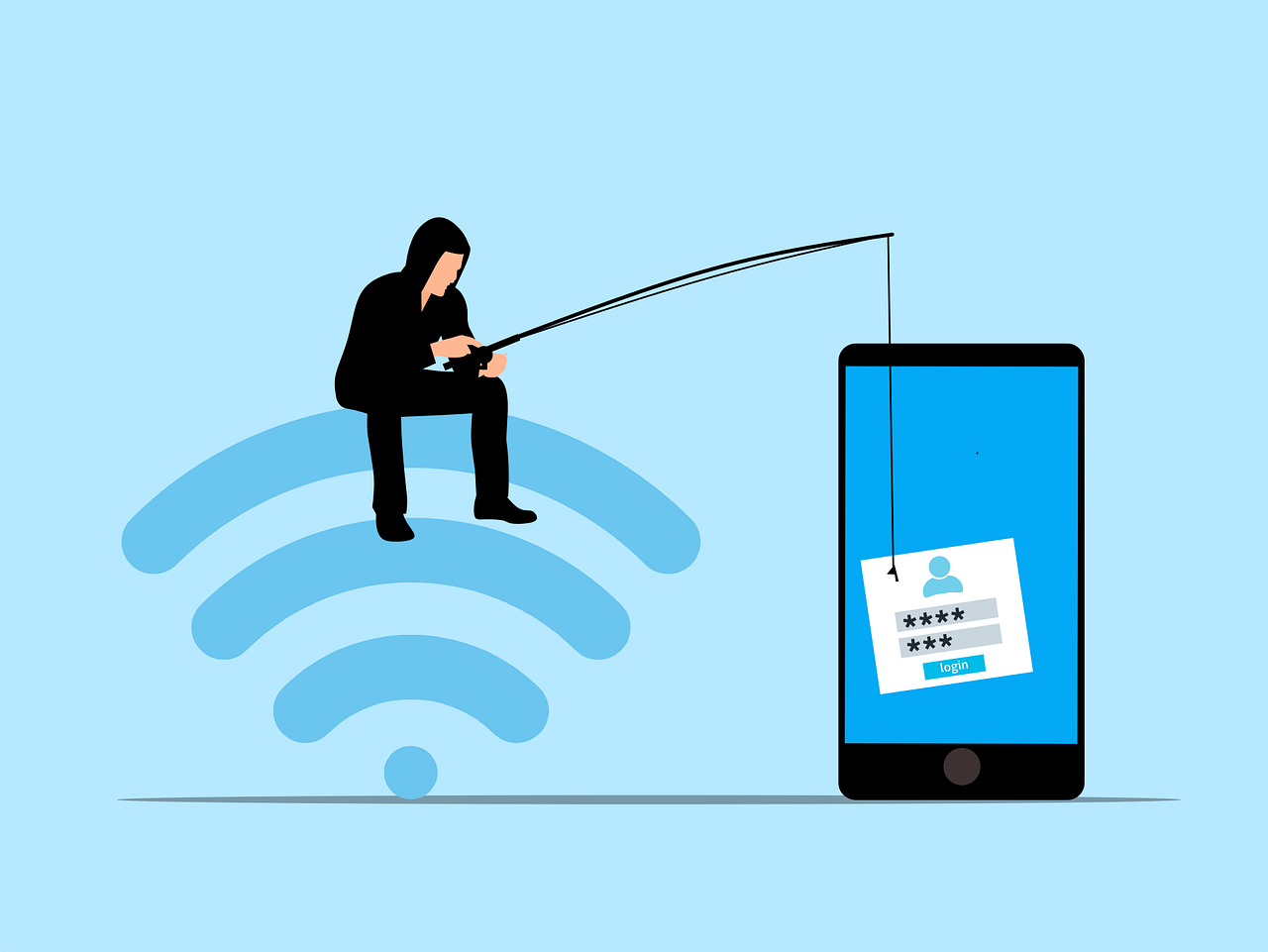
  • A rogue antivirus software usually comes with a phishing link so unknowing people can download and install the alleged security program. 

When you click the link, it redirects you to a site that sells the rogue antivirus app. The link may also redirect you to scareware, an aggressive and compelling message that makes you click the message in it.

  • You lose 2× more data, time, and money when you’re on their site because they run an infected operating system. So, conduct proper research before clicking on any suspicious link.

When you click on a phishing link in a pop-up window and input your credit card details for any purchase, the cybercriminals behind the scheme automatically access your financial data.

Now, these hackers will not only use your data to conduct identity theft, but you will become prey to malware.

Hence, being wary of fake anti-spyware pop-ups and phishing links would be best. 

READ ALSO: Types Of Pop-ups Every eCommerce Store Should Have

How To Protect Yourself From A Fake Antivirus

How To Protect Yourself From A Fake Antivirus

You may be infected with malware if you often see pop-ups showing unusual security warnings and requests for your personal information or credit cards.

If you’re not sure whether an anti-spyware application is legit or take, use these steps below to protect yourself;

  • Look for suspicious links in pop-up menus. If any aggressive or hyped-up message says your system is infected with a virus or that you have malware, tap the x icon in the top corner to exit the window.
  • Messages of this nature usually contain phishing links that get your data without your consent.
  • If you want to buy or renew software subscriptions directly, head to the official websites. Avoid visiting ad links or opening attachments from hidden senders.
  • Monitor your credit cards for any suspicious and unauthorized activity.
  • Use genuine and verified malware detection software.
  • Use a legitimate security program installed on your computer to scan your device if you think it is infected with a malware threat.

Fake Antivirus: Frequently Asked Questions

Fake antivirus software, also known as rogue security software or scareware, seriously threatens your computer’s security. Here’s a breakdown of frequently asked questions to help you identify and avoid these deceptive programs:

What is the meaning of fake antivirus?

Fake antivirus are masqueraded as legitimate antivirus programs. These malicious programs display fake threat warnings and system scans to pressure users to purchase useless “protection” or install additional malware.

What happens if you download a fake antivirus?

Downloading a fake antivirus can have several detrimental consequences:

  • Financial Loss: You might be tricked into paying for useless “protection” or subscriptions.
  • Data Theft: Fake antivirus programs can steal sensitive passwords or credit card details.
  • System Damage: These programs can install additional malware or disrupt your system’s functionality.
  • Constant Pop-Ups: Fake antivirus software bombards users with constant pop-up warnings and notifications, hindering computer usage.

How do I know if my antivirus is legit?

HerAntiviruse ways to verify your antivirus software’s legitimacy:

  • Check the Brand: Research reputable antivirus companies and compare their logos and program names with the ones installed on your system.
  • Review System Resources: Genuine antivirus programs usually run discreetly in the background without causing significant performance slowdowns. It might be fake if your computer feels sluggish after installing an antivirus.
  • Search Online Reviews: Look for reviews and ratings of your antivirus software. Trusted antivirus programs typically have positive user reviews.

What is a legit antivirus?

A legitimate antivirus program offers real-time protection against malware, viruses, and other online threats. Here are some key features of genuine antivirus software:

  • Scheduled Scans: Performs regular scans to detect and remove malware.
  • Automatic Updates: Regularly receive updates to stay protected against the latest threats.
  • Firewall Protection: Provides additional protection against unauthorized access to your system.
  • Reputable Brand: Comes from a well-known and trusted cybersecurity company.

What does a fake antivirus message look like?

Fake antivirus messages often employ scare tactics with:

  • Urgent Language: They might use phrases like “critical system error” or “immediate action required” to pressure you into responding quickly without thinking critically.
  • Fake Scan Results: They might display fabricated scans listing many nonexistent threats.
  • Unappetizing Options: They might present you with limited choices, like “Upgrade Now” or “System at Risk!” to push you towards purchasing their fake protection.

How do I remove fake antivirus?

Removing a fAntivirusirus can be tricky. Here are some general steps, but it’s crucial to exercise caution:

  1. Safe Mode: Boot your computer into Safe Mode to turn off most startup programs, potentially including the fake antivirus.
  2. Control Panel: Use your Control Panel or Settings app and try to uninstall the program through the standard uninstall process.
  3. Anti-Malware Software: If uninstalling doesn’t work, consider using a trusted anti-malware program to scan and remove the fake antivirus. Be cautious when downloading new software, as some malware programs might disguise themselves as anti-malware solutions.

How do I get rid of fake viruses on my Android?

If you suspect a fake virus on your Android phone, don’t download any recommended “cleaning apps” from the pop-up message. These are likely part of the scam itself. Here’s what to do:

  1. Safe Mode: Boot your phone into safe mode. This disables third-party apps, making identifying and uninstalling the fake antivirus easier. Search online for instructions specific to your Android model.
  2. Uninstall the Fake App: Go to your phone’s settings and locate the app list. Find the suspicious app associated with the fake virus warnings and uninstall it.
  3. Scan with a Reputable Antivirus: Download a trusted antivirus app from the Google Play Store and run a full system scan.

Can phone viruses be fake?

Yes, absolutely. Fake viruses, often displayed through pop-up messages, are used by scammers to trick users into downloading useless or malicious software. These fake notifications might claim to have detected viruses or security threats that don’t exist.

Is there a fake McAfee antivirus?

Unfortunately, yes. Scammers often impersonate well-known antivirus companies like McAfee. Be cautious of unsolicited pop-up messages or phone calls claiming to be from McAfee and offering “urgent” security solutions.

Do some websites fake viruses?

Some malicious websites can display fake virus warnings as pop-ups. These pop-ups might pressure you to download software or call a fake support number. If you encounter such a pop-up, don’t click on anything within it. Simply close the window and navigate away from the website.

Here are some additional tips to avoid fake antivirus scams:

  • Never install antivirus software from pop-up messages.
  • Download security software only from trusted sources, such as the official app store for your phone or the website of a reputable antivirus company.
  • Be wary of scare tactics. Legitimate antivirus software won’t bombard you with alarming pop-up messages.
  • If you’re unsure, don’t hesitate to seek help. Consult a trusted tech-savvy friend or contact customer support for a genuine antivirus company.

Conclusion

Fake Antivirus is malware antiviruses themselves as the real deal. So you must be careful with the antivirus you install, such as the fake Antivirus.

If you suspect you have a fake antivirus, it’s best to seek help from a computer technician or contact the customer support of a reputable antivirus company for further guidance.

By understanding the tactics of fake antivirus programs and following these tips, you can protect yourself from falling victim to these deceptive schemes and safeguard your computer’s security.

Meanwhile, following the tips discussed in this article, you should be safe.


INTERESTING POSTS

Exclusive Interview With Auctify’s Co-founders

In this exclusive interview, we spoke with Auctify’s Co-founders – Hisham El-Halabi, Founder & CTO, and Arthur Nguyen-Cao, Chairman and CEO.

Interestingly, Auctify recently launched the Auctify Specs, an AI smart glass aiming to boost productivity, securely and safely.

From a security perspective, Auctify Specs offers secure data encryption without servers. All of Auctify’s machine-learning algorithms are run securely on the user’s smartphone hardware, so their sensor data never leaves their device.

Likewise, we delved into the biggest challenges of smart glass data security, the future of smart glass security and privacy, and lessons learned for manufacturers on how Google Glass didn’t succeed because of privacy reasons.

Hisham El-Halabi, Founder and CTO Arthur Nguyen-Cao, Chairman and CEO

Here Are Auctify’s Co-founders (Hisham El-Halabi & Arthur Nguyen-Cao) Responses To Our Questions

Can you tell us more about Auctify?

Hisham El-Halabi:

Auctify Specs are the world’s first productivity-boosting smart glasses that equip users to focus on the things that matter most. Auctify Specs uses computer vision, machine learning software, advanced encryption, and proven methods in psychology to help users improve focus, work habits, and behaviors.

Google Glass had privacy issues. What is Auctify doing to change the public’s perception of smart glasses’ data security and privacy?

Hisham El-Halabi:

At Auctify, user data privacy is one of our top priorities, which is why we ensure our users know exactly what is happening to their data. All raw sensor data collected by Specs is encrypted and sent securely over Bluetooth to the user’s phone, which is decrypted and processed by our machine-learning models directly on their phone’s hardware. The raw data never leaves your phone, so it would be physically impossible for someone to access it without breaking into their phone and decrypting it. 

What’s the future hold for smart glass security and privacy?

Arthur Nguyen-Cao:

The data collected by smart glasses must be handled to protect the privacy of the user and the people around them. The former is accomplished by informing the user and giving them full control over the use of their data.

Google Glass raised several privacy concerns because there was no indication of when the onboard camera was being used, so people feared they were being recorded whenever they saw someone wearing Glass. In general, to protect the privacy of those around the user, smart glasses should clearly indicate when a user is recording with the camera (such as an LED activating when the camera is on).

With Auctify Specs, the camera is used for the sole purpose of activity tracking, the user cannot use it to capture images or videos manually.

Auctify Product Specs

Out of all of Auctify Specs’ features, what’s your favorite feature, and why?

Hisham El-Halabi:

Specs have a lot of cool features, but what we love most is its core functionality in tracking and improving productivity. Like most people, we struggle with procrastination, so we couldn’t be more excited to have a tool to help us optimize our day finally.

With it being cybersecurity month, what’s one tip you’d like to provide to our readers?

Arthur Nguyen-Cao:

One of the best ways to improve your cybersecurity, is simply to be aware of who you are giving access to your data, and what it is being used for. Familiarize yourself with the privacy policy of companies that have access to your information to decide if you’re comfortable with what you are sharing with them.

For this interview, we thank Auctify’s co-founders for their time.

CHECK OUT: Auctify Official Website

Note: This was initially published in November 2020, but has been updated for freshness and accuracy.


SIMILAR INTERVIEWS

Proxy Optimization: 4 Things You Didn’t Know A Proxy Could Do

Considering proxy optimization, this post will show you 4 things you didn’t know a proxy could do.

You may be using a proxy server. It could be because you want access to specific content unavailable in your geographical region. You know that hiding your IP address means the remote server will not know where you are browsing from. You get to explore different sites while maintaining your privacy and anonymity.

Proxies also allow for a better browsing experience. By caching data, you get faster loading speeds. You also increase your security through data encryption. Web scraping proxies give you a gateway between you and the remote servers. Think about it as a gate through which all the traffic must go. It filters harmful content, thus keeping you safe online.

What we have mentioned above are some things that proxies can do. You probably know about some of them, but there is so much more.

In our article, we will share some of them with you. Ultimately, you will realize why a proxy is a good investment.

READ ALSO: The Ultimate VPN Guide – What Is A VPN?

Let’s jump into it.

4 Things You Didn’t Know A Proxy Could Do

  1. Traffic Compression and Website Caching Resulting In Faster Loading Speeds

Traffic Compression and Website Caching Resulting In Faster Loading Speeds

Fast-loading pages are one of the best indicators of a good user experience. No one has time to be on a website that takes forever to load. You want to access information as fast as possible. 

The same applies in the case where you are streaming media. A proxy server will compress data, allowing you to save bandwidth. It reduces the load coming into your site so that you enjoy optimal speeds at all times.

They may be particular websites you visit pretty often. If you are using a proxy, it will cache such websites. Think of it like remembering your information on that specific site. It will store the relevant content even for many users. 

A proxy can be helpful to institutions or offices that use particular data sources online. The type of data your proxy will cache includes images, web pages, and even files. The loading time will be shorter the next time you log into that particular site. The other advantage of caching is that you reduce the bandwidth you use.

READ ALSO: Top Proxy Service Providers in 2024: Unlocking Internet Freedom

2. Preventing Cookies and Advertisements on Your Site

Preventing Cookies and Advertisements on Your Site

Cookies have their advantages. They can help the browsing experience. It does it by remembering you every time you log back to a particular site. Unfortunately, they can also be very annoying. 

Marketing companies use them for targeting. You will find advertisements you did not sign up for continually popping up. The cookies may also expose you to vulnerabilities. Some may have malware that hackers can use to access your site.

You can avoid cookies and advertisements by installing the correct proxy server. You get anonymity and security, resulting in a better experience online.

READ ALSO: The Advantages Of Mobile Proxies

3. Circumventing Internet (IP) Blocks, Geo-Blocks, and Firewalls

Circumventing Internet (IP) Blocks, Geo-Blocks, and Firewalls

There are instances when you do not have access to a particular site. Further investigation shows that the owners have blocked your IP. It is prevalent in gaming or video streaming sites. 

Your internet service provider may also restrict you from accessing certain content. If you feel the tailoring does not serve you well, installing a proxy server is the way to go.

Firewalls are excellent protection when browsing the internet. But they may also restrict your access to specific websites. A proxy will give you security while allowing you to bypass such firewalls.

Entertainment companies like Netflix and BBC iPlayer have Geoblocking. You can only access the content in a specific geographic location. It can be frustrating because you could be paying for the service. Yet their setup only allows you to use particular programs and not others. 

You can access such material by hiding your IP address. Installing a proxy will allow you to bypass such restrictions. You even choose the location you want to seem like you are in. You could be on the African continent but appear like you are in America with the correct proxy. It spoofs the remote server, allowing you to bypass the geo-blocking. 

But, these companies know that individuals use proxies to access their sites. They may have tools in place that could make your attempts ineffective. When shopping for a proxy, have a good understanding of what you need it for. Not all will allow you to bypass restrictions. 

READ ALSO: How To Clear Caches On Windows, Mac, Android & iOS Devices

4. Monitor and Control Internet Usage

Monitor and Control Internet Usage

As a parent, you may worry about the sites your children visit. The internet has a lot of content that may not be age-appropriate. You could also find unsavory characters who like to target little children.

You may want to control some websites your staff members visit as an employer. It could be about security or even avoiding time wastage. Some of them may also visit inappropriate sites. The same applies to educational institutions. They may want a way to watch the sites students visit.

Installing a proxy server allows you to track and control internet content. You can block those that you find undesirable. It also allows you to keep track of the user’s online activities. You can also detect any data breach or illegal activity that may be occurring in the office.

READ ALSO: Website Speed Optimization Tips for Windows Hosting

Proxy Optimization: Frequently Asked Questions

What does proxy software do?

Proxy software routes your internet traffic through a remote server. This can mask your IP address, location, and browsing activity from the websites you visit. Proxies can also bypass geo-restrictions and access content unavailable in your region.

How do I optimize my proxy for better performance?

Here are some tips to optimize your proxy for speed and efficiency:

  • Choose the Right Location: Select a proxy server located geographically close to you to minimize latency (delay) in communication.
  • Connection Type: Match your proxy connection type (HTTP, HTTPS, SOCKS) to your needs. Consider factors like security requirements and compatibility with specific websites.
  • Server Load: Avoid overloaded proxy servers that can lead to slow connection speeds. Some proxy providers offer real-time server load information.
  • Browser Settings: Configure your browser settings to use the specific proxy server and port number provided by your proxy service.
  • Disable Conflicting Software: Certain software like firewalls or antivirus programs might interfere with proxy connections. Try temporarily disabling them to see if it improves performance.

How do we increase proxy speed?

Not all optimization methods directly increase speed, but they can improve overall efficiency:

  • Close Unnecessary Background Applications: Background applications can consume bandwidth and slow down your internet connection.
  • Clear Browser Cache: A cluttered cache can slow down browsing. Regularly clear your browser cache and cookies.
  • Upgrade Your Internet Plan: If your internet plan offers limited bandwidth, upgrading can improve overall internet speed, benefiting proxy use.

What is proxy software for Android devices?

There are proxy apps specifically designed for Android devices. These apps allow you to configure your device to use a proxy server, similar to setting up a proxy on a desktop computer.

How does a proxy server improve performance?

In some cases, a proxy server can improve perceived performance by:

  • Content Caching: Proxy servers sometimes cache frequently accessed content. If you revisit a website, the content might be retrieved from the cache instead of downloaded from the source again, potentially saving time.
  • Load Balancing: Proxy servers can distribute incoming traffic across multiple servers, reducing strain on any single server and potentially improving responsiveness.

Important to Note: While these methods can help optimize your proxy experience, some inherent limitations exist. Proxies can sometimes introduce additional steps in the connection process, and depending on the server location and load, speeds might be slower than a direct internet connection.

Final Thoughts

Proxy optimization on your website has many benefits. We have looked at four things you didn’t know a proxy could do. You have the option of free proxies. However, you may want to consider the paid options. 

Free proxies have some limitations. They could expose you to particular vulnerabilities while online. Since many people will also be flocking to them, they may be ineffective. It could impact your browsing experience. It helps you buy your proxy from a trustworthy provider. 

When shopping for a proxy, first understand what your needs are. It would be best to research to know what you are buying better. It will help you make better choices. You get greater functionality with whatever you buy.


 RELATED POSTS

Exclusive Interview With Ramil Khantimirov, StormWall’s CEO & Co-founder

This is an exclusive interview with Ramil Khantimirov, the CEO and Co-founder of StormWall.

It might please you to know that StormWall is an international cybersecurity company that protects IT infrastructures from DDoS attacks. They offer an industry-leading, world-class DDoS protection service that uses AI technologies.

Recently, experts from StormWall studied DDoS attacks targeting the online retail industry in Europe. StormWall collected data from its clients working in multiple e-commerce segments during the research.

Experts discovered that during the pandemic, between February and October 2020, the number of DDoS attacks targeted at online retail services quadrupled compared to last year.

The frequency of DDoS Attacks has been constantly rising, but the growth rate accelerated dramatically during the pandemic.

Ramil Khantimirov, CEO and Co-founder of StormWall

Here Are Ramil Khantimirov’s Responses To Our Questions:

1. Question: How do you define a secure website?

Ramil Khantimirov:

A website can only be described as “secure” when it meets two challenges:

Firstly, it should guarantee users’ personal data protectiond shield them from fraud and other actions by malefactors.

Secondly, it should ensure the service’s fail-safe functioning and free from any disruption, be it a DDoS or a hacker attack. After all, service failure at a critical moment may lead to unrecoverable losses.

READ ALSO: Top 5 Cybersecurity Threats That eCommerce Websites Should Watch Out For

2. Question: The COVID-19 pandemic has caused a rise in DDoS attacks. Do you think they correlate?

Ramil Khantimirov:

They do indeed correlate. Moreover, after introducing quarantine restriction measures, we noticed a sharp increase in DDoS attacks on industries traditionally prone to such attacks (online entertainment, games) and sectors that have become essential during the lockdown. For instance, we have detected a 4-fold increase in attacks on businesses in the online retail industry.

This can mainly be attributed to 2 factors: the increased social role of such businesses during the epidemic and the unprecedented abundance of free time among malefactors, as most no longer have to commute to work or school.

3. Question: Some cyberattacks are carried out to steal personal data from websites. Are there security tools that should be used?

Ramil Khantimirov:

That is an excellent question, as no direct and concise answer exists. Website owners should utilize every possible measure to protect their users, starting with vulnerability analysis and using tools like Web Application Firewall (WAF).

4. Question: How would you advise companies to respond when they fall victim to DDoS attacks?

Ramil Khantimirov:

The best approach is to tackle the problem before it even arises. It is not that difficult anyway: DDoS protection costs are low, and the setup is usually done in minutes. Skimping on preventive measures may end up costing much more. In case of an actual attack, it may take several hours before the website becomes operational again.

Here are the tell-tale signs of an ongoing DDoS attack:

1: The website takes forever to load, and the attempt results in an error (502, 503, 504)

2: An attempt to load a page immediately results in an error.

3: The website responses are slow, and the navigation feels sluggish.

Some recommendations on how to deal with a DDoS attack:

  1. Stop the attack on your own using an advanced web server, OS, or optimization settings. Remember that you are permanently restricted by the available resources (CPU, RAM, network bandwidth, etc.). And should the attacker’s resource pool ever so slightly exceed yours, you will be powerless to stop your website from going down.
  2. Ask for help from your hosting or internet provider. You will be at their mercy and reliant on their resources, though.
  3. Find a company that specializes in DDoS protection services.

Each option requires time for the countermeasures to be set up – this usually takes several hours beginning from the start of the attack. Therefore, we always recommend considering your business’s security at the earliest stages of building your IT infrastructure.

This will prevent a company from making heavy profits, incurring customer losses, and experiencing reputational damage due to negligence.

READ ALSO: Top 5 DDoS Attack Challenges For Telecom Companies

5. Question: Apart from anti-DDoS protection, are there any innovations customers should expect in the future from StormWall?

Ramil Khantimirov:

Sure! The principal value proposition of StormWall lies in helping the IT community ensure information sustainability by providing proactive and affordable high-quality services with a focus on DDoS and hacker attack protection.

We are eager to help our customers on any scale – our services range from personal protection to enterprise-level solutions. Aside from that, we act as tech evangelists by popularizing “information sustainability” and educating the IT community about the importance of security, digital hygiene, and timely resource protection.

Having our situation center enables us to be on the cutting edge of innovation and serve as a frontline defense for our clients. Our staff at the center keeps track of any new attack methods and works hard to research and develop effective countermeasures.

We also have plans to release an on-premises hardware DDoS protection appliance that will work in hand with existing security instruments. Our specialists are working on it now, and we are excited to roll it out soon.

6. Question: With several years of operation, what is the strength of your company against its competitors?

Ramil Khantimirov:

What sets our company apart is that our focus is on DDoS protection. While our competitors only offer it as a complementary service, we treat attack protection as our core product and mission.

We strive for perfection in our products and customer support because our clients cannot afford to break down under adversarial pressure. From the beginning of our journey, StormWall has been developing and perfecting only our tech based on traffic analysis.

We continue to improve and evolve, helping shape how DDoS attack protection tools are developed.

Note: This was initially published in February 2021 but has been updated for freshness and accuracy.


SIMILAR INTERVIEWS

Hot Spots On UK Cruises

0

If you’re tired of traveling on land, a cruise through the UK might be a great option. Here are some of the hot spots in the region that you will want to make sure are on your ship’s itinerary. 

Hot Spots On UK Cruises

Highlands

The Scottish Highlands boast castles, palaces, forts, rolling green hills, and tiny villages. One critical stop here is Dunrobin Castle. St. Andrew’s Cathedral, Cawdor Castle, and the historic village of Inverness are also good stops. Fans of mythology might also favor a trip down the River Ness to the Loch Ness. Nature enthusiasts can visit Fort Williams, Cairngorms National Park, and the Ben Nevis mountain.  

READ ALSO: What Is The Best Country For VPN Anonymity?

Orkney Islands

The 70 Orkney Islands sport lush green fields. The main island, Orkney, is the most popular cruise ship destination. There, you can see St. Magnus Cathedral, Kirkwall’s markets, and two palaces. You can also hit Balfour Castle. 

Shetland Islands

The capital of these islands is Lerwick. Actually, it is the only town on the main island. Instead, you’re more likely to encounter others while on the water near these islands. Walkers will love the Shetlands as they stroll through tiny villages and check out archeological sites. If you’re there for the wildlife, you’ll love the easy to spot Shetland ponies and seabirds. 

Hebrides

The Hebrides Islands are off the western coast of Scotland. Unfortunately, a cruise is not going to get you deep into the Hebrides. Instead, you’ll probably just stop at the largest island, where you can see the pristine landscape, sea eagles, and seals. If you’re lucky, you might spend some time in the waters, where you will probably see whales and dolphins. If you get to spend time here, make sure you hit the capital’s historic village and whiskey distillery. 

Channel Islands

No UK cruises are complete without a stop at the Channel Islands that sit between France and the UK, proudly boasting a hybrid of both cultures and independence. The largest of these islands bring you cobbled streets, sea-cliffs, harbors, and green fields, while smaller islands can be more remote. While there, visit the Jersey War Tunnels and the house where Victor Hugo wrote “Les Miserables” or take a quick trip to France. 

Southampton

This city boasts plenty of museums and galleries, including the SeaCity Museum. If you’re looking for a peaceful time here, hit Mayflower Park to sit and watch the ships. Those who love history might prefer a trip to Stonehenge. It is less than an hour from this port. If your ship departs from the UK, there’s a pretty good chance you will leave from this city and have plenty of time to explore before or after your trip. 

Portsmouth

Portsmouth is a great place if you love seafaring or military history. Here, you can visit Portsmouth Historic Dockyard. It is home to the UK’s Royal Marines Museum. You could also hit the Biggin Hill Heritage Hanger or Bovington Tank Museum. If you’re there for the views, climb Spinnaker Tower, which can let you see the docks, city, and sea. It also has a glass bottomed skywalk for those feeling particularly brave. This is another potential departure port for those leaving from the UK. 

Cornwall

This tiny town is picturesque and offers a lot to do at your stop. Nature enthusiasts could adventure at Lost Gardens of Heligan or the Eden Project. You could also cruise down Fal Estuary or climb to the top of St. Micheal’s Mount. 

Scilly Islands

The Scilly Islands offer a great place to view untouched natural areas. Nature lovers could snorkel with seals or take a trail ride along the coast. Plant lovers must visit Tresco Abbey Gardens to see exotic plants. 

Glasgow

Glasgow is a popular port to get cruise ship passengers to see Scotland. There, you can browse art galleries, museums, the Glasgow Cathedral, and the City Chambers. You could also stop at the Riverside Museum, Kelvingrove Park, and the Glasgow Botanical Gardens. If you’re a fan of art and architecture combined, you should visit the House for an Art Lover. 

There is a lot to see and do on a cruise to the UK. Therefore, you need to make sure your itinerary hits the highlights you want to see. 


INTERESTING POSTS

How To Detect GPS Tracking On Your Cell Phone

Here, I will show you how to detect GPS tracking on your cell phone.

Smartphones have had a significant impact on all aspects of our lives. Many features on our smartphones make our lives easier.

Be it in business, education, health, or social life. But the truth is that some smartphone features are prone to abuse, which poses a huge risk to owners.

READ ALSO: Spyware Guide: The Invisible Intruder Lurking in Your Devices

What Is GPS?

It may be obvious, but GPS stands for Global Positioning System. Its design was initially for military use. Today, it is available for civilian use without any restrictions.

GPS trackers use the Global Navigation System network to track movements and give location information. GPS devices receive microwave and satellite signals and use calculations to detect locations and track speed and movement. This means that you can find out where an object with a GPS tracker currently is. You can also find out where it’s been.

Today, smartphones come equipped with their own GPS tracking system. The standard GPS that comes with an iPhone or Android phone may not be sensitive enough to give an exact address of where the phone is. It can, however, narrow down the location to within a small area.

Some apps on smartphones can track your GPS location. Some of these apps can abuse this information by sharing it with 3rd parties, resulting in account takeover issues.

Why Some Apps Need GPS To Perform?

Why Some Apps Need GPS To Perform

Depending on the app, there are several reasons why an app may require your GPS location to perform. Rather than go through every single app and why they need GPS, here’s a general breakdown of various app categories.

  • Weather – Weather apps need GPS to track your location and accurately give you the forecast for your area.
  • Maps and Travel – This is a no-brainer. Navigation apps require GPS to give turn-by-turn directions. Travel apps use GPS to help you find cool places nearby. Some ride-sharing apps like Uber and Lyft use GPS so drivers know where to pick you up.
  • Social – Social media apps may require GPS if you want to “check-in” or tag yourself at a particular location.
  • Shopping – Some retail store apps require GPS for simple things such as quickly finding a location near you.
  • Streaming – Live streaming TV apps may require GPS location to confirm regional blackouts and other features.
  • Games – Not many games require GPS location, but some, like PokĂŠmon Go, rely heavily on it.
  • Health and Fitness – These apps use GPS to track your runs and exercises, including distance and time.
  • Smarthome – These apps use GPS for geofencing so that devices in your house automatically turn on and off when you leave or get home.
  • Camera – Some camera apps use GPS mostly to insert locations in photos.

Technically, apps don’t require GPS to perform. Most of the time, it’s just an added advantage. With other apps, GPS is integral to its functioning. Navigation apps such as Google Maps are a good example.

READ ALSO: Managing Deliveries on the Go: Top Apps for Delivery Professionals

How To Detect Apps That Can Access Your Location

Most of the apps that use your location data do so for legitimate reasons. However, this is not always the case. Some do so for malicious reasons.

To ensure your device’s iOS and Android security, it’s a good idea to check all apps on your phone that have access to your GPS location.

If you find any apps using your location that you don’t recognize or if you don’t want to share your location, then you can easily revoke permission.

You can manually check your phone to see which apps access your location. Just follow these simple steps:

To check apps that can access your location on your iPhone:

  • Go to Settings and click on Privacy and then proceed to click on Location Services.
  • You can scroll through the list of apps on your iPhone and tap them to view and change permissions. You can choose “Never” or “While Using”. Despite modern technology, an app doesn’t have to track you constantly.

To check apps that can access your location on Android:

  • Navigate to Settings and click on Apps and then App Permissions.
  • Tap on Location.
  • Scroll through the list of Apps on your phone to see which apps have location access.

READ ALSO: Change iPhone GPS Location Without VPN: Best Method Explained (2026)

How To Detect Spyware Is Using Your Location

How To Detect Spyware Is Using Your Location

Spyware is an extreme hacking method that involves installing 3rd party software onto a device. It enables the hacker to collect information, including GPS location.

Companies like mSpy and FlexiSpy can remotely send GPS location data back to hackers, thus leaving you vulnerable. These spy apps cost as little as $30 per month and are completely hidden from the victims.

You can use apps such as Certo AntiSpy for iOS or Certo Mobile Security for Android to detect spyware accessing your location. These will scan your phone to detect spyware.

Detecting Spyware using Certo AntiSpy for iOS:

  • Purchase Certo AntiSpy and access your Certo account to download software and view your license key. Log-in details are emailed after purchase.
  • In your Certo account, click License and Downloads. Download the Certo AntiSpy installer into your computer.
  • After installation, run the installer. Follow the instructions on your screen to install Certo AntiSpy onto your computer.  Enter your license key afterward.
  • First, you must create an iTunes backup to scan your device.
  • Once you’ve created an iTunes backup, it will be available to scan in the Certo application. From the list, click scan, and you can check your device for spyware and other security issues.

Detecting Spyware using Certo Mobile Security for Android:

  • Download the Certo Mobile Security app for free on the Play Store.
  • Once downloaded, launch the app. Access the app’s features from the dashboard page.
  • From the dashboard, click on the Scan button.
  • At the end of the scan, any issues found will be listed as:
    • Red (High) – This means you should take immediate action since your device is compromised.
    • Orange (Medium) – Review the issue as it could put your device at risk.
    • Green (All clear) – No issues were detected.
  • If threats are detected, you will have two options:
    • Remove – Completely eliminates the threat from your device.
    • Ignore – This will ignore the threat now and in future scans. You can ‘un-ignore’ by tapping on Ignored Issues from the scan results page.
  • When finished, go back to the dashboard. Details of the scan will appear under the Scan button.

READ ALSO: 10 Tips To Secure Your Smartphones (iOS and Android)

Is GPS An Invasion Of Privacy?

In today’s digital world, most people always carry their smartphones. Although GPS technology has advantages to smartphone users, it has caused a significant decrease in privacy. Private and public organizations can collect and use this information for various purposes.

Some argue that the collection of GPS location information leads to abuse and amounts to an invasion of privacy. There are a lot of dangers to this. For example, there have been cases of account takeover emanating from GPS tracking.

Unfortunately, no clear and uniform legal standards control who can collect and use this information.

How To Be Secure And Get The Benefits

The easiest way to secure your smartphone from GPS tracking is to:

  1. Constantly monitor apps that have location permission enabled.
  2. If any apps don’t require GPS to perform, turn the permission off or uninstall them.
  3. Never allow GPS location for sketchy apps.
  4. Ensure your OS is up to date. This will ensure your iOS or Android security is up to date.
  5. Alternatively, you can factory reset your smartphone and reinstall apps that you trust.
  6. You can also enlist the help of a third-party tool such as Certo, Incognito, and Kaspersky Antivirus to help keep your phone secure from GPS tracking.

Some proponents recommend the use of GPS jammers to conceal location. However, this is not recommended and is illegal in some states.

As you can see, it can be pretty easy for your phone’s GPS technology to work against you. But for most people, the benefits outweigh the risks, and you may have good reason to want the tracking enabled on your phone.

The great thing with technology is that you can follow steps to get the desired result.

I hope you learned how to detect GPS tracking on your cell phone. Leave us a comment below.

Note: This was initially published in March 2021, but has been updated for freshness and accuracy.


RESOURCES

5 Elements To Include In A Comprehensive Cybersecurity Plan

0

Want to create a comprehensive cybersecurity plan? Read on!

Cybersecurity threats are increasing at an alarming rate. The worldwide cybercrime incidents exceeded 31,000 cases last year. Also, the global number of data breaches with confirmed data loss reached 3950 in 2019. 

Organizations must adopt robust cybersecurity measures to protect their business network from cyber-attacks and data breaches. A proper cybersecurity plan can help companies mitigate catastrophic damage caused by cybersecurity incidents.

A cybersecurity plan is a written document with comprehensive information about a company’s policies, processes, and measures to tackle potential IT security threats. Let’s look at the various elements of creating a solid cybersecurity plan.

Essential Components Of A Cybersecurity Plan

1. Identification of Key Assets

5 Elements To Include In A Comprehensive Cybersecurity Plan

Businesses can’t protect their network from cybersecurity incidents until they know what needs to be secured. Therefore, organizations must start by identifying the IT assets requiring protection.

These IT assets typically include servers, devices, and storage repositories. Once businesses have the necessary information about their essential IT assets, they should know where and how to store this critical data and protect its integrity.

For instance, they should know whether their client details and intellectual property information have been stored on-site, migrated to the cloud, or saved in the organization’s CRM software. 

2. Detection of Network Vulnerabilities of a Business 

Identifying vulnerabilities in a business’s network is essential to avoid exploitation. These vulnerabilities usually include outdated or unpatched software, misconfigured operating systems, privileged employee access, and more.

Timely detection will help organizations get their cybersecurity measures in order and avoid the chances of encountering a breach. Businesses can ensure that their various network vulnerabilities are fixed properly through: 

  • Regular software updates
  • Incorporation of Role-Based Access Control (RBAC) 
  • Setting up of Multi-Factor Authentication (MFA)
  • Implementation of anti-virus, firewall, Intrusion Detection Systems (IDS), and spam filters

3. Conducting Regular Risk Assessment

Conducting Regular Risk Assessment

Risk assessment should be a critical part of an organization’s cybersecurity plan. It helps companies make informed decisions to reduce the occurrence of a cyber threat. Here’s how risk assessment works:

  • IT assets and threats are prioritized based on a business’s security concerns. Companies can know which assets are critical and which threats can be more harmful than others. 
  • Current organizational security is analyzed to determine if it is competent enough to mitigate potential threats and vulnerabilities. 
  • Probable losses and the recovery costs of potential cyber-attacks or data breaches are forecasted. 
  • Countermeasures for reducing cybersecurity risks are adopted. For instance, businesses can incorporate Security Information and Event Management (SIEM) tools to identify unauthorized access to a network and mitigate a potential malware attack.
  • The risk assessment process is analyzed regularly to ensure that security measures are relevant, up-to-date, and effective. 

READ ALSO: How To Prepare For A Cyber Assessment

4. Formulating an Incident Response (IR) Plan

Organizations should have a thorough knowledge of the effects of a cybersecurity incident and how to minimize the damage. An IR plan can help businesses prepare to deal with cybersecurity attacks and data breaches. It facilitates a systematic analysis and investigation to remediate a threat.

The IR plan should contain the following documented policies and procedures on incident management.

  • Highlighting the aim gives employees and stakeholders a detailed overview of what an IR plan is meant for. For instance, a financial firm’s IR plan should aim to prevent and mitigate the loss of its customers’ financial data. 
  • The plan should mention the established roles of the incident response team. For instance, while the team leader should be responsible for communicating the security incident to the business’s staff, the lead investigator should analyze the occurrences during a security incident. It is also essential to document these roles and communicate the respontheirilities. It will keep the incident response team well-coordinated. It will also let them know what to do when a cybersecurity threat arises. 
  • The plan should rank the potential cyber threats based on their severity. It will help the incident response team decide the level of response required for each cyber incident.
  • Further, the IR plan should contain procedures for detecting, analyzing, and mitigating a cybersecurity threat. For instance, the IR plan can incorporate end-point encryption to counter the attack in case of a potential ransomware attack. 
  • The IR plan should also include recovery techniques. For instance, if a ransomware attack penetrates a business’s network, the IR team can implement data backup and disaster recovery methods to recover critical business data and avoid downtime.
  • Finally, the IR plan should include processes for determining how the breach occurred and how similar incidents can be prevented. 

5. Parameters for Facilitating a Cybersecurity Training Program

Negligent and rogue employees can be a business’s most significant IT vulnerabilities. A cybersecurity plan should include parameters for facilitating training that enables employees to recognize common cyber threats. The training should cover the following objectives:

  • Educating employees on the importance of password security
  • Identification of suspicious emails, links, and attachments from unfamiliar people and organizations
  • Practicing safe handling and storing of sensitive business data such as trade secrets and financial reports
  • Underlining the risks associated with sharing Personal Identifiable Information (PII) on social platforms
  • Identification of suspicious behavior of colleagues and reporting it to the concerned authority
  • Communicating the importance of implementing proper device security policies for protecting their personal as well as company-owned devices 

Businesses need to understand the elements of a cybersecurity plan and integrate them seamlessly within their business network.

Companies can leverage professional cybersecurity services offered by IT support providers with the skills, resources, experience, and knowledge to implement all the elements of a cybersecurity plan effectively. 

Comprehensive Cybersecurity Plan: Frequently Asked Questions

A well-defined cybersecurity plan is like a suit of armor in the digital age, protecting your data and systems from ever-present threats. Here are some FAQs to guide you through the process of creating a comprehensive plan:

What does a comprehensive cybersecurity plan include?

A strong cybersecurity plan should address various aspects of digital security:

  • Risk Assessment: Identify and evaluate your vulnerabilities to cyberattacks. This includes your hardware, software, network infrastructure, and the type of data you store.
  • Security Policies and Procedures: Establish clear guidelines for password management, data handling, acceptable use of devices, and security incident response protocols.
  • Employee Training and Awareness: Educate staff on cybersecurity best practices, including recognizing phishing attempts, protecting sensitive information, and reporting suspicious activity.
  • Technical Safeguards: Implement security measures like firewalls, intrusion detection systems, data encryption, and regularly updated software to mitigate threats.
  • Incident Response Plan: Outline a clear procedure for identifying, containing, and recovering from a cyberattack to minimize damage and downtime.
  • Business Continuity and Disaster Recovery (BCDR): Develop a plan to ensure critical operations can resume in case of a cyberattack, natural disaster, or other disruptions.

How do I create a cybersecurity plan?

Here’s a roadmap to get you started:

  1. Assemble a Cybersecurity Team: Involve personnel from IT, management, and other relevant departments to create a well-rounded strategy.
  2. Conduct a Risk Assessment: Identify your vulnerabilities and prioritize threats based on likelihood and potential impact.
  3. Develop Security Policies: Establish clear guidelines and protocols for employees to follow.
  4. Implement Technical Safeguards: Invest in security software, firewalls, and encryption to fortify your defenses.
  5. Train Your Employees: Educate staff on cyber threats and best practices to make them active participants in security.
  6. Test and Refine: Regularly test your plan, identify gaps, and update your strategy to stay ahead of evolving threats.

Can I create a personal cybersecurity plan?

Absolutely! Here are some key elements of a personal cybersecurity plan:

  • Strong, Unique Passwords & 2FA: Use complex passwords for each account and enable two-factor authentication wherever possible.
  • Software Updates: Keep your operating system, web browser, and other software applications updated to patch vulnerabilities.
  • Beware of Phishing: Don’t click on suspicious links or attachments in emails or messages. Verify senders and be cautious of unsolicited offers.
  • Secure Your Wi-Fi: Avoid public Wi-Fi for sensitive activities and secure your home Wi-Fi network with a strong password.
  • Data Backups: Regularly back up your important data to a separate storage device in case of a cyberattack or device failure.

Creating a comprehensive plan can significantly reduce your risk of falling victim to a cyberattack, whether you’re an individual or an organization. Remember, cybersecurity is an ongoing process, so stay informed, adapt your plan as needed, and keep your digital defenses strong.

Wrap Up

Businesses need to be proactive in handling cyber-attacks and data breaches. From implementing robust countermeasures and security policies to providing cybersecurity training to staff, a good cybersecurity plan can help businesses successfully prevent and mitigate cybersecurity incidents.


RELATED POSTS

Is Voltage Stabilizer Required For Inverter AC?

In the inverter AC, a voltage stabilizer is required since it manages fluctuations in power and avoids irreparable harm. Perhaps a specific stabilizer has a fluctuating mechanism, i.e., an S-UTR compressor that manages fluctuations. However, although the variations surpass their range, they cannot regulate them.

To avoid such conflict, check some of the thProbuyer’s recommended stabilizers for home use, which are of standard quality and highly reliable.

We spoke to a representative from 2nd City Gas Plumbing & Heating, and they said” “Voltage stabilizers are devices that regulate the amount of voltage your appliance receives. When the voltage in your area fluctuates, a stabilizer ensures that your appliance receives a constant power flow. The voltage stabilizer ensures that all your gadgets and appliances perform properly without unwanted damage”.”

Benefits Of Voltage Stabilizer For AC

A stabilizer is needed for any appliance that is vulnerable to power fluctuations. The air conditioning inverters are not resistant to fluctuations in strength. More than capable of killing them, a voltage spike is needed. That is essential to reading the instruction manual and adequately using the AC. If you own a Toshiba AC, you can find a Toshiba air conditioner manual online if you lost yours.

Stabilizers can prevent this from occurring. Some individuals have argued that stabilizers are not required for inverter air conditioners. They believe that modern air conditioners have mechanisms that protect them from fluctuations in voltage.

Nonetheless, this is only partially accurate. These built-in mechanisms can protect only from variations within a specific range. Without additional protections, such as a voltage stabilizer, you can lose your air conditioner if the fluctuation exceeds the allowable range.

READ ALSO: Best Antivirus For 2022

Some argue that the above problem must not be addressed in areas that do not suffer dramatic fluctuations. The inbuilt safeguards of the air conditioner can seem to keep them safe. However, the variations within your region cannot be regulated or expected. If a loss wildly fluctuates the stress, you might lose your air conditioner before you realize your mistake.

That is why fluctuations are uncommon in your area; you are still advised to use a stabilizer only to avoid an unexpected event. Also, it protects your valuables from sudden and unforeseen voltage spikes or drops.

How Does A Voltage Stabilizer Work?

A voltage stabilizer operates by boosting and bucking.

The stabilizer will reduce the voltage when the voltage coming into your home reaches the amount defined by the appliance manufacturer, keeping it within the acceptable range.

This prevents the appliance from being fried by voltage spikes. The stabilizer will raise it if the voltage in your home drops below the necessary level. This will prevent the power supply gap from dramatically restricting your appliance’s output.

What Is An Inverter AC?

These are very different from a non-inverter AC, as a traditional air conditioner absorbs the air within a room and uses an evaporator to cool it before forcing it back out. However, the functions of a standard AC rely heavily on the compressor.

But There’s not always a compressor on. In the beginning, when the AC has just been turned on, the device will activate. The thermostat will warn the compressor until the specified temperature is reached, allowing it to shut off.

After this process, the sound you hear from your AC comes from the fan that remains on. Only if the temperature rises above the specified amount will the compressor activate.

Also, Inverter ACs use just as much energy as a part needs to cool down. That is to say, they are adjusting their operations to suit the eacroom’s demands.

Can We Connect the AC Without A Stabilizer?

You can attach it without a stabilizer if your AC has an S-UTR compressor. Its internal mechanisms can keep the power supply of the air conditioner secure.

What if there is no S-UTR compressor in the device? Several manufacturers say their ACs have integrated stabilizers, so there’s no need for an external stabilizer.

However, in their manuals, these same manufacturers still caution against the protection of air conditioning in the case of a severe power fluctuation caused by their built-in stabilizer.

So, without a stabilizer, you can attach an AC. But it would be much better to get an external stabilizer.

READ ALSO: Best VPN For 2022

How Much KVA Voltage Stabilizers Are Required?

For example, if you want a 1000-watt appliance covered by your stabilizer, you need a stabilizer with a rating of 1.2kVA (1,200 VA). Also, according to your equipment requirement, you require a stabilizer of the correct size.

Is Inverter Technology Energy-Efficient?

In an AC non-inverter, before shutting off, the compressor only turns on long enough to lower the temperature to the amount necessary. As such, inverter ACs utilize paramount power compared to non-inverter counterparts.

However, the opposite is accurate as the AC inverter compressor remains on. However, the inverter technology controls the quantity of compressor use. But in non-inverter ACs, it doesn’t, as their compressors perform at total capacity at all times, thus reducing your home’s consumption in the long run.

Conclusion

Technically speaking, you can do without a stabilizer, mainly if your AC inverter is a modern model.

However, you cannot guarantee the protection of your air conditioner unless it includes an S-UTR compressor and an integrated stabilizer. That is why homeowners are advised to use a stabilizer to take the careful lane.


Interesting Reads

Corroborate Understanding Of Cybersecurity With Translation

0

Can cyber attacks affect online document translation? Read on as we show you how cybersecurity corroborates with translation.

The field of internet and technology is continuously evolving. While this internet has opened doors for many new and existing businesses to grow and flourish, it also holds a dark side that is often overlooked. Due to businesses’ high reliance on technology, digital data creation has emerged, giving rise to millions of terabytes of data being shared on the internet.

However, the data that is shared online needs to be ‘secured’ as well,’ as leakage of this data means huge losses for companies—this ‘security’ emerges from a term commonly known as cybersecurity. Cybersecurity ensures integrity, confidentiality, and availability of information shared on the internet.

Also known as information security, it comprises tools such as risk management, training, and technologies to protect networks, devices, and data from unauthorized access and usage.

Data protection is so essential that companies that have failed to secure their data may find themselves in huge losses. According to an estimate, a data breach can cost an organization approximately $3.6 million on average. This means corporations lose about $300 billion to $1 trillion annually due to these cyberattacks. 

Fortunately, some ways have surfaced, ensuring that data is secured and data security knowledge is available to all. Translation aids in making this knowledge accessible to all, especially to those most vulnerable. You can learn how to translate on Google using this guide.

Corroborating Your Cybersecurity Knowledge Through Translation

Corroborating Your Cybersecurity Knowledge Through Translation

Here’s a strategHere’solidify your understanding of cybersecurity by translating key concepts into different languages:

  1. Choose Core Cybersecurity Terms: Start with a list of fundamental cybersecurity terms like “encryption,” “phishing,” “firewall,” “vulnerability,” “authentication,” and “multi-factor authentication (MFA).”
  2. Understanding Through Translation: Once you have the translations, explain the concept behind each term in your own words without referring back to the English definition. This forces you to grasp and rephrase the core meaning using your understanding.

  3. Reverse Translation (Optional): After formulating your explanation, try translating it into English. This step helps identify any misunderstandings you might have and refines your comprehension.

  4. Expand Your Knowledge: Look for cybersecurity resources in your chosen target language. This could be news articles, blog posts, or even short videos. Understanding these resources will further solidify your knowledge and expose you to different perspectives on cybersecurity.

By using translation as a learning tool, you can effectively solidify your grasp of cybersecurity concepts and broaden your knowledge base uniquely and engagingly.

Here are a few types of cybersecurity threats, examples of cyberattacks, and how translation can aid cybersecurity efforts. 

Cyber Threats—the types

A challenging task in dealing with vast amounts is ensuring its confidentiality and security. However, cyber threats can wreak havoc with this data protection, making it mandatory to employ cybersecurity measures to keep data secure. Cyber threats can take many forms, of which the most common ones are:

  • Malware: a form of malicious software, malware damages the working of computers. Trojan horses, key loggers, and spyware are common types of malware.
  • Phishing Attacks: phishing is one of the most common cyber threats. Phishing is a form of fraud where fake and fraudulent emails are sent that resemble emails from reputable sources. This is why these emails aim to steal personal data such as credit card and login information. 
  • Ransomware: This is malware that encrypts data unless a ‘ransom’ is paid ‘ for it.’ Countless companies worldwide have been affected by ransomware viruses through these times. 
  • Social Engineering: relying on human interaction, social engineering tricks users into breaking security protocols and guidelines while obtaining sensitive information that is usually secured. 

READ ALSO: Why Your Business Needs To Invest In Cybersecurity Solutions

Cyber Threats—the types

Some Examples of Cyber Threats

There have been countless examples of cyberattacks throughout history since the internet evolved. While most of these cyberattacks have been dealt with, they are an example of how severe impacts these cyber threats can impose.

Additionally, these cyberattacks have weakened companies’ internal data management systems, resulting in huge losses that are still unrecoverable.

Here are a few examples of countries that have been most affected by cyberattacks over the years:

1. The Case of Denmark

Initially starting in 2015, cyberattacks in Denmark gained momentum in 2017. The servers, as well as email accounts of staff members of Danish Ministries, were attacked many times.

Some examples of these attacks are the “Petya” ransomwa”e tha” affected Denmark’s largesDenmark’scs and transport giant and Denial of Service attacks (DDoS) from Turkish hacking groups in 2017.

2. Cyber Attacks on Russia

Believed to be the source of many cyber crimes, Russia has been vulnerable to cyberattacks for a long time.

The Petya ransomware that affected Denmark companies also attacked large Russian organizations such as Rosneft, the biggest producer of oil in the country.

Other than that, a ransomware ‘WannaCry’ affec’ed a lar’e number of computer systems in Russia, threatening the office of the Russian Interior Ministry.

3. Cyber Crimes in Japan

When it comes to cyberattacks, Japan has been quite vulnerable to such attacks. WannaCry, ransomware affected more than 500 computers in Japan and forced Honda Motors Company to suspend operations.

Cyberattacks on Japan caused a leak of approximately 12.6 million corporate information.

Cybersecurity With Translation—How are they Related?

Cybersecurity With Translation—How are they Related?

The technology field has terms and jargon that are not understandable to everyone. Only those people who are computer experts can understand the terminologies related to computers.

This is why most businesses are affected by cyber threats—their employees know little about these data attacks. 

READ ALSO: Is Google Translate Secure? [We Have The Answer]

However, translation plays an important role in equipping these staff members with the knowledge and guidelines of cybersecurity. If made available across companies, the translated guideline documents and texts can pave the way for protection against data threats and cyberattacks.

This is why the IT departments of organizations should have their procedures and guidelines translated by professional translation agencies in more than one language so that they are accessible and understandable to all.

Moreover, a senior official may not notice that data has leaked due to little knowledge of cyberattacks or facing threats. In that case, a translated manual enlisting all the guidelines to detect data breaches will be extremely useful in avoiding these threats, resulting in minimizing losses. 

The Last Word

As technology continues to evolve and grow, threats to secure and confidential data are to be expected. However, companies can take practical steps to deal with these threats while reducing the chances of losses by ensuring their employees are aware of these cyberattacks.

This can be ensured by translating the guidelines, procedures, and instructions on how to avoid and deal with cyberattacks. While a professional translation agency will be the best partner in securing confidential information, the right proactive approach can be a massive step in guaranteeing that the company does not face any cyber threats and losses. 

What are your thoughts regarding cybersecurity with translation?


RELATED POSTS