The post will show you the do’s and don’ts for using USB flash drives.
A portable storage device has good and affordable storage capacity; the one device that comes to your mind while reading this is a USB.
USB flash drives are one of the most popular and most used flash storage devices for transferring data from one device to another. It does not matter if you want to use the USB flash drive on a laptop, a desktop, or a digital camera; it’s compatible with every device.
Because of the increased usage of USB thumb drives, it’s essential to know how to increase their durability and protect your data.
Here are a few Dos and don’ts for using a USB flash drive to help you keep your thumb drives safe from accidental damage.
Table of Contents
5 Dos For The Safety Of USB Flash Drives And The Data On It
1. Always perform safe removal of the USB thumb drive connected to your PC
When removing the pen drive from the computer, click the Safely Remove Hardware option. Then, once the pop-up says it is safe to remove the hardware, you can unplug the USB drive.
Abrupt removal of the thumb drive from your PC can cause USB drive corruption, leading to data loss. If you have lost any data from the USB drive because of corruption or any other data loss scenario, the only way to retrieve that data is by using trusted data recovery software, such as Remo Software.
2. Protect your USB flash drives by running anti-virus and malware software
A virus-infected pen drive can act as a carrier and transfer the viruses to the computers to which they are connected, which can cause numerous computer problems. It can result in the deletion of files, data corruption, and even freeze your drive.
If you are stuck under such circumstances, you must recover the crucial data before repairing the damage to the USB drive. Otherwise, it can lead to permanent data loss.
Keep a USB flash drive data recovery tool handy if you save confidential and crucial data on USB. It is recommended that reliable flash drive data recovery software like Remo USB data recovery software be used to avoid any further damage to the drive/data.
3. Use secure USB drives
You can make your thumb drive password-protected. You can also upgrade yourself to the newer models of USB drives. They have added safety features such as fingerprint authentication to encrypt the data from threats.
4. Always encrypt the files and folders that you save on the USB flash drive
This will also give you added safety from virus infection as it cannot penetrate encrypted data. Keeping the important data in compressed ZIP or RAR format is safe. Most organizations have encryption software like Bitlocker for upgraded security for sensitive intellectual property.
5. Create Regular Backups
Data loss is inevitable. Even after taking all the necessary measures, corruption and data loss are possible. Thus, make it a habit to create a regular backup of the USB flash drive. However, choosing another physical drive for a backup might also be risky as the chances of data corruption are the same. Any storage drive is prone to damage for various reasons, such as sudden power loss, program crashes, operating system crashes, etc.
You must immediately disconnect your flash device if you have lost access to some critical files due to data corruption or any other issue. Do not use the USB drive further or attempt any troubleshooting methods if you have essential data.
Such practices can contribute to corruption and significantly decrease your chances of successful data recovery. The best solution is to use a professional data recovery tool like Remo.
5 Don’ts For Using USB Drive
1. Protect your USB drive from getting any physical damage
Do not expose your USB flash drive to extreme heat or water. Keep your pen drive in a container that will save it from any physical damage and loss.
2. Do not edit the files directly on the USB flash drive
It is always recommended that we work on the files on the pen drive after copying them to our PC. Leaving the flash drive plugged into your system for too long or during boot time can lead to data corruption.
3. Do not leave the pen drive connected to your PC when not in use
As long as the USB drive is connected to your system, the operating system continuously writes on the cells of the flash drive. This, again, leads to an unnecessary increase in usage rate and considerably increases the wear and tear of the storage device.
4. Do not Defragment your USB flash drive
Your pen drive does not need a defrag operation as it causes slowdowns, crashes, and sometimes leads to system failure.
Defragmentation is a good practice for your hard disk drive as it rearranges fragmented files to occupy storage locations that help optimize storage and performance.
However, the same is not valid for USB flash drives, as they cause degradation of the device due to increased read and write cycles. Thus, disable the auto-defragment for your USB drive.
5. Do not Format the USB drive with a File System that is unique only to one Operating System
FAT32 and exFAT are the most commonly used file systems supported by almost all operating systems. Thus, if you have formatted the flash drive with another file system that your PC’s operating system does not recognize, it might lead to inaccessibility.
Conclusion
The above-mentioned tips will help you increase the lifespan of your flash drive. Keep a backup of your data in case something unexpected happens to it.
Every storage device has a life span; even flash drives can’t last forever. Eventually, with time and with use, these things give out. However, using USB drives with the care they need can help prolong their life and ensure your data’s safety.
This post will show you 7 indications that your computer is malware-infected.
Here’s an example of a possibility you might not like but which, sadly, may occur to you at any time. You’re busy on a crucial assignment when irritating pop-ups appear on your screen.
Furthermore, it takes unreasonable time for your files or applications to load. You’ll have to wait until you wonder, “Does Malware Infect my Laptop?”
Unfortunately, the answer is “Yes”, and it does. Your laptop might already be infected with ransomware or next-generation malware, which slows it down.
This is only one of several signs that your system has been malware-infected. However, there is a lot you need to learn and understand to react quickly.
Here are some of the most frequent warning signals of malware infection on your computer and what you can do about it in this article.
7 Indications That Your Computer Is Malware-Infected
1. Ads that are Opening Randomly
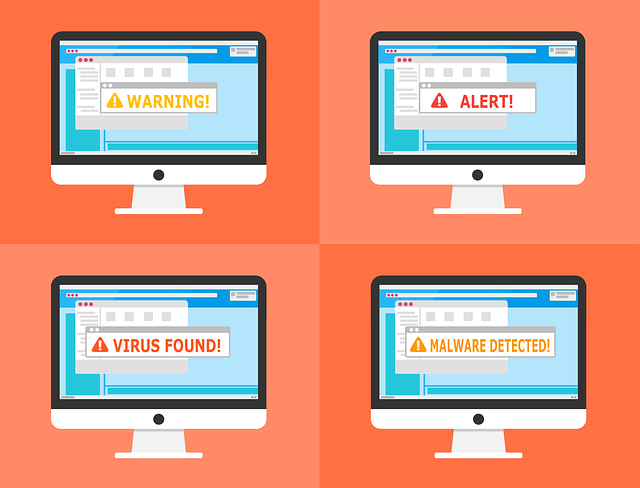
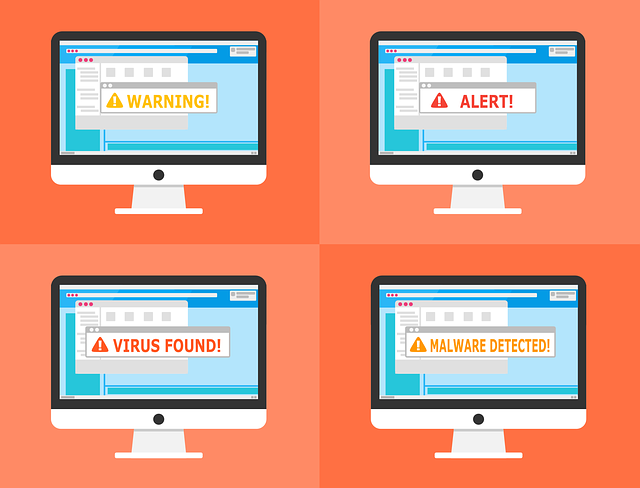
Unusual pop-ups on your screen are a common sign that your system is infected with malware.
Spyware is a sort of malware that collects and steals sensitive information from users without their knowledge.
In this case, the main issue isn’t only the numerous pop-up windows that disrupt your Web surfing. It’s also challenging to remove them from your computer.
These pop-ups are irritating and can be accompanied by other concealed types of malicious online threats that can do considerable damage to your operating system.
They may pose legitimate programs and track or monitor your online activities to collect passwords and other personal information.
Infected computers are commonly set up to react to things that aren’t controlled by an audio feed.
Armstrong foresaw “Things like warning chimes.” “When an error signal arrives, it is frequently followed by a warning message.
You won’t be able to view the window if you have certain forms of malware installed. However, the warning message – a background sound you did not initiate — may still be heard.”
If you regularly hear phantom chimes and bells from your computer, it may be infected with a virus or malware.
3. Random Connections to Unknown Websites
Another sign of a virus is when your legitimate antivirus application notifies you that software is trying to reach a site you’ve never heard of.
Your computer does not generally make connections by itself; someone must do it. It’s conceivable that malicious software made these links for you if you didn’t make them yourself.
4. Inability to Download Antivirus Programs or Updates
Even though malware is not a biological entity, some have been engineered to have a survival drive. Antivirus software like McAfee Vs Norton is the most popular way for a computer user to get rid of a virus.
Because of the virus’s architecture, you may be unable to download and install software or update an existing program. Some antivirus software solutions may create rescue disks to scan and clean an infected computer, although this can be time-consuming.
Take note on your computer to see if it’s running slower than usual.
“One of the most frequent frauds right now is something called ‘pay per install,'” Armstrong said. “In Russia and China, third-party companies allow [someone] to sign up for software by visiting their forums.
“So, to get the most money,” he said, “these people who try to trick you into installing rogue software will simultaneously put as much stuff on your computer as possible.” “And with all this malware and apps running simultaneously, you’ll notice a performance hit.”
6. Unexplained File or Folder Changes
Most of your files may be removed, or the icons and contents of your folders may be altered. Your computer can not make these changes to your data unless you have a virus or a technical problem.
7. Strange Running Processes
If you have somewhat more tech skills than the average user, you’re familiar with the Windows Task Manager.
If your computer is acting strangely or not performing as well as it should, you should periodically check the Windows Task Manager for any malicious apps running in the background.
Your system can be infected if a task name closely resembles a legal Windows process but doesn’t make sense.
How to Deal with the Virus and Malware Infected Your Computer
Check these easy security actions and implement them right away to avoid malware attacks.
Keep your system up-to-date with one antivirus only. Don’t download two or more antivirus software on your computer.
Always keep the virus scan on automatic mode at hourly intervals.
Always restart your machine in Safe Mode.
Only use Rescue CD for System Boot.
Check the antivirus feedback and website to see if it is trustworthy and well-performed.
Don’t click on any pop-up windows.
Don’t click on unknown emails.
When attempting to download free programs, use extreme caution.
Bonus Tip
Using a VPN is one of the best and most recommended security tips. A VPN helps you to encrypt your data and create a secure tunnel to bypass your traffic. It also hides your actual IP address, which means you will be invisible to these hackers and your own ISP.
Warning Signs: Is Your Computer Infected with Malware? – Your FAQs Answered
Malware can wreak havoc on your computer, stealing data, disrupting performance, and compromising privacy. Here’s a compilation of frequently asked questions to help you identify the red flags of a potential malware infection:
What are some indicators that my computer has been infected with malware?
Several signs can indicate a malware infection. Here are some common ones:
Slow Performance: If your computer has noticeably slowed down, taking longer to boot up, open programs, or load webpages, it could be a sign of malware hogging system resources.
Frequent Crashes and Freezes: Unexpected crashes, freezes, and system instability can be caused by malware interfering with your computer’s normal operations.
Suspicious Pop-Ups and Ads: A sudden influx of intrusive pop-ups, spam messages, or unfamiliar advertisements on your browser could indicate adware infection.
Unexplained Changes: Unexpected changes to your browser settings, homepage, or default programs might indicate malware tampering with your system configurations.
Unknown Programs or Files: If you discover unfamiliar programs or files you don’t remember installing, it could be malware that has infiltrated your system.
Network Activity: Unusual spikes in network activity, even when you’re not actively using the internet, could be malware transferring data in the background.
Security Software Alerts: If your antivirus or anti-malware software constantly notifies you of threats or has been disabled, it might be a sign of malware trying to evade detection.
Missing Files or Data: Malware can sometimes corrupt or delete your files. Important documents or photos going missing could be a red flag.
How can I be sure if my computer is infected?
While the signs above can be indicative, they don’t guarantee a malware infection. If you suspect malware, running a full scan with your antivirus or anti-malware software is crucial. Consider using a reputable malware removal tool for a secondary scan.
What should I do if I think my computer is infected?
If you suspect malware, take immediate action:
Disconnect from the internet: This prevents the malware from communicating with external servers or downloading additional malicious code.
Run a full system scan: Use your antivirus or anti-malware software to scan your entire system for threats.
Consider a secondary scan: A dedicated malware removal tool can provide an extra layer of protection.
Change passwords: Update your passwords for email, online accounts, and banking, as malware might have compromised them.
Back up your data (if possible): If safe, back up your essential files after removing the malware.
Stay vigilant: Maintain good security practices, like updating your software and avoiding suspicious links or attachments.
A Final Word
Early detection and response are critical in mitigating the damage caused by malware. You can protect your computer and safeguard your data by being aware of the warning signs and taking prompt action.
Several brands have planned that they need to make their TikTok online presence. TikTok is a brand new platform that several brands and marketers are unaware of its similarity to them or the chances it gives. In this article, we review the features of TikTok’s marketing methods.
It provides effective marketing tricks you can track to improve your marketing success on the platform.
Table of Contents
Basics Of TikTok
Nowadays, compelling videos serve as the heart of TikTok. However, if you plan to use the massive TikTok marketing, you need to start an account for your brand and use it to make by sharing some productive videos. TikTok videos can be of any length within one minute.
Therefore, you can craft short, catchy videos. This does not mean that you can change your 30-second TV ads to TikTok video content. You can record your videos in the app or externally by posting them to TikTok. You can also post music to include your video.
TikTok provides direct access to several music tracks and has a completely searchable database. You can attract people by using TweetPhoto for your TikTok profile, which will engage the real people in your community.
7 TikTok Marketing Tricks To Boost Ad Campaign
1. Use Perfect Hashtags
Like several other social platforms, TikTok users rely on effective hashtags to categorize their videos and search for clips by niche. Also, users tap on the Discover magnifying glass at the bottom of the display. Some of the advantages for a brand using the TikTok hashtags are below:
To magnify the reach of your content.
To find competitors.
To gain more followers.
Even though you need to add similar hashtags to your videos, you must reduce the most popular essential hashtags. Your videos should possibly become saturated in a sea of content. Having your videos stand out in slightly less popular fields is better.
Based on the marketing, you need to create your videos to display visible among those most relevant for your ad campaign.
Therefore, do not target the hashtags simply as they are famous. Don’t be eager to use 21 hashtags on TikTok; using them will take away the impact of your TikTok videos.
2. Follow Latest TikTok Trends
The second method is using hashtags along with your marketing methods, which helps keep an eye on your trending hashtags and events. You can then craft and share videos that connect to these trending videos. Always remember that these trends can be fast-moving.
So, check out the standard TikTok trends and be ready to modify your content to keep up with the crazy. Then, identify some methods to craft your TikTok video with definite concepts.
If you share your style of a trending video type, do not simply use your old videos that everybody else has done.
3. Collaborate With TikTok Influencers
Recently, some people are expected to become influencers on social media platforms. Generally, influencers develop a reputation for the quality of the content they post.
So, it yields several businesses to enhance productive working relationships with these people who leverage their capable audiences.
Working with influencers aims to grab the attention of authentic and engaging followers massively—meanwhile, the kick-off to buy TikTok likes helps to enhance your organic profile.
4. Start To Comment & Motivate Audiences To Post On Your Comments
Similar to several other social media platforms, TikTok assists regular user engagement rates. Comments are a fantastic method to accomplish this. Generally, you can develop conversations with your capable audiences.
TikTok ranks comments by the number of likes it gained, thus ensuring you think through your comments by creating them significantly.
Reduce making usual comments like excellent videos. Similarly, take the time to look at other users’ videos and make creative comments on their videos.
5. Post Frequently
TikTok is one of these social media platforms that honor regular posting. Therefore, the more videos you post for your TikTok profile, the higher your follower count will be.
Likewise, the more times you publish, the easier it will be for people to identify your profile and plan to follow you.
To make your TikTok profile famous, try to use TweetPhoto, which increases your visibility and reaches your fan base vastly.
6. Apply TikTok Effects On Your Posts
Just think: on the TikTok platform, there are millions of videos shared; you should perform something unique to stand out among the crowd. TikTok provides a massive range of effects to support this.
You can identify under the Effects Tab, change into Trending, New, Interactive, Editing, Beauty, World, and Animal category.
In addition, TikTok consists of a green screen effect that permits you to use the image of your option to replace the video background, as you can mostly look at television and in the movies.
7. Craft Fascinating Videos With Evident Descriptions
Unleash the full potential of your TikTok videos by utilizing the versatile TikTok video editor to craft visually stunning and engaging content with evident descriptions that will leave your followers wanting more.
The videos on TikTok can be within minute-long content, where you need not have long content to receive your message. However, you can make compelling TikTok videos by not simply posting bland ads.
Even if it is an official TikTok ad, you need to offer value to your audience and followers. You need your videos to be visually grabbing without looking like professional advertising experts have made them.
Even though there are several times that you can use your descriptions as a sneak-peek in several cases, you can add an evident description of what your video has to provide its viewers. Probably, craft up with words that audiences can feel that excites them to engage with comments.
Are These TikTok Marketing Methods Enough?
Writing a perfect description is also necessary for SEO uses. In essence, you need TikTok to understand your video when it ranks your videos and recommends it for your targeted audience.
Always remember to add your most essential keywords in your descriptions, but they have to make sense, and they should not be random groups of words.
You can review repurposing videos that you have made for YouTube, Instagram, Facebook, or Snapchat. But always remember to make them perfect for TikTok within a one-minute time limitation. Also, ensure that your video is ideal for the statistics you use to focus on TikTok.
Wrap-Up Points – TikTok Marketing Methods
You cannot look for yourself or anyone else for your business that is concerned about being continuously active on TikTok. You should target your videos in advance and plan them accordingly.
In this post, I will answer the question – should you trust VPN review sites? based on personal experience.
In the ever-expanding digital landscape, protecting your online privacy and security is paramount.
Virtual Private Networks (VPNs) have become a popular tool for achieving this goal, encrypting your internet traffic and masking your IP address. However, choosing the right VPN can be a daunting task.
Enter VPN review sites – supposedly objective resources that guide users through the maze of VPN providers. But can you blindly trust these online reviews?
Table of Contents
Should I Trust VPN Review Sites?
Let’s face it: wading through countless VPN options with varying features, pricing structures, and technical jargon can be overwhelming. VPN review sites seem to offer a solution.
They condense this information, presenting summaries, comparisons, and recommendations, aiming to simplify the selection process. Here’s why many users, including myself, initially find them appealing:
Time-Saving Efficiency: Reviews compile information from various providers, saving you the time and effort of visiting individual websites and sifting through technical specifications.
Simplified Comparisons: Features like comparison charts and rankings allow you to quickly assess pros and cons of different VPN services side-by-side. This can be especially helpful for users unfamiliar with VPN terminology.
User-Centric Approach: Many review sites boast user reviews and ratings, providing real-world experiences and insights beyond the marketing claims of VPN providers.
The Dark Side of Convenience: Potential Pitfalls of VPN Reviews
My own experience, where a recommended VPN download resulted in malware infection and data loss, serves as a cautionary tale. Unfortunately, the convenience of VPN reviews can be overshadowed by some significant drawbacks:
Bias and Conflicts of Interest: Not all VPN reviews are created equal. Some sites may be affiliated with specific VPN providers, creating a clear bias towards promoting their partners. This can lead to inflated ratings and positive reviews that don’t reflect the true performance of the VPN. Affiliate marketing programs incentivize these sites to push specific services, potentially overshadowing genuinely good VPNs that don’t participate in such programs.
Lack of Expertise: The quality and depth of reviews can vary greatly. Some reviewers might lack in-depth technical knowledge of VPN technologies and protocols, leading to superficial reviews that focus on user interface or basic features rather than core security aspects like encryption strength, logging policies, and leak protection. This can mislead users into choosing a VPN that doesn’t adequately meet their security needs.
Fake Reviews and Deception: The internet has its fair share of deception. Some review sites might create fake positive reviews or manipulate user ratings to promote specific VPNs. This makes it challenging to distinguish genuine user experiences from fabricated ones.
Beyond the VPN Reviews: Strategies for Informed VPN Selection
While VPN review sites can be a starting point, it’s crucial to approach them with a critical eye and supplement your research with other strategies:
Independent Testing Organizations: Look for reviews from reputable independent testing organizations that conduct rigorous assessments of VPN services. These organizations often employ technical experts who evaluate encryption strength, logging practices, speed performance, and other critical security features.
Privacy Policy Scrutiny: Don’t underestimate the importance of a VPN provider’s privacy policy. Carefully read the policy to understand how the company handles your data, whether they keep logs, and under what circumstances they might share your information. A good VPN provider should have a clear no-logs policy.
Community Forums and User Reviews: While user reviews on VPN websites can be unreliable, online communities and forums can offer valuable insights. Look for discussions on platforms like Reddit or specialized VPN forums. Here, you’ll likely encounter a mix of user experiences, both positive and negative. Analyze these reviews cautiously, but genuine user feedback can reveal practical issues or common problems associated with specific VPNs.
Focus on Your Needs: When evaluating VPNs, prioritize features that align with your needs. Are you primarily concerned with bypassing geo-restrictions for streaming content? Do you need a VPN with robust security features for work-related tasks handling sensitive data? Identifying your priorities helps narrow down your search and avoid getting swayed by irrelevant features.
Building Trustworthy Resources: The Responsibility of Reviewers
The responsibility for fostering trust in the VPN review landscape doesn’t solely lie with users. Here’s what VPN review sites can do to enhance their credibility:
Transparency and Disclosure: Sites should be transparent about their ownership, funding sources, and any affiliate marketing partnerships. Disclose any potential conflicts of interest upfront to avoid misleading readers.
Focus on Independent Testing: Invest in independent testing of VPN services, employing qualified technical experts to assess security protocols, performance, and data leakage.
Prioritize User Education: Move beyond simply listing features and delve into educating users about VPN terminology and functionalities. Understandably explain technical concepts, empowering users to make informed decisions based on their technical knowledge.
Standardized Review Process: Establish a clear and consistent review process outlining the methodology for evaluating VPNs. This can include criteria like encryption strength, logging policies, speed tests, server availability, customer support quality, and device compatibility.
User Feedback Mechanisms: Implement mechanisms for genuine user feedback. This could involve comment sections, forum integrations, or user surveys. While some negativity is inevitable, addressing user concerns openly demonstrates a commitment to improvement.
The Evolving Landscape: Staying Informed in the World of VPNs
The landscape of VPN services is constantly evolving. New features emerge, security vulnerabilities are discovered, and providers update their policies. To stay informed, consider these additional tips:
Follow Security News and Updates: Keep yourself updated on cybersecurity news and VPN-related developments. Reputable tech blogs and security news websites often publish articles on VPN vulnerabilities, privacy concerns, and emerging trends.
Periodic Reviews and Reassessments: Don’t assume your initial VPN choice will always be the best fit. Conduct periodic reviews of your VPN provider, especially after major updates or news about security breaches or privacy concerns. You might find a better option that aligns with your evolving needs.
Embrace a Skeptical Approach: Maintain a healthy dose of skepticism when encountering online information, including VPN reviews. Don’t rely solely on one source. Cross-reference information, prioritize independent testing results, and factor in your needs to make a well-informed decision.
Conclusion: Navigating the VPN Maze – A Collaborative Effort
Choosing the right VPN requires a collaborative effort. Review sites can offer a starting point, but their limitations necessitate a critical and discerning approach. By employing the strategies outlined above, users can become more informed consumers.
Transparency, independent testing, and a commitment to user education are crucial for VPN review sites to regain user trust.
Ultimately, combining user awareness, responsible review practices, and a focus on independent testing will empower users to navigate the world of VPNs with greater confidence and security.
This post will show you the 5 top cybersecurity books you must read.
Cybersecurity books have emerged as bestsellers for presenting real-life cybersecurity threats in an entertaining yet educating style.
A good cybersecurity book should not only entertain and inform you about cyber threats out there but should also guide you into recognizing cyber threats and how to protect yourself from the activities of cybercriminals.
Secure your digital footprint – read our review on OmniWatch, the tool designed to eliminate your personal information from the dark web and data broker platforms.
This list of the best five cybersecurity books was put together after consulting with Cybersecurity experts about cybersecurity books that will entertainingly present facts and real-life situations and guide you through practical steps for tackling emerging cybersecurity threats.
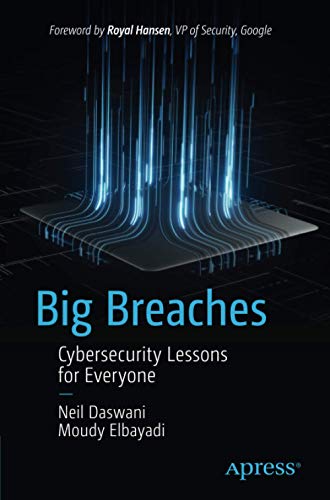
Tackling cybersecurity starts with understanding what cybersecurity is all about. This book explores cybersecurity, the steps taken to tackle cybersecurity, the big investments made, and the significant cybersecurity breaches in the past.
Significant breaches give an amusing exposition of hacking techniques such as phishing, malware, security vulnerabilities, etc., employed in modern-day cybersecurity breaches and how they affect our daily lives.
Therefore, you will get a good understanding of cybersecurity compromise and hacking, as well as preventative and countermeasures. You will also gain insight into maximizing cybersecurity in your home and organization.
In ‘Firewalls Don’t Stop Dragons, Carey will take you through the beginner guides on what to know and do to protect yourself in the cyber world in an entertaining style by avoiding as much jargon as possible.
This book is for you if you’re tech-savvy because you will learn how computers and the internet work together, revolutionizing the modern world and the real threats staring you in the face.
Every chapter of the book comes with a checklist of what to do using instructions and practical guides. The book contains more than 170 tips on protecting yourself and your family.
Part of what you will learn includes protecting yourself from identity theft, shopping, and banking online with maximum security, safeguarding your children online, etc.
Authentication and Access Control takes you through the origins of cryptography and authentication technologies to give you a good grasp of what authentication and access control are since they are your first line of defense against attacks.
The book covers different methods of authentication, including 2FA and multi-FA, Biometric authentication, etc. You will also learn about errors that can lead to compromises in authentication mechanisms, how to prevent them, and how to design and implement authentication mechanisms for a real-world situation.
This book provides everything you need to know about authentication and access control and how to safeguard yourself.
4. Cybersecurity Journal, by Meng, D. (Ed), and Liu, P. (Ed.)
Cybersecurity is a Journal that focuses on the key aspects of cybersecurity. It dwells on the most recent research results, real-world application of cybersecurity technologies, and cyberspace security issues published by top IT and cybersecurity professionals.
In this journal, you will find published articles about Hardware security, cybersecurity data analytics, software and system security, malware analysis, IoT security, etc. Hence, this journal provides you with up-to-date advances in the cybersecurity industry.
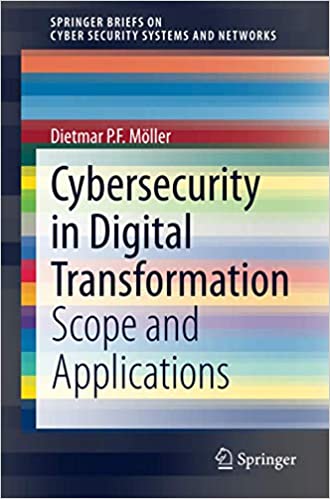
Cybersecurity in Digital Transformation focuses on the essentials of digital transformation and how to protect yourself against cybersecurity threats using modern-day methodologies, including Threat Intelligence, Threat Attack Profiling, Consequence Level, etc.
The book also dwells on the concept of digital transformation as a means of replicating and using digital technology to transform processes into intelligent outcomes (which can be programs and machines) with the ability to tackle cybersecurity threats.
Top Cybersecurity Books: Frequently Asked Questions
Which is your favorite book on cybersecurity?
As a large language model, I cannot have favorites. However, I can tell you that some of the books mentioned above are consistently rated highly by readers.
What are the 7 types of cybersecurity?
There isn’t a universally agreed-upon list of “7 types” of cybersecurity, but here are some core areas of focus:
Network Security: Protects computer networks from unauthorized access, intrusion, and disruption.
Application Security: Focuses on securing applications from vulnerabilities that attackers could exploit.
Information Security: Ensures information assets’ confidentiality, integrity, and availability.
Cloud Security: Securing data and applications stored or accessed through cloud computing environments.
Operational Security (SecOps): The practices and processes that ensure an organization’s systems and data security.
End-User Education: Educating users about cybersecurity best practices to identify and avoid threats.
Incident Response: Identifying, containing, and recovering from security breaches.
Similar to the types of cybersecurity, there isn’t a definitive list of precisely 5 areas. However, some critical areas include:
Critical Infrastructure Security: Protecting essential systems like power grids, transportation networks, and communication systems from cyberattacks.
Internet of Things (IoT) Security: Securing devices connected to the internet, such as smart home devices and industrial control systems.
Mobile Device Security: Protecting smartphones, tablets, and other mobile devices from security threats.
Data Privacy: Protecting personal information and ensuring its responsible use.
Cybersecurity Awareness and Training: Educating users about cybersecurity best practices to protect themselves and their organizations actively.
Conclusion
Great cybersecurity books are not limited to the five books discussed above. Hence, keep in touch with us for updates on the best-rated cybersecurity books to update you with the latest happenings in cybersecurity with a detailed step-by-step guide on how to stay protected.
In this post, I will show the #1 reason why organizations skip security.
Imagine you have the best recipe in the world for chocolate, and you decide to make a business out of it: you rent a place, buy the required machinery and hire the best manpower available.
You have spent all this time, money and effort, and then one day you find a problem in the main machine: under certain workload it starts to spill oil into the chocolate.
You browse the internet to see if someone else suffers from the same problem, and find some devices which eliminates the oil taste. You buy the device, but over time it cannot handle the increasing amount of oil and you buy another device which filters the chocolate.
Fast forward few years, and you are spending 20% of your budget on devices to control this oil leak which pollutes your quality chocolate. It’s a vicious circle, which demands more and more resources but will never fix the problem.
That is what’s happening with data security today: every year the bar for security rises, we spend more money on the latest and greatest technology, hoping to attain a better security posture, only to find more gaps in the next audit.
Table of Contents
A Common Mistake
It is easy for companies to fall into this vicious circle, because security is not their bread and butter; business should focus on making profit rather than on security.
Another reason is they cannot put production on hold in order to thoroughly address the problems, so they end up purchasing more and more tools, increasing costs and technical debt.
Very often it is not possible to drive such organizational changes from within the company, as it requires full collaboration from different teams, each busy focusing on their own field challenges.
A Different Approach
A different approach would be to hire a professional experienced with many similar use-cases who, knows the optimal path to address the problem.
This professional can also train and educate the relevant teams on the go, and create cloture and awareness which will help avoid these recurring problems.
The Key Takeaway
Organizations should focus on their trade, and leave security to the professionals. You might say that good security infrastructure is too expensive, but trust me – bad security infrastructure is much more so. At the end of the day, that’s what makes the business survive and trade for another day. Contact the professionals here.
Here, I will show you how to fix iPhone overheating problem in 6 easy steps.
One of the key issues with modern smartphones is never having enough storage space.
The newest iPhones do come with vast storage spaces, but for now, let’s look at how to clear some space on an iPhone for the power users with the help described below:
Table of Contents
1. Assessing how much space you have
Before you start deleting things, it’s important to know exactly how much space you have left. Open the settings app, click General, and click iPhone storage.
From here, you can not only see how much storage is spare, but what is currently taking up the current storage. Colour-coded are elements like apps, photos, iOS, media, and system data. This will help you direct your attention to what’s causing the issues.
2. Recommendations
Under this same storage tab will be a Recommendations header. This is an automated suggestion that can be a quick way to free up space. For example, the recommendation may be to remove 500 MB of duplicated photos.
3. Deleting Apps
You can see under the same settings page above which apps are the biggest culprits for taking up space. For example, TikTok can take up a lot (apps store temporary files like cache, among other things).
You could delete this app and reinstall it, or you could find a more permanent solution and delete any apps that you do not use or need.
4. Offload App
If you don’t want to delete an app permanently but it’s taking up a lot of space, you can click Offload app. This is a temporary way of getting rid of it and freeing up space, but the documents and data will remain on the phone.
Basically, reinstalling it will mean you go back to the current situation you have now as opposed to losing certain data.
5. Managing Photos
Media and photos are often what takes up a lot of space on a phone. If you’re using an iPhone newer than the model, it’s possible to enable High-Efficiency mode. This will help reduce how much storage is used for each picture despite retaining the same image quality. Go into settings, Camera, then Formats.
It’s also worth checking that your photos are being backed up on the cloud properly. If they are, then there may be no need to keep a local copy of them.
Head to the settings app and click on Safari. There will be an option asking if you want to Clear History and Website Data. This will free up some space regarding cache, which can take up a surprising amount of resources.
Stop being a hoarder
There are many things on our iPhone that are likely very old which we no longer need. For example, old text messages.
You can head to the Settings app and click Messages, press Keep Messages and change this to 30 days or 1 year as opposed to Forever.
These kinds of settings are great because they do the hard work for you down the line, making it a passive way to stay on top of your iPhone storage.
However, you should still head to old media files manually and check that there’s nothing there you no longer need too – like a season of Game of Thrones that you may have previously downloaded for a flight.
Now, you should be able to fix iPhone overheating problem.
This post brings you a review of zero-day exploits. Herein, we’ll show you its risks, detection and preventive measures, and the rationale behind the term “zero-day.”
A high level of risk is associated with zero-day exploits, with hundreds of software (and hardware) developers falling victim every year, losing millions of dollars in the process.
To get more information about this scourge, follow through this post. Read on!
Table of Contents
What Is Zero Day Exploit: Why Is It Called Zero Day?
A Zero-day exploit is a cybersecurity breach encountered less than 24 hours after discovering a leak or loophole in a program’s security setup.
Hackers get wind of a security breach in a typical zero-day exploit before the developers can muster up a fix. This occurs 24 hours between the discovery (of a vulnerability) and the first cyberattack (via the vulnerable point). This sums up the rationale behind the term “zero days.” When an attack is experienced after 24 hours of leak discovery, it becomes a “one-day exploit” or “N-day exploit”.
Besides, users of software/hardware discover security flaws all the time, and where necessary, such discoveries are duly communicated to the developers, who, in turn, plug the leaks as appropriate.
However, when a hacker(s) first discovers a security flaw, an exploit is imminent. This is because developers are unaware of the vulnerability and, thus, have no system in place to prevent resulting breaches.
The question, then, is: how can developers detect zero-day exploits?
How To Detect Zero Day Exploit
Unlike “N-day exploits”, which may continue after a leak has been plugged, zero-day exploit is limited to the first 24-hours. And while it’s generally difficult to prevent it, developers can put specific measures in place for early detection.
In addition, intrusion detection systems like IPSes and IDSes are insufficient for exploit detection/prevention. Hence, most developers adopt the “user behavior analytics” detection system, which analyzes users’ behavioral patterns. This analytical system marks out activities deemed “abnormal”, and classifies them as “risks” (of zero day exploits).
Furthermore, developers now have security pacts with prominent cyber researchers/experts. With this alliance, discovered flaws are withheld from the public and reported to appropriate quarters. This allows developers to develop a patch before hackers can exploit such vulnerabilities.
However, while significant detection systems have, thus far, recorded massive success, zero-day exploits remain a serious cybersecurity issue.
Risks Of Zero Day Exploit
Developers stand to lose a lot from zero-day exploits. Hackers can breach a software’s security without the developers’ knowledge. In the process, they gain access to privileged and susceptible information, which could be worth millions. Notable tech firms like Adobe and Microsoft have recently fallen victim to zero-day exploits.
Similarly, it’s on record that notorious cybercrime groups like the state-backed Chinese cybercrime syndicate – APT41 – have launched several cyber attacks on some high-profile developers. As reported by FireEye, game developers could be the next target of these cyber exploits by APT41.
In a nutshell, victims run the risk of losing valuable data, money, and reputation. Hence, all efforts should be made to plug/patch leaks as soon as they are discovered.
How To Protect Against Zero-day Attacks
Here are ways to protect your computer device against zero-day attacks:
Vulnerability Scanning
Vulnerability scanning is done to discover the holes in your security before an outsider does. The scan can be performed by your tech team or contracted to firms specializing in vulnerability scanning. Sometimes, hackers also do it to detect the vulnerability in the network.
There are two ways vulnerability scans can be done: authenticated and unauthenticated
It is recommended that both types of scans are carried out to ensure that the software vulnerability is detected and addressed.
Be Aware Of The Latest Threats
A security patch should be developed and rolled out when vulnerabilities are discovered in software or networks. This should be done quickly, and the software upgrade should be made available as this cuts down the risk of zero-day attacks.
Kaspersky has a Kaspersky Threat Intelligence Portal, which has documented over 20 years of data on cyber-attacks, threats, and insights. Kaspersky Anti-Tached Attack Platform also helps detect threats at an early stage.
Why Do Vulnerabilities Pose Security Risks?
When mistakes happen during software development and building apps and websites, they are referred to as bugs.
These bugs are harmless, only that they affect the general performance of the software, app, or website. But when these bugs are discovered by hackers and exploited, they become a vulnerability and pose a security risk for the whole network.
Exploiting these vulnerabilities could leak sensitive data, system failure, deletion, or tampering with data and other risks. This can impact the company’s finances or reputation.
What Makes A Vulnerability A Zero-Day?
When bugs considered harmless are discovered by hackers and exploited, they become a vulnerability.
When hackers exploit and expose this vulnerability before the software vendor can update or create a patch, it is called zero-day because the vendor has zero days to fix the issues discovered and already exploited by the hackers.
Why Are Zero-day Exploits So Dangerous?
The vulnerability might have been discovered for long and exploited by the hackers before the vendor. When the vulnerability is discovered, updates and patches are worked on; exploitation continues if the patch and the update have not been downloaded.
Big corporations usually are the worst hit as they take time before they update their networks when vulnerabilities are discovered and worked on. Hackers look for n-day vulnerabilities to exploit, and every software or app that has not been updated or patched is a target.
What Is A Software Vulnerability?
As mentioned earlier, some mistakes are made in the process of programming software. These mistakes might be a result of tight deadlines and other things.
These mistakes are called bugs and become vulnerabilities when discovered by hackers.
When this software is released, the programmers and developers will get users’ feedback to know the problems. These problems are then addressed, and fixes come in patches and updates.
What COVID-19 Taught Us: Prepping Cybersecurity For The Next Crisis?
There are predictions that the next big crisis might be climate and global cyberattacks. The COVID-19 pandemic took everybody unawares, including businesses.
The pandemic forced states and businesses into lockdowns, and we saw the proliferation of remote work. Remote work initiatives employed by most organizations brought with it security challenges as devices used by employers were susceptible to hacks.
One way to prepare for the next crisis is to be prepared; the response time in the case of a global cyberattack is critical to arresting it before it spreads too far. This was evident in the quick response of a few states and how they could arrest the spread.
The world has become a global village, and boundaries have been eroded. The pandemic has shown us that multilateral cooperation is the best way to arrest any biological or cyber pandemic.
There is also a need to plan a strategy that will make it possible for the activities of corporations and governments to continue in case of a global cyberattack. The world is going digital, and any cyberattack will have disastrous effects without backup.
How To Prevent Zero Day Exploit
As pointed out earlier, detecting imminent exploits is tough; hence, prevention is generally more difficult without a viable detection system. Nonetheless, specific measures can be implemented to curb or at least minimize the effects of these cyber attacks.
Here are some of the preventive measures:
Deploy intrusion detection systems.
Encrypt network traffic using the IPSec – IP security protocol.
Run regular drills and checks to discover potential zero-day vulnerabilities
Deploy NAC to control access to sensitive areas of a program’s development hub.
Zero Day Exploit: Frequently Asked Questions
The term “zero-day” can sound scary in the cybersecurity world. Let’s summarize what it means and answer some common questions to illuminate this critical topic.
What is a zero-day exploit?
A zero-day exploit is a previously unknown software, hardware, or firmware vulnerability that attackers can leverage to gain unauthorized access to systems or steal data. The “zero-day” refers to the fact that software vendors or hardware manufacturers are unaware of the vulnerability, giving them zero days to develop a patch or fix.
What is the most famous zero-day exploit?
There have been many infamous zero-day exploits over the years, but some notable examples include:
Stuxnet (2010): A complex worm that targeted industrial control systems used in Iranian nuclear facilities.
Heartbleed Bug (2014): A vulnerability in the OpenSSL encryption library that could have allowed attackers to steal sensitive information.
WannaCry Ransomware Attack (2017): Exploited a vulnerability in Microsoft Windows to spread rapidly and encrypt user data, demanding ransom payments.
What is an iOS zero-day exploit?
A zero-day exploit can target any software, including mobile operating systems like iOS. These exploits are particularly concerning because mobile devices often contain personal and professional data.
What is a zero-day attack in real life?
Imagine a thief discovering a weakness in a building’s security system (a zero-day vulnerability) before the owner is aware. The thief exploits this weakness to break in and steal valuables (the attack). This is analogous to a zero-day attack in the digital world.
How much are zero-day exploits worth?
The value of a zero-day exploit can vary depending on its effectiveness, the target software, and the potential impact. Some zero-day exploits can fetch millions of dollars on the black market, especially those targeting widely used software or critical infrastructure.
How much does a zero-day exploit cost?
There’s typically no way to purchase a zero-day exploit for a legitimate user. They are often discovered and stockpiled by governments or criminal organizations. Ethical researchers may responsibly disclose zero-day vulnerabilities to software vendors, allowing them to develop a fix before it falls into the wrong hands.
What does zero-day stand for?
“Zero-day” refers to when a software vulnerability is discovered and when a patch is available to fix it. In essence, developers have zero days to address the issue before attackers can exploit it.
Can zero-day attacks be stopped altogether?
Unfortunately, completely stopping zero-day attacks is very difficult. By nature, they are unknown vulnerabilities, making them challenging to defend against. However, there are steps you can take to minimize the risk.
What are the risks of zero-day attacks?
Zero-day attacks can have severe consequences. They can be used to steal sensitive data, disrupt critical systems, or even compromise entire networks.
Who are the targets for zero-day exploits?
Targets can vary. High-profile organizations like governments and businesses are often targeted, but individuals can also be vulnerable. Attackers might target specific users with access to valuable information.
What are three solutions to prepare for zero-day exploits?
Here are three ways to improve your preparedness:
Software Updates: Keeping your operating system, applications, and web browsers up-to-date with the latest security patches is crucial.
Security Awareness Training: Educate employees about cybersecurity best practices, including being cautious of suspicious links or attachments.
Security Software: Use reputable antivirus and anti-malware software to add an extra layer of protection against potential threats.
What is a Chrome zero-day exploit?
A Chrome zero-day exploit is a specific zero-day vulnerability that targets the Google Chrome web browser. These exploits allow attackers to access a user’s system through the browser. Keeping Chrome updated and practicing safe browsing habits can help mitigate this risk.
Conclusion
In conclusion, zero-day exploits represent a significant threat in the cybersecurity landscape. They prey on unknown software vulnerabilities, leaving little to no time for defense before attackers can exploit them. The “zero-day” terminology aptly describes this critical window of opportunity for attackers.
The potential consequences of zero-day attacks can be severe, ranging from data breaches to system disruptions.
However, you can significantly reduce your risk by staying informed about these threats, prioritizing software updates, and implementing security best practices. Remember, cybersecurity is an ongoing process. Vigilance and a proactive approach are crucial to staying ahead of these ever-evolving threats.
Share your cyber threat experience with us by commenting below.
This post will show you how to clean up and revive your mac efficiently.
Let’s wind back a few years when you first bought your Mac computer. You were happy and excited to work with your new device, knowing about all the fast processing and safety features you would get.
Coming back to your present scenario. Your Mac has become exceptionally slow and sluggish. And you keep wondering why this is happening with your machine.
If you are a frequent Mac user, you should know that your apps will regularly consume your memory resources over time. As a result, de-accelerating your device’s performance. Issues like hard drives packed with duplicate and junk files, slow internet, and performance lag become pretty noticeable.
But to quickly resolve these problems, all you need to do is apply some quick fixes, as mentioned below. Let’s get started!
Every Mac user is susceptible to the unexpected creation of duplicate files. These tiny files can be a big problem for you and your device. It usually happens because the photos app on your iOS and macOS are synched.
So, when you manually transfer your photos from your iOS device to your Mac, you unknowingly start creating duplicate files.
To effectively deal with this problem, you can download third-party software that assists you in finding duplicate files from your device.
You can quickly find a download link and clear out all the junk created by duplicate files on your device. This will enable your device to start performing considerably better than before.
A few applications on your device may have set themselves as a “startup item,” which allows them to run every time you log in to your device. These startup items slow down your device’s booting process, ultimately resulting in performance issues.
To discover all these items affecting your device, navigate to Apple Menu > System Preferences > Accounts > Login items. You can find a long list of items you don’t use there.
To remove these items, choose the item, click on its name, and then click on the minus button at the bottom of the list. However, remove only the items you are not using anymore. Since removing a functioning item may disrupt a vital function of your computer.
Once you disable these items, make sure you reboot your computer. This simple fix can significantly improve the performance of your device.
#3 Get the Latest Software Updates
If your device is out of sync with the latest software versions, especially macOS, you’ll face several performance issues.
Make sure you install all the latest security updates, patches, and software updates along with the newest version of macOS.
These updates will enhance your system’s performance and improve your privacy and security settings.
Bringing Your Mac Back to Life: Your Frequently Asked Questions Answered
Over time, Macs, like any computer, can accumulate clutter and slow down. But fear not! Here’s a comprehensive FAQ to help you efficiently clean up and revive your Mac:
How can I clean my Mac and make it faster?
Here are some key strategies to boost your Mac’s performance:
Storage Management: Use the built-in “Storage” feature to identify space hogs. Delete unnecessary files, downloads, and old applications. Consider external storage solutions for large media files.
App Appraisal: Review your installed apps. Are there any programs you no longer use? Uninstalling them can free up disk space and system resources.
Tame Startup Programs: Prevent unnecessary programs from launching at startup. Go to System Settings > Users & Accounts > Login Items and uncheck any programs you don’t need to start automatically.
Safari Cleanup: Clear your browsing history, cache, and cookies in Safari to free up space and potentially improve browsing speed.
How do I clean and restore my Macbook?
There are two main approaches:
Software Cleanup: Follow the above steps (storage management, app appraisal, startup items, Safari cleanup) for a software-based refresh.
System Restore (Advanced): Consider a system restore if your Mac experiences significant performance issues. This erases your data and reinstalls the operating system. Back up your data before attempting a system restore.
How do I clean my Macbook effectively?
Physical Cleaning: Use a microfiber cloth to wipe down the screen and keyboard for external cleaning. Compressed air can help remove dust from vents. Avoid using liquids directly on your Mac.
Software Maintenance: Regularly update your macOS and applications. This ensures you have the latest security patches and performance improvements.
How do I bring my Mac back to life?
A combination of the steps above can revitalize your system for a sluggish Mac. Declutter your storage, remove unused apps, tame startup programs, and keep your software up-to-date. If the issue persists, consider seeking professional help.
How to clear RAM on Mac?
While macOS manages RAM automatically, there are manual methods. However, these are often unnecessary and can even harm performance. As mentioned earlier, the best approach is to focus on freeing up storage space. This indirectly reduces the burden on RAM.
Conclusion
Now, you should be able to clean up and revive your Mac efficiently.
Following these tips and building a cleaning routine, you can keep your Mac running smoothly for years.
Working on a sluggish device can significantly affect your productivity. However, the solution to these problems is easier than you can imagine. With the help of the fixes mentioned above, you can revive your Mac even after years of working with it.