Windows 7 support ended on the 14th of January, 2020. However, most Windows users are still reluctant to upgrade their Windows 7 PCs to the supported versions, Windows 8, 8.1, and 10. This is because Windows 7 served them better, so they prefer to use it forever.
Windows 7 has twice as many users as Windows 10 and dominates the OS market, powering 55% of computers. For some reason, which may be due to the simplicity and speed of the system, Windows 7 has come to stay.
Using Windows 7 forever is not difficult, and getting secure on the computer without the effects of computer malware is the issue. Here are tips on how to continue using Windows 7 safely.
Technically, you can still use Windows 7, but it’s strongly discouraged. Microsoft ended support in January 2020, meaning the Operating System no longer receives security updates. This makes your computer vulnerable to malware, viruses, and other cyberattacks.
Upgrading to a newer version of Windows, like Windows 10 or 11, is the safest option. These offer ongoing security updates, improved performance, and compatibility with the latest software and hardware.
While you can still use Windows 7, doing so exposes your system to security vulnerabilities, malware, and compatibility issues with modern software. Some third-party security tools can help, but they won’t fully protect you.
If you must use Windows 7, avoid connecting to the internet or handling sensitive data. Upgrading to a newer version like Windows 10 or 11 is the safest option for security, performance, and compatibility.
How to Use Windows 7 Forever
1. Disable auto-update to Windows 10
The first step towards permanently being hooked to Windows 7 is ensuring the software is not upgrading. By default, Windows computers are set to upgrade to the latest version automatically without notifications.
While the update to the latest Windows might have been bypassed, it is essential to turn off auto-update for extra confidence.
The following steps must be followed to turn off the auto-update for Windows 7.
Navigate to The “Computer Configuration” option, which is on the computer, and select it.
In the next screen, click Policies, then Administrative Templates, and select “Windows Updates”.
Double-click on “Turn off the upgrade to the latest version of Windows through Windows Update,” and you don’t have to worry about automated upgrades anymore.
If the upgrade is already there, you can still reverse it.
While withdrawing support for Windows 7 also means that many security software may discontinued. It is essential to find alternative security tools, as most of the ones that support Windows 7 before its end-of-life may not be sorted anymore after support for the operating system ends.
You should expect Microsoft Security Essentials to run for some time after support stops. However, soon enough, it will also discontinue. When it discontinues, a general recommendation is switching to an alternative security app for effectiveness.
It is best to use decent antivirus software to protect against malware adequately. Also, most third-party antivirus software should run for some time after Windows 7 End-of-Life. Getting an antivirus with a good reputation is imperative for security from malware.
Apart from general security services, internet security is also essential. For maximum protection, it is best you don’t use Internet Explorer. This is because it will stop receiving security patches and upgrades since Windows 7 End-of-Life, as it is a part of the Windows package.
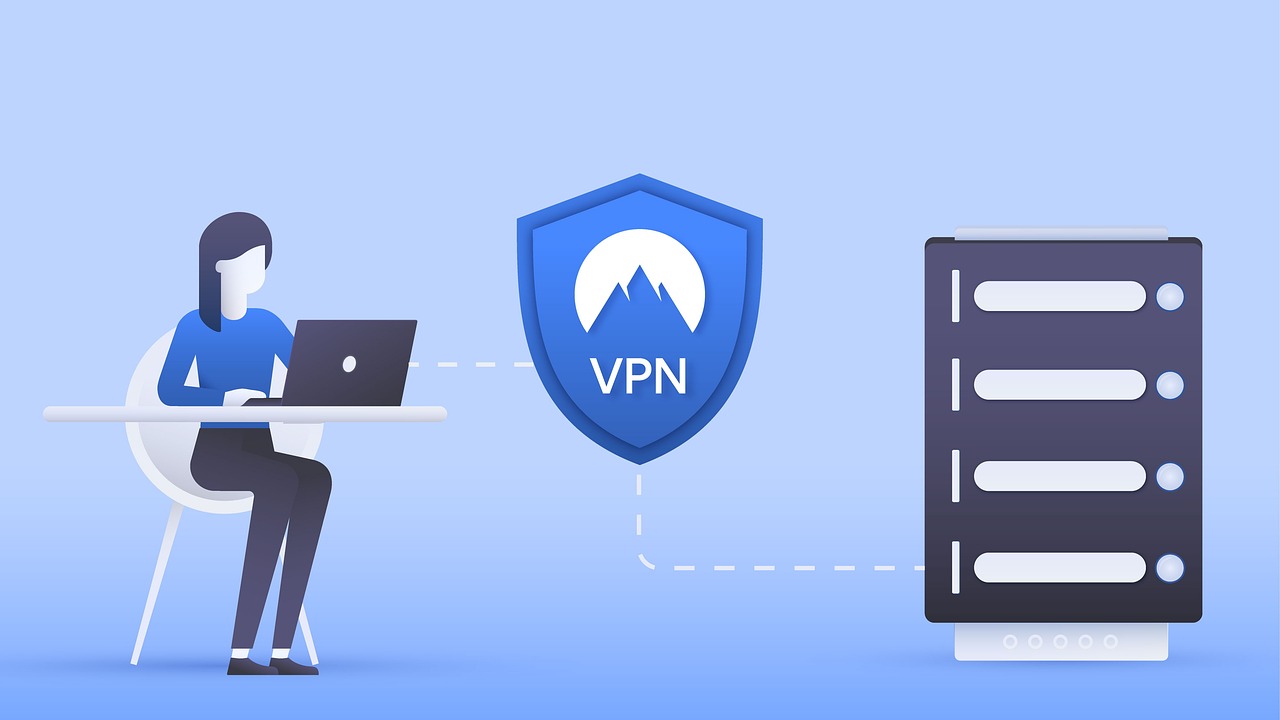
Using a private browser with a VPN is helpful when sticking to Windows 7. This is because computers are prone to security risks, and encryption ensures security, even if it is a breach.
Once good security practices are in place and you safely back up the files, Windows 7 can be used continuously, albeit with its risks.
Using a Virtual Machine to Run Windows 7 Forever
While Microsoft no longer supports Windows 7, there’s a safe and secure way to keep using it: Virtual Machines (VMs). Here’s why VMs are a better option than sticking with an unsupported OS:
Security: VMs create a virtualized environment, isolating Windows 7 from your primary operating system. This means malware or vulnerabilities in Windows 7 won’t affect your central system.
Updates: You can run your main OS with all its security updates while using Windows 7 within the VM for specific purposes.
Flexibility: You can easily create backups of your VM, allowing you to restore it to a clean state if needed.
Here’s a basic overview of how to use a Virtual Machine to run Windows 7:
Choose a Virtualization Software: Popular options include VirtualBox (free) and VMware Workstation Player (free for personal use).
Install the Virtualization Software: Follow the installation instructions for your chosen software.
Download a Windows 7 ISO: Obtain a legitimate Windows 7 ISO file (installation disc image).
Create a New Virtual Machine: Use the virtualization software to create a new VM, allocating sufficient RAM and storage space.
Install Windows 7 on the VM: Use the downloaded ISO to install Windows 7 within the virtual machine.
Install Guest Additions (Optional): These drivers improve performance and functionality within the VM.
Important Considerations:
System Resources: Running a VM requires a portion of your computer’s processing power and memory. Ensure your system has enough resources to handle both the VM and your main OS smoothly.
Activation: You’ll need a valid Windows 7 license to activate the OS within the VM.
Security Software: Consider installing a lightweight antivirus within the VM for additional protection.
Using a virtual machine allows you to continue using Windows 7 for specific tasks in a secure and isolated environment, mitigating the security risks associated with running an unsupported operating system directly on your computer. However, remember that software compatibility within the VM might be limited.
Important Security Warning: Using Windows 7 is No Longer Recommended
Microsoft officially ended support for Windows 7 in January 2020. This means the operating system no longer receives security updates, making it vulnerable to malware, viruses, and other cyberattacks.
Potential Risks of Using Windows 7
Increased Security Risks: Without critical security patches, your computer becomes an easy target for hackers. Malware and viruses can steal your personal information, damage your data, or even take control of your system.
Software Compatibility Issues: Newer software applications and hardware drivers might not function correctly on Windows 7.
Limited Technical Support: With Microsoft halting support, finding technical assistance for Windows 7 issues becomes challenging.
Alternatives to Consider
Upgrading to a newer version of Windows, such as Windows 10 or 11, is strongly recommended.
These operating systems benefit from ongoing security updates, improved performance, and compatibility with the latest software and hardware.
If Upgrading Isn’t Possible:
If upgrading your operating system is not an option, here are some precautions you can take to minimize risks (but still not a recommended approach):
Disable Automatic Updates: While not ideal, disabling automatic updates for Windows 7 can prevent an unwanted upgrade to Windows 10. However, remember this means you’ll miss crucial security patches.
Use a Reputable Antivirus: A good antivirus program can help detect and block some malware threats. However, even the best Antivirus won’t fully protect an unsupported operating system.
Use a Secure Browser: Avoid using Internet Explorer, which no longer receives security updates. Consider a secure browser like Chrome or Firefox, which may continue functioning on Windows 7 for some time, but updates might become limited.
Practice Safe Browsing Habits: Be cautious when clicking on links or downloading files, especially from unfamiliar sources.
Regular Backups: Back up your important data regularly to an external drive in case your system gets compromised.
Remember: These precautions offer limited protection and cannot guarantee complete security on an unsupported operating system. Upgrading to a supported operating system remains the safest option.
For some reason, most people prefer sticking to the good old Windows 7 instead of upgrading.
Windows 7 is highly risky to use due to the absence of security patches, but if one desires it, the usage is possible, as explained in the article. If you still prefer to migrate from Windows 7 to 10, here is a good guide that will assist you in doing it right.
In this HotBot VPN review, we will examine its features, apps, pricing, etc. Read on…
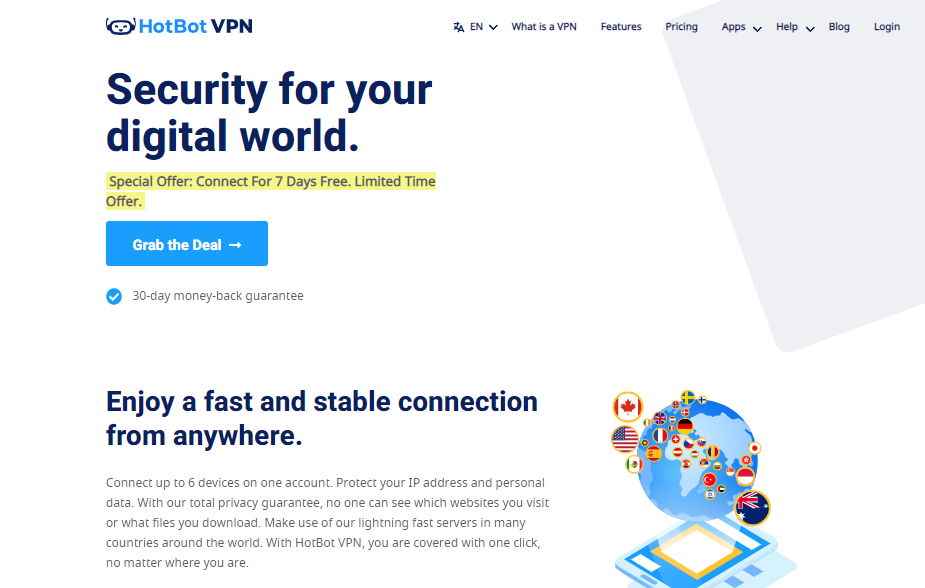
HotBot is a VPN service that’s marketed as a fast, easy way to unblock websites and protect your privacy online.
The company claims that this app can give you unrestricted access to all of your favorite sites, keep prying eyes out of your browsing history, and help you bypass geo-restrictions on streaming sites like Netflix and Hulu so you can enjoy them wherever you go.
Does HotBot live up to these high standards? Or is it just another gimmicky virtual private network with promises it can’t keep? Let’s take a closer look at this service and see if it’s worth the time or money.
Keep reading this HotBot VPN review to discover if HotBot VPN is ideal for you.
What Is HotBot VPN?
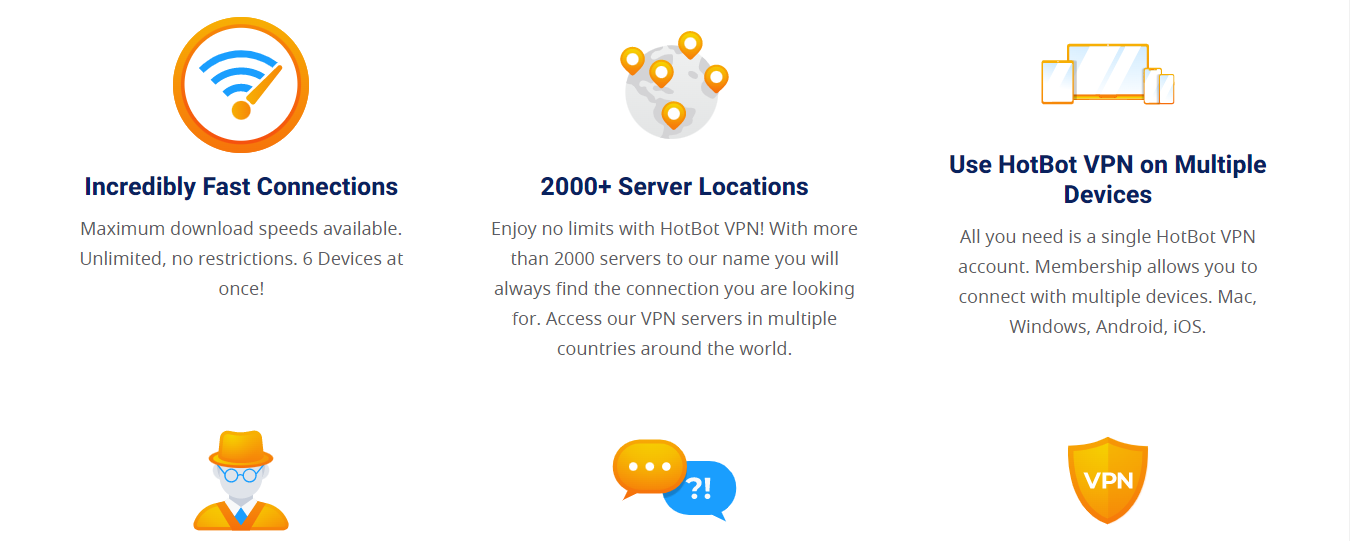
HotBot VPN is a VPN service provider that focuses on providing online privacy for its users through the use of its more than 2000 VPN servers (private networks) to make the internet a safer place.
HotBot wants you to browse the internet without worrying about hackers on your trail or third-party hackers collecting data about your device and browsing activities to serve you with tailored ads even when connected to unsafe WiFi networks.
Asides from making you safe and anonymous online and guaranteeing data safety and security, HotBot intends to become the number 1 VPN for streaming entertainment, news, or sports content from geo-blocked streaming platforms like Netflix, Disney+, ESPN, etc. and also become the first choice for safe torrenting at fast speeds.
That can be a reality if HotBot improves its unblocking abilities to compete favorably with top VPN providers.
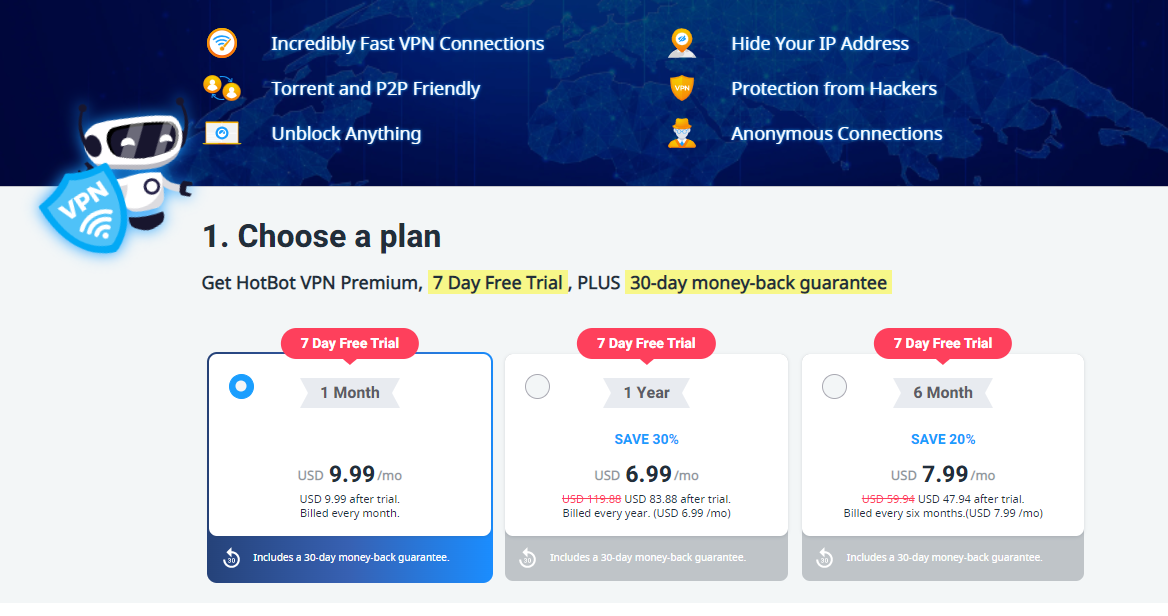
Visit the HotBot official website to select a plan. Selecting any HotBot VPN plan entitles you to a 7-day free trial and a 30-day moneyback guarantee, except for the monthly plan, which entitles you to a 7-day trial only.
Create a HotBot VPN account using your email and select a payment method
Fill in your payment details and ‘Start Free Trial.’
Proceed to download the HotBot VPN app and log in with your account details.
HotBot Key Features
User interface
HotBot has a clean, simplistic, and user-friendly interface for all its apps. A centrally-placed connection button automatically connects you to the nearest and fastest server; beneath the large connect button is a connection status that displays information about the location and server you’re connected to.
At the bottom of your home page lies the Home, Location, and Menu navigation tabs to navigate between the Home page, Server list, and Settings. The Menu tab gives you access to HotBot’s VPN settings, where you can customize your VPN setup, and the ‘Privacy” tab, where you can configure your Kill Switch and turn it on or off.
Overall, HotBot has a simple and less-cluttered interface that makes it easy to use even for everybody.
HotBot uses the IKEv2 VPN protocol, one of the oldest, fastest VPN protocols in use. I was hoping that HotBot would offer a more advanced option that balances speed with security like the WireGuard VPN protocol, or a widely used OpenVPN protocol, both of which are presently the industry’s standard.
Security
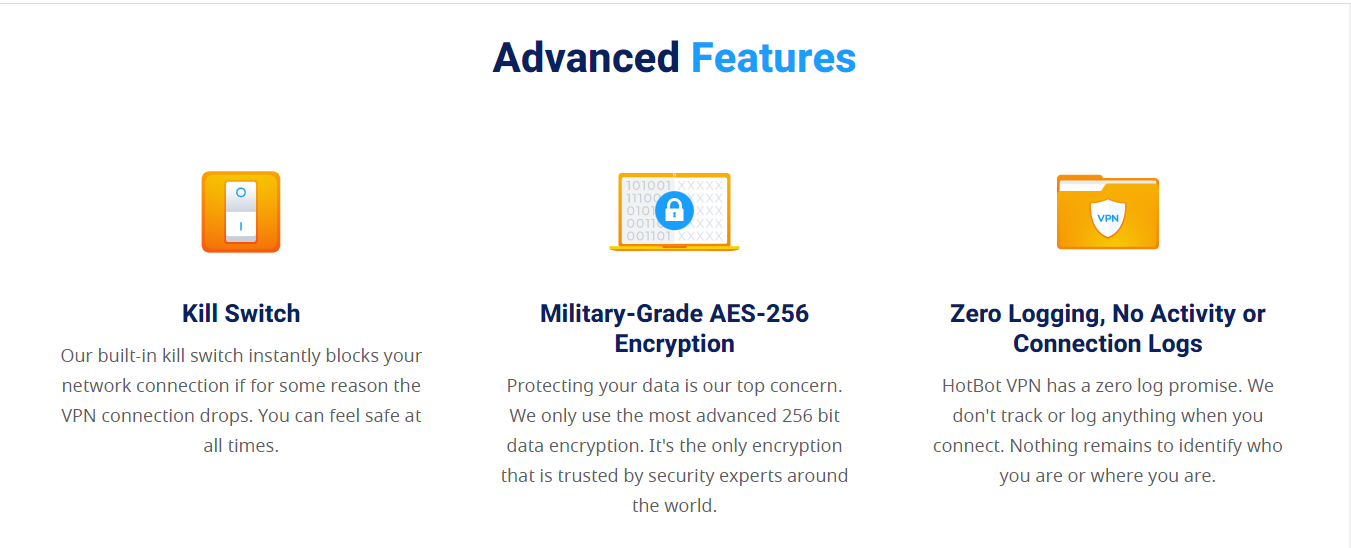
HotBot uses the military-grade AES-256 bit encryption protocol, which remains the best and strongest encryption protocol in use. This implies that no hacker, spy, ISP, or other unauthorized third parties can intercept and decrypt your data traffic while in transit, even when browsing unsecured public WiFi networks.
Speed and server networks
HotBot is a speedy VPN like Surfshark VPN. My speed test results were really impressive. I tested HotBot’s servers in 3 countries: The US, UK, and Australia. Except for the Sydney server, which recorded over a 30% drop in speed, I had less than a 15% drop in speed for the US and UK servers.
Starting with a base download speed of 60Mbps, and 10ms ping, I recorded a download speed of 52Mbps and 25ms ping on the UK server, 56Mbps and 95ms ping on the US server, and 36Mbps and 307ms ping on the Australia server.
This result shows that HotBot has a decent enough speed to support fast download, streaming, torrenting, and gaming, although gaming with HotBot VPN on the Australian server may not be a fantastic experience due to the relatively high ping rate, as I admitted earlier, HotBot competes favorably well in terms of speed with top VPN providers.
When it comes to server coverage, having more than 2000 servers spread worldwide makes HotBot a VPN service with a moderate server network, but not enough to compete favorably with top VPN providers with more than 6000 servers in over 97 countries worldwide.
You’re sure of connecting to a fast Hotbot VPN server wherever you are, but with a few exceptions like China, where VPN services are blocked by China’s Great Firewall.
Streaming
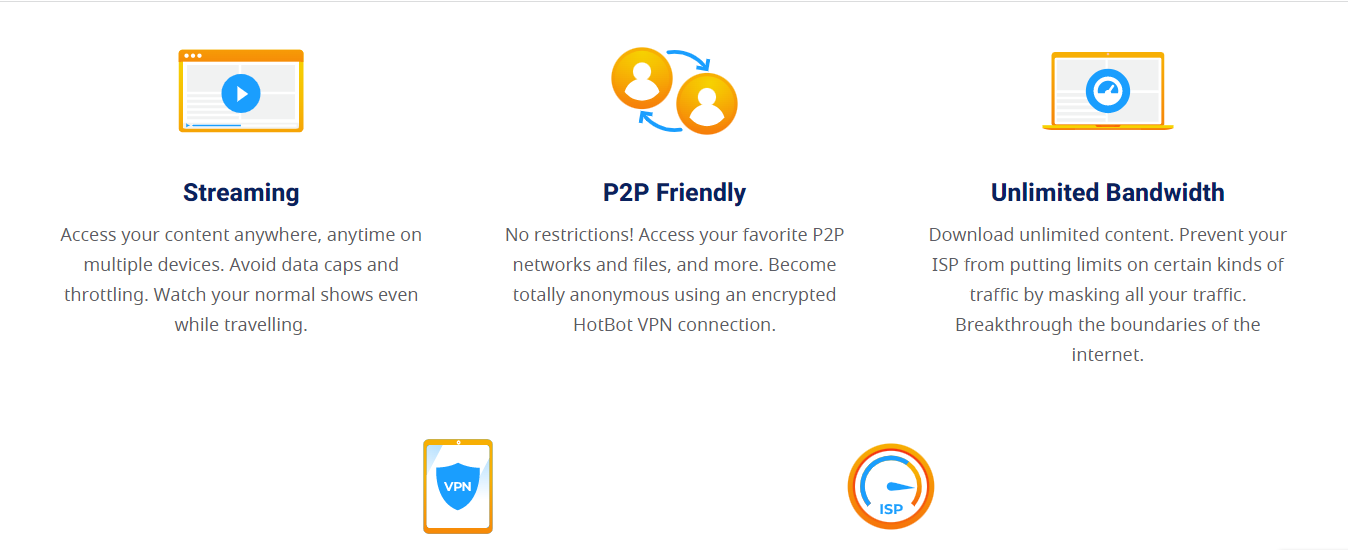
HotBot’s streaming test result wasn’t impressive. It can unblock popular streaming channels like Netflix US, Hulu, HBO Max, Peacock TV, and Disney+. Also, it unblocked Spotify, BBC iPlayer, Prime Video, Fubo, and other streaming channels, which serve perfectly as alternatives for much-loved streaming platforms.
Torrenting
HotBot is a good VPN for torrenting. Almost all HotBot’s servers support torrenting; however, if you’re torrenting over a HotBot server that does not support P2P, it will automatically reroute your data traffic to a Hotbot P2P-optimized server.
Overall, you can enjoy fast and secure P2P torrenting on HotBot servers.
Leakproof
My leak test came out negative. HotBot effectively blocked webRTC, DNS, and IPv6 leaks. Hence, no IP or location leaks was detected while connected to the internet over HotBot VPN.
Kill switch
Interestingly, HotBot has Kill Switch for all its VPN apps. This means that your data traffic is protected from accidental data exposure over the unsecured internet by automatically cutting off your internet connection when your VPN connection trips off suddenly until your VPN connection is re-established. However, this feature is off by default; hence you have to turn it on manually under ‘Privacy’ settings accessible from the menu tab.
Simultaneous device connections
HotBot allows up to 6 simultaneous device connections to a single HotBot VPN subscription. This is fantastic, but I am disappointed as HotBot does not support routers. This means I cannot secure devices on my home or office network, and I have to install the HotBot VPN app manually on all devices, not exceeding six devices per subscription.
No-log policy
HotBot VPN operates a strict ‘no-logs’ policy. They do not collect your IP, location, browsing history, bandwidth, etc. However, HotBot collects diagnostics and performance data with your permission.
You can download HotBot apps for the following platforms and OS
Windows
Mac
Android
iOS
HotBot VPN Customer Service and resources
You can connect to HotBot’s 24/7customer services via the following channels:
Email support: help@hotbot.com
Ticket support
FAQs: HotBot’s FAQ is quite helpful in addressing various customer complaints and issues by providing well-categorized FAQs, which include Troubleshooting, Connection, Account, Privacy, and Billing FAQs.
For this HotBot VPN review, I had to reach their support team through several channels. Although I got answers to my inquiries via email and ticket support channels in less than 12 hours, I would like to see HotBot introduce LiveChat and phone support for instant response.
HotBot VPN Pricing Plans
HotBot is relatively affordable compared with some of the top VPN providers. Its monthly plan costs $9.99 while its 6-month plan costs $47.94 at a monthly rate of $7.99, and its yearly subscription plan costs $83.88 per year at a monthly rate of $6.99.
Unlike other top VPN providers, HotBot does not have more flexible pricing options like the 2, or 3-year subscription plans. This means you have to make do with its yearly subscription plan, which is expensive compared with 2, or 3-year plans offered by other top VPN providers.
Yes, HotBot VPN is safe to use on all supported devices and platforms. HotBot uses the military-grade encryption protocol to protect users’ data from unauthorized interception, and its kill switch prevents accidental data exposure.
It is a leakproof VPN service that ensures that your IP address and location are not leaked by any means possible while you’re connected to its VPN network. Also, its no-log policy ensures that your online activity remains safe and protected even from law enforcement and unauthorized server hijacks.
A Final Word On The HotBot VPN Review
In conclusion, HotBot is a secure and speedy VPN service that guarantees total privacy and data protection while you’re connected to any of its VPN servers.
Its simplistic user interface, leakproof feature, kill switch, multi-device connectivity, P2P support, many servers, and secured encryption protocol make HotBot a recommended VPN service. However, I will like to see HotBot improve its streaming ability.
In this IPVanish VPN Antivirus review, you will find out all about the software and how it works.
In today’s digital age, having a reliable VPN and antivirus software has become a necessity. With cyber threats on the rise, protecting your online identity and data has never been more important. This is where IPVanish VPN comes in.
IPVanish is a popular VPN provider that offers advanced security features to keep your online activities safe and anonymous. But how does its antivirus software stack up against the competition?
In this post, we’ll take a closer look at IPVanish VPN antivirus and see if it’s worth the investment. From its features and performance to its user interface and pricing, we’ll cover everything you need to know to make an informed decision.
So, whether you’re a privacy-conscious individual or a business looking to safeguard your online assets, read on to find out if IPVanish VPN Antivirus is the right choice for you.
To get started, what is IPVanish VPN + Antivirus?
What Is IPVanish VPN + Antivirus?
IPVanish VPN + Antivirus is a comprehensive cybersecurity bundle that provides you with complete protection against online threats. It is a premium service that offers a range of features designed to keep your online activities safe and secure.
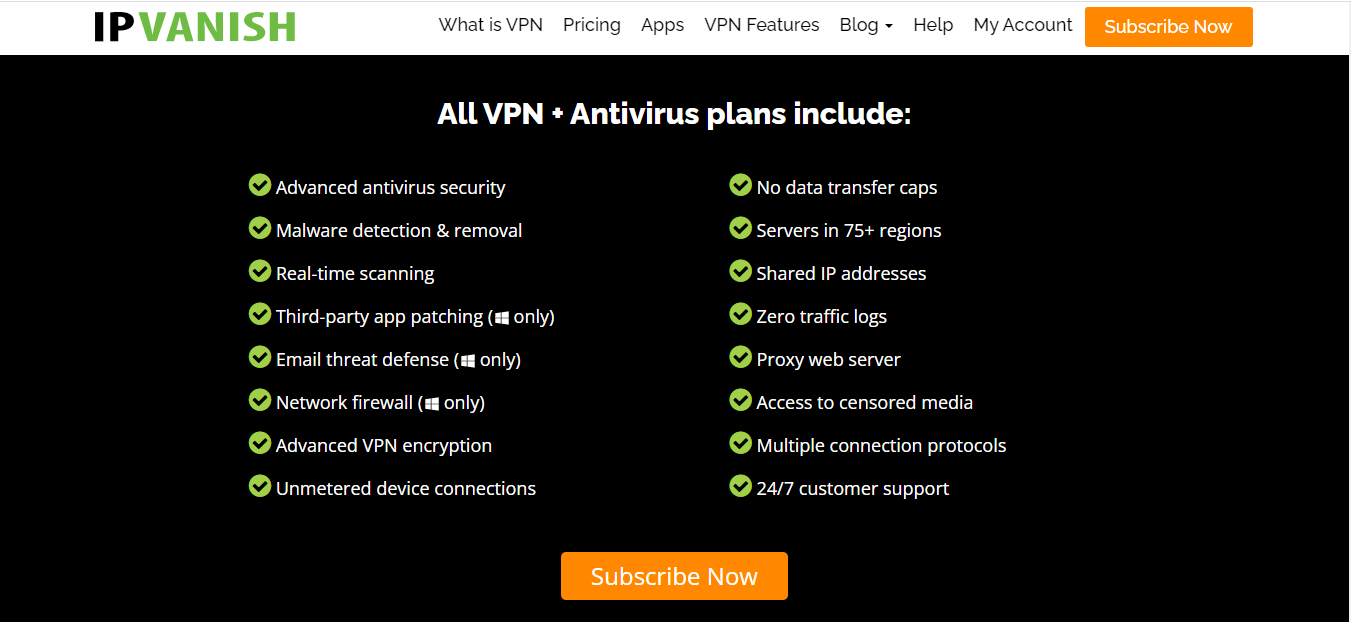
The VPN component of IPVanish VPN + Antivirus is one of its most important features. It offers over 2,000 servers in more than 75 different locations worldwide, giving you a wide range of options when it comes to choosing the best server for your needs.
This means that you can easily access geo-restricted content from around the world while keeping your online activities private and secure.
With IPVanish VPN + Antivirus, you can also enjoy a range of benefits when it comes to internet privacy.
The service offers complete encryption of your online traffic, which ensures that your data is kept safe from prying eyes. This means that you can browse the web without worrying about your personal information being intercepted or stolen.
Another important feature of IPVanish VPN + Antivirus is its malware detection and removal capabilities. This means that the service can help you detect and remove any malicious software that may be present on your computer.
This is crucial in today’s world where cyber threats are becoming increasingly sophisticated and dangerous.
Overall, IPVanish VPN + Antivirus is an excellent choice for anyone looking for comprehensive cybersecurity protection.
Its many features, including its VPN servers and malware detection and removal capabilities, make it one of the best options available on the market today.
So, if you’re looking for a reliable and effective way to keep your online activities safe and secure, you can’t go wrong with IPVanish VPN + Antivirus.
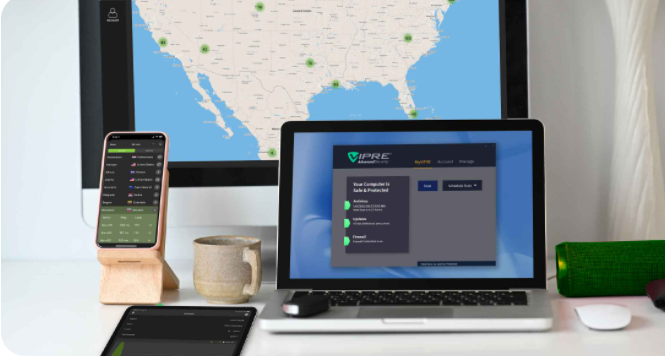
The IPVanish VPN + Antivirus works as a privacy and security shield against online monitoring, malware, viruses, and data theft. Combining both services ensures users’ digital protection.
The VPN works by establishing a secured and encrypted connection between the IPVanish VPN servers and users’ devices and then sends data via the server to the internet. This encrypted connection doesn’t make sense to everyone else except the IPVanish server and users’ devices.
The Antivirus works by defending your system from malware and spyware of any kind. It also makes sure that third-party apps are updated when the latest updates are available. This is to eliminate vulnerabilities and remove all possible chances for cyber threats.
How To Download And Install IPVanish VPN + Antivirus
IPVanish VPN + Antivirus is available for Windows and macOS.
To download and install the app on Windows, do this:
Once the file has successfully downloaded, double-click on it to run it.
To install the program files, choose the file location by clicking on Browse or using the default option.
Click on Install and then in the pop-up window select Yes.
Still in the pop-up, select Run and then select Yes to start the installation.
After the installation, the user interface of the app will open.
Using your registered IPVanish email address and password, log into the app by clicking on Sign In.
To download and install the app on macOS,
Visit the IPVanish website and click on Apps.
Select Mac and click on Download.
From the Downloads folder on your device, open the downloaded app.
To install the app on your device, drag the downloaded app and drop it in the Application folder.
Using your registered IPVanish username and password, log into the app. Also, input your Mac system password at the prompt, this is to allow the helper component of IPVanish to be installed.
The app has cutting-edge encryption that repels network invaders, data thieves, and ISPs. The encryption protocols include OpenVPN and 256-bit AES encryption.
Advanced Antivirus Security and Malware Removal
VIPRE Antivirus Security can sense form-changing malware and viruses and eliminate all cyber threats. It protects your devices at all times.
Zero Traffic Logs
IPVanish VPN has a no-logs privacy policy. This ensures that your web traffic is not tracked in any way by IPVanish.
IPVanish Customer Support & Resources
Users of the IPVanish VPN and VIPRE Antivirus have access to both the IPVanish Support Center and VIPRE Support Home 24/7.
If the issue you may be having is from the antivirus, or you need any assistance, then all questions are channeled to the VIPRE Support Home, but if the assistance you need is regarding the VPN and subscription billing then the IPVanish Support Center is the right team to contact.
Apart from the Support Center, you can Get Help by sending a request. There is also a live chat, blog, and system status available. The featured articles, setup guides, and FAQs are also very reliable.
IPVanish VPN + Antivirus Pricing
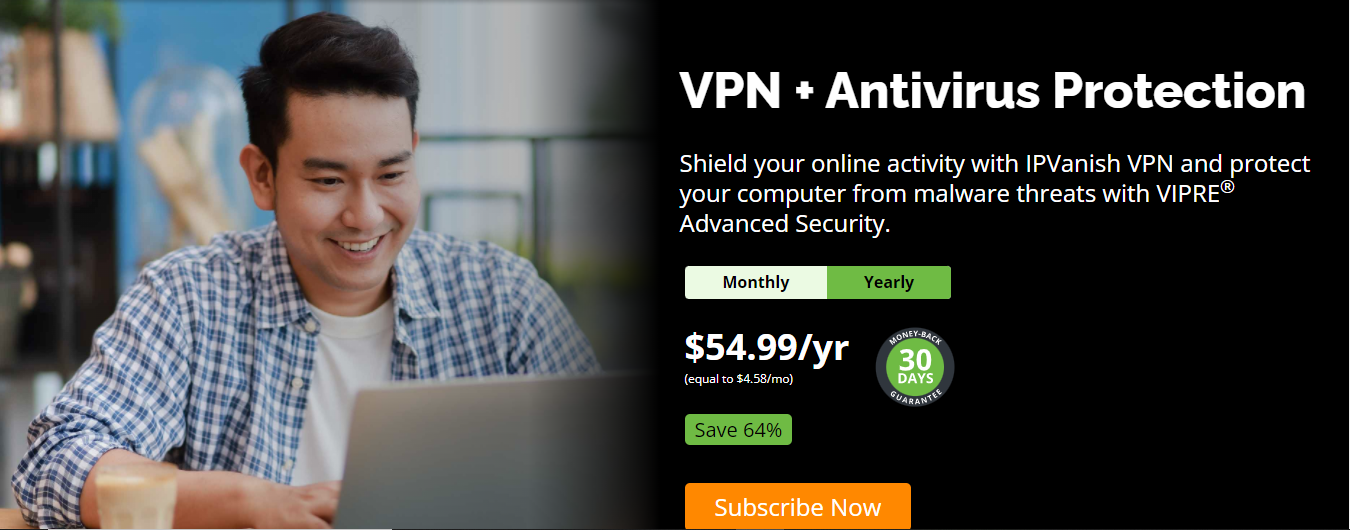
The IPVanish VPN + Antivirus has two plans; Monthly and Yearly Plan. This is to ensure that you don’t miss out no matter your budget. However, the yearly plan has the biggest savings and has a 30-day money-back guarantee.
The monthly plan is billed at $12.99/month. While the yearly plan is billed at $54.90 ($4.58/month) for the first year, then $109.99 every other year.
Absolutely. Yes, IPVanish VPN + Antivirus is safe. It protects users from all types of online threats including, viruses and malware, third-party spying, unsecured on public Wi-Fi, data vulnerabilities while browsing, malicious contents sent via email, and geographic censorship of websites and content. It also uses encryption protocols to provide robust system security.
Is IPVanish VPN + Antivirus Legit?
Yes, the IPVanish VPN + Antivirus is legit. It is a reliable combination that prevents malware and virus infections, masks IP addresses, and encrypts users’ connections with a single subscription.
Do I Pay For VIPRE And IPVanish Separately?
No, you don’t. You purchase the Antivirus (VIPRE) and VPN (IPVanish) at the same time in one package with one subscription. However, for each app, you will have to create an account to enable you to sign in and commence usage.
Best Antivirus Deals
50% OFF
Acronis Cyber Protect (Formerly True Image)
Acronis Cyber Protect provides data protection for personal users, including backup, archive, access, and recovery for...Show More
Acronis Cyber Protect provides data protection for personal users, including backup, archive, access, and recovery for Windows, macOS, iOS, and Android operating systems. Your all-in-one solution for cybersecurity. Show Less
40% OFF
Avira Antivirus Pro
Avira Antivirus Pro is an award-winning anti-ransomware protection that secures your PC against cyber threats. Your best...Show More
Avira Antivirus Pro is an award-winning anti-ransomware protection that secures your PC against cyber threats. Your best malware solution for Windows and Mac. Show Less
60% OFF
Heimdal Security
Heimdal Security protects its users from advanced malware attacks by making use of next-generation technology. Your best...Show More
Heimdal Security protects its users from advanced malware attacks by making use of next-generation technology. Your best intelligent threat prevention tool. Show Less
40% OFF
AVG Internet Security
Your award-winning antivirus for total security
Your award-winning antivirus for total security Show Less
25% OFF
ESET NOD32 Antivirus
ESET NOD32 Antivirus is essential protection against malware, giving you peace of mind that your devices are safe from...Show More
ESET NOD32 Antivirus is essential protection against malware, giving you peace of mind that your devices are safe from threats. NOD32 also has a blazing-fast virus scanning engine that can detect, block, and remove cyber threats in real-time, so your system is always protected against the latest malware strains. Show Less
25% OFF
G DATA Antivirus
A proactive antivirus program against all malware types.
A proactive antivirus program against all malware types. Show Less
65% OFF
Intego - Mac Premium Bundle X9
Total Protection for all Mac device types
Total Protection for all Mac device types Show Less
Kaspersky Internet Security
Premium protection against online threats.
Premium protection against online threats. Show Less
Malwarebytes
Your everyday protection against malware like ransomware, spyware, viruses, and more.
Your everyday protection against malware like ransomware, spyware, viruses, and more. Show Less
66% OFF
Norton Antivirus Plus
Your award-winning cybersecurity solution for complete device protection.
Your award-winning cybersecurity solution for complete device protection. Show Less
50% OFF
Panda Antivirus Pro
A working antivirus solution for all devices.
A working antivirus solution for all devices. Show Less
44% OFF
Trend Micro Maximum Security
Maximum security for households and office use.
Maximum security for households and office use. Show Less
VIPRE Antivirus Plus
Top-rated cybersecurity solutions for essential protection.
Top-rated cybersecurity solutions for essential protection. Show Less
83% OFF
Surfshark Antivirus
A 360-degree solution for all threat categories.
A 360-degree solution for all threat categories. Show Less
F-Secure SAFE
F-Secure SAFE is an internet security tool offered by F-Secure that provides protection for your devices against...Show More
F-Secure SAFE is an internet security tool offered by F-Secure that provides protection for your devices against malware, viruses, online threats, and hacking attempts. Show Less
HitmanPro
HitmanPro is a cloud-based anti-malware software that provides advanced scanning and removal of various types of viruses...Show More
HitmanPro is a cloud-based anti-malware software that provides advanced scanning and removal of various types of viruses and malware. Show Less
Nord Threat Protection Pro
Nord Threat Protection Pro is an advanced security feature from NordVPN that offers comprehensive protection against...Show More
Nord Threat Protection Pro is an advanced security feature from NordVPN that offers comprehensive protection against cyber threats, including malware, trackers, and malicious ads. Show Less
A Final Word On The IPVanish VPN + Antivirus Review
IPVanish VPN + Antivirus is the perfect combination of privacy and security in one subscription. So if you were thinking of trying it out, we hope you find this review useful to help make your decision.
In this post, I will show you the big risks in Big Data for Fintech companies.
The revolution and innovations in banking and finance in the last fifteen years have introduced a host of new services to end customers and businesses alike.
These innovative companies have moved the once legacy world of banking into new realms of convenience and seamless services, but they also exist within the financial vertical, with tight regulations.
The backbone of fintech companies is the huge amounts of data that they consume and process on a daily basis. The need to protect that data becomes absolutely crucial to maintain the trust of its customers and to stay compliant with diverse jurisdictional regulations. Staying on the right side of the law is no small task.
Fintech companies often find themselves navigating through a labyrinth of regulations specific to the financial industry.
Along with the standard PCI-DSS regulations, they’ve got to keep their eyes on acronyms like DORA, GLBA, and broader regulations like the EU’s GDPR, South Africa’s POPIA, or the recently introduced state regulations in the US, such as the Colorado Privacy Act or Connecticut Data Privacy Act.
Tailored and seamless services require a constant and interrupted flow of data; big data, to be more specific, exposes sensitive information like credit card information and ePHI (personal banking information, addresses, etc.) to various threats, both internal and external.
I will take a look at the possible avenues of breaches in this article and what companies can do to mitigate these risks.
Data Breaches
Fintech companies are swimming in a sea of sensitive customer data that they collect and process, making them prime targets for hackers and other cybercriminals.
A potential data breach in a fintech company is an existential threat to a lot of institutions. Think financial loss, reputation going down the drain, and legal headaches. That’s why fintech companies need to put up strong security shields.
Some of these protective measures include both technological tools and common-sense practices. The encryption of data and usage of secure storage practices for sensitive data is crucial.
Regularly updating and patching existing security systems to prevent vulnerabilities is also essential. Other things to take into account are implementing multi-factor authentication to strengthen login procedures and having a robust DLP in place, like Safetica ONE or Safetica NXT.
Personalized Data
Part of the key selling proposition of most Fintech companies is data personalization. Companies are all about giving users top-notch customized experiences.
But here’s the catch: going overboard with personalized data can be risky business for data privacy. Storing too much info and relying heavily on fancy AI algorithms can open the door to hackers.
Finding that sweet spot between personalization and data privacy is the key to keeping user trust intact and safeguarding sensitive info.
Some of the ways to lower the risks are to include data retention practices in your company’s data security policy to limit the storage of personal data beyond necessary periods, conduct regular data privacy impact assessments to identify and address potential risks and offer clear opt-out options for users who prefer not to share specific data for personalization.
Other mitigation measures include developing a comprehensive data usage policy that outlines permissible purposes for personalized data, implementing data access controls to restrict data use to authorized personnel and purposes, and allowing users to easily manage their data preferences, including opting out of certain data uses.
Fintech companies are embracing cloud-native technologies like never before, unlocking new possibilities for innovation and growth within this SAAS framework.
Entrusting sensitive financial data to the cloud can make FinTech companies susceptible to data breaches due to insufficient security measures implemented by the cloud provider, inadequate access controls, and shared resources.
Additionally, the risk of insider threats looms as internal employees or contractors with access to the cloud may accidentally mishandle data or engage in malicious activities.
Some of the ways to mitigate these risks include encrypting data before storing it in the cloud, adding an extra layer of protection, requiring multi-factor authentication to access your cloud systems, and regular security audits to check the health of security in your cloud systems.
They help spot vulnerabilities and fix them before they become problems. As with a bank compliance solution, preventive solutions will always supersede fixes after the fact, helping fintech companies stay ahead of the curve when it comes to securing their customer’s most valuable resource, their data.
Conclusion
Fintech companies hold sensitive customer data, making them prime targets for data breaches. To mitigate these risks, companies should implement technological tools and common-sense practices such as data encryption, secure storage practices, regular security updates and patches, multi-factor authentication, and a robust DLP solution.
Companies should also be mindful of the risks associated with data personalization and cloud security.
Finally, companies should encrypt data before storing it in the cloud, require multi-factor authentication to access cloud systems and conduct regular security audits.
By taking these steps, fintech companies can help to protect their customers’ data and stay compliant with regulations.
In this post, I will show you the best VPN for hackers. Read on.
The word “hacking” is often synonymous with criminality. But not all hackers are “bad guys.” “Good guys” also hack systems, intentionally, to discover vulnerabilities. That way, they can fix the vulnerabilities before the “bad guys” take advantage of them.
Such type of hacking is what we call Ethical Hacking. And, if you’re an ethical hacker, you’ll need a VPN for efficiency. Malicious hackers use VPNs, and for an efficient, ethical hack, you must emulate them as much as possible.
Welcome to the world of ethical hacking! As an ethical hacker, your job is to identify and fix vulnerabilities in computer systems and networks before malicious hackers can exploit them.
But to do your job effectively, you need a reliable and secure VPN. In this article, we’ll take a look at some of the best VPNs for hackers, so you can stay anonymous and protect your online data while you’re testing and troubleshooting.
From free options to premium VPNs with advanced security features, we’ve got you covered. So, whether you’re a beginner or an experienced hacker, read on to discover the best VPN for your ethical hacking needs.
Why You Should Use VPN For Ethical Hacking?
There are several reasons why using a VPN (Virtual Private Network) is important for ethical hacking.
Firstly, a VPN provides an additional layer of security and privacy when conducting ethical hacking tasks. It encrypts all internet traffic and data, making it difficult for hackers to intercept and access sensitive information. This added security also helps protect the hacker’s identity and location, making it more difficult for them to be traced and targeted.
Secondly, a VPN allows hackers to access restricted or blocked content and websites that may be necessary for their ethical hacking tasks. This could include accessing specific servers, websites, or tools that are only available in certain geographic locations. Additionally, a VPN can also help hackers bypass firewalls and other security measures put in place by organizations.
Thirdly, a VPN can help hackers simulate different geographic locations and IP addresses, which can be useful for testing the security and vulnerabilities of a target network. This allows hackers to identify potential weaknesses and vulnerabilities that could be exploited by malicious actors.
Lastly, a VPN can also help hackers stay anonymous and protect their personal and professional identities. This is important as ethical hacking can sometimes be a controversial or sensitive topic, and hackers may want to keep their activities private.
In summary, using a VPN is essential for ethical hacking as it provides an added layer of security, enables access to restricted content, allows for location and IP simulation, and helps protect the identity of the hacker.
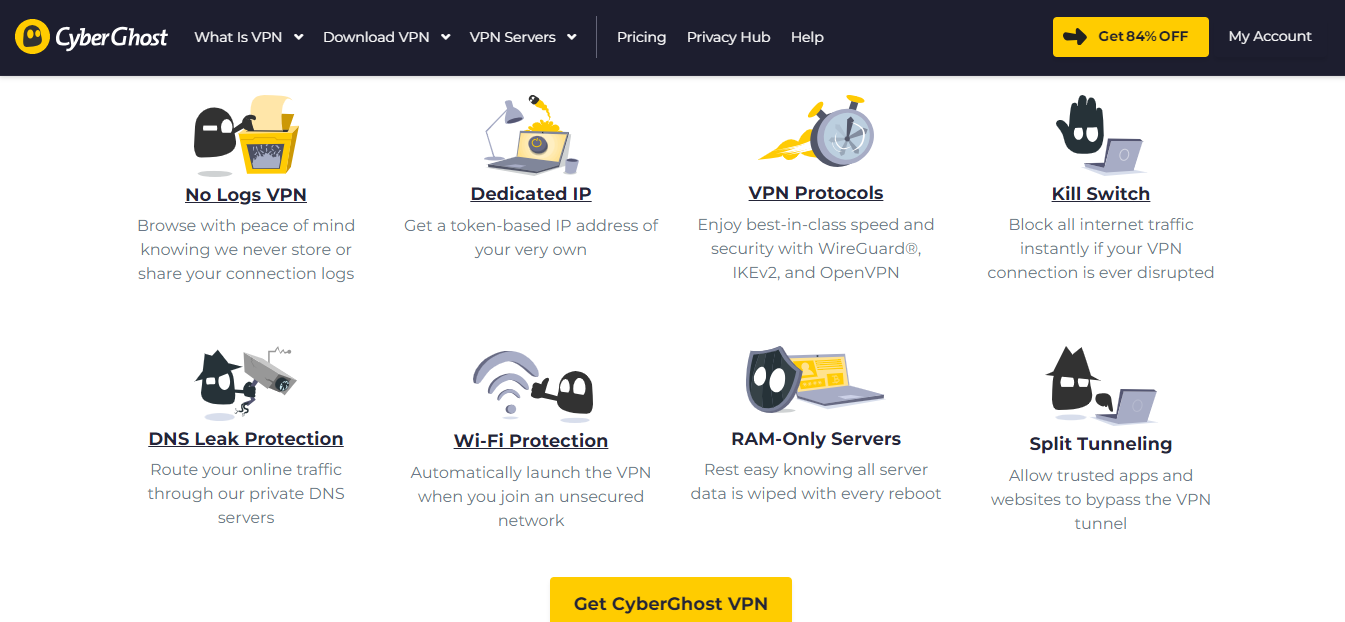
CyberGhost VPN comes first on this list of best VPNs for hackers. The VPN service is popular and widely used and wide-ranging and reliable.
In particular, CyberGhost VPN has servers across America, Europe, Africa, and Asia. You get more than 6800 servers, which is helpful for simulating hackers from different geographical regions.
You can also simulate hackers from any device with this VPN, as it supports Windows, macOS, Android, iOS, and Linux. Smart TVs, routers, and game consoles also are not left out.
Additionally, CyberGhost VPN offers a 45-day money-back guarantee, which is one of the longest in the industry. This gives users ample time to test out the VPN and determine if it meets their needs.
Furthermore, the VPN service uses 256-bit AES encryption, which is considered military-grade encryption. This ensures that all data transmitted through the VPN is secure and protected from prying eyes.
CyberGhost VPN also offers a kill switch feature that ensures that your internet connection is terminated in case the VPN connection drops, which further increases your security.
In summary, CyberGhost VPN is a versatile and reliable VPN service that offers a wide range of features to help hackers protect their identity and data online.
CyberGhost VPN
CyberGhost VPN is a VPN service provider with more than 9,000 VPN servers spread in over 90 countries. Complete privacy...Show More
CyberGhost VPN is a VPN service provider with more than 9,000 VPN servers spread in over 90 countries. Complete privacy protection for up to 7 devices! Show Less
Surfshark is another best VPN for hackers on the internet. That’s debatable, but with the VPN’s number of servers, countries, devices supported, price, and speed, the argument could be in its favor.
Suppose you want to simulate hackers on many devices. In that case, you can count on Surfshark VPN, as it supports unlimited devices.
The VPN is also dependable if you suspect hackers may exploit your devices or networks via public Wi-Fi. Many users attest that Surfshark VPN helps stop public Wi-Fi and hotspot hackers.
Additionally, Surfshark VPN has a feature called CleanWeb, which blocks ads, trackers, and malware. This can be especially useful for hackers trying to exploit vulnerabilities in those types of content.
Furthermore, the VPN uses the latest encryption protocols, such as IKEv2 and OpenVPN, to ensure that your online activities are kept private and secure.
Lastly, Surfshark VPN has a strict no-logs policy, which means that it does not keep any records of your online activities. This is an important feature for hackers trying to maintain their anonymity.
Overall, Surfshark VPN is a reliable and versatile cybersecurity tool that offers a lot of useful features for simulating hackers and protecting your online privacy.
Surfshark
Surfshark is an award-winning VPN service for keeping your digital life secure. Surfshark VPN has servers located in...Show More
Surfshark is an award-winning VPN service for keeping your digital life secure. Surfshark VPN has servers located in more than 60 countries worldwide. Show Less
Does your ethical hacking setup require blazing-fast speed? If your answer is yes, you do not want to skip considering ExpressVPN.
The high-speed VPN has servers in more than ninety-four countries — about half the total number of countries in the world. Also, it’s an easy-to-use VPN that you can connect to with a single click.
Considering user reviews, ExpressVPN has over 4.7 stars out of 5 on Trustpilot. On the Apple App Store, it’s the same. Little wonder, then, that it ranks among the best VPN for hackers.
ExpressVPN is also known for its strict no-logs policy, which means that it does not keep records of your online activity, making it ideal for hackers who want to keep their activity private.
Additionally, it has a built-in kill switch feature that ensures your data is protected even if the VPN connection is lost.
Furthermore, it offers a range of protocols, including OpenVPN, L2TP, and PPTP, which allows hackers to choose the most secure option for their needs.
Overall, ExpressVPN is a great option for hackers looking for a fast, reliable, and secure VPN service.
ExpressVPN
A dependable VPN service that works on all devices and platforms.
A dependable VPN service that works on all devices and platforms. Show Less
Here’s another VPN for ethical hackers to consider if you need a low-cost option. Atlas VPN is more affordable than many options on this list, yet, it doesn’t compromise quality.
The VPN has over 750 servers. These aren’t just regular VPN servers but premium and ultra-secure servers. They are also fast.
Notably, Atlas VPN features SafeSwap servers. These are unique servers that let you access the internet with multiple IPs at a time. It’s an invaluable feature when simulating hackers’ activities.
Additionally, Atlas VPN uses AES-256 encryption to protect your online data from hackers and other malicious actors. It also has a strict no-logs policy, ensuring that your online activities remain private and anonymous.
The VPN also supports a wide range of devices, including Windows, Mac, iOS, Android, and Linux, making it easy to use on different platforms.
With its easy-to-use interface and 24/7 customer support, Atlas VPN is a great option for ethical hackers who want an affordable and high-quality VPN service.
NordVPN is another relatively popular VPN for hackers on the internet. This VPN service has more than fourteen million users to confirm that. One reason is that it’s affordable, with deals that let you get up to three months for free.
But away from the low cost, the VPN features prove that it’s one of the best VPNs for ethical hacking. Notable among all is the support for more than 5,200 servers in close to sixty countries.
Also, NordVPN supports many devices and platforms, including browsers and mobile and desktop devices, and smart TVs.
Additionally, NordVPN offers advanced security features such as double VPN encryption, automatic kill switch, and CyberSec, which blocks ads and malicious websites. The VPN also has a strict no-logs policy, ensuring that your online activities are not tracked or recorded.
Overall, NordVPN is a great choice for ethical hackers who need a reliable and secure VPN to protect their online identity and access restricted resources while testing systems for vulnerabilities.
NordVPN
The best VPN service for total safety and freedom.
The best VPN service for total safety and freedom. Show Less
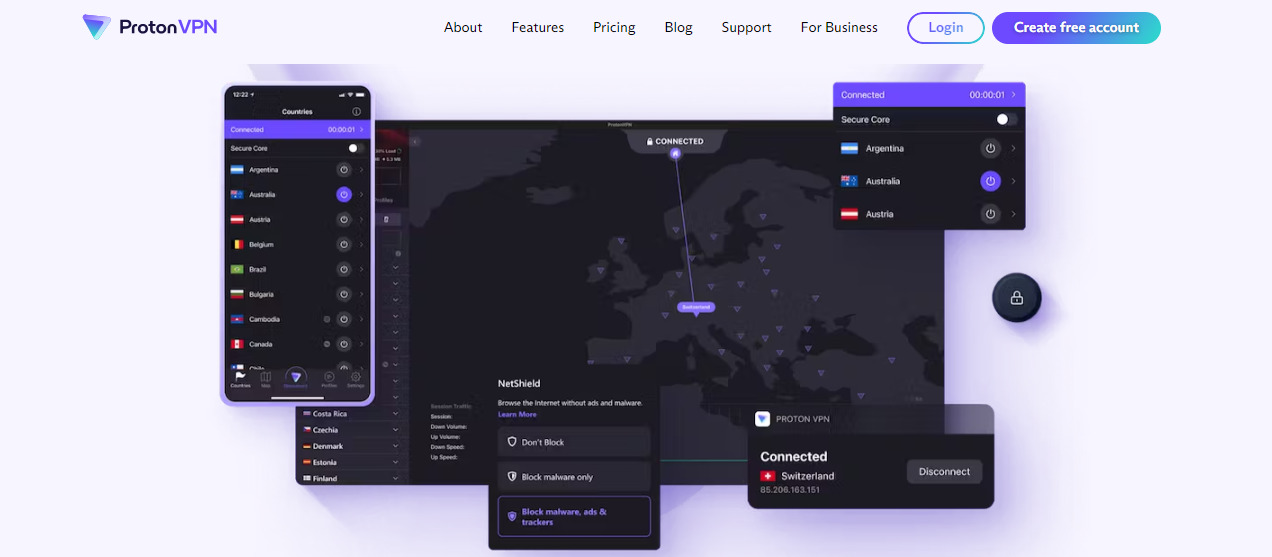
From the developers of ProtonMail — the end-to-end encrypted email service — we have ProtonVPN. Like their email service, the VPN is particular about online security and privacy.
To be straightforward, ProtonVPN is one of the best VPNs for hackers if you need a free option. The free ProtonVPN version comes without data and speed limits or advertisements.
It’s unlike other free VPNs since it’s indirectly paid for by premium users. So, you can use it and be rest assured that your online data is safe.
Another feature that makes ProtonVPN a great option for ethical hacking tasks is its strict no-logs policy. This means that the VPN does not store any information about your browsing activity, ensuring that your online activities remain completely private.
Additionally, ProtonVPN uses AES-256 encryption, which is considered to be one of the strongest encryption methods available. With ProtonVPN, you can also access servers in over fifty countries, providing you with a wide range of options to choose from.
Overall, ProtonVPN is a great option for hackers who want a free and secure VPN service that prioritizes online privacy.
ProtonVPN
A swiss VPN service that goes the extra mile to balance speed with privacy protection.
A swiss VPN service that goes the extra mile to balance speed with privacy protection. Show Less
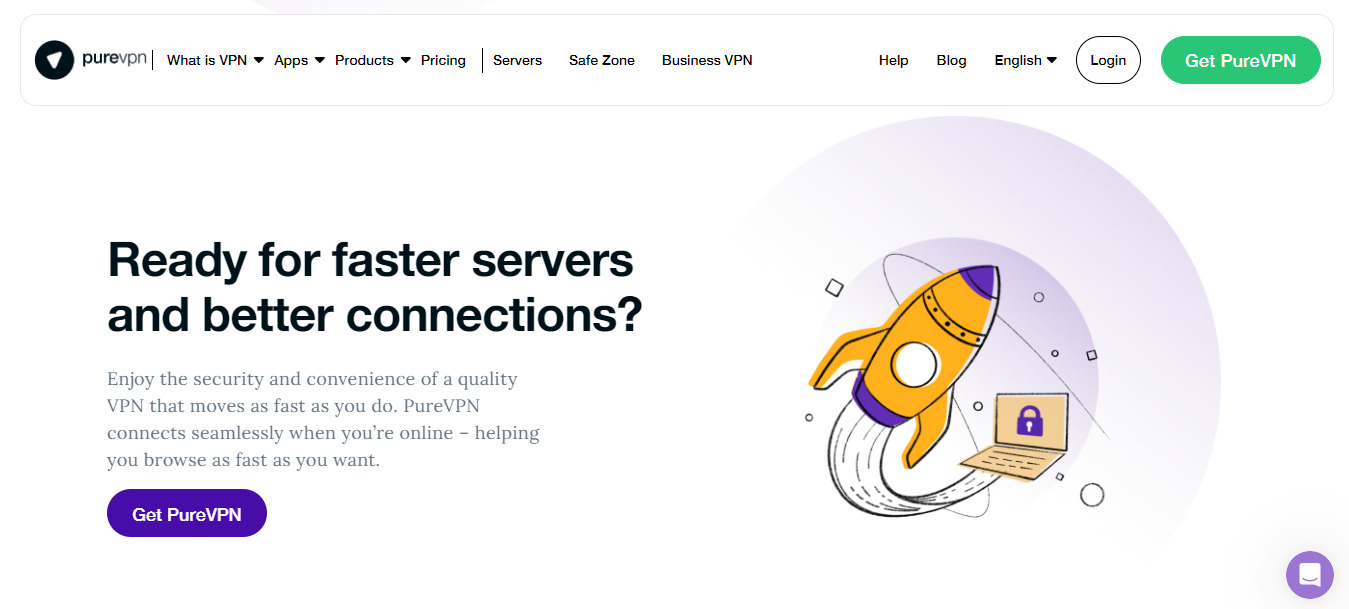
Here’s a VPN that has been featured in top publications like CNET, TechRadar, PCMag, and Yahoo Finance. Generally, it’s a VPN that fosters online privacy and browsing without restrictions.
You can take advantage of the latter for your ethical hacking tasks. Since you can browse without restrictions, you can as well simulate hacking from anywhere in the world.
Suppose you’re in the US, and most hackers that target your systems are in Europe. In that case, you can switch your region to Europe with PureVPN and imitate the hackers to identify the vulnerabilities.
Additionally, PureVPN offers a wide range of protocols, including OpenVPN, L2TP, and IKEv2, which allows you to customize your security settings for your hacking tasks. The VPN also has a kill switch feature that ensures your online activity remains private, even if your VPN connection drops.
With its 24/7 customer support and 31-day money-back guarantee, PureVPN is a reliable option for ethical hackers.
PureVPN
PureVPN is one of the best VPN service providers with presence across 150 countries in the world. An industry VPN leader...Show More
PureVPN is one of the best VPN service providers with presence across 150 countries in the world. An industry VPN leader with more than 6,500 optimized VPN servers. Show Less
Perhaps you need a VPN for ethical hacking and, subsequently, for other corporate tasks. If so, you can consider Ivacy VPN, as it gives you more. In particular, a subscription comes with a premium password manager and 2TB of cloud storage.
Furthermore, one Ivacy VPN subscription will work on up to two devices. Other features of the VPN you can count on include 256-bit encryption, public Wi-Fi security, split tunneling, a kill switch, and a no-logs policy.
Additionally, Ivacy VPN has servers in over 100 countries, making it possible for you to simulate hackers from different locations.
It also supports multiple protocols, including IKEv2, L2TP, OpenVPN, and PPTP, ensuring a secure and stable connection for your ethical hacking tasks.
Overall, Ivacy VPN is a great all-in-one solution for both ethical hacking and other corporate needs.
“The fastest VPN” — that’s how IPVanish developers describe it. The VPN is, indeed, fast, with multiple protocols, including WireGuard, OpenVPN, IKEv2, and IPSec.
Support for multiple protocols also means the VPN can adapt to meet your ethical hacking security needs. But perhaps the IPVanish feature you’ll appreciate the most is Split Tunneling.
Split tunneling lets you filter what programs and apps you want to use the VPN. For example, you can restrict the VPN to only programs and apps you’re testing for vulnerabilities.
Another advantage of IPVanish is its wide range of servers, with over 1,600 servers in over 75 locations worldwide. This allows for greater flexibility in simulating hackers from various geographical regions.
Additionally, it allows for faster speeds and less lag, making it an ideal tool for ethical hacking tasks that require real-time performance.
Furthermore, IPVanish is compatible with a wide range of devices, including Windows, macOS, iOS, Android, Linux, and FireTV, which makes it an ideal VPN for hackers who use multiple devices.
With its zero-logs policy and automatic kill switch, IPVanish also ensures the privacy and security of your online activities.
The Tor network technology is synonymous with anonymous, private, secure browsing, and the TorGuard VPN follows the same path. It’s a 100 percent private VPN with one of the strictest no-logs policies.
TorGuard VPN has over 3,000 servers in over fifty countries. It supports unlimited speeds, unlimited bandwidth, port forwarding, and internal encrypted DNS.
With the highest plan, you also get a dedicated account manager, an isolated secure network, and dedicated VPN instances.
You can get the VPN exclusively for email, a cost-friendly option if you’re only testing your email systems.
In addition to its extensive server network and strong privacy features, TorGuard VPN also offers a wide range of protocols, including OpenVPN, IKEv2, SSTP, and L2TP/IPSec. This allows for flexibility in configuring your VPN connection to best suit your ethical hacking needs.
Furthermore, TorGuard VPN also offers a stealth VPN option, which helps to bypass firewalls and deep packet inspection, making it an ideal choice for testing the security of systems in countries with strict internet censorship.
Overall, TorGuard VPN is a robust and versatile VPN solution that offers a high level of privacy and security, making it a valuable tool for ethical hacking and penetration testing.
TorGuard VPN
The best VPN service for torrenting safely and anonymously.
The best VPN service for torrenting safely and anonymously. Show Less
The description — Private Internet Access — already says much about this VPN. But, regarding ethical hacking, it’s a dependable VPN thanks to the all-around data encryption.
When hacking to audit top systems, the last thing you want is for the systems’ data to get into unauthorized hands. PIA VPN prevents this with premium data encryption and add-ons, which provide extra security.
The VPN is popular, with over fifteen million users. It’s also widespread, with servers in over eighty-four countries.
Additionally, PIA VPN offers a kill switch feature that automatically disconnects your device from the internet in case of VPN failure, ensuring your data remains protected at all times.
It also supports split tunneling, allowing you to choose which apps and programs use the VPN connection.
Not to mention, PIA VPN also has a strict no-logs policy, ensuring that your browsing activity is not recorded or shared with any third party.
With its compatibility with various operating systems and devices, PIA VPN is a great option for ethical hackers looking to audit systems securely and anonymously.
Private Internet Access
Private Internet Access uses world-class next-gen servers for a secure and reliable VPN connection, any day, anywhere.
Private Internet Access uses world-class next-gen servers for a secure and reliable VPN connection, any day, anywhere. Show Less
Another best VPN for hackers on our list is VyprVPN.
VyprVPN is popular as a mobile VPN. In that case, you can consider it if your ethical hacking tasks focus on Android and iOS apps and systems.
The VPN boasts upgraded servers in over seventy-eight countries. It may not be the most plentiful on this list, but it’s more than enough for any ethical hacking task. Not to mention, the servers are fast.
In terms of security, you can count on VyprVPN’s DNS leak protection, server encryption, and rigorous hardware.
Additionally, VyprVPN offers a proprietary technology called Chameleon, which helps to bypass VPN blocking and censorship. This feature can be especially useful for ethical hackers who need to test systems and apps that may be blocked in certain regions or countries.
Another unique feature of VyprVPN is its ability to switch between different protocols, including OpenVPN, IKEv2, and L2TP/IPsec. This flexibility allows you to adjust your connection to your specific ethical hacking needs, whether that be speed or security.
VyprVPN also offers a kill switch, which ensures that your connection is always protected, even if the VPN connection is lost. This can be an important feature for ethical hackers who need to ensure the security of their own systems and networks.
Overall, VyprVPN is a solid choice for ethical hackers looking for a mobile-focused VPN that offers robust security and flexibility.
From the description, you can easily deduce that this VPN is fast. That’s true, but the VPN is also many other things — secure, private, and affordable.
As a suitable VPN for hacking, FastVPN gives you unlimited bandwidth. And you can connect to over a thousand servers in over seventy-five locations.
Furthermore, the VPN supports many devices, including Android, PC Windows, iPhone, iPad, Mac, Router, and Linux.
What’s more? Setting up the VPN and connecting to servers is straightforward.
Additionally, FastVPN offers a wide range of security features to protect your online activity. These include military-grade encryption, a kill switch, and a no-logs policy. This makes it a great choice for ethical hacking tasks, as it allows you to securely and anonymously test systems and identify vulnerabilities.
It also has built-in ad-blocker and malware protection which makes it a great option for all-around online security.
With its affordable pricing and easy-to-use interface, FastVPN is a great choice for both ethical hackers and regular users looking for a fast and secure VPN.
FastVPN (fka Namecheap VPN)
FastVPN (fka Namecheap VPN) is a secure, ultra-reliable VPN service solution for online anonymity. A fast and affordable...Show More
FastVPN (fka Namecheap VPN) is a secure, ultra-reliable VPN service solution for online anonymity. A fast and affordable VPN for everyone! Show Less
TunnelBear VPN users agree that the VPN is fun to use. But away from the fun, they also agree it’s secure and fast.
TunnelBear VPN is particular about helping users stop hackers and protect online privacy. Hence, already, it’s in line with ethical hacking standards.
To ensure such privacy protection, TunnelBear employs AES 256-bit encryption. However, what makes the VPN stand out from others is the security audits.
From time to time, TunnelBear VPN publishes independent security audits of its platform. You can consult these audits to confirm the safety of the VPN.
Additionally, TunnelBear VPN also offers a feature called GhostBear, which helps to bypass VPN blocking and increase security. It also offers split tunneling feature to provide flexibility to choose which apps and websites to use with the VPN.
This VPN service has servers in over 20 countries, providing a good coverage for ethical hacking tasks. It also supports a wide range of devices including Windows, Mac, iOS, Android and Linux.
TunnelBear VPN also offers a free plan with limited data, perfect for testing and evaluating the VPN before committing to a paid plan.
Overall, TunnelBear VPN is a great option for ethical hackers looking for a secure and user-friendly VPN.
TunnelBear VPN
TunnelBear is a VPN service provider that provides you with privacy, security, and anonymity advantages. It has VPN...Show More
TunnelBear is a VPN service provider that provides you with privacy, security, and anonymity advantages. It has VPN servers in more than 46 countries worldwide. Show Less
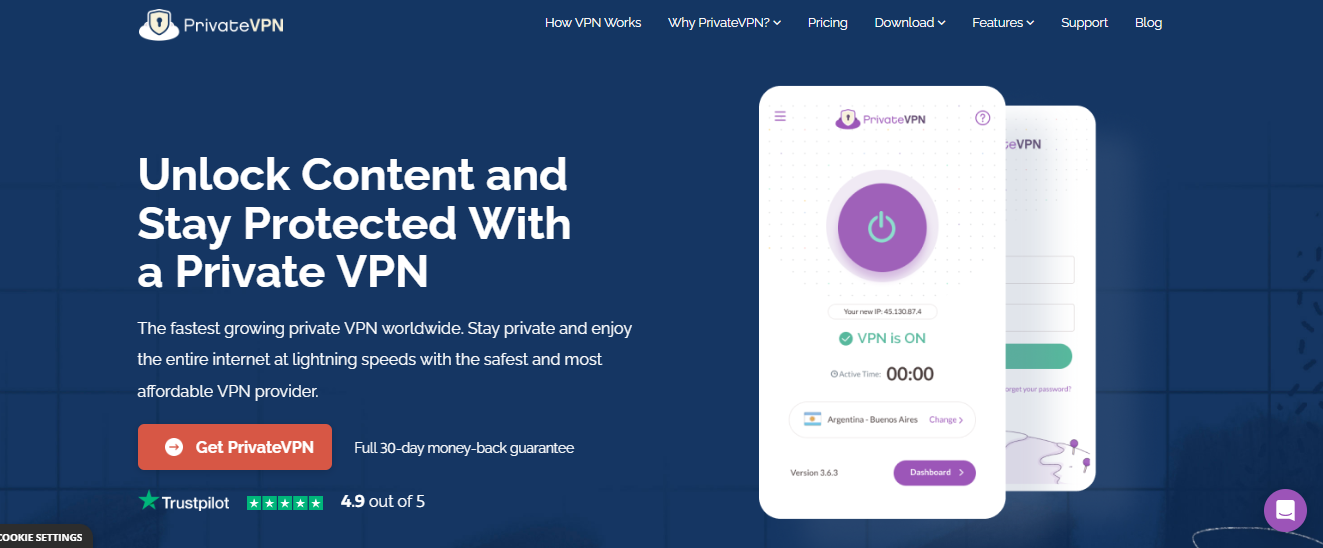
With PrivateVPN, you get a fast, encrypted, and undetectable VPN at a relatively affordable price. Moreover, it’s a VPN you can deploy for your ethical hacking tasks on Mac, Windows, iOS, Android, or Linux.
Using PrivateVPN is easy. Thanks to the one-click setup, it’ll take seconds to connect to its servers.
Concerning servers, PrivateVPN has more than two hundred in over sixty-three countries. The countries span the Americas, Europe, Asia Pacific, Africa, and the Middle East.
With PrivateVPN, you also have the option to use the built-in kill switch feature. This feature ensures that your IP address and location are not exposed in case of a connection drop.
Additionally, the VPN uses a zero-logging policy, meaning that no data is stored or recorded about your browsing activities.
PrivateVPN also offers a 30-day money-back guarantee, which allows you to test the VPN service before committing to a long-term subscription. Additionally, it has a 24/7 customer support team that is available to assist you with any queries or issues that may arise.
Overall, PrivateVPN is a reliable VPN service that offers a high level of security and privacy for ethical hacking tasks.
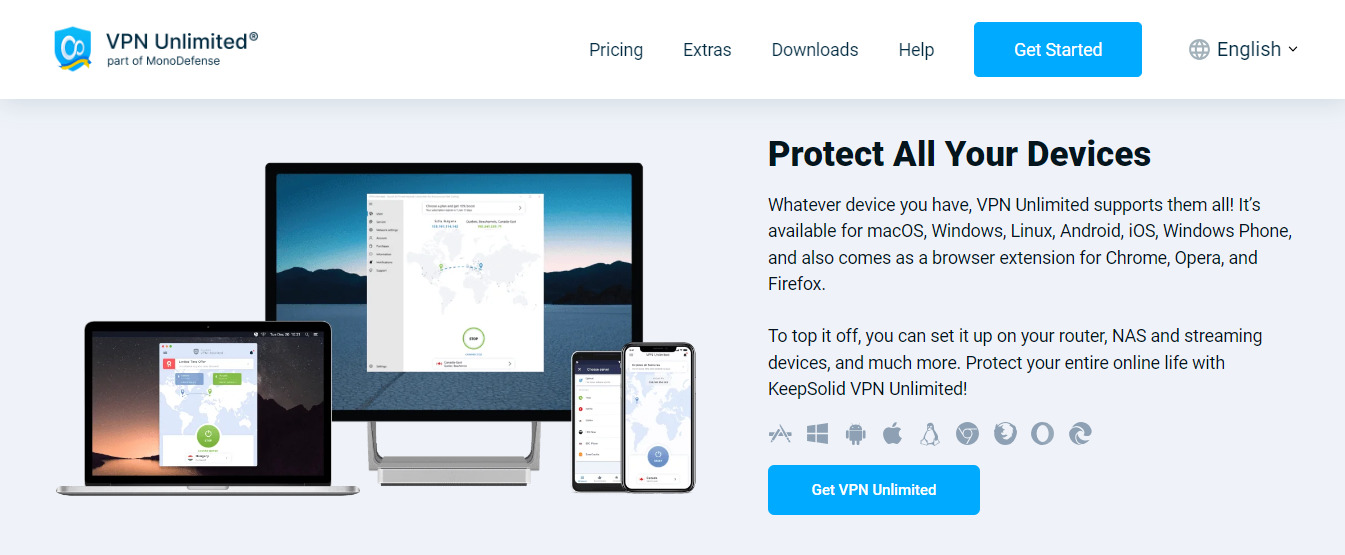
KeepSolid VPN is a lightweight VPN with servers in more than 80 locations.
Notably, all KeepSolid VPN servers are peer-to-peer friendly, private, and encrypted. They do not store your logs nor give them to third parties. As a result, the details of your ethical hacking tasks are safe with this VPN.
KeepSolid VPN also offers a kill switch feature, which ensures that your internet connection is cut off if the VPN connection is lost. This ensures that your IP address and location remain hidden, even in the event of a connection failure.
Additionally, the VPN offers a built-in ad-blocker and anti-malware protection to keep your device safe from malicious software and pop-ups.
With KeepSolid VPN, you can enjoy high-speed internet and complete anonymity while conducting ethical hacking tasks.
If, to you, the best VPN for hackers is the one with the highest number of servers, you can check out VeePN. It’s a VPN service with over 2500 VPN servers.
Having many server locations, however, is not all that VeePN is about. The VPN helps prevent threats from hackers, data thieves, ad manipulators, and ISPs, to name a few.
As a result, when you deploy it for your ethical hacking tasks, you won’t need much customization.
Additionally, VeePN offers a wide range of protocols and encryption standards to choose from, including OpenVPN, L2TP, and SSTP, ensuring that your connection is secure and private.
This VPN service also supports multiple devices, including Windows, Mac, iOS, Android, and Linux, making it a versatile option for ethical hacking tasks.
One of its notable features is built-in malware and ad-blocking, which can be an added layer of protection while you are performing your ethical hacking tasks.
Overall, VeePN offers a comprehensive security solution that can help you stay safe and anonymous while conducting your ethical hacking tasks.
VeePN
VeePN is a virtual private network (VPN) service that provides online privacy and security by encrypting internet...Show More
VeePN is a virtual private network (VPN) service that provides online privacy and security by encrypting internet traffic and hiding the user's IP address. Show Less
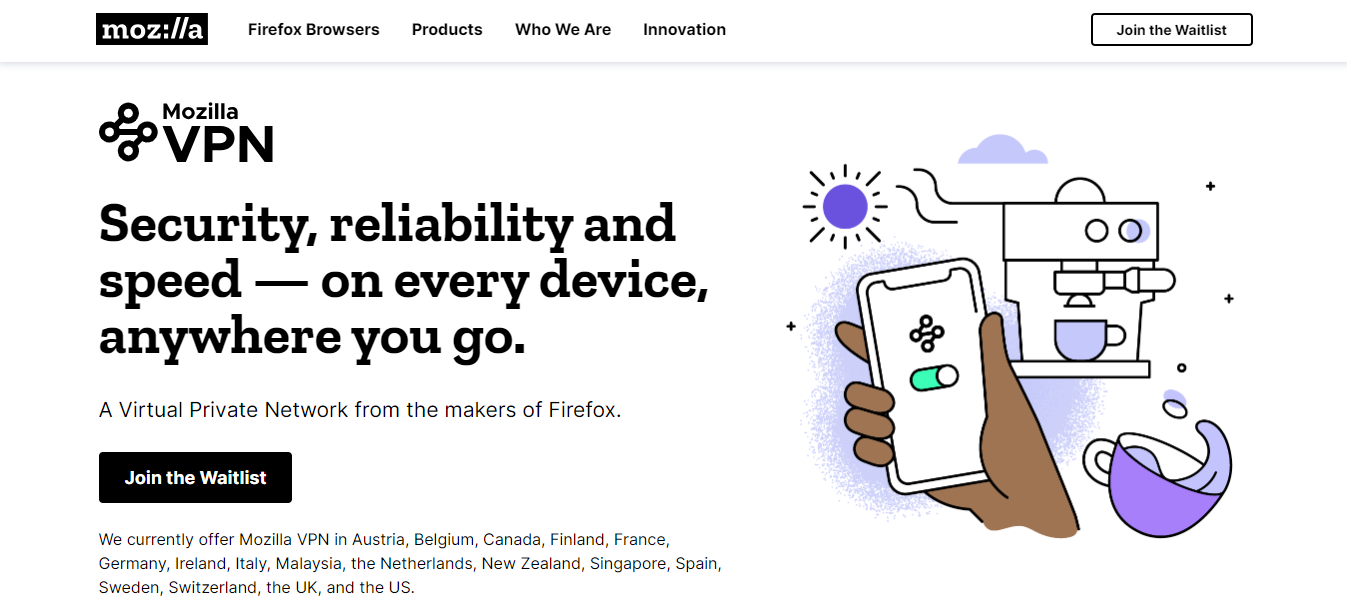
Firefox is one of the most used browsers in the world, so Mozilla is fairly popular. The company extends its commitment to making browsing safe and seamless with the Mozilla VPN.
For ethical hacking, you can rely on the VPN’s security and speed. The vast number of servers, also, is notable.
However, note that you can only use the Mozilla VPN in seventeen countries. The countries are Belgium, Canada, Finland, France, Germany, Ireland, Italy, Malaysia, the Netherlands, New Zealand, Singapore, Spain, Sweden, Switzerland, the United Kingdom, and the United States.
Additionally, the Mozilla VPN uses the WireGuard protocol, which is known for its high speeds and strong security.
It also offers a no-logs policy and has a strict policy on data collection, ensuring your privacy and anonymity while using the VPN for ethical hacking tasks.
The VPN also has a user-friendly interface, making it easy for users to connect to servers and customize their settings.
Overall, the Mozilla VPN is a great choice for those looking for a secure and fast VPN that prioritizes user privacy.
VuzeVPN is a VPN service that prioritizes privacy. Hence, it will be suitable for specific ethical hacking tasks to identify vulnerabilities that affect user privacy. At the same time, it won’t leak the logs to any third party.
This ethical hacking VPN has servers in more than 50 global locations. But its major advantage is that it works on different operating systems — Windows, Android, iOS, Mac, Linux.
Notably, with one VuzeVPN subscription, you can use the VPN on five devices.
Additionally, VuzeVPN offers a strict no-logs policy, ensuring that your browsing activities and online identity remain protected at all times. The VPN also comes with a built-in ad and tracker blocker, which can help protect you against unwanted tracking and targeted advertising.
Overall, VuzeVPN is an excellent option for those looking for a privacy-focused VPN for ethical hacking and other security-sensitive tasks.
VuzeVPN
VuzeVPN offers you unlimited and unrestricted VPN service.
VuzeVPN offers you unlimited and unrestricted VPN service. Show Less
Panda VPN is on this list thanks to its high security. The VPN employs an AES-256-GCM encryption algorithm with a 4096-bit DH key encryption. So, with it, your ethical hacking tasks will be more effective in preventing potential vulnerabilities.
The VPN also boasts servers in more than fifty countries. In total, you get more than five hundred servers in these countries.
You can use Panda VPN on desktop and mobile devices and web browsers. But it’s more suitable for desktop devices, particularly Windows and macOS devices.
Additionally, Panda VPN offers a kill switch feature, which automatically disconnects your internet connection if the VPN connection is lost. This ensures that your online activities remain private and secure, even in the event of a VPN connection failure.
Furthermore, the VPN has a strict no-logs policy, which means that it does not store any information about your online activities. This makes it a great option for ethical hackers who want to keep their activities private and anonymous.
Overall, Panda VPN is a secure and reliable VPN that can be used for various ethical hacking tasks.
Panda Security
Panda VPN is a fast, secure VPN service facilitated by Panda Security. It has more than 1,000 servers in 20+ countries.
Panda VPN is a fast, secure VPN service facilitated by Panda Security. It has more than 1,000 servers in 20+ countries. Show Less
Setting up a VPN for ethical hacking is a relatively straightforward process. However, it may vary slightly depending on the specific VPN service you choose. Here is a general step-by-step guide on how to set up a VPN for ethical hacking:
Choose a VPN service that meets your specific needs for ethical hacking. Some VPNs are better suited for this purpose than others, so do your research and read reviews to make sure you are getting a reputable and reliable service.
Download and install the VPN software on your device. This can typically be done from the VPN service’s website or through an app store.
Once the software is installed, open it and create an account with the VPN service. You will likely need to provide an email address and choose a subscription plan.
After creating your account, log in to the VPN software. You will typically be prompted to choose a server location to connect to. Choose the location that is most relevant to your ethical hacking tasks.
Once connected to the VPN server, you will be able to access the internet as if you were in that location. Your IP address will be hidden and your internet connection will be encrypted, providing additional security and privacy.
To start ethical hacking, you can use various tools like Nmap, Wireshark, Burp Suite, Metasploit, etc.
Remember to use the VPN when running any ethical hacking tasks to ensure that your online activity is not traceable and that your personal information is protected.
It’s also important to check the VPN services terms of service and make sure it doesn’t log any of your activities which can compromise your anonymity.
Keep in mind that setting up a VPN for ethical hacking is not a substitute for having the necessary knowledge, skills and tools to perform ethical hacking, it’s just an additional layer of security and privacy to protect you from unwanted monitoring, tracking and potential legal issues.
Ethical hacking, also known as white hat hacking, is the practice of using hacking techniques and tools to test and evaluate the security of a computer system, network, or web application.
The goal of ethical hacking is to identify vulnerabilities and weaknesses in a system, and then provide recommendations for improving security. This is in contrast to illegal hacking, or black hat hacking, which is done with the intent of stealing sensitive information, disrupting services, or causing other malicious activities.
Ethical hacking is commonly used by companies, organizations, and government agencies to protect their systems and data from cyber threats. It is performed by ethical hackers, also known as penetration testers or security consultants, who are trained and experienced in the use of hacking tools and techniques.
Ethical hacking can take many forms, such as:
Network scanning and penetration testing: This involves using tools and techniques to identify vulnerabilities in a network, such as open ports, unpatched software, or weak passwords. Penetration testing goes a step further by attempting to exploit these vulnerabilities to gain unauthorized access to the network.
Web application testing: This involves finding and exploiting vulnerabilities in web applications, such as SQL injection, cross-site scripting, or file inclusion vulnerabilities.
Social engineering: This involves using social engineering techniques to trick employees into giving away sensitive information or click on malicious links.
Wireless testing: This involves identifying and exploiting vulnerabilities in wireless networks, such as cracking WPA/WPA2 encryption or manipulating wireless access points.
Physical security testing: This involves attempting to gain unauthorized physical access to a building or facility.
Ethical hacking is an important aspect of cybersecurity, as it helps organizations to identify and fix vulnerabilities before they can be exploited by malicious actors.
It also allows organizations to stay ahead of the ever-evolving threat landscape by providing a comprehensive view of their security posture.
It’s important to note that ethical hacking must be conducted with the proper legal permission, as unauthorized access to a computer system is illegal. It should be carried out by authorized personnel who are trained and experienced in the field, and should follow a strict code of conduct.
Surfshark One is a cybersecurity bundle that provides users with Surfshark VPN, Alert, Search, and Antivirus that...Show More
Surfshark One is a cybersecurity bundle that provides users with Surfshark VPN, Alert, Search, and Antivirus that combines security, privacy, and convenience into one powerful package. Surfshark is an award-winning VPN service for keeping your digital life secure. Show Less
Which VPN do hackers use?
It is difficult to know for certain which VPNs hackers use, as they often try to remain anonymous and use various methods to mask their online activities.
However, there are certain VPNs that have been known to have security vulnerabilities and have been used in past hacking incidents. Additionally, some VPNs have been specifically marketed towards those looking to engage in illegal activities online.
One example of a VPN that has been known to have security vulnerabilities is Hola VPN. In 2015, a group of researchers revealed that Hola’s peer-to-peer network architecture could be exploited by hackers to launch DDoS attacks and steal users’ personal information.
Another example is a VPN service called “BlackVPN” which was marketed towards hackers and others looking to engage in illegal activities. It was known for having a high number of servers, and the company claimed to have a “no log” policy, which would make it difficult for authorities to trace the activities of its users.
It is important to note that using a VPN alone will not make you completely anonymous online. Hackers also use other tools such as Tor, proxy servers and darknets to mask their online activities.
Therefore, it is important to be aware of the security risks associated with using a VPN and to use a reputable VPN service that has a strong commitment to user privacy and security.
A VPN, or virtual private network, can help protect against hackers in several ways.
Firstly, a VPN encrypts your internet connection, making it difficult for hackers to intercept and read your data. This is especially important when using public Wi-Fi, as these networks are often unsecured and easy for hackers to access. With a VPN, your data is scrambled and unreadable to anyone who may intercept it, including hackers.
Secondly, a VPN can mask your IP address, making it more difficult for hackers to track your online activity and target you with attacks. By connecting to a VPN server, you can use the server’s IP address instead of your own, making it harder for hackers to identify and target your device.
Thirdly, VPNs can help protect against man-in-the-middle attacks, which are a common tactic used by hackers.
In a man-in-the-middle attack, the hacker intercepts the communication between you and the website you’re visiting and can steal sensitive information such as login credentials. A VPN encrypts your connection to the website, preventing the hacker from intercepting the communication.
However, it’s important to note that no VPN can provide 100% protection against all types of hacking attacks. Hackers are constantly developing new methods to bypass security measures, so it’s important to be vigilant and keep your VPN software up to date.
Additionally, using a reputable and well-reviewed VPN service is important to ensure that the VPN is secure and doesn’t contain any vulnerabilities that could be exploited by hackers.
In summary, while VPN can not provide a complete protection against hacking, it can help protect against certain types of hacking attempts and make it more difficult for hackers to access your personal information and online activity.
What is the best VPN to stop hackers?
When looking for the best VPN to stop hackers, there are a few key factors to consider.
First and foremost, the VPN should use strong encryption methods such as AES-256 to protect your online data and traffic from being intercepted. Additionally, it should have a strict no-logs policy, meaning it does not track or store any information about your online activities.
Another important feature to look for is a kill switch, which will automatically disconnect you from the internet if the VPN connection drops, ensuring that your data is not exposed. The VPN should also have a large number of servers located in various countries, allowing you to easily switch your IP address and conceal your location.
In addition to these technical features, the VPN should also have a good reputation for providing quality service and have been audited by independent security firms to ensure the safety of their platform.
Based on these criteria, some of the best VPNs for stopping hackers include CyberGhost VPN, ExpressVPN, NordVPN, and Surfshark. These VPNs have a proven track record of protecting users’ online privacy and security, and have been independently audited to ensure the safety of their platform.
It’s important to note that no VPN can guarantee 100% protection against hackers, but using a VPN can greatly increase your online security and privacy.
What is the best Premium VPN for ethical hackers?
There are many premium VPNs for ethical hackers, such as NordVPN, ExpressVPN, CyberGhost VPN, and Surfshark. These VPNs offer high-level encryption, advanced security features, and a no-logs policy, which are all important for ensuring anonymity and protecting sensitive information while hacking.
My top recommendation for the best premium VPN for ethical hackers would be CyberGhost VPN. This VPN offers military-grade encryption and a strict no-logs policy, ensuring that hackers’ online activity and personal information remain completely anonymous.
Additionally, CyberGhost VPN has a wide variety of server locations and advanced security features such as a Kill Switch and DNS leak protection, which are essential for ethical hackers.
Its user-friendly interface and 24/7 customer support make it easy for hackers to get the help they need if they encounter any issues.
Overall, CyberGhost VPN is considered to be one of the most secure and reliable VPNs on the market and is trusted by many ethical hackers.
What is the best free VPN for ethical hackers?
My top recommendation for the best free VPN for ethical hackers would be ProtonVPN. This VPN offers a secure and reliable service without any cost, it has a strict no-logs policy, and offers high-level encryption which is essential for ethical hackers.
Additionally, ProtonVPN has a wide variety of server locations, and advanced security features such as a kill switch and DNS leak protection. These features make it one of the most secure free VPNs available.
It’s important to note that free VPNs may have limitations in terms of speed, data usage, and server locations compared to premium VPNs.
But for ethical hackers who are looking for a free option, ProtonVPN is a great choice as it offers a high level of security while being completely free.
Bottom Line
In conclusion, choosing the best VPN for hackers is a crucial step in protecting their online activity and personal information.
For those who are willing to pay for a premium service, CyberGhost VPN is the best VPN for hackers due to its military-grade encryption, strict no-logs policy, and advanced security features.
For those looking for a free option, ProtonVPN is a great choice as it offers a high level of security while being completely free. It’s important to note that while free VPNs may have some limitations, they still can provide a good level of security.
It’s recommended to do your own research and compare different options to find the one that best meets your specific needs as a hacker.
Regardless of the VPN you choose, make sure it has a strict no-logs policy, high-level encryption, and advanced security features to ensure maximum online privacy and security.
The best VPN for hackers listed above are only recommended for ethical hacking to discover and fix system vulnerabilities. So, do not be mistaken. At SecureBlitz, we do not encourage malicious hacking, nor do we support it.
The intersection of cybersecurity and artificial intelligence (AI) is an increasingly important frontier in the world of technology. As cyber threats become more sophisticated, AI offers novel solutions for identifying and countering such threats.
This makes the topic especially relevant for students, the upcoming generation of technologists, entrepreneurs, and academics.
Furthermore, their writings, either in the form of research papers, dissertations, or articles, serve as an avenue to express their understanding and contribute innovative ideas to this rapidly evolving field.
Role of Students in Cybersecurity and AI
Students have a vital role to play in shaping the future landscape of cybersecurity and AI. Many of them are currently enrolled in academic programs focusing on these areas, engaging in research projects, and contributing to academic discussions through their written work.
These writings, which often pass through rigorous scrutiny and mentorship, could range from a professional thesis writing service for their peers to individual contributions in scholarly journals.
When we delve deeper into the role of students in AI and cybersecurity, we can understand why they are often regarded as the heart of these disciplines.
Students bring to the table fresh perspectives, innovative thinking, and the audacity to challenge the status quo – all critical ingredients for innovation in any field.
In particular, AI and cybersecurity, which are rapidly evolving and complex domains, are fertile grounds for the creative and critical thinking that students embody.
The Role of Writing
Writing plays a pivotal role in this context. It’s through their written work that students articulate their ideas, express their innovative concepts, and contribute to the discourse on AI and cybersecurity.
Whether it’s a research paper, a dissertation, or an article, their writings help them communicate their findings and propositions to the wider academic and professional community.
The ability to effectively communicate complex concepts in a comprehensible manner can also bolster their career prospects, as it’s a highly sought-after skill in the professional world.
The process of writing allows for a thorough understanding and refinement of ideas, further promoting the student’s academic growth.
It’s crucial not to overlook the substantial impact student research can have on the advancement and practical application of cybersecurity and AI. Students, with their unique perspectives and innovative approaches, often contribute significantly to solving contemporary challenges in these fields.
This includes but is not limited to the development of sophisticated algorithms for anomaly detection in network traffic, crafting robust machine learning models to withstand adversarial attacks, or devising intelligent security systems using AI principles.
The fruits of their research often transcend academic boundaries and find real-world applicability. Businesses, for instance, can incorporate these new methodologies to strengthen their digital defense infrastructure, thereby ensuring a safer cyber environment.
Similarly, government bodies can apply these breakthroughs to enhance national security, addressing the escalating cyber threats of the digital age.
Furthermore, these research endeavors often lead to technological advancements that can revolutionize the current norms in cybersecurity and AI. Students’ ability to explore uncharted territories and challenge established paradigms can catalyze the emergence of groundbreaking solutions.
Therefore, promoting student research is not just an academic exercise but it’s a strategic investment for a safer and technologically advanced future.
Enhancing Education in Cybersecurity through AI
The advancement of AI brings a wave of opportunities that can radically transform the educational landscape of cybersecurity. AI, with its adaptive learning capabilities, offers a personalized learning experience.
This involves tailoring the educational material according to the learning pace and comprehension level of individual students, thereby catering to their specific needs and reinforcing their understanding of complex cybersecurity concepts.
Additionally, AI plays a pivotal role in facilitating practical learning experiences. It can simulate a myriad of cyber-attack scenarios, providing students with the chance to tackle these challenges in a safe, controlled environment.
By experiencing these simulated cyber threats firsthand, students acquire a deeper understanding of how such attacks operate and learn effective strategies to predict, prevent, and counteract real-world cybersecurity threats.
Moreover, the fusion of AI and cybersecurity in education lays the groundwork for a more interactive and dynamic learning experience. It bridges the gap between theoretical knowledge and practical skills, fostering a comprehensive understanding of the cybersecurity domain.
This approach not only equips students with the necessary skills to face future cyber threats but also inspires them to innovate and contribute significantly to the evolution of cybersecurity.
In highlighting the success stories from the intersection of cybersecurity and AI, several case studies by students stand out.
From the development of predictive models that identify potential phishing websites to AI systems that detect anomalies in network traffic, student-led projects have made impressive strides in the field.
Often, these students utilized the best research paper writing services to clearly present their ideas and findings, thus garnering attention from industry professionals and academics alike. The success of these case studies underlines the potential impact that student research can have in shaping the future of cybersecurity and AI.
Conclusion
As we advance further into the digital age, the significance of students’ roles at the intersection of cybersecurity and AI becomes increasingly evident.
These bright minds, armed with their innovative thinking, methodical research skills, and compelling writing, are poised to drive the next wave of breakthroughs in these rapidly evolving fields.
Their unique insights and fresh perspectives continually push the boundaries of what is possible, challenging existing paradigms and catalyzing the development of innovative solutions. From improving current systems to devising novel techniques for cybersecurity, student-led research is often at the forefront of technological progress.
Moreover, the symbiotic relationship between AI and cybersecurity in education offers an unparalleled learning experience, merging theory with practice. This dynamic learning environment prepares students to tackle real-world cybersecurity challenges while simultaneously inspiring them to explore and innovate.
As such, encouraging active student involvement and facilitating their research endeavors in cybersecurity and AI should be a priority. The future of these fields depends heavily on the contributions of these young minds.
Their potential, once realized, will undoubtedly lead to a technologically secure and progressive future, enhancing the resilience and adaptability of our digital world.
In this post, I will show you why you should use an exchange instead of a wallet.
Securing and safekeeping your wallet is one of the most crucial parts of your cryptocurrency adventure.
You can’t put your asset at risk by putting it in a place where hackers and thieves easily steal it. Therefore, you should take the time to find a secure storage option to choose when you want to get started with cryptocurrency.
Whatever you’re planning to do with your coins, be it to play online casino games, bet on sports matchups, pay for goods or services, make borderless transfers, or any other thing, having the right platform is crucial.
You want something safe but also easy to use and accessible. But, on the other hand, you don’t want to be stuck with a stringent platform.
In that case, you should take your time to go through the essential guide, allowing you to make better decisions and enjoy your adventure with minimal losses.
So, you don’t want to miss out on going through the right path. In addition, you should spend some time understanding how cryptocurrency and its global market work.
One thing about crypto is that you have to choose a platform where you will perform most of your transactions. In this case, you must understand what it entails.
We want to explain why you should consider crypto exchanges over wallet apps. Without wasting time, let’s get into it.
When you use a wallet app for your cryptocurrency, you will only have the opportunity to keep your assets and do transfers. You can send and receive crypto coins.
In addition to that, you can buy and sell coins. However, when you use a crypto exchange platform like Binance, you can access more such as different investment offers.
You can find ways to increase your money. Take your time to learn how to use your coin to make more money. In addition, you can learn how investment opportunities work and the risks associated with each of them.
Therefore, you will know what you’re getting into and can mitigate the risk by diversifying your portfolio.
More Features
With crypto exchanges, it is easy to get started, and you will be offered many features. These features are there to make your crypto journey easier.
A standard crypto wallet is perfect for someone with an intermediary-level experience with cryptocurrency. However, as a complete newbie, you need something more encompassing.
You should check out the various features available. In that case, it is easy to kickstart your journey and make improved decisions.
And if you want to increase your chances of getting more profit, you can always check out the features to see which can help you understand the market better.
One thing crypto exchanges have over ordinary wallet apps is helping you understand what cryptocurrency is and how you can take advantage of the system.
For instance, Binance has an Academy where you can get trained on everything cryptocurrency. With this feature, you can learn all you need to begin your crypto journey.
In addition, they host Twitter Spaces, live seminars, and podcasts to solidify your industry knowledge further. You can learn what you should and shouldn’t do once you begin.
That way, you will know where to begin, and in the end, you can learn more about making money with cryptocurrencies.
Crypto Marketplace
When you use a crypto exchange platform, you can access a marketplace to explore different use cases for your crypto assets.
For instance, on the Binance Marketplace, you can check out daily deals where you will get cashback or some percent off a purchase on a top store. Aside from that, you can explore different services.
Take advantage of top-up services to make it easier to use a few services. Also, you can explore the incredible services that will make your daily activities easier.
In addition, you can take advantage of the News feature in the Marketplace to follow live updates and what is happening in the industry.
Payment Gateway
Making payments for different services is one of the best advantages of cryptocurrencies. It allows you to explore various activities and get what you want without stress. In that case, you can always check the payment gateway service the crypto exchange offers.
For example, Binance has Binance Pay that you can use to pay for subscriptions on various services such as iTunes, Amazon, Walmart, etc.
Benefits of Using an Exchange for Beginners
Ease of Use: Exchanges offer user-friendly interfaces and simplified buying/selling processes compared to some wallets.
Fiat Onboarding: Most exchanges allow you to directly purchase crypto using fiat currency (e.g., USD, EUR), making it easier to enter the market.
Trading Flexibility: Many exchanges offer diverse trading options, including buying, selling, trading between different cryptocurrencies, and setting limit orders.
Security Measures: Reputable exchanges implement robust security measures like two-factor authentication and cold storage for a significant portion of user funds.
Accessibility: Exchanges are often accessible via web browsers and mobile apps, making them convenient for managing your crypto on the go.
While wallets offer benefits like complete control and anonymity, these can be complex for beginners to navigate:
Technical Knowledge: Setting up and securing personal wallets often requires understanding blockchain technology and security practices.
Limited Functionality: Basic wallets might only offer storage and basic sending/receiving functionalities.
Fiat Restrictions: Most wallets do not accept direct fiat deposits, requiring additional steps or third-party services.
Responsibility: The full responsibility for security and managing private keys lies with the user, increasing potential risks for beginners.
Frequently Asked Questions
Which exchange is best for beginners?
It depends on your needs and location. Popular options include Coinbase, Binance, Kraken, and Gemini. Consider factors like fees, supported currencies, and ease of use when choosing.
How much crypto should I start with?
Start small! Only invest what you can afford to lose. Begin with a small amount to understand the market before committing more.
What are the risks of using an exchange?
Security breaches and hacking are potential risks. Choose a reputable exchange with strong security practices.
Should I move my crypto to a personal wallet later?
Yes, for long-term holding, consider a personal wallet for increased security and control over your private keys. However, research different wallet types and choose one that suits your needs.
What other things should I know as a beginner?
Do your research before investing in any cryptocurrency. Understand the risks, volatility, and potential rewards. Don’t make investment decisions based on hype or emotions.
Bottom Line
This information is for educational purposes only and should not be considered financial advice. Always conduct your own research before making any investment decisions.
In this post, we will show you how to hide your files on Windows Computer like James Bond.
Sometimes, you may need to hide some files and folders on your Windows computer. Also if you have some files and folders on our computer that you don’t want external users to see. After all, we deserve some privacy.
Ever craved the secrecy of James Bond, safeguarding sensitive files from prying eyes on your Windows PC? While you might not have a Q Branch at your disposal, there are covert techniques to achieve a similar level of digital discretion.
In such a case, what you need simply is to hide our files and folders. This post will guide you through the steps involved in hiding files and folders on your Windows PC, and show them again whenever they’re needed.
This guide equips you with an arsenal of methods to effectively hide your files, channeling your inner secret agent.
Understanding Your Options: A Spectrum of Secrecy
Before diving in, it’s crucial to understand the varying levels of “hidden” achievable on Windows. Here’s a breakdown of the spectrum:
Hidden Attribute: This basic method simply hides the file from typical browsing within File Explorer. While not truly hidden, it provides a rudimentary layer of obscurity.
Password Protection: This adds an extra layer of security, requiring a password to access the hidden file or folder. This is more secure than the hidden attribute but still vulnerable to someone with administrative access.
Encryption: This scrambles the file contents using a password or key, making it unreadable without decryption. This offers the most robust protection but requires additional software or tools.
How To Hide Files On Windows Computer Like James Bond
Method 1: Utilizing the Hidden Attribute (Simple Obfuscation)
This is the easiest method, suitable for casually concealing files you don’t need readily accessible. Here’s how:
Navigate to the file or folder you want to hide.
Right-click on the file/folder and choose “Properties.”
In the “General” tab, locate the “Attributes” section.
Tick the checkbox next to “Hidden” and click “Apply” followed by “OK.”
Now, the file/folder disappears from regular File Explorer views.
Revealing Hidden Files: A Peek Behind the Curtain
To access hidden files, follow these steps:
Open File Explorer.
Click the “View” tab.
In the “Show/hide” section, tick the checkbox next to “Hidden items.”
Method 2: Password Protecting Folders with Built-in Tools (Moderate Security)
Windows offers a built-in feature for password-protecting folders within compressed ZIP files. While not foolproof, it adds a layer of security for moderately sensitive data. Here’s how:
Right-click on the folder you want to password-protect.
Select “Send to” and then choose “Compressed (zipped) folder.”
Right-click on the newly created ZIP file and select “Properties.”
In the “General” tab, click on “Advanced.”
Under the “Encrypt or decrypt” section, tick the checkbox next to “Encrypt with a password.”
Set your desired password and click “OK” on all open windows.
Accessing Password-Protected ZIP Files:
Double-clicking the encrypted ZIP file will prompt you for the password.
Method 3: Encryption for Maximum Covertness (Advanced Protection)
For top-tier secrecy, consider using third-party encryption software. These tools allow you to encrypt individual files or entire folders, rendering them unreadable without the decryption key. Popular options include:
VeraCrypt: Open-source and highly secure, offering various encryption algorithms.
BitLocker Drive Encryption: Built-in on some Windows versions, offering full-drive encryption.
7-Zip: Free archiving tool with optional password protection and encryption features.
Using Encryption Software:
The specific steps will vary depending on the chosen software. Generally, you’ll select the files/folders, choose an encryption algorithm and password, and initiate the encryption process. Encrypted files typically appear scrambled or gibberish without decryption.
For the truly paranoid (or those with a lot to hide), creating a hidden partition on your hard drive offers a compartmentalized approach. However, this method involves modifying disk partitions and carries a risk of data loss if not done correctly. It’s recommended for advanced users only. Here’s a general outline (consult detailed guides for specific instructions):
Use disk management tools (e.g., Diskpart) to shrink an existing partition.
Create a new partition within the freed space.
Format the new partition and utilize encryption software to further secure it.
Accessing Hidden Partitions:
Hidden partition access methods vary depending on the software used. Some create virtual drives, while others require specific tools to mount the hidden partition.
Beyond Hiding: Additional Stealth Techniques
Here are some bonus tips for maintaining operational secrecy:
Utilize Steganography: This technique hides data within seemingly innocuous files like images or audio. While not foolproof, it can add an extra layer of obscurity for casual snooping. There are steganography tools available that can embed your files within image formats like PNG or WAV files.
Cloud Storage with Selective Sharing: Cloud storage services like Dropbox or OneDrive offer convenient file storage with selective sharing options. You can create private folders accessible only with a password or specific email addresses.
Portable Encrypted Drives: Carry your most sensitive data on portable external drives secured with hardware encryption. These drives require a physical key or password to access the data, offering an extra layer of physical security.
Virtual Machines: For ultimate compartmentalization, consider creating a virtual machine – a software-based computer running within your existing Windows system. Store your sensitive files on the virtual machine and encrypt the entire virtual machine disk. This creates a separate, isolated environment for your most confidential data.
Operational Security (OPSEC): Maintaining the Cover
Remember, true secrecy goes beyond hiding files – it’s about maintaining good Operational Security (OPSEC) practices. Here are some crucial points:
Beware Social Engineering: Social engineering tricks can lure you into revealing passwords or locations of hidden files. Be cautious of unsolicited emails, phone calls, or messages, even if they appear to come from trusted sources.
Maintain Strong Passwords: Use complex and unique passwords for all your encryption tools and hidden file locations. Avoid using easily guessable passwords or personal information. Consider using a password manager to generate and store strong passwords securely.
Minimize Digital Footprints: Be mindful of the digital traces you leave behind. Avoid storing highly sensitive data on unsecured networks or public computers.
Regular Backups: Even with the best security measures, unforeseen events can occur. Regularly back up your encrypted files to a secure location in case of hardware failure or data loss.
There are three main methods for hiding files on Windows:
Hidden Attribute: Right-click on the file, select “Properties,” and tick the “Hidden” checkbox under the “General” tab. This makes the file invisible in typical File Explorer views.
Password Protection (Moderate Security): Compress the folder you want to hide into a ZIP file and set a password during the compression process. This adds a layer of security but requires the password for access.
Encryption (Advanced Protection): Use third-party encryption software to encrypt individual files or folders. Encrypted files become unreadable without the decryption key, offering the strongest protection.
How do I create a hidden folder in Windows?
Follow the same steps as hiding a file: right-click the folder, select “Properties,” and tick the “Hidden” checkbox under the “General” tab.
How do I make Windows files private?
There’s a difference between hiding and making files truly private. Hiding offers basic obscurity, while true privacy requires encryption. Utilize encryption software (mentioned above) to encrypt files, making them unreadable without the decryption key.
How do I hide the contents of a file?
Hiding the file itself hides its contents. However, for additional security, consider encryption, which scrambles the file contents, rendering them unreadable even if someone finds the hidden file.
How do I hide all files on my desktop Windows 10?
Hiding all desktop files isn’t directly possible. However, you can hide the desktop icons themselves. Right-click on an empty area of the desktop, select “View,” and uncheck “Show desktop icons.” This hides the icons, but the files remain accessible through File Explorer.
How do I lock and hide files in Windows 10/11?
Windows doesn’t offer built-in functionality to lock and hide files simultaneously. You can utilize encryption software (as mentioned above) to lock the files with a password, essentially achieving both objectives.
Conclusion: Your Own Digital Vault
By employing these techniques and maintaining good OPSEC practices, you can create your own digital vault on your Windows PC, safeguarding your sensitive files from prying eyes.
Remember, absolute secrecy is difficult to achieve in the digital world, but layering these methods significantly increases the barrier to entry for anyone attempting to access your hidden data.
Disclaimer: This guide is for educational purposes only and does not constitute professional security advice. The methods described here have varying levels of complexity and risk. Always ensure you understand the potential consequences before implementing any technique, especially for critical or highly sensitive data.
Note: This was initially published in November 2019, but has been updated for freshness and accuracy.
This post will show you all you need to know about network firewalls. But before we proceed, let’s answer the fundamental question for the novice – what is a network firewall?
What Is A Network Firewall?
A network firewall is a security system, either hardware-based (a dedicated appliance) or software-based (installed on a device), that monitors and controls incoming and outgoing network traffic.
It acts as a barrier between your private network (e.g., your home Wi-Fi network or a corporate intranet) and the internet’s vast, potentially risky world.
Firewalls operate based on pre-defined security policies, essentially a set of rules determining which traffic is allowed and which is blocked.
Imagine a bouncer at a club – they only allow entry to those who meet specific criteria (like age or dress code). Similarly, a firewall only allows network traffic to adhere to established rules.
Traffic Inspection: Firewalls analyze each data packet (information travelling across the network) based on its source, destination, data type, and other factors.
Rule Matching: The firewall compares the data packet to its security policies. Suppose the packet aligns with the defined rules (e.g., originating from a trusted source and containing authorized data).
Blocking Unauthorized Traffic: Any traffic that doesn’t comply with the firewall’s rules is blocked, preventing unauthorized access and potential threats from entering your network.
Top Network Firewall Deals
No coupons found.
Benefits of Network Firewalls
Enhanced Security: Firewalls act as a first line of defence, filtering out malicious software, viruses, and unauthorized access attempts.
Improved Network Performance: By blocking unwanted traffic, firewalls can help reduce network congestion and improve overall performance for legitimate traffic.
Control Over Network Access: Firewalls allow you to define which devices and applications can access the network, providing greater control over your network resources.
Setting up a strong network firewall with clear rules gave me peace of mind knowing my home network was protected from suspicious activity.
Demystifying the Firewall: How It Protects Your Network
Network firewalls play a vital role in safeguarding your network from unwanted access and malicious activity. But how exactly do they achieve this critical function? Let’s delve into the inner workings of these digital guardians.
Inspection Station: Analyzing Network Traffic
Imagine a network firewall as a security checkpoint on a bridge. Like vehicles, all data travelling across the network (as data packets) must pass through the firewall. The firewall acts as the inspector, meticulously examining each packet based on various criteria:
Source: Where did the data packet originate from? Is it coming from a trusted source or an unknown location?
Destination: Where is the data packet headed? Is it intended for a specific device within your network, or is it trying to access unauthorized resources?
Port: Ports act like doorways on a device. Different types of traffic use other ports. The firewall checks if the data packet uses a legitimate port for its intended purpose.
Protocol: This defines the language used for communication between devices. The firewall verifies if the protocol is allowed to pass through.
Matching the Rules: Permit or Block?
The firewall compares each data packet to a pre-defined set of security policies, essentially a list of “allow” and “deny” rules. These rules determine whether a packet is considered legitimate or a potential threat.
Green Light: The firewall grants access if the data packet aligns with the established rules (e.g., originating from a trusted device within your network and requesting a permitted service). The information can flow freely through the bridge.
Red Light: The firewall blocks the firewall if the data packet doesn’t match the criteria or seems suspicious (e.g., originating from an unknown source or trying to access a restricted port). This prevents unauthorized access and potential threats from entering your network.
Beyond Filtering: Advanced Firewall Features
While basic inspection and filtering are core functions, some firewalls offer additional capabilities:
Stateful Inspection: These advanced firewalls analyze individual packets and track the ongoing “conversation” between devices. This provides a more comprehensive view of network activity and helps identify suspicious patterns.
Deep Packet Inspection: This advanced technique goes beyond basic headers and examines the actual content within a data packet. It can be more effective in detecting malware or unauthorized programs masquerading as legitimate traffic.
A Crucial Security Layer, Not a Solo Act
Network firewalls are an essential first line of defence, but it’s important to remember they are not foolproof. Firewalls typically don’t deal with:
Encryption: They may be unable to inspect the content of encrypted data packets.
Zero-Day Attacks: These are new and unknown threats that haven’t yet been incorporated into security rules.
Therefore, a layered security approach is recommended. This might include using anti-virus software, updating software, and employing solid passwords alongside your network firewall.
By understanding how firewalls work and using them with other security measures, you can create a more robust and secure environment for your network.
Network firewalls, the digital guardians of your network, come in various forms, each with its strengths and functionalities. Understanding these different types can help you choose the right firewall solution.
Here’s a breakdown of the most common firewall types:
1. Packet-Filtering Firewalls
The OG Firewall is the most basic type of firewall, acting as the first line of defence.
How it Works: They inspect data packets based on pre-defined rules, considering factors like source IP address, destination IP address, port numbers, and protocols.
Strengths: Simple to configure and manage, offering an essential layer of security.
Weaknesses: Limited functionality. They can’t analyze the content of data packets, making them vulnerable to sophisticated attacks that exploit protocols or manipulate source addresses.
2. Stateful Firewalls
Taking it a Step Further, These build upon packet filtering firewalls by adding an extra layer of security.
How it Works: Stateful firewalls inspect data packets and track the ongoing “conversation” (connection) between devices. They analyze the state of the connection and allow or deny traffic based on this context.
Strengths: Provides a more comprehensive level of security compared to packet-filtering firewalls. They can identify suspicious patterns and prevent unauthorized access attempts more effectively.
Weaknesses: More complex to configure than packet-filtering firewalls.
3. Proxy Firewalls
The Intermediary: These firewalls act as a middleman between your device and the internet.
How it Works: All traffic going in and out of your network first passes through the proxy server, which filters and potentially modifies the data before allowing it to reach your device.
Strengths: Offers advanced filtering capabilities. Proxy servers can also cache frequently accessed data, potentially improving network performance.
Weaknesses: This can introduce a performance bottleneck, especially for large data transfers. Additionally, relying on a single access point (the proxy server) can be a security risk if the server becomes compromised.
4. Next-Generation Firewalls (NGFWs)
The All-in-One Powerhouse: These advanced firewalls combine traditional firewall functionalities with additional security features.
How it Works: NGFWs offer deep packet inspection, application control, intrusion detection and prevention systems (IDS/IPS), and other advanced features. They can inspect the content of data packets, identify malicious applications, and actively block threats before they reach your network.
Strengths: Provides the most comprehensive security among all firewall types. NGFWs offer a unified security solution, eliminating the need for multiple security tools.
Weaknesses: More complex to configure and manage compared to other firewall types. They can also be more expensive than essential firewall solutions.
Choosing the Right Firewall
The best firewall type depends on your specific needs and network environment. Here are some factors to consider:
Network Size and Complexity: A basic packet-filtering firewall might suffice for small home networks. More extensive or more complex networks might benefit from stateful firewalls or NGFWs.
Security Requirements: If you require high security for sensitive data, consider a stateful firewall or an NGFW.
Budget: Basic firewalls are typically more affordable than advanced NGFWs.
By understanding the different types of network firewalls and their functionalities, you can make an informed decision and select the best solution to safeguard your network from ever-evolving threats.
Firewall Form Factors: Hardware vs. Software
Network firewalls, the guardians of your network security, come in two primary forms: hardware and software. Each offers advantages and caters to different needs.
Hardware Firewalls: Dedicated Defenders
Function: These are standalone physical devices specifically designed for network security. They act as a separate checkpoint for your network’s incoming and outgoing traffic.
Deployment: Hardware firewalls typically connect directly to your network router or switch, filtering traffic before it reaches individual devices.
Strengths:
High Performance: Dedicated hardware offers superior processing power, enabling them to handle significant network traffic efficiently.
Centralized Management: Hardware firewalls can be centrally managed and configured, simplifying security administration for complex networks.
Advanced Security Features: Many hardware firewalls offer advanced features like deep packet inspection, intrusion detection/prevention systems (IDS/IPS), and VPN capabilities.
Weaknesses:
Cost: Hardware firewalls can be more expensive than software firewalls, especially for advanced models.
Scalability: Scaling a hardware firewall solution might require additional hardware investment as your network grows.
Software Firewalls: Built-in Protectors
Function: These are software programs installed on individual devices (computers, laptops, smartphones) or operating systems.
Deployment: Software firewalls monitor and filter traffic directly on their installed device.
Strengths:
Convenience: Software firewalls are often pre-installed on operating systems, offering essential protection with minimal configuration.
Cost-Effective: They are typically free (included with the operating system) or require a relatively low investment compared to hardware firewalls.
Wide Availability: Software firewalls offer a readily available solution for personal devices.
Weaknesses:
Limited Performance: Software firewalls may consume system resources and potentially impact device performance, especially on older machines.
Decentralized Management: Managing individual software firewalls on multiple devices can be cumbersome.
Security Features: Typically offer less advanced security features compared to hardware firewalls.
The Modern Landscape: Blurring the Lines
Virtualization technology has blurred the lines between hardware and software firewalls. Some hardware firewalls offer virtualized versions that can be deployed on existing hardware, providing greater flexibility. Conversely, some software firewalls offer advanced features traditionally associated with hardware solutions.
Choosing the Right Form
The best firewall form factor depends on your specific needs. Here’s a quick guide:
For Home Networks: A software firewall built into your operating system might offer sufficient protection for basic needs.
For Businesses: Hardware firewalls are generally recommended due to their centralized management, scalability, and advanced security features.
For Enhanced Security: Consider a combination of hardware and software firewalls for a layered security approach.
Remember, choosing the correct firewall form factor is just one aspect of a comprehensive security strategy. It’s crucial to update your firewall software and combine it with other security practices like strong passwords and anti-virus software for optimal protection.
Firewall Fortress Maintenance: Keeping Your Network Secure
A well-maintained network firewall is like a constantly vigilant guard, protecting your network from unwanted access and malicious threats. But like any security system, firewalls require ongoing maintenance to function optimally.
Here are some essential tips to keep your firewall in top shape:
1. Vigilance is Key: Regular Configuration Reviews
Schedule regular checkups: Don’t treat your firewall like a “set it and forget it” system. Set aside time to review your firewall configuration periodically. This could be weekly or monthly, depending on your network activity and the sensitivity of your data.
Fine-tune for optimal performance: During these reviews, identify any rules that might be outdated or unnecessary. Remove unused rules to streamline your firewall’s operation and improve overall efficiency.
Hunt for potential errors: Configuration mistakes can create security vulnerabilities. Look for any inconsistencies or typos in your firewall rules that could allow unauthorized access.
2. Automation: Streamlining Security Updates
Embrace the power of automation: Consider utilizing automated update solutions for your firewall configuration. This can help eliminate human error during manual updates, a significant cause of security breaches.
Stay patched and protected: Regularly update your firewall software and firmware. These updates often include critical security patches that address newly discovered vulnerabilities. A firewall without the latest patches is like a fortress with a gaping hole in the wall.
3. Adaptability: Evolving with Your Network
Rules reflect your network: As your network and business needs change, so should your firewall rules. Periodically review your rules to ensure they accurately reflect current network usage.
New connections, new rules: When adding new devices or applications to your network, create corresponding firewall rules to control their access. Don’t leave your network vulnerable by allowing unrestricted traffic.
Pruning for efficiency: Review your firewall rules for any outdated entries. Unused rules can clutter your configuration, potentially slowing your firewall’s performance. Remove any rules associated with applications or services no longer in use.
4. Proactive Security: Leverage Expert Guidance
Seek help when needed: Network security can be complex, and even the most diligent IT professionals can encounter challenges. Don’t hesitate to consult security experts if you face configuration issues or suspect a potential security breach.
Vendor support is valuable: Many firewall vendors offer support services and resources. Utilize these resources to stay informed about best practices, emerging threats, and updates specific to your firewall solution.
Bonus Tip: Embrace a Layered Security Approach
A firewall is a crucial first line of defence, but it’s not a foolproof solution. Consider implementing additional security measures like anti-virus software, strong password policies, and user education to create a comprehensive security posture that safeguards your network from diverse threats.
By following these essential tips and maintaining a proactive approach to firewall maintenance, you can ensure your network firewall remains a robust and reliable guardian of your digital assets. Remember, a secure network is a foundation for a safe and productive digital environment.
No coupons found.
📌 Frequently Asked Questions (FAQs) About Network Firewalls
What is a network firewall and why do I need one for my home or small business?
A network firewall is a security system designed to monitor and control incoming and outgoing network traffic based on predefined security rules. Think of it as a digital gatekeeper that stands between your device or network and the wider internet, deciding which data packets are allowed in or out.
Even if you’re not running a big company, you still need a firewall. For home users, it helps protect personal data, IoT devices, and your online activity from hackers and malware. For small businesses, it’s essential for protecting sensitive customer information, preventing unauthorized access, and ensuring regulatory compliance. Without a firewall, your network is open and vulnerable to cyberattacks.
How does a firewall work in simple terms?
At its core, a firewall acts like a filter for data. When data tries to enter or leave your network, the firewall checks it against a list of rules. If the data matches safe patterns, it’s allowed through. If not, the firewall blocks it.
For example, if a hacker tries to send a malicious file to your computer, the firewall can detect it and block it before it reaches your device. Similarly, if a suspicious app on your computer tries to send your personal data out to a remote server, the firewall can stop that too.
There are software firewalls (running on your computer or device) and hardware firewalls (standalone devices that protect entire networks), and both work toward keeping your digital environment secure.
Can I rely solely on the firewall that comes with my router or operating system?
While most routers and operating systems do come with built-in firewalls, relying solely on them may not provide comprehensive protection. These basic firewalls offer minimal filtering and often lack advanced features like deep packet inspection, intrusion prevention, or advanced rule configurations.
For home users, combining your built-in firewall with antivirus software and smart browsing habits might be enough. However, for anyone dealing with sensitive data or operating in a small business context, a dedicated firewall (hardware or advanced software) offers stronger defense and more control over traffic filtering, monitoring, and alerting.
What is the difference between hardware and software firewalls, and which one should I choose?
A hardware firewall is a physical device that sits between your network and the internet. It protects all devices on the network and is usually used in business environments or by tech-savvy home users. These firewalls offer robust protection, higher performance, and better control.
A software firewall, on the other hand, is an application installed on your computer or device. It monitors traffic going in and out of that specific device.
If you’re a home user or solopreneur, a software firewall combined with a strong antivirus suite might suffice. For small businesses or people with many connected devices (like in smart homes), a hardware firewall provides broader protection and is worth the investment.
What kinds of threats can a firewall actually block?
Firewalls are effective at blocking a wide range of cyber threats, including:
Unauthorized access attempts from hackers
Malicious incoming traffic, such as malware or ransomware payloads
Outbound data leaks, where apps try to send sensitive data to the web
Denial of Service (DoS) attacks that attempt to crash your network
Botnet communication between infected devices and control servers
Unapproved applications attempting to access the internet
However, firewalls are not a catch-all solution. They need to be part of a larger cybersecurity strategy that includes antivirus software, regular updates, strong passwords, and secure configurations.
Do I need a firewall even if I already have antivirus software?
Yes, you do. Antivirus software and firewalls serve different purposes and complement each other. While antivirus software detects, isolates, and removes malicious software that has already made its way onto your device, a firewall helps prevent those threats from getting in at all.
Think of antivirus as your cleanup crew and your firewall as your bouncer. One cleans up the mess, the other keeps threats from entering in the first place. For maximum protection, especially in today’s cyber threat landscape, having both is highly recommended.
How can I tell if my firewall is working properly?
There are a few signs and steps you can take to ensure your firewall is working:
Check your settings: Make sure your firewall is enabled in your operating system or router.
Run online firewall tests: Websites like ShieldsUP! or Firewalla can scan your public IP address to see if any ports are exposed.
Monitor alerts: Many firewalls will send alerts or keep logs when they block traffic. Review these to confirm activity.
Try a test file: Download an EICAR test file (a harmless file used to test security systems) to see if it triggers any firewall or antivirus response.
If your firewall is silent, it doesn’t necessarily mean it’s ineffective — but regular checks are wise, especially after installing new software or changing your network configuration.
Can a firewall slow down my internet or device performance?
Yes, but usually only slightly and only if it’s poorly configured or underpowered for your network size. Software firewalls can use up processing power, particularly on older computers. Hardware firewalls can also become bottlenecks if they don’t support your internet speed or can’t handle the volume of traffic passing through.
To avoid this, make sure your firewall software is up to date and that any hardware firewall you use is rated for your internet bandwidth. Modern firewalls are designed to balance security and performance, so under normal conditions, you shouldn’t notice any significant slowdown.
Is it difficult to set up a firewall if I’m not tech-savvy?
Not at all! Many firewalls today are designed with user-friendliness in mind. Most modern routers come with pre-configured firewall settings that are automatically enabled. Software firewalls, like those in Windows or macOS, also provide straightforward settings and guided setup.
If you’re using a third-party firewall, many come with default configurations and wizards to walk you through the process. For more advanced setups (like port forwarding, VPN passthrough, or application rules), online tutorials and support forums are widely available. You can also hire a tech professional for a one-time setup if needed.
What are the best practices for maintaining my firewall over time?
Firewall security isn’t a “set it and forget it” solution. To keep your protection effective over time:
Regularly update your firewall software or firmware
Review firewall logs to identify suspicious activities
Change default passwords on any firewall device
Enable alerts and notifications for critical blocks
Adjust rules as your network or needs change (e.g., adding new devices or apps)
Perform occasional security scans to verify open ports or vulnerabilities
Staying proactive ensures your firewall continues to defend your network even as cyber threats evolve.
Rounding Up: Do I Need A Firewall For My Home Network?
Yes, having a network firewall for your home computer would be best. A network firewall should be an integral part of every computer security system. It provides the endpoint security framework that would withstand the security challenges of this digital age.
Remember, the maintenance of a network firewall is essential. Don’t overlook it as many do. To a reasonable extent, the efficiency of a firewall depends on post-setup management.
Note: This was initially published in August 2020 but has been updated for freshness and accuracy.