In this post, I will showcase the top CyberArk PAM alternatives and competitors for 2026.
Surprisingly, 74% of data breaches involve the abuse of privileged credentials belonging to the superadmin. With the global Privileged Access Management (PAM) market poised to reach $14.5 billion by 2027 (CAGR 12.3%), organizations must act fast and seek low-cost options to lock down privilege.
This guide will help you find the best CyberArk PAM alternative with actionable data such as deployment timeframes, ROI benchmarks, and actual customer metrics. You’ll discover why PAM provides both immediate wins and long-term value that surpasses IAM security.
CyberArk Privileged Access Manager (PAM) Overview
CyberArk has stated that it protects privileged accounts for more than 50% of Fortune 500 companies. The vault, session monitoring, and compliance modules drive an average 68% decrease in breach costs.
On the other hand, many reviews indicate that using CyberArk can be time-consuming, requiring 6–12 months for implementation, and expensive, with annual costs exceeding $ 250,000for many enterprises.
CyberArk PAM Solution Pros
Manages over 7 million privileged accounts worldwide
More than 400 integrations across cloud, DevOps, and virtualization
Real-time forensics for monitoring live sessions and reporting
Compliance templates for GDPR, HIPAA, and PCI DSS
CyberArk PAM Solution Cons
CyberArk’s solutions are generally considered expensive.
Average deployment time is 6 – 12 months.
45% of customers reported a steep learning curve.
Support SLA for mid-market accounts tend to be longer.
Rating: G2: 4.5/5
User Dissatisfaction
Our experience with the CyberArk PAM solution has been nothing short of a nightmare. The vision is very good; however, there are too many product issues that have led to numerous outages and frustration. Also, it is the most expensive product in the industry and should be more affordable for small and medium-sized companies. Customer support should also be more effective. -Sr. Info. Security Engineer (Industry: Banking)
Due to the long deployments and high TCO prices, many teams seek lighter, easier PAM alternatives.
Top 6 CyberArk PAM Competitors
We reviewed over 20 vendors, 2,000+ reviews from G2 and Capterra, and sourced data from credible industry reports. We evaluated deployment timelines, ROI timelines, and feature completeness to develop a comprehensive PAM solution tailored to your business needs, identifying the best CyberArk PAM alternatives.
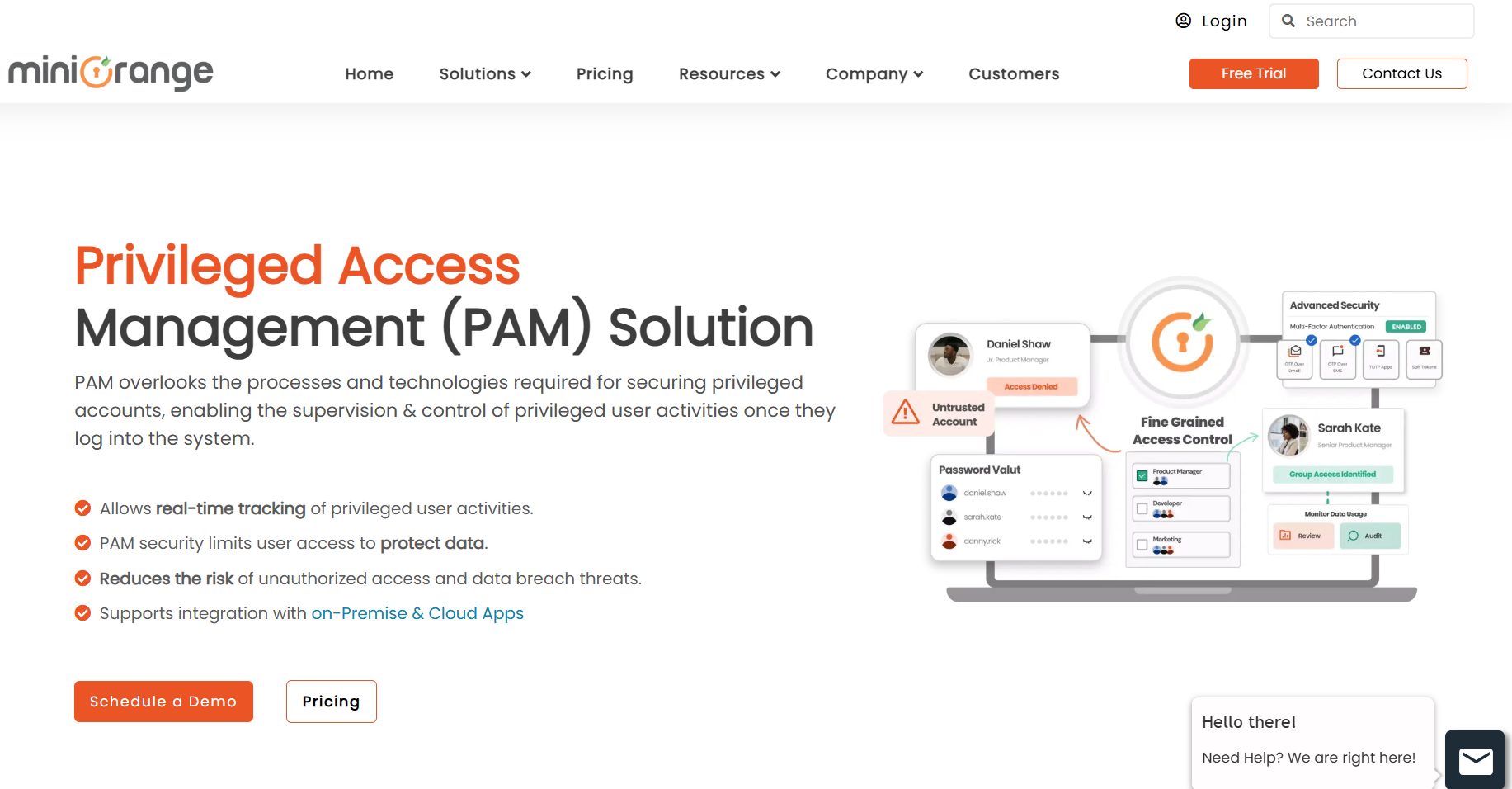
1. miniOrange PAM Solution
The miniOrange Privileged Access Management (PAM) solution is one of the leading PAM tools in the market. It is unique and widely recognized for its unified and scalable platform. Users report that it can be deployed in 10 days or less, delivers ROI within 90 days, and automates 60% of credentialing work in 28% less time and at a lower cost compared to CyberArk.
Key Features
Central vault for credentials, keys, and certificates
Just-in-time access, with adaptive MFA (risk-based) MFA
Live session recording and alerting with threat detection
RESTful APIs for DevOps and CI/CD automation
Cloud native, on premise, or hybrid deployment
Why is miniOrange Superior?
1. Fastest Time To Value
Deploy in 10-14 days vs. 180-day average industry time including CyberArk to deploy – your organization is secure and productive in less than two weeks.
2. Transparent & Modular Pricing
A reasonable pricing based on only the modules used – no hidden or additional fees. Customers report 28% lower three-year pricing over a CyberArk solution.
3. Customer Satisfaction
95% of support tickets are resolved at first contact, and with a 5.0/5 rating on G2, customers are consistently delighted.
4. Demonstrated Automation
Automated credential rotation allows security teams more time to focus on security initiatives by reducing the manual effort required by a secure credentialing workflow by 60%.
miniOrange Cons:
miniOrange PAM Solution may require expert support during initial setup to get perfect optimization in large, complex environments
Advanced customizations are in the planning phase
Certain enterprise-grade features are for specific businesses
miniOrange Ratings & Reviews:
G2: 5.0
2. Delinea
Delinea (formerly Thycotic and Centrify) is a popular Identity and Access Management provider. Its mature PAM platform is suitable for both on-premises and cloud environments. The focus on speed of deployment and ease of use has led to significant adoption by mid-sized companies and departments.
Delinea PAM Pros
Fast, agentless PAM deployment
Easy to use with role-based policy management
Good vaulting and session monitoring
Active community and frequent features releases
Delinea PAM Cons
Pricing tiers can be a significant jump for premium modules
Limited flexibility in built-in report templates
DelineaRatings & Reviews:
G2: 4.8
3. One Identity Safeguard (PAM)
One Identity Safeguard consists of a single appliance-based solution that supports credential vaulting, session recording and behavior analytics.
It is well-positioned within the broader Identity and Access Management suites, which support an all-in-one bundle for enterprises.
One Identity PAM Pros
Preconfigured security policies in a hardened appliance
Advanced analytics and/or anomaly detection
Deep integration with Active Directory and Identity Governance
User interface doesn’t feel as modern like other newer cloud native options
One Identity Safeguard Ratings & Reviews G2: 3.5
4. ARCON PAM Suite
ARCON employs AI driven risk scores which help avoid ~70% of unauthorized access attempts. Large enterprises reported ARCON cut compliance audit times in half.
ARCON PAM Suite Pros
Dynamic risk access policies
AI engine detects ~90% of suspicious sessions in real time
Customizable dashboards with ISO 27001, NIST and SOX reports
ARCON PAM Suite Cons
Implementation of software requires ~200 professional-services hours
There is a learning curve for establishing custom reports.
ARCON Ratings & Reviews G2: 4.4
5. BeyondTrust PAM
BeyondTrust boasts a 100% on-prem footprint reduction with its SaaS-first model, and includes vulnerability scanning, which reduces remediation time by 50% on average.
BeyondTrust PAM Pros
Completely cloud hosted in 72 hours or less
The built-in vulnerability scanning includes automatic remediation recommendations
Customizations are limited to 5 total API extension points
Premium analytics module, increases subscription fee by 35%
BeyondTrust PAM Ratings & Reviews G2: 3.3
6. Mamori M4PAM
Mamori M4PAM extends PAM into the database layer through its DBPAM approach, the layer CyberArk and most PAM tools stop short of, with zero trust access and built-in database activity monitoring layered on top.
Mamori M4PAM Pros
DBPAM: identity-based access to the row, column, and table level
Zero trust architecture with no standing privileged access
Built-in DAM plus data masking and a SQL/NoSQL firewall for compliance
Mamori M4PAM Cons
Self-hosted only, no SaaS-native option
Smaller market presence than CyberArk or the vendors above
Mamori M4PAM Ratings & Reviews:
Not yet listed on G2. Case studies available at mamori.io/case-studies.
Choosing the Right CyberArk PAM Alternative
When evaluating CyberArk alternatives for PAM as part of your business case, as a buyer, you need to consider several key points. As per the above data miniOrange offers goes above and beyond when it comes to –
30% faster deployment than legacy platforms.
28% average savings in total cost against CyberArk over three years.
94-100% first contact support resolution rate.
miniOrange stands out against CyberArk with its stable and mature PAM features, including Privileged Password Management, Privileged Session Management, real-time monitoring and recording, Just-in-Time Access Management, Role-Based Access Controls, compliance readiness, Endpoint Privilege Management, and agentless deployment.
However, it is always recommended to schedule a demo of any product by calling and discussing your requirements. With miniOrange, you can also compare solutions from other CyberArk competitors such as Delinea, BeyondTrust, ARCON, and One Identity side by side to get a clearer understanding.
FAQs
Why look for CyberArk alternatives?
Organizations will look for alternatives to CyberArk when implementation and licensing costs from CyberArk are too high for a small to medium-sized team and when the architecture by CyberArk is complex and requires dedicated administrators. Delays due to limited out-of-the-box integrations with niche systems or legacy applications also contribute to the lack of efficiency, and ultimately the total cost of ownership.
Who are CyberArk’s main competitors in the PAM space?
The main competitors are miniOrange, BeyondTrust, Delinea, One Identity, HashiCorp Vault, ManageEngine PAM360 and Okta. In general, many of these PAM platforms offer simpler deployment, alternative licensing flexibility, and/or utilize cloud-native architectures that cater to the diverse needs of organizations. Moreover, a good PAM solution integrates with SIEM tools to detect malicious intent before any incident can occur.
Why is CyberArk so expensive?
CyberArk is expensive due to the enterprise-grade security functionality it provides (e.g., advanced threat analytics, session management/monitoring and privileged behaviour monitoring) for large, regulated environments. Factors such as 24/7 support, maximum customization options, and an entrenched brand position further amplify licensing and maintenance costs.
In this interview, we spoke with Dan Olson, CEO of UpCity, a small business intelligence firm that has matched over 2 million businesses to providers they can trust since its inception in 2009.
According to the FBI, cyberattacks increased by 400% in 2020. This should be no surprise, given that 47% of individuals fall for phishing scams while working from home.
As businesses begin the return-to-work process, remote and hybrid work models remain prevalent, along with BYOD (bring your own device) policies. Therefore, UpCity sought to understand how prepared businesses are for cyberattacks in 2022.
To do so, UpCity surveyed 600 business owners and IT professionals on their 2022 cybersecurity plans, priorities, and budgets.
Only 50% of U.S. businesses have a cybersecurity plan in place
Of those, 32% haven’t changed their cybersecurity plan since the pandemic forced remote and hybrid operations
The most common causes of cyber attacks are malware (22%) and phishing (20%)
Cybercrime cost U.S. businesses more than $6.9 billion in 2021, and only 43% of businesses feel financially prepared to face a cyber attack in 2022
So, we spoke with Dan about why cybersecurity must be integral to risk mitigation strategies.
Here Are Dan Olson’s Responses To Our Questions:
1. How important is cybersecurity in the US compared to other countries?
Dan Olson:
Given our country’s economic development and innovation, it’s ironic that we fall behind in cybersecurity.
According to the latest data from Comparitech, the U.S. ranked 44th out of 75 countries in terms of cybersecurity safety. That may come as a surprise, considering much of what we do is online, but cyber abilities and cybersecurity are two different things.
2. According to the survey, half of the businesses in the US have no cybersecurity plan in place. What are some reasons for this slack?
Dan Olson:
I think for many, it’s a lack of understanding of what dangers are out there and the risks they’re facing without a plan in place. Especially for small businesses, it’s easy to believe they are too small to be targeted by hackers. Unfortunately, that’s why they’re an ideal target.
Small businesses may not make as much money as large corporations, but for that reason, they also have fewer protections in place. It’s easier for a cyber criminal to hack into an SMB’s data compared to a large corporation with entire departments dedicated to keeping their data safe.
But you can’t exactly blame someone for assuming that’s the case. You don’t often hear about the little guys in the news getting hacked. It’s significant corporate data breaches that make the headlines, like the infamous Capital One data breach.
3. What are the biggest cybersecurity threats to US businesses in 2022? And why?
Dan Olson:
Secure Shell (SSH) Brute Force attacks are fairly common in our country, where an attacker uses trial and error to guess credentials to access a server. Essentially, a criminal hacker attempts to guess your password and security questions to access or delete important files. That criminal is simply guessing your password and security questions to view or delete important files.
Spam, or phishing, is also very common. In this method of attack, hackers use texts or emails to disguise themselves as legitimate, with the purpose of gaining access to your passwords, account numbers, social security numbers, and other sensitive information, which can lead them to your email, bank, or credit card accounts. These attacks are usually financially motivated, but not always.
4. What can businesses do to improve cybersecurity and better protect themselves from risks?
Dan Olson:
Education is a powerful tool. Sometimes, you need to identify your weaknesses before you can move forward. That’s why, at UpCity, we partner with cybersecurity providers that offer services such as penetration testing, which involves letting a trusted professional “hack” your systems to identify weak points and help you better understand where to invest in protection.
Additionally, never underestimate the importance of common cybersecurity best practices. Ensure that your employees use a password manager, change their passwords regularly, and keep their software up to date. Not to mention, regular data backup and investing in a VPN.
5. On average, how much do businesses lose due to cyberattacks, and does implementing staunch cybersecurity measures save them money? Or is it more expensive?
Dan Olson:
The average financial cost of cyberattacks to a U.S. small business over 12 months is $25,612, with approximately 23% of small businesses falling victim to a cyberattack, according to a Hiscox report. That doesn’t include the loss of trust from customers and the long-term effects of reputation damage that ensues after a data leak.
Cybersecurity measures may seem expensive in the short term, especially for smaller businesses, but the question to ask is whether a cyberattack is worth the risk. Investing in cybersecurity measures is investing in your customers because it’s a disservice to them to be reckless with their data.
Imagine your business is the target of a data breach, and you now need to communicate to your loyal customers that their personal information has been compromised. While prevention methods don’t guarantee your business won’t fall victim to a cyber attack, at the end of the day, you need to be able to tell your clients you did everything possible to protect them.
6. How often would you recommend that businesses revise their cybersecurity plans?
Dan Olson:
Cybersecurity experts often recommend establishing a regular evaluation schedule that occurs quarterly, semiannually, or annually. It’s essential not to skip this either, because in our fast-paced, ever-changing world, regulations will continue to evolve and new threats will emerge.
To stay ahead of the curve, a helpful article from Calculated Research & Technology recommends updating your cybersecurity policy as part of a scheduled evaluation, in response to new regulatory requirements, changes in organizational structure, issues with employee compliance, and (hopefully this doesn’t happen to you) after a cybersecurity incident.
7. Can you tell us more about UpCity?
Dan Olson:
Our mission is “We help businesses find B2B service providers they can trust.” To uphold this goal, UpCity provides transparency and insights through a data-driven model that measures real credibility indicators, taking the guesswork out of the B2B service provider selection process.
We cannot keep this mission alive without cybersecurity protocols in place. Cyber attackers and bots can leave fake reviews, or our customers who store sensitive information when setting up a profile could be compromised. Embracing cybersecurity is a key way for small businesses to fulfill their missions.
Note: This was initially published in October 2022, but has been updated for freshness and accuracy.
Have you recently acquired a new laptop/desktop? Here’s how to set it up. Herein, we’ll show you the necessary steps to set up a new computer, including essential installation applications.
Setting up a new computer should be a cakewalk for regular computer users; however, new users may find it tricky or extremely difficult. Hence, the latter category would require expert guidance, some of which would be provided in the PC’s user manual.
This tutorial provides a comprehensive set of guidelines and the required apps to set up a new computer. Read on!
Congratulations! You’ve unboxed your new computer, a gleaming portal to endless possibilities. But before you dive headfirst into exploring the digital world, let’s take a crucial step: securing your new machine. In today’s ever-evolving cybersecurity landscape, a proactive approach is essential.
Fear not, for this guide will equip you with the knowledge to set up your new computer with robust defences.
How To Set Up A New Computer Like James Bond
Step 1: Fresh Start, Fresh Security
Imagine your new computer as a blank canvas. Pristine and free from any lurking malware or unwanted software. This is the perfect time to establish a strong security foundation.
Here’s what you need to prioritize:
Operating System Updates: Patchwork makes perfect! Outdated operating systems are riddled with vulnerabilities that attackers can exploit. As soon as you boot up, head straight to the update section and ensure your operating system (Windows, macOS, or Linux) is running the latest version. These updates often include critical security patches, so be sure not to skip them.
Enabling Firewalls: Think of a firewall as a digital bouncer, meticulously checking every piece of data that enters and exits your network. Most operating systems have built-in firewalls, so activate them to filter out any suspicious traffic.
Antivirus and Anti-Malware Software: These are your digital knights in shining armour, constantly scanning your system for malicious software and viruses. Invest in a reputable antivirus program that offers real-time protection. Remember, free antivirus options might sound tempting, but they often lack the robust features of paid solutions.
Strong Passwords & Multi-Factor Authentication (MFA): Here’s the mantra to chant: “Complex passwords, strong defence!” Resist the urge to reuse birthdays or pet names. Instead, create intricate passwords with uppercase and lowercase letters, numbers, and symbols. Consider using a password manager to generate and securely store these unique passwords. Don’t stop there! Enable MFA whenever available. This adds an extra layer of security by requiring a secondary verification code, such as one sent to your phone, in addition to your password.
User Accounts & Permissions: By default, most operating systems create an administrator account with full access to the system. This may seem convenient, but it poses a security risk. Create a separate user account with standard permissions for everyday tasks. This way, even if malware infects your standard account, it won’t have administrator privileges to wreak havoc on your entire system.
Step 2: Software Selection: Quality Over Quantity:
Now that your security foundation is in place, let’s explore the exciting world of software! However, remember that it’s not a race to install every program under the sun. Here’s the cybersecurity-focused approach:
Download from Verified Sources: The internet is a vast library, but some shelves hold dusty, malware-laden programs. Stick to the official websites of trusted software developers for safe and reliable downloads. Avoid freeware or cracked software from untrusted sources, as they may harbour malicious code.
This step is highly essential when setting up a new computer.
Read Reviews & Permissions: Before hitting “install,” take a moment to research the software. Read reviews from reputable sources and understand the permissions the program requests. Does a photo editing app need access to your microphone? Probably not. Be cautious of programs demanding excessive permissions.
Keep software updated: Just like your operating system, software updates are crucial for maintaining security. Enable automatic updates whenever possible to ensure your programs are patched with the latest security fixes.
With a secure foundation and smart software choices, you’re on your way to a safe and enjoyable computing experience. But let’s explore two additional aspects:
Privacy Settings: Modern operating systems and software often come with default privacy settings that might not be the most privacy-conscious. Take some time to adjust these settings to control how your data is collected and used.
Backups: A Safety Net for Your Data: Imagine all your precious photos, documents, and work files vanishing in a puff of digital smoke. Nightmares, right? Regularly backing up your data to an external hard drive or cloud storage ensures a safety net in case of malware attacks, hardware failures, or accidental deletions.
How To Set Up A New Computer Like James Bond: FAQs
Can I set up a new computer on my own?
Absolutely! Setting up a new computer is a manageable task, even for non-tech experts. This guide will equip you with the knowledge to tackle it with confidence.
How do you set up a computer step by step?
Here’s a simplified breakdown of the setup process:
Power Up and Initial Setup: Follow the on-screen instructions to connect peripherals, such as your monitor and keyboard, establish a Wi-Fi connection, and set up basic user accounts.
Operating System Updates: As in the Q Branch, your software must be up to date. Head to your operating system’s update section and ensure you’re running the latest version for optimal performance and security.
Activate Security Measures: Think firewalls and antivirus software. These are your digital defence systems, so activate them to avoid lurking threats. Consider investing in a reputable antivirus program that offers real-time protection.
Strong Passwords & Multi-Factor Authentication (MFA): Imagine passwords as your access codes. Make them complex and unique, and enable MFA wherever available for an extra layer of security.
Software Selection: Download programs only from trusted sources and be cautious of excessive permission requests. Regularly update your software to maintain security.
Privacy Settings: Review and adjust your operating system and software’s privacy settings to control how your data is collected and used.
Backups: Just like Bond has backup plans, implement a backup routine using an external hard drive or cloud storage to protect your valuable data.
Please note that this is a general guideline. Specific steps might vary depending on your operating system (Windows, Mac, Linux) and chosen software.
On-screen instructions usually guide the initial setup process. However, refer to your computer’s manual or the manufacturer’s website for specific instructions.
How do I set up my new laptop for the first time?
Setting up a laptop follows a similar process to that of a desktop computer. The main difference is that connecting peripherals like a monitor and keyboard might not be necessary with notebooks.
How long does it take to set up a new PC?
The setup time can vary depending on your internet speed, the number of software installations, and your level of comfort. It can take anywhere from 30 minutes to a few hours.
HP laptops generally have a user-friendly setup process. You can find specific instructions on HP’s official website or refer to the user manual included with your particular model.
The Takeaway: Security is Empowering, Not Restrictive
Securing your new computer might seem daunting, but it’s an investment in your digital well-being. By following these steps, you’ll be creating a secure environment where you can explore, develop, and connect with confidence.
Remember, cybersecurity is not about restrictions; it’s about empowerment. It gives you the peace of mind to navigate the digital world with a sense of control and protection.
Happy (and secure) computing!
Note: This was initially published in October 2019 but has been updated for freshness and accuracy.
In this post, we’ll show you how to uninstall programs on various Windows OS: Windows 11, 10, 8, 7, Vista, and XP.
Does your computer feel like a cluttered attic, overflowing with programs you no longer use? Fear not, fellow tech adventurer!
This guide will equip you with the knowledge to become a digital declutterer extraordinaire, regardless of which Windows version you use (Windows 11, 10, 8, 7, Vista, or even the venerable XP).
Let’s reclaim that precious storage space and streamline your Windows PC experience!
Understanding Your Windows: Different Paths, Same Destination
Like navigating a new city, each Windows version has its way of getting around. But worry not; uninstalling programs follows similar principles across the board.
We’ll explore the methods for each Windows version, ensuring you have the tools you need to tackle any digital clutter monster!
How To Uninstall Programs On Various Windows OS
Windows Version
Access Uninstaller
Locate Program
Uninstall
Windows 11 & 10
Search “Apps & features” in the Start Menu. Click on “Apps & features.”
Scroll through the list or use the search bar
Click the “Uninstall” button next to the program name
Windows 8 & 7
Right-click the Start Button, Choose “Programs and Features”
Scroll through the list or use the search bar
Right-click the program name, and Select “Uninstall.”
Windows Vista & XP
Open Control Panel, Find “Add or Remove Programs” (Vista) or “Add/Remove Programs” (XP)
Scroll through the list or use the search bar
Click “Change” or “Uninstall” next to the program name
All Versions (Built-in Apps)
Access “Apps & features” (Win 10/11) or “Programs and Features” (Win 7/8). Turn on the “Optional features” view (if needed on Win 10/11)
Locate built-in application
Click the “Uninstall” button next to the application name
Windows 11 & 10: The Modern Approach (Simple & Sleek)
Microsoft has streamlined the uninstall process for Windows 11 and 10 users, making it easier. Here’s how to do it:
Summon the Start Menu: This trusty button is typically located in the bottom-left corner of your screen. Click it, or press the Windows key on your keyboard.
Search for “Apps & features”: Start typing “Apps & features” in the search bar within the Start Menu. As you type, matching options will appear.
Click on “Apps & features.” Once you see it, click on the option titled “Apps & features” to open the program management window.
Find the Culprit: This window lists all your installed programs. Scroll through the list or use the search bar at the top to locate the program you want to uninstall.
Click the “Uninstall” Button: Once you’ve found your target program, bravely click the “Uninstall” button next to its name. Don’t worry; this won’t uninstall your entire computer!
Follow the On-Screen Prompts: The uninstaller might ask you to confirm your choice or provide additional information. Just follow the on-screen instructions to complete the process.
Bonus Tip: For some stubborn programs, you might see an option to “Modify” instead of “Uninstall.” This allows you to repair or reconfigure the program instead of obliterating it.
Windows 8 & 7: The App Charm Offensive (Easy & Efficient)
For those rocking Windows 8 or 7, the process is slightly different but still user-friendly. Here’s the drill:
Head to the Desktop: If you’re not already there, minimize any open windows to get to your desktop background.
Right-click on the Start Button: Find the Start button (usually in the bottom left corner) and right-click on it. A hidden menu will pop up.
Choose “Programs and Features”: In the menu that appears, select the option titled “Programs and Features” to launch the program management window.
Locate the Program: Similar to Windows 10/11, find the program you want to uninstall by scrolling through the list or using the search bar.
Right-click and “Uninstall”: Once you’ve identified your target, right-click on its name and select “Uninstall” from the context menu.
Follow the Uninstaller’s Instructions: The uninstaller might ask you to confirm or provide additional details. Just follow the prompts to complete the process.
Windows Vista & XP: The Classic Control Panel Caper (Slightly Different, But Doable!)
For users of Windows Vista and XP, the uninstallation process is accessed through the Control Panel. Don’t worry; it’s still quite manageable!
Open the Control Panel: Click on the Start button and then navigate to “Control Panel.” You might need to search for it, depending on your version.
Find “Add or Remove Programs” (Vista) or “Add/Remove Programs” (XP). Within the Control Panel, locate the option titled “Add or Remove Programs” (Vista) or “Add/Remove Programs” (XP).
Locate the Program: Like the previous methods, find the program you want to uninstall by scrolling through the list or using the search function.
Click “Change” or “Uninstall”: Once you’ve found the program, click on the button labelled “Change” or “Uninstall” (depending on your Windows version).
Follow the Uninstaller’s Instructions: The program’s uninstaller will guide you through the removal process. Follow the on-screen prompts to complete the uninstallation.
Bonus Tip! After uninstalling a program, it’s a good idea to restart your computer. This ensures any lingering changes from the uninstalled program are cleared from your system.
Uninstalling Built-in Windows Applications (For All Versions)
While most programs uninstall similarly, some built-in Windows applications require a slightly different approach. Here’s a quick guide:
Access “Apps & features” (Windows 10 & 11) or “Programs and Features” (Windows 7 & 8): Follow the steps mentioned earlier for your specific Windows version to open the program management window.
Turn on the “Optional features” view (if needed): In Windows 10 & 11, you might need to click on “Optional features” at the top of the window.
Find the Built-in App: Locate the built-in application you want to uninstall from the list.
Click “Uninstall”: Click the “Uninstall” button next to the application’s name.
Important Note: Not all built-in Windows applications can be uninstalled. This is to prevent users from removing essential system components.
The Extra Mile: Uninstalling Stubborn Programs (For All Versions)
Sometimes, programs might resist being uninstalled cleanly. Here are some additional tips for those stubborn applications:
Run the program’s uninstaller manually: Some programs install it alongside the main application. Search your Start menu or program files folder for an uninstaller associated with the program.
Search Online for Specific Uninstallation Instructions: A quick internet search might reveal specific uninstallation instructions for the program you’re trying to remove. The developer’s website might offer guidance.
Consider Third-Party Uninstaller Tools (Use with Caution): Several third-party applications claim to help uninstall programs more thoroughly. However, proceed with caution when using these tools. Please do your research and choose reputable applications with good reviews before installing them.
Remember: If you’re unsure about uninstalling a particular program, it’s always best to err on the side of caution and leave it alone. You can also try searching online forums or contacting the program’s developer for assistance.
Uninstalling unwanted programs is a great way to free up storage space and improve your PC’s performance. Here are some additional tips for maintaining a clean and organized system:
Regular Software Updates: Keep your operating system and applications up to date to ensure you have the latest security patches and bug fixes.
Manage Startup Applications: Review the programs that launch automatically when you start your PC—Disable unnecessary startup items to improve boot speed.
Utilize the Disk Cleanup tool: This built-in utility helps identify and remove temporary files and other unnecessary data.
Declutter Your Desktop: Organize your files and folders to maintain a clutter-free workspace.
By following these tips and using the correct uninstallation methods for your Windows version, you can keep your PC running smoothly and efficiently. Remember, a clean and organized computer is a happy computer (and a happy you)!
Conquering clutter and reclaiming storage space is a breeze when you know how to uninstall programs on Windows OS.
Whether you’re a seasoned Windows 11 user or rocking the classic Windows XP, this guide has equipped you with the knowledge to tackle any program you no longer need.
Remember, a clean PC translates to a smoother, faster, and more enjoyable computing experience. So, go forth, uninstall with confidence, and keep your Windows world organized!
Note: This was initially published in October 2019 but has been updated for freshness and accuracy.
In today’s digital age, online privacy is a growing concern. With our reliance on the internet for everything from communication to banking, protecting our personal information is paramount.
This is where Virtual Private Networks (VPNs) come into play. Often shrouded in mystery, VPNs offer a powerful tool for enhancing your online security and privacy.
This guide aims to demystify VPNs, explaining their inner workings, benefits, and potential drawbacks.
Imagine a secure tunnel built entirely within the vast internet. This tunnel encrypts your data traffic, shielding it from prying eyes.
That’s essentially what a VPN does. It acts as an intermediary between your device (computer, phone, tablet) and the websites or online services you access.
Here’s a breakdown of the key components:
Client Software: This software is installed on your device and establishes the connection to the VPN server.
VPN Server: Operated by the VPN provider, this server acts as the endpoint of the encrypted tunnel. All your internet traffic gets routed through this server.
Encryption: This process scrambles your data, making it unreadable to anyone who intercepts it. Common encryption protocols include AES-256 and OpenVPN.
— SecureBlitz Cybersecurity Blog (@secureblitz) December 3, 2019
Benefits of Using a VPN
VPNs offer a multitude of advantages for internet users:
Enhanced Security: By encrypting your data traffic, VPNs shield your online activity from potential snoopers. This is particularly crucial when using public Wi-Fi networks, which are notoriously insecure.
Boosted Privacy: VPNs mask your IP address, the unique identifier assigned to your device. This makes it harder for websites and online trackers to monitor your browsing activity and build a profile on you.
Geo-Restrictions Bypass: Some websites and streaming services restrict access based on geographical location. VPNs allow you to connect to a server in a different country, effectively masking your true location and granting access to geo-blocked content.
Censorship Circumvention: In countries with internet censorship, VPNs can be a valuable tool to access blocked websites and information.
With numerous VPN providers available, selecting the right one can be overwhelming. Here are some key factors to consider:
Security: Look for a provider that utilizes robust encryption protocols like AES-256.
Privacy: Choose a provider with a strong no-logs policy, meaning they don’t track or store your internet activity.
Server Network: Opt for a provider with a wide range of server locations to ensure flexibility in geo-restriction bypass.
Speed: VPN connections can sometimes impact internet speed. Look for providers with a reputation for fast and reliable connections.
Cost:VPN services come at varying price points. Consider your budget and needs while evaluating different options.
Potential Drawbacks of VPNs
While beneficial, VPNs are not without limitations:
Speed Reduction: VPN encryption can add processing overhead, potentially slowing down your internet connection.
Geo-Blocking Restrictions: Some streaming services actively block VPN traffic, making it difficult to bypass geo-restrictions.
Legal Considerations: Using a VPN to access illegal content remains illegal, regardless of location.
Is a Virtual Private Network Right for You?
The decision to utilize a Virtual Private Network depends on your individual needs and priorities. If you frequently use public Wi-Fi, value online privacy, or want to bypass geo-restrictions, a VPN can be a valuable tool.
However, if you prioritize lightning-fast connection speeds or have limited technical knowledge, a VPN might not be the best fit.
VPNs offer a powerful solution for enhancing online security and privacy. By understanding their functionality, benefits, and limitations, you can make an informed decision about whether a VPN is right for you.
Remember, online safety is an ongoing journey. Utilize a combination of strong passwords, multi-factor authentication, and a Virtual Private Network to navigate the digital world with confidence.
Note: This was initially published in November 2019, but has been updated for freshness and accuracy.
Want to know the difference between Viruses, Malware, Adware, Trojans, and Ransomware? This post will show you the differences between these cyber threats. Read on.
Ever feel overwhelmed by all the scary terms like viruses, malware, and ransomware? You’re not alone! This post will be your decoder ring, breaking down the key differences between these common digital threats.
We’ll explain what each one does, how they can harm your computer, and how to stay safe from them. So, buckle up and get ready to banish the confusion from your digital world!
Top Internet Security Deals
Kaspersky Lab
Kaspersky Antivirus is an antivirus protection solution that protects your computers from virus attacks and other...Show More
Kaspersky Antivirus is an antivirus protection solution that protects your computers from virus attacks and other threats that may result from internet usage or other forms of usage. Show Less
60% OFF
Panda Dome Security Suite
Your advanced protection suite for home and business needs.
Your advanced protection suite for home and business needs. Show Less
66% OFF
Norton 360
Norton 360 is a security suite that utilizes advanced machine learning technology in dealing with all types of malware...Show More
Norton 360 is a security suite that utilizes advanced machine learning technology in dealing with all types of malware including Trojans, ransomware, etc. 100% guaranteed protection against all types of malware and your best bet for privacy protection. Show Less
Avira Prime
Avira Prime is the ultimate security suite for data safety and protection from online threats that gives you full access...Show More
Avira Prime is the ultimate security suite for data safety and protection from online threats that gives you full access to Avira products like antivirus, Phantom VPN, software updater, system optimization tool, and a password manager. Show Less
25% OFF
ESET HOME Security Premium
ESET HOME Security Premium is a fully-fledged security software with amazing features and even a password manager. Smart...Show More
ESET HOME Security Premium is a fully-fledged security software with amazing features and even a password manager. Smart protection for Windows, Mac, and Android devices. Show Less
G DATA Total Security
G DATA Total Security is a complete protection suite that offers total security online and offline. The suite includes...Show More
G DATA Total Security is a complete protection suite that offers total security online and offline. The suite includes an antivirus engine, a password manager, firewall protection, device control, and internet security tools. Intelligent security suite for all device types. Show Less
38% OFF
AVG Ultimate
A combined antivirus plus VPN for total protection.
A combined antivirus plus VPN for total protection. Show Less
50% OFF
McAfee Total Protection
An easy-to-use security suite for data safety and device protection.
An easy-to-use security suite for data safety and device protection. Show Less
53% OFF
Trend Micro Premium Security Suite
Premium security suite for device protection and identity safety.
Premium security suite for device protection and identity safety. Show Less
VIPRE Advanced Security
Best security solution for emerging threats and data safety.
Best security solution for emerging threats and data safety. Show Less
Total AV
Protects your devices and online activities in real-time.
Protects your devices and online activities in real-time. Show Less
PC Matic Security
PC Matic Security is a security software that protects against malware, viruses, and ransomware.
PC Matic Security is a security software that protects against malware, viruses, and ransomware. Show Less
K7 Total Security
K7 Total Security is a comprehensive security software suite that provides protection against malware, viruses, and...Show More
K7 Total Security is a comprehensive security software suite that provides protection against malware, viruses, and other cyber threats, as well as features such as parental controls, data encryption, and a personal firewall. Show Less
F-Secure Total
F-Secure Total is a security suite that provides protection for your devices against malware, viruses, and online...Show More
F-Secure Total is a security suite that provides protection for your devices against malware, viruses, and online threats with features like antivirus, firewall, VPN, and parental control. Show Less
Sophos
Sophos Antivirus is a security software that helps protect computer systems from various malware and online threats.
Sophos Antivirus is a security software that helps protect computer systems from various malware and online threats. Show Less
Surfshark One
Surfshark One is a cybersecurity bundle that provides users with Surfshark VPN, Alert, Search, and Antivirus that...Show More
Surfshark One is a cybersecurity bundle that provides users with Surfshark VPN, Alert, Search, and Antivirus that combines security, privacy, and convenience into one powerful package. Surfshark is an award-winning VPN service for keeping your digital life secure. Show Less
Avast One
Avast One is an all-in-one security suite offering antivirus protection, VPN, performance optimization, and privacy...Show More
Avast One is an all-in-one security suite offering antivirus protection, VPN, performance optimization, and privacy tools for comprehensive digital security. Show Less
Before I show you the similarities and differences between viruses, malware, adware, trojans, and ransomware, let me first explain what they are and their typical infection signs.
What Is A Computer Virus?
A computer virus is a malicious software program designed to spread from one device to another and replicate itself.
Imagine a cold virus, but for computers! Viruses typically attach themselves to legitimate programs or files, and when you run the infected program, the virus code also executes. This execution allows the virus to:
Replicate: The virus code inserts copies of itself into other programs on your computer, causing it to become infected as well.
Spread: Viruses can spread in various ways, such as through email attachments, infected websites, removable storage devices (like USB drives), or even peer-to-peer (P2P) file-sharing networks.
While the specific symptoms can vary, here are some common signs that your computer might be infected with a virus:
Slow Performance: Viruses can consume system resources, leading to a noticeable slowdown in your computer’s performance. This can manifest as slower boot times, sluggish program execution, and general lag.
Unusual System Behavior: Unexpected crashes, freezes, or error messages can indicate a virus interfering with your computer’s regular operation.
Unknown Processes: The presence of unfamiliar programs running in the background, especially with cryptic names, could be a sign of a virus activity.
Pop-Ups and Ads: A sudden increase in unwanted pop-ups or intrusive advertisements can be caused by certain types of viruses.
Missing or Corrupted Files: Viruses might delete or corrupt important files on your computer, rendering them inaccessible.
Remember: Early detection and removal of a virus is crucial. If you suspect a virus infection, run a scan with a reputable antivirus program and take steps to remove the virus and protect your system.
Unlike viruses that spread by replicating themselves, Trojan horses are malicious programs that masquerade as legitimate software. These tricksters can account for a significant portion of malware infections.
Trojan horses can infiltrate your system through various means, often relying on social engineering tactics.
Here are some standard delivery methods:
Phishing emails: Deceptive emails disguised as trusted sources (e.g., banks, popular services) might contain attachments or links that, when clicked, install Trojan horses.
Infected downloads: Free software downloads, especially from untrusted sources, might harbour Trojan horses. Always exercise caution when downloading and installing software.
Malicious websites: Certain websites might be booby-trapped to deliver Trojan horses through drive-by downloads or exploit vulnerabilities in your web browser.
Once installed, Trojan horses can wreak havoc on your system in several ways:
Data Theft: Trojan horses can steal sensitive information, such as login credentials, banking details, or personal data.
System Takeover: Attackers can gain remote access to your computer, allowing them to install other malware, spy on your activity, or even use your machine for malicious purposes.
Download Gateway: Trojan horses can serve as a gateway for downloading additional malware onto your system, thereby further compromising your security.
What are the signs of Trojan Horse Infection?
While Trojan horse infections can be stealthy, here are some red flags to watch out for:
Unexpected Pop-ups: A sudden surge of pop-up ads or unfamiliar windows on your screen could indicate a Trojan horse infection.
Unwanted Software: The presence of unknown programs you didn’t install might signify a Trojan horse at work.
Slow System Performance: Trojan horses can consume system resources, leading to sluggish performance, crashes, or freezes.
Missing Files or Data: If you notice important files or data disappearing mysteriously, it could be due to a Trojan horse.
Adware is a type of software that displays unwanted advertisements. It can infiltrate your computer and display these ads in various intrusive ways, disrupting your browsing experience and potentially compromising your privacy.
It’s important to distinguish between adware and legitimate advertising practices. Many reputable websites and software programs display ads as a source of revenue. The critical difference lies in consent and user experience.
Legitimate ads are typically non-intrusive, can be quickly closed, and don’t track your browsing habits excessively.
Adware, on the other hand, is often sneaky and disruptive. Here’s what sets it apart:
Unwanted and Intrusive Ads: Adware displays excessive pop-up ads, often unrelated to the content you are viewing. These ads can be challenging to close and might appear in non-closable windows.
Privacy Concerns: Some adware can track browsing and target you with personalized ads. This raises privacy concerns as it collects data about your online behaviour without explicit consent.
Bundled with Free Software: Adware can sometimes be bundled with free software you download online. Be cautious during software installation and opt out of any additional software you don’t recognize.
What Are the Signs of Adware Intrusion?
If you’re experiencing any of the following, your computer might be infected with adware:
Excessive Pop-up Ads: Are you bombarded with pop-up ads seemingly out of nowhere, even on websites you trust?
Obtrusive Ads in Unclosable Windows: Do you encounter ads that can’t be quickly closed and seem to take over your screen? This is a classic sign of adware.
Ads Based on Your Browsing Habits: Are you seeing ads suspiciously related to recently visited websites? This suggests the adware might be tracking your browsing activity.
Slow Computer Performance: Adware can slow down your computer by consuming system resources to display and manage intrusive ads.
Imagine someone holding your essential documents hostage and demanding a ransom to release them. That’s essentially what ransomware does in the digital world.
Ransomware attacks employ a technique known as cryptoviral extortion. Attackers encrypt your files, making them inaccessible, and then demand payment, typically in cryptocurrency such as Bitcoin, to decrypt them.
This can be incredibly stressful, as the files you need for work, school, or personal use are suddenly locked away.
Ransomware often spreads through deceptive means, disguised as legitimate software or hiding in email attachments. Here’s a common scenario:
The Bait: You receive an email that appears to be from a trusted source, like a bank or delivery company. It might contain a link or attachment.
The Trap: Clicking the link or opening the attachment unknowingly downloads ransomware onto your computer.
The Hold Up: Once installed, the ransomware encrypts your files, leaving you with a message demanding a ransom payment to regain access.
What Are the Signs of Ransomware Infection?
If you suspect your computer might be infected with ransomware, look out for these red flags:
Ominous Messages: Pop-up windows appear on your screen, demanding payment to unlock your files. These messages often use scare tactics and threats of permanent data loss.
Inaccessible Files: You can’t open essential documents, photos, or other files. They may appear encrypted or corrupted.
Login Issues: In some cases, ransomware might even prevent you from logging into your computer altogether.
Remember: Paying the ransom doesn’t guarantee you’ll get your files back. It can encourage attackers to target you again. Having a sound backup system and practising safe browsing habits is crucial to avoiding ransomware attacks.
Malware, short for malicious software, is a program intentionally designed to harm a computer system or network.
It can be disguised as legitimate software, tricking users into downloading and installing it. Once installed, malware can perform a variety of malicious activities, such as:
Stealing personal information (passwords, credit card details)
Damaging or deleting files
Disrupting computer operations
Downloading and installing additional malware
Spying on your activity
While often used interchangeably, “malware” is an umbrella term encompassing various threats. Here’s a breakdown of some common types of malware:
Viruses: These self-replicating programs attach themselves to legitimate files and spread from computer to computer.
Trojan horses: These programs disguise themselves as beneficial or harmless but unleash their malicious payload once downloaded.
Ransomware: This type of malware encrypts your files, holding them hostage until you pay a ransom to regain access.
Adware: This unwanted software bombards you with excessive and intrusive advertisements.
Spyware: This software secretly monitors your online activity and gathers personal information.
A malware infection can manifest in various ways, so vigilance is essential.
Here are some red flags to watch out for:
Slow computer performance: Malware can bog down your system by consuming resources.
Frequent crashes or freezes: Unexpected system instability can be a sign of malware activity.
Suspicious pop-ups or advertisements: A sudden influx of unwanted ads might indicate an adware infection.
Missing or corrupted files: Malware can damage or delete essential files.
Unknown programs running in the background: Unfamiliar programs consuming system resources could be malware.
Remember: If you suspect a malware infection, don’t hesitate to take action. Run a reputable antivirus scan and consider seeking professional help if necessary.
Now, I will reveal the major similarities between viruses, malware, adware, trojans, and ransomware.
Similarities Between Computer Virus, Malware, Adware, Trojan Horse, And Ransomware
Here are their similarities:
Malicious Intent: All these threats belong to the malware family, aiming to harm your computer system or network in some way (data theft, system disruption, etc.).
Deceptive Tactics: They often employ deceptive tactics to gain unauthorized access to your system. This can involve social engineering, disguising themselves as legitimate software, or exploiting vulnerabilities.
Now, I will show you the differences between viruses, malware, adware, trojans, and ransomware.
Differences Between Computer Virus, Malware, Adware, Trojan Horse, And Ransomware
Malware Type
Mode of Operation
Severity of Impact
Virus
Self-replicates and spreads actively upon user interaction (downloading infected files).
It spreads quickly and can be highly disruptive.
Trojan Horse
Disguised as harmless software, it unleashes malicious actions upon installation.
Varies depending on the Trojan’s purpose (data theft, installing additional malware).
Ransomware
Encrypts your files, holding them hostage until a ransom is paid.
It is highly disruptive and can cause significant data loss if not addressed.
Adware
Bombards you with excessive and intrusive advertisements.
It is less severe than other malware but can be annoying and potentially lead to further threats.
Spyware
Operates in the background, secretly monitors online activity and gathers personal information.
It varies depending on the information collected and can be a significant privacy concern.
Building a Digital Fortress: How to Prevent Viruses, Malware, Adware, Trojans, and Ransomware
The digital world thrives on information, but it also harbours threats. Viruses, malware, adware, Trojans, and ransomware can cause significant damage to your computer.
Here are tips to prevent these digital nasties from infiltrating your system:
Software Shields: Building the First Line of Defense
Antivirus All-Star: Having a reputable antivirus program is essential. It acts as a shield, constantly scanning your system for malicious threats and removing them before they can cause damage. Select a program that offers features such as real-time scanning, automatic updates, and malware detection capabilities. Keep your antivirus software up to date with the latest definitions to ensure it can identify the newest threats.
Firewall Fortification: A firewall acts as a gatekeeper, monitoring incoming and outgoing traffic on your computer. It can help block suspicious connections that might attempt to download malware or steal your data. Ensure your firewall is enabled and configured appropriately.
Software Update Savvy: Outdated software can have security vulnerabilities that malware can exploit. Make it a habit to regularly update your operating system (Windows, Mac, etc.), web browser, and other applications. Most software offers automatic update options, enabling users to stay patched and protected.
Web Browsing Bravado: Navigating the Digital Wild West
Link Literacy: Be cautious when clicking links, especially in emails or websites you don’t recognize. Phishing emails often contain malicious links that can download malware if clicked. Hover over links to see the actual destination URL before clicking.
Download Discernment: Only download software from trusted sources. Avoid downloading files from unknown websites or clicking on suspicious pop-up ads that offer free software downloads. These can be malware traps.
Attachment Awareness: Exercise caution with email attachments, especially from unknown senders. Don’t open attachments you weren’t expecting, even if they appear from someone you know. Always scan attachments with your antivirus software before opening them.
Script Stopper (Optional): Consider using a script blocker extension for your web browser. This can help prevent malicious scripts from running on websites you visit, potentially preventing drive-by malware downloads.
Social Engineering Savvy: Outsmarting Deception
Gift Horse Scrutiny: Be wary of unsolicited offers or “too good to be true” deals online. These could be scams designed to trick you into downloading malware or revealing personal information.
Software Suitability: If you’re unsure about the legitimacy of a software program, research it online before downloading. Read reviews and check the developer’s website to verify its authenticity.
Password Power: Use strong and unique passwords for all your online accounts. Don’t reuse the same password across different platforms. Consider using a password manager to generate and securely store strong passwords.
Being Backup Buddies: Preparing for the Worst
Data Backup Champion: Regularly back up your important data to an external hard drive or cloud storage service. In the unfortunate event of a ransomware attack, having backups ensures you don’t lose your precious files.
Disaster Recovery Plan: A disaster recovery plan can be invaluable if your computer gets infected. This might involve knowing how to restore your system from a backup or having a recovery tool readily available.
Wrapping Up
Lastly, you can identify the differences between cyber threats, i.e., viruses, adware, trojan horses, ransomware, and malware. Protecting your computer and ensuring it never falls victim to malware is a great idea.
While all are considered malicious software (malware), these threats have vital differences:
Viruses spread actively, while Trojans deceive you into installing them.
Ransomware encrypts your data, while adware bombards you with ads.
Spyware works silently in the background, stealing your information.
Understanding these distinctions helps you identify and prevent these threats from harming your computer.
What do you think about Computer Virus, Malware, Adware, Trojan Horse, And Ransomware? Drop a comment below.
On September 25th, 2019, cybersecurity company Avast disclosed a significant security breach on its internal network. This breach, believed to be a meticulously planned supply chain attack, targeted the popular CCleaner software, a product acquired by Avast in 2017.
A Complex Intrusion: Abiss Unveiled
Avast’s investigation revealed a determined attacker, dubbed “Abiss,” who infiltrated the network using compromised credentials from a temporary VPN account. The lack of two-factor authentication (2FA) on this account significantly compromised its security.
Jaya Baloo, Avast’s Chief Information Security Officer (CISO), emphasized the sophisticated nature of the attack, highlighting Abiss’s focus on stealth and meticulous efforts to cover their tracks.
The investigation identified suspicious activity logs dating back to May 14, 2019, with additional entries on July 24, September 11, and October 4.
These entries point towards a persistent attacker, meticulously planning and executing their attack strategy. The attacker reportedly connected through a public IP address in the United Kingdom and then exploited the vulnerable VPN account.
CCleaner Updates and User Protection
Upon identifying CCleaner as the potential target, Avast took immediate action. On September 25th, they halted all future updates for the software and initiated a thorough review of previous versions to identify any potential malicious modifications.
Prioritizing user safety, Avast re-signed a clean version of CCleaner and deployed it as an automatic update on October 15th. This ensured all users received a genuine, secure version of the software.
Avast’s security team meticulously traced the attacker’s activity through the compromised VPN profile. This allowed them to monitor the attacker’s actions and implement mitigation measures before significant damage could be done.
Following standard security protocols, Avast notified law enforcement about the intrusion. Additionally, they engaged an external forensics team to assist with data validation and secure evidence collection.
With a focus on continuous improvement, Avast pledged to enhance its network monitoring systems to facilitate quicker detection and more efficient responses to future threats.
They also confirmed sharing crucial information, such as attacker IP addresses, with law enforcement agencies to aid their investigation. The cybersecurity community was also informed to raise awareness and promote collaborative efforts to combat cyber threats.
David Peterson, the General Manager of CCleaner, emphasized that all CCleaner users must update their software automatically. This essential step ensures users are running the latest, verified version free from potential malware.
Peterson highlighted the preventative nature of this update, stating that while investigations are ongoing, they prioritized user safety by eliminating the risk of malicious software delivery.
This update applies to all CCleaner installations starting from version 5.57. Users who installed versions after May 2019 were automatically updated to guarantee security.
CCleaner wasn’t directly hacked. The target of the attack was Avast, the cybersecurity company that owns CCleaner. Hackers infiltrated Avast’s network by using compromised credentials for a temporary VPN account that lacked two-factor authentication (2FA) for added security. This allowed them to tamper with CCleaner updates, potentially.
Is Avast and CCleaner the same company?
No, Avast acquired CCleaner in 2017. However, this incident highlights the vulnerability of supply chain attacks, where compromising one company can indirectly affect its acquired products or services.
Does Avast work against hackers?
Avast is a cybersecurity company that develops antivirus and anti-malware software designed to protect users from hackers. However, in this incident, their network was infiltrated by a skilled attacker. This emphasizes the importance of robust security measures even for cybersecurity companies.
While Avast offers VPN services, the security of its VPN was not specifically compromised in this incident. However, the breach underscores the importance of using strong passwords and enabling two-factor authentication (2FA) on all accounts, including VPNs.
Can CCleaner damage my computer?
Traditionally, CCleaner cleans up temporary files and improves system performance. However, in this specific case, there was a potential risk of hackers injecting malicious code into CCleaner updates. Avast has addressed this concern by releasing a clean, verified version of CCleaner.
There is no confirmation that any version of CCleaner was definitively infected with malware. However, Avast recommends updating all CCleaner installations from version 5.57 onwards to the latest version as a precautionary measure.
Lessons Learned and a Call to Action
The Avast breach serves as a stark reminder of the evolving tactics employed by cybercriminals.
The meticulous planning, exploitation of vulnerabilities such as weak VPN credentials, and focus on supply chain attacks underscore the need for heightened security measures across the industry.
This incident underlines the importance of:
Strong Password Management: Implementing solid and unique passwords, along with enforcing multi-factor authentication (2FA) on all accounts, significantly reduces the risk of unauthorized access.
Regular Security Audits: Conducting regular penetration testing and security audits helps identify vulnerabilities before they can be exploited.
Continuous Monitoring: Maintaining robust network monitoring systems allows for early detection and rapid response to suspicious activity.
Open Communication: Transparency and collaboration within the cybersecurity community are crucial for effective threat mitigation and prevention.
By prioritizing these measures, organizations can significantly enhance their security posture and better protect themselves against sophisticated attacks, such as the one Avast recently encountered.
Note: This was initially published in October, 2019 but has been updated for freshness and accuracy.
The world of football, like many industries, is undergoing a data revolution. A.S. Roma, a leading Italian professional football club, has recognized the importance of data analysis and partnered with Acronis, a global leader in cyber protection, to leverage Artificial Intelligence (AI) and Machine Learning (ML) for both on-field optimization and robust cybersecurity.
Let’s delve deeper into this innovative partnership and explore its potential impact.
Optimizing Performance Through Data Analytics
The days of relying solely on intuition and gut feeling in football are fading. Modern teams are embracing data analytics to gain a competitive edge. Here’s how A.S. Roma will potentially benefit from Acronis’ AI and ML solutions:
Player Performance Analysis: Analyzing player data, including physical attributes, movement patterns, and past performance, allows coaches to make informed decisions about player selection, training strategies, and tactics.
Opponent Scouting: AI can analyze data on opposing teams, identifying strengths and weaknesses. This enables coaches to develop game plans that exploit the opponent’s vulnerabilities and maximize A.S. Roma’s chances of success.
Injury Prevention: Analyzing player training data and movement patterns can help identify potential injury risks. This allows for proactive measures to be taken, preventing injuries that could disrupt the team’s performance.
Fan Engagement: AI can be used to personalize fan experiences, tailoring content and promotions based on individual preferences and past interactions. This can help strengthen fan engagement and loyalty.
Securing the Digital Advantage: A Crucial Partnership
While data offers immense potential, it also introduces cybersecurity risks. A.S. Roma’s partnership with Acronis goes beyond data analysis; it prioritizes data security. Here’s what Acronis brings to the table:
Acronis Cyber Protect: This AI-powered solution integrates data protection, cybersecurity, and endpoint management into a single platform. This unified approach simplifies data security and streamlines management for A.S. Roma’s IT team.
Comprehensive Protection: Acronis Cyber Protect offers protection against various threats, including ransomware attacks, malware infiltration, and unauthorized access attempts. This multi-layered defense safeguards A.S. Roma’s critical data, including player statistics, scouting reports, and financial information.
Backup and Recovery: Disasters can strike in the form of cyberattacks or hardware failures. Acronis’ backup and recovery solutions ensure that A.S. Roma’s data is always protected and readily recoverable in case of an incident.
Mutual Benefits: A Win-Win for Both Parties
This partnership isn’t a one-way street. Both A.S. Roma and Acronis stand to gain:
A.S. Roma: Gains valuable data-driven insights for improved performance, enhanced fan engagement, and robust cybersecurity infrastructure.
Acronis: Expands its brand reach into the world of football, showcasing its AI-powered solutions to a global audience, including high-profile clubs like Arsenal FC and Liverpool FC.
This innovative partnership between A.S. Roma and Acronis raises several questions. Here are some frequently asked questions (FAQs) to shed light on the collaboration and its implications:
How will A.S. Roma use AI and Machine Learning?
A.S. Roma will leverage Acronis’ AI and ML solutions to gain valuable insights from various data sources, including:
Player Performance Data: Analyze performance metrics like physical attributes, movement patterns, and past statistics to optimize training strategies and identify potential injuries.
Opponent Scouting: Analyze data on opposing teams to understand their strengths and weaknesses, enabling coaches to develop game plans that exploit vulnerabilities and maximize A.S. Roma’s chances of winning.
Fan Engagement: Personalize fan experiences by tailoring content and promotions based on individual preferences and past interactions, potentially leading to stronger fan loyalty.
How does Acronis Cyber Protect help A.S. Roma?
Acronis Cyber Protect offers a comprehensive security solution that goes beyond data analysis. It provides A.S. Roma with:
Unified Platform: Integrates data protection, cybersecurity, and endpoint management into a single platform, simplifying data security management for the IT team.
Multi-layered Defense: Safeguards against threats like ransomware attacks, malware infiltration, and unauthorized access attempts, protecting critical data like player statistics, scouting reports, and financial information.
Backup and Recovery: Ensures A.S. Roma’s data is always protected and readily recoverable in case of cyberattacks or hardware failures.
What are the benefits of this partnership?
This partnership is mutually beneficial:
A.S. Roma: Gains valuable data-driven insights for improved performance, enhanced fan engagement, and a robust cybersecurity infrastructure.
Acronis: Expands its brand reach into the world of football, showcasing its AI-powered solutions to a global audience with established partnerships with other prominent clubs.
Is this the future of football?
The A.S. Roma and Acronis partnership exemplifies the growing role of technology in football. By embracing AI, ML, and robust cybersecurity solutions, A.S. Roma positions itself at the forefront of technological innovation in the sport.
This paves the way for a future where data-driven decision-making and cutting-edge security combine to propel football teams to new heights.
The Future of Football: Embracing Technology
A.S. Roma’s partnership with Acronis exemplifies the increasing role of technology in modern football.
By embracing AI, ML, and robust cybersecurity solutions, A.S. Roma positions itself as a forward-thinking club dedicated to leveraging both on-field and off-field data to achieve success.
This partnership paves the way for a future where data-driven analytics and cutting-edge security combine to propel football teams to new heights.
Some cybercriminals have targeted WooCommerce online stores with a sizable number of customers fit enough for a Magecart attack in the nearest future. This discovery was done by researchers from Sucuri, a website security firm.
Ensure your online safety – read our OmniWatch review, a tool dedicated to removing your personal information from the dark web and data broker platforms.
The world of e-commerce is a battleground, and online stores built with WooCommerce, a popular WordPress plugin, are facing a heightened threat.
Researchers from Sucuri, a website security firm, have uncovered a new wave of Magecart attacks specifically targeting WooCommerce websites. This development underscores the importance of robust security measures for online businesses.
WooCommerce empowers entrepreneurs to create user-friendly online stores on their WordPress websites. Its ease of use and open-source nature have made it a go-to platform for e-commerce ventures.
However, this popularity also attracts malicious actors. Cybercriminals are constantly seeking vulnerabilities in WordPress plugins to exploit them for financial gain.
Stealthy Infection: The Malware’s Modus Operandi
The recently discovered malware operates covertly. Disguised as a PHP script (5ea331c1744115ea331c17441f.php), it infiltrates WooCommerce stores, preparing them for future attacks. This script has two main objectives:
Database Infiltration: It extracts crucial information from the hacked store’s MySQL database. By gaining access to the WordPress database, the malware can potentially run malicious SQL queries to steal sensitive data, including registered transactions and complete payment logs.
Future Attack Preparation: The malware serves as a foothold for future intrusions. This allows attackers to launch additional attacks against the compromised website, potentially deploying web skimmers to capture customer payment details in real-time.
By focusing on these platforms, attackers can maximize their return on investment. WooCommerce stores often have a significant customer base and generate substantial traffic, making them lucrative targets for Magecart attacks.
A Multi-Pronged Attack Strategy: Beyond Initial Infection
Leal further highlights a concerning trend: the deployment of three backdoors on compromised websites. These backdoors act as gateways for future attacks. Imagine a web skimmer as the initial foothold, granting unauthorized access.
The additional backdoors serve as secondary and tertiary entry points, allowing attackers to regain control even if the web skimmer is detected and removed.
Magecart: A Persistent Threat
This is not an isolated incident. Magecart attacks have plagued e-commerce platforms for years. In April 2020, PCrisk reported a surge in Magecart attacks targeting various online payment processors.
These attacks typically involve injecting malicious JavaScript code into a platform’s shopping cart. This code acts as a silent thief, skimming debit and credit card details entered by unsuspecting customers.
Stolen information is then transmitted to the attacker’s control server, potentially ending up for sale on the dark web or used for fraudulent purchases.
Protecting Your WooCommerce Store: A Security Imperative
In light of these threats, taking proactive security measures is paramount for WooCommerce store owners.
Here are some crucial steps to safeguard your online business:
Regular Updates: Ensure your WordPress core, WooCommerce plugin, and all themes and extensions are updated with the latest security patches. Outdated software can harbor vulnerabilities that attackers exploit.
Strong Passwords: Enforce strong and unique passwords for all administrative accounts associated with your website. Avoid using weak passwords or reusing passwords across different accounts.
Security Plugins: Consider reputable security plugins to add an extra layer of protection. These plugins can help detect malware, prevent brute-force attacks, and monitor website activity for suspicious behaviour.
Regular Backups: Maintain regular backups of your website data. In case of an attack, a recent backup can help you restore your website quickly and minimize downtime.
Payment Gateway Security: Choose a reputable payment gateway that adheres to stringent security standards like PCI-DSS compliance. This can help minimize the risk of payment information breaches.
Stay Informed: Stay updated on the latest security threats and trends. Subscribe to security advisories from WordPress and WooCommerce to get notified about potential vulnerabilities and recommended mitigation strategies.
WooCommerce Security FAQs: Protecting Your Online Store
Is my WooCommerce store safe?
WooCommerce itself can be secure, but its safety ultimately depends on your security practices. Regular updates, strong passwords, and security plugins are crucial. Unpatched vulnerabilities and weak security measures can leave your store exposed to malware attacks like Magecart.
How do I check for malware on my WordPress site (where WooCommerce resides)?
There are two main approaches:
Security Plugins: Several reputable security plugins offer malware scanning capabilities. These plugins can scan your website’s files and database for malicious code. Popular options include Sucuri SiteCheck, Wordfence Security, and WPSecurity Firewall.
Manual Inspection: While not recommended for the faint of heart, you can manually inspect your website’s files and database for suspicious code. This requires familiarity with PHP code and database structures. If you’re unsure, consider seeking help from a qualified security professional.
How secure is WooCommerce?
WooCommerce, as a platform, is inherently secure when kept up-to-date and configured properly. However, its reliance on plugins and themes introduces potential vulnerabilities. Regular updates, careful selection of plugins and themes, and robust security measures are essential for maintaining a secure store.
How do I remove malware script from WordPress?
Removing malware scripts can be a complex process. Here’s a general outline:
Backup: Before attempting any removal, create a complete backup of your website’s files and database. This serves as a safety net in case something goes wrong during the removal process.
Identify the Threat: Use a security plugin or manual inspection to pinpoint the location of the malware script.
Removal: Once identified, carefully remove the malicious script from your website’s files. It’s crucial to ensure you’re deleting the correct file and not accidentally removing legitimate code.
Change Passwords: Update all passwords associated with your WooCommerce store and WordPress installation, including administrative accounts, FTP credentials, and database logins.
Security Review: After the removal, conduct a thorough security review to identify and address any vulnerabilities that might have allowed the initial infection.
What is the WordPress plugin to check for malware?
Several great options exist, including:
Sucuri SiteCheck: Offers website security scanning and monitoring.
WPSecurity Firewall: Protects against common attacks like brute-force login attempts and malware injections.
Can I check a URL for malware?
While some online tools claim to scan URLs for malware, their effectiveness can be limited. The most reliable way to check for malware is to scan the website’s files and database directly.
How do I manually remove malware from my WordPress site?
Manual removal is a complex process that requires technical expertise. Here’s why it’s often best left to professionals:
Identifying the Threat: Accurately pinpointing the malicious code can be challenging for non-technical users.
Safe Removal: Accidental deletion of legitimate code can cause website malfunctions.
Vulnerability Assessment: Addressing the underlying vulnerabilities that allowed the infection is crucial to prevent future attacks.
If you’re uncomfortable with manual removal, consider seeking help from a qualified WordPress security professional.
Bottom Line
By implementing these security measures and remaining vigilant, WooCommerce store owners can significantly reduce the risk of falling victim to Magecart attacks and protect their customers’ sensitive data.
Online security is an ongoing process, and a proactive approach is essential to safeguard your e-commerce business.