Home Blog Page 172

10 Best AdBlock VPNs In 2025 [Tested & Reviewed]

The best AdBlock VPNs guarantee your online security and privacy. Surfshark, NordVPN, and CyberGhost VPN are a few. Find out more in this post.


A VPN helps you browse the internet anonymously and unblock websites by masking your IP address. Meanwhile, an AdBlock lets you browse the internet free from distracting adverts. You don’t have to get both tools separately. Instead, simply go for an Adblock VPN.

With an Adblock VPN, you get the functions of a VPN and an AdBlock all in one. Aside from being easier to use, going for an ad blocker VPN will save you money.

In this post, you will find the best AdBlock VPNs to use, their pros and cons, and pricing deals. Before we get to the in-depth reviews, here’s a quick rundown of the best AdBlock VPNs:

What Are The Best AdBlock VPNs?

What To Look For in the Best Ad Blocker VPNs?

To pick the best AdBlock VPN, you must know the features that make the difference. In that regard, here are some key factors to look for in the best AdBlocker VPNs:

  • Servers: If the VPN is the primary reason you need an Ad Blocker VPN, you must consider how many servers the tool has. The best options will come with hundreds and thousands of servers.
  • Security: Security is always crucial for any VPN or Ad Blocker software. At the least, the VPN AdBlock tool should come with industry-standard encryption.
  • Antimalware Protection: Adware can easily infect your device with malware, ransomware, spyware, and viruses. So, it’s ideal to consider an Ad Blocker VPN with protection against malware.
  • No Logs: Some VPNs and AdBlockers track your online activities and log your data. Such options cannot rank among the bests. The best ad blocker VPN will not log your data and will also stop third parties from doing so.
  • Compatibility: An AdBlock VPN you can use on almost any device is an advantage. Thankfully, most of these tools allow you to secure multiple devices simultaneously.
  • Price: Finally, price is an important factor to consider. Indeed, you don’t want to break the bank to get an ad blocker. The good news, however, is that most of the best VPN Ad Blockers in this list are cost-friendly.

READ ALSO: The Ultimate VPN Guide – What Is A VPN?

10 Best AdBlock VPNs

Now, let’s get to the main topic. Listed below are the ten best AdBlock VPNs to opt for. Each has been individually tested to be reliable.

1. Surfshark

Surfshark best adblock VPN

The first on this list is Surfshark’s CleanWeb: an easy-to-use and affordable AdBlock VPN. In fact, CleanWeb is one of Surfshark’s latest features and, indeed, will ensure a clean web browsing experience.

The Surfshark AdBlock VPN is only available as a browser extension. So, you must download and install it on your Chrome, Firefox, or Edge browser. Also, you will need an active Surfshark subscription to use the browser extension.

Why Choose Surfshark CleanWeb?

Why Choose Surfshark CleanWeb as one of the Best AdBlock VPNs

Surfshark CleanWeb has all the features you’ll need in an Adblock VPN. The new upgraded version of the extension will block ads and cookies and protect you against malware and online threats.

In other words, you get an ad blocker, pop-up blocker, data breach alert, and malware alert tool in one. With ads and pop-ups out of the way, you can browse faster and safer. You can also save money since ads consume browsing data.

You get strong AES 256 GCM encryption and a strict no-logs policy for the VPN. The highlight, however, is that you get more than 3,200 servers in 100 countries.

As mentioned earlier, Surfshark CleanWeb is affordable. You can purchase a Surfshark subscription for 24 months at 84% off. At that discount, you’ll be paying just $2.05 per month.

Pros

  • Easy to use
  • Strong encryption and no-log policy
  • Blocks ads, cookies, and popups
  • Sends data breach and malware alerts
  • It helps you save money
  • Over 3,200 in 100 countries
  • Affordable at 84% discount
  • Supports Chrome, Firefox, and Edge browsers 

Cons

  • Only available as a browser extension 
  • Not favorable for mobile users
Surfshark
Surfshark
Surfshark is an award-winning VPN service for keeping your digital life secure. Surfshark VPN has servers located in...Show More
Surfshark is an award-winning VPN service for keeping your digital life secure. Surfshark VPN has servers located in more than 60 countries worldwide. Show Less

Try out Surfshark’s CleanWeb with a 30-day money-back guarantee.

2. NordVPN

NordVPN Best AdBlock VPNs

NordVPN is popular in the VPN industry. And to cement its stance as one of the best, the VPN now has an AdBlock feature. Not just ads; it also blocks trackers and malware.

You can use NordVPN on almost any device. The AdBlocker VPN has apps for Windows, Mac, Linux, Android, and iOS.

If you want an option you can use on the go as you browse, NordVPN also has Chrome, Firefox, and Edge browser extensions.

Why Choose NordVPN?

why choose NordVPN as VPN with adblocking

With NordVPN, you get a wide variety of servers to choose from. In particular, it has more than 5,300 servers in up to 60 countries. Notably, not all are regular VPN servers. Some are Obfuscated or Double VPN servers which offer an extra layer of security.

Thanks to NordVPN online threat protection, you get an ad and tracker blocker. With this, you can fend off intrusive ads, pop-ups, and tracker cookies. The result is a smooth browsing experience.

NordVPN also offers malware protection. As a result, the app will keep your devices free from malware-infected files and block malicious websites.

You can get NordVPN with the $11.99 per month Standard Plan. But if you pay for two years, you save 63% – you save 45% if you pay annually.

Pros

  • Threat protection from ads, trackers, and malware
  • More than 5,000 servers
  • Double and Obfuscated VPN servers
  • Supports all major mobile and desktop devices
  • Has browser extensions
  • Fast speed

Cons

  • Some features are not available on the Standard and Plus plans
  • Not easy to use on Linux
NordVPN
NordVPN
The best VPN service for total safety and freedom.
The best VPN service for total safety and freedom. Show Less

Get started with NordVPN with 68% off the Complete Plan.

3. Proton VPN

Proton VPN Best AdBlock VPNs

Proton VPN is one VPN that prioritizes online security, privacy, and freedom. It’s a fast AdBlock VPN that supports many devices, including all the major ones.

For blocking ads, Proton VPN comes with NetShield. NetShield is a reliable ad-blocker tool that uses DNS filtering to block ads, trackers, and malware.

It accesses every website you visit and every request you make, ensuring there’s no space for malicious actors to exploit.

Why Choose Proton VPN?

why choose Proton VPN

The primary advantage of using Proton VPN is speed. As noted earlier, the AdBlock VPN is fast, thanks to its high-speed servers running up to 10 GB per second. It’s worth noting that the servers have no bandwidth limit.

In addition, the VPN Ad Blocker comes with an Accelerator, which lets you browse even faster – up to 400% more.

This best VPN with ad blocker costs $9.99 per month. However, a 50% discount is available with the two-year plan, reducing the price to $4.99 per month. Also notable is that you can use the VPN for free, although with heavy limitations.

Pros

  • Fast VPN with AdBlocker
  • Up to 10 Gbps servers
  • VPN accelerator for up to 400% faster speed
  • Blocks ads, trackers, and malware
  • AdBlocker works with DNS filtering
  • Free account option

Cons

  • Configuration can be confusing
  • Limited customer support options
ProtonVPN
ProtonVPN
A swiss VPN service that goes the extra mile to balance speed with privacy protection.
A swiss VPN service that goes the extra mile to balance speed with privacy protection. Show Less

Use Proton VPN for free.

4. CyberGhost VPN

CyberGhost VPN best adblock VPNs

CyberGhost VPN is another well-known name in the VPN industry. To many, it’s the best VPN. So, it’s unsurprising that it ranks among the best AdBlock VPNs.

This VPN Ad Blocker comes with top-notch privacy tools that protect you from hackers, ISPs, and prying eyes.

The content blocker will protect you whenever you visit a website with malicious ads and malware.

Why Choose CyberGhost VPN?

why choose CyberGhost VPN

CyberGhost VPN prioritizes privacy, which is its main advantage. The VPN comes with features like split tunneling, multi-protocols, dedicated IP address, and a connection checker.

It also doesn’t fall short in terms of versatility, as the VPN has more than 7,000 servers. What more? CyberGhost VPN keeps no logs, and with strong privacy laws, they stop others from tracking you.

You can count on the CyberGhost customer support team if you need any help with the VPN or content blocker. They’re available at any time via email and live chat.

CyberGhost costs $12.99 per month. It’s more affordable, at $6.99 per month, if you pay for six months.

Pros

  • Many privacy features 
  • Supports multiple VPN protocols
  • Supports all major devices
  • Over 7,000 servers
  • Keeps no logs
  • Content blocked for ads and malware
  • Dependable customer supports 

Cons

  • Ad Blocker supports limited customizations
  • Expensive monthly plan
CyberGhost VPN
CyberGhost VPN
CyberGhost VPN is a VPN service provider with more than 9,000 VPN servers spread in over 90 countries. Complete privacy...Show More
CyberGhost VPN is a VPN service provider with more than 9,000 VPN servers spread in over 90 countries. Complete privacy protection for up to 7 devices! Show Less

Start protecting your online privacy with CyberGhost VPN

5. Atlas VPN

Atlas VPN Best AdBlock VPNs

Here is another best VPN with ad blocker. Atlas VPN boasts of being a security shield against all online dangers.

With the SafeSwap Servers and SafeBrowse features, it’s hard to argue otherwise.

There are many other notable features that make Atlas VPN one of the best AdBlock VPNs.

Why Choose Atlas VPN?

Why Choose Atlas VPN

Atlas VPN stands out from other VPNs with its SafeSwap Servers. These servers allow you to browse the internet with multiple IP addresses simultaneously. It’s a super helpful feature for streamers and gamers.

SafeBrowse, the Atlas VPN Ad Blocker, will further protect you from online threats. It identifies malicious websites and stops you from accessing them.

Subsequently, it protects you from phishing, spyware, ransomware, and crypto-jacking.

If you plan to use a VPN Ad Blocker long term, you can save money with Atlas VPN. You can pay for the three-year plan at just $1.83 per month.

Pros

  • Supports multiple IPs simultaneously
  • Works on all major operating systems
  • Identifies and blocks malicious websites
  • Stops cryptojacking and phishing
  • Supports split tunneling
  • Solid no-logs policy

Cons

  • Complains of minor bugs in the mobile app
  • Not many VPN servers
No coupons found.

Get Atlas VPN for more anonymity while streaming.

6. Private Internet Access

Private Internet Access VPN Best AdBlock VPNs

Most VPNs and Ad Blockers you’ll find are proprietary. However, Private Internet Access is different, as it’s 100% open-source.

Despite being open source, Private Internet Access VPN remains one of the best, with over 15 million customers. You can also count on the VPN’s Ad & Malware Blocker. 

Why Choose Private Internet Access?

why choose Private Internet Access VPN

As the best AdBlock VPN, Private Internet Access VPN is reliable with advanced encryption settings, split tunneling, and open-source VPN protocols.

Much attention goes to the PIA Ad & Malware Blocker, known as MACE. It’s a tool that ensures you don’t fall victim to dangerous websites.

MACE works by returning the IPs of websites you visit, so they can’t track or display annoying ads. It’s a unique approach that makes Private Internet Access to stand out.

Private Internet Access VPN pricing starts at $11.95. But, like most others on this list, you get up to 83% off when you pay for three years with this best VPN with ad blocker.

Pros

  • Open source 
  • Premium encryption settings
  • Split tunneling support 
  • WireGuard Protocol and Dedicated IP
  • MACE Ad Blocker 
  • 24/7 customer support 

Cons

  • MACE Ad Blocker is not available in the Android app
  • Relatively low server count 
Private Internet Access
Private Internet Access uses world-class next-gen servers for a secure and reliable VPN connection, any day, anywhere.
Private Internet Access uses world-class next-gen servers for a secure and reliable VPN connection, any day, anywhere. Show Less

Protect up to 10 of your devices with Private Internet Access VPN with Ad Blocker 

7. TunnelBear

TunnelBear VPN Best AdBlock VPNs

TunnelBear is popular as a free VPN. Indeed, it’s a free VPN you can trust not to track or log your data. This is commendable, considering how shady most free VPNs are.

Away from the VPN, TunnelBear also has a free and straightforward Ad Blocker known as BlockBear. You can use VPN and Ad Blocker on different platforms — although they come as different apps.

Why Choose TunnelBear?

why choose TunnelBear VPN

The TunnelBear VPN and BlockBear Ad Blocker have free plans. Hence, they make a good choice if you’re on a low budget.

Despite the free plans, the VPN and Ad Blocker will protect you as well as any other. Another advantage of using TunnelBear is that the app is easy to use and fun.

With independent security audits and strong encryption, TunnelBear is reliably secure. You can always upgrade from your free account to a paid one, which costs just $3.33 per month if you pay annually.

Pros

  • Easy to use 
  • Strong encryption with independent security audits
  • Available for free use
  • Global server network
  • Stops invasive ads and trackers

Cons

  • The VPN and Ad Blocker are standalone tools
  • The free plan is limited to 500 MB per month 
TunnelBear VPN
TunnelBear VPN
TunnelBear is a VPN service provider that provides you with privacy, security, and anonymity advantages. It has VPN...Show More
TunnelBear is a VPN service provider that provides you with privacy, security, and anonymity advantages. It has VPN servers in more than 46 countries worldwide. Show Less

Start using TunnelBear at $0.

8. Ivacy

Ivacy VPN with adblocker

Another mention on our list of the best AdBlock VPNs is Ivacy.

Ivacy VPN has a presence in more than 100 locations. Collectively, there are more than 5,700 servers in these locations. So, it’s already a renowned and widely-used VPN service.

Another reason why Ivacy VPN is widely used is that it supports all major platforms. You can install the VPN with Ad Blocker on iOS, Android, Windows, and Linux. It’ll also work on Kodi, Xbox, PS4, Roku, and routers.

Why Choose Ivacy?

why choose Ivacy VPN as best VPN with ad blocker

You’ll come across retargeted ads if you browse and shop for products a lot, and they can be annoying. Ivacy VPN focuses on helping you block such ads by masking your IP address.

Furthermore, Ivacy is the best VPN with Ad Blocker for long-term use. You can purchase the VPN for five years and save 90% off the monthly price. So, instead of $9.95 per month, you pay $1.00.

Pros

  • More than 5,700 servers 
  • Supports all major devices
  • Supports multiple VPN protocols
  • Supports split tunneling and dedicated IP
  • Long-term subscription plan
  • Real-time download protection

Cons

  • Ad Blocker works only for retargeted ads
  • Doesn’t work on Mac
No coupons found.

Check out the Ivacy VPN five-year-long subscription plan.

9. PureVPN

PureVPN

PureVPN is a popular VPN for streaming content on Netflix, Disney, HBO, and others. This is due to the VPNs large fleet of fast servers and its availability on all major devices. As the best VPN with ad blocker, PureVPN comes with a Content Filter tool.

Why Choose PureVPN?

why choose PureVPN as the best VPN with ad blocker

There are many positives to note about PureVPN. But the standout is the VPN’s server count. PureVPN has over 6,500 servers in over 96 locations and 78 countries.

You can count on PureVPN to unblock any website with this many servers. No matter where the website is hosted, there’s a high chance that the VPN has a server in the country.

The Content Filter may be a bit difficult to configure, but there’s a laid-out guide to walk you through. The VPN with Ad Blocker costs $10.95 per month, but you can get it for $3.24 if you pay annually.

Pros

  • Content filter for ad blocking
  • Supports all major devices
  • More than 6,500 servers 
  • Dependable for unblocking websites
  • Fast servers

Cons

  • Configuring the content filter to block ads may be confusing
  • Few complaints about DNS leaks
PureVPN
PureVPN
PureVPN is one of the best VPN service providers with presence across 150 countries in the world. An industry VPN leader...Show More
PureVPN is one of the best VPN service providers with presence across 150 countries in the world. An industry VPN leader with more than 6,500 optimized VPN servers. Show Less

Explore PureVPN’s 6,500+ VPN servers to unblock any website. 

10. VyprVPN

VyprVPN best adblock VPNs

Last but not least on our list of the best AdBlock VPNs is VyprVPN.

VyprVPN has all the features of a secure and private VPN. It’s popular among mobile users thanks to its easy-to-use Android and iOS app.

With DNS leak protection, the VPN will prevent ad trackers from stealing your data. However, a native AdBlocker tool is in the works.

Why Choose VyprVPN?

why choose VyprVPN as best VPN with ad blocker

Many VyprVPN users commend how easy the mobile app is to use on Android and iPhone. As a result, it’s a good option if you need an AdBlocker VPN on mobile.

The top-notch security and privacy features are also worth noting. And you can use the VPN on up to ten devices at a time. The VPN is available for $5 per month if you pay annually. If you pay monthly, the price is $10.

Pros

  • Intuitive Android and iOS mobile apps
  • DNS leak protection
  • Fast servers
  • Allows up to 10 devices at a time
  • Reliable customer support 

Cons

  • Ad Blocker is still in beta mode
  • Low server count
No coupons found.

Get VyprVPN from your mobile application store.

Best AdBlock VPN FAQs

Here are answers to some frequently asked questions about AdBlock VPNs.

Is Using Adblocker Illegal?

Using an Adblocker is not illegal as it is similar to skipping them. Hence, you won’t get into trouble with websites whose ads you restrict.

READ ALSO: Understanding Ad Blocker: The Ultimate Guide to Blocking Ads Online

Can I Block YouTube Ads With a VPN?

A VPN alone may not be able to block ads on YouTube. However, with any of the best VPNs with AdBlock listed in this article, you can block YouTube ads easily.

How Does an Adblocking VPN Keep Me Secure?

An AdBlocker VPN keeps you secure by masking your real IP address. This keeps you from prying eyes on the internet and allows you to browse the web without restriction.

In addition, the AdBlock functionality will block malicious ads, which hackers use for phishing, among other cyber attacks.

How Does a VPN With Adblock Secure My Privacy?

A VPN with AdBlock secures your online privacy by not keeping logs of your data and blocking websites from accessing them. Also, it’s difficult for anyone to track you on the internet when your main IP address is hidden.

Do I Need an Adblocker and a VPN?

Yes, you need an AdBlocker and VPN if you care about your online privacy and security. However, instead of spending separately on an AdBlock and VPN, it’s better to get an AdBlocker VPN.

Conclusion

Not all VPNs come with Ad Blockers, and a VPN without an Ad Blocker falls short. You don’t have to use such VPNs without Ad Blockers when there are options listed in this article.

Any of the 10 best AdBlock VPNs discussed will make a good purchase. It depends on your needs, budget, and preference. 

Among all the entries, Surfshark stands out as the best AdBlock VPN thanks to its CleanWeb functionality. Not to mention, it is relatively affordable at just $2.04 per month. Also, it supports modern web browsers like Google Chrome, Microsoft Edge, and Mozilla Firefox.


INTERESTING POSTS

Importance of Grammar Checker

In this post, I will talk about the importance of grammar checker.

In the digital age, communication has become faster and more widespread than ever before. Whether it’s a professional email, a blog post, an academic paper, or a social media caption, the accuracy of your writing directly affects how others perceive you. This is where grammar checkers play a crucial role.

What is a Grammar Checker?

What is a Grammar Checker?

A grammar checker is a digital tool designed to automatically detect and correct grammatical errors in written content. These tools often include checks for spelling, punctuation, sentence structure, and even style and tone, depending on their complexity.

Why is Grammar Important?

Correct grammar ensures clarity and precision. Poor grammar can distort your message, reduce credibility, and lead to misunderstandings. In professional or academic settings, it may even cost opportunities or marks.

Key Benefits of Using a Grammar Checker

1. Improved Writing Accuracy

Grammar checkers catch errors that may slip through even after proofreading. This includes typos, subject-verb disagreements, run-on sentences, or misplaced punctuation.

2. Saves Time

Instead of spending hours manually editing your work, a grammar checker provides instant corrections and suggestions, speeding up the revision process significantly.

3. Enhances Professionalism

Whether you’re sending a resume, business proposal, or client email, well-written content showcases professionalism and attention to detail.

4. Helps Non-Native Speakers

For non-native English speakers, grammar checkers serve as a reliable language assistant. They not only correct mistakes but also explain them, contributing to learning and long-term improvement.

5. Boosts Confidence

Writers often doubt their grammar, especially in formal writing. A grammar checker provides reassurance, helping you write with greater confidence and clarity.

6. Maintains Consistency

Consistency in tone, verb tense, and punctuation style is key to maintaining a strong voice in writing. Grammar tools help maintain this consistency across documents.

The Role of Plagiarism Checkers

The Role of Plagiarism Checkers

In addition to grammar, originality is another critical aspect of quality writing. A plagiarism checker is a tool that scans your content against billions of online sources to detect any signs of duplication or unintentional copying. This is particularly important for:

  • Students, who must submit plagiarism-free assignments and theses.
  • Content writers and marketers, to ensure their work is original and SEO-friendly.
  • Researchers and academics, to maintain integrity in scholarly publications.

Using a plagiarism checker alongside a grammar checker ensures that your content is not only correct but also unique and ethically sound.

The Rise of Free AI Content Detectors

With the increasing use of AI writing tools, concerns about content authenticity have also risen. Free AI content detectors are tools that help identify whether a piece of writing has been generated by artificial intelligence.

These tools analyze patterns in the text, such as predictability, sentence structure, and word choice, to estimate the likelihood of AI involvement. They are especially helpful for teachers, publishers, and employers who want to verify that submissions are genuinely human-written.

While not 100% accurate, these detectors add an important layer of content validation when used alongside grammar and plagiarism checkers.

Use Cases of Grammar and Plagiarism Checkers

  • Students use them to perfect essays and ensure originality.
  • Professionals rely on them for writing and reviewing reports, proposals, and emails.
  • Writers and bloggers use them to polish content before publishing online.
  • Editors and educators use them to validate quality and authenticity.

Conclusion

In today’s fast-paced and competitive world, the importance of clear, grammatically correct, and original writing cannot be overstated. Tools like grammar and plagiarism checkers act as essential aids, ensuring your content is polished, professional, and credible.

While they don’t replace human editing entirely, they are indispensable for anyone who values high-quality writing.


INTERESTING POSTS

Banana Pro Hits $124.5M Weekly Volume as Meme Trading Goes Mainstream With Real-Time Tools and Built-In Rewards

0

Meme coin trading is no longer just a trend—it’s evolving into a full-scale movement with serious traction. In a market flooded with hype and volatility, Banana Pro has emerged as a breakout star, recording a staggering $124.5K in weekly trading volume. As the demand for streamlined, user-friendly crypto tools rises, Banana Pro stands out by merging meme culture with real-time functionality and built-in incentives.

Banana Pro isn’t a Telegram extension. It’s a full crypto trading platform built to replace the chaos of bots and spreadsheets with something real: a clean, modular webapp that actually feels good to use.

It launched as a customizable dashboard with precision execution and sub-second Solana sniping, and it’s already dominating volume charts. In the week ending July 20, Banana Gun (powered by Banana Pro) pushed $124.5M in bot trading volume, its highest this summer. ETH alone clocked $108.6M. Solana bounced to $11.6M, and $BANANA holders earned over $150K in distributed rewards from the $385K fee haul.

Banana Pro Overview

Banana Pro Overview

Banana Pro makes crypto trading feel like online shopping:

  • Sub-second Solana snipes on Pump.fun and Moonshot
  • Drag-and-drop widgets, profit/loss tracking, wallet managers
  • Live metrics with rug filters, alerts, and copy-trade support
  • Multi-wallet interface with customizable dashboards

Onboarding Is Instant Start in seconds:

  • Connect a browser wallet (Phantom, Solflare, or any key-export wallet)
  • Or create a Banana Pro account with Google, Twitter, or Telegram
  • Generate/import wallets, fund with SOL, and start sniping

Sniping That Works Set min/max liquidity, slippage, and protection filters. Launchpad tokens appear in real-time, and Jito relays help avoid MEV. This week alone saw trades like:

  • 73x on $PRX (from $45 to $3.2K, 7 minutes post-launch)
  • 58x on $NEOGOD (sniped in 7 seconds)
  • 29x more on same token by same wallet – $704 to $20K

Custom Everything Create your own flow:

  • Layouts for flipping, holding, or tracking trends
  • Anti-rug signals, token scanners, auto-sell triggers
  • DCA, wallet management, and better charting in development

Built-In Security

  • PIN lock, 2FA, no API keys
  • Full wallet control: modular and portable
  • No shared custodial layers

Weekly Performance Snapshot (July 14–20):

  • $124.5M total volume
  • 17,921 active users (11,151 returning)
  • $385K in fees (40% shared with holders)
  • ETH dominance: 59.8% of bot trading

Market Trends & Banana Momentum DEXs gaining vs CEXs, with perps hitting ATHs. Institutional moves (like Fidelity buying 9,300 ETH post-ETF approval) confirm momentum. Meanwhile, Banana Pro holds the line as a Top 2 platform with top ETH dominance.

Community Still Buzzing @CryptoPepperP made “BUY $BANANA” meme-signs canon. @JChainsX dropped a full video breakdown. @CryptoThannos kept the ATH vibes alive.

Get Started Now: pro.bananagun.io Banana Pro isn’t a terminal. It’s a retail-grade trading experience. Fast, real-time, addicting and built for this market.

FAQ: Banana Pro & $BANANA Ecosystem

What is Banana Pro?

Banana Pro is a full-featured crypto trading webapp built for snipers, memecoin traders, and crypto natives. It combines real-time trading, customizable dashboards, wallet management, and deep analytics, all on Solana, for the fastest execution in the game.

Which chains are supported?

Banana Pro currently supports trading exclusively on Solana. Ethereum support is available via the Telegram bot, but the Pro webapp focuses on high-speed, low-fee SOL trading.

What’s the difference between Banana Pro and the Telegram bot?

The Telegram bot is ideal for fast sniping and casual mobile trades. Banana Pro is your full tactical command center, with charts, limit orders, snipe settings, multi-wallet control, and more, all in a browser-native interface.

How do I earn rewards with $BANANA?

Hold 50+ $BANANA tokens in a connected wallet and you’ll automatically earn rewards every 4 hours. No staking, no claiming, just passive income fed by bot trading volume.

How much do holders earn?

Last week alone, over $150,000 in trading fees went to $BANANA holders. Rewards scale with volume, which hit $124.5M across all bots last week.

Is Banana Pro free to use?

Yes. You can connect your wallet and use the app for free. Only trading incurs gas and platform fees. For the best experience, we recommend creating an account for persistent access and settings.

READ ALSO: Best Crypto Trading Platform? Why Banana Gun and Banana Pro Lead Memecoin Trading

Can I import or generate a wallet?

Yes. You can import an existing wallet (like Phantom or Solflare) or generate a fresh wallet inside Banana Pro. Always save your private key securely, you’ll only see it once.

How secure is Banana Pro?

Banana Pro includes PIN-based session locking, secure Privy authentication, wallet privacy modes, and MEV protection routing to Jito. You remain in full custody of your funds.

Does Banana Pro support limit orders and sniping?

Absolutely. You can place market and limit buys/sells, or configure highly specific snipes with liquidity filters and timing triggers. All with MEV protection options and advanced fee controls.

Where can I learn more or try Banana Pro?

Visit: https://pro.bananagun.io
Docs: Banana Gun Documentation
Telegram: https://t.me/Banana_Gun_Portal


INTERESTING POSTS

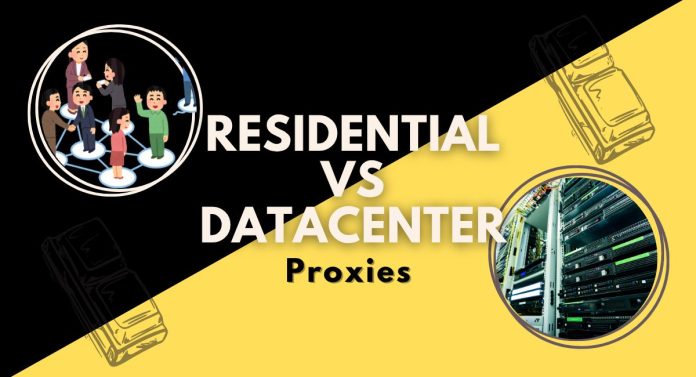
4 Differences Between Residential Proxies and Datacenter Proxies

0

For many people, the differences between residential and datacenter proxies might seem unclear, and that’s understandable. They have many similarities, but they also have key differences that separate them and make them unique.

In this article, you will learn about the 4 key differences between residential proxies and datacenter proxies.

CHECK OUT: Top Proxy Service Providers in 2024: Unlocking Internet Freedom

Without further ado, let’s get started.

What Are Residential and Datacenter Proxies?

As you probably know, there are two main types of proxies: residential and datacenter proxies. But, before learning about their differences, you should first learn them individually.

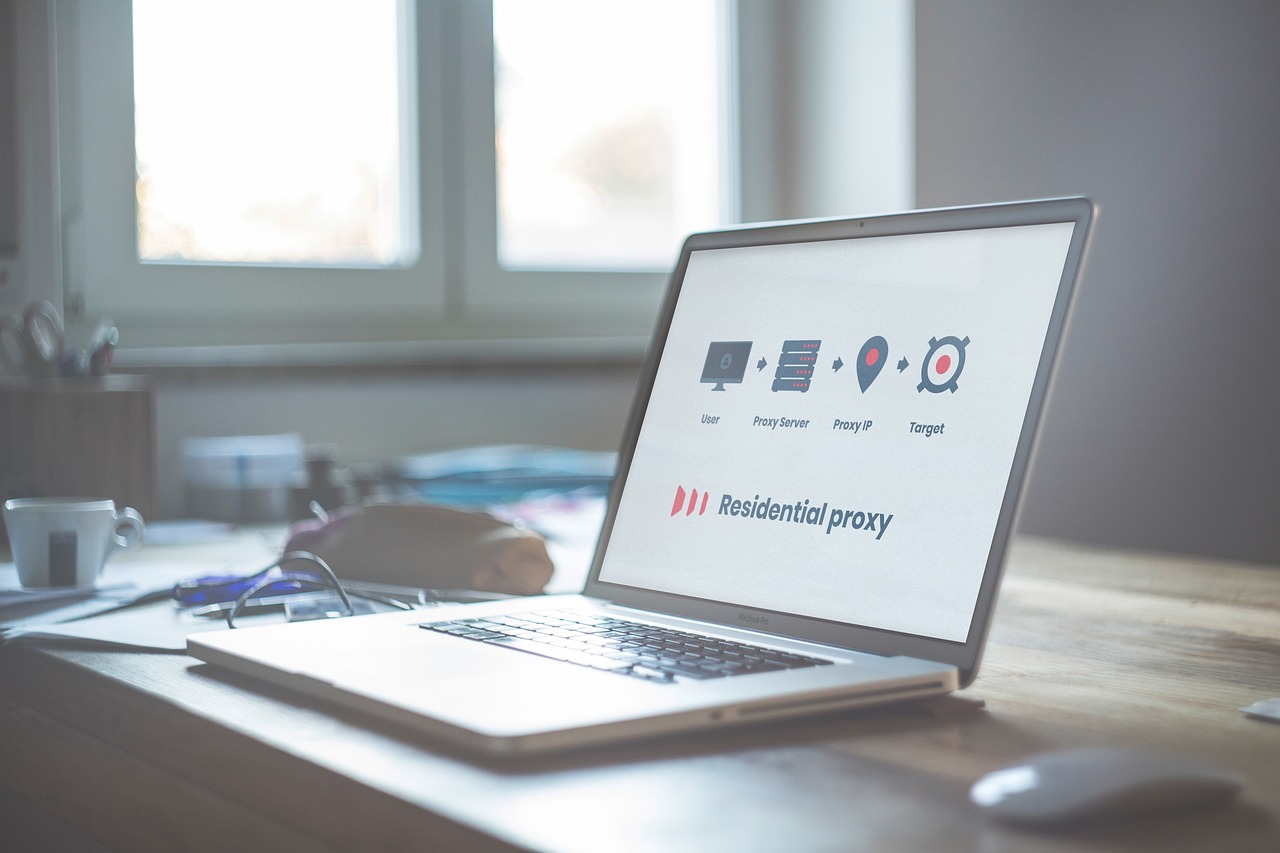
Residential proxies are one of the most common types of proxies on the market, and they are often offered by your Internet Service Provider (ISP), or residential proxies can also obtain through a third party depending on which proxy server provider you choose; they might also offer free residential proxies.

What Are Residential and Datacenter Proxies

They enable you to select a location (country, city, and cell carrier) to access the internet. Essentially, they operate as a buffer between your actual IP address and the website you’re visiting by giving you unique mobile and desktop IPs. 

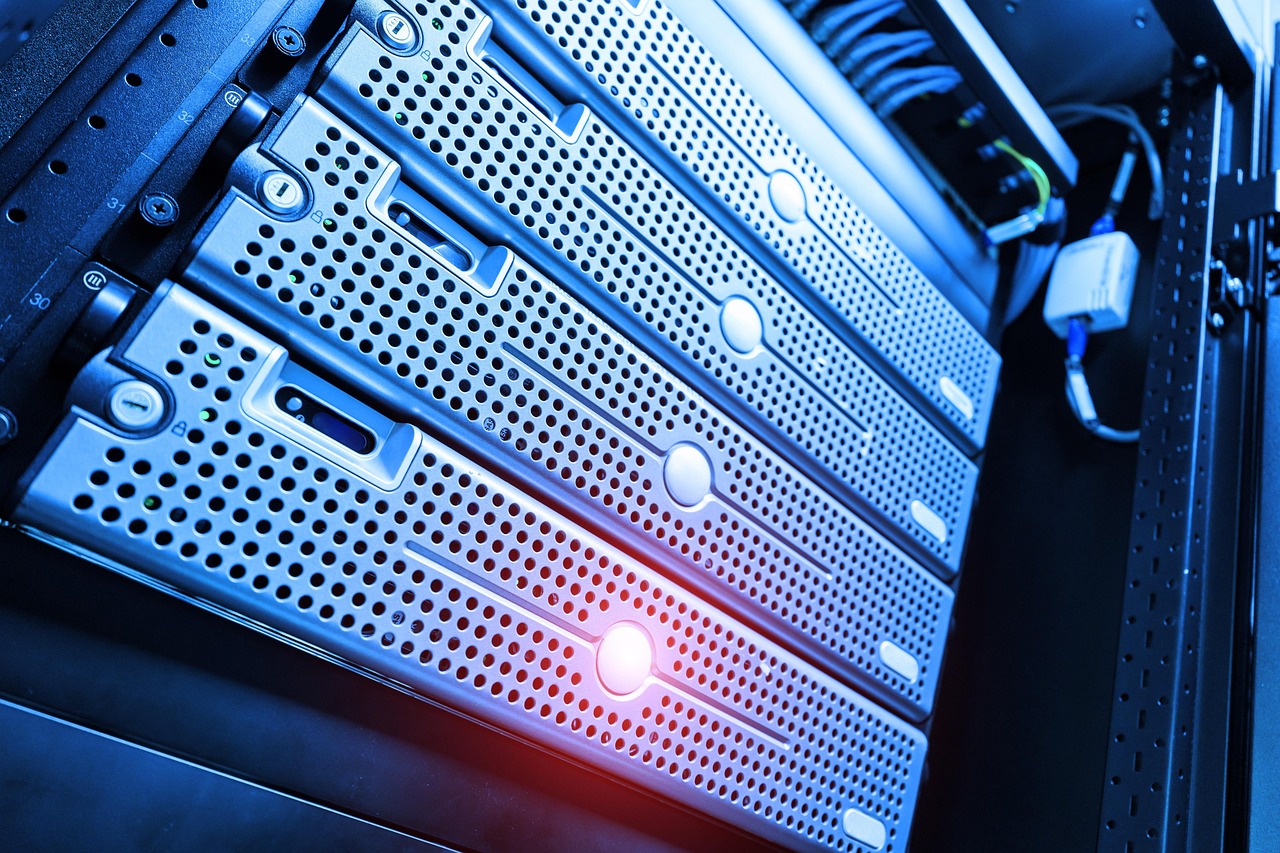
Physical data centers around the world provide datacenter proxies. They frequently have greater technology, are more stable, and are less expensive. They do, however, have drawbacks.

For starters, datacenter proxies have a limited number of locations, making it difficult to hide your true IP address without being banned, which leads to the second point: datacenter proxies perform poorer when compared to residential proxies who have thousands of unique mobile and desktop IPs.

This is because datacenter proxies have such a restricted number of locations; this leads to them not having the capacity to act like real people. 

Best Proxy Services

Decodo (formerly Smartproxy)
Decodo
Decodo (formerly Smartproxy) offers high-quality, affordable, and easy-to-use proxies with a vast global network...Show More
Decodo (formerly Smartproxy) offers high-quality, affordable, and easy-to-use proxies with a vast global network, ensuring seamless web scraping, automation, and data collection without IP bans or restrictions. 🚀 Show Less
Oxylabs Proxies
Oxylabs Proxies
Oxylabs Proxies offer enterprise-grade, AI-powered proxy solutions with a massive 175M+ IP pool, ensuring unmatched...Show More
Oxylabs Proxies offer enterprise-grade, AI-powered proxy solutions with a massive 175M+ IP pool, ensuring unmatched reliability, speed, and anonymity for large-scale web scraping and data collection. Show Less
Webshare
Webshare Proxies
Webshare Proxies offers high-speed, customizable, and budget-friendly proxy solutions with flexible pricing, ensuring...Show More
Webshare Proxies offers high-speed, customizable, and budget-friendly proxy solutions with flexible pricing, ensuring seamless web scraping, automation, and online anonymity for businesses and individuals. Show Less
Live Proxies
Live Proxies
Live Proxies is a proxy service that provides high-speed, reliable, and secure residential and datacenter proxy services...Show More
Live Proxies is a proxy service that provides high-speed, reliable, and secure residential and datacenter proxy services for web scraping, automation, and anonymity. Show Less
IPRoyal
IPRoyal
IPRoyal is a leading proxy provider offering reliable, high-speed proxies for various needs, including data scraping...Show More
IPRoyal is a leading proxy provider offering reliable, high-speed proxies for various needs, including data scraping, social media automation, and sneaker botting. Show Less

What’s The Difference?

Now that you know what residential and datacenter proxies are, it’s time to learn the differences and determine which is better for you. 

1. Speed and Stability

Datacenter proxies have superior speed compared to residential proxies. This is because datacenter proxies are located in physical data centers worldwide, and these data centers often have a better internet connection and better technology.

This makes datacenter proxies better for people prioritizing speed over anything else. This means that if you’re using one of the best datacenter proxies, you are guaranteed ultrasonic speed for your web surfing. And as mentioned, data centers also have better technology, which makes them a much more stable choice compared to residential proxies. 

Residential and Datacenter Proxies

2. Price

If you’re tight on budget and looking to buy in bulk. Datacenter proxies are the way to go since they are much easier to get in terms of pricing availability. And if you get them from a good provider, you’ll experience good security, stability, and speed.

On the other hand, residential proxies are much more expensive because you usually have to go through an ISP, and the IP is unique only to you and your device. 

3. Locations and Performance

One of the biggest concerns when you’re looking to buy a proxy server, is the number of locations you’ll have and the performance of the IP address. These two components are the bread and butter of proxies. 

Residential proxies have better locations and performance than datacenter proxies, and the reason is simple; datacenter proxies can’t act like humans. Because data centers are so limited around the world, the number of IP addresses you’ll have is also limited, which means restricted websites will recognize your IP address more often, leading to poorer performance.

However, with residential proxies, you get to experience a unique IP address for each device, making it impossible to have poor performance.

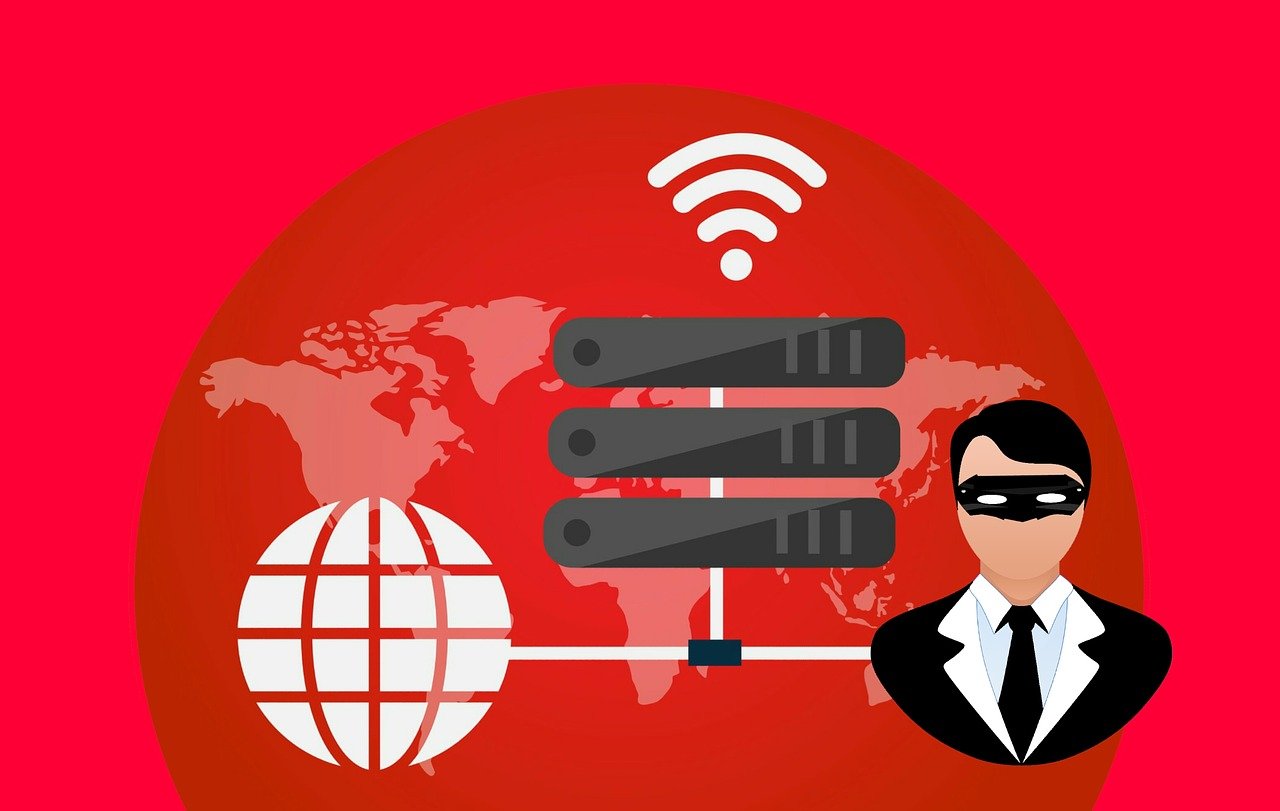
Residential proxies

4. Ease of Use

If you’re just starting or have little to no experience with technology. Residential proxies might be your best option.

Since ISPs or third-party companies usually provide residential proxies, they put more effort into providing you with the best experience possible. And one of the ways they do that is through an easy-to-follow user interface. 

This is usually done by giving you software to control your proxy servers, location, speed, bandwidth, etc. This is great news for beginners just starting to realize the power of proxy servers and those without much technology experience.

READ ALSO:

Frequently Asked Questions (FAQs) About Residential and Datacenter Proxies

Which proxy is better: residential or datacenter?

It depends on your needs. Residential proxies are ideal for tasks requiring high anonymity (web scraping, social media management), while datacenter proxies are better suited for speed-critical tasks (data downloads, streaming content).

Are residential proxies legal?

Using residential proxies is generally legal, but it’s crucial to comply with the terms of service the proxy vendor provides and avoid any illegal activities.

Can I use free proxies?

Free proxies can be risky. They might be unreliable, slow, or even infect your device. Opting for reputable paid proxy services is recommended.

How do I know which proxy provider to choose?

Before choosing a provider, consider factors like proxy type (residential or datacenter), server locations, speed, pricing, and features (like static IPs or bandwidth caps).

READ ALSO: Best Residential Proxies In 2024: A Comprehensive Guide

What are some common uses for proxies?

Proxies can be used for web scraping, data collection, bypassing geo-restrictions, social media management, and enhancing online privacy.

Is a VPN a replacement for a proxy?

VPNs (Virtual Private Networks) encrypt your entire internet traffic, while proxies only route specific traffic through the proxy server. VPNs offer broader privacy protection, but proxies can be more targeted for specific tasks.

Conclusion

In conclusion, you now know what residential and datacenter proxies are and what the differences between the two are.

By understanding these core differences and FAQs, you can make an informed decision when choosing between residential and datacenter proxies to fulfill your specific online needs.


INTERESTING POSTS

Managing Open-Source Vulnerabilities Like A Pro!

Today, I will show you how to manage open-source vulnerabilities like a pro!

Writing code today requires at least some open-source components. A single “import package” adds hundreds of lines of code to your software. 

While you cannot control how these open-source components were written, you must understand that any open-source code vulnerability could compromise your software. 

Sonatype, in its “State of Software Supply Chain”, reports that one in sixteen open-source components have security defects.

It estimates that an enterprise with 2000 applications would require $7.4 million to remediate even 10 per cent of the defects introduced by these components. This is why it is essential to identify the risks and take action to manage open-source vulnerabilities. 

Detecting Open-Source Vulnerabilities

Detecting Open-Source Vulnerabilities

The best way to identify open-source security vulnerabilities is by using a verified Software Composition Analysis software called SCA. SCAs act as tools that scan any software for its open-source components.

Once this inventory list is made, SCAs scan public and private databases to find known vulnerabilities associated with your software or application.

It then reports the list back to you. While SCAs can detect known vulnerabilities, they are not designed to discover vulnerabilities that are not a part of any database. 

This, however, means that they identify the loopholes that hackers are most likely to exploit. The key here is to avoid false positives.

This can be done by combining the concept of reachable vulnerabilities and reachability. This helps to identify which vulnerabilities can be triggered by your application.

Considering the context of potential vulnerability, it is essential to identify and manage your software’s open-source vulnerabilities. 

This involves tracking data flow from external input locations to the open-source vulnerabilities and determining which ones are most likely to be attacked.

READ ALSO: 2023 Cybersecurity Maturity Report Released: Why Detecting Cyber Attacks Is Not Enough

Manage Vulnerabilities

Manage Vulnerabilities

JetPatch has pointed out that “According to Fortinet’s “H1 2020 Global Threat Landscape Report,” 74% of manufacturing, energy and utilities, healthcare, and transportation organizations have had a malware intrusion over the past year.” Old vulnerabilities should, therefore, be weeded out.

Here are some ways to stay ahead and avoid open-source vulnerabilities

  • Make sure to use SCAs
    • This is the easiest and most obvious way to ensure that your open-source vulnerabilities do not affect the application or compromise your security.
  • Enforce Policies for Open-Source Use
    • Every organization should follow some guidelines when it comes to open-source use. Maintain a committee or entity that can oversee the usage, documentation, and developer responsibility for open-source use.
  • Identify Risks
    • Scour the National Vulnerability Database and other data sources to identify disclosed vulnerabilities. Make sure to comply with open-source licenses and use up-to-date, high-quality components. 

More than 3600 open-source vulnerabilities are discovered annually. This is why it is essential to always keep an eye out for new vulnerabilities and monitor the possibility of any further threats. JetPatch’s platform can help you out there.

This tool can help in security detention, orchestration, and remediation all in one place. It ensures patches for even old or low-priority vulnerabilities and controls your risk profile. 

READ ALSO: Cyber Security Or Physical Security – Which Should You Prioritize?

Managing Open-Source Vulnerabilities Like a Pro!

Managing Open-Source Vulnerabilities Like a Pro!

Open-source software (OSS) offers incredible benefits but also introduces risk through potential vulnerabilities. Fear not, security warriors! Here’s your guide to conquering open-source vulnerabilities like a pro:

1. Know Your Inventory

  • Identify all OSS in your codebase: Use tools like Snyk, FOSSA, or OpenRef to build a Software Bill of Materials (SBOM).
  • Understand their versions and dependencies: Track updates and potential vulnerabilities associated with each component.

2. Prioritize Risk

  • Use vulnerability databases: Leverage databases like CVSS (Common Vulnerability Scoring System) to assess severity and prioritize critical vulnerabilities.
  • Consider exploitability and impact: To prioritise remediation efforts, factor in the likelihood of an exploit and potential damage.

3. Stay Up-to-Date

  • Automate updates: Set up alerts and automated updates for known vulnerabilities wherever possible.
  • Manual patching: For non-automated systems, prioritize timely patching based on risk assessments.

READ ALSO: The Role of Edge Networks in Detecting and Defending Against DDoS Threats

4. Monitor Continuously

  • Continuous monitoring tools: Implement tools like Snyk Monitor or OSS security platforms to scan for new vulnerabilities.
  • Stay informed: Subscribe to security advisories and community forums to stay updated on emerging threats.

5. Build Security In

  • Security-first mindset: Integrate security practices throughout the development lifecycle.
  • Secure coding practices: Train developers on secure coding practices to minimize vulnerabilities from the start.

6. Leverage the Community

  • Engage with maintainers: Report vulnerabilities responsibly and contribute to fixing them when possible.
  • Learn from others: Utilize community resources, forums, and best practices to stay ahead of the curve.

READ ALSO: 4 Ways To Improve The IT Infrastructure In Your Company

Bonus Tips

  • Invest in security tools: Consider tools like Snyk, WhiteSource, or Dependency-Track for comprehensive vulnerability management.
  • Conduct penetration testing: Regularly evaluate your security posture through simulated attacks.
  • Build a security culture: Foster a culture of security awareness and responsibility within your team.

A Final Word…

Managing open-source vulnerabilities is an ongoing process, not a one-time fix. By implementing these strategies and staying proactive, you can harness the power of open-source software while minimizing security risks and protecting your organization.

Now go forth and conquer those vulnerabilities with confidence!


NICE READS

Unlocking Engagement: Creative Trade Show Exhibit Designs for Magnetic Marketing Strategies

Here, I’ll show you the creative trade show exhibit designs for magnetic marketing strategies.

The trade show aspect of marketing can be competitive, and a well-designed booth can do more than look good. A well-designed booth can be the perfect place to draw in visitors, build brand awareness, and create an experience that is memorable long after the event is over. Whether a company utilizes a used trade show booth experience or has a custom-built booth, the purpose is the same—to capture attention.

Success in the context of a trade show situation is not just about showing up; it’s about being noticed. With brands competing for the same eyeballs while in high-traffic situations, creativity in design is the variety between visitors who spend 5 seconds walking by and the people who engage your booth.

An experience is only successful if it caters to the audience’s interests, takes on the personality of the company, and connects with the brand marketing plan that puts value on engagement.

Design Elements That Drive Engagement on the Trade Show Floor

Design Elements That Drive Engagement on the Trade Show Floor

1. Custom Trade Show Exhibits Create Brand Impact

A brand’s identity should be front and center at every event; custom trade show exhibits provide the latitude necessary to do just that and to express the core brand identity.

Personalized design components like colors, materials, lighting, and even architecture can help the booth become an organic manifestation of the brand. If the brand is highlighting innovation, professionalism, sustainability, or elegance, custom design elements will help convey specific messaging.

Interactive zones, storytelling displays, and theme-based setups that strategically use design components can provide an immersive experience for attendees. A custom exhibit that conveys a brand’s tone and values, and design will provide a more memorable experience and often deliver a better return on investment by creating longer time spent at the booth and facilitating brand recall.

2. Layout and Flow Dictate Visitor Behavior

Intentional design involves more than physical structure—it also involves traffic flow, clear spaces, and accessibility. Booth design can have a measurable impact on how long someone stays at your booth and what they experience.

Depending on available space, an unwelcoming or cluttered layout may influence visitors to leave sooner rather than engage, but thoughtfully segmented spaces direct attendees on a journey, narrating a brand’s story.

Open space layouts with comfortable seating areas and designated attraction stations can foster interactions productively. The flow needs to feel natural and encourage visitors from one touchpoint to another while not compelling them to try and engage through the plan. There are aspects of the experience continuum that are ultimately better for visitors. A productive flow could sustain engagement and foster stronger associations based on visitors’ understanding of the brand, and assist teams in clarifying their experience.

3. Visual Storytelling Enhances Recall

Trade show booths are required to share their primary messaging quickly (commonly, in seconds). Visual storytelling is a great way to efficiently communicate the most important details. You can use banners, digital screens, displays, and printed materials to tell your story, capture attention, and attract visitors to your booth. There should also be a unified design language with clear messaging.

The branded backdrops, attractive graphics, and key phrases should all tell a story. The visual hierarchy will determine how well the main message hits its intended audience. Working to ensure that messaging allows their audience to understand the value proposition without the need for extensive dialogue. When we can all be storytellers, it brings visitors into a bit more of a curious prospect.

4. Incorporating Technology Elevates the Experience

The leading exhibits today harness technology not for pure spectacle but as a way to engage deeper with the visitors. Whether it’s a touchscreen display, AR demonstration, or live simulation of a product being used, technology can help brands distinguish themselves in a cluttered marketplace, and it allows for personalization, which builds connections.

For example, interactive kiosks can allow visitors to explore the brand’s lines of products based on their interests, and live analytics can help the booth team iterate their tactics on the fly. Adding a digital experience lends credibility to your brand, increases chances of sharing socially, and continues the visitor experience before, during, and after the live event.

5. Repurposability and Sustainability Add Long-Term Value

Exhibiting with exchangeability built-in is not only nine times the value but also is consistent with today’s sustainability practices. A booth that can be broken down and used for future events offers sensible value to the consumer. Lighter-weight, modular, and easy-to-construct materials help to deliver that value.

Even a used trade show booth can be creatively modified to appear new and purposeful. There are lots of environmentally sound design choices to consider, and appealing to attendees who have a passion for sustainable practices helps to position the brand as progressive and responsible. The subtle reminder is powerful because it not only enhances reputation but also helps attract similarly aligned potential partners.

End Point

Creative trade show exhibit design is not only an art but also a strategy. Every detail of the booth, including the booth structure, the messages and materials, and the education you provide in your display, should be deliberate and directed toward achieving the intended goals.

When designed thoughtfully, a trade show plan grows into more than just a booth to display a product—it can be a center for connection, engagement, and opportunity.


INTERESTING POSTS

Banana Pro Just Replaced Your Crypto Trading Platform: And the Numbers Prove It

0

While most crypto trading platforms chase hype, Banana Pro is quietly dominating from the inside out. The customizable Solana-native webapp has officially replaced Telegram bots for serious traders who want speed, wallet control, and tactical execution without compromises.

Last week’s recap proves it:

$77.9M in bot volume, 13.4K active users, and $265K in fees — with 40% shared back to $BANANA holders. Ethereum sniping accounted for over $65M alone, as Banana continues to lead across Solana, Base, and BSC.

But this isn’t just about numbers. It’s about firepower.

Banana Pro gives traders what they actually need:

  • Custom dashboards, modular widgets, and chart views
  • Limit orders, real-time sniping, and portfolio tracking
  • Full multi-wallet support with MEV protection and copy trades
  • Clean PnL visualizations, token stats, and instant trade buttons

There’s no fluff. No gimmicks. Just speed and edge.

You can create a Pro account in 30 seconds or connect a wallet for instant access. Once you’re in, everything is optimized for getting in and out of trades faster than anyone else.

And this week’s upgrades weren’t minor:

  • Live support chat
  • Color picker customization
  • Smarter Trenches filtering
  • Better mobile layout
  • Copy-trade buttons
  • Refreshed widgets for Top Traders, Wallets, and Transactions
  • CT called it “easy to use, hard to beat.” And they’re right.

Most platforms add friction. Banana Pro removes it. There’s no staking maze, no locked funds, no slow refreshes, just fast, focused trading where speed actually wins.

Trade of the Week?

One Banana Pro user turned $72 into $1,857 on ETH in under 30 minutes. Zero fluff. All clicks.

Platform stats this week:

  • $77.9M volume (led by ETH)
  • 13,483 users (over 9K returning)
  • $106K returned to $BANANA holders
  • ETH dominance: 54.9% of total flow

READ ALSO: Banana Gun Hits One Million Users: Inside the Crypto Trading Platform That Grew by Putting Execution and Safety First

What’s coming?

The groundwork is laid. Banana Pro is Solana-native, but already eating into Ethereum’s total onchain volume. The dev team is pushing weekly feature drops, community retention is sky-high, and real traders are using it daily.

This isn’t a hype cycle. It’s infrastructure. And it’s moving.

FAQ

What is Banana Pro?

Banana Pro is a fully customizable, Solana-native crypto trading platform. It offers wallet management, precision trading tools, real-time sniping, limit orders, and detailed token stats — all in one fast webapp.

How do I use it?

Create an account via Google, Twitter, or Telegram, or just connect a wallet for a quick swap. Once inside, you can import wallets, generate new ones, fund them with SOL, and start trading.

Is Banana Pro safe?

Banana Pro gives full control to the user. You hold your private keys, and wallet actions are local. Just make sure to save your keys offline and enable 2FA on your login method.

What chains does Banana Pro support?

Banana Pro currently supports Solana only. Ethereum, Base, and BSC are still supported via the Telegram bot, but the webapp is Solana-focused.

READ ALSO: One Google Login, Five Blockchains, Zero Seed Phrases: Inside Banana Gun’s Approach to Crypto Trading

Can I use multiple wallets?

Yes. Banana Pro was built for multi-wallet traders. You can trade from all wallets simultaneously or select specific ones per trade.

How fast is it?

Execution speed is one of Banana Pro’s strongest weapons. It uses direct validator routing, MEV protection (via Jito), and priority gas options to get you in ahead of the crowd.

Why switch from my current trading platform?

Because most platforms are either slow, overloaded with fluff, or lack true control. Banana Pro is trader-first: clean, customizable, and made for real onchain flow.


INTERESTING POSTS

How To Record Your Screen Securely With Recordit?

0

Learn how to record your screen securely with Recordit in this post.

Screen recording has become an essential tool for professionals, educators, developers, and support teams.

Whether you’re creating a software demo, reporting a bug, or recording a walkthrough for a colleague, screen recording offers a fast, visual way to communicate.

However, recording and sharing your screen can also pose serious privacy and security risks, especially when sensitive information is involved.

This is where Recordit comes in—a lightweight, easy-to-use screen recording tool designed to simplify sharing without compromising your digital safety.

In this guide, we will introduce Recordit and its features, and show you how to use it to record screen securely.

The Safety Risks of Screen Recording Extensions

Many users opt to record their screen using free browser extensions like Screenity, Screencastify, or various Chrome plugins.

While these tools are convenient, they often run persistently in the background and have deep access to your browser activity, tabs, microphone, and webcam. This introduces several safety concerns:

Risks of Screen Recording Extensions:

  • Invasive Permissions: Most extensions require permissions to access your entire screen, browser history, or microphone, which could be misused or exploited.
  • Data Storage Concerns: Recordings may be uploaded automatically to cloud servers without full transparency about storage locations or retention policies.
  • Privacy Issues: You may inadvertently capture private messages, passwords, financial information, or sensitive documents.
  • Malware Risks: Some lesser-known screen recorders can be trojanized or used for spying, especially if downloaded from unofficial sources.

For security-conscious users, relying solely on browser-based recorders isn’t always ideal. Instead, a desktop-based, minimal-permission tool like Recordit offers a more secure and transparent experience.

What is Recordit?

Recordit is a minimal and efficient screen capture tool compatible with Windows and macOS, enabling users to record any screen activity and export lossless-quality video or audio files.

Before using Recordit, let’s dive into the key features of the software:

  • Privacy-First Approach: No automatic uploads, user tracking, or hidden data collection—your recordings stay private.
  • One-Click Recording: Simply select the area you want to capture and start or stop recording with a single click.
  • Flexible Recording Modes: Easily customize your capture area, and include webcam, microphone, or system audio as needed.
  • High-Performance Capture: Record high-quality (Up to 4K) screen activity and export your recordings in just seconds.
  • Supports Multiple Formats: Save your recordings in popular formats like MP4, MP3, GIF, and more.
  • Annotation Tools: Add simple annotations like mouse clicks or drawing on the screen to highlight important parts of your recording.
  • Customizable Hotkeys: Set your own keyboard shortcuts for starting, pausing, and stopping recordings to streamline your workflow.
  • Multiple Language Support: Recordit supports multiple languages for a wider user base.
  • Cross-Platform Compatibility: Recordit runs smoothly on both Windows and macOS.

How To Record Your Screen Securely With Recordit?

Ready to capture your screen securely? Follow these steps to use Recordit with privacy in mind.

Step 1: Download Recordit from Official Website

Go to Swyshare Recordit official page to download the appropriate version for your operating system and complete the installation process.

Download Recordit from Official Website

Step 2: Configure Recording Settings

Launch Recordit and adjust your settings directly from the main interface—select the output resolution, file format, and save location. Then, select the recording mode that best fits your needs (screen area, webcam, audio, etc.).

Configure Recording Settings

Step 3: Start and Stop Recording

Click the “Start Recording” button to begin capturing your screen, and click again to stop when you’re done.

Start and Stop Recording

Step 4: View and Manage Recordings Locally

All recordings are organized in the “Files” tab within Recordit. From there, you can easily open, review, and manage your files for offline use.

View and Manage Recordings Locally

Step 5: Take Screenshots

To take a screenshot, go to Recordit’s “Screenshots” tab, configure your settings, and capture a still image with a single click.

Take Screenshots

FAQs

Is Recordit secure and private?

Yes. Since Recordit doesn’t transmit or store your files over the internet, it avoids many of the privacy pitfalls associated with cloud-based screen recording tools.

Is Recordit free to use?

Yes, Recordit offers a free version that lets you try the features before purchasing.

How long can I record with Recordit?

The free version of Recordit allows recordings of up to 10 minutes, while the Pro version removes this limit for unlimited recording time.

Can Recordit record system audio and microphone simultaneously?

Depending on your system and configuration, Recordit supports capturing both system audio and microphone input simultaneously, useful for commentary or tutorials.

Where are my recordings saved?

All recordings are saved locally on your device in the file location you specify in the settings. You can access and manage them anytime through the “Files” tab in Recordit.

Is technical support available for Recordit users?

Yes, users can access tutorials on the official website and contact the support team directly via email for assistance.

Conclusion

Screen recording doesn’t have to be a privacy risk. While many tools prioritize convenience over control—automatically uploading your content and accessing your full system—Recordit takes a local-first approach, giving you complete ownership of your files.

By storing recordings only on your device and avoiding cloud servers entirely, Recordit offers one of the safest and quickest ways to capture your screen. Whether you’re working on confidential projects, creating private tutorials, or reporting sensitive bugs, Recordit lets you record securely and share on your own terms.

If your priority is security, privacy, and simplicity, Swyshare Recordit is the ideal choice. With no cloud syncing, no invasive permissions, and a fast, intuitive workflow, it’s a dependable screen recording tool for personal and professional use.

Why Digital Marketing Is Crucial for Startup Success

Learn why digital marketing is crucial for startup success.

In today’s digital age, digital marketing has emerged as a cornerstone for the success of startups.

Unlike traditional marketing methods, digital marketing leverages online channels and platforms to reach a broader audience, engage potential customers, and drive business growth.

Startups, with their limited resources and need for rapid growth, can benefit immensely from the cost-effectiveness, measurability, and scalability offered by digital marketing strategies.

This article delves into the reasons why digital marketing is crucial for startup success, exploring key benefits and strategies that startups can leverage to establish a strong online presence and achieve their business objectives.

Cost-Effectiveness and Affordability

Cost-Effectiveness and Affordability

Digital marketing offers startups a cost-effective alternative to traditional marketing channels such as television, radio, and print advertising.

With digital marketing, startups can allocate their budgets more efficiently by targeting specific demographics and audiences through channels like social media, search engines, and email marketing.

This targeted approach reduces wastage and ensures that marketing efforts are directed toward those most likely to convert into customers. Moreover, digital marketing campaigns can be tailored to suit various budget sizes, allowing startups to compete with larger competitors on a level playing field.

Startups can achieve significant ROI and sustainable growth over time by optimizing spending and focusing on measurable results.

Targeted Audience Reach

One of the distinct advantages of digital marketing for startups is the ability to reach a highly targeted audience.

Through tools like social media advertising, pay-per-click (PPC) campaigns, and search engine optimization (SEO), startups can pinpoint and engage with individuals who are actively searching for their products or services.

Targeting options based on demographics, interests, behaviors, and geographic locations ensures that marketing messages resonate with the right audience segments. This precision targeting not only enhances the effectiveness of marketing campaigns but also increases the likelihood of converting leads into loyal customers.

By focusing resources on reaching the most relevant prospects, startups can optimize their marketing efforts and achieve faster growth.

Measurable ROI and Performance Tracking

Digital marketing provides startups with unparalleled visibility into the performance of their marketing campaigns through robust analytics and tracking tools.

Metrics such as website traffic, conversion rates, click-through rates, and customer acquisition costs can be monitored in real-time, enabling startups to assess the effectiveness of their strategies and make data-driven decisions.

Unlike traditional marketing methods, which often lack precise measurement capabilities, digital marketing allows startups to quantify the impact of each marketing dollar spent. This transparency in ROI measurement helps startups refine their strategies, allocate budgets more effectively, and optimize campaigns for maximum results.

By leveraging analytics insights, startups can identify opportunities for improvement, scale successful initiatives, and achieve sustainable business growth.

Enhanced Brand Awareness and Visibility 

Enhanced brand awareness and visibility are pivotal for startup success, particularly in today’s competitive market landscape. Hiring a digital marketing agency in St Louis or another area can significantly amplify a startup’s online presence through targeted strategies and effective campaigns.

By leveraging digital marketing tactics such as SEO, social media marketing, and content creation, startups can reach their target audience more efficiently and build a loyal customer base. These agencies specialize in maximizing online visibility, ensuring that startups can compete with established brands on a level playing field.

Through comprehensive analytics and strategic planning, a digital marketing agency in St Louis enables startups to not only increase brand recognition but also drive meaningful engagement and conversions, laying a solid foundation for long-term growth and success in the digital age.

Scalability and Flexibility

Why Digital Marketing Is Crucial for Startup Success

Digital marketing offers startups unparalleled scalability and flexibility in adjusting their strategies based on evolving market dynamics and business objectives.

Unlike traditional marketing campaigns, which often require long lead times and fixed commitments, digital marketing campaigns can be launched, modified, or paused with relative ease.

Startups can experiment with different tactics, creative elements, and audience segments to identify what resonates best with their target market. This agility allows startups to adapt quickly to changes in consumer behavior, market trends, and competitive landscapes.

Additionally, digital marketing platforms provide built-in optimization features that enable startups to refine their campaigns in real-time and capitalize on emerging opportunities. By leveraging the scalability and flexibility of digital marketing, startups can stay agile, responsive, and competitive in today’s dynamic business environment.

Conclusion

In conclusion, digital marketing catalyzes startup success by offering cost-effectiveness, targeted audience reach, measurable ROI, enhanced brand visibility, and scalability.

By harnessing the power of digital channels and data-driven insights, startups can amplify their marketing efforts, attract qualified leads, and nurture customer relationships effectively.

Embracing digital marketing strategies enables startups to compete effectively in the digital landscape, establish a strong online presence, and achieve sustainable growth over time.

As technology continues to evolve and consumer behaviors shift, startups that prioritize digital marketing will be well-positioned to capitalize on opportunities, drive innovation, and achieve long-term success in their respective industries.


INTERESTING POSTS