




Discover how VidsSave enhances your online video downloading experience in this article.
In our digital age, videos have become a primary source of entertainment, education, and information. Whether it’s a tutorial on YouTube, a viral clip on TikTok, or a heartwarming moment captured on Instagram, the ability to download these videos for offline viewing has never been more essential.
Enter VidsSave, an innovative online video downloader that simplifies this process, ensuring you can enjoy your favorite content anytime, anywhere. In this article, we’ll explore how VidsSave enhances your online video downloading experience in 2026.
Table of Contents
What is VidsSave?
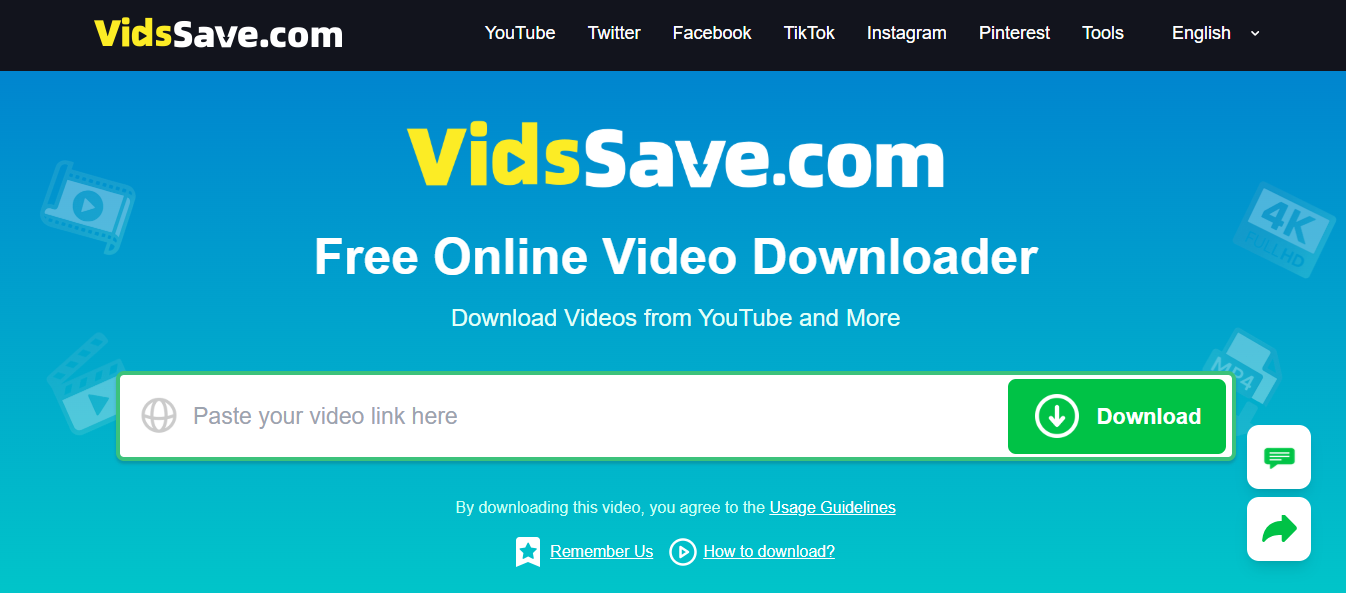
VidsSave is a powerful online video downloader that allows users to download videos from various platforms such as YouTube, Facebook, Instagram, TikTok, and more. Its user-friendly interface and swift processing capabilities make it a top choice for anyone looking to save videos for offline use.
Key Features of VidsSave
- Multi-Platform Support: VidsSave supports a wide array of popular platforms, making it versatile for users who enjoy content from multiple sources.
- Multiple Format Options: Users can choose from various formats, including MP4 and MP3, catering to different needs, whether you want a video or just the audio.
- Resolution Choices: With options ranging from 144p to 4K, you can select the quality that fits your device and viewing preferences.
- Instant Processing: The moment you paste a video link, VidsSave begins analyzing it, providing a download link faster than many competitors.
- Privacy and Security: All processing is done locally, ensuring your data is secure and not stored on external servers.
READ ALSO: How to Seamlessly Combine a Video Downloader and Music Downloader for Ultimate Multimedia
Why Use an Online Video Downloader?

Convenience and Accessibility
In a world where internet connectivity can be unreliable, having access to videos offline can be a game-changer. An online video downloader like VidsSave allows you to download videos effortlessly, ensuring that you can watch your favorite clips without buffering or interruptions.
Learning and Educational Resources
Many people use online videos for educational purposes. With VidsSave, you can download tutorials, lectures, and other educational content to review at your leisure, making learning much more accessible. Imagine being able to revisit a complex math tutorial or a cooking class without needing to stream the video again. This flexibility enhances your learning experience by allowing you to study at your own pace.
Save Data and Costs
Streaming videos can consume a significant amount of data. By downloading videos using VidsSave, you can save on your data plan and avoid additional costs associated with streaming. This is especially beneficial for users with limited internet packages or those who frequently travel and may not always have access to stable Wi-Fi.
Enhanced Entertainment
Whether you’re on a long trip, waiting for an appointment, or simply relaxing at home, having your favorite videos offline means consistent entertainment. VidsSave allows you to create a personal library of videos that you can watch without worrying about internet access or data usage.
How to Use VidsSave: A Step-by-Step Guide
Using VidsSave is straightforward and intuitive. Follow these simple steps to download your favorite videos:
Step 1: Copy the Video Link
Start by navigating to the platform where your desired video is located. Click on the “Share” button or the menu icon, then select “Copy Link.”
Step 2: Visit VidsSave
Open your preferred web browser and go to the VidsSave website. The interface is clean and easy to navigate.
Step 3: Paste the Link
Locate the search box on the homepage. Paste the copied video URL into this box.
Step 4: Choose Format and Quality
After pasting the link, click “Download.” You’ll be presented with options to choose your preferred format (MP4 or MP3) and resolution (from 144p up to 4K, depending on the video source).
Step 5: Download and Save
Select your desired options, and the download will start automatically. The file will be saved directly to your device’s Downloads folder, ready for offline viewing.
The Advantages of VidsSave in 2026
As technology continues to evolve, VidsSave remains at the forefront of online video downloading solutions. Here are some advantages that make VidsSave a standout choice in 2026:
User-Friendly Interface
VidsSave prioritizes user experience. The straightforward layout ensures that even those who are not tech-savvy can navigate the site with ease. The simple steps required to download videos make it accessible to everyone, from teenagers to seniors.
Wide Range of Language Options
Understanding that users come from diverse backgrounds, VidsSave offers multiple language options. This inclusivity enhances usability, allowing more people to take advantage of its features. Whether you speak English, Spanish, Hindi, or Vietnamese, you can easily navigate the platform in your preferred language.
Mobile Compatibility
Whether you’re on a smartphone, tablet, or desktop, VidsSave is fully compatible across devices. This flexibility means you can download videos anytime, anywhere. With the increasing use of mobile devices for viewing videos, having a mobile-friendly downloading service is crucial.
Fast and Efficient
VidsSave’s instant link processing is one of its best features. Unlike many other services, which may take time to analyze links, VidsSave starts the download process almost immediately, saving you valuable time. This efficiency is essential for users who want to quickly save and watch videos without delays.
Privacy and Security
In an age where online privacy is paramount, VidsSave ensures that your information remains confidential. The local processing of downloads means that no data is stored externally, giving you peace of mind. Users can download videos without worrying about their personal information being compromised.
READ ALSO: How to Avoid Malware When Downloading TikTok Videos Online
Exploring the Different Formats and Resolutions

Formats Available
VidsSave allows users to download videos in several formats, primarily MP4 and MP3.
- MP4: Ideal for video content, MP4 is a widely supported format that maintains quality while keeping file sizes manageable. This makes it perfect for watching on various devices, from smartphones to smart TVs.
- MP3: If you’re interested in just the audio, MP3 is the way to go. This format is perfect for music videos, podcasts, and any content where you want to listen without needing the video component.
Resolution Options
VidsSave offers a range of resolution options to suit different preferences and device capabilities:
- 144p: Suitable for quick downloads and low-bandwidth situations.
- 480p: A decent quality for mobile viewing.
- 720p: Great for standard HD playback.
- 1080p: Full HD for a more immersive viewing experience.
- 4K: For users with high-definition displays, 4K offers stunning visual quality, provided the source video is available in this resolution.
Real-World Applications of VidsSave
For Students
Students can greatly benefit from VidsSave by downloading educational videos, lectures, and tutorials. Imagine being able to watch a chemistry lecture offline while studying for an exam. This makes learning more effective and allows students to revisit complex topics or concepts as needed.
For Content Creators
Content creators can also leverage VidsSave for inspiration and research. By downloading videos they find engaging, they can analyze different styles and techniques, helping them improve their own content creation.
For Travelers
Travelers can use VidsSave to download entertainment for long journeys. Whether it’s movies, travel vlogs, or music playlists, having downloaded content can help pass the time on flights or long bus rides without relying on internet connectivity.
For Music Lovers
Music enthusiasts can download music videos or live performances to enjoy offline. This is particularly useful for those who want to create playlists for parties or personal enjoyment without consuming data during streaming.
READ ALSO: How To Protect Your Computer From Malware
Is VidsSave Safe to Use in 2026?
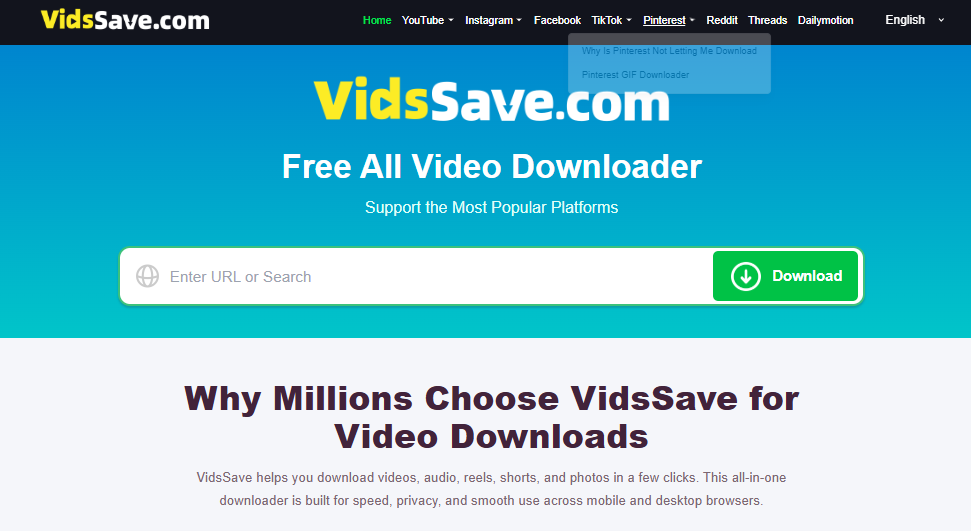
If you’ve ever used a free online video downloader, you probably know the feeling. You paste a video link, click Download, and suddenly wonder whether you’re about to save a video or download something you never asked for.
That’s a reasonable concern, especially with websites that offer free downloads.
So, is VidsSave safe?
VidsSave may be convenient for downloading videos, but I wouldn’t automatically consider it completely safe without checking how the website behaves. The fact that a downloader works doesn’t necessarily mean every advertisement, redirect, or file associated with it can be trusted.
One thing I’d pay attention to is what happens after clicking the download button. Does the website deliver the video directly, or does it open another tab? Does it ask you to install a browser extension, enable notifications, or download an unfamiliar application?
Those details matter.
For example, if you’re trying to download an MP4 video but receive an executable file instead, that’s a warning sign. There’s usually no reason to run an unknown program just to save a video through a browser-based downloader.
I’d also be cautious about privacy claims. VidsSave is described as processing downloads locally, but that doesn’t automatically prove that video URLs, IP addresses, or other information are never transmitted to external servers. Confirming that would require examining the service’s actual behavior and privacy practices.
If you decide to use VidsSave, I’d suggest a few basic precautions:
- Make sure you’re visiting the correct website rather than a lookalike domain.
- Avoid advertisements that imitate download buttons.
- Don’t install additional software unless you understand exactly what it does.
- Never enter your Google, Facebook, or other account passwords into a third-party downloader.
- Keep your browser and device security software updated.
My verdict: VidsSave shouldn’t be treated as risk-free simply because it’s accessible through a browser. Whether it’s safe depends on the actual website, the files it delivers, and how carefully you use it.
Is VidsSave Legit or a Scam?
There’s a difference between a website being legitimate and being safe.
A legitimate video downloader should do what it promises: accept a supported video link, process it, and provide a downloadable file. It shouldn’t require you to complete unrelated offers, hand over sensitive information, or install suspicious programs before accessing a basic feature.
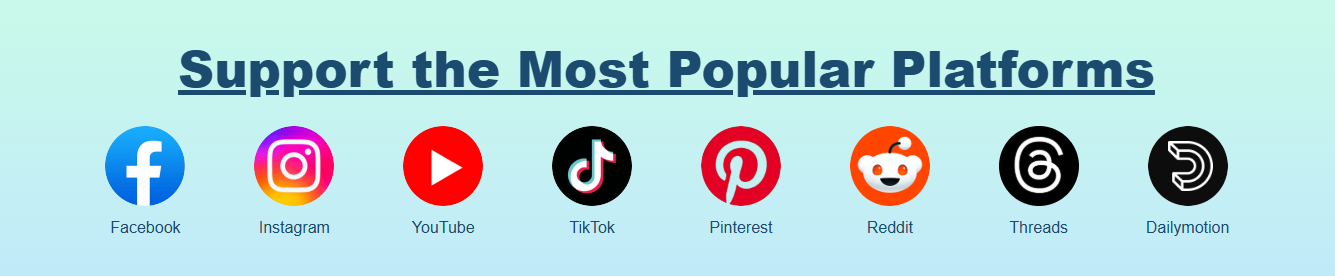
VidsSave presents itself as a free online video downloader supporting popular platforms such as YouTube, Facebook, Instagram, and TikTok.
That sounds useful, but the advertised features alone aren’t enough to establish whether VidsSave is trustworthy.
Personally, I’d judge a service like this by what happens when you actually use it.
Can you download a publicly accessible video without creating an account? Does the resulting file play correctly? Are the advertised formats available? Does the website clearly explain its limitations?
I’d also look at whether the service provides accessible contact information, a privacy policy, and reasonable explanations of how it operates.
None of these things guarantees legitimacy, of course. Even questionable websites can have polished designs and professional-looking legal pages.
Another point worth remembering is that video downloaders sometimes stop working with particular platforms. YouTube, Instagram, and other services regularly change how their websites deliver content. A downloader failing to process a link doesn’t automatically make it a scam.
However, repeated misleading claims, unexpected charges, suspicious downloads, or requests for account credentials would give me good reasons to avoid it.
So, is VidsSave legit? I wouldn’t label it a scam without evidence, but I also wouldn’t give it an unconditional endorsement without independent testing.
The sensible approach is to verify that the service works as advertised and avoid sharing sensitive information.
Is VidsSave Worth Using in 2026?
Whether VidsSave is worth using really comes down to what you need from a video downloader.
Let’s say you’ve found a useful tutorial that you want to watch later. Perhaps you’re traveling, your internet connection isn’t reliable, or you simply don’t want to stream the same video repeatedly.
In situations like these, being able to save a video for offline viewing can be genuinely helpful.
And that’s where a tool like VidsSave becomes appealing.
According to its advertised features, VidsSave supports multiple video platforms, offers different download formats, and lets users choose from several video resolutions.
If those features work consistently, they could make it a practical option for occasional downloads.
However, I’d consider a few things before making it my regular downloader.
First, there’s reliability. A downloader that works perfectly today might struggle tomorrow if a supported platform changes its video delivery system.
Then there’s video quality. Although VidsSave advertises resolutions up to 4K, not every video will be available in 4K. The original upload, platform restrictions, and downloader capabilities all affect the options you receive.
I’d also consider the overall experience. A free service isn’t particularly convenient if you have to close multiple advertisements or retry downloads several times.
And if you’re downloading videos frequently, you may eventually prefer a dedicated application that offers better file management, batch downloads, or more control over formats.
For occasional use, though, a browser-based downloader has an obvious advantage: you don’t necessarily need to install another program.
My verdict: VidsSave could be worth trying if you want a straightforward way to save videos occasionally. But whether it’s worth relying on regularly depends on its current reliability, security, and actual download performance.
I wouldn’t choose it solely because it’s free. I’d choose it because it works properly without creating unnecessary risks or complications.
Is VidsSave Legal to Use for Downloading Videos?
This is where things get a little more complicated.
You might assume that if a video is publicly available online, downloading it for personal use must be legal.
Unfortunately, that’s not always the case.
The legality of downloading a video depends on several factors, including copyright ownership, the platform’s terms of service, the purpose of the download, and the laws in your country.
For instance, downloading a video you’ve created yourself is generally different from downloading someone else’s copyrighted movie, music video, or paid course without permission.
The same applies to content released under licenses that expressly allow downloading and reuse.
You also need to distinguish between copyright law and platform rules.
A download might not necessarily infringe copyright in a particular situation, yet still violate a website’s terms of service.
YouTube, for example, restricts downloading content except where the service expressly authorizes it or the relevant permissions apply. Other platforms have their own rules.
Another common misconception is that downloading copyrighted material becomes automatically legal as long as you don’t sell it.
Personal use doesn’t provide universal protection against copyright infringement. Some countries recognize specific exceptions, but their scope varies considerably.
If you’re downloading videos for research, education, commentary, or content creation, don’t assume those purposes automatically give you permission either. Copyright exceptions are often subject to conditions.
So, when can you use VidsSave more confidently?
I’d stick to videos you own, content you have permission to download, public-domain material, or videos distributed under licenses that permit your intended use.
And if a platform provides an official offline viewing feature, that’s often the simpler option.
The bottom line: Using a video downloader isn’t automatically illegal. What matters is the content you’re downloading, whether you have the necessary rights, and whether your actions comply with applicable laws and platform rules.
What Are the Best VidsSave Alternatives in 2026?
VidsSave isn’t your only option for saving online videos.
In fact, depending on how often you download videos and which platforms you use, another tool might suit you better.
I’ve always thought it’s worth looking beyond the first downloader that appears in search results. Some tools are designed for quick, occasional downloads, while others offer more advanced features for people who regularly work with video files.
Here are a few alternatives worth considering.
1. yt-dlp
If you’re comfortable using command-line tools, yt-dlp is one of the more flexible options available.
It’s an open-source video downloader that supports numerous websites and provides extensive control over download formats, subtitles, playlists, and other settings.
What I like about this approach is that you can inspect the project’s source code and run the software on your own computer rather than depending entirely on an unfamiliar download website.
That doesn’t eliminate every security or privacy concern, but it gives technically inclined users more control.
The main drawback? It’s not particularly beginner-friendly if you’ve never used a terminal.
2. 4K Video Downloader Plus
For someone who prefers a traditional desktop application, 4K Video Downloader Plus is another option to explore.
It offers a graphical interface and features designed around downloading videos, playlists, and other supported content.
That makes it more approachable than a command-line utility, particularly if you want to manage multiple downloads without having to manually enter commands.
However, some features may require a paid license, and support for individual websites can change.
I’d check the current pricing and limitations before installing it.
3. JDownloader 2
JDownloader 2 is worth considering if you regularly download files from different websites.
Unlike simple online video downloaders, it’s a dedicated download manager with features such as download queues, link processing, and file organization.
It’s especially useful when you’re dealing with multiple files rather than downloading one short video at a time.
On the downside, its interface can feel overwhelming when all you want is a quick download.
I’d also recommend obtaining it from the official project website and carefully reviewing the installation options.
4. Cobalt
Cobalt takes a different approach by focusing on a relatively straightforward web-based downloading experience.
Its open-source nature is appealing to users who prefer tools with publicly available code.
Depending on the deployment and supported services, it can offer a convenient alternative to websites crowded with unnecessary features.
Still, I’d be careful about assuming that every public Cobalt instance operates the same way. Privacy practices, availability, and supported platforms can vary between deployments.
If privacy is your main concern, it’s worth understanding which instance you’re using and how it handles requests.
5. Official Platform Download Features
Sometimes the best alternative isn’t another third-party downloader at all.
Several video platforms provide official ways to save content for offline viewing, although availability varies by country, account type, subscription, and device.
YouTube Premium, for example, offers offline viewing for eligible content through supported apps and environments.
The limitation is that official offline downloads aren’t necessarily ordinary MP4 files you can move freely between devices.
Nevertheless, if your main goal is simply to watch videos without an internet connection, official features may be more convenient than using a separate downloader.
Which VidsSave Alternative Should You Choose?
I’d narrow the decision down to how you actually download videos.
If you want advanced controls and don’t mind using commands, yt-dlp is worth exploring.
If you’d rather use a familiar desktop interface, 4K Video Downloader Plus may be more comfortable.
For managing larger numbers of downloads, JDownloader 2 offers useful capabilities.
And if you prefer a simple web-based experience, Cobalt is another option to investigate.
Just remember that no downloader supports every website or video indefinitely. Compatibility changes, and even established tools occasionally encounter problems.
Whatever you choose, use official download sources, respect content ownership, and avoid services that request unnecessary personal information.
Ultimately, the best VidsSave alternative isn’t necessarily the one advertising the most features. It’s the one that reliably handles the videos you’re authorized to download without unnecessarily complicating the process.
Frequently Asked Questions (FAQs)
1. Is VidsSave free to use?
Yes, VidsSave is entirely free. Users can download videos without incurring any charges. This makes it accessible for anyone looking to save content without financial constraints.
2. Do I need to create an account?
No account creation is necessary. You can start downloading videos immediately after visiting the site. This simplicity is one of the hallmarks of VidsSave, allowing users to jump right in without unnecessary steps.
3. What formats can I download videos in?
VidsSave allows you to download videos in various formats, including MP4 and MP3, depending on your needs. This flexibility ensures you can choose the format that best suits your preferences.
4. Can I download videos from any platform?
VidsSave supports a wide range of platforms, including YouTube, Facebook, Instagram, TikTok, and more. This broad compatibility means you can download videos from your favorite sources without hassle.
5. Is there a limit to the number of videos I can download?
There is no limit to the number of videos you can download. Feel free to save as many as you like! This unlimited access is great for users who want to build a comprehensive library of content.
Conclusion
In 2026, VidsSave stands out as a leading online video downloader, offering users a reliable and efficient way to save their favorite video content. With its user-friendly interface, multi-platform support, and commitment to privacy, VidsSave is transforming the way we interact with online videos.
Whether for entertainment or educational purposes, VidsSave elevates your online video downloading experience to new heights.
For anyone looking to download videos seamlessly, VidsSave is the ultimate solution. Start enjoying your favorite content offline today!
INTERESTING POSTS
- Best Proxies for School: A Guide to Safe Internet Access
- Reasons To Use Data Tape Media For Your Business
- Why Cyber Security Matters In The Field Of Education
- Basic Tips To Ensure Online Safety
- Data Security Protection Tips That Would Help Save Your Money
- How to Safely Download and Install the Latest VidMate APK Version
About the Author:

Amaya Paucek is a professional with an MBA and practical experience in SEO and digital marketing. She is based in Philippines and specializes in helping businesses achieve their goals using her digital marketing skills. She is a keen observer of the ever-evolving digital landscape and looks forward to making a mark in the digital space.



