Learn how home care software transforms agency operations from intake to billing in this post.
The intake call came in at 4:57 PM. Marianne was already halfway out the door—dreaming of leftovers and slippers—when the hospital fax machine (yes, still a thing) coughed out another referral.
Another patient. Another stack of forms. Another race against missing documentation, mismatched schedules, and a billing system that might as well have been coded during dial-up.
If you work in home care, this is not an unfamiliar scene. You’re not running an agency—you’re running triage. But here’s the kicker: it doesn’t have to be this hard.
Intake That Doesn’t Feel Like a Scavenger Hunt
Let’s start at the beginning: patient intake. The front door of your entire operation. And often? The first place where things start to crack.
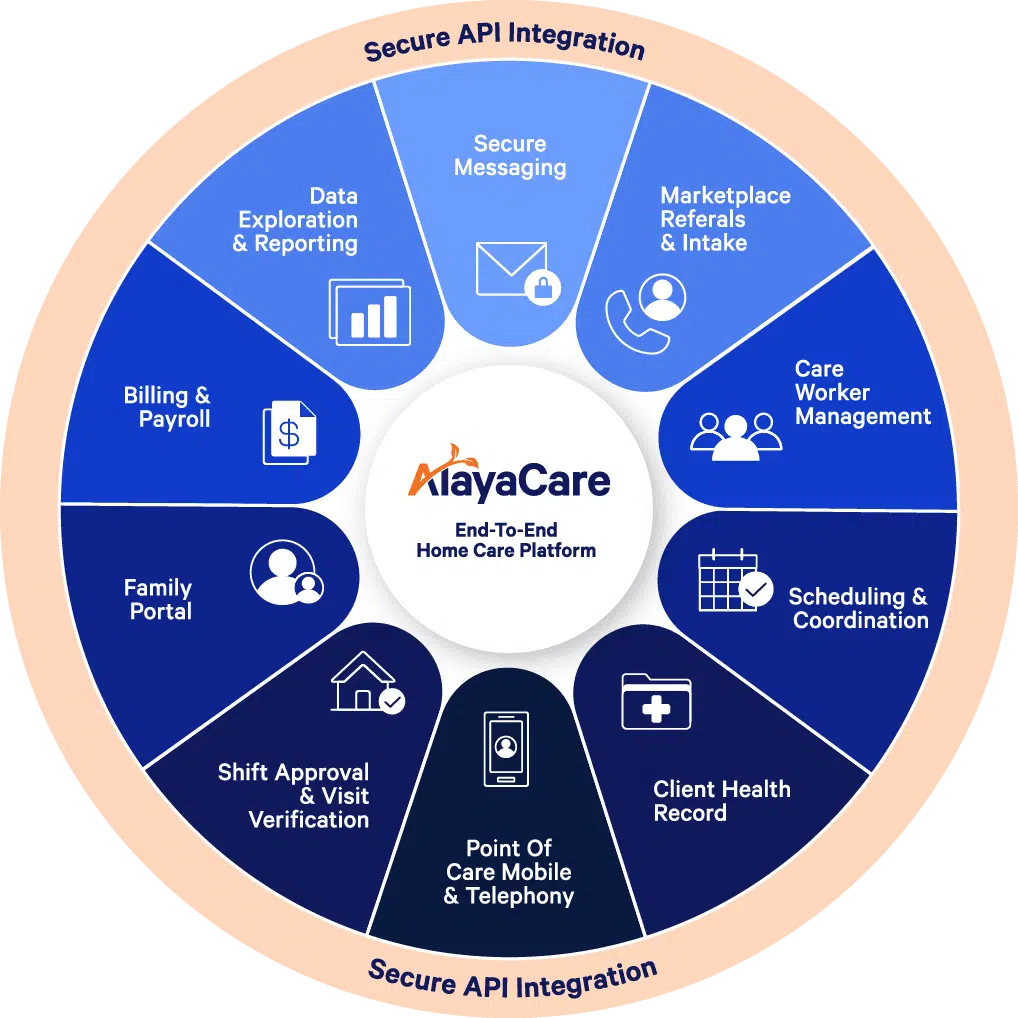
With home care software, intake isn’t a mad dash through sticky notes and disconnected systems. It’s digital, dynamic, and (dare we say) delightfully fast. Electronic referrals slide in. Insurance is verified in real time. Everyone from care coordinators to billing sees the same data—instantly.
So no, Marianne doesn’t need to skip dinner. Unless she wants to—leftovers can wait.
Scheduling: Orchestrated Like a Symphony (Not a Garage Band)
Coordinating caregiver schedules used to require spreadsheets, psychic abilities, and a minor in geometry. Now? Smart scheduling tools match staff to patients using skills, location, availability, and preference. Drag. Drop. Done.
Better yet, compliance alerts prevent you from assigning an unlicensed aide or violating visit limits. You still get curveballs (always do), but the system has your back. Less chaos, more control.
Care Delivery: No More “I’ll Log That Later”
Paper logs? Are we still doing that? With mobile access, caregivers can check in, view care plans, input vitals, and log visits from their phones—while they’re still in the home. No delays. No missing notes. No mystery chicken scratches that look like hieroglyphics.
Plus, everything’s timestamped and GPS-verified. Good luck arguing with that audit trail.
Compliance Isn’t the Enemy. Lack of Visibility Is.
Let’s get real: documentation doesn’t pay the bills, but it sure can block them.
That’s why modern home care software bakes compliance into your daily operations. Auto-filled forms. License tracking. Plan-of-care reminders. It’s like having a built-in compliance assistant—minus the eye rolls.
And when the state asks for proof? You’ve got it in three clicks. (Okay, maybe four. But still.)
Billing: From “What Happened to That Visit?” to “Paid Already?”
Home care billing used to feel like detective work. Now it’s just…workflow.
The second a visit is completed and signed off, the data flows to billing. No middleman. No data re-entry. No “where’s the timesheet?” panic attack.
Private pay? Medicaid? Managed care? Bring it. Integrated billing rules mean fewer denials and faster payments. Payroll’s happier. Finance is calmer. Everyone wins.
So—Why Are You Still Piecing It Together With Duct Tape and Excel?
You wouldn’t send a caregiver into the field with a flip phone and a printed map. So why run your agency like it’s 2004?
Home care software isn’t just a tech upgrade—it’s an operational overhaul. It transforms reactive chaos into proactive care. It frees your team to focus on patients, not processes. And it gives you the one thing every agency is silently begging for: breathing room.
Non-fungible tokens, or NFTs, are a relatively new technology that represents digital assets. These assets can include videos, pictures, or other forms of media. The unique aspect of NFTs is that no two individuals can own the same piece of art.
With the evolution of the blockchain industry and the NFT market, their influence on the environment is increasing.
In this piece, we will examine the impact of NFTs on their surroundings and explore ways to mitigate their drawbacks.
What Are NFTs?
NFTs are unique digital assets that cannot be exchanged for something else. Hence, they are non-fungible, contrary to common cryptocurrencies. NFTs are created and managed using blockchain technology, which requires consensus algorithms to validate transactions and ensure the integrity of the network.
An NFT can be created using various digital media, including pictures, videos, music, GIFs, memes, and anything else that can be considered art. NFTs are one-of-a-kind and have unique identifiers that make them distinct.
If you want to enjoy amazing design but are not ready to invest in NFTs, you can check real money pokies in Australia for fun and enjoyment.
NFTs are a great way for artists to monetize their work by listing it on NFT marketplaces. Nevertheless, concerns have been raised regarding the energy consumption and environmental impacts of NFTs.
The Environmental Impact of NFTs and Digital Arts
NFTs and digital arts are great ways to contribute to the craft industry. At first look, it can be unclear why NFTs are bad for the environment. However, we can assure you that there are several essential pitfalls associated with NFTs’ operation.
In this section, we will consider some of the harmful environmental impacts of NFTs.
Energy Consumption of NFTs
The first thing to note is that NFTs, like cryptocurrencies, have a high level of energy consumption. The energy consumption of NFTs comes from a process known as mining. A 2021 study at the University of Cambridge found that the average NFT transaction on the Ethereum blockchain consumes approximately 36 kWh.
This exceeds the daily electricity consumption in the average Australian home. The nature of the activities surrounding the creation and trading of NFTs, as well as their high energy consumption, contributes to other environmental impacts.
Carbon footprint is the total amount of greenhouse gas emissions to the atmosphere when an activity is carried out. The high-energy consumption nature of the blockchain-based technology used in creating and trading NFTs has caused them to have a high carbon footprint.
However, the carbon footprint of NFTs varies depending on several factors. Some of these factors are:
The blockchain platform: The platform where the NFT is created, bought, and sold impacts the carbon footprint. A blockchain that uses proof-of-work (POW) is more likely to increase carbon emissions.
The energy mix: The carbon footprint will be higher if the energy mix in the region where an NFT is hosted has a high percentage of fossil fuels.
Transaction volume: The more transactions in creating, buying, and selling in the NFT marketplace, the higher the carbon emissions.
Digital asset size: If the file is large, it requires more energy, which in turn increases the carbon footprint.
Activities such as Bitcoin mining require farms that may occupy some land. They are then used to buy NFTs in the NFT marketplace.
These mining farms can have environmental impacts on the local ecosystems where they are sited. One such impact is clearing vegetation to make way for the farms.
Another thing is resource consumption. The production and disposal of the digital devices used to access NFTs consume raw materials and some rare earth metals. This activity can also have a negative environmental impact as some do not decompose.
Proof of Work and Proof of Stake
Blockchains operate on two different consensus algorithms that are centralized and without intermediaries. It is essential to discuss these aspects, as they significantly contribute to enhancing the environmental sustainability of NFTs.
PoW (Proof of Work)
Here, miners compete to solve complex mathematical puzzles, which then validate and create new blocks. The first miner who solves the puzzle is rewarded with a cryptocurrency and the right to add the next block to the blockchain.
This type of mechanism consumes a significant amount of electricity and has a negative impact on the environment. It is the first mechanism used in mining, but the environmental issues associated with it have led to some networks leaving it and moving to the PoS.
PoS (Proof of Stake)
Here, instead of miners, we have stakers. Validators are chosen to validate and create new blocks based on the cryptocurrency they hold and stake in the network.
Validators aren’t required to partake in solving any serious mathematical puzzles. This act reduces energy consumption, in turn, minimizing the environmental impact of blockchain activities.
Are NFTs Bad for the Environment? Ethereum Goes Green
Ethereum — one of the most popular blockchain platforms, has taken the bull by its horns to address the environmental impacts of NFTs and cryptocurrency in general.
They committed to this through the famous Ethereum merge known as Ethereum 2.0. This decision will make Ethereum transactions cleaner.
It is the transition from the proof-of-work mechanism to the proof-of-stake mechanism. This will significantly reduce Ethereum’s environmental impact while maintaining its decentralization. The merge has happened, and only time will tell the overall impact this will have on the blockchain industry.
Steps to Make NFTs More Environmental Friendly
The switch from PoW to PoS is obviously one of the vital ways to improve sustainability in the cryptocurrency industry. With Ethereum leading the way, other networks are likely to follow suit. Especially when they see the impact it has on Ethereum.
Here are some additional steps that can be taken to enhance the sustainability of cryptocurrency and NFTs.
Using Renewable Energy Sources and Offsetting Carbon Emissions
Electrical energy sources, such as wind and solar energy, can be utilized for energy production. Networks can shift mining operations to electricity generated by renewable energy sources.
Networks can also invest in more carbon-offsetting projects or purchase carbon credits to offset their carbon emissions.
Encouraging Eco-friendly NFTs and Responsible Usage
Eco-friendly NFTs have lower carbon footprints. NFT platforms can encourage eco-friendly NFT transactions. Users of NFTs can also be encouraged to use them only when necessary. This can help reduce the environmental impacts of using the technology.
Increasing Transparency and Reporting
Finally, networks can make their energy consumption and carbon footprints public. Doing this will enable investors, stakeholders, and industry experts to make informed decisions. It will also allow the public to hold them more accountable for their environmental activities.
Conclusion
NFTs offer exciting opportunities for artists and collectors. However, their potential environmental impact cannot be ignored. The process of creating and trading NFTs involves a significant amount of energy consumption. The blockchain technology used to power them also causes carbon emissions.
As people become increasingly aware of the advantages of NFTs, we must explore ways to reduce their environmental impact. Activities that can help us achieve this include transitioning to more sustainable blockchain technologies by using clean energy and implementing carbon offset programs.
Ultimately, it is up to all of us —artists, collectors, and NFT platforms —to take responsibility and promote more activities that combat climate change and encourage the use of clean energy.
Learn how to judge fast games in one minute in this post.
Instant games promise speed. The best versions also provide clarity, quiet feedback, and a reliable end to each round. Quality shows up in how a title handles the seconds before a tap and the seconds after a result. When the path is simple and the math is visible, short sessions feel crisp rather than frantic.
Fast formats live on phones. That fact shapes everything. A screen must remain readable in bright light. Buttons must accept quick thumbs without errors. Status must update without forcing a reload. With those foundations in place, a player can set a pace, maintain a steady budget, and complete on schedule.
What Instant Really Means
An instant game compresses the full loop from choice to result into a handful of actions. The round is brief, but the experience is not shallow. Good design removes ambiguity at every step. A rules panel explains outcomes in plain language. A stakeholder never covers the result area. A small progress hint shows what happens next. Sound cues are gentle and consistent, which keeps focus on the round instead of the speaker.
Catalogs that respect time group titles by tempo and complexity. Quick tap outcomes sit up front. Slightly deeper modes that add multipliers or streak meters come next. A clean landing page with honest previews can save minutes each day across many short visits.
Catalogs That Make Quick Choices Easy
A good catalog feels like a well-organized toolbox. Titles show rhythm hints, volatility tags, and fast links to rules before a stake is set. Search remembers recent picks. Filters persist between tabs. A back tap returns to the same scroll position rather than resetting the page. These small behaviors save attention and reduce errors, which is the real benefit in a format built for speed.
A category such as menace instant games can serve as a waypoint for testing layout polish, tempo labeling, and link reliability. The value lies in how quickly that page moves from browse to a ready screen with rules and controls within reach. No hype is needed when the flow is honest and fast.
The Three-Second Interface Audit
A fast audit separates polished titles from noisy ones. Run this check before the first stake.
Open the rules. If the panel reads in under one minute and covers outcomes and limits, the title respects clarity.
Rotate the phone. Controls should stay large in both orientations and never block the result area.
Adjust the stake by one step. The change must register without lag or layout shift.
Trigger a sample animation. Visual feedback should confirm the event without flooding the screen.
Lower the volume and observe. Cues remain informative at soft levels if mixing is balanced.
Find a session timer near balance or stake. Guardrails belong where decisions happen.
Passing this audit signals steady behavior during a busy day.
Speed that breaks truth is not speed at all. Latency indicators and last update time provide honest context and prevent second-guessing. Clear randomization notes or links to testing certificates demonstrate that results remain consistent under load. When a feature introduces a new variance profile, a small banner should highlight it and allow for a quick transition to a calmer stake.
Pacing is the quiet engine of comfort. Some titles favor a metronome rhythm with quick cycles that support brief breaks. Others add short suspense moments for a more deliberate feel. Neither is better in general. Match cadence to the available time window. Ten spare minutes benefit from constant motion and modest variance. Longer windows can absorb occasional slow build modes without stress.
A Pocket Routine That Protects Attention
Fast formats reward routine. A short plan prevents drift and protects mood. Start with a fixed window and a separate session budget. Choose a title that accurately advertises the round time and variance. Begin at a moderate speed to confirm the cost per round. Brief pauses every ten minutes help eyes and shoulders reset. Stop the clock, then note the time played and the stake used. This is not about predicting outcomes. This is about finishing the day with energy left.
Bonuses can extend play, yet terms decide value. Wagering, contribution rates, and caps should be clearly displayed next to the offer, rather than in a separate document. A screenshot of the current status and rules prevents confusion if support is needed later. Select offers that align with the normal session length to prevent pressure from creeping in.
Signals Of Care You Can See And Hear
Design quality is visible in small, repeatable details. Icons remain legible at a distance of a few feet, with no need to squint. Color choices maintain high contrast without glare. Symbol highlights remain precise and brief. Animations land cleanly, then get out of the way.
Sound peaks avoid harsh spikes, so longer sessions do not grind down nerves. If a timeout occurs, a message explains what happened and offers a retry path. Each signal indicates that the team considered real-life scenarios, such as using a bus, a cafe, or taking a short break between tasks.
Payment behavior also matters even in quick formats. Deposits should be confirmed with timestamps, and withdrawal pages should display status and lock details once submitted. Method screens need to list fees and minimums beside the confirm button. A calm money flow turns quick play into a predictable routine, rather than a guessing game.
A Better Finish Than A Big Finish
A satisfying instant session ends cleanly. The timer nudges, the last round runs, and the account view reads like a tidy ledger. Next time, it opens faster because the system remembers sensible defaults and preserves recent filters. That is the real mark of quality in fast games – not the theme, not a flashy effect, but a pattern of choices that respect time and attention.
With honest rules, steady pacing, and catalogs that surface useful information before the first tap, instant formats can be both quick and calm. Treat the three-second audit as a habit. Keep the pocket routine simple. Select catalogs that are helpful rather than distracting. The result is a short session that feels deliberate from start to finish, ready to fit into a modern day without taking it over.
In this post, I will show you the best finance & HR software for businesses.
With finance and HR both being important departments within the business, it makes sense to find platforms and tools that help to manage both.
Technology is a significant advantage for any business, from startups to large organizations that require less pressure on their in-house resources.
In this guide, we’ll look at the six best finance and HR software for businesses in 2025.
Best Finance & HR Software For Businesses
1. Unit4
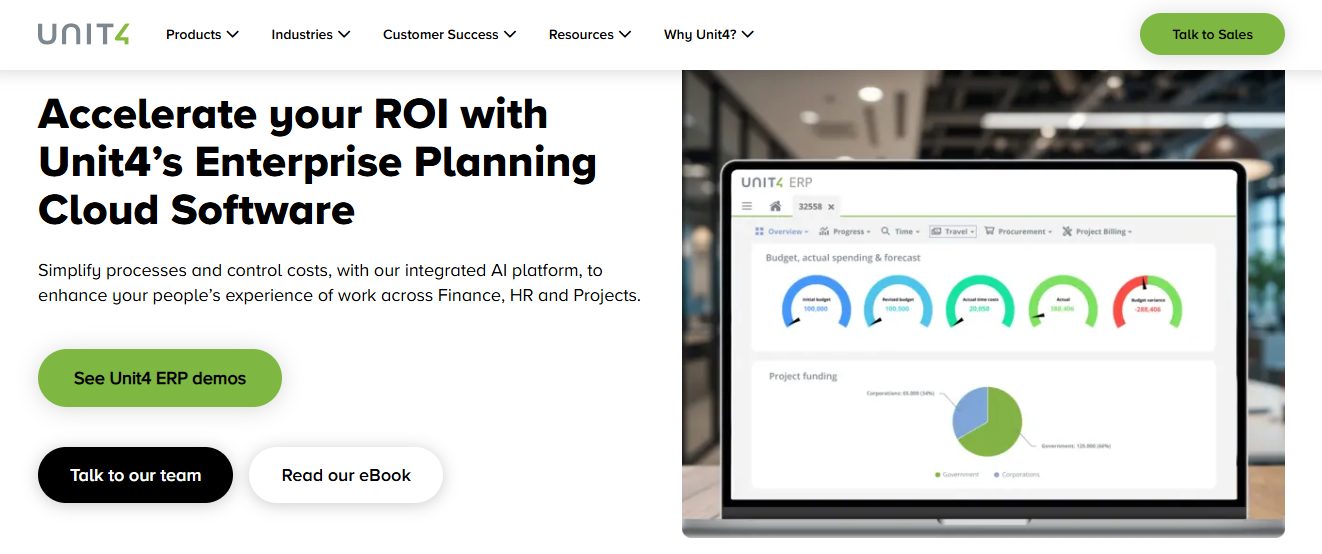
For emergency services specifically, Unit4 is designed to meet the needs of fire, ambulance, police and rescue organizations. As a cloud-based, enterprise software solution, it integrates finance, HR and project management.
Robust financial management enables these organizations to effectively manage important processes, such as financial planning and project budgeting. For HR departments, it can help those responsible for managing payroll and talent management. In addition to the above, the platform provides integrated tools to help teams better track their skills, time, and expenses.
Unit4 also offers tools for procurement, from source-to-contract management to purchase-to-pay processes.
As well as serving the emergency services, the software provider also expands into other industries like architecture and engineering.
2. Rippling
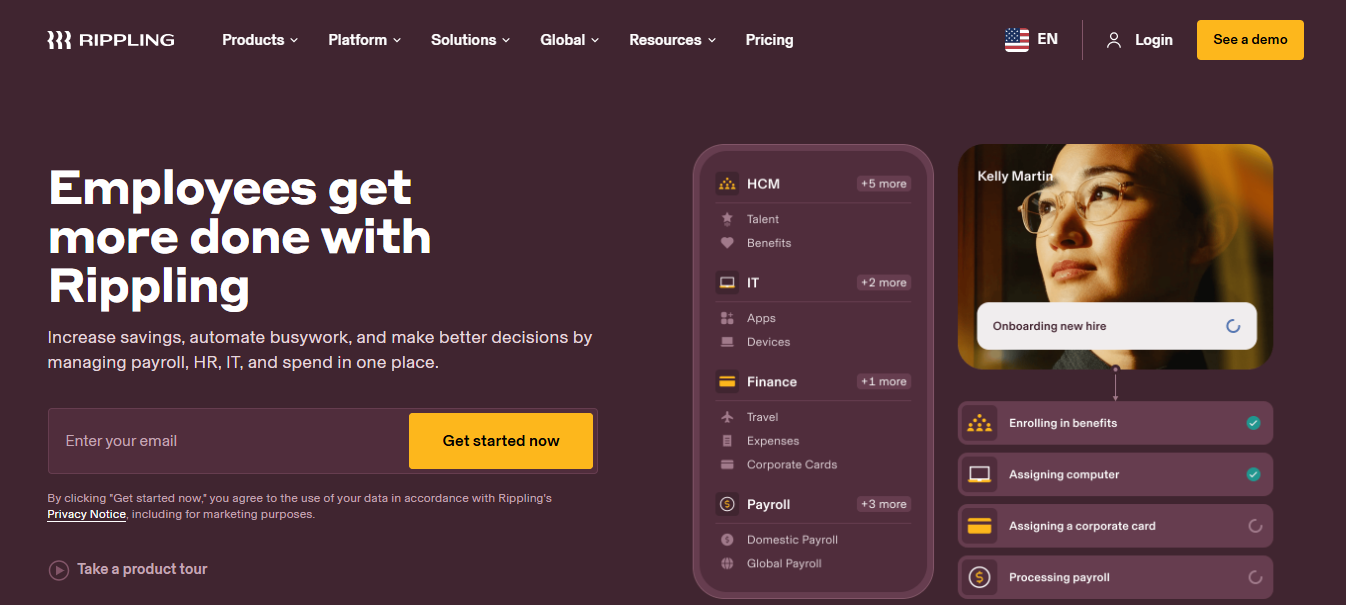
Rippling is an all-in-one workforce management platform that consolidates finance, HR and IT into one single system.
For those looking to automate tasks and streamline the employee lifecycle, there are several worthwhile benefits to using the platform. Here are some key features of the tool:
Workflow studio – A no-code tool for building cross-departmental automations
Integrated management – Help consolidate your expenses, corporate cards, and bill payments for seamless integration for HR processes.
Extensive integrations – With over 600 third-party applications, it helps to streamline a lot of platforms and tools you may already be using.
Employees describe getting more done with Rippling. Whether it’s increasing savings, automating work, and managing everything in one place. Businesses can fuel their insights with advanced analytics and custom reports in order to make better business decisions moving forward.
3. ADP
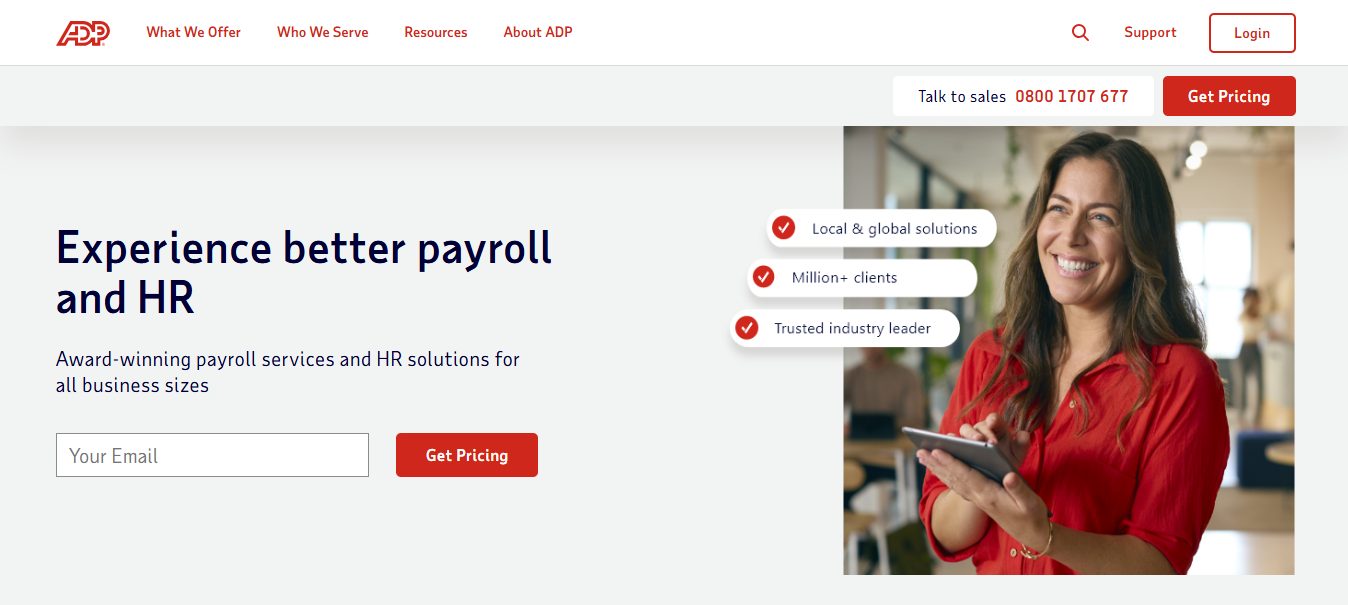
ADP is a cloud-based Human Capital Management suite. Covering the employees lifecycle from recruitment to their retirement, there’s a lot that the platform offers to businesses both big and small.
Such features include HR payroll, time management, and other functions. Whether you’re looking to be more compliant with financial practices or you’re looking to handle global payroll capabilities, this platform is a great way to manage everything in a single system.
ADP helps businesses to automate all or part of their payroll processes and has been doing for over 75 years now. The platform also offers thousands of experts who are available to answer customers any questions they might have. As a solution for businesses, it’s also a great way to maximize the potential of your employees.
The best part about ADP is that it’s tailorable to exactly what your business needs. Whatever your business, industry or whoever your employees are, ADP will recommend the best solution to match your needs.
4. Gusto
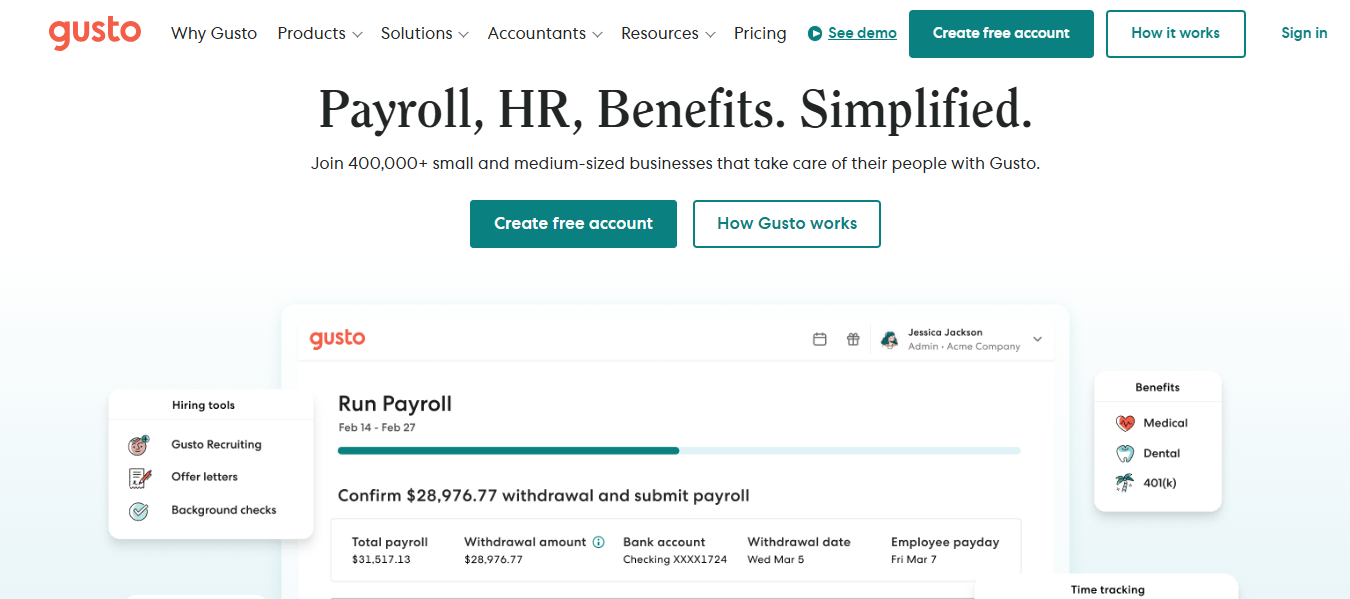
As an online people platforms, Gusto is a comprehensive suite that offers a range of HR services.
Primarily focused on payroll for small and mid-sized businesses, this service offers several key features.
Businesses that need help with taxes can benefit from Gusto’s tax automation feature. There’s plenty of automation available that makes up the software, from automated onboarding that makes hiring new staff a breeze, to automated W-2 and 1099 generation.
Compliance assistance is ideal for those who need to adhere to regulatory rules, and customizable reporting adds a personalized touch to HR services. There are also extensive integrations available and employee self-service via the Gusto Wallet app.
Gusto works for companies of all sizes, as well as individuals who manage themselves as a business. They also provide a contractors-only service solution that will help to onboard and pay your contractors with ease.
5. Workday
Workday is a cloud-based enterprise management platform. Unifying HR, finance, and planning for mid-sized to large organizations, the software offers a comprehensive solution for those seeking a combined finance and HR solution.
There are several key features worth mentioning that comprise Workday as a whole. From managing the employee lifecycle with global payroll, to AI-powered talent management, this is a great platform that helps combine areas of business for efficiency.
Financial management comes with numerous automation features, including automated accounting and integrated spend management. The platform operates on a single cloud architecture and also makes use of machine-learning for real-time insights.
As a business, it’s essential to plan ahead, which is why Workday offers a planning system that integrates with any ERP/GL data source. From financial planning to workforce and operation planning, the platform is helpful in looking beyond. Not only that, but it provides legal support in the form of contract data.
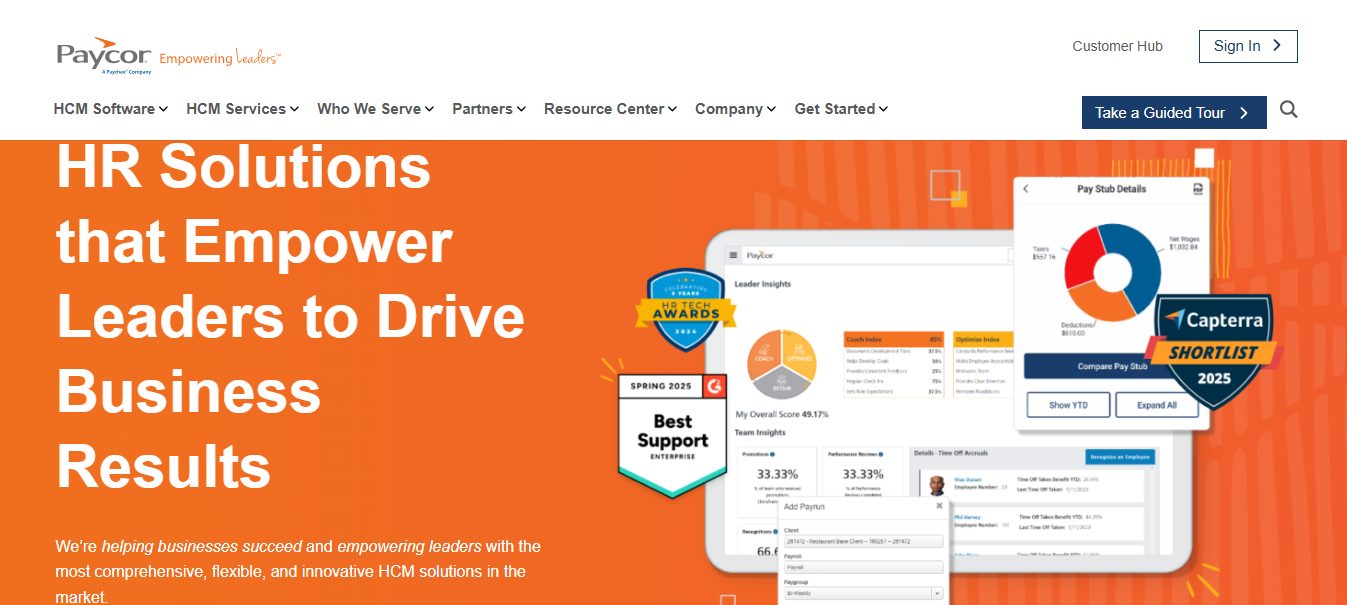
6. Paycor
Lastly, Paycor is another cloud-based software that offers Human Capital Management or HCM for short. It’s one that’s helpful mostly for small and medium-sized businesses.
Helping span the entire employee lifecycle, like many of the platforms on this list, Paycor handles a significant portion of the financial and human resource needs that are currently consuming too many resources or making it difficult to keep up with manually.
Whether it’s handling payroll, exploring analytics, managing talent, or offering self-service options, Paycor provides a range of solutions.
Aiming to empower leaders but also improve employee experience, it’s a software that benefits everyone within the company. There’s also plenty of automation and mobile access, making it a technology-forward and accessible tool.
The software’s compliance solution is robust and helps HR departments simplify compliance management. As a moving target, Paycor helps you stay ahead of ever-changing laws, which is a time-consuming task in itself.
Conclusion
Thankfully, for many businesses nowadays, they have a lot of technology at their fingertips. The benefit of finance and HR software for companies is the convenience and seamless interweaving of the two, making it easier for businesses that need to streamline their processes for efficiency and detail.
It’s worth trialing these platforms to see how your business might benefit from one in 2025.
This post will show you the easy steps to port your mobile number to a different operator.
In the dynamic world of mobile telecommunications, the ability to switch operators while retaining your existing mobile number has become a valuable and straightforward process.
If you are considering a change and wondering about your Airtel port status or how to check your port status with a new operator, this guide is here to walk you through the easy steps involved.
Easy Steps To Port Your Mobile Number To A Different Operator
Understanding Mobile Number Portability (MNP)
Mobile Number Portability (MNP) is a service that enables mobile users to switch from one mobile operator to another while retaining their existing mobile number. Whether you’re looking to explore new plans, take advantage of better network coverage, or seek improved services, MNP empowers you to make the switch seamlessly.
Check Eligibility and Outstanding Dues
Before initiating the porting process, it is crucial to check if your number is eligible for porting. Ensure there are no outstanding dues or contractual obligations with your current operator. Clear any pending payments or commitments to avoid hurdles during the porting process.
Choose Your New Operator
Once you decide to switch, choose the operator you wish to move to. Research the available plans, network coverage, and additional services offered by different operators to find the one that best aligns with your preferences and requirements.
Generate a Unique Porting Code (UPC)
You’ll need to obtain a Unique Porting Code (UPC) to kickstart the porting process. This code identifier is crucial for transferring your number to the new operator. You can request the UPC by sending an SMS to a designated number provided by your current operator. For example, sending an SMS with ‘PORT’ to 1900 for Airtel users will generate the UPC.
Submit Porting Request to the New Operator
Once you have the UPC, approach the new operator where you wish to port your number. Please fill out the Customer Application Form (CAF) and submit it with a copy of your identity and address proof. You may need to provide a passport-sized photograph as well. The new operator will initiate the porting process using the UPC.
After submitting the porting request, you’ll receive an SMS confirming the initiation of the porting process. It’s important not to change your SIM card until the porting process is complete. The porting process usually takes seven days, during which your number remains active on the old operator’s network.
Check Your Port Status or Porting Status
During the porting process, you might be curious about the status of your port or the porting status with the new operator. You can check this status using the ‘My Network’ app or contacting customer service. Similarly, the new operator will also provide updates on the progress of the porting process.
Receive New SIM Card and Update Settings
Once the porting process is complete, you’ll receive a new SIM card from the new operator. Please insert the new SIM card into your device and restart it. Update the network settings as per the instructions provided by the new operator. Your mobile number is now seamlessly transferred to the new operator, and you can start using their services.
Inform Contacts about the Change
As a courtesy, inform your contacts about the change in your mobile number and provide them with the new details. This ensures a smooth transition and minimizes any disruptions in communication.
Conclusion
Mobile Number Portability (MNP) has simplified the process of switching operators, allowing you to explore new plans and services without the hassle of changing your mobile number. Whether checking your port status or monitoring the porting status with a new operator, the steps involved are straightforward and user-friendly.
By following these simple steps, you can smoothly transition from your current operator to a new one, ensuring you benefit from the services that best meet your communication needs.
Mobile number porting empowers consumers with the flexibility to make informed choices and adapt to the ever-evolving mobile telecommunications landscape.
Here, we will answer the question, how can I record my computer screen safely?
We all want to record our computer screens for several reasons. Among these are recording a conference, a game session, or online video streaming.
First and foremost, you can always use the default recorder on your Windows, for example. However, this feature only serves the primary function of recording, with no additional capabilities. There is no customizability or many configurations to tweak to make your recorded media secure.
Data breaches aren’t new. Recognizing the sensitivity of some recorded data, we strive to prevent unauthorized access to our information. Notably, several of the best screen recording apps in the industry exist. You must use computer screen recorders with reliable web safety features.
From Movavi to Xbox Game Bar, Screen Capture, and Loom, you can utilize numerous tools and software to screen record on Windows 10 and earlier versions, as well as on macOS. However, in the rest of this post, we’ll show you some of the best safe screen recorders and how their features help secure your data.
Screencast-o-Matic
Screencast-o-Matic is an online service that enables you to create screencasts on Windows and macOS using a small application that can be downloaded to your PC.
It’s free, but with limitations: it only allows you to record videos of up to 15 minutes in length. To remove these limitations and gain the ability to edit videos before saving, you need to switch to the Deluxe or Premier plan.
The software features several safety measures, including secure backup and data encryption. Your data files are encrypted with AES-256 encryption. The software also protects customers’ data by complying with the General Data Protection Regulation (GDPR). Meanwhile, to protect your recordings and prevent unsolicited access, you should also protect the software with a password manager.
Screencast-o-Matic is suitable for all types of screen recording. It’s a good screen recorder designed with safety features. To this end, the user is offered tools for zooming, adding images and texts, and automatic subtitling. In addition, the sharing mode is straightforward. When the recording is complete, enter a shareable link to your Google Drive. It is also possible to publish the video directly to YouTube.
How to use
To use the program, install and start the application on your PC (or log into the Screencast-o-Matic site and click on the Start Recording button and Start Recorder). Tap the recorder button and set your recording preferences in the open box.
If you want to record only the PC screen (or a part of it), click the screen button and use the mouse to select the area of the screen you want to record.
If you also want to record the webcam footage, click the button and place the box with the webcam where you prefer on the screen. To define the resolution of the video, click on the size button.
Calipio is a service that records your screen without the need for software. Calipio allows you to record your screen securely from any web browser. It works perfectly on Edge, Firefox, Safari, Chrome, and Opera. Its use does not require any installation.
The advantage of Calipio is that you can use it anywhere and at any time. All you need is a handy computer and a good internet connection. We particularly appreciate the fact that it does not require any registration. Just go to the site and hit the Start Recording button you want.
One of the main attractions of Calipio is that it is free, but that’s not all. It also prioritizes your safety with an end-to-end encryption system, which, in a way, also secures your computer from cyber threats. Additionally, with the site-sharing option, only the person you want to share your recording with will be able to access it.
On the other hand, Calipio is very practical. This site allows you, among other things, to store your recordings in its cloud. You can access your videos from anywhere and at any time. It also makes it easier to share your files.
Snagit
Snagit is a program that works with the Windows Operating System. The application for capturing screens is considered one of the best tools for taking screenshots of photos or videos. It is one of the most complete, powerful, and secure on the market. You can use it on a computer, just like on a Mac.
It’s a safe screen recording tool that protects customer data as it is compliant with the GDPR. Additionally, once you have created a video recording with the tool, no one can modify your file settings.
Snagit software offers numerous options for creating amazing captures. Once installed and configured on your device, you can capture your entire screen or a specific part of it, depending on your needs.
On your browser, for example, you can capture the visible part of the page or the entire page. This tool can directly capture images, text, and even videos. Moreover, Snagit offers an extension that allows you to launch the tool with one click.
Now that we have answered the question, ‘How can I record my computer screen safely?’
Don’t Forget Your Privacy Settings
Aside from the software or tools you use to make recordings, some programs can also automatically record your screen content. Windows and Mac, the most used desktop operating systems, are not as secure to prevent this. The possibility of this is even higher in the face of malware infection without a virus scanner installed.
You can prevent this possibility by configuring your system in the privacy setting. You can quickly turn this off in your control access on Mac.
Conclusion
Screen recording is a vital feature for both everyday and professional use. However, not all come with the necessary security features to ensure the safety of your recorded media.
The reviewed software and tools are among the most reliable programs online, thanks to their robust data protection and management features.
I hope we have answered the question – how can I record my computer screen safely?
Running a small business can be hard. Here are some apps that can help make running your company easier.
Whether you’ve just started your firm or have been running it for a few years, you’re probably always considering ways to enhance and optimize your daily operations. Working from home, the office, or on the road, the must-have apps for small businesses make it straightforward to handle many areas of your organization.
Small company entrepreneurs are aware of the necessity to maintain agility and effectiveness. Mobile devices almost likely play a part in daily life, but selecting the appropriate applications for them may be challenging.
This is particularly important since you will want to have just one sort of office software on your smartphone or tablet and not have to move papers between multiple applications to access them on different devices.
In addition, your time will be limited, so conducting time management survey is important therefore, you’ll need various applications to cover the most crucial scenarios. It doesn’t matter if we’re discussing calendar apps, networking apps, or any number of free cloud applications.
This article focuses on the most useful applications for small and medium-sized organizations. All of them provide essential functionality while also being cost-effective.
Top 10 Best Apps To Use When Running a Small Business
1. Microsoft Office 365
There are other office software platforms, but despite severe competition on pricing and functionality, Microsoft’s Office 365, which was recently rebranded as Microsoft 365, remains the premier suite and is a must-have for small businesses and is the top pick for small business software.
You may recall a time when Microsoft Office was a software package you purchased and installed on your computer. While this is still viable, Microsoft 365 is now compatible with Android and iOS devices through app versions.
Microsoft 365 comprises the three most important office software applications: Word, Excel, and PowerPoint. OneDrive is also available for online backups as part of the package and is worth considering.
Then there are the other software products included with Microsoft 365, such as Outlook (online version), Publisher, and Access for PC/Laptop usage only. Microsoft Teams is also included, however, you may download and utilize this application independently.
2. FreshBooks
FreshBooks comes first on our list of the best accounting software for small businesses and is a popular cloud-based accounting solution created exclusively for small company owners.
Invoicing, cost tracking, time tracking, a multitude of business reports, and the ability to accept credit card payments are among the package’s many capabilities. However, a straightforward interface designed for non-accountants assures that you will be up and running immediately.
Despite its simplicity, this has genuine depth. You may bill in any currency, save time by scheduling regular invoices, enable clients to pay through credit card by ticking a box, and even automatically charge their credit card to make life easier for everyone.
If you want more functionality, the system integrates with several other services, including PayPal, MailChimp, Basecamp, WordPress, Gusto, and Zendesk, among others.
PayPal has made integration into payment gateways straightforward for major e-commerce platforms, often needing little more than a couple of clicks and an email account — the most difficult aspect of setting up PayPal processing is typically copying and pasting an API key to get started.
There are no monthly costs for the Web Payments Standard solution for small businesses, and transaction fees are dependent on sales volume.
Although many shopping carts are designed from the ground up to allow PayPal, it may be utilized as a stand-alone service to accept individual payments from customers by simply putting a payment button code into an email. Subscription payments are also offered by default.
4. Expensify
Although Expensify performs a more specialized function than the other three small company management applications listed above, it might be valuable for managing your funds.
With Expensify, you can scan receipts and handle employee costs on the go, regardless of whether you have an iPhone or an Android smartphone. In addition, Expensify can link with QuickBooks, Xero, and a number of other applications for small businesses.
5. Delivrd
One of the notable mentions on our list of the best apps to use when running a small business is Delivrd.
Delivrd provides free access to an online inventory management tool. Using Delivrd, you may establish a product catalog, count, receive and issue inventory, set stock level alerts, and see the transaction history of your inventory.
6. Sortly
The Sortly application for inventory management provides the best of both worlds. Sortly is accessible through the online platform and their mobile app for small businesses on smartphones and tablets.
In the free edition of Sortly, you may keep your library with personalized notes and tags, look up barcodes, and use the integrated scanner. Sortly’s subscription services begin at $39 per month and are available for purchase if you want more features.
7. Square
Another entry on this list of the best apps to use when running a small business is Square. You’ve probably heard of Square, as this point-of-sale (POS) supplier has significantly altered the landscape of small business applications and enhanced the way companies handle credit card transactions.
Therefore, whether you want a complete POS system or a basic mobile POS and card swiper, Square will be among your best alternatives. Square provides different software and hardware options, but you will just pay 2.6% plus $0.10 per in-person transaction for the most basic version.
8. Gusto
For a more comprehensive payroll and HR application, you may want to investigate Gusto. In addition to managing payroll, benefits, and compliance using Gusto’s platform, you can calculate and submit payroll taxes (at the state and federal levels), monitor sick days and vacation time, etc.
Gusto is offered through a monthly subscription (including their free mobile app) for a starting price of $39 per month + $6 per month per user.
9. Skype/Microsoft Teams
Skype continues to be one of the most well-known video and chat applications for small businesses. Skype allows you to exchange text messages, share files, show your screen, and involve up to 25 individuals.
In addition, Microsoft also offers Microsoft Teams (which has replaced Skype for Business), the business-specific version of this program, which provides access toessential functions in the free version and enhanced capabilities in the subscription plans.
10. Belly
You may design a personalized client loyalty program with Belly. You may tailor your rewards program to your client’s preferences and have access to email, social media marketing, and analytics tools. You may manage your Belly account online or through their mobile app; however, pricing begins at $129 per month, which is pricey.
Choosing a Business App: Frequently Asked Questions
Which app is useful for business?
There’s no single “best” app, as it depends on your specific business needs. Here are some popular categories with useful apps:
Marketing & Social Media: Canva, Buffer, Hootsuite (create marketing content, manage social media presence)
Productivity & Communication: Microsoft 365, Google Workspace (email, document creation, communication tools)
Security: Password managers, security suites (protect sensitive data and devices)
What apps do businesses use the most?
Many businesses use a combination of apps from various categories mentioned above. Popular choices include:
Microsoft 365 (productivity suite)
Slack (communication)
Zoom (video conferencing)
Dropbox (file storage and sharing)
Canva (graphic design)
What is the best app to promote your business?
There isn’t a single best app, but some social media platforms can be powerful promotional tools:
Facebook: Great for reaching a broad audience and building brand awareness.
Instagram: Excellent for visual content like photos and videos to showcase products or services.
LinkedIn: Ideal for B2B (business-to-business) marketing and professional networking.
Twitter: Useful for real-time updates, news, and audience engagement.
What is the fastest small business to start?
There’s no one-size-fits-all answer, but businesses requiring low overhead and minimal startup costs might be faster to launch. Examples include:
Freelancing/Consulting: Offer your skills and expertise to clients.
E-commerce: Sell products online through a website or online marketplace.
Home-based Business: Offer services like tutoring, editing, or pet sitting from your home.
How many apps does a small business use?
The number varies depending on the business size and complexity. A small business might use 5-10 core apps, while a larger one might utilize dozens for specialized tasks.
A Final Word
Listed above are the top 10 best apps to use when running a small business. By using any of them, you can streamline your mundane business operations.
Discover how VidsSave enhances your online video downloading experience in this article.
In our digital age, videos have become a primary source of entertainment, education, and information. Whether it’s a tutorial on YouTube, a viral clip on TikTok, or a heartwarming moment captured on Instagram, the ability to download these videos for offline viewing has never been more essential.
Enter VidsSave, an innovative online video downloaderthat simplifies this process, ensuring you can enjoy your favorite content anytime, anywhere. In this article, we’ll explore how VidsSave enhances your online video downloading experience in 2025.
What is VidsSave?
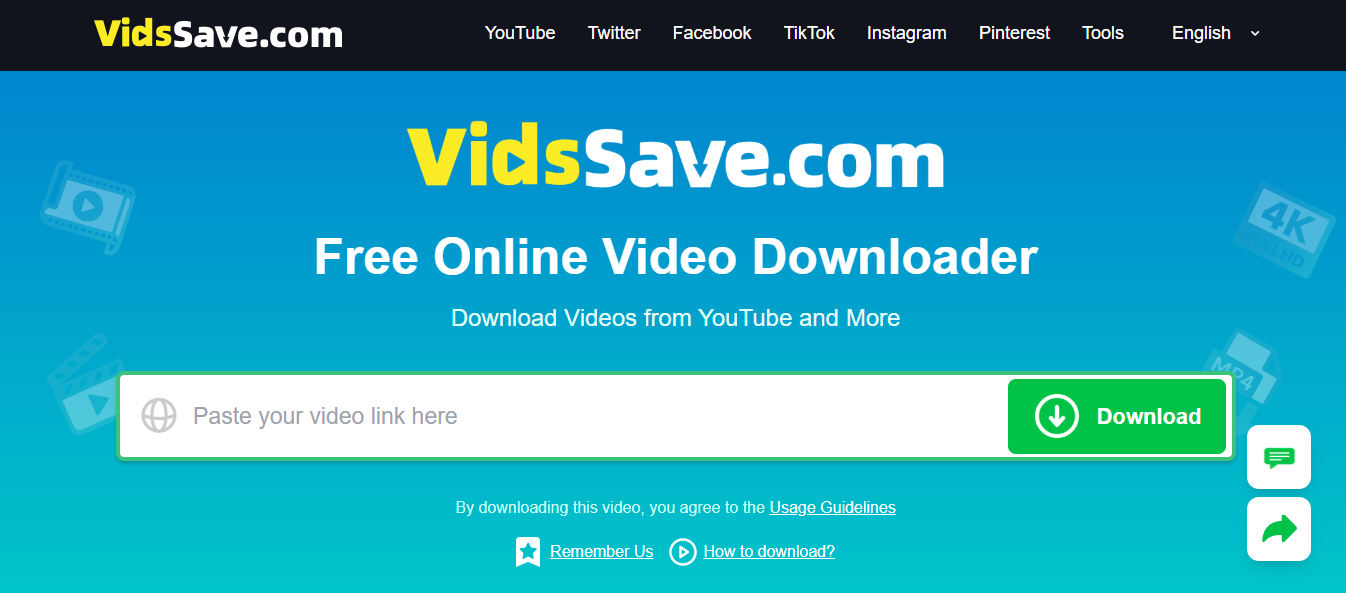
VidsSave is a powerful online video downloader that allows users to download videos from various platforms such as YouTube, Facebook, Instagram, TikTok, and more. Its user-friendly interface and swift processing capabilities make it a top choice for anyone looking to save videos for offline use.
Key Features of VidsSave
Multi-Platform Support: VidsSave supports a wide array of popular platforms, making it versatile for users who enjoy content from multiple sources.
Multiple Format Options: Users can choose from various formats, including MP4 and MP3, catering to different needs, whether you want a video or just the audio.
Resolution Choices: With options ranging from 144p to 4K, you can select the quality that fits your device and viewing preferences.
Instant Processing: The moment you paste a video link, VidsSave begins analyzing it, providing a download link faster than many competitors.
Privacy and Security: All processing is done locally, ensuring your data is secure and not stored on external servers.
In a world where internet connectivity can be unreliable, having access to videos offline can be a game-changer. An online video downloader like VidsSave allows you to download videos effortlessly, ensuring that you can watch your favorite clips without buffering or interruptions.
Learning and Educational Resources
Many people use online videos for educational purposes. With VidsSave, you can download tutorials, lectures, and other educational content to review at your leisure, making learning much more accessible. Imagine being able to revisit a complex math tutorial or a cooking class without needing to stream the video again. This flexibility enhances your learning experience by allowing you to study at your own pace.
Save Data and Costs
Streaming videos can consume a significant amount of data. By downloading videos using VidsSave, you can save on your data plan and avoid additional costs associated with streaming. This is especially beneficial for users with limited internet packages or those who frequently travel and may not always have access to stable Wi-Fi.
Enhanced Entertainment
Whether you’re on a long trip, waiting for an appointment, or simply relaxing at home, having your favorite videos offline means consistent entertainment. VidsSave allows you to create a personal library of videos that you can watch without worrying about internet access or data usage.
How to Use VidsSave: A Step-by-Step Guide
Using VidsSave is straightforward and intuitive. Follow these simple steps to download your favorite videos:
Step 1: Copy the Video Link
Start by navigating to the platform where your desired video is located. Click on the “Share” button or the menu icon, then select “Copy Link.”
Step 2: Visit VidsSave
Open your preferred web browser and go to the VidsSave website. The interface is clean and easy to navigate.
Step 3: Paste the Link
Locate the search box on the homepage. Paste the copied video URL into this box.
Step 4: Choose Format and Quality
After pasting the link, click “Download.” You’ll be presented with options to choose your preferred format (MP4 or MP3) and resolution (from 144p up to 4K, depending on the video source).
Step 5: Download and Save
Select your desired options, and the download will start automatically. The file will be saved directly to your device’s Downloads folder, ready for offline viewing.
The Advantages of VidsSave in 2025
As technology continues to evolve, VidsSave remains at the forefront of online video downloading solutions. Here are some advantages that make VidsSave a standout choice in 2025:
User-Friendly Interface
VidsSave prioritizes user experience. The straightforward layout ensures that even those who are not tech-savvy can navigate the site with ease. The simple steps required to download videos make it accessible to everyone, from teenagers to seniors.
Wide Range of Language Options
Understanding that users come from diverse backgrounds, VidsSave offers multiple language options. This inclusivity enhances usability, allowing more people to take advantage of its features. Whether you speak English, Spanish, Hindi, or Vietnamese, you can easily navigate the platform in your preferred language.
Mobile Compatibility
Whether you’re on a smartphone, tablet, or desktop, VidsSave is fully compatible across devices. This flexibility means you can download videos anytime, anywhere. With the increasing use of mobile devices for viewing videos, having a mobile-friendly downloading service is crucial.
Fast and Efficient
VidsSave’s instant link processing is one of its best features. Unlike many other services, which may take time to analyze links, VidsSave starts the download process almost immediately, saving you valuable time. This efficiency is essential for users who want to quickly save and watch videos without delays.
Privacy and Security
In an age where online privacy is paramount, VidsSave ensures that your information remains confidential. The local processing of downloads means that no data is stored externally, giving you peace of mind. Users can download videos without worrying about their personal information being compromised.
Exploring the Different Formats and Resolutions
Formats Available
VidsSave allows users to download videos in several formats, primarily MP4 and MP3.
MP4: Ideal for video content, MP4 is a widely supported format that maintains quality while keeping file sizes manageable. This makes it perfect for watching on various devices, from smartphones to smart TVs.
MP3: If you’re interested in just the audio, MP3 is the way to go. This format is perfect for music videos, podcasts, and any content where you want to listen without needing the video component.
Resolution Options
VidsSave offers a range of resolution options to suit different preferences and device capabilities:
144p: Suitable for quick downloads and low-bandwidth situations.
480p: A decent quality for mobile viewing.
720p: Great for standard HD playback.
1080p: Full HD for a more immersive viewing experience.
4K: For users with high-definition displays, 4K offers stunning visual quality, provided the source video is available in this resolution.
Real-World Applications of VidsSave
For Students
Students can greatly benefit from VidsSave by downloading educational videos, lectures, and tutorials. Imagine being able to watch a chemistry lecture offline while studying for an exam. This makes learning more effective and allows students to revisit complex topics or concepts as needed.
For Content Creators
Content creators can also leverage VidsSave for inspiration and research. By downloading videos they find engaging, they can analyze different styles and techniques, helping them improve their own content creation.
For Travelers
Travelers can use VidsSave to download entertainment for long journeys. Whether it’s movies, travel vlogs, or music playlists, having downloaded content can help pass the time on flights or long bus rides without relying on internet connectivity.
For Music Lovers
Music enthusiasts can download music videos or live performances to enjoy offline. This is particularly useful for those who want to create playlists for parties or personal enjoyment without consuming data during streaming.
Frequently Asked Questions (FAQs)
1. Is VidsSave free to use?
Yes, VidsSave is entirely free. Users can download videos without incurring any charges. This makes it accessible for anyone looking to save content without financial constraints.
2. Do I need to create an account?
No account creation is necessary. You can start downloading videos immediately after visiting the site. This simplicity is one of the hallmarks of VidsSave, allowing users to jump right in without unnecessary steps.
3. What formats can I download videos in?
VidsSave allows you to download videos in various formats, including MP4 and MP3, depending on your needs. This flexibility ensures you can choose the format that best suits your preferences.
4. Can I download videos from any platform?
VidsSave supports a wide range of platforms, including YouTube, Facebook, Instagram, TikTok, and more. This broad compatibility means you can download videos from your favorite sources without hassle.
5. Is there a limit to the number of videos I can download?
There is no limit to the number of videos you can download. Feel free to save as many as you like! This unlimited access is great for users who want to build a comprehensive library of content.
Conclusion
In 2025, VidsSave stands out as a leading online video downloader, offering users a reliable and efficient way to save their favorite video content. With its user-friendly interface, multi-platform support, and commitment to privacy, VidsSave is transforming the way we interact with online videos.
Whether for entertainment or educational purposes, VidsSave elevates your online video downloading experience to new heights.
For anyone looking to download videos seamlessly, VidsSave is the ultimate solution. Start enjoying your favorite content offline today!
Learn how to safely download and install the latest VidMate APK version in this post.
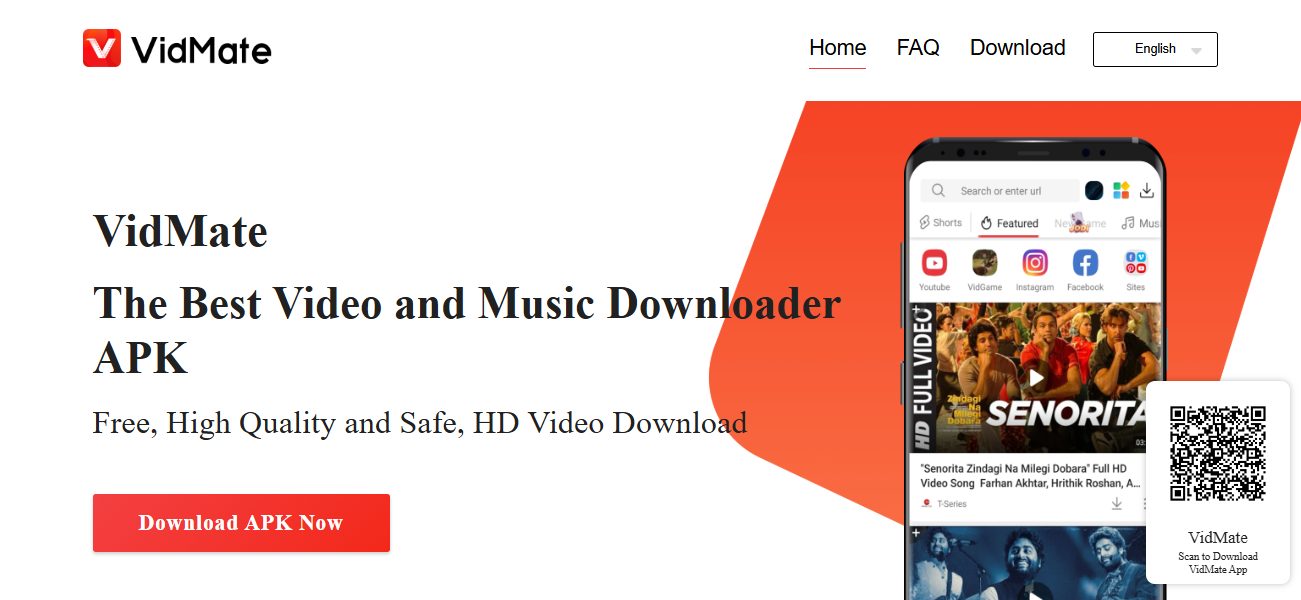
Are you looking for a reliable way to download videos and music from your favorite platforms? If so, the VidMate APK is the solution you need. This powerful app allows users to download multimedia content effortlessly while ensuring a safe and secure experience.
In this article, we’ll guide you through the process of safely downloading and installing the latest version of VidMate, ensuring you can enjoy your favorite content without any hassles.
What is VidMate?
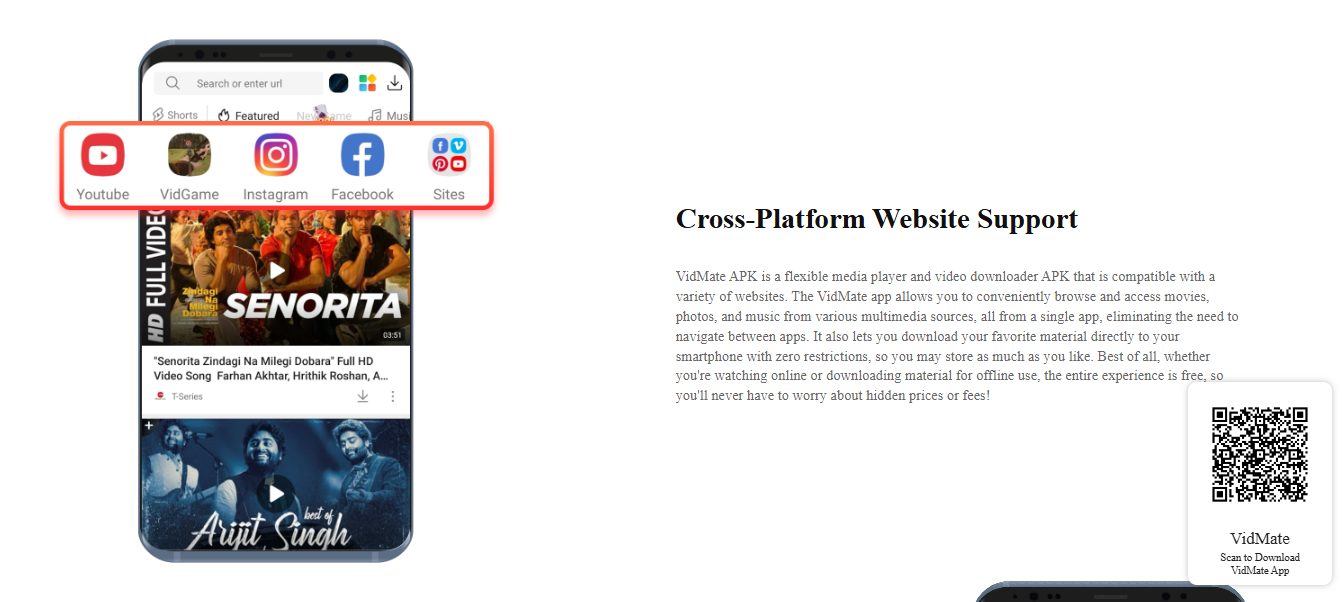
VidMate is a popular video and music downloader application designed for Android devices. Unlike many other apps, VidMate allows you to download content from various sources, including social media platforms and video-sharing websites.
With its user-friendly interface and robust features, VidMate has become the go-to app for many users seeking to enjoy offline entertainment.
Key Features of VidMate
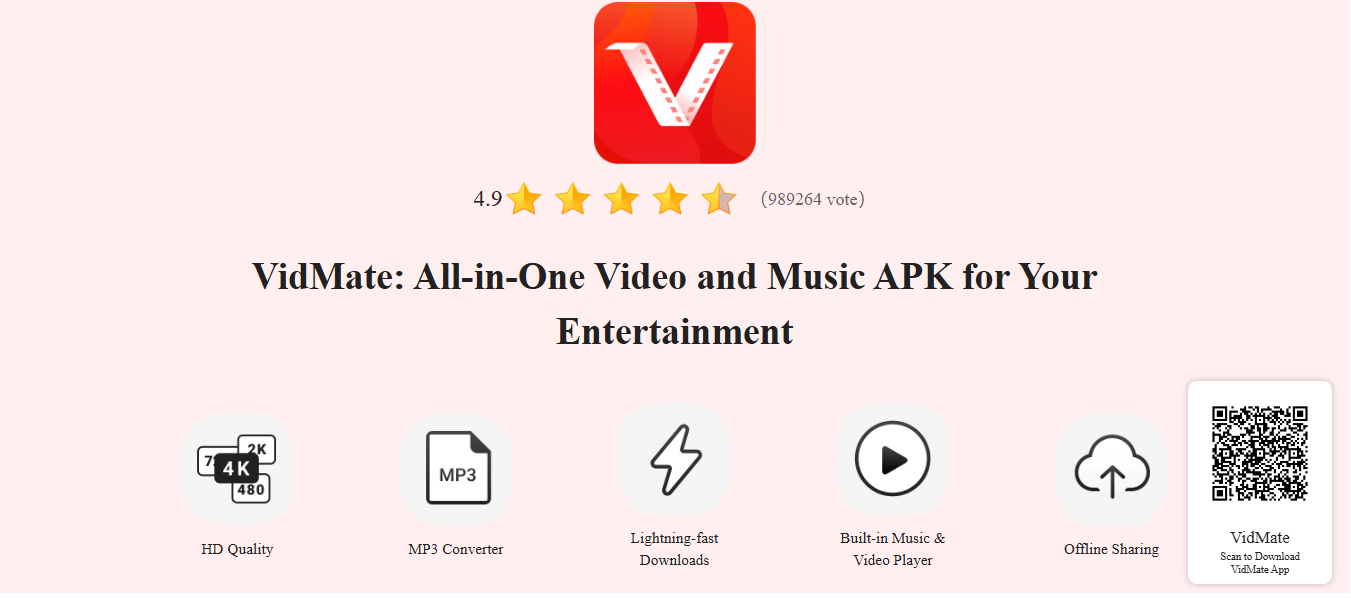
High-Quality Downloads: VidMate supports downloading videos in multiple resolutions, including HD and even 4K, giving you the best viewing experience.
MP3 Converter: Easily convert your favorite videos into MP3 files for music on the go. This feature makes it a versatile tool for music lovers.
Built-in Player: Enjoy a seamless viewing experience with the app’s built-in video and music player, eliminating the need for additional apps.
Offline Sharing: Share your downloaded content with friends and family without needing an internet connection.
User-Friendly Interface: Navigate effortlessly through the app with its intuitive design, making it accessible for everyone, regardless of tech-savviness.
Why Download the Latest Version of VidMate?
Keeping your VidMate app updated is crucial for several reasons:
New Features: Each update often includes new features that enhance your downloading experience, such as support for new platforms or improved user interface elements.
Improved Security: Updates typically fix any security vulnerabilities, keeping your device safe from potential threats.
Better Performance: The latest version usually improves the app’s speed and efficiency, ensuring quicker download times and smoother playback.
Bug Fixes: Updates often address any bugs or glitches that may have been present in previous versions, enhancing the overall user experience.
How to Download VidMate APK Safely
Step 1: Enable Unknown Sources
Before you can install the VidMate APK, you need to allow your device to install apps from unknown sources. This is an essential step because VidMate is not available on the Google Play Store due to Google’s policies on video downloaders. Here’s how to enable this setting:
Go to Settings on your Android device.
Scroll down and select Security or Privacy.
Find the option labeled Unknown Sources and toggle it on. This allows you to install applications from sources other than the official app store.
Step 2: Visit the Official VidMate Website
To ensure you are downloading the latest and safest version of the VidMate APK, always go to the official website. This minimizes the risk of downloading malicious software. Here’s how:
Open your web browser and navigate to the VidMate download page.
Look for the download button for the latest version (ensure it’s the correct APK version).
Step 3: Download the APK File
Click on the download link for the VidMate APK.
Wait for the download to complete. Depending on your internet speed, this may take a few moments. Ensure that the download is from a secure connection to avoid interruptions.
Step 4: Install the APK
Once the download is complete, follow these steps to install the APK:
Open your device’s File Manager and navigate to the Downloads folder.
Locate the VidMate APK file and tap on it.
If prompted, confirm that you want to install the app. You may need to grant additional permissions for the installation to proceed.
Follow the on-screen instructions to complete the installation. Please be patient while the app installs, which may take a few seconds.
Step 5: Open VidMate and Enjoy
After installation, you can find the VidMate app in your app drawer. Open it, and you’re ready to start downloading your favorite videos and music!
Tips for a Smooth Experience with VidMate
Check for Updates Regularly: Always keep an eye out for new updates on the official website to make sure you’re using the latest version. This helps in accessing the newest features and improvements.
Use a Reliable Internet Connection: For the best download speeds, connect to a strong Wi-Fi network. Avoid using mobile data for large downloads to prevent unexpected charges.
Explore Different Formats: VidMate allows you to download in various formats. Experiment with these to find what works best for you, whether it’s for video playback on your mobile device or converting for audio use.
Use the Built-in Player: Take advantage of VidMate’s built-in media player to enjoy your downloaded content without needing to switch apps. This feature saves time and enhances your viewing experience.
Manage Your Downloads: Keep track of your downloads through the app’s interface. You can pause or resume downloads, ensuring you have control over your content.
Frequently Asked Questions (FAQs)
Is VidMate Safe to Use?
Yes, VidMate is generally safe to use when downloaded from the official website. It is verified by industry leaders like CM Security, Lookout, and McAfee, ensuring a secure experience. However, always be cautious and ensure you are downloading from trusted sources.
Can I Download Videos from Any Site?
VidMate supports downloading from numerous sites, including popular platforms like YouTube, Facebook, Instagram, TikTok, and many more. However, always ensure you comply with copyright regulations when downloading content.
Do I Need to Pay for VidMate?
No, VidMate is completely free to use. There are no hidden fees or subscriptions required to access its core features. This makes it an attractive option for users looking for a cost-effective multimedia downloader.
What to Do If I Encounter Issues?
If you experience issues while using VidMate, consider the following steps:
Restart the App: Sometimes, simply closing and reopening the app can resolve minor glitches.
Check Your Internet Connection: Ensure that your device is connected to a stable internet connection for smooth downloads.
Reinstall the App: If problems persist, uninstall VidMate and reinstall it from the official website to ensure you have the latest version.
Can I Use VidMate on Other Devices?
Currently, VidMate is primarily designed for Android devices. However, you can access its content through the web version on other devices, although the downloading capabilities may be limited.
Conclusion
Downloading and installing the latest VidMate APK version is a straightforward process that can greatly enhance your multimedia experience. By following the steps outlined in this article, you can safely enjoy high-quality video and music downloads without any worries.
Whether you’re saving your favorite Instagram stories, converting videos to MP3, or watching movies offline, VidMate offers a comprehensive solution for all your downloading needs.
So why wait? Get started today and make the most of your favorite content with VidMate! With its robust features and user-friendly interface, you’ll discover a world of entertainment at your fingertips.