Learn how to craft the perfect coffee shop experience for customers in this post.
A coffee shop is more than just a place to grab a cup of coffee. When done right, it’s a haven where customers can relax, work, socialize, and enjoy a comforting atmosphere.
Crafting the perfect coffee shop experience requires attention to detail, a keen understanding of customer needs, and a passion for creating a welcoming environment. From the aroma of freshly brewed coffee to the cozy seating arrangements, every element plays a crucial role in making your coffee shop a favorite destination.
Here are some expert tips to help you create an unforgettable experience for your customers.
Table of Contents
Design an Inviting Atmosphere
The ambiance of your coffee shop sets the tone for the customer experience. Choose a design theme that reflects your brand and creates a welcoming environment.
Use comfortable seating, warm lighting, and tasteful decor to make the space inviting. Consider the layout carefully to accommodate both solo visitors and groups, ensuring there’s ample space for everyone.
Incorporating natural elements like plants and wooden furniture can add a touch of tranquility to the atmosphere.
Offer a Variety of Seating Options
Providing a range of seating options can enhance the comfort and functionality of your coffee shop.
Include cozy couches for those who want to relax, communal tables for socializing, and individual seats for those looking to work or read. Ensure that the seating is comfortable and arranged to facilitate easy movement and accessibility.
Offering both indoor and outdoor seating can cater to different preferences and weather conditions. The result is an enhanced overall customer experience.
Curate a Diverse Menu
A diverse menu is key to attracting a wide range of customers. In addition to classic coffee drinks, offer a selection of teas, smoothies, and specialty beverages.
Include options for various dietary preferences, such as vegan, gluten-free, and sugar-free choices. Complement your drink offerings with a variety of snacks and light meals, such as pastries, sandwiches, and salads.
Collaborate with a reputable coffee supplier to ensure the quality and consistency of your coffee offerings.
Prioritize Exceptional Customer Service
Exceptional customer service is the cornerstone of a successful coffee shop. Train your staff to be friendly, attentive, and knowledgeable about the menu.
Encourage them to engage with customers, offering personalized recommendations and addressing any concerns promptly. Creating a welcoming and inclusive environment where customers feel valued can lead to repeat visits and positive word-of-mouth.
Regularly gather feedback from customers to continually improve the service experience.
Maintain Cleanliness and Hygiene
A clean and hygienic environment is crucial for customer satisfaction. Regularly clean and sanitize all areas of the coffee shop, including seating areas, restrooms, and service counters.
Ensure that tables are promptly cleared and cleaned after each customer. Displaying a visible commitment to cleanliness can reassure customers and enhance their overall experience. Implementing strict hygiene practices also ensures the safety and well-being of both customers and staff.
Engage With the Local Community Through Events and Activities
Building strong ties with the local community can enhance the reputation and appeal of your coffee shop. Partner with local artists, musicians, and businesses to create a unique and locally inspired atmosphere.
Hosting events such as live music nights, poetry readings, or art exhibitions can attract diverse groups of customers and foster a vibrant atmosphere. Workshops and classes, like coffee brewing techniques or art sessions, can further engage customers and add value to their experience.
Promoting these events through social media and in-store signage can increase attendance and demonstrate your commitment to the local community.
Provide Free Wi-Fi and Power Outlets
In today’s digital age, offering free Wi-Fi and ample power outlets is a must for any coffee shop. Ensure that your Wi-Fi connection is fast and reliable to accommodate customers who want to work, study, or browse the internet.
Strategically place power outlets near seating areas to make it convenient for customers to charge their devices. Providing these amenities can attract a steady stream of customers who see your coffee shop as a convenient and comfortable place to stay for extended periods.
Conclusion
Crafting the perfect coffee shop experience requires a blend of creativity, attention to detail, and a genuine passion for hospitality.
By designing an inviting atmosphere, offering diverse seating options, and curating a varied menu, you can create a welcoming space that caters to different customer preferences.
Prioritizing exceptional customer service, maintaining cleanliness, and engaging with the local community are essential steps in building a loyal customer base.
With these tips, you can transform your coffee shop into a beloved destination where customers can relax, connect, and enjoy a memorable coffee experience.
In this post, I will share the career opportunities in space technology.
Imagine a career that lets you push the boundaries of human knowledge, explore the unknown, and contribute to groundbreaking discoveries.
The space industry offers a vast array of opportunities for those ready to embark on an exciting journey beyond the stars. From engineering and science to business and operations, there’s a place for everyone in this dynamic field.
Whether you’re just starting your career or looking to make a change, here are some of the exciting career opportunities in space technology. Get ready for takeoff!
Table of Contents
Aerospace Engineer
Aerospace engineers are at the forefront of designing, building, and testing aircraft, spacecraft, satellites, and missiles. Their work ensures these vehicles operate safely and efficiently.
To become an aerospace engineer, pursue a degree in aerospace engineering or a related field. Hands-on experience through internships or co-op programs is highly beneficial.
These professionals are vital in advancing space exploration and developing new technologies for space missions.
Astrophysicist
Astrophysicists study the physics of the universe, including stars, planets, and galaxies. They conduct research to understand celestial phenomena and contribute to space exploration missions.
A degree in astrophysics, astronomy, or physics is essential for this career. Involvement in research projects and internships at observatories or research institutions can provide valuable experience. Astrophysicists play a crucial role in expanding our knowledge of the cosmos.
Satellite Communications Specialist
Satellite communications specialists manage the design, implementation, and maintenance of satellite systems for communication, navigation, and data transmission. They ensure reliable and secure communication links between Earth and space.
A background in electrical engineering, telecommunications, or computer science is typically required for these careers in the space industry. Experience with satellite technology and communication systems is highly advantageous.
These specialists are key to maintaining global connectivity through space-based infrastructure.
Robotics Engineer
Robotics engineers develop robots used in space missions for tasks such as exploration, repairs, and maintenance. They design and program robotic systems to operate in harsh space environments.
A degree in robotics, mechanical engineering, or computer science is necessary. Hands-on experience with robotics projects and internships in the space industry can enhance your skills. Robotics engineers are essential in enabling autonomous operations in space.
Space Mission Planner
Space mission planners develop and coordinate the execution of space missions, from initial concept to launch and beyond. They ensure missions meet scientific, technical, and logistical goals.
A background in aerospace engineering, physics, or space studies is beneficial. Strong project management skills and experience with mission planning tools are crucial. Mission planners are instrumental in the successful deployment of space exploration projects.
Spacecraft Systems Engineer
Spacecraft systems engineers oversee the integration of various subsystems within a spacecraft, ensuring they function harmoniously. They work on power, thermal, communication, and structural systems.
A degree in aerospace engineering, systems engineering, or a related field is required. Practical experience through internships or co-op programs can provide valuable insights. Systems engineers are critical in ensuring the reliability and performance of spacecraft.
Data Analyst
Data analysts in the space industry process and interpret data collected from space missions, satellites, and telescopes. They provide insights that guide scientific research and mission planning.
A background in data science, statistics, or computer science is essential. Experience with data analysis tools and programming languages enhances your qualifications. Data analysts help transform raw data into meaningful information that drives space exploration.
Materials Scientist
Materials scientists research and develop new materials that can withstand the extreme conditions of space. They focus on improving the durability and performance of materials used in spacecraft and equipment.
A degree in materials science, chemistry, or physics is necessary. Practical experience through research projects and internships in the space industry is highly beneficial. Materials scientists contribute to the advancement of technology for space exploration.
Business Development Manager
Business development managers in the space industry identify and pursue new business opportunities, partnerships, and markets. They develop strategies to drive growth and secure funding for space projects.
A background in business administration, marketing, or a related field is advantageous. Experience in the space industry and strong networking skills are important. Business development managers play a key role in expanding the commercial aspects of space technology.
Space Policy Analyst
Space policy analysts study and develop policies that govern space exploration and utilization. They work with government agencies, private companies, and international organizations to ensure compliance with regulations and promote sustainable space activities.
A background in political science, law, or space studies is essential. Experience with policy analysis and a deep understanding of space law and regulations are beneficial. Space policy analysts help shape the legal and ethical framework for space exploration.
Conclusion
The space industry offers a wide range of career opportunities for individuals with diverse skills and interests. Whether you’re drawn to engineering, science, business, or policy, there’s a role for you in this exciting field.
By pursuing relevant education, gaining practical experience, and building a strong professional network, you can launch a successful career in space technology.
Embrace the challenge and prepare to explore a universe of possibilities in the realm of space exploration. The opportunities are vast and continuously expanding.
This post will show you our guide to material resource planning for businesses…
In the ever-changing world of contemporary corporate operations, competitiveness and sustainable development depend heavily on efficiency and adaptability.
The foundation for inventory management, supply chain synchronization, and manufacturing process optimization is Material Resource Planning (MRP).
This in-depth manual covers the core ideas of MRP, as well as its strategic advantages and useful applications for companies looking to optimize resource use and simplify operations.
Table of Contents
Understanding Material Resource Planning (MRP)
The methodical planning, scheduling, and management of inventory, production, and procurement processes in a manufacturing setting is known as material resource planning, or MRP.
Fundamentally, MRP seeks to satisfy consumer demand, reduce inventory costs, and guarantee that resources and materials are accessible when required for production. Algorithms that determine material needs based on lead times, inventory levels, and production schedules power MRP systems.
Businesses can create precise procurement schedules and improve resource allocation by using MRP, which integrates data from production plans, inventory records, and sales predictions.
This proactive strategy improves operational efficiency by decreasing surplus inventory, cutting down on stockouts, and raising the accuracy of production planning overall.
Key Components of Material Resource Planning
Several essential elements are needed for an effective MRP deployment in order to improve productivity and simplify operations. The Bill of Materials (BOM), which enumerates all components, subassemblies, and raw materials needed to make a final product, is essential to Material Requirements Planning (MRP).
The base material requirements and manufacturing cost calculations are based on the BOM. MRP systems also include Inventory Records that monitor use rates, reorder points, and inventory levels in real time.
Businesses can reduce carrying costs, maximize inventory turnover ratios, and avoid stockouts by keeping correct inventory data.
By working together, these elements help companies better coordinate their production, inventory, and procurement processes, increasing the supply chain’s responsiveness and efficiency.
Benefits of Implementing Material Resource Planning
A number of strategic advantages of Material Resource Planning (MRP) implementation support operational excellence and organizational efficiency.
Enhanced Production Planning, where MRP systems create comprehensive production plans based on real-time demand projections and inventory data, is one of the main benefits. With this feature, enterprises can increase on-time delivery performance, save lead times, and streamline production processes.
Furthermore, by coordinating material purchases with production schedules and consumer demand patterns, MRP helps to enable efficient inventory management. Organizations can reduce the expenses associated with maintaining excess inventory and prevent production-disturbing stockouts by producing precise reorder amounts and safety stock levels.
Implementation Considerations for Material Resource Planning
A number of elements must be carefully taken into account for Material Resource Planning (MRP) to be implemented successfully in order to guarantee operational effectiveness and seamless integration.
Since MRP systems depend on precise and current data from the sales, manufacturing, and procurement departments, data accuracy and integration are important factors to take into account. The dependability of MRP outputs and decision-making processes is improved by connecting disparate systems and putting strong data management standards into operation.
Stakeholder engagement and training are also crucial for encouraging MRP adoption and optimizing its advantages across the company. Facilitating departmental communication and educating staff on MRP system functionality allows for easier deployment that is in line with company objectives.
By analyzing performance data on a regular basis, improving production plans, and taking stakeholder input into account, organizations can improve their MRP capabilities and stay competitive in the market.
Challenges and Solutions in Material Resource Planning
Although Material Resource Planning (MRP) has many advantages, there might be difficulties in its adoption and use for firms. A prevalent issue is forecasting accuracy, wherein imprecise demand projections can result in either an excess or a shortage of inventories.
To reduce this problem and increase demand forecasting accuracy, sophisticated forecasting tools, historical data, and tight collaboration with sales and marketing teams are used. Software complexity and integration provide additional difficulties, especially for companies with disjointed IT infrastructures or old systems still in use.
Smooth deployment and long-term operational effectiveness are ensured by selecting MRP software that enables scalability and easy integration with current systems. Additionally, spending money on technical assistance and system upgrades improves software performance and reduces the possibility of integration problems.
Conclusion
In industrial settings, Material Resource Planning (MRP) is a fundamental technique for controlling inventories, streamlining production processes, and improving supply chain effectiveness.
Organizations can handle complexity, reduce operational risk, and seize growth possibilities by using MRP technology, which promotes long-term business success.
Here, I will talk about how to attract and retain clients.
Building a successful salon business requires more than just excellent services; it demands effective brand development strategies. Attracting and retaining clients hinges on creating a distinct brand identity.
Clients today seek memorable experiences and personalized services. Effective brand building ensures that a salon stands out in a competitive market. This article explores key strategies to enhance a salon’s brand and client base.
Table of Contents
Understanding Your Target Audience
Understanding the target audience is vital for successful salon branding. Identifying client demographics and preferences allows for tailored services and marketing strategies.
Conducting market research reveals valuable insights into potential clients’ needs and behaviors. Surveys, feedback forms, and social media analytics help gather relevant data. Age, lifestyle, and beauty preferences significantly impact service offerings and promotional activities.
Addressing specific client pain points creates a more personalized and attractive salon experience. Engaging with clients through social media platforms helps in understanding trends and preferences. Analyzing competitors also provides insights into market demands and gaps.
Segmenting the audience based on their specific needs enables more targeted and effective communication strategies. Personalized marketing efforts increase client engagement and loyalty, leading to a stronger brand presence.
Creating a Unique Brand Identity
Creating a unique brand identity is essential for distinguishing a salon in a crowded market. A compelling brand story communicates the salon’s values, mission, and unique selling points.
Consistent branding elements, such as logos, color schemes, and taglines, enhance brand recognition. Visual identity should reflect the salon’s personality and appeal to the target audience.
Developing a unique brand voice helps in establishing a strong connection with clients. Offering signature services or products can further differentiate the salon from competitors. Ensuring that all customer touchpoints, from the website to in-salon experience, consistently reflect the brand identity is crucial.
Regularly updating branding materials to stay relevant to current trends is important. A strong brand identity fosters trust and loyalty among clients, encouraging repeat business and referrals.
Utilizing Online Marketing Strategies
Utilizing online marketing strategies is crucial for expanding a salon’s reach and attracting new clients. A well-designed website, created using a salon website builder, enhances online presence and accessibility.
Search engine optimization (SEO) ensures the salon appears in relevant online searches. Social media platforms offer opportunities to engage with clients and showcase services through visually appealing content. Email marketing campaigns keep clients informed about promotions, new services, and events.
Online booking systems streamline the appointment process and improve client convenience. Implementing a blog on the website can attract traffic through valuable beauty and wellness content. Paid online advertising, such as Google Ads and social media ads, can target specific demographics effectively.
Analyzing online marketing metrics helps refine strategies for better results. Consistently updating online content keeps the salon relevant and engaging to its audience.
Enhancing Client Experience
Enhancing client experience is pivotal for fostering loyalty and encouraging repeat visits to a salon. Providing personalized services tailored to individual preferences makes clients feel valued.
Offering complimentary refreshments, comfortable seating, and a relaxing ambiance enhances the overall experience. Training staff to deliver exceptional customer service ensures consistent quality in every interaction.
Implementing feedback systems allows clients to voice their opinions and helps in identifying areas for improvement. Utilizing technology, such as online booking and reminders, adds convenience and efficiency for clients. Reward programs and special promotions can incentivize repeat business and referrals.
Keeping the salon environment clean and well-maintained contributes to a positive impression. Regularly updating services and products to align with current trends keeps clients interested. Prioritizing client comfort and satisfaction creates a memorable salon experience that stands out.
Building a Loyal Client Base
Building a loyal client base is essential for sustained growth and success in the salon industry. Creating a customer loyalty program with rewards for frequent visits incentivizes repeat business.
Personalized communication, such as birthday messages and exclusive offers, makes clients feel appreciated and special. Hosting client appreciation events fosters a sense of community and connection. Collecting and acting on client feedback demonstrates a commitment to continuous improvement.
Offering referral discounts encourages satisfied clients to bring in new customers. Consistently delivering high-quality services and maintaining a welcoming atmosphere enhances client trust and satisfaction. Providing educational content, such as hair care tips, through newsletters or social media keeps clients engaged.
Partnering with local businesses for cross-promotions can expand the client base. Building strong relationships with clients through excellent service and thoughtful gestures ensures long-term loyalty and advocacy.
Conclusion
Strengthening a salon’s brand presence is crucial for attracting and retaining clients in a competitive industry. Implementing effective branding strategies ensures a distinct and memorable identity.
Prioritizing client experience and satisfaction fosters loyalty and positive word-of-mouth. Utilizing online marketing and technology enhances visibility and engagement. A well-executed brand strategy positions a salon for long-term success and growth.
Here, I will show you 5 creative ways to show employee appreciation…
Showing appreciation to employees is a crucial aspect of maintaining a motivated and productive workforce. Recognizing their efforts not only boosts morale but also fosters loyalty and a positive work environment.
While traditional methods like bonuses and awards are effective, incorporating creative ways to show appreciation can make a more significant impact. These unique gestures demonstrate genuine gratitude and can make employees feel truly valued.
Here are five creative ways to show employee appreciation that goes beyond the conventional approaches.
Table of Contents
5 Creative Ways to Show Employee Appreciation
1. Personalized Recognition Programs
Personalized recognition programs tailored to individual preferences can have a profound effect on employee satisfaction.
Instead of generic rewards, consider customizing recognition based on the employee’s hobbies, interests, or achievements. For example, if an employee loves cooking, a personalized cooking class or a gourmet gift basket would be a thoughtful gesture. Another thoughtful option is a custom challenge coin tailored to the employee’s milestone or interests.
This approach shows that you have taken the time to understand and appreciate their unique qualities. Moreover, it encourages employees to engage more with their work, knowing that their interests are acknowledged and celebrated.
2. Give Corporate Gifts
Giving corporate gifts is a creative and effective way to demonstrate appreciation for employees’ contributions within an organization. These gifts can range from personalized items to experiential rewards tailored to reflect the interests and achievements of each individual.
By selecting the best corporate gifts thoughtfully, employers not only acknowledge hard work but also strengthen the bond between employees and the company. Whether it’s a custom-engraved plaque, a wellness package, or a gift card for a memorable experience, the gesture goes beyond monetary value to convey genuine gratitude and recognition.
Incorporating corporate gifts into employee appreciation strategies fosters a positive work culture, boosts morale, and inspires continued dedication to achieving organizational goals.
Investing in the professional development of workers is a strong method to demonstrate gratitude for their work. Providing workers with the opportunity to develop their skills and career prospects by attending industry conferences, obtaining certifications, or participating in training programs can be beneficial.
The whole skill set of the workforce is improved as a result of this, which not only enhances the value of the firm but also helps the individuals inside it. Furthermore, it indicates a commitment to their long-term success and growth, which is a significant benefit.
It is possible to increase employee engagement and motivation by providing opportunities for ongoing learning and advancement. This is because workers will feel supported in their professional journeys.
4. Surprise Appreciation Events
Creating experiences that are memorable and connect with workers can be accomplished via the organization of surprise appreciation events.
These activities can vary from simple gestures, such as spontaneous team meals or snacks, to major celebrations, such as workplace parties or trips where employees are invited to participate.
You are demonstrating that you are prepared to go the extra mile to make them feel appreciated by including the element of surprise, which adds a layer of excitement to the situation.
These activities provide the chance to strengthen the bonds between members of the team and can enhance morale by providing a break from the monotony of everyday work. The culture of appreciation and pleasure can be strengthened via the use of unexpected methods to celebrate achievements and significant milestones.
5. Customized Wellness Programs
Implementing customized wellness programs is a thoughtful way to show appreciation for employees’ health and well-being.
These programs can include fitness classes, mental health resources, or wellness challenges tailored to the interests of the team. Providing access to wellness initiatives shows that you care about their holistic well-being, not just their work output.
It can also lead to improved productivity, reduced absenteeism, and a more positive workplace atmosphere. By focusing on their health and happiness, you demonstrate a commitment to their overall quality of life.
Conclusion
Creative ways to show employee appreciation can significantly enhance the work environment and boost morale. Personalized recognition programs, corporate gifts, professional development opportunities, surprise appreciation events, and customized wellness programs are just a few examples of how to make employees feel valued.
These gestures go beyond traditional rewards, demonstrating genuine care and respect for employees’ unique needs and contributions. By implementing these creative approaches, organizations can foster a more engaged, motivated, and loyal workforce.
Ultimately, showing appreciation in meaningful ways can lead to greater job satisfaction and long-term success for both employees and the organization.
In the rapidly evolving world of technology, visual tech innovations are transforming how you interact with digital content. From augmented reality to ultra-high-definition displays, these advancements are enhancing entertainment and revolutionizing industries such as healthcare, education, and design.
Staying updated with the latest in visual tech can give you an edge, whether you’re a tech enthusiast, a professional, or simply curious about what the future holds. This guide explores the cutting-edge innovations in visual technology that are making waves. Find out how they can benefit you.
Table of Contents
Augmented Reality (AR) and Virtual Reality (VR)
Augmented reality (AR) and virtual reality (VR) are at the forefront of visual tech innovations. AR overlays digital information onto the real world, enhancing your interaction with your surroundings.
Applications range from gaming and entertainment to practical uses like navigation and interior design. Virtual reality, on the other hand, immerses you in a completely digital environment, ideal for gaming, virtual tours, and training simulations.
Both technologies are being integrated into various industries, offering new ways to visualize and interact with data. The potential for AR and VR to enhance user experiences and professional applications is immense, making them crucial tools in modern visual technology.
The advent of 4K and 8K displays has redefined what it means to have high-definition visuals. 4K displays, with their 3840 x 2160 resolution, provide four times the detail of Full HD, offering stunning clarity and sharpness.
8K displays take this even further, with a resolution of 7680 x 4320, delivering an unprecedented level of detail. These advancements are perfect for professionals in graphic design, video editing, and photography who require the highest visual fidelity.
For consumers, 4K and 8K televisions bring cinema-quality visuals into your living room, enhancing your viewing experience. Investing in these displays can significantly improve both professional work and personal entertainment.
MicroLED and OLED Technology
MicroLED and OLED technologies are transforming the display industry with their superior visual quality and performance.
Organic light-emitting diode (OLED) displays offer deep blacks, vibrant colors, and fast response times, making them ideal for high-quality screens. MicroLED, a newer technology, provides similar benefits but with higher brightness and better energy efficiency.
These technologies are being used in everything from smartphones and televisions to large public displays. Their ability to deliver stunning visuals with reduced power consumption makes them a preferred choice for next-generation screens.
By adopting devices with OLED or MicroLED displays, you can enjoy richer colors and more dynamic images.
Advanced Eye-Tracking Systems
Eye-tracking systems are becoming increasingly sophisticated, offering new ways to interact with technology. These systems track where you are looking and adjust the content accordingly, providing a more intuitive and immersive experience.
In gaming, eye-tracking can enhance realism and responsiveness, making games more engaging. For professionals, eye-tracking can streamline workflows by allowing you to control applications with your gaze.
Inaccessibility, these systems offer invaluable assistance to individuals with disabilities, enabling them to interact with digital content more effectively. Advanced eye-tracking technology represents a significant leap forward in making technology more interactive and user-friendly.
Wearable Visual Tech
Wearable visual tech, such as smart glasses and head-mounted displays, is bringing futuristic concepts into reality. These devices offer hands-free access to digital information, superimposing it onto your field of view.
This technology is particularly useful in fields like healthcare, engineering, and logistics, where access to real-time data can improve efficiency and accuracy. Smart glasses equipped with AR capabilities can assist surgeons during operations, provide engineers with overlayed schematics, and help warehouse workers with inventory management.
The potential applications are vast, making wearable visual tech a versatile tool for both professional and personal use. Ensuring the protection of such valuable devices with an appropriate product, like an Apple Vision Pro case, for example, can help maintain their functionality and longevity.
Conclusion
Tech innovations are reshaping how you interact with digital content. From the immersive experiences offered by AR and VR to the stunning clarity of 4K and 8K displays, the advancements in visual tech are making digital interactions more engaging and productive.
Technologies like OLED, MicroLED, advanced eye-tracking systems, and wearable visual tech are setting new standards in performance and usability.
Staying informed about these innovations can help you make better choices, whether for personal enjoyment or professional advancement.
Embrace the future of visual technology, and explore the endless possibilities it offers.
This article will show you the best paid Antivirus Reddit users like and brief information about them. Yes, these online security programs will help you improve the protection of your computer.
Even if the claim is debatable, most customers have testified that they stand out.
Heimdal Security has features like DarkLayer Guard, which helps monitor all HTTP, HTTPS, and DNS packets.
This feature helps to prevent the transmission of infected packets. In addition to this, you will find other unique features after you have installed it.
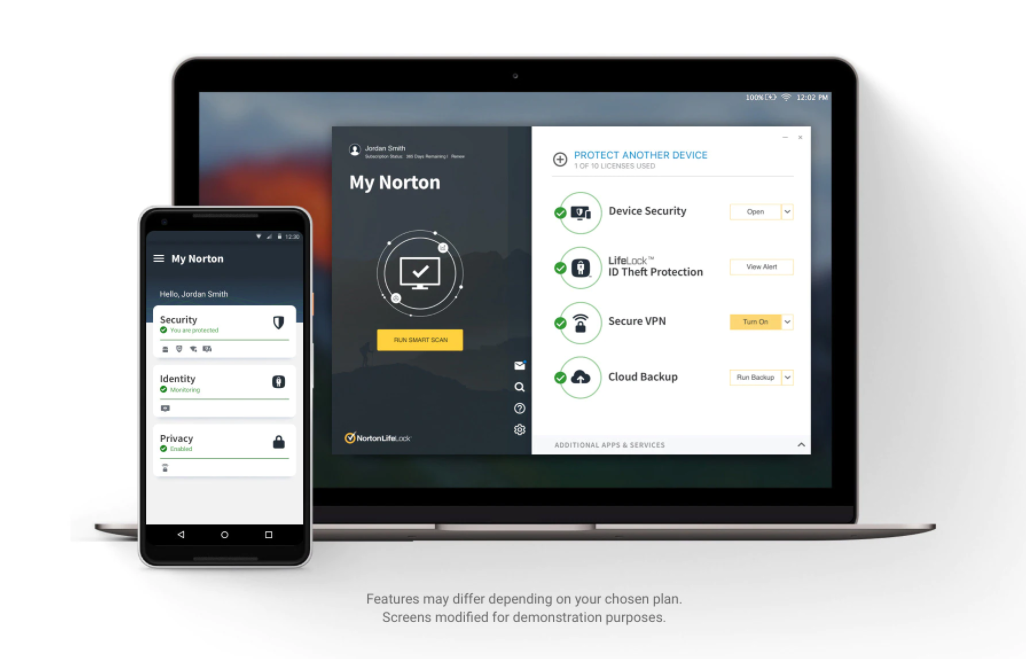
Norton 360 Antivirus is one the most efficient when it comes to data and file protection. It is also considered ideal for all types of operating systems.
This antivirus can protect your system against all types of malware and viruses. It works great for computers, cell phones, and iPads, showing its versatility.
With Norton 360 Antivirus, your data, information, and files will always be protected.
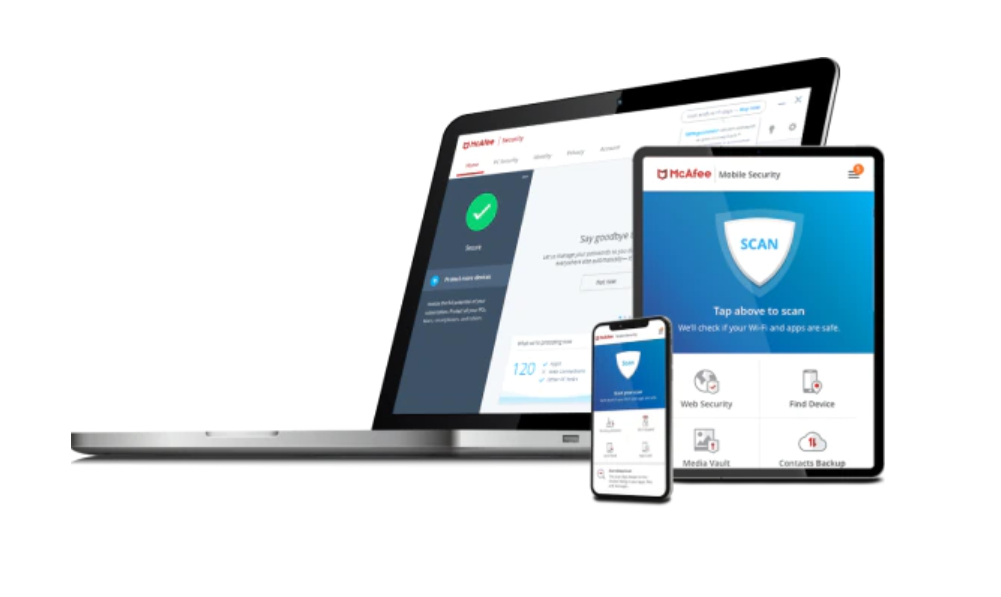
McAfee Antivirus is an antivirus known for providing complete protection features. It has 100% action against malware and ensures safe browsing with encrypted storage.
It also has a password and VPN manager, which increases your protection. Therefore, McAfee Antivirus making this list today should not surprise you.
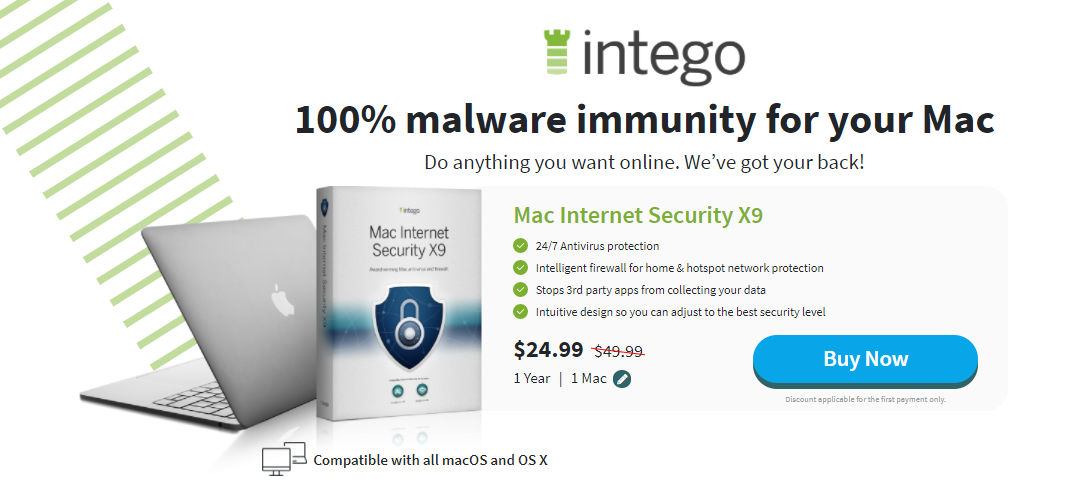
When selecting the best Antivirus for Mac, you will always find Intego Antivirus in the discussion.
Intego Antivirus is one of the few antiviruses mainly made for Mac OS, even if it has other features for Windows.
It has features like parental control, Mac performance enhancement, firewall, and backup. You can’t go wrong with Intego Antivirus because many users are happy.
Key Features of Intego Antivirus
System optimization
They are primarily made for the Mac Operating System
Acronis True Image is an advanced antivirus that combines reliable backup with advanced security features to provide maximum protection against threats.
It has also made it to the best paid Antivirus Reddit on this list today because of its multiple features.
It works on IOS, macOS, Android OS, and Windows operating systems. Versatility, you might end up finding it to be your favourite.
Key Features of Acronis True Image
It has reliable backup and advanced antimalware protection in a single solution.
Having G Data Total Security on your system should keep your mind at peace regarding the fear of your system being infected with a virus.
This antivirus is one of the best paid Antivirus Reddit. You can ensure your computer is secure with artificial intelligence and behavioural analysis to detect viruses.
It allows data to be backed up and saved in your system storage or the cloud. In addition to that, it has a password manager that remembers your passwords.
G Data Total Security is compatible with Android, IOS, Windows, and Mac
The Avira Antivirus Pro has a password manager, unlimited VPN, and premium packages for Android and iOS.
It also has several layers of advanced ransomware protection.
Thus, it detects the virus and prevents your essential data from being encrypted. It comes with an anti-phishing browser to ensure your internet security.
It also helps your device to perform better because it frees up hard disk space.
Key Features of Avira Antivirus Pro
It provides excellent protection against all types of malware
Best Paid Antivirus Reddit: Frequently Asked Questions
What is the best paid antivirus?
When it comes to paid antivirus solutions, Heimdal Security is often highlighted for its robust protection against malware, phishing attacks, and ransomware. It distinguishes itself with proactive, AI-powered threat detection and a user-friendly interface. Users appreciate its effectiveness in safeguarding their devices without compromising performance.
Is it worth to pay for antivirus on Reddit?
Opinions on Reddit vary regarding whether paid antivirus is worth it. Many users argue that paid antivirus offers more comprehensive protection, including advanced features like real-time threat detection and additional layers of security. Others suggest that free antivirus options can be just as effective for basic protection, depending on individual needs and usage habits.
What is the top 1 antivirus?
Determining the “top” antivirus can be subjective and often depends on specific needs. However, antivirus solutions like Bitdefender, Kaspersky, and Norton consistently rank among the top in independent tests for their malware detection rates, performance impact, and additional features offered.
Do I really need a paid antivirus?
Whether you need a paid antivirus depends on your usage habits and security concerns. Paid antivirus typically offers more features, including advanced malware protection, ransomware detection, and customer support. If you engage in online banking, handle sensitive data, or want peace of mind with enhanced security features, a paid antivirus may be worth the investment.
Is Norton or McAfee better?
The debate between Norton and McAfee often concerns personal preference and specific needs. Both Norton and McAfee are reputable antivirus providers with similar core features, including malware protection, phishing detection, and device optimization tools. Users’ experiences may vary based on system compatibility, user interface preferences, and additional features offered in each package.
Why is paid antivirus better than free?
Paid antivirus solutions typically offer several advantages over free alternatives:
Comprehensive Protection: Paid antivirus often includes advanced features like real-time scanning, firewall protection, and ransomware detection.
Customer Support: Paid plans usually have access to dedicated customer support, which can be crucial for resolving issues quickly.
Additional Features: Paid versions may offer extra security layers, such as VPNs, password managers, and identity theft protection, enhancing overall security.
What is the strongest antivirus app?
Several antivirus apps are recognized for their strong performance and robust security features. Bitdefender, Kaspersky, and Norton consistently rank high in tests for their malware detection capabilities, low system impact, and extensive feature sets.
What is the most used antivirus in the world?
According to market share data and user surveys, the most widely used antivirus solutions globally include:
Windows Defender (Microsoft Security Essentials): Pre-installed on Windows systems.
Avast: Known for its free antivirus offering and paid premium versions.
Norton: Popular for its comprehensive security suites and longevity in the market.
Which antivirus doesn’t slow down PC?
Antivirus software that minimizes system impact and maintains performance include:
Bitdefender: Known for its low resource usage and effective malware protection.
Kaspersky: Offers efficient scanning and optimization features to minimize slowdowns.
Norton: Focuses on performance optimization to ensure minimal impact on system speed.
Wrapping Up – What Is The Best Paid Antivirus On Reddit?
Heimdal Security is number one on this list of the best paid Antivirus Reddit.
We chose Heimdal Security as the best antivirus because it provides an all-around security service covering both VPN and Antivirus.
Aside from that, they have spent many years in Cybersecurity and have been awarded for best performance by av-test.org in 2023.
Choosing the best paid antivirus depends on your specific needs, budget, and desired level of protection.
While paid antivirus Reddit users recommended, generally offer more features and comprehensive protection, free alternatives can also provide adequate security for casual users.
Consider factors such as malware detection rates, system impact, additional features, and customer support when selecting the right antivirus software for your devices.
However, if you know any other Antivirus you feel is better than Heimdal Security, share it with us in the comment section. Also, don’t forget to state your reasons.
This post will show you the best DNS, IP, and WebRTC leak test sites. Also, how to overcome the leaks.
DNS, IP, and WebRTC leaks happen every day when we browse the internet; because we use local ISPs, we are bound to have these leaks. DNS leak is a problem that keeps your privacy on the verge of being exposed. It’s a situation that occurs between your PC and your DNS resolvers.
However, using a VPN to browse privately can leak your IP address since most free VPN services have limited features.
This post will show you several good websites on which to get a befitting leak test. However, let’s take a look at the meanings of these terms.
Table of Contents
What Is A DNS Leak?
A DNS leak is when a security defect makes a DNS appeal to be disclosed to the Internet service provider’s DNS servers, even when you disguise it with a VPN.
This enables internet service providers to track the website an individual may be visiting.
What Is An IP Leak?
An IP leak will occur if an original IP address is discovered when connected to a VPN.
Usually, when browsing the internet with a VPN, your ISP sees the VPN’s hidden IP address. However, your IP address can still be leaked through other means.
What Is A WebRTC Leak?
This situation is similar to an IP leak, but your IP address is revealed through your browser’s WebRTC performance.
A webRTC leak will re-identify you through the WebRTC application programming interface; this can occur anytime, regardless of whether your VPN works.
Let’s start with a DNS leak; we already know what a DNS leak is, but what causes these leaks? The main reason for DNS leaks is that your ISP can stop any DNS request going via their servers; with this, internet service providers can now view your web history, while some of these leaks can reveal your IP address.
Now, what causes IP leaks? Some individuals usually think IP leaks are caused mainly by VPN developers, but operating systems, browser plugins, and other browsing software can cause IP leaks. A VPN failed connection can also cause IP leaks.
Lastly, what causes WebRTC leaks? WebRTC is the leading cause of its leak. WebRTC is a new technology available in modern browsers that enables the browser to perform specific tasks; according to Torrent Freak, that technology can be used against your browser, allowing it to reveal your IP address. However, the risk of getting a WebRTC leak is lower than the rest.
Because we want to protect our privacy, individuals must check if these leaks occur frequently. We’ve listed a good series of sites to help you detect leaks.
This unique website allows you to detect DNS leaks; as soon as the sites load, your IP address will be displayed at the top, and you can quickly run a cogency test.
Dnsleak.com
A superb and colourful website that allows you to run a DNS leak test for free; it would also display your IP address.
Browserleaks.com specializes in WebRTC leaks and would help you run a fast test.
Ipx. ac
Regarded as an excellent leak test site, Ipx. Ac can test all web browser leaks, including DNS, IP and WebRTC.
Ipleak.org
It is a very welcoming site that allows you to check VPN leaks.
Ipleak.net
Made by AirVPN developers, it helps you fish out leaks by just performing high-speed tests.
How Do I Fix DNS, IP, And WebRTC Leaks
Now that we’ve discussed what these leaks are and the situation that causes them, we should also be able to fix them. Hence, we will show how to fix these leaks.
We’ll follow the previous order, starting from the DNS leak. To fix a DNS leak, you need a VPN that incorporates built-in DNS leak protection. Using a VPN, your DNS request will always be routed from a tunnel provided by your VPN service, which is usually encrypted.
Fixing an IP leak depends on what causes the leak; if it’s a VPN connection failure that causes the leak, you may require a VPN with a Kill-Switch option. A kill-switch option is an ability that is available in specific VPNs; it is primarily used to observe your network connection.
As soon as the kill switch notices a development, all connection activity ceases until you restart the VPN or start your network adapter over again.
WebRTC leak is the most accessible; you can fix WebRTC by disabling it from your web browser’s settings. When it’s disabled, you won’t have to fear unexpected leaks. Getting a browser extension will also help you turn it off.
In this post, I will reveal the best browsers for online gaming to you.
Online gaming has become a cornerstone of entertainment, connecting millions of players worldwide.
Whether you’re diving into an MMO, battling in a shooter, or strategizing in a turn-based game, the browser you choose can significantly impact your gaming experience.
With factors like speed, performance, compatibility, and security playing crucial roles, selecting the right browser is essential.
In this blog, we will explore the best browsers for online gaming, evaluating them based on these key criteria to help you make an informed choice.
Introduction to Opera GX as a Gaming Browser Opera GX is specifically designed for gamers, with a focus on performance and customization. It stands out as the first browser tailored explicitly for the gaming community.
Unique Gaming Features Opera GX includes features like CPU, RAM, and Network Bandwidth limiters, allowing users to allocate system resources effectively and ensure optimal gaming performance.
Performance in Online Gaming With its gaming-centric design, Opera GX delivers excellent performance, minimizing lag and maximizing resource efficiency.
Security Aspects Opera GX provides a secure gaming environment with built-in ad blockers, VPN, and frequent security updates to protect users from online threats.
Overview and Popularity Google Chrome, launched in 2008, has grown to become one of the most popular web browsers globally. Known for its speed and user-friendly interface, Chrome is a go-to choice for many gamers.
Performance in Online Gaming Chrome’s performance in online gaming is commendable, thanks to its robust engine and efficient handling of web technologies. The browser is optimized for speed, ensuring minimal lag and smooth gameplay.
Extensions and Features Beneficial for Gaming Chrome’s extensive library of extensions offers numerous tools to enhance the gaming experience. Extensions like Gamepad API, Dark Mode, and resource management tools can improve both gameplay and system performance.
Security Aspects Security is a strong suit of Chrome, with features like sandboxing, automatic updates, and built-in malware protection. These aspects ensure a safe gaming environment, protecting users from malicious threats.
Pros and Cons
Pros: High speed, vast extension library, regular updates, strong security.
Cons: High memory usage, potential privacy concerns.
3. Mozilla Firefox
Overview and User Base Mozilla Firefox, an open-source browser, is celebrated for its customization options and commitment to user privacy. It has a loyal user base that appreciates its flexibility and security.
Performance in Online Gaming Firefox offers solid performance for online gaming, with good speed and efficient resource management. The browser’s Quantum engine significantly boosts performance, making it a viable option for gamers.
Extensions and Features Beneficial for Gaming Firefox’s Add-ons library provides a variety of gaming-related extensions, such as gamepad support and ad blockers, enhancing the gaming experience.
Security Aspects Firefox prioritizes user privacy and security with features like Enhanced Tracking Protection and frequent security updates. These measures ensure a secure gaming session.
Pros and Cons
Pros: Customizable, strong privacy features, good performance.
Cons: Slightly slower than Chrome, fewer extensions.
4. Microsoft Edge
Overview and Transition from Internet Explorer Microsoft Edge, rebuilt on the Chromium engine, has made significant strides since its rebranding from Internet Explorer. It offers improved performance and modern features.
Performance in Online Gaming Edge’s integration with Windows and optimization for the Chromium engine result in excellent performance for online gaming. It provides a smooth and responsive gaming experience.
Gaming Features and Integrations Edge boasts unique gaming features like the “Collections” tool for managing game-related content and built-in Xbox integration for seamless access to Xbox services.
Security Aspects Edge offers robust security features, including SmartScreen, which protects against phishing and malware, and regular security updates to keep users safe.
Pros and Cons
Pros: High performance, integrated Xbox features, strong security.
Cons: Limited extension library compared to Chrome.
Overview and Compatibility with Apple Devices Safari, Apple’s default browser, is optimized for macOS and iOS, providing seamless integration with Apple devices. It’s known for its speed and efficiency.
Performance in Online Gaming Safari’s performance is optimized for Apple hardware, ensuring fast and responsive gameplay. It efficiently handles web technologies, making it a reliable choice for online gaming on Apple devices.
Features Beneficial for Gaming Safari includes features like energy efficiency, which extends battery life during gaming sessions, and robust privacy protections.
Security Aspects Safari emphasizes security with features like Intelligent Tracking Prevention and built-in protections against malicious websites, ensuring a safe gaming environment.
Pros and Cons
Pros: Optimized for Apple devices, energy-efficient, strong security.
Cons: Limited to Apple ecosystem, fewer extensions.
Introduction to Brave Browser Brave is known for its focus on privacy and speed, offering a browsing experience free from ads and trackers. Its performance and security features make it a contender for gaming.
Performance in Online Gaming Brave’s speed and efficiency are beneficial for online gaming, providing a fast and smooth experience without the interruptions of ads and trackers.
Features and Built-in Ad Blockers Brave’s built-in ad blockers and privacy features enhance the gaming experience by reducing interruptions and improving load times.
Security and Privacy Aspects Brave offers robust security and privacy features, including automatic HTTPS upgrades and built-in protection against trackers and malware.
Pros and Cons
Pros: Fast, privacy-focused, built-in ad blockers.
Overview of Vivaldi Browser Vivaldi is known for its customization options and innovative features. It’s a browser that caters to power users who want control over their browsing experience.
Performance in Online Gaming Vivaldi offers good performance for online gaming, with efficient resource management and fast load times. Its customization options allow users to optimize the browser for gaming.
Customization Options Vivaldi’s extensive customization options enable users to tailor the browser’s appearance and functionality to their preferences, enhancing the gaming experience.
Security Aspects Vivaldi provides strong security features, including ad and tracker blockers, and regular updates to protect users from online threats.
Pros and Cons
Pros: Highly customizable, good performance, strong security.
Opera GX: Optimized for gaming with resource limiters.
Chrome: High speed, but heavy on resources.
Firefox: Good balance of speed and resource usage.
Edge: Excellent performance with Windows integration.
Safari: Best for Apple devices with efficient performance.
Brave: Fast and efficient, with privacy enhancements.
Vivaldi: Good performance with extensive customization.
Features and Extensions
Opera GX: Unique gaming tools.
Chrome: Vast extension library.
Firefox: Customizable with a variety of add-ons.
Edge: Integrated Xbox features.
Safari: Energy-efficient and privacy-focused.
Brave: Built-in ad blockers and privacy tools.
Vivaldi: Highly customizable.
Security and Privacy
Opera GX: Secure with built-in VPN.
Chrome: Strong security, but some privacy concerns.
Firefox: Excellent privacy features.
Edge: Robust security.
Safari: Strong security for Apple devices.
Brave: Top-notch privacy and security.
Vivaldi: Strong security with customization.
Overall User Experience: Each browser offers a unique experience tailored to different needs. Gamers should consider their specific requirements, such as device compatibility, desired features, and performance needs, when choosing a browser.
Regular Updates: Keep your browser up-to-date to benefit from the latest performance improvements and security patches.
Clearing Cache and Cookies: Regularly clear cache and cookies to ensure smooth performance.
Managing Extensions: Disable unnecessary extensions to free up resources.
Utilizing Gaming Modes/Features: Make use of gaming-specific features and modes offered by browsers like Opera GX.
By following these tips and choosing the right browser, you can ensure an optimal online gaming experience.
Conclusion
Choosing the best browsers for online gaming can significantly enhance your experience. Google Chrome and Mozilla Firefox are reliable all-rounders with extensive features and good performance.
Microsoft Edge offers excellent integration with Windows and Xbox, while Opera GX stands out with its gaming-specific tools. Safari is the best choice for Apple users, Brave excels in privacy and speed, and Vivaldi offers unmatched customization.
Ultimately, trying out different browsers will help you find the one that best suits your gaming needs.