Home Blog Page 208

Can SimpliSafe Be Hacked? [Honest ANSWER]

Can SimpliSafe Be Hacked Honest ANSWER

Can SimpliSafe be hacked? Find out our honest answer in this post.

There is nothing more important than securing or monitoring your home while you are at work or home. SimpliSafe is a popular and one of the first no-contract DIY smart security systems for home. 

When you decide to use SimpliSafe for your home security, you may ask if hackers can hack the SimpliSafe security system.

Using the SimpliSafe smart security system for your home can not be hacked easily. The SimpliSafe company knows that too, and it is constantly working on improving the security system with the latest technology.

Technically, it is possible to hack anything; nothing is impossible to hack but not “easily”. 

Any wireless or even hard-wired security system can be hacked; nothing is impossible to hack these days. 

This means that there is no home security system you would use that can’t be hacked, but the thing is that it won’t be easy for a hacker to penetrate because those security system developers have taken security very seriously.

SimpliSafe has different sensor and detector devices from which to choose. You should have all the products to ensure that your home has the kind of security it deserves.

With more than 3 million customers in the United States using SimpliSafe, SimpliSafe is a good home security system.

Can SimpliSafe Be Hacked Easily?

Can SimpliSafe Be Hacked Easily In 2022?

Yes, your device can be hacked if it is connected to the internet. Any device that is connected to the internet is capable of being hacked. The chances of hacking your smart home security system are low. 

A video by a YouTuber in 2019 uncovered that SimpliSafe can be hacked, but SimpliSafe claims that its 3 million customers have not complained of being hacked in years. 

It is not like SimpliSafe is not hackable, but what they meant is that their customers didn’t complain that the system is vulnerable to hacking.

And if 3 million people don’t complain about it, then it means they’re safe and nothing to worry about.

Did I say nothing to worry about?

There will always be something to worry about concerning your home security, the only thing to do is to maintain reasonable security practices.

Is SimpliSafe Hackable?

Is SimpliSafe Hackable?

Anything that can connect to the internet through WiFi or cellular mobile data can be hacked. And SimpliSafe is no exception.

The newer version of the home security system is created with security in mind, it can’t be hacked easily. And it’s good that no user has been hacked before, according to SimpliSafe. Suffice it to say that no SimpliSafe users have had issues with being hacked before.

Don’t be surprised; even big tech companies like Yahoo have been hacked some years ago. Your device can be hacked, and even your home security system, but it won’t be an easy task for hackers to do.

How To Make Your Smart Home Security System More Secure?

  1. Change your PIN code or password frequently to stay safe. Generally, this is a good security practice.
  2. You will get notifications if your home alarm is disarmed for any sudden activities.
  3. Ensure that you notice any suspicious person or unknown equipment that is very near your home; the hacker might need proximity to get things done.
  4. You can disarm your system with the SimpliSafe app or web app if you have an interactive monitoring plan.

Other built-in security features included in the SimpliSafe security system

  1. SimpliSafe system utilizes a phone association that can’t be cut. 1 of every 5 robbers cut alert or phone wires before breaking in.
  2. Thieves regularly crush keypads to attempt to forestall the alert control box from sending signals. SimpliSafe has isolated the alert sign from the keypad to moderate this strategy.
  3. The SimpliSafe monitoring service has six repetitive monitoring centres to diminish the risk that neighbourhood catastrophes could influence your coverage.
  4. Assuming an intruder debilitates your power or there is a blackout, SimpliSafe’s battery reinforcement is intended to keep on fueling your system.
  5. SimpliSafe has a jam recognition calculation that is by and large continually tuned and refreshed in the background, which sees when somebody is attempting to stick your system and alarms you.

With all the features included in the system, then security is assured.

Other built-in security features included in the SimpliSafe security system

How Easy Is SimpliSafe Vulnerable To Hacking?

SimpliSafe has trained security experts who are watching or taking care of any vulnerability instead. If you think you are hacked, you can contact them. 

At times the vulnerability may not be coming from the security system you are using, it may be that you don’t take security seriously. 

You are indeed using a security system like SimpliSafe to secure your home but there are things you need to watch over yourself. You need to change your PIN code from time to time.

You need to oversee all the security systems in your home. You need to watch them from time to time and make sure that you update to the latest version available. 

The security system gets more secure with the new version because the newer version has the best new technology that is not common for hackers to hack easily.

Is SimpliSafe Vulnerable to Hacking?

While no system is entirely immune to hacking, SimpliSafe offers strong security measures to protect its users. The company uses encryption to safeguard communications between devices and the base station, making it harder for hackers to intercept signals.

However, as with any connected device, potential vulnerabilities exist, such as weaknesses in the user’s Wi-Fi network or issues with the installation process.

Users need to follow best practices, such as setting up strong passwords and regularly updating their software, to minimize the risk of unauthorized access.

How to Protect Your SimpliSafe System from Hacks

To enhance the security of your SimpliSafe system and reduce the chances of hacking, consider taking several steps.

First, ensure your Wi-Fi network is secure by using a strong, unique password and enabling WPA3 encryption on your router.

Second, enable two-factor authentication (2FA) for your SimpliSafe account to add an extra layer of protection.

Finally, regularly update both the SimpliSafe app and hardware to ensure you have the latest security patches.

Being vigilant about these steps will significantly reduce the likelihood of your system being compromised.

Is SimpliSafe A Recommended Solution?

The home security system by SimpliSafe is among the best and is highly recommended at any time. 

SimpliSafe is affordable, feature-rich, and secure. From sensors to detect floods to fire and smoke, you can never regret using the SimpliSafe security system for your home. 

With more than 3 million happy customers in the United States, SimpliSafe may be the perfect security system for you. 

Am I Safe By Using The SimpliSafe Security System For My Home?

SimpliSafe has a lot to offer you to ensure that your home is safe. But that doesn’t mean you can’t get hacked, but it is not easy to hack.

With all these sensors and features, you are safe from physical threats and also from hackers:

Wireless keypad: You can arm and disarm your system quickly with a click, even if intruders try to or smash the keypad, the system will send a signal to the SimpliSafe monitoring center and they’ll surely dispatch police faster.

Base station: This is the brain of the security system, all the cameras and sensors always send a signal to the base station and it will notify or sound a siren immediately.

Entry sensor: This sensor is installed on the door and window. It’s useful to detect any suspicious person that enters your house through the window or the door.

Motion sensor: Just like how the name sounds, it is to detect any suspicious movement from anyone in your house. 

Glass break sensor: Even if a burglar breaks a window to get into your home, the SimpliSafe glass-break sensor will detect it and trigger an alarm.

Water sensor: This is to ensure that your home is safe from leaks and floods. If it is necessary, SimpliSafe will notify you when your home is in danger.

Freeze sensor: It is also called a “Temperature sensor”. The sensor will send you a notification if the temperature of your home drops below 41°F. 

Key fob: This is used to arm and disarm your whole home system with a click.

Extra siren: The SimpliSafe already has a 95dB siren, which can be used to scare off burglars or intruders. 

Doorbell Camera Pro: This will capture everything that is happening outside the house. 

Smoke detector: It will alert you when it detects smoke.

Carbon monoxide detector: This detects what you can’t see, taste or smell. This can sense any dangerous level of gas and sound the siren even when you are sleeping.

SimpliCam indoor camera: This helps you to see whatever is happening at home, wherever you are. You also get audio to listen to what is going on, and it requires WiFi.

Smart door lock: This lock helps you lock your door when you arm the system, even when you are not at home. You can also unlock your door anywhere by disarming the system.

With all these sensors and features included in the SimpliSafe security system, almost every suspicious person or activity will be reported to you through mobile notifications or the web. 

SimpliSafe Security: Myths and Measures – FAQs

SimpliSafe is a popular home security system, but concerns exist about its vulnerability to hacking. This FAQ clarifies the risks and explores ways to enhance your SimpliSafe security.

Can SimpliSafe Be Hacked?

The possibility of hacking exists with any security system. In 2019, a security researcher demonstrated a method to exploit a weakness in older SimpliSafe systems, potentially allowing nearby attackers to disarm them. SimpliSafe maintains they’ve addressed this vulnerability in newer models and haven’t received reports of such hacks on any system.

Should I Be Worried About SimpliSafe Hacks?

While the older exploit is a concern, it highlights the importance of using updated equipment. SimpliSafe emphasizes its commitment to security improvements. However, a layered security approach is always recommended.

How Can Burglars Disarm SimpliSafe?

Besides the aforementioned (patched) exploit, there are other ways a determined burglar might try to disarm SimpliSafe:

  • Jamming the signal: A signal jammer could potentially disrupt communication between SimpliSafe components, though this is uncommon and illegal.
  • Gaining entry through unprotected areas: An intruder could break a window or door without a sensor, bypassing the security system.

How Can I Secure My SimpliSafe System?

Here are steps to bolster your SimpliSafe security:

  • Update your equipment: Ensure you have the latest SimpliSafe hardware and software updates to benefit from security improvements.
  • Enable two-factor authentication: This adds an extra layer of security when logging into your SimpliSafe account.
  • Place sensors strategically: Install sensors on all doors, windows, and other potential entry points.
  • Consider adding security cameras: Cameras can provide visual verification of an intrusion and deter would-be burglars.
  • Secure your Wi-Fi network: Use a strong password for your Wi-Fi network and enable encryption to prevent unauthorized access.

Wrapping Up – Should I Trust SimpliSafe?

SimpliSafe is good with everything they have to offer, and it’s not perfect. Is there any ideal alternative?

Believe me, there are no perfect products in the industry without downsides. You can only pick the one you like, but it doesn’t mean that it doesn’t have a downside.

Honestly, SimpliSafe is good for everyone who wants to monitor and save their home from common and uncommon security threats. 

SimpliSafe products can sense or detect almost every issue or attack you have at home.

The best way to make sure you are safe is always to update your home security system for new technology updates and bug fixes. You should contact SimpliSafe if you think you are hacked. 

==>>> Get SimpliSafe


INTERESTING POSTS

iTop Screen Recorder Review

0
iTop screen recorder

In this iTop Screen Recorder review, we will show you all its features and benefits.

iTop screen recorder is gaining popularity as an easy-to-use screen recording app for recording your screen, games, audio, voice, and webcam video. 

Presently, the app has recorded more than 8 million downloads, hence the need for this review. Is the iTop screen recorder a worthy screen recording alternative? Find out from this iTop Screen Recorder review.

What Is iTop Screen Recorder, And How Does It Work?

iTop Screen Recorder is an intuitive screen recording app for recording webinars, lectures, video conferences, games, 4k films, video conferences, presentations, etc.; the app also features a lightweight inbuilt video editor with cutting and trimming tools for precise video editing. 

The app uses a GPU encoding technology for an enhanced screen capturing experience; this feature is essential for gamers because it allows gamers to record gaming without experiencing lags or frame dropping even while enjoying high-performance games at 120FPS.

iTop’s flexibility makes it a desirable screen recorder that allows you to switch seamlessly between screen, games, audio, or voice, making it a preferable option for online meetings and web streamings. 

iTop screen recorder

How To Get Started With iTop Screen Recorder 

iTop screen recorder is available as a free or paid app version. The free app version places a watermark on all your screen recordings and records at lower quality, while the paid version offers more advanced features that include recording in 4k HD quality. 

The following steps will get you started on how to use the iTop Screen recorder.

  1. Visit iTop’s official website to download and install iTop Screen Recorder. Or choose a suitable subscription plan and follow through with the payment process.
  2. Launch the iTop screen recorder app and select your recording area. Options available include Full Screen and Fixed ratio.
  3. Turn on the speaker, microphone, mouse, or webcam, depending on your purpose.
  4. Set your screen, and tap on the red record button to start recording
  5. Click on the Stop button to stop recording 
  6. Check your recordings under the ‘My Creations’ section
  7. Click on the edit icon to edit your recording with iTop built-in video editor.

iTop Screen Recorder Features

1. Record Screen

iTop Screen Recorder lets you make a high-resolution video capturing at 1080P and 120FPS without any lag. You can make a full-screen recording or record a part of your screen, capture screenshots, and other unique options.

2. Record Audio

iTop’s audio recorder is well suited for audio-only recordings. You can make voiceover audio, record songs, instrumental sounds, or system sounds helpful in recording podcasts and audio stories.

3. Record Gameplay

iTop Screen Recorder records gameplay seamlessly without any lag during gaming. You can also add comments using the external microphone and a webcam video of yourself to show your reaction during gameplay.

4. Schedule Recording

You can schedule recording for automatic screen recording. This feature is available for premium subscribers only, and it lets you set the duration and also save your recordings automatically at the end of the auto-recording session. 

5. Video Editing 

With iTop’s built-in video editor, you can edit your recordings, cut them to size, and add filters, stickers, images, subtitles, and background music. You can also save or export edited videos easily.

6. Customization 

iTop’s customizability makes it a popular screen recorder that allows you to change settings such as video resolution, frame rate, bitrate, file format, etc. you can also set up key combinations as hotkeys for faster and easier operations like taking screenshots with hotkey while recording.

7. Compatibility

iTop Screen Recorder is compatible with a wide range of video and audio formats, including MP4, AVI, FLV, MKV, MOV, TS, and GIF. Hence, you can save your recordings in any video or audio format of your choice.

8. Quick Launcher 

iTop’s Quick Launcher lets you launch and starts recording on streaming and social media platforms like YouTube, ESPN, Whatsapp, Zoom, Spotify, Twitch, etc., with a single click

9. Quick Share

With a single mouse click, the Quick Share tool lets you share videos on platforms such as Facebook, YouTube, Instagram, Vimeo, and Dropbox.

iTop screen recorder

iTop Screen Recorder Apps

iTop Screen Recorder app version is available for the following OS and devices

  • Windows OS
  • Mac OS
  • Android OS
  • iOS

iTop Screen Recorder Pricing Plans 

iTop Screen Recorder has four subscription tiers: 

  1. Free version: iTop Screen Recorder is free to use; however, the free version entitles you to two minutes of screen recording with no option of saving or exporting your screen recording. 
  2. 1-month plan (1PC): $19.99 per month
  3. 1-year plan (1PC): $32.99 per year
  4. 1-year plan: This plan covers 3 PCs at $39.99 per year.

All iTop Screen Recorder paid plans provides you with full access to all its features and a 15-day moneyback guarantee.

iTop Screen Recorder Customer Support

iTop does not offer a helpline, live chat, or email support. Support is via online feedback page, FAQs, and blogs. However, you’re sure of getting feedback within 24 hours after contacting iTop’s online feedback page.

Is iTop Screen Recorder Safe To Use?

iTop screen recorder is safe to use; iTop prioritizes data safety and security; hence all data are stored in an encrypted format to prevent hacking. The app also gets regular updates to ensure that it continues to enjoy robust privacy and security features.

iTop screen recorder

iTop Screen Recorder Review: 5 Frequently Asked Questions

Here are 5 frequently asked questions (FAQs) for iTop Screen Recorder:

What is iTop Screen Recorder?

iTop Screen Recorder is a software designed to capture screen activities, enabling users to record videos, take screenshots, and create tutorials, presentations, or gaming content. It allows users to record full screen or customized regions and provides editing tools for post-production.

How do I use iTop Screen Recorder to capture my screen?

To use iTop Screen Recorder:

  • Download and install the software.
  • Launch the program and select the area of the screen you want to record (full screen or a specific region).
  • Choose the audio settings (microphone or system sound).
  • Click the “Record” button to start capturing.
  • Press “Stop” when you’re done, and the recorded video will be saved to your selected folder.

Can iTop Screen Recorder record gameplay?

Yes, iTop Screen Recorder is capable of recording high-quality gameplay. It supports recording games with high frame rates and provides features like hardware acceleration for smooth video capture during gaming sessions.

Is iTop Screen Recorder free?

iTop Screen Recorder offers both free and premium versions. The free version provides basic recording features, but it may have limitations such as watermarks or restricted recording time. The premium version unlocks advanced features like full-screen recording, editing tools, and no watermarks.

What file formats can iTop Screen Recorder save recordings in?

iTop Screen Recorder supports several popular video formats, including MP4, AVI, MOV, and more. You can choose the format that best fits your needs for sharing or editing the recorded content.

A Final Word On The iTop Screen Recorder Review

Will I recommend iTop Screen Recorder? Yes! Although iTop Screen Recorder is a relatively new and affordable app with excellent features that can give you an awesome screen recording experience as a free or premium user.

If you’re skeptical about iTop Screen Recorder, you can try out iTop’s free version or its premium version risk-free by taking advantage of its moneyback guarantee.


INTERESTING POSTS

Unveiling the Truth: Is NameCheap Legit?

0
Unveiling the Truth Is NameCheap Legit

Firefox Lockwise: What is it? Benefits, Features & How to Download?

0
firefox lockwise

Here’s a review on Mozilla Firefox Lockwise – showing its benefits, features and how to download it.

The Lockwise app is a privacy tool from Mozilla, which is specially designed for storing Firefox passwords (and logins). So, if you’re the type who forgets passwords easily, this piece’s for you. Read on!

What Is Firefox Lockwise?

Firefox Lockwise (formerly Lockbox) is a mobile app/add-on, which saves passwords and synchronizes logins with the browser (Firefox). Put aptly, the app stores login credentials of Firefox users, and syncs them with the browser. This way, your login credentials are automatically prompted, when and where required.

The privacy app was released (by Mozilla) with exclusive support for Android and iOS.

Furthermore, Lockwise is similar to Chrome’s Smart Lock feature; which saves and synchronizes logins (usernames and passwords), as well as users’ browsing history.

In a nutshell, Firefox Lockwise is a privacy app, specially designed for saving and syncing login details of Firefox (browser) users. It basically serves as an alternative to the browser’s built-in password manager.

Editor’s Update: Mozilla announced end-of-support for the Firefox Lockwise app (Android and iOS) on December 13, 2021.

However, you can check out 8 Best Firefox Lockwise Alternatives [Tested, Reviewed & Ranked]

Is Firefox Lockwise Secure?

firefox lockwiseThe essential part of any password manager is its security. Even more, if it has excellent security features, can you trust them with your passwords?

Like good password managers, the Firefox Lockwise protects your passwords by encryption. As such, even Mozilla does not know your password nor read your data. Also, when your login and passwords are synced across all your devices, they are protected by encryption.

The Lockwise uses the best encryption type; end-to-end AES 256-bit! What’s more, you can further secure your Lockwise with a Face ID/Touch ID on any compatible device.

Below is a rundown of the Firefox Lockwise mobile security technology

  • A tamper-resistant block cyber technology AES-256-GCM encryption type
  • onepw (one password) protocol to sign in to Firefox account and obtain encryption keys
  • PBKDF2 and HKDF with SHA-256 to create the encryption keys from the Firefox account username and password.

So, yes, Firefox Lockwise is very secure. Firefox Lockwise is a very safe and secure password system for two main reasons. The first reason is that neither a hacker nor Mozilla has access to your passwords. The Lockwise system – though put in place by Mozilla – sort of operates with its own mind. It is meant to serve the device owner alone. And this is applicable to each individual user.

Secondly, aside from Lockwise not been easily accessible to third-party, the technology behind it is protected by a sophisticated encryption system that is almost impenetrable. In simple terms, Firefox Lockwise is protected by 256-bit encryption.

If that is not convincing enough, then you should be aware that Lockwise also give you the opportunity to set up FaceID or TouchID on devices where such options are available.

Benefits & Features Of Firefox Lockwise

As a privacy tool, you can worry less about forgotten passwords, as all your passwords are made available to you when needed. However, Lockwise’s benefits transcend password storage and synchronization. Hence, this section will probe further into the key features and benefits of the app.

  • Login/password syncing

Traditional browsers prompt you to input your login credentials each time you want to access an account. With Firefox Lockwise, however, your login details are saved and synchronized with your browser.

Essentially, signing into your accounts becomes smooth sailing, and you’re able to save valuable time in the process.

  • Password/login search

This feature allows you to search for a login credential, from a pool of stored logins. There is also an option on the app’s UI – to copy and export username/password, if/when required.

  • Multilingual support

Firefox Lockwise supports up to five languages, including English, French, Spanish, German and Italian. Hence, if you have your login credentials stored in any of these languages, you’re duly covered.

  • Cross-platform support

The privacy app is supported on notable mobile platforms, with the exception of Windows Mobile.

How To Download Firefox Lockwise

You can download Lockwise from App Store (iOS) or Google Play (Android). Also, download Firefox Lockwise for Mozilla Firefox web browser.

READ ALSO: Browser Compartmentalization: How to Compartmentalize Your Web Browsers

How Do I Use Lockwise In Firefox?

The best part about the Firefox Lockwise is its ergonomic interface. With an easy four-step process, you can get Lockwise all started up. Below are the steps.

  • Step 1: Sign up for Firefox Accounts

Well, if you have one, you can skip this step

  • Step 2: Sync your logins in Firefox

Desktop

  • Click on the menu button
  • Click the arrow next to your Firefox email
  • Select “Sync Settings.”
  • Check “Logins.”

Android and iOS

  • Tap the menu button on your Firefox browser
  • Select “Settings.”
  • Tap your Firefox account to open Sync settings
  • Check “Logins”

Then proceed to step 3.

  • Step 3: Install or setup Firefox Lockwise

For Desktop; Manage password

  • Click on the Firefox Account icon on your taskbar
  • Click “logins and password.”

iOS and Android

Download Firefox Lockwise from App store or Google Play store

  • Step 4: Enable auto-fill

Android

  • Go to Firefox Lockwise menu
  • Tap “settings.”
  • Toggle “Autofill”
  • On the AUTOFILL SERVICE, menu, tap Lockwise radio button

iOS

  • Open “Settings” on your phone
  • Tap “Passwords &’ Accounts”
  • Select “AutoFill Passwords”
  • Select “Lockbox”‘
  • Deselect “iCloud Keychain.”

Frequently Asked Questions

How Do I Get Rid Of Firefox Lockwise?

Well, you cannot get rid of Lockwise in the real sense of it. However, you can remove your Firefox account where all of your passwords are stored, from Lockwise.

If you want to remove your account via mobile, here is how you should go about it;

Removing Lockwise from iOS devices

  • The first thing you should do is to open Lockwise. Tap ‘Setting’ at the top right-hand corner of your screen.
  • From the setting, click Account
  • Then tap on ‘Disconnect firefox clockwise
  • Proceed to confirmation by tapping ‘Disconnect’

Removing Lockwise from Android devices

  • Open the Lockwise for android
  • Click on the Firefox Lockwise menu
  • Next, click on ‘Account’
  • Then proceed to ‘Disconnect Firefox Lockwise’

Removing Lockwise from Desktop devices

As mentioned earlier, this built-in password manager cannot be completely removed from your device. What you can do is disconnect your Firefox account from Lockwise. However, if you are running a much older version of Firefox (version 69 and below) then you should go into your account settings. To get here, click on the Lockwise icon at the top right corner of your screen. Click on Account, then you can proceed to disconnect.

READ ALSO: LastPass Password Manager Review: Is It Still Safe?

Does Firefox Lockwise Generate Passwords?

What Firefox Lockwise does is to help you house and recall all of your passwords across platforms. In other words, Lockwise performs the function of a safe keeper. Just that it only secures the password in this instance.

You would not have to rack your brain in order to log in to your different accounts based on your online activities. What Lockwise does is to be the brain for your passwords. It automatically inserts the passwords once you are on the corresponding platform.

How Do I Use Firefox Lockwise?

Lockwise is an integral feature of Firefox web browser. Therefore, in order for you to activate Firefox Lockwise, you would have to create a firefox account.

Once you have a firefox account, the next thing is to enable password saving.

To do this:

  • Click on the hamburger sign () at the top of your screen.
  • Then click ‘Option’, go to privacy and security.
  • Under login and password, check the box that states “ask to save login and password for websites”.
  • Then, tick “autofill addresses”.
  • Now, under history, check the boxes that state ‘remember browsing and download history’ and ‘remember search and form history’.
  • You can proceed to save changes.

What Does Firefox Lockwise Do?

The sole function of the Firefox Lockwise feature can be summed up in one sentence – making your life easy online. It is usually advisable that you should not use a single password across all of your online activities. This saves you from been hacked cross-platform simultaneously.

But here comes the twist to it all. Maintaining multiple passwords is not an easy task, and it can get really problematic a times.

Lockwise saves you the stress of having to rack your brain over and over each time you need to access any of your online accounts. All of your passwords are stored in a central location and they are provided by Lockwise whenever you need to access any.

Where Is Firefox Lockwise?

Locating Firefox lockwise is not a hard task at all. Lockwise is usually situated in the toolbar section of your firefox browser.

Where to locate the toolbar? The toolbar is located at the topmost part of your firefox browser. Right in the toolbar is the key icon that represents Lockwise.

Can I Use Firefox Lockwise In Chrome?

It is currently not possible to deploy Firefox Lockwise in the chrome browser. The reason for this is that both Firefox and Chrome are distinct web browsers.

For chrome, it has its own password-saving feature as provided by Google. Additionally, all forms of added features (usually referred to as chrome extensions) can only be downloaded and added from the chrome online marketplace.

To this end, Firefox Lockwise does not fit in. You cannot use Lockwise on chrome.

How Do I Export Login And Password From Lockwise?

To export your passwords and login details from Firefox Lockwise, you simply have to apply these steps.

  • Navigate to the top of your Firefox browser and click on the menu rubrics
  • In the menu option, click on ‘Passwords’. Right here, the lockwise about:login page opens up in a separate tab
  • Click the lockwise menu option, then proceed to ‘export logins’
  • Once clicked, a pop-up box comes up warning you that your password details will be generated in a readable format.
  • Follow through with the export. Your file will be downloaded in a .csv readable format

Firefox Lockwise Vs LastPass – Is Firefox Lockwise Better Than LastPass?

In terms of features, LastPass outshines Firefox Lockwise considerably. But when you consider the interface and structure of this built-in password manager, it looks more modern.

To access Lockwise, you already know that the key icon in the toolbar opens the door to the dashboard. LastPass on the other hand has separate classifications based on the type of information. LastPass saves passwords, credit card information, addresses, and notes separately.

In addition to this, LastPass provides you with a more secured browsing option (browser within the browser) for all forms of bank transactions.

Is Firefox Lockwise On GitHub?

Lockwise is open-source software, and its source code is available on Github. As you might want, you can decide to install it on all of your devices across mobile, desktop, and tablet. Being an open-source project also means that developers continually make contributions to the software, and bugs are easily fixed.

To support user protection, Firefox is closely linked to Have I Been PWned. Which helps you to easily know if there is any form of a data breach on personal data.

How Do I Import Login And Password Into Lockwise?

To import login and password into lockwise, it is important that you use a .csv file format and the information contained must be structured in the manner below:

 “url”,”username”,”password”,”httpRealm”,”formActionOrigin”,“guid”,”timeCreated”,”timeLastUsed”,”timePasswordChanged”

Once everything is in place, follow the steps listed below:

  • Click on the menu rubrics to see menu options
  • Click on passwords. Another tab will open that contains the about login page
  • Further click on the Lockwise option menu
  • Click Import from a file
  • Choose the appropriate file from your device and upload it.

Firefox Lockwise Vs KeePass – Is Firefox Lockwise Better Than Keepass?

There is no clear distinction between Lockwise and Keepass. Aside from the fact that they both perform the same function, the mode of operation for both password managers is closely the same.

Both Keepass and lockwise are open-source software that are constantly been worked on by a dedicated online community of software professionals.

The most important thing here is that you find what works well for you.

How To Manage Passwords On Firefox Desktop With Firefox Lockwise

As the default password manager for Firefox, you just have to get comfortable with Lockwise if you are a firefox user (or you have the intention of using firefox).

To manage Firefox Lockwise on desktop, do this:

  • Navigate to the menu option on the Firefox home page.
  • Click the password option
  • From the about:login tab that opens, you can easily make password modifications. You can edit, password, delete passwords, and manage accordingly.

Where Can I Download The Firefox Lockwise APK File?

If you are interested in using the Lockwise mobile version for Android, you are very much certain to get it in the Google Play Store. Just like any of your regular mobile applications, just do your search in the Play Store, download the app, and install it.

As required, you will need to either login into your existing Firefox account, or you would have to create a new one in order to use the Lockwise app.

Does Firefox Lockwise Have Android And iOS Apps?

The Firefox Lockwise app has versions for Android and iOS. For Android users, Lockwise is accessible and available for download via the Google Play Store. For users on iOS, Lockwise can be easily downloaded from the Apple Store.

Running the app is quite easy. Just go to the respective store, download the Lockwise application, install, then do the setup (sign in or create a new account).

Share your thought about Firefox Lockwise below.


RELATED:

Full Namecheap VPN Review

0
Namecheap VPN Review

In this post, we will show you the Namecheap VPN review.

VPNs are intermediary server networks that act as a protective shield protecting users’ IP addresses, locations, personal and financial details, browsing history, etc., while connected to the internet. 

Several VPN services abound, but we will be reviewing a newer VPN service: Namecheap VPN services in this post.

What Is Namecheap VPN?

Namecheap VPN is a US-based VPN service established in 2018. like other VPN services is a Virtual Private Network through which users’ data traffic is routed to allow users to stay protected and anonymous online and enjoy other functionalities, including data encryption and censorship bypass.

Interestingly, Namecheap is no new player in the cyber industry. It is a brand name with solid footage in the web hosting industry, providing web hosting solutions for several millions of websites worldwide. 

Namecheap is a proponent of secure and private internet. Hence its decision to join the VPN industry in 2018 doesn’t come as a surprise.
Namecheap VPN Features

Simple User Interface

It has an intuitive user interface that favors less tech-savvy users, as well as IT inclined users. At the top-right are menu options that let users configure its VPN client to meet their needs. At the bottom of the screen is a very visible ‘Connect’ button that connects users automatically to the fastest server. Users can also choose from a list of 75 server locations and over a thousand server options.

VPN protocol

Namecheap VPN uses the OpenVPN and IKEV2 VPN protocols to offer its users robust services and security. Users who prefer the IKEv2 VPN enjoy faster and reliable bandwidth, although it is not supported on many platforms, unlike the OpenVPN protocol, which is supported on multiple platforms but slower. OpenVPN also provides users with TCP, UDP, and Scramble options. Thus, users can choose to improve security over connectivity speed with the scramble option.

Encryption technology

Namecheap VPN uses a military-grade AES-256 bit encryption protocol, which is the industry’s most robust encryption protocol. Thus, users enjoy protection from hackers, spies, or snoopers monitoring public Wi-Fi networks.

Multiplatform support and unlimited device protection

namecheap vpn review

This VPN service provider supports various devices and OS, including Android, Windows, iOS, Router, etc. Router support gives users the advantage of protecting multiple devices at the expense of one subscription. 

Additionally, Namecheap offers its users unlimited device connectivity. Thus, a large household can enjoy VPN protection from a single subscription without connecting to a router.

IP and DNS leak-proof 

From all tests conducted, there was no IP, DNS, or webRTC leak detection. Thus, users can continue to enjoy online anonymity and protection from online trackers who use users’ browsing history to serve them adverts.

Bypassing internet censorship and unblock geo-restrictions

Bypassing internet censorship and unblock geo-restrictions

Like other top-ranking VPNs, Namecheap also can bypass internet censorship and unblock geo-restrictions. From multiple tests conducted, Namecheap overcame internet censorship and unblocks geo-restricted streaming services such as Netflix, Hulu, Spotify, etc. 

Hence, users at work, school, or countries where internet usage is censored can enjoy unrestricted access to censored websites. For users in geolocations where popular streaming are geo-restricted, using Namecheap can give them unlimited access to stream any content or media of their choice by bypassing geo-restrictions.

Speed and performance

Speed and performance vary with factors including server locations, connectivity distance, etc. However, from tests conducted, Namecheap recorded a decent ping rate, upload, and download speed. 

For this Namecheap VPN review, we also tested its upload and download speed.

The recorded ping rate, upload, and download speed for a US-based server location is as follows.

  • Ping: 21ms
  • Download speed: 80.52Mbps
  • Upload speed: 88.34Mbps.

Logging policy

Namecheap is committed to providing its users with privacy and security. Thus, it does not keep a log of users’ data. Although Namecheap is headquartered in the US, where there are strict data monitoring policies, it does stick to its commitment to protecting users’ privacy by not keeping users log.

Servers and locations

Namecheap VPN has over a thousand servers in more than 75 countries. Additionally, Namecheap has dedicated servers optimized for streaming and torrenting activities.

Kill switch technology

VPN users do experience random server disconnection. When this happens unknowingly, users’ data can be leaked and exposed to online threats like other internet users face. Namecheap’s kill switch technology cut off network connectivity when the test device was disconnected from the VPN server, effectively blocking out incoming and outgoing data traffic. 

Technical Details 

namecheap Kill switch technology

  • Supported devices and OS: Windows, Mac, Android, iPhone, Linux, Router.
  • Pricing model: Monthly, 1-year, and 3-year subscriptions
  • Customer types: Individuals, businesses, and corporate organizations
  • Mobile applications: Android, iOS

Namecheap VPN Chrome Extension

Thankfully, Namecheap VPN supports Google Chrome and other Chromium-based web browsers. Hence, users can download its chrome extension. For help in setting up and configuring Namecheap VPN with Chrome OS or Chrome browser, visit the Namecheap VPN’s official website.

How To Download Namecheap VPN

Namecheap VPN client is available for download across all supported OS platforms. Thus, Android, iOS, Windows, Mac, Linux users, etc., can download its clients from Namecheap’s official web page or their respective app stores.

Is Namecheap VPN Free?

Namecheap is not free, but it offers users 100% off on its monthly plan for two months and a 30-day moneyback guarantee. 

How To Get Namecheap VPN Free Trial

In this Namecheap VPN review, we will also show you how to get its free trial, without hassles.

Namecheap VPN free trial is available for users that subscribe to Namecheap’s monthly plan. Also, users who download the Namecheap VPN client from the iTunes or Google Play Store get a 14-day free trial in addition to 100% off on its monthly plan.

Namecheap VPN Pricing

namecheap vpn pricing

Namecheap offers one of the affordable VPN services with flexible price plans, which include:

  • Monthly Plan: $0 for the first month, and renews at $5.88 per month. 
  • 1-year Plan: $0.83 per month for a one-time yearly payment of $10.
  • 3-year Plan: $67.68 for three years at a monthly price of $1.88.


Best secure VPN service

Frequently Asked Questions About Namecheap VPN

Is Namecheap VPN secure?

Yes, Namecheap VPN is secure. It uses AES-256-bit encryption, which is one of the most secure encryption standards available. Additionally, it has a strict no-logs policy, meaning it does not store any data about your online activity. This ensures that your privacy is maintained while browsing.

Does Namecheap VPN keep logs?

No, Namecheap VPN operates under a no-logs policy, meaning it does not track or store your online activity. This is an important feature for users who prioritize privacy while using a VPN.

Can Namecheap VPN unblock streaming services like Netflix?

Yes, Namecheap VPN can unblock several streaming platforms, including Netflix, Hulu, and BBC iPlayer. By connecting to different server locations, users can access content that may be restricted in their region. However, it’s worth noting that the VPN may not consistently work with all streaming services due to frequent geo-blocking efforts by these platforms.

How fast is Namecheap VPN?

While Namecheap VPN may not be the fastest VPN on the market, it offers reliable speeds for general browsing, streaming, and secure browsing. The speed can vary depending on the server location, but it is generally sufficient for most users’ needs. It is not recommended for heavy tasks like large file downloads or gaming.

How many devices can I use with Namecheap VPN?

Namecheap VPN allows up to 5 simultaneous device connections. This is quite generous compared to many other VPN providers, so you can secure multiple devices at once, such as your laptop, smartphone, tablet, and more.

Conclusion

There you have it, the Namecheap VPN review.

Overall, I will recommend Namecheap VPN for its robust encryption protocols and data scrambling technology, unlimited bandwidth, fast connectivity, optimized servers, and affordable subscription costs.


Best secure VPN service


INTERESTING READS

The Difference Between Antivirus and Anti Spyware

Antispyware vs Antivirus

Here, I will show you the difference between antivirus and anti spyware.

You should always ensure your computer is protected from viruses and other malware. A vast variety of tools out there help you secure your devices, and most of them are quite easy to install and use. They work in different ways and have their categorizations, depending on the scope and technique of their defence.

While antivirus software might be the most common tool, anti spyware software is also becoming increasingly important. This is because of the focus on data protection these days, and the danger of malicious persons spying on your data and using it for nefarious purposes.

Therefore, it is clear that there is a need for effective protective measures on your computer. If you protect your devices, everything from your social media accounts to your Spectrum TV portal will be secure.

But do you need antivirus or anti-spyware programmes? Or do you need both? You can answer these questions once you know the difference between the two and how well they can serve your needs.

READ ALSO: Spyware Guide: The Invisible Intruder Lurking in Your Devices

What Is Antivirus Software?

What Is Antivirus Software?

Antivirus programs cover many hazards, such as viruses, malware, spyware, keyloggers, rootkits, computer worms, etc. They scan your computer regularly to detect any threats or any file that seems harmful.

Then, it destroys and removes these threats, so your computer experience remains secure. You can also enable deeper scans that go into the minutiae of your computer to find any possible threats.

With most of your work being online, there’s a constant risk of viruses and malware entering your system. Therefore, a strong antivirus programme is essential.

Examples: Kaspersky, Norton Antivirus, Bitdefender Antivirus Plus

What Is Anti Spyware?

What Is Anti Spyware?

Anti spyware programs are software applications that detect, remove, and prevent spyware in your computer. Spyware refers to malicious programs that track your online activity and gather your information.

These malicious programs attempt to steal your information without you knowing, and anti-spyware software prevents this from happening.

These have become quite important, particularly in this age where most of your information is somewhere on your computer or online. Anti-spyware might be sold as separate programmes but is often packaged with security suites.

Examples: SpyHunter, Spyware Terminator, Malwarebytes

Best Antivirus And AntiSpyware Deals

Acronis Cyber Protect50% OFF
Acronis Cyber Protect (Formerly True Image)
Acronis Cyber Protect provides data protection for personal users, including backup, archive, access, and recovery for...Show More
Acronis Cyber Protect provides data protection for personal users, including backup, archive, access, and recovery for Windows, macOS, iOS, and Android operating systems. Your all-in-one solution for cybersecurity. Show Less
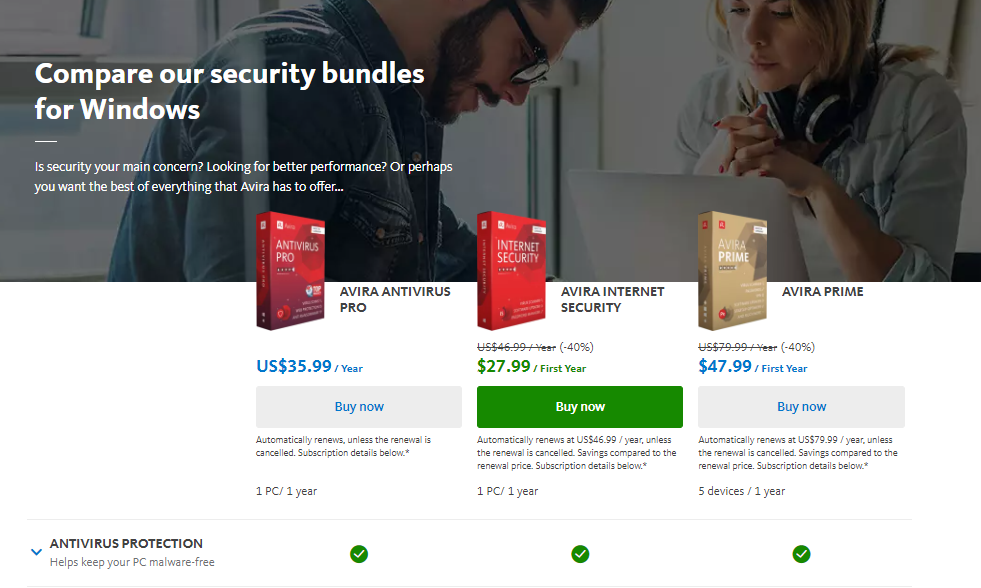
Avira Antivirus Pro40% OFF
Avira Antivirus Pro
Avira Antivirus Pro is an award-winning anti-ransomware protection that secures your PC against cyber threats. Your best...Show More
Avira Antivirus Pro is an award-winning anti-ransomware protection that secures your PC against cyber threats. Your best malware solution for Windows and Mac. Show Less
Heimdal Security60% OFF
Heimdal Security
Heimdal Security protects its users from advanced malware attacks by making use of next-generation technology. Your best...Show More
Heimdal Security protects its users from advanced malware attacks by making use of next-generation technology. Your best intelligent threat prevention tool. Show Less
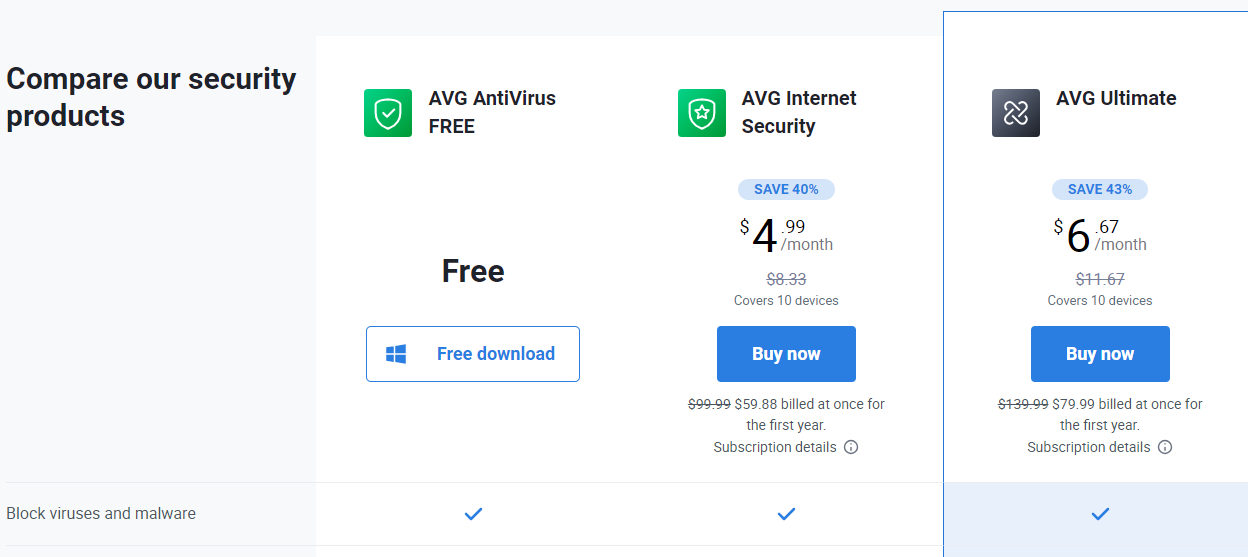
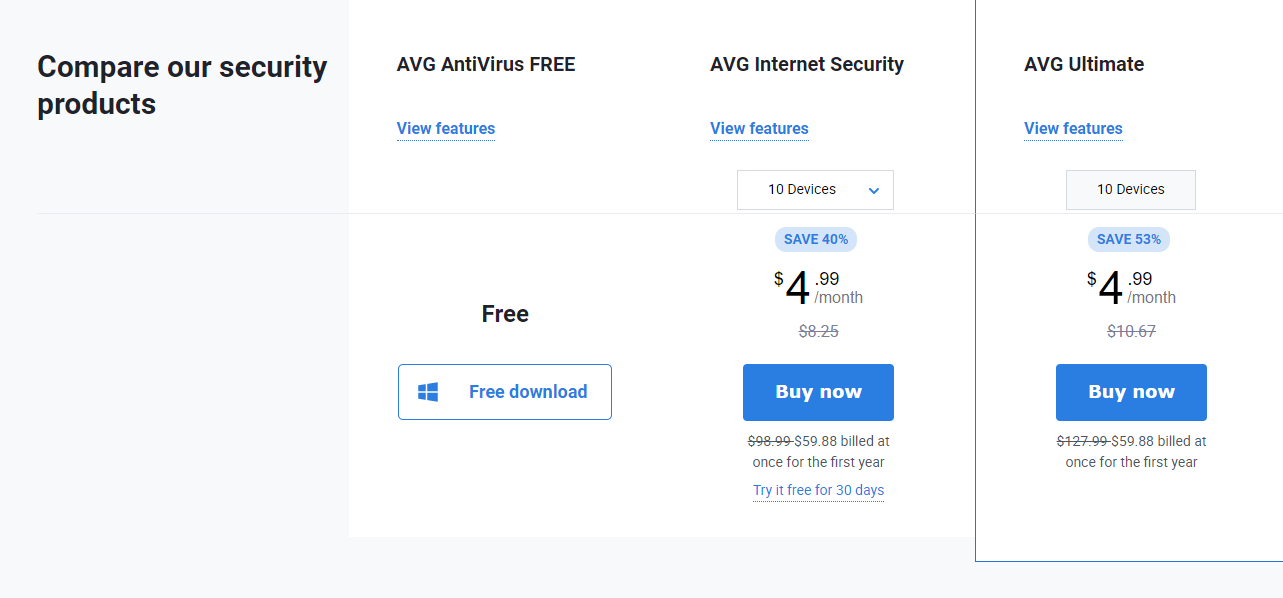
AVG internet security40% OFF
AVG Internet Security
Your award-winning antivirus for total security
Your award-winning antivirus for total security Show Less
ESET NOD32 Antivirus25% OFF
ESET NOD32 Antivirus
ESET NOD32 Antivirus is essential protection against malware, giving you peace of mind that your devices are safe from...Show More
ESET NOD32 Antivirus is essential protection against malware, giving you peace of mind that your devices are safe from threats. NOD32 also has a blazing-fast virus scanning engine that can detect, block, and remove cyber threats in real-time, so your system is always protected against the latest malware strains. Show Less
G DATA Antivirus25% OFF
G DATA Antivirus
A proactive antivirus program against all malware types.
A proactive antivirus program against all malware types. Show Less
Intego65% OFF
Intego - Mac Premium Bundle X9
Total Protection for all Mac device types
Total Protection for all Mac device types Show Less
Kaspersky Internet Security
Premium protection against online threats.
Premium protection against online threats. Show Less
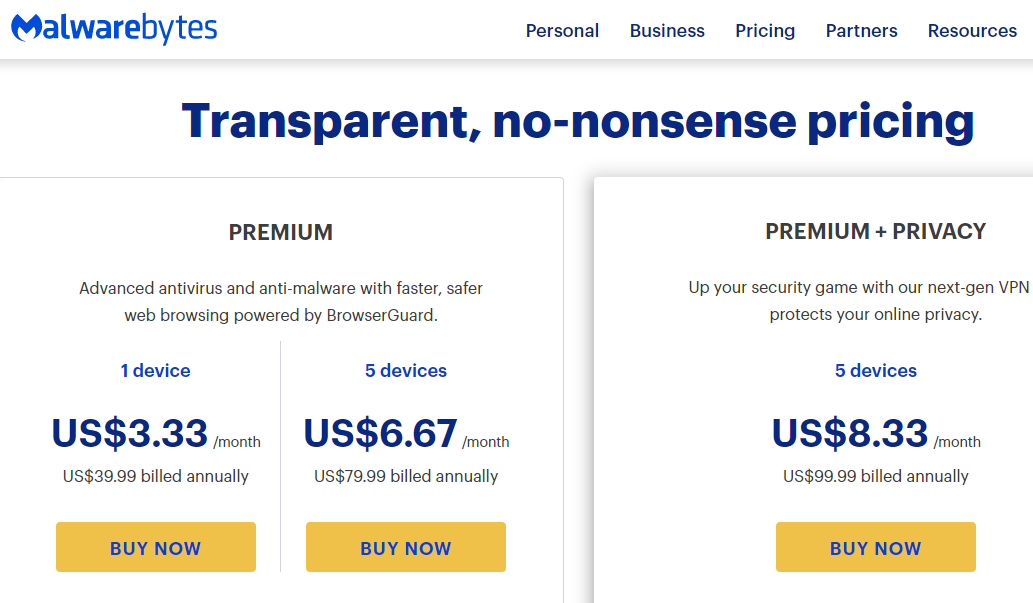
Malwarebytes
Malwarebytes
Your everyday protection against malware like ransomware, spyware, viruses, and more.
Your everyday protection against malware like ransomware, spyware, viruses, and more. Show Less
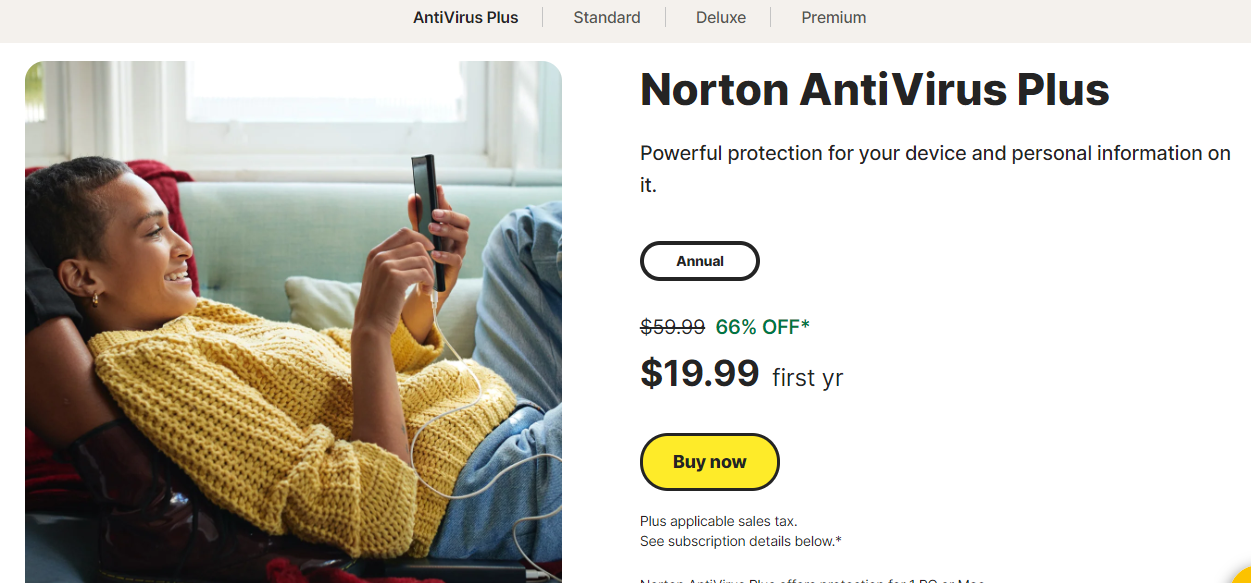
Norton Antivirus Plus66% OFF
Norton Antivirus Plus
Your award-winning cybersecurity solution for complete device protection.
Your award-winning cybersecurity solution for complete device protection. Show Less
Panda Antivirus Pro50% OFF
Panda Antivirus Pro
A working antivirus solution for all devices.
A working antivirus solution for all devices. Show Less
Trend Micro Maximum Security44% OFF
Trend Micro Maximum Security
Maximum security for households and office use.
Maximum security for households and office use. Show Less
VIPRE Antivirus Plus
Top-rated cybersecurity solutions for essential protection.
Top-rated cybersecurity solutions for essential protection. Show Less
Surfshark Antivirus83% OFF
Surfshark Antivirus
A 360-degree solution for all threat categories.
A 360-degree solution for all threat categories. Show Less
F-Secure SAFE
F-Secure SAFE
F-Secure SAFE is an internet security tool offered by F-Secure that provides protection for your devices against...Show More
F-Secure SAFE is an internet security tool offered by F-Secure that provides protection for your devices against malware, viruses, online threats, and hacking attempts. Show Less
Hitman Pro
HitmanPro
HitmanPro is a cloud-based anti-malware software that provides advanced scanning and removal of various types of viruses...Show More
HitmanPro is a cloud-based anti-malware software that provides advanced scanning and removal of various types of viruses and malware. Show Less
Nord Threat Protection Pro
Nord Threat Protection Pro is an advanced security feature from NordVPN that offers comprehensive protection against...Show More
Nord Threat Protection Pro is an advanced security feature from NordVPN that offers comprehensive protection against cyber threats, including malware, trackers, and malicious ads. Show Less

What Are The Differences Between Antivirus and Anti Spyware?

What Are The Differences Between Antivirus and Anti Spyware?

In today’s digital world, our computers are treasure troves of personal information. Protecting them from unwanted visitors is crucial, and that’s where security software comes in.

But with terms like “antivirus” and “antispyware” getting thrown around, you might wonder: what’s the difference, and do you need both?

Antivirus: Your Digital Bodyguard

Imagine a burly security guard standing guard at your castle gate. That’s essentially what antivirus software does. It focuses on protecting your system from malicious programs like viruses, worms, and trojans.

These programs can wreak havoc, deleting files, corrupting data, or even stealing your login credentials.

Antivirus software works in a few key ways:

  • Scans for Threats: It regularly scans your system for known malware signatures, like digital fingerprints of malicious code.
  • Blocks Intrusions: If it detects a threat, it can quarantine or remove the program before it can harm your system.
  • Provides Real-Time Protection: Many antivirus programs constantly monitor your computer’s activity, looking for suspicious behavior that might indicate a malware attack.

Antispyware: Shielding Your Privacy

Now, let’s say a sneaky thief sneaks into your castle through a secret passage, not to steal your valuables, but to gather information about you and your habits. That’s analogous to spyware.

Spyware programs can lurk on your computer, silently monitoring your browsing activity, keystrokes, or even webcam to collect personal data.

Antispyware software is designed to combat this specific threat. It focuses on detecting and removing spyware programs that might be stealing your information. Here’s how it helps:

  • Identifies Spyware: It scans your system for known spyware programs and their components.
  • Blocks Data Theft: It can prevent spyware from transmitting your data to outside sources.
  • Protects Your Privacy: By removing spyware, you can regain control over your personal information.

Do You Need Both?

While some antivirus programs offer basic spyware protection, it’s often limited. In my experience, having a dedicated antispyware program alongside your antivirus provides a stronger layer of defence. Consider it a one-two punch against both malicious programs trying to harm your system and those trying to steal your data.

READ ALSO: Best Antivirus For 2022

Antivirus vs. Antispyware: Your Burning Questions Answered

What is the difference between an antivirus and antispyware?

Here’s the breakdown:

  • Antivirus: Protects your computer from malicious programs like viruses, worms, and trojans. These programs can damage your system, steal data, or disrupt operations. Think of it as a digital bodyguard.
  • Antispyware: Shields your privacy by detecting and removing spyware programs. Spyware lurks on your computer, silently monitoring your activity (browsing, keystrokes) to steal personal information. Imagine a sneaky thief gathering intel within your system.

What is the valid difference between a virus and spyware?

Both are malicious, but their goals differ:

  • Virus: Aims to replicate itself and spread to other computers, causing damage or disrupting functionality. Think of it like a contagious illness for your system.
  • Spyware: Focuses on gathering your personal information without your knowledge. It doesn’t necessarily damage your computer, but it compromises your privacy.

What is the meaning of anti-spyware?

Anti-spyware is software specifically designed to detect, block, and remove spyware programs from your computer. It safeguards your privacy by preventing these programs from stealing your data.

What is the difference between anti-malware and AV (antivirus)?

  • Anti-malware: A broader term encompassing all software that fights malicious programs, including viruses, spyware, worms, and more. It’s like a general defending your castle from various invaders.
  • Antivirus (AV): A specific type of anti-malware that focuses on protecting against viruses, worms, and trojans. It’s like a knight specializing in battling those specific threats.

What is the difference between a virus and antivirus?

This one might be flipped! Here’s the clarification:

  • Virus: A malicious software program that replicates itself and spreads to other computers.
  • Antivirus: Software designed to detect, block, and remove viruses from your computer. It’s the shield that protects you from the virus threat.

Conclusion

In conclusion, both antivirus and anti-spyware programs have their applications.

You can have either an antivirus software or both, depending on your needs. You need to evaluate your requirements accordingly.


INTERESTING READS

Is CDKeys Legit Or Scam? [Unbiased Answer]

0
Is CDKeys Legit Or Scam

Is CDKeys legit or a scam? Read on for the answer.

It is reported that many third-party websites that sell game keys online have scammed a lot of gamers, and it is pretty hard to know which one is legitimate.

CDKeys is one of these third-party websites that sell new games at a lesser price than its retail price, which makes it more suspicious and makes a lot of gamers ask the question, ‘Is CDkeys Legit or a Scam’?

Don’t worry. This article will provide an accurate answer to the question.

Is CDKeys Legit Or Scam?

Is CDKeys Legit Or Scam?

CDKeys is a legitimate way of purchasing cheap games. Many testimonies from gamers confirm that all the games they ordered were delivered. 

However, sometimes it requires a couple of hours for the keys to arrive. These keys are sold to you directly from the business entity, which proves how legitimate they are.

If you are still wondering how they manage to sell at such a low price, they basically buy tens of thousands of games in third-world countries, extract the keys, and then sell these extracted keys to first-world countries. 

CDKeys are legitimate, and it should not be considered a big deal because major corporations around the world have employed this same strategy of selling game keys at a low price.

READ ALSO: Unveiling the Truth: Is NameCheap Legit?

What Is CDKeys?

What Is CDKeys

CDKeys is a website where gamers can get digital games and membership codes at a cheap price.

This means they sell codes for unlocking games from marketplaces such as PlayStation Network, Xbox Live, Steam, and Origin at remarkably discounted prices.

The keys provided when you buy their product are serial numbers or product codes, which are a combination of letters and numbers that activate the product.

CDKeys is also a digital-only website that allows you to sell instantly to any country in the world.
==>> Kinguin: Best CDKeys Alternative

How Does CDKeys Work?

How Does CDKeys Work

According to the CDKeys website, they claim that their low price is a product of thirty years of experience and an extensive network of suppliers in all corners of the world.

CDKeys has a lot of games in their store and for you to get one you need to buy a code for the game you want.

The procedure is quite simple, as shown;

  • Create an account on the website.
  • Locate the game that you want to buy on the website and add it to your cart.
  • Pay for the product you choose
  • Finish the phone verification
  • The key will be sent to your email immediately
  • Install your game by entering the game key

The process is entirely automated, and it takes roughly 5 minutes to finish.

is CDKeys legit or is CDKeys scam

CDKeys: A Look at the Legality and Risks – FAQs

CDKeys is a popular online retailer offering game keys at discounted prices. This FAQ explores the legitimacy of CDKeys and the potential risks involved.

Is CDKeys Legit?

The short answer: It’s complicated. CDKeys isn’t classified as a scam, but it operates in a grey area. They sell game keys legitimately obtained through various channels, but these channels can sometimes be unclear.

Why Are CDKeys Prices So Cheap?

There are a few reasons for the discounted prices:

  • Regional Pricing: They might source keys from regions with lower prices. This can be legitimate, but some games might be region-locked and not playable in your area.
  • Bulk Purchases: They might buy keys in bulk at a discount and resell them individually.

Is CDKeys Safe?

There’s inherent risk involved. While some users have positive experiences, here are some potential issues:

  • Key Validity: There’s a chance you might receive an invalid or used key.
  • Ethical Concerns: The source of the keys might be unclear, raising ethical concerns for some users.
  • Account Bans: While uncommon, some game publishers have banned accounts for using keys obtained through unauthorized channels.

Can I Get Banned for Using CDKeys?

It’s a possibility but not a certainty. The decision to ban is at the discretion of the game publisher.

READ ALSO: Essential Gaming Guide: Mastering Cybersecurity in the Digital Arena

What Happens When You Buy From CDKeys?

The process is generally straightforward:

  • You purchase a game key on the CDKeys website.
  • You receive the key electronically and redeem it on the relevant platform (Steam, Xbox Live, etc.)
  • If the key is valid, the game activates in your account.

Should I Buy from CDKeys?

The decision is ultimately yours. Here are some things to consider:

  • Risk Tolerance: Are you comfortable with the potential downsides (invalid keys, bans)?
  • Price vs. Risk: Is the discount worth the potential risks involved?
  • Alternatives: Consider reputable retailers offering official game keys.

==>> Kinguin: Best CDKeys Alternative

Here are some additional tips:

  • Read reviews: Research online reviews of CDKeys before making a purchase.
  • Check region locking: Ensure the key you’re buying is compatible with your region.
  • Consider alternatives: Authorized retailers are offering discounted games.

By weighing the risks and considering the alternatives, you can make an informed decision about whether CDKeys is the right choice for you.

READ ALSO: Best Cheap VPN In 2024: AFFORDABLE VPNs Revealed!

Conclusion

CDKeys is sure, without a doubt, a legit, trustworthy, and reliable website. They are focused on securing low pricing and improving their services.

So, if you are looking to buy game keys without getting scammed, CDKeys is one of the best platforms I recommend.

If you still do not feel comfortable with the whole idea. You can get products directly from marketplaces, which can be more expensive.

Ensure you share this article online so that it gets to other people who might be searching for an answer to the question, ‘Is CDkeys legit or a scam?’


INTERESTING POSTS

How To Create A Software Application Step By Step

0
How To Create A Software Application Step By Step In 2022

In this post, you will learn step-by-step how to create a software application.

Creating a good application becomes more complicated every year. It is not about the complex set of actions to be completed. It is rather about the importance of original design and functionality.
With lots of software applications on the market, users become more spoiled with the offered apps. To develop software and further launch a really successful application, the developers need to provide original software solutions.
It is never easy to build an app. There is no such thing as just deciding on building an app and creating it at once. This is a very complicated process that requires proper planning. What is more, the creation of software apps must be a step-by-step process.
Thus, it calls for a solid software project implementation. There are five key steps to follow to create a decent application. They are described at okr software development in detail.

Once following the process steps, it is possible to deliver the winning application in the end. At the same time, originality and unique ideas matter a lot. 

READ ALSO: 20 Best Cybersecurity Business Ideas For Entrepreneurs

How To Create A Winning Application Step-by-Step

How To Create A Software Step-by-Step

There are certain steps to follow to create software applications. It is essential to pay attention to every mentioned step. A solid focus on your work ensures the best results. The app creation process is never an easy one. It requires excellent coding skills, strong concentration, and attention to the slightest details.

What is more, it is good to check a few guides before starting the work. The software design steps are clear and precise. They ensure a proper project execution. Once following them, you can expect to develop a strong and well-appreciated application.

Brainstorming

The first step is always brainstorming ideas. It is more than important to check every idea. Besides, once you pay attention to the development of original ideas, you can add new features to every new check. The brainstorming of ideas allows adding extra functionality to the original design.

Besides, it is always beneficial to check every idea and end up with creative ones. This is a stage of pure creativity in general. The next step will be a more logical one.

READ ALSO: Why Learning To Code Is Good For Your Child

Check for Practicality

Check for Practicality

Once you have a crucial idea for your application, you must check how practical it is. Sure, you can come up with some exceptional, unique, but unrealistic ideas. Such ideas can never be adequately implemented. You need to use logic at this particular stage.

It means checking how realistic your idea’s implementation is and whether you have enough skills to accomplish the project. Also, your application must be quite practical for users. It should be valuable to gain a vast user base. 

READ ALSO: Simplified Reporting: Paginated Reports via Power BI Report Builder

Blueprints

Once you have all the ideas and their practicality considered, it is high time to provide blueprints. It is one of the toughest parts of how to make application software.

You need to prepare blueprints, or you can lose the right direction of your project execution. The blueprinting process should get its proper attention. Without it, you will have no road map to build your application.

Working on blueprints is the same as designing your application. You define the project features, frameworks, libraries, and languages. The blueprinting preparation includes the creation of proper architecture, models, specifics, etc. It is important to be attentive to details in this step of software building. 

Time to Go Back Over

software development project

After dealing with modeling and architecting, you need to reassess your ideas and planning. The software development project is always a large-scale project. Once you are focused on details and specifics, you can lose sight of an entire project picture. Therefore, you need to go back over.

Look at the big picture. Check whether everything is planned correctly. If you see no issues, you need to check twice. It is a certain sign that you do not look properly. There are always some nuances that must be checked and fixed. Critical thinking, in this case, will be very favorable. 

Coding Stage

This is a final step, but it reveals the critical practice of how to build software application. The coding is not effective if you have no blueprints, prepared models, pre-planned architecture, etc. Once you have all the previously mentioned steps completed, you can start coding at once.

In fact, this step lacks any drama. You have a clear task to do. Sure, you need to check your code a few times to ensure it is flawless. Still, with proper skills, this step is almost trouble-free in the long software development tasks list. 

READ ALSO: A Step-by-Step Guide To Website Development

How To Create A Software Application Step-by-Step: FAQs

Do I need to be a programmer to create an application?

While advanced coding skills are necessary for complex applications, low-code/no-code platforms allow the creation of basic applications without extensive programming knowledge.

How long does it take to build an application?

The development timeline varies significantly depending on the application’s complexity, features, and team size. Simple apps can take weeks, while complex ones can take months or even years.

READ ALSO: Great Ideas For Selling Products Both Online And In Stores

How much does it cost to build an application?

The cost depends on factors like the development team’s experience level, chosen technologies, and the application’s complexity. Costs can range from a few thousand dollars for basic apps to hundreds of thousands for enterprise-level applications.

What are some resources to help me build an application?

There are numerous online tutorials, courses, and communities dedicated to software development. Many resources cater to specific programming languages and frameworks.

What are some of the challenges in building an application?

Common challenges include managing project scope, staying on budget, technical hurdles, and ensuring a positive user experience.

READ ALSO: What You Need To Know About Android Application Security

Where can I learn more about software development?

  • Online courses and tutorials on programming languages, frameworks, and software development methodologies.
  • Books and articles on software development best practices.
  • Online communities and forums for developers to connect, share knowledge, and get help.

Conclusions

With all the details taken care of, you are free to create the software you have always wanted to build. There is nothing that can stop you. Just remember to follow a step-by-step guide to create software. That way, you never put yourself into a dead corner.

With the properly brainstormed ideas and checked practicality, you have everything you need to start the blueprints. With prepared blueprints, you are free to start the coding process.

Definitely, you need to make small pauses. They will help you to check the entire project with a better focus on details and the big picture. You need to be attentive to the slightest details when you create the needed architecture and models. To accomplish a project successfully, you need to give yourself time to see the whole picture as well.

Once checking the big picture, you can find any inaccuracies and fix them before the coding. With proper planning and project accomplishment, you always get the winning software application in the end.


INTERESTING POSTS

Benefits Of Core Banking Solutions

0
What are the benefits of core banking solutions?

Custom core banking solutions are software programs that allow bank customers to carry transactions like deposits and withdrawals without needing a branch. Core banking software solutions are the backbone of customer service in the modern banking industry.

Mobile technology has changed the way that people work with their finances. Exchanging cash and writing checks have transitioned into online payments and contactless checkouts. Today, customers know they can access their bank account(s) whether or not their closest bank is open.

What Are Core Banking Solutions?

What Are Core Banking Solutions

The bank’s most critical work is done behind the scenes. Banks must efficiently and accurately process large volumes of customer account information. To be done across an organization, this requires powerful backend resources that can interact with multiple banking tools.

“CORE” is an acronym meaning Centralized Online Real-time Exchange. Custom core banking solutions are software programs that allow bank customers to carry transactions like deposits and withdrawals without needing a branch. Core banking software solutions are the backbone of customer service in the modern banking industry.

READ ALSO: How Specialized IT for Banks Is Evolving to Combat Operational Risks

Benefits Of Core Banking Solutions

Incorporating core banking software into your financial organization benefits the company and the consumer. Customers love the ability to make deposits remotely, make online payments, and move funds between accounts when sitting in the convenience of their homes. 

This new kind of customer convenience benefits the bank as well. When basic transactions happen online, customer representatives can spend time dealing with other things. 

Core banking software also helps a bank’s overall operation. It gives bank employees a standardized process for receiving customer information, posting transactions, and making changes to an account. 

Well-designed backend software will also help reduce costs by streamlining the operation. Reports to comply with oversight regulations become much simpler when all information is quickly accessible.

Custom Core Banking Solutions: Your Best Option

Custom Core Banking Solutions Your Best Option

Banking organizations come with many different needs and in various sizes. The banking solutions that work for a large, national banking company will not be appropriate for a local financial institution with few branches. 

One of the significant advantages of a custom solution is scalability. With the proper basic infrastructure, your core banking solution can quickly adapt to new products and services as you grow.

Core banking software programs only work if all the pieces fit together correctly. Custom-designed banking software allows for the full integration of your banking system. This means it can process information from your ATMs as quickly as a bank employee’s customer’s mobile app. 

In banking, the safety of customer data is critical. Any data breach or online attack can devastate your organization. One of the advantages of a custom solution is the ability to add extra levels of security. Custom software designers can learn from those attacks and make their products safer.

Key Features of a Custom Core Banking Solution

Your banking software development partner should be well aware of the basic needs of the banking industry. Although there are many ways to customize your solution, there are some standard features you must consider.

Customer Communication

If there is ever an issue with a customer’s account, they will want to know immediately. Your banking solution should be able to reach customers through SMS messaging or automatic emails. 

Online Banking

With busy schedules, people do not always have time to go to the bank during the workweek. A well-designed website will allow for account access at your customers’ convenience. 

Key Features of a Custom Core Banking Solution

Mobile Access

The best banking software development companies will know how to use all the features of the most common devices so that customers can take advantage of mobile deposits and other banking services through their smartphones.

ATM Banking

Your ATMs must communicate information in real time. This will prevent accidental overdrafts and account inconsistencies.

Daily Transactions

Your customers need these handled seamlessly. However, they access your banking services. The right banking solution will allow them online payments, direct deposits, and automatic withdrawals.

Loan Interest and Payments

Once a loan is approved and distributed, much of the maintenance is a matter of calculations. Your banking software will calculate interest and penalties and determine proper monthly payments. 

Read Also: Pros And Cons Of Open Source CMS

Finding the Right Solution for Your Financial Institution

A well-shaped software system will make a massive difference to your financial institution. Your customers will appreciate the user-friendly design and flexibility of the system. Your organization will enjoy the benefits, too. The right banking software development partner can deliver a custom banking solution that exceeds your expectations.


INTERESTING POSTS