In this post, I will answer the question – what Bitcoin holders should know before borrowing against their digital assets.
Bitcoin has evolved from an experimental digital currency into an asset held by individual investors, businesses and institutions around the world. As adoption has increased, so have the financial services built around it.
One increasingly common option allows Bitcoin holders to access liquidity without immediately selling their holdings. Instead, Bitcoin can be pledged as collateral for a loan, providing access to capital while the borrower retains exposure to the underlying asset.
The concept is straightforward, but borrowing against cryptocurrency introduces considerations that don’t exist with conventional secured lending. Bitcoin’s volatility, digital custody requirements and the security practices of lending platforms all play an important role.
Before using Bitcoin as collateral, borrowers should understand how these loans work and what safeguards to look for.
Why Borrow Against Bitcoin Instead of Selling It?
For a Bitcoin holder who needs cash, selling part of a position may appear to be the simplest solution. But selling isn’t necessarily the preferred option for someone who intends to maintain long-term exposure to Bitcoin.
An investor may believe Bitcoin has significant long-term potential but still need liquidity for a business expense, property purchase, another investment or an unexpected financial obligation.
Selling solves the immediate liquidity problem, but it also reduces the investor’s Bitcoin position. Depending on the investor’s jurisdiction and circumstances, a sale may also create tax consequences.
Collateralized borrowing provides another option.
Rather than selling Bitcoin, the holder pledges it as collateral. The lender provides a loan based on a percentage of the collateral’s value, and the Bitcoin generally remains committed to the loan until the borrower satisfies the repayment requirements.
For investors evaluating bitcoin loans, understanding collateral requirements, custody practices, interest costs and liquidation policies is just as important as comparing how much capital a lender is willing to provide.
Understanding Loan-to-Value Ratios
One of the most important concepts in cryptocurrency-backed lending is the loan-to-value ratio, commonly referred to as LTV.
Suppose a borrower pledges $100,000 worth of Bitcoin and receives a $40,000 loan. The initial LTV would be 40%.
That ratio can change even if the borrower does nothing.
If Bitcoin appreciates, the value of the collateral increases and the LTV falls. If Bitcoin declines significantly, the collateral becomes less valuable and the LTV rises.
This matters because lenders establish thresholds designed to protect the loan when collateral values decline. Depending on the platform and agreement, reaching certain thresholds could result in a request for additional collateral or eventual liquidation.
Borrowers therefore need to understand more than the initial borrowing amount. They should know what happens if Bitcoin falls sharply after the loan is issued.
Security and Custody Matter
Cryptocurrency introduces another consideration that traditional borrowers don’t usually encounter: digital-asset custody.
When Bitcoin is used as collateral, borrowers need to understand where their assets will be held and how they will be protected.
Digital assets can be targeted by hackers, phishing campaigns, compromised credentials and other forms of cybercrime. SecureBlitz itself focuses extensively on cybersecurity and notes that blockchain and cryptocurrency security require users to understand both the underlying technology and the risks associated with digital assets.
For borrowers, that makes the lending platform’s security infrastructure an important part of due diligence.
Questions worth considering include:
How is collateral stored?
What security controls protect the platform’s systems?
What authentication measures are available?
Who controls or has access to private keys?
What happens to collateral if the lending company experiences operational problems?
How and when is collateral returned after repayment?
A competitive interest rate means relatively little if a borrower isn’t comfortable with how valuable digital assets are being handled.
Beware of Phishing and Impersonation
Crypto investors also need to protect themselves outside the lending platform.
Financial accounts involving cryptocurrency can be attractive targets for phishing attempts because attackers know successful account compromises may provide access to valuable digital assets.
A borrower could receive a fraudulent email claiming additional collateral is required, for example, with a link directing the victim to a fake login page.
Users should avoid accessing financial accounts through unsolicited links and should independently verify unexpected requests. Strong, unique passwords and multi-factor authentication can provide additional layers of protection.
Hardware security keys and other phishing-resistant authentication methods may provide even stronger protection where supported.
The same principle applies when transferring Bitcoin. Cryptocurrency transactions can generally be difficult or impossible to reverse, making it especially important to verify wallet addresses and transaction details before sending funds.
Understand Liquidation Before Borrowing
Bitcoin’s volatility is one of the biggest differences between cryptocurrency-backed loans and many conventional secured loans.
Large price movements can occur quickly. Borrowers should therefore understand exactly what happens to their collateral during a major market decline.
Important questions include when warnings are issued, whether additional collateral can be deposited, how much time borrowers have to respond and the price level at which liquidation could occur.
Borrowing conservatively can provide a larger buffer against market volatility than maximizing the amount available against the collateral.
An investor who qualifies to borrow a certain amount doesn’t necessarily need to borrow the maximum.
Evaluate the Entire Loan, Not Just the Interest Rate
Interest rates are naturally important, but they are only one component of a cryptocurrency-backed loan.
Borrowers should also evaluate origination charges, repayment terms, collateral requirements, potential withdrawal or transfer fees and any penalties associated with the loan.
Transparency matters as well.
A reputable provider should make it possible for prospective borrowers to understand how the loan operates before transferring Bitcoin. Terms surrounding collateral and liquidation shouldn’t become clear only after funds have been committed.
Borrowers should also understand whether the interest rate is fixed or variable and whether early repayment changes the total cost of borrowing.
Crypto Lending Requires a Different Kind of Due Diligence
The ability to borrow against Bitcoin gives long-term holders another way to manage their digital wealth. Instead of choosing between maintaining a Bitcoin position and accessing liquidity, collateralized lending can potentially provide a third option.
But convenience shouldn’t replace due diligence.
Bitcoin-backed borrowing combines elements of conventional secured lending with the unique characteristics of cryptocurrency. That means borrowers need to evaluate financial terms alongside cybersecurity, custody and market-volatility risks.
The strongest approach is to understand the entire process before committing collateral: how the loan is structured, where the Bitcoin is stored, what security measures are in place, what happens during a market decline and how the assets are ultimately returned.
As cryptocurrency becomes increasingly integrated into mainstream financial services, those security and risk-management considerations will remain essential for anyone considering using Bitcoin as collateral.
Digital document verification in businesses with global coverage of clients and an immense network of AI models brings forth nothing but accuracy and speed.
The divergence from conventional methods of authenticating a client’s ID by corporate and the financial sector so far has made commendable improvements in the business cycle of organizations.
Successful enterprises in different industries recommend the service of identity document verification by global IDV providers.
It is evident that changing a firm’s infrastructure or operation models affects countless things, including customer reaction and experience; therefore, any modification needs to be thoroughly examined.
It needs to be understood by businesses that by implementing AI-driven authenticating systems, the number of financial crimes, information breaches, and regulatory non-compliance penalties by a huge difference, also on a reasonable price. The procedure of identity document verification is concise and close to perfection.
How Does Digital Document Verification Work?
A client for customer onboarding is required to submit a couple of images of ID records. The AI-based solution accepts multiple sorts of documents, including passports, CPR smart, employee letters, driving licenses, ID cards, and so on.
For identity document verification, the customer also needs to transfer a recently taken selfie on the interface of the solution.
Afterward, the digital system authenticates the client’s ID in no time by confirming the credentials presented by international non-public data banks and sanctions. OCR service converts the soft copies of documents into text for authentication.
The facial recognition technology in document validation services confirms the customer by authenticating facial dynamics and comparing them with the face on the submitted proofs in identity document verification.
The entire screening process takes seconds and displays the final conclusion with maximum authenticity.
Standout Features of Document Verification Services Provider
AI-based systems in customer onboarding are recommended for numerous reasons that provide a headstart to every business owner in the race against fraudsters. There are a plethora of characteristics of the global solution.
To name a few:
NFC Authentication
Near Field Communication technology is the best of the lot. By the time NFC-enabled ID proofs were issued by the government, the identity document verification providers had seized the opportunity.
A business can swiftly validate clients despite an extensive setup of computers and smart technologies.
Due to this particular feature, a financial institute or a regular enterprise can confirm a client with a simple smartphone in no time.
Global Coverage
Identity document verification with information of international e-data storage units makes the customer onboarding seamless and error-free. A business can never guarantee its clients and their intentions. The display of money laundering status and other sanctions clears the doubt.
Based on identity document verification, a concerned business in the corporate or financial sector can use a risk-based approach and categorize its customers into low-risk, neutral, or high-risk sections.
Great Customer Experience
The accuracy rate and swiftness are some of the highlights of AI-based systems that lead to a better customer experience. A globally ranked solution for identity document verification can help business owners authenticate their customers at an ultrafast pace.
Quick conversion of prospects to the clients increases the revenue, and the AI models take care of false documents and imposters throughout. This is a unique selling point of identity document verification that benefits the client firm and its customers.
The solution for identity document verification can easily spot false certificates and discard synthetic customers because of the immense network of thousands of AI models. How often is it said that a machine cannot shine in some aspects like a human expert?
Now, due to deep learning, automated solutions of identity document verification can be understood like humans as well, and therefore, the margin of inaccuracy gets even more reduced.
Now or Never
Financial violations are at their peak; in the most developed and progressing nations, the crime ratio is beyond limits. All of this supports the fact that identity document verification through AI-based systems is the present and the future.
Mainly due to the recent work-from-home situation, companies’ client onboarding and recruitment process has been completely digitized, giving the scammers more room for their game.
Identity document verification is highly optimizable for every single entity surviving in this pandemic. Banks, insurance companies, crypto exchanges, healthcare providers, ride-hailing platforms, gaming, and the list can continue forever. All of these are victims of ID frauds that lead to financial offences.
Building Trust: How Identity Verification Services Can Help (FAQs)
In today’s digital world, establishing trust is paramount for businesses and individuals. Identity verification services play a vital role in this process by ensuring you’re interacting with who they claim to be. Here are some FAQs to shed light on how these services can help build trust:
What is identity verification?
Identity verification involves confirming that a person is who they say they are and that their provided documentation (ID) is genuine and valid. This can be achieved through a variety of methods, including document checks, facial recognition, and verifying information against trusted databases.
Identity verification offers several benefits that contribute to building trust:
Reduces Fraud: Verifying identities helps prevent fraudulent activities like fake accounts, money laundering, or identity theft.
Enhances Security: By confirming identities, you can ensure that only authorized users access sensitive information or systems.
Improved Compliance: Certain industries have regulations requiring identity verification for customer onboarding or transactions.
Streamlines Processes: Automating identity verification can expedite customer onboarding and improve efficiency.
Builds Trust: When users know identities are verified, it fosters trust and confidence in online interactions.
How can identity verification services help build trust?
Here’s how these services contribute to trust-building:
For Businesses: Verifying customer identities demonstrates your commitment to security and protects against fraudulent activities, promoting trust with your customer base.
For Individuals: Engaging with platforms that utilize identity verification shows you value your privacy and security, fostering trust in those online interactions.
What are some examples of when identity verification is used?
Identity verification is used in various scenarios, including:
What documents are typically required for identity verification?
The specific documents required can vary depending on the service or situation. However, common examples include:
Government-issued photo ID (driver’s license, passport)
Social Security number (in some regions)
Utility bill or other proof of address
By understanding the importance of identity verification and how these services function, you can appreciate their role in building trust and security in the digital landscape.
Conclusion
The identity document verification solution is becoming an urgent need of business entities and the financial sector in this climate of consistently increasing ID frauds and financial violations.
Every business with a growing revenue margin is a target of scammers. Identity document verification merely takes a few seconds but provides ultimate protection to businesses.
Here, I will show you how to choose the best IT service provider.
When one runs an online business or lucrative website that has to be micromanaged for optimal success, a point comes when you need a tech company behind you to offer support, monitoring, and marketing solutions.
Outsourcing to a skilled IT service provider can mean you can put all the attention and time into perfecting your content or the product or service you are trying to sell.
No more worries about technical difficulties or slow load time as an IT service provider will be keeping tabs day and night on these functional aspects!
All IT service provider companies are not made alike, and when you are choosing one to safeguard and ensure quality in your online ventures, having a diverse team at your beck and call is very useful.
Try to find IT providers that can boast a multi-skilled, talented team working for their clients, ideally including cybersecurity specialists, cloud computing experts, systems administration staff, IT support staff, and marketing experts.
A diverse team can meet your needs more comprehensively without you having to source different aspects of online functioning from another firm.
Employees who have consistently invested in improving themselves and training themselves in the latest software and techniques are also a treasure when you consider your own market standing.
Look for IT technicians in a company that have the latest certifications and are adequately qualified and specialized in the field they are working in.
The saying ‘A jack of all trades is a master of none’ applies very well to the IT industry, and you will notice the difference in service within a few months.
Identifying Honest Providers
Every IT company is not going to be the right choice for your online needs and requirements.
Furthermore, most reputable IT companies advertise only the skills they can perform with the utmost expertise and experience. A sign of a really great IT service provider is that they will be honest with you if they cannot meet all of your requirements.
On the other hand, certain larger providers may indeed have the team needed for all of your IT needs.
When looking for an ideal company, gauge how involved and energetic they are in monitoring your online concerns. You need a team that is vigilant, involved, and invested for the best results.
In the search for the best managed IT services in the United States, you are likely to appreciate companies that have clear protocols and a set of rules to abide by.
Companies that share their modus operandi with you and guide you step by step regarding how they will be increasing your web traffic or combating malware, for example, will also give you greater peace of mind in the long run.
As a client, you should prioritize great customer service, a 24/7 hotline, and excellent tech support at all hours of the day that can deal with any issue, threat, or lag.
How To Choose The Best IT Service Provider: 6 FAQs
Selecting the right IT service provider is crucial for keeping your business technology running smoothly and securely.
Here are 6 FAQs to guide you through the selection process:
1. What services do I need?
Managed IT Services: Ongoing maintenance, monitoring, and support for your entire IT infrastructure.
Break-Fix Services: On-demand repairs for IT problems as they arise.
Cloud Services: Management and support for cloud-based applications and infrastructure.
Cybersecurity Services: Protection against cyber threats like malware and hacking attempts.
Data Backup and Recovery: Services to ensure your data is secure and recoverable in case of emergencies.
Identify your specific needs based on your business size, budget, and technology environment.
2. What are the key factors to consider when evaluating providers?
Experience and Expertise: Look for a provider with experience in your industry and a proven track record of success.
Service Offerings: Ensure the provider offers the specific services you need, including expertise in relevant technologies, and look at pages such as truis.com.au for a clearer sense of how managed support is presented in practice.
Pricing and Transparency: Get clear pricing models and avoid hidden fees. Understand how billing works for different service packages.
Customer Service and Support: Evaluate the provider’s responsiveness, communication style, and ability to resolve your issues effectively.
Security Practices: Inquire about their security measures to ensure they prioritize data protection and risk mitigation.
Scalability and Growth: Consider if the provider can adapt and grow alongside your business needs.
3. How can I research potential IT service providers?
Online reviews and testimonials: Read reviews from other businesses on platforms like Google My Business, Clutch, or IT service provider directories.
Industry associations and publications: Look for recommendations from industry associations or publications relevant to your field.
Ask for referrals: Talk to colleagues or business connections for recommendations based on their experiences.
4. What questions should I ask during the selection process?
Experience with similar businesses: Inquire about their experience working with businesses of your size and industry.
Service Level Agreements (SLAs): Understand the SLAs they offer and what guarantees they provide for service response times and uptime.
Disaster recovery plan: Ask about their disaster recovery plan and how they would ensure business continuity in case of an outage.
Security protocols: Discuss their cybersecurity measures and how they protect your data from breaches.
Communication and reporting: Understand how they communicate with clients, how often they provide reports, and what information is included.
5. What are some red flags to watch out for?
Unrealistic pricing: Extremely low prices might indicate hidden fees or a lack of comprehensive service.
Pressure sales tactics: Be wary of providers who pressure you into signing a contract without proper due diligence.
Lack of transparency: Avoid providers who are unclear about their services, pricing, or security practices.
Poor communication: Choose a provider that is responsive to your questions and clearly explains their solutions.
6. Should I consider getting multiple quotes?
Absolutely! Obtaining quotes from several IT service providers allows you to compare pricing, service offerings, and overall value propositions. This helps you make an informed decision that best aligns with your business requirements and budget.
A Final Word…
By considering these factors, asking insightful questions, and carefully evaluating potential partners, you can choose an IT service provider that empowers your business technology and provides peace of mind.
I will show you what to do if your password is found on the dark web.
Our online security is more important than ever in today’s digital age. With cybercrime on the rise and data breaches becoming increasingly common, it’s crucial to stay vigilant about protecting your personal information.
One of the most alarming situations you might encounter is discovering that your password has been found on the dark web. But what exactly does this mean, and what should you do if it happens to you?
This comprehensive guide will walk you through the steps to take if your password is compromised and how to protect yourself in the future better.
Understanding the Dark Web and Password Leaks
Before diving into the actions you should take, it’s essential to understand what the dark web is and how passwords end up there.
The Dark Web Explained: The dark web is a part of the internet that isn’t indexed by search engines and requires special software. It’s known for its anonymity and is often associated with illegal activities, including the buying and selling stolen data.
How Passwords End Up on the Dark Web: Passwords typically appear on the dark web due to data breaches. When a company or website is hacked, user data—including email addresses and passwords—can be stolen. This information is often sold or shared on dark web forums and marketplaces.
The Risks of Having Your Password on the Dark Web: If your password is found on the dark web, cybercriminals can access it.
This puts you at risk of various cybercrimes, including:
Account takeovers
Identity theft
Financial fraud
Email or social media compromise
Access to other accounts using the same password
Steps to Take If Your Password Is Found on the Dark Web
If you discover that your password has been compromised and is available on the dark web, don’t panic. Instead, follow these steps to secure your accounts and protect your personal information:
Method 1: Change Your Password Immediately
The first and most crucial step is to change your password right away. Don’t delay this step, as every moment your old password remains active is an opportunity for cybercriminals to exploit it.
Create a strong, unique password: Use uppercase and lowercase letters, numbers, and special characters.
Avoid using personal information: Don’t include names, birthdates, or easily guessable information.
Make it long: Aim for at least 12 characters, but longer is better.
Use a password manager: This tool can help you securely generate and store complex passwords.
Method 2: Enable Two-Factor Authentication (2FA)
Two-factor authentication adds an extra layer of security to your accounts. Even if someone has your password, they won’t be able to access your account without the second factor, typically a code sent to your phone or generated by an authenticator app.
Enable 2FA on all accounts that offer it, especially for email, financial, and social media accounts.
Consider using an authenticator app instead of SMS-based 2FA for added security.
Method 3: Check Your Other Accounts
If one of your passwords has been compromised, there’s a chance that others may be at risk, too, especially if you’ve reused passwords across multiple accounts.
Make a list of all your online accounts.
Change passwords for any accounts where you’ve used the compromised password or variations of it.
Prioritize changing passwords for critical accounts like email, banking, and social media.
Method 4: Monitor Your Accounts for Suspicious Activity
Keep a close eye on all your accounts for any signs of unauthorized access or unusual activity.
Review recent login activity on your accounts.
Check for any unfamiliar transactions on your financial accounts.
Look for unexpected changes in your email settings, such as new forwarding rules.
Method 5: Run a Malware Scan
Sometimes, passwords are stolen through malware infections on your devices. Running a thorough malware scan can help identify and remove any potential threats.
Use a reputable antivirus program to scan all your devices.
Keep your antivirus software up to date.
Consider using anti-malware software in addition to your antivirus for more comprehensive protection.
Method 6: Review and Update Your Security Questions
Many accounts use security questions as a backup method for account recovery. If your password has been compromised, updating these is also a good idea.
Choose questions that are difficult for others to guess or research.
Avoid using easily accessible information like your mother’s maiden name or birthplace.
Consider using nonsensical answers that only you would know, treating them like additional passwords.
Method 7: Be Cautious of Phishing Attempts
Cybercriminals may try to exploit the situation by sending phishing emails or messages pretending to be from affected companies or services.
Be skeptical of unsolicited emails or messages asking you to click links or provide personal information.
Verify the authenticity of any communications by contacting the company directly through their official website or phone number.
Never provide sensitive information in response to an email or text message.
Method 8: Consider Using a Password Manager
A password manager can significantly enhance online security by generating and storing strong, unique passwords for all your accounts.
Research reputable password manager options.
Choose a master password that is strong and memorable.
Gradually add all your accounts to the password manager as you update their passwords.
Method 9: Stay Informed About Data Breaches
Keep yourself informed about recent data breaches that might affect you.
Sign up for breach notification services like Have I Been Pwned.
Pay attention to news about data breaches in companies or services you use.
Regularly check your credit report for any unauthorized accounts or activity.
Method 10: Educate Yourself on Online Security Best Practices
Take this opportunity to learn more about online security and protecting yourself in the digital world.
Read up on current cybersecurity threats and prevention methods.
Follow reputable cybersecurity blogs and experts on social media.
Consider taking an online course on personal cybersecurity.
Long-Term Strategies for Password and Online Security
While the steps above are crucial for immediate action, developing long-term habits that keep you safe online is also important. Here are some strategies to incorporate into your digital life:
1. Use Unique Passwords for Every Account
One of the biggest mistakes people make is using the same password across multiple accounts. If one account is compromised, all others with the same password become vulnerable.
Create a different password for each online account.
Use your password manager to generate and store unique passwords.
If you must remember passwords, use a passphrase system that creates unique but memorable passwords for different sites.
2. Regularly Update Your Passwords
Don’t wait for a security breach to change your passwords. Make it a habit to update them regularly.
Set reminders to change critical passwords every 3-6 months.
Use your password manager’s built-in password health features to identify weak or old passwords.
Always change passwords immediately if you suspect any compromise.
3. Be Mindful of Password Recovery Options
The methods you use to recover forgotten passwords can be a weak link in your security chain.
Use a separate, secure email address for password recovery.
Be cautious about the information you share publicly, as it might be used to answer security questions.
Consider using two-factor authentication for password resets when available.
4. Keep Your Software and Systems Updated
Outdated software can have security vulnerabilities that hackers can exploit.
Enable automatic updates on all your devices and software.
Regularly check for and install updates on applications that don’t update automatically.
Consider replacing devices that no longer receive security updates.
5. Use a VPN on Public Wi-Fi
Public Wi-Fi networks can be hunting grounds for cybercriminals looking to intercept data.
Use a reputable VPN service when connecting to public Wi-Fi.
Avoid accessing sensitive accounts (like banking) on public networks, even with a VPN.
Consider using your mobile data instead of public Wi-Fi for sensitive tasks.
6. Be Cautious with Third-Party Apps and Services
Every app or service you connect to your accounts is a potential security risk.
Regularly review the apps and services that have access to your accounts.
Revoke access for any apps or services you no longer use.
Be selective about granting permissions to new apps.
7. Implement Multi-Factor Authentication Wherever Possible
Two-factor authentication is good, but multi-factor authentication is even better.
Use biometric factors (like fingerprint or face recognition) when available.
Consider hardware security keys for critical accounts.
Use a combination of something you know (password), something you have (phone), and something you are (biometrics) for the highest level of security.
8. Educate Your Family and Colleagues
Your online security can be affected by the habits of those around you, especially if you share devices or accounts.
Teach family members, especially children, about good password hygiene.
Encourage colleagues to follow best practices, especially if you work with sensitive information.
Lead by example in your digital security practices.
9. Have a Plan for Password Sharing
Sometimes, you may need to share passwords with family members or colleagues. Have a secure method for doing so.
Use a password manager’s secure sharing feature instead of sending passwords via email or text.
Change shared passwords regularly, especially after someone no longer needs access.
Avoid sharing passwords for critical accounts whenever possible.
10. Stay Informed About Emerging Threats
The world of cybersecurity is constantly evolving, with new threats emerging regularly.
Follow cybersecurity news sources and experts.
Attend webinars or workshops on digital security.
Be open to adapting your security practices as new recommendations emerge.
Conclusion
Discovering that your password has been found on the dark web can be alarming, but it’s not the end of the world. By taking swift action and following the steps outlined in this guide, you can minimize the potential damage and significantly enhance your online security.
Remember, cybersecurity is an ongoing process, not a one-time fix. By adopting good digital habits and staying vigilant, you can protect yourself from many online threats. Regularly updating your passwords, using two-factor authentication, and staying informed about potential security risks are key practices in maintaining digital safety.
While it may initially seem overwhelming, managing your online security will become second nature with time and practice. The peace of mind from knowing your personal information is well-protected is worth the effort.
Stay safe, stay informed, and take control of your digital security. Your online self will thank you for it.
In this post, I will show you the role of artificial intelligence in cybersecurity.
In an increasingly interconnected world where our lives are intricately woven with digital threads, the importance of cybersecurity cannot be overstated.
As technology advances, so do the threats posed by cybercriminals, who constantly seek new ways to exploit vulnerabilities and infiltrate networks.
In this relentless battle, a formidable ally has emerged: Artificial Intelligence (AI). With its ability to analyze massive amounts of data, detect patterns, and make intelligent decisions, AI is revolutionizing the field of cybersecurity.
In this comprehensive article, we explore the multifaceted role of AI in fortifying the digital frontier and examine how it empowers defenders to protect against evolving threats proactively.
Overview Of Artificial Intelligence (AI)
Artificial Intelligence (AI) encompasses computer systems and algorithms that simulate human intelligence, enabling them to learn, reason, solve problems, and make decisions.
It involves techniques like Machine Learning, Deep Learning, Natural Language Processing, and Computer Vision. AI finds applications in healthcare, finance, autonomous vehicles, virtual assistants, cybersecurity, and more.
While AI offers tremendous potential to enhance productivity and transform industries, ethical considerations and challenges related to bias, privacy, and workforce impact must be addressed.
The responsible development and deployment of AI will shape the future as intelligent systems become an integral part of our lives and decision-making processes.
Cybersecurity Overview
Cybersecurity is a critical discipline that safeguards digital systems, networks, and sensitive information from unauthorized access, damage, and exploitation.
In an increasingly interconnected world, where cyber threats continue to increase in sophistication and scale, cybersecurity plays a pivotal role in ensuring data and systems’ confidentiality, integrity, and availability. This has led to the uprising of several AI consulting services.
It encompasses a comprehensive range of strategies, technologies, and practices designed to detect, prevent, and respond to cyber attacks, including malware, phishing, data breaches, and insider threats.
With the potential for significant financial, reputational, and operational consequences, organizations across industries must prioritize robust cybersecurity measures to mitigate risks, establish resilient defenses, and protect against ever-evolving threats in the dynamic digital landscape.
AI Security Software
Kaspersky Lab
Kaspersky Antivirus is an antivirus protection solution that protects your computers from virus attacks and other...Show More
Kaspersky Antivirus is an antivirus protection solution that protects your computers from virus attacks and other threats that may result from internet usage or other forms of usage. Show Less
60% OFF
Panda Dome Security Suite
Your advanced protection suite for home and business needs.
Your advanced protection suite for home and business needs. Show Less
66% OFF
Norton 360
Norton 360 is a security suite that utilizes advanced machine learning technology in dealing with all types of malware...Show More
Norton 360 is a security suite that utilizes advanced machine learning technology in dealing with all types of malware including Trojans, ransomware, etc. 100% guaranteed protection against all types of malware and your best bet for privacy protection. Show Less
Avira Prime
Avira Prime is the ultimate security suite for data safety and protection from online threats that gives you full access...Show More
Avira Prime is the ultimate security suite for data safety and protection from online threats that gives you full access to Avira products like antivirus, Phantom VPN, software updater, system optimization tool, and a password manager. Show Less
25% OFF
ESET HOME Security Premium
ESET HOME Security Premium is a fully-fledged security software with amazing features and even a password manager. Smart...Show More
ESET HOME Security Premium is a fully-fledged security software with amazing features and even a password manager. Smart protection for Windows, Mac, and Android devices. Show Less
G DATA Total Security
G DATA Total Security is a complete protection suite that offers total security online and offline. The suite includes...Show More
G DATA Total Security is a complete protection suite that offers total security online and offline. The suite includes an antivirus engine, a password manager, firewall protection, device control, and internet security tools. Intelligent security suite for all device types. Show Less
38% OFF
AVG Ultimate
A combined antivirus plus VPN for total protection.
A combined antivirus plus VPN for total protection. Show Less
50% OFF
McAfee Total Protection
An easy-to-use security suite for data safety and device protection.
An easy-to-use security suite for data safety and device protection. Show Less
53% OFF
Trend Micro Premium Security Suite
Premium security suite for device protection and identity safety.
Premium security suite for device protection and identity safety. Show Less
VIPRE Advanced Security
Best security solution for emerging threats and data safety.
Best security solution for emerging threats and data safety. Show Less
Total AV
Protects your devices and online activities in real-time.
Protects your devices and online activities in real-time. Show Less
PC Matic Security
PC Matic Security is a security software that protects against malware, viruses, and ransomware.
PC Matic Security is a security software that protects against malware, viruses, and ransomware. Show Less
K7 Total Security
K7 Total Security is a comprehensive security software suite that provides protection against malware, viruses, and...Show More
K7 Total Security is a comprehensive security software suite that provides protection against malware, viruses, and other cyber threats, as well as features such as parental controls, data encryption, and a personal firewall. Show Less
F-Secure Total
F-Secure Total is a security suite that provides protection for your devices against malware, viruses, and online...Show More
F-Secure Total is a security suite that provides protection for your devices against malware, viruses, and online threats with features like antivirus, firewall, VPN, and parental control. Show Less
Sophos
Sophos Antivirus is a security software that helps protect computer systems from various malware and online threats.
Sophos Antivirus is a security software that helps protect computer systems from various malware and online threats. Show Less
Surfshark One
Surfshark One is a cybersecurity bundle that provides users with Surfshark VPN, Alert, Search, and Antivirus that...Show More
Surfshark One is a cybersecurity bundle that provides users with Surfshark VPN, Alert, Search, and Antivirus that combines security, privacy, and convenience into one powerful package. Surfshark is an award-winning VPN service for keeping your digital life secure. Show Less
Avast One
Avast One is an all-in-one security suite offering antivirus protection, VPN, performance optimization, and privacy...Show More
Avast One is an all-in-one security suite offering antivirus protection, VPN, performance optimization, and privacy tools for comprehensive digital security. Show Less
The Role of Artificial Intelligence in Cybersecurity
Intelligent Threat Detection and Prevention
One of the primary roles of AI in cybersecurity lies in its capability to identify and neutralize threats. Traditional security measures often rely on known patterns and signatures, making them susceptible to novel and sophisticated attacks.
Conversely, AI excels at recognizing patterns and anomalies within vast datasets, enabling it to detect emerging threats and zero-day vulnerabilities. Machine Learning (ML) algorithms, a subset of AI, can analyze network traffic, user behavior, and system logs to identify malicious activities in real time.
By continuously learning from new data, AI-based systems adapt and enhance their detection capabilities, providing organizations with proactive defense mechanisms.
To identify potential threats, AI-powered threat intelligence platforms can monitor multiple data sources, including public forums, social media, and dark web marketplaces. By analyzing conversations and indicators of compromise, AI can provide early warnings about possible attacks, enabling organizations to take preemptive action.
In the face of cyber threats, time is of the essence. Human analysts often struggle to keep pace with the volume and speed at which attacks occur. Here, AI-driven automated incident response systems play a vital role.
These systems leverage AI’s decision-making capabilities to swiftly identify, contain, and mitigate potential breaches.
By integrating AI into incident response workflows, organizations can reduce response times, minimize damage, and free up human analysts to focus on complex tasks that require their expertise.
AI can also assist in generating real-time alerts, performing forensic analysis, and providing recommendations for remediation.
Furthermore, AI can analyze historical incident data to identify patterns and develop response strategies. This proactive approach allows organizations to anticipate potential attacks and improve their incident response readiness.
Enhanced User Authentication and Access Control
Securing access to sensitive information and systems is critical in preventing unauthorized access and data breaches. Traditional authentication methods like passwords are increasingly vulnerable to sophisticated attacks.
AI offers robust alternatives, including biometric authentication and behavior-based authentication. Facial recognition, fingerprint scanning, and voice recognition systems utilize AI algorithms to accurately authenticate users, making it significantly harder for cybercriminals to impersonate legitimate users.
Additionally, AI-powered systems can continuously monitor user behavior patterns to detect anomalies and potential insider threats, strengthening access control measures.
By analyzing user activities, AI can identify suspicious behavior deviations from standard patterns, such as unusual login locations or access attempts outside regular working hours.
This proactive monitoring helps organizations prevent unauthorized access and identify potentially compromised accounts promptly.
AI’s predictive capabilities are invaluable in identifying potential vulnerabilities and proactively addressing them before they can be exploited.
AI can identify trends and predict future attack vectors by analyzing historical data. This enables organizations to allocate resources effectively, prioritize security measures, and stay one step ahead of cybercriminals.
Moreover, AI can simulate various attack scenarios, allowing defenders to assess their system’s resilience and devise robust defense strategies.
By analyzing attack patterns, AI can generate insights that help organizations strengthen their defenses by identifying weak points and implementing targeted security measures.
While the potential of AI in cybersecurity is immense, it is crucial to address ethical considerations and limitations. Transparency, accountability, and data privacy must be carefully managed to ensure AI is used responsibly.
Bias in AI algorithms, false positives/negatives, and adversarial attacks are among the challenges that must be mitigated. Human oversight and intervention remain vital to ensure AI-driven decisions align with ethical standards.
Frequently Asked Questions About Artificial Intelligence in Cybersecurity
What is the role of AI in cybersecurity?
Artificial Intelligence (AI) strengthens cybersecurity by analyzing massive amounts of data, detecting patterns, and identifying anomalies that may indicate cyber threats. AI helps organizations proactively detect and prevent attacks, including zero-day vulnerabilities, malware, phishing, and other sophisticated exploits. By continuously learning from new data, AI improves threat detection and response over time.
How does AI detect and prevent cyber threats?
AI-powered systems analyze network traffic, user behavior, and system logs to recognize suspicious patterns. Machine Learning (ML) algorithms can identify anomalies in real time, alerting organizations to potential breaches. AI can also monitor external data sources, such as forums and dark web marketplaces, to provide early warnings about emerging threats, enabling proactive security measures.
What is automated incident response and how does AI help?
Automated incident response leverages AI to quickly identify, contain, and mitigate cyberattacks. Unlike traditional responses, which rely solely on human analysts, AI can generate real-time alerts, perform forensic analysis, and recommend remediation steps. This reduces response times, minimizes damage, and frees human analysts to focus on complex decision-making tasks.
How does AI enhance user authentication and access control?
AI improves access security through advanced methods like biometric authentication (facial recognition, fingerprint, and voice scanning) and behavior-based authentication. AI systems can continuously monitor user activity to detect unusual behavior, such as logins from unexpected locations or unusual access patterns, preventing unauthorized access and insider threats.
Can AI predict and prevent future cyberattacks?
Yes. AI’s predictive capabilities allow it to analyze historical attack data, identify trends, and forecast potential vulnerabilities. Organizations can use these insights to proactively strengthen defenses, allocate resources effectively, and simulate attack scenarios to test system resilience. This predictive approach helps prevent attacks before they occur.
Are there ethical concerns with using AI in cybersecurity?
While AI provides powerful security benefits, it raises ethical considerations. Challenges include algorithmic bias, false positives/negatives, data privacy issues, and potential adversarial attacks. Responsible AI deployment requires human oversight, transparency, and accountability to ensure decisions align with ethical standards.
Why is AI important for organizations in the modern digital landscape?
AI enhances cybersecurity efficiency and effectiveness by providing real-time threat detection, automated response, and predictive insights. Organizations leveraging AI can better protect sensitive data, minimize operational disruptions, and stay ahead of evolving cyber threats. Combining AI with human expertise ensures a robust, ethical, and proactive cybersecurity strategy.
Conclusion
Artificial Intelligence has emerged as a transformative force in the realm of cybersecurity. Its ability to detect, prevent, and respond to threats in real time, coupled with predictive capabilities, empowers defenders to safeguard their digital assets with unprecedented efficiency.
By embracing AI as a powerful ally, we can confidently navigate the complex and dynamic world of cybersecurity, knowing that our defenses are fortified by cutting-edge technology and human ingenuity.
However, a balanced approach that combines AI’s strengths with human expertise and ethical considerations is crucial for realizing its full potential and ensuring a secure digital future.
By leveraging AI’s intelligence and augmenting it with human judgment, we can stay one step ahead in the ongoing battle against cyber threats, fortifying the digital frontier for the benefit of individuals, organizations, and society.
In this post, I will talk about the advantages and disadvantages of CW Laser Cleaning Machine.
Laser cleaning has come to be an important industrial surface treatment technique. It will clean away rust, paint, oil, and other contaminants. For different cleaning needs, there are lasers that will work best.
If this is the case, then continuous wave lasers are one of the options available. They generate laser energy in an endless supply while they are in operation. This is in contrast to systems that put out bursts of energy one time at a time (pulsed).
A CW-type laser cleaning machine can offer excellent cleaning effect. This approach has certain drawbacks, however. It is essential to grasp the reasons from both sides to make the right selection.
Introduction to a CW Laser Cleaning Machine.
CW – Continuous wave. A continuous beam is produced during the operation of a CW laser.
The laser has the ability to continuously transfer energy into the surface of the target. This type of energy can be used to remove unwanted materials when used as a controlled means of heat.
A lot of industrial surfaces are appropriate for use of CW systems. They are sometimes taken into account when working with bigger cleaning jobs.
Several factors give them their performance. The power of the laser, scanning speed, contamination type, and thickness are all important.
How Does CW Laser Cleaning Work?
There is a laser beam scans the contaminated surface. All of the unwanted material absorbs the laser energy.
The contamination layer begins to heat up. The material can then vaporize or come off the surface. It produces the above process without requiring mechanical contact. This will decrease the physical stresses placed on the product.
The cleaning process can be controlled by machine settings and by the operators. If parameters are selected correctly, it helps protect the direct material to be protected.
Advantages: high cleaning efficiency
The advantage is that its cleaning is good. CW laser will be able to provide surface energy continuously. This presents an opportunity to use them in some large-area applications. These can be used to make a thorough treatment of surfaces without having to interrupt the pulses over and over.
Industrial users can use them to gain productivity. Large and heavy metal structures can – this can be really handy! However, in reality, these speeds have to take into account contamination and material conditions.
Advantage: Contact-Free Cleaning
With CW laser cleaning, there is no need for abrasive contact. The laser does not come into contact with the contaminated material. This can be used to maintain the integrity of appropriate elements. It also brings about indirect tool wear elimination.
No brushes/blasting media required. This can help make some maintenance tasks easier!
The process is also capable of getting to some difficult areas if necessary, with the appropriate equipment.
Disadvantage: Risk to Sensitive Surfaces
For large areas, a CW laser system can be used successfully. Transmission of constant energy means constant scanning.
Applications can be any metal structure, machinery, or large components.
It may be possible to use the technology to reduce manual cleaning work. It can also offer more identical therapy.
The machine power needs to be chosen depending on surface size. Too much power isn’t needed all the time.
Advantage: Reduced Consumable Use
Traditional cleaning methods may require chemicals or abrasives. These materials can increase operating expenses. Laser cleaning generally does not require these consumables. This can reduce material handling and storage needs. It can also reduce certain waste streams. However, removed contaminants still require proper collection. Businesses should consider the complete cleaning environment.
Disadvantage: it will cause a reduction in the usage of consumables.
Chemicals and/or abrasives may be necessary for traditional cleaning. The price of these materials can add to operating costs. The laser cleaning normally does not need these consumables. This can also lead to fewer material handling/storage requirements.
It may also be able to get rid of some waste flows. But the contaminants need to be collected appropriately since they have been removed.
The entire cleaning area needs to be looked at.
Disadvantage: Greater Heat Input
The continuous beam is likely to be able to generate more thermal energy. Can have an impact on sensitive materials. Too hot exposure may result in a change in color or surface. It may be able to enhance the heat-affected region as well.
Thus, laser operators need to be careful in controlling laser parameters. The speed of the scan is particularly crucial, as is the power.
Before production cleaning, material testing should be carried out.
Was taken off activities that could harm sensitive surfaces.
Disadvantage: Higher Energy Consumption
There can be significant electrical power used for continuous operation. The power of the laser and its operating duration are the factors that reflect the energy consumption.
Applications at a larger scale may thus be energy-hungrier for large industrial applications.
Companies need to make an estimation about effective electricity expenses. Cleaning productivity should be considered as well as efficiency.
It may still be considered worthwhile to have a greater energy consumption if the processing rate increases.
Disadvantage: Initial Equipment Cost
It may take a large investment to purchase laser cleaning equipment. The cost is variable and will vary according to the power of the laser and the configuration of the machine.
Other safety equipment might be needed for a CW system. Installation costs may be affected if it is not done properly. Businesses should do their total ownership cost comparisons. The initial price is not the only factor to consider!
Cleaning with CW Laser & Pulsed Laser innovations.
The characteristics of CW and pulsed lasers are different. Using CW systems means that we always get energy going. Pulsed lasers are energy pulses of short duration. This can offer increased control of the heat entering.
The larger, sturdier surfaces can be accommodated with CW systems. Systems involving a pulse may be appropriate for sensitive/precise applications. The selection should be dependent on the material and contamination. The volumes of production should also be considered when making the decision.
A reliable supplier is essential.
Quality of equipment will have an impact on cleaning performance and reliability. It’s time to take a look at machine parts and support service.
Warranty is also a critical factor to consider. Normal replacement parts are to be provided when necessary. Having a laser cleaning machine manufacturer with experience can make it easier to choose laser cleaning equipment. Suppliers should also be able to offer training and security tips. It is highly recommended that actual workpieces be tested.
Conclusion
CW laser cleaning machines are beneficial to industries in several ways. They can provide efficient and contact-free surface treatment.
They are especially suitable for some large area applications. They may also be used to minimize the use of chemicals and abrasives. But if energy is continuous, then there are certain thermal issues. If sensitive surfaces are involved, other laser systems that are less destructive to surfaces may need to be used.
CW and pulsed technologies have to be well compared by businesses. Appropriate testing can be used to determine which is the most effective solution.
Companies interested in modern laser cleaning solutions can view more before selecting suitable equipment.
The internet is a wild place. You can meet anyone and everyone, and it’s almost impossible to tell who is who.
In 2022, nearly $570 million was lost to scams, based on approximately 240,000 reports. The top four scams are investment scams, dating and romance scams, false billing scams, and phishing scams. And these scams often result from catfishing.
For this reason, you must be careful when talking with strangers online. Is the person you’re talking with real? Or are they trying to cart away your money?
One way to know is by using a people search tool like Social Catfish. You must already be considering the platform if you’re reading this.
This Social Catfish review article will explain how the platform works and how it can help you.
What Is Social Catfish?
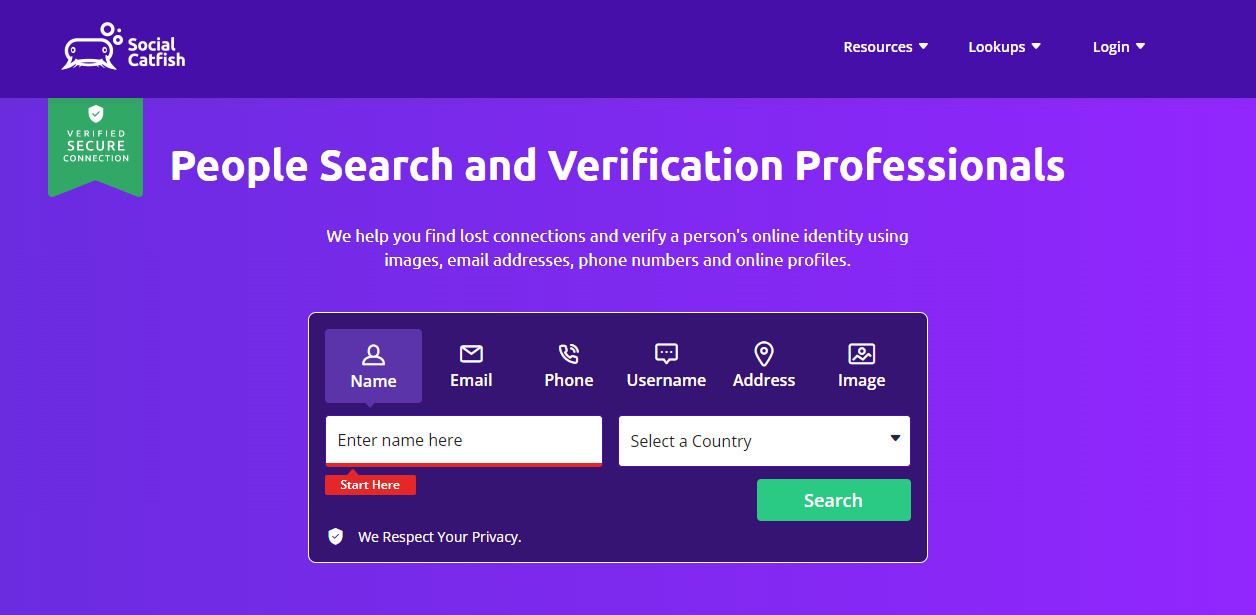
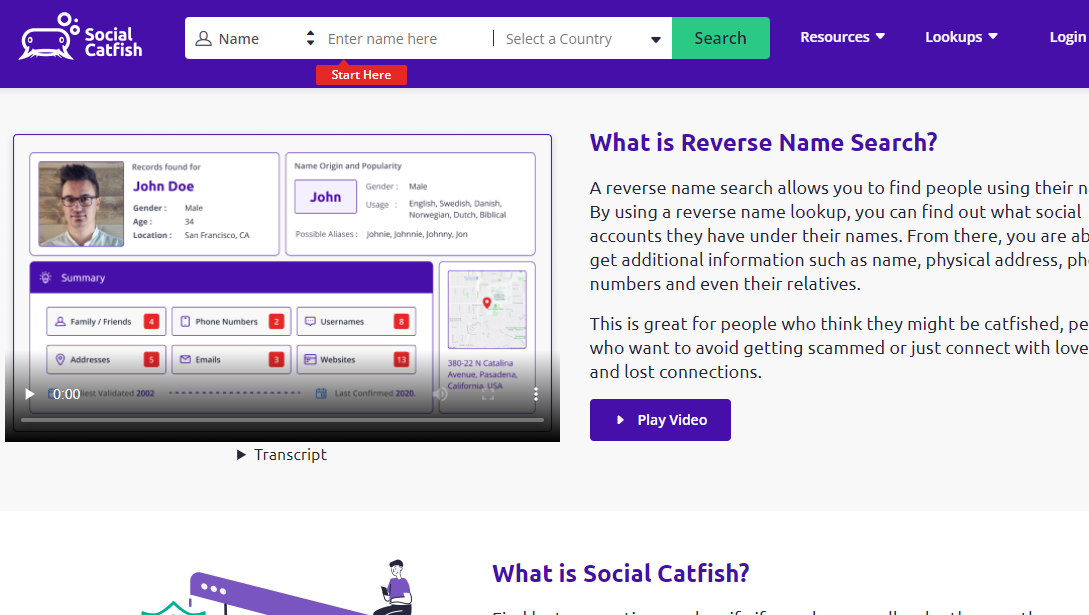
Social Catfish is a reverse lookup website that allows users to search for and verify people. It’s helpful if you think you’re being catfished – hence the name.
Perhaps you’re chatting with someone online and have reason to doubt their authenticity. In that case, you can look them up on Social Catfish to see if their profile checks out.
Social Catfish will allow you to search for people using their phone numbers, email addresses, and images. You can also search with their full name or social media usernames.
Besides checking for catfishing, you can use it if you lose contact with someone and want to reconnect with them.
With Social Catfish, you can search billions of people’s records from multiple online databases. So far, the platform has run more than seventeen million reports and records over two hundred thousand, satisfied users.
Social Catfish
Social Catfish is an online service that helps individuals verify and investigate the identity of people they meet...Show More
Social Catfish is an online service that helps individuals verify and investigate the identity of people they meet online, including potential scammers and catfishers. Show Less
Social Catfish Review 2025: Facts & Features
Feature
Description
Facts
Services Offered
Reverse image searches, social media scans, phone number checks, background checks
– Uncover hidden profiles and potential scams across various online platforms.
– Access basic public records and background information on individuals.
Pricing
Plans start at $29.99 per month
– Multiple subscription plans with varying search allowances and features.
– Pay-per-use option available for individual searches.
– 3-day limited free trial with credit card required.
Data Sources
Utilizes various public data sources and aggregators
– Primarily relies on publicly available information like social media profiles, websites, and public records.
– Does not access private or confidential databases.
Accuracy & Reliability
Industry-standard verification methods, but not guaranteed
– Employs techniques like data triangulation and cross-referencing for verification.
– Accuracy can vary depending on data availability and individual circumstances.
– User discretion and critical thinking are crucial when interpreting results.
Ease of Use & Interface
User-friendly platform accessible on various devices
– Simple search process with clear instructions and guides.
– Mobile app available for convenient on-the-go access.
Customer Support
Live chat and email support available
– Responsive team offering assistance during business hours.
– No phone support option is currently available.
Reporting Features
Option to report suspicious activity
– Users can flag potentially fraudulent profiles or harmful content.
– Reported information contributes to improving platform safety and accuracy.
– Limited feedback on specific actions taken for reported cases.
Privacy & Security
Employs industry-standard security measures
– User data is encrypted and stored securely.
– The company adheres to data privacy regulations like GDPR and CCPA.
How To Sign Up For Social Catfish
To sign up for Social Catfish, you must pick a subscription plan. Your plan will depend on whether you want to perform a social or image search.
You don’t have to pay the full subscription at the start. Instead, you can pay a lower price and use Social Catfish on trial.
When you pick your pricing plan, you’ll need to enter your payment details. You can pay with your credit card or with PayPal.
If your payment details are verified, you can then enter your personal details — name, email, and password — to create an account. You get redirected to your dashboard and can begin searching with Social Catfish.
Social Catfish Features
Social Catfish has six main features, and they include:
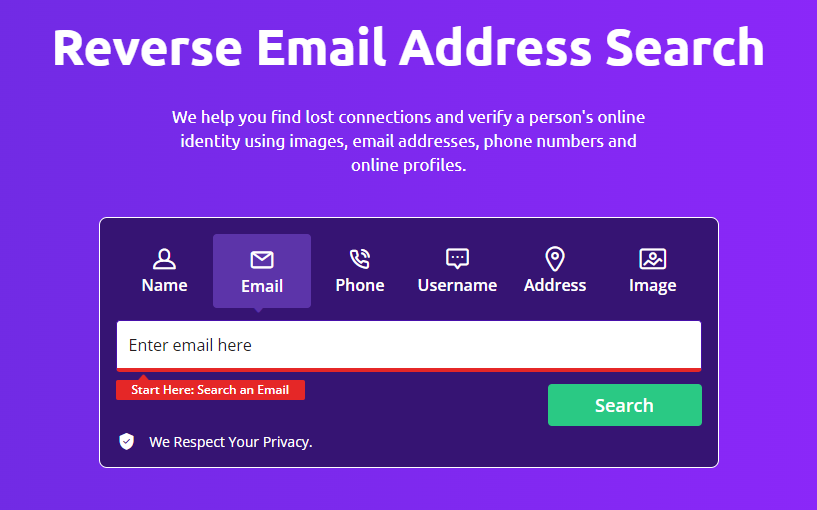
Name Lookup
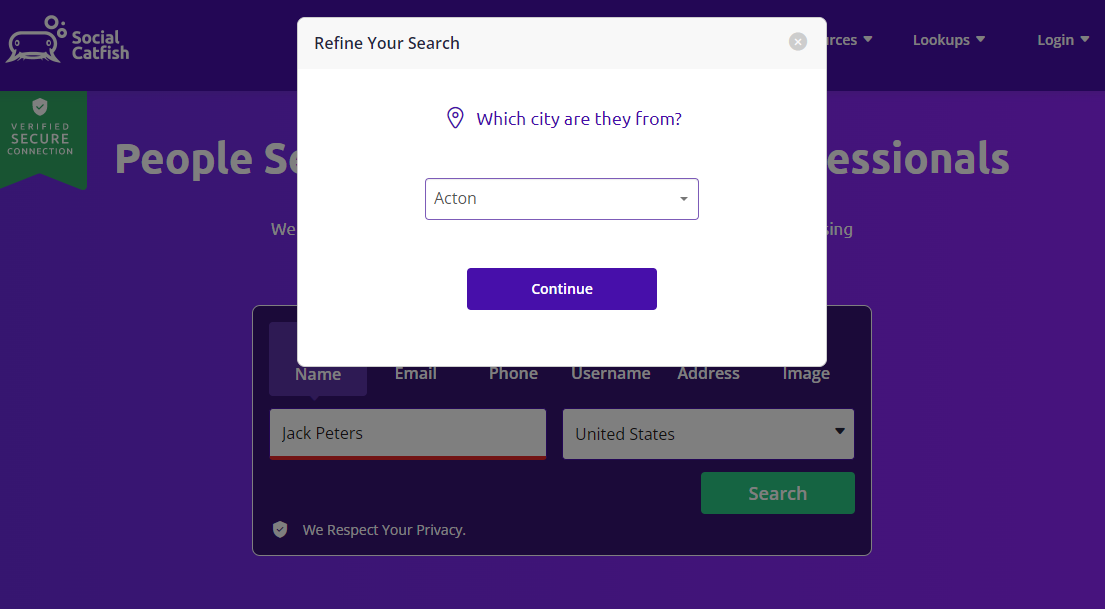
Name Lookup allows you to search for people using their actual full names. It’s one of the best ways to look up people on Social Catfish.
Thousands of people bear the same name. So, when carrying out a name lookup on Social Catfish, you must narrow down the search. You’ll select a country, state (if applicable in the US), and age range to proceed.
If you don’t have these details, there’s no problem. You can still perform your search, but the results will be too broad and take time.
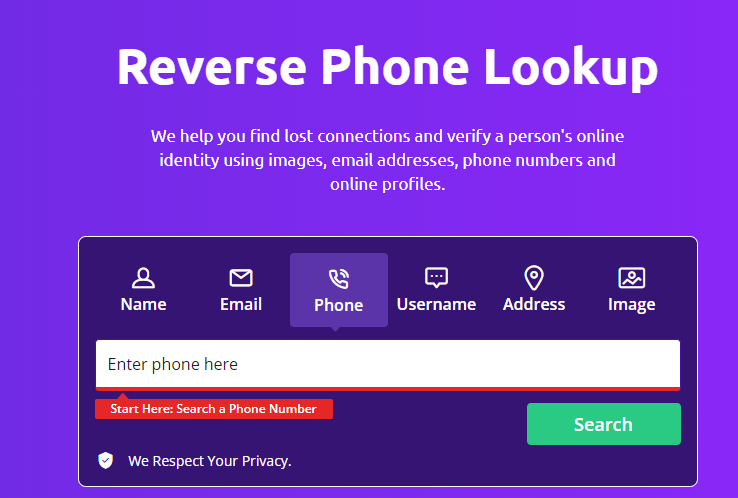
Phone Lookup
Reverse Phone Lookup on Social Catfish is straightforward, as tested while preparing this Social Catfish review. Only one person can own a particular phone number at a time, making it one of the most effective lookup options.
You’ll only need the phone number you want to look up — you don’t need the person’s name. Once you enter it in the search box, hit enter, and Social Catfish will do its work.
But there’s one thing you should know: Social Catfish’s Phone Lookup only supports US and Canadian phone numbers. So, you can’t use it if you want to look up someone in Europe, Asia, or Africa, for example.
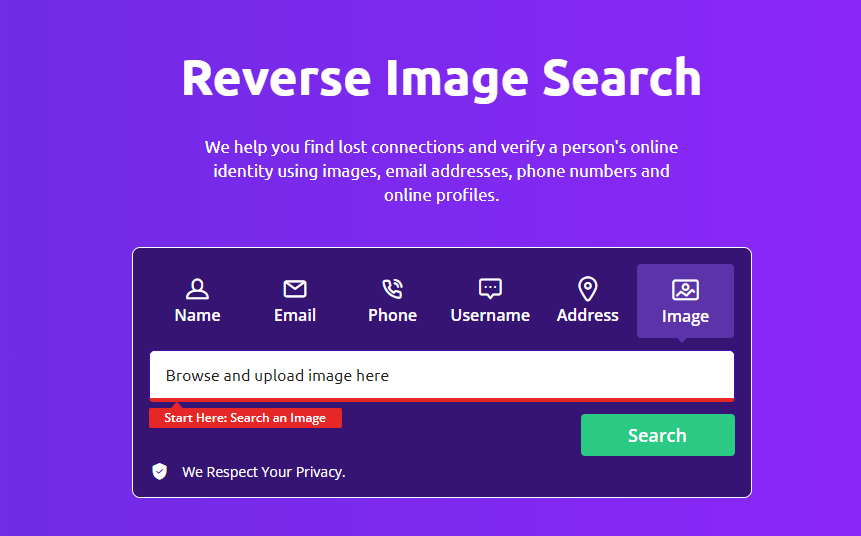
Reverse Image Lookup
Images don’t lie, and with them, you can identify anyone. Social Catfish’s reverse image lookup provides an avenue for that.
All you need to do is upload a clear image of the person you want to look up. Then, Social Catfish will scout the web to find other images that match the one you uploaded.
The platform searches through social media platforms like Facebook, Twitter, and Instagram, and forums like Reddit and LinkedIn. It also searches through dating sites like Tinder, Plenty of Fish, and Match. And, of course, it checks Google Images.
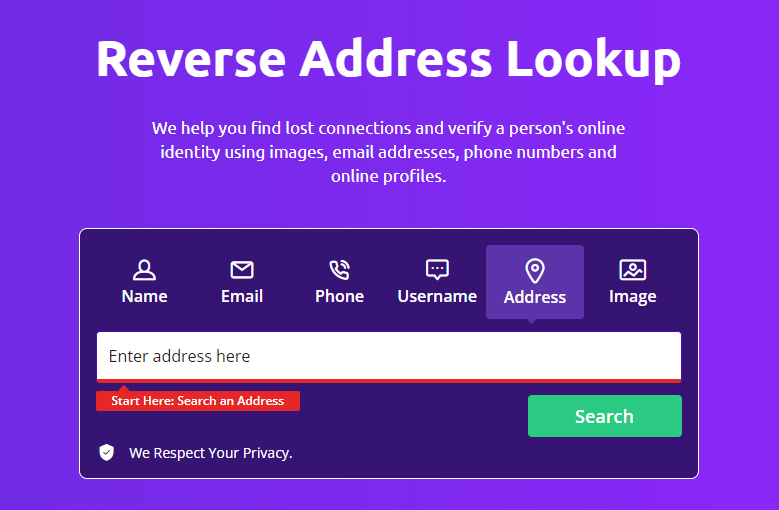
Address Lookup
Social Catfish’s address lookup will serve if you want to discover a property’s details. Perhaps you want to know who owns, purchased, or is renting a property. It’ll also reveal details on the property’s dimensions, deed information, and price.
Nevertheless, if you want to know if someone lives at an address, you can use the address lookup tool. It’s easy to use as it auto-completes the address as you type.
Suppose you input an address that isn’t in the database. In that case, the tool will present the best matches for you.
Email Lookup
Almost everyone has an email account nowadays. So, when you perform an email lookup, you have a high chance of identifying the person you want to find.
For instance, many people open their social media accounts using their email addresses. As a result, an email lookup will uncover the owner’s social networks.
Additionally, you can verify if the email address belongs to a scammer or if it has been involved in a data breach. The latter will benefit you if you’re a business.
You can look up any email address on Social Catfish. However, you get the best results when you look up popular ones like Gmail, Yahoo, and Hotmail.
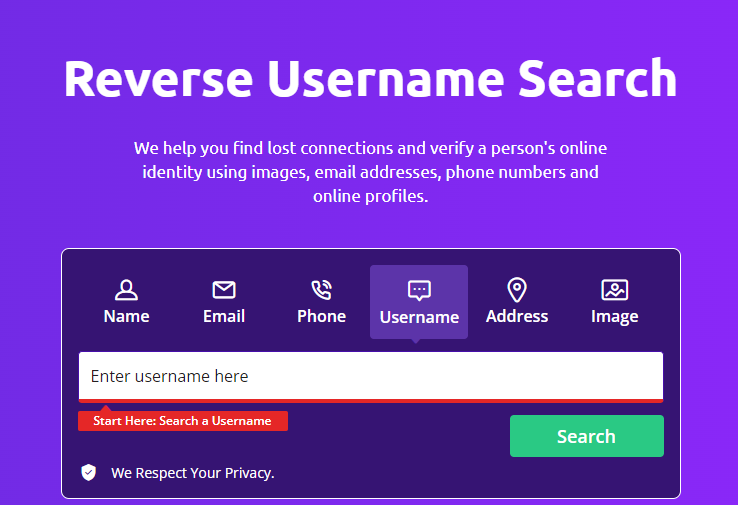
Username Lookup
Lastly, Social Catfish allows you to perform a reverse username search. It’s not the most efficient tool in the platform’s arsenal, but it’ll help if the person you’re searching for maintains one username.
When you look up, say, a LinkedIn username, you can find the owner’s phone numbers, email addresses, mailing addresses, and other linked accounts.
Generally, you can rely on the username lookup to verify if a person is who they claim to be.
However, if you’re a business, this is a suitable option for conducting background checks on potential employees. It helps you confirm their authenticity in your niche.
At Social Catfish, whether you’ve encountered suspicious activity on a dating app, stumbled upon a concerning social profile, or simply needed to verify someone’s identity, their customer service team is here to guide you every step of the way.
Expert Guidance: Their friendly and knowledgeable representatives are available to answer your questions, explain our services, and address any concerns you may have about catfish scams or online safety.
Seamless Sign In: They made it easy to sign in and manage your account. Simply copy the link address provided and follow the prompts to access your dashboard or seek further assistance.
Accurate Information: They take data privacy and Fair Credit Reporting Act (FCRA) compliance seriously. Their team can explain how they gather information while ensuring your rights are protected.
Tailored Solutions: No two online situations are the same. Their customer service representatives will work with you to understand your specific needs and recommend the most effective solutions, from basic email address searches to in-depth investigations.
If you have questions about their services, need help verifying someone’s identity, or simply want expert advice on online safety, don’t hesitate to reach out. The Social Catfish customer service team is always happy to assist you in building a safer and more secure online experience.
Social Catfish Pricing
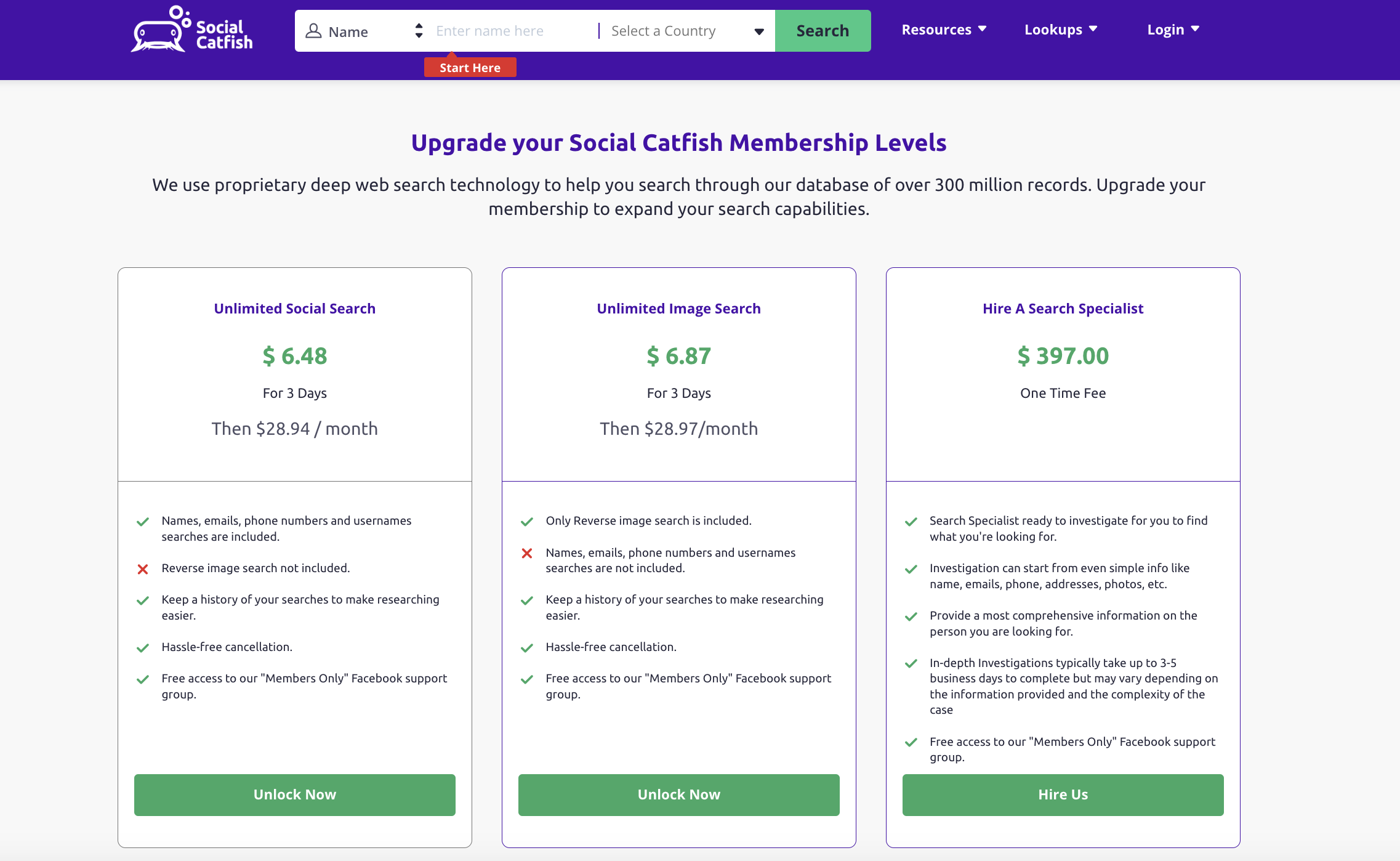
Social Catfish is not a free platform. You must pay to use it, even on trial. Here’s a rundown of the pricing options so far:
Unlimited Image Search – $ 6.87 for 3-day trial, then $28.97/month
If you have a photo(s) with a clear image of the person’s face, use the Reverse Image Search feature to verify the authenticity of a person’s photo.
Unlimited Social Search – $6.48 for 3-day trial, then $28.94/month
Find detailed information about someone with just their name, phone number, and email address, as well as online social profiles, including dating profiles, social profiles, and work profiles.
Hire A Search Specialist – One-time fee of $397.00
Hire a specialist to work with a dedicated specialist for your investigation. The specialist employs the latest cutting-edge technological tools and techniques to the bottom of your investigation
Social Catfish allows you to search using any of the six lookup options. But you must pay to access the results. According to the service, they cannot offer any records for free because they pay for every detail they get. In their words, “Free reports would put us out of business.”
Social Catfish
Social Catfish is an online service that helps individuals verify and investigate the identity of people they meet...Show More
Social Catfish is an online service that helps individuals verify and investigate the identity of people they meet online, including potential scammers and catfishers. Show Less
Social Catfish Review: Pros And Cons
Social Catfish Pros
Over 200 billion data records
Multiple people search option
Address Search
Phone Search
Social media username search
Reverse image search
Reliable customer support
Social Catfish Cons
No free trial
Phone lookup only available in the US and Canada
Image search has different pricing
Unmasking Online Deception: Real-World Examples of How Social Catfish Has Helped Expose Catfish Scams
Online scams are on the rise, and dating sites are a prime breeding ground for them. Catfish stories abound, with victims losing money, time, and even their hearts to fake profiles.
But there is hope. Services like Social Catfish can help you unmask online deception and protect yourself from falling prey to dating scams.
Real-World Catfish Takedowns:
Social Catfish has a proven track record of success in exposing catfish and romance scammers.
Here are just a few examples:
Case 1: A woman was suspicious of her online boyfriend, who claimed to be a successful businessman. Using Social Catfish, she discovered his fake profiles, criminal records, and a history of scamming other women.
Case 2: A man was being blackmailed by someone who threatened to release compromising photos of him. Social Catfish conducted an image search and facial recognition search, identifying the blackmailer and helping the man bring him to justice.
Case 3: A family was worried about their teenage daughter, who was being groomed by an online predator. Social Catfish utilized username search and social media profiles to identify the predator and alert the authorities.
Social Catfish: Your Weapon Against Online Deception
So, how does Social Catfish work? The service uses a variety of methods to gather information about someone online, including:
Public records searches: Social Catfish can access a vast database of public records, including address search, criminal records, and consumer credit reports.
Social media investigation: The service can track down someone’s social media profiles and gather information about their online activity.
Image search and facial recognition: Social Catfish utilizes image search and facial recognition technology to identify someone in a photo, even if they are using a pseudonym.
Data broker searches: The service can access data from data brokers, which collect and sell personal information about individuals.
Social Catfish
Social Catfish is an online service that helps individuals verify and investigate the identity of people they meet...Show More
Social Catfish is an online service that helps individuals verify and investigate the identity of people they meet online, including potential scammers and catfishers. Show Less
Is Social Catfish Legit? The Value Proposition
Social Catfish is a legitimate service that has helped many people avoid online scams. However, it is important to note that it is not a magic bullet. The service is not free, and there is no guarantee that you will always get the results you are hoping for.
That being said, the market value of peace of mind can be priceless. If you are concerned about being scammed online, Social Catfish can be a valuable tool for protecting yourself.
Taking Control of Your Online Safety
Here are some tips for using Social Catfish to protect yourself from online scams:
Do your research before using any online service. Read reviews and compare prices before making a decision.
Be clear about what you are looking for. Do you want to verify someone’s identity? Do you need help tracking down a catfish? The more specific you are, the better results you will get.
Only share personal information with people you trust. Never give out your Social Security number, bank account number, or other sensitive information to someone you meet online.
If you suspect you are being scammed, don’t hesitate to contact the authorities. Social Catfish can also help you report scams and protect others from falling victim.
By following these tips and using services like Social Catfish, you can help unmask online deception and make the internet a safer place for everyone.
Remember, you are not alone. If you think you may be a victim of an online scam, there are resources available to help you.
Here are some frequently asked questions about Social Catfish:
Is Social Catfish Safe?
Yes, Social Catfish is generally safe to use. It is an online dating investigation service that helps verify the identities of people you meet online, particularly on dating sites. The service employs various search methods to uncover information, including names, addresses, phone numbers, and potential criminal activity. The company is built on ensuring the safety of its users and providing solid protection.
Users can also contact the company if they wish to report any suspicious activity or have concerns about their online interactions. However, certain information may require payment to access, and there may be some glitches in the service.
Social Catfish offers various pricing tiers and provides the option to enlist the assistance of a search specialist who utilizes advanced technology and software to uncover information.
Overall, Social Catfish aims to help users verify online identities and is most commonly used in the context of dating sites.
The short answer is yes. If you’re someone who frequently interacts with people online and wants to ensure that they’re not being deceived, Social Catfish could be a valuable tool for you. It can help you verify someone’s identity and potentially save you from being scammed or lied to.
Social Catfish can be an incredibly useful tool for those looking to verify the identity of someone they’ve met online or to find lost friends and family members. With its extensive database of public records and social media profiles, Social Catfish can quickly uncover information that may otherwise be difficult to find.
Social Catfish
Social Catfish is an online service that helps individuals verify and investigate the identity of people they meet...Show More
Social Catfish is an online service that helps individuals verify and investigate the identity of people they meet online, including potential scammers and catfishers. Show Less
Is Social Catfish a real website?
Yes, Social Catfish is a real website you can visit on the official Social Catfish website. On the website, you can verify someone’s online identity from over two hundred billion records. Besides its online presence, Social Catfish also has a physical location in Murrieta, California. So, it’s not just another people’s search website, but one that is renowned.
Is Social Catfish legitimate?
Yes, Social Catfish is a legitimate service, and its offerings are legitimate. Social Catfish sources its data legally, which is why the platform is premium and not free. Furthermore, Social Catfish complies with the CCPA, NV, and CA privacy laws.
The details you provide during the search are secure and cannot be accessed or tampered with by any third party. Social Catfish maintains a strong stance on users not using their data for any purpose that requires FCRA compliance. Again, it demonstrates that the platform operates in accordance with the law.
Is there a free site like Social Catfish?
Yes, there are many free people search websites, such as Social Catfish. However, these websites are generally unreliable and often provide inaccurate results. Most importantly, they are usually fake, fraudulent sites. Rather than offer dependable data to find someone, they take your data and sell it to third parties. You should avoid using any free site, such as Social Catfish, for safety purposes.
Can I see a sample report before purchasing a Social Catfish search?
Unfortunately, Social Catfish doesn’t offer free previews of the full view report. However, their website provides detailed examples of report breakdowns for different search types. These examples illustrate the types of personal data you can expect to find, including social media profiles, address histories (with select address results), and potential connections to dating sites and platforms such as Bumble.
Additionally, Social Catfish users often share snippets of their reports on review forums, giving you a glimpse into the information you might receive.
What Dating Sites Are Supported by Social Catfish?
Social Catfish can be used to investigate people across a wide range of online platforms, including many popular dating sites. For this Social Catfish review, let me reveal a few of the most common ones:
Popular Dating Sites
Tinder: Social Catfish can utilize usernames, phone numbers, or email addresses associated with a Tinder profile to gather information, such as social media profiles, potential address locations, and even linked dating profiles on other platforms.
Match.com: Due to its detailed user profiles and focus on long-term relationships, Match.com offers richer data for Social Catfish to delve into. They can uncover an individual’s educational background, past addresses, potential property records, and even professional information linked to their profile.
Plenty of Fish: Social Catfish can track usernames and email addresses associated with Plenty of Fish profiles, potentially revealing connected social media accounts, public records, and online connections. Additionally, image searches using profile pictures can lead to other platforms where the individual might be active.
Bumble: Similar to Tinder, Social Catfish can leverage usernames and phone numbers linked to Bumble profiles to uncover social media connections, potential address locations, and even past dating profiles on other platforms.
Niche Dating Sites
OkCupid: With its focus on compatibility and detailed questionnaires, OkCupid profiles present valuable data for Social Catfish. They can potentially reveal interests, political affiliations, educational background, and even travel history linked to the profile.
eHarmony: While eHarmony’s robust privacy measures can limit access to certain details, Social Catfish can still utilize email addresses and phone numbers associated with profiles to uncover social media connections, potential address locations, and online connections on other platforms.
Zoosk: Social Catfish can leverage usernames and email addresses associated with Zoosk profiles to find social media connections, potential address locations, and even past dating profiles on other platforms. Additionally, image searches using profile pictures can lead to other online platforms where the individual might be active.
Remember: Social Catfish operates within legal boundaries and adheres to data privacy regulations. They won’t access private messages or violate any terms of service. Still, they can use publicly available information and online connections to provide valuable insights into a potential romance scammer’s online presence.
Ultimately, the success of Social Catfish on any specific dating site depends on the information available and the platform’s privacy settings. However, as you can see from this Social Catfish review, it has proven effective on a wide range of popular and niche dating platforms, helping users uncover potential red flags and protect themselves from online romance scams.
Does Social Catfish use facial recognition to find someone on Ashley Madison?
Social Catfish utilizes a variety of investigative techniques, including facial recognition search, to track down individuals across the internet. While they primarily focus on publicly available information, they may attempt to identify romance scammers or individuals with hidden online identities, even on platforms like Ashley Madison.
Suppose you have a clear photo of the person you’re searching for. In that case, Social Catfish has the potential to uncover their dating site activities and potential ownership history through facial recognition. However, success can vary depending on image quality and other factors.
Remember, Social Catfish operates within legal boundaries and adheres to data privacy regulations. They won’t access private messages or violate any terms of service, but may provide additional information based on publicly available data and online connections.
Final Thoughts On Social Catfish Review
With Social Catfish, it’s impossible to fall victim to online catfishing accounts. Also, the platform will help you find your lost contacts.
It is simple to use, and you get many search options. Indeed, the price is relatively high, but it’s worth it, as you gain access to over 200 billion records.
I will recommend it to individuals who use dating sites and platforms. Indeed, Social Catfish is worth using before you dole out your trust and money to online dates.
Leave us a comment below regarding this Social Catfish review.
Social Catfish
Social Catfish is an online service that helps individuals verify and investigate the identity of people they meet...Show More
Social Catfish is an online service that helps individuals verify and investigate the identity of people they meet online, including potential scammers and catfishers. Show Less
Today, we will be talking about some of the best cloud storage options on Reddit to save you the time of going on the forum to select them yourself.
Meanwhile, you should be assured that we are willing to provide you with reliable information.
So, any cloud storage recommended here has been confirmed by tech experts as the best.
It is no longer news that the world is becoming more technologically advanced by the day. Therefore, the introduction of cloud storage to the digital world shouldn’t be surprising to you either.
With cloud storage, you don’t have to worry about misplacement, damage, or loss of your folders or documents because every one of your documents is saved on the Cloud and accessible anywhere.
Now, what is the best cloud storage? Let’s find out below.
Best Cloud Storage Reddit
After a series of research and background checks, we came up with some of the most recommended cloud storage on Reddit.
So let’s dive in.
Acronis True Image
Pricing
Essential – $49.99/year
Advanced – $89.99/year
Premium – $124.99/year
For many reasons, Acronis True Image is the fastest, most powerful, and reliable cloud storage system on the planet.
It is more than a backup solution as it also offers a set of integrated security to protect the information of your devices (PC, Mac, and mobiles).
With it, you can back up your documents, photos, and even the entire disk drive, including operating system, applications, settings, and other data.
The backups allow you to recover your computer system in the event of a disaster, such as data loss, accidental file or folder deletion, or hard drive failure.
Acronis True Image is available for all home versions of Microsoft Windows and Apple Mac OS X 10.11 or later. It is also compatible with iOS and Android.
Key Features of Acronis True Image
Dual Protection Feature
One of the most important features is the double-protection feature. Acronis True Image provides Acronis Cloud as a secondary backup destination, which is great if you want to use the subscription-based service.
Two-Click Backup
Backup local drives, external drives, NAS, network, and cloud shares with just two clicks. With one more click, you can access advanced settings, scheduling, and detailed backup options.
Mobile Backup
Data from your smartphones and tablets can be sent via Wi-Fi to your PC, Mac, FTP, or NAS, or directly to Acronis Cloud Storage.
Remote Management
You can control backups for all your devices using an online, touch-friendly dashboard. Graphical displays show data types, quantities, backup status, and more.
Faster Backup and Recovery
Backups are up to 10x faster than the competition, whether the destination is a local drive, an external drive, a NAS device, a network share, or cloud storage.
Safer Backup
The only personal backup software with an integrated AI-powered defense that detects and stops ransomware and crypto-jacking attacks. Automatically restores affected files.
Livedrive is one of those competent cloud storage providers. It is an online cloud storage service that offers unlimited storage space and absolute synchronization with any mobile device.
It also has free applications to watch movies, open documents or listen to music directly from your files in the cloud.
The operation is simple: you install its desktop application, upload your files and documents to the cloud automatically or manually and have access to them whenever you want.
There is no limit on size or quantity.
It offers support for different versions of the same file that you overwrite and that you want to recover for some reason.
You can also recover files that you have deleted by mistake.
Key Features of LiveDrive
Security
Regarding security, LiveDrive offers the standards that we can find in banking security, for example, the 256-bit AES encryption is used in uploading, downloading, and storing files.
Its servers are located in Europe and have a system to protect themselves from cyber threats.
Access from Mobile Devices
LiveDrive provides applications for Android and iOS devices, as well as an exclusive application for Blackberry PlayBook and Windows 8.
Technical Support
LiveDrive technical support is very professional but could be more extensive. On their website, they have a database and frequently asked questions to solve any common questions.
Easy to Use
It shows a very easy-to-use web interface. It allows you to download backup files to any computer without any problem.
pCloud, was a relative newcomer to the market of online storage when it first started in the year 2013.
Ever since it has come out to be the ideal solution for the average user and the business in terms of cloud storage.
The servers of the pCloud work as a great backup, and as a tool for sharing. You can use it on any digital device, and protect your files at maximum encryption manual.
And, best of all, you can pay a single fee for a lifetime subscription.
Key Features of pCloud
Available on All Digital Platforms
One of the highlights of pCloud is its availability on all digital platforms, including Windows, Mac OS, Linux, and in mobile systems such as Android, iOS, and Windows Phone.
With the auto-sync of your pCloud, all of the files can be updated without breaking a sweat.
Safe for Data
With the safety and security of this network as well as the added benefit of encryption, cryptographic software, and an option of a lifetime subscription, you can store all of your essential information definitively, and still gain easy access to them on any device of your choice.
Easy to Use
The sharing of files and folders is super simple with pCloud. By clicking on a button or with a tap on the screen, you can create links, download and upload documents.
Store Your Files on Other Platforms with Ease
If you are using or have used any other provider of the cloud, such as Dropbox or google drive. The pCloud works with other platforms as well, allowing you to upload your files with ease.
Boxcryptor is an app for Android, iOS, and Windows Phone, with one of the best cloud storage services.
With support for Dropbox, Google Drive, and others of its kind, this app uses encryption, so that only you will be able to gain access to all of your stuff.
When you open the Boxcryptor for the first time, all that you need to do is to create a login to begin using the service.
To do this, just enter the e-mail address, and password, in addition to the confirmation of the data.
The process is very simple and is free of charge and can be done directly from within the app.
To round off this post, we can all agree that the best cloud storage Reddit is Acronis True Image.
With its numerous features and availability of all digital platforms, Acronis True Image should not be denied the number one position in any ranking of best cloud storage service.
Meanwhile, ensure that you share this article with your colleagues who might also be searching for the best cloud storage on Reddit.
Here, I will show you how to read someone’s text messages without their phone.
Today, most people use text messages as a primary form of communication. They are handy for writing long messages without losing the details and feeling of the conversation.
With the increase in mobile device usage, they have become more accessible to send and receive at any given time using your phone’s instant messaging service.
While this is a practical way to connect with friends outside a particular geographical area or save money on mobile minutes, some abuse the privilege by exchanging explicit messages, which can destroy families if found out by parents or other concerned parties.
Hence, you need a solution to protect your loved ones and monitor their text messages.
If you wish to read someone’s text messages, spy apps are the best way to do it. These apps can be installed on a smartphone and give you access to your loved one’s messages, calls, GPS location, and more private information.
Although these spy apps are not free, they are worth their price as you can read all of their texts without them knowing since it will not affect the battery performance of their phone, nor will they get any notification from these apps.
Plus, these programs will be completely invisible to them, so you won’t have to worry about spooking them if they get caught with their hand in the cookie jar. You need to install this program on their device, and then you can monitor them whenever you want.
How To Choose The Right Spy App?
To make sure you make the right choice, it’s essential to know what features each app offers and which are most important to you, depending on what you’re trying to do with them.
Let’s take a look at some main criteria that will help us determine whether an app is worth its price tag:
Price
There’s a wide range of prices for these apps, but there’s also a vast difference in quality and features.
Finding a good app that won’t break the bank is critical – especially if you must pay for it continuously.
Features
It’s essential to review the app description and look at what it offers before buying anything. Some apps provide many different features but are simple and provide little added value.
Other apps cost more, but they’re worth every penny because they do much more than other cheaper options.
Safety and Security
While all these apps claim that they don’t store any data on their servers, some make it easier to delete information from your phone once you’ve read it (if you want to get rid of the evidence).
That means that no one will ever have access to what you’ve read or when you’ve downloaded something – just in case you need that extra layer of protection for whatever reason.
Ease of Use
Is the app easy to install with no hiccups? Are the controls easy enough for anyone to navigate?
These are essential things to consider before choosing an app because they’ll make or break whether or not you use it.
Customer Service
Nobody wants to be stuck using a faulty app. Ensure you find out how quickly customer support responds to messages and their warranty policy.
Reviews
The easiest way to find out what someone thinks is by checking online reviews written by others who’ve used the same device.
If there’s little info available, don’t despair – many apps come highly recommended by users, so chances are your experience will be positive too.
Final Thoughts
Whether you’re a parent or just someone who needs to keep an eye on your significant other, having the ability to monitor another person’s text messages is a must.
It allows for a greater degree of control and, if used correctly, can help protect your loved ones from suspicious activities, which, in the end, will make both parties feel more comfortable and secure with one another.
If you’re ready to take the first step into spying, this website offers in-depth guides to help you choose the best spy app.