Home Blog Page 14

Identity Protection Guide: Safeguarding Your Personal Data

0
Identity Protection Guide Safeguarding Your Personal Data

Comprehensive Malware Guide: Safeguarding Your Digital World

0
Comprehensive Malware Guide Safeguarding Your Digital World

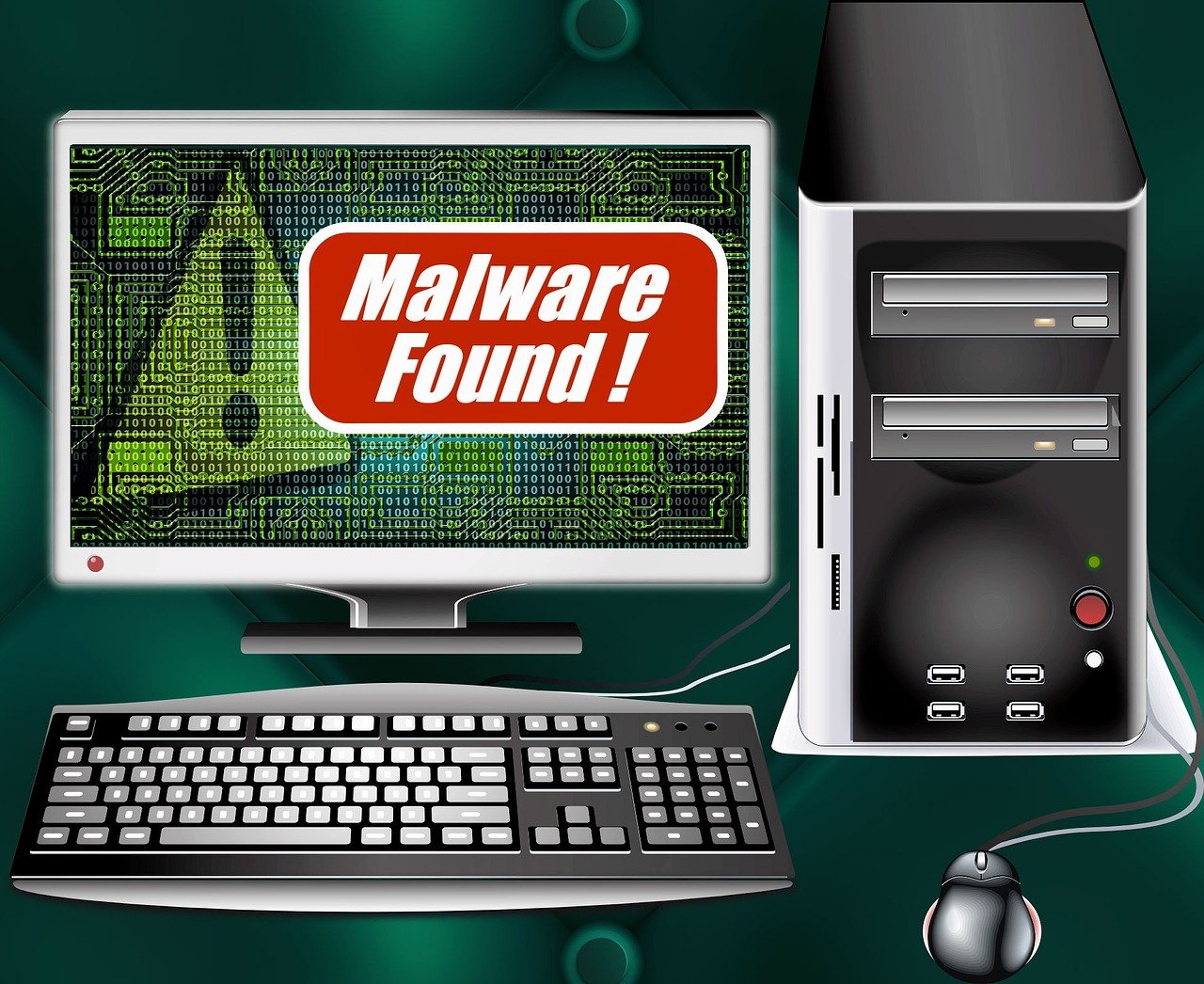
Here is our malware guide, read on!

In the ever-evolving landscape of cybersecurity, understanding the complexities of malware becomes imperative for fortifying your digital defenses.

This malware guide delves into the mechanics of malware, providing insights into its various types and offering practical steps to shield your computer system from these incessant threats.

Without delay, let’s get started with the malware guide.

Malware Guide: What Is A Malware?

Malware Guide: What Is A Malware?

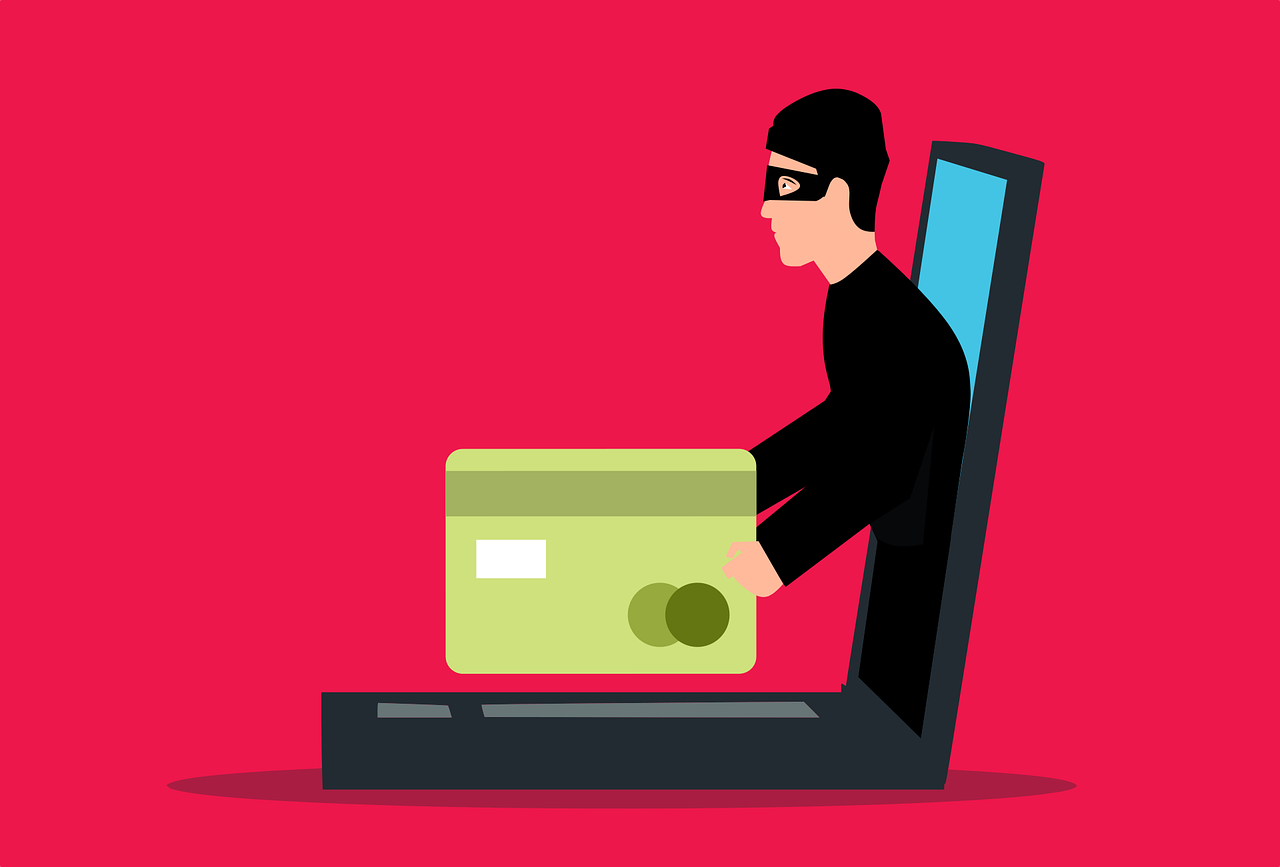
Malware, short for malicious software, is any software designed to cause harm to a computer system. It can include viruses, worms, Trojan horses, ransomware, spyware, and other types of malicious software.

Malware can be used to steal data, install other malware, disrupt computer operations, or even hold data hostage.

Malware can infect computers in a variety of ways. For example, you might click on a link in an email that takes you to a malicious website or open an attachment that contains malware. In other cases, malware can be spread through USB drives, CDs, or DVDs.

Once malware is on your computer, it can do a variety of things. It can steal your personal information, such as your passwords, credit card numbers, and social security number.

It can also install other malware on your computer, which can damage your files, slow down your computer, or even prevent you from using it altogether.

In some cases, malware can even hold your data hostage and demand a ransom payment in exchange for returning your files.

Best Anti-Malware Solution Deals

Acronis Cyber Protect
Acronis Cyber Protect (Formerly True Image)
Acronis Cyber Protect provides data protection for personal users, including backup, archive, access, and recovery for...Show More
Acronis Cyber Protect provides data protection for personal users, including backup, archive, access, and recovery for Windows, macOS, iOS, and Android operating systems. Your all-in-one solution for cybersecurity. Show Less
Avira Antivirus Pro
Avira Antivirus Pro
Avira Antivirus Pro is an award-winning anti-ransomware protection that secures your PC against cyber threats. Your best...Show More
Avira Antivirus Pro is an award-winning anti-ransomware protection that secures your PC against cyber threats. Your best malware solution for Windows and Mac. Show Less
Heimdal Security
Heimdal Security
Heimdal Security protects its users from advanced malware attacks by making use of next-generation technology. Your best...Show More
Heimdal Security protects its users from advanced malware attacks by making use of next-generation technology. Your best intelligent threat prevention tool. Show Less
AVG internet security
AVG Internet Security
Your award-winning antivirus for total security
Your award-winning antivirus for total security Show Less
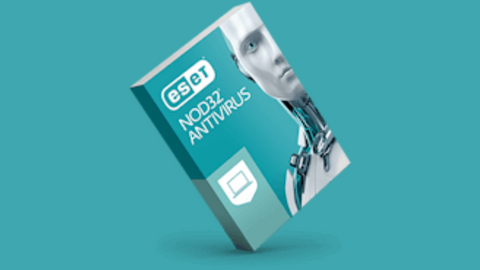
ESET NOD32 Antivirus
ESET NOD32 Antivirus is essential protection against malware, giving you peace of mind that your devices are safe from...Show More
ESET NOD32 Antivirus is essential protection against malware, giving you peace of mind that your devices are safe from threats. NOD32 also has a blazing-fast virus scanning engine that can detect, block, and remove cyber threats in real-time, so your system is always protected against the latest malware strains. Show Less
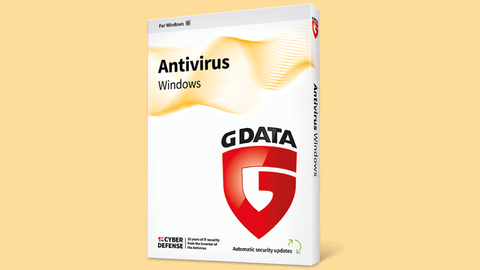
G DATA Antivirus
G DATA Antivirus
A proactive antivirus program against all malware types.
A proactive antivirus program against all malware types. Show Less
Intego
Intego - Mac Premium Bundle X9
Total Protection for all Mac device types
Total Protection for all Mac device types Show Less
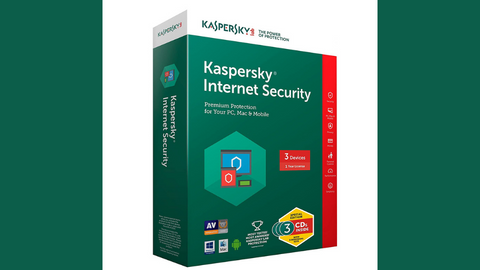
Kaspersky Internet Security
Premium protection against online threats.
Premium protection against online threats. Show Less
Malwarebytes
Malwarebytes
Your everyday protection against malware like ransomware, spyware, viruses, and more.
Your everyday protection against malware like ransomware, spyware, viruses, and more. Show Less
Norton Antivirus Plus
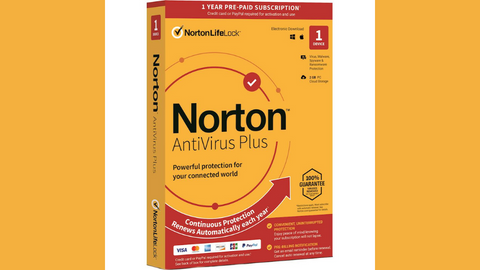
Your award-winning cybersecurity solution for complete device protection.
Your award-winning cybersecurity solution for complete device protection. Show Less
Panda Antivirus Pro
Panda Antivirus Pro
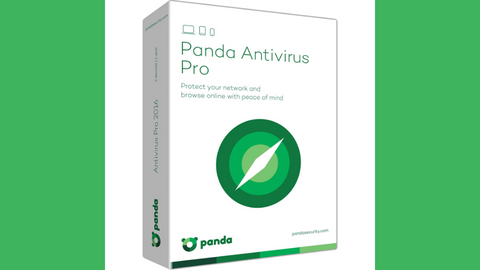
A working antivirus solution for all devices.
A working antivirus solution for all devices. Show Less
Trend Micro Maximum Security
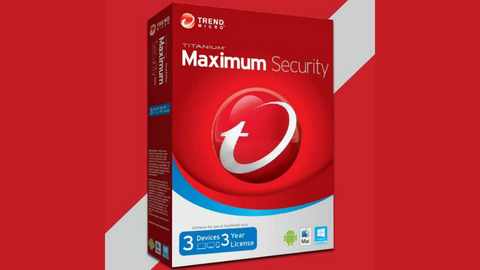
Maximum security for households and office use.
Maximum security for households and office use. Show Less
VIPRE Antivirus Plus
Top-rated cybersecurity solutions for essential protection.
Top-rated cybersecurity solutions for essential protection. Show Less
Surfshark Antivirus
Surfshark Antivirus
A 360-degree solution for all threat categories.
A 360-degree solution for all threat categories. Show Less
F-Secure SAFE
F-Secure SAFE
F-Secure SAFE is an internet security tool offered by F-Secure that provides protection for your devices against...Show More
F-Secure SAFE is an internet security tool offered by F-Secure that provides protection for your devices against malware, viruses, online threats, and hacking attempts. Show Less
Hitman Pro
HitmanPro
HitmanPro is a cloud-based anti-malware software that provides advanced scanning and removal of various types of viruses...Show More
HitmanPro is a cloud-based anti-malware software that provides advanced scanning and removal of various types of viruses and malware. Show Less
Nord Threat Protection Pro
Nord Threat Protection Pro is an advanced security feature from NordVPN that offers comprehensive protection against...Show More
Nord Threat Protection Pro is an advanced security feature from NordVPN that offers comprehensive protection against cyber threats, including malware, trackers, and malicious ads. Show Less

How Malware Works

How Malware Works

Malware can infect a computer system through a variety of ways, but the most common methods are:

  • Clicking on malicious links: This is one of the most common ways for malware to infect a computer. Attackers will often send emails or create fake websites that contain malicious links. When a user clicks on one of these links, they will be taken to a website that will download malware onto their computer.

  • Opening infected attachments: This is another common way for malware to infect a computer. Attackers will often attach malicious files to emails. When a user opens one of these attachments, they will be infected with malware.

  • Downloading infected software: This is another common way for malware to infect a computer. Attackers will often create fake websites or software that looks legitimate, but actually contains malware. When a user downloads and installs one of these programs, they will be infected with malware.

  • Connecting to infected devices: This is another way for malware to infect a computer. If a user connects an infected USB drive or other device to their computer, they can be infected with malware.

Once malware has infected a computer, it can do a variety of things, such as:

  • Stealing data: Malware can steal personal information such as passwords, credit card numbers, and social security numbers. It can also steal financial information such as bank account numbers and routing numbers.

  • Installing other malware: Malware can install other malware on a computer. This can further damage the computer and make it more difficult to remove.

  • Disrupting computer operations: Malware can disrupt computer operations by deleting files, corrupting data, or preventing the computer from starting up.

  • Holding data hostage: Malware can hold data hostage by encrypting it and demanding a ransom payment in exchange for the decryption key.

Here are some of the most common vulnerabilities that malware exploits:

  • Zero-day vulnerabilities: These are vulnerabilities that are unknown to the software vendor and have no patch available.
  • Unpatched vulnerabilities: These are vulnerabilities that have a patch available, but the patch has not been installed on the computer.
  • Misconfigurations: These are errors in the way that software is configured that can make it vulnerable to attack.

Now, for this malware guide, let me show you the types of malware that exists.

Types Of Malware

Types Of Malware

Malware is a broad term that encompasses any software designed to harm a computer system. It can range from relatively harmless annoyances like adware to devastating threats like ransomware that can hold your data hostage.

Understanding the different types of malware is crucial for protecting yourself from these malicious programs.

1. Viruses

Viruses are self-replicating programs that attach themselves to other files. When the infected file is opened, the virus is executed and can spread to other files on the computer, causing damage and disrupting normal operations. Viruses are often spread through email attachments, infected websites, or USB drives.

2. Worms

Worms are similar to viruses in their ability to self-replicate, but they differ in their mode of transmission. Worms typically spread over networks, exploiting vulnerabilities in network protocols to propagate from one computer to another. They can cause significant network congestion and performance slowdowns.

3. Trojan Horses

Trojan horses are disguised as legitimate software, lulling users into installing them on their computers. Once installed, they can execute malicious code, open backdoors for other malware to enter, or steal sensitive information. Trojan horses often hide within seemingly harmless software downloads or attachments.

4. Ransomware

Ransomware is a type of malware that encrypts a victim’s data, rendering it inaccessible. The perpetrators then demand a ransom payment from the victim in exchange for the decryption key. This form of malware has become increasingly prevalent, targeting individuals, businesses, and even government organizations.

5. Spyware

Spyware secretly collects information about a victim’s computer activity, such as their browsing habits, keystrokes, and personal information. This data can then be used for various malicious purposes, including identity theft, phishing scams, and targeted advertising.

6. Adware

Adware is software that displays unwanted advertisements on a user’s computer. While not as harmful as other types of malware, adware can be annoying and intrusive, disrupting the user’s browsing experience and potentially exposing them to malicious websites.

7. Rootkits

Rootkits are programs that gain root access to a computer system, allowing them to hide themselves from detection and execute malicious code. Rootkits are particularly dangerous because they can be extremely difficult to remove and can grant attackers extensive control over the infected system.

8. Keyloggers

Keyloggers are software programs that record every keystroke made on a computer. This information can then be used to steal passwords, credit card numbers, and other sensitive information. Keyloggers are often installed through phishing emails or through infected websites.

9. Fileless Malware

Fileless malware does not store itself on the victim’s hard drive, making it difficult to detect and remove using traditional antivirus software. Instead, fileless malware resides in memory or utilizes legitimate system tools to carry out its malicious activities.

10. Cryptojacking

Cryptojacking is a technique that utilizes a victim’s computer to mine cryptocurrency without their knowledge or consent. This can significantly slow down the computer and increase its energy consumption, potentially damaging hardware components over time.

11. Hybrid Malware

Hybrid malware combines features of two or more types of malware, making it even more difficult to detect and defend against. Hybrid malware can leverage the strengths of different malware strains to achieve its malicious goals, posing a significant threat to computer systems.

Understanding these different types of malware is essential for protecting yourself from cyberattacks.

By implementing robust security measures I mentioned in this malware guide, including using strong passwords, installing antivirus software, and staying informed about the latest malware threats, you can significantly reduce your risk of falling victim to these malicious programs.

TOP Anti-Malware Solution Deals

Acronis Cyber Protect50% OFF
Acronis Cyber Protect (Formerly True Image)
Acronis Cyber Protect provides data protection for personal users, including backup, archive, access, and recovery for...Show More
Acronis Cyber Protect provides data protection for personal users, including backup, archive, access, and recovery for Windows, macOS, iOS, and Android operating systems. Your all-in-one solution for cybersecurity. Show Less
Avira Antivirus Pro40% OFF
Avira Antivirus Pro
Avira Antivirus Pro is an award-winning anti-ransomware protection that secures your PC against cyber threats. Your best...Show More
Avira Antivirus Pro is an award-winning anti-ransomware protection that secures your PC against cyber threats. Your best malware solution for Windows and Mac. Show Less
Heimdal Security60% OFF
Heimdal Security
Heimdal Security protects its users from advanced malware attacks by making use of next-generation technology. Your best...Show More
Heimdal Security protects its users from advanced malware attacks by making use of next-generation technology. Your best intelligent threat prevention tool. Show Less
AVG internet security40% OFF
AVG Internet Security
Your award-winning antivirus for total security
Your award-winning antivirus for total security Show Less
ESET NOD32 Antivirus25% OFF
ESET NOD32 Antivirus
ESET NOD32 Antivirus is essential protection against malware, giving you peace of mind that your devices are safe from...Show More
ESET NOD32 Antivirus is essential protection against malware, giving you peace of mind that your devices are safe from threats. NOD32 also has a blazing-fast virus scanning engine that can detect, block, and remove cyber threats in real-time, so your system is always protected against the latest malware strains. Show Less
G DATA Antivirus25% OFF
G DATA Antivirus
A proactive antivirus program against all malware types.
A proactive antivirus program against all malware types. Show Less
Intego65% OFF
Intego - Mac Premium Bundle X9
Total Protection for all Mac device types
Total Protection for all Mac device types Show Less
Kaspersky Internet Security
Premium protection against online threats.
Premium protection against online threats. Show Less
Malwarebytes
Malwarebytes
Your everyday protection against malware like ransomware, spyware, viruses, and more.
Your everyday protection against malware like ransomware, spyware, viruses, and more. Show Less
Norton Antivirus Plus66% OFF
Norton Antivirus Plus
Your award-winning cybersecurity solution for complete device protection.
Your award-winning cybersecurity solution for complete device protection. Show Less
Panda Antivirus Pro50% OFF
Panda Antivirus Pro
A working antivirus solution for all devices.
A working antivirus solution for all devices. Show Less
Trend Micro Maximum Security44% OFF
Trend Micro Maximum Security
Maximum security for households and office use.
Maximum security for households and office use. Show Less
VIPRE Antivirus Plus
Top-rated cybersecurity solutions for essential protection.
Top-rated cybersecurity solutions for essential protection. Show Less
Surfshark Antivirus83% OFF
Surfshark Antivirus
A 360-degree solution for all threat categories.
A 360-degree solution for all threat categories. Show Less
F-Secure SAFE
F-Secure SAFE
F-Secure SAFE is an internet security tool offered by F-Secure that provides protection for your devices against...Show More
F-Secure SAFE is an internet security tool offered by F-Secure that provides protection for your devices against malware, viruses, online threats, and hacking attempts. Show Less
Hitman Pro
HitmanPro
HitmanPro is a cloud-based anti-malware software that provides advanced scanning and removal of various types of viruses...Show More
HitmanPro is a cloud-based anti-malware software that provides advanced scanning and removal of various types of viruses and malware. Show Less
Nord Threat Protection Pro
Nord Threat Protection Pro is an advanced security feature from NordVPN that offers comprehensive protection against...Show More
Nord Threat Protection Pro is an advanced security feature from NordVPN that offers comprehensive protection against cyber threats, including malware, trackers, and malicious ads. Show Less

How To Protect Yourself From Malware

How To Protect Yourself From Malware

In today’s interconnected world, malware has become a prevalent threat to computer systems, posing significant risks to individuals, businesses, and organizations.

With the potential to steal sensitive data, disrupt operations, and even hold systems hostage, understanding how to protect yourself from malware is crucial for safeguarding your digital assets.

1. Install and Update Antivirus and Anti-Malware Software

Antivirus and anti-malware software serve as the frontline defense against malware, proactively scanning your computer for malicious programs and preventing them from infecting your system. It’s essential to choose reputable antivirus software and keep it updated to ensure you have the latest protection against evolving threats.

2. Utilize a Firewall

A firewall acts as a gatekeeper, controlling the flow of traffic between your computer and the internet. It blocks unauthorized access attempts, preventing malware from infiltrating your system through network connections. Configure your firewall settings to allow only trusted connections and regularly check for updates to maintain optimal protection.

3. Exercise Caution When Clicking on Links or Opening Attachments

Phishing emails and malicious websites often lure users into clicking on links or opening attachments that contain malware. Be wary of unsolicited emails, especially those with urgent requests or enticing offers. Avoid clicking on links or opening attachments from unknown senders or sources you don’t trust.

4. Download Software Only from Trusted Sources

Downloading software from untrusted sources is a common pathway for malware infections. Stick to reputable websites and app stores when downloading software. Verify the authenticity of the software and its developer before proceeding with the installation.

5. Maintain Up-to-Date Operating Systems and Software

Software updates often include security patches that address vulnerabilities that malware can exploit. Regularly update your operating system, software applications, and firmware to minimize potential security gaps.

6. Exercise Caution When Connecting External Devices

USB drives and other external devices can act as carriers of malware. Before connecting external devices to your computer, scan them with antivirus software to ensure they are free from malicious programs.

7. Regularly Back Up Your Data

Data loss due to malware infections can be devastating. Implement a regular backup routine to safeguard your valuable data. Store backups on an external hard drive, cloud storage, or a dedicated backup device to ensure recovery in the event of a malware attack.

8. Stay Informed About Malware Threats

Keep yourself updated on the latest malware threats and vulnerabilities. Follow reputable cybersecurity news sources and subscribe to security alerts from your antivirus software provider.

9. Practice Safe Online Habits

Avoid visiting suspicious websites or downloading files from untrusted sources. Be mindful of the personal information you share online, and use strong, unique passwords for all your accounts.

10. Seek Professional Assistance if Needed

If you suspect your computer has been infected with malware, don’t hesitate to seek professional assistance from a reputable IT service provider. They can thoroughly scan your system, identify and remove malware, and provide guidance on enhancing your cybersecurity measures.

By implementing these comprehensive protection strategies highlighted in this malware guide, you can significantly reduce your risk of falling victim to malware and safeguard your computer systems and valuable data.

What to Do If You Think You Have Malware?

What to Do If You Think You Have Malware?

If you think your computer has been infected with malware, there are a few things you can do:

1. Run a scan with your antivirus and anti-malware software

This will help to identify any malware that is on your computer. Make sure to keep your software up to date to get the latest protection.

2. Remove any malware that is found

Follow the instructions in your antivirus or anti-malware software to remove the malware.

3. Change your passwords

If you think your passwords have been compromised, change them immediately. This includes your passwords for your email, online banking, social media accounts, and any other important accounts.

4. Report the malware to the authorities

You can report malware to the National Cyber Security Centre (NCSC) to help them track and stop the spread of malware.

Additional Steps to Take

  • Disconnect from the internet

This will prevent any further malware from being downloaded onto your computer.

  • Restart your computer in safe mode

Safe mode is a diagnostic mode that only loads the essential drivers and services that your computer needs to run. This can help to isolate the malware and make it easier to remove.

  • Format your hard drive

This is a last resort option, but it will completely remove all of the data on your hard drive, including the malware.

FAQs – Comprehensive Malware Guide: Safeguarding Your Digital World

FAQs – Comprehensive Malware Guide: Safeguarding Your Digital World

What is malware in simple terms?

Malware is any type of malicious software designed to harm, disrupt, or gain unauthorized access to your computer, mobile device, or network. Common examples include viruses, ransomware, spyware, and trojans.

How does malware infect a computer or device?

Malware often spreads through suspicious email attachments, fake software downloads, malicious websites, infected USB drives, and unsecured Wi-Fi networks. Clicking on unknown links or downloading pirated files can also expose you to malware.

What are the common types of malware?

The main types of malware include viruses, worms, trojans, ransomware, spyware, adware, keyloggers, and rootkits. Each type functions differently but shares the same goal: to steal data, damage systems, or control devices.

How can I tell if my device is infected with malware?

Warning signs of a malware infection include slow device performance, frequent crashes, excessive pop-ups, strange background processes, high data usage, unknown apps installed, or unauthorized account activity.

What should I do if my computer gets malware?

If you suspect a malware infection, disconnect from the internet, run a trusted antivirus or anti-malware scan, delete suspicious files, and update your security software. In severe cases, you may need to reset your system or seek professional help.

Can malware steal my personal and financial data?

Yes. Certain types of malware, like spyware and keyloggers, are specifically designed to steal sensitive information such as passwords, credit card numbers, banking details, and login credentials.

How can I protect my devices from malware attacks?

To protect against malware, always use updated antivirus software, enable firewalls, avoid clicking on unknown links, keep your operating system updated, download apps only from trusted sources, and use strong, unique passwords.

Is free antivirus enough to protect against malware?

Free antivirus software provides basic protection, but it may not defend against advanced threats like ransomware or zero-day attacks. For complete security, a premium antivirus or internet security suite is recommended.

What role do firewalls play in malware protection?

Firewalls act as a barrier between your device and the internet. They monitor incoming and outgoing traffic, blocking unauthorized access and preventing malware from communicating with external servers.

Can mobile phones also get malware?

Yes. Smartphones are just as vulnerable as computers. Android devices are more frequently targeted, but iPhones can also be infected if jailbroken or exposed to malicious apps and links. Installing mobile security apps is highly recommended.

Malware Guide Conclusion

In an era of ever-growing cyber threats, the commitment to cybersecurity best practices becomes paramount.

Regularly updating your knowledge on emerging threats and adapting your defense strategies will empower you to navigate the digital landscape securely.

Stay informed, stay vigilant, and safeguard your digital world from the pervasive menace of malware.


INTERESTING POSTS

Exclusive Tips To Stop Cyberbullying [For Teens, Parents & Schools]

0
Exclusive Tips to Stop Cyberbullying [For Teens and Parents]

Want tips to stop cyberbullying? Check out our tips exclusive for teens and parents.

In today’s digital age, the prevalence of cyberbullying has become a concerning issue. With the widespread use of technology and social media platforms, individuals, particularly young people, can fall victim to online harassment, intimidation, and abuse.

The impact of cyberbullying can be severe, causing emotional distress, psychological harm, and even tragic consequences.

However, there are effective measures that can be taken to combat cyberbullying and create a safer online environment for everyone. By raising awareness, promoting empathy, and empowering individuals, we can work together to build a digital world where kindness, respect, and compassion prevail.

In this article, we will explore a range of valuable tips and strategies to help individuals, parents, educators, and communities stop cyberbullying in its tracks.

Before we proceed, let us define cyberbullying.

What Is Cyberbullying?

What Is Cyberbullying

Cyberbullying uses digital communication tools, such as social media, online platforms, or messaging apps, to intentionally harass, intimidate, or harm others. It involves repeated and hostile behavior that targets individuals, often to cause emotional distress or damage to their reputation.

Cyberbullying, also known as online bullying, is a form of bullying that occurs electronically via the Internet. It occurs on digital devices such as mobile phones, tablets, and, most especially, computers.

According to Adaware, 1 out of 4 US teens has been cyberbullied. Examples of cyberbullying include repeated insults, defamation, cyberstalking (sending threatening messages), identity theft, sexting, posting an altered image of the victim, and more.

In addition, Cyberbullies can harass people through the following common sources:

  • Email (Electronic email)
  • Text Message i.e. Short Message Service (SMS)
  • Instant Message (via instant messaging apps such as WhatsApp)
  • Social Media (such as Facebook, Twitter, Instagram, etc.)
  • And more

On the other hand, cyberbullying has devastating effects on kids and teens alike, depending on the severity. There have been instances where cyberbullying victims were subject to mental breakdown, self-harm, and even suicide.

Note: Cyberbullying should not be confused with online arguments. However, when you are constantly harassed online, you may address the offender as a cyberbully.

Best Parental Control Software

Qustodio
Qustodio
Trusted by over 4 million parents as the all-in-one parental control application
Trusted by over 4 million parents as the all-in-one parental control application Show Less
Kaspersky Safe Kid
Kaspersky Safe Kids
Kaspersky Safe Kids is a parental control app that helps parents monitor and control their child's online activity...Show More
Kaspersky Safe Kids is a parental control app that helps parents monitor and control their child's online activity, including web browsing, app usage, and location tracking. Show Less
Wondershare FamiSafe Parental Control
FamiSafe
This is one of the most reliable parental control apps for controlling screen time, regulating content, and tracking...Show More
This is one of the most reliable parental control apps for controlling screen time, regulating content, and tracking your kids' location in real-time. Show Less
ESET Parental Control
This parental monitoring app allows you to monitor and control your kids' online activity find their location in...Show More
This parental monitoring app allows you to monitor and control your kids' online activity find their location in real-time, and set screentime limits for gaming and other activities. Show Less
Norton Family
Norton Family
Gives your kids free access to the internet while giving you total control over their online activities.
Gives your kids free access to the internet while giving you total control over their online activities. Show Less
mSpy
mSpy
mSpy is a mobile monitoring and tracking software that allows users to monitor the activity on a smartphone or tablet...Show More
mSpy is a mobile monitoring and tracking software that allows users to monitor the activity on a smartphone or tablet, including tracking location, text messages, call history, and social media activity, and in some cases, it can also be used to monitor activities on a computer. Show Less
EyeZy
EyeZy
EyeZy is an advanced parental control software that allows parents to monitor and control their children's internet...Show More
EyeZy is an advanced parental control software that allows parents to monitor and control their children's internet activity, including monitoring their browsing history, blocking websites, setting time limits, and more. Show Less
uMobix
uMobix
uMobix is a phone monitoring app offering features like call tracking, text message spying, and GPS location, raising...Show More
uMobix is a phone monitoring app offering features like call tracking, text message spying, and GPS location, raising privacy concerns despite aiming to help parents monitor children's online activity. Show Less
SpyBubble
SpyBubble
SpyBubble is a phone monitoring app used for parental control, employee monitoring, or catching cheating spouses...Show More
SpyBubble is a phone monitoring app used for parental control, employee monitoring, or catching cheating spouses, raising privacy concerns due to its ability to track calls, messages, location, and more. Show Less

What To Do When Cyberbullying Happens?

tips to stop cyberbullying

One of the ways cyberbullies operate is to play with and unsettle your mind. They call your self-worth into question and also make you do so. It is important to remind yourself when cyberbullying starts that you are not responsible for it, you don’t deserve it, and none of what is happening is your fault. 

You must never accept that the irresponsibility of these bullies is your fault. Accepting this affects your response to the bullying.

If you ever find yourself a victim of cyberbullying, you should speak out. Do not endure and suffer in silence, as this might harm your overall mental health.

When faced with cyberbullying, it is important to respond promptly and effectively to protect yourself or someone else from further harm. Here are some essential steps to take:

  1. Stay calm and don’t retaliate: It’s natural to feel angry or upset when confronted with cyberbullying, but responding with aggression or retaliation can escalate the situation. Instead, take a deep breath and try to remain calm. Avoid engaging with the bully or responding to their messages, which may fuel their behavior.
  2. Document and save evidence: Preserve any evidence of cyberbullying by taking screenshots, saving messages, or recording any instances of harassment. These records will be valuable if you report the cyberbullying to authorities or online platforms. Ensure you capture relevant details like dates, times, and usernames.
  3. Reach out for support: Don’t face cyberbullying alone. Talk to someone you trust, such as a friend, family member, or teacher, about what is happening. They can provide emotional support and guidance on the next steps to take. Additionally, consider reporting the cyberbullying to the appropriate authorities, such as your school administration or local law enforcement, if the situation warrants it.
  4. Block and report the bully: Most social media platforms and online services have mechanisms to report and block users engaging in cyberbullying. Use these features to prevent further contact with the bully and to notify the platform administrators about the abusive behavior. By reporting the incident, you create a safer online environment for yourself and others.
  5. Practice digital self-care: Cyberbullying can take an emotional toll, so prioritize your well-being. Instead of brooding over a bully, divert your attention to something else. Try and do what you enjoy for a start. Hang out with friends and families, and take time off the Internet. Take breaks from social media if needed, focus on activities that bring you joy, and surround yourself with a supportive network of friends and family. Consider seeking professional help from a counselor or therapist who can assist you in processing your emotions and developing coping strategies.

Remember, addressing cyberbullying requires a collective effort. Encourage open conversations about online safety and responsible digital behavior within your community, school, or workplace.

Reach out to someone; it may be your parents, teachers, counselors, or even the authority to report and talk to someone.

How To Stop Cyberbullying

How To Stop Cyberbullying

Here are some tips to stop cyberbullying:

  • Talk to your child about cyberbullying. Explain what it is, how it can happen, and what to do if they are cyberbullied.
  • Set ground rules for online behavior. This includes not sharing personal information, not responding to cyberbullying and reporting cyberbullying to a trusted adult.
  • Monitor your child’s online activity. This doesn’t mean you must read every text message or email, but you should know what they are doing online.
  • Teach your child about digital citizenship. This includes being respectful of others online, not sharing personal information, and using strong passwords.
  • Report cyberbullying to the website or app where it is happening. Most websites and apps have policies against cyberbullying and will take action if they are notified of it.
  • Talk to the school counselor or principal if your child is being cyberbullied. They can help to intervene and stop the bullying.
  • Press charges if the cyberbullying is severe. Cyberbullying can be a crime, so you may want to consider pressing charges if it is severe.
  • Use cyberbullying prevention software. There are several software programs available that can help to monitor online activity and prevent cyberbullying. Some popular programs include Qustodio, EyeZy, mSpy, Kaspersky Safe Kids, FamiSafe, ESET Parental Control, and Norton Family.
Qustodio
Qustodio
Trusted by over 4 million parents as the all-in-one parental control application
Trusted by over 4 million parents as the all-in-one parental control application Show Less
Kaspersky Safe Kid
Kaspersky Safe Kids
Kaspersky Safe Kids is a parental control app that helps parents monitor and control their child's online activity...Show More
Kaspersky Safe Kids is a parental control app that helps parents monitor and control their child's online activity, including web browsing, app usage, and location tracking. Show Less
Wondershare FamiSafe Parental Control
FamiSafe
This is one of the most reliable parental control apps for controlling screen time, regulating content, and tracking...Show More
This is one of the most reliable parental control apps for controlling screen time, regulating content, and tracking your kids' location in real-time. Show Less
ESET Parental Control
This parental monitoring app allows you to monitor and control your kids' online activity find their location in...Show More
This parental monitoring app allows you to monitor and control your kids' online activity find their location in real-time, and set screentime limits for gaming and other activities. Show Less
Norton Family
Norton Family
Gives your kids free access to the internet while giving you total control over their online activities.
Gives your kids free access to the internet while giving you total control over their online activities. Show Less
NLLFAM
mSpy
mSpy
mSpy is a mobile monitoring and tracking software that allows users to monitor the activity on a smartphone or tablet...Show More
mSpy is a mobile monitoring and tracking software that allows users to monitor the activity on a smartphone or tablet, including tracking location, text messages, call history, and social media activity, and in some cases, it can also be used to monitor activities on a computer. Show Less
EyeZy
EyeZy
EyeZy is an advanced parental control software that allows parents to monitor and control their children's internet...Show More
EyeZy is an advanced parental control software that allows parents to monitor and control their children's internet activity, including monitoring their browsing history, blocking websites, setting time limits, and more. Show Less
uMobix
uMobix
uMobix is a phone monitoring app offering features like call tracking, text message spying, and GPS location, raising...Show More
uMobix is a phone monitoring app offering features like call tracking, text message spying, and GPS location, raising privacy concerns despite aiming to help parents monitor children's online activity. Show Less
SpyBubble
SpyBubble
SpyBubble is a phone monitoring app used for parental control, employee monitoring, or catching cheating spouses...Show More
SpyBubble is a phone monitoring app used for parental control, employee monitoring, or catching cheating spouses, raising privacy concerns due to its ability to track calls, messages, location, and more. Show Less

It is important to remember that cyberbullying is a serious problem, but it can be stopped. By following these tips to stop cyberbullying, you can help keep your child safe.

Tips For Teens To Stop An Online Bully

online bullyingIf you (or your kid) have been harassed online by cyber bullies, follow through with these tips to stop cyberbullying.

1. Ignore the aggressor

Cyberbullies usually expect your response to fuel a chain reaction of insults. You can try as much as possible to ignore the cyber bully. If possible, you can use humor to respond to their cruel words.

2. Block the bully

Several social media apps enable you to block a person. If you get harassed from any social media channel, text messages, or even email, ensure you block the person. Alternatively, you can report the abuse to the service or support center. For instance, Facebook has blocking capability and reporting abuse for such cases. Nevertheless, if the cyber-harassment escalates from cyberspace to your physical sphere, you may report it to the authorities.

3. Protect your online identity

Prioritize your online identity by applying standard practices for online privacy. Don’t give out your passwords. Modify your online privacy settings and set it to private. Add only friends you know to your friends list. Besides, there is no harm in unfriending a cyberbully from your social media.

In addition, don’t share your personal information on social media. Keep your phone number and email address private from the prying eyes. This should halt any form of online bullying you may experience.

4. Save the evidence

In this digital age, online bullying evidence can be acquired by screen capture, saving, or even showing someone. If you have been bullied online, you can always stop it by showing the evidence to others, especially your parents. This will enable them to take the appropriate means to prevent the problem.

5. Use the magic word – STOP

Among our tips to stop cyberbullying is to speak out. Stop is a magic word that means start telling other people. Sometimes, simply telling the cyberbully to stop works, but there are cases where they are unrepentant. Therefore, you must tell someone you trust, such as your parent, friend, teacher, or adult. Remember, a problem shared is a problem solved.

Read Also: Parents Guide to Internet Safety: Keeping Your Child Safe Online

6. Report the bullying

Report the incident to the appropriate platform or social media site if you encounter cyberbullying. Most platforms have reporting mechanisms in place to address such issues. By reporting, you contribute to enforcing community guidelines and help protect others from the same bully.

7. Seek support from trusted adults

Talk to a trusted adult, such as a parent, guardian, teacher, or school counselor, about the cyberbullying. They can provide guidance support, and intervene on your behalf if necessary. Remember, you don’t have to face it alone; there are people who care and want to help.

8. Keep evidence of the cyberbullying

Save any evidence of the cyberbullying, such as screenshots, messages, or images. This documentation can be useful when reporting the incident or seeking further action. It provides concrete proof of the bullying and strengthens your case.

9. Strengthen your online privacy settings

Review and adjust your privacy settings on social media platforms to control who can see your posts and personal information. Limiting access to your profile and content can help minimize the risk of being targeted by cyberbullies.

10. Practice digital resilience

Build your resilience and emotional strength to withstand cyberbullying. Surround yourself with positive influences and supportive friends. Engage in online and offline activities that boost your confidence and self-esteem.

11. Educate yourself about online safety

Learn about online safety practices, including how to identify and respond to cyberbullying. Understand the importance of not sharing personal information online and how to protect yourself from potential harm.

12. Be mindful of your online behavior

Treat others online with respect and kindness. Avoid engaging in cyberbullying behaviors yourself, as it perpetuates the cycle of harm. Foster a positive digital environment by setting a good example and promoting empathy and inclusivity.

Remember, if the cyberbullying persists or escalates, don’t hesitate to involve authorities, such as the police or school administration, as appropriate. Cyberbullying is a serious issue, and everyone deserves to feel safe and respected in the online world.

What Can Parents Do To Stop Cyberbullying?

stop cyberbullyingIf your kids or teens have experienced any form of online bullying, apply these tips to stop cyberbullying.

1. Be supportive

Don’t start by blaming your kids for being responsible for the bullying. Instead, try to understand the bullying history and work with your children to find a germane solution to the problem. Remember, encouraging your children will help them to grow through this militating phase.

2. Get acquainted with various social network websites

Familiarize yourself with sites such as Facebook, Twitter, TikTok, MySpace, and online forums where your kids were bullied. If necessary, check the harassment messages received by your kids.

3. Install Apps to prevent cyberbullying

There are some specialized apps parents can use to prevent cyberbully. Some recommended apps include NetNanny, Cyber Patrol, My Mobile Watchdog, and ReThink. With the anti-cyberbully programs, you can monitor your kids’ online activity and prevent online bullying even before it happens.

4. Block the cyberbully

As a parent, you can prevent cyberbullying threats by blocking features available on social networking sites (SNS) to block the bully.

In addition, you can contact the administrators of such services and report the bully using the evidence available on your children’s digital devices. Also, you may have to present pictures (or video) evidence to the administrator for the appropriate action against the aggressor.

5. Report to the authority

Virtual communication should remain ‘virtual’. However, suppose the bullying occurs online and offline, at school or in the vicinity. In that case, you should report to the local authorities depending on where the harassment emanates. To keep your child safe, you may have to report to the police station for a legal restraining order against the bully.

6. Educate your children about online safety

Teach your kids about responsible internet use, the importance of privacy settings, and the potential risks of interacting with strangers online. Encourage them to think before sharing personal information and to be cautious about accepting friend requests or engaging with unknown individuals.

7. Foster open communication

Create a safe and supportive environment where your children feel comfortable talking about their online experiences, including any instances of cyberbullying. Listen actively and without judgment, showing empathy and understanding. Assure them that you’re there to help and support them.

8. Monitor your child’s online activities

Keep a close eye on your child’s online interactions and regularly review their social media accounts. Stay informed about the platforms they use, the friends they connect with, and the content they post. Consider using parental control software or monitoring apps to help keep track of their online presence.

9. Encourage responsible behavior

Teach your children to treat others with kindness and respect online and offline. Emphasize the importance of empathy, understanding, and digital citizenship. Encourage them to stand up against cyberbullying by reporting it, supporting friends who are targeted, and not participating in or sharing hurtful content.

10. Work with the school and community

If someone from their school or community is cyberbullying your child, contact the appropriate authorities, such as the school administration or local law enforcement. Provide them with your collected evidence and work together to address the situation. Collaboration with schools and community organizations can help create a safer environment for your child.

11. Seek professional help if needed

If your child is experiencing significant emotional distress or their mental well-being is affected by cyberbullying, consider seeking guidance from a therapist or counselor who works with children and adolescents. They can provide additional support and strategies to help your child cope.

Remember, your involvement and support as a parent are crucial in addressing cyberbullying effectively. By staying vigilant, maintaining open communication, and taking appropriate action, you can help protect your child from the harmful effects of cyberbullying.

How Schools Can Stop Cyberbullying 

How Schools Can Stop Cyberbullying 

Cyberbullying occurs mostly when students are home, but the fallout usually happens in school.

READ ALSO: 5+ Golden Cybersecurity Tips for Students

This makes students dread coming to school and might also affect the performance of the student as a result of loss of concentration.

1. Strict Anti-Cyberbullying Rules

The school should create and enforce laws against cyberbullying. Students should also be told explicitly the legal implications of cyberbullying.

2. Encourage Reporting

Let your students know that it is okay to report any form of cyberbullying they experience.

Students who witnessed cyberbullying should also be encouraged to come forward and report it. This is especially important because it helps to know what is happening in a situation the victim is ashamed or afraid to report.

3. Raise Awareness About Cyberbullying

Schools should endeavor to teach students how to use the Internet responsibly. They should be taught the importance of keeping their personal information away from the Internet.

Students spend most of their time online, which makes sensitization about internet usage very important.

4. Implement comprehensive anti-cyberbullying policies

Develop clear and specific policies that address cyberbullying and its consequences. Ensure these policies are communicated to students, parents, and staff, emphasizing the school’s zero-tolerance stance towards cyberbullying. Outline the disciplinary actions that will be taken in response to cyberbullying incidents.

5. Provide education and awareness programs

Incorporate cyberbullying prevention and digital citizenship education into the school curriculum. Offer age-appropriate lessons that teach students about responsible internet use, online etiquette, the impact of cyberbullying, and strategies for dealing with it.

Raise awareness about the emotional and psychological consequences of cyberbullying, emphasizing empathy and respect for others.

6. Create a safe reporting system

Establish a confidential reporting system that allows students to report cyberbullying incidents safely.

Ensure students can access and use this reporting system and provide multiple reporting options, such as anonymous reports or online reporting forms. Regularly remind students that reporting cyberbullying is essential in maintaining a safe and supportive school environment.

7. Conduct regular awareness campaigns and assemblies

Organize school-wide events, assemblies, or workshops focused on cyberbullying prevention.

Invite experts or guest speakers to share their knowledge and experiences. These events can educate students, parents, and staff about the dangers of cyberbullying, promote open discussions, and reinforce positive online behavior.

8. Foster a supportive school culture

Promote a positive and inclusive school culture where all students feel respected and valued.

Encourage peer support and empathy by implementing peer mentoring programs or creating student-led initiatives that address cyberbullying and promote digital citizenship. Develop strategies to discourage bystander behavior and empower students to intervene when they witness cyberbullying.

9. Collaborate with parents and guardians

Engage parents and guardians in the prevention and intervention efforts against cyberbullying. Conduct informational sessions or workshops for parents to educate them about cyberbullying, its signs, and strategies to support their children.

Encourage parents to monitor their child’s online activities and maintain open lines of communication with the school.

📌 Exclusive Tips To Stop Cyberbullying: Frequently Asked Questions (FAQs)

Cyberbullying is a persistent digital threat affecting teens, adults, and even institutions. From emotional trauma to long-term psychological effects, it can drastically disrupt lives. Understanding how to detect, prevent, and respond to it is essential for teens, parents, schools, and communities.

❓ What are the different forms of cyberbullying?

Cyberbullying can take several harmful forms, such as:

  • Harassing or abusive messages: Insults, threats, or offensive comments via social media, messaging apps, or gaming platforms.
  • Spreading rumors or false information: Targeting individuals with lies that damage their reputation.
  • Sharing private or embarrassing content: Posting unauthorized or humiliating images or videos online.
  • Exclusion from digital groups: Intentionally leaving someone out of chats, online games, or social circles.
  • Impersonation (identity theft): Creating fake profiles to damage someone’s image or solicit private information.
  • Cyberstalking: Repeated and threatening online behavior aimed at controlling, intimidating, or harming someone.

❓ What are the warning signs that someone is being cyberbullied?

Look for emotional, behavioral, and academic shifts such as:

  • Withdrawal from family, friends, or school
  • Sudden drop in academic performance
  • Fear or reluctance to use phones or computers
  • Changes in sleep, appetite, or mood
  • Emotional outbursts after using devices
  • Evidence of deleted social media accounts or blocked contacts

❓ What should I do if I’m being cyberbullied?

If you or someone you know is being cyberbullied:

  1. Don’t engage – Do not respond or retaliate.
  2. Document the evidence – Save screenshots, texts, URLs, and messages.
  3. Block and report – Use platform tools to block the bully and report the abuse.
  4. Talk to someone – Confide in a trusted adult, teacher, counselor, or friend.
  5. Involve authorities if necessary – If threats are involved, report to law enforcement.

❓ What can parents do to prevent cyberbullying?

Parents play a critical role in cyber safety. Here’s what they can do:

  • Foster open communication about digital experiences and online behavior.
  • Set digital boundaries: Use parental controls and agree on screen time limits.
  • Monitor apps and devices: Understand the platforms your child uses.
  • Model positive digital behavior: Be an example of kindness and empathy online.
  • Educate about privacy: Teach kids not to share personal details or passwords.

❓ How can schools address and stop cyberbullying?

Schools can implement proactive steps like:

  • Incorporate digital citizenship programs in the curriculum.
  • Create a reporting system for students to confidentially report incidents.
  • Provide training for teachers and staff on identifying and managing cyberbullying.
  • Host workshops for parents, students, and educators.
  • Enforce anti-cyberbullying policies with clear consequences and follow-through.

❓ Are there any legal consequences for cyberbullying?

Yes. Many countries and states have laws that address cyberbullying. Depending on the severity, cyberbullying can lead to:

  • School disciplinary actions
  • Community service or probation
  • Criminal charges for harassment, stalking, or defamation
  • Civil lawsuits for emotional damages or reputational harm

Check your local or national laws for specific legal frameworks.

❓ What are some reliable resources for cyberbullying prevention and help?

Here are trusted platforms and organizations:

  • StopBullying.gov – U.S. government resource on cyberbullying prevention, reporting, and recovery.
  • Cyberbullying Research Center – Offers up-to-date research, toolkits, and guidance for educators and families.
  • ConnectSafely.org – Safety guides and tips for teens and parents navigating online spaces.
  • Childline (UK) – A free, confidential helpline for children and teens facing bullying.
  • National Center for Missing & Exploited Children (NCMEC) – Resources on digital safety and reporting online abuse.

❓ How can teens protect themselves from becoming victims of cyberbullying?

Teens can take preventive steps such as:

  • Use privacy settings on social platforms
  • Avoid sharing passwords, even with friends
  • Think before posting personal or sensitive content
  • Be kind online – Don’t post or forward hurtful content
  • Speak up if they see someone else being bullied

❓ Can cyberbullying lead to mental health issues?

Yes. Victims may experience:

  • Anxiety, depression, or suicidal thoughts
  • Social withdrawal and loneliness
  • Academic burnout or school avoidance
  • Low self-esteem and loss of confidence

Early intervention, counseling, and support from trusted adults are essential.

❓ How can bystanders help stop cyberbullying?

Bystanders can either contribute to or help stop cyberbullying. Here’s how to take positive action:

  • Don’t forward or “like” hurtful content
  • Stand up for the victim by expressing disapproval (safely and respectfully)
  • Report the bullying to the platform or school authority
  • Support the victim privately through kind messages or friendship
  • Encourage them to seek help from adults or counselors

❓ Is cyberbullying the same as online trolling?

Not exactly.

  • Cyberbullying is targeted, intentional harm toward a specific person over time.
  • Trolling may involve provoking reactions from various people, often anonymously, for amusement or disruption. However, it can escalate into cyberbullying if personal and persistent.

The Bottom Line

According to Statista, 14% of US internet users recounted their cyberbullying experience in 2016. Cyberbullying is a big issue experienced across the globe by internet-active pre-teens and teens as well as adults.

Bullies are mean, rude, aggressive, and unrelenting, but they are human beings. Lastly, by applying any of these tips, you (or your kids) should be able to stop cyberbullying.

Have you encountered any cyberbullying before? Share your experience by commenting below. Also, which of our tips to stop cyberbullying did you apply?


RELATED POSTS

Web Security Guide: Keeping Your Website Safe

0

Read this web security guide to learn how to keep your website safe.

As the world becomes more digital, websites have become an essential part of our lives. They are used for e-commerce, education, entertainment, and information. However, with the rise of the internet, the number of cyber threats has also increased. 

Hackers can exploit vulnerabilities in websites and cause significant damage, including stealing sensitive information and infecting websites with malware. Therefore, it is crucial to take web security seriously to protect your website from cyber-attacks. 

In this web security guide, I will provide you with a comprehensive insight into web security, including the types of threats, the importance of website security, common vulnerabilities, best practices for website security, tools for website security, and choosing a web hosting provider with strong security measures.

What Is Web Security?

What Is Web Security?

Web security is the practice of protecting websites from cyber threats, such as hacking, malware, and other malicious activity.

Web security encompasses a broad set of practices and measures designed to protect websites and web applications from a range of cyber threats and unauthorized access.

Nevertheless, web security is essential because websites contain sensitive data, such as personal information and financial information. 

The primary goal of web security is to ensure the confidentiality, integrity, and availability of data on websites.

If a website is compromised, it can lead to significant financial and reputational damage. Web security involves implementing several security measures to prevent cyber-attacks and protect websites from vulnerabilities. 

Security measures include the use of strong passwords, encryption, and firewalls. Additionally, website owners must regularly monitor their websites and keep them up-to-date with the latest security patches. 

To ensure the highest level of security, it is important to use secure web hosting services with robust security features.

Now, for this web security guide, let me talk about its key aspects.

Best Web Security Deals: Recover Your Hacked Website

For this web security guide, I have handpicked some hot deals for you to help you recover your website if hacked and to strengthen its security.

Namecheap Webhost
Namecheap
Provides the web hosting you need to put your ideas online. Namecheap is a web hosting company that offers a range of...Show More
Provides the web hosting you need to put your ideas online. Namecheap is a web hosting company that offers a range of hosting services, including shared hosting, VPS hosting, and dedicated servers, as well as domain name registration services. Show Less
Hostinger Webhost
Hostinger
Your all-in-one hosting solution for managing a website. Hostinger is a web hosting company that provides affordable...Show More
Your all-in-one hosting solution for managing a website. Hostinger is a web hosting company that provides affordable shared hosting, VPS hosting, and cloud hosting services, along with a range of other website-related services. Show Less
eUKhost
eUKhost
eUKhost is a web hosting company that provides a variety of hosting services, including shared hosting, VPS hosting, and...Show More
eUKhost is a web hosting company that provides a variety of hosting services, including shared hosting, VPS hosting, and dedicated servers. Show Less
GoDaddy
GoDaddy
GoDaddy is a web hosting company that offers a range of hosting services including shared hosting, VPS hosting, and...Show More
GoDaddy is a web hosting company that offers a range of hosting services including shared hosting, VPS hosting, and dedicated servers, as well as domain name registration, website builders and other website-related services. Show Less
Interserver Hosting
Interserver Hosting
An all-inclusive web hosting service that provides everything you need to host your website.
An all-inclusive web hosting service that provides everything you need to host your website. Show Less
Digital Ocean
Digital Ocean
DigitalOcean is a web hosting company that provides simple and affordable cloud-based infrastructure for developers and...Show More
DigitalOcean is a web hosting company that provides simple and affordable cloud-based infrastructure for developers and businesses, including virtual private servers (VPS) and other hosting solutions, as well as developer-friendly tools and resources. Show Less
Dynadot
Dynadot
Dynadot is a domain name registrar that provides domain registration, website hosting, and website builder services.
Dynadot is a domain name registrar that provides domain registration, website hosting, and website builder services. Show Less
HostPapa
HostPapa
HostPapa is a web hosting company that provides website hosting services and domain registration to individuals and...Show More
HostPapa is a web hosting company that provides website hosting services and domain registration to individuals and businesses. Show Less
Verpex Hosting
Verpex Hosting
Verpex Hosting is a fast, reliable, and fully managed cloud-based hosting provider trusted by over 250,000 websites for...Show More
Verpex Hosting is a fast, reliable, and fully managed cloud-based hosting provider trusted by over 250,000 websites for its high performance, excellent support, and unbeatable affordability. Show Less
Sucuri
Sucuri
Sucuri is a web security platform that offers a variety of services to protect and monitor websites, such as malware...Show More
Sucuri is a web security platform that offers a variety of services to protect and monitor websites, such as malware scanning and removal, website firewall, DDoS protection, and website monitoring, as well as website performance optimization services. Show Less
SSL Store
SSL Store
The SSL Store, powered by DigiCert, is a provider of SSL/TLS and other digital certificates for website security...Show More
The SSL Store, powered by DigiCert, is a provider of SSL/TLS and other digital certificates for website security, including options for wildcard SSL, EV SSL, and multi-domain SSL, as well as related services such as code signing and identity verification. Show Less
SiteLock
SiteLock
SiteLock, a Sectigo company, is a website security platform that offers a variety of services to protect and monitor...Show More
SiteLock, a Sectigo company, is a website security platform that offers a variety of services to protect and monitor websites, such as malware scanning and removal, website firewall, DDoS protection, and website monitoring, as well as website performance optimization services. Show Less
Namecheap SSL Certificate
The premium way of protecting your websites and visitors from threats.
The premium way of protecting your websites and visitors from threats. Show Less
Comodo SSL Store
Comodo SSL Store
Comodo SSL Store is a provider of SSL/TLS and other digital certificates for website security, including options for...Show More
Comodo SSL Store is a provider of SSL/TLS and other digital certificates for website security, including options for wildcard SSL, EV SSL, and multi-domain SSL, as well as related services such as code signing and identity verification. Show Less
Rapid SSL Store
Rapid SSL Store
A provider of SSL/TLS and other digital certificates for website security.
A provider of SSL/TLS and other digital certificates for website security. Show Less

Key Aspects Of Web Security

Key Aspects Of Web Security

Here are the key aspects of web security:

Protection Against Cyber Threats

Web security addresses various cyber threats, including hacking attempts, data breaches, malware infections, and denial-of-service attacks.

These threats can have severe consequences, ranging from the compromise of sensitive information to disruptions in website availability.

Safeguarding Sensitive Data

Websites often store and handle sensitive information, such as personal details, login credentials, and financial data.

Effective web security measures are essential to prevent unauthorized access and protect this sensitive data from falling into the wrong hands.

Security Measures

Implementing security measures is crucial for defending against potential attacks. This includes using strong and unique passwords, encrypting data to prevent eavesdropping, and deploying firewalls to monitor and control network traffic.

Additionally, secure coding practices are essential in developing web applications with built-in defences.

Regular Monitoring and Updates

Continuous monitoring of web activities is vital to detect and respond to any unusual or suspicious behaviour promptly.

Regular software updates, including security patches, help close vulnerabilities that attackers could exploit.

User Education

Educating users about secure online practices is a fundamental aspect of web security. Users should be aware of potential risks, such as phishing attacks, and be encouraged to use secure passwords and follow best practices for online security.

Secure Web Hosting

Choosing a reliable and secure web hosting service is crucial for overall web security. The hosting provider plays a key role in protecting against common threats, ensuring server security, and providing essential services like secure socket layer (SSL) certificates for encrypted communication.

Incident Response Planning

Despite preventive measures, security incidents can occur. Having a well-defined incident response plan helps mitigate the impact of a security breach, enabling a swift and effective response to contain and address the incident.

Web security is an ongoing process that requires vigilance, adaptability, and a comprehensive approach to address the evolving nature of cyber threats. It is an integral part of maintaining the trust and integrity of online platforms in an interconnected digital landscape.

This web security guide is incomplete without talking about the types of web security threats that exist.

Types of Web Security Threats

Types of Web Security Threats

There are various types of web security threats, and it is essential to understand them to protect your website effectively. 

The most common web security threats include:

1. Malware: The Unseen Menace

Malware, an acronym for malicious software, encompasses a wide range of harmful programs designed to infiltrate websites and wreak havoc.

These digital adversaries can steal sensitive information, corrupt files, and even launch cyber-attacks against other websites or systems.

Cybercriminals exploit vulnerabilities in outdated software, weak passwords, or unsecured file uploads to inject malware into websites.

2. Phishing: The Art of Deception

Phishing, a form of social engineering, aims to trick unsuspecting users into divulging sensitive information, such as login credentials or financial details.

Cybercriminals craft emails or create fake websites that closely resemble legitimate ones, luring users into entering their personal information. These stolen credentials can then be used for unauthorized access, financial fraud, or identity theft.

3. DDoS Attacks: Overwhelming the Gates

DDoS (Distributed Denial-of-Service) attacks seek to overwhelm a website with an overwhelming flood of traffic, causing it to crash and become inaccessible to legitimate users.

Cybercriminals utilize networks of compromised devices, known as botnets, to bombard a website with requests, effectively disabling it and disrupting its operations. These attacks can cause significant financial losses and reputational damage.

4. SQL Injection: Exploiting Database Vulnerabilities

SQL injection attacks target websites that utilize databases to store and manage data. Cybercriminals exploit vulnerabilities in the way a website processes user input, allowing them to inject malicious SQL code into the database.

This malicious code can then be used to steal sensitive information, modify data, or even take control of the website’s database.

5. Cryptojacking: Hijacking Computing Power

Cryptojacking, a relatively new threat, involves cybercriminals hijacking a website’s visitors’ computing power to mine cryptocurrency.

Visitors are unknowingly enlisted in the mining process, draining their devices’ resources and potentially causing overheating or damage.

6. Supply Chain Attacks: Targeting the Source

Supply chain attacks target third-party software or services used by a website, aiming to infiltrate the website through an indirect route.

Cybercriminals compromise the supply chain by exploiting vulnerabilities in third-party code, allowing them to gain access to the targeted website.

7. API Vulnerabilities: Exploiting Application Programming Interfaces

APIs (Application Programming Interfaces) serve as the bridge between different applications, enabling them to exchange data and functionality.

However, vulnerabilities in APIs can provide cybercriminals with an entry point into a website’s systems, allowing them to steal data or disrupt operations.

8. Zero-Day Attacks: Exploiting Undiscovered Vulnerabilities

Zero-day attacks exploit newly discovered vulnerabilities in software or systems before developers have a chance to release patches.

Cybercriminals race to identify and exploit these vulnerabilities, giving them a significant advantage in attacking unsuspecting websites.

Why Website Security is Important

Why Website Security is Important

For our web security guide, I will say website security is essential for several reasons, which include:

Protection of Sensitive Information

Websites serve as repositories for a wealth of sensitive data, ranging from personal details to financial information. Ensuring the security of this information is paramount to prevent unauthorized access and the potential for exploitation by malicious actors. 

In the event of a security breach, sensitive data can be pilfered, leading to severe consequences such as identity theft, financial fraud, and irreparable harm to individuals.

Financial Safeguarding for Users

A compromised website poses a direct threat to the financial well-being of its users. If attackers gain access to financial information stored on a website, they can engage in fraudulent activities, such as unauthorized transactions and identity theft. 

The financial repercussions for users can be substantial, making robust website security a fundamental component in protecting individuals from monetary losses and financial turmoil.

Preservation of Trust and Reputation

Trust is a cornerstone of any successful online presence. A breach in website security erodes this trust, as users may become wary of engaging with a platform that has proven vulnerable. 

The fallout from a hacked website extends beyond financial losses; it tarnishes the reputation of the website itself. Users are likely to abandon a compromised site, and negative publicity can spread, further damaging the credibility and standing of the affected entity.

Compliance with Regulations and Laws

The regulatory landscape for data protection and online security is evolving rapidly. Website security is not just a matter of best practices; it is often a legal requirement.

Compliance with regulations such as the General Data Protection Regulation (GDPR) and the Payment Card Industry Data Security Standard (PCI DSS) is imperative. 

Failure to adhere to these standards not only invites legal repercussions but also risks severe penalties and fines, underscoring the legal imperative of robust website security.

Mitigation of Business Risks

For businesses, websites are crucial channels for customer interaction, communication, and transactions. A breach in website security not only jeopardizes customer trust but also exposes the business to operational disruptions, financial losses, and potential litigation. 

Proactive security measures mitigate these risks, ensuring the continuity of business operations and safeguarding the long-term viability of the organization.

In essence, website security is not merely a technical necessity; it is a strategic imperative with far-reaching implications for users, businesses, and the digital ecosystem as a whole.

Prioritizing website security is an investment in safeguarding the interests of users, preserving the reputation of online platforms, and adhering to the legal and regulatory frameworks that govern the responsible handling of sensitive information.

Now, for this web security guide, I will talk about common website security vulnerabilities.

Choosing a Web Hosting Provider with Strong Security Measures

Choosing a Web Hosting Provider with Strong Security Measures

Choosing a web hosting provider with strong security measures is essential for website security. The following are some factors to consider when selecting a web hosting provider:

Security Features

When choosing a web hosting provider, it is essential to consider the security features they offer. Look for providers that offer features such as SSL certificates, malware scanning, and backups.

Reputation

As you can see from this web security guide, the reputation of a web hosting provider is essential when it comes to website security. Look for providers with a good reputation for security and reliability.

Support

Good support is essential when it comes to website security. Look for providers with 24/7 support and a good track record of resolving security-related issues.

Importance of SSL Certificates and HTTPS

SSL certificates and HTTPS are essential for website security. SSL certificates encrypt data transmitted between a website and users, making it difficult for cybercriminals to intercept and steal data. 

HTTPS also provides authentication, ensuring that users are communicating with the intended website and not an imposter. HTTPS also helps to improve search engine rankings, making it a must-have for any website.

Best Web Hosting Deals

Namecheap Webhost
Namecheap
Provides the web hosting you need to put your ideas online. Namecheap is a web hosting company that offers a range of...Show More
Provides the web hosting you need to put your ideas online. Namecheap is a web hosting company that offers a range of hosting services, including shared hosting, VPS hosting, and dedicated servers, as well as domain name registration services. Show Less
Hostinger Webhost
Hostinger
Your all-in-one hosting solution for managing a website. Hostinger is a web hosting company that provides affordable...Show More
Your all-in-one hosting solution for managing a website. Hostinger is a web hosting company that provides affordable shared hosting, VPS hosting, and cloud hosting services, along with a range of other website-related services. Show Less
eUKhost
eUKhost
eUKhost is a web hosting company that provides a variety of hosting services, including shared hosting, VPS hosting, and...Show More
eUKhost is a web hosting company that provides a variety of hosting services, including shared hosting, VPS hosting, and dedicated servers. Show Less
GoDaddy
GoDaddy
GoDaddy is a web hosting company that offers a range of hosting services including shared hosting, VPS hosting, and...Show More
GoDaddy is a web hosting company that offers a range of hosting services including shared hosting, VPS hosting, and dedicated servers, as well as domain name registration, website builders and other website-related services. Show Less
Interserver Hosting
Interserver Hosting
An all-inclusive web hosting service that provides everything you need to host your website.
An all-inclusive web hosting service that provides everything you need to host your website. Show Less
Digital Ocean
Digital Ocean
DigitalOcean is a web hosting company that provides simple and affordable cloud-based infrastructure for developers and...Show More
DigitalOcean is a web hosting company that provides simple and affordable cloud-based infrastructure for developers and businesses, including virtual private servers (VPS) and other hosting solutions, as well as developer-friendly tools and resources. Show Less
Dynadot
Dynadot
Dynadot is a domain name registrar that provides domain registration, website hosting, and website builder services.
Dynadot is a domain name registrar that provides domain registration, website hosting, and website builder services. Show Less
HostPapa
HostPapa
HostPapa is a web hosting company that provides website hosting services and domain registration to individuals and...Show More
HostPapa is a web hosting company that provides website hosting services and domain registration to individuals and businesses. Show Less
Verpex Hosting
Verpex Hosting
Verpex Hosting is a fast, reliable, and fully managed cloud-based hosting provider trusted by over 250,000 websites for...Show More
Verpex Hosting is a fast, reliable, and fully managed cloud-based hosting provider trusted by over 250,000 websites for its high performance, excellent support, and unbeatable affordability. Show Less

Common Website Security Vulnerabilities – Web Security Guide

Common Website Security Vulnerabilities - Web Security Guide

There are several common website security vulnerabilities that cybercriminals can exploit to hack websites. 

The most common website security vulnerabilities include:

1. Outdated Software: A Haven for Exploits

Outdated software, including content management systems (CMS), plugins, and themes, often harbours unpatched vulnerabilities that cybercriminals can exploit. 

These vulnerabilities provide entry points for attackers to gain unauthorized access, manipulate website content, or even take control of the entire system.

2. Weak Passwords: The First Line of Defense

Weak passwords, often composed of easily guessable combinations or personal information, are a glaring invitation to cyber-attacks. 

Brute-force attacks, where attackers systematically try various password combinations, can easily crack weak passwords, granting them access to sensitive data and administrative privileges.

3. Cross-Site Scripting (XSS): Injecting Malicious Code

Cross-Site Scripting (XSS) exploits vulnerabilities in a website’s handling of user input, allowing cybercriminals to inject malicious code into web pages. 

This injected code can then steal sensitive information, such as login credentials or credit card details, from unsuspecting users or redirect them to phishing websites.

4. File Uploads: A Gateway for Malware

File upload vulnerabilities arise when websites allow users to upload files, such as images, documents, or executable code. 

Cybercriminals can exploit these vulnerabilities to upload malicious files, such as viruses or malware, that can infect the website or compromise user devices.

5. SQL Injection: Attacking the Database Core

SQL injection attacks target websites that utilize SQL databases to store and manage data. Cybercriminals manipulate user input to inject malicious SQL code into database queries, allowing them to steal sensitive information, modify data, or even gain complete control of the database.

6. Insecure Direct Object References (IDOR)

IDOR vulnerabilities occur when a website directly references an object, such as a file or user profile, without proper access controls. 

Cybercriminals can exploit these vulnerabilities to access unauthorized data or modify sensitive information.

7. Insecure Deserialization: Unraveling Serialized Data

Deserialization vulnerabilities arise when websites deserialize data, converting it from a stored format into an object. 

Cybercriminals can exploit these vulnerabilities to inject malicious code into the deserialized data, allowing them to execute arbitrary commands on the website’s server.

8. Broken Authentication and Session Management

Broken authentication and session management vulnerabilities occur when websites fail to properly authenticate users or manage their sessions. 

Cybercriminals can exploit these vulnerabilities to gain unauthorized access to user accounts, steal sensitive information, or modify website content.

9. Sensitive Data Exposure

Sensitive data exposure occurs when websites store sensitive information, such as login credentials, credit card details, or personal information, without proper encryption or access controls. 

Cybercriminals can exploit these vulnerabilities to steal this sensitive data and use it for fraudulent activities.

10. Missing Function Level Access Control (FLAC)

FLAC vulnerabilities arise when websites fail to implement access controls at the function level, allowing unauthorized users to access or modify specific website functions. 

Cybercriminals can exploit these vulnerabilities to perform unauthorized actions, such as deleting files or modifying database records.

Remember, website security is not an expense; it is an investment in protecting your valuable data, safeguarding your reputation, and ensuring the integrity of your online operations. 

By prioritizing website security, you can navigate the digital landscape with confidence, knowing that your website is well-defended against the ever-present cyber threats.

Best Practices for Website Security

Best Practices for Website Security

To protect your website from cyber-attacks, it is essential to implement best practices for website security.

The following are some best practices for website security:

Here are some of the best practices for website security:

  1. Install SSL Certificates: Secure Sockets Layer (SSL) certificates encrypt data as it travels between a user’s browser and your website. This ensures that any data transmitted between the two parties remains private and secure. Installing an SSL certificate also improves your website’s Google search ranking.
  2. Use Strong Passwords: Ensure that all login credentials, including usernames and passwords, are strong and secure. Avoid using simple or commonly used passwords like “password123” or “123456”. Instead, use a combination of uppercase and lowercase letters, numbers, and special characters.
  3. Keep Your Website Up-to-date: Regularly updating your website’s software, plugins, and themes is crucial to keeping it secure. Hackers often target outdated software with known vulnerabilities to exploit them and gain unauthorized access to your website.
  4. Implement Two-Factor Authentication (2FA): Two-factor authentication adds an extra layer of security to your website by requiring users to provide a second form of identification before granting access to their account.
  5. Use a Web Application Firewall (WAF): A web application firewall is a security solution that monitors and filters incoming traffic to your website. It blocks malicious traffic and prevents cyber attacks from exploiting vulnerabilities in your site.
  6. Conduct Regular Security Audits: Regular security audits help you identify potential security risks and vulnerabilities in your website. By conducting regular audits, you can address any issues before they become serious threats.

Implementing these best practices for website security will help protect your business from cyber threats and ensure that your customers’ data remains safe and secure. 

Remember to keep your website up-to-date, use strong passwords, implement two-factor authentication, and conduct regular security audits to maintain the highest level of security.

Steps to Take if Your Website is Hacked

Steps to Take if Your Website is Hacked

The unfortunate reality is that website hacking is becoming more and more common these days. It can happen to anyone, regardless of the size of your website or the industry you operate in. 

If your website has been hacked, it’s important to take immediate action to protect yourself and your visitors.

Here are the crucial steps to take if your website is hacked:

1. Assess the Situation

  • Identify the hack type: Determine whether it’s defacement, malware injection, or complete takeover. Knowing the nature of the attack helps you plan your response effectively.
  • Evaluate the damage: Analyze the affected files and assess the extent of data compromise or functional disruption.

2. Contain and Quarantine

  • Isolate your website: Immediately take your website offline to prevent further damage and limit the attack’s impact.
  • Quarantine backups: Securely isolate any existing website backups to avoid potential contamination from compromised files.

3. Change All Passwords

  • Rotate passwords: Update login credentials for your hosting account, FTP, CMS, email, and any other associated accounts. Use strong, unique passwords with a combination of characters and symbols.
  • Enable two-factor authentication: Implement two-factor authentication (2FA) for added security, requiring an extra verification step beyond passwords.

4. Update Software and Plugins

  • Upgrade software versions: Ensure your website platform, plugins, and other software are updated to their latest versions, patching any vulnerabilities exploited by the hacker.
  • Disable unnecessary plugins: Deactivate any unused plugins to minimize potential attack surfaces.

5. Remove Malicious Files

  • Scan for malware: Utilize reputable security software to thoroughly scan your website for malicious files, scripts, or code injected by the attacker.
  • Clean and disinfect: Quarantine or remove identified malicious files to cleanse your website of harmful code.

6. Request Reviews and Audits

  • Google malware review: If Google indexes your website, request a malware review to confirm its safety for visitors and search engines.
  • Security audits: Consider professional security audits to identify and address potential vulnerabilities in your website’s code and configuration.

7. Inform Relevant Parties

  • Notify your hosting provider: Inform your hosting provider about the hack so they can take steps to secure their servers and prevent future attacks.
  • Contact affected users: If user data has been compromised, notify affected individuals promptly and provide clear instructions on how to protect themselves.

8. Implement Security Measures

  • Strengthen defences: Enhance your website’s security by installing firewalls, intrusion detection systems, and web application firewalls (WAFs).
  • Regular backups: Establish a regular backup routine to ensure you have clean copies of your website in case of future incidents.

9. Monitor and Maintain

  • Perform regular scans: Continuously scan your website for vulnerabilities and suspicious activity using security tools and monitoring services.
  • Stay informed: Keep yourself updated on the latest hacking trends and vulnerabilities to adapt your security measures accordingly.

Remember, proactive security measures and a swift response are key to safeguarding your website and building trust with your users.

By staying informed and implementing the security measures we outlined in this web security guide, you can keep your website safe and secure.

Tools For Website Security

Tools For Website Security

Protecting your website from cyber threats is paramount in today’s digital landscape. Fortunately, a robust arsenal of security tools stands ready to shield your online presence.

Here are some essential tools that serve as fortresses within your digital domain:

1. Secure Socket Layer (SSL) Certificates

The cornerstone of website security, SSL certificates encrypt data exchanged between your website and visitors’ browsers. This critical barrier protects sensitive information like credit card numbers, passwords, and personal details from prying eyes.

2. Web Application Firewall (WAF)

Think of a WAF as a vigilant sentinel, monitoring and filtering incoming website traffic. It stands guard against malicious attacks like SQL injection and cross-site scripting, preventing them from infiltrating your site and causing harm.

3. Anti-Malware and Antivirus Software

These vigilant digital warriors actively scan your website, detecting and eliminating malware, viruses, and other malicious programs lurking in the shadows. Regular scans ensure your website remains clean and secure from these threats.

4. Backup and Recovery Tools

Imagine a digital ark, preserving your website’s data in the event of a security breach or unforeseen disaster. Backup tools allow you to create regular backups, ensuring you have a secure haven to restore your website if needed.

5. Two-Factor Authentication (2FA)

An additional layer of defence, 2FA adds a second step to the login process. Users need more than just their password; they also require a code sent to their mobile device or email, significantly raising the security bar and deterring unauthorized access.

6. Content Security Policy (CSP)

This strategic security measure acts like a digital bouncer, controlling what content can be loaded on your website. By defining approved sources, CSP effectively prevents cross-site scripting attacks, further bolstering your website’s defences.

7. Vulnerability Scanning Tools

Consider these tools as your digital detectives, constantly searching for potential weaknesses in your website’s code and configuration.

By identifying and patching these vulnerabilities before attackers exploit them, you can proactively strengthen your website’s security posture.

8. Security Information and Event Management (SIEM)

Think of a SIEM as a central intelligence unit, collecting and analyzing data from various security sources across your website.

It provides a holistic view of potential threats and incidents, enabling you to identify and respond to them quickly and efficiently.

9. Penetration Testing

Simulating real-world hacking attempts, penetration testing helps you identify and address vulnerabilities before attackers can exploit them. This proactive approach allows you to discover and patch security weaknesses, further enhancing your website’s defences.

Remember, website security is an ongoing process, not a one-time fix. By implementing these essential tools and remaining vigilant, you can build a robust defence system, protecting your website and the trust you have built with your visitors.

Best Web Security Deals

Sucuri
Sucuri
Sucuri is a web security platform that offers a variety of services to protect and monitor websites, such as malware...Show More
Sucuri is a web security platform that offers a variety of services to protect and monitor websites, such as malware scanning and removal, website firewall, DDoS protection, and website monitoring, as well as website performance optimization services. Show Less
SSL Store
SSL Store
The SSL Store, powered by DigiCert, is a provider of SSL/TLS and other digital certificates for website security...Show More
The SSL Store, powered by DigiCert, is a provider of SSL/TLS and other digital certificates for website security, including options for wildcard SSL, EV SSL, and multi-domain SSL, as well as related services such as code signing and identity verification. Show Less
SiteLock
SiteLock
SiteLock, a Sectigo company, is a website security platform that offers a variety of services to protect and monitor...Show More
SiteLock, a Sectigo company, is a website security platform that offers a variety of services to protect and monitor websites, such as malware scanning and removal, website firewall, DDoS protection, and website monitoring, as well as website performance optimization services. Show Less
Namecheap SSL Certificate
The premium way of protecting your websites and visitors from threats.
The premium way of protecting your websites and visitors from threats. Show Less
Comodo SSL Store
Comodo SSL Store
Comodo SSL Store is a provider of SSL/TLS and other digital certificates for website security, including options for...Show More
Comodo SSL Store is a provider of SSL/TLS and other digital certificates for website security, including options for wildcard SSL, EV SSL, and multi-domain SSL, as well as related services such as code signing and identity verification. Show Less
Rapid SSL Store
Rapid SSL Store
A provider of SSL/TLS and other digital certificates for website security.
A provider of SSL/TLS and other digital certificates for website security. Show Less

FAQs: Web Security Guide – Keeping Your Website Safe

What is website security, and why is it important?

Website security is the practice of protecting your website from cyber threats, including unauthorized access, data breaches, defacement, and malware infections. It’s vital for protecting user data, maintaining customer trust, and ensuring compliance with data protection laws such as GDPR or CCPA. Without proper security, your website could become a gateway for cybercriminals.

How can I secure my website from hackers?

You can secure your site by using HTTPS encryption, installing a reliable security plugin or firewall, updating your CMS and plugins regularly, using two-factor authentication (2FA), and conducting routine vulnerability scans. Implementing secure coding practices during development also reduces attack surfaces.

What are the most common website security threats?

Common threats include malware injections, phishing pages hosted on your domain, brute-force login attempts, SQL injections, XSS (Cross-Site Scripting), and DDoS attacks. Each of these can lead to data theft, website downtime, or even loss of domain authority if not handled properly.

How do I know if my website has been hacked?

Telltale signs of a hacked website include sudden slow performance, redirects to strange websites, unfamiliar admin users, warnings from Google Search Console, or reports from users about suspicious activity. Use malware scanners like Sucuri or Wordfence for early detection.

Do I need an SSL certificate for my website?

Yes. An SSL certificate enables HTTPS, encrypting the communication between your website and its users. Google flags HTTP sites as “Not Secure” and may penalize them in rankings. SSL is a basic yet powerful step toward full website security.

How often should I update my website software and plugins?

You should update all website components immediately when updates are available. Delaying updates leaves your site open to known vulnerabilities. Consider enabling automatic updates or using managed hosting services that handle this for you.

What is a website firewall, and how does it help?

A Web Application Firewall (WAF) acts as a shield between your site and the internet, blocking malicious traffic, bots, and known attack patterns before they reach your server. Services like Cloudflare, Sucuri, or Astra Security offer reliable WAFs that integrate seamlessly.

Is it necessary to back up my website regularly?

Yes. Regular backups are your safety net against hacks, server crashes, or accidental errors. Use automated backup solutions and store copies both on the cloud and offline. Recovery is faster and less stressful when you have a recent, clean backup.

Can a small website be a target of cyberattacks?

Definitely. In fact, small businesses and personal blogs are more frequently targeted because they often lack advanced security measures. Hackers use automated bots to scan and exploit vulnerable sites, regardless of size or traffic.

How can I test if my website is secure?

You can run regular security scans using free tools like Sucuri SiteCheck (for malware and blacklisting), Qualys SSL Labs (for SSL configuration), or Google Safe Browsing. A penetration test by a cybersecurity expert provides deeper insights for high-value sites.
Conclusion – Website Security Guide

To conclude this web security guide, I will say that implementing best practices for website security, such as keeping software up to date, using strong passwords, and using SSL certificates and HTTPS, can help protect your website from cyber-attacks. 

If your website is hacked, it is essential to take immediate action to prevent further damage, such as isolating your website and removing malware. 

Choosing a web hosting provider with strong security measures is also crucial for website security. By taking action to improve your website security, you can protect your website from cyber threats and maintain the trust of your users.

Protecting your website from cyber threats requires proactive measures. If you need help securing your website, contact us today to learn how we can help.

Leave a comment below on this web security guide.


INTERESTING POSTS

Spyware Guide: The Invisible Intruder Lurking in Your Devices

0
Spyware Guide: The Invisible Intruder Lurking in Your Devices

Here is the spyware guide; read on!

In today’s digital age, privacy and security have become a significant concern for many individuals and organizations. One of the main threats to our online privacy is spyware, a type of malicious software that infiltrates our devices and steals valuable information. 

In this spyware guide, we will discuss what spyware is, how it works, signs of spyware on your device, types of spyware, and how you can protect yourself from this invisible intruder.

What Is Spyware?


What Is Spyware?

Spyware is a type of malicious software that secretly monitors and collects information about users without their consent. This information can include usernames, passwords, credit card numbers, browsing history, and other sensitive data. 

Spyware can be installed on a device through various means, such as downloading infected software or clicking on malicious links in emails or websites. 

Once installed, spyware can run in the background without the user’s knowledge, gathering information and transmitting it back to the attacker.

Spyware can affect various devices, including computers, smartphones, and tablets. It can also target different operating systems, such as Windows, macOS, Android, and iOS. 

The primary goal of spyware is to gather sensitive information that can be used for identity theft, fraud, or other malicious purposes.

For this spyware guide, let me show you some important facts to know about spyware.

Spyware Guide: Key Points to Know

  • 🕵️‍♂️ What is it?

Spyware is malicious software that infiltrates your devices and gathers your personal data without your knowledge or consent.

  • 🛑 What does it steal?

Spyware targets sensitive information like browsing history, login credentials, financial details, and even emails and keystrokes.

  • 🌐 How does it spread?

Spyware can infect your devices through various methods, including clicking malicious links, downloading infected files, or using unsecured public Wi-Fi.

  • ⚠️ What are the signs of infection?

Unusual system behaviour, unexplained pop-ups, slow performance, and unexpected changes to your browser settings can indicate a spyware infection.

  • 🛡️ How to protect yourself:

Install reputable anti-malware software, keep your software updated, practice safe browsing habits, and be mindful of the information you share online.

  • 🔄 How to remove it:

Utilize anti-spyware tools, run system scans, and consider seeking professional help if the infection persists.

Spyware Removal Tools

There are several spyware removal tools available that can help detect and remove spyware from your device. 

Some of the most popular spyware removal tools include:

Acronis Cyber Protect
Acronis Cyber Protect (Formerly True Image)
Acronis Cyber Protect provides data protection for personal users, including backup, archive, access, and recovery for...Show More
Acronis Cyber Protect provides data protection for personal users, including backup, archive, access, and recovery for Windows, macOS, iOS, and Android operating systems. Your all-in-one solution for cybersecurity. Show Less
Avira Antivirus Pro
Avira Antivirus Pro
Avira Antivirus Pro is an award-winning anti-ransomware protection that secures your PC against cyber threats. Your best...Show More
Avira Antivirus Pro is an award-winning anti-ransomware protection that secures your PC against cyber threats. Your best malware solution for Windows and Mac. Show Less
Heimdal Security
Heimdal Security
Heimdal Security protects its users from advanced malware attacks by making use of next-generation technology. Your best...Show More
Heimdal Security protects its users from advanced malware attacks by making use of next-generation technology. Your best intelligent threat prevention tool. Show Less
AVG internet security
AVG Internet Security
Your award-winning antivirus for total security
Your award-winning antivirus for total security Show Less
ESET NOD32 Antivirus
ESET NOD32 Antivirus is essential protection against malware, giving you peace of mind that your devices are safe from...Show More
ESET NOD32 Antivirus is essential protection against malware, giving you peace of mind that your devices are safe from threats. NOD32 also has a blazing-fast virus scanning engine that can detect, block, and remove cyber threats in real-time, so your system is always protected against the latest malware strains. Show Less
G DATA Antivirus
G DATA Antivirus
A proactive antivirus program against all malware types.
A proactive antivirus program against all malware types. Show Less
Intego
Intego - Mac Premium Bundle X9
Total Protection for all Mac device types
Total Protection for all Mac device types Show Less
Kaspersky Internet Security
Premium protection against online threats.
Premium protection against online threats. Show Less
Malwarebytes
Malwarebytes
Your everyday protection against malware like ransomware, spyware, viruses, and more.
Your everyday protection against malware like ransomware, spyware, viruses, and more. Show Less
Norton Antivirus Plus
Your award-winning cybersecurity solution for complete device protection.
Your award-winning cybersecurity solution for complete device protection. Show Less
Panda Antivirus Pro
Panda Antivirus Pro
A working antivirus solution for all devices.
A working antivirus solution for all devices. Show Less
Trend Micro Maximum Security
Maximum security for households and office use.
Maximum security for households and office use. Show Less
VIPRE Antivirus Plus
Top-rated cybersecurity solutions for essential protection.
Top-rated cybersecurity solutions for essential protection. Show Less
Surfshark Antivirus
Surfshark Antivirus
A 360-degree solution for all threat categories.
A 360-degree solution for all threat categories. Show Less
F-Secure SAFE
F-Secure SAFE
F-Secure SAFE is an internet security tool offered by F-Secure that provides protection for your devices against...Show More
F-Secure SAFE is an internet security tool offered by F-Secure that provides protection for your devices against malware, viruses, online threats, and hacking attempts. Show Less
Hitman Pro
HitmanPro
HitmanPro is a cloud-based anti-malware software that provides advanced scanning and removal of various types of viruses...Show More
HitmanPro is a cloud-based anti-malware software that provides advanced scanning and removal of various types of viruses and malware. Show Less
Nord Threat Protection Pro
Nord Threat Protection Pro is an advanced security feature from NordVPN that offers comprehensive protection against...Show More
Nord Threat Protection Pro is an advanced security feature from NordVPN that offers comprehensive protection against cyber threats, including malware, trackers, and malicious ads. Show Less

How Does Spyware Work?

How Does Spyware Work?

Spyware works by infiltrating a device and monitoring user activity without detection. This can be done through several methods, such as:

  • Drive-by downloads: Spyware can be installed on a device when a user visits a compromised website or clicks on a malicious advertisement.
  • Phishing emails: Attackers can send emails containing malicious links or attachments, which, when clicked or downloaded, can install spyware on the device.
  • Software bundles: Spyware can be bundled with other software programs, such as freeware or shareware, and installed when the user downloads and installs the legitimate program.
  • Exploiting vulnerabilities: Spyware can take advantage of security flaws in software or operating systems to infiltrate a device and gain unauthorized access.

Once installed, spyware can run in the background, hidden from the user. It can monitor and record various types of information, such as keystrokes, browsing history, and files accessed.

This information can then be transmitted back to the attacker, who can use it for malicious purposes.

Now, for this spyware guide, I will reveal the signs of spyware.

Signs Of Spyware On Your Device

Signs Of Spyware On Your Device

It can be challenging to detect spyware on your device, as it often operates silently and without any visible signs. 

However, there are some symptoms that may indicate the presence of spyware, including:

  • Slower device performance: Spyware can consume system resources, leading to a slower device performance.
  • Frequent crashes or freezes: Spyware can cause conflicts with other software or system processes, causing your device to crash or freeze.
  • Unusual activity on your device: If you notice new icons on your desktop or unfamiliar processes running in the background, it may be a sign of spyware.
  • Increased data usage: Spyware can use your device’s internet connection to transmit collected information, which may result in increased data usage.
  • Unwanted pop-ups or ads: Spyware can generate unwanted pop-up ads or redirect your browser to suspicious websites.
  • Excessive Battery Drain: Spyware often runs in the background, consuming additional resources and contributing to accelerated battery drain. If you notice a sudden and significant decrease in battery life, it could be indicative of spyware activity.
  • Strange Text Messages or Calls: Spyware might be used to monitor your communications, leading to unusual text messages or calls. If you receive unexpected messages or calls that seem out of the ordinary, it could be a sign of unauthorized access.
  • Unexplained Data Depletion: Beyond increased data usage, spyware may lead to unexplained data depletion. Check your data usage patterns, and if you observe unexpected spikes, it may indicate spyware transmitting information in the background.
  • Changed Browser Settings: Spyware often targets browsers, altering settings without your knowledge. If you notice changes in your homepage, default search engine, or the appearance of unfamiliar toolbars, it could be a result of spyware interference.
  • Disabled Security Software: Some spyware may attempt to disable or manipulate your antivirus or security software to avoid detection. If you find that your security software has been turned off without your intervention, it could be a red flag.
  • System Tools or Features Disabled: Spyware may disable certain system tools or features that could be used to detect or remove it. If you experience issues accessing task manager, antivirus scans, or other security-related tools, it could be an indication of spyware interference.

  • Unexpected Network Traffic: Spyware communicates with external servers to transmit collected data. Monitoring your network traffic for unexpected or suspicious connections can help identify potential spyware activities.
  • Random System Behavior: Unexplained and random system behaviour, such as the cursor moving on its own, applications opening or closing without your input, or strange noises from your device, may be indicative of spyware interference.

Types Of Spyware

There are several types of spyware, each with its unique characteristics and methods of operation. Nonetheless, for this spyware guide, I will show you the common ones.

Some of the most common types of spyware include:

  • Keyloggers: These spyware programs record every keystroke made on a device, allowing the attacker to capture sensitive information such as usernames, passwords, and credit card numbers.
  • Trojans: Trojans are a type of malware that appears to be legitimate software but contains hidden spyware components. Once installed, the spyware can monitor user activity and steal sensitive information.
  • Adware: Adware is a form of spyware that displays unwanted advertisements on a device. While not always malicious, adware can be intrusive and annoying, and may also collect personal information for targeted advertising purposes.
  • Mobile spyware: This type of spyware specifically targets smartphones and tablets. Mobile spyware can monitor calls, text messages, emails, and even track a device’s location.
  • Browser hijackers: These spyware programs take control of a user’s internet browser, redirecting them to unwanted websites, displaying pop-up ads, or changing browser settings.

How Spyware Can Harm Your Device And Compromise Your Privacy

How Spyware Can Harm Your Device And Compromise Your Privacy

Spyware’s insidious nature poses a significant risk to your digital life. Silently monitoring your activity and collecting sensitive information spyware can cause a range of harm to your devices and privacy:

1. Identity Theft

Armed with your login credentials and personal details, malicious actors can impersonate you and commit fraud, open new accounts in your name, or even gain access to your financial accounts.

2. Financial Loss

Spyware can intercept your financial information, including credit card numbers and bank details, enabling attackers to make unauthorized purchases, steal your funds, or sell your data to cybercriminals on the dark web.

3. Privacy Erosion

Your online activity becomes an open book for spyware, exposing details like browsing history, downloaded files, and email correspondence. This information can be used to build a comprehensive profile of your habits and interests, which can be sold to advertisers, data brokers, or even malicious actors.

4. Device Performance Degradation

As spyware consumes system resources, your device can experience sluggishness, instability, and crashes, impacting your productivity and user experience.

5. Loss of Control

Some sophisticated spyware, like browser hijackers and Trojans, can grant attackers remote access to your device. This allows them to take control of your files, install additional malware, spy on your activities, or even use your device as part of a botnet for malicious purposes.

6. Psychological Impact

The constant feeling of being watched and having your privacy violated can lead to anxiety, paranoia, and a sense of helplessness. This can have a detrimental effect on your mental well-being and online confidence.

By understanding the dangers of spyware and implementing proactive security measures, you can take control of your digital privacy and protect yourself from these hidden threats. Remember, vigilance is key in the battle against cybercrime.

How To Protect Yourself From Spyware

How To Protect Yourself From Spyware

Spyware, a silent and insidious threat, lurks in the shadows of the digital world, waiting to steal your data and compromise your privacy. To combat this invisible foe, a proactive approach and unwavering vigilance are key.

Here’s how to protect yourself from spyware:

Staying Ahead of the Curve

  • VPN for Encrypted Browsing: Consider using a VPN, especially when accessing the internet on public Wi-Fi networks. A VPN encrypts your internet connection, adding an extra layer of protection against potential spyware attacks.
  • Behavioural Monitoring for Anomalies: Consider utilizing behavioural monitoring tools that detect unusual or suspicious activities on your device. These tools can provide an early warning against potential spyware threats.
  • Cybersecurity Savvy: Stay informed about the latest spyware threats and evolving cybersecurity trends. This knowledge helps you adapt your defence strategies to address emerging risks.

Shield Your System

  • Unwavering Updates: Make updating your operating system, software, and antivirus program a routine practice. These updates often contain critical security patches that shield you from evolving spyware threats.
  • Antivirus Arsenal: Equip your system with a reliable antivirus program with anti-spyware capabilities. Keep it updated with the latest virus definitions for optimal protection.
  • Downloads with Discernment: Download software only from trusted sources and avoid freeware/shareware that may harbour hidden spyware.

Taming the Web

  • Suspicious Links Begone: Approach links in emails and websites with a healthy dose of scepticism. Avoid clicking on any links that appear suspicious or come from unknown sources.
  • Password Powerhouses: Create strong, unique passwords for all your online accounts. Avoid using the same password across multiple platforms, as a single breach can compromise multiple accounts.
  • Firewall Fortification: Enable your firewall to act as a gatekeeper, blocking unauthorized network traffic and bolstering your defence against spyware infiltration.

Educate and Empower

  • Social Engineering Savvy: Familiarize yourself with social engineering tactics used by cybercriminals to trick users into installing spyware. Awareness is your first line of defence against deception.
  • Securing Your Wi-Fi Haven: Ensure your home Wi-Fi network is secure with a strong password and encryption (WPA3 if available). A secure network minimizes unauthorized access and reduces the risk of spyware.
  • App Permission Scrutiny: Regularly review the permissions granted to apps on your devices. Limit them to essential functions, minimizing the potential for spyware to exploit unnecessary access.

Advanced Defense Techniques

  • Ad Blockers for a Cleaner Web: Consider using ad blockers to minimize the risk of clicking on malicious advertisements that may contain spyware.
  • Browser Security Settings: Optimize your browser’s security settings for enhanced protection. Enable pop-up blockers, secure browsing, and automatic updates to bolster your defences.
  • Phishing Protection in Your Inbox: Be wary of phishing attempts in your email. Verify the legitimacy of unexpected emails, especially those with links or attachments, and avoid interacting with suspicious messages.
  • Data Backups for Peace of Mind: Implement regular data backups to ensure you can restore your files in case of a spyware infection or other data loss. Store backups securely, preferably offline or on a trusted cloud service.

By implementing these comprehensive measures and remaining vigilant, you can build a robust defense against spyware and safeguard your digital privacy. Remember, awareness, proactive protection, and continuous learning are your most powerful weapons in the fight against this hidden threat.

How To Remove Spyware From Your Device

If you suspect that your device is infected with spyware, don’t panic!

Follow these steps to remove spyware from your device:

1. Disconnect from the Internet

  • Isolate the infected device by disconnecting it from the internet. This prevents the spyware from sending out your data or downloading additional threats.

2. Boot into Safe Mode

  • Restart your device and boot it into safe mode. This disables non-essential processes and services, making it easier to identify and remove the spyware.

3. Run a Full System Scan

  • Use your antivirus program to perform a thorough system scan. Choose a reputable antivirus software if you haven’t already.
  • The scan will detect and quarantine or remove the spyware files.
  • Be patient and wait for the scan to complete entirely.

4. Manually Remove Remaining Traces (Optional)

  • If your antivirus program doesn’t remove all traces of the spyware, you may need to manually delete any remaining files or registry entries.
  • Caution: This step requires some technical knowledge and can be risky if done incorrectly. Deleting the wrong file can cause system instability. It’s recommended to proceed with caution or seek professional help if you’re unsure.

5. Update Software and Antivirus Program

  • Once the spyware is removed, update your operating system, software applications, and antivirus program to the latest versions.
  • These updates often include critical security patches that address vulnerabilities exploited by spyware.

Editor’s Note: 

For this spyware guide, I will advise you to consider employing additional security measures like anti-spyware software or browser security add-ons for enhanced protection. Also, regularly back up your data to a secure external device or cloud storage in case of future infections or data loss.

Spyware Prevention Tips

Spyware Prevention Tips

Consider these measures to further strengthen your defences against spyware:

  • Automatic Updates: Configure your operating system, web browsers, and software applications to automatically install updates. These updates often include critical security patches that can address newly discovered vulnerabilities exploited by spyware.
  • Virtual Private Network (VPN): A VPN encrypts your internet connection and masks your IP address, making it more difficult for spyware to track your online activities and identify your device.
  • Data Backup: Regularly back up your data to a secure external device or cloud storage. This ensures you can restore critical information in case of a spyware attack or accidental data loss.
  • Public Wi-Fi Caution: Avoid sensitive activities like online banking or financial transactions on public Wi-Fi networks. These networks are often unsecured and can be easily compromised by malicious actors.
  • Continuous Learning: Stay informed about the latest spyware threats and best practices for online safety. Regularly access reliable sources for updates and adopt the latest security measures to stay ahead of evolving threats.
  • Network Segmentation: Implement network segmentation, especially in business environments. This isolates devices and restricts access, minimizing the spread of spyware and limiting potential damage in case of a breach.
  • Application Whitelisting: Consider employing application whitelisting, which allows only approved programs to run on your device. This prevents unauthorized or malicious applications, including spyware, from executing and compromising your system.
  • Device Permission Review: Regularly review and update the permissions granted to apps and software on your devices. Remove unnecessary permissions and restrict access to sensitive data to minimize the risk of spyware exploitation.
  • Browser Security Add-ons: Install reputable browser add-ons or extensions designed to enhance security. These can provide additional layers of protection against malicious scripts, advertisements, and other potential sources of spyware.
  • Safe Email Habits: Exercise caution when dealing with emails. Refrain from opening emails from unknown or suspicious sources. Disable automatic image loading, as some spyware may be embedded in images and trigger upon loading.
  • Anti-Exploit Tools: Utilize anti-exploit tools that detect and block attempts by spyware to exploit vulnerabilities in your software. These tools add an extra layer of defence against sophisticated attacks.
  • Physical Device Security: Implement physical security measures for your devices. Use strong passwords or biometric authentication, and consider enabling features such as facial recognition or fingerprint scanning for added protection.

By implementing the measures highlighted in this spyware guide and staying vigilant, you can significantly enhance your defences against spyware and maintain a secure digital environment.

Remember, proactive security practices are key to protecting your privacy and safeguarding your valuable data in today’s ever-evolving digital landscape.

🔐 Spyware Guide FAQs

What is spyware, and how does it work?

Spyware is malicious software that covertly gathers data from your device without your knowledge. It runs in the background and can monitor keystrokes, capture screenshots, steal login credentials, or send sensitive data to third parties. Spyware often operates silently, making it difficult to detect without security tools.

How can I tell if my device is infected with spyware?

Symptoms of spyware infection include slower system performance, excessive pop-ups, apps crashing, overheating, or increased data usage. You might also notice unusual behavior, such as unknown apps installed or settings changed without your input. Monitoring these red flags can help you detect spyware early.

What are the most common types of spyware?

Common types of spyware include keyloggers, which record everything you type; adware, which displays unwanted ads; browser hijackers, which redirect your searches; tracking cookies, which monitor your online behavior; and system monitors, which collect a wide range of data from your device.

How does spyware get onto my device?

Spyware can be bundled with free software, sent via phishing emails, hidden in malicious attachments, or embedded in fake updates and pop-up ads. Even visiting compromised websites or downloading apps from unofficial app stores can expose you to spyware threats.

Can spyware affect smartphones as well as computers?

Yes, both Android and iOS smartphones can be infected by spyware. In fact, mobile spyware can access GPS location, messages, camera, contacts, and even call logs. Regularly updating your mobile operating system and installing apps only from trusted sources is key to preventing infections.

What are the risks of having spyware on my device?

Spyware can result in identity theft, financial loss, compromised accounts, and invasion of personal privacy. In corporate settings, it can lead to data breaches, intellectual property theft, and regulatory penalties. Some spyware can even open backdoors for further cyberattacks.

How can I remove spyware from my device?

Run a full scan using reliable anti-spyware or antivirus software and follow the removal steps provided. If the spyware resists removal, consider booting into safe mode or using advanced cleanup tools. In extreme cases, a full factory reset or professional help may be required.

What are the best practices to prevent spyware infection?

To prevent spyware:

  • Avoid clicking on suspicious links or pop-ups.
  • Use reputable antivirus and anti-malware software.
  • Keep your operating system and all apps up to date.
  • Don’t download software from unverified sources.
  • Enable multi-factor authentication (MFA) where possible.
  • Regular digital hygiene can reduce the risk significantly.

Is free anti-spyware software effective?

Free anti-spyware tools can offer basic protection and are useful for detecting common threats. However, they may lack real-time protection, advanced threat detection, and frequent updates. Investing in a premium solution offers more comprehensive coverage and peace of mind.

Can spyware be legally used by governments or employers?

In some jurisdictions, law enforcement or employers may use spyware-like monitoring tools under strict regulations. However, such use typically requires user consent or a legal warrant. Unauthorized use of spyware is considered illegal and a violation of privacy rights.

A Final Word On the Spyware Guide

Before I wrap up this spyware guide, you should realize now that spyware is a significant threat to our online privacy and security, capable of infiltrating our devices and stealing valuable information. 

By understanding what spyware is, how it works, and how to protect ourselves from it, we can better safeguard our devices and personal information. 

Remember to keep your software up to date, use a reputable antivirus program, be cautious with downloads and suspicious links, and use strong passwords. 

If you suspect your device is infected with spyware, take immediate action to remove it and prevent further damage. Stay informed and stay safe.

Leave a comment below on this spyware guide.


INTERESTING POSTS

Top 6 HCI Vendors in Europe Compared for Enterprise Infrastructure Teams

0
Top 6 HCI Vendors in Europe Compared for Enterprise Infrastructure Teams

Choosing the platform that will carry an enterprise through its next infrastructure cycle is an important but hard decision. Any European IT team in such a situation has to consider how licensing terms, hardware choices, backup arrangements, workload mobility, and support will affect daily operations after the initial rollout.

This review of HCI vendors in Europe compares six providers with notably different approaches. It extends beyond the vendors that tend to dominate large-enterprise shortlists, including established commercial platforms, open-source virtualization specialists, cloud-native systems, and products designed for edge environments.

What to Evaluate When Comparing HCI Vendors in Europe

A useful assessment starts below the marketing layer. Infrastructure teams should identify whether virtualization relies on KVM, Xen, Kubernetes-based KubeVirt, or a vendor-controlled architecture. They should then examine how storage, networking, backup, security, and lifecycle management fit together.

The main criteria for comparing HCI vendors in Europe include:

  • Licensing structure and renewal predictability
  • Hardware compatibility and opportunities to reuse servers
  • Backup, disaster recovery, and ecosystem integrations
  • Native security and infrastructure segmentation
  • Multi-site management and European support availability

This framework makes an HCI comparison in Europe a more grounded exercise. It also prevents an uninformed purchase decision based only on licensing cost or a single feature demonstration.

Why does hypervisor architecture matter during an HCI assessment?

Hypervisor architecture affects migration tooling, workload compatibility, staff retraining, backup integration, and long-term control. Sangfor uses a KVM-based virtualization foundation within a broader HCI stack, giving enterprise teams another architectural route beyond proprietary virtualization environments.

Top 6 HCI Vendors in Europe

The following shortlist of  HCI vendors in Europe reflects distinct infrastructure strategies rather than six identical products.

Sangfor HCI

Sangfor HCI combines the aSV hypervisor (KVM-based), aSAN software-defined distributed storage, aNET networking, and the Sangfor Cloud Platform (SCP) for centralized management, security, and orchestration. This integrated stack supports virtualization, private cloud, hybrid cloud, disaster recovery, and migration from VMware environments. It is widely regarded as one of the best HCI vendors in Europe for enterprises seeking operational familiarity alongside infrastructure modernization.

In fact, Gartner Peer Insights lists the solution at 4.8 out of 5 from 179 ratings, with reviewers noting centralized management, straightforward licensing, and dependable multi-site operation.

Additionally, at Villa Sandra S.p.A. in Rome, two separate VMware nodes and external NAS backups could not provide the business continuity required for healthcare operations. The organization replaced that setup with a three-node Sangfor HCI cluster featuring high availability, integrated backup, and boot-from-backup functionality.

As a result, virtual machines could restart immediately after a primary-node failure. At the same time, centralized management reduced routine infrastructure intervention times.

Vates

France-based Vates develops an open virtualization stack built around XCP-ng and Xen Orchestra. XCP-ng provides the Xen-based hypervisor, while Xen Orchestra handles management, backup, automation, replication, and VMware V2V migration. XOSTOR adds hyperconverged storage.

The platform suits organizations that value open development, licensing transparency, and direct professional support from the engineering team. 

SUSE

SUSE Virtualization, built on Harvester, brings together Linux, Kubernetes, KubeVirt, KVM, and Longhorn. It runs virtual machines and container-oriented workloads through a common cloud-native foundation. This approach may appeal to enterprises already using SUSE or Rancher, although migration teams should validate workload support, operational skills, and backup requirements against their own production estate.

StarWind

StarWind concentrates on enterprise remote offices, branch locations, edge environments, and smaller IT estates. Its portfolio includes software-defined Virtual SAN, a turnkey HCI appliance, and a virtual HCI appliance for existing hardware.

Current official material describes subscription licensing for software products; perpetual licensing is limited to eligible federal-government customers.

Arcfra

Arcfra offers a KVM-based virtualization engine and a broader enterprise cloud platform covering compute, storage, networking, containers, backup, and disaster recovery. Its architecture is positioned for virtual machines and AI-oriented workloads.

As a newer vendor, Arcfra deserves technical evaluation, but European buyers should directly verify regional support capacity, platform references, licensing terms, and scaling boundaries.

H3C

H3C UIS integrates computing, storage, networking, security, operations management, and cloud services on general-purpose x86 and ARM servers. The portfolio includes both HCI software and appliances. Its breadth may suit enterprises with an established H3C relationship, though European teams should confirm local channel coverage, backup compatibility, licensing limits, and support arrangements before selection.

HCI Vendor Comparison Table for Europe

VendorArchitectureLicensingHardware FlexibilityBackup EcosystemSecurityTarget Market
Sangfor HCIKVM-based integrated HCICommercialCompatibility-led deploymentVeeam support availableIntegrated capabilitiesMid-market and enterprise
VatesXen, XCP-ng, XOSTOROpen source plus supportBroad server choiceNative Xen Orchestra backupStack-level controlsOpen-source-focused enterprises
SUSEKVM, KubeVirt, KubernetesOpen-source subscription modelBare-metal deploymentNative and third-party optionsKubernetes-oriented controlsCloud-native enterprises
StarWindMulti-hypervisor HCI optionsPrimarily subscriptionAppliance or existing hardwareProduct-dependentDeployment-dependentROBO, edge, and SMB
ArcfraKVM-based enterprise cloudCommercialCommodity-server approachNative backup and DRPlatform-integrated servicesGrowing enterprise environments
H3CIntegrated UIS architectureCommercialx86 and ARM optionsConfiguration-dependentIntegrated network securityRegional mid-market and enterprise

Why Sangfor Is One of the Best HCI Vendors in Europe

Sangfor is one of the best HCI vendors in Europe for infrastructure teams that need more than a hypervisor swap. The platform addresses:

  • Virtualization
  • Storage
  • Networking
  • Security
  • Migration
  • Resilience
  • Future private-cloud development (within an enterprise-grade operating model)

Its global presence and emphasis on familiar workflows are relevant for organizations comparing VMware Competitors and VMware Alternatives. The G2 Summer 2026 reports also recognized its Cloud Platform across HCI, server virtualization, hybrid cloud storage, and disaster recovery categories, including Leader status based on verified customer feedback.

Sangfor also extends its resilience story through ecosystem partnerships: with Veeam for backup, recovery, and DR orchestration, and with Cohesity — following its merger with Veritas — for data resilience, management, and security across hybrid environments.

Is the platform intended only for regional or smaller deployments?

Sangfor operates as a global cloud infrastructure and cybersecurity provider serving more than 100,000 customers, with a portfolio designed for mid-market and large enterprise requirements. Final suitability still depends on workload assessment, compatibility testing, resilience design, and local support validation.

Choosing the Right HCI Vendor in Europe

The strongest decision will come from architecture testing, migration planning, backup validation, security review, and support checks. Hyperconverged infrastructure in Europe often carries business-critical workloads, so continuity and recoverability are as, if not more, critical as deployment speed. Among the available HCI vendors in Europe, the right platform depends on scale, operating skills, hardware policy, and cloud strategy.

For enterprises researching the best HCI in Europe, an assessment of Sangfor HCI provides a credible enterprise-grade reference point for moving beyond traditional VMware infrastructure.


INTERESTING POSTS

8 Popular Types Of Cybercrimes In The 21st Century

0
popular types of cybercrime

Looking for a detailed list of the most popular types of cybercrimes in today’s digital world? Read on.

In this modern age, cybercrime refers to any criminal activity that involves a computer, networked device, or digital system. It can be carried out by individuals or organized groups, targeting victims across personal, corporate, and government levels.

What Is Cybercrime?

Cybercrime is any illegal activity that uses computers, mobile devices, or internet-connected systems as either the tool, the target, or both. These crimes include data breaches, financial fraud, digital impersonation, ransomware, and more.

As technology evolves, so do the tactics of cybercriminals. Attacks are becoming more sophisticated and harder to detect, making it essential for individuals and organizations to understand the threat landscape.

A Brief History of Cybercrime

Cybercrime didn’t start with modern smartphones or social media. It began as far back as the 1970s, when “phone phreakers” used hacking tools to exploit computerized telephone systems and make long-distance calls for free.

Fast forward to the present, and cybercrime has exploded into a global issue. Today, cybercriminals are leveraging everything from artificial intelligence to cryptocurrency to execute high-level attacks that cost billions.

Why Cybercrime Is a Growing Threat

Why Cybercrime Is a Growing Threat

Today, individuals, governments, and organizations are losing billions of dollars annually to cybercrime. The FBI, one of the foremost agencies combating cybercrime, is currently investigating over 1,000 cyber-related cases in the United States alone.

Despite this rising threat, many people falsely believe they are immune—largely because they don’t understand how cybercrime works. Unfortunately, some only learn this after falling victim.

That’s why awareness is key. In this post, you’ll discover the most common types of cybercrime and how to protect yourself.

Categories of Cybercrime: How They Differ

Cybercrimes generally fall into a few categories:

  • Financial Crimes: Involving theft, fraud, and extortion (e.g., phishing, identity theft).
  • Data Crimes: Involving unauthorized access to private or sensitive information (e.g., hacking, ransomware).
  • Psychological Manipulation: Where social engineering and cyberbullying are used to manipulate or harm.
  • Infrastructure Attacks: Where networks and digital services are disrupted (e.g., DDoS attacks).

Understanding these categories helps you recognize different tactics used by cybercriminals.

The Big Problem With Cybercrime Awareness

Cybercrime isn’t a new phenomenon—it began as far back as the 1970s when early hackers manipulated computerized phone systems to make long-distance calls for free. However, the scale, complexity, and frequency of cybercrimes have skyrocketed in the 21st century.

Today, cybercrime costs individuals and organizations billions of dollars annually. The FBI, one of the top law enforcement agencies investigating cybercrimes, is currently handling over 1,000 cyber-related cases in the U.S. alone.

One of the main challenges in the fight against cybercrime is that many people wrongly assume they are immune, simply because they don’t understand how these crimes work. This ignorance makes them vulnerable.

This article explores the most popular types of cybercrimes you need to be aware of and offers suggestions on how to protect yourself.

Popular Types Of Cybercrimes

  1. Distributed Denial of Service (DDoS)

DDoS attacks aim to overload a target system or network with a massive flood of traffic, thereby making the system unavailable to legitimate users.

Cybercriminals accomplish this by assembling a botnet—a network of compromised devices—which they use to send traffic simultaneously. These attacks can paralyze organizations, disrupt services, and cause massive financial and reputational damage.

Industries such as banking, e-commerce, and gaming are common DDoS targets. DDoS attacks often involve hijacked IoT devices, computers, and servers, which unknowingly contribute to the attack.

Protection Tip: Use traffic monitoring systems, CDNs (Content Delivery Networks), and anti-DDoS hardware/software solutions to detect and filter malicious traffic.

READ ALSO: 5 Certified Benefits of Identity Theft Protection

  1. Identity Theft

Identity Theft

Identity theft involves criminals stealing someone’s personal information—such as names, credit card numbers, or social security data—to commit fraud or impersonate the individual.

This stolen identity may be used for bank fraud, tax fraud, medical fraud, and even illegal immigration activities. Victims may not realize they’ve been compromised until they receive shocking bills or legal notices.

Protection Tip: Use strong passwords, avoid oversharing personal information online, monitor your credit reports, and be alert to phishing emails.

  1. Hacking

Hacking is the unauthorized access to computer systems or networks. Hackers exploit vulnerabilities in software or hardware to gain access to sensitive data or systems.

From stealing financial data to tampering with public infrastructure, hackers can wreak havoc at multiple levels.

Protection Tip: Keep software updated, use two-factor authentication, and perform routine security audits.

  1. Scamming

scamming

Scamming involves tricking victims into handing over money, data, or access using false promises, fake offers, or emotional manipulation.

Common scams include:

  • Fake investment schemes
  • Romance scams
  • Lottery wins
  • Tech support impersonation

Many scams are tailored to look extremely convincing, mimicking legitimate businesses.

Protection Tip: Be skeptical of “too-good-to-be-true” offers, research unknown contacts or organizations, and never send money to unverified sources.

READ ALSO: How To Start A Cybersecurity Company

  1. Spamming

Spamming is the mass distribution of unsolicited and often malicious content via email or social media platforms. These spam messages frequently contain malware or phishing links.

While spam may seem like a mere nuisance, it is often the first step in more dangerous attacks like ransomware or identity theft.

Protection Tip: Install robust spam filters, avoid clicking unknown links, and do not download unexpected attachments.

  1. Phishing

Phishing is a form of digital impersonation used to trick people into revealing confidential information. These attacks often impersonate banks, email providers, or social platforms.

Victims may receive an email that looks official and are then directed to a fake login page designed to harvest login credentials, bank info, or personal data.

Protection Tip: Always verify email sources, avoid clicking on links in suspicious emails, and report phishing attempts.

READ ALSO: 6 Online Security Tips for Seniors

  1. Social Engineering

Social engineering relies on psychological manipulation rather than technical hacking. Cybercriminals use charm, fear, or urgency to trick users into voluntarily handing over confidential data.

For example, an attacker might call posing as a bank official to “verify your account information,” or pretend to be from IT support asking for your password.

Protection Tip: Stay skeptical, never share sensitive data over phone/email without confirmation, and train employees on social engineering tactics.

  1. Cyberbullying

Cyberbullying is the use of digital platforms to harass, shame, threaten, or manipulate others. This is especially common on social media, messaging apps, and forums.

It can take the form of hate messages, online shaming, doxing (leaking private info), or sustained harassment. Cyberbullying can lead to serious emotional trauma, particularly for teens and young adults.

Protection Tip: Report abusers, block their accounts, involve school or legal authorities, and promote digital responsibility.

READ ALSO: Exclusive Tips To Stop Cyberbullying [For Teens, Parents & Schools]

How To Protect Yourself Against Cybercrimes

How To Protect Yourself Against Cybercrimes

Protecting yourself online involves both technical and behavioral measures:

  • Install and update antivirus and firewall software.
  • Use unique, strong passwords for each account.
  • Enable multi-factor authentication.
  • Never share sensitive information via email or over the phone.
  • Avoid public Wi-Fi for financial transactions.
  • Regularly back up your data.
  • Implement zero trust network architecture in your organization
  • Educate family members and staff about common threats.

These best practices form the first line of defense against modern cybercrime.

FAQs About Cybercrimes In The 21st Century

FAQs About Cybercrimes In The 21st Century

What is considered a cybercrime in today’s digital age?

A cybercrime is any criminal activity that uses a computer, internet, or digital device as a tool or target. This includes actions like stealing personal data, hacking into systems, spreading malware, or deceiving people for financial gain. It covers a wide range—from simple phishing attempts to highly coordinated ransomware attacks against large corporations.

How do cybercriminals choose their targets?

Cybercriminals often target those who show signs of weak cybersecurity practices. Individuals who reuse passwords, click on suspicious links, or share too much personal data online are prime targets. Businesses with outdated software, untrained staff, or no backup systems are also at high risk.

What are the financial consequences of cybercrime?

Cybercrime can result in massive financial losses. For individuals, this may involve stolen credit card data, drained bank accounts, or identity fraud. For businesses, costs include ransom payments, downtime, legal penalties, and loss of customer trust. The global cost of cybercrime is projected to reach $10.5 trillion annually by 2025.

Can cybercrimes be prevented entirely?

While no system is entirely immune, most cybercrimes can be prevented with proper precautions. These include using multi-factor authentication, firewalls, employee training, regular updates, and strong passwords. Human error is often the weak link, so awareness and vigilance are key.

How is cybercrime different from traditional crime?

Cybercrime differs from traditional crime mainly in its non-physical nature and borderless reach. A cybercriminal in one country can attack a victim on the other side of the world without ever leaving their home. Traditional law enforcement tools often struggle to catch these criminals due to jurisdictional limitations.

What are the most common tools used by cybercriminals?

Cybercriminals often use tools such as:

  • Phishing kits (to create fake websites)
  • Keyloggers (to record keystrokes)
  • Botnets (to execute DDoS attacks)
  • Trojan horses and ransomware
  • Password crackers

They also exploit weaknesses in outdated software and unsecured networks.

What role does social media play in cybercrimes?

Social media is a goldmine for cybercriminals. People share personal details such as birthdays, family names, and locations—information that can be used for social engineering or identity theft. Fake profiles are also used in romance scams, phishing, and spreading malware.

Are children and teenagers at risk of cybercrime?

Absolutely. Children are often targeted for cyberbullying, online grooming, and sextortion. Their lack of awareness makes them easy victims. That’s why parental controls, regular guidance, and cyber hygiene education are essential for protecting minors online.

Is reporting cybercrime important?

Yes. Reporting cybercrime helps authorities track down offenders and prevent similar attacks on others. Victims should contact their national cybercrime unit, local police, or platforms like the FBI’s Internet Crime Complaint Center (IC3) or Europol’s cybercrime reporting center.

What is the future of cybercrime?

Cybercrime is expected to evolve with technology. With the rise of AI, IoT, quantum computing, and deepfakes, new forms of cyber threats are emerging. This means cybersecurity must also evolve—focusing on adaptive defenses, AI-powered threat detection, and global cooperation to tackle increasingly complex attacks.

Conclusion

In conclusion, cybercrime is arguably the most pressing digital threat of the 21st century. With attacks becoming more sophisticated and widespread, awareness is your first line of defense.

By understanding the popular types of cybercrimes and implementing protective measures, you can drastically reduce your risk of becoming a victim. Start today—stay informed, stay secure.


RELATED POSTS

Best VPN For 2022 [Tested, Reviewed & Ranked]

0

The need to improve your privacy and online security keeps increasing by the day. Therefore, using one of the best VPN for 2022 becomes important.

VPN is a gateway to endless possibilities on the internet. It will ensure your digital privacy from the government, internet service providers, and hackers while accessing restricted content.

Today, you will be getting the latest ranking of the best VPNs on this page.

This ranking is based on certain factors like additional features, technical specs, and reliability, among others.

So let’s dive in;

Best VPN For 2022 [Tested, Reviewed & Ranked]

After a lot of background research and reviews made by our tech team, we were able to compile this list of the best VPN for 2022. We have a list of the best VPN services, you can check them out.

Here’s a summary of the best VPN services for 2022.

  1. CyberGhost VPN
  2. Surfshark
  3. Private Internet Access
  4. ExpressVPN
  5. ZenMate VPN
  6. PureVPN
  7. NordVPN
  8. TorGuard VPN
  9. Ivacy
  10. ProtonVPN
  11. TunnelBear
  12. VyprVPN
  13. IP Vanish
  14. PrivateVPN
  15. Namecheap VPN
  16. BlufVPN
  17. Atlas VPN
  18. VPN Proxy Master

Therefore, you be should rest assured that any VPN recommended on this today, is of great quality.

Without further ado, let’s show you the description of each VPN service that you can use in the year 2022.

1. CyberGhost VPN

CyberGhost VPN

Pricing:

  • 1 month plan – $12.99/month
  • 6 months Plan – $6.39/month
  • 2 Years Plan – $2.25/month

CyberGhost VPN stands out from the competition as one of the best VPN services for 2022. Notably, its Android app has a dedicated streaming tab to allow you to access over 30 different streaming services, including US Netflix and YouTube, and BBC iPlayer in the United Kingdom.

Another useful feature is the availability of sliders to block malicious ads and websites.

There is also an option to enable data compression, which is useful when you have a limited mobile data plan.

Key Features of CyberGhost VPN

  • It is located in Romania
  • It has 5,000 servers in more than 60 countries
  • Allows up to 7 simultaneous connections
  • Smart DNS functionaility
  • Zero registrations
  • It has a Kill switch feature.

==>> Get CyberGhost VPN

2. Surfshark VPN

Surfshark VPN

Pricing

  • 1 month plan – $12.95 per month
  • 6-month plan – $6.49 per month
  • 24 months plan – $2.49 per month

SurfShark VPN is one of the best VPN for 2022 that has security features.

It is located in the British Virgin Islands, which have no data retention or sharing laws, unlike some of the other VPNs on this list.

You can use them with any digital device you like, even with Fire TV. In fact, you can switch to your preferred VPN protocol to access any app or website.

It also has one of the affordable long-term plans among the VPNs we’ve tested. A 24-month plan will cost you $59.76, which works out to just $2.49 per month.

Key Features of Surfshark VPN

  • It is located on British Virgins Island
  • It has 800 servers in more than 50 countries
  • Allows unlimited simultaneous connections
  • No logging policy
  • Ads Blocking and Smart DNS
  • It has a Kill switch feature
  • Cross-platform compatibility
  • It has a split tunnel feature

==>> Get Surfshark VPN

3. Private Internet Access VPN

Private Internet Access VPN

Pricing

  • 1 month plan – $11.95/month
  • 1 year plan – $3.33/month
  • 3 years plan – $2.08/month (+ free 2 months)

PIA VPN is also one of the best VPN for 2022.

This VPN does not store any logs related to traffic, session, DNS, or user metadata.

In other words, there is no monitoring of what the user does online. This means that anyone who opts for the service can download and browse without worrying that they’re being watched or judged for what they’re doing.

In addition, the company offers more than 3,200 data centers in 46 different countries, including Brazil, the United States, Russia, and the United Kingdom.

Key Features of PIA VPN

  • Unlimited bandwidth and simultaneous connection
  • No logs
  • Dedicated Apps
  • Block ads
  • 24/7 live support
  • Powerful Encryption

==>> Get Private Internet Access VPN

4. ExpressVPN

ExpressVPN

Pricing

  • 1 month plan – $12.95/month
  • 6 months plan – $9.99/month
  • 12 months plan – $6.67/month + 3 months free

ExpressVPN is another best VPN for 2022 on this list today with 3,000+ servers spread across 94 countries.

You can select your server or rely on ExpressVPN’s Smart Location feature to choose the best one available.

The app even has a built-in ping tester to help you get the fastest connection.

Among all the VPNs we tested, ExpressVPN provided the fastest speeds we’ve seen, even over far distances like the US and Australia.

Express VPN has a strict no-logging policy and it’s a solid option for those who value their privacy.

Key Features of Express VPN

  • It is located on British Virgins Island
  • It has 3,000+ VPN servers in more than 94 countries
  • Allows up to 5 simultaneous connections
  • It works well with Fire TV
  • No logging policy
  • It has a Kill switch feature
  • It has a split tunnel feature

==>> Get ExpressVPN

5. ZenMate VPN

Zenmate VPN

ZenMate Pro Pricing

  • 1 month plan – $7.99/month
  • 6 month plan – $3.19/month
  • 1 year plan – $1.99/month

ZenMate Ultimate Pricing

  • 1 month plan – $10.99/month
  • 6 month plan – $5.39/month
  • 18 months plan – $2.22/month

ZenMate VPN is one of the fastest on this list and also one of the best for 2022.

It is a VPN that is suitable for streaming and torrenting. It is also used to unblock unblocks Netflix US, Amazon Prime Video, Disney Plus, BBC iPlayer, Hulu, and other geo-restricted channels.

Therefore, if you love movies so much, then you should consider the ZenMate VPN.

Millions of customers have testified to the quality of this VPN. So you can’t go wrong choosing it. Besides, it is an affordable VPN.

Key Features of ZenMate VPN

  • It has a Smart Locations feature.
  • It has Favorites Option
  • It is available for Windows and macOS.
  • ZenMate mobile app is available
  • It has browser extensions.

==>> Get ZenMate VPN

6. PureVPN

PureVPN

Pricing

  • 1 month plan – $10.95/month
  • 1 year plan – $3.74/month
  • 2 years plan – $2.91/month

PureVPN is one of the best VPN for 2022 that offers strong encryption with a lot of protocols to select from.

It uses AES-256 Encryption which makes it safe to use. Meanwhile, a feature that makes it unique is its Always-On Audit.

This VPN is an authority in the field of cybersecurity and has gathered a huge amount of users since it was founded.

Key Features of PureVPN

  • It is located in Hong Kong
  • It has more than 150 countries.
  • It has works well for torrenting and any streaming service
  • Simultaneous connection
  • Good for Netflix
  • It has a no-logging policy

==>> Get PureVPN

7. NordVPN

NordVPN

Pricing

  • 1 month plan – $11.95/month
  • 1-year plan -$4.92/month
  • 2 year plan – $3.67/month (+free 3 months)

NordVPN has a sweet spot when it comes to great speed, features, or affordability. Also, there is good global coverage in 62 countries.

The short-range VPN speeds are excellent, and even long-distance connections are respectable fast.

You can use NordVPN on up to six simultaneous connections from PCs, Macs, Android phones, Fire TV, and iOS devices, making it an ideal VPN for shopping and sharing with family or a group of friends.

Finally, it is one of the best VPNs for 2022 that you can use to unblock any streaming service.

Key Features of NordVPN

  • It is located in Panama
  • It has 5,000 servers in more than 60 countries
  • Allows up to 6 simultaneous connections
  • Zero registrations
  • Ads Blocking
  • It has a Kill switch feature.
  • It has a split tunnel feature

==>> Get NordVPN

8. TorGuard VPN

TorGuard VPN services 2022

Anonymous VPN pricing

  • Standard plan: $9.99 per month
  • Pro plan: $12:99 per month

TorGuard VPN is an excellent service provider that offers the encryption of your internet access, and also provides an anonymous IP so that you can browse securely. 

Meanwhile, it’s worthy of note that you could actually secure up to 12 devices at once with just one Torguard account.

Asides from maximum security, some mouthwatering benefits of TorGuard VPN include: 

  • Unlimited Speeds
  • Fast 24/7/365 customer service
  • Unlimited Bandwidth
  • 100% private: No logs, no leaks
  • Compatibility with Windows, Mac OS, Linux
  • Supports iOS, Android

The categories of TorGuard VPN services are identified as Anonymous VPN, Business VPN, Private VPN, VPN Routers.

Nonetheless, TorGuard has thousands of global VPN servers in many countries worldwide. Getting unlimited bandwidth and minimal latency is one reason to consider Torguard VPN. Hence, you can deploy any of the TorGuard VPN server to spoof your virtual location.

==>> Get TorGuard VPN

9. Ivacy VPN

Ivacy VPN

Pricing

  • 1-month plan – $9.95/month
  • 1-year plan – $3.50/month
  • 5-year plan – $1.33 per month

Ivacy VPN is based in Singapore and has always proven itself to be one the best VPNs ever because of its great features.

The VPN has standard encryption and uses 256 military-grade encryption.

It comes with several protocols which include; TCP, UD, Open VPN, IPSEC, IKeV, and L2TP.

Based on research, we discovered that a lot of customers are satisfied with the service of Ivacy VPN.

Key Features of Ivacy VPN

  • Server Switching.
  • Purpose Selection.
  • P2P Servers.
  • Simultaneous Logins.
  • Data Transfer.
  • Split Tunneling.
  • Anonymous Browsing.
  • Public Wi-Fi Security.

==>> Get Ivacy VPN

10. ProtonVPN

ProtonVPN for privacy

Pricing:

  • Basic: 4€  (charged at 48 € yearly)
  • Plus: 8€  (charged at 96€ yearly)
  • Visionary plan: 24€  (charged at 288€ yearly)

ProtonVPN is yet another VPN service provider that focuses on making online privacy as something that’s readily available to all. In order to achieve this, it has zeroed in on making the high-level security innovation in ProtonVPN easy to utilize, and openly accessible.

Plus, they are notable for offering one of the best free VPN services. Likewise, you can apply it as your business VPN because it supports multiple devices and connections.

It is one of the few VPN companies that is straightforward about who actually runs the service; hence, it has nothing to hide. That makes it easier for clients to access its security, and have confidence in the fact that their data is safe and secure always.

ProtonVPN has previously built ProtonMail, which is considered to be the world’s largest encrypted email service.

Check Out: ProtonMail 40% OFF Deal

Among other benefits, ProtonVPN guides against unintentional DNS spills. Therefore, all browsing histories are safe and secure from any sort of secret monitoring.

With ProtonVPN, you need not compromise your privacy online as it assures safety!

==>> Get ProtonVPN

11. TunnelBear VPN

TunnelBear VPN

Pricing:

  • 1 year plan – $4.99 per month
  • 2 year plan – $4.17 per month
  • 3 year plan – $3.33 per month

TunnelBear VPN is the best VPN to protect your privacy.

With this VPN, you can unblock streaming services such as Netflix, DAZN, YouTube, and much more.

Aside from being a Virtual Private Network, it has solid security features which makes it a good fit for this list.

Meanwhile, you will enjoy the paid version of this VPN better because it comes with better features.

Key Features of TunnelBear VPN

  • Has the Fastest Tunnel
  • Has TCP Override feature.
  • Has a VigilantBear which strengthens privacy while connecting and reconnecting.
  • Has GhostBear which fights censorship on restrictive networks.
  • Trusted Networks

==>> Get TunnelBear VPN

12. VyprVPN

VyprVPN

Pricing

  • 2 Months Plan – $6.47 per month (includes 1 free month)
  • 18 Month Plan – $2.50 per month (includes 6 free months)
  • 36 Month Plan – $1.67 per month (includes 12 free months)

This list of the best VPN for 2022 wouldn’t be completed without including VyprVPN, an affordable VPN service.

It is a solid VPN that comes with some great features.

It is capable of unblocking a good number of streaming platforms including Netflix.

Also, it is one of the most reliable VPNs for people who reside in China.

Key Features of VyprVPN

  • Public Wi-Fi Protection.
  • Kill Switch
  • Protocol Selection
  • Automatic Port Selection.
  • DNS Configuration.
  • Automatic Reconnect.
  • Startup Options.
  • TAP Adapter Configuration.

==>> Get VyprVPN

13. IPVanish VPN

IPVanish

Pricing

  • Monthly – $10.99
  • Yearly – $3.75 per month
  • 2-year plan – $3.75 per month

IPVanish is an excellent VPN if your primary goal is to secure your local internet connection.

It has apps for almost all platforms and you can use it on up to 10 devices simultaneously, which is way more than what ExpressVPN and NordVPN offer.

This VPN company is located in the US and is owned by a major corporation called StackPath.

Unlike some other VPNs, IPVanish doesn’t keep any logs.

In terms of security, IPVanish is one of the most secure VPNs on offer, both in terms of encryption and security protocols.

Key Features of IPVanish

  • It is located in the United States.
  • It has 1,300 servers in more than 60 countries
  • Allows up to 10 simultaneous connections
  • Unlimited bandwidth
  • Zero registrations
  • It has a Kill switch feature.
  • It has a no-logging policy
  • It has a split tunnel feature

==>> Get IPVanish

14. PrivateVPN

PrivateVPN

Pricing:

  • 1-month plan – $8.99 per month
  • 3 months Plan – $6.00 per month 
  • 36 months Plan – $2.00 per month (with a 30-day money-back guarantee)

PrivateVPN is also considered one of the fastest VPN service providers.

It strives to provide fantastically ultra fast speed connections with lower latency. When it comes to getting a VPN service provider that assures security, privacy, and competitive pricing, PrivateVPN is certainly the right choice for you.

Additionally, PrivateVPN has the ability to bypass censorship and access blocked content with ease. It ensures that your personal details are safe and never shared with anyone. 

In the case of its compatibility, it’s essentially compatible with Windows, Mac, iOS, Android, and Linux. Ease of installation of any of their VPN app and general use are other benefits to enjoy with the use of PrivateVPN.

Basically, PrivateVPN upholds various VPN protocols; hence, to select the one that best suits your network, you would need to set it to automatically select the VPN protocol of your choice on the app.

==>> Get PrivateVPN

15. Namecheap VPN (FastVPN)

Namecheap VPN (FastVPN)

Price – $1/month

I would have said that this VPN doesn’t need an introduction but not everyone is aware that Namecheap provides a VPN Service because they are more popular as a domain name registrar. Upon testing, I discovered that it has a fast VPN connection speed and can virtually change your IP address.

So, now that you are aware, you should hesitate to give them a trial. Besides, it is the only VPN service on our list that can unblock American Netflix for a low fee of $1 per month and a free first month. They have VPN software for Apple (iPhone, iPad, and Mac), Windows, Linux, Android, and Router.

Namecheap VPN also comes with a lot of features that are expected of a solid VPN.

Key Features of Namecheap VPN

  • Hide your IP address.
  • Unblock international websites.
  • Enjoy “no logs” browsing.
  • Work from anywhere securely.
  • Unlimited bandwidth.
  • 24/7 customer support.

==>> Get Namecheap VPN

16. BlufVPN

BlufVPN

Pricing:

  • 1-month plan: $9.99 per month
  • 1-year plan: $3.49 per month
  • 3 years plan: $2.00 per month

BlufVPN is another service provider that guarantees safe browsing without bothering about security issues. It assures faster internet connection, world-best prices, data protection, 24/7 support, etc.

Like the best VPN services we earlier mentioned, you can be sure of its compatibility with Windows and Mac. Especially for those who constantly like to switch between laptops and other digital devices, changing VPN won’t be required in the process.

BlufVPN also allows for the possibility of creating a list of one’s favorite server locations, so you can easily see the VPN server locations that you always connect to. It has VPN servers in countries across the world, with many of those locations having multiple servers.

In addition, this VPN provider assures great savings with their VPN plans which are rather competitive, but not the cheapest for quality reasons. They accept different kinds of payment methods including cryptocurrency—in the case of anonymity.

==>> Get BlufVPN

17. Atlas VPN

Atlas VPN

Pricing:

  • 1-month plan: $10.99 per month
  • 1-year plan: $3.29 per month
  • 3 years plan: $1.99 per month

Another best VPN for 2022 is Atlas VPN.

Atlas VPN service provider has optimized servers that allow users to enjoy fast and limitless streaming platforms. You can choose among its many high-speed VPN servers, and as well avail yourself of its fast and reliable network connection anywhere.

In addition, Atlas VPN is the best VPN service for cross-platform devices such as Windows, macOS, Android, and iOS. It assures services without any financial risks. Not to mention, they are among the best free VPN service.

You could get a refund within 30 days if you aren’t satisfied with the service. Atlas VPN also assures users of unrestricted access regardless of their location.

Hence, in the case of problems with censorship, geo-blocks, and other possible internet restrictions using specific services, apps, or websites, you won’t have any issues by using Atlas VPN.

Some really fascinating features of Atlas VPN include privacy protection, private DNS, etc. It offers many VPN servers which can actually help you avoid differential pricing.

==>> Get Atlas VPN

18. VPN Proxy Master

VPN Proxy Master

Pricing:

  • 1 Month plan: $12.99 per month 
  • 15 Months plan: $5.33 per month  (charged at $ 79.99 every 15 months)
  • 24 Months plan: $ 3.75 per month (charged at $ 89.99 every 24 months)

Last but not the least, on this huge list of the best VPN for 2022 is VPN Proxy Master.

VPN Proxy Master is an excellent VPN service provider that can help you perform your regular tasks online, and at the same time help keep the network private. It assures you can go online anonymously; access websites and apps privately; and watch online videos flawlessly!

With VPN Proxy Master, you can enjoy its exceptionally fast and secure connection anywhere you are: at home, school, or at your workplace. You could secure several devices such as iOS, Android, Mac, and Windows—all with one subscription account. 

Interestingly, like some others, VPN Proxy Master also offers a 30-day money-back guarantee. So you can get a full refund within 30 days if you aren’t totally satisfied. 

==>> Get VPN Proxy Master

Frequently Asked Questions

Below are the answers to some of the frequently asked questions related to the best VPN for 2022.

What Is A VPN?

What Is A VPN

A VPN is a virtual private network that allows users to maintain their privacy, anonymity, and security.

It allows you to create a private network connection through a public network connection.

With VPNs, your Internet protocol (IP) address is masked, making it almost impossible to track your online activities.

Additionally, VPNs provide better privacy protection by securing and encrypting connections. It is a must-have tool for anyone who cares about their online security and privacy.

READ ALSO: Does VPN Give Free Data Or Internet Access? [Expert Answer]

How Do VPNs Work?

A VPN establishes a gateway between your device and the Internet, allowing your data to be hidden through an encryption system.

The principle of a VPN is to pass the Internet connection of your device through a private server rather than through your Internet operator.

Therefore, when your data is sent over the Internet, it will be generated by the VPN and not by your device.

In this way, the VPN acts as an intermediary when you connect to the Internet. It hides your computer’s IP address and preserves your anonymity.

Do I Really Need A VPN?

Using VPN is very important for your privacy, especially when you are going online from a public network. It protects you against hackers and spies.

Also if you own an organization, you need it to protect your valuable information.

With VPN you can always unlock a platform blocked due to geographical location.

Therefore, using the VPN depends on your privacy and security needs.

VPN Use Cases

VPN Use Cases

There are a lot of VPN Use Cases, you should see some of them below;

  • Privacy and Security

Activists and journalists under oppressive regimes depend on VPNs for privacy and security, while companies use VPN to protect valuable information.

  • Protection against Hackers

People who find themselves using public Wi-Fi hotspots rely on VPNs to keep confidential details out of hackers’ hands.

  • Unblock geo-restricted entertainment platforms

The vast majority of VPN users are concerned about accessing geo-blocked entertainment platforms like Netflix or censored sites like YouTube in China.

These VPN use cases have caused VPN services to thrive and become more popular. Virtually anyone can benefit from them in some way.

READ ALSO: 13 Best And Most Secure Web Hosting Services [Tested & Ranked]

Are VPNs Legal?

Generally yes, but the legal status of VPN services depends on country laws and other contextual factors. For example, using VPN is completely illegal and punishable by law in Saudi Arabia, North Korea, and Belarus.

Elsewhere, VPN services are somewhat restricted – China and Russia are prime examples of this.

Most countries allow the use of VPN. However, some actions that people use these tools for may be illegal. Copyright violations or hackers, for example, cause problems, regardless of the country.

If you’re not sure if VPNs are legal in your country, check out our global VPN legality guide and find out if your country is on the VPN ban list.

Is There A 100% Free VPN?

There are some completely free VPNs with amazing features. However, you need to go for their paid plans if you need to unlock additional features.

Among these VPNs are Norton Secure VPN, Malwarebytes Privacy, ProtonVPN, TunnelBear, Mullvad VPN, Hotspot Shield, Privado VPN, Hide.me, Windscribe,  and ZoogVPN.

Should I Pay For A VPN?

Yes, you should pay for a VPN because it is worth it.

Meanwhile, you should ensure that you are paying for a trusted VPN. Paying for a VPN gives you access to a lot of great features aside from the hiding of your IP address.

The amount you are paying for a VPN depends on the provider and your chosen subscription plan

How Much Does A VPN Cost?

VPNs do not come with a fixed price because there are different brands to choose from and also different plans depending on your budget.

Meanwhile, below are some VPN and their prices;

1 month plan – $12/month

6 months Plan – $6/month

2 Years Plan – $2.25/month

VPN – $3.75/month

VPN + Backup – $4.58/month

1 month plan – $10.95/month

1 year plan – $3.74/month

2 years plan – $2.91/month

1 month plan – $11.95/month

1 year plan -$4.92/month

2 year plan – $3.67/month

1 month plan – $9.95/month

1 year plan – $3.66/month

Is Free VPN Bad?

Free VPNs are not bad but they do come with a lot of limitations that may not satisfy your security needs.

Meanwhile, there are some very good VPNs you can try and some of them include; Windscribe, ProtonVPN, Pravido VPN, TunnelBear, among others.

Can Free VPN Services Be Trusted?

Free VPNs can’t be trusted because the maintenance of the VPNs costs a lot of money.

Therefore, if you are not paying for your VPN, then the VPN provider must be making it through another means which most likely be through the display of adverts on your software and application.

Does A VPN Stop Viruses?

While VPNs are good for your online security and privacy, they do not stop viruses. They can only improve your security by hiding your IP address and providing some additional features.

If you need to stop viruses then you should opt-in for some of the best antiviruses for 2022. Some of them include; Heimdal Security, Acronis True Image, McAfee, Norton Antivirus, Bullguard, Kaspersky,  ESET, Vipre Antivirus, Avira, Trend Micro, Panda Security, AVG, Defencebyte, G DATA Security, Intego Antivirus, Avast, and AVG.

READ ALSO: 15 Best BullGuard Antivirus Alternatives (Free & Paid)

Does A VPN Hide Your IP Address?

Definitely, a VPN hides your IP address. It encrypts your location and data thereby protecting your personal information.

Having a VPN software or application installed on your device will keep you protect from hackers and cybercriminals.

How To Choose The Right VPN Service?

How To Choose The Right VPN Service

Learning how to choose the best VPN service is essential, as making a mistake can cost you financially and in terms of online security.

If you are looking for a secure and reliable VPN service, there are several factors to consider.

Here are the main criteria we use to evaluate VPN providers;

  • Server count and global propagation: the more servers, the better
  • Speed ​​and performance: Excellent VPNs tend to have less impact on connection speeds
  • Encryption and tunneling protocols: Look for AES-256 encryption and OpenVPN or L2TP/IPSec protocols
  • Jurisdiction: Beware of VPNs based in member countries of Five Eyes, Nine Eyes, and Fourteen Eyes
  • Geo Unlock Features: Top providers can securely unlock geo-restricted streaming services
  • Cross-platform support: If you intend to use your VPN on more than one device, make sure it’s compatible
  • Cost-to-price ratio: More expensive doesn’t necessarily mean better – always check the resource list
  • Customer Service: Solid and established VPNs always offer customer support service through live chat

What Is The Best VPN For 2022?

Many VPN providers offer their services over the internet, and it can sometimes be difficult to choose.

As the best value for money VPN, we’ve picked is CyberGhost VPN.

This provider has all the useful features, good speeds, and a large network of servers, all for an affordable price.

However, depending on your needs and your use of a VPN, it may be better to choose a different provider.

Other best VPNs for 2022 include; CyberGhost VPN, IP Vanish, PureVPN, NordVPN, Ivacy, Private Internet Access VPN, Surfshark, and more.

Are VPNs Trustworthy?

Be careful because you cannot trust all VPN services!

The VPN market is all about trust – we can never be fully aware of what’s happening in data centers around the world.

As such, you should rely on available facts to determine who is trustworthy and who is not.

Plus, make sure you stay up to date with the evolution of the VPN market. Sometimes popular VPN providers get involved in privacy scandals or are taken over by less reliable companies.

Independent audits, “no-records” policy tests, and independent research are valuable sources of information for making an informed decision.

Can You Be Tracked If You Use A VPN?

Can You Be Tracked If You Use A VPN

It can be very difficult to be tracked while you are using a VPN because your IP address is masked and your data transfer online will be encrypted.

Although some Internet Service Providers may be aware that your VPN is turned but they cannot monitor your online activity.

What Is The Best Country To Set Your VPN To?

The best countries to set your VPN are the countries where your data will be best protected.

Also, another way to know the best country to set your VPN to is identifying the goal of turning on the VPN.

For instance, if you need to watch USA Netflix, then you need to turn set your country to the USA.

But in general, some countries where your data will be best protected include; Switzerland, Iceland, Malaysia, Romania, and Spain.

Which VPN Is The Fastest VPN?

Ivacy VPN is the fastest VPN service based on speed test

Ivacy VPN has been confirmed to be the fastest VPN for streaming and torrenting judging from the speed test carried out by our team.

It has an average download speed of 45.89Mbps and an average speed of 56.74 Mbps with just a 3% drop from starting speed.

Conclusion

The overall best VPN for 2022 is CyberGhost VPN as it has been confirmed by several cybersecurity experts in the industry.

Meanwhile, you should ensure that you share this article with your colleagues online who might also be searching for the best VPN for 2022.

To recap the best VPN services:

  1. CyberGhost VPN
  2. Surfshark
  3. Private Internet Access
  4. ExpressVPN
  5. ZenMate VPN
  6. PureVPN
  7. NordVPN
  8. TorGuard VPN
  9. Ivacy
  10. ProtonVPN
  11. TunnelBear
  12. VyprVPN
  13. IP Vanish
  14. PrivateVPN
  15. Namecheap VPN
  16. BlufVPN
  17. Atlas VPN
  18. VPN Proxy Master

Also, don’t forget to share your thoughts in the comment section below.


INTERESTING POSTS


NOTE: SecureBlitz is reader-supported. When you buy through links on our site, we may earn an affiliate commission. For more information, check out Our Affiliate Disclosure Page.


Why DDoS Protection Should be Part of Every Business’s Digital Strategy

0
Why DDoS Protection Should be Part of Every Business’s Digital Strategy

In this post, I will answer the question – why DDoS protection should be part of every business’s digital strategy.

DDoS attacks used to be a numbers game. You’d often find a way to flood a target with enough traffic, and something eventually breaks. AI has changed that. In 2025, 47.1 million DDoS attacks mitigated by Cloudflare. That’s a 121% increase over the year before. Moreover, 139 attempted attacks were witnessed per day, according to Radware’s average across its customer base in the second half of 2025. The analysts expect that to nearly triple again in 2026 

AI is now generating attack scripts, scanning targets for weak points, and adjusting tactics in real time, which means attacks are getting smarter at roughly the same rate they’re getting bigger. DDoS protection stopped being an enterprise problem a while ago, and most businesses haven’t changed that assumption yet. By the end of this article, you’ll have a fresher perspective on this problem.

What is different about DDoS attacks recently?

Think of them as bigger, more frequent, and faster than what most security plans were built around. For instance, Radware’s average customer faced 139 attempted attacks per day in the second half of 2025. This isn’t a rare event anymore; it’s closer to background noise on the internet.

Some automated DDoS detection and mitigation systems exist specifically to counter this shift, since static, rule-based defenses are increasingly the wrong tool for an adaptive attacker.

Attacks are getting faster than most of us can react to them

Look, you may think you have the best security measures in place, but a lot of today’s attacks are short, sharp bursts, sometimes under a minute, launched by automated botnets with no meaningful gap between detection and impact. 

If your DDoS response plan involves someone noticing a problem and manually escalating it, the attack is often over before anyone’s finished reading the alert. Defense has to be automated and always-on, because there’s no human response window left to rely on.

Can a business be “too small” for DDoS attacks?

Almost certainly not, and this misconception is how most of the wrong assumptions start. According to a March 2022 survey by Digital.com, about 59% of small business owners believe they’re too small to be worth attacking. At the same time, about 51% of small businesses have no DDoS protection in place, a gap that lines up a little too neatly.

According to the latest application security metrics from Indusface, small and medium businesses globally faced over 55.9 crore (559 million) cyberattacks recently.

Now, part of why the “too small” assumption no longer holds is that attackers have shifted from slow-to-build IoT botnets to cloud-hosted virtual machine (VM) botnets, which are cheaper and faster to spin up and sometimes use stolen payment details on legitimate cloud platforms. 

Launching an attack has gotten easier, which means targeting has gotten less selective, not more. A lot of attacks aren’t aimed at you specifically. They’re aimed at whatever’s reachable and undefended, and unprotected small businesses fit that description just as easily as anyone else. Thus, your infrastructure needs to run on a DDoS-protected server by default.

What does a DDoS attack actually cost if it hits you?

A DDoS attack costs far more than most businesses budget for. Industry estimates put the average cost of DDoS-caused downtime at around $22,000 per minute. Small and mid-sized businesses typically spend roughly $120,000 to recover from a single attack, while large enterprises often incur losses exceeding $1 million. 

And it’s rarely a one-time event; over 70% of organizations hit once are targeted again, with each initial incident triggering an average of 2.8 follow-up attempts.

That combination, real financial exposure plus a high chance of repeat targeting, is exactly why this belongs in a digital strategy conversation, not just an IT ticket.

What should DDoS protection include?

Given how fast and automated modern attacks are, protection needs to be built in, not bolted on after the attack. A few things matter more than they might seem:

  • Automated, always-on mitigation, since manual response can’t keep up with attacks that resolve in under a minute
  • Coverage at both the network and application layer, since volumetric floods and precisely targeted application-layer attacks require different defenses, and a lot of setups only cover one
  • Real scrubbing capacity, sized for the multi-terabit floods that are now setting new records every year, not the smaller attacks that used to be the norm

Where exactly should this protection exist?

Ideally, at the infrastructure level, not as a separate service you have to remember to configure correctly. Protection built into your network from the start removes an entire category of “did-we-set-this-up-right” risk. Some providers now offer this at a genuinely serious scale; CloudPe’s networking layer, for example, includes 10 TBps of DDoS protection at no additional cost, which is the kind of headroom that matters given how quickly attack records have been climbing.

The verdict

DDoS protection used to be something you added once you’d grown big enough to be a target. That logic doesn’t hold anymore. Attacks are bigger, faster, cheaper to launch, and increasingly indiscriminate about who they hit. 

Building protection into your infrastructure from day one is a lot cheaper than explaining a six-figure recovery bill after the fact.


INTERESTING POSTS