



In this post, I will talk about free VPN safety and show you what users should check before trusting a VPN app.
Free VPN apps are easy to find, quick to install, and appealing to anyone who wants more privacy without adding another monthly subscription. For people using public Wi-Fi, traveling often, working remotely, or simply wanting to reduce how much of their browsing activity is exposed, a VPN can be a useful privacy layer.
But a VPN is not just another casual app. Once connected, it becomes part of the path between the user and the internet. That means the user is placing a certain level of trust in the VPN provider, its servers, its app design, and its privacy practices.
This is especially important with free VPN services. Some are built responsibly and clearly explain what users get. Others rely on vague privacy claims, aggressive ads, unclear data practices, or technical setups that may not protect users as much as they expect. Choosing a free VPN should not be based only on which app appears first in search results. It should involve a few basic safety checks.
Table of Contents
Why Free VPN Safety Matters
A VPN can help hide a user’s IP address from websites and encrypt traffic between the device and the VPN server. This can be helpful on public Wi-Fi networks, where users may not know who else is connected or how secure the network is.
However, a VPN also changes the trust relationship. Instead of the local network or internet service provider seeing certain connection details, the VPN provider now handles the encrypted tunnel and server routing. That does not automatically make a VPN unsafe, but it does mean users should understand who they are trusting.
A good VPN should make its privacy and security position clear. It should explain what it collects, what it does not collect, how it protects connections, and what limits apply to free users. If those details are difficult to find, overly vague, or hidden behind marketing language, that is a reason to slow down before installing the app.
It is also important to remember that VPNs are not complete cybersecurity solutions. They do not replace strong passwords, multi-factor authentication, safe browsing habits, device updates, or endpoint protection. A VPN is one useful layer, not a magic shield.
Check the Privacy Policy Before You Check the Speed
Many users judge VPNs by speed first. Speed matters, of course, especially for streaming, video calls, gaming, or daily browsing. But privacy should come before performance.
A VPN’s privacy policy should clearly explain whether the service collects browsing history, original IP addresses, timestamps, device identifiers, connection logs, or diagnostic data. Some technical information may be necessary to operate and improve a service, but the provider should be clear about what is collected and why.
Users should be cautious when a VPN makes broad claims like “complete privacy” or “anonymous forever” without explaining the practical details. No responsible security tool should suggest that one app can make every online activity fully anonymous. A more trustworthy provider will usually describe its limits clearly and avoid exaggerated promises.
It is also worth checking how the free service is supported. Free apps still have operating costs, including servers, development, customer support, and security maintenance. If the business model is unclear, users should ask a simple question: how is this service funded, and what role does user data play?
Look Beyond the Download Button
The convenience of a free VPN is part of its appeal, but users should look at more than the download page. Before choosing a free VPN, it is worth checking how the service handles account requirements, bandwidth limits, server access, platform support, encryption, and privacy-related features.
For example, a user may want to know whether the VPN requires an email address, phone number, or payment card before use. They may also want to check whether the free version has time limits, speed restrictions, server restrictions, or heavy advertising. None of these factors automatically make a VPN unsafe, but they affect the user experience and should be clearly disclosed.
Device compatibility is another practical point. A VPN that works well on one phone may not be the best choice for a Windows laptop, MacBook, browser extension, or shared household device. Users who switch between devices should look for clear platform support and easy setup instructions.
This is where comparison matters. Instead of choosing the first free app available, users should review whether the VPN explains its free access in plain language. X-VPN, for example, presents its free VPN option around practical details such as account requirements, bandwidth access, server availability, supported platforms, and privacy-related features. Those are the kinds of points users should compare before installing any VPN app.
Check for Encryption, Leak Protection, and Protocol Transparency
A VPN’s basic job is to create a secure tunnel between the user’s device and the VPN server. Encryption helps protect traffic from local network snooping, especially on public Wi-Fi. But encryption alone is not the only thing that matters.
Users should also understand the idea of leaks. In some situations, a browser or device may reveal information outside the VPN tunnel. DNS leaks, WebRTC leaks, or IPv6 handling issues can sometimes expose details that users expected the VPN to hide. Most everyday users do not need to become network engineers, but they should know that VPN protection depends on configuration as well as branding.
Protocol transparency is another useful signal. VPN protocols affect how the tunnel is built, how stable the connection is, and how well the service works across different network environments. A provider does not need to overwhelm users with technical language, but it should give enough information for users to understand that security is being taken seriously.
For cybersecurity-conscious users, this section of the evaluation is especially important. A VPN that only talks about speed, entertainment access, or vague “protection” without explaining technical safeguards may not give users enough confidence.
Test What Websites Can Actually See
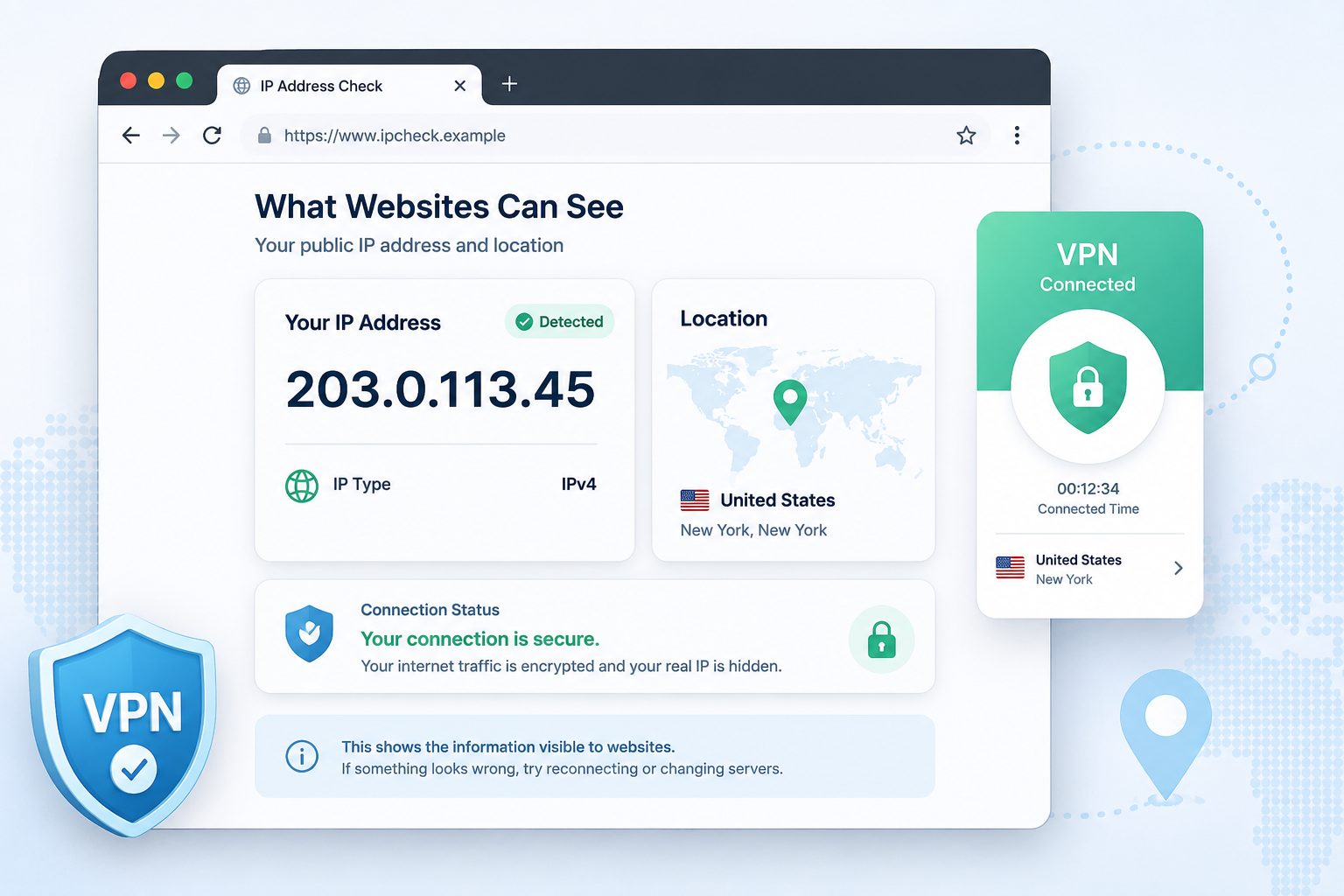
After installing and connecting to a VPN, users should verify that the connection is working as expected. A simple post-connection check can help users see what information websites are detecting.
One practical step is to use an IP address checker after connecting to the VPN. This can show the IP address and approximate location visible to websites. If the real network location still appears, the user may need to reconnect, switch servers, review browser settings, or check whether a leak is occurring.
This kind of test is useful because privacy should be verified, not assumed. A VPN app may show a “connected” status, but users still benefit from confirming what websites can actually see. This is especially important when switching between networks, using public Wi-Fi, changing browsers, or installing a VPN on a new device.
Users can also repeat the check across different browsers or devices. If one browser shows unexpected information while another does not, browser settings or extensions may be part of the issue. This is why VPN safety should include both the app itself and the wider device environment.
Be Careful With Permissions, Ads, and Unnecessary Features
A privacy app should not create new privacy concerns. Before installing a VPN, users should review the permissions it requests and consider whether they make sense.
Some permissions may be necessary for the VPN to function properly. Others may feel unrelated to the service being provided. If an app asks for access that does not match its purpose, users should pause and investigate before accepting.
Advertising is another area to watch. Free products often use ads, but aggressive popups, misleading buttons, or confusing upgrade prompts can create a poor security experience. Users may accidentally click the wrong option, enable unwanted settings, or misunderstand what protection they are actually receiving.
Bundled features should also be explained clearly. Some VPN apps include browser protection, malware warnings, ad blocking, password-related tools, or network security alerts. These features can be useful when implemented responsibly, but users should understand what each feature does and whether it requires additional permissions or data collection.
Match the VPN to the Risk Level
Not every user has the same privacy needs. Someone checking email on airport Wi-Fi has a different risk profile from a journalist, activist, security researcher, or company handling sensitive internal data.
For everyday users, a free VPN may be useful for basic privacy, public Wi-Fi protection, and reducing visible IP exposure. For higher-risk work, users may need stronger controls, paid features, organization-managed tools, stricter logging policies, dedicated security processes, or legal and compliance review.
This distinction matters because it keeps expectations realistic. A VPN can help, but it should be matched to the situation. Users handling sensitive business, legal, financial, or investigative work should not rely on a casual setup without understanding its limits.
A balanced security approach usually includes multiple layers: updated devices, secure browsers, strong passwords, multi-factor authentication, careful app permissions, endpoint protection, and safe network habits. A VPN fits into that picture, but it should not be the only layer.
Free Does Not Mean Careless
A free VPN can be a useful privacy tool, but it should still be treated like a security product. Users should check the privacy policy, understand the business model, review account and bandwidth requirements, look for clear technical protections, and verify what websites can see after connecting.
The safest choice is not always the app with the loudest claims or the most aggressive download button. It is the one that explains its protections clearly, avoids exaggerated promises, and gives users enough information to make an informed decision.
For anyone using a VPN as part of daily browsing, public Wi-Fi protection, or remote work, the rule is simple: do not just connect and assume everything is private. Check the claims, understand the limits, and verify the connection.
INTERESTING POSTS
About the Author:

Gina Lynch is a VPN expert and online privacy advocate who stands for the right to online freedom. She is highly knowledgeable in the field of cybersecurity, with years of experience in researching and writing about the topic. Gina is a strong advocate of digital privacy and strives to educate the public on the importance of keeping their data secure and private. She has become a trusted expert in the field and continues to share her knowledge and advice to help others protect their online identities.



