Want the best Web Scraper APIs? Read on to find out.
The web is a treasure trove of information—news articles, product listings, market trends, reviews, and much more. But tapping into that wealth of data isn’t as simple as opening a browser and clicking around.
With millions of web pages spread across countless domains, extracting useful, structured information at scale requires more than manual effort. This is where Web Scraper APIs come in.
In this guide, we’ll explore what a Web Scraper API is, why it’s essential for businesses, and how industry leaders like Oxylabs, Decodo (formerly Smartproxy, now rebranded), and Webshare are revolutionizing the space.
What is a Web Scraper API?
A Web Scraper API is a specialized tool that allows you to extract data from websites automatically. Instead of building and maintaining complex scrapers on your own, a Web Scraper API handles the heavy lifting—navigating web pages, parsing HTML, managing proxies, and bypassing anti-bot measures.
Think of it as a digital robot that visits websites, collects data like product prices or reviews, and delivers it neatly to your system in a structured format like JSON or CSV.
Key features of a Web Scraper API include:
Automated Data Extraction
Handling Dynamic Content (JavaScript-heavy sites)
Captcha Bypass and Anti-Bot Protection
Rotating Proxies for Anonymity
High Scalability
Error Handling and Retries
Businesses use Web Scraper APIs for:
Market Research
Price Monitoring
SEO Tracking
Brand Monitoring
Sentiment Analysis
Lead Generation
Challenges of Web Scraping: Why an API is Better
Scraping the web isn’t just about sending HTTP requests. Modern websites deploy complex defenses: CAPTCHAs, bot detection, IP bans, geo-restrictions, and ever-changing code structures.
Building a custom scraper is time-consuming and expensive. You’ll need to maintain:
Proxy pools
IP rotation
Headless browsers
Scraper updates when websites change
Anti-bot bypass strategies
A Web Scraper API abstracts all these complexities, saving developers and businesses time, resources, and headaches.
Best Proxies for Web Scraping APIs: Oxylabs, Decodo, and Webshare
Let’s show you the best proxy service providers for the Web Scraper API landscape.
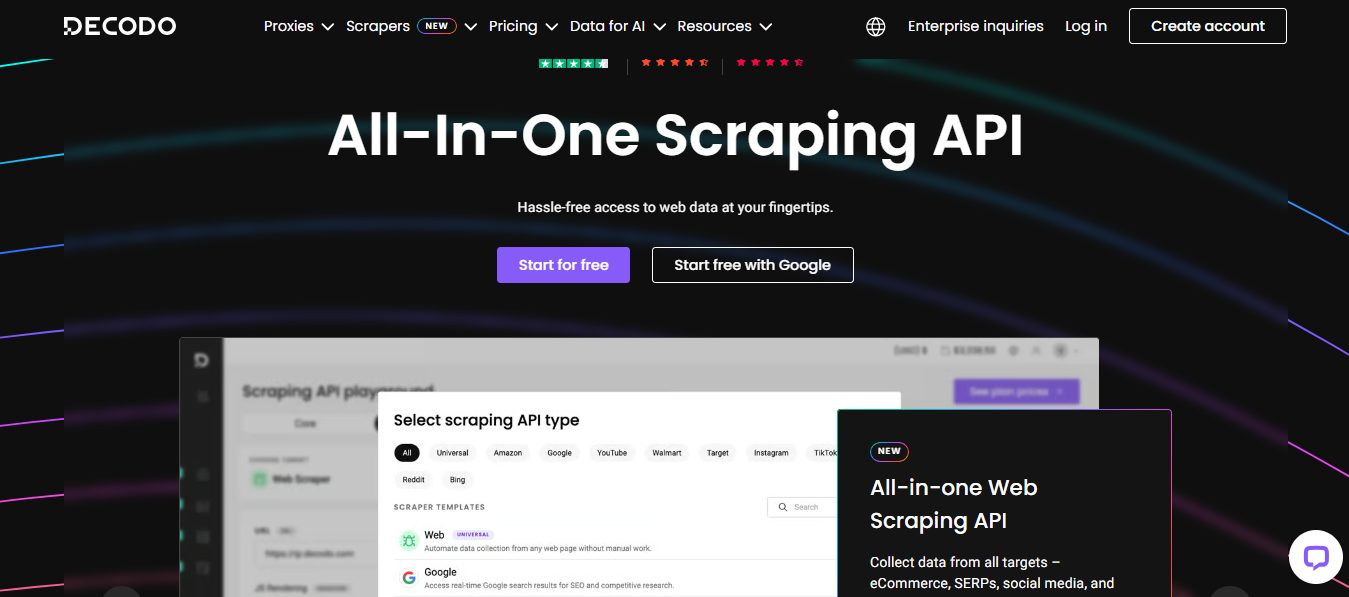
Decodo,formerly known as Smartproxy,has rebranded but retains its core strength– providing a powerful, user-friendly Web Scraping API. Known for its affordablesolutions and developer-friendly tools, Decodo is a go-to for startups, agencies, and SMEs.
Decodo’s Web Scraping API offers:
Easy integration with code examples and API
JavaScript rendering for advanced targets
Automated IP rotation with 125M+ IPs under the hood
Affordable pricing with cost-effective Core and Advanced subscriptiontypes
Advanced geo-targeting with a range of locations available
Decodo empowers businesses to extract web data at scale without the complexity.
Decodo (formerly Smartproxy)
Decodo (formerly Smartproxy) is an AI-powered proxy service and web scraping solutions provider that enables seamless...Show More
Decodo (formerly Smartproxy) is an AI-powered proxy service and web scraping solutions provider that enables seamless, large-scale data extraction with smart, reliable, and cost-effective tools for businesses of any size. Show Less
Oxylabs is a recognized leader in the proxy and scraping industry. Trusted by Fortune 500 companies and startups alike, Oxylabs offers a Web Scraper API that combines unmatched scale, precision, and reliability.
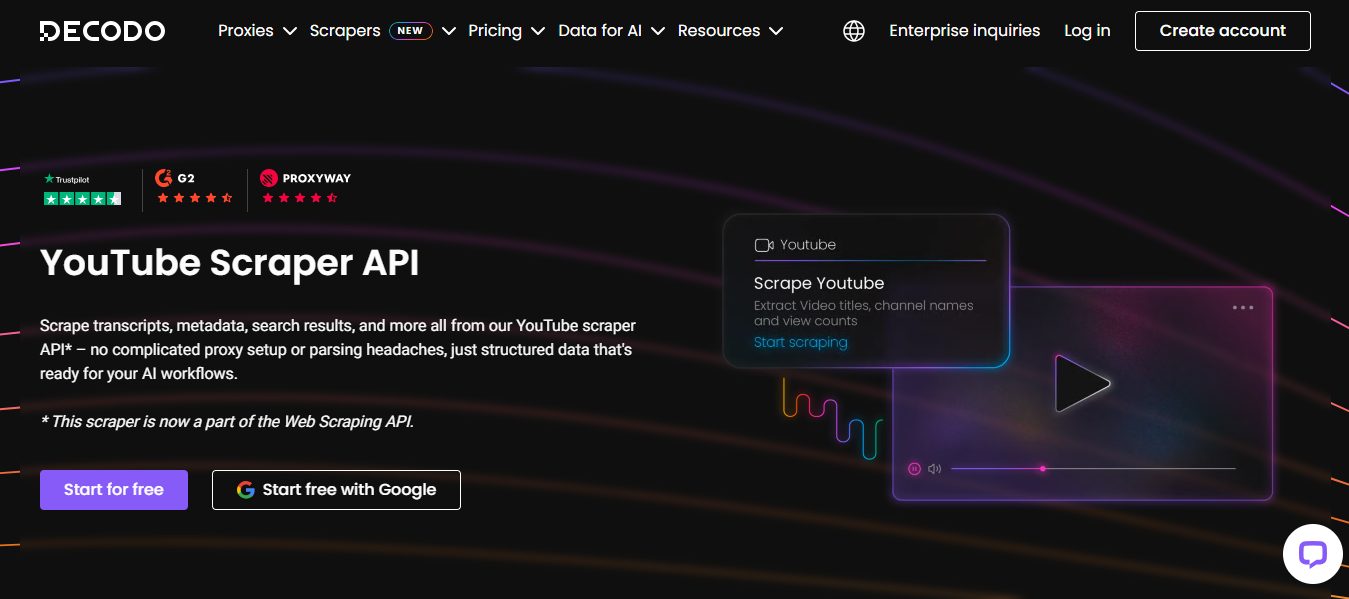
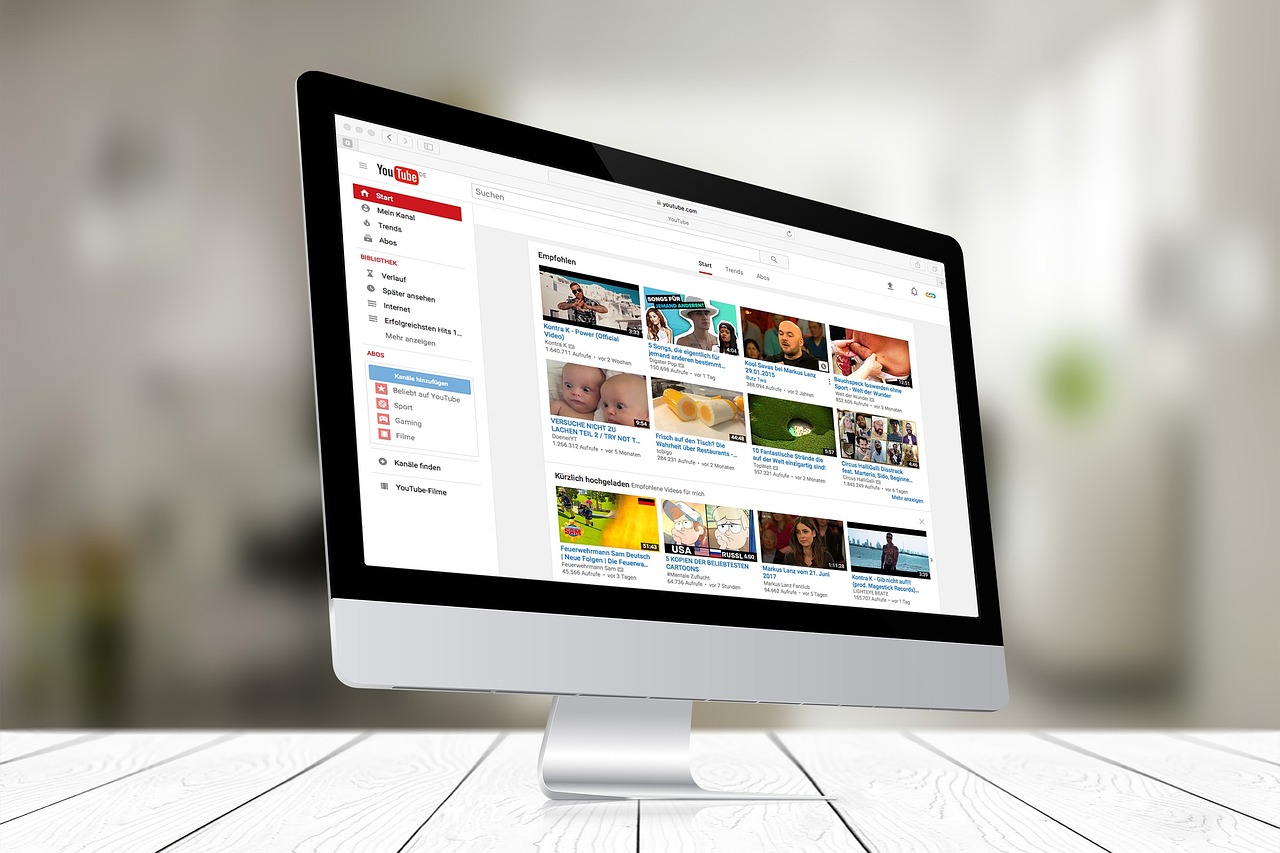
For video-focused data needs, Oxylabs also provides a dedicated YouTube Scraper API, built to extract video metadata, comments, channel uploads, and keyword trends at scale. This makes it a powerful tool for enterprises tracking brand presence, audience sentiment, or influencer marketing campaigns directly on YouTube.
Key features of the Oxylabs Web Scraper API:
High Success Rates (Over 99%) across millions of pages
Smart Bypass Mechanisms for anti-bot systems
Real Browser Rendering for JavaScript-heavy sites
Granular Control – customize headers, geo-targeting, and user agents
24/7 Support and SLAs for enterprise clients
Scalable Infrastructure – perfect for large datasets
Pricing: Starts from $0.95/1K requests
Trial: Unlimited trial for scraping tools (up to 2K results)
With Oxylabs, you’re not just scraping data—you’re getting accurate, actionable insights at scale.
Oxylabs Proxies
Oxylabs Proxies offer enterprise-grade, AI-powered proxy solutions with a massive 175M+ IP pool, ensuring unmatched...Show More
Oxylabs Proxies offer enterprise-grade, AI-powered proxy solutions with a massive 175M+ IP pool, ensuring unmatched reliability, speed, and anonymity for large-scale web scraping and data collection. Show Less
Webshare: The Budget-Friendly, Developer-Loved Option
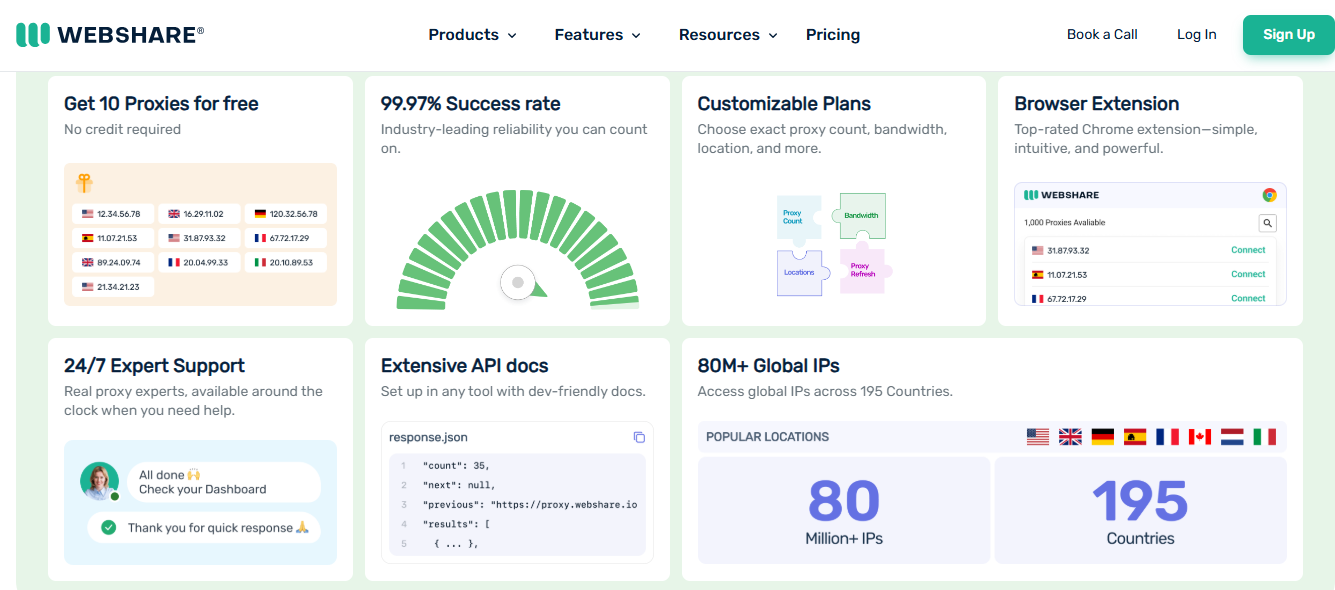
Webshare has carved a niche as the developer’s favorite. Known for its free proxy offerings, Webshare extends its capabilities by supporting Web Scraper API that are easy to set up and deploy.
Unlike Decodo and Oxylabs, Webshare does not have a dedicated Web Scraper API and offers affordable proxies.
Webshare’s perks include:
Generous Free Tiers to get started
Free Chrome proxy extension for seamless web scraping anywhere on the go
Reliable Proxy services
Customizable Parameters for advanced scraping needs
Affordable Plans for long-term scaling
While Webshare may not have the enterprise bells and whistles of Oxylabs, it’s a solid choice for developers and small teams who want cost-effective data extraction.
Webshare Proxies
Webshare Proxies offers high-speed, customizable, and budget-friendly proxy solutions with flexible pricing, ensuring...Show More
Webshare Proxies offers high-speed, customizable, and budget-friendly proxy solutions with flexible pricing, ensuring seamless web scraping, automation, and online anonymity for businesses and individuals. Show Less
Comparing the Titans: Oxylabs vs. Decodo vs. Webshare
Feature
Oxylabs
Decodo (Smartproxy)
Webshare
API Success Rate
99%+
95%+
(No Web Scraper API)
JavaScript Rendering
Yes
Yes
Yes
Proxy Management
Fully Managed (Enterprise)
Built-in
Built-in
Pricing
Premium (Enterprise-Level)
Affordable
Budget-Friendly + Free Tier
Support
24/7 Enterprise Support
Responsive Helpdesk
Community-Based, Limited
Target Audience
Large Enterprises
Startups, Agencies
Developers, Small Teams
Best Web Scraper API
1. ScraperAPI
ScraperAPI is renowned for its simplicity and efficiency in web scraping tasks. It handles IP rotation, CAPTCHAs, and retries, allowing users to scrape any web page with a single API call.
Key Features:
Automatic IP rotation and CAPTCHA handling
Supports JavaScript rendering
Customizable headers and proxies
Real-time analytics and usage tracking
Ideal For: Developers seeking a straightforward solution for large-scale data extraction without the hassle of managing proxies and handling CAPTCHAs manually.
2. Apify
Apify offers a versatile web scraping and automation platform. It provides ready-made actors for common scraping tasks and the ability to create custom actors using JavaScript.
Key Features:
Extensive library of pre-built actors
Custom actor creation with JavaScript
Scalable cloud infrastructure for large datasets
Integrations with various data storage and processing tools
Ideal For: Users looking for a flexible platform that supports both simple and complex scraping tasks, with the added benefit of automation capabilities.
3. ScrapingBee
ScrapingBee simplifies the scraping process by handling headless browsers and proxies. It also offers a powerful Google Search Results API, making it easy to extract structured SERP data without managing the infrastructure yourself. It’s particularly useful for scraping single-page applications built on frameworks like React.js or Angular.js.
Key Features:
JavaScript rendering support
Automatic proxy rotation
Custom headers and cookies
CAPTCHA handling
Ideal For: Developers needing to scrape dynamic websites that require JavaScript execution.
4. ProxyCrawl
ProxyCrawl focuses on enabling web automation through its scraping API. It offers advanced browser emulation capabilities, making it possible to scrape dynamic sites dependent on JavaScript execution.
Key Features:
Advanced browser emulation
Proxy rotation and header randomization
Real-time webhooks and task reports
Powerful filters for accurate data
Ideal For: Users looking to automate web interactions and scrape data from complex, JavaScript-heavy websites.
5. Diffbot
Diffbot utilizes machine learning to transform web pages into structured data. It offers various APIs that can extract data from articles, products, discussions, and more.
Key Features:
Machine learning-powered data extraction
Structured data APIs for different content types
High accuracy in content recognition
Supports multiple languages and formats
Ideal For: Businesses needing to extract structured data from a variety of web content types with high accuracy.
6. ScrapeStorm
ScrapeStorm is designed to handle complex sites protected by robust anti-bot measures. It offers features like JavaScript rendering with Puppeteer and automatic CAPTCHA solving.
Key Features:
JavaScript rendering with Puppeteer
High-quality residential proxies
Automatic CAPTCHA solving
HTML scraping and browser automation
Ideal For: Users needing to scrape data from websites with advanced anti-bot protections.
7. Diggernaut
Diggernaut boasts a vast proxy network integrated into its scraping cloud, allowing for advanced proxy rotation and targeting.
Key Features:
72M constantly changing proxies
Global and country-level targeting
Custom fingerprints per request
Proxy authorization support
Ideal For: Users requiring extensive proxy networks and granular targeting for their scraping tasks.
8. ScrapeOps
ScrapeOps offers specialized scraping infrastructure aimed at retail sites. It includes features like header and cookie rotation, fingerprint spoofing, and fast residential proxies.
Key Features:
Header and cookie rotation
Fingerprint spoofing
Fast residential proxies
Handles tough retail sites
Ideal For: Businesses focusing on scraping data from retail and e-commerce websites.
9. ScrapingAnt
ScrapingAnt provides web scraping features like proxy rotation, custom cookies, and JavaScript snippet execution. It allows users to choose the response format in either HTML or JSON.
ScrapingBee is a user-friendly web scraping API solution, equipped with features that make it a standout choice for developers and businesses.
Key Features:
CAPTCHA handling
JavaScript rendering
IP rotation
Ideal For: Developers and businesses seeking an easy-to-use scraping API with robust features.
Choosing the Right Proxies For Web Scraper API: What Matters Most?
Here’s a quick guide to help you decide:
Go with Oxylabs if you need enterprise-grade reliability, scalability, and guaranteed success rates for high-stakes projects.
Choose Decodo if you want an affordable, user-friendly solution with robust features and no hassle setup.
Pick Webshare if you’re on a budget, prefer a developer-driven solution, and can handle a bit of DIY for the sake of savings.
Real-World Applications: What Can You Scrape with a Web Scraper API?
E-commerce Data – Track competitor pricing, monitor product availability, and analyze customer reviews.
SEO Insights – Analyze SERPs, keyword rankings, and meta data.
Market Research – Gather trend data from news sites, forums, and blogs.
Travel & Hospitality – Scrape hotel rates, flight prices, and reviews.
Financial Data – Track stock prices, exchange rates, and company profiles.
Best Web Scraper API: Frequently Asked Questions
What is a Web Scraper API and how does it work?
A Web Scraper API is an interface that allows developers to programmatically extract data from websites without building their own scraping logic or managing proxies, browsers, or CAPTCHA-solving mechanisms. You simply send a request with a target URL, and the API returns the clean, structured data (HTML, JSON, etc.) as if you’d manually scraped the page.
Why should I use a Web Scraper API instead of building my own scraper?
Building and maintaining your own scraper requires constant updates to handle anti-bot measures like IP blocks, JavaScript rendering, CAPTCHAs, and rate limits. A Web Scraper API handles all of this behind the scenes—giving you scalability, speed, legal protection, and higher success rates with less development effort.
What features should I look for in the best Web Scraper API?
Look for APIs that include rotating proxies, JavaScript rendering, CAPTCHA solving, custom headers support, geo-targeting, and structured data output (like JSON). Some also offer browser emulation and session persistence, which are vital for scraping modern, dynamic websites.
Are Web Scraper APIs legal to use?
Yes, Web Scraper APIs are generally legal when used to extract publicly available data for ethical purposes such as research, SEO analysis, market insights, or price monitoring. However, always review the Terms of Service of the websites you’re scraping and follow local data regulations like GDPR or CCPA.
Can I scrape JavaScript-heavy websites like YouTube, Amazon, or LinkedIn?
Yes, advanced Web Scraper APIs support JavaScript rendering via headless browsers, allowing them to scrape content from dynamic or client-side rendered pages like YouTube, Amazon, LinkedIn, and more. Be aware that some platforms have stronger bot protection and stricter policies—use responsibly.
What’s the difference between a proxy API and a Web Scraper API?
A proxy API only provides access to IP rotation and geolocation but still requires you to write scraping logic and handle rendering. A Web Scraper API, on the other hand, offers a full scraping solution—including proxy handling, rendering, retries, and clean data output—reducing your backend load and dev time.
How do I integrate a Web Scraper API into my application or script?
Most Web Scraper APIs offer RESTful endpoints you can call using Python, Node.js, PHP, or any language with HTTP support. You pass parameters like the target URL, headers, or rendering options. The API returns the result in your preferred format, ready to be parsed or stored in your database.
What are the best use cases for Web Scraper APIs?
Top use cases include:
Price monitoring and comparison
Search engine result page (SERP) tracking
Lead generation and contact scraping
News aggregation and sentiment analysis
App or ad intelligence
Real-time market data feeds
These APIs make it easy to scale such tasks across hundreds or thousands of web pages without infrastructure headaches.
Conclusion: The Future of Data is API-Driven
In a world where data fuels decisions, Web Scraper APIs are the engines powering smart insights. Whether you’re a startup hunting for market trends or an enterprise tracking billions of data points, a solid Web Scraper API is your key to unlocking the web’s potential.
With leaders like Oxylabs, Decodo (formerly Smartproxy), and Webshare, you’re spoiled for choice for the best Proxies for Web scraper APIs. Each brings unique strengths to the table—Oxylabs for enterprise power, Decodo for affordable scale, and Webshare for developer-friendly proxy service providers.
The question is no longer if you need a Web Scraper API—it’s which one will help you dominate your data strategy.
In this post, I will discuss the common proxy errors and how to fix them.
Proxy servers play a critical role in improving privacy, enabling anonymous browsing, managing multiple connections, and supporting tasks like web scraping and data collection. Whether you’re using residential proxies for business intelligence or proxy servers for everyday privacy, occasional connection issues are inevitable.
Understanding the most common proxy errors can save you time and reduce frustration. Instead of assuming your proxy provider is at fault, knowing how to diagnose and fix these problems can quickly restore your connection.
In this guide, you’ll learn the most common proxy errors, what causes them, practical troubleshooting steps, and how to choose a reliable residential proxy provider that minimizes these issues.
What Are Proxy Errors?
A proxy error occurs when your device cannot successfully communicate with a proxy server or when the proxy server cannot complete your request.
The cause may be as simple as incorrect proxy settings or as complex as IP bans, authentication failures, network congestion, or temporary server outages.
Fortunately, most proxy errors are relatively easy to resolve once you understand what they mean.
Common Proxy Errors and How to Fix Them
1. Proxy Authentication Failed (407 Error)
A 407 Proxy Authentication Required error indicates that the proxy server rejected your credentials.
Common causes:
Incorrect username or password
Expired subscription
Invalid authentication method
Incorrect IP authentication
How to fix it:
Verify your login credentials.
Confirm your subscription is active.
Check whether your proxy provider uses username/password authentication or IP whitelisting.
Update your application with the latest authentication details.
2. Connection Timed Out
This error occurs when your device waits too long for the proxy server to respond.
Possible causes:
Slow internet connection
Overloaded proxy server
Network congestion
Firewall restrictions
Solutions:
Test your internet connection.
Switch to another proxy server.
Increase the timeout value in your software.
Disable restrictive firewall rules if appropriate.
3. Connection Refused
A connection refused error means the destination proxy server actively rejected the request.
Typical reasons include:
Wrong proxy address
Incorrect port number
Offline proxy server
Firewall blocking access
How to resolve it:
Double-check the proxy IP and port.
Test another server from the same provider.
Contact customer support if the server remains unavailable.
4. IP Address Blocked
Many websites actively detect and block suspicious traffic.
This is especially common during:
Web scraping
Automated testing
High-volume data collection
Possible fixes:
Enable IP rotation.
Reduce request frequency.
Use residential proxies instead of datacenter proxies.
Rotate user agents alongside proxy rotation.
A high-quality residential proxy network significantly reduces the likelihood of IP bans because requests originate from real residential IP addresses.
5. DNS Resolution Errors
Sometimes the proxy works correctly, but it cannot resolve the website’s domain name.
Before contacting your proxy provider, work through this checklist:
Problem
Quick Fix
Authentication failed
Verify username, password, or IP whitelist
Connection timeout
Try another proxy server
Connection refused
Check IP address and port
Slow performance
Switch locations or servers
Blocked IP
Enable IP rotation
DNS errors
Change DNS settings
SSL errors
Verify HTTPS configuration
Editor’s Choice: Best Residential Proxy Providers
Reliable providers greatly reduce the frequency of common proxy errors by maintaining stable infrastructure, large IP pools, and responsive support.
🥇 1. Oxylabs — Best for Enterprise & Large-Scale Data Collection
Oxylabs earns the Editor’s Choice position thanks to its extensive residential proxy network and enterprise-grade infrastructure.
Key strengths include:
Massive residential proxy network
Premium reliability
Advanced geographic targeting
High connection success rates
Excellent support for web scraping
Market intelligence projects
Large-scale data collection
Its combination of performance, stability, and enterprise-focused features makes it an excellent choice for organizations that require dependable proxy servers for demanding workloads. Individual users with advanced needs may also benefit from its robust platform.
Oxylabs Proxies
Oxylabs Proxies offer enterprise-grade, AI-powered proxy solutions with a massive 175M+ IP pool, ensuring unmatched...Show More
Oxylabs Proxies offer enterprise-grade, AI-powered proxy solutions with a massive 175M+ IP pool, ensuring unmatched reliability, speed, and anonymity for large-scale web scraping and data collection. Show Less
🥈 2. Decodo — Best Overall Residential Proxy Provider
Decodo offers an impressive balance between affordability, usability, and performance.
Highlights include:
Beginner-friendly dashboard
Reliable residential proxies
Rotating proxies
Fast setup
API support
Helpful documentation
Suitable for businesses and individuals
It’s an excellent option for users seeking reliable anonymous browsing, automation, and data collection without unnecessary complexity.
Decodo (formerly Smartproxy)
Decodo (formerly Smartproxy) provides powerful, user-friendly proxy and web scraping solutions that make large-scale...Show More
Decodo (formerly Smartproxy) provides powerful, user-friendly proxy and web scraping solutions that make large-scale data access effortless, efficient, and cost-effective. Show Less
🥉 3. Webshare — Best Budget-Friendly Residential Proxy Provider
Webshare stands out as one of the best value-oriented proxy providers.
Advantages include:
Affordable pricing
Free plan availability for eligible users
Easy setup
Reliable residential proxies
Good performance
Great for developers
Suitable for freelancers
Helpful for students and small businesses
For users with limited budgets, Webshare offers an accessible entry point into residential proxies while maintaining dependable performance.
Webshare
Webshare delivers fast, affordable, and customizable proxy solutions designed to give businesses and developers seamless...Show More
Webshare delivers fast, affordable, and customizable proxy solutions designed to give businesses and developers seamless access to reliable data at scale. Show Less
Provider Comparison
Provider
Best For
Key Strength
Oxylabs
Overall
Balance of performance & value
Decodo
Enterprise
Large-scale proxy infrastructure
Webshare
Budget
Affordable and easy to use
Other Residential Proxy Providers Worth Considering
Several other reputable providers also offer quality residential proxy services:
Mars Proxies – Good option for individuals and smaller automation projects.
IPRoyal – Flexible pricing and a growing residential proxy network.
Bright Data – Extensive feature set with advanced targeting capabilities.
SOAX – Known for granular location filtering and rotating residential IPs.
NetNut – Focuses on fast connections with direct ISP relationships.
ProxyEmpire – Offers rotating residential proxies with global coverage.
Rayobyte – Provides proxy solutions suitable for developers and businesses.
Infatica – Supports web scraping and business intelligence projects.
Live Proxies – Offers residential and mobile proxy solutions for various use cases.
Each provider has unique strengths, making them suitable for different budgets and technical requirements.
How to Choose the Right Residential Proxy Provider
Not every proxy provider is the right fit for every use case.
Consider the following factors before making a decision:
Pricing and subscription flexibility
Performance and uptime
Reliability of the infrastructure
Residential proxy network size
Geographic coverage
IP rotation options
Ease of dashboard management
API availability
Customer support quality
Security features
Scalability for future growth
The right provider should match both your technical needs and budget rather than simply offering the largest IP pool.
Frequently Asked Questions
Are residential proxies better than datacenter proxies?
Residential proxies use real residential IP addresses, making them more suitable for anonymous browsing, web scraping, and accessing websites with stricter anti-bot systems.
Why does my proxy keep disconnecting?
Frequent disconnections may result from unstable internet connections, overloaded servers, expired credentials, or incorrect proxy settings.
Does IP rotation improve reliability?
Yes. IP rotation helps distribute requests across multiple addresses, reducing the likelihood of IP bans and improving long-running automation tasks.
Can proxy errors affect web scraping?
Yes. Authentication failures, blocked IPs, connection timeouts, and DNS issues can interrupt scraping tasks and reduce data collection efficiency.
How do I know if my proxy server is working?
You can visit an IP-checking website or use your provider’s testing tools to verify that your public IP matches the assigned proxy.
Should businesses use residential proxies?
Many businesses use residential proxies for market research, SEO monitoring, ad verification, and competitive intelligence because they provide more authentic-looking traffic.
Conclusion
Proxy errors are a normal part of using proxy servers, but most can be resolved with proper troubleshooting. Authentication issues, timeouts, blocked IPs, DNS failures, and SSL errors often have straightforward solutions, especially when you’re using a reputable provider with reliable infrastructure.
For users seeking enterprise-grade performance and large-scale data collection, Oxylabs is an excellent choice. Decodo offers a strong balance of usability and performance for businesses and individuals, while Webshare provides an affordable option for developers, freelancers, students, and smaller teams.
As SecureBlitz continues expanding its privacy and security resources, consider linking this guide with related articles covering VPNs, cybersecurity best practices, password managers, antivirus software, privacy-focused browsers, web scraping techniques, and AI tools. These complementary resources can help readers build a more secure and efficient online workflow.
This article is intended as an educational guide to help readers understand common proxy issues and make informed decisions based on their specific requirements.
Want the best YouTube Scraper? Read on to find out.
In today’s data-driven world, YouTube has evolved from a video-sharing platform to a goldmine of valuable insights. With over 2.5 billion users and hundreds of millions of videos, the platform holds immense potential for businesses, developers, researchers, marketers, and content strategists.
However, accessing structured YouTube data at scale manually is nearly impossible. That’s where YouTube scraping comes in—a powerful solution for programmatically extracting publicly available data from the platform.
In this detailed guide, we’ll explore everything you need to know about YouTube scrapers, their uses, legal considerations, and how to choose the best scraper provider. We’ll also spotlight three of the leading brands—Oxylabs, Webshare, and Decodo—who offer cutting-edge solutions to empower your scraping operations.
What is a YouTube Scraper?
A YouTube scraper is a tool, script, or API designed to extract publicly available data from YouTube’s front-end. This can include:
Video metadata (titles, views, likes, dislikes, upload date)
Channel information (subscribers, video count, etc.)
Comments and comment metadata
Tags and keywords
Search results
Trending videos
Suggested videos
Playlists
Video transcripts
Rather than scrolling through endless videos manually, scrapers allow for automated bulk data collection, which can be stored, analyzed, or visualized for business intelligence.
Why Scrape YouTube?
There are multiple use cases for YouTube scraping across various industries:
✅ 1. Market Research & Trend Analysis
Brands and creators want to know which content performs well. Scraping YouTube helps detect trends, viral formats, and audience preferences.
✅ 2. Sentiment Analysis
Scraping video comments and analyzing sentiment offers insight into public opinion on products, campaigns, or personalities.
✅ 3. SEO & Content Strategy
By scraping keywords, titles, and tags of high-ranking videos, creators can optimize their own content for better visibility.
✅ 4. Competitor Intelligence
Business can monitor what competitors are uploading, their engagement rates, and content strategies.
✅ 5. Academic Research
Researchers use YouTube scraping to analyze discourse, behavior, and trends across demographics.
YouTube Scraping Challenges
While scraping offers powerful advantages, it also comes with challenges:
IP blocking: YouTube may block your IP for too many requests.
Rate limits: Too many requests too quickly trigger defenses.
Data structure changes: YouTube constantly updates its UI and backend.
Captcha and bot detection: Automation triggers challenges.
Legal considerations: Always scrape only public data, respect terms of service, and comply with local laws.
To overcome these, a robust scraping infrastructure is required—and that’s where premium proxy + API providers like Oxylabs, Webshare, and Decodo come in.
Oxylabs is one of the most respected data collection companies, offering advanced residential and datacenter proxies as well as dedicated YouTube Scraper APIs.
This makes it an excellent choice for enterprises that need reliable video metadata extraction, large-scale comment analysis, and keyword trend tracking directly from YouTube.
Why Choose Oxylabs for YouTube Scraping?
Dedicated Scraper API for YouTube
Built-in CAPTCHA solving and retries
Automatic parsing of structured YouTube data
Global residential and mobile proxies
24/7 enterprise support
Seamless integration with Python, Node.js, and more
Trial: Unlimited trial for scraping tools (up to 2K results)
⚠️ Note: Oxylabs’ YouTube scraper does not offer any discounts.
Use Case: An eCommerce brand used Oxylabs to scrape thousands of product reviews and video unboxings from YouTube weekly, combining it with sentiment analysis to guide product strategy.
Oxylabs
Oxylabs is a leading proxy and web scraping solutions provider that empowers businesses with reliable, high-speed, and...Show More
Oxylabs is a leading proxy and web scraping solutions provider that empowers businesses with reliable, high-speed, and scalable data-gathering tools to stay ahead of the competition. Show Less
Decodo (formerly Smartproxy) emerged as an advanced scraping solution, deliveringrobust proxy support alongside AI-driven data collection tools optimized for large-scale scraping, LLM training, and real-time market intelligence.
Why Decodo is Great for YouTube Data Collection
125M+ IPs across 195+ locations
Advanced anti-bot bypassing and IP rotation
Real-time or on-demand data collection
100+ ready-made scraping templates
Intuitive dashboard with built-in statistics
Use Case: A content strategy agency leveraged Decodo’s scraping infrastructure totrack performance metrics and conduct keyword research across the top 100 YouTube tech channels.
Decodo (formerly Smartproxy)
Decodo (formerly Smartproxy) YouTube proxies provide high-quality, secure, and geo-flexible access that ensures smooth...Show More
Decodo (formerly Smartproxy) YouTube proxies provide high-quality, secure, and geo-flexible access that ensures smooth streaming, scraping, and account management on YouTube without blocks or interruptions. Show Less
Webshare is known for its developer-first approach, offering some of the most affordable rotating datacenter proxies, ideal for lightweight and medium-scale YouTube scraping.
Users are now also able to make a custom query for obtaining Webshare’s new YouTube proxies, specifically designed for bandwidth-intensive use cases like video scraping, and AI dataset generation.
Why Webshare Stands Out
Affordable proxy packages for startups and developers
Easy-to-navigate dashboard
Instant activation
High-speed datacenter proxies optimized for smaller-scale video YouTube scraping tasks
YouTube proxies tailored for larger, more intense YouTube scraping tasks
Compatible with browser automation tools (Puppeteer, Playwright)
Use Case: A small digital agency built a real-time dashboard tracking the most-commented YouTube videos on political topics, powered by Webshare’s proxies.
Webshare
Webshare YouTube proxies deliver fast, reliable, and secure connections that let you bypass restrictions and stream...Show More
Webshare YouTube proxies deliver fast, reliable, and secure connections that let you bypass restrictions and stream, scrape, or manage multiple YouTube accounts seamlessly without interruptions. Show Less
🔍 Other Notable YouTube Scraper APIs Worth Exploring
⭐ 4. IPRoyal – Budget-Friendly and Private Scraping Proxies
IPRoyal has steadily become a go-to provider for scraping projects that require reliability without breaking the bank. Their YouTube scraping solution isn’t a full API, but with their premium rotating proxies, developers can build or run custom scraping scripts efficiently.
Why IPRoyal Is a Solid Choice for YouTube Scraping:
Access to a Royal Residential Proxy pool with ethically-sourced IPs
Offers static (ISP) and rotating proxies optimized for scraping
User-friendly dashboard and robust API access
Suitable for scraping YouTube search results, channel analytics, and video metadata
Competitive rates and flexible bandwidth options
No CAPTCHAs when paired with headless browser setup
Use Case: A freelance growth marketer used IPRoyal to scrape thousands of trending video thumbnails and metadata for a YouTube trend-tracking app.
⭐ 5. Bright Data – The Full-Fledged YouTube Scraper Platform
Formerly known as Luminati, Bright Data provides one of the most sophisticated scraping infrastructures in the industry. They offer a YouTube Scraper API with automatic parsing, rotating IPs, built-in CAPTCHA solving, and legal compliance systems.
Highlights:
AI-powered scraper for real-time YouTube results
Choose between residential, datacenter, and mobile proxies
99.99% uptime with real-time monitoring
GDPR & CCPA compliance included
Ideal for large-scale, legally-sensitive scraping operations
Use Case: A media analytics firm relied on Bright Data to monitor YouTube influencer engagement metrics across five countries daily.
⭐ 6. ScraperAPI – Plug-and-Play YouTube Scraping
ScraperAPI doesn’t specialize in YouTube scraping per se, but it’s ideal for developers wanting an easy plug-and-play REST API to power their custom scripts.
Features:
Rotates IPs, handles CAPTCHAs, and retries failed requests automatically
Supports JavaScript-heavy YouTube pages via headless rendering
Generous free tier (5,000 requests/month)
Works with Python, cURL, PHP, and Node.js
Use Case: A SaaS tool scraped YouTube comments and video titles using ScraperAPI to detect trending sentiment keywords per niche.
⭐ 7. SerpApi – YouTube Data via Google Search
SerpApi offers Google Search API that includes YouTube video results. It doesn’t scrape directly from YouTube but pulls video data as it appears on Google SERPs.
Pros:
No scraping infrastructure needed
JSON responses with parsed YouTube data
Easy filtering for location, language, and time
Built-in accuracy monitoring
Use Case: A local SEO agency used SerpApi to monitor which YouTube videos ranked highest in Google for location-based keywords.
How to Choose the Right YouTube Scraper API
🔸 Ask Yourself:
What’s your scraping volume?
Do you need residential or datacenter proxies?
Do you require an API with built-in parsing?
Do you need global IP diversity?
Do you prioritize cost or enterprise reliability?
Here’s a comparison table to help guide you:
Feature
Oxylabs
Webshare
Decodo (Smartproxy)
Scraper API for YouTube
✅ Yes
❌ Not native
✅ Yes
Residential Proxies
✅ Yes
❌ No
✅ Yes
Datacenter Proxies
✅ Yes
✅ Yes
✅ Yes
CAPTCHA Handling
✅ Advanced
⚠️ Manual
✅ Built-in
IP Pool Size
100M+
30K+
40M+
Free Trial
✅ On request
✅ Yes
✅ Yes
Ideal Use Case
Enterprise
Developers
Agencies, Freelancers
How to Start Scraping YouTube Responsibly
Use Rotating Proxies – Switch IPs per request.
Respect Rate Limits – Space out requests to mimic human behavior.
Use Headless Browsers – Tools like Puppeteer and Playwright help bypass JavaScript-based loads.
Yes—if you’re scraping publicly accessible data (e.g., video titles, view counts, channel names). You must avoid accessing private data, impersonating users, or violating YouTube’s terms of service. To stay safe, ensure GDPR/CCPA compliance and avoid excessive requests.
2. Can I use YouTube’s API instead of scraping?
YouTube’s official API is helpful but comes with rate limits, restricted access to certain data, and strict quotas. It may also not support all use cases like scraping trending comment threads or multiple search queries in parallel. Scraping allows for more flexibility but requires more caution.
3. What programming languages can I use for YouTube scraping?
Most YouTube scraping tools support Python, Node.js, PHP, Ruby, and Java. Libraries like BeautifulSoup, Puppeteer, Playwright, and Selenium are commonly used in tandem with scraping proxies or APIs.
4. What are the best proxies for scraping YouTube?
The best proxies depend on your volume and goals:
Residential proxies (like Oxylabs, Decodo, IPRoyal) are ideal for high-trust scraping with fewer bans.
Datacenter proxies (like Webshare) are budget-friendly and faster for smaller tasks.
Rotating proxies ensure new IPs per request, reducing footprint and blocks.
5. What data can I scrape from YouTube?
With the right setup, you can scrape:
Video titles, views, likes/dislikes, duration, tags
Channel data: subscriber count, number of uploads
Trending video lists
Search results (titles + snippets)
Comments and replies
Playlist content
Related video suggestions
Upload frequency and engagement
Final Thoughts
Scraping YouTube gives you access to a universe of insights—from tracking audience behavior to identifying keyword trends and monitoring competitors. The key is using the right tools and partners.
If you’re just starting out or building at scale, don’t reinvent the wheel. Use robust providers like Oxylabs, Webshare, and Decodo to simplify your operations and ensure accuracy, reliability, and compliance.
Remember: the power of data lies in what you do with it.
Here is the ultimate guide to proxy service. Discover the best proxy service providers in 2026. Learn how proxies work, when to use them, and which service fits your needs.
In today’s hyper-connected, data-driven world, a proxy service is no longer just a tool for anonymity — it’s infrastructure.
Whether you’re scraping data, managing social media accounts, running ads, bypassing geo-blocks, or securing your identity online, a proxy service is critical. It allows you to mask your real IP address, rotate through multiple locations, prevent bans, and automate safely across the web.
But with the growing sophistication of anti-bot mechanisms, you can’t just use any proxy provider. You need intelligent, fast, reliable proxy services — ones that integrate with your workflows, offer massive IP pools, and come backed by real customer support and performance SLAs.
This tutorial will break down:
What a proxy service is
The different types: residential, datacenter, mobile, ISP
How proxy rotation works
When and why to use proxies
The Top 3 Editor’s Choice proxy service providers
Other powerful proxy providers to consider
Real-world use cases and integrations
🚀 Editor’s Choice: Top 3 Proxy Service Providers (2026)
After evaluating over a dozen proxy vendors based on performance, pricing, infrastructure, customer support, and use case flexibility, here are our top 3 picks for 2026:
🥇 1. Oxylabs — Best Enterprise Proxy Service for Web Intelligence and Scraping
Proxy Types: Residential, Mobile, ISP, Datacenter Specialties: Enterprise-scale web scraping, AI-driven data pipelines, global coverage Starting Price: Starts from $4/GB Free Trial: Unlimited trial for scraping tools (up to 2K results)
Why Oxylabs Tops the List
Oxylabs is the gold standard in the proxy industry. Trusted by Fortune 500s, it delivers ethical, stable, and high-volume access to the internet through millions of residential, mobile, and datacenter IPs across 190+ countries.
Their Web Scraper API, Real-Time Crawler, and Next-Gen Residential Proxies are ideal for advanced use cases like:
E-commerce and SEO data scraping
Market research
Brand protection
Price monitoring
Ad verification
Beyond these, Oxylabs also provides a dedicated YouTube Scraper — a specialized API designed for extracting video metadata, comments, channel uploads, and keyword trends at scale.
This makes it an excellent tool for enterprises tracking brand presence, monitoring influencer campaigns, or analyzing audience sentiment directly from YouTube’s ecosystem.
Standout Features
Over 175M+ IPs (residential + datacenter)
Supports JavaScript rendering
Built-in CAPTCHA solving
Excellent proxy health monitoring tools
Dedicated account managers and 24/7 enterprise support
Perfect For
Enterprises, data agencies, developers, and SaaS teams that require reliable proxy rotation and scale.
⚠️ Please note: Oxylabs’ YouTube scraper does not offer any discounts.
Oxylabs Proxies
Oxylabs Proxies offer enterprise-grade, AI-powered proxy solutions with a massive 175M+ IP pool, ensuring unmatched...Show More
Oxylabs Proxies offer enterprise-grade, AI-powered proxy solutions with a massive 175M+ IP pool, ensuring unmatched reliability, speed, and anonymity for large-scale web scraping and data collection. Show Less
🥈 2. Webshare — Best Budget-Friendly Proxy Service for Developers and Startups
Proxy Types: Datacenter (Shared/Private/Dedicated), Static Residential (Shared/Private/Dedicated), Rotating Residential Specialties: Developer-first tools, low-cost scraping, automation Starting Price: Free plan available; paid from $2.99/month Free Tier: Yes, includes 10 free datacenter proxies & 1GB/month of free bandwidth
Why We Love Webshare
Webshare delivers performance and affordability like no other provider. It’s ideal for startups, coders, or individuals building scrapers, bots, or automation tools that need clean IPs without breaking the bank.
Webshare is developer-centric, with:
Easy API access
Unlimited bandwidth plans
Flexible IP rotation controls
Support for SOCKS5 and HTTPS
80M+ IP pool & 195+ country coverage
Extensive Academy learning hub
Standout Features
Free datacenter proxies
Daily fresh proxy list
Authentication via user/pass or IP whitelist
Live usage stats and monitoring
Free Chrome proxy extension
Perfect For
Python developers, students, solopreneurs, and tech startups who want reliable proxy access without enterprise costs.
Webshare
Webshare delivers fast, affordable, and customizable proxy solutions designed to give businesses and developers seamless...Show More
Webshare delivers fast, affordable, and customizable proxy solutions designed to give businesses and developers seamless access to reliable data at scale. Show Less
Proxy Types: Residential, ISP, Mobile, Datacenter and Site Unblocker Specialties: Easy integration, browser extension, scraping tools Starting Price: $1.5/GB Residential, $0.27/IP ISP, $4.5/GB Mobile, $0.026/IP Datacenter, $1.6/1K req Site Unblocker Trial Option: 3-day free trial with 100MB
Why Decodo Excels
Decodo balances advanced proxies with user-friendliness,making it perfect formarketers, agencies, and even beginners. Whether you’re scraping search engines, doing social media automation, or bypassing geo-restrictions, Decodo makes it easy.
The rebrand from Smartproxy brings fresh UI, improved documentation, AI-powered tools, and a focus on hybrid users – both coders and non-coders.
Standout Features
125M+ IP pool
195+ global locations
User-friendly dashboard
Free tools with every subscription
99.99% uptime
#1 response time in the market
24/7 tech support
Extensive documentation
Easy integration with third-party tools
Perfect For
Digital marketers, SEO experts, researchers, fast-growing companies, and those looking for plug-and-play proxies with 24/7 support.
Decodo (formerly Smartproxy)
Decodo (formerly Smartproxy) provides powerful, user-friendly proxy and web scraping solutions that make large-scale...Show More
Decodo (formerly Smartproxy) provides powerful, user-friendly proxy and web scraping solutions that make large-scale data access effortless, efficient, and cost-effective. Show Less
📘 Understanding Proxy Service Types: Know What You’re Buying
A top proxy service should offer the right proxy type for your needs. Here’s a breakdown:
🔹 Residential Proxies
IPs provided by real residential devices. Ideal for:
Data scraping
Sneaker bots
Ad verification
Account creation
🔹 Datacenter Proxies
Fast, low-cost proxies hosted in data centers. Ideal for:
Basic scraping
Web automation
Bypassing geo-blocks (non-sensitive sites)
🔹 Mobile Proxies
IPs from real 3G/4G/5G devices. Ideal for:
Social media automation
Ad testing
Avoiding bot detection
🔹 ISP Proxies
Hybrid proxies — datacenter speed with residential legitimacy. Ideal for:
E-commerce scraping
Competitive research
Reputation monitoring
🔧 How a Proxy Service Works (With Rotation Explained)
You configure your script, bot, or scraper to use a proxy IP.
The proxy server masks your IP, routing requests through an intermediary IP.
MarsProxies is a performance-oriented proxy provider offering low-latency, high-thread proxy infrastructure.
Developers building SEO trackers, sneaker bots, or large-scale scrapers will benefit from their blazing-fast datacenter IPs, stable rotation, and optimized back-end routing.
Highlights:
High concurrency support
Premium uptime and low block rates
Instant delivery and easy dashboard
Flexible packages for scaling projects
2. IPRoyal – Best Pay-As-You-Go Residential Proxy Service
Proxy Types: Residential, Datacenter, Mobile Strength: Usage-based billing, affordable access Price: From $0.80/GB
IPRoyal offers flexible pricing without subscriptions, making it ideal for freelancers, one-time scraping projects, and developers testing smaller apps.
The pay-as-you-go model is perfect for cost control and prototyping without monthly commitments.
Highlights:
Pay-per-GB model for residential and mobile proxies
Real-user IP pool with high trust scores
Sneaker and gaming proxies available
Browser and script-friendly authentication
3. Nodemaven – Best Dev-Oriented Proxy Service With API Focus
Proxy Types: Residential, ISP Strength: Developer APIs, detailed logs, session control Price: From $12/month
Nodemaven is tailored for tech teams that need API-level access to proxy sessions, rotation, and logging.
With advanced usage metrics and DevOps integration support, it’s great for AI data pipelines, bot automation, and complex workflows.
Highlights:
Full-featured proxy API (token-based)
Smart IP rotation and geo-targeting
Sticky session support for logins
Simple Python & Node.js integration guides
4. NetNut – Best for Static Residential IPs
Proxy Types: Static Residential (ISP) Strength: Speed, session persistence, direct ISP IPs Price: From $100/month
NetNut specializes in non-rotating static residential proxies, backed by direct ISP connections.
Ideal for account management, long sessions, ad testing, and stealth tasks that require stable identities without IP churn.
Highlights:
Session-stable static IPs
No peer-to-peer or end-user dependency
Great for login-based apps and persistent scraping
High-speed connection via Tier-1 ISPs
5. Proxyrack – Best for Scalable, Unlimited Bandwidth Residential Proxies
Proxy Types: Residential, Datacenter, Rotating Strength: Scalable bandwidth with massive IP pool Price: From $49.95/month
Proxyrack is known for offering unmetered residential proxy plans, making it ideal for businesses and developers who require high volumes of data scraping without worrying about bandwidth limits.
Their rotating residential proxy pool supports over 2 million IPs globally and is optimized for search engines, e-commerce, and content scraping.
Highlights:
Unlimited bandwidth on select plans
Multi-threaded scraping support
Fast proxy switch and rotation intervals
Easy integration with Python, Puppeteer, or browser bots
6. ProxyEmpire – Best for Geo-Targeted Proxy Access
Proxy Types: Residential, Mobile Strength: Geo-specific IPs down to the city level Price: From $10/GB
ProxyEmpire delivers pinpoint geo-targeting across its residential and mobile proxy network, allowing access to IPs based on country, region, city, or ASN.
Perfect for SERP tracking, market research, and multilingual content scraping.
Highlights:
150+ countries supported
Pay-as-you-go bandwidth or subscription plans
ASN and city-level targeting
Easy filtering dashboard and API access
7. Storm Proxies – Best for Simplicity and Small Teams
Storm Proxies is ideal for teams, solo developers, or beginners looking for an easy way to start using proxies.
The setup is simple, with automatic port-based IP rotation and minimal configuration required.
Highlights:
Unlimited bandwidth (datacenter)
1-click proxy rotation setup
Great for tools like GSA, Scrapebox, and SEO AutoPilot
No advanced tech knowledge needed
8. Bright Data (formerly Luminati) – Best for Compliance & Scale
Proxy Types: Residential, ISP, Datacenter, Mobile Strength: Massive pool, enterprise tools, ethical sourcing Price: From $15/GB
Bright Data is the industry titan, offering over 72 million IPs, rigorous compliance, and advanced scraping automation tools.
Designed for regulated use cases, it’s a go-to for enterprise-grade data extraction across industries like fintech, retail, and legal.
Highlights:
Proxy Manager with fine-grained rules
Auto CAPTCHA-solving and browser emulation
Global support with legal transparency
24/7 enterprise-grade support and monitoring
9. Proxy-Cheap – Best for Affordable Mobile Proxy Plans
Proxy Types: Mobile (4G/5G), Residential, Datacenter Strength: Mobile IPs on a budget Price: From $9/month
As its name suggests, Proxy-Cheap offers affordable proxy solutions, particularly for mobile automation and app testing.
With support for rotating 4G/5G IPs, it’s ideal for Instagram bots, ad placement, and Android emulation.
Highlights:
Global mobile proxy pools
Sticky and rotating sessions
Simple panel with usage tracking
Cryptocurrency payments accepted
10. Shifter – Best Peer-to-Peer Proxy Network for Anonymity
Proxy Types: P2P Residential Strength: Scale, anonymity, large IP pool Price: From $125/month
Shifter (formerly Microleaves) is one of the largest P2P residential proxy providers with a strong focus on anonymity, scale, and rotating access.
Great for stealth data gathering where source diversity is crucial.
Highlights:
100M+ residential IPs
Unlimited bandwidth
Sticky or rotating sessions
Ideal for mass market research or stealth scraping
11. SOAX – Best for Precision and Targeting Granularity
Proxy Types: Residential, Mobile Strength: Clean IPs + advanced filters (ASN/city/ISP) Price: From $99/month
SOAX stands out with its ultra-clean IP pool and hyper-accurate geo-targeting. Whether you need country, city, provider, or ASN-level control, SOAX gives you surgical-level IP filtering.
Highlights:
Fresh, verified IPs
Full targeting stack: country, city, ASN, ISP
Real-time usage insights
Transparent pricing and helpful documentation
12. GeoSurf – Best for Corporate Market Research & Ad Verification
Proxy Types: Residential, Mobile Strength: Precision geo-targeting, enterprise tools Price: From $50/month
GeoSurf offers enterprise-focused proxy access with legal compliance and deep geo-targeting capabilities.
Trusted by ad networks and digital intelligence teams, it excels in ad verification, competitive tracking, and affiliate fraud prevention.
Highlights:
Supports thousands of global cities
Quick IP refresh system
Powerful admin controls
High SLA-backed uptime and speed
13. Blazing SEO – Best for High-Performance Datacenter Proxies
Blazing SEO provides high-speed, highly customizable datacenter proxies with massive threading support and zero bandwidth caps. It’s perfect for developers running aggressive crawlers or automations with consistent IP needs.
Highlights:
Uncapped bandwidth
IP testing & speed reporting
Bulk IP purchasing
Supported SOCKS and HTTPS formats
14. HydraProxy – Best On-Demand Proxy Pools for Temporary Projects
Proxy Types: Residential, Mobile Strength: On-demand access, short-term plans Price: From $4/month
HydraProxy is a flexible solution for short-term proxy usage, testing campaigns, or temporary scraping needs. Ideal for freelancers or side projects where full monthly commitments aren’t necessary.
Highlights:
Pay-as-you-go bandwidth
Affordable mobile proxy options
Sticky or rotating sessions
Easy IP switch on demand
15. TheSocialProxy – Best for Social Media Management
Proxy Types: Dedicated Mobile (4G/5G) Strength: Mobile-focused automation and stability Price: From $90/month
Designed with social media marketers in mind, TheSocialProxy offers premium mobile proxies hosted on real devices.
Perfect for managing multiple Instagram, TikTok, and LinkedIn accounts without triggering bans.
Highlights:
Unlimited bandwidth
4G/5G proxies on real SIMs
Static IPs with session control
Compatible with Jarvee, MetaBots, and more
16. PacketStream – Best Peer-to-Peer Residential Proxy on a Budget
Proxy Types: Residential (P2P) Strength: Budget-friendly access to real IPs Price: From $1/GB
PacketStream is a community-powered peer-to-peer network, offering super low-cost residential IPs ideal for light scraping, market research, or educational projects. Performance may vary, but the pricing is unbeatable for entry-level needs.
Highlights:
Global residential IPs
Extremely low-cost
Simple dashboard and integration
Monetization for bandwidth sellers
17. Rayobyte – Best Ethical Proxy Provider with Compliance Focus
Proxy Types: Datacenter, ISP, Residential Strength: Ethical sourcing + full transparency Price: From $15/month
Rayobyte emphasizes compliance, transparency, and responsible proxy sourcing.
It’s one of the few US-based proxy services that offers a mix of ethically obtained IPs, open legal documents, and sustainable infrastructure.
Highlights:
U.S.-based data centers
Supports public institutions and research
Offers dedicated or rotating setups
Great documentation and support
18. ScraperAPI – Best for Proxy Management via Scraping API
Proxy Types: API-based (built-in proxies with rotation) Strength: Handles proxies, CAPTCHAs, and browsers in one Price: From $49/month
ScraperAPI isn’t just a proxy service—it’s an all-in-one scraper delivery engine. It manages IP rotation, geolocation, CAPTCHA solving, and JavaScript rendering, allowing you to focus on data, not infrastructure. Just call the API with your target URL, and it returns clean HTML or JSON.
Highlights:
Auto-rotating proxies with success rate tracking
Custom header support
Compatible with most languages
Great for MVP scraping tools or AI data feeds
19. ProxyMesh – Best for API-First Proxy Access with JSON Support
ProxyMesh offers a developer-friendly proxy solution with a focus on rotating proxies accessible via API endpoints. It’s lightweight and integrates well with curl, Python, or Node.js applications.
Though limited in IP volume compared to larger providers, it’s great for lightweight, low-footprint applications.
Highlights:
Easy REST API to manage proxies
Regional IP selection
Daily IP refresh for rotation
JSON support for scraping outputs
20. WebScrapingAPI – Best for Turnkey Scraping with Proxy + JS Rendering
Proxy Types: Residential + API Strength: Built-in proxies + JavaScript rendering + CAPTCHA bypass Price: From $49/month
This platform offers an elegant all-in-one web scraping API that includes proxies, headless browser rendering, and geo-targeting.
Designed for devs building dashboards, search engines, or crawlers, WebScrapingAPI removes the need to configure rotating proxies or manage sessions.
Highlights:
JavaScript-rendered content returned in HTML or JSON
Residential and datacenter proxies built-in
Auto-throttle and concurrency support
Easy proxy switching via API parameters
21. NetProxy – Best for Static Residential Sessions
Proxy Types: Static Residential Strength: Long-session proxies for account management Price: From $80/month
NetProxy focuses on delivering long-lasting residential sessions that are perfect for web apps requiring login persistence, account automation, or session-based tasks.
Their static IP pool is less likely to be flagged by anti-bot systems, making it excellent for marketplaces or reputation-sensitive platforms.
Highlights:
High-uptime static residential IPs
Perfect for eBay, Amazon, Facebook automation
Global pool with country-level targeting
Long session persistence (ideal for stealth automation)
22. Zyte (formerly Scrapy Cloud) – Best for Enterprise Data-as-a-Service Scraping
Proxy Types: Smart Proxy Manager + API Strength: AI-driven content extraction at scale Price: From $49/month
Zyte provides smart proxy management plus scraping services, built for large-scale data teams.
With advanced capabilities like structured output, auto-formatting, and compliance filters, Zyte is ideal for enterprise-grade data pipelines, training AI, or powering SaaS apps.
Highlights:
Automatic retries, CAPTCHA bypass, and rendering
Built-in scraper logic with schema templates
Scalable proxy pool included
Excellent customer support for complex data needs
23. InstantProxies – Best for Simplicity and Static IPs
Proxy Types: Static Datacenter Strength: Fast activation, simple setup Price: From $10/month
InstantProxies is a no-frills, easy-to-use static proxy service suitable for testing, lightweight scraping, or low-volume bot usage.
It lacks residential IPs and rotation but shines in scenarios where static IP consistency is required.
Highlights:
Quick purchase and delivery
Perfect for Craigslist, ticketing, or basic login tasks
IP testing tool is included
Cost-effective for solo users or devs
🛠️ Tools to Pair With Your Proxy Service
Tool
Use
Scrapy
Python framework for scraping with proxy support
Puppeteer / Playwright
Headless browsers for dynamic pages
Octoparse / ParseHub
No-code scraping with proxy support
Bright Data Proxy Manager
Proxy rotation tool
Fiddler / Charles Proxy
Debug proxy connections
💡 Best Practices When Using a Proxy Service
✅ Use residential IPs for sensitive or large-scale scraping
✅ Rotate IPs regularly to avoid detection
✅ Monitor status codes (403, 429 = you’re blocked)
✅ Respect site terms and avoid aggressive crawling
✅ Use user-agent rotation and spoof headers
✅ Combine with headless browsers for dynamic pages
✅ Log and retry failed requests
⚖️ Is Using a Proxy Service Legal?
Using a proxy is 100% legal for public web access — but you must:
Never scrape private or restricted content
Avoid spamming, fraud, or abusive automation
Read and respect the target site’s Terms of Service
If collecting user data, comply with GDPR/CCPA
Best Proxy Services For 2026
Nodemaven
NodeMaven is a premium proxy provider that delivers high-quality IPs, super sticky sessions, and unmatched customer...Show More
NodeMaven is a premium proxy provider that delivers high-quality IPs, super sticky sessions, and unmatched customer support. Show Less
IPRoyal
IPRoyal is a leading proxy provider offering reliable, high-speed proxies for various needs, including data scraping...Show More
IPRoyal is a leading proxy provider offering reliable, high-speed proxies for various needs, including data scraping, social media automation, and sneaker botting. Show Less
Mars Proxies
Mars Proxies is the go-to provider for sneaker coppers, offering unbanned IPs, blazing-fast speeds, and a massive pool...Show More
Mars Proxies is the go-to provider for sneaker coppers, offering unbanned IPs, blazing-fast speeds, and a massive pool of residential proxies. Show Less
NetNut
NetNut is the world's fastest residential proxy network, providing high-speed, reliable connections and a vast pool of...Show More
NetNut is the world's fastest residential proxy network, providing high-speed, reliable connections and a vast pool of IPs for seamless data scraping and automation. Show Less
Infatica
Infatica provides a robust proxy network with ethical sourcing, reliable performance, and a comprehensive suite of data...Show More
Infatica provides a robust proxy network with ethical sourcing, reliable performance, and a comprehensive suite of data collection tools. Show Less
50% OFF
Decodo (formerly Smartproxy)
Decodo (formerly Smartproxy) provides premium residential proxies for bypassing geo-restrictions, CAPTCHAs, and IP...Show More
Decodo (formerly Smartproxy) provides premium residential proxies for bypassing geo-restrictions, CAPTCHAs, and IP blocks with industry-leading success rates and flexible pricing options. Show Less
RESI50
Oxylabs
Oxylabs proxies offer diverse, ethical, and reliable solutions for data scraping, web testing, and privacy needs.
Oxylabs proxies offer diverse, ethical, and reliable solutions for data scraping, web testing, and privacy needs. Show Less
Webshare
Webshare is a company that provides proxy servers that are used for data aggregation, analysis, and collection.
Webshare is a company that provides proxy servers that are used for data aggregation, analysis, and collection. Show Less
Live Proxies
Live Proxies is a proxy service that provides high-speed, reliable, and secure residential and datacenter proxy services...Show More
Live Proxies is a proxy service that provides high-speed, reliable, and secure residential and datacenter proxy services for web scraping, automation, and anonymity. Show Less
DigiProxy
DigiProxy offers proxy services, including residential, datacenter, and sneaker proxies, aimed at providing secure and...Show More
DigiProxy offers proxy services, including residential, datacenter, and sneaker proxies, aimed at providing secure and reliable internet access. Show Less
30% OFF
Oxylabs
Oxylabs is a leading proxy and web scraping solutions provider that empowers businesses with reliable, high-speed, and...Show More
Oxylabs is a leading proxy and web scraping solutions provider that empowers businesses with reliable, high-speed, and scalable data-gathering tools to stay ahead of the competition. Show Less
PRXY30
10% OFF
Webshare
Webshare delivers fast, affordable, and customizable proxy solutions designed to give businesses and developers seamless...Show More
Webshare delivers fast, affordable, and customizable proxy solutions designed to give businesses and developers seamless access to reliable data at scale. Show Less
10% OFF FIRST PURCHASE PRE-APPLIED
35% OFF
Decodo (formerly Smartproxy)
Decodo (formerly Smartproxy) provides powerful, user-friendly proxy and web scraping solutions that make large-scale...Show More
Decodo (formerly Smartproxy) provides powerful, user-friendly proxy and web scraping solutions that make large-scale data access effortless, efficient, and cost-effective. Show Less
35OFFDEAL
30% OFF
Oxylabs
Oxylabs is a leading proxy and web scraping solutions provider that empowers businesses with reliable, high-speed, and...Show More
Oxylabs is a leading proxy and web scraping solutions provider that empowers businesses with reliable, high-speed, and scalable data-gathering tools to stay ahead of the competition. Show Less
PRXY30
10% OFF
Webshare
Webshare delivers fast, affordable, and customizable proxy solutions designed to give businesses and developers seamless...Show More
Webshare delivers fast, affordable, and customizable proxy solutions designed to give businesses and developers seamless access to reliable data at scale. Show Less
10% OFF FIRST PURCHASE PRE-APPLIED
Oxylabs
Oxylabs is a leading proxy and web scraping solutions provider that empowers businesses with reliable, high-speed, and...Show More
Oxylabs is a leading proxy and web scraping solutions provider that empowers businesses with reliable, high-speed, and scalable data-gathering tools to stay ahead of the competition. Show Less
Start For Free
10% OFF
Webshare
Webshare YouTube proxies deliver fast, reliable, and secure connections that let you bypass restrictions and stream...Show More
Webshare YouTube proxies deliver fast, reliable, and secure connections that let you bypass restrictions and stream, scrape, or manage multiple YouTube accounts seamlessly without interruptions. Show Less
10% OFF FIRST PURCHASE PRE-APPLIED
35% OFF
Decodo (formerly Smartproxy)
Decodo (formerly Smartproxy) YouTube proxies provide high-quality, secure, and geo-flexible access that ensures smooth...Show More
Decodo (formerly Smartproxy) YouTube proxies provide high-quality, secure, and geo-flexible access that ensures smooth streaming, scraping, and account management on YouTube without blocks or interruptions. Show Less
35OFFDEAL
30% OFF
Oxylabs
Oxylabs is a premium proxy and web intelligence solutions provider with 175M+ IPs across 195 countries, offering...Show More
Oxylabs is a premium proxy and web intelligence solutions provider with 175M+ IPs across 195 countries, offering ready-to-use Scraper APIs that seamlessly extract structured public data while bypassing IP blocks and CAPTCHAs. Show Less
Discount30
Decodo (formerly Smartproxy)
Decodo (formerly Smartproxy) is an AI-powered proxy service and web scraping solutions provider that enables seamless...Show More
Decodo (formerly Smartproxy) is an AI-powered proxy service and web scraping solutions provider that enables seamless, large-scale data extraction with smart, reliable, and cost-effective tools for businesses of any size. Show Less
Start For Free
35% OFF
Decodo (formerly Smartproxy)
Decodo (formerly Smartproxy) is a powerful proxy service provider with advanced APIs, including its Amazon Scraping API...Show More
Decodo (formerly Smartproxy) is a powerful proxy service provider with advanced APIs, including its Amazon Scraping API, which delivers effortless, real-time access to accurate Amazon data at scale with zero blocks and zero maintenance. Show Less
35OFFDEAL
Ultimate Guide To Proxy Service: Frequently Asked Questions (FAQs)
What is a proxy service and how does it work?
A proxy service acts as an intermediary between your device and the internet. When you send a request (like visiting a website or scraping data), the proxy routes the request through its own IP address before it reaches the target server. This hides your real IP, improves anonymity, and can help you bypass geo-blocks, rate limits, or content filters.
Which type of proxy is best for web scraping?
For most scraping use cases, residential proxies and ISP proxies are the best choices. Residential proxies offer high trust scores since they come from real users, while ISP proxies provide the stability of datacenter speeds with residential legitimacy. If you’re scraping heavily or from protected websites, rotating residential proxies with sticky session options are ideal.
Are free proxy services safe to use?
Free proxies often come with major risks such as data interception, poor anonymity, high latency, or IP blacklisting. Many free proxy servers log your traffic or sell your data. For serious tasks like scraping, social media management, or e-commerce monitoring, premium proxy providers are far more secure, reliable, and efficient.
What is the difference between residential, datacenter, and mobile proxies?
Residential proxies use real user IPs provided by ISPs, making them highly legitimate and low-risk for bans.
Datacenter proxies are fast, cheap, and hosted in cloud environments but are easier to detect and block.
Mobile proxies use real 4G/5G connections and are ideal for app testing, social platforms, and mobile-only tasks due to their extremely high trust levels.
How do rotating proxies work?
Rotating proxies assign a new IP address to every request or at fixed intervals. This helps avoid detection, ban blocks, and rate limits. Providers like Decodo, Webshare, and Oxylabs offer rotating proxy pools where the IP changes seamlessly, ideal for scraping dynamic websites or gathering large-scale data.
Can proxies help with ad verification and SEO tracking?
Yes. Proxies are essential tools for ad verification, SEO monitoring, and SERP scraping. With geo-targeted IPs, you can view ads and search results as they appear in specific cities or countries. Providers like ProxyEmpire, GeoSurf, and SOAX excel in precise geo-targeting for these tasks.
Do I need technical skills to use a proxy service?
Not necessarily. Many modern proxy providers offer plug-and-play dashboards, browser integrations, and no-code options. Services like Storm Proxies or Webshare provide simple interfaces, while others like Nodemaven cater to developers with full API control. Choose a provider based on your comfort level.
How do I choose the best proxy provider in 2026?
Choosing the best proxy depends on your use case. For web scraping, go with rotating residential or ISP proxies. For social media, mobile proxies are better. If you’re budget-conscious, look for pay-as-you-go options like IPRoyal. Enterprise needs may demand premium tools from Bright Data or Oxylabs. Prioritize providers that offer reliability, scale, ethical sourcing, and excellent customer support.
🏁 Final Thoughts: Which Proxy Service Should You Choose?
TL;DR:
Pick Oxylabs for enterprise-scale needs and full-stack scraping
Choose Webshare if you’re building your own scrapers and want affordability
Go with Decodo if you want flexible tools with minimal setup
Other niche options like MarsProxies, IPRoyal, and Nodemaven are perfect for specialized scraping goals and dev-first integrations.
Want the best YouTube scraper API? Read on to find out…
With over 2.7 billion monthly users, YouTube is the largest video content platform on the planet.
Behind the scenes, thousands of businesses, researchers, content strategists, and AI developers scrape and analyze YouTube data every day. And they’re doing it at scale — thanks to the YouTube Scraper API ecosystem.
But the official YouTube Data API has strict limitations: quota restrictions, limited endpoints, no access to trending tabs or comments at scale, and potential denial for competitive analysis.
That’s why developers, analysts, and marketers turn to YouTube Scraper APIs — specialized APIs that simulate user behavior and extract public data from YouTube’s front-end interface.
This guide will walk you through everything you need to know: how YouTube Scraper APIs work, why proxies are essential, real use cases, code examples, and — most importantly — which services to use.
Let’s dive deep into the world of automated, structured YouTube data access.
🧠 What Is a YouTube Scraper API?
A YouTube Scraper API is a third-party tool that allows users to programmatically collect structured data from YouTube’s public-facing content using custom endpoints.
It bypasses the limitations of the official YouTube Data API by simulating real user behavior through browser automation or headless rendering.
Typical Data Extracted via Scraper API:
Video title, description, tags
View count, likes, comments, replies
Channel info (subscriber count, creation date)
Search results for keywords
Trending videos by location
Suggested videos and ad placements
Advantages Over Official API:
Scraper API
Official YouTube API
No strict quotas
Rate-limited
Access frontend elements
Backend only
Scrape trending tabs, comments, ads
Not fully supported
Captures live updates
Delayed data
Customizable output structure
Predefined formats
🔧 How Do YouTube Scraper APIs Work?
Client Sends a Request Example: /scrape?url=https://youtube.com/watch?v=abc123
🚀 Editor’s Choice: Top 3 YouTube Scraper API Providers (2026)
Let’s start with the best. These three providers are our Editor’s Choice for 2026, offering unparalleled reliability, infrastructure, and scraping capabilities for YouTube data extraction at scale.
🥇 Oxylabs – Best for Enterprise-Grade YouTube Scraping API
Proxy Types: Residential, Mobile, ISP, Datacenter YouTube API Focus: Web Scraper API with dynamic rendering Free Trial: Unlimited trial for scraping tools (up to 2K results)
Overview
Oxylabs leads the market with its robust Web Scraper API, capable of handling JavaScript-heavy content, rotating millions of IPs, and dynamically parsing content like comments, video suggestions, and even search results in real-time.
If you need to scrape thousands of videos, analyze massive comment datasets, or monitor search rankings globally, Oxylabs gives you enterprise-scale tools.
Key Features
Access YouTube’s frontend data at scale
Handles AJAX-loaded comments, likes, and view counts
Supports JavaScript rendering and headless browsing
Built-in proxy rotation and CAPTCHA solving
Scalable infrastructure for real-time analytics
Ideal Use Cases
Brand intelligence & video ad detection
Bulk comment sentiment analysis
Tracking YouTube SERP ranking trends
Monitoring competitor content performance
⚠️ Please note: Oxylabs’ YouTube scraper does not offer any discounts.
Oxylabs
Oxylabs is a leading proxy and web scraping solutions provider that empowers businesses with reliable, high-speed, and...Show More
Oxylabs is a leading proxy and web scraping solutions provider that empowers businesses with reliable, high-speed, and scalable data-gathering tools to stay ahead of the competition. Show Less
Proxy Types: Residential, ISP, Mobile, Datacenter and Site Unblocker YouTube API Focus: All-in-one Web Scraping API Trial: 7-day free trial with 1K requests
Overview
Decodo (formerly Smartproxy) offers a universal Web Scraping API that allows users toeasily collect real-time data from any website online. With just a few clicks, users canaccess data from YouTube, various eCommerce sites, Google, and other targets, or schedule scraping tasks for later.
Equipped with advanced features like anti-bot bypassing, automated IP rotation, andheadless browsers, Decodo’s Web Scraping API helps you collect data withoutCAPTCHAs, IP bans, or geo-restrictions in HTML or structured JSON format with a free AI Parser.
Their YouTube scraping infrastructure lets you extract metadata, channel stats, and keyword-driven video results.
For teams that want APIs plus user-friendly configuration,Decodo hits the sweet spot.
Key Features
Scraping API with headless browser support
Proxy rotation, retry logic, and geo-targeting
User-friendly dashboard, easy to use for beginners
Compatible with Python, JavaScript, and other coding languages
100% success rate
24/7 tech support
Extensive documentation and quick start guides
Free tools with every subscription
Ideal Use Cases
Mid-sized agencies doing YouTube SEO
Influencer monitoring and campaign tracking
Rapid prototyping of data-driven YouTube tools
Companies training AI tools, agents, and LLMs with real-time video and audio data.
Decodo (formerly Smartproxy)
Decodo (formerly Smartproxy) YouTube proxies provide high-quality, secure, and geo-flexible access that ensures smooth...Show More
Decodo (formerly Smartproxy) YouTube proxies provide high-quality, secure, and geo-flexible access that ensures smooth streaming, scraping, and account management on YouTube without blocks or interruptions. Show Less
🥉Webshare – Best Budget Proxy Platform for DIY Scraping APIs
Proxy Types: Datacenter, Residential, Rotating YouTube API Focus: Small-scale YouTube scraping, bot integration, SEO projects Trial: Free plan with limited bandwidth
Overview
While Webshare doesn’t offer a dedicated YouTube Scraper API, it’s a top-tier proxy provider that integrates seamlessly into your custom scraping stack.
If you’re building your own YouTube scraper using tools like Selenium, Puppeteer, or Playwright, Webshare’s low-cost, high-speed proxies are ideal.
Key Features
Datacenter & residential IPs with unlimited bandwidth
Easy to integrate with scraping libraries
User-friendly proxy rotation and session control
Affordable scaling for small dev teams or startups
Ideal Use Cases
Developers creating lightweight scrapers
Research teams building Python-based data pipelines
Small businesses tracking video performance
Webshare
Webshare YouTube proxies deliver fast, reliable, and secure connections that let you bypass restrictions and stream...Show More
Webshare YouTube proxies deliver fast, reliable, and secure connections that let you bypass restrictions and stream, scrape, or manage multiple YouTube accounts seamlessly without interruptions. Show Less
🛍️ Other Top Providers Supporting YouTube Scraper API Projects
Here are additional reliable services that offer proxies or developer support for YouTube scraping operations:
1. MarsProxies – Best for Bot-Focused YouTube Automation
Specialty: High-speed proxies for scraping bots Best For: Bot developers, YouTube automation tools
MarsProxies offers a proxy network optimized for low latency and stable connections, perfect for real-time scraping or YouTube bots managing mass data extraction.
2. Nodemaven – Best for Developer APIs and DevOps Teams
Specialty: API-friendly scraping proxy infrastructure Best For: SaaS teams, coders building dashboards
If you’re building an internal analytics tool or AI product that needs YouTube data ingestion, Nodemaven offers excellent backend support and scalable proxy rotation.
3. IPRoyal – Best Pay-As-You-Go Residential Proxies
Specialty: Pay-per-GB proxy plans Best For: Solo devs, small teams, academic use
IPRoyal is a great choice if you need to scrape YouTube for a limited time or in bursts. Their per-GB pricing is ideal for lightweight projects or research purposes.
4. ProxyEmpire – Best for Geo-Targeted YouTube Search Scraping
Specialty: Country and city-specific proxies Best For: Localized video research, global keyword tools
Perfect for projects that require scraping YouTube SERPs by region, ProxyEmpire supports granular targeting down to city-level IPs.
⚠️ Legal Considerations for YouTube Scraper API Usage
Scraping publicly available data isn’t inherently illegal, but you must adhere to ethical and legal boundaries:
Do not scrape private or restricted data
Avoid creating disruptive traffic loads on YouTube
Always respect Terms of Service
Use proxies to avoid IP bans, not to bypass legal restrictions
If reselling scraped data, ensure compliance with data protection laws (e.g., GDPR)
Pro Tip: Always consult a legal advisor if you’re scraping at scale or for commercial resale.
A YouTube Scraper API is a tool or service that allows you to programmatically extract data from YouTube, such as video titles, views, comments, likes, upload dates, channel information, and more. It bypasses the need for manual scraping or browser automation, offering a structured and efficient way to collect large volumes of YouTube data for analysis, research, or application development.
Is scraping YouTube legal?
Scraping public data from YouTube using an API falls into a legal gray area. While publicly available data can be accessed, YouTube’s Terms of Service generally prohibit scraping their platform without explicit permission. To stay compliant, always use scraper APIs that respect rate limits, avoid personal data, and ensure your usage aligns with ethical and legal standards—especially for commercial projects.
Why should developers use a YouTube Scraper API instead of building their own scraper?
Building a custom YouTube scraper using Selenium or Puppeteer requires continuous maintenance to handle page structure changes, CAPTCHAs, IP blocks, and rate limits. A YouTube Scraper API removes those barriers by offering:
Clean, structured JSON or XML output
Automatic IP rotation and proxy handling
Built-in anti-bot evasion
Faster deployment for development teams
It’s the smart choice for saving time and scaling your solution reliably.
What kind of data can I extract using a YouTube Scraper API?
A YouTube Scraper API can extract:
Video metadata (title, description, tags, views, likes, upload date)
Channel data (subscriber count, video list, creation date)
Comments and replies
Search results by keyword or hashtag
Playlist contents
Trending videos by region or category
Advanced APIs may also support historical analytics, language detection, and sentiment analysis.
Who uses YouTube Scraper APIs the most?
YouTube Scraper APIs are commonly used by:
Marketers analyzing competitors or trending content
Data analysts studying viewer behavior or engagement metrics
Developers building content discovery platforms
SEO agencies tracking keyword-based video performance
Academics doing research on media trends or misinformation
Brand managers monitoring influencer and product mentions
They offer deep insights for virtually anyone working with video-based platforms.
Can I use a YouTube Scraper API to monitor comments and sentiment?
Yes, most YouTube Scraper APIs can extract comments and even replies on videos. When paired with sentiment analysis tools or NLP libraries, you can:
Gauge audience reactions to specific content
Track brand mentions and emotional tone
Detect spam or automated comment trends This is especially valuable for reputation management and product feedback analysis.
Do I need proxies to use a YouTube Scraper API?
Most commercial YouTube Scraper APIs already include rotating residential or datacenter proxies on the backend, so you don’t need to manage proxies manually. However, if you’re building your own solution or using a basic API, integrating a proxy service (e.g., Oxylabs, Webshare, or Decodo) helps avoid IP bans and ensures higher success rates.
What’s the best YouTube Scraper API for beginners?
For beginners, services like Decodo (formerly Smartproxy) and Webshare offer developer-friendly APIs with clear documentation, code examples, and affordable pricing. These platforms often include built-in proxy rotation, JSON outputs, and simple authentication—perfect for learning and scaling later on.
🏁 Final Thoughts: Which YouTube Scraper API Should You Choose?
The right YouTube Scraper API for you depends on scale, technical skill, and goals:
Choose Oxylabs if you’re scraping millions of videos or running enterprise AI pipelines
Choose Webshare if you’re building your own API or scraping tool affordably
Choose Decodo for a powerful hybrid solution with user-friendly setup and API access
Other providers like MarsProxies, IPRoyal, and Nodemaven offer niche advantages — whether you’re focused on affordability, automation, or dev-oriented APIs.
Want to find out what AI web scraping is all about, and how to effectively implement it? Read on to find out…
In 2026, web scraping is no longer just about pulling HTML from websites using requests and selectors.
The era of AI web scraping has arrived—where machine learning, natural language processing (NLP), computer vision, and intelligent proxy rotation combine to automate accurate, scalable, human-like data extraction.
With the explosion of unstructured data across the internet—product listings, news articles, social media, job postings, reviews, financial content—businesses and developers need smart, adaptive, and self-correcting scraping systems. That’s what AI web scraping delivers.
Whether you’re scraping for market intelligence, training LLMs, monitoring brand mentions, or building search engines, this guide will teach you:
What AI web scraping is
How it works
Where proxies fit into it
How to build one
Who the top providers are
Sample tools, use cases, and best practices
Now, let me answer the fundamental question: what is AI web scraping?
🧠 What Is AI Web Scraping?
AI web scraping is the process of using artificial intelligence—especially machine learning, NLP, and computer vision—to automate and optimize the extraction of web data.
Unlike traditional scraping, which relies on static HTML selectors, AI web scrapers can:
Understand webpage layouts dynamically
Adapt when page structures change
Extract content with higher accuracy
Detect and bypass anti-bot mechanisms
Filter and structure unstructured data intelligently
This makes AI web scraping faster, more scalable, and more resilient.
How AI Enhances Web Scraping:
AI Capability
Impact on Scraping
Computer Vision
Identifies visual elements like product images or prices even when HTML is messy
Natural Language Processing (NLP)
Extracts sentiment, topics, and intent from reviews or comments
Machine Learning
Learns how to adapt to layout changes or optimize extraction
Reinforcement Learning
Builds bots that navigate site flows dynamically (e.g., login, pagination)
Content Classification
Filters pages based on type (product, article, blog, etc.)
🧩 What You Need To Build an AI-Powered Web Scraper
1. Proxy Network (Essential)
Use residential or rotating IPs to avoid bans
Geo-targeting enables local content extraction
Tools: Oxylabs, Webshare, Decodo
2. Scraping Engine
Puppeteer, Playwright, Selenium for browser automation
BeautifulSoup, lxml, or Cheerio for lightweight parsing
3. AI Modules
GPT or spaCy for NLP
TensorFlow or PyTorch for image-based scraping
Hugging Face Transformers for text classification
Reinforcement agents for behavior-based scraping
4. Storage and Pipelines
Send scraped data to PostgreSQL, MongoDB, or S3
Use Airflow, Prefect, or Dagster for scheduling jobs
Normalize outputs with AI-parsed fields
🌍 Use Cases for AI Web Scraping in 2026
Industry
Use Case
E-Commerce
Price intelligence, product catalog building
Finance
Sentiment analysis from financial blogs
AI Model Training
Real-world language corpora from comments, news
SEO/Marketing
SERP tracking, competitor content analysis
Real Estate
Listing aggregation with image-based property classification
Travel
Hotel review scraping + NLP analysis
Media Monitoring
Article summarization, brand mentions
Let’s begin with our top picks for powering your AI web scraping stack.
🚀 Editor’s Choice: Top 3 Providers for AI Web Scraping (2026)
Before building your scraper, you need reliable infrastructure—APIs, proxies, and automation tools—to make large-scale, intelligent data collection possible.
Here are the top 3 Editor’s Choice brands powering the new generation of AI scrapers:
🥇 1. Oxylabs – Best Enterprise-Grade AI Web Scraping Platform
Proxy Types: Residential, Mobile, Datacenter, ISP Key Product: AI-Enhanced Web Scraper API Ideal For: Enterprise crawling, product tracking, machine learning pipelines Pricing: Starts from $0.95/1K requests Trial: Unlimited trial for scraping tools (up to 2K results)
Why It’s #1:
Oxylabs leads the market in AI-integrated scraping APIs, offering tools that not only extract content from complex, dynamic websites but also auto-parse layouts, adapt to structural changes using machine learning, and normalize data using AI models.
Their Web Scraper API supports:
Dynamic rendering (JavaScript-heavy websites)
Real-time data extraction from e-commerce, news, SERPs
Automatic structure recognition using AI parsing
In-built IP rotation, CAPTCHA bypass, and retry logic
Perfect For:
Training AI with real-world data (news, comments, listings)
Competitive pricing intelligence
Enterprise-scale knowledge graphs
NLP sentiment pipelines
⚠️ Please note: Oxylabs’ YouTube scraper does not offer any discounts.
Oxylabs Proxies
Oxylabs Proxies offer enterprise-grade, AI-powered proxy solutions with a massive 175M+ IP pool, ensuring unmatched...Show More
Oxylabs Proxies offer enterprise-grade, AI-powered proxy solutions with a massive 175M+ IP pool, ensuring unmatched reliability, speed, and anonymity for large-scale web scraping and data collection. Show Less
Proxy Types: Residential, ISP, Mobile, Datacenter and Site Unblocker Key Product: All-in-one Web Scraping API Ideal For: Non-coders, marketers, RPA users Pricing: From $0.08/ 1K req Trial: 7-day free trial with 1K requests
Why It’s Great:
Decodo combines high-quality proxies, easy-to-use scraping tools, and advancedfeatures for teams who want smart scraping without writing thousands of lines of code.Their Web Scraping API allows you to:
Set real-time or on-demand scraping tasks
Automatically rotate IPs to avoid restrictions or CAPTCHAs
Get real-time data from any website for AI training
Structure HTML data with a free AI Parser
Their solutions are ideal for teams that need speed and flexibility without the risks of getting blocked or restricted.
Perfect For:
Agencies, marketers, and BI analysts
Building intelligent data pipelines with minimal dev overhead
Training ML models with scraped datasets
Decodo (formerly Smartproxy)
Decodo (formerly Smartproxy) is an AI-powered proxy service and web scraping solutions provider that enables seamless...Show More
Decodo (formerly Smartproxy) is an AI-powered proxy service and web scraping solutions provider that enables seamless, large-scale data extraction with smart, reliable, and cost-effective tools for businesses of any size. Show Less
🥉 3.Webshare – Best Budget-Friendly Proxy Platform for Custom AI Scrapers
Proxy Types: Datacenter, Rotating Residential Key Product: API-ready proxies with dashboard integration Ideal For: Small-scale YouTube scraping, bot integration, SEO projects Pricing: Starts at $2.99/month Trial: Free tier with generous limits
Why It’s Great:
While Webshare doesn’t offer a native AI scraping engine, it’s the go-to proxy provider for developers building custom AI-based web scrapers. With high-speed, low-cost proxy access and intuitive controls, it’s ideal for coding intelligent scrapers using:
Python + BeautifulSoup + ML models
Puppeteer, Playwright, or Selenium with AI routing
GPT/NLP text classifiers for content filtering
Its integration with scraping libraries is seamless, and geo-targeting helps build region-aware AI datasets.
Perfect For:
Small AI teams doing NLP scraping
Open-source projects and prototypes
Developer-first scraping scripts with low latency proxies
Webshare
Webshare is a company that provides proxy servers that are used for data aggregation, analysis, and collection.
Webshare is a company that provides proxy servers that are used for data aggregation, analysis, and collection. Show Less
🛒 Other Top Proxy & Scraping Infrastructure Providers
After our Editor’s Choice picks, here are other notable services supporting AI scraping setups:
What is AI web scraping, and how is it different from traditional scraping?
AI web scraping combines machine learning, NLP (Natural Language Processing), and intelligent decision-making with conventional web scraping techniques. Unlike traditional scraping, which relies on static rules or XPaths, AI scraping adapts to dynamic layouts, detects content patterns, and handles anti-bot defenses more intuitively—making it suitable for modern, JavaScript-heavy websites and large-scale extraction tasks.
Do I need coding skills to use AI-powered scraping tools?
Not necessarily. While some advanced platforms offer API or SDK access for developers, many AI scraping solutions now feature no-code or low-code interfaces that allow non-technical users to define targets, set rules, and train models through dashboards or wizards. However, developers still benefit from greater customization and automation when coding is involved.
Is AI web scraping legal in 2026?
Yes, AI web scraping is legal when done responsibly. The legality depends on factors such as data type (public vs. private), terms of service, and jurisdiction. Ethical AI scraping tools often include compliance mechanisms such as rate limits, IP rotation, and exclusion of personal data, helping businesses stay within legal and regulatory boundaries like GDPR, CCPA, or similar global frameworks.
What are the best AI tools for web scraping in 2026?
Some of the most trusted AI-powered scraping solutions in 2026 include:
Oxylabs Web Unblocker + AI Scraper
Decodo AI Scraper (formerly Smartproxy’s SmartScraper)
Webshare AI Proxy Toolkit
Zyte Smart Scraper
ScraperAPI with intelligent routing
These tools combine proxy management, AI parsing, and anti-bot detection in a single, scalable solution.
Can AI scraping tools bypass CAPTCHAs and bot protection automatically?
Yes. Most modern AI web scraping platforms are equipped with automated CAPTCHA solvers, browser emulation, and headless browser integration. They use advanced detection evasion techniques and behavior simulation to mimic real users—making them highly effective against services like Cloudflare, Datadome, or Akamai.
How scalable is AI web scraping for enterprise-level data extraction?
AI scraping is highly scalable. With cloud-based orchestration, intelligent throttling, and multi-region proxy networks, AI scrapers can extract millions of data points daily across thousands of URLs or domains. Enterprise tools also offer SLA-backed uptime, automated retries, and parallelized task management, making them ideal for real-time data pipelines.
What industries benefit the most from AI-driven web scraping?
Industries leveraging AI scraping the most include:
AdTech & MarTech (competitor monitoring, ad verification)
AI/ML Teams (training dataset collection at scale)
What are the risks or downsides of AI web scraping?
The main risks include:
IP bans or rate-limiting from target sites
Legal complications if scraping copyrighted or personal data
Model drift occurs if the AI is not retrained on new page layouts
Increased infrastructure costs for real-time or large-scale scraping
However, with ethical practices, proxy management, and proper tool selection, these risks are manageable and often outweighed by the data advantages AI scraping offers.
⚠️ Legal & Ethical Considerations
AI web scraping comes with ethical and legal responsibilities:
✅ Scrape only public information
❌ Never extract user passwords, private content, or bypass paywalls
✅ Rotate IPs to reduce server strain
✅ Attribute sources when required (for academic use)
⚠️ Check Terms of Service per domain
When training AI models, ensure data anonymization and compliance with GDPR, CCPA, and data privacy laws.
🏁 Final Thoughts: The Future of AI Web Scraping
AI web scraping isn’t a trend—it’s the new standard. As websites become more dynamic and anti-bot systems more sophisticated, the only way to gather valuable data reliably is with smart, adaptive scraping infrastructure.
To recap:
Use Oxylabs for enterprise AI scraping at scale
Use Webshare to power your custom scraper affordably
Use Decodo to mix APIs, proxies, and UI-based scraping
Add tools like MarsProxies, IPRoyal, and Nodemaven for edge-specific performance
In this post, I will show you how proxy rotation works as I give you a complete beginner’s guide to IP rotation and residential proxies.
Proxy rotation is one of the most important technologies behind anonymous browsing, web scraping, and large-scale data collection. Whether you’re a business gathering public market data, a developer building an automation tool, or a cybersecurity professional testing web applications, understanding how proxy rotation works can help you improve efficiency while reducing the risk of IP bans.
In this guide, we’ll explain what proxy rotation is, how it works, why it matters, and how to choose the right proxy provider for your needs. We’ll also compare some of the leading residential proxy providers available today.
What Is Proxy Rotation?
Proxy rotation is the process of automatically changing the IP address used when sending internet requests through proxy servers. Instead of using the same IP address repeatedly, a rotating proxy service assigns a different IP from its available pool based on predefined rules.
This process makes requests appear as though they originate from multiple real users rather than a single device. As a result, websites are less likely to detect repetitive activity or trigger rate limits.
Proxy rotation is commonly used with:
Web scraping
Market research
Price monitoring
SEO tracking
Ad verification
Brand protection
Anonymous browsing
Large-scale data collection
Many residential proxies include built-in IP rotation, allowing users to rotate IPs automatically without manual intervention.
How Proxy Rotation Works
At its core, proxy rotation relies on a proxy provider maintaining a large pool of available IP addresses.
Here’s a simplified workflow:
A user sends a request through the proxy server.
The proxy provider assigns an IP address from its residential proxy network.
The request reaches the target website using that IP.
For the next request—or after a specified time interval—the provider assigns another available IP.
The process repeats automatically.
Depending on the provider, IP rotation can happen:
After every request
Every few minutes
At scheduled intervals
When a connection ends
On demand through an API
This automated IP rotation helps distribute requests across thousands or even millions of residential IP addresses.
Types of Proxy Rotation
Rotating Residential Proxies
Rotating residential proxies automatically switch between genuine residential IP addresses assigned by Internet Service Providers (ISPs).
These are widely used because they resemble normal user traffic and generally experience fewer blocks than many datacenter proxies.
They are particularly useful for:
Web scraping
Search engine monitoring
Social media management
Market intelligence
Geographic testing
Sticky Sessions
Sometimes users need to maintain the same IP address for a period of time.
A sticky session allows one residential proxy to remain active for several minutes before rotating to another IP.
Sticky sessions are useful for:
Logging into websites
Shopping carts
Multi-step workflows
Account management
Manual Rotation
Some proxy servers allow users to manually request a new IP whenever needed.
This option gives developers greater control over automation workflows.
Why Proxy Rotation Matters
Without IP rotation, sending hundreds or thousands of requests from one address quickly attracts attention.
Many websites use automated security systems to detect unusual traffic patterns.
Rotating proxies help reduce these risks by:
Distributing requests across multiple IP addresses
Lowering the chance of IP bans
Improving request success rates
Supporting large-scale automation
Enabling anonymous browsing
For businesses collecting publicly available information, proxy rotation also improves reliability by minimizing interruptions caused by blocked IPs.
Common Use Cases
Proxy rotation supports many legitimate business and research activities.
Some common examples include:
Collecting publicly available pricing information
Monitoring search engine rankings
Brand protection
Ad verification
Competitor research
Academic research
Website quality assurance
Localization testing
Organizations performing web scraping often combine rotating residential proxies with scraping frameworks to improve reliability while respecting applicable laws and website terms of service.
Editor’s Choice: Best Residential Proxy Providers
🥇 1. Oxylabs — Best for Enterprise & Large-Scale Data Collection
Oxylabs earns the Editor’s Choice position because it combines a massive residential proxy network with enterprise-grade infrastructure designed for demanding workloads.
Its platform offers advanced geographic targeting, high reliability, and consistent performance for organizations handling large-scale web scraping, market intelligence, and data collection projects.
Both enterprise teams and experienced individual users appreciate its strong documentation, automation capabilities, and dependable infrastructure.
Best for:
Enterprise businesses
Large-scale data collection
Market intelligence
Web scraping
Advanced targeting
Oxylabs Proxies
Oxylabs Proxies offer enterprise-grade, AI-powered proxy solutions with a massive 175M+ IP pool, ensuring unmatched...Show More
Oxylabs Proxies offer enterprise-grade, AI-powered proxy solutions with a massive 175M+ IP pool, ensuring unmatched reliability, speed, and anonymity for large-scale web scraping and data collection. Show Less
🥈 2. Decodo — Best Overall Residential Proxy Provider
Decodo provides an excellent balance between affordability, ease of use, and performance.
Its beginner-friendly dashboard makes deployment straightforward, while rotating residential proxies, API support, and clear documentation make it suitable for developers and businesses alike.
Fast setup and dependable performance make it an attractive option for users who want enterprise-quality features without unnecessary complexity.
Best for:
Businesses
Developers
Beginners
Automation projects
Residential proxies
Decodo (formerly Smartproxy)
Decodo (formerly Smartproxy) offers high-quality, affordable, and easy-to-use proxies with a vast global network...Show More
Decodo (formerly Smartproxy) offers high-quality, affordable, and easy-to-use proxies with a vast global network, ensuring seamless web scraping, automation, and data collection without IP bans or restrictions. Show Less
🥉 3. Webshare — Best Budget-Friendly Residential Proxy Provider
Webshare stands out by making residential proxies accessible to individuals, freelancers, developers, and small businesses.
Its affordable pricing, simple dashboard, and available free plan allow users to experiment before upgrading.
Despite its lower pricing, it still offers reliable performance for many everyday proxy use cases.
Best for:
Students
Freelancers
Developers
Small businesses
Budget-conscious users
Webshare Proxies
Webshare Proxies offers high-speed, customizable, and budget-friendly proxy solutions with flexible pricing, ensuring...Show More
Webshare Proxies offers high-speed, customizable, and budget-friendly proxy solutions with flexible pricing, ensuring seamless web scraping, automation, and online anonymity for businesses and individuals. Show Less
Provider Comparison
Provider
Best For
Key Strength
Oxylabs
Overall
Balance of performance & value
Decodo
Enterprise
Large-scale proxy infrastructure
Webshare
Budget
Affordable and easy to use
Other Residential Proxy Providers Worth Considering
Several other reputable proxy providers also offer quality residential proxy services:
Mars Proxies — Suitable for users looking for flexible residential proxy plans and competitive pricing.
IPRoyal — Popular among developers and smaller businesses seeking straightforward proxy solutions.
Bright Data — Offers one of the industry’s largest proxy infrastructures with extensive targeting options.
SOAX — Known for flexible rotation controls and broad geographic coverage.
NetNut — Focuses on high-speed residential connectivity with direct ISP relationships.
ProxyEmpire — Provides rotating residential proxies with global coverage for business users.
Rayobyte — Offers residential and datacenter proxy solutions for various automation tasks.
Infatica — Supports businesses with scalable proxy infrastructure for data collection.
Live Proxies — Delivers rotating proxy services suitable for research, monitoring, and automation.
Each provider has strengths depending on your technical requirements, budget, and intended use case.
Buying Guide: Choosing the Right Residential Proxy Provider
Before selecting a proxy provider, evaluate the following factors:
Price: Compare subscription plans against expected usage.
Performance: Look for consistent speed and connection stability.
Reliability: Providers should maintain high uptime.
IP Pool Size: Larger residential proxy networks offer greater flexibility.
Geographic Coverage: Choose providers with locations matching your target markets.
Rotation Options: Support for automatic and sticky IP rotation can improve workflows.
Dashboard: A clear management interface simplifies administration.
Customer Support: Responsive technical support is valuable for troubleshooting.
API Availability: Developers should verify automation support.
Ease of Use: Simple setup benefits both beginners and professionals.
Security: Ensure encrypted connections and responsible infrastructure management.
Scalability: Your provider should accommodate future growth.
Frequently Asked Questions
Is proxy rotation legal?
Proxy rotation itself is generally legal. However, users should always comply with applicable laws, website terms of service, and ethical data collection practices.
What’s the difference between residential proxies and datacenter proxies?
Residential proxies use IP addresses assigned by ISPs to real devices, while datacenter proxies originate from cloud or hosting providers.
How often should IPs rotate?
It depends on the application. Some tasks benefit from rotating after every request, while others require sticky sessions for several minutes.
Does proxy rotation improve web scraping?
Yes. Rotating IP addresses can reduce the likelihood of rate limits and temporary blocks, improving reliability for many scraping tasks.
Are rotating proxies suitable for anonymous browsing?
Yes. Rotating proxy servers can help improve privacy by regularly changing the visible IP address, although they are not a complete replacement for broader online security practices.
Can developers automate proxy rotation?
Most modern proxy providers offer APIs that allow applications to manage IP rotation automatically.
Conclusion
Proxy rotation has become an essential technology for businesses, researchers, marketers, developers, and cybersecurity professionals who rely on reliable internet access at scale. By automatically changing IP addresses through a residential proxy network, rotating proxy servers improve anonymous browsing, support web scraping workflows, and reduce the likelihood of connection interruptions.
For users seeking enterprise-grade performance and large-scale data collection capabilities, Oxylabs stands out as the strongest overall choice. Decodo offers an excellent combination of usability, features, and dependable residential proxies for businesses and professionals, while Webshare remains an attractive option for developers, students, freelancers, and anyone seeking reliable residential proxies on a budget.
To continue learning about online privacy and security, consider exploring SecureBlitz guides covering VPNs, cybersecurity, password managers, antivirus software, privacy tools, secure browsers, web scraping, and AI tools. These resources complement proxy technology and can help you build a more secure and efficient online workflow.
In the age of video-first content, YouTube is the largest video database and one of the most influential digital ecosystems in the world.
Whether you’re a digital marketer, SEO expert, data analyst, competitor researcher, or AI model trainer — you know that YouTube’s vast information can’t be ignored.
But YouTube doesn’t offer full transparency through its public API, and manual data collection is unsustainable for scale. That’s why people are turning to YouTube scraping — using automated tools to extract video metadata, comments, channel insights, and performance stats for analysis.
This detailed guide will walk you through:
What a YouTube scraper is
How scraping works safely in 2026
The best YouTube scraper tools and providers
The Editor’s Choice top 3 proxy + scraping brands
Tips, use cases, legal notes, and integration workflows
Let’s dive into the world of the best YouTube scrapers in 2026. But first, let me answer the question – what is a YouTube scraper?
🧠 What is a YouTube Scraper?
A YouTube scraper is a software tool, script, or service that automates the collection of publicly available data from YouTube pages. It simulates a user’s browser session or interacts with rendered HTML and DOM elements to extract information such as:
Video title, description, and views
Upload date, likes, and dislikes
Video tags and categories
Channel details (subscribers, video count)
Video comments, replies, and usernames
Suggested video recommendations
Search result rankings
Scraping enables businesses and developers to build data pipelines, train AI models, analyze trends, and enhance decision-making with real-time YouTube data.
🔎 What Can You Do With YouTube Scraped Data?
Use Case
Application
SEO Monitoring
Track keyword rankings on YouTube search
Competitor Analysis
Scrape stats from rival channels and videos
Sentiment Analysis
Mine and classify comment sentiment
Ad Intelligence
Detect video ads and brand placements
Trend Mapping
Aggregate video performance by niche or time
AI Dataset Generation
Feed video titles/descriptions into NLP models
Media Monitoring
Identify influencers or viral content early
🧩 Components of a High-Quality YouTube Scraper Setup
To scrape YouTube effectively in 2026, your stack should include:
1. Proxy Infrastructure
YouTube throttles IPs and serves CAPTCHAs aggressively. Use rotating residential or mobile proxies to stay undetected.
2. Scraping Engine
Use libraries like:
Selenium for browser-based scraping
Puppeteer/Playwright for JavaScript-heavy pages
BeautifulSoup + Requests for light scraping
Headless browsers to mimic user behavior
3. Parsing Logic
Use XPath, CSS selectors, or JSON parsing (for AJAX responses) to extract data from HTML.
4. Storage Pipeline
Send data to:
CSV/Excel
SQL/NoSQL databases
Cloud storage (Google Sheets, Firebase)
5. Error & Throttle Handling
Implement retry logic, randomized delays, and error logs to minimize IP bans and rate limits.
🚀 Editor’s Choice: Top 3 Best YouTube Scraper Infrastructure Brands
Before we explore scraping tools and services, let’s highlight the top 3 providers that offer robust infrastructure and proxy networks optimized for scraping YouTube data at scale.
🥇 1. Oxylabs – Best for Enterprise-Grade YouTube Scraping Solutions
Category: Residential, Mobile, Datacenter, and AI-Powered Scraping Tools Best For: Large-scale YouTube data extraction, comment mining, and competitor tracking Trial: Unlimited trial for scraping tools (up to 2K results)
Overview
Oxylabs is known for its precision and power in handling complex scraping challenges. For YouTube scraping, it provides a Web Scraper API, residential proxies, and a specialized AI data parsing engine that reduces failed requests and keeps your operations undetected.
If you’re extracting large volumes of:
Video metadata (title, views, likes)
Comments (sentiment, language, keyword use)
Channel uploads and keyword trends …then Oxylabs is your best partner.
Why Oxylabs Rocks for YouTube:
AI-powered dynamic HTML parsing
Rotating IPs with geo-targeting
Handles JavaScript-heavy pages
Built-in CAPTCHA & IP block mitigation
Scales up to billions of requests per month
⚠️ Please note: Oxylabs’ YouTube scraper does not offer any discounts.
Oxylabs
Oxylabs is a leading proxy and web scraping solutions provider that empowers businesses with reliable, high-speed, and...Show More
Oxylabs is a leading proxy and web scraping solutions provider that empowers businesses with reliable, high-speed, and scalable data-gathering tools to stay ahead of the competition. Show Less
🥈 2. Webshare – Best Budget-Friendly Proxies for Scraping Tools
Category: Datacenter & Rotating Residential Proxies Best For: Small-scale YouTube scraping, bot integration, SEO projects Trial: Free tier with limited resources
Overview
Webshare is the best-kept secret for developers and solo operators who want low-cost, reliable proxies to power their scraping bots. Whether you’re using Puppeteer, Scrapy, Playwright, or YouTube scraping Python scripts, Webshare proxies provide solid performance and very low block rates.
Most users can opt for affordable datacenter IPs for smaller-scale YouTube tasks, but more advanced users with specific tasks & bandwidth requirements in mind can now opt for YouTube proxies built specifically for bandwidth-intensive use cases like video scraping and AI dataset generation.
Their proxies are perfect for pulling:
Channel stats
Public playlists
Video keywords and tags
Upload history scraping
Why Webshare is Ideal:
Pay-as-you-go and free plans
High concurrency allowed
Fast integration with scraping libraries
Customizable geo-targeting and sessions
Webshare
Webshare YouTube proxies deliver fast, reliable, and secure connections that let you bypass restrictions and stream...Show More
Webshare YouTube proxies deliver fast, reliable, and secure connections that let you bypass restrictions and stream, scrape, or manage multiple YouTube accounts seamlessly without interruptions. Show Less
Category: All-in-one Web Scraping API Best For: Mid-tier scraping setups, ad intelligence, AI training datasets Trial: 7-day free trial with 1K requests
Overview
Decodo is an industry-standard solution that brings reliable IPs, powerful IP rotationinfrastructure,built-in usage statistics, and tool integrations for video intelligencescraping. Rebranded from Smartproxy, they now offer an enhanced Web Scraping API with 100+ ready-made scraping templates.
Perfect for:
Tracking YouTube SERPs
Scraping metadata, transcripts
Brand monitoring on YouTube
Why Decodo Is Reliable:
User-friendly dashboard
One-click scraping setup
Ability to collect data in real-time or on-demand
100+ ready-made scraping templates
100% success rate
125M+ built-in proxies
No proxy setup needed
API access
24/7 tech support
Extensive documentation and code examples
Decodo (formerly Smartproxy)
Decodo (formerly Smartproxy) YouTube proxies provide high-quality, secure, and geo-flexible access that ensures smooth...Show More
Decodo (formerly Smartproxy) YouTube proxies provide high-quality, secure, and geo-flexible access that ensures smooth streaming, scraping, and account management on YouTube without blocks or interruptions. Show Less
🛒 Other Great Proxy & Scraping Tool Providers
Let’s now look at other proxy and scraping providers that support YouTube data operations efficiently.
4. MarsProxies – Best for Bot Integration & Comment Extraction
Best For: YouTube bots, gaming content monitoring, social signals Proxy Types: Datacenter, ISP, Residential
Overview
MarsProxies delivers low-latency proxies ideal for YouTube automation bots — from comment extractors to auto-watch tools. Popular among social marketers and gamers, MarsProxies support mass channel crawling with reliability.
5. IPRoyal – Best for Pay-As-You-Go Scraping Projects
Best For: Casual scraping, research projects, pay-per-GB users Pricing: Starts from $0.80/GB Proxy Types: Residential, Mobile, Static
Overview
IPRoyal is great for those who need short bursts of scraping without monthly contracts. Its per-GB billing makes it perfect for freelancers or student projects involving limited YouTube data collection.
Best For: Custom-built YouTube crawlers, APIs, and dev teams Proxy Types: Residential, Datacenter
Overview
Nodemaven targets programmers and engineering teams with tools that support API access, authentication tokens, and dynamic scaling for backend crawling tasks.
If you’re building a YouTube analytics engine or internal dashboard for content strategy, Nodemaven is a fantastic fit.
7. ProxyEmpire – Best for Geo-Targeted YouTube Research
Best For: Location-specific scraping, region-based keyword monitoring Proxy Types: Residential, Mobile
Overview
If you need to scrape YouTube content in local languages, trends, or region-specific rankings, ProxyEmpire provides broad country-level IP coverage with stable rotation.
8. Soax – Best for Clean IP Pools for YouTube Compliance
Best For: Corporate research, verified scraping use cases Proxy Types: Residential, Mobile
Overview
Soax ensures a clean IP pool through ethical IP sourcing and KYC compliance. Ideal for white-hat scraping activities like media research and brand monitoring on YouTube.
2026 BEST PROXY SERVICES FOR YOUTUBE SCRAPERS
Oxylabs Proxies
Oxylabs Proxies offer enterprise-grade, AI-powered proxy solutions with a massive 175M+ IP pool, ensuring unmatched...Show More
Oxylabs Proxies offer enterprise-grade, AI-powered proxy solutions with a massive 175M+ IP pool, ensuring unmatched reliability, speed, and anonymity for large-scale web scraping and data collection. Show Less
Decodo
Decodo (formerly Smartproxy) offers high-quality, affordable, and easy-to-use proxies with a vast global network...Show More
Decodo (formerly Smartproxy) offers high-quality, affordable, and easy-to-use proxies with a vast global network, ensuring seamless web scraping, automation, and data collection without IP bans or restrictions. Show Less
Webshare Proxies
Webshare Proxies offers high-speed, customizable, and budget-friendly proxy solutions with flexible pricing, ensuring...Show More
Webshare Proxies offers high-speed, customizable, and budget-friendly proxy solutions with flexible pricing, ensuring seamless web scraping, automation, and online anonymity for businesses and individuals. Show Less
Live Proxies
Live Proxies is a proxy service that provides high-speed, reliable, and secure residential and datacenter proxy services...Show More
Live Proxies is a proxy service that provides high-speed, reliable, and secure residential and datacenter proxy services for web scraping, automation, and anonymity. Show Less
IPRoyal
IPRoyal is a leading proxy provider offering reliable, high-speed proxies for various needs, including data scraping...Show More
IPRoyal is a leading proxy provider offering reliable, high-speed proxies for various needs, including data scraping, social media automation, and sneaker botting. Show Less
Mars Proxies
Mars Proxies is the go-to provider for sneaker coppers, offering unbanned IPs, blazing-fast speeds, and a massive pool...Show More
Mars Proxies is the go-to provider for sneaker coppers, offering unbanned IPs, blazing-fast speeds, and a massive pool of residential proxies. Show Less
NetNut
NetNut is the world's fastest residential proxy network, providing high-speed, reliable connections and a vast pool of...Show More
NetNut is the world's fastest residential proxy network, providing high-speed, reliable connections and a vast pool of IPs for seamless data scraping and automation. Show Less
DigiProxy
DigiProxy offers proxy services, including residential, datacenter, and sneaker proxies, aimed at providing secure and...Show More
DigiProxy offers proxy services, including residential, datacenter, and sneaker proxies, aimed at providing secure and reliable internet access. Show Less
Nodemaven
NodeMaven is a premium proxy provider that delivers high-quality IPs, super sticky sessions, and unmatched customer...Show More
NodeMaven is a premium proxy provider that delivers high-quality IPs, super sticky sessions, and unmatched customer support. Show Less
Infatica
Infatica provides a robust proxy network with ethical sourcing, reliable performance, and a comprehensive suite of data...Show More
Infatica provides a robust proxy network with ethical sourcing, reliable performance, and a comprehensive suite of data collection tools. Show Less
🔐 Legal & Ethical Considerations for YouTube Scraping
YouTube’s Terms of Service prohibit scraping in certain contexts, especially at scale. However, scraping public data for educational, research, or legal purposes is often allowed under fair use — depending on your jurisdiction.
Key Principles:
Scrape only publicly available data
Avoid scraping private or sensitive information
Respect rate limits and user behavior
Rotate IPs to prevent platform harm
Use scraping ethically, not for spam or manipulation
Always consult a legal professional before launching large-scale scraping operations.
🧪 Tips for Successful YouTube Scraping in 2026
✅ Use rotating proxies to bypass IP bans
✅ Add browser fingerprint emulation with tools like Puppeteer-Stealth
✅ Avoid sending too many concurrent requests per IP
✅ Implement smart retry and delay logic
✅ Use CAPTCHA solvers or anti-bot handling libraries
✅ Parse YouTube’s HTML, not its API (if rate-limited)
✅ Automate cron-based scrapers to collect data daily
Best YouTube Scrapers: Frequently Asked Questions (FAQs)
What is a YouTube scraper, and how does it work?
A YouTube scraper is a tool or script that extracts publicly available data from YouTube, such as video titles, descriptions, channel info, views, comments, and upload dates. It works by sending HTTP requests to YouTube’s web pages or APIs and parsing the returned HTML or JSON to collect structured data. Some advanced YouTube scrapers also support JavaScript rendering, CAPTCHA bypass, and proxy rotation for scale and reliability.
Is it legal to use a YouTube scraper?
Yes, scraping public YouTube data is generally legal as long as it does not violate YouTube’s Terms of Service, overload their servers, or access non-public/private content. For commercial scraping at scale, it’s highly recommended to use a compliant solution (like Oxylabs or Decodo) and avoid unauthorized usage of YouTube’s internal APIs.
Do I need proxies for YouTube scraping?
Yes, if you’re scraping YouTube at scale (thousands of requests per hour), using proxies is essential to avoid IP bans or throttling. Premium providers like Webshare, Oxylabs, and Decodo (formerly Smartproxy) offer rotating residential or datacenter proxies that help distribute requests across multiple IPs for reliable and uninterrupted scraping.
What kind of data can I extract using a YouTube scraper?
You can extract a wide range of structured YouTube data, including:
Video titles and URLs
Channel names and metadata
Upload dates and video durations
Views, likes, and comment counts
Video tags and categories
Full comment threads (with timestamps)
Transcripts and subtitles (where available)
Advanced scrapers may also detect trending topics, generate sentiment analysis from comments, or monitor influencer activity.
What are the best use cases for YouTube scrapers in 2026?
In 2026, YouTube scrapers are widely used for:
Market research & competitor tracking
Influencer discovery and outreach automation
Sentiment analysis on comment sections
Video SEO intelligence
Trend detection for AI training models
Academic research and media analytics
Agencies, brands, and data scientists leverage scrapers to turn video content into actionable insights.
What’s the difference between a YouTube Scraper and YouTube API?
YouTube’s official API provides limited, rate-limited access to data and often requires developer keys, while YouTube scrapers bypass these limitations to extract more data or perform deep scraping. However, APIs are more stable and officially supported, whereas scrapers offer greater freedom but must be carefully managed with proxy rotation and anti-bot handling.
Are there YouTube scrapers with no-code or low-code options?
Yes! Several platforms now offer no-code YouTube scraping tools, including cloud-based scrapers with intuitive dashboards or prebuilt workflows. These are perfect for marketers, researchers, and non-developers who want quick insights without programming. Some popular low-code options include Decodo’s dashboard, Webshare’s API presets, and Oxylabs’ no-code scraper templates.
Can I scrape YouTube Shorts and Community Posts too?
Yes, many modern scrapers now support YouTube Shorts, Community tab posts, and Stories by navigating to specific URL paths and parsing them like standard videos. However, extracting this type of content often requires JavaScript rendering and smart scrolling, which only advanced scraping tools can handle. Look for scrapers with headless browser support and dynamic page rendering to access these features effectively.
🏁 Final Thoughts: Choose the Best YouTube Scraper for Your Needs
In 2026, scraping YouTube is no longer just about hobby bots or rogue data gathering — it’s a critical tool for media intelligence, business analysis, AI research, and content strategy.
If you’re ready to start, your next step is to choose the right scraper infrastructure.
✅ Go with:
Oxylabs for enterprise-scale scraping power
Webshare for budget and ease of access
Decodo for versatility and tool integration
MarsProxies/IPRoyal/Nodemaven for niche or lightweight needs
With the right proxies, scraping logic, and ethical intent — the data on YouTube is yours to understand and act upon.
If you’re searching for how to buy proxies in 2026, you’re in the right place. Let me show you how to buy proxies in this post.
In a world where digital data is the new oil, proxies are the silent infrastructure powering some of the most important operations online — from large-scale web scraping to social media automation, sneaker botting, cybersecurity testing, ad verification, and bypassing regional restrictions.
This in-depth guide walks you through:
What proxies are
Why you need them
The best types of proxies to buy
Where to buy proxies safely and reliably
Editor’s top 3 proxy providers
Other trusted proxy brands worth considering
Whether you’re an enterprise scraping billions of web pages, a small business monitoring SEO trends, or a student accessing geo-blocked research, this guide will equip you with everything you need to know before you buy proxies.
🚀 Editor’s Choice: Top 3 Proxy Services for 2026
Let’s start with the best. These three proxy providers are our Editor’s Picks for the year — each excelling in performance, scalability, and reliability for various use cases.
🥇 1. Oxylabs – Best for High-Volume Web Scraping & Enterprise-Grade Use
Best For: Enterprise scraping, search engine monitoring, eCommerce price aggregation Pricing: Starts from $8/GB, Pay As You Go Proxy Types: Residential, Mobile, Datacenter, ISP, Rotating Trial: Unlimited trial for scraping tools (up to 2K results)
Overview:
Oxylabs is an industry leader for a reason. With over 175 million IPs across 190+ countries, Oxylabs delivers exceptional uptime, low block rates, and robust targeting options.
Their AI-powered scraping infrastructure is tailor-made for heavy-duty operations that require speed, scale, and resilience against anti-bot systems.
Why We Love It:
Top-tier security protocols
Offers SOCKS5 and HTTPS proxies
Built-in tools like Web Unblocker and Scraper APIs
Enterprise-grade dashboard and detailed analytics
Country, city, ASN, and ZIP targeting
Oxylabs Proxies
Oxylabs Proxies offer enterprise-grade, AI-powered proxy solutions with a massive 175M+ IP pool, ensuring unmatched...Show More
Oxylabs Proxies offer enterprise-grade, AI-powered proxy solutions with a massive 175M+ IP pool, ensuring unmatched reliability, speed, and anonymity for large-scale web scraping and data collection. Show Less
🥈 2. Webshare – Best for Affordability and High-Speed Datacenter Proxies
Best For: Freelancers, developers, sneaker botters, VPN-like tasks Pricing: Free plan available; Paid plans from $2.99/month Proxy Types: Static Residential, Rotating Residential, Datacenter Trial: Free tier with limited bandwidth
Overview:
Webshare strikes a perfect balance between performance and affordability, making it the top pick for individuals and small teams.
Their datacenter proxies offer lightning-fast speed and minimal latency, while their rotating residential proxies give the anonymity needed to evade bans and CAPTCHA walls.
Why We Love It:
Budget-friendly with flexible pricing
Fully self-serve and fast activation
Compatible with all major proxy tools and bots
Detailed dashboard with live metrics and settings
Up to 99.97% uptime in real-time operations
Webshare
Webshare delivers fast, affordable, and customizable proxy solutions designed to give businesses and developers seamless...Show More
Webshare delivers fast, affordable, and customizable proxy solutions designed to give businesses and developers seamless access to reliable data at scale. Show Less
🥉 3. Decodo (Formerly Smartproxy) – Best for Versatile Use Cases
Best For: Scraping, ad verification, automation Pricing: $1.5/GB Residential, $0.27/IP ISP, $4.5/GB Mobile, $0.026/IP Datacenter, $1.6/1K req Site Unblocker Proxy Types: Residential, Datacenter, Mobile, ISP, Site Unblocker Trial: 3-day free trial with 100MB
Overview:
Rebranded from Smartproxy, Decodo brings the same trusted infrastructure with a fresh look and improved performance.
It offers a massive 125M+ IP pool,advanced geo-targeting, and plug-and-play compatibility with popular scraping, automation tools, and third-party apps.
Why We Love It:
Simple and intuitive UI
99.99% uptime
Free tools
195+ global locations
Highly trusted for social media automation
24/7 tech support and solid documentation
Decodo (formerly Smartproxy)
Decodo (formerly Smartproxy) provides powerful, user-friendly proxy and web scraping solutions that make large-scale...Show More
Decodo (formerly Smartproxy) provides powerful, user-friendly proxy and web scraping solutions that make large-scale data access effortless, efficient, and cost-effective. Show Less
🧠 What Are Proxies?
A proxy is an intermediary server that routes your internet traffic, masking your real IP address and making it appear as though you’re browsing from another device, network, or location.
Use Cases Include:
Web scraping & data mining
SEO monitoring
Social media management
Market intelligence
Ad verification
Brand protection
Gaming bots & sneaker bots
Accessing geo-restricted content
Proxies protect your identity, allow you to bypass geo-blocks, and reduce the risk of getting IP-banned when automating tasks or harvesting large volumes of data.
🧩 Types of Proxies You Can Buy
When buying proxies, it’s crucial to choose the type that suits your specific need:
Proxy Type
Description
Ideal For
Residential Proxies
Use real IPs assigned by ISPs
Web scraping, social media, ad verification
Datacenter Proxies
Hosted in data centers, very fast
SEO, streaming, gaming, general use
Mobile Proxies
Use 3G/4G/5G network IPs
Ad testing, mobile app automation
ISP Proxies
Real IPs hosted on datacenter infrastructure
Faster than residential with real IP quality
Rotating Proxies
Changes IP automatically per request or session
Web scraping, survey filling
Static Proxies
Maintain a consistent IP address
Account management, logins
🛍️ Where to Buy Proxies: Trusted Providers Beyond the Top 3
In addition to our top picks, here are reliable proxy providers that cater to specific needs or offer niche advantages.
4. FlyProxy – Best for Global Residential Proxy Access
Pricing: Contact for custom plans Proxy Types: Residential Best For: Large-scale scraping, marketing, global automation
Overview: FlyProxy provides access to a vast network of over 69 million residential proxies spanning more than 195 countries and regions. Known for its reliability and wide coverage, FlyProxy is a strong choice for users requiring diverse IP addresses for international projects.
Why We Like It:
Extensive global reach for residential IPs 🌍
High trust and reliability in the proxy industry
Optimized for marketing, data collection, and testing across multiple regions
5. IPRoyal – Best for Pay-As-You-Go Residential Proxies
Pricing: $0.80/GB and up Proxy Types: Residential, Static, Mobile Best For: Freelancers, students, developers
Overview: IPRoyal is cost-efficient and flexible, allowing users to purchase residential proxies by the gigabyte. Their transparency and focus on ethical sourcing of IPs make them an ideal starting point for small projects.
Why Use IPRoyal:
Browser extensions for quick setup
Good documentation and API
Great for intermittent proxy needs
6. Nodemaven – Best for Developers & Custom API Use
Pricing: From $12/month (customizable plans) Proxy Types: Residential, Datacenter Best For: Programmers, cybersecurity researchers, backend automation
Overview:
Nodemaven focuses on developer-centric proxy solutions. They offer clean APIs, scalable plans, and integration support for advanced scraping and data testing workflows.
Why We Like It:
Real-time traffic analytics
Great dev support
Premium IP health monitoring
7. MarsProxies – Best for Social Media, Gaming & Botting
Pricing: From $15/month Proxy Types: Residential, ISP, Datacenter Best For: Social automation, sneaker bots, gaming tools
Overview:
MarsProxies has grown steadily thanks to its reputation for low latency, clean IPs, and great customer support. If you’re running bots on Instagram, TikTok, or gaming automation platforms, these proxies are optimized for consistent performance.
Standout Features:
Residential IPs with low detection rates
High compatibility with bots and automation tools
Easy-to-use dashboard
8. ProxyEmpire – Best for Geo-Targeted Market Research
Pricing: $10/GB and up Proxy Types: Residential, Mobile Best For: Global brand monitoring, local SEO, surveys
Overview:
With access to 150+ countries, ProxyEmpire is perfect for businesses running market research across regions. You get granular geo-targeting down to city-level IPs.
9. Soax – Best for Clean, KYC-Compliant Residential IPs
Pricing: $99/month (residential) Proxy Types: Mobile, Residential Best For: Sensitive scraping and ad compliance
Overview:
Soax focuses on clean and legitimate IP sourcing, with a strong emphasis on compliance and security. They’re best suited for industries where data integrity and compliance are paramount.
For budget-conscious users, Proxy-Cheap offers basic but effective proxy solutions. Though limited in features, it’s a decent pick for basic tasks and experimental projects.
Best Proxy Services
Oxylabs Proxies
Oxylabs Proxies offer enterprise-grade, AI-powered proxy solutions with a massive 175M+ IP pool, ensuring unmatched...Show More
Oxylabs Proxies offer enterprise-grade, AI-powered proxy solutions with a massive 175M+ IP pool, ensuring unmatched reliability, speed, and anonymity for large-scale web scraping and data collection. Show Less
Decodo
Decodo (formerly Smartproxy) offers high-quality, affordable, and easy-to-use proxies with a vast global network...Show More
Decodo (formerly Smartproxy) offers high-quality, affordable, and easy-to-use proxies with a vast global network, ensuring seamless web scraping, automation, and data collection without IP bans or restrictions. Show Less
Webshare Proxies
Webshare Proxies offers high-speed, customizable, and budget-friendly proxy solutions with flexible pricing, ensuring...Show More
Webshare Proxies offers high-speed, customizable, and budget-friendly proxy solutions with flexible pricing, ensuring seamless web scraping, automation, and online anonymity for businesses and individuals. Show Less
Live Proxies
Live Proxies is a proxy service that provides high-speed, reliable, and secure residential and datacenter proxy services...Show More
Live Proxies is a proxy service that provides high-speed, reliable, and secure residential and datacenter proxy services for web scraping, automation, and anonymity. Show Less
IPRoyal
IPRoyal is a leading proxy provider offering reliable, high-speed proxies for various needs, including data scraping...Show More
IPRoyal is a leading proxy provider offering reliable, high-speed proxies for various needs, including data scraping, social media automation, and sneaker botting. Show Less
Mars Proxies
Mars Proxies is the go-to provider for sneaker coppers, offering unbanned IPs, blazing-fast speeds, and a massive pool...Show More
Mars Proxies is the go-to provider for sneaker coppers, offering unbanned IPs, blazing-fast speeds, and a massive pool of residential proxies. Show Less
NetNut
NetNut is the world's fastest residential proxy network, providing high-speed, reliable connections and a vast pool of...Show More
NetNut is the world's fastest residential proxy network, providing high-speed, reliable connections and a vast pool of IPs for seamless data scraping and automation. Show Less
DigiProxy
DigiProxy offers proxy services, including residential, datacenter, and sneaker proxies, aimed at providing secure and...Show More
DigiProxy offers proxy services, including residential, datacenter, and sneaker proxies, aimed at providing secure and reliable internet access. Show Less
Nodemaven
NodeMaven is a premium proxy provider that delivers high-quality IPs, super sticky sessions, and unmatched customer...Show More
NodeMaven is a premium proxy provider that delivers high-quality IPs, super sticky sessions, and unmatched customer support. Show Less
Infatica
Infatica provides a robust proxy network with ethical sourcing, reliable performance, and a comprehensive suite of data...Show More
Infatica provides a robust proxy network with ethical sourcing, reliable performance, and a comprehensive suite of data collection tools. Show Less
🧪 How to Buy Proxies: Step-by-Step
Here’s a simple roadmap to help you buy proxies with confidence:
✅ Step 1: Identify Your Use Case
Are you scraping? Botting? Managing social media? Choose your provider and proxy type accordingly.
✅ Step 2: Choose a Proxy Type
Residential for disguise & real-user simulation
Datacenter for speed
Mobile/IP for dynamic, high-trust IPs
ISP for best of both worlds
✅ Step 3: Pick the Right Provider
Compare based on:
IP pool size
Targeting capabilities
Pricing flexibility
Dashboard usability
Speed and reliability
✅ Step 4: Register & Configure
Sign up, select a plan, and generate your proxy list. Some providers offer instant delivery, while others may verify your identity (KYC).
Scraping scripts to confirm performance and location
⚠️ What to Avoid When Buying Proxies
Free proxies – Often slow, overused, and dangerous. Avoid.
Shady providers – If they don’t provide support, KYC, or trial, it’s risky.
Generic plans – Don’t pay for features you don’t use.
Banned IP pools – Always ask how often they refresh their IPs.
🌐 Real-Life Use Cases of Buying Proxies in 2026
Industry
Application
E-Commerce
Price comparison, competitor tracking
Digital Marketing
SEO tools, ad verification, local SERP scraping
Cybersecurity
Penetration testing, firewall analysis
Social Media
Multi-account automation, influencer monitoring
Academic Research
Access restricted databases, collect global survey data
Sneaker/Drop Bots
Bypass region locks and monitor stock
🧰 Recommended Tools When Using Proxies
FoxyProxy: Browser-based proxy switcher
Scrapy / Puppeteer: Automation tools for scraping
Multilogin: For managing multiple browser fingerprints
Proxy SwitchyOmega: Chrome extension for managing profiles
Proxy testing tools: For speed, anonymity, and IP checks
Buy Proxies: Frequently Asked Questions
What is a proxy, and why should I buy one?
A proxy acts as a gateway between your device and the internet, masking your original IP address. Buying proxies gives you more control, privacy, and functionality—especially for tasks like web scraping, managing multiple accounts, accessing geo-restricted content, SEO tracking, or ad verification. Premium proxies also reduce the risk of bans or IP blocks compared to free or shared alternatives.
What type of proxy should I buy for web scraping?
For web scraping, residential proxies or rotating datacenter proxies are typically the best. Residential proxies mimic real users and are harder to detect, while rotating datacenter proxies offer speed and cost-efficiency. Choose based on the site’s protection level—use residential for complex sites and datacenter for fast, high-volume scraping.
Are free proxies safe to use?
Free proxies are generally not safe or reliable. They often come with risks such as data leaks, malware, performance throttling, or shared usage that can lead to IP bans. Buying proxies from reputable providers ensures privacy, speed, support, and scalability—making them a better investment for serious tasks.
How do rotating proxies differ from static proxies?
Rotating proxies change the IP address automatically at regular intervals or per request, making them ideal for anonymous web scraping, ad validation, or search engine tasks. Static proxies (also called sticky or dedicated proxies) maintain the same IP for longer sessions, which is useful for logging into accounts, automation, or managing social media.
Can I buy proxies for sneaker bots or ticketing sites?
Yes. Many proxy providers offer specialized proxies for sneaker bots, ticketing, and retail websites like Nike, Adidas, or Ticketmaster. These proxies are often datacenter or ISP-level with low latency and region targeting to bypass queue systems, bans, and rate limits during drops.
What should I look for in a proxy provider?
Look for providers that offer:
Transparent pricing and clear IP types (residential, mobile, datacenter)
High uptime and low ban rates
Geo-targeting options
Dashboard access, rotation controls, and session management
Customer support and usage logs
Also, make sure they align with your use case—some are better for scraping, others for streaming or security.
Can I use proxies for streaming or accessing geo-blocked content?
Yes, proxies—especially residential or ISP proxies—can help bypass geo-restrictions on platforms like Netflix, Hulu, or BBC iPlayer. However, for the most reliable access, some users prefer VPNs or smart DNS services, as they may offer better streaming stability and fewer detection issues.
Are proxies legal to use?
Yes, proxies are legal in most countries if used for ethical and compliant activities. However, using proxies to violate platform terms of service or commit fraud is illegal or punishable. Always follow local laws and platform guidelines, especially when scraping data or automating interactions.
🏁 Final Thoughts: Buy Proxies the Smart Way
Buying proxies is no longer a luxury reserved for tech elites. From protecting your identity to powering your business, proxies play a critical role in the modern internet landscape.
Choose wisely. The right provider depends on your goals, budget, and level of technical skill.
Oxylabs for enterprise data ops
Webshare for budget-friendly yet powerful solutions
Decodo for a flexible, all-in-one platform
But don’t sleep on niche providers like MarsProxies, IPRoyal, Nodemaven, and ProxyEmpire — they’re also leading innovation in their categories.