



In this post, I will show you how to stay secure online while travelling.
You land late, tired and in need of a map and a ride. The airport Wi-Fi is right there, and it’s tempting. This guide covers two common risks, public Wi-Fi and SIM swapping, and explains where an eSIM fits in.
Table of Contents
The Problem With Public Wi-Fi
Airport, hotel and café networks are convenient, but you rarely know who runs them.
Rogue hotspots
An attacker can set up a network with a believable name, such as a hotel’s, and wait for devices to join. This is often called an “evil twin” network. Once you’re connected, they may be able to observe or tamper with traffic that isn’t properly protected.
Unprotected connections
Most major sites and apps now use HTTPS, which encrypts data between you and the site, so the risk is lower than it once was. But not everything is covered, and a hostile network can still steer you towards fake login pages.
What to do instead
- Use mobile data rather than open Wi-Fi whenever you can. It’s generally the safer default.
- If you must use public Wi-Fi, avoid banking on it and use a reputable VPN, which encrypts traffic between your device and the VPN provider.
- Turn off automatic joining of open networks, and keep your operating system and apps updated.
What Is a SIM Swap?
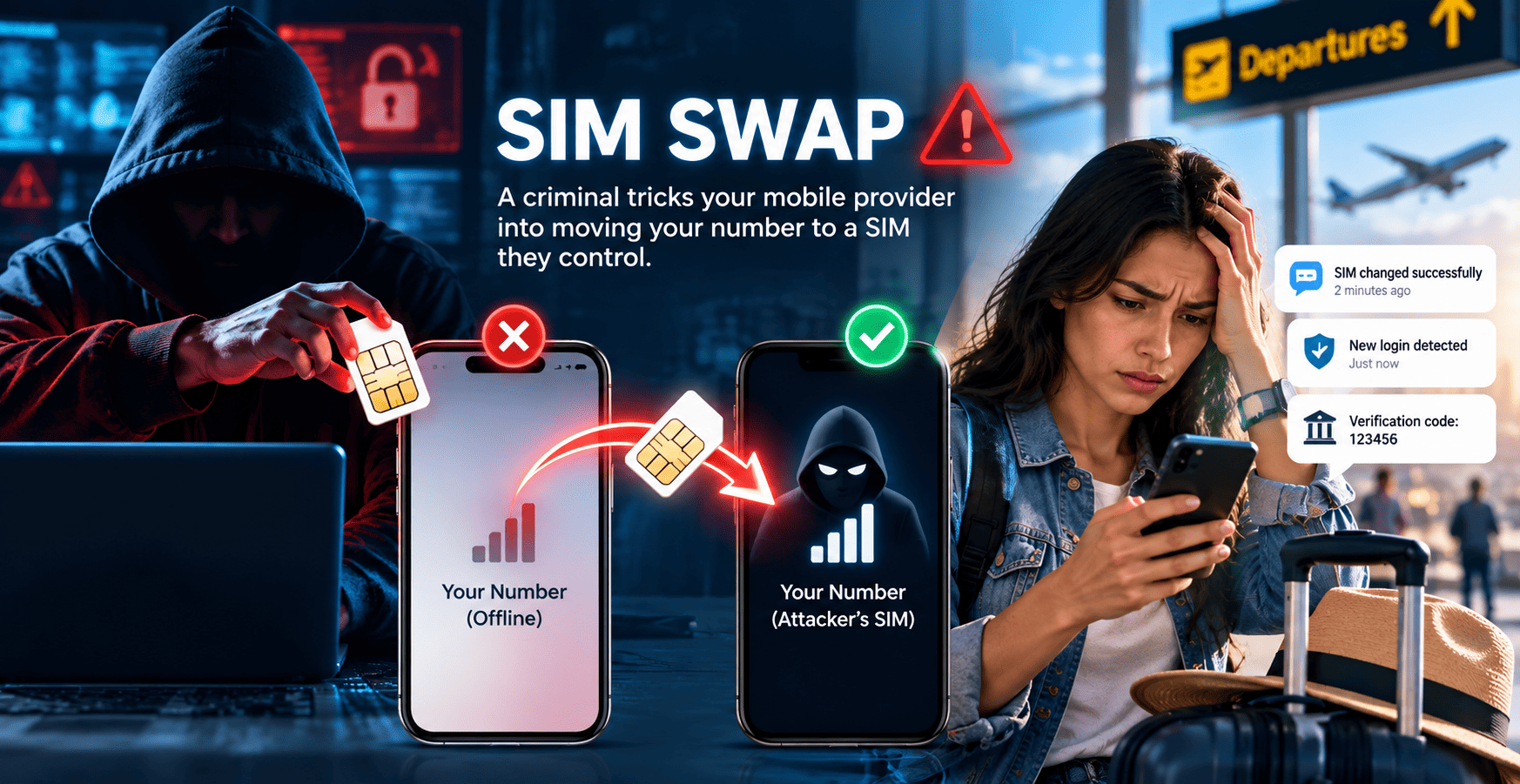
A SIM swap happens when a criminal persuades a mobile provider to move your number to a SIM they control, often by impersonating you with details gathered from data leaks or phishing. They can then receive your calls and texts, including SMS verification codes, and may use them to try to reset your passwords.
Agencies such as the FBI and the US Federal Trade Commission have published warnings and guidance about it.
A sudden, unexplained loss of signal on your home line can be a warning sign, as can unexpected SIM-change messages or login alerts. Coverage gaps are far more common, but if it persists, contact your provider.
How to protect your number
- Ask your provider to add an account PIN and, if offered, number-transfer (port-out) protection before you leave. Save a contact number that works from abroad.
- Use an authenticator app or passkeys instead of SMS codes wherever a service supports them.
- Keep your home line active and reachable while you travel. Banks usually send codes only to the number registered with them.
Where an eSIM Helps
An eSIM is a SIM built into your phone. Instead of a plastic card, you add a plan by scanning a QR code or opening a link. Your phone must support eSIM and not be locked to one network. For travellers, the benefits are practical:
- Set it up before you leave. Install it at home on a network you trust, so you don’t need a kiosk or unknown airport Wi-Fi when you land.
- No plastic card to lose. There’s no SIM to change at a counter, and nothing to pull out of a stolen phone and slot into another.
- Your home line stays put. With dual SIM, your home line can stay active for calls and bank codes while the travel eSIM handles data. Consider switching mobile data off on the home SIM.
One caveat: an eSIM doesn’t protect your home number from a SIM swap; an account PIN and number-transfer protection help reduce that risk. It also doesn’t encrypt your traffic or replace a VPN. It does give you a ready mobile data connection, so you can skip open Wi-Fi.
Simbye is one provider of travel eSIMs, covering 190+ countries. You buy a plan online and install it with a QR code or link before departure, and on most plans the validity starts when you first connect at your destination.
Whichever provider you choose, compare coverage, data limits and when validity starts. Treat the QR code like a password: don’t share it, and buy only from a provider’s official site or app.
Keeping Verification Codes Off Your Main Number
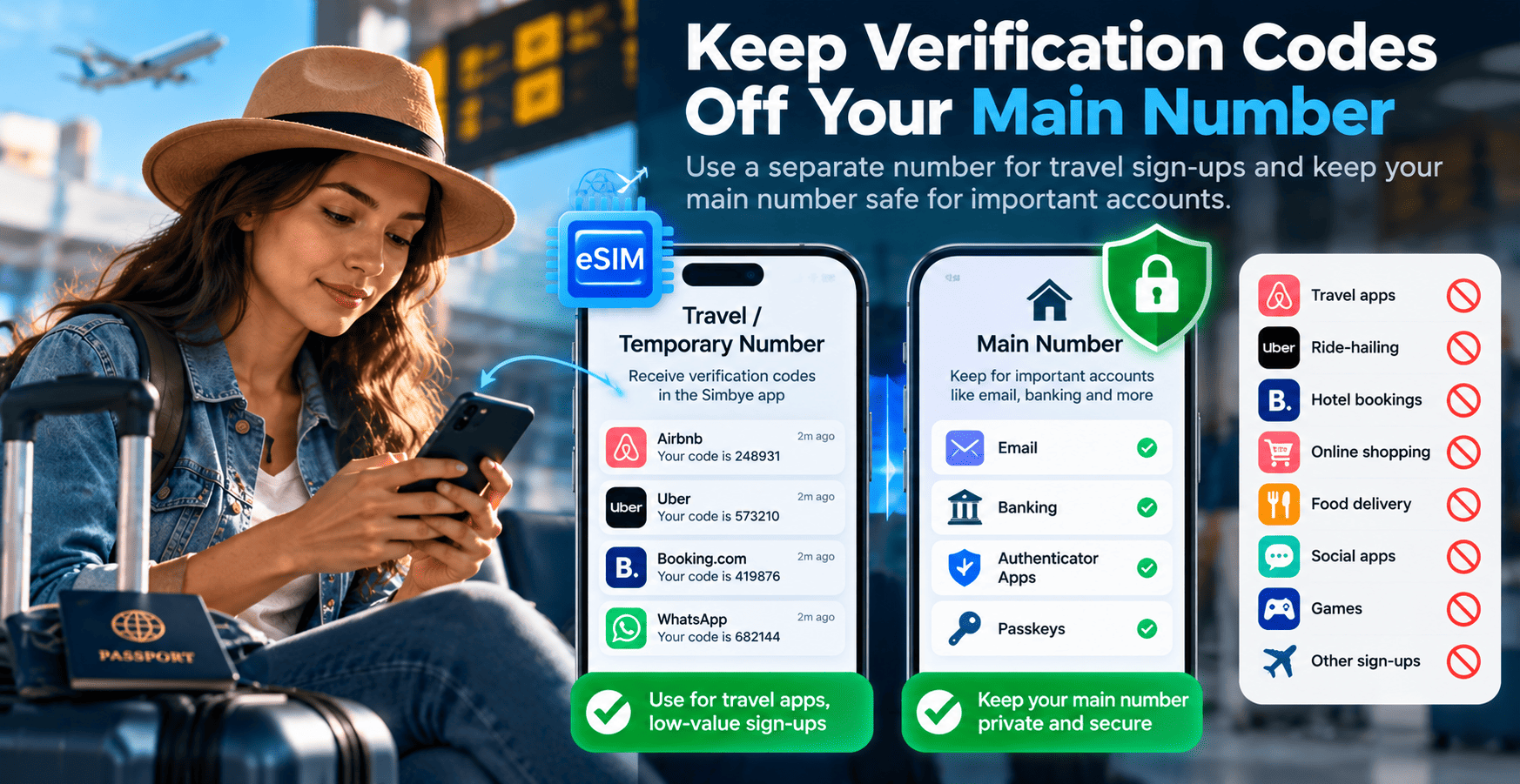
Many travel app sign-ups ask for a phone number. Every service that stores your main number is one more place it could leak in a data breach, and leaked personal details can help criminals impersonate you. A second number for low-value sign-ups keeps your main one in fewer databases.
For accounts that matter, such as email and banking, stay with an authenticator app or passkeys. Don’t attach those, or anything you need long term, to a temporary number: it’s yours only for the period you choose, and once it lapses it can be reassigned.
Simbye offers a separate mobile number from the US, the UK or Australia, for 30 days, 6 months or 12 months. Texts and verification codes arrive in the Simbye app. US numbers receive texts only, while UK and Australian numbers can also receive calls with the calls option.
Each service decides which numbers it accepts, so check first, and keep your home SIM reachable for banking.
Quick Travel Security Checklist
Before you go
- Update your phone and apps.
- Set an account PIN and number-transfer protection with your provider.
- Move key accounts to an authenticator app or passkeys.
- Install your travel eSIM at home, on a phone that supports eSIM and isn’t network-locked.
While travelling
- Prefer mobile data to open Wi-Fi; use a trusted VPN when you can’t.
- Switch off automatic joining of open networks.
- Keep your home line reachable for bank messages.
The Bottom Line
Public Wi-Fi and SIM swaps are different risks. A PIN with your provider, authenticator apps and a trusted VPN do the heavy lifting; an eSIM is a convenient extra, not a substitute for those habits.
INTERESTING POSTS
- How Can a Business Card Creator to Boost Your Brand Help You Stand Out Online?
- Exploring Singapore with Ease: How to Set Up Your Tourist eSIM in Minutes
- Understanding the Risks of Face Swap Videos: A Practical Safety Guide
- aloSIM Pass Black Friday 2025 Deal: Get 20% OFF Your First Purchase!
- Stay Connected and Safe Abroad: Saily eSIM + NordVPN Limited-Time Offer
About the Author:

Meet Angela Daniel, an esteemed cybersecurity expert and the Associate Editor at SecureBlitz. With a profound understanding of the digital security landscape, Angela is dedicated to sharing her wealth of knowledge with readers. Her insightful articles delve into the intricacies of cybersecurity, offering a beacon of understanding in the ever-evolving realm of online safety.
Angela's expertise is grounded in a passion for staying at the forefront of emerging threats and protective measures. Her commitment to empowering individuals and organizations with the tools and insights to safeguard their digital presence is unwavering.



