Home Blog Page 9

Ultimate Guide To Proxy Service: How to Choose for Any Use Case in 2026

0

Here is the ultimate guide to proxy service. Discover the best proxy service providers in 2026. Learn how proxies work, when to use them, and which service fits your needs.

In today’s hyper-connected, data-driven world, a proxy service is no longer just a tool for anonymity — it’s infrastructure.

Whether you’re scraping data, managing social media accounts, running ads, bypassing geo-blocks, or securing your identity online, a proxy service is critical. It allows you to mask your real IP address, rotate through multiple locations, prevent bans, and automate safely across the web.

But with the growing sophistication of anti-bot mechanisms, you can’t just use any proxy provider. You need intelligent, fast, reliable proxy services — ones that integrate with your workflows, offer massive IP pools, and come backed by real customer support and performance SLAs.

This tutorial will break down:

  • What a proxy service is
  • The different types: residential, datacenter, mobile, ISP
  • How proxy rotation works
  • When and why to use proxies
  • The Top 3 Editor’s Choice proxy service providers
  • Other powerful proxy providers to consider
  • Real-world use cases and integrations

🚀 Editor’s Choice: Top 3 Proxy Service Providers (2026)

After evaluating over a dozen proxy vendors based on performance, pricing, infrastructure, customer support, and use case flexibility, here are our top 3 picks for 2026:

🥇 1. Oxylabs — Best Enterprise Proxy Service for Web Intelligence and Scraping


Oxylabs

Proxy Types: Residential, Mobile, ISP, Datacenter
Specialties: Enterprise-scale web scraping, AI-driven data pipelines, global coverage
Starting Price: Starts from $4/GB
Free Trial: Unlimited trial for scraping tools (up to 2K results)

Why Oxylabs Tops the List

Oxylabs is the gold standard in the proxy industry. Trusted by Fortune 500s, it delivers ethical, stable, and high-volume access to the internet through millions of residential, mobile, and datacenter IPs across 190+ countries.

Their Web Scraper API, Real-Time Crawler, and Next-Gen Residential Proxies are ideal for advanced use cases like:

  • E-commerce and SEO data scraping
  • Market research
  • Brand protection
  • Price monitoring
  • Ad verification

Beyond these, Oxylabs also provides a dedicated YouTube Scraper — a specialized API designed for extracting video metadata, comments, channel uploads, and keyword trends at scale.

This makes it an excellent tool for enterprises tracking brand presence, monitoring influencer campaigns, or analyzing audience sentiment directly from YouTube’s ecosystem.

Standout Features

  • Over 175M+ IPs (residential + datacenter)
  • Supports JavaScript rendering
  • Built-in CAPTCHA solving
  • Excellent proxy health monitoring tools
  • Dedicated account managers and 24/7 enterprise support

Perfect For

Enterprises, data agencies, developers, and SaaS teams that require reliable proxy rotation and scale.

⚠️ Please note: Oxylabs’ YouTube scraper does not offer any discounts.

Oxylabs Proxies
Oxylabs Proxies
Oxylabs Proxies offer enterprise-grade, AI-powered proxy solutions with a massive 175M+ IP pool, ensuring unmatched...Show More
Oxylabs Proxies offer enterprise-grade, AI-powered proxy solutions with a massive 175M+ IP pool, ensuring unmatched reliability, speed, and anonymity for large-scale web scraping and data collection. Show Less

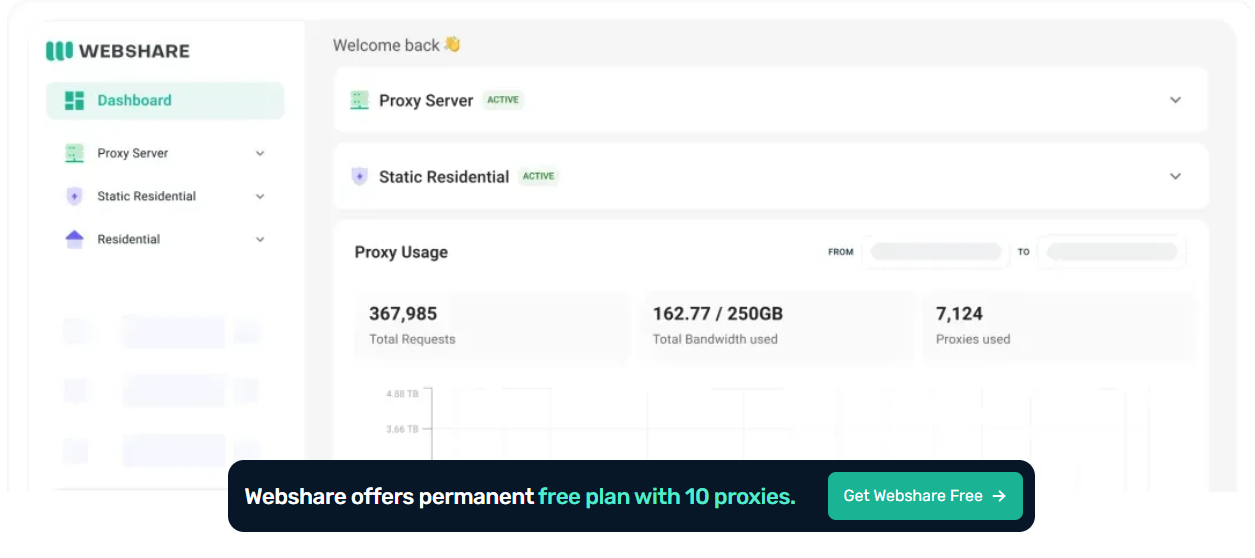
🥈 2. Webshare — Best Budget-Friendly Proxy Service for Developers and Startups

Webshare – Best Value for Affordable Private Proxies

Proxy Types: Datacenter (Shared/Private/Dedicated), Static Residential (Shared/Private/Dedicated), Rotating Residential
Specialties: Developer-first tools, low-cost scraping, automation
Starting Price: Free plan available; paid from $2.99/month
Free Tier: Yes, includes 10 free datacenter proxies & 1GB/month of free bandwidth

Why We Love Webshare

Webshare delivers performance and affordability like no other provider. It’s ideal for startups, coders, or individuals building scrapers, bots, or automation tools that need clean IPs without breaking the bank.

Webshare is developer-centric, with:

  • Easy API access
  • Unlimited bandwidth plans
  • Flexible IP rotation controls
  • Support for SOCKS5 and HTTPS
  • 80M+ IP pool & 195+ country coverage
  • Extensive Academy learning hub

Standout Features

  • Free datacenter proxies
  • Daily fresh proxy list
  • Authentication via user/pass or IP whitelist
  • Live usage stats and monitoring
  • Free Chrome proxy extension

Perfect For

Python developers, students, solopreneurs, and tech startups who want reliable proxy access without enterprise costs.

Webshare logo
Webshare
Webshare delivers fast, affordable, and customizable proxy solutions designed to give businesses and developers seamless...Show More
Webshare delivers fast, affordable, and customizable proxy solutions designed to give businesses and developers seamless access to reliable data at scale. Show Less

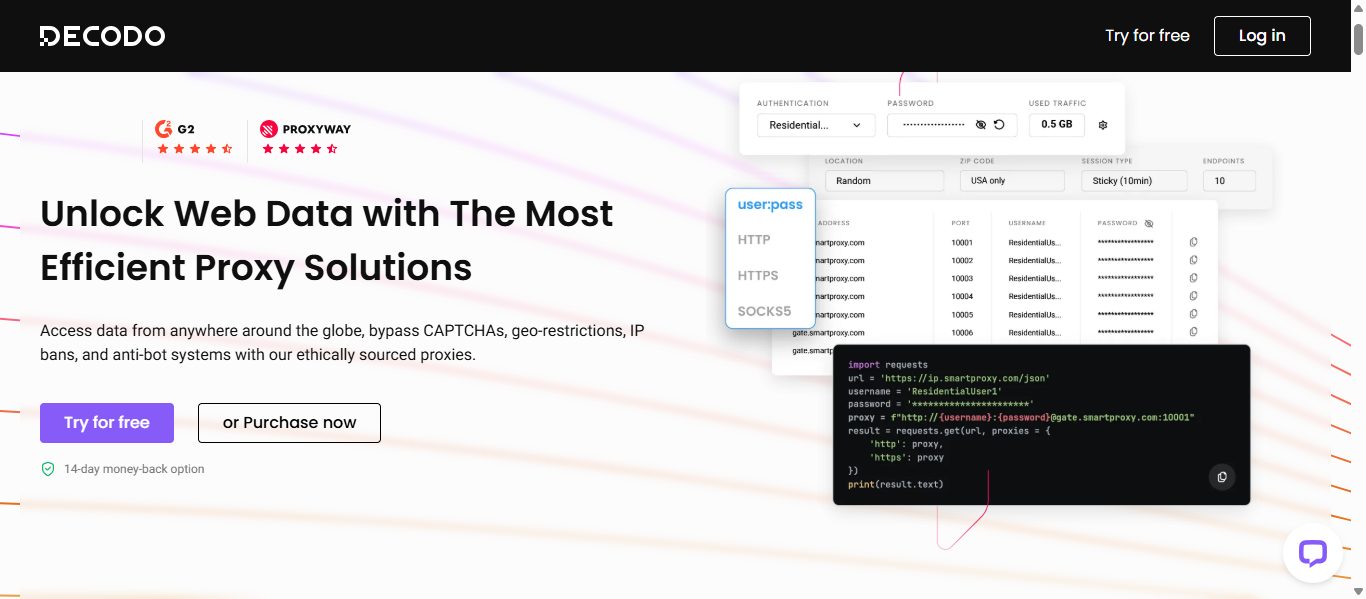
🥉 3. Decodo (formerly Smartproxy) — Best Proxy Service for Flexibility & No-Code Users


Decodo (formerly Smartproxy) — Best Proxy Service for Flexibility & No-Code Users

Proxy Types: Residential, ISP, Mobile, Datacenter and Site Unblocker
Specialties: Easy integration, browser extension, scraping tools
Starting Price: $1.5/GB Residential, $0.27/IP ISP, $4.5/GB Mobile, $0.026/IP Datacenter, $1.6/1K req Site Unblocker
Trial Option: 3-day free trial with 100MB

Why Decodo Excels

Decodo balances advanced proxies with user-friendliness, making it perfect for marketers, agencies, and even beginners. Whether you’re scraping search engines, doing social media automation, or bypassing geo-restrictions, Decodo makes it easy. 

The rebrand from Smartproxy brings fresh UI, improved documentation, AI-powered tools, and a focus on hybrid users – both coders and non-coders. 

Standout Features 

  • 125M+ IP pool
  • 195+ global locations
  • User-friendly dashboard
  • Free tools with every subscription
  • 99.99% uptime
  • #1 response time in the market
  • 24/7 tech support
  • Extensive documentation
  • Easy integration with third-party tools

Perfect For 

Digital marketers, SEO experts, researchers, fast-growing companies, and those looking for plug-and-play proxies with 24/7 support.

Decodo logo
Decodo (formerly Smartproxy)
Decodo (formerly Smartproxy) provides powerful, user-friendly proxy and web scraping solutions that make large-scale...Show More
Decodo (formerly Smartproxy) provides powerful, user-friendly proxy and web scraping solutions that make large-scale data access effortless, efficient, and cost-effective. Show Less

📘 Understanding Proxy Service Types: Know What You’re Buying

Understanding Proxy Service Types: Know What You’re Buying

A top proxy service should offer the right proxy type for your needs. Here’s a breakdown:

🔹 Residential Proxies

IPs provided by real residential devices. Ideal for:

  • Data scraping
  • Sneaker bots
  • Ad verification
  • Account creation

🔹 Datacenter Proxies

Fast, low-cost proxies hosted in data centers. Ideal for:

  • Basic scraping
  • Web automation
  • Bypassing geo-blocks (non-sensitive sites)

🔹 Mobile Proxies

IPs from real 3G/4G/5G devices. Ideal for:

  • Social media automation
  • Ad testing
  • Avoiding bot detection

🔹 ISP Proxies

Hybrid proxies — datacenter speed with residential legitimacy. Ideal for:

  • E-commerce scraping
  • Competitive research
  • Reputation monitoring

🔧 How a Proxy Service Works (With Rotation Explained)

  1. You configure your script, bot, or scraper to use a proxy IP.
  2. The proxy server masks your IP, routing requests through an intermediary IP.
  3. Rotation happens:
  • Per request
  • Per session
  • On failure

This prevents bans and maintains anonymity.

Example with Python:

python
proxies = {
'http': 'http://user:pass@proxyprovider.com:8000',
'https': 'http://user:pass@proxyprovider.com:8000'
}
response = requests.get('https://targetwebsite.com', proxies=proxies)

🌍 Real-World Use Cases for Proxy Services

IndustryUse Case
E-commercePrice monitoring, inventory tracking
MarketingSocial media automation, ad verification
TravelAggregating hotel/flight prices globally
SEOSERP tracking, keyword research
AI & MLData gathering for training datasets
CybersecurityPenetration testing, traffic obfuscation
Brand ProtectionDetecting counterfeits, piracy, impersonation
Affiliate MarketingMultiregional tracking and testing

🧪 Comparison: Other Proxy Service Providers Worth Exploring

After our Editor’s Choice picks, here are more reliable proxy services for specialized or cost-effective use cases.

1. MarsProxies – Best for Speed-Focused Scraping Projects

MarsProxies – Best for Gaming and Social Media Bots

Proxy Types: Rotating & Dedicated Datacenter
Strength: Speed, performance tuning, stealth compatibility
Price: From $15/month

MarsProxies is a performance-oriented proxy provider offering low-latency, high-thread proxy infrastructure.

Developers building SEO trackers, sneaker bots, or large-scale scrapers will benefit from their blazing-fast datacenter IPs, stable rotation, and optimized back-end routing.

Highlights:

  • High concurrency support
  • Premium uptime and low block rates
  • Instant delivery and easy dashboard
  • Flexible packages for scaling projects

2. IPRoyal – Best Pay-As-You-Go Residential Proxy Service

Proxy Types: Residential, Datacenter, Mobile
Strength: Usage-based billing, affordable access
Price: From $0.80/GB

IPRoyal offers flexible pricing without subscriptions, making it ideal for freelancers, one-time scraping projects, and developers testing smaller apps.

The pay-as-you-go model is perfect for cost control and prototyping without monthly commitments.

Highlights:

  • Pay-per-GB model for residential and mobile proxies
  • Real-user IP pool with high trust scores
  • Sneaker and gaming proxies available
  • Browser and script-friendly authentication

3. Nodemaven – Best Dev-Oriented Proxy Service With API Focus

Proxy Types: Residential, ISP
Strength: Developer APIs, detailed logs, session control
Price: From $12/month

Nodemaven is tailored for tech teams that need API-level access to proxy sessions, rotation, and logging.

With advanced usage metrics and DevOps integration support, it’s great for AI data pipelines, bot automation, and complex workflows.

Highlights:

  • Full-featured proxy API (token-based)
  • Smart IP rotation and geo-targeting
  • Sticky session support for logins
  • Simple Python & Node.js integration guides

4. NetNut – Best for Static Residential IPs

Proxy Types: Static Residential (ISP)
Strength: Speed, session persistence, direct ISP IPs
Price: From $100/month

NetNut specializes in non-rotating static residential proxies, backed by direct ISP connections.

Ideal for account management, long sessions, ad testing, and stealth tasks that require stable identities without IP churn.

Highlights:

  • Session-stable static IPs
  • No peer-to-peer or end-user dependency
  • Great for login-based apps and persistent scraping
  • High-speed connection via Tier-1 ISPs

5. Proxyrack – Best for Scalable, Unlimited Bandwidth Residential Proxies

Proxy Types: Residential, Datacenter, Rotating
Strength: Scalable bandwidth with massive IP pool
Price: From $49.95/month

Proxyrack is known for offering unmetered residential proxy plans, making it ideal for businesses and developers who require high volumes of data scraping without worrying about bandwidth limits.

Their rotating residential proxy pool supports over 2 million IPs globally and is optimized for search engines, e-commerce, and content scraping.

Highlights:

  • Unlimited bandwidth on select plans
  • Multi-threaded scraping support
  • Fast proxy switch and rotation intervals
  • Easy integration with Python, Puppeteer, or browser bots

6. ProxyEmpire – Best for Geo-Targeted Proxy Access

Proxy Types: Residential, Mobile
Strength: Geo-specific IPs down to the city level
Price: From $10/GB

ProxyEmpire delivers pinpoint geo-targeting across its residential and mobile proxy network, allowing access to IPs based on country, region, city, or ASN.

Perfect for SERP tracking, market research, and multilingual content scraping.

Highlights:

  • 150+ countries supported
  • Pay-as-you-go bandwidth or subscription plans
  • ASN and city-level targeting
  • Easy filtering dashboard and API access

7. Storm Proxies – Best for Simplicity and Small Teams

Proxy Types: Rotating Residential, Dedicated Datacenter
Strength: User-friendly interface, basic automation
Price: From $10/month

Storm Proxies is ideal for teams, solo developers, or beginners looking for an easy way to start using proxies.

The setup is simple, with automatic port-based IP rotation and minimal configuration required.

Highlights:

  • Unlimited bandwidth (datacenter)
  • 1-click proxy rotation setup
  • Great for tools like GSA, Scrapebox, and SEO AutoPilot
  • No advanced tech knowledge needed

8. Bright Data (formerly Luminati) – Best for Compliance & Scale

Proxy Types: Residential, ISP, Datacenter, Mobile
Strength: Massive pool, enterprise tools, ethical sourcing
Price: From $15/GB

Bright Data is the industry titan, offering over 72 million IPs, rigorous compliance, and advanced scraping automation tools.

Designed for regulated use cases, it’s a go-to for enterprise-grade data extraction across industries like fintech, retail, and legal.

Highlights:

  • Proxy Manager with fine-grained rules
  • Auto CAPTCHA-solving and browser emulation
  • Global support with legal transparency
  • 24/7 enterprise-grade support and monitoring

9. Proxy-Cheap – Best for Affordable Mobile Proxy Plans

Proxy Types: Mobile (4G/5G), Residential, Datacenter
Strength: Mobile IPs on a budget
Price: From $9/month

As its name suggests, Proxy-Cheap offers affordable proxy solutions, particularly for mobile automation and app testing.

With support for rotating 4G/5G IPs, it’s ideal for Instagram bots, ad placement, and Android emulation.

Highlights:

  • Global mobile proxy pools
  • Sticky and rotating sessions
  • Simple panel with usage tracking
  • Cryptocurrency payments accepted

10. Shifter – Best Peer-to-Peer Proxy Network for Anonymity

Proxy Types: P2P Residential
Strength: Scale, anonymity, large IP pool
Price: From $125/month

Shifter (formerly Microleaves) is one of the largest P2P residential proxy providers with a strong focus on anonymity, scale, and rotating access.

Great for stealth data gathering where source diversity is crucial.

Highlights:

  • 100M+ residential IPs
  • Unlimited bandwidth
  • Sticky or rotating sessions
  • Ideal for mass market research or stealth scraping

11. SOAX – Best for Precision and Targeting Granularity

Proxy Types: Residential, Mobile
Strength: Clean IPs + advanced filters (ASN/city/ISP)
Price: From $99/month

SOAX stands out with its ultra-clean IP pool and hyper-accurate geo-targeting. Whether you need country, city, provider, or ASN-level control, SOAX gives you surgical-level IP filtering.

Highlights:

  • Fresh, verified IPs
  • Full targeting stack: country, city, ASN, ISP
  • Real-time usage insights
  • Transparent pricing and helpful documentation

12. GeoSurf – Best for Corporate Market Research & Ad Verification

Proxy Types: Residential, Mobile
Strength: Precision geo-targeting, enterprise tools
Price: From $50/month

GeoSurf offers enterprise-focused proxy access with legal compliance and deep geo-targeting capabilities.

Trusted by ad networks and digital intelligence teams, it excels in ad verification, competitive tracking, and affiliate fraud prevention.

Highlights:

  • Supports thousands of global cities
  • Quick IP refresh system
  • Powerful admin controls
  • High SLA-backed uptime and speed

13. Blazing SEO – Best for High-Performance Datacenter Proxies

Proxy Types: Dedicated Datacenter
Strength: Speed, price, unlimited bandwidth
Price: From $11/month

Blazing SEO provides high-speed, highly customizable datacenter proxies with massive threading support and zero bandwidth caps. It’s perfect for developers running aggressive crawlers or automations with consistent IP needs.

Highlights:

  • Uncapped bandwidth
  • IP testing & speed reporting
  • Bulk IP purchasing
  • Supported SOCKS and HTTPS formats

14. HydraProxy – Best On-Demand Proxy Pools for Temporary Projects

Proxy Types: Residential, Mobile
Strength: On-demand access, short-term plans
Price: From $4/month

HydraProxy is a flexible solution for short-term proxy usage, testing campaigns, or temporary scraping needs. Ideal for freelancers or side projects where full monthly commitments aren’t necessary.

Highlights:

  • Pay-as-you-go bandwidth
  • Affordable mobile proxy options
  • Sticky or rotating sessions
  • Easy IP switch on demand

15. TheSocialProxy – Best for Social Media Management

Proxy Types: Dedicated Mobile (4G/5G)
Strength: Mobile-focused automation and stability
Price: From $90/month

Designed with social media marketers in mind, TheSocialProxy offers premium mobile proxies hosted on real devices.

Perfect for managing multiple Instagram, TikTok, and LinkedIn accounts without triggering bans.

Highlights:

  • Unlimited bandwidth
  • 4G/5G proxies on real SIMs
  • Static IPs with session control
  • Compatible with Jarvee, MetaBots, and more

16. PacketStream – Best Peer-to-Peer Residential Proxy on a Budget

Proxy Types: Residential (P2P)
Strength: Budget-friendly access to real IPs
Price: From $1/GB

PacketStream is a community-powered peer-to-peer network, offering super low-cost residential IPs ideal for light scraping, market research, or educational projects. Performance may vary, but the pricing is unbeatable for entry-level needs.

Highlights:

  • Global residential IPs
  • Extremely low-cost
  • Simple dashboard and integration
  • Monetization for bandwidth sellers

17. Rayobyte – Best Ethical Proxy Provider with Compliance Focus

Proxy Types: Datacenter, ISP, Residential
Strength: Ethical sourcing + full transparency
Price: From $15/month

Rayobyte emphasizes compliance, transparency, and responsible proxy sourcing.

It’s one of the few US-based proxy services that offers a mix of ethically obtained IPs, open legal documents, and sustainable infrastructure.

Highlights:

  • U.S.-based data centers
  • Supports public institutions and research
  • Offers dedicated or rotating setups
  • Great documentation and support

18. ScraperAPI – Best for Proxy Management via Scraping API

Proxy Types: API-based (built-in proxies with rotation)
Strength: Handles proxies, CAPTCHAs, and browsers in one
Price: From $49/month

ScraperAPI isn’t just a proxy service—it’s an all-in-one scraper delivery engine. It manages IP rotation, geolocation, CAPTCHA solving, and JavaScript rendering, allowing you to focus on data, not infrastructure. Just call the API with your target URL, and it returns clean HTML or JSON.

Highlights:

  • Auto-rotating proxies with success rate tracking
  • Custom header support
  • Compatible with most languages
  • Great for MVP scraping tools or AI data feeds

19. ProxyMesh – Best for API-First Proxy Access with JSON Support

Proxy Types: Rotating Datacenter
Strength: Minimalist, API-first design
Price: From $9.95/month

ProxyMesh offers a developer-friendly proxy solution with a focus on rotating proxies accessible via API endpoints. It’s lightweight and integrates well with curl, Python, or Node.js applications.

Though limited in IP volume compared to larger providers, it’s great for lightweight, low-footprint applications.

Highlights:

  • Easy REST API to manage proxies
  • Regional IP selection
  • Daily IP refresh for rotation
  • JSON support for scraping outputs

20. WebScrapingAPI – Best for Turnkey Scraping with Proxy + JS Rendering

Proxy Types: Residential + API
Strength: Built-in proxies + JavaScript rendering + CAPTCHA bypass
Price: From $49/month

This platform offers an elegant all-in-one web scraping API that includes proxies, headless browser rendering, and geo-targeting.

Designed for devs building dashboards, search engines, or crawlers, WebScrapingAPI removes the need to configure rotating proxies or manage sessions.

Highlights:

  • JavaScript-rendered content returned in HTML or JSON
  • Residential and datacenter proxies built-in
  • Auto-throttle and concurrency support
  • Easy proxy switching via API parameters

21. NetProxy – Best for Static Residential Sessions

Proxy Types: Static Residential
Strength: Long-session proxies for account management
Price: From $80/month

NetProxy focuses on delivering long-lasting residential sessions that are perfect for web apps requiring login persistence, account automation, or session-based tasks.

Their static IP pool is less likely to be flagged by anti-bot systems, making it excellent for marketplaces or reputation-sensitive platforms.

Highlights:

  • High-uptime static residential IPs
  • Perfect for eBay, Amazon, Facebook automation
  • Global pool with country-level targeting
  • Long session persistence (ideal for stealth automation)

22. Zyte (formerly Scrapy Cloud) – Best for Enterprise Data-as-a-Service Scraping

Proxy Types: Smart Proxy Manager + API
Strength: AI-driven content extraction at scale
Price: From $49/month

Zyte provides smart proxy management plus scraping services, built for large-scale data teams.

With advanced capabilities like structured output, auto-formatting, and compliance filters, Zyte is ideal for enterprise-grade data pipelines, training AI, or powering SaaS apps.

Highlights:

  • Automatic retries, CAPTCHA bypass, and rendering
  • Built-in scraper logic with schema templates
  • Scalable proxy pool included
  • Excellent customer support for complex data needs

23. InstantProxies – Best for Simplicity and Static IPs

Proxy Types: Static Datacenter
Strength: Fast activation, simple setup
Price: From $10/month

InstantProxies is a no-frills, easy-to-use static proxy service suitable for testing, lightweight scraping, or low-volume bot usage.

It lacks residential IPs and rotation but shines in scenarios where static IP consistency is required.

Highlights:

  • Quick purchase and delivery
  • Perfect for Craigslist, ticketing, or basic login tasks
  • IP testing tool is included
  • Cost-effective for solo users or devs

🛠️ Tools to Pair With Your Proxy Service

Tools to Pair With Your Proxy Service

ToolUse
ScrapyPython framework for scraping with proxy support
Puppeteer / PlaywrightHeadless browsers for dynamic pages
Octoparse / ParseHubNo-code scraping with proxy support
Bright Data Proxy ManagerProxy rotation tool
Fiddler / Charles ProxyDebug proxy connections
  • ✅ Use residential IPs for sensitive or large-scale scraping
  • ✅ Rotate IPs regularly to avoid detection
  • ✅ Monitor status codes (403, 429 = you’re blocked)
  • ✅ Respect site terms and avoid aggressive crawling
  • ✅ Use user-agent rotation and spoof headers
  • ✅ Combine with headless browsers for dynamic pages
  • ✅ Log and retry failed requests

⚖️ Is Using a Proxy Service Legal?

Using a proxy is 100% legal for public web access — but you must:

  • Never scrape private or restricted content
  • Avoid spamming, fraud, or abusive automation
  • Read and respect the target site’s Terms of Service
  • If collecting user data, comply with GDPR/CCPA

Best Proxy Services For 2026

Nodemaven
Nodemaven
NodeMaven is a premium proxy provider that delivers high-quality IPs, super sticky sessions, and unmatched customer...Show More
NodeMaven is a premium proxy provider that delivers high-quality IPs, super sticky sessions, and unmatched customer support. Show Less
IPRoyal
IPRoyal
IPRoyal is a leading proxy provider offering reliable, high-speed proxies for various needs, including data scraping...Show More
IPRoyal is a leading proxy provider offering reliable, high-speed proxies for various needs, including data scraping, social media automation, and sneaker botting. Show Less
Mars Proxies
Mars Proxies
Mars Proxies is the go-to provider for sneaker coppers, offering unbanned IPs, blazing-fast speeds, and a massive pool...Show More
Mars Proxies is the go-to provider for sneaker coppers, offering unbanned IPs, blazing-fast speeds, and a massive pool of residential proxies. Show Less
NetNut
NetNut
NetNut is the world's fastest residential proxy network, providing high-speed, reliable connections and a vast pool of...Show More
NetNut is the world's fastest residential proxy network, providing high-speed, reliable connections and a vast pool of IPs for seamless data scraping and automation. Show Less
Infatica
Infatica
Infatica provides a robust proxy network with ethical sourcing, reliable performance, and a comprehensive suite of data...Show More
Infatica provides a robust proxy network with ethical sourcing, reliable performance, and a comprehensive suite of data collection tools. Show Less
Decodo (formerly Smartproxy)50% OFF
Decodo (formerly Smartproxy)
Decodo (formerly Smartproxy) provides premium residential proxies for bypassing geo-restrictions, CAPTCHAs, and IP...Show More
Decodo (formerly Smartproxy) provides premium residential proxies for bypassing geo-restrictions, CAPTCHAs, and IP blocks with industry-leading success rates and flexible pricing options. Show Less
RESI50
Oxylabs Proxies
Oxylabs
Oxylabs proxies offer diverse, ethical, and reliable solutions for data scraping, web testing, and privacy needs.
Oxylabs proxies offer diverse, ethical, and reliable solutions for data scraping, web testing, and privacy needs. Show Less
Webshare
Webshare
Webshare is a company that provides proxy servers that are used for data aggregation, analysis, and collection.
Webshare is a company that provides proxy servers that are used for data aggregation, analysis, and collection. Show Less
Live Proxies
Live Proxies
Live Proxies is a proxy service that provides high-speed, reliable, and secure residential and datacenter proxy services...Show More
Live Proxies is a proxy service that provides high-speed, reliable, and secure residential and datacenter proxy services for web scraping, automation, and anonymity. Show Less
DigiProxy
DigiProxy
DigiProxy offers proxy services, including residential, datacenter, and sneaker proxies, aimed at providing secure and...Show More
DigiProxy offers proxy services, including residential, datacenter, and sneaker proxies, aimed at providing secure and reliable internet access. Show Less
Oxylabs Proxies logo30% OFF
Oxylabs
Oxylabs is a leading proxy and web scraping solutions provider that empowers businesses with reliable, high-speed, and...Show More
Oxylabs is a leading proxy and web scraping solutions provider that empowers businesses with reliable, high-speed, and scalable data-gathering tools to stay ahead of the competition. Show Less
PRXY30
Webshare logo10% OFF
Webshare
Webshare delivers fast, affordable, and customizable proxy solutions designed to give businesses and developers seamless...Show More
Webshare delivers fast, affordable, and customizable proxy solutions designed to give businesses and developers seamless access to reliable data at scale. Show Less
10% OFF FIRST PURCHASE PRE-APPLIED
Decodo logo35% OFF
Decodo (formerly Smartproxy)
Decodo (formerly Smartproxy) provides powerful, user-friendly proxy and web scraping solutions that make large-scale...Show More
Decodo (formerly Smartproxy) provides powerful, user-friendly proxy and web scraping solutions that make large-scale data access effortless, efficient, and cost-effective. Show Less
35OFFDEAL
Oxylabs Proxies logo30% OFF
Oxylabs
Oxylabs is a leading proxy and web scraping solutions provider that empowers businesses with reliable, high-speed, and...Show More
Oxylabs is a leading proxy and web scraping solutions provider that empowers businesses with reliable, high-speed, and scalable data-gathering tools to stay ahead of the competition. Show Less
PRXY30
Webshare logo10% OFF
Webshare
Webshare delivers fast, affordable, and customizable proxy solutions designed to give businesses and developers seamless...Show More
Webshare delivers fast, affordable, and customizable proxy solutions designed to give businesses and developers seamless access to reliable data at scale. Show Less
10% OFF FIRST PURCHASE PRE-APPLIED
Oxylabs Proxies logo
Oxylabs
Oxylabs is a leading proxy and web scraping solutions provider that empowers businesses with reliable, high-speed, and...Show More
Oxylabs is a leading proxy and web scraping solutions provider that empowers businesses with reliable, high-speed, and scalable data-gathering tools to stay ahead of the competition. Show Less
Start For Free
Webshare logo10% OFF
Webshare
Webshare YouTube proxies deliver fast, reliable, and secure connections that let you bypass restrictions and stream...Show More
Webshare YouTube proxies deliver fast, reliable, and secure connections that let you bypass restrictions and stream, scrape, or manage multiple YouTube accounts seamlessly without interruptions. Show Less
10% OFF FIRST PURCHASE PRE-APPLIED
Decodo logo35% OFF
Decodo (formerly Smartproxy)
Decodo (formerly Smartproxy) YouTube proxies provide high-quality, secure, and geo-flexible access that ensures smooth...Show More
Decodo (formerly Smartproxy) YouTube proxies provide high-quality, secure, and geo-flexible access that ensures smooth streaming, scraping, and account management on YouTube without blocks or interruptions. Show Less
35OFFDEAL
Oxylabs Proxies logo30% OFF
Oxylabs
Oxylabs is a premium proxy and web intelligence solutions provider with 175M+ IPs across 195 countries, offering...Show More
Oxylabs is a premium proxy and web intelligence solutions provider with 175M+ IPs across 195 countries, offering ready-to-use Scraper APIs that seamlessly extract structured public data while bypassing IP blocks and CAPTCHAs. Show Less
Discount30
Decodo logo
Decodo (formerly Smartproxy)
Decodo (formerly Smartproxy) is an AI-powered proxy service and web scraping solutions provider that enables seamless...Show More
Decodo (formerly Smartproxy) is an AI-powered proxy service and web scraping solutions provider that enables seamless, large-scale data extraction with smart, reliable, and cost-effective tools for businesses of any size. Show Less
Start For Free
Decodo logo35% OFF
Decodo (formerly Smartproxy)
Decodo (formerly Smartproxy) is a powerful proxy service provider with advanced APIs, including its Amazon Scraping API...Show More
Decodo (formerly Smartproxy) is a powerful proxy service provider with advanced APIs, including its Amazon Scraping API, which delivers effortless, real-time access to accurate Amazon data at scale with zero blocks and zero maintenance. Show Less
35OFFDEAL

Ultimate Guide To Proxy Service: Frequently Asked Questions (FAQs)

Ultimate Guide To Proxy Service Frequently Asked Questions FAQs

What is a proxy service and how does it work?

A proxy service acts as an intermediary between your device and the internet. When you send a request (like visiting a website or scraping data), the proxy routes the request through its own IP address before it reaches the target server. This hides your real IP, improves anonymity, and can help you bypass geo-blocks, rate limits, or content filters.

Which type of proxy is best for web scraping?

For most scraping use cases, residential proxies and ISP proxies are the best choices. Residential proxies offer high trust scores since they come from real users, while ISP proxies provide the stability of datacenter speeds with residential legitimacy. If you’re scraping heavily or from protected websites, rotating residential proxies with sticky session options are ideal.

Are free proxy services safe to use?

Free proxies often come with major risks such as data interception, poor anonymity, high latency, or IP blacklisting. Many free proxy servers log your traffic or sell your data. For serious tasks like scraping, social media management, or e-commerce monitoring, premium proxy providers are far more secure, reliable, and efficient.

What is the difference between residential, datacenter, and mobile proxies?

  • Residential proxies use real user IPs provided by ISPs, making them highly legitimate and low-risk for bans.
  • Datacenter proxies are fast, cheap, and hosted in cloud environments but are easier to detect and block.
  • Mobile proxies use real 4G/5G connections and are ideal for app testing, social platforms, and mobile-only tasks due to their extremely high trust levels.

How do rotating proxies work?

Rotating proxies assign a new IP address to every request or at fixed intervals. This helps avoid detection, ban blocks, and rate limits. Providers like Decodo, Webshare, and Oxylabs offer rotating proxy pools where the IP changes seamlessly, ideal for scraping dynamic websites or gathering large-scale data.

Can proxies help with ad verification and SEO tracking?

Yes. Proxies are essential tools for ad verification, SEO monitoring, and SERP scraping. With geo-targeted IPs, you can view ads and search results as they appear in specific cities or countries. Providers like ProxyEmpire, GeoSurf, and SOAX excel in precise geo-targeting for these tasks.

Do I need technical skills to use a proxy service?

Not necessarily. Many modern proxy providers offer plug-and-play dashboards, browser integrations, and no-code options. Services like Storm Proxies or Webshare provide simple interfaces, while others like Nodemaven cater to developers with full API control. Choose a provider based on your comfort level.

How do I choose the best proxy provider in 2026?

Choosing the best proxy depends on your use case. For web scraping, go with rotating residential or ISP proxies. For social media, mobile proxies are better. If you’re budget-conscious, look for pay-as-you-go options like IPRoyal. Enterprise needs may demand premium tools from Bright Data or Oxylabs. Prioritize providers that offer reliability, scale, ethical sourcing, and excellent customer support.

🏁 Final Thoughts: Which Proxy Service Should You Choose?

TL;DR:

  • Pick Oxylabs for enterprise-scale needs and full-stack scraping
  • Choose Webshare if you’re building your own scrapers and want affordability
  • Go with Decodo if you want flexible tools with minimal setup

Other niche options like MarsProxies, IPRoyal, and Nodemaven are perfect for specialized scraping goals and dev-first integrations.


INTERESTING POSTS

How to Test Proxy Speed and Reliability: A Complete Guide

0
How to Test Proxy Speed and Reliability A Complete Guide

In this post, I will show you how to test proxy speed and reliability.

Testing proxy speed and reliability is essential before using proxy servers for web scraping, anonymous browsing, data collection, SEO monitoring, market research, or business automation. Even a large residential proxy network can deliver inconsistent results if it suffers from slow response times, frequent disconnections, or poor IP quality.

Whether you’re an individual, developer, marketer, researcher, or business, understanding how to evaluate a proxy provider helps you avoid downtime, improve productivity, and achieve more consistent results.

In this guide, you’ll learn what proxy performance means, which metrics matter most, how to test residential proxies effectively, and what to look for when choosing a reliable proxy provider.

Why Proxy Speed and Reliability Matter

A proxy acts as an intermediary between your device and the destination website. Every request passes through the proxy server before reaching its destination.

If the proxy is slow or unreliable, you may experience:

  • Delayed page loading
  • Failed connections
  • Interrupted automation tasks
  • Lower success rates during web scraping
  • Inconsistent IP rotation
  • Reduced productivity

For businesses that depend on large-scale data collection or developers running automated workflows, reliable proxy performance is just as important as a large IP pool.

Key Metrics to Measure

Before testing, it’s important to understand the performance indicators.

Response Time (Latency)

Latency measures how long it takes a proxy server to respond after receiving a request.

Lower latency generally means:

  • Faster browsing
  • Quicker API responses
  • Improved user experience
  • Faster web scraping sessions

Download Speed

Download speed determines how quickly data is transferred through the proxy.

Higher speeds become especially valuable when:

  • Downloading large datasets
  • Collecting product information
  • Accessing media-rich websites

Connection Stability

A reliable proxy should maintain stable connections over extended periods.

Watch for:

  • Unexpected disconnects
  • Timeout errors
  • Connection resets

Frequent interruptions may indicate overloaded infrastructure or poor network quality.

Success Rate

Success rate refers to how many requests successfully reach the target website.

Higher success rates are especially important for:

  • Web scraping
  • Data collection
  • Search engine monitoring
  • Price intelligence
  • Automation

IP Quality

Residential proxies are often preferred because they use IP addresses assigned by Internet Service Providers (ISPs), making traffic appear more like regular user activity. Good IP quality helps reduce unnecessary blocks when used responsibly for legitimate purposes.

How to Test Proxy Speed

Testing proxy performance does not require complex tools.

1. Measure Latency

Send several requests through the proxy and record response times.

Instead of relying on one result, perform multiple tests throughout the day.

Average performance is more useful than a single measurement.

2. Test Download Speed

Visit websites containing images, scripts, and multimedia.

Observe:

  • Page loading time
  • Resource loading consistency
  • Overall browsing responsiveness

3. Run Multiple Requests

For web scraping or automation projects, send multiple requests through the same proxy.

Monitor:

  • Failed requests
  • Timeouts
  • Unexpected delays

Consistency matters more than occasional peak performance.

4. Test Different Locations

Many residential proxy providers offer geographic targeting.

If your work depends on location-specific content, verify performance from several countries or cities.

How to Test Proxy Reliability

Speed alone does not guarantee a good proxy.

Reliability should be evaluated over longer sessions.

Long-Duration Testing

Run your proxy continuously for several hours.

Check whether it remains connected without frequent interruptions.

IP Rotation

If using rotating residential proxies, verify that IP rotation occurs smoothly according to your selected settings.

Unexpected rotation behavior can interrupt automation or authenticated sessions.

Website Compatibility

Different websites apply different anti-bot protections.

Test your proxies on the websites you actually intend to access rather than relying solely on benchmark tools.

Logging Errors

Keep a simple log of:

  • Failed requests
  • Timeout frequency
  • Response times
  • Successful requests

Patterns become much easier to identify after several hundred requests.

Common Factors That Affect Proxy Performance

Several variables influence proxy speed and reliability.

FactorImpact
Server locationCloser servers generally reduce latency
Residential proxy network sizeLarger networks often provide more routing options
Network congestionHeavy traffic may increase response times
IP rotation settingsFrequent rotation may introduce slight delays
Target website restrictionsSome websites limit automated requests
Proxy provider infrastructureHigher-quality infrastructure generally offers more consistent performance

Editor’s Choice: Best Residential Proxy Providers

🥇 1. Oxylabs — Best for Enterprise & Large-Scale Data Collection

Oxylabs — Best for Enterprise & Large-Scale Data Collection

Oxylabs earns the Editor’s Choice position because it combines a massive residential proxy network with enterprise-grade infrastructure designed for demanding workloads.

Its platform supports advanced targeting options, dependable IP rotation, and consistently strong performance for large-scale web scraping, market intelligence, and data collection projects. Businesses handling high request volumes often choose Oxylabs because of its mature infrastructure, extensive documentation, and scalable solutions.

For organizations that prioritize reliability, geographic flexibility, and long-term scalability, Oxylabs is a strong overall choice.

Oxylabs Proxies
Oxylabs Proxies
Oxylabs Proxies offer enterprise-grade, AI-powered proxy solutions with a massive 175M+ IP pool, ensuring unmatched...Show More
Oxylabs Proxies offer enterprise-grade, AI-powered proxy solutions with a massive 175M+ IP pool, ensuring unmatched reliability, speed, and anonymity for large-scale web scraping and data collection. Show Less

🥈 2. Decodo — Best Overall Residential Proxy Provider

Decodo — Best Overall Residential Proxy Provider

Decodo offers an excellent balance between price and performance, making it suitable for both beginners and experienced users.

Its intuitive dashboard simplifies setup, while support for residential proxies, rotating proxies, API integration, and clear documentation makes deployment straightforward. Individuals, agencies, developers, and businesses can quickly integrate Decodo into web scraping, automation, and anonymous browsing workflows.

Its combination of usability and dependable performance makes it an attractive all-around option.

Decodo logo
Decodo (formerly Smartproxy)
Decodo (formerly Smartproxy) provides powerful, user-friendly proxy and web scraping solutions that make large-scale...Show More
Decodo (formerly Smartproxy) provides powerful, user-friendly proxy and web scraping solutions that make large-scale data access effortless, efficient, and cost-effective. Show Less

🥉 3. Webshare — Best Budget-Friendly Residential Proxy Provider

Webshare — Best Budget-Friendly Residential Proxy Provider

Webshare is a practical option for users seeking affordable residential proxies without sacrificing usability.

Its straightforward setup process, competitive pricing, and available free plan (subject to current offerings) make it appealing to developers, freelancers, students, and small businesses. While it may not target enterprise-scale workloads, it provides reliable performance for many everyday proxy use cases.

For budget-conscious users, Webshare represents strong overall value.

Webshare logo
Webshare
Webshare delivers fast, affordable, and customizable proxy solutions designed to give businesses and developers seamless...Show More
Webshare delivers fast, affordable, and customizable proxy solutions designed to give businesses and developers seamless access to reliable data at scale. Show Less

Provider Comparison

ProviderBest ForKey Strength
OxylabsOverallBalance of performance & value
DecodoEnterpriseLarge-scale proxy infrastructure
WebshareBudgetAffordable and easy to use

Other Residential Proxy Providers Worth Considering

Several other reputable providers also serve different needs:

  • Mars Proxies — Offers residential and ISP proxies with an emphasis on simplicity and affordability.
  • IPRoyal — Popular among individuals and small businesses looking for flexible pricing.
  • Bright Data — Known for its extensive proxy network and advanced enterprise features.
  • SOAX — Provides flexible location targeting and rotating residential proxies.
  • NetNut — Focuses on stable connectivity through ISP-backed infrastructure.
  • ProxyEmpire — Offers residential, mobile, and rotating proxy solutions for varied workloads.
  • Rayobyte — Provides residential, ISP, and datacenter proxies with business-oriented plans.
  • Infatica — Supports global proxy access for data collection and automation projects.
  • Live Proxies — Offers proxy services suitable for browsing, automation, and research use cases.

Each provider has different strengths, so the best choice depends on your technical requirements, budget, and expected workload.

How to Choose the Right Residential Proxy Provider

When comparing providers, consider these factors:

  • Pricing that fits your budget and expected usage
  • Consistent speed and performance
  • Reliable uptime and infrastructure
  • Large residential proxy network
  • Geographic coverage and location targeting
  • Flexible IP rotation options
  • User-friendly dashboard
  • Responsive customer support
  • API availability for automation
  • Strong security and privacy practices
  • Ability to scale as your needs grow

Avoid selecting a provider based solely on the size of its IP pool. Real-world reliability, documentation, and customer support often have a greater impact on long-term satisfaction.

Frequently Asked Questions

Are residential proxies faster than datacenter proxies?

Not necessarily. Datacenter proxies often deliver higher raw speeds, while residential proxies typically provide better anonymity and lower detection rates on websites with anti-bot protections.

How often should I test my proxies?

Regular testing is recommended, especially before starting large automation or web scraping projects and after changing providers or proxy configurations.

Can free proxy servers be reliable?

Free proxy servers may work for occasional testing, but they often have limited performance, inconsistent availability, and fewer reliability guarantees than paid services.

What is a good proxy response time?

The ideal response time depends on your application. Lower latency generally improves browsing, automation, and data collection performance.

Why do proxy speeds vary?

Performance can change based on server location, network congestion, target websites, IP rotation settings, and the proxy provider’s infrastructure.

Does IP rotation affect speed?

Rotating IPs may introduce slight delays during switching, but proper configuration helps maintain reliable long-term performance while reducing the likelihood of repeated requests coming from the same IP.

Conclusion

Testing proxy speed and reliability helps ensure that your proxy servers deliver consistent performance for anonymous browsing, web scraping, and data collection. Instead of focusing only on advertised features, evaluate latency, stability, connection success rates, and IP quality under real-world conditions.

For users seeking premium scalability and enterprise-grade infrastructure, Oxylabs stands out as the best overall choice. Decodo offers an excellent balance of usability, features, and performance for businesses and individuals alike, while Webshare provides an affordable entry point for developers, freelancers, students, and smaller teams.

As your proxy requirements evolve, continue monitoring performance and revisit your testing process periodically. For additional guidance, consider exploring other SecureBlitz resources covering VPNs, cybersecurity, password managers, antivirus software, privacy tools, secure browsers, web scraping techniques, and AI tools to build a more secure and efficient online workflow.


INTERESTING POSTS

YouTube Scraper API: Guide for Developers, Marketers & Data Analysts

0
YouTube Scraper API Guide for Developers, Marketers & Data Analysts

Want the best YouTube scraper API? Read on to find out…

With over 2.7 billion monthly users, YouTube is the largest video content platform on the planet.

Behind the scenes, thousands of businesses, researchers, content strategists, and AI developers scrape and analyze YouTube data every day. And they’re doing it at scale — thanks to the YouTube Scraper API ecosystem.

But the official YouTube Data API has strict limitations: quota restrictions, limited endpoints, no access to trending tabs or comments at scale, and potential denial for competitive analysis.

That’s why developers, analysts, and marketers turn to YouTube Scraper APIs — specialized APIs that simulate user behavior and extract public data from YouTube’s front-end interface.

This guide will walk you through everything you need to know: how YouTube Scraper APIs work, why proxies are essential, real use cases, code examples, and — most importantly — which services to use.

Let’s dive deep into the world of automated, structured YouTube data access.

🧠 What Is a YouTube Scraper API?

A YouTube Scraper API is a third-party tool that allows users to programmatically collect structured data from YouTube’s public-facing content using custom endpoints.

It bypasses the limitations of the official YouTube Data API by simulating real user behavior through browser automation or headless rendering.

Typical Data Extracted via Scraper API:

  • Video title, description, tags
  • View count, likes, comments, replies
  • Channel info (subscriber count, creation date)
  • Search results for keywords
  • Trending videos by location
  • Suggested videos and ad placements

Advantages Over Official API:

Scraper APIOfficial YouTube API
No strict quotasRate-limited
Access frontend elementsBackend only
Scrape trending tabs, comments, adsNot fully supported
Captures live updatesDelayed data
Customizable output structurePredefined formats
  1. Client Sends a Request
    Example: /scrape?url=https://youtube.com/watch?v=abc123

  2. API Routes Through Proxies

    • Uses residential or datacenter IPs

    • Mimics browser headers, cookies, etc.

  3. JavaScript Rendering (Optional)

    • For dynamic content like comments

    • Uses headless browsers (Puppeteer, Playwright)

  4. Data Extraction

    • Scraper parses HTML, DOM, or JSON responses

    • Extracts metadata into structured JSON

  5. Response Returned to Client

    json
    {
    "title": "Best Python Scraping Tutorial",
    "views": "150,000",
    "likes": "12,000",
    "comments": 480,
    "channel": {
    "name": "CodeWithAI",
    "subscribers": "1.2M"
    }
    }

📈 Real-World Use Cases for YouTube Scraper APIs

IndustryUse Case
Marketing AgenciesAnalyze influencer content performance
SEO ToolsScrape YouTube SERP for keyword tracking
Media MonitoringTrack brand mentions in video titles/descriptions
Political ResearchExtract and classify comment sentiment
Machine LearningTrain models on video metadata and behavior
E-commerceSpot trending reviews, product placements
EntertainmentMonitor viral video trends across niches

🚀 Editor’s Choice: Top 3 YouTube Scraper API Providers (2026)

Let’s start with the best. These three providers are our Editor’s Choice for 2026, offering unparalleled reliability, infrastructure, and scraping capabilities for YouTube data extraction at scale.

🥇 Oxylabs – Best for Enterprise-Grade YouTube Scraping API

Oxylabs – Best for Enterprise-Grade YouTube Scraping Solutions

Proxy Types: Residential, Mobile, ISP, Datacenter
YouTube API Focus: Web Scraper API with dynamic rendering
Free Trial: Unlimited trial for scraping tools (up to 2K results)

Overview

Oxylabs leads the market with its robust Web Scraper API, capable of handling JavaScript-heavy content, rotating millions of IPs, and dynamically parsing content like comments, video suggestions, and even search results in real-time.

If you need to scrape thousands of videos, analyze massive comment datasets, or monitor search rankings globally, Oxylabs gives you enterprise-scale tools.

Key Features

  • Access YouTube’s frontend data at scale
  • Handles AJAX-loaded comments, likes, and view counts
  • Supports JavaScript rendering and headless browsing
  • Built-in proxy rotation and CAPTCHA solving
  • Scalable infrastructure for real-time analytics

Ideal Use Cases

  • Brand intelligence & video ad detection
  • Bulk comment sentiment analysis
  • Tracking YouTube SERP ranking trends
  • Monitoring competitor content performance

⚠️ Please note: Oxylabs’ YouTube scraper does not offer any discounts.

Oxylabs Proxies logo
Oxylabs
Oxylabs is a leading proxy and web scraping solutions provider that empowers businesses with reliable, high-speed, and...Show More
Oxylabs is a leading proxy and web scraping solutions provider that empowers businesses with reliable, high-speed, and scalable data-gathering tools to stay ahead of the competition. Show Less

🥈 Decodo (formerly Smartproxy) – Best Hybrid for API + Proxies + UI

Decodo (formerly Smartproxy) – Best All-Around for YouTube API Bypass & Metadata Extraction

Proxy Types: Residential, ISP, Mobile, Datacenter and Site Unblocker
YouTube API Focus: All-in-one Web Scraping API
Trial: 7-day free trial with 1K requests

Overview

Decodo (formerly Smartproxy) offers a universal Web Scraping API that allows users to easily collect real-time data from any website online. With just a few clicks, users can access data from YouTube, various eCommerce sites, Google, and other targets, or schedule scraping tasks for later. 

Equipped with advanced features like anti-bot bypassing, automated IP rotation, and headless browsers, Decodo’s Web Scraping API helps you collect data without CAPTCHAs, IP bans, or geo-restrictions in HTML or structured JSON format with a free AI Parser. 

Their YouTube scraping infrastructure lets you extract metadata, channel stats, and keyword-driven video results. 

For teams that want APIs plus user-friendly configuration, Decodo hits the sweet spot.

Key Features 

  • Scraping API with headless browser support
  • Proxy rotation, retry logic, and geo-targeting
  • User-friendly dashboard, easy to use for beginners
  • Compatible with Python, JavaScript, and other coding languages
  • 100% success rate
  • 24/7 tech support
  • Extensive documentation and quick start guides
  • Free tools with every subscription

Ideal Use Cases 

  • Mid-sized agencies doing YouTube SEO
  • Influencer monitoring and campaign tracking
  • Rapid prototyping of data-driven YouTube tools
  • Companies training AI tools, agents, and LLMs with real-time video and audio data.
Decodo logo
Decodo (formerly Smartproxy)
Decodo (formerly Smartproxy) YouTube proxies provide high-quality, secure, and geo-flexible access that ensures smooth...Show More
Decodo (formerly Smartproxy) YouTube proxies provide high-quality, secure, and geo-flexible access that ensures smooth streaming, scraping, and account management on YouTube without blocks or interruptions. Show Less

🥉Webshare – Best Budget Proxy Platform for DIY Scraping APIs

Webshare – Best Budget-Friendly Proxies for Scraping Tools

Proxy Types: Datacenter, Residential, Rotating
YouTube API Focus: Small-scale YouTube scraping, bot integration, SEO projects
Trial: Free plan with limited bandwidth

Overview

While Webshare doesn’t offer a dedicated YouTube Scraper API, it’s a top-tier proxy provider that integrates seamlessly into your custom scraping stack.

If you’re building your own YouTube scraper using tools like Selenium, Puppeteer, or Playwright, Webshare’s low-cost, high-speed proxies are ideal.

Key Features

  • Datacenter & residential IPs with unlimited bandwidth
  • Easy to integrate with scraping libraries
  • User-friendly proxy rotation and session control
  • Affordable scaling for small dev teams or startups

Ideal Use Cases

  • Developers creating lightweight scrapers
  • Research teams building Python-based data pipelines
  • Small businesses tracking video performance
Webshare logo
Webshare
Webshare YouTube proxies deliver fast, reliable, and secure connections that let you bypass restrictions and stream...Show More
Webshare YouTube proxies deliver fast, reliable, and secure connections that let you bypass restrictions and stream, scrape, or manage multiple YouTube accounts seamlessly without interruptions. Show Less

🛍️ Other Top Providers Supporting YouTube Scraper API Projects

Here are additional reliable services that offer proxies or developer support for YouTube scraping operations:

1. MarsProxies – Best for Bot-Focused YouTube Automation

Specialty: High-speed proxies for scraping bots
Best For: Bot developers, YouTube automation tools

MarsProxies offers a proxy network optimized for low latency and stable connections, perfect for real-time scraping or YouTube bots managing mass data extraction.

2. Nodemaven – Best for Developer APIs and DevOps Teams

Specialty: API-friendly scraping proxy infrastructure
Best For: SaaS teams, coders building dashboards

If you’re building an internal analytics tool or AI product that needs YouTube data ingestion, Nodemaven offers excellent backend support and scalable proxy rotation.

3. IPRoyal – Best Pay-As-You-Go Residential Proxies

Specialty: Pay-per-GB proxy plans
Best For: Solo devs, small teams, academic use

IPRoyal is a great choice if you need to scrape YouTube for a limited time or in bursts. Their per-GB pricing is ideal for lightweight projects or research purposes.

4. ProxyEmpire – Best for Geo-Targeted YouTube Search Scraping

Specialty: Country and city-specific proxies
Best For: Localized video research, global keyword tools

Perfect for projects that require scraping YouTube SERPs by region, ProxyEmpire supports granular targeting down to city-level IPs.

⚠️ Legal Considerations for YouTube Scraper API Usage

Legal Considerations for YouTube Scraper API Usage

Scraping publicly available data isn’t inherently illegal, but you must adhere to ethical and legal boundaries:

  • Do not scrape private or restricted data
  • Avoid creating disruptive traffic loads on YouTube
  • Always respect Terms of Service
  • Use proxies to avoid IP bans, not to bypass legal restrictions
  • If reselling scraped data, ensure compliance with data protection laws (e.g., GDPR)

Pro Tip: Always consult a legal advisor if you’re scraping at scale or for commercial resale.

📊 Best Practices for Using a YouTube Scraper API

  • ✅ Use residential proxies for authenticity
  • ✅ Randomize headers (User-Agent, Referer)
  • ✅ Limit request concurrency per IP
  • ✅ Retry failed requests with exponential backoff
  • ✅ Rotate IPs every few requests
  • ✅ Use CAPTCHA solvers where necessary
  • ✅ Log request and response data for debugging

YouTube Scraper API: Frequently Asked Questions (FAQs)

YouTube Scraper API: Frequently Asked Questions (FAQs)

What is a YouTube Scraper API?

A YouTube Scraper API is a tool or service that allows you to programmatically extract data from YouTube, such as video titles, views, comments, likes, upload dates, channel information, and more. It bypasses the need for manual scraping or browser automation, offering a structured and efficient way to collect large volumes of YouTube data for analysis, research, or application development.

Is scraping YouTube legal?

Scraping public data from YouTube using an API falls into a legal gray area. While publicly available data can be accessed, YouTube’s Terms of Service generally prohibit scraping their platform without explicit permission. To stay compliant, always use scraper APIs that respect rate limits, avoid personal data, and ensure your usage aligns with ethical and legal standards—especially for commercial projects.

Why should developers use a YouTube Scraper API instead of building their own scraper?

Building a custom YouTube scraper using Selenium or Puppeteer requires continuous maintenance to handle page structure changes, CAPTCHAs, IP blocks, and rate limits. A YouTube Scraper API removes those barriers by offering:

  • Clean, structured JSON or XML output
  • Automatic IP rotation and proxy handling
  • Built-in anti-bot evasion
  • Faster deployment for development teams

It’s the smart choice for saving time and scaling your solution reliably.

What kind of data can I extract using a YouTube Scraper API?

A YouTube Scraper API can extract:

  • Video metadata (title, description, tags, views, likes, upload date)
  • Channel data (subscriber count, video list, creation date)
  • Comments and replies
  • Search results by keyword or hashtag
  • Playlist contents
  • Trending videos by region or category

Advanced APIs may also support historical analytics, language detection, and sentiment analysis.

Who uses YouTube Scraper APIs the most?

YouTube Scraper APIs are commonly used by:

  • Marketers analyzing competitors or trending content
  • Data analysts studying viewer behavior or engagement metrics
  • Developers building content discovery platforms
  • SEO agencies tracking keyword-based video performance
  • Academics doing research on media trends or misinformation
  • Brand managers monitoring influencer and product mentions

They offer deep insights for virtually anyone working with video-based platforms.

Can I use a YouTube Scraper API to monitor comments and sentiment?

Yes, most YouTube Scraper APIs can extract comments and even replies on videos. When paired with sentiment analysis tools or NLP libraries, you can:

  • Gauge audience reactions to specific content
  • Track brand mentions and emotional tone
  • Detect spam or automated comment trends
    This is especially valuable for reputation management and product feedback analysis.

Do I need proxies to use a YouTube Scraper API?

Most commercial YouTube Scraper APIs already include rotating residential or datacenter proxies on the backend, so you don’t need to manage proxies manually. However, if you’re building your own solution or using a basic API, integrating a proxy service (e.g., Oxylabs, Webshare, or Decodo) helps avoid IP bans and ensures higher success rates.

What’s the best YouTube Scraper API for beginners?

For beginners, services like Decodo (formerly Smartproxy) and Webshare offer developer-friendly APIs with clear documentation, code examples, and affordable pricing. These platforms often include built-in proxy rotation, JSON outputs, and simple authentication—perfect for learning and scaling later on.

🏁 Final Thoughts: Which YouTube Scraper API Should You Choose?

The right YouTube Scraper API for you depends on scale, technical skill, and goals:

  • Choose Oxylabs if you’re scraping millions of videos or running enterprise AI pipelines
  • Choose Webshare if you’re building your own API or scraping tool affordably
  • Choose Decodo for a powerful hybrid solution with user-friendly setup and API access

Other providers like MarsProxies, IPRoyal, and Nodemaven offer niche advantages — whether you’re focused on affordability, automation, or dev-oriented APIs.


INTERESTING POSTS

How To Secure And Protect A Website [We Asked 38 Experts]

1
How To Secure And Protect A Website

In this interview roundup, we will show you how to secure and protect a website, according to 38 experts.

Website hacking is a menacing cyber threat that occurs daily in cyberspace. 

So, we consulted several cybersecurity experts, top executives, and even website owners who have previously experienced website hacks.

Then, we asked them the golden question: How do you secure and protect a website?

And we got valuable responses from them.

READ ALSO: Web Security Guide: Keeping Your Website Safe

38 Ways To Secure And Protect A Website

1. Stuart Cooke from Evalian Cybersecurity Consultancy Firm

secure and protect a website

To secure and protect a website, you must limit the number of people you give access to. The more individuals have access to your website, the more likely their IP addresses are to be targeted by hackers. 

Of course, for large organizations, it’s often necessary for a lot of people to log in to the back end of a website, and if that’s the case, then I would recommend being careful with the roles you grant.

Keep full admin access for the very few people who will require it regularly; for the rest, author, editor, or read-only access should suffice.

2. Dusan Stanar From VSS Monitoring

website security

My most significant advice is to limit client access to the website. This means you determine how often a user can request a page over time. For example, maybe they can only access ten pages every 30 seconds. 

This helps prevent automated hacking and scripts meant to hack your website, which requires them to be able to access your site thousands of times a minute. Doing so will drastically increase your security and reduce the risk of being hacked.

3. Jeff Neal, Owner of The Critter Depot

Use 2FA + Code Generator App to secure and protect a website

I am a big proponent of 2-factor authentication. Using two separate methods is a great way to force anyone to verify their identity. However, sim swapping has recently caused a lot of problems for people. This proves that 2FA is unsuitable if people rely on text messages or phone calls to verify their identity. Sim swapping is where a hacker successfully switches the target’s mobile number onto their device.

Then, when the hacker logs into their target account, the hacker will receive a text message or phone call with the secret code, allowing the hacker access to the target’s account. The best way to prevent this is to use a code generator app that changes the numbers every 30 seconds. 

4. Saqib Ahmed Khan, Digital Marketer at PureVPN

Apply basic website security principles

The first and foremost necessity is to install an SSL certificate to secure and protect a website. Any website without HTTPS doesn’t encrypt data. Keep the plugins or any software for your website up to date because vulnerabilities are discovered from time to time. 

Use two-factor authentication to provide specific data because the website administrator requires more security than a regular user. Store passwords in a hashed form, not plain text; if a data breach occurs, the passwords will still be secured. 

Always validate inputs on your website because cross-site scripting and SQL injection attacks occur daily. Maintain timely backup mechanisms for your website because anything can happen in the real world. 

5. Ashley Simmons, Webmaster at Avoid the Hack!

SSL Certificate = HTTPS secure and protect a website

I recommend that all websites should force their HTTPS version at the server level:

HTTPS encrypts data sent to and from your web server(s)

Forcing HTTPS on the server level (for example, Apache) ensures that all versions served are secure

HTTPS helps protect against eavesdroppers

Without HTTPS, many browsers will encourage visitors not to interact with your site

Using HTTPS improves SEO (search engine optimization)

Forcing HTTPS at the server level means all visitors get directed to the secure version.

6. Per-Erik Eriksson, Author of VPNetic.com

Be Proactive against social engineering attempts website security

Besides securing your website with proper hosting, firewalls, and anti-malware software, the best thing you can do for your website security are the following:

  • Enable Multi-Factor Authentication.
  • Use a strong password AND username.
  • Never click links in emails.

People often overlook these things because they will never slip up. Social engineering is the most common hacking method today, yet it rarely gets the attention it deserves.  

7. Jessica Rose, CEO of Copper H2O

//Activate 2FA// secure a website

Since many of us work remotely and there is a greater chance of getting hacked due to less secure home office computers, ensuring your online systems are protected is more critical than ever. 

Our #1 for businesses is to activate two-factor authentication on their website and related accounts. When started, no one can log into your website or accounts unless they know your password and the security code sent to your smartphone at the time of login. This method costs nothing and dramatically increases your website’s and business’s security.

8. Tom Winter Tech Recruitment Advisor & Co-Founder at DevSkiller 

Secure your passwords website security

The strength of passwords is often neglected as an essential security factor. Sometimes, even experienced IT professionals will set weak passwords for admin accounts, exposing your entire website to outside attacks. 

To prevent this from happening, insist on strong passwords for your admin panel and external users. If you have any logging option on your website, require all users to use different characters when creating a password. That way, you can secure and protect a website.

9. Hary Toledo, Strategic Partner at CenturyLink

Implement anti-DDoS Measures now secure and protect a website

Distributed denial-of-service (DDoS) attacks, the weapon for cybercriminals targeting Internet-based business sites, can cause prolonged outages for services like eCommerce, online bill pay, or VoIP telephony. These attacks can be devastating if you rely on web-based transactions to generate even a tiny portion of your revenue.

When users access websites, their requests are routed to the corresponding servers as appropriate during legitimate web use. However, the infrastructure (servers, routers, firewalls, switches, and circuits) can only process a finite amount of traffic. When that limit is reached, additional requests cannot be processed. 

In a DDoS attack, hackers overwhelm targeted servers with many requests from a host of separate computers, blocking legitimate server access. A DDoS attack can be so enormous that it completely overwhelms routers, network links or servers — rendering the location unavailable for all Internet use.

10. Artur Yolchyan, Expert Software Engineer & Owner of Coding Skills

secure a website Use well-tested security frameworks

To develop a secure website, you should measure 10 OWASP protection for your website. To successfully do it, you should use a mature web development library such as Spring Security to reduce the risk of your website being attacked. 

I recommend using already existing and well-tested security frameworks to protect your website and hiring experts to configure these frameworks. 

11. Greg Scott, Author and Cybersecurity Professional at Infrasupport Corporation 

Website penetration test

My Ukrainian friend, Ihor, offered to penetrate my website a few years ago, and I agreed. What could he possibly find? After all, I am a professional… Every time I get cocky, I learn a lesson in humility. It took him only a few minutes to find a directory I had neglected to lock down from directory listings. I was embarrassed and angry and considered not fixing it. And so I can identify with people faced with the same stress on a larger scale. But after feeling sorry for myself, I did my homework and fixed it. I’m grateful to Ihor for his work. Embarrassment is better than penetration.

12. Stacy Clements, Owner of Milepost 42

Update your CMS-based plugins, themes, etc

Keeping the software updated is one of the most essential actions to secure and protect a website. This is especially important if you’re running a CMS like WordPress, Joomla, or Drupal, as these systems depend on multiple software packages for functionality. However, any website runs on a web server, and it’s just as important (and often overlooked) to ensure the software on that server is updated.

Another crucial component of securing a website is protecting access to the site. Use the principle of least privilege to ensure access is restricted to the lowest possible level and enforce strong passwords and two-factor authentication. 

13. James LePage, Founder & CEO of Isotropic Design

Wordfence for WordPress

The most effective thing a WordPress website owner can do to secure their site is install a plugin called Wordfence. Wordfence is a free web application firewall and malware scanner. This tool blocks all IP addresses the company has maliciously by logging in to your WordPress website’s admin dashboard, preventing brute force attacks. 

You can set up two-factor authentication and incorporate Google’s reCAPTCHA bot protection system. The tool will also periodically scan the files that make up your website for any malicious code. If it identifies any files that shouldn’t be there, it will automatically delete them.

As an agency, we use this WordPress plugin on all our websites. It’s a free tool, is automatically installed and configured, and is the most comprehensive security solution for WordPress websites. 

14. Rahul Gulati, Founder of GyanDevign Tech Services

Strong Password 2FA 2FASP

This is a no-brainer, but people pay little attention to this. It is still a pity to find people having passwords like “987654321†or “admin12345â€. A WordPress user with a weak password is an open door for hackers. The lowest point on a website is your password; the stats are apparent. A Linux-based computer produces 350 billion guesses/second. So, there are a lot of chances for your password to be one of them.

Wordfence has to say that there have been six million attacks on WordPress websites in 16 hours. A strong password will keep you out of reach of such malicious threats. You can also see why WordPress emphasizes a stronger password as well.

Password strength meters are a simple add-on you can opt for. Just add the following line to your functions.php file.

wp_enqueue_script( ‘password-strength-meter’ )

Usually, the combination of 2FA is a username with a password or username with a HOTP. This OTP usually lasts for a minute, keeping the window very short.

The real advantage of 2FA is the integrated device to secure the WordPress website. Hackers cannot get through without the OTP, even when they get hold of your credentials,

15. Pushpraj Kumar, Business Analyst at iFour Technolab

Invest more in website vulnerability scanners

You can add a security socket layer (SSL) to your website with HTTPS, a protocol that allows you to send secure communication over your computer network. You can shield your website against SQL injection.

Regularly watch your email transmission ports; you can also check your communication ports under email settings. Don’t allow highly suspicious file uploads. Invest more in website vulnerability scanners that will identify technical weaknesses on your website. Confidentiality refers to access control of information to ensure user authentications and access control components.

16. Samuel David, Founder of Smart Home Vault

Wordfence web security

For WordPress users (who represent about 20% of self-hosted websites globally), I’d recommend installing the Wordfence plugin. Wordfence plugin is a security plugin and has free and paid plans. Besides being an automated tool, Wordfence is straightforward hence ideal for users who aren’t tech-savvy. 

Depending on settings, Wordfence will block an IP address for 4 hours after five failed attempts. For every failed attempt – and other issues detected (like plugins with security risks) – Wordfence will notify by email. Still talking about email alerts, I like that Wordfence is big on updates/news about the vulnerability and risks of WordPress and WordPress plugins. That way, users can act just in time.

17. Abdul Rehman, Cybersecurity Editor at VPNRanks

Use a web application firewall like Sucuri

The one website security tip I’d like to give you is setting up a web application firewall like Sucuri on your website. A WAF is essential for your website security as it filters and blocks malicious and harmful traffic.

You can also block and allow specific types of traffic as you desire. It’s essential since it prevents harmful injections and hack attacks that can harm your site and the data it holds. 

18. Bruce Sigrist, Web Developer + WordPress Specialist at Phase Three Goods

Be thorough and uncompromising web security

To secure and protect a website, be thorough and uncompromising.

On thoroughness… it’s easy to disregard crucial parts of website security because the jargon is new or the setup looks cumbersome. From 2-factor authentification to firewalls and IP-limited logins, these steps might seem overwhelming to non-specialists. Hackers and spambots are determined; every obstacle you throw at them will reduce the likelihood of a breach.

On being uncompromising… while searching for security improvements, you might find limitations in your site’s build or hosting environment. Don’t be afraid to switch hosts or frameworks if circumstances limit your site security.

19. Noman Nalkhande, Founder of WP Adventure

Change the default login URL

I take the utmost care to ensure no gaping loopholes for a security breach to occur. Since WordPress is hugely popular, some fantastic plugins are built primarily to serve this purpose. 

Sucuri and WordFence are extremely popular and do a great job. Besides using a security plugin, I’d also advise keeping your WP themes and plugins up to date with the latest versions. Changing the default login URL from /wp-admin to something more unique using a plugin like ManageWP or adding a few lines of code directly in the .htaccess file is also wise.

20. Juan Pineda, Partner at Sofyma

Use a strong hosting platform

Most attacks on business websites are happening because three aspects are disregarded: hosting security, website software maintenance, and password strength.

If possible, you should opt for a robust hosting platform that isolates the live environment from any server access. This guards against unauthorized updates that can result in compromise. 

Independently of the hosting provider, it would be best to use strong passwords to access your server, control panel, or website management system. 

Another essential aspect to consider is keeping your platform software updated. If you are not using a managed hosting provider, you should stay current with security releases for the operating system, SSL software, programming language, and database you use. 

If you use a content management system or framework for your website, you should also keep it updated with the security releases published by the community. 

21. Chris Love, Owner of Love2Dev 

use identity for authentication

Using HTTPS for all communications is a no-brainer today. It was once complicated and expensive. Today, it takes about 30 seconds and is free.

A common mistake I see is improper use of identity for authentication. Many websites incorrectly use identity to block access to sensitive account data. Often, applications are brought to me. API  APIs are not secured, and direct access to the database can be had with direct calls to the exposed API endpoints.

Another recommendation I am making more and more is using biometrics and passwordless authentication. Here, only verified tokens are made available to the application. The user’s device verifies the identity with facial recognition or fingerprint analysis. It is hard to crack, and storing a password hash is unnecessary.

22. Jessica Rhoades, Owner and Designer at Create IT Web Designs

Formulate a web security plan

Most people think that web security is just installing a WordPress plugin.

It is more than that. It is forming a plan around your website. First, do you take regular backups of your website and keep them off the webserver? Keeping a backup is critical to protecting your data. 

Secondly, are you updating your plugins on a regular schedule? Vulnerabilities in plugins are constantly being discovered. 

Lastly, do you have any subdomains, and are you updating and scanning those regularly?

 An old test server on a subdomain that a customer forgot about was how one of my customers was hacked. The subdomain plugins were not updated for over two years and were hacked. Since they could get into the subdomain, it affected the main website. We quickly resolved the security with the subdomain, but the main website was down for about 6-8 hours.

23. Nir Kshetri, Professor at the University of North Carolina-Greensboro 

Limit file upload + hash password

Many strategies must be used to secure and protect a website, but I would emphasize two things. First, companies should practice extreme precautions and safeguards if they allow others to upload files through their websites to ensure that no malicious files are uploaded. 

Moreover, if users upload too big files, they can bring the website down. An option to keep the website secure would be not to allow file upload. 

However, this is not a practical strategy for many companies. Companies should allow uploads to support only one or a few file types. They can set up an email address and list on their Contact Us page to submit other file types. They should also limit the file size to avoid DDoS attacks and scan received files for viruses and malware.

Second, if the website stores passwords, it is critical to hash passwords and employ a more muscular hashing function (e.g., bcrypt) rather than a simple function (e.g., SHA1). In this way, even if hackers can penetrate a company’s network, it will make it difficult to steal passwords and use them for nefarious purposes. 

24. Michael Miller, CEO of VPN Online

Update everything

As a security evangelist, one tip I always preach is to update everything! Your first line of defence will always be your antivirus, operating system, hardware, and passwords. Make sure you religiously update them. As an added insurance, keep offsite backups. The easiest way to fix a problem is by restoring to a previous backup. 

25. Nelson Sherwin, Manager of PEO Companies

domain name security

Did you know your domain name is a target?: My one tip is to not forget about your domain name. It can be a massive attack target, so you must prioritize its security. A registrar with security as a primary focus is a great first move. It would be best to look into adding a domain lock and setting up multi-factor authentication for extra steps to ensure it is kept safe.

26. Chase Higbee, Lead IT Strategist at Atlantic.Net

firewall network traffic

The key to website security is to minimize the attack surface of the website infrastructure and place controls over how network traffic reaches the website. 

Exposing only the front-end web server(s) to the public Internet using a DMZ is critical in logically positioning application and database servers behind additional firewalls. 

Protect the front end by proxying TLS traffic through a secured web gateway and create strict security policies to manage end-to-end traffic inside the perimeter network. 

27. Jon Rasiko, Managing Director at DeepCode

Use strong cryptographic parameters for your web server

Starts with the basics. Ensure you take the time to carefully configure your web server using cryptographic solid parameters, a necessity for many frameworks such as PCI-DSS or HIPAA.

Learn and implement web security headers like the Content-Security-Policy header to mitigate some of the top 10 OWASP security issues. Secure your cookies with the proper flags, such as ‘HttpOnly’ and ‘Secure’. 

One last piece of advice: protect your code repositories by removing passwords and tokens and cleaning up non-essential files on your production web servers.

28. Kyle Hrzenak, President & CISO at Green Shield Security

secure and protect a website

Some of the best ways to secure a website are as follows.

SSL – An SSL is essential because it ensures data safety if you protect SSLv3 Poodle.

Use website penetration software such as Acunetix Web Vulnerability Scanner. Tools similar will provide errors currently on your website or web server and provide documents to fix those issues.

29. Alex Artamonov, Cybersecurity Specialist at Infinitely Virtual

secure a website

If a website is hosted in a shared environment, back-end server security is the hosting company’s responsibility. Security lies with the owner if the server is hosted within a private environment. 

Special attention must be paid to front-end and back-end code in both cases. Many interactive websites have opted to use both pre-written and custom JavaScript libraries. It’s essential to ensure the code doesn’t include unwanted functionality when using public libraries. 

With a website hosted on a private server, additional vigilance – e.g., an effective patch management policy – is essential. Likewise, close any unused ports, turn off filtering of any remote management ports, use secure passwords, and run regular vulnerability tests. 

30. Nicholas McBride, Cybersecurity Consultant at Ecuron

protect a website

When securing a website, four basic steps will prevent most attacks.

First, check that all permissions are correctly set. One of the most common avenues of attack is via improperly set file permissions, allowing attackers to view sensitive files or upload their own.

Second, ensure that HTTPS is adequately enabled and strictly required for all domains and subdomains.

Third, configure DNS properly to prevent the possibility of DNS hijacking. 

And finally, patch your server and operating system software promptly. These four steps will do the most to keep your website secure.

31. Lumena Mukherjee, Cybersecurity Consultant at SectigoStore

how to secure and protect a website

Website security is often assumed to be the responsibility of hosting providers. However, that’s not the case. Securing the site is the site owner’s responsibility. The tips below can get you started in the right direction:

Run regular vulnerability scans and perform manual web application security assessments to identify and fix security weaknesses before a breach.

Use an SSL/TLS certificate to encrypt the communication between client browsers and your webserver to guarantee that no data is transmitted in plaintext.

Back up your website automatically using a third-party platform regularly to minimize the impact of any issues.

32. Vladlen Shulepov, CEO at Riseapps

Implement a data breach protocol secure a website

It’s true that to provide website security, there should be a strategy in place. First, data encryption is one of the most important ways to protect a site, so such a well-known measure as an SSL certificate must be used.

Any framework, cloud service, firewall, etc., used in the development process should be trustworthy and safe, and the same applies to servers. Multi-factor authorization is the most secure choice if there is a login option. If an intrusion occurs, a data breach protocol can help minimize the damage.

33. Joe Tuan, CEO of Topflightapps

Rate limiting secure and protect a website

Our WordPress site has been recently hacked multiple times. In response, we are applying Cloudflare rate limiting. It can help determine excessive requests for specific URLs or an entire domain.

On top of that, we took stock of all external plugins we installed on our site and removed those posing a threat: no longer updated and used. 

34. Maxim Ivanov, CEO of Aimprosoft

Use WAF web application firewall secure a website

Besides standard website security measures, such as reliable hosting, patching all applications on the webserver to the latest version, etc., use more enhanced precautions. 

Firstly, choose a firewall to secure your servers and restrict access to all undesirable ports except those that should be available (e.g., 80 and 443).

Secondly, use WAF (web application firewall) to secure your app from outside attacks, such as SQL injections, XSS (Cross-Site Scripting) attacks, file inclusion, etc. Remember that there are special services, such as Cloudflare, that function like reverse proxy, provide WAF and DDoS mitigation, and take care of website security for you. 

Finally, security audits of a web application code are conducted to minimize its vulnerability and configure fuzzing using a tool like Fail2ban.

35. Swapnil Bhalode, Co-founder and CTO of Tala Security

deploy browser-native security controls to protect a website

Client-side vulnerabilities are the web’s weakest link, resulting in data breaches at leading global brands – and the biggest GDPR OK to date (BA, $230m). Known as Magecart or credit card skimming, these attacks succeed because only 1% of website owners deploy security policies that protect the client side.

The best strategy to secure websites against these attacks is to deploy browser-native security controls such as CSP, SRI, and other advanced standards. 

Developed by the world’s leading web experts, like Google and GitHub, they’re constantly refined with the latest web developments. They provide the most comprehensive, future-proof protection against client-side attacks. 

36. Rob Shavell, CEO of Abine/DeleteMe

Use best password practices to secure a website

To secure and protect a website as much as possible, you must use strong passwords for your server and website admin area. In addition, if your site requires a sign-in, you should encourage your users to use best password practices to protect their data.

37. Laura Fuentes, Operator of Infinity Dish

Hold web security training

Keep your software up to date. Outdated software may prevent a leak of information. Strong passwords. Enforce a firm password policy and have users change them regularly. Every 3-4 months at most. Do not use cookies to secure susceptible information. Hackers easily manipulate them. Hold web security training for your employees. It helps them understand the importance of security and the ability to spot vulnerabilities readily.

38. Heinrich Long, Privacy Expert at Restore Privacy

secure a website Firewall + application hardening

There are three leading protective technologies to consider when implementing a solid web security strategy to secure and protect a website. 

First and foremost, you should invest in a tremendous cloud-based firewall; Norton is a great provider with a range of products to suit almost any website. The firewall protects your website by evaluating visitors and blocking potential hackers from gaining unauthorized access to your data. 

Secondly, support this with an application-level firewall that explicitly protects your site from vulnerabilities created by apps or services linked to your site. 

Finally, invest in technologies to support application hardening. Application hardening is a crucial aspect of your security strategy and is required to prevent hackers’ efforts to tamper with an app and compromise your site.

Bottom Line

There you have it! Thirty-eight ways to secure and protect a website!

According to Webarx Security, about 30000 new websites were hacked daily in 2019. The most popular CMS, WordPress, is reportedly the most hacked CMS in cyberspace.

Thankfully, the interviewees have provided helpful website security tips that you can apply to secure and protect your websites.

Note: This was initially published in July 2020, but has been updated for freshness and accuracy.


RELATED POSTS

How Does An AI Product Owner Start Their Day In POPM

0
How Does An AI Product Owner Start Their Day In POPM

The AI Product Owner takes ownership of everything regarding the project. Whether it is from prioritising work items to ensuring that their team delivers the right features, they play an important role in facilitating Agile product development along with the product manager.

When AI product owners have the POPM Certification, they can significantly contribute to the development of a product through the Scaled Agile Framework.

Who is an AI Product Owner?

An AI Product Owner is an individual who integrates artificial intelligence into their workflow. In an Agile team, they are in charge of prioritising, developing, and delivering products by using AI insights.

What is the Difference Between an AI Product Owner and a Normal Product Owner?

An AI Product Owner is a professional who uses AI tools to enhance product ownership in Agile through automated processes, data-driven insights, decisions, and enhanced stakeholder engagement through better presentation and metrics. On the contrary, normal Product Owners rely on traditional product management practices to guide agile teams.

What is the Difference Between an AI Product Owner and a Product Manager?

An AI Product Owner takes ownership of everything regarding a product. This includes the product backlog, program progress, and creating user stories. They integrate AI into these tasks for better efficiency. On the other hand, Product Managers manage the overall pathway of the project. They define the product’s vision, conduct market research, and develop the product roadmap.

What is POPM?

The SAFe® Product Owner/Product Manager certification, offered by Scaled Agile, helps professionals develop product-management and product-ownership skills within the Scaled Agile Framework (SAFe®).

The AI course enables professionals to integrate AI into Agile product development processes, which helps optimize the workflow. When you Register for the SAFe POPM Live training, you will get access to AI-driven tools and practices that can help you effectively facilitate product development in high-stakes Agile teams through the Scaled Agile Framework. 

Once professionals complete this certification, they will be able to work with agile teams to improve the backlog, understand customer and business needs, and deliver items of considerable work value through the insights of artificial intelligence.

How Does POPM Help AI Product Owners?

An AI Product Owner applies Agile product-management practices to guide the development of AI-enabled products. The role involves understanding customer needs, prioritizing the Product Backlog, collaborating with cross-functional teams, and supporting decisions throughout the product lifecycle. AI Product Owners also consider responsible AI practices, data quality, model limitations, and product risks while working to deliver meaningful customer value.

Product Backlog Management

POPM helps AI Product Owners manage backlogs in a smarter way. By using lean-Agile methodologies under the Scaled Agile Framework, Product Owners can cut down irrelevant items (waste) from their backlog to prioritise work items that bring customer or business value. AI can further refine the backlog by automating tasks of low priority and providing data-driven insights about the work items that should be prioritised. 

Define Clear Goals

During product development, it is important for Product Owners to be able to define the goals of a product and its features. The POPM course helps Product Owners build the skills to communicate these goals effectively to stakeholders and customers. Through the analysis of current information and historical data, AI integration helps ensure that the goals align with business needs and remain relevant.

PI Planning

With a POPM certification, Product Owners will be able to effectively contribute to PI planning by ensuring that stakeholders and other Agile teams align towards the product’s goal and vision. By using AI in the PI planning process, Product Owners will also be able to predict outcomes and dependencies that may arise between teams. 

Stakeholder Management

Product Owners will be able to effectively collaborate with stakeholders, which can help Agile teams better understand product requirements. With the inclusion of AI, Product Owners can present team progress to stakeholders in a way that is clear and concise. This improves a team’s relationship with them while also improving clarity. 

Customer Feedback

AI helps product owners understand customer requirements, which ensures that the decisions taken by the teams align with those needs. AI helps make this process faster by using sentiment analysis to compile large amounts of feedback into definite pain points for the team to easily address.

The Certified Scrum Product Owner course (CSPO) provides an in-depth guide to product development in the Scrum framework. By enrolling for the CSPO certification course with Simpliaxis, you will gain hands-on experience in prioritising the product backlog, measuring progress, and defining while working towards becoming a Certified Scrum Product Owner licensed through Scrum Alliance.

Conclusion

For an AI Product Owner, starting their day moves beyond simply checking the product backlog. It involves utilising AI-driven insights to make informed decisions, prioritise, and understand customer feedback.

A POPM certification can help professionals enhance these tasks while also helping them refine their product ownership and product management skills under the Scaled Agile Framework. When Agile skills are combined with AI insights, AI product owners can make choices that lead to their teams being able to build products that enhance business and customer value.


INTERESTING POSTS

3 Simple Tricks to Verify a Site Is Secure Before Signing Up

0
3 Simple Tricks to Verify a Site Is Secure Before Signing Up

In this post, I will show you 3 simple tricks to verify a site is secure before signing up.

Halt! Have you checked it’s secure? This is exactly the mindset forsigning up to a new website for the first time — be it for shopping, gaming, info, lifestyle, or joining a membership community. The whole process can feel properly boring and routine, and your mind can go straight on autopilot. 

But just think… every time you hand over your email, personal deets, preferences, or card information, you’re trusting that site with your entire identity as well as your money. Cybercrime is rife, and has grown only more sophisticated over the past two decades, as the digital realm has become widespread. 

Fake sites or cleverly disguised phishing emails and pages look more convincing than ever, so verifying a site’s security before signing up isn’t old fashioned paranoia; it’s basic “digital hygiene” for the everyday person.

This is especially true when money is on the line! Just think about the number of people you may know who register on new sites for shopping or online casinos and digital betting platforms for gaming (both of which make use of your financial details). 

The latter especially leads people eagerly to claim a bonus or try a new slot. So, knowing how to check a site’s credentials first is as important as understanding things like casino wagering requirements, because both are about making sure you know exactly what you’re getting into. A secure website can still have strict terms, but at least you know your personal and financial information is protected from outright theft, which you want to always avoidf.

Let’s look at three practical, low-tech ways to tell if a site is safe to sign up to, thinking about elements that are simple enough for anyone to apply, but detailed enough to catch most of the common red flags.

3 Simple Tricks to Verify a Site Is Secure Before Signing Up

1) Domain Research and Reputation

Domain Research and Reputation

Just think, even a shiny SSL certificate won’t save you from a scam if the site itself is fraudulent! The trick is to look up the domain name, as scammers often use URLs that are very close to legitimate ones, changing just a letter or adding a hyphen. Take a moment to read the domain carefully and compare it with the official address you know. 

Of course, there are loads of decent free tools, such as WHOIS lookups, to see when the domain was registered and who owns it. A brand-new domain registered anonymously may not always be a scam, but it’s another warning sign, especially if it’s claiming to be a big, established brand. Conversely, a domain that’s been active for years and has a named owner with a real address looks much more trustworthy.

Also, check online reviews and reputation scores and see what other users of the site are saying, because this is where you can often find useful discussions on forums or watchdog sites. Any pattern of complaints about missing payments, poor support, lack of contact, or disappearing accounts can reveal a problem before you ever sign up.

2) Check HTTPS and Valid Security Certificates

Check HTTPS and Valid Security Certificates

The first and most clear (and obvious) trick is to examine the web address bar. Secure websites use HTTPS (HyperText Transfer Protocol Secure) instead of plain HTTP. This means the data you send and receive is encrypted, making it far harder for hackers to intercept

In modern browsers, you’ll see a padlock icon to the left of the URL, and clicking on it reveals information about the site’s security certificate. But don’t stop at just spotting the padlock!

Anyone can technically get a basic SSL certificate, so you have to look deeper by clicking the padlock or the “Site Information” tab to see who issued the certificate and for which domain, as reputable businesses typically have an extended validation (EV) certificate that lists their name or company. 

While these EV certs are less common now, legitimate sites will at least have a certificate issued by a recognized authority (you can find these with a quick search online). Of course, if the browser warns you of an invalid certificate or mismatched domain, treat it as a red flag!

That doesn’t always mean the site is malicious, but it’s a clear sign you shouldn’t enter personal info until you know what’s fully going on- Think of HTTPS as the seatbelt: it won’t guarantee your safety in every scenario, but you’re at much greater risk without it!.

3) Evaluate Payment and Privacy Methods

Evaluate Payment and Privacy Methods 

Lastly, a site’s payment options and security policies tell you a lot about how it handles customer info, as a legitimate site typically offers well-known payment gateways (think PayPal, Stripe, Visa, Mastercard, and others) rather than obscure processors or cryptocurrency-only payments. Established payment providers have their own security vetting, so the presence of these options is a good sign! 

On top of this, you can read the site’s privacy policy and terms of service. Yes, indeed everyone agrees that they are universally boring (not to mention often time consuming), but they’re also a space you’ll find out how your data is stored, whether it’s shared with third parties, and what recourse you have if something goes wrong. If the policy is vague, non-existent, sketchy or riddled with errors, that’s a signal to think twice before you act and move ahead. 

Another useful check is whether the site supports two-factor authentication (2FA) for account logins, an extra layer of protection, as well as clear contact information (a physical address, a phone number, and/or a customer-service email). Scam sites often hide behind contact forms or provide no details at all.

Small Effort, Big Pay Off

The online realm is great, but full of risks if you’re unaware, such as malicious messages and email scams. By applying these three simple tricks: checking HTTPS and certificates, researching the domain, and evaluating payment methods and policies, you’re giving yourself a large and powerful layer of protection. 

It’s not about being paranoid, it’s about staying informed and aware of those red flags that say to the prepared, “do not enter”. Next time you’re ready to sign up for a new website, just slow down long enough to verify it’s the real deal — think of it as a quick security checklist!


INTERESTING POSTS

The Death of “Patch Everything”

0
The Death of “Patch Everything”

In this post, I will talk about the death of “Patch Everything”.

In 2026, “zero vulnerability backlog” is mathematically impossible. It’s also unwise. 

The theme in cybersecurity today is simplification, unification, and power. And most importantly, aligning with business objectives. 

To keep up, teams need to exit the “cybersecurity vacuum” in which all things revolve around security-only metrics (CVSS scores, how many on the backlog). Instead, they must adopt an approach that looks at what matters in the broader context of the business.

Even if that means leaving some “high value” CVEs behind. 

Security Cannot Survive on VM Alone

Security Cannot Survive on VM Alone

Traditionally, vulnerability management programs discover and rate CVEs based on an objective, external severity score. The days when that was enough are gone.

Vulnerability fatigue is one indicator that “clearing the backlog” is no longer working—or workable. Hundreds and even thousands of vulnerabilities can be discovered in a single scan, and companies are doing these scans quarterly.

Even if resources-strapped teams could get to them all, they’d be wasting their time and doing nothing else. Meanwhile, sophisticated attackers are looking for more than just vulns; they’re searching for weak passwords, misconfigured access policies, missing database security controls, unprotected APIs, shadow data, and more.

Putting all your stock in the VM basket leaves all these other avenues exposed. 

Not All Vulns Are Created Equal 

Besides vulnerability fatigue, not all vulnerabilities are worth patching. Consider the opportunity cost of patching a benign CVE just because it’s on the list. 

Think of what could have been done with that time, like threat hunting, discovering shadow data, or fixing something more important. For instance:

  • A “Medium” risk on a Domain Controller could be an emergency. 
  • A “Critical” alert on an isolated print server may be noise.

CVSS scores don’t give you that extra data. They don’t tell you what’s best for the business. They just label which threat is most severe against an objective, external standard. And that doesn’t even tell you which threats attackers are actively exploiting. Even clearing out all “Critical” alerts isn’t guaranteed to get you any close to “safe.” You need additional context for that. 

The bottom line? Teams need to shift the metric from counting (how many bugs did we squash?) to context (did we fix the security gap that actually threatens revenue?). This context-driven remediation is embodied in exposure management platforms today. 

Exposure Management: Curing Vulnerability Fatigue

Exposure Management: Curing Vulnerability Fatigue

Exposure management (EM) platforms are purpose-built to deliver actionable insights that tell teams where the business value lies—and what’s at stake. 

Once organizations determine which assets are most business critical, EM platforms scour the entire attack surface identifying what could go wrong. Does this include vulnerabilities? Yes. But it includes so much more.

Exposure management, or exposure assessment, solutions cover:

  • Misconfigurations
  • Third-party risks
  • Unguarded APIs
  • Sensitive data exposures
  • Identity issues
  • Cloud risks (publicly exposed S3 buckets)
  • And more

While VM platforms give you part of the picture, they leave most of it out. Especially given the complex architecture of most modern enterprises today. 

This is why single-minded investments in vulnerability management programs can only do so much. Even clearing the backlog one hundred percent would still leave organizations exposed. And because VM is still essentially reactive, it wouldn’t age well in an era when AI-driven attackers demand proactive mitigation. 

This is why VM programs are on the way out, and exposure assessment solutions are on the way in. At least according to Gartner.

What Gartner Has to Say About Exposure Management vs. Vulnerability Management

Gartner has made its opinion clear on where it stands in the exposure management vs. vulnerability management debate: EM is the clear winner by a mile. 

“Security operations managers should go beyond vulnerability management and build a continuous threat exposure management program to more effectively scope and remediate exposures,” they state in their publication “How to Grow Vulnerability Management into Exposure Management.”

Additional insights include:

  • The limitations of VM: “Creating prioritized lists of security vulnerabilities isn’t enough to cover all exposures or find actionable solutions.”
  • A roadmap to pivot “from traditional technology vulnerability management to a broader, more dynamic CTEM [Continuous Threat and Exposure Management] program.
  • The need to get preemptive: VM programs are, by nature, reactive. It’s not enough to identify risk that already exists. Gartner notes that “there are too many vendors adding exposure management capabilities” and that to “survive and thrive, vendors must deliver preemptive exposure management solutions.”

The results are clear, at least according to Gartner. In today’s digital climate, organizations that want to keep up need to be tracking more than vulnerabilities alone.  

Conclusion

“Clearing out the backlog” is an old solution to a new problem, and it no longer works.

Teams need to see more than CVEs. And their enterprise security strategies need to hinge on more than isolated CVSS scores.  

To “patch everything” is to patch too much and yet fix too little at the same time. It wastes resources, steals valuable SOC cycles, and leaves stones unturned that EM doesn’t. 

As security leaders future-proof their plans, “patch everything” need to become “patch some things—and only those things that have the most impact to the business.” That way, no unseen threat will be left behind. 


INTERESTING POSTS

How to Access Windows Computer from a Mac PC

0
access windows computer from mac pc

Do you use Windows PC (7 or 10) and Apple Mac OS X? This post will show you how to access Windows computers from your Mac.

In today’s diverse technological landscape, many households have a mix of Windows and Mac PCs.

While both operating systems offer robust functionality, situations may arise where you need to access files or programs on a Windows computer from your Mac PC. This guide will delve into the two primary methods for achieving this: File Sharing and Remote Desktop.

READ ALSO: Best Password Manager According To Reddit Users

How to Access Windows Computer from a Mac PC

File sharing allows you to establish a connection between your Mac and Windows PC, enabling you to browse and transfer files between them. This method is ideal if you simply access specific documents, photos, or other data stored on the Windows machine.

Setting Up File Sharing on Windows

  1. Enable Network Discovery: Right-click on “This PC” (or “My Computer”) and select “Properties.” Click “Network settings” to ensure “Turn on network discovery” is checked.
  2. Turn On File Sharing: Return to “Network settings” and click “Change advanced sharing settings.” In the “Private” profile, select “Turn on network sharing” and “Turn on file and printer sharing.” Click “Save changes.”
  3. Create Shared Folders: Open File Explorer, navigate to the folder you want to share, right-click on it, and select “Properties.” Go to the “Sharing” tab and click “Advanced Sharing.” Click “Share this folder” and select specific users or groups to assign access permissions. Click “Apply” and “OK.”

READ ALSO: Ultimate Guide To Hide Files On Windows Computer (Like James Bond)

Accessing Shared Folders on Mac

  1. Open Finder: Click “Go” in the menu bar and select “Connect to Server.”
  2. Enter Server Address: In the server address field, type smb://Windows PC name (replace “Windows PC name” with the actual name of your Windows computer). Click “Connect.”
  3. Authenticate (if necessary): You may be prompted to enter a username and password. Enter the credentials for a user account on the Windows PC with access to the shared folder.
  4. Browse Shared Folders: The shared folders will appear on your Mac’s desktop or in the Finder sidebar. You can now access the files within these folders.

Remote Desktop: Taking Control

Remote Desktop offers a more comprehensive approach, allowing you to see and interact with the entire desktop environment of the Windows PC from your Mac. This method is beneficial when running Windows-specific programs or performing actions directly on the Windows machine.

Installing Microsoft Remote Desktop

Since macOS doesn’t have a built-in remote desktop client for Windows, you’ll need to download Microsoft Remote Desktop from the Mac App Store.

READ ALSO: Is Gmail A Social Media? [Here’s The ANSWER]

Configuring Remote Desktop on Windows

  1. Enable Remote Desktop: Right-click “This PC” and select “Properties.” Go to “Remote settings,” and under “Remote Desktop,” select “Allow remote connections to this computer.” Click “Apply” and “OK.”
  2. Configure User Accounts: Go to System Settings and navigate to “Users & accounts.” Ensure the user account you want to use for remote access has administrator privileges.

Connecting with Microsoft Remote Desktop (Mac)

  1. Launch Microsoft Remote Desktop: Open the app on your Mac.
  2. Add PC: Click the “+” button and select “Add PC.” Enter the name or IP address of the Windows computer in the “PC name” field. Click “Add.”
  3. Connect: Double-click the added PC in the list. You might be prompted to enter the username and password for the user account with remote access permission on the Windows PC. Click “Connect.”
  4. Remote Access: Once connected, you’ll see the Windows desktop on your Mac screen. You can now use your mouse and keyboard to interact with the Windows PC as if sitting in front of it.

READ ALSO: Securing Your Apple: The Best Protection Tools for Mac in 2025

Additional Considerations

  • Firewalls: Ensure firewalls on both computers allow connections for file sharing or remote desktop access.
  • Performance: The performance of remote access can be affected by both the network speed and hardware capabilities of the computers involved.
  • Security: Be cautious when granting remote access permissions. Only provide access to trusted users and consider using strong passwords.

To increase the security level of your Mac computer, it is highly recommended that you use MacKeeper.

How to Access Windows Computer from a Mac PC: FAQs

Here’s a breakdown of some common questions regarding accessing Windows computers from your Mac PC:

How do I connect my Windows PC to a Mac?

There are two main methods for connecting your Windows PC to a Mac:

  • File Sharing: This allows you to browse and transfer files between the two computers.
  • Remote Desktop: This grants you remote access to the entire Windows desktop environment, enabling you to run programs and interact directly with the Windows PC.

Can you access Windows on a Macbook?

Yes, you can access Windows on a Macbook in two ways:

  • File Sharing: You can access specific files and folders stored on the Windows PC.
  • Remote Desktop: By installing Microsoft Remote Desktop on your Mac, you can see and interact with the entire Windows desktop as if using the Windows machine.

How do I remote desktop from Mac to Windows?

Here’s how to remotely access a Windows PC from your Mac:

  1. Download and install Microsoft Remote Desktop from the Mac App Store.
  2. Configure Remote Desktop access on the Windows PC by enabling it in the system settings.
  3. Launch Microsoft Remote Desktop on your Mac and add the Windows PC using its name or IP address.
  4. Connect to the added PC by entering the username and password with remote access permissions on the Windows machine.

Can I access Windows files on Mac?

Yes, you can access Windows files on your Mac through file sharing. Enable file sharing on the Windows PC and configure permissions for specific folders. Then, from your Mac, use the “Connect to Server” function in Finder to access the shared folders on the Windows machine.

READ ALSO: Is Surfshark Antivirus For Mac Worth It? [Here’s the ANSWER]

Can you share the screen between Mac and PC?

While there isn’t a built-in screen-sharing tool for Mac to access a Windows PC directly, you can achieve similar functionality using third-party screen-sharing applications. These applications typically require installation on both computers and offer features like remote viewing and control.

Can you transfer files from Windows to Mac?

Yes, transferring files from Windows to Mac is possible through various methods:

  • File Sharing: Set up file sharing on the Windows PC and access the shared folders from your Mac’s Finder. You can then copy and transfer files between the computers.
  • External Storage Devices: Use an external hard drive or USB flash drive to transfer files between the machines.
  • Cloud Storage Services: Upload files to a cloud storage service like Dropbox or Google Drive from the Windows PC and then download them to your Mac.

Choosing the Right Method

The best method for accessing a Windows computer from your Mac PC depends on your specific needs.

File sharing is a straightforward solution for accessing specific files, while Remote Desktop offers more control and functionality, making it ideal for running Windows programs or troubleshooting issues.

READ ALSO: Secure Remote Access VPN: Everything You Need to Know

Conclusion

Following these steps can bridge the gap between your Mac and Windows PC. Whether you need to access shared documents or take full control of a remote machine, these methods provide the tools to work seamlessly across different operating systems.

You can unlock the potential for a more cohesive and productive computing experience with a little understanding and configuration.

I hope you can now access a Windows computer from your Mac. Drop a comment below.

Note: This was initially published in November 2019 but has been updated for freshness and accuracy.


RELATED POSTS

File Sanitization: A Critical Component in Modern Cybersecurity Defense

0
File Sanitization: A Critical Component in Modern Cybersecurity Defense

Here, I will talk about file sanitization as a critical component in modern cybersecurity defense.

In today’s digital landscape, organizations face increasingly sophisticated cyber threats that often leverage common file types as attack vectors. File sanitization has emerged as an essential security practice for enterprises seeking to defend against these evolving threats while maintaining operational efficiency and business continuity.

The Growing Need for File Sanitization

Organizations exchange millions of files daily through email, cloud sharing, websites, and removable media. Each file represents a potential entry point for malware, ransomware, and advanced persistent threats. Traditional detection-based security approaches increasingly struggle to identify sophisticated attacks, particularly:

  • Zero-day exploits targeting undiscovered vulnerabilities
  • Polymorphic malware that constantly changes its signature
  • Targeted attacks crafted to evade specific security controls
  • Threats embedded in complex file formats with nested content

These challenges have driven the development and adoption of file sanitization technologies that go beyond detection to actually eliminate potential threats from files.

Understanding File Sanitization

Unlike conventional scanning that attempts to identify known malicious patterns, file sanitization (also known as Content Disarm and Reconstruction or CDR) takes a fundamentally different approach. It assumes all files are potentially malicious and follows a rigorous process:

  1. Deconstruction: Breaking down files into their core components
  2. Analysis: Examining file structures for compliance with format specifications
  3. Cleansing: Removing active content, scripts, macros, and embedded objects
  4. Reconstruction: Rebuilding a clean, functionally equivalent version of the original file

This approach effectively neutralizes both known and unknown threats by eliminating the mechanisms they rely on for execution.

Key Technologies and Approaches

Several methodologies have emerged in the file sanitization landscape:

Deep Content Disarm and Reconstruction (CDR)

The most comprehensive approach involves completely disassembling and rebuilding files according to known safe specifications. This process:

  • Eliminates all potentially executable content
  • Removes hidden or unexpected elements
  • Preserves the visual and functional aspects of documents
  • Creates new, clean files rather than attempting to clean originals

Format Conversion

Some solutions convert files to alternative formats that inherently eliminate executable content:

  • Converting documents to PDFs with no active elements
  • Transforming spreadsheets to CSV files without macros
  • Converting presentations to image-based formats

While effective, this approach sometimes sacrifices functionality for security.

Selective Content Filtering

More granular approaches allow organizations to define specific policies about what elements to remove:

  • Stripping macros while preserving other components
  • Removing embedded links but keeping formatting
  • Neutralizing active content while maintaining structure

This balances security with usability but requires careful policy configuration.

Implementation Strategies

Implementation Strategies

Organizations implementing file sanitization should consider several deployment models:

Email Gateway Integration

Since email remains the primary vector for file-based attacks, integrating sanitization into email security gateways provides protection at a critical entry point. This approach:

  • Processes all attachments before delivery
  • Provides transparent protection for users
  • Scales to handle enterprise email volumes
  • Maintains email workflow without disruption

Web and Cloud Security

As more organizations adopt cloud services, sanitizing files during upload and download becomes crucial:

  • API-based integration with cloud storage platforms
  • Sanitization of web downloads before reaching endpoints
  • Protection for collaboration platforms and document sharing

Secure Transfer Stations

For high-security environments, dedicated transfer stations provide controlled channels for moving files between security domains:

  • Kiosk-based solutions for physical media inspection
  • Secure document transfer between segregated networks
  • Controlled file import/export for classified environments

Measuring Effectiveness

Organizations should evaluate file sanitization solutions based on several key metrics:

  • Detection avoidance: How effectively the solution neutralizes threats that evade detection
  • Processing speed: Time required to sanitize files of various types and sizes
  • Format coverage: Range of supported file types and versions
  • Reconstruction fidelity: How accurately sanitized files maintain functionality
  • Integration capabilities: Compatibility with existing security infrastructure
  • False positive rate: Frequency of legitimate content being incorrectly modified

Industry Applications

Industry Applications

While beneficial across sectors, file sanitization has proven particularly valuable in several industries:

Healthcare

Medical facilities implement sanitization to protect patient data and critical systems while allowing necessary file transfers between clinical systems.

Financial Services

Banks and investment firms deploy sanitization to secure financial transactions and customer data exchanges, maintaining regulatory compliance.

Manufacturing

Industrial environments use sanitization to protect operational technology from threats that might otherwise reach control systems through engineering workstations.

Government and Defense

Agencies handling classified information implement rigorous sanitization to prevent data exfiltration and maintain information assurance requirements.

Future Directions

As threats continue to evolve, file sanitization technologies are advancing to address emerging challenges:

  • Enhanced preservation of complex document features
  • Faster processing through optimized algorithms
  • Better handling of proprietary and specialized file formats
  • Integration with threat intelligence for improved policy decisions
  • Cloud-native deployments for distributed workforce protection

Conclusion

In an era where detection-based security measures increasingly struggle against sophisticated threats, file sanitization provides a proactive approach that eliminates attack surfaces rather than merely identifying known threats. By implementing robust sanitization technologies at key entry points, organizations can significantly reduce their exposure to file-based attacks without disrupting legitimate business operations.

As part of a defense-in-depth strategy, file sanitization complements traditional security measures, addressing a critical gap in the enterprise security architecture and providing protection against both current and emerging file-based threats.


Security Innovation Leaders

The field of file security has seen remarkable innovation from specialized cybersecurity firms focused on protecting organizational data. A standout contributor in this domain is Sasa Software, which has developed advanced CDR technologies since its establishment in 2013. The company, which evolved from security research initially conducted for US military applications, has gained industry-wide recognition for its Gatescanner technology. Their innovative approach to file sanitization has earned accolades from leading analysts, with Gartner naming them a ‘Cool Vendor in Cyber-Physical Systems Security’ in 2020 and Frost & Sullivan recognizing their achievements with the ‘Asia Pacific ICT (Critical Infrastructures) Security Vendor of the Year’ award in 2017.


INTERESTING POSTS