In this post, I will show you 5 benefits of custom fit Toyota floor mats over universal mats.
When it comes to protecting your Toyota’s interior, floor mats are essential for keeping your vehicle looking clean and well-maintained. However, not all floor mats are created equal. While universal mats may seem like a cost-effective option, they often fall short when compared to custom-fit Toyota floor mats.
In this article, we will discuss the 5 key benefits of custom-fit Toyota floor mats over universal mats, and why Lasfit Toyota all weather mats are the perfect choice for your vehicle.
1. Perfect Fit for Every Corner
One of the biggest advantages of custom-fit Toyota floor mats is the perfect fit. Unlike universal mats, which may be too large or too small for your Toyota’s interior, custom mats are designed specifically for each model. This ensures that the mats cover every corner and edge of your vehicle’s floor space.
Lasfit Toyota floor mats are made to perfectly match the dimensions of your vehicle, providing edge-to-edge protection. This precise fit guarantees that the mats stay in place and provide maximum coverage, preventing dirt and moisture from seeping into your vehicle’s carpeting.
2. Superior Protection Against Dirt and Debris
Universal mats may not provide full coverage, leaving certain areas of your car vulnerable to dirt, mud, and debris. Custom-fit Toyota all weather mats, like those from Lasfit, are designed to provide superior protection for the entire floor, ensuring that dirt and debris are trapped within the deep grooves and raised edges of the mat.
Whether you’re dealing with muddy boots after a hike or sand from a beach trip, Lasfit Toyota floor mats offer durable, waterproof protection that keeps your vehicle’s carpet clean. The mats are made from high-quality TPE material, which resists wear and tear while effectively capturing dirt, moisture, and spills.
3. Easy to Clean and Maintain
Cleaning universal mats can be a hassle, as they often don’t fit snugly in the footwells, allowing dirt to escape underneath. Custom-fit Toyota floor mats, on the other hand, are much easier to clean. Their precise fit means that dirt, liquid, and debris are contained within the mat, making cleanup much simpler.
Lasfit Toyota all weather mats are designed with deep grooves that trap liquids and dirt, ensuring that they don’t spill over onto your vehicle’s carpet. When it’s time to clean, simply remove the mats, shake off the dirt, and rinse them with water for quick and easy maintenance. The mats dry quickly and retain their shape, making them a long-lasting solution for your vehicle’s interior.
Custom-fit mats not only offer superior protection but also enhance the overall look and feel of your Toyota’s interior. Toyota floor mats from Lasfit are designed to complement your vehicle’s interior style, providing a sleek and modern look. These mats add a touch of elegance while protecting the floors, making them a perfect blend of form and function.
In addition to aesthetics, Lasfit Toyota all weather mats also provide added comfort. The mats are designed with cushioning and a soft texture, making the experience of getting in and out of your vehicle more pleasant. Whether you’re driving or just sitting in the car, custom-fit mats elevate the comfort level of your ride.
5. Durability and Long-Lasting Performance
While universal mats may seem like a budget-friendly option, they often wear out quickly and require frequent replacement. On the other hand, Toyota floor mats that are custom-fit are built to last. Lasfit mats are made from high-quality, durable materials like TPE, which can withstand extreme temperatures, heavy foot traffic, and even spills from food or beverages.
The durability of custom mats ensures that you get long-lasting performance. With Toyota all weather mats from Lasfit, you won’t have to worry about frequent replacements or signs of wear and tear. These mats are built to provide years of protection for your vehicle’s interior, making them a wise investment for any Toyota owner.
Why Choose Lasfit Floor Mats for Your Toyota?
While there are many options for Toyota floor mats, Lasfit stands out for several reasons:
Custom Fit: Lasfit mats are designed to perfectly fit your specific Toyota model, ensuring maximum coverage and protection.
Durability: Made from high-quality, eco-friendly TPE material, Lasfit mats are designed to withstand extreme weather conditions and heavy use.
Easy to Clean: The waterproof, stain-resistant nature of Lasfit mats makes them easy to clean and maintain.
Aesthetic Appeal: With sleek, modern designs, Lasfit mats enhance the overall look of your vehicle’s interior.
Long-Lasting: Lasfit mats are built to last, providing reliable protection and performance for years to come.
Conclusion
When it comes to protecting your Toyota’s interior, custom-fit Toyota floor mats are the clear choice over universal mats. They offer a perfect fit, superior protection, and easy maintenance, making them the ideal solution for keeping your car looking and feeling new.
Lasfit Toyota all weather mats provide all of these benefits and more, ensuring that your vehicle’s interior stays clean, organized, and stylish. Invest in Lasfit floor mats today and experience the difference for yourself!
In this post, I will talk about the smart digital moves for a borderless financial life.
As the world becomes more globalized in terms of work, business, and investing, more people are dealing with money on an international level. Remote workers, entrepreneurs, and digital nomads are using online tools to manage their contracts, invoices, and regulatory requirements.
In such a context, it is not just about the returns on your portfolio. It is also about your online safety, identity protection, and future flexibility. Some of the smart opportunities that are available to individuals today are listed below.
Protecting Identity in Cross-Border Transactions
Engaging in financial transactions across borders exposes individuals to potential cyber threats. This is especially true for cross-border transactions involving international money transfers, currency exchanges, and third-party payments.
Implementing strong password management practices and enabling device encryption are fundamental measures to ensure financial security. Another security practice is to dedicate devices to financial transactions. This means separating financial management from internet surfing.
Monitoring financial transactions is equally crucial. This means setting up real-time alerts and anomaly-detection systems to enable swift action in the event of an issue. The sooner a threat is detected, the sooner it can be addressed to prevent potential damage.
Building a Secure International Financial Foundation
When working on an international level, one of the first requirements is to have access to a robust financial system. While having access to such a system is important, it is not enough. It must be a secure experience that is both streamlined and compliant with international requirements.
Today, many professionals prefer digital onboarding rather than visiting physical branches. Online verification systems, encrypted document uploads, and multi-factor authentication reduce friction while maintaining security.
For entrepreneurs expanding into the US market, modern digital onboarding systems now make it possible to open a non-resident bank account through secure and compliant verification processes.
Embracing Digital Documentation and Security
The opening of a new account, creation of a new business, or fulfillment of any financial requirements is largely dependent on proper documentation, requirements like IDs, tax files, etc. Failure to manage these files appropriately puts one in a compromising situation for a long period.
Never use unsecured cloud storage. Always allow end-to-end encryption coupled with strict sharing permissions. Do not share sensitive content via public wi-fi networks. Password protection and temporary link option are available in cloud services. Keeping your documents in order is not merely convenient; it’s quick as well.
A clean system of naming documents minimizes the probability of sending out older or erroneous documents within the process of applying for financial measures.
Building robust and layered account protection
Access to international banking should be accompanied by several security measures. Multi-factor authentication is important, and this is not enough as a security feature alone. Device recognition, biometric authentication, and notifications for unusual IP activity could also be added.
In some services, it is possible to prevent users from certain high-risk regions from logging in, which provides another layer of protection. It is also important to regularly check all connected apps and revoke permissions for tools no longer used. Third-party apps, though convenient, should be checked to ensure they do not provide an entry point to an organization.
Conclusion
Since financial regulations are subject to change, especially with international transactions, together with the evolution of security due to new threats, understanding these issues helps avoid any compliances that might occur due to such factors and any risks of fraud from international users.
Enable official update channels such as financial regulatory announcements, account alerts, and terms review. Finally, education is one of the strongest defenses. Being well-informed on how digital banking systems verify identity, manage transactions, and flag suspicious activity can aid in spotting unusual requests.
The notion of having a borderless financial life means the world of financial flexibility has opened up before you; however, it carries with it the imperative of having proper digital security measures in place so as to ensure proper access control, documentation management, and monitoring.
In this post, I will show you how to physically secure your business.
With a sharp rise in cybersecurity threats, it has never been more important for any business to have a solid cybersecurity strategy. However, this doesn’t mean that you should overlook the importance of physical security!
Whether you are the office manager in a large corporation or the owner of a medium enterprise, physically securing your business is essential to deter issues such as theft, arson, and vandalism.
Plus, the right security systems can keep out unwanted visitors and allow your employees and clients to feel safer. In the guide below, we’ll look at a few simple strategies that can boost your business’s security and peace of mind!
Invest in Access Control Systems
One of the best investments you can make is to get a personalized access control system to implement at the entrances of your office. This is particularly important for large office spaces and operations that expand across multiple floors or buildings.
Access control systems play a key role in helping you monitor who enters or exits your business’s premises, allowing you to keep out unauthorized visitors and maintain security among your teams. Be sure to partner with a specialist who can help you better understand your needs and develop a system that works for your business’s goals.
Install Security Cameras and Alarm Systems
Security cameras and alarm systems are tried-and-tested security solutions that have been about for decades—and they still do their job perfectly! Some of the benefits of investing in a solid CCTV system include:
Deters theft and vandalism
Records evidence for incidents
Allows you to remotely monitor your business when you are away
Sends instant alerts for unusual activity
Supports police investigations
Lowers insurance premiums
Increases employee and customer safety
Provides peace of mind for owners
Brighten Up with Outdoor Lighting
Did you know that outdoor and ambient lighting play a key role in helping people in your business feel safer?
Installing the right lights across shared or public spaces, brightening up your parking lot, and ensuring that entrances are well-marked can deter crimes after nightfall and allow your employees to move in and out of your business’s premises with confidence.
This is especially important for those who work night shifts or tend to arrive at the office and leave outside of daylight hours.
Invest in Secure Networks
All of these technologies and systems we have explored above work perfectly in helping you strengthen the physical defences of your business. However, in today’s digital-first world, there is a good chance that all of your systems will need to be connected to a strong network and controlled remotely.
Because of this, it is important to pair physical tools with reliable software solutions that allow you to backup sensitive information and footage, share documents safely across departments, and remotely manage the premises of your business.
So, be sure to invest in a secure, private network that is equipped with a firewall or VPN. And, consider setting up automatic back-ups to ensure that the most important information your systems record can be accessed safely and as needed. For this, your IT department or a cybersecurity expert should be your first ports of call!
Here is an interview with Prassanna Rao Rajgopal, Head of Cybersecurity Alliances at Black Box.
As cybersecurity ecosystems continue to evolve, collaboration, partnerships, and AI-driven services are becoming critical to building resilient security strategies at scale.
One leader driving this shift is Prassanna Rao Rajgopal, Head of Cybersecurity Alliances at Black Box, where he focuses on building partner-led security ecosystems and advancing AI-driven managed security services.
With extensive experience in cybersecurity strategy, alliances, and ecosystem development, Prassanna brings a forward-looking perspective on how organizations can strengthen their security posture through collaboration and innovation.
Prassanna Rao Rajgopal, Head of Cybersecurity Alliances at Black Box.
In this interview with SecureBlitz, he shares insights on his professional journey, the evolving role of cybersecurity alliances, and his views on the future of partner-driven security models. Here is our conversation with Prassanna Rao Rajgopal.
Interview With Prassanna Rao Rajgopal, Head of Cybersecurity Alliances at Black Box
Q1: Before we dive into AI-driven security and enterprise transformation, can you take us back to where it all began? What first drew you into cybersecurity, and how did those early experiences shape your leadership philosophy?
I began my cybersecurity journey more than two decades ago, when security was still viewed as a technical support function rather than a strategic business priority. I started in security operations and incident response, working directly on high severity incidents where containment speed, forensic accuracy, and executive communication all mattered. Those early experiences taught me something fundamental. Cyber risk is business risk.
As my career progressed, I moved from responding to incidents to designing the systems that prevent them at scale. I have had the privilege of working with large Fortune 500 enterprises including Microsoft, BP, FedEx, Comcast, Conagra Brands, Tyson Foods, McD and Kraft. where cybersecurity is deeply intertwined with operational continuity, global compliance, and brand trust. In those environments, I led SOC transformations, built enterprise-wide vulnerability management programs, and implemented automation frameworks that significantly improved response precision and operational efficiency.
Over time, my work evolved beyond program execution into shaping operating models and security frameworks that could scale across geographies and industries. I began contributing to the development of Zero Trust accelerators, AI driven SOC automation strategies, and alliance-based security ecosystems designed to modernize enterprise defense in measurable ways.
The global threat landscape has transformed dramatically. Organized ransomware groups, AI enabled attacks, cloud expansion, and geopolitical cyber activity have reshaped the playing field. In response, my leadership philosophy evolved toward building adaptive, intelligence driven, and outcome focused security programs.
Today, I believe cybersecurity leadership is about architecting resilience at enterprise scale. Security must enable innovation while continuously reducing risk. Contributing to scalable frameworks that others can adopt and refine has been one of the most meaningful parts of my journey, and it continues to shape how I approach transformation initiatives worldwide.
Q2: Building on that foundation, how has your evolution from frontline operations to AI-driven security leadership shaped the way you design adaptive and scalable cybersecurity programs today?
When I began my career, cybersecurity was perimeter-centric. Firewalls, antivirus, and basic SIEM deployments defined maturity. Security teams were largely reactive, responding to isolated malware outbreaks with limited executive visibility.
Today, the environment is fundamentally different. Threat actors operate as coordinated enterprises. Ransomware ecosystems, supply chain intrusions, AI-enabled phishing, and geopolitical campaigns have elevated cyber risk to a board-level concern. Cloud adoption, SaaS platforms, and distributed workforces have dissolved traditional boundaries, shifting the focus toward identity, data, and real-time telemetry.
Having experienced this shift firsthand, my leadership approach centers on adaptability and measurable outcomes. Scalable programs rely on platform integration, automation, and intelligence-led operations. AI now plays a critical role in detection, response acceleration, and exposure management.
For me, cybersecurity leadership is about architecting resilience that supports business velocity. Security should strengthen growth, not slow it. That principle guides every transformation I lead across global enterprises.
Q3: With boards becoming more engaged in cyber risk, how should CISOs structure conversations to move from technical reporting to strategic accountability?
Boards no longer want dashboards full of alerts and patch counts. They want clarity on exposure, resilience, and business impact. The shift from technical reporting to strategic accountability begins with translating cyber risk into financial and operational language.
CISOs should anchor discussions around three elements: risk quantification, resilience metrics, and decision tradeoffs. Instead of reporting vulnerability volume, report potential loss scenarios, crown jewel exposure, recovery time objectives, and control maturity aligned to frameworks such as NIST CSF or ISO 27001. Tie threat intelligence to business processes, not just infrastructure.
Boards also expect evidence of readiness. That includes tabletop exercises, incident response testing, ransomware recovery validation, third party risk concentration analysis, and measurable reduction in attack surface over time.
Most importantly, the conversation must move from “Are we secure?” to “Are we prepared, and what level of risk are we willing to accept?”
When CISOs frame cybersecurity as a governance and capital allocation decision, not just an IT function, they earn a strategic seat at the table and drive true accountability.
Q4: In your current role leading Cybersecurity Alliances at Black Box, what distinguishes your strategic contributions, and how do they influence enterprise security outcomes at scale?
At Black Box, my mandate goes beyond transactional partnership management. It is strategic ecosystem architecture. My role involves aligning major cybersecurity platforms across network, endpoint, identity, cloud, and asset visibility into unified, outcome driven solutions.
What distinguishes this contribution is the integration model. Instead of positioning vendor tools independently, I focus on engineering alignment, joint solution blueprints, and measurable service delivery models that translate into scalable managed security offerings. This includes Zero Trust frameworks, AI augmented SOC operations, and platform consolidation strategies that reduce client complexity while strengthening resilience.
From a leadership perspective, the objective is to influence both revenue acceleration and security posture improvement simultaneously. By building structured alliance scorecards, joint go to market frameworks, and co engineered offerings, we enable enterprises to move from fragmented security stacks to integrated defense architectures.
In a landscape where tool sprawl creates operational blind spots, strategic alliance leadership becomes a force multiplier. My contribution centers on making that ecosystem both technically coherent and commercially sustainable.
Q5: Can you share examples of how your alliance-led strategy has produced measurable enterprise and industry impact?
In my previous leadership role at Infosys and in my current position leading Cybersecurity Alliances at Black Box, I have focused on transforming partnerships into engineered integration ecosystems rather than transactional vendor relationships.
In earlier roles, alliance-driven cybersecurity strategies contributed to over $50M in new and renewal cybersecurity business across North America, while accelerating pipeline growth by approximately 25 percent year over year. By formalizing joint Zero Trust and AI-augmented SOC frameworks with strategic partners, we improved cross-domain telemetry visibility and reduced operational tool sprawl for enterprise clients across retail, healthcare, manufacturing, and financial services.
These repeatable integration blueprints reduced manual SOC workload through automation models, shortened incident response cycles, and supported measurable attack surface reduction in large-scale hybrid environments.
At Black Box, I am institutionalizing this model through structured alliance scorecards, joint engineering validation, and scalable managed security offerings. The significance lies in converting platform integration into a standardized growth and resilience engine that influences both enterprise security posture and sustained revenue expansion.
Q6: You developed a wearable cybersecurity device concept. What inspired it, and why is it significant in today’s threat landscape?
The wearable security concept emerged from a recurring observation across enterprise environments: automation can validate credentials, but it cannot always validate human intent.
As Zero Trust architectures matured, I saw a gap in high-risk operational workflows, particularly in privileged access and sensitive infrastructure control. While working with large enterprises, I recognized that adding an out-of-band, human-centric verification layer could meaningfully reduce insider risk and high-impact intrusion scenarios.
The UK Intellectual Property Office granted registration for this wearable security design, validating its novelty. The concept integrates physical confirmation into digital trust decisions, extending security beyond dashboards into contextual, real-time human signaling.
What makes it significant is not the device alone, but the architectural shift it represents. It introduces a practical framework for embedding human validation into automated security ecosystems. Enterprise innovation teams have evaluated the model for potential pilot discussions, reinforcing industry interest in redefining how trust is verified in high-stakes environments.
Q7: Your book “The AI Shield” has received attention across both industry and academia. What gap were you addressing, and how has it influenced enterprise security conversations?
The AI Shield was written to address a practical gap I observed while advising enterprises adopting AI at scale. Many organizations were accelerating AI deployment without structured security governance, model validation discipline, or secure data pipelines. There was strong innovation momentum, but limited operational guardrails.
The book translates complex AI risk concepts into actionable enterprise frameworks, covering secure model lifecycle design, adversarial testing, data integrity controls, and governance integration. Its objective was not theory, but implementation clarity for CISOs and technical leaders.
The response has been encouraging. The publisher documented direct engagement at a major international book fair, and academic institutions have formally added the book to their library collections. Industry practitioners have referenced its AI governance models in executive discussions and planning sessions.
The book is publicly available through Amazon (https://amzn.in/d/4LyCRlk), reflecting its broader accessibility to practitioners and academic audiences.
What makes this meaningful is the bridge it creates between AI innovation and enterprise accountability. By connecting governance architecture with operational execution, the work contributes to shaping how organizations secure AI-driven environments at scale.
Q8: As AI becomes embedded across enterprise workflows, what core principles should organizations adopt to secure AI systems responsibly and at scale?
As AI becomes embedded across enterprise workflows, organizations must treat AI systems as critical infrastructure, not experimental tools. The first principle is secure data foundations. AI is only as trustworthy as the data pipelines that feed it, so strong identity controls, data integrity validation, and provenance tracking are essential.
The second principle is model lifecycle governance. This includes controlled training environments, adversarial testing, version accountability, and continuous monitoring for drift, bias, and manipulation. AI models should be governed with the same rigor as production software, if not more.
Third is architectural containment. AI systems must operate within defined trust boundaries, with least-privilege access to data, APIs, and automated actions. Agentic workflows should be observable, auditable, and reversible.
Finally, human oversight remains non-negotiable. AI should augment human decision making, not silently replace it. Clear accountability, escalation paths, and fail-safe mechanisms are critical.
When these principles are designed into the architecture, AI becomes a scalable advantage rather than an uncontrolled risk. Responsible AI security is not a feature. It is an operating discipline.
Q9: How can enterprises operationalize responsible AI security in real-world environments, and what role do security platforms and strategic alliances play in enabling this at scale?
Operationalizing responsible AI security requires treating AI as a production system, not a side experiment. In real-world environments, that means embedding security controls directly into data pipelines, model lifecycles, and automated workflows from day one. Enterprises must standardize telemetry, enforce identity-centric access, validate models continuously, and ensure AI-driven actions are observable and reversible.
This is where security platforms and strategic alliances become essential. No single tool can secure the AI lifecycle end to end. Platform integration enables unified visibility across cloud, endpoint, network, and data layers, while alliances allow organizations to move faster by leveraging pre-engineered integrations and proven architectures.
From an execution standpoint, alliances shift AI security from custom engineering to repeatable operating models. They reduce deployment friction, accelerate governance maturity, and enable scalable managed services. When platforms are aligned through strategic partnerships, enterprises can innovate with AI while maintaining control, accountability, and resilience.
At scale, responsible AI security is not achieved through isolated controls, but through ecosystems designed to operate securely, consistently, and measurably across the enterprise.
Q10: As AI, automation, and ecosystem-driven security continue to converge, how do you see the cybersecurity industry evolving over the next decade, and what role will strategic alliances play in shaping that future?
Over the next decade, cybersecurity will evolve from a collection of controls into an adaptive operating system for digital trust. AI will accelerate detection, decision support, and automation, but the real transformation will come from how security is architected and governed at scale. Enterprises will move toward platform-centric architectures where identity, data, and resilience form the core control planes.
Strategic alliances will play a defining role in this shift. No single vendor or organization can address the complexity of AI-driven environments alone. Alliances enable deep integration, shared intelligence, and repeatable architectures that scale across industries and geographies.
The leaders who shape the future of cybersecurity will be those who design ecosystems, not silos. They will balance innovation with accountability, automation with human oversight, and speed with resilience. That convergence of AI, platforms, and alliances will define the next era of enterprise security and digital trust.
Editor’s Closing Remarks
As cybersecurity enters a defining decade shaped by AI, geopolitical risk, and ecosystem interdependence, leaders who can bridge technical depth with enterprise strategy will shape the industry’s direction.
Through global advisory work, published research, intellectual property innovation, and strategic alliance leadership, Prassanna Rao Rajgopal has played a meaningful role in that evolution across North America and international markets.
His focus on scalable resilience, responsible AI governance, and integrated security architecture reflects the type of leadership required as digital trust becomes a competitive differentiator. The next era of cybersecurity will demand systems that endure volatility while enabling growth, and this conversation highlights the thinking behind that shift.
Read on for TheOneSpy review, the ultimate monitoring software.
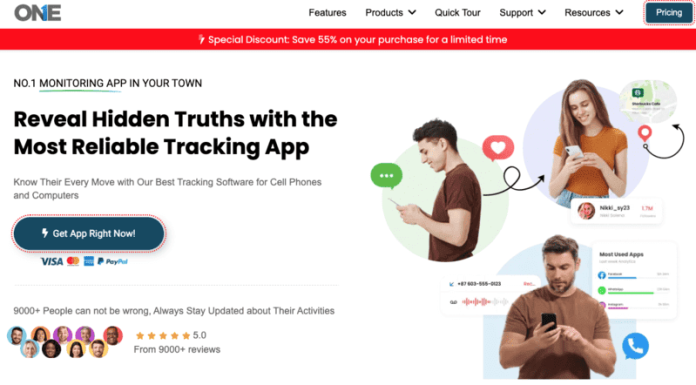
TheOneSpy aims to be your go-to monitoring software for Android, Mac, and Windows. This review is for parents who want their kids to be safe online, bosses who manage remote workers, and people who want to keep track of their own stuff.
We’re going to check out what makes TheOneSpy different and go over all its Android features. We’ll also check how it works on Mac and Windows, and see if it’s actually worth the price.
What’s Cool About TheOneSpy
It works on Android, Mac, and Windows. TheOneSpy solves the usual problem with monitoring software by working across different platforms. Lots of other programs make you pick different apps for different systems, but TheOneSpy gives you one thing that works on Android, Mac, and Windows without problems.
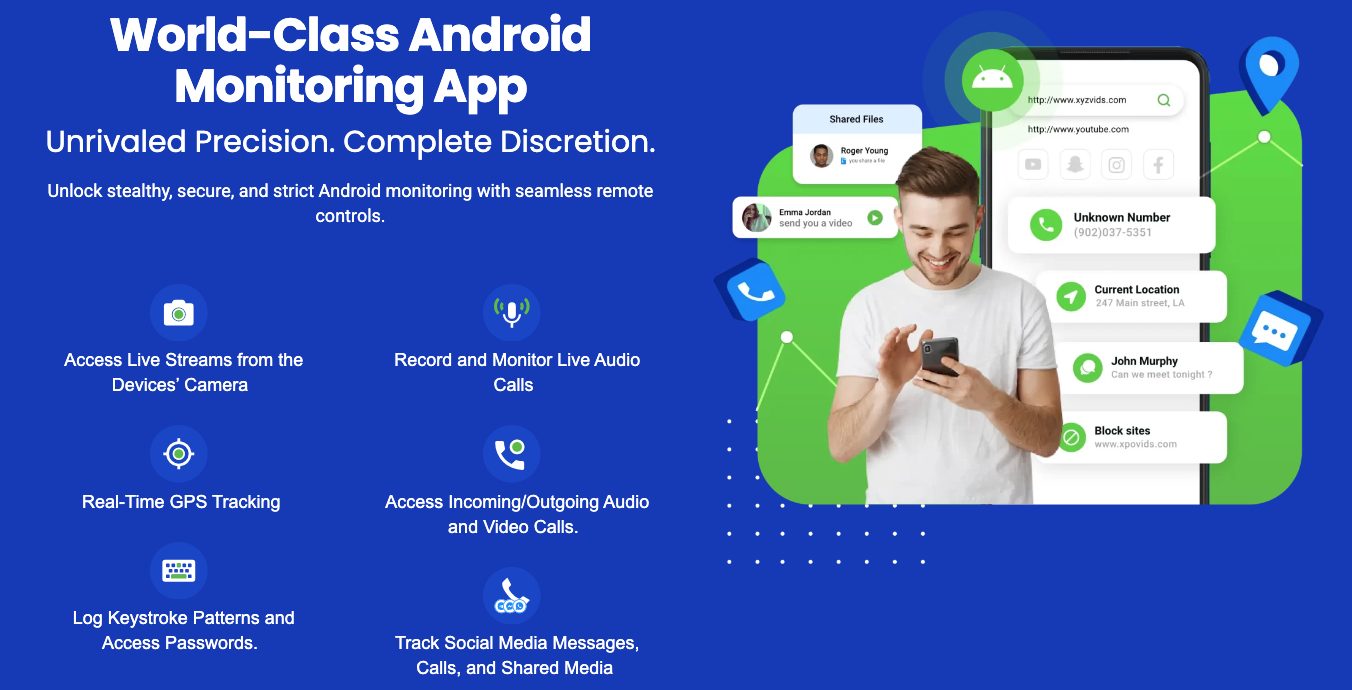
TheOneSpy is perfectly suited for Android devices as it tracks the calls, messages, social media, GPS locations, keylog, and everything seamlessly without the rooting. The app is compatible with all major Android devices; whether it’s a Samsung Galaxy, a Google Pixel, or another brand, it runs smoothly.
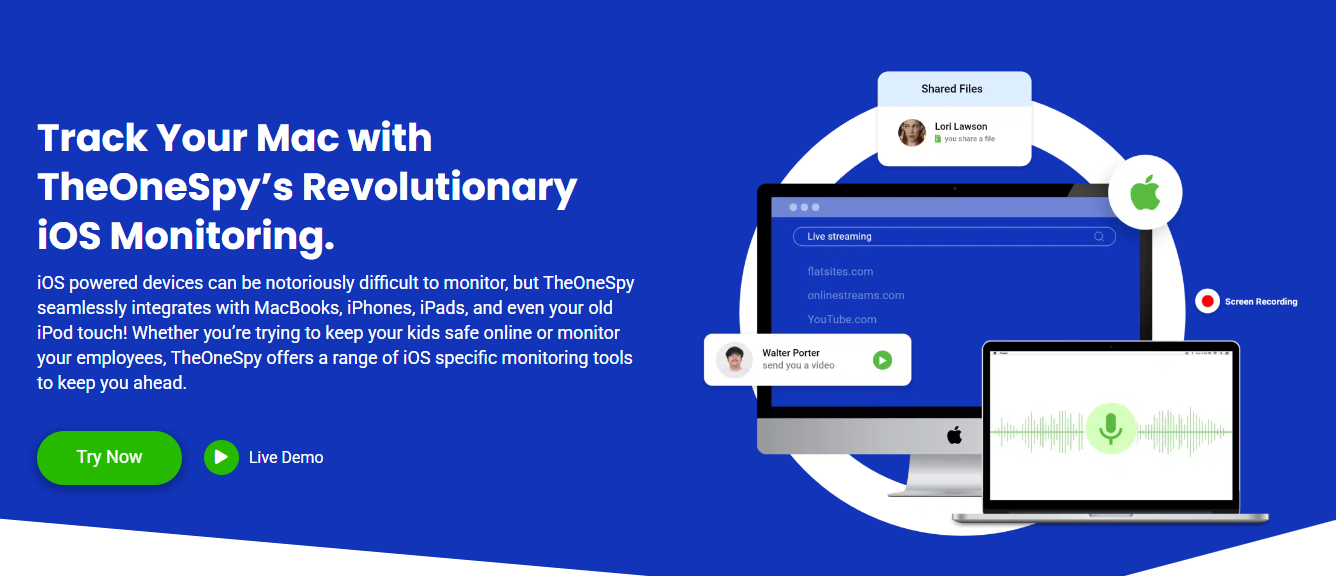
Mac users get a lot, too; it watches more than just the basics. It can see what you type, which apps you use, and which websites you visit, and even record your screen without slowing things down. The Mac version works with macOS security, but can still keep an eye on things.
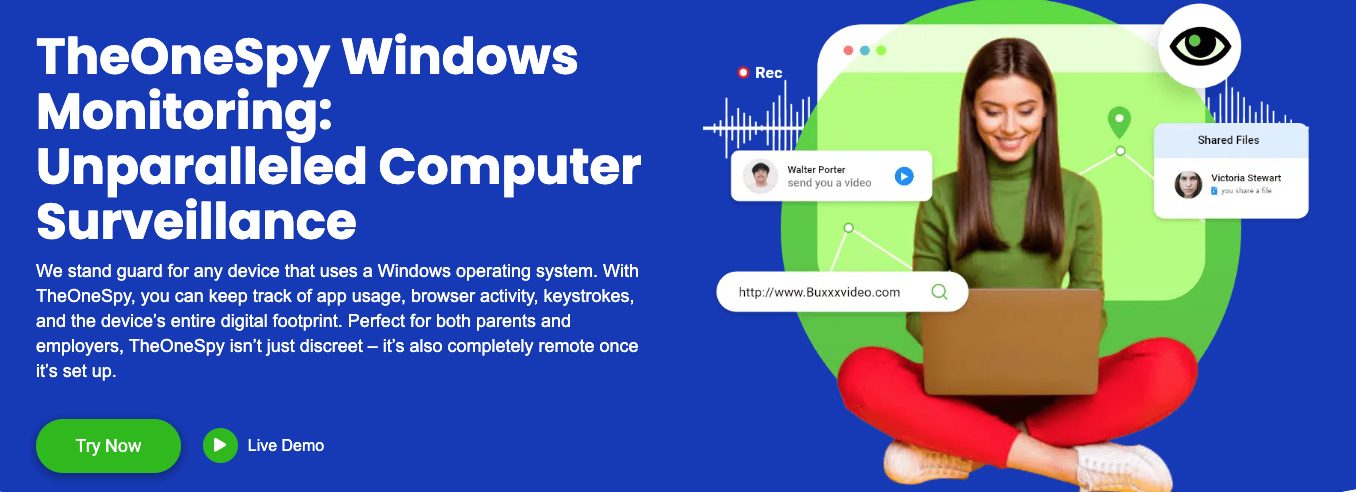
It works with Windows versions from Windows 7 to the newest Windows 11. It can monitor which files you open, which programs you use, what your network does, and how you use your computer, really well. The Windows version is good for both home and business use.
One app for everything, so you don’t need a bunch of them.
Most monitoring programs make you use a bunch of different apps, which can be a pain. TheOneSpy fixes this by putting all the features you need into one place.
Instead of using different apps to see what people type, record their screen, track their location, and watch their social media, you can do it all from TheOneSpy’s one dashboard. Let you save time and resolve the issues by switching to different apps.
The collected data is recorded in a single place where you can check the devices’ tracking. What’s happening around them, what they’re doing and chatting at the spot, showing the clear images to the linked secured dashboard.
The software can handle various monitoring tasks without extra hardware. Whether you need to control what your kids do, watch your workers, or keep your own devices safe, TheOneSpy can do it all while using the same look and controls.
It can hide itself for secret monitoring. TheOneSpy runs completely hidden, showing no outward signs and leaving no clues behind what they tracked. Unlike other tools that break the privacy, TheOneSpy runs in stealth mode and makes no compromise on security leakage.
When installed on the Android device, it was hidden; no icon or app notification appeared on the target device. Once it is set up, it starts recording the live screens and the actions in real time. There are no battery-draining issues as such, and there is no effect on internet data, so no one noticed any external interference.
On Mac and Windows, TheOneSpy also remains undetectable and causes no disturbance to system managers, like the taskbar and menu bar. Does not interrupt the regular files and data that could indicate the involvement. Just smooth tracking, with no alerting sounds or notification tones to indicate it’s installed on their device.
It can also protect itself from being removed or messed with. Even if someone finds it, TheOneSpy has security that makes it hard to turn off or delete without the right codes.
It updates data right away. TheOneSpy records and updates data continually, so you never miss the older and latest data reports. The calls, messages, maps, routes, and activity reports are available to you on the spot.
It uses the cloud to send data quickly from all devices. When the chat conversation takes place on the targeted Android device, you will get the instant look after. Plus, the routes and location updates are just transparent to you, so you never have to decide what to check and what not to.
You can also get alerts and notifications right away. You can make your dashboard your own, and you can block the adult websites, so that no underage users can access them. You can block the numbers of calls that seem unknown. You can set alerts on the dangerous zones. Get the instant alert when someone tries to access that again. It still works when the device goes out of internet range, holds it, and uploads to the dashboard when the connection is back.
TheOneSpy Android Monitoring Features
Records Calls and Tracks Call Info
TheOneSpy has good call monitoring that lets you see everything about phone calls. TheOneSpy records the live calls in high-quality sound and saves them to the dashboard, so you can access them whenever you need.
It does more than just record calls. Every call includes the contact name, phone number, duration, date, and type of call. It groups calls to show you who gets called the most and what the calling patterns are. You can sort calls by date, contact, or length to find what you need fast.
What makes TheOneSpy special is that it records secretly. It does not appear to be a screen or live recording signal that alerts the user during a voice conversation. The files are automatically compressed and take up less memory space, but do not affect the sound quality. The dashboard lets you search for specific calls using words, numbers, or contact names. It also generates call reports with daily, weekly, and monthly summaries and charts.
Texts and Social Media
TheOneSpy grabs all text message data from different messaging apps. You can track the MMS, SMS, and message conversation with date and exact time. Plus, the attached files contain the information, accessible to you even if deleted or misplaced among hundreds of chats.
It tracks popular social media platforms and has millions of users, including Facebook, Instagram, Snapchat, Twitter, and more. The tracking is easy with TheOneSpy; you can track their shared media files, chats, calls, VoIP calls, and video and audio files. The app is designed with the discreet feature and fulfills every person’s safety demands.
The best way to track WhatsApp data is not just the chats, but also the capture status profiles, locations, and privacy updates. For Facebook, it covered the messenger chats, the shared documents, the posted content, and more. For Instagram, it tracks the direct messages, the story views, and the followers.
It handles media without problems; it automatically downloads and stores photos, videos, and voice notes. You can view this on the dashboard or download it. Group chats are clearly marked with everyone’s names and what they said.
Social media reports sort activity by app, showing how often they’re used, who they talk to the most, and how often they communicate. From the TOS dashboard, you can search for the specific app data you want to check. All done seamlessly with no stress.
Location Mapping and Creating Virtual Restrictions
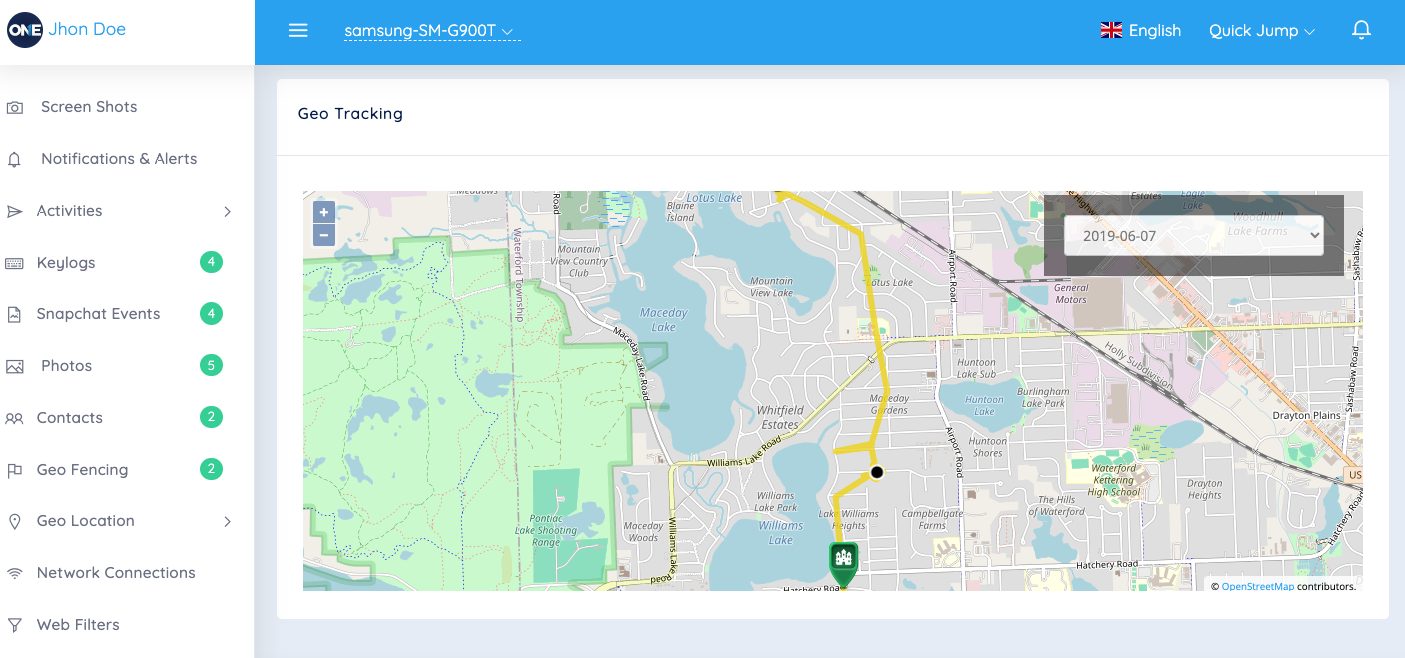
Real-time GPS tracking is one of TheOneSpy’s best tools. It watches the device location all the time, updating the coordinates every few minutes to give you accurate location info. You can check the latest and visited locations, and track the location in real time. The location tracking works inside and outside by using GPS, Wi-Fi, and cell towers to stay accurate. It saves battery so that tracking doesn’t drain the device.
Geofencing lets you make custom zones on a map. You can draw circles or shapes and set alerts when the device enters or leaves them. This is a tracking of home, school, work, or forbidden areas.
You get alerts right away—by email or on the dashboard—when geofences are crossed. You can set up many geofences, each with its own alert settings. The system puts dates on all location events, so you have a detailed log of when they arrived and left.
Location reports provide detailed information about movement, including common locations, routes, and the time spent at each location. The map shows movement trails, so you can see daily patterns.
App Control and Screen Time
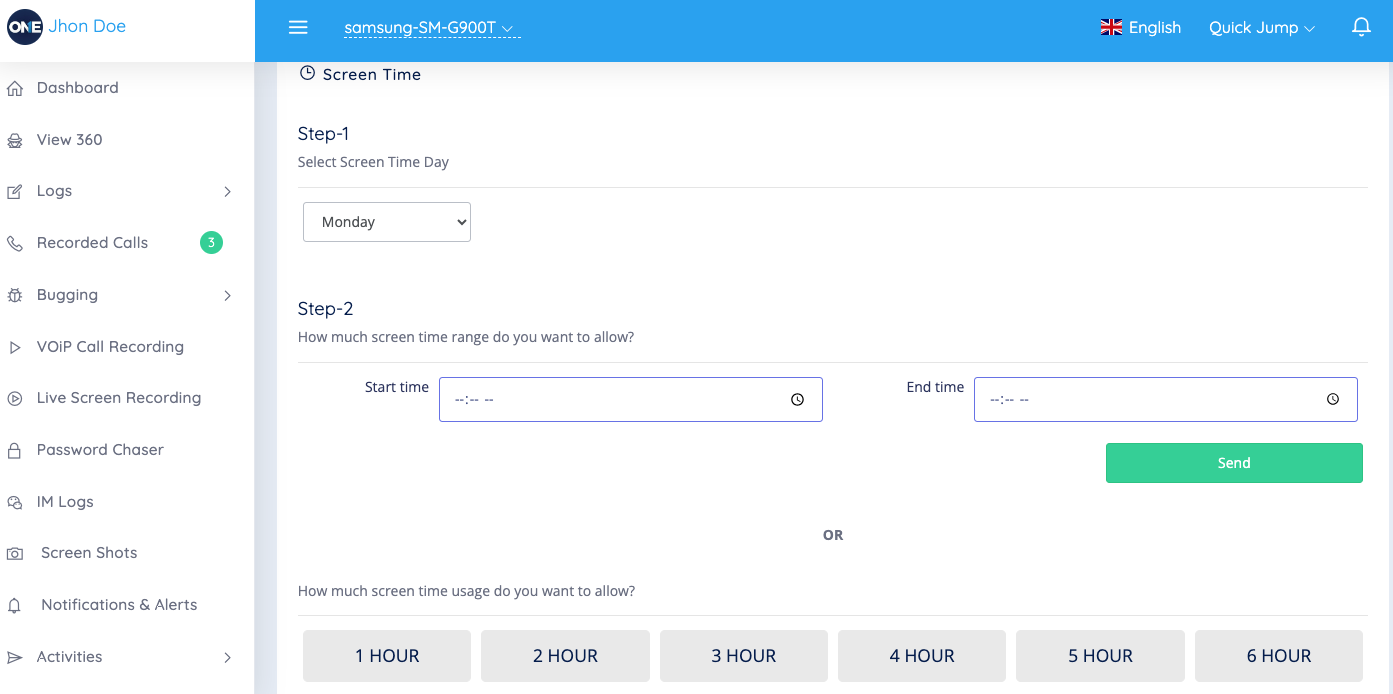
TheOneSpy tracks app usage, showing which app takes the most time. It tracks the apps’ logs, the installed apps, how long it was used, how frequently they were used, and the ratio each day.
You can remotely block access to specific apps. Blocked apps can’t be opened until you remove the block, which helps you the right way. You can make custom schedules to block certain apps during certain times, but allow them at other times.
On the online dashboard, you can explore the categorized option. Screen time reports have different options, such as social media, the gaming apps, or communication. The graph there shows the screen ratio weekly, so you can easily understand the numbers or hours. It lists the installed and deleted apps, along with when they were added to the device. This helps you know what software is being used. You can see full app lists with versions, install dates, and storage.
The remote app lets you uninstall apps from the dashboard. You can remove apps without touching the device, which gives you control over the software. You can sort app usage data by time, duration, or app type. You can make more detailed reports.
TheOneSpy Mac Monitoring Feature
Keylogging and Password Capture
TheOneSpy Mac monitoring is like having a superpower that lets you see everything typed on the device. It quietly grabs everything, from casual messages and emails to private login info and passwords. It works in all apps without problems, no matter which app they’re using—Safari, Chrome, Messages, or others.
It finds and sorts password entries, so you can find specific logins without going through pages of random typing. It knows where password fields are and marks them with dates and app names.
You get clear info on which app was used, which website was visited, and when. It even captures complex keyboard shortcuts and function keys, so you know everything the user did.
It runs without slowing down the Mac. Does not affect the Mac performance, and it provides smooth tracking of the device without being watched and leaving no traces behind. All typing data is encrypted and saved locally before being sent to your dashboard.
Browsing History and Content Blocking
Mac users may think private browsing and clearing history hide their online activity, but TheOneSpy grabs everything no matter what. It watches Safari, Chrome, Firefox, and other browsers, recording every website visit with dates and how long they spent on each page.
The browsing monitoring goes past basic history. TheOneSpy captures incognito and private browsing sessions that normally leave no trace. You can see deleted bookmarks, cleared downloads, and even websites visited through VPNs. It also logs searches on all search engines and social media.
You can stop access to specific sites or types of content. You can block social media during work, stop adult content, or block gaming sites. When your target device tries to catch the blocked sites, TheOneSpy instantly alerts and gets you the quick notifications.
TheOneSpy filters the sites and lets you block them so your young ones do not come across explicit content. Allow to block the website and the address so no one can try to access it through proxies or other tricks. Moreover, on Mac devices, you can easily change the block setting from the dashboard.
Screen Recording and Screenshots
TheOneSpy changes the way you monitor your Mac, letting you see what’s happening in real time. The screen recording grabs everything on the desktop in good-quality video. You can set up schedules to record all the time or when certain apps or websites are used.
The screenshot tool can grab screens every few seconds for detailed monitoring or take random snapshots to check general activity. The software adjusts image quality and file sizes based on your storage and internet connection. Screenshots include info about what apps were open, window titles, and the time.
The changes based on use. When nothing’s happening, fewer screenshots are needed to save space. When it detects typing, mouse movement, or app switching, it records more often.
All data is compressed and encrypted before being sent to your dashboard. You can watch recordings and screenshots or see old stuff from other days or weeks. The interface lets you jump to specific times or search for screenshots of specific apps or content.
TheOneSpy Windows Monitoring Features
Employee Productivity Tracking
TheOneSpy turns Windows computers into surveillance centers, allowing bosses to monitor how productive people are and how workers behave.TheOneSpy captures screenshots and saves them to the dashboard with the date and time you mentioned. You can visually take proof of what they are doing at that time.
TheOneSpy keyloggers capture the keys that are pressed on kids’ devices, whether for passwords, in chats, emails, or documents. Helps keep an eye on employees during office hours and track keystrokes for every activity — whether on social media, in the group chat, or in the inbox —to reduce the risk of data theft.
The app lets you see which programs workers use the most and for how long. TheOneSpy tracks everything from Microsoft Office to web browsers and games, making reports that show productivity and wasted time. Bosses can set alerts for certain apps or set limits for non-work software.
It also sees when someone’s not doing anything, helping show the difference between work time and breaks. This is important for billing, time on projects, and understanding how productive teams really are.
File and Folder Monitoring
Windows file system monitoring through TheOneSpy watches document access, changes, and transfers. The software logs every file action — opening, editing, copying, moving, or deleting — creating a record that’s important for security and the protection of sensitive secrets.
Real-time file transfer monitoring watches data as it moves through email, the cloud, USB drives, and networks. It can flag suspicious file access or attempts to transfer large amounts of data, sending alerts to security teams.
TheOneSpy tracks who has access to folders and when they try to access them, recording successful and failed tries. This helps find security problems or unauthorized access while keeping logs. It can watch folders with private info, trade secrets, or customer data.
Version control monitors changes, showing exactly what was changed and when. This helps with the project, quality control, and understanding how teams work.
Remote Desktop Control
Remote desktop through TheOneSpy lets people control Windows computers from anywhere with an internet connection. Managers can see the desktop, control the mouse and keyboard, and do anything as if they were there. This is good for IT issues, fixing problems, and when things go wrong.
It allows connections at the same time, letting several managers watch different parts of the same thing. The screen adjusts to the internet, so it works well even on slow networks.
Remote file lets managers send files to and from computers without the user knowing. This helps with software updates, security fixes, and the retrieval of important documents during emergencies. The system logs everything done remotely for recordkeeping.
Streaming the desktop provides constant monitoring without needing action, which is good for managers who want to see stuff without doing anything.
Network Use Tracking
Network monitoring through TheOneSpy gives the details on internet use and online behavior. The software tracks every website visit, recording addresses, time on the site, and how often they visit to make browsing for each user.
Breaks down data by app, website, and time, helping find which causes the most and hurts the network. This is important for handling limited internet access or for making rules for it.
Real-time network traffic shows active connections, speeds, and online services. Detect the suspicious entrance and alerts you before it causes a virus, threat, malware, or affects personal information.
Plus, detect the non-ethical behavioral conversations for safety purposes. Shows the data of the social media, including Facebook, WhatsApp, Instagram, Snapchat, during company hours to track how much time employees use them. TheOneSpy can block sites or apps based on the company while keeping logs.
Email monitoring includes webmail, message tracking, attachments, and contact information. This helps with company rules and the sharing of secrets.
How to Install and Use It Step-by-step
Setting up TheOneSpy differs on Android, Mac, and Windows, and each requires a different approach.
First, download the APK file directly from TheOneSpy’s official website.
Because it’s not available on Google Play, you’ll need to enable “Unknown Sources.”
Go to your phone’s Settings > Security and turn on “Install apps from unknown sources.
Next, open your File Manager and find the downloaded APK file.
Tap on it to install the app.
Once installed, TheOneSpy will ask for some permissions — such as access to location, camera, microphone, and storage.
After that, create your account and link the device to your online dashboard.
Mac installation follows the same steps as installing software. After buying a license, you get a link to download the installer. The .dmg file opens like a normal Mac app, but you need computer access to install it. The software with macOS is asking for access and full disk access to work properly. You need to add TheOneSpy to the Security & Privacy settings under Privacy, giving it access to.
Windows setup is the easiest. The installer takes you through a Windows installation. The program needs computer access and might show Windows Defender alerts, which you need to fix by making the TheOneSpy files. During installation, you set your monitoring and the connection to your dashboard.
Dashboard and Interface
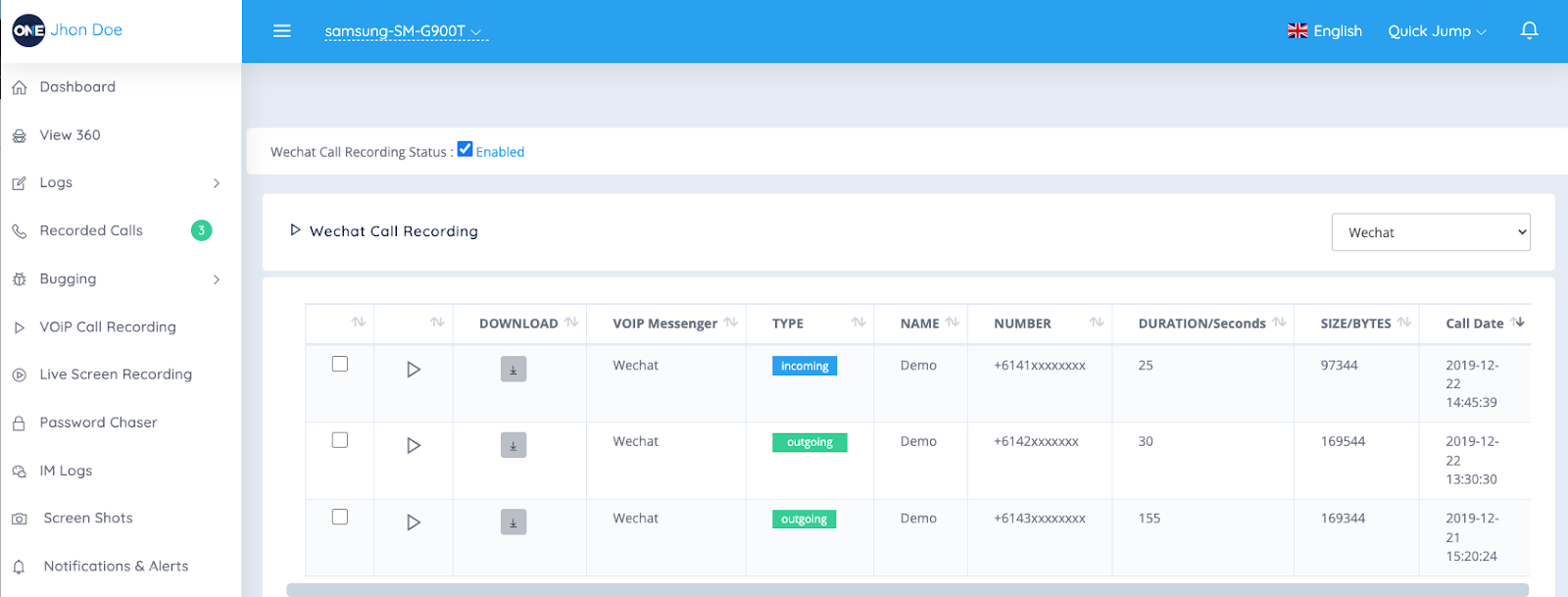
TheOneSpy’s dashboard is clean; it consolidates all device data in one place. The main screen shows status updates from each device, like battery, connection, and recent activity.
The sidebar puts features into groups: Location, Communication, Files, Apps, and System. Each group shows tools and reports. Location shows maps with GPS, and while communication shows calls, messages, emails, and social media.
The interface displays data in charts that make the info easy to see. Activity reports are made automatically, showing data in lists and summaries. You can design your dashboard by pinning reports you use a lot and alerts for things. You can filter the words or features on the dashboard, and with a few clicks, everything appears on your screen.
Mobile App and Remote Control
TheOneSpy app is easily available for iOS and Android devices. You can track activities from the dashboard and access them whenever you want from anywhere in the world. It is available for Windows and macOS, but it is easy to use on cell phones.
Remote monitoring does not end at showing activities remotely, but also provides the full control. You can turn on the cell phone’s mic recordings and camera, take screenshots, lock the device, or block apps, all remotely.
The app stores reports when the internet is limited and uploads them when the internet returns. This helps users in areas with bad service.
Fingerprint and face ID secure the app while letting users get in fast. The interface uses gestures to move between areas and devices.
You can change between devices without logging in and out. The app has notifications for each device, so you know what’s from where.
Pricing and Value
Subscription Tiers
TheOneSpy has three plans for different needs and Everyone. The Basic plan starts at $22.99 per month and covers calls, texts, GPS, and social media. This is good for parents who need easy monitoring.
The Premium plan is $55 per month and unlocks recording, keylogging, screen recording, and social media. This is good for parents and bosses.
The Ultimate plan is $59.99 per month and includes all Android, Mac, and Windows features, as well as support.
You save money with yearly plans, with discounts of 40-50%. They also run deals that make the first year cheaper.
Cost Breakdown With Others
Compared to Spyzie, mSpy, and FlexiSpy, TheOneSpy is in the middle. The top programs cost $70-100+ for the same features, but TheOneSpy is 60-70% of that.
It’s better if it works with different platforms. Many programs charge extra for each system, but TheOneSpy includes Android, Mac, and Windows in one buy. This is good for families or businesses that use a mix of devices.
TheOneSpy has tools that other programs keep for plans. Keylogging, screen recording, and GPS are in the Premium plan.
Some cost programs offer AI and better reporting, so their prices are worth it. TheOneSpy focuses on basic monitoring rather than new features.
Refund Policy
TheOneSpy offered a 10-day money-back guarantee. Within 10 days, the customer can contact the support team to receive a refund.
Support team available 24/7 for you. Handle your queries via email and phone, and address them during company hours. With customer live chat, you get instant replies, take emails, and more. After hours of analysing your qualities, I properly resolved technical incompatibility issues across all devices.
The company has guides with installation, feature help, and common. It has videos that walk users through complex setups, making it easy to use.
Premium and Ultimate plan users get support with account managers and help. This ensures that the cost users get a better cost if they need it.
Free Trial
TheOneSpy has no free trial yet, but a demo that provides a trial-like experience, letting you see how the Dashboard works and what it feels like. This lets users explore before buying, while the install methods.
The demo includes sample data that shows what the info looks like in the dashboard. It shows calls, messages, location, and media.
New users can watch live demonstrations with support reps. These make users see the in action and ask questions.
The 10-day money-back guarantee serves as a trial, giving users time to test it on their devices. This is better than trials, since users can use all of them before.
Security and Legal
End-to-end encryption and allocation. TheOneSpy protects data with layers of. Data is encrypted with AES-256 and issued by the government.
The company stores data on servers protected by SSL/TLS. These servers are checked regularly and comply with data laws. TheOneSpy makes copies of your data so you can access it even if the server is down.
User info gets protection through algorithms. TheOneSpy never stores passwords in plain text, so others can’t access accounts. It also watches for threats and acts when it sees them.
Data keeps info until you don’t need it. Users can delete items or remove data when they’re done. This improves security and gives users control over their data.
Legal Use
TheOneSpy complies with the GDPR, CCPA, and other applicable laws. Before installation, it takes consent, and after the agreement, it starts running.
They say it’s for parents watching kids, bosses watching workers, and people watching their devices. The software must help users comply with the law.
Legal says not to install TheOneSpy on devices without getting permission. The company has documents listing acceptable uses and legal info for each place to help users navigate the laws. TheOneSpy offers features that support the law, such as controls and records.
The software respects privacy by not taking data. TheOneSpy only takes info for. Users can change to only take certain sorts of data, reducing and meeting monitoring needs.
Account Protection
TheOneSpy allows the use of two-factor authentication. Users must verify their identity before using the apps; unauthorized access is not allowed.
The watches’ login patterns and flags are suspicious. Session closes users after if nothing happens to stop access. TheOneSpy also keeps logs showing when and where account logins occurred. These logs help identify security problems and support security checks.
Password requirements enforce strong security. TheOneSpy provides robust security to help users keep their accounts safe. The also offers a secure password that verifies users before giving access.
Features include the ability to stop account access to certain devices. This is good for business users who need to make sure data stays on devices.
Final Words!
TheOneSpy is the best app that combines Android, iOS, macOS, and Windows into a single place. Best for the individuals, parents, and employees to keep safe from the digital harm. The feature with the remote control, location updates, activity reports, and social media monitoring is working smoothly across the device. It’s working across the platform, with a slight difference in the number of installations.
TheOneSpy pricing plan is affordable if you need to track many devices at once. But remember, tracking a phenomenon can cause legal issues. Always follow and obtain the legal permission before choosing the software. If you want a single app that is compatible with all the devices, TheOneSpy is the digital faithful choice.
Online shopping is an easy and convenient way to buy items. Many people enjoy the experience of going to a physical store to make a purchase.
However, After the COVID-19 pandemic, most people are more likely to place orders from the comfort of their homes than walk into a physical store to make purchases.
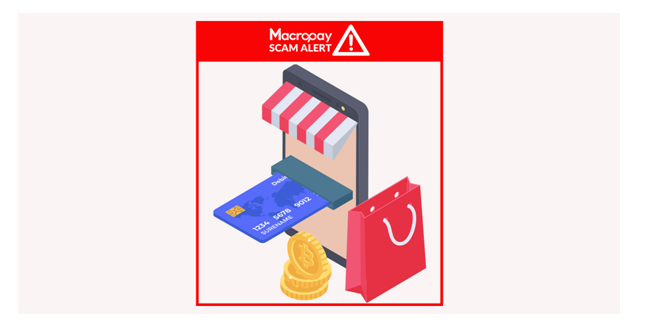
In this Macropay Scam Alert, let’s examine a few things to look out for before purchasing from a website or an online store.
However, fraudsters have seen this as an avenue to scam customers with phishing scams. These scammers build fake online shopping stores or e-commerce websites to either receive payments without delivering the required products or end up delivering products of low quality.
Also, many people fall victim to fake stores on days such as Black Friday sales because they offer ridiculous discounts on their websites, and unsuspecting customers can be duped for their money.
How To Spot Fake E-commerce Sites And Online Stores
Identity and Registration: There is no emergency when you are trying to make a purchase. You can always take a little time to investigate the e-commerce site you wish to buy from. You can find out who the owners of the site are and other details of this owner by typing out the website’s URL at www.whois.com/whois The absence of details upon entry should flag the site as fake.
Website Encryption Checks: In the address bar of your browser, you may find a padlock icon. This means that the site uses encrypted messages to secure whatever information that you enter on the website. The absence of this feature is a good indicator that your details can be compromised and you may be scammed if you proceed with a purchase.
Google Safe Browsing: Obtaining a transparency report on the site you wish to make a purchase is essential. This is because genuine sites and online stores can be hacked. Entering the site’s URL into transparencyreport.google.com/safe-browsing/search will help you see if there’s something dodgy about the website and see if it can be trusted.
Payment method, Return and Exchange Policies: Due to the need to dupe people, most fake sites will have listed a host of payment methods, especially the unpopular ones that do not support reversal of payment. Also, they usually have a no-return or exchange policy because they do not want to be held accountable after they have scammed buyers out of their money.
URLs and Professionalism: Sometimes, the hallmark of a fake e-commerce website is its URL. These scammers hide the malicious nature of their website in their URLs by shortening it. There are a few URL expansion websites that can expand them so you can see what’s actually on the site you want to purchase from.
Additionally, scammers build fake websites hurriedly, and they alone take up the task that different professionals undertake on genuine websites.
While they try to duplicate the features of genuine and often popular websites, they ignore grammar. Hence, fake websites are littered with grammatical errors.
What To Do When You Are A Victim Of A Fake E-Commerce Site
Here are some of the most essential actions you can take after you have been scammed:
Contact your bank or credit card company immediately and let them know your details have been stolen. This can prevent further transactions from taking place on your account until you can secure the safety of your information.
Report to appropriate authorities and the genuine e-commerce website or online store that was duplicated.
Macropay, being a payment platform, can be attractive to scammers. Here are some answers to frequently asked questions to stay safe from fake e-commerce sites involving Macropay:
What is the Macropay Scam?
This scam involves fake e-commerce websites that claim to accept Macropay as a payment option. These websites advertise deals on in-demand products but are designed to steal your financial information or sell counterfeit goods.
How can I spot a fake Macropay e-commerce site?
Unrealistic Prices: If a website offers products at significantly lower prices than reputable retailers, it’s a red flag.
Generic or Unprofessional Website Design:Fake websites often have poorly designed layouts, grammatical errors, or blurry images.
Urgency Tactics: Beware of websites pressuring you to buy with limited-time offers or low stock warnings.
No Contact Information: Legitimate businesses should have clear contact information, including a physical address and phone number.
Suspicious URLs: Check the website’s URL for misspellings or unusual domains (e.g., “.info” instead of “.com”).
What should I do if I encounter a suspicious Macropay website?
Do not enter any personal or financial information.
Leave the website immediately.
Report the website to Macropay and relevant authorities.
How can I shop online safely using Macropay?
Shop from trusted retailers: Only buy from websites with a good reputation and verified customer reviews.
Look for security features: Ensure the website uses HTTPS encryption (indicated by a padlock symbol in your browser bar).
Review Macropay transactions: Keep an eye on your Macropay account activity and report any unauthorized transactions.
What if I already purchased a fake Macropay website?
Contact Macropay immediately: Report the fraudulent transaction and seek help in recovering your funds if possible.
Monitor your financial accounts: Closely watch your bank statements and credit card reports for any unauthorized charges.
Consider filing a police report: If you suspect identity theft or financial loss, report it to the authorities.
A Final Word…
By staying vigilant and following these tips, you can protect yourself from Macropay scams and shop online securely. Remember, if a deal seems too good to be true, it probably is.
In this post, I will show you how digital training programs support skills in healthcare settings.
Healthcare workers should keep updating their information to provide safe and effective care. In such environments, digital training programs have emerged as a critical component of the skill development strategy.
Frequent learning opportunities allow staff to build familiarity and confidence with the new routine. Learning tools, especially those enabled by technology, provide options for busy healthcare workers.
Accessible Learning Opportunities
Healthcare staff benefit from access to content through online modules. Healthcare training platforms also offer professionals the chance to advance their education without needing to disrupt patient care since they can learn when their schedules allow.
Remote accessibility allows employees working on different shifts from different locations to be a part of the learning process. For example, many digital programs have interactive components that can act as comprehension checkpoints, like a quizzes.
Standardized Content Delivery
Digital courses offer information in a standardized way, ensuring that each participant gets the same information. Standard training reduces the chance of errors due to miscommunication.
When something is standardized, it also means that measuring learning outcomes across departments becomes easier. Healthcare leaders can have confidence that every single member of the team learns those skills optimally.
Cost-Effective Skill Development
The traditional classroom environment is a cost center, and technology-based training reduces this cost. Organizations save on travel, printed materials, and instructor payments.
The organization can divert funds to other vital areas such as equipment or services for patients. Online education reduces the time spent away from patient care, improving operational efficiency.
Timely Updates and Adaptability
Medical guidelines often change rapidly. Digital platforms allow for the quick updating of training materials, ensuring staff always have the most current information.
Professionals can get the fresh protocols immediately when they are launched as opposed to waiting around for the next scheduled in-person session. Prompt dissemination of novel information is a critical adjunct to regulatory compliance and enhanced patient safety.
Enhanced Engagement and Retention
Implementation of elements like simulations and scenario-based exercises is used to increase engagement in training. It is a safe environment for healthcare staff to practice real-life scenarios.
Involvement encourages learners to remember knowledge and execute ideas in a clinical context more adeptly. Digital lessons during class aid in constant development for learners and teachers through feedback provided to each other.
Tracking Progress and Performance
With an LMS, managers can track how many people have finished a course and how well they performed on quizzes.
This allows managers to spot employees who need some extra support or a refresher course. This digitally delivered data helps you know how to structure future training strategies. Continuous monitoring guarantees closure of skill gaps.
Supporting Diverse Learning Styles
People absorb information differently. In many digital programs, written content and exercises accompany videos. This diversity caters to different learning styles.
By allowing staff to choose from formats that work best for them, you can ensure higher satisfaction and success rates. Tailored methods build learners’ confidence in their skill sets.
Facilitating Collaboration
Some programs have discussion boards or group projects built into the online aspect. Such features promote conversations between colleagues who might not engage with each other daily.
Learning together is also the best way for people to help each other by sharing experiences and insights. You can also try collaborative activities that can provide a sense of support and bonding.
Reducing Training Barriers
Shift work and other time constraints make traditional training difficult to organize. By offering on-demand content, digital programs eliminate many of these barriers.
Staff do not need to wait around for classroom sessions. Higher accessibility means that the critical skills reach staff fast.
Promoting Lifelong Learning
There are always new modalities and technologies coming through the pipeline in the healthcare space.
The culture of digital education also promotes a habit of constant upskilling. Updates in best practices help professionals keep refreshing their skills. Continuous learning enables organizations to uphold care standards.
Final Thoughts
Digital training supports the skill set of healthcare professionals through digital training. MOOCs provide easy, affordable, and uniform educational opportunities. The real-time updates and interactive elements help ensure healthcare personnel stay ready for the surge.
Technologically focused education bolsters the workforce for organizations and leads to better patient outcomes. Dynamic eLearning solutions remain a driving force in healthcare environments, molding the future of development.
In this post, I will talk about protecting your predictive edge from digital threats.
Every data-driven decision you make—whether in sports betting, finance, or business—relies on keeping your predictive edge safe from prying eyes and cyberattacks.
In 2025, the stakes are higher than ever. Digital threats don’t just target banks or tech firms; anyone using analytics or prediction models is a potential target. Hackers look for valuable algorithms, strategies, and even user data to exploit for profit or sabotage.
This article will break down the most common risks facing predictors today. You’ll find practical solutions and best practices that help keep your insights secure so you can focus on outsmarting the competition instead of worrying about breaches.
Secure strategies for smart predictors
If you rely on predictive models to stay ahead in sports betting, you know that every edge counts. What’s less obvious is how quickly that edge can disappear if your data or strategies fall into the wrong hands.
That’s why platforms like Apuestas Guru make security a priority from day one. They recognize that successful prediction isn’t just about having sharper insights—it’s also about protecting those insights from digital threats, whether it’s a data breach, phishing attempt, or malware lurking in the background.
In my experience with Apuestas Guru, I found that they take a holistic approach to user safety. The site combines expert analysis and recommendations with practical security measures behind the scenes. This means users get up-to-date information on reliable betting platforms and prediction techniques, while also benefiting from encrypted communication channels and strict access controls.
One thing that impressed me is their focus on educating users about common risks—like fake betting sites or suspicious emails—and giving clear advice on how to avoid them. For anyone making decisions based on sensitive data or unique models, this dual emphasis on insight and safety is crucial.
By weaving security into every part of the experience, Apuestas Guru helps smart predictors make informed choices and protect what makes their approach valuable in an increasingly hostile digital world.
Understanding the digital threat landscape for predictors
If you rely on predictive models or data-driven strategies, digital threats are a constant concern. Attackers see valuable algorithms and data as prime targets, and the risks have never been higher.
Even a small slip can put your predictive advantage at risk. Staying alert to these threats is the first step in protecting what you’ve built.
Data breaches and intellectual property theft
Cybercriminals actively hunt for proprietary models, algorithms, and sensitive datasets. For platforms using prediction analytics, a breach can mean more than just a temporary setback—it can destroy trust and competitiveness overnight.
The consequences are real. Once your unique insights or model code are leaked, competitors may quickly catch up or even surpass you using your own data. Recovering from this kind of loss isn’t just about patching security holes; it’s about regaining reputation and strategic footing.
2023 Data Breach Trends reported that more than 360 million people were impacted by corporate data breaches in just eight months, showing how vulnerable predictive platforms remain to massive leaks.
Phishing, social engineering, and insider risks
Attackers often bypass technical barriers by targeting people. Phishing emails look legitimate but are designed to steal credentials or trick staff into revealing secrets. Social engineering preys on trust—posing as vendors or colleagues to get inside information about your predictive assets.
The threat doesn’t end there. Insiders with privileged access can misuse technology or leak information, sometimes unintentionally but often for personal gain.
A recent review from Insider Threat Vectors found that AI-powered phishing and privilege abuse were top risks for predictive platforms in 2023. This means both technology gaps and human weaknesses play into the threat equation.
Malware, ransomware, and platform vulnerabilities
No matter how smart your prediction tools are, they’re only as safe as their weakest link. Malware can sneak in through seemingly harmless downloads or emails, giving attackers full control over your systems or stealing sensitive model data.
Ransomware is especially destructive—locking down files until you pay up. Prediction platforms with unpatched software become prime targets because attackers know these systems often contain valuable intellectual property and user information.
The 2023 Ransomware Surge marked record levels of attacks exploiting outdated software on analytics tools—disrupting business operations and exposing critical data at an unprecedented scale.
Best practices for securing your predictive advantage
Keeping your predictive edge safe goes far beyond choosing a complicated password.
The most resilient organizations and solo predictors build daily habits and technical guardrails that make it hard for attackers to break in—or even get close.
What I’ve found is that a layered approach always works best. It’s about protecting not just your data, but the systems, people, and processes around it.
Encryption, authentication, and access controls
If there’s one thing I never compromise on, it’s encrypting sensitive data—both at rest and during transmission. Encryption makes it nearly impossible for outsiders to read your prediction models or user information if they manage to intercept it.
Multi-factor authentication (MFA) is another non-negotiable. With MFA in place, even if someone steals a password, they still can’t gain access without the second step. It’s saved my team more than once from credential phishing attempts.
Access control rounds out this trio. By restricting who can view or edit critical resources, you cut down the risk of accidental leaks or insider threats. The 2024 Cybersecurity Trends report calls these three elements the baseline for keeping analytics and prediction platforms secure—and from my experience, they’re right.
Continuous monitoring and threat detection
I’ve seen attacks caught early simply because someone was paying attention at the right time—but humans miss things. That’s where automated monitoring comes in handy.
Real-time threat detection tools scan your systems for unusual patterns or suspicious activity 24/7. Today’s best solutions use AI-powered analytics to flag issues that might slip past manual reviews—whether it’s a spike in logins from an odd location or a rogue process trying to copy data.
This approach gives teams precious extra minutes (or even hours) to respond before real damage occurs. According to AI Monitoring Tools, continuous monitoring now sits at the heart of predictive security strategies in leading organizations.
Education, awareness, and a security-first culture
You can have every tool on the market—but all it takes is one careless click on a phishing email to let an attacker in. That’s why regular training and awareness matter as much as any technology investment.
I always encourage teams to run simulated attacks, update staff about new scam tactics, and foster an environment where asking “Does this look right?” is expected—not discouraged.
The latest 2023 Security Training Trends report shows organizations are doubling down on human vigilance. From what I’ve seen in Spanish tech circles, those who treat security as everyone’s job have fewer close calls—and recover faster when something does go wrong.
The future of secure prediction: trends and technologies
Prediction platforms never stand still—and neither do the threats or solutions surrounding them.
What kept your data safe in 2023 may not cut it in 2025.
New defenses are emerging, shaped by breakthroughs in artificial intelligence, evolving privacy regulations, and the rise of decentralized technologies. Here’s where things are headed if you want to keep your predictive edge truly protected.
AI-driven security and automated defenses
Cybercriminals are getting faster and more creative, but artificial intelligence is leveling the playing field for defenders.
Today’s AI-powered security tools can scan thousands of data points in real time, spotting subtle threats that would slip past manual monitoring. I’ve seen platforms automatically isolate suspicious activity and trigger instant responses—shutting down attacks before they spread.
This approach is only getting more important. 2024 AI Security Forecasts predict that these tools will soon be a baseline requirement for any prediction platform that wants to stay ahead of cyber risks.
Privacy by design and regulatory compliance
The rules around personal data have changed rapidly—especially across Europe and Latin America. Relying on privacy as an afterthought just doesn’t work anymore.
In Spain, for example, we’ve watched operators redesign entire systems to meet GDPR standards from day one. Privacy by design means sensitive user information is encrypted, access is limited at every layer, and audit trails document everything.
This shift isn’t optional; 2023 Privacy Regulations show that 75% of people worldwide now fall under strict privacy laws. Platforms ignoring this risk costly fines—and lost trust with users who value their anonymity.
Decentralization and blockchain for prediction security
If there’s one lesson from recent attacks, it’s that single points of failure invite disaster. That’s why decentralized architectures are gaining traction with teams focused on prediction security.
Blockchain technology provides transparent records while removing dependence on any single server or administrator. With this setup, hackers can’t take down an entire system just by breaching one entry point.
This trend is picking up speed globally. According to Blockchain Security Trends, more platforms are choosing decentralized models—especially those handling sensitive analytics—to boost resilience against coordinated attacks or outages.
Conclusion
Maintaining your predictive advantage in 2025 means more than just relying on clever models or exclusive insights.
You need a proactive mindset, continuous education, and security habits that match the pace of digital threats.
From real-time monitoring to strict access controls, every layer of protection counts when your data and strategies are at stake.
Whether you’re leading a team or betting solo, combining proven defenses with emerging technologies is the surest way to keep your edge—no matter how sophisticated attackers become.
The smartest predictors aren’t just ahead in analytics—they’re also one step ahead in security.
Here, I will talk about the transformative impact of Artificial Intelligence on surveillance and safety.
Artificial Intelligence (AI): it’s not just a buzzword or the latest fad. It’s become the buddy cop, the trusty sidekick to security professionals in their daily operations. Remember the days when security meant bulky cameras and slow response times?
Those days are dust in the wind. But how, you might ask, has AI helped kick security up a notch? Well, grab a seat and buckle up, we’re about to delve deep into this thrilling world.
Understanding Artificial Intelligence in the Security Industry
AI isn’t just a robotic voice in a sci-fi movie; it’s a tech marvel turning the security industry on its head. Think of it as equipping security systems with human-like smarts without the coffee breaks.
There’s strong AI, with complex reasoning (like HAL from “2001: A Space Odyssey”) and weak AI, with task-specific brilliance (think Siri or Alexa). Strong AI is the Einstein, while weak AI is more of the specialized surgeon in the field.
Clarification of Artificial Intelligence (AI), Machine Learning (ML), and Deep Learning (DL)
Now, don’t get caught in the tangled web of tech jargon. AI is the big umbrella, and under it, you have Machine Learning (ML) and Deep Learning (DL). Think of AI as the big family, ML as the siblings, and DL as the twins with special powers.
This ain’t just tech talk; it’s vital for security managers to distinguish between the trio. From utilizing AI software by Oxagile to employing ML algorithms, understanding these differences can be the game-changer in threat management.
Machine Learning (ML)
Machine Learning (ML): it’s not just a nerdy term; it’s a technology revolution, particularly in the security industry. It’s the brains behind the machine, giving it the power to learn, grow, and evolve. Let’s break it down.
Machine Learning is like teaching your computer to think and learn, not just follow orders. It’s experiencing explosive growth in the security industry, acting as the Sherlock Holmes of the digital age, always two steps ahead.
In the realms of security and retail, ML wears several hats. Here’s a nifty list to give you a snapshot:
Security
Fraud Detection: Sniffing out suspicious activities.
Threat Prediction: Knowing the criminals’ next move.
Retail
Customer Behavior Analysis: What are shoppers looking for?
Inventory Management: Making sure the shelves are never bare.
Threat Identification and Prediction
Imagine having a security guard who never sleeps, never takes a break, and predicts crimes before they happen. ML is this guard. It analyzes patterns, understands risks, and rings the alarm at the first sign of danger. How cool is that?
Whether it’s spotting a pickpocket in a crowded mall or identifying vulnerabilities in a complex computer system, ML is the silent sentinel.
ML is not just a tool; it’s an arsenal, opening new horizons in the world of security and retail. It’s not about replacing human intelligence but empowering it, making our world a bit more secure, and shopping a tad more personalized.
Deep Learning (DL) is Machine Learning’s more mysterious and complex sibling. Think of Machine Learning as teaching a computer to solve a jigsaw puzzle, while Deep Learning is like teaching it to paint a masterpiece. Here’s how it all connects:
Explanation of Deep Learning
DL is a form of ML that uses neural networks, mimicking human brain functions. If ML is the engine, DL is the turbocharger, taking learning to profound depths. It’s like having a detective who doesn’t just solve crimes but understands the psyche of the criminal.
Differences between ML and DL
While ML learns from data patterns, DL dives deeper, interpreting data through multiple layers. Here’s a comparison:
ML: Requires guidance, like training a dog with treats.
DL: Self-teaching, like a child learning to speak by listening.
Applications of DL
Deep Learning shines in customer behavior prediction and pattern inspection. Whether it’s predicting the next big fashion trend or spotting an anomaly in security footage, DL sees the patterns even when they’re hidden in shadows.
In a nutshell, if Machine Learning is the mind, Deep Learning is the soul. It’s a fascinating, intricate tool, adding nuance to the already bright world of AI. A world where machines don’t just calculate but contemplate, extending the boundaries of what technology can achieve.
Rise of Artificial Intelligence in Security
AI in security isn’t just a fleeting trend; it’s the next big wave, a thunderous force reshaping the landscape. What’s fueling this revolution? It’s not just one thing; it’s a perfect storm of unique characteristics, advancement in technology, big data, and open-source software. These elements are marching together, leading the charge like an unstoppable army.
Proactive threat mitigation has shifted from being a mere luxury to an absolute necessity in this age. The need of the hour is intelligent security, not reactive but predictive.
The AI revolution in security is akin to the shift from candlelight to electricity. It’s not just about doing things faster or better; it’s about redefining what’s possible. The age of intelligent security isn’t coming; it’s already here, transforming how we protect, predict, and prepare. This isn’t just evolution; it’s a revolution.
How Security Professionals Can Use Artificial Intelligence to Perform Better
AI is no magic wand, but it’s darn close to one. It’s like the Swiss Army knife for security professionals, with tools for everything from remote monitoring to “Loitering” Detection. AI and robotics are transforming surveillance, making the 21st-century security professional a high-tech hero.
But hey, before you declare AI as the savior of all things security, take a pause. It’s not a silver bullet. Yes, it’s brilliant, but it’s not without its caveats and limitations.
So, while AI might look like the perfect tool in the security belt, remember, even superheroes have their weaknesses. Approach with enthusiasm but keep those eyes wide open. The future of security is bright with AI, but knowing where it might stumble can make all the difference.
Is the future of AI in security a distant dream? Think again. The future is already unfolding, painting a vivid picture of innovation and evolution. From the intricacies of deep-learning technologies to the seamless integration of scalable solutions, AI is not merely a chapter in the security industry’s unfolding story; it’s the entire novel, rich with plot twists and thrilling discoveries.
But what does this mean for you and me? What’s the tangible benefit? It means a world where safety isn’t reactive but proactive. It’s not just about receiving an alert from a threat detection system; it’s about preempting threats, making predictions, and taking action before danger even knocks on the door.
The impact of AI on the physical security industry is monumental, and its footprint is growing. Predicting the next big thing in AI might feel akin to reading tea leaves, but here’s a solid prediction: AI is here to stay.
It’s not just technology; it’s a commitment to making our world safer, smarter, and more secure, one algorithm at a time. This isn’t a sci-fi fantasy; it’s today’s reality, and it’s reshaping our tomorrow.