A Voice over IP (VoIP) communication service provides individuals and businesses with a flexible means of communication with friends, family, teammates, customers, and prospective clients by offering cloud-based phone systems, calls, conferencing, and call center services.
Therefore, individuals and businesses can maintain a single phone number across multiple devices, making and receiving local calls from anywhere in the world.
This review focuses on Line2, a cloud-based Voice over IP (VoIP) communication service that provides virtual phone services for businesses.
What Is Line2?
Line2 was established in 2006 as a Voice over IP solution for businesses. It was the first company to offer users a second phone line without needing an additional phone. Line2 was acquired in 2018 by J2 Cloud Services, thereby enhancing the company’s services.
For this Line2 review, let’s discuss its key features.
Line2 Features
User Interface
Line2 features a simplistic user interface with a basic dial pad and other standard buttons, including Call, Hang-up, Conference Calling, Mute, Hold, Transfer, and Merge buttons. The merge button lets you merge up to 99 calls to a single call.
Automated Call Answering
Line2’s virtual receptionist and auto-attendant answer your business calls with professional and friendly greetings powerful enough to create a lasting first impression on your prospective clients and customers.
Auto-attendants attend to your customers’ needs by providing well-sequenced automated customer services that handle varied customers’ needs on your behalf.
Line2’s call routing services help you create extensions, allowing your clients to get their needs met more efficiently. With Line2’s call routing, a customer can call any department within your organization using extensions created with Line2. This feature also includes voice notes and notifications for created extensions.
Call Handling
Line2 has an advanced call handling system that includes call forwarding, call screening, caller identification, simultaneous call handling, auto-attendant, and hold music.
The call forwarding feature allows you to forward calls to other devices or extensions, while the call screening feature enables you to screen your calls by using an answering machine with a pre-recorded message that requests customers’ names and other necessary information. With this feature, you can choose what call to accept, reject, or forward to an answering machine.
The Caller ID feature identifies all incoming calls, allowing you to decide which calls to accept or reject. If you’re on a call when an important call comes in, the simultaneous caller handling feature lets you answer two calls at once, preventing you from missing an important call.
You will need to welcome prospects and customers to your company; the auto-attendant does just that with a polite pre-recorded welcome message to greet callers and provide directions or call forwarding services for sales, technical, or administrative assistants.
While your customers are waiting to be attended to on the phone, Line2’s hold music feature keeps them entertained, making the wait a worthwhile experience.
Line2’s rich text feature allows you to send texts and images to individuals or groups, wherever you are, at local SMS rates. You have access to unlimited SMS and MMS messaging for US and Canadian residents toll-free.
Even outside the US, you can still send toll-free SMS at no extra cost except for bandwidth usage. Aside from texting, you can also receive faxes that are automatically forwarded to your mailbox.
Voice over IP calling
Line2’s VoIP offers you the flexibility you need to keep your business connected to your clients. Wherever you are, you can make calls over WiFi, cellular network, or data. What matters most is keeping in touch with your customers and prospects.
Merged Calling
Merged Calling is a feature that allows you to connect with up to 99 callers at a time. This cloud-based service eliminates issues such as poor connectivity and audio quality, which can sometimes occur when using a traditional phone system for conferencing. You also have the option of hosting your conference from any device.
Enhanced Voicemail
Unlike traditional voicemail services from telecommunication providers, you can listen, forward, or reply to voicemails from any device, anywhere, and anytime.
This feature separates your personal voicemails from your business messages, providing you with customized voice notes for your customers and team members. You can enjoy optional voicemail transcription services, which convert all voicemails to text and forward them to your email address for later viewing.
Call Recording
Call Recording allows you to record any calls made or received with your Line2 number. This feature is vital for sales monitoring, resolving customers’ issues, or training customer support agents.
With Line2, you can create local phone numbers for multiple cities worldwide, allowing your clients to call at local rates. This feature is essential for attracting customers outside your region, as they are more likely to call or reply via a known local number.
2. Vanity Numbers
You can also create vanity numbers with Line2. With vanity numbers, your customers can easily reach you by dialing a memorable word, e.g., your customer can contact you via 1-800-GETHELP, thus eliminating the need to memorize numbers.
3. Toll-free numbers
Line2 allows you to create toll-free numbers for customers and prospects to easily reach your business. This feature also helps you manage voluminous call traffic that results from offering toll-free call lines for your services, providing unlimited call minutes and unlimited text messaging for outreach.
This Line2 review is incomplete without talking about its pricing.
Line2 offers rich customer support features, including a comprehensive FAQ page that addresses a wide range of issues, from devices and apps to bill payment.
Like other customer-focused businesses, Line2 answers promptly to customers’ issues via helplines, LiveChat, and email support.
However, you can only reach out to Line2’s customer care from 8:00 AM to 5:00 PM PST, Monday through Friday. This is a downside for Line2, particularly for customers outside its region.
A Final Word On The Line2 Review
Overall, Line2 offers robust features to promote your business and get the desired conversion rate. Additionally, Line2 offers affordable VoIP services that help keep your overhead costs low while providing premium features.
Therefore, if you require a quality VoIP service, Line2 is a good option to consider. However, I will recommend Hushed as the best Line2 alternative due to its superior service offerings.
Looking for the best place to buy a Raid Shadow Legends account? We compare safe marketplaces, share security tips, and help you avoid scams in 2026.
Let’s be honest for a second. You’ve been grinding campaign missions for months. Your best champion is still a starter, and that sacred shard you saved for weeks gave you another dupe Epic you’ll never use. Meanwhile, some guy in Gold Arena is flexing a full Duchess-Siphi-Warlord setup that makes your team look like a training exercise. The temptation hits hard: what if you could just skip all that?
The market for pre-built accounts is bigger than ever. Thousands of players quietly skip the early game every single day, looking for a roster that actually lets them compete. But here’s the problem nobody talks about: the moment you type best place to buy Raid Shadow Legends account into Google, you walk straight into a minefield. Scammers run entire Discord servers dedicated to stealing your money. Some marketplaces sell accounts that get reclaimed by the original owner a week later. Others just take your payment and disappear.
I’ve been through this myself. I’ve lost money to bad sellers. I’ve also found platforms that actually deliver what they promise. If you want to buy a Raid Shadow Legends account without getting burned, you need to know exactly where to go and what to look for. The safest option right now is buy raid shadow legends account from a reputable marketplace with solid buyer protection. But that’s just the starting point.
Why players choose to skip the grind
The average player spends about six months just to get a functional Clan Boss team. That’s half a year of logging in daily, farming the same campaign stage thousands of times, and praying for good RNG. Some people love that journey. Others just want to play the actual game.
When you decide to buy a Raid Shadow Legends account, you’re buying time more than anything. Time you could spend actually learning endgame mechanics instead of farming food champs. Time you could use to push Doom Tower instead of struggling through Brutal campaign. High-level accounts come with champions that are simply unavailable to new players—limited fusions, old login rewards, event exclusives that will never come back.
But here’s what the listings won’t tell you: not all progress is equal. Some sellers pad their accounts with useless Legendaries that look impressive in screenshots but contribute nothing to actual gameplay. You need to know the difference between a genuine endgame account and one that just has a high champion count.
What actually makes an account worth buying
Before you hand over any money, you need a clear picture of what matters. Champion quantity is the most obvious metric, but it’s also the most misleading. An account with fifty mediocre Legendaries is worth far less than one with twenty meta-relevant champions that are properly built.
The real value indicators
Great Hall progress tells you more about an account than almost anything else. Those medal bonuses take months of Arena grinding to max out. When you see high Accuracy and Resistance bonuses across multiple affinities, you’re looking at an account that has real Arena history behind it . That time investment can’t be faked or shortcut.
Clan Boss performance matters just as much. Accounts that consistently hit top chest in Ultra-Nightmare have gear worth paying for. Those runs require specific champion builds with precise speed tuning and stat thresholds. Getting that setup right takes dozens of hours of testing and tweaking. When you buy an account with established Clan Boss teams, you inherit all that work .
Faction Wars completion is the ultimate flex. Lydia the Deathsiren remains one of the best champions in the game, and unlocking her requires clearing every single faction. Accounts that already have her prove that the previous owner built deep rosters across all sixteen factions. That’s genuine endgame progression.
Red flags that scream “walk away”
Some accounts look amazing until you dig deeper. Watch out for listings that only show champion screenshots without gear stats. A Legendary with no gear or the wrong gear is just a pretty portrait. Always ask for inventory views that show equipped artifacts .
Be suspicious of accounts with massive shard hoards but no built champions. Sometimes these are farm accounts created specifically to be sold, with no actual gameplay investment. They’ll get you started, but you’ll still have to do all the hard work yourself.
Accounts that are “fresh” with high champion counts often come from rerolling—creating new accounts repeatedly until getting lucky pulls. These have no dungeon progress, no Great Hall medals, and no resources. You’re basically buying a login screen with good champions.
The marketplace landscape: who can you trust
Finding a platform that actually protects buyers takes some research. The big names in gaming marketplaces have different strengths, and picking the right one makes or breaks your experience.
Eloboost24 runs one of the most professional operations in this space. They verify accounts before they go live, which filters out a lot of the junk listings you see elsewhere . Their warranty system actually means something—you get protection beyond just the delivery window. Some listings qualify for extended coverage that can protect your purchase indefinitely for a small fee . That matters because account recovery attempts can happen weeks after the sale.
The platform acts as an escrow service, holding payment until you confirm you’ve received exactly what you paid for . This removes the seller’s incentive to misrepresent their account. If the account doesn’t match the description, you don’t release the funds. Simple and effective.
EpicNPC has been around forever. It’s forum-based, which means you’re dealing with real community members who have reputation scores and post histories . The downside is you have to do more of your own vetting. Check seller feedback carefully and look for long transaction histories. New sellers with zero feedback are risky even if their listings look good.
The transaction process: what actually happens
When you finally pick an account and click buy, the process varies by platform. Some give you instant delivery with login credentials appearing automatically in your dashboard . Others require the seller to manually transfer information through private chat systems .
Either way, the moment those login details hit your screen, the clock starts ticking. Most platforms give you a limited window to verify everything matches the listing. Use that time wisely.
Here’s what you need to check immediately:
Champion roster matches screenshots exactly
Gear quality aligns with what was promised
Resources like gems, silver, and shards are present
Great Hall progress looks accurate
No unexpected bans or restrictions on the account
If anything seems off, open a dispute right away while the platform still holds the funds . Waiting even a day can complicate things.
Securing your purchase: the first ten minutes matter most
The sale isn’t complete when you get the password. It’s complete when the account is actually yours and the previous owner can’t take it back. This part matters more than anything else you’ll do.
Change the linked email address immediately. This is non-negotiable. As long as the old email remains attached, the original owner can use password recovery to reclaim the account whenever they want . Move it to an email address only you control.
Change the password to something strong and unique. Use a password manager if you have one. The goal is to make sure no credentials from the previous owner still work .
Enable two-factor authentication if the account supports it. Plarium ID offers this option, and it adds a serious layer of protection . Even if someone gets your password, they can’t log in without that second factor.
Check for linked social media accounts. Some players connect Facebook or Google login methods. If those are still linked to the seller, they have a backdoor into your account. Unlink everything and connect your own accounts instead .
What Plarium actually thinks about all this
Here’s the thing nobody likes to talk about: account buying breaks the rules. Plarium’s terms of service explicitly prohibit selling, buying, or transferring accounts . They consider accounts licensed to players, not owned by them. In their view, you’re not buying an account—you’re taking over someone else’s license without permission.
The practical reality is that Plarium doesn’t actively hunt down buyers in most cases. They focus on obvious violations like botting or fraud. But they absolutely can detect suspicious activity. Sudden geographic location changes, different device fingerprints, and unusual login patterns can trigger reviews . If they decide your account was traded, they can ban it permanently with no appeal process.
This is why choosing a reputable marketplace matters beyond just avoiding scams. Platforms with long histories understand how to structure transactions that minimize detection risk. They won’t promise complete safety—that’s impossible—but they know how to handle transfers in ways that don’t scream “suspicious activity” to Plarium’s systems.
The bottom line
Finding the best place to buy Raid Shadow Legends account comes down to understanding what you’re actually paying for. You’re not just buying pixels on a screen. You’re buying months of someone else’s grinding time. You’re buying access to champions you might never pull yourself. You’re buying the ability to actually compete in content that matters.
The platforms that respect that transaction with real buyer protection, transparent listings, and actual warranties are the ones worth your money. Skip the random Discord sellers promising crazy deals. Ignore the forum posts from users with no reputation history. Stick to established marketplaces where your payment sits in escrow until you confirm delivery.
And once you have that account, lock it down like your digital life depends on it. Because in a way, it does. That account represents real money and real time. Make sure it stays yours.
Frequently asked questions
Is buying a Raid Shadow Legends account actually safe? Safe is relative. If you use a reputable platform with escrow protection and follow proper security steps after purchase, your risk is manageable. The danger comes from sketchy Discord sellers, direct PayPal payments to strangers, and marketplaces with no dispute system. Even with the best platform, you accept that Plarium could theoretically ban the account. Most buyers never experience this, but it’s a real possibility you should understand going in .
What happens if the seller tries to reclaim the account later? This is called account recovery, and it’s the most common scam after the initial sale. The seller uses original email access or support tickets to prove they’re the “real” owner and reset credentials. This is why changing the linked email immediately is so critical. If the email is yours and 2FA is enabled, recovery becomes much harder for the original owner. Good marketplace warranties also protect against this—they’ll help you recover access or refund your money if it happens within the coverage period .
How do I know if an account is worth the asking price? Compare the champion roster against current meta tier lists. Look for top-tier champions in multiple areas—Clan Boss, Arena, Doom Tower. Check Great Hall medals for high-level bonuses, especially Accuracy and Resistance. Ask about Clan Boss damage per key and which difficulty levels are cleared consistently. Accounts with high-quality gear matter more than those with just high champion counts. A properly geared epic champion often outperforms a poorly built Legendary .
Can I play on mobile and PC with a purchased account? Yes, absolutely. Raid Shadow Legends supports full cross-platform progression through Plarium ID. Once you control the account, you can log in from any device—mobile, PC via Plarium Play, or even through Facebook integration. The account syncs automatically across platforms as long as you use the same login method .
Will Plarium ban me for buying an account? They can, but they rarely do without reason. Most bans happen when accounts are involved in fraud, chargebacks, or when the original owner tries to reclaim it and support investigates. Accounts that suddenly change geographic location and start playing differently might get flagged, but actual bans for simple trading are less common than the forums suggest. That said, you accept this risk with every purchase. There’s no official approval for account trading, and Plarium’s terms give them the right to terminate access whenever they want .
What should I do immediately after getting the login info? Change the email address attached to the Plarium ID. Change the password to something only you know. Enable two-factor authentication if available. Unlink any Facebook, Google, or Apple IDs that belonged to the seller. Screenshot everything in case you need to open a dispute later. Don’t make drastic playstyle changes in the first few days—gradual transitions look less suspicious to automated security systems .
Are starter accounts worth buying? It depends on your goal. Buy Raid: Shadow Legends starter account options usually come with one or two decent Legendaries and minimal progress. You still have to grind campaign, build Great Hall medals, and develop gear. If you want to skip the early game entirely, aim for mid-game or endgame accounts with established dungeon teams and resources. Starter accounts save you the shard-pulling RNG but leave almost everything else for you to build yourself.
Virtual Private Networks are primarily used to mask your identity online but do they give free data? You will discover this as you read through.
‘Free Data’ in this context can mean free internet access and or be in terms of bandwidth.
So, we will be covering both aspects.
VPNs are very beneficial to a lot of their users. They secure your device when you use public wifi, secure your personal information from the government, internet service providers, and apps, provide access to any content in different parts of the world, and more.
Discover the effectiveness of OmniWatch in our latest review, highlighting its capability to erase your personal data from the dark web and data broker platforms.
Does VPN Give Free Data Or Internet Access?
There are no VPNs that offer you free internet service except if you want to use some illegal means to take advantage of the loopholes on your Internet Service Provider (ISP).
Some of these loopholes include; ICMP exploit, Host Header exploits, DNS exploit, and other open spots.
Meanwhile, it is only possible that you get a free VPN service because many VPN providers offer free trials and lifetime usage and some of them include; ProtonVPN, TunnelBear VPN, Hotspot Shield VPN, ExpressVPN, and more.
Therefore, there are no VPNs that give free internet access. You can only get access to free VPNs.
Bandwidth means the maximum volume of information that can be received over an internet connection within a certain period. It can also mean the maximum megabyte received over an internet connection every second.
Free VPNs do set bandwidth limits and then ask you to upgrade once you exceed that limit. Meanwhile, the bandwidth can be daily, weekly, or monthly.
In most cases, you have access to unlimited bandwidth when you upgrade your plan or subscribe to a premium plan.
Below are some free VPNs and their data usage limit;
Windscribe – Up to 10GB per month
Hotspot Shield – 500MB per day
Hide.me – Up to 10GB per month
TunnelBear – 500MB per month
ProtonVPN – Unlimited Data
Does VPN Use Data?
You need to switch on your mobile data to use VPN. Alternatively, you can connect to your WI-Fi or internet connection to use a VPN.
Therefore it is not possible to save data by using VPN. Using VPN will increase your data usage by at least one percent.
Are you wondering what to do next after being scammed online? We will show you the ideal steps to take.
In today’s digital age, online scams have become increasingly prevalent, and many people fall victim to them. It can be a profoundly distressing experience if you’ve been scammed online.
However, it’s important to remember that you are not alone, and there are steps you can take to protect yourself and potentially recover your losses. This comprehensive guide will provide a clear roadmap on what to do if you’ve been scammed online.
Anyone who has become a victim of Internet fraud wonders what steps to take after the scam. We will show you the types of Internet fraud and the following line of action.
If you’ve been scammed online, the best-known cases are phishing (online banking fraud) and identity theft on the Internet.
Types Of Internet Fraud
1. Phishing attack
Internet fraud has become the focus of citizens’ attention, mainly through phishing. Phishing means the Internet user goes to a fake website, a fraudulent email or a false message.
The Internet user trusts the source and discloses data there. The best example of this is the bank’s website for online banking.
Professional phishing fraudsters imitate banks’ websites in detail and use illegally installed software or emails with untrue content.
The scammers then send corresponding links to direct Internet users to the wrong offer.
Once there, Internet users unsuspectingly give away their login data for online banking. Phishing fraudsters can now log in and control their online banking account.
Online banking is, therefore, always the target of Internet fraudsters.
What should you do if you have become a victim of phishing?
Anyone who has experienced Internet fraud should immediately consult a lawyer familiar with the circumstances. Repayment claims against your bank will probably have to be initiated and enforced in a legally secure manner.
Get a lawyer for phishing.
What can a lawyer do if phishing or other Internet fraud has taken place at your expense? A law firm specializing in IT law is generally familiar with the circumstances of Internet law.
A good internet fraud lawyer reacts quickly to the case, initiates everything legally necessary and helps you to fight the consequences of online scams.
Online banking is only secure as long as the login data are protected. Phishing usually occurs in such a way that Internet users are asked to enter their login data for “test purposes” or “unblock” their account.
Internet users prompted to do so by a real-looking email or website should immediately call their bank and ask whether these emails are authentic. Banks are susceptible to Internet fraud and can quickly tell you if something is wrong and what to do.
What should you do after the leaked online banking login details?
No sensitive Internet fraud can occur in online banking with intact login data. Only by knowing the login details can fraudsters carry out transfers.
However, the login details are also obtained and used through phishing. The result is that Internet fraudsters transfer several thousand dollars to their account.
It is then complicated to approach Internet fraudsters legally. Therefore, legal claims would have to be asserted against the bank in the case of online banking fraud.
Identity theft has a lot of painful consequences for the person affected. In the case of identity theft, you should get a lawyer who will immediately take care of the legal dimension of such Internet fraud.
What is the following line of action after an online scam through identity theft?
Identity theft is performed automatically by Internet fraudsters in online banking fraud.
They log in with foreign data and make a transfer, giving the executing bank a false identity. But other identity thefts are also conceivable.
Anyone logging onto third-party Amazon accounts and placing orders there is also deceiving himself about his identity.
Get a lawyer involved in identity theft.
An identity theft attorney should specialize in IT law and specifically Internet law. The law ensures that the attorney or the firm knows the incidents associated with this type of Internet fraud.
In particular, any contracts erroneously concluded under your identity will have to be cleared out.
The money must be retrieved if the fraudsters use identity theft for online banking fraud. For this purpose, the Internet fraud lawyer must vigorously enforce legal claims against the bank.
Total protection from identity theft and financial crimes.
Total protection from identity theft and financial crimes. Show Less
Norton LifeLock Identity Advisor
Your best solution to protect your personal information from data leaks.
Your best solution to protect your personal information from data leaks. Show Less
Incogni
Incogni wipes off your personal information from data brokers.
Incogni wipes off your personal information from data brokers. Show Less
DeleteMe
DeleteMe is a service provided by Abine that helps users remove their personal information from data brokers and other...Show More
DeleteMe is a service provided by Abine that helps users remove their personal information from data brokers and other websites to protect their privacy online. Show Less
Social Catfish
Social Catfish is an online service that helps individuals verify and investigate the identity of people they meet...Show More
Social Catfish is an online service that helps individuals verify and investigate the identity of people they meet online, including potential scammers and catfishers. Show Less
Surfshark Alert
Surfshark Alert is a real-time data breach protection tool that safeguards your email accounts, passwords, personal...Show More
Surfshark Alert is a real-time data breach protection tool that safeguards your email accounts, passwords, personal identification numbers, and credit cards from cyber-attacks. Show Less
OmniWatch
Safeguard your identity with OmniWatch, the comprehensive identity theft protection service that provides proactive...Show More
Safeguard your identity with OmniWatch, the comprehensive identity theft protection service that provides proactive monitoring, dark web surveillance, and expert assistance in case of a breach. Show Less
AVG BreachGuard
AVG BreachGuard shields your online data from leaks and breaches, like a vigilant bodyguard for your digital life.
AVG BreachGuard shields your online data from leaks and breaches, like a vigilant bodyguard for your digital life. Show Less
Avast BreachGuard
Avast BreachGuard is a privacy tool designed to protect personal information online by preventing data breaches...Show More
Avast BreachGuard is a privacy tool designed to protect personal information online by preventing data breaches, removing personal data from data brokers, and providing real-time alerts for compromised data. Show Less
WhiteBridge AI
WhiteBridge AI is your digital identity detective — an AI-powered tool that uncovers, verifies, and organizes...Show More
WhiteBridge AI is your digital identity detective — an AI-powered tool that uncovers, verifies, and organizes everything the internet says about a person into one powerful, insightful report. It transforms scattered online chaos into a clear story you can trust, helping you protect your reputation, make smarter decisions, and see people as they truly are. Show Less
Privacy365
Privacy365 is a service that removes your personal information from data brokers and people search websites while...Show More
Privacy365 is a service that removes your personal information from data brokers and people search websites while continuously monitoring for new exposures. By cleaning up your digital footprint, it helps protect you from identity theft, doxxing, and unwanted contact. Show Less
NordProtect
NordProtect is a comprehensive identity theft and cyber protection service provided by Nord Security. It provides...Show More
NordProtect is a comprehensive identity theft and cyber protection service provided by Nord Security. It provides all-around protection against identity theft, including credit monitoring, dark web surveillance, security alerts, identity theft recovery, cyber extortion protection, and online fraud coverage. Show Less
What Next After Being Scammed Online: Reporting a Scam
The first and most crucial step after being scammed online is to report the incident. By reporting the scam, you not only help yourself but also contribute to the prevention of future scams.
There are various channels through which you can report different types of scams, depending on your location and the nature of the fraud.
Action Fraud (England and Wales)
If you live in England or Wales, the national fraud and cybercrime reporting center, Action Fraud, should be your primary point of contact.
You can report scams to Action Fraud by calling 0300 123 2040. Their team of experts will guide you through the process and assist accordingly.
Police Scotland (Scotland)
For individuals residing in Scotland, it is recommended to report scams to Police Scotland by dialing 101.
They have dedicated resources to handle scam-related incidents and can provide you with the necessary guidance and support.
Trading Standards (Consumer Complaints)
If the scam involves a company that has acted illegally or unfairly, you can report it to Trading Standards using the Citizens Advice consumer helpline at 0808 223 1133.
Trading Standards investigates cases where companies have pressured individuals into making unwanted purchases or have failed to deliver services as promised.
Phishing Scams and Computer Viruses
You can still report these incidents if you have received phishing emails or encountered computer viruses but haven’t fallen victim to them. Phishing scams involve scammers sending fake messages via email, text, or social media to obtain your personal information.
You can help prevent others from becoming victims by reporting these phishing attempts. Additionally, writing computer viruses helps authorities identify potential threats and take appropriate action.
Being scammed can be an emotionally challenging experience, and it’s essential to seek support to cope with the aftermath. Support is available from various organizations that specialize in assisting scam victims.
These organizations provide emotional and practical support to help you navigate recovery.
Victim Support
Victim Support is an independent charity that offers support to victims of crime or traumatic events. When you report a scam to Action Fraud in England or Wales, they may pass your details to Victim Support, who will contact you to offer free support.
If you live in England or Wales, you can also contact Victim Support directly at 0808 168 9111. Victim Support Scotland can be reached at 0800 160 1985 for individuals in Scotland.
Family and Friends
Talking to family and friends about your experience can provide additional emotional support. They can offer a listening ear, empathy, and advice based on their experiences or knowledge.
Sharing your feelings and concerns with loved ones can be cathartic and help you process the emotions associated with being scammed.
Show/report Internet fraud.
Anyone who has become a victim of Internet fraud – in whatever form – should report the case as soon as possible. There is no point in complaining about the damage and talking to friends and relatives about it.
There must be legal consequences for the perpetrators, and the damage caused must be repaired. Reporting and reporting Internet fraud is, therefore, the right choice.
Reporting Internet fraud to the police
First of all, get the police informed that you have become a victim of an online scam.
The police will investigate and need your help. In any case, you must notify the police of all incidents and consequences so that they can react quickly.
However, if you have lost money because of online banking fraud, the police cannot help you recover it. However, an Internet fraud law firm or an IT law attorney can do this for you.
Consumer protection is also a good contact point for victims of Internet fraud.
Consumer protection can give you some initial helpful advice and an idea of precisely what kind of Internet fraud took place. Legal advice is also possible. However, ensure that the consumer protection legal advisor is familiar with your case of Internet fraud or online banking fraud.
Hire an Internet fraud lawyer.
Using an Internet fraud lawyer makes sense if you’ve lost money. The bank has to refund the money. However, not every online banking scam automatically leads to repayment claims against the bank.
For example, the bank will legally resist refunding you if you lose your money due to gross negligence. You should consult a Cyber-fraud investigation firm such as SpyCloud that will thoroughly check the legal situation and then force the bank to make payment.
Avoiding Scams in the Future
While being scammed can be a traumatic experience, it’s crucial to learn from it and take steps to prevent future scams.
Adopting certain practices and being vigilant can significantly reduce your risk of falling victim to scams.
Spotting and Avoiding Scams
Educating yourself about common scam tactics and red flags is the first defense against scammers. Here are some tips to help you spot and avoid scams:
Be skeptical of unsolicited communications: Scammers often initiate contact through unsolicited phone calls, emails, or text messages. Be cautious when dealing with unfamiliar individuals or organizations.
Verify the legitimacy of requests: Double-check their identity if someone asks for personal or financial information. Legitimate organizations will never ask for sensitive information via email or text.
Beware of high-pressure tactics: Scammers often use urgency, limited-time offers, or threats to manipulate their victims. Take a step back and evaluate the situation before making any decisions.
Secure your online presence: Use strong, unique passwords for your online accounts and enable two-factor authentication whenever possible. Regularly update your devices and use reputable antivirus software to protect against malware.
Research before making financial decisions: Before investing money or making large purchases, thoroughly research the company or individual involved. Look for reviews, check their credentials, and seek advice from trusted sources.
Friends Against Scams
Friends Against Scams is an initiative that educates people about scams and empowers them to take a stand against fraud. Signing up as a Scam Marshal can help raise awareness and protect others from falling victim to scams.
Joining this initiative allows you to access resources, learn about the latest scam trends, and actively contribute to the fight against scams.
Getting Your Money Back After Being Scammed Online
While recovering your money after being scammed can be challenging, there are steps you can take to maximize your chances of reimbursement.
The possibility of getting your money back depends on factors such as the payment method used and the prompt actions taken.
Contact Your Bank
If you’ve provided scammers with your banking details or suspect fraudulent activity on your account, contact your bank immediately.
Inform them about the scam and any unauthorized transactions. Depending on the circumstances, they may be able to freeze your account, reverse fraudulent charges, or provide guidance on the following steps to take.
Credit Card Protection
If you paid using a credit card, you may have additional protection under the Consumer Credit Act.
Contact your credit card provider to report the scam and inquire about the possibility of a chargeback. A chargeback allows you to dispute a transaction and request a refund from the merchant’s bank.
MoneyHelper Guidance
MoneyHelper provides free and impartial guidance on various financial matters, including what to do if you’ve been scammed or fallen victim to identity theft.
They offer advice on navigating the process of getting your money back and provide resources to help you understand your rights and options.
What To Do If You’ve Been Scammed Online: FAQs
What first steps should I take if I think I’ve been scammed online?
Stop communication: Immediately cease all contact with the scammer, and don’t reply to emails, calls, or messages. Engaging further might worsen the situation.
Secure your accounts: Change passwords for compromised accounts like email, bank, or social media. Enable multi-factor authentication for added security.
Report the scam: File a report with the authorities like the Federal Trade Commission (FTC) in the US or your local cybercrime unit. This helps track scams and potentially recover funds.
Gather evidence: Save screenshots, emails, transaction details, and any other documentation related to the scam. This will be helpful for reporting and potential legal action.
Monitor your accounts: Closely monitor your financial accounts for suspicious activity and report any unauthorized transactions immediately.
What type of scams should I be aware of?
Online scams come in many forms, but some common ones include:
Phishing: Deceptive emails or messages mimicking legitimate sources to steal personal information.
Fake online stores: Websites offering attractive deals on non-existent or low-quality products.
Investment scams: Promises of high returns with little risk, often targeting vulnerable individuals.
Romance scams: Building emotional connections online to manipulate victims into sending money or revealing sensitive information.
Tech support scams: Unsolicited calls claiming to fix non-existent computer problems and charging exorbitant fees.
Can I get my money back if I’ve been scammed?
Unfortunately, recovering lost funds can be challenging. However, reporting the scam and acting quickly can increase your chances.
Contact your bank about potential chargebacks, report to payment processors like PayPal, and explore legal options with authorities. Prevention is critical, so be cautious online and verify before engaging with offers or individuals.
What resources are available to help me recover from a scam?
Government agencies: The FTC in the US offers resources and complaint forms. Many countries have similar agencies dedicated to consumer protection.
Identity theft services: If your personal information is compromised, consider identity theft protection services to monitor your credit and alert you of suspicious activity.
Support groups: Online communities offer emotional support and connect you with others who have experienced similar situations.
How can I avoid getting scammed online in the future?
Be skeptical of unsolicited offers: If something seems too good to be true, it probably is—research before committing to any online purchases or investments.
Verify information: Don’t rely solely on website information. Check reviews, ratings, and contact details before engaging.
Protect your personal information: Be cautious about sharing personal details online, especially with unknown individuals or websites.
Use strong passwords and secure your devices: Implement strong passwords for online accounts and keep your devices updated with security patches.
Beware of phishing attempts: Attention email addresses, sender names, and website URLs closely. Avoid clicking on suspicious links or attachments.
Remember, staying informed and practicing caution online can significantly reduce your risk of falling victim to scams. Don’t hesitate to seek help and report suspicious activity to protect yourself and others.
Conclusion
Being scammed online can be a distressing experience, but remember that you are not alone.
By taking immediate action, reporting the scam, seeking support, and learning from the experience, you can protect yourself and others from falling victim to scams in the future.
Stay vigilant, educate yourself about common scams, and take proactive measures to safeguard your personal and financial information.
In this post, I will show you the 17 best CyberVista alternatives for learning cybersecurity.
Cybersecurity risks keep increasing, with reports showing a 40% increase between 2020 and 2024. As an individual or company, it’s essential that you’re knowledgeable about cybersecurity practices, no matter how basic. And that’s where platforms like CyberVista come in.
CyberVista offers data-driven cybersecurity training with various solutions, including Incident Response, Security Operations, IT Security Essentials, and Cloud Security Essentials, among others.
Top organizations around the world like Microsoft, Palo Alto, Allstate, and TriMedx use the platform, not to mention the millions of individual learners. However, there are other platforms for learning cybersecurity in the industry.
Not to mention, CyberVista courses are relatively expensive. Hence, if you check out the CyberVista platform and it doesn’t meet your interest, here are some affordable platforms to check out:
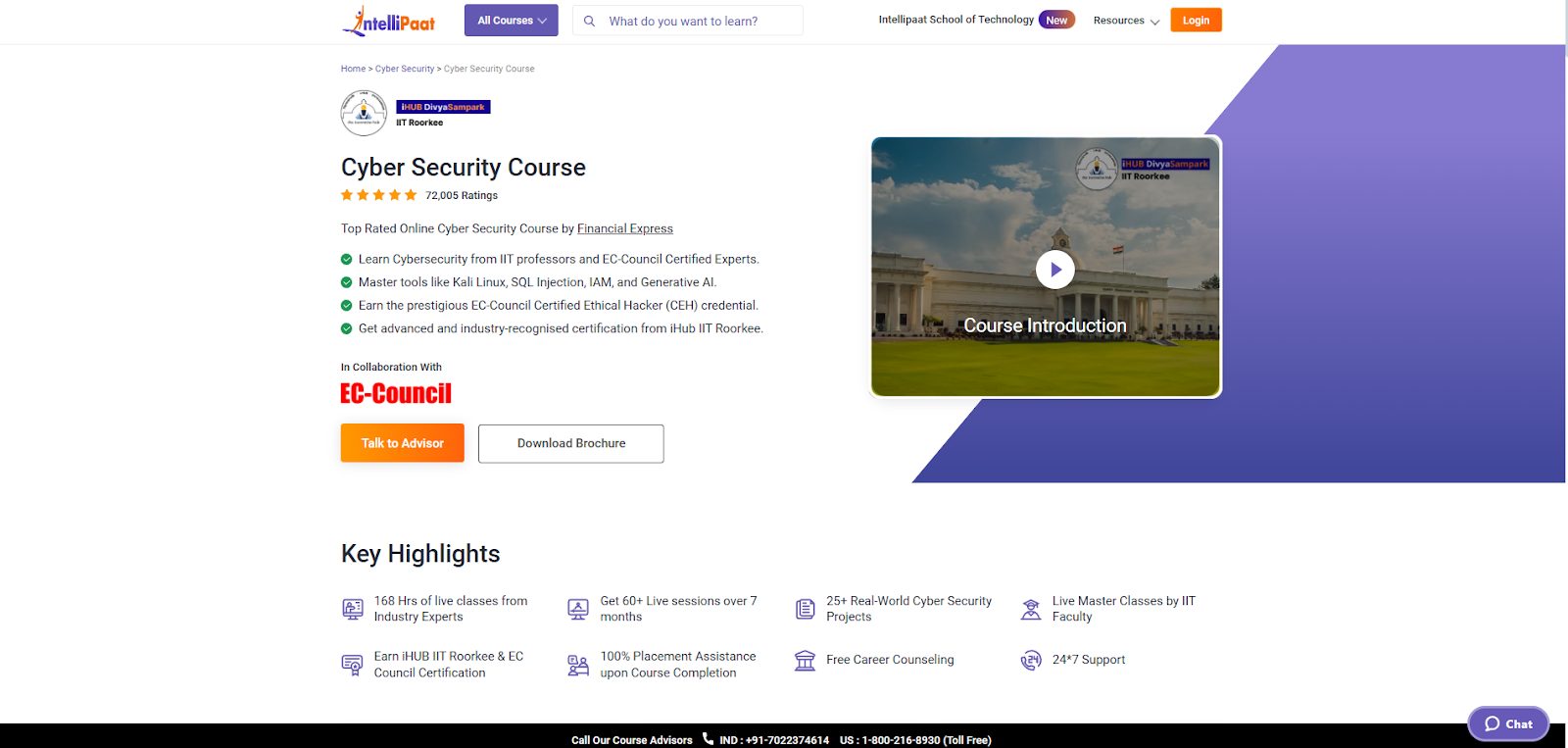
If you are looking for a comprehensive and career-focused alternative for learning cybersecurity, the Intellipaat Cyber Security Courseis a strong option to consider.
This course is created in collaboration with iHUB IIT Roorkee and EC-Council experts, giving you exposure to both academic rigor and industry relevance. It’s ideal for beginners, IT professionals upskilling into cyber security, or anyone seeking hands-on expertise in cyber defense and ethical hacking.
One of the highlights of this program is the 25+ real-world projects and hands-on assignments, which help you apply cybersecurity theories in practical environments, a valuable experience when preparing for cybersecurity roles in the industry.
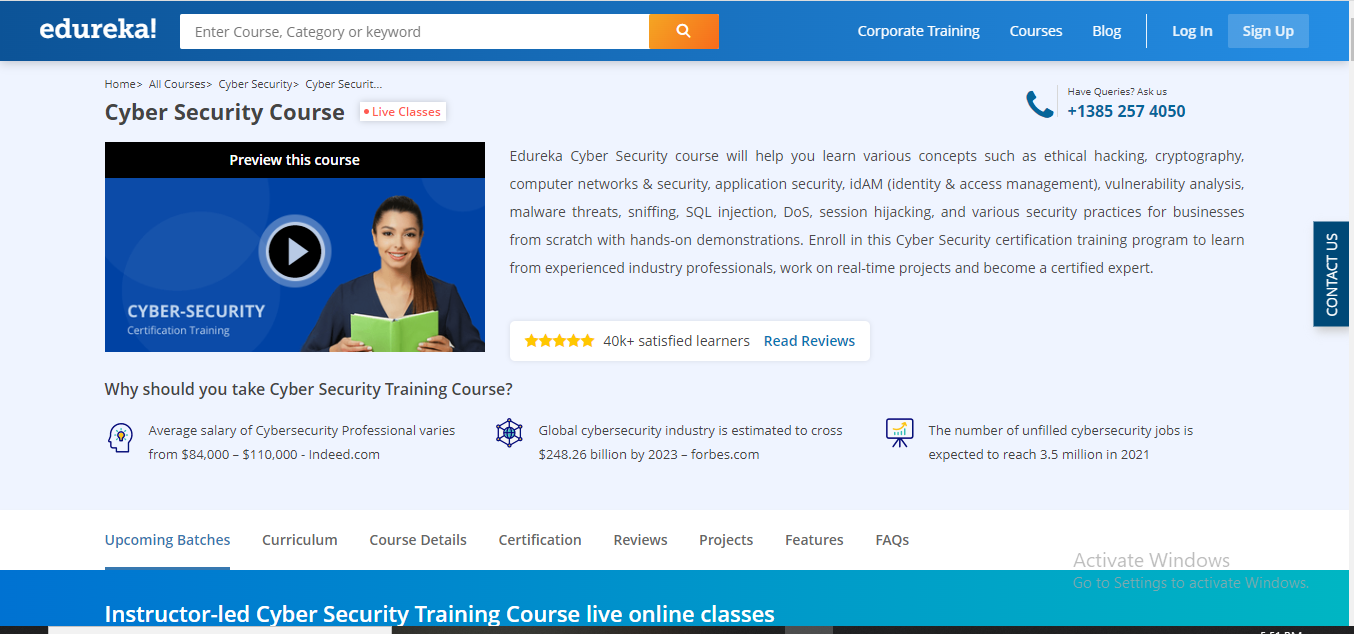
The next mention on our list of the best CyberVista alternatives is Edureka.
Edureka is a platform where you can learn any trending tech skill, and the Cyber Security course is one of the trending courses on the platform. So far, over 40,000 students have expressed their satisfaction with the Edureka Cyber Security course.
The course takes about 6 months to complete, which shows how in-depth it is. It’s taught by world-leading cybersecurity experts in a world-class facility, and the course aligns with the curriculum of other industry-relevant real-world projects.
After completing the course, you get a Certificate of Completion, which is recognized by thousands of companies worldwide.
Edureka
The online learning platform for gaining new skills and upgrading yourself.
The online learning platform for gaining new skills and upgrading yourself. Show Less
ExpertRating is an online certification and employee testing platform. Therefore, not only will learners get the knowledge they need, but they’ll also be tested to confirm that they’re employable. In fact, the platform is tagged as the “World’s largest test inventory” with over 800+ skill tests.
The cybersecurity courses on ExpertRating are CompTIA—the Computing Technology Industry Association—courses. The Computing Technology Industry Association is a top trade organization that issues one of the most renowned professional certifications in the IT industry.
In addition, there are A+ certification courses for advanced, basic, and intermediate learners. Exclusive courses for Network+ and Security+ are also available.
ExpertRating
The trusted name for pre-employment testing service.
The trusted name for pre-employment testing service. Show Less
Unlike other CyberVista alternatives mentioned in this list, QuizPlus offers a different approach to online learning via questions and answers. The platform boasts of having the biggest database of online academic questions and answers, with over 20 million answered questions. More than 10 million students use QuizPlus.
To use QuizPlus, you just have to enter a keyword in the search box—the word “cybersecurity,” for example—and hit the enter button. You’ll get a panoply of questions and answers relating to the keyword.
You can switch to the quiz section to take full quizzes and not just individual questions. You can also buy study sets that have different quizzes, questions, and answers about a particular subject.
Quizplus
Quiz+ is the learning platform that prepares you for quizzes or exams.Show More
Quiz+ is the learning platform that prepares you for quizzes or exams. Show Less
You can’t mention the top online learning platforms without mentioning Udemy. This is why Udemy is a suitable alternative to CyberVista for learning about cybersecurity.
With Udemy, you can learn anything, at your own pace. Over 3.8 million students learn cybersecurity with Udemy, and there are 185,000 courses on the platform, with over 850 of them about cybersecurity.
The best on the platform, however, is “The Complete Cyber Security Course: Hackers Exposed!” With this course, you learn how to become a cybersecurity specialist, and how to stop hackers, IT security, and INFOSEC practices.
Nevertheless, you can look up and take any other cybersecurity course on the platform that meets your learning needs.
EC-Council (International Council of E-Commerce Consultants) is one of the most globally recognized cybersecurity training and certification bodies, making it a strong and authoritative alternative to CyberVista.
EC-Council is best known for its industry-leading certifications, including Certified Ethical Hacker (CEH), Computer Hacking Forensic Investigator (CHFI), Certified Security Analyst (ECSA), and Licensed Penetration Tester (LPT). These certifications are widely respected by employers, government agencies, and enterprise security teams worldwide.
The platform focuses heavily on hands-on, role-based cybersecurity training, combining theoretical knowledge with real-world attack and defense scenarios. Learners gain practical exposure to ethical hacking, penetration testing, digital forensics, incident response, and advanced cyber defense techniques.
EC-Council courses are suitable for beginners entering cybersecurity, IT professionals transitioning into security roles, and experienced practitioners looking to validate their expertise with globally accepted certifications. Many of the programs align with real-world job roles and compliance standards, making them ideal for career advancement in cybersecurity.
Upon completion, learners earn internationally recognized certifications that are accepted by thousands of organizations across the globe.
LinkedIn is the most renowned professional career social media platform. Hence, it’s natural that their online learning platform, LinkedIn Learning, is one of the best platforms to improve your professional cybersecurity career.
As the best CyberVista alternative, LinkedIn Learning features career paths you can follow to become a cybersecurity professional. Also, courses on cybersecurity foundations, CompTIA security, and IT security are available.
The best thing about LinkedIn learning is that you don’t have to spend days and weeks learning—if you don’t want to. You’ll find many short, concise courses you can complete in a few hours.
LinkedIn Learning is a premium platform but you can use the platform for free, with access to everything, for a month.
At number 6, we have another very popular online learning platform, one with over 5,000 courses. Coursera features courses from professional individual instructors as well as renowned universities and companies.
On the platform, you’ll find cybersecurity courses from IBM, New York University, Google, and Infosec, to name a few. The majority of cybersecurity courses, however, are from IBM.
Some notable courses include IBM Security Expert, Introduction to Cyber Security, IT Fundamentals for Cybersecurity, and Python for Cybersecurity.
The courses range from beginner to expert learning levels, and most of them are available in eight different languages.
Pluralsight is an online learning platform that focuses on technology for businesses. With the Skills platform, you can learn in-demand tech skills.
Learning with Pluralsight Skills is easy, thanks to the step-by-step approach the platform follows. Eight different cybersecurity paths are featured on Pluralsight, each one a collection of different cybersecurity courses.
The CompTIA CySA+ path, for example, contains 8 courses and runs for 17 hours. Other popular paths include the Threat Intelligence Analysis path and the SSCP path.
You can still take individual courses rather than follow paths, although following a path is recommended. In total, there are 167 cybersecurity courses on Pluralsight Skills.
Described as a “hands-on team cyber readiness platform,” RangeForce is a platform launched to empower cyber teams. Notably, the platform offers a free cybersecurity training program, unlike other best CyberVista alternatives mentioned in this post.
The training lessons are created by cybersecurity experts from different parts of the world, and there are new modules almost every week. That way, you’ll always keep up with the latest cybersecurity trends.
RangeForce features 7 different cybersecurity paths, and there are training levels for beginners, intermediates, and experts. Some of the areas the training covers include DevSecOps, security operations (SOC), PenTesting, and WebAppSec.
To learn cybersecurity with HoxHunt, you’ll have to undergo security awareness training. This training covers all the bases of online security, including privacy, device security, internet security, passwords & account security, among others.
If you’re a business, HoxHunt is an ideal alternative to CyberVista to use. The platform will automatically create exclusive learning paths for each employee. There is also micro training for quick learning.
HoxHunt boasts an extensive library with content that can be translated into over 30 languages. Learners can easily keep track of their performance using the key insights and modern reporting engine.
The InfoSec Institute is a popular technology trading company. You can obtain security education from their Skills platform as an individual or business team. However, the platform is most suitable for business teams.
InfoSec Skills features more than 1400 cybersecurity topics across different cybersecurity areas. There are on-demand courses; hands-on courses; boot camps; and instructor-led courses.
This includes Networking Fundamentals, Hacking Machine Learning, Cloud Penetration Testing, and Remote Access Security, among others.
After learning, you get certification from the top certifying bodies like CompTIA, ISACA, EC-Council, Cisco, AWS, and others. InfoSec Skills features courses and boot camps offered by these bodies.
CBT Nuggets is a popular learning platform among IT professionals. The platform offers three main solutions, including business, government, and, most importantly, cybersecurity.
You’ll find intuitive cybersecurity training with certifications on CBT Nuggets, ideal for business teams.
In particular, there are five cybersecurity courses: Security+ (SY0-601) Online TrainingEntry, CySA+ Online Training, CCNP Security Online Training, (ISC)² CISSP Online Certification Training, and CISM Online Training.
These courses range from entry to intermediate and advanced levels. They are relatively long courses, 10 to over 30 hours, but you can also learn short cybersecurity skills within 1 to 2 hours.
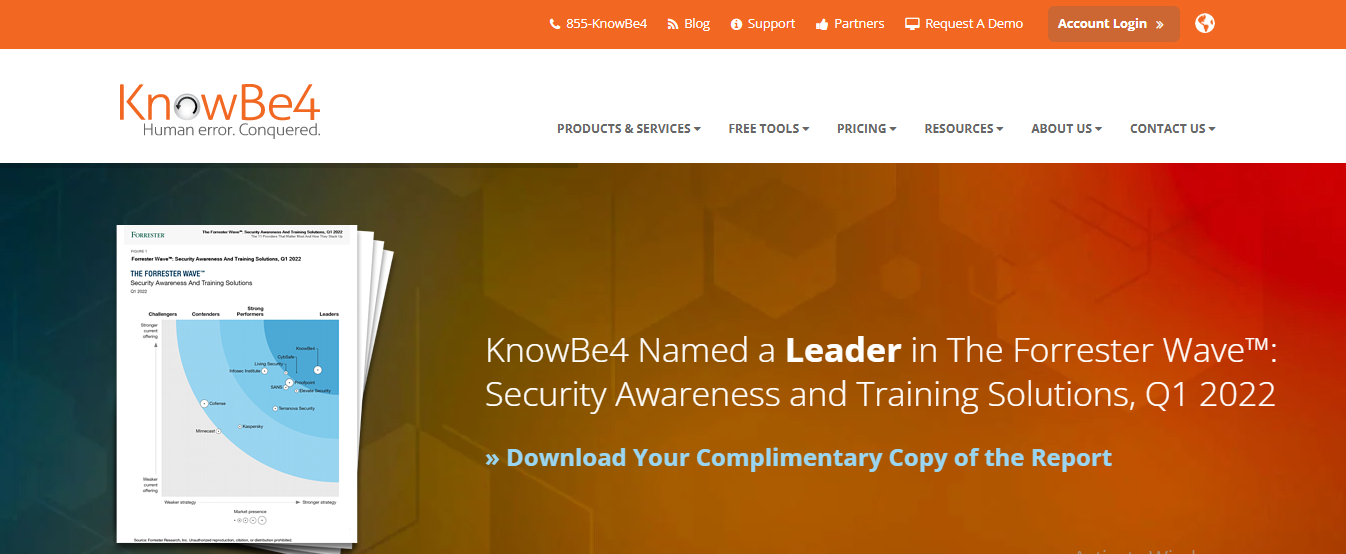
KnowBe4 Security offers what’s tagged as the “world’s most popular integrated Security Awareness Training.” Over 50,000 companies use the platform, making it the preferred best CyberVista alternative for businesses.
For business managers, you can easily keep track of the training of employees with the stats and graphs included in the reports.
The training covers the mechanisms of malware, ransomware, spam, phishing, and social engineering, among others. You’ll find everything in the content library of over 10,000 items.
But what you can access depends on what level of subscription you have. There are three levels of subscription.
FutureLearn is one of the best online learning platforms. It offers courses from globally renowned professionals and universities. Among the subjects on the platform are IT & Computer Science topics, under which you’ll find cybersecurity courses.
Under cybersecurity, there are 4 ExpertTracks and 32 courses. FutureLearn ExpertTracks are simply collections of related courses. You can take up any ExpertTrack or single courses that meet your learning needs.
FutureLearn is a subscription-based platform, so you can also take multiple courses simultaneously.
In addition to the ExpertTracks and courses, you’ll also find cybersecurity micro-credentials and degrees on FutureLearn.
Codecademy is exactly what the name says—a coding academy. The platform is popular for learning programming languages like Python, JavaScript, and HTML & CSS.
If you prefer an exclusive programming approach to cybersecurity, Codecademy is one of the best CyberVista alternatives to use. However, as a platform that’s primarily about coding, Codecademy features just 7 courses on cybersecurity.
The courses include Fundamentals of Cybersecurity, Introduction to Cybersecurity, and Cybersecurity for Business, to name a few. Most of them are at beginner and intermediate levels.
After completing the courses, you’ll get a personalized certificate of completion. You can also learn more about cybersecurity with Codecademy’s CheatSheets and blog articles.
Another best CyberVista alternative is edX. Not many platforms are comparable to edX when it comes to having courses from world-renowned universities. With over 560,000 students and 3,000 courses, edX is also renowned.
The Harvard Cybersecurity course is one of the most popular courses on edX. Although short, the course is in-depth, covering areas like cybersecurity analysis, security administration, and information security management.
Since the platform features courses from top global universities, edX courses are relatively expensive. However, you don’t just get a certificate of completion but, instead, premier certificates from the universities.
You can also take bachelor’s and master’s degree courses on cybersecurity and obtain real degrees.
Keep yourself and your family secure and protected from online threats with the free ESET cybersecurity training.
Keep yourself and your family secure and protected from online threats with the free ESET cybersecurity training. Show Less
Springer
The publishing company with one of the widest distribution networks.
The publishing company with one of the widest distribution networks. Show Less
Best CyberVista Alternatives: Frequently Asked Questions
What are my main reasons for seeking CyberVista alternatives?
Cost: Does CyberVista fit your budget? Are there more affordable options?
Features: Does CyberVista offer the specific features you need, like phishing simulations or compliance training?
Ease of use: Is CyberVista’s platform user-friendly for your team?
Scalability: Can CyberVista adapt to your growing team or organization?
Integrations: Does CyberVista integrate with your existing security tools or LMS?
Customer support: Are you satisfied with CyberVista’s support responsiveness and quality?
What are the top CyberVista alternatives in terms of popularity and features?
Popular options include KnowBe4, Proofpoint, Wombat Security, PhishLabs, and Curricula. Each has unique strengths and caters to different needs.
How do I compare the features and pricing of different CyberVista alternatives?
Visit each vendor’s website: Review their features, pricing plans, and case studies.
Leverage online comparison tools: Some websites compare security awareness platforms based on features and pricing.
Read user reviews: Check independent review platforms like G2Crowd or Capterra for insights from real users.
What are some key factors to consider when choosing an alternative?
Content library: Does the platform offer a diverse and engaging content library relevant to your industry and threats?
Delivery methods: Does it offer various training methods like simulations, microlearning, and video modules?
Reporting and analytics: Does it provide detailed reports on user progress and campaign effectiveness?
Customization options: Can you customize content and reporting to fit your specific needs?
Should I consider open-source security awareness training platforms?
Open-source options like Security Onion and OpenVAS can be cost-effective, but require technical expertise to set up and maintain.
Are there any open-source CyberVista alternatives?
Gophish: Open-source phishing simulation tool for self-hosting.
Security Onion: Open-source platform with security awareness training modules.
SANS Institute Information Security Reading Room: Free access to security awareness articles and resources.
What are the potential benefits of using a managed security awareness service?
Managed services handle platform setup, content updates, and reporting, saving you time and resources.
How can I ensure a smooth transition from CyberVista to a new platform?
Export your user data: Most platforms allow exporting user data for seamless import.
Plan your training rollout: Communicate the change to users and ensure they understand the new platform.
Seek support from the new vendor: Many vendors offer migration assistance and training.
Bottom Line
CyberVista provides data-driven cybersecurity training to thousands of individuals and business users worldwide. However, when choosing a platform to learn from, there are several key factors to consider.
As a result, if CyberVista doesn’t meet your learning needs, you can try any of the best CyberVista alternatives listed above.
In this post, I will talk about how to safely store seasonal products and celebration supplies.
Seasonal events often bring together decorations, party equipment, and specialty items that are used only at certain times of the year. From holiday décor and event lighting to fireworks and outdoor celebration supplies, these items require thoughtful storage to remain safe and in good condition between uses. Without proper organization, seasonal products can easily become damaged, misplaced, or hazardous.
Effective storage planning allows households and event organizers to protect their supplies while keeping spaces organized. Whether items are used for community celebrations, personal milestones, or seasonal traditions, safe storage ensures they remain ready for future events.
Choosing the Right Type of Storage
Selecting the appropriate storage environment is an important first step in protecting seasonal items. Decorations, event equipment, and celebration supplies often vary widely in size and material, which means they may require different storage conditions.
Individuals and businesses sometimes explore guides likecommercial storage vs personal unit when deciding how to store larger quantities of seasonal items. Commercial storage facilities are often designed for businesses that need to store equipment, supplies, or inventory in larger spaces, while personal storage units typically serve households storing smaller volumes of belongings.
Understanding the differences between these storage options can help people select solutions that best match the size and type of items they need to store.
Organizing Seasonal Decorations
Decorations are among the most commonly stored celebration supplies. Holiday lights, banners, ornaments, and themed decorations can accumulate over time, particularly for households that celebrate multiple seasonal events each year.
Using durable containers and clearly labeling them can make it easier to locate decorations when the next celebration arrives. Storing items by category, such as winter holidays, summer events, or special occasions, helps maintain organization.
Fragile decorations should be wrapped in protective materials to prevent breakage, while lighting systems should be carefully coiled and stored to avoid tangling or electrical damage.
Safe Handling and Storage of Fireworks
Fireworks are a traditional feature of many celebrations, including holidays, festivals, and special announcements. However, fireworks must always be handled and stored responsibly to prevent accidents.
When planning celebrations that include fireworks, people often look for information aboutwhere to buy firecrackers in order to ensure they are purchasing from reputable retailers that follow safety guidelines.
After purchasing fireworks, safe storage practices are essential. Fireworks should be kept in cool, dry environments away from heat sources, sparks, or open flames. They should also remain in their original packaging until they are ready to be used.
Keeping fireworks secure and out of reach of children is another critical step in preventing accidents.
Storage Conditions for Combustible Materials
Because fireworks contain combustible materials, they require careful handling during storage. Excessive heat, humidity, or friction can potentially damage fireworks and increase the risk of accidental ignition.
Fireworks should never be stored near flammable liquids, electrical equipment, or heating systems. Instead, they should be kept in dry containers or storage units that maintain stable environmental conditions.
Proper ventilation within storage areas also helps prevent moisture buildup, which can damage fireworks or other celebration supplies.
Storing Event Equipment and Supplies
Large celebrations often involve additional equipment such as tents, folding tables, outdoor lighting systems, and audio equipment. These items can take up significant space when not in use.
Proper storage techniques can help extend the lifespan of event equipment. Cleaning and drying items before storage prevents mold or corrosion from developing over time.
For businesses that regularly organize events, storing equipment in dedicated storage units can simplify logistics and make it easier to prepare for upcoming celebrations.
Maintaining Organized Storage Systems
An organized storage system can save time and reduce stress when preparing for events. Creating an inventory of stored items allows households and event planners to track decorations, equipment, and supplies more efficiently.
Clear labeling, categorized storage bins, and simple record-keeping systems can help ensure that items are easy to locate when needed.
Seasonal supplies should also be inspected periodically to identify damaged decorations, expired fireworks, or equipment that may need repairs.
Preparing for Future Celebrations
Proper storage ensures that seasonal products remain in good condition year after year. When decorations, fireworks, and event equipment are stored carefully, they can be reused for many celebrations without requiring replacement.
Planning ahead by organizing storage areas and maintaining safety practices helps ensure that celebrations remain enjoyable and stress-free. By protecting seasonal supplies and keeping them well organized, households and event organizers can focus on creating memorable events while knowing that their equipment and decorations are ready whenever the next celebration arrives.
This post will show you our compilation of the best safety tips for online shopping.
In today’s digital age, online shopping has revolutionized the way we acquire goods and services. The convenience of browsing an endless array of products from the comfort of our homes and having them delivered to our doorstep is unparalleled.
However, amidst this convenience lies the lurking threat of cyberattacks, scams, and fraud. To ensure a secure and enjoyable online shopping experience, it’s essential to adopt the best safety practices.
Here are some top safety tips for online shopping. Read on!
Safety Tips For Online Shopping
1. Use a VPN on Public Wi-Fi
When shopping on public Wi-Fi networks, use a Virtual Private Network (VPN) to encrypt your internet connection and protect your data from potential eavesdroppers. In fact, you can check out our list of the best VPN.
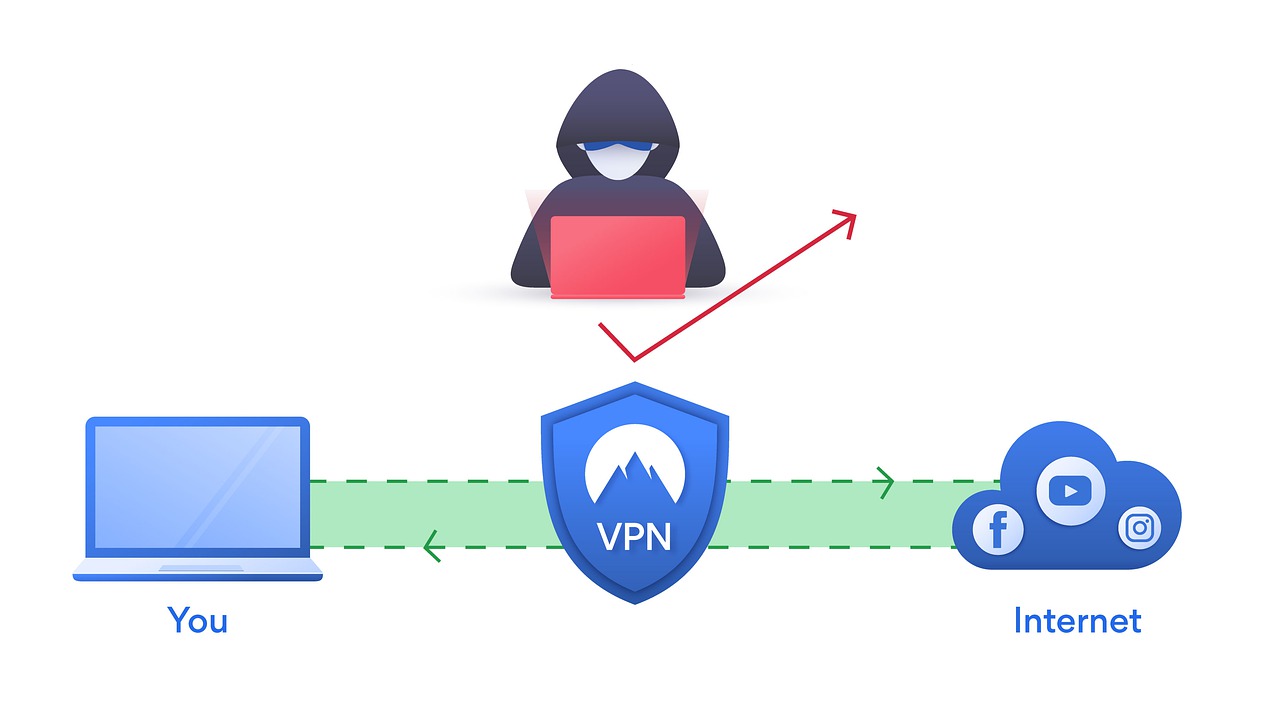
A VPN creates a secure tunnel between your device and the VPN server. This tunnel encrypts your traffic, making it unreadable to anyone who tries to intercept it. This means that even if someone is able to hack into the public Wi-Fi network, they will not be able to see your data.
VPNs are especially important for online shopping, as you may enter sensitive information such as your credit card number and address. By using a VPN, you can help to protect your data from prying eyes.
Best VPN Deals
87% OFF
PureVPN
PureVPN is one of the best VPN service providers with presence across 150 countries in the world. An industry VPN leader...Show More
PureVPN is one of the best VPN service providers with presence across 150 countries in the world. An industry VPN leader with more than 6,500 optimized VPN servers. Show Less
84% OFF
CyberGhost VPN
CyberGhost VPN is a VPN service provider with more than 9,000 VPN servers spread in over 90 countries. Complete privacy...Show More
CyberGhost VPN is a VPN service provider with more than 9,000 VPN servers spread in over 90 countries. Complete privacy protection for up to 7 devices! Show Less
67% OFF
TunnelBear VPN
TunnelBear is a VPN service provider that provides you with privacy, security, and anonymity advantages. It has VPN...Show More
TunnelBear is a VPN service provider that provides you with privacy, security, and anonymity advantages. It has VPN servers in more than 46 countries worldwide. Show Less
84% OFF
Surfshark
Surfshark is an award-winning VPN service for keeping your digital life secure. Surfshark VPN has servers located in...Show More
Surfshark is an award-winning VPN service for keeping your digital life secure. Surfshark VPN has servers located in more than 60 countries worldwide. Show Less
83% OFF
Private Internet Access
Private Internet Access uses world-class next-gen servers for a secure and reliable VPN connection, any day, anywhere.
Private Internet Access uses world-class next-gen servers for a secure and reliable VPN connection, any day, anywhere. Show Less
65% OFF
FastVPN (fka Namecheap VPN)
FastVPN (fka Namecheap VPN) is a secure, ultra-reliable VPN service solution for online anonymity. A fast and affordable...Show More
FastVPN (fka Namecheap VPN) is a secure, ultra-reliable VPN service solution for online anonymity. A fast and affordable VPN for everyone! Show Less
35% OFF
Panda Security
Panda VPN is a fast, secure VPN service facilitated by Panda Security. It has more than 1,000 servers in 20+ countries.
Panda VPN is a fast, secure VPN service facilitated by Panda Security. It has more than 1,000 servers in 20+ countries. Show Less
68% OFF
NordVPN
The best VPN service for total safety and freedom.
The best VPN service for total safety and freedom. Show Less
60% OFF
ProtonVPN
A swiss VPN service that goes the extra mile to balance speed with privacy protection.
A swiss VPN service that goes the extra mile to balance speed with privacy protection. Show Less
49% OFF
ExpressVPN
A dependable VPN service that works on all devices and platforms.
A dependable VPN service that works on all devices and platforms. Show Less
TorGuard VPN
The best VPN service for torrenting safely and anonymously.
The best VPN service for torrenting safely and anonymously. Show Less
50% OFF
VuzeVPN
VuzeVPN offers you unlimited and unrestricted VPN service.
VuzeVPN offers you unlimited and unrestricted VPN service. Show Less
VeePN
VeePN is a virtual private network (VPN) service that provides online privacy and security by encrypting internet...Show More
VeePN is a virtual private network (VPN) service that provides online privacy and security by encrypting internet traffic and hiding the user's IP address. Show Less
HideMe VPN
HideMe VPN is your ultimate online privacy solution, providing secure and anonymous browsing while protecting your data...Show More
HideMe VPN is your ultimate online privacy solution, providing secure and anonymous browsing while protecting your data from prying eyes, so you can browse the internet with confidence and freedom. Show Less
ZoogVPN
ZoogVPN is the complete and trusted all-in-one VPN service that protects your sensitive personal and financial...Show More
ZoogVPN is the complete and trusted all-in-one VPN service that protects your sensitive personal and financial information online. Show Less
HideMyName VPN
Protect your online privacy and anonymity with HideMyName VPN, a secure and affordable service that offers robust...Show More
Protect your online privacy and anonymity with HideMyName VPN, a secure and affordable service that offers robust encryption, multiple server locations, and a variety of privacy-enhancing features. Show Less
Witopia VPN
Witopia VPN lets you shield your privacy and unlock the world's internet with military-grade encryption and borderless...Show More
Witopia VPN lets you shield your privacy and unlock the world's internet with military-grade encryption and borderless access. Show Less
FastestVPN
FastestVPN offers budget-friendly, secure connections with unlimited data and a focus on fast speeds, ideal for...Show More
FastestVPN offers budget-friendly, secure connections with unlimited data and a focus on fast speeds, ideal for streaming and everyday browsing. Show Less
ExtremeVPN
ExtremeVPN is a VPN service that offers fast speeds, strong encryption, and a no-logs policy to keep your online...Show More
ExtremeVPN is a VPN service that offers fast speeds, strong encryption, and a no-logs policy to keep your online activity private. Show Less
iProVPN
iProVPN is a VPN service with a focus on security and affordability, offering basic features to secure your connection...Show More
iProVPN is a VPN service with a focus on security and affordability, offering basic features to secure your connection and unblock streaming content. Show Less
As an online shopper, you need a standard security program on your device to detect and remove malware. Also, all security programs on your computer should be updated, as and when due.
Malware is malicious software that can damage your computer, steal your personal information, or even take control of your device. It can be spread through a variety of ways, including phishing emails, malicious websites, and infected downloads.
Antivirus and anti-malware software can help to protect your computer from malware. It works by scanning your computer for malware and removing any infections that are found. Check out the best antivirus software.
It is important to keep your security programs up to date to ensure that they are able to detect and remove the latest threats. Security programs often release updates to patch security vulnerabilities and to add new malware definitions.
In addition to using security programs, it is also important to conduct regular scans of your computer to identify and remove any malicious content.
Best Antivirus Deals
Kaspersky Lab
Kaspersky Antivirus is an antivirus protection solution that protects your computers from virus attacks and other...Show More
Kaspersky Antivirus is an antivirus protection solution that protects your computers from virus attacks and other threats that may result from internet usage or other forms of usage. Show Less
60% OFF
Panda Dome Security Suite
Your advanced protection suite for home and business needs.
Your advanced protection suite for home and business needs. Show Less
66% OFF
Norton 360
Norton 360 is a security suite that utilizes advanced machine learning technology in dealing with all types of malware...Show More
Norton 360 is a security suite that utilizes advanced machine learning technology in dealing with all types of malware including Trojans, ransomware, etc. 100% guaranteed protection against all types of malware and your best bet for privacy protection. Show Less
Avira Prime
Avira Prime is the ultimate security suite for data safety and protection from online threats that gives you full access...Show More
Avira Prime is the ultimate security suite for data safety and protection from online threats that gives you full access to Avira products like antivirus, Phantom VPN, software updater, system optimization tool, and a password manager. Show Less
25% OFF
ESET HOME Security Premium
ESET HOME Security Premium is a fully-fledged security software with amazing features and even a password manager. Smart...Show More
ESET HOME Security Premium is a fully-fledged security software with amazing features and even a password manager. Smart protection for Windows, Mac, and Android devices. Show Less
G DATA Total Security
G DATA Total Security is a complete protection suite that offers total security online and offline. The suite includes...Show More
G DATA Total Security is a complete protection suite that offers total security online and offline. The suite includes an antivirus engine, a password manager, firewall protection, device control, and internet security tools. Intelligent security suite for all device types. Show Less
38% OFF
AVG Ultimate
A combined antivirus plus VPN for total protection.
A combined antivirus plus VPN for total protection. Show Less
50% OFF
McAfee Total Protection
An easy-to-use security suite for data safety and device protection.
An easy-to-use security suite for data safety and device protection. Show Less
53% OFF
Trend Micro Premium Security Suite
Premium security suite for device protection and identity safety.
Premium security suite for device protection and identity safety. Show Less
VIPRE Advanced Security
Best security solution for emerging threats and data safety.
Best security solution for emerging threats and data safety. Show Less
Total AV
Protects your devices and online activities in real-time.
Protects your devices and online activities in real-time. Show Less
PC Matic Security
PC Matic Security is a security software that protects against malware, viruses, and ransomware.
PC Matic Security is a security software that protects against malware, viruses, and ransomware. Show Less
K7 Total Security
K7 Total Security is a comprehensive security software suite that provides protection against malware, viruses, and...Show More
K7 Total Security is a comprehensive security software suite that provides protection against malware, viruses, and other cyber threats, as well as features such as parental controls, data encryption, and a personal firewall. Show Less
F-Secure Total
F-Secure Total is a security suite that provides protection for your devices against malware, viruses, and online...Show More
F-Secure Total is a security suite that provides protection for your devices against malware, viruses, and online threats with features like antivirus, firewall, VPN, and parental control. Show Less
Sophos
Sophos Antivirus is a security software that helps protect computer systems from various malware and online threats.
Sophos Antivirus is a security software that helps protect computer systems from various malware and online threats. Show Less
Surfshark One
Surfshark One is a cybersecurity bundle that provides users with Surfshark VPN, Alert, Search, and Antivirus that...Show More
Surfshark One is a cybersecurity bundle that provides users with Surfshark VPN, Alert, Search, and Antivirus that combines security, privacy, and convenience into one powerful package. Surfshark is an award-winning VPN service for keeping your digital life secure. Show Less
Avast One
Avast One is an all-in-one security suite offering antivirus protection, VPN, performance optimization, and privacy...Show More
Avast One is an all-in-one security suite offering antivirus protection, VPN, performance optimization, and privacy tools for comprehensive digital security. Show Less
3. Use Strong, Unique Passwords
Create strong passwords that include a combination of upper and lower-case letters, numbers, and special characters.
Avoid using easily guessable information like birthdays or common words. Consider using a password manager to generate and store complex passwords securely.
Simple passwords with only numeric or alphabetical values are generally easy to hack. For better safety, a strong password with an alphanumeric combination and at least one special character is highly recommended.
You can also use a password generator or the best password manager to create and store your passwords.
4. Enable Two-Factor Authentication (2FA)
Whenever possible, enable 2FA on your online shopping accounts. This adds an extra layer of security by requiring you to provide a second verification step, typically a code sent to your phone, before gaining access.
Even if an attacker has your password, they will not be able to log in to your account without the second verification factor. This makes it much more difficult for attackers to steal your personal information or make unauthorized purchases using your account.
Most online retailers offer a variety of 2FA methods, such as SMS codes, authenticator apps, and security keys. Choose the method that is most convenient and secure for you.
5. Be Cautious with Personal Information
Only provide the necessary information required for your purchase. Legitimate online stores will not ask for excessive personal data.
Never share your Social Security number or full financial details over email or chat.
Fraudsters are oftentimes the greedy lot. Hence, do NOT reveal private information to anyone, for whatever reason. Any shopping platform that requests private and highly sensitive information like debit/credit card pin is obviously a sham.
Credit cards often offer more robust fraud protection than debit cards. Consider using a dedicated credit card for online purchases. This way, if your credit card information is compromised, you are only liable based on your credit limit in unauthorized charges.
Debit cards, on the other hand, are linked to your bank account, and you could lose all of your money if your debit card is compromised.
Alternatively, you can use secure online payment methods like PayPal or digital wallets such as Apple Pay, Google Pay, or Samsung Pay.
These payment methods add an extra layer of security by not sharing your financial information with the seller. This means that even if the seller’s website is hacked, your financial information will remain safe.
7. Regularly Monitor Your Financial Statements
Keep a close eye on your bank and credit card statements for any unauthorized transactions. Report any suspicious activity to your financial institution immediately.
You can also set up alerts on your financial accounts to be notified of any transactions that exceed a certain amount or that are made in a foreign country. This can help you to quickly identify and report any unauthorized activity.
Here are some additional tips for monitoring your financial statements:
Review your statements at least once a month.
Look for any transactions that you do not recognize.
Pay attention to the dates and times of transactions.
Be aware of any unusual activity, such as multiple small charges from the same merchant or charges made in a foreign country.
If you notice any suspicious activity, report it to your financial institution immediately. They will be able to investigate the transaction and help you to protect your account.
8. Beware of Phishing Scams
Be cautious of emails, texts, or pop-up ads that ask for your personal or financial information. Legitimate companies will not request this information via unsolicited messages.
Phishing scams are attempts to trick you into revealing your personal information, such as your credit card number, social security number, or password. Phishing emails and text messages often look like they’re from a legitimate company, such as your bank or a popular retailer.
However, they may contain typos or grammatical errors, or they may ask you to click on a link or open an attachment.
If you’re not sure whether an email or text message is legitimate, do not click on any links or open any attachments. Instead, go to the company’s website directly to log in to your account.
9. Keep Your Devices Secure
Ensure your computer, smartphone, and other devices used for online shopping are equipped with updated antivirus and anti-malware software.
Antivirus and anti-malware software can help to protect your devices from a variety of threats, including viruses, spyware, ransomware, and other malware. It is important to keep your antivirus and anti-malware software up to date to ensure that it is able to detect and remove the latest threats.
In addition to using antivirus and anti-malware software, it is also important to keep your operating system and browser up to date. Operating systems and browsers often release security patches that can help to protect your devices from known vulnerabilities.
Before making a purchase from a new or lesser-known seller, search for customer reviews and ratings. These can provide valuable insights into the quality and reliability of the product and seller.
When reading seller reviews, pay attention to the following:
Overall rating. The overall rating can give you a general idea of how satisfied customers are with the seller.
Number of reviews. The more reviews a seller has, the more reliable the overall rating is.
Recency of reviews. Look for recent reviews to get the most up-to-date information about the seller.
Content of reviews. Read through the reviews to get a better understanding of what customers liked and disliked about the seller and their products.
If you see a lot of negative reviews, it may be best to avoid that seller. However, keep in mind that everyone has different experiences, so it’s important to take the reviews with a grain of salt.
If you see a mix of positive and negative reviews, it’s probably a good idea to do some additional research to get a better sense of the seller’s reputation.
11. Shop from Reputable Websites
Stick to well-known and reputable online retailers. As Live Shopping experiences grow in popularity, it’s still important to ensure that the platforms you engage with have established a track record of trustworthiness and security.
Be cautious when dealing with lesser-known or new online stores. Research their reputation, read reviews, and check for contact information and physical addresses to verify their legitimacy.
12. Look for HTTPS and a Padlock Icon
Ensure the website you’re shopping on has “https://” in the URL and a padlock icon in the address bar. This indicates that the website uses encryption to protect your data during transactions.
A shopping site, that handles financial dealings, should be aptly secured. Secure sites typically carry the “Https” tag (with SSL certificate protection), while their insecure counterparts adopt the “Http” tag. If you come across the latter, you may have to look elsewhere for your goods (or services).
Consider creating a separate email address solely for online shopping. This can help you isolate shopping-related communications and reduce the risk of phishing attempts in your primary email account.
Phishing emails are attempts to trick you into revealing your personal information, such as your credit card number or password. Phishing emails often look like they’re from a legitimate company, such as your bank or a popular retailer.
However, they may contain typos or grammatical errors, or they may ask you to click on a link or open an attachment. If you’re not sure whether an email is legitimate, do not click on any links or open any attachments.
By using a dedicated email address for online shopping, you can make it easier to identify phishing emails. If you receive an email in your shopping email account from a company that you have not shopped with recently, it is likely to be a phishing email.
14. Check for Contact Information
Ensure the website provides clear and accurate contact information, including a physical address and customer support email or phone number. Legitimate businesses should be easily reachable.
If a website does not provide contact information, or if the contact information is incomplete or inaccurate, it is a red flag. Legitimate businesses should be easy to reach if you have any questions or problems with your purchase.
You can also try to find contact information for the business on other websites, such as Google Maps or the Better Business Bureau.
If you cannot find any contact information for the business, it is best to avoid shopping on that website.
15. Avoid Public Computers and Networks
Whenever possible, avoid making online purchases from public computers or internet cafes. These devices may have malware or keyloggers that can compromise your security.
Malware is malicious software that can damage your computer, steal your personal information, or even take control of your device.
Keyloggers are a type of malware that logs everything you type on your keyboard. This information can then be used to steal your personal information, such as your credit card number or password.
If you must use a public computer to shop online, be sure to take the following precautions:
Do not enter any personal or financial information on the computer.
Use a virtual private network (VPN) to encrypt your internet traffic.
Clear the browser’s cache and cookies after you finish shopping.
It is also important to be aware of your surroundings when using a public computer. If you feel like someone is watching you, or if you are not sure if the computer is secure, it is best to avoid using it to shop online.
Regularly update your device’s operating system, web browser, and any shopping apps to patch security vulnerabilities and keep them current.
Software updates often include security patches that can help to protect your device from malware and other threats. It is important to keep your software up to date to ensure that you are protected from the latest threats.
You can usually enable automatic updates for your software so that you don’t have to worry about updating it manually.
In addition to keeping your software up to date, it is also important to use strong passwords and enable two-factor authentication for all of your online accounts. This will help to protect your accounts from being compromised, even if your software is outdated.
17. Be Cautious of Deals That Seem Too Good to Be True
If a deal appears too good to be true, it probably is. Scammers often use enticing offers to lure unsuspecting shoppers. Research the seller and product thoroughly before making a purchase.
Here are some red flags to look out for:
Prices that are significantly lower than the average price for the product.
Sellers who are not reputable or who do not have a good track record.
Products that are not available from other retailers.
Sellers who ask for payment upfront via wire transfer or gift card.
If you see any of these red flags, it is best to avoid shopping with that seller.
To research a seller, you can read online reviews, check their website for contact information, and search for complaints against them. You can also research the product to make sure that it is legitimate and that the price is reasonable.
18. Use Reputable Price Comparison Websites
Price comparison websites can help you find the best deals, but stick to well-known and trusted platforms to avoid fraudulent listings.
Price comparison websites allow you to compare prices for products from different retailers. This can be a great way to find the best deal on a product. However, it is important to be careful when using price comparison websites, as there are some fraudulent listings.
To avoid fraudulent listings, only use reputable price comparison websites. Some reputable price comparison websites include Google Shopping, Amazon, and PriceGrabber.
When you are on a price comparison website, be sure to read the reviews of the sellers before making a purchase. You should also check the website’s return policy and customer service information.
19. Keep Records of Your Transactions
Maintain a record of your online shopping transactions, including order confirmations, receipts, and tracking numbers. This documentation can be invaluable in case of disputes.
Here are some tips for keeping records of your online shopping transactions:
Save all order confirmations and receipts in a dedicated folder on your computer or in the cloud.
Take screenshots of tracking numbers and other important information.
Print out important documents and store them in a safe place.
Back up your records regularly.
If you have a dispute with an online retailer, your records will help you to prove your case. For example, if you receive an incomplete order or a defective product, you can provide your order confirmation and receipt to the retailer to support your claim.
20. Educate Yourself About Online Scams
Stay informed about the latest online scams and tactics used by cybercriminals. Knowledge is your best defense against falling victim to these schemes.
Here are some tips for educating yourself about online scams:
Visit the websites of government agencies and consumer protection organizations for information about online scams.
Read articles and blog posts about online scams.
Follow security experts on social media for tips and advice.
Sign up for email alerts from your bank or credit card company to be notified of new scams.
By educating yourself about online scams, you can be more vigilant and protect yourself from falling victim to these schemes.
21. Enable Purchase Notifications
Set up purchase notifications or alerts with your bank or credit card company. This way, you’ll be promptly notified of any suspicious or unusual activity on your accounts.
Purchase notifications can help you to detect fraudulent activity early on. For example, if you receive a notification for a purchase that you did not make, you can contact your bank or credit card company immediately to report the fraud.
Most banks and credit card companies offer purchase notifications via email, text message, or push notification. You can usually enable purchase notifications in your account settings.
22. Use Verified Marketplaces
When shopping on online marketplaces, such as Amazon or eBay, prioritize sellers with a high rating and good reviews. These platforms often provide buyer protection policies.
Verified marketplaces offer a number of advantages over shopping directly from online retailers. For example, verified marketplaces typically have a larger selection of products and lower prices. Additionally, verified marketplaces often offer buyer protection policies, which can help you to get a refund or replacement if you have a problem with your purchase.
When shopping on a verified marketplace, be sure to prioritize sellers with a high rating and good reviews. This will help you to avoid buying from fraudulent sellers.
23. Secure Your Home Wi-Fi
Ensure your home Wi-Fi network is secure with a strong, unique password. This prevents unauthorized access to your network and the potential interception of your data.
Your home Wi-Fi network is a potential entry point for cybercriminals. If your Wi-Fi network is not secure, cybercriminals can access your devices and steal your personal information.
To secure your home Wi-Fi network, use a strong, unique password. Your password should be at least 12 characters long and include a mix of upper and lowercase letters, numbers, and symbols. You should also change your Wi-Fi password regularly.
In addition to using a strong password, you should also enable encryption on your Wi-Fi network. Encryption will scramble your data so that cybercriminals cannot intercept it.
24. Be Wary of Unsolicited Pop-Ups
Avoid clicking on unsolicited pop-up ads, especially those offering deals or discounts. Close pop-ups and continue shopping on the main website.
Unsolicited pop-up ads can be dangerous, as they may contain malware or lead you to phishing websites.
Phishing websites are designed to look like legitimate websites, such as your bank or a popular retailer. However, they are actually fake websites that are trying to steal your personal information, such as your credit card number or password.
If you see an unsolicited pop-up ad, do not click on it. Instead, close the pop-up and continue shopping on the main website.
25. Research Gift Card Sellers
If you’re buying or receiving gift cards, make sure you’re getting them from reputable sources. Scammers may sell counterfeit or empty gift cards.
When buying gift cards, only purchase them from the official website of the retailer or from a reputable gift card reseller. Avoid buying gift cards from third-party sellers, such as online marketplaces or auction sites.
When receiving gift cards, be sure to verify that they are legitimate. You can do this by checking the gift card balance on the retailer’s website or by calling the retailer’s customer service department.
26. Verify Seller Ratings and Feedback
On e-commerce platforms, examine seller ratings and feedback from previous customers. This information can provide insights into a seller’s reliability and customer service.
Seller ratings and feedback can be a helpful tool for assessing the quality of a seller and their products. When reading seller feedback, pay attention to the following:
The overall rating of the seller
The number of reviews the seller has
The content of the reviews
If a seller has a low rating or a lot of negative reviews, it is best to avoid doing business with them.
27. Check Delivery Times and Shipping Costs
Before finalizing a purchase, review the estimated delivery times and shipping costs. Some sellers may charge exorbitant shipping fees or offer unrealistic delivery times.
It is important to factor in delivery times and shipping costs when making a purchase online. Some sellers may charge very high shipping fees, or they may offer unrealistic delivery times.
Before you finalize your purchase, be sure to review the estimated delivery times and shipping costs to avoid any surprises.
28. Shop from popular shopping sites
Myriads of fake shopping sites abound on the internet, with thousands of people getting scammed by the day. So, to be safe, restrict your shopping to only prominent shopping hubs.
If you feel the need to shop from a relatively unknown site, try and do a little research to garner reviews on such sites.
Here is a table of popular shopping sites:
Website
Country
Categories
Amazon
United States
All categories
eBay
United States
All categories
Walmart
United States
All categories
Target
United States
All categories
Best Buy
United States
Electronics, appliances, and home entertainment
Home Depot
United States
Home improvement and construction
Lowe’s
United States
Home improvement and construction
Macy’s
United States
Clothing, shoes, and accessories
Nordstrom
United States
Clothing, shoes, and accessories
Sephora
United States
Beauty and skincare
ASOS
United Kingdom
Clothing, shoes, and accessories
Boohoo
United Kingdom
Clothing, shoes, and accessories
PrettyLittleThing
United Kingdom
Clothing, shoes, and accessories
AliExpress
China
All categories
Wish
China
All categories
Lazada
Southeast Asia
All categories
Tokopedia
Indonesia
All categories
Shopee
Southeast Asia
All categories
There are many fake shopping websites on the internet. These websites often look like legitimate websites, but they are designed to scam people.
When you shop on a fake shopping website, you may never receive your order, or you may receive a counterfeit product.
To avoid shopping on a fake shopping website, only shop on popular shopping websites. Popular shopping websites have a good reputation, and they are less likely to be scams.
If you are unsure whether a shopping website is legitimate, you can do a quick search online to see if there are any reviews of the website. You can check the website’s reviews, look for contact information, and make sure the website has a secure connection (https://).
If you find any negative reviews, it is best to avoid shopping on that website.
29. Read Return and Refund Policies
Familiarize yourself with the seller’s return and refund policies before making a purchase. This can save you headaches in case the product doesn’t meet your expectations.
It is important to read the seller’s return and refund policies before making a purchase, especially if you are buying an expensive item. This will ensure that you know what your options are if you are not satisfied with the product.
Some sellers have very restrictive return and refund policies. For example, some sellers may not allow returns at all, or they may only allow returns within a certain period of time. Other sellers may charge a restocking fee for returns.
Before you make a purchase, be sure to read the seller’s return and refund policies carefully so that you understand your options.
Do NOT install shopping apps from “untrusted” sources; install from only trusted sources. Trusted installation sources basically include Google Play, App Store, Amazon Store, and Microsoft Store, among others.
Alternatively, you can easily go to the shopping platform’s official website for a safe installation guide and link(s).
Shopping apps can be a convenient way to shop online, but it is important to be careful about where you download them from. Shopping apps from untrusted sources may be infected with malware or may be scams.
When installing shopping apps, only download them from trusted sources, such as the Google Play Store, App Store, Amazon Store, or Microsoft Store. You can also download shopping apps from the official website of the shopping platform.
Before installing any shopping app, be sure to read the reviews and check the permissions that the app is asking for. If you are unsure whether a shopping app is legitimate, it is best to avoid installing it.
After every shopping session, make sure you’re properly signed out of your account, before closing the window. Do NOT close the window before signing out of a shopping site.
When you are logged into a shopping website, your personal information, such as your name, address, and credit card information, is stored on the website’s servers.
If you do not sign out of your account, anyone who has access to your computer or device could access your personal information and make purchases on your behalf.
To sign out of a shopping website, simply click on the “Sign Out” or “Log Out” button. Once you have signed out, your personal information will be removed from the website’s servers.
Best Safety Tips For Online Shopping – Frequently Asked Questions
What are some of the most common online shopping scams?
Some of the most common online shopping scams include:
Phishing scams: Phishing scams are attempts to trick you into revealing your personal information, such as your credit card number or password. Phishing emails often look like they’re from a legitimate company, such as your bank or a popular retailer. However, they may contain typos or grammatical errors, or they may ask you to click on a link or open an attachment.
Fake websites: Fake websites are designed to look like legitimate websites, but they are actually scams. When you shop on a fake website, you may never receive your order, or you may receive a counterfeit product.
Counterfeit products: Counterfeit products are fake products that are made to look like legitimate products. Counterfeit products are often of poor quality and may be dangerous to use.
Malware: Malware is malicious software that can damage your computer or steal your personal information. Malware can be spread through a variety of ways, including malicious websites, infected downloads, and phishing emails.
How can I protect myself from online shopping scams?
There are a number of things you can do to protect yourself from online shopping scams:
Shop on trusted websites: Only shop on websites that you know and trust. If you are not sure whether a website is legitimate, you can do a quick search online to see if there are any reviews of the website.
Be careful about clicking on links: Be careful about clicking on links in emails or text messages from unknown senders. These links may lead to fake websites or to malicious apps.
Use a strong password and enable two-factor authentication: Use a strong password for your shopping account and enable two-factor authentication. This will help to protect your account from being hacked.
Be wary of deals that seem too good to be true: If a deal seems too good to be true, it probably is. Scammers often use enticing offers to lure unsuspecting shoppers.
Keep your software up to date: Keep your operating system, web browser, and security software up to date. This will help to protect your computer from malware.
If you think you’ve been scammed, the most important thing to do is to report it to the authorities. You can also report the scam to the company that you think you were scammed by.
Here are some additional tips for dealing with online shopping scams:
Change your passwords: If you think your password has been compromised, change it immediately.
Monitor your credit reports: Monitor your credit reports for any unauthorized activity.
Place a fraud alert on your credit reports: You can place a fraud alert on your credit reports to notify potential creditors that you may be a victim of fraud.
File a police report: If you have suffered financial losses due to an online shopping scam, you should file a police report.
By following these tips, you can help protect yourself from online shopping scams and keep your personal information safe.
Conclusion
Online shopping offers immense convenience, but it’s essential to remain vigilant and prioritize security.
By following these best safety tips for online shopping, you can safeguard your personal and financial information while enjoying the benefits of e-commerce.
Remember that your online safety is a shared responsibility, and staying informed is your best defense against cyber threats. Happy and secure online shopping!
In this post, I will talk about the role of backup power in modern home technology setups.
Modern homes rely on a growing number of connected devices and electronic systems. From smart thermostats and security cameras to home entertainment systems and remote work equipment, technology has become deeply integrated into everyday living. As households continue to depend on digital infrastructure, reliable power has become a critical factor in maintaining comfort, productivity, and safety.
Power outages, even brief ones, can interrupt internet connections, disable security systems, and disrupt essential devices. For this reason, many homeowners are exploring backup power solutions that help maintain stability when primary electricity sources are unavailable.
The Growing Importance of Home Technology
Over the past decade, home technology systems have expanded far beyond traditional appliances. Smart home platforms now connect lighting, heating, security, and entertainment systems into centralized networks controlled through smartphones or voice assistants.
These systems improve convenience and energy efficiency, but they also increase reliance on continuous electricity. When power is interrupted, many connected devices stop functioning immediately.
Reliable backup power systems allow homeowners to keep essential systems running during outages. This capability has become particularly important for households that depend on home offices, medical devices, or security infrastructure.
Understanding Backup Power Systems
Backup power systems provide electricity when the main grid is unavailable. These systems typically rely on battery storage, generators, or portable power stations that store energy and release it when needed.
Portable power stations have become especially popular because they offer flexible and relatively simple installation. Unlike permanent standby generators, many portable units can be moved easily and used for different purposes around the home.
Battery-powered backup systems are often charged through standard electrical outlets, solar panels, or hybrid charging systems that combine both sources.
Recreational Technology and Home Entertainment
Modern homes also incorporate a wide range of entertainment technologies, including gaming systems, streaming devices, and high-definition audio systems. While these systems are not essential in the same way as security or communication equipment, many households still value uninterrupted entertainment experiences.
Backup power systems can provide enough energy to keep televisions, streaming devices, and gaming consoles operating during brief outages.
For households that enjoy recreational sports technologies, devices such as indoor golf simulators are also part of modern home entertainment setups. Companies such asIndoor Golf Outlet provide equipment that allows golf enthusiasts to practice indoors using advanced simulation technology.
Maintaining reliable electricity ensures that these systems function properly without interruptions caused by sudden power loss.
Advances in battery technology have made portable energy storage more practical for residential use. Modern power stations can store significant amounts of electricity and support a variety of devices, including laptops, routers, refrigerators, and lighting systems.
Some households research high-capacity portable power systems such as theanker solix f3000 when exploring options for reliable backup energy. These types of systems are designed to store large amounts of power while remaining portable enough for flexible use in different settings.
Battery backup solutions are particularly useful for short-term outages, allowing homeowners to maintain essential functions without relying on fuel-powered generators.
Supporting Smart Home Infrastructure
Smart home systems often depend on continuous internet connectivity and centralized control hubs. During power interruptions, routers and network equipment typically shut down unless they are connected to backup power sources.
Maintaining power to networking equipment allows smart devices to continue operating and prevents disruptions to automated systems such as climate control or lighting schedules.
Backup power also helps maintain home security systems, including cameras, alarms, and monitoring devices that require electricity to function.
Backup Power for Home Offices
Remote work has become increasingly common, which means many households now depend on reliable power for productivity. Computers, monitors, internet routers, and communication tools all require stable electricity.
Even short outages can interrupt online meetings, data transfers, or important work tasks. Backup power systems can help prevent these disruptions by keeping essential office equipment operational until grid power is restored.
For professionals who work from home regularly, maintaining reliable electricity can be essential for maintaining workflow continuity.
Recreational Technology and Home Entertainment
Modern homes also incorporate a wide range of entertainment technologies, including gaming systems, streaming devices, and high-definition audio systems. While these systems are not essential in the same way as security or communication equipment, many households still value uninterrupted entertainment experiences.
Backup power systems can provide enough energy to keep televisions, streaming devices, and gaming consoles operating during brief outages.
For households that enjoy recreational sports technologies, devices such as indoor golf simulators are also part of modern home entertainment setups. Companies such asIndoor Golf Outlet provide equipment that allows golf enthusiasts to practice indoors using advanced simulation technology.
Maintaining reliable electricity ensures that these systems function properly without interruptions caused by sudden power loss.
Solar Integration and Energy Independence
Many backup power systems can also integrate with solar panels, allowing homeowners to recharge battery storage using renewable energy. Solar charging adds another layer of resilience by providing energy even when grid power remains unavailable for extended periods.
This approach can also reduce electricity costs by allowing homeowners to store energy during periods of high solar production and use it later when demand increases.
Solar-powered backup systems are particularly useful in areas that experience frequent power outages or unstable grid conditions.
Planning an Effective Backup Power Setup
Designing a backup power system requires understanding how much electricity different devices consume. Homeowners typically begin by identifying essential systems that must remain operational during an outage.
Networking equipment, lighting, refrigeration, and communication devices are often considered top priorities. Once these needs are identified, homeowners can select backup systems with sufficient capacity to power those devices.
Portable power stations are often chosen because they provide flexible energy storage without requiring complex installation.
Looking for cool things to do with a VPN? Or do you want some new and exciting ways to make the most of your VPN? You’ve come to the right place!
Whether you’re an IT expert or a novice just starting out, there’s something for everyone.
From streaming your favorite shows in a different country to keeping your data secure and private, these are the top 7 cool things you can do with a VPN.
With a VPN, you can access the web with greater accessibility, security, and anonymity. Get ready to explore the world of VPNs and all the amazing possibilities they offer!
But first, what is a VPN?
What Is A VPN?
A virtual private network, or VPN, is a secure online network that allows you to connect to any server worldwide.
VPNs are useful for many different things, but they’re most commonly used to access the internet through a different country.
This lets you access sites that might otherwise be blocked in your own country, or that you just can’t access.
A VPN also encrypts your data, keeping it secure and private. This is especially important when you’re using public WiFi, as anyone on the same network can see your data if it’s not secure.
VPNs are also helpful in keeping your data secure and private when you’re on public WiFi or traveling.
Your information can sometimes be less secure on open or public networks, so a VPN can help you stay safe when you’re on untrusted networks.
Nonetheless, VPNs can also help secure your data if you’re using public computers, such as at a library.
Surfshark is an award-winning VPN service for keeping your digital life secure. Surfshark VPN has servers located in...Show More
Surfshark is an award-winning VPN service for keeping your digital life secure. Surfshark VPN has servers located in more than 60 countries worldwide. Show Less
CyberGhost VPN is a VPN service provider with more than 9,000 VPN servers spread in over 90 countries. Complete privacy...Show More
CyberGhost VPN is a VPN service provider with more than 9,000 VPN servers spread in over 90 countries. Complete privacy protection for up to 7 devices! Show Less
The best VPN service for total safety and freedom.
The best VPN service for total safety and freedom. Show Less
7 Cool Things You Can Do With A VPN
1. Stream Content from Anywhere
The ability to unblock geo-restricted content is one of the best reasons to use a VPN.
A VPN essentially tricks online streaming services into thinking that you’re located in the country where the content is available.
This means that if you connect to a VPN server in the US, you can watch US content, even if you’re currently living somewhere else.
This also applies to sports streaming websites that block certain countries, such as the MLB and NFL.
You can also use a VPN to switch between different streaming services.
You may have a Netflix account in the US, for example, but live in the UK and want to watch the BBC instead.
A VPN lets you access both of these services from anywhere in the world, so you can enjoy the content that’s most relevant to your location.
2. Access Blocked Websites
VPNs are also useful for accessing websites that might otherwise be blocked in your country.
For example, websites that promote terrorism and other dangerous topics are often blocked in many countries.
This is for good reason, but it also makes it difficult for researchers to access these sites or share their findings.
If you connect to a VPN server in another country, you can access blocked sites, no matter where you’re located. VPNs are useful in other situations, too.
Some countries have strict internet censorship, and they block certain websites that they don’t want their citizens to see.
In places like China, the government blocks certain social media networks, messaging apps, and news sites.
One of the cool things to do with a VPN is online banking. Many banks now offer their services online, but this comes with a risk.
Your data, such as your account numbers and login information, can often be accessed by hackers or ISPs if they’re not encrypted.
A VPN protects your data by encrypting it, so it can’t be intercepted. This makes it much harder for bad actors to access your data.
Using a VPN while online banking will also help you stay anonymous and secure.
Banks often require you to enter information, such as your address and social security number, to verify your identity when logging in.
When you’re connected to a VPN, this information is fake, making it harder to track your identity.
4. Reduce Lag in Online Gaming
If you’re an online gamer, you might notice that your connection is slower when you’re playing online.
This is often called “lag” and happens when your connection is throttled by your ISP.
ISPs may limit your connection if they assume that you’re using too much data, or they may be trying to charge you more.
When you’re playing online games, the last thing you want is to be slowed down by your ISP.
A VPN will help keep your connection fast, even if you’re being throttled. This is because a VPN masks your IP address.
In essence, ISPs use your IP address to determine where you’re located, so they can throttle your connection or charge you more.
If your IP address is masked by a different IP address, your ISP won’t know that you’re playing a lot of games online, and they won’t throttle your connection.
5. Optimize Network Performance
Another good reason to use a VPN is to optimize the performance of your network.
This can help you stream content and download files much faster, as well as reduce your risk of data breaches.
If you want to make your network faster, you can connect your computer to a server in another country.
This will make your internet traffic appear as if it’s coming from that country, which can help you avoid slow networks, throttling, and blocks.
When connecting to a server in another country, you can choose the server that’s closest to you or one that you want to “spoof.”
If you’re trying to access content that’s blocked in your country, you can choose a server that’s in another country that doesn’t have the same restrictions.
6. Bypass Geoblocks
VPNs make it easy to bypass geo-blocks and access a wide variety of different services.
A geo-block is a block to certain content or services, depending on your location.
For example, if you try to watch the BBC from outside the UK, you might get a message saying that the content isn’t available in your country.
You can use a VPN to access these blocked services by connecting to a server in the country where the content is available.
This can also help you access other content, such as sporting events, that’s blocked in your country.
You can also use a VPN to bypass geo-blocks when shopping online.
Some websites will block you based on your location if they don’t think you’ll buy from them because you’re in a different country.
This can be frustrating, especially if you’re trying to buy a product that you’ve been waiting for.
By connecting to a server in another country, you can bypass these geo-blocks and buy what you want.
7. Hide Your IP Address
One of the cool things to do with a VPN is to hide your IP address like James Bond. An IP address is like a fingerprint for your computer or device. It tells servers where you are, so they know where to send you content.
This can be helpful, but it can also pose a security risk when you’re using public computers or connecting to unsecured networks.
Your IP address can be used to determine your approximate location, which can be helpful when traveling. It can also be used to track your online activity, and it can be used to access your computer remotely over the internet if you’re not careful.
When you use a VPN, it hides your real IP address and replaces it with the IP address of the server you’re connected to.
Surfshark is an award-winning VPN service for keeping your digital life secure. Surfshark VPN has servers located in...Show More
Surfshark is an award-winning VPN service for keeping your digital life secure. Surfshark VPN has servers located in more than 60 countries worldwide. Show Less
CyberGhost VPN is a VPN service provider with more than 9,000 VPN servers spread in over 90 countries. Complete privacy...Show More
CyberGhost VPN is a VPN service provider with more than 9,000 VPN servers spread in over 90 countries. Complete privacy protection for up to 7 devices! Show Less
The best VPN service for total safety and freedom.
The best VPN service for total safety and freedom. Show Less
Cool Things You Can Do With A VPN: Frequently Asked Questions
What are the best things to do with a VPN?
A VPN offers a wide range of practical uses to enhance your online experience:
Boost privacy and security: Encrypt your online activity, especially when using public Wi-Fi, and protect your data from hackers, trackers, and prying eyes. This prevents your sensitive information—like passwords and financial data—from being intercepted.
Bypass geo-restrictions: Access content that may be blocked in your region, such as streaming services, websites, and online games. With a VPN, you can connect through servers in different countries to unlock these services.
Protect yourself from censorship: In some regions, governments block access to certain websites or information. A VPN lets you bypass these restrictions to access the full internet.
Secure your downloads: Download torrents and other files safely and anonymously. A VPN masks your IP address, helping to prevent your activity from being traced back to you.
Enhance gaming experience: Reduce lag, lower ping, and access region-locked servers in online games, giving you a smoother gaming experience and broader multiplayer opportunities.
Save money on online purchases: Some websites display different prices depending on your location. By connecting through a VPN server in another region, you can sometimes find lower prices on flights, hotels, subscriptions, and more.
Can you do anything with a VPN?
While a VPN is a powerful tool, it’s not a cure-all for internet issues. A VPN cannot:
Increase your bandwidth: Your actual internet speed remains the same. In some cases, it might feel faster if your ISP throttles certain services, but a VPN does not provide extra bandwidth.
Make you completely anonymous: While it hides your IP address, determined entities like law enforcement or major tech companies can still identify you if they have sufficient resources.
Protect you from all malware: A VPN encrypts your traffic but does not stop viruses, phishing attacks, or other malware. You should continue using antivirus software and practice safe browsing habits.
Can I watch Netflix with a VPN?
Yes, you technically can, but there are caveats:
Using a VPN to access Netflix content unavailable in your region violates their terms of service and could result in account restrictions.
Netflix actively blocks many VPN servers, so you need a reliable VPN that regularly updates its server list to bypass geo-restrictions.
Even with a VPN, streaming quality may vary depending on your connection and server location.
What can hackers do with a VPN?
A VPN can be misused if not chosen carefully:
Hackers might exploit vulnerabilities in poorly secured VPN services to intercept or steal data.
Always choose a reputable VPN provider with strong encryption, a no-logs policy, and security audits to minimize the risk of exploitation.
Remember, a VPN is a tool for protection, but selecting the wrong provider can expose you to the same risks you were trying to avoid.
Does a VPN give free data?
No. A VPN does not provide additional internet data. It uses your existing connection, which may consume extra bandwidth depending on your activities, such as streaming or downloading large files. Some VPN providers impose data limits on free or lower-tier plans, so you should check your plan details before heavy usage.
What should I watch with my VPN?
With a VPN, the possibilities are nearly endless:
Movies and TV shows unavailable in your region: Access international content libraries on streaming platforms.
Live sports events: Watch games and tournaments broadcast in other countries.
Documentaries and educational content: Gain access to content blocked in your country for political or legal reasons.
Always use your VPN responsibly and ethically, respecting copyright laws and the terms of service of the platforms you access.
Conclusion
There you have them! The 7 cool things to do with a VPN.
The ability to unblock geo-restricted content is one of the best reasons to use a VPN. A VPN essentially tricks online streaming services into thinking that you’re located in the country where the content is available.
This means that if you connect to a VPN server in the US, you can access content that’s only available in the US.
Aside from unblocking geo-restricted content, using a VPN also helps protect your online security and privacy. It hides your real IP address and replaces it with the IP address of the server you’re connected to, so your online activities are hidden from prying eyes.


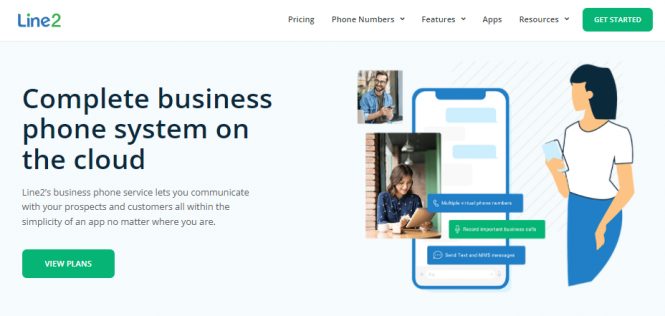
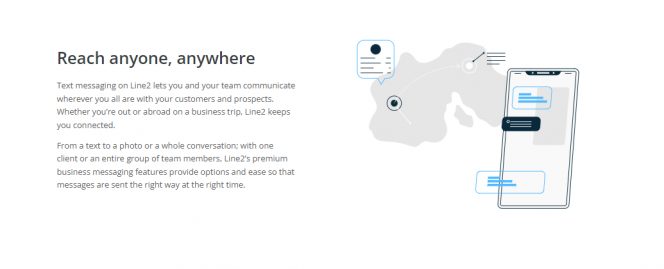
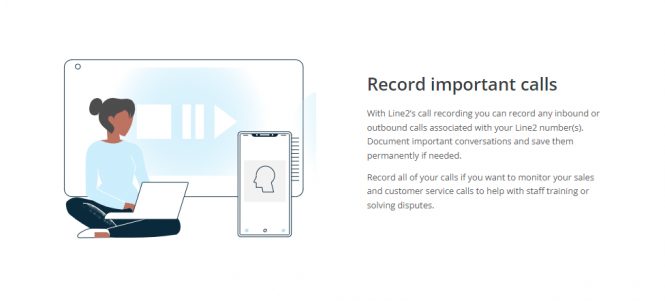

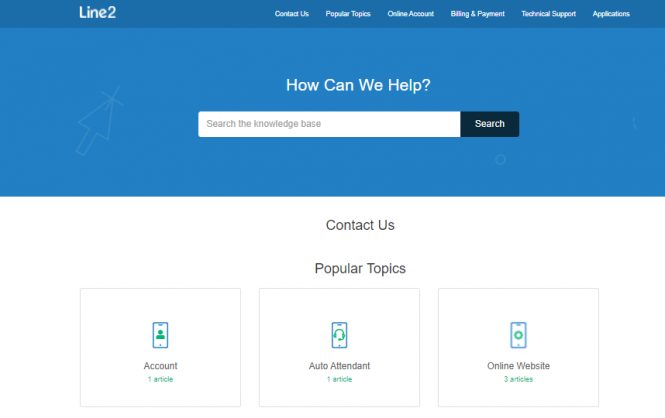



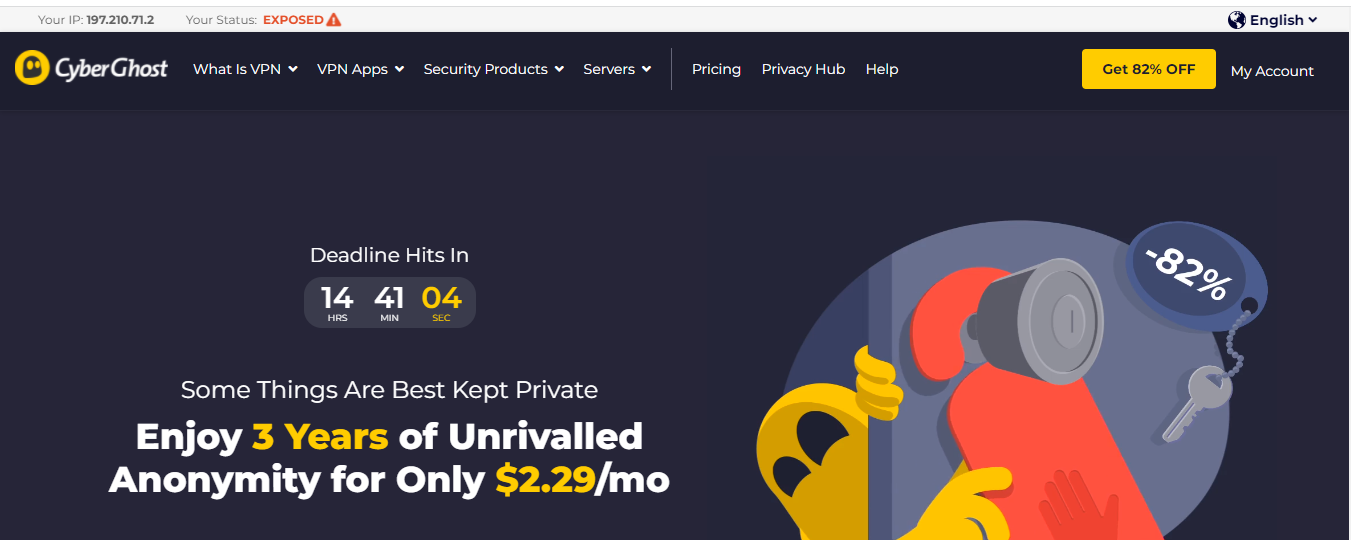
 Pricing

 Online banking is only secure as long as the login data are protected. Phishing usually occurs in such a way that Internet users are asked to enter their login data for “test purposes” or “unblock” their account.