Home Blog Page 215

Best Antivirus for Enterprise: Empower Your Business

Best Antivirus for Enterprise

Want the best antivirus for enterprise? Read on!

As an enterprise – whether large or small scale – you should have an antivirus if you make use of computers – which you do. In modern times, cyber and network security has become a serious concern, with different online and offline threats springing up every day.

Antivirus software serves as the first line of defence, protecting corporate networks, endpoints, and sensitive data from cyber threats. By deploying enterprise-grade antivirus solutions, organizations can mitigate risks, safeguard their assets, and maintain operational continuity in the face of evolving cyber threats.

Traditional Antivirus vs. Enterprise-Grade Protection

Traditional Antivirus vs. Enterprise-Grade Protection

While traditional antivirus software offers a basic layer of defence against known malware threats, enterprise needs extend far beyond.

Enterprise-grade antivirus solutions, also known as Endpoint Detection and Response (EDR) or Extended Detection and Response (XDR) platforms, provide a multi-layered approach to security. These solutions offer features such as:

  • Next-generation threat detection: Utilizing advanced techniques like machine learning and behavioral analysis to identify and neutralize zero-day attacks and other sophisticated threats.
  • Endpoint management and control: Centrally managing security policies and configurations across all devices within the network.
  • Vulnerability scanning and patching: Identifying and patching security vulnerabilities in applications and operating systems to minimize attack surfaces.
  • Sandboxing: Isolating suspicious files in a safe environment to determine their malicious intent before they can harm the network.
  • EDR/XDR capabilities: Providing real-time threat detection, investigation, and response tools to address security incidents proactively.

There are a number of different antivirus programs available for businesses, and it can be difficult to decide which one to use. Some of the factors you should consider include the program’s features, how well it performs, and how much it costs.

There are a number of free antivirus programs available, but they may not offer the same level of protection as paid programs. Paid programs typically offer more features and better performance.

However, you don’t need to spend a lot of money on antivirus software. There are a number of affordable programs available. When choosing an antivirus program for enterprises, be sure to read the reviews and compare the features of different programs.

For now, have a look at the best antivirus for enterprise you can invest in.

Best Antivirus for Enterprise

Let’s examine the top antivirus for enterprise environments, each offering advanced features and capabilities to meet the unique security needs of modern businesses:

1. Norton Small Business Security

Norton Small Business Security offers comprehensive protection for small and medium-sized enterprises (SMEs), combining antivirus, firewall, and threat intelligence capabilities.

With features such as real-time threat detection, cloud backup, and device management, Norton safeguards endpoints and data against malware, phishing, and ransomware attacks.

Its user-friendly interface and centralized management console make it an ideal choice for SMEs seeking robust cybersecurity solutions.

  • Strengths: Well-rounded protection with features like real-time threat blocking, network traffic monitoring, and phishing protection.
  • Weaknesses: May lack the advanced features of some EDR/XDR platforms.
  • Ideal for: Small and medium-sized businesses seeking a user-friendly and affordable solution with basic endpoint protection.
Norton Small Business
Gives your startup business total protection from cyber threats and attacks.
Gives your startup business total protection from cyber threats and attacks. Show Less

2. AVG Internet Security Business Edition

AVG Internet Security Business Edition provides advanced antivirus protection for enterprises of all sizes, offering features such as endpoint security, email protection, and network firewall.

With its cloud-based management console and automatic updates, AVG streamlines security management and ensures timely protection against emerging threats.

Additionally, AVG’s ransomware protection and data encryption capabilities help safeguard sensitive information and maintain regulatory compliance.

  • Strengths: Offers a good balance of features and affordability, includes web filtering and email protection.
  • Weaknesses: Limited scalability for very large enterprises.
  • Ideal for: Small and medium-sized businesses seeking a cost-effective solution with essential protection features.
AVG Antivirus Business Edition
Protects your businesses against malware attacks and hacking attempts.
Protects your businesses against malware attacks and hacking attempts. Show Less

3. NordLayer

NordLayer offers a comprehensive suite of cybersecurity solutions for enterprises, including VPN services, threat detection, and endpoint security.

With its advanced encryption protocols and secure remote access capabilities, NordLayer helps organizations protect their network infrastructure and data assets from unauthorized access and cyber threats.

Its intuitive management portal and scalable architecture make it suitable for businesses of all sizes seeking reliable cybersecurity solutions.

  • Strengths: Focuses on network-level security, offering features like business-grade VPN and threat intelligence.
  • Weaknesses: Limited endpoint protection compared to dedicated EDR/XDR platforms.
  • Ideal for: Enterprises prioritizing strong network security and remote access protection alongside basic endpoint protection.
NordLayer
NordLayer
Protects remote access for businesses by implementing Zero Trust and other multi-layered cybersecurity measures.
Protects remote access for businesses by implementing Zero Trust and other multi-layered cybersecurity measures. Show Less

4. Acronis Cyber Protect For Businesses

Acronis Cyber Protect For Businesses combines backup, antivirus, and endpoint security into a single integrated solution, providing comprehensive protection against cyber threats and data loss.

With features such as active protection, vulnerability assessment, and patch management, Acronis safeguards endpoints and critical infrastructure from malware, ransomware, and other cyber attacks.

Its centralized management console and flexible deployment options make it an ideal choice for enterprises seeking all-in-one cybersecurity solutions.

  • Strengths: Combines endpoint protection with backup and disaster recovery capabilities, offering a holistic security solution.
  • Weaknesses: Can be complex to set up and manage for larger organizations.
  • Ideal for: Businesses seeking a unified platform for endpoint protection, data backup, and disaster recovery.
Acronis Cyber Protect For Businesses
Protects your data, applications, and systems from malware using a combination of modern-day anti-malware approaches...Show More
Protects your data, applications, and systems from malware using a combination of modern-day anti-malware approaches, which includes anti-malware, anti-ransomware, and anti-cryptojacking technologies. Show Less

5. WatchGuard Enterprise Endpoint

WatchGuard Enterprise Endpoint offers advanced endpoint protection for enterprises, leveraging artificial intelligence (AI) and machine learning algorithms to detect and block malware in real time.

With features such as behavioral analysis, sandboxing, and threat intelligence, WatchGuard safeguards endpoints from a wide range of cyber threats, including zero-day attacks and advanced persistent threats (APTs).

Its centralized management console and integrated threat hunting capabilities enable organizations to defend against evolving cyber threats proactively.

  • Strengths: Provides advanced threat detection and response capabilities, excellent scalability for large enterprises.
  • Weaknesses: It can be expensive for smaller businesses.
  • Ideal for: Large enterprises requiring high-performance endpoint protection with advanced threat detection and response features.
PandaWatchGuard Enterprise Endpoint
WatchGuard Enterprise Endpoint
Uses a combination of adaptive defense technology for advanced prevention, detection, containment, and response to...Show More
Uses a combination of adaptive defense technology for advanced prevention, detection, containment, and response to online threats and attacks. Show Less

6. Panda Endpoint Protection

Panda Endpoint Protection delivers advanced endpoint security for enterprises, combining antivirus, anti-malware, and behavioral analysis capabilities.

With its lightweight agent and cloud-based architecture, Panda provides real-time protection against malware, ransomware, and zero-day exploits without impacting system performance.

Its centralized management console and reporting tools enable administrators to monitor security status and respond to threats effectively, making it an ideal choice for enterprises seeking comprehensive endpoint security solutions.

  • Strengths: Offers a good balance of features and affordability, including features like application control and device control.
  • Weaknesses: It may lack the advanced threat intelligence capabilities of some competitors.
  • Ideal for: Businesses seeking a comprehensive and budget-friendly endpoint protection solution.
Panda Dome Security Suite
Your advanced protection suite for home and business needs.
Your advanced protection suite for home and business needs. Show Less

7. F-Secure Business Suite

F-Secure Business Suite offers a holistic approach to cybersecurity for enterprises, combining endpoint protection, network security, and threat intelligence capabilities.

With features such as advanced threat detection, web filtering, and application control, F-Secure safeguards endpoints and network infrastructure from a wide range of cyber threats.

Its centralized management console and customizable policies enable organizations to tailor security controls to their specific requirements, ensuring robust protection against evolving cyber threats.

  • Strengths: Provides strong protection against malware, ransomware, and phishing attacks, includes vulnerability scanning and patching.
  • Weaknesses: User interface may be less intuitive compared to some competitors.
  • Ideal for: Businesses seeking a robust endpoint protection solution with vulnerability management capabilities.
F-Secure SAFE
F-Secure SAFE
F-Secure SAFE is an internet security tool offered by F-Secure that provides protection for your devices against...Show More
F-Secure SAFE is an internet security tool offered by F-Secure that provides protection for your devices against malware, viruses, online threats, and hacking attempts. Show Less

8. Thor Premium Enterprise

Thor Premium Enterprise provides advanced threat prevention and detection capabilities for enterprises, leveraging AI-driven algorithms and threat intelligence to identify and block malware, ransomware, and other cyber threats in real time.

With features such as next-generation antivirus, DNS filtering, and email protection, Thor safeguards endpoints and network infrastructure from cyber attacks.

Its centralized management console and automated response capabilities enable organizations to streamline security operations and mitigate risks effectively.

  • Strengths: Focuses on endpoint detection and response (EDR) with advanced threat hunting capabilities.
  • Weaknesses: It may require specialized security expertise for configuration and management.
  • Ideal for: Enterprises requiring a powerful EDR solution for proactive threat hunting and incident response.
Heimdal Security
Heimdal Security
Heimdal Security protects its users from advanced malware attacks by making use of next-generation technology. Your best...Show More
Heimdal Security protects its users from advanced malware attacks by making use of next-generation technology. Your best intelligent threat prevention tool. Show Less

9. Kaspersky Small Office Security

Kaspersky Small Office Security offers comprehensive cybersecurity solutions for small and medium-sized enterprises (SMEs), combining antivirus, firewall, and encryption capabilities.

With features such as multi-layered protection, vulnerability scanning, and password management, Kaspersky safeguards endpoints and sensitive data from cyber threats.

Its centralized management console and remote administration tools enable SMEs to manage security operations efficiently, ensuring robust protection against malware and other cyber attacks.

  • Strengths: Provides comprehensive protection for small businesses at an affordable price, and includes features like web filtering and application control.
  • Weaknesses: Geopolitical considerations may influence some businesses.
  • Ideal for: Small businesses seeking a budget-friendly and feature-rich security solution.
Kaspersky Small Office Security
Protects small businesses without needing an IT technician.
Protects small businesses without needing an IT technician. Show Less

10. Microsoft Defender for Endpoint

Microsoft Defender for Endpoint provides advanced endpoint security for enterprises, leveraging AI-driven algorithms and cloud-based threat intelligence to detect and respond to cyber threats in real time.

With features such as endpoint detection and response (EDR), attack surface reduction, and automated remediation, Microsoft Defender safeguards endpoints from malware, ransomware, and other cyber attacks.

Its integration with Microsoft 365 and Azure Active Directory enables organizations to enforce security policies and protect against insider threats effectively.

  • Strengths: Tight integration with Microsoft environments, affordable for Microsoft 365 subscribers, good basic protection.
  • Weaknesses: Limited features compared to some competitors may require additional tools for comprehensive protection.
  • Ideal for: Enterprises already heavily invested in the Microsoft ecosystem seeking a cost-effective baseline solution.

READ ALSO: Best Anti-Pharming Software

Why Do I Need an Antivirus for Enterprise Usage?

Why Do I Need an Antivirus for Enterprise Usage?

You need an antivirus to protect your enterprise from malware and cyber-attacks.

As an enterprise, you would have very important files stored in your PC, mailbox, and other web databases. If these malware infects like viruses, they get corrupt and inaccessible. This translates to you losing very important data and is bad for your business.

Also, your business might be a target for hackers. If they succeed in stealing your company information, they might use it for fraud and other cybercrime activities. This has happened to so many enterprises already.

Also, an enterprise antivirus will prevent all these as it protects your computer from harmful threats. They protect your hardware, files, emails, web database, and more from being infected by malware or being penetrated by hackers.

READ ALSO: Is Cyber Warfare A Crime? Which Countries Have Cyber Warfares?

Best Antivirus for Enterprise: FAQs

In the realm of enterprise cybersecurity, selecting the right antivirus solution is crucial for protecting sensitive data, ensuring business continuity, and safeguarding against cyber threats.

Here are some frequently asked questions to guide you in choosing the best antivirus for your enterprise:

What is the best business antivirus?

The best business antivirus varies depending on factors such as the size of the organization, specific security needs, and budget constraints. However, several antivirus solutions stand out for their advanced features, comprehensive protection, and proven track record in the enterprise sector.

Norton Small Business Security, Kaspersky Small Office Security, and Microsoft Defender for Endpoint are among the top contenders known for their robust cybersecurity capabilities tailored for businesses.

What kind of antivirus do companies use?

Companies use a variety of antivirus solutions tailored to their specific needs and requirements.

Enterprise-grade antivirus software typically offers advanced features such as centralized management, threat intelligence, and endpoint protection to safeguard corporate networks, endpoints, and sensitive data from malware, ransomware, and other cyber threats.

These antivirus solutions are designed to scale with the organization’s growth and adapt to evolving cybersecurity challenges.

Which antivirus is best for enterprise?

Choosing the best antivirus for enterprise depends on factors such as security features, scalability, ease of management, and compliance requirements.

Norton Small Business Security, Kaspersky Small Office Security, and Microsoft Defender for Endpoint are widely recognized as top antivirus solutions for enterprise environments due to their comprehensive protection, advanced threat detection capabilities, and integration with existing IT infrastructure.

What is enterprise antivirus?

Enterprise antivirus refers to antivirus software specifically designed to meet the cybersecurity needs of large organizations, including corporations, government agencies, and educational institutions.

Enterprise antivirus solutions typically offer centralized management, multi-layered protection, and advanced threat detection capabilities to secure corporate networks, endpoints, and data against a wide range of cyber threats.

Enterprise antivirus, also known as EDR/XDR platforms, provides a more comprehensive security approach compared to traditional antivirus software. It goes beyond just blocking malware to include features like:

  • Advanced threat detection using machine learning.
  • Endpoint management and control for centralized security management.
  • Vulnerability scanning and patching to identify and close security gaps.
  • Sandboxing to isolate suspicious files before they can harm the network.
  • EDR/XDR capabilities for real-time threat investigation and response.

What is the top 1 antivirus?

Determining the top antivirus depends on various factors such as independent test results, user reviews, and industry recognition. While there isn’t a definitive “top 1” antivirus, several antivirus solutions consistently rank among the best in terms of effectiveness, performance, and reliability.

Norton Small Business Security, Kaspersky Small Office Security, and Microsoft Defender for Endpoint are often considered top contenders due to their proven track record and comprehensive cybersecurity features.

What is the strongest antivirus in the world?

The strongest antivirus in the world is subjective and can vary based on individual preferences, requirements, and industry standards.

However, antivirus solutions known for their advanced threat detection capabilities, proactive protection mechanisms, and continuous innovation are often regarded as the strongest contenders in the cybersecurity landscape.

Norton Small Business Security, Kaspersky Small Office Security, and Microsoft Defender for Endpoint are examples of antivirus solutions recognized for their strength and reliability in protecting against cyber threats.

Conclusion

In today’s threat landscape, enterprises must prioritize cybersecurity to protect their assets, reputation, and customer trust.

By deploying advanced antivirus solutions tailored for enterprise environments, organizations can mitigate risks, detect and respond to cyber threats, and maintain operational continuity.

Whether you’re a small business or a multinational corporation, choosing the right antivirus solution is essential for safeguarding your enterprise against evolving cyber threats.

With the top antivirus solutions mentioned above, you can fortify your defences, enhance your cybersecurity posture, and stay ahead of cyber adversaries in an increasingly complex digital landscape.

Furthermore, making use of a good enterprise antivirus is something to ensure as a business organization. There are many antiviruses available, listed above are the best ones.


INTERESTING POSTS
15 Best Antivirus With VPN Included

15 Best Antivirus With VPN Included

This post will show you the 15 best antivirus with VPN included.

Your device can suffer attacks from two angles. On the one hand, are viruses and malware, which you can battle with antivirus programs. On the other hand are online attacks like hacks and data theft, which you can battle with a VPN.

So basically, you need an antivirus and a VPN to stay safe in today’s digital world. You can purchase these programs separately. But you can also – and this is a more cost-effective option – purchase an antivirus with VPN included.

Yes! There are antivirus programs that come with VPNs. Likewise, some VPNs come with antivirus protection. We did research to figure out the best of these programs, and we’ll be discussing the top 15 in this post.

First, we’ll look at the benefits of using them.

Benefits Of Using an Antivirus with a VPN

Best Antivirus with VPN

An antivirus has its advantages. A VPN, too, has its own. But when you combine both, the following are the benefits you stand to gain:

  • Virus and malware protection: with just a VPN, you cannot protect your device from infectious computer viruses and malware. That’s the work of an antivirus. And the best antiviruses will protect your device from various viruses, including zero-day attacks.
  • Stay anonymous online: in some cases, staying anonymous on the web is an advantage. You can achieve that with a VPN, which masks your real IP with a virtual one. With that, no one can trace what you do with your mobile data or WiFi.
  • Phishing protection: individually, antiviruses and VPNs can protect you from phishing. This is because phishing attacks manifest both online and offline. You can imagine, then, what happens when you combine both. If it’s a reliable program, your device will be phishing-proof.
  • Unblock restrictions: many websites restrict access to their content to particular geographical areas. Governments, schools, and workplaces can also impose web restrictions within their cyberspace. You can neutralize these restrictions with a VPN software.
  • Better device performance: it’s unarguable that VPNs and antiviruses will boost your device performance. An antivirus will eliminate viruses and malware that could slow down your processor. Meanwhile, a VPN with fast servers will allow you to surf the web without lags.

READ ALSO: The Ultimate VPN Guide – What Is A VPN?

15 Best Antivirus With VPN – our detailed list

The benefits above are worthwhile, you’ll agree. Now, from our detailed list below, select any antivirus with VPN software that meets your interest:

1. Surfshark One

Surfshark One

Surfshark promises to secure your digital life. The company does this by enhancing privacy and security. With the Surfshark One package, you get a VPN with antivirus software — and more tools as well.

Antivirus: the antivirus part of the software protects your device from viruses, malware, zero-day threats, and other advanced threats. It’s easy to use, thanks to the absence of too many tabs. In addition, it’s lightweight, such that it doesn’t slow down your device.

You can conduct manual or scheduled scans. And whenever you download a file, the antivirus scans them. It also offers webcam protection.

VPN: with the Surfshark VPN activated, you get complete online protection. The solution ensures no one can see what you do online. No one, including companies, websites, hackers, and even the software itself.

You have over 3,200 servers in over 100 countries to use. And the VPN supports features like MultiHop, Bypasser, Ad Blocker, Camouflage Mode, and NoBorders Mode.

Read Also: Surfshark Antivirus Review

Price: Surfshark One Antivirus with VPN costs $14.44 per month. But the best deal is $2.39 monthly for 24 months. You can as well pay for 12 months at $5.48 each month.

Pros

  • Affordable price
  • 3,200+ VPN servers
  • Webcam protection
  • Stop zero-day threats
  • Includes Ad Blocker

Cons

  • Lacks some features on iOS
Surfshark One
Surfshark One
Surfshark One is a cybersecurity bundle that provides users with Surfshark VPN, Alert, Search, and Antivirus that...Show More
Surfshark One is a cybersecurity bundle that provides users with Surfshark VPN, Alert, Search, and Antivirus that combines security, privacy, and convenience into one powerful package. Surfshark is an award-winning VPN service for keeping your digital life secure. Show Less

2. McAfee

McAfee

McAfee is a renowned solution when it comes to the digital lifestyle. The company launched in 1987, which means it has over 35 years of experience in the industry. It’s not a surprise, then, that its antivirus and VPN solution is among the best.

Antivirus: McAfee’s antivirus solution guarantees real-time threat protection. This guarantee is 100%, as the software will chase viruses and malware. Also, it quarantines files suspected to have viruses or malware for in-depth checking.

Another notable aspect of the McAfee antivirus is the firewall. As a result, it’ll make a good option if you’re a business or organization with computer networks.

VPN: McAfee offers a VPN with bank-grade encryption. With this VPN, you can browse with confidence that you’re safe from online threats. The VPN has thousands of servers spread across the globe. And these servers are fast, boosting your browsing speed.

Price: To get the McAfee antivirus with VPN combo, you must subscribe to the Privacy + Security plan. The plan costs $39.99 per year. Another option is the Privacy + Security + Identity plan, which costs $79.99 annually.

Pros

  • Bank-grade encryption
  • Ideal for businesses
  • Includes firewall
  • Quarantines suspected files
  • Fast VPN servers 

Cons

  • Limited customer support
  • Complains about many notifications
McAfee VPN
McAfee VPN
Secure your WiFi connection and safeguard your online activity.
Secure your WiFi connection and safeguard your online activity. Show Less

3. Norton

Norton

Norton is one of the most popular digital security solutions in the United States. And for a good reason, as the company lives up to expectations. Among the company’s products are an antivirus and a VPN, and you can purchase both together.

Antivirus: Norton employs native technology in its antivirus solution. This technology can and will detect and eliminate thousands of threats per minute. However, the standout feature is “Emulation.”

Basically, Emulation tricks infected files into revealing themselves. It’s powered by machine learning and will help deal with stealth viruses.

VPN: Norton VPN will secure your devices on the go. It’ll help you stay anonymous as you browse and protect you from compromised Wi-Fi networks. The servers are high-speed and global.

One notable feature of the VPN is the Kill Switch. Kill Switch will kill your internet connection instantly when your network drops.

Price: The Norton 360 Deluxe plan will give you access to the antivirus solution and the VPN. It costs $49.99 for the first year. For subsequent years, you pay $109.99.

Pros

  • Global VPN servers
  • Emulation technology 
  • Stops stealth viruses
  • Public Wi-Fi protection
  • Internet kill switch

Cons

  • Kill switch only for Windows and Android
  • High cost
Norton Secure VPN
Norton Secure VPN
Security for your private data while using public WiFi networks.
Security for your private data while using public WiFi networks. Show Less

4. Trend Micro

Trend Micro

Trend Micro, according to its developers, is the number in cloud security and endpoint cybersecurity. That may be arguable. However, what isn’t arguable is that Trend Micro has one of the best antivirus with VPN solutions.

Antivirus: The Trend Micro antivirus is its leading program. It keeps your devices safe from simple and advanced viruses and malware. And the interface is straightforward, making it easy to use.

You’ll fare better with the Trend Micro antivirus if you use Windows. In particular, the solution is natively optimized for Windows 11.

Virus: The Trend Micro VPN is the flagship program for privacy products. It boasts multiple servers around the world, secured with first-rate encryption. In addition, you won’t worry about speed and bandwidth limitations.

Particularly, the Trend Micro VPN comes with Web Threat Prevention. What it does is automatically block malicious, scam, and fraudulent websites.

Price: You can start using Trend Micro Antivirus with VPN for free. However, the full package starts at $19.95 per device for your first year. The cost is $39.90 if you pay for two years.

Pros

  • Inexpensive pricing
  • First-rate encryption
  • Optimized for Windows 11
  • Includes Web Threat Protection
  • Zero bandwidth limitations

Cons

  • Complains about support
  • Full-system scans may take time
Trend Micro VPN Proxy One Pro
The best way to protect your online activity while enjoying high-speed VPN connectivity.
The best way to protect your online activity while enjoying high-speed VPN connectivity. Show Less

5. F-Secure

F-Secure

If you’re familiar with F-Secure, you’re most likely familiar with the VPN solution. But, the software also offers a total solution that also includes a VPN. This total solution promises “total peace of mind online.”

Antivirus: The F-Secure antivirus boasts awards from top organizations like AV-Test. Such awards are a testament to the software’s reliability in eliminating viruses. Not only viruses but also malware, ransomware, spyware, and infostealers.

A significant focus of the antivirus also is to boost your device speed. It’ll work whether you use Windows, Mac, Android, or IOS.

VPN: Connecting to F-Secure’s secure VPN servers takes only a click. The VPN masks your real IP, and thanks to Tracking Protection, it makes you invisible to advertisers and data harvesters. Subsequently, you can browse privately and connect to public Wi-Fi without danger.

Price: F-Secure allows a 30-day free trial before you subscribe. Subscription starts at $59.99 for 1 device for your first year. The price is $69.99 for 5 devices and $75.99 for 10. You can pay for two years and get more discounts.

Pros

  • Easy to use
  • Stops spyware and infostealers
  • Boosts device performance
  • Includes Tracking Protection
  • Includes free trial

Cons

  • Could improve on iOS
  • No firewall
F-Secure Freedome VPN
F-Secure Freedome VPN is a Virtual Private Network (VPN) service offered by F-Secure that provides secure and private...Show More
F-Secure Freedome VPN is a Virtual Private Network (VPN) service offered by F-Secure that provides secure and private internet connection by encrypting the user's internet traffic and hiding their IP address, allowing them to browse the web anonymously and access blocked content. Show Less

6. Malwarebytes

Malwarebytes

Millions of people use Malwarebytes. The majority, however, use the software to fight viruses and malware. But you can also get a VPN with Malwarebytes when you purchase a bundle plan.

Antivirus: Malwarebytes antivirus is optimized to fight traditional and contemporary viruses and malware. The software blocks over 95 million of these malicious files daily, using AI to ensure none goes undetected.

Malwarebytes also features ransomware attack technology that deals with file-encrypting malware. And Brute Force and Uninstall protection will ensure malware doesn’t tamper with your programs.

VPN: Malwarebytes VPN prioritizes privacy and speed. The VPN has more than 500 servers in over 40 countries. And you get fast speed with these servers thanks to the next-gen WireGuard protocol technology.

Also, thanks to 256-bit encryption, no one can break into the network. Malwarebytes keeps no logs, so no one can see what you’re doing. 

Price: Malwarebytes Antivirus + VPN costs $5 per month per device. If you opt for the 5-device plan, the cost is $8 per month. Both plans, however, are billed annually.

Pros

  • Optimized for traditional viruses
  • Fast VPN servers
  • Affordable pricing 
  • 256-bit encryption
  • Brute Force and Uninstall protection

Cons

  • Relatively low VPN server count
  • Quick scan may miss some files
Malwarebytes Premium + Privacy VPN
A next-gen privacy and security solution for protecting your identity online and securing your device against malware.Show More
A next-gen privacy and security solution for protecting your identity online and securing your device against malware. Show Less

7. AVG

AVG

AVG Antivirus is a popular free software. Likewise, AVG has a free VPN, and you get the best security when using both. In particular, you get the best protection when you opt for their premium versions.

Antivirus: You can use the AVG antivirus on Windows, Mac, Android, and iOS. The software won AV comparatives top rated ranking in 2020, which implies its reliability. You can count on it to stop viruses, malware, spyware, and other threats.

One reason the antivirus is highly efficient is its six layers of protection it features. No virus can bypass all six.

VPN: The AVG VPN is a simple one. Yet, it’ll ensure your internet connection stays private and secure. The VPN will keep you safe whether you’re simply browsing or handling other intensive tasks like banking.

Not to mention, it comes with hundreds of international servers. Anonymous international servers that allow you to browse the web without restrictions.

Price: You can only get the AVG Antivirus with VPN combo with the AVG Ultimate plan. The plan costs $6.49 monthly for 10 devices. You pay annually, and for the first year, the price is $77.88.

Pros

  • Simple VPN software 
  • Anonymous servers
  • Six protection layers
  • Supports all major devices
  • Low-cost monthly plan

Cons

  • Installation may take time
  • Complains about the antivirus interface
AVG Secure VPN
AVG Secure VPN
Browse safely and securely on unprotected WiFi networks anywhere, anytime.
Browse safely and securely on unprotected WiFi networks anywhere, anytime. Show Less

8. Total AV

Total AV

Total protection, privacy, and security are what you get with Total Antivirus. When it comes to browsing the web, the antivirus also has a VPN to keep you safe. Our research showed it is one of the best Antiviruses with VPN included.

Antivirus: With Total AV, you get real-time protection against malware. The software scans files in your storage, downloads, and also executables. In the process, it clears junk, allowing your device to operate optimally.

Other notable features of the antivirus are ransomware, phishing scam, and PUA protection. Also, data breach monitoring ensures our personal data isn’t compromised.

VPN: Opting for Total AV’s internet security enhances browsing privacy. This is thanks to the user-friendly VPN, which encrypts your connection and shields your data from malicious eyes.

The VPN also helps you bypass geo-restrictions by connecting to global servers. And it’s compatible with Windows, Mac, iOS, and Android.

Price: Total AV Antivirus with VPN is relatively affordable for your first year. You pay just $49, but subsequently, the price is $179.

Pros

  • Real-time antivirus protection
  • Eliminates junk
  • Data breach monitoring
  • Global servers
  • User-friendly interface

Cons

  • Expensive regular pricing
Total AV
Total AV
Protects your devices and online activities in real-time.
Protects your devices and online activities in real-time. Show Less

9. Panda Security

Panda Security

If you use Android or Windows, Panda Security is an Antivirus with VPN solution to consider. Developed by WatchGuard, the software meets all requirements to be among the bests. Note that the software is also available for iOS and Mac.

Antivirus: Panda Security antivirus is particularly optimized to deal with ransomware. Such optimization means the software is equally efficient in handling viruses and malware.

An advantage of using Panda Security is that it won’t affect your device’s performance. It doesn’t use your RAM but instead operates from the cloud.

VPN: The VPN is the core of Panda Security’s privacy solutions. It comes with thousands of servers installed in countries worldwide, and you get unlimited bandwidth. Unlimited bandwidth ensures the VPN can handle any online task.

Furthermore, Panda Security’s VPN servers are fast. And thanks to encryption, the network is impenetrable.

Price: All Panda Security plans come with antivirus and VPN. The cheapest is the Essential plan, which costs $26.24 per year. Then, the Advanced and Complete plans cost $35.25 and $44.24, respectively. Meanwhile, the Premium plan costs $53.24.

Pros

  • Operates from cloud infrastructure
  • Optimized for ransomware
  • Unlimited VPN bandwidth
  • Fast servers
  • Dependable encryption

Cons

  • Not the best for Mac
  • VPN lacks some extra features
Panda VPN
Panda Security VPN
Panda VPN gives you an invisibility cloak on the Internet with total device safety and identity protection.
Panda VPN gives you an invisibility cloak on the Internet with total device safety and identity protection. Show Less

10. Avira

Avira

The Avira security software first became available in 2006. At the time, it was a free antivirus solution. But now, it’s a renowned premium software and one that comes with a reliable VPN.

Antivirus: The Avira antivirus not only detects and removes malicious files. It also repairs corrupted files, preventing data loss. Regarding virus protection, it works against malware, ransomware, worms, and trojans.

Furthermore, the antivirus is one of the fastest available. It won’t lag but boosts your device.

VPN: With the Avira VPN, you can surf the web anonymously. Military-grade encryption makes the device unhackable and secure on any network, including WiFi.

The many servers available give you unlimited options to browse the web. You can access any website or online service, irrespective of your location.

Price: Avira Prime is the plan to subscribe to if you need the antivirus and VPN. You can pay $7.99 per month for 5 devices, $47.99 per year, or $151.99 for two years. You can also pay for 25 devices, which starts at $9.99 per month.

Pros

  • Doesn’t lag
  • Military-grad encryption
  • Repairs corrupted files
  • Affordable monthly pricing
  • Many servers

Cons

  • Complains about customer support
  • Complains about too many notifications
Avira Phantom VPN
Avira Phantom VPN
Ensures that you enjoy 360-degree device protection while you surf the internet in total safety and anonymity.Show More
Ensures that you enjoy 360-degree device protection while you surf the internet in total safety and anonymity. Show Less

11. Kaspersky

Kaspersky

Kaspersky provides cyber security solutions to home and business users. The primary product the company offers is an antivirus. And to make sure users are safe when they visit the internet, Kaspersky also features a VPN.

Antivirus: Kaspersky antivirus works in real-time to keep your device free from cyber threats. It’s a software you can rely on to stop viruses, malware, spyware, and ransomware.

The antivirus also has an antiphishing feature, and there’s a firewall to stop unauthorized networks.

READ ALSO: Best Antivirus For 2023: Windows, Mac, Linux, iOS & Android

VPN: Kaspersky VPN ensures privacy, security, and freedom. You get millions of IPs to use from hundreds of servers. And the VPN stores no logs, which means there’ll be no trace of your online activities.

Notably, the VPN uses 256-bit encryption. This encryption works not just on websites but also on public Wi-Fi connections. 

Price: You can start using Kaspersky for $17.99 for one device. That’s the first-year price, and you get discounts if you pay for multiple devices. After the first year, the price starts at $35.99 annually.

Pros

  • Supports antiphishing
  • Includes firewall
  • Keeps no logs
  • 256-bit encryption
  • Secure public Wi-Fi connections

Cons

  • Expensive pricing
  • Relative large size
kaspersky total security
Kaspersky Lab
Kaspersky Antivirus is an antivirus protection solution that protects your computers from virus attacks and other...Show More
Kaspersky Antivirus is an antivirus protection solution that protects your computers from virus attacks and other threats that may result from internet usage or other forms of usage. Show Less

12. Private Internet Access (PIA)

Private Internet Access (PIA)

PIA first went public with its VPN software. Along the line, the company launched an antivirus. With over a decade in the industry, PIA VPN and Antivirus proves to be among the bests.

Antivirus: PIA is an open-source software, which makes the antivirus notably different from others. Accordingly, you get complete control of the software to rid your devices of viruses and malware.

The antivirus comes with a prevention engine that fixes system vulnerabilities. Also, there’s a max-quarantine feature that isolates suspected malicious files.

VPN: The PIA VPN is secure and encrypted. Like the antivirus, it’s also open-source, and you get dedicated IP addresses. Consequently, you can browse the internet without limitations, accessing any website.

A notable advantage of using PIA is that the software supports add-ons. And with these add-ons, you get more functionality.

Price: PIA VPN pricing starts at $11.95 per month. With the antivirus, the cost ups to $16.45. However, you can save money by paying annually or for three years. The three years plan is the most cost-effective as it costs around $3 per month for both antivirus and VPN.

Pros

  • Open-source software
  • Includes prevention engine
  • Max-quarantine support
  • Dedicated VPN IPs
  • Supports Add-ons

Cons

  • Relatively expensive
  • Relatively low server count
Private Internet Access
Private Internet Access uses world-class next-gen servers for a secure and reliable VPN connection, any day, anywhere.
Private Internet Access uses world-class next-gen servers for a secure and reliable VPN connection, any day, anywhere. Show Less

13. NordVPN

NordVPN

The name Nord always goes with VPN, thus NordVPN. However, the popular VPN comes with an antivirus as part of its Threat Protection mechanism. The catch is that you can get both at an affordable rate.

Antivirus: NordVPN Threat Protection includes an antimalware functionality. Thanks to it, the software will eliminate malware and virus-infected files after downloads. Such files are deleted automatically.

You’ll appreciate the antivirus more as it stops the newest threats. Also, it blocks malicious websites.

VPN: With over 5,000 servers, NordVPN is undoubtedly one of the best virtual private server services available. There’s at least one server in over 60 countries, and each one is ultra-fast.

Beyond the regular, NordVPN gives you access to specialty servers. These include Double VPN, Onion Over VPN, Obfuscated, and P2P servers, among others.

Price: As hinted earlier, NordVPN is affordable. The Plus plan lets you access the antivirus and VPN, and it costs $14.19 per month. With the one-year plan, the cost is $5.79, and with the two-year plan, the cost is $5.19.

Pros

  • Affordable cost
  • Antivirus blocks the newest threats
  • More than 5,000 servers
  • Ultra-fast servers
  • Specialty servers

Cons

  • Antivirus only works for downloaded files
  • Plus plan has other limitations
NordVPN
NordVPN
The best VPN service for total safety and freedom.
The best VPN service for total safety and freedom. Show Less

14. CyberGhost

CyberGhost

Here, we have another popular VPN software that includes an antivirus. With CyberGhost, you get a VPN plus antivirus when you purchase the Security Suite. You can use the programs on Windows, Mac, Android, iOS, and other supported devices. 

Antivirus: CyberGhost features an antivirus software from Intego. If you’re unaware, Intego is a renowned world-class antivirus, and you get the same with CyberGhost.

The antivirus provides round-the-clock protection from malware, trojans, spyware, adware, and ransomware. Not to mention, it’s easy to use, thanks to the powerful command center.

VPN: With ironclad AES 256-bit encryption, you get more than privacy and security with the CyberGhost VPN. But the standout feature is the over 9,000 servers in over 90 countries. Not many VPN solutions boast such a large fleet.

The VPN offers more with streaming-optimized servers. So, you can count on it for lag-free, buffer-free streaming.

Price: CyberGhost VPN pricing starts at $12.99 per month. But the 2-year plan costs only $2.11. You can add the antivirus for an extra $1 monthly, which is relatively cost-effective.

Pros

  • Supports all major devices and more
  • More than 9,000 servers
  • Optimized streaming servers
  • 24/7 antivirus protection
  • Easy to use

Cons

  • Antivirus has separate cost
  • Monthly plan is expensive
CyberGhost VPN
CyberGhost VPN
CyberGhost VPN is a VPN service provider with more than 9,000 VPN servers spread in over 90 countries. Complete privacy...Show More
CyberGhost VPN is a VPN service provider with more than 9,000 VPN servers spread in over 90 countries. Complete privacy protection for up to 7 devices! Show Less

15. BitDefender

BitDefender

Number 15 on this list of best antivirus with VPN included is Bitdefender. If you’re familiar with the software, you’ll know it’s first an antivirus. However, the inclusion of a premium VPN makes it a complete cybersecurity solution.

Antivirus: The Bitdefender antivirus solution is lightweight. It protects against a wide range of viruses and malware. And it’s super effective thanks to behavioural detection technology.

One of the best things about Bitdefender is that the software doesn’t destroy your files. It’ll remove viruses and malware and also revive the corrupted data.

VPN: Bitdefender VPN gives you access to more than 4,000 servers. These servers are fast and superb for online streaming and downloading. More importantly, they keep you anonymous on the web thanks to state-of-the-art encryption.

You can use the VPN on Windows, macOS, Android, and iOS devices. And you can secure up to 10 devices at a time.

Price: The antivirus and VPN are only included in the Bitdefender Total Security plan. The plan costs $39.99 for five devices for the first year. Subsequently, you’ll pay $94.99 per year.

Pros

  • Lightweight antivirus
  • Supports all major devices
  • Behavioral detection technology
  • Over VPN 4,000 servers 
  • Staunch encryption

Cons

  • Not the best for iOS
  • Mac doesn’t have all features

Related: Full Review of TunnelBearVPN

What To Look For in an Antivirus With a VPN

What To Look For in an Antivirus With a VPN

You may want to ask, “How did we pick the best antivirus with VPN solutions?” Well, the solutions above are the best as they tick all the boxes for features and functionalities.

Here are the key factors that matter and what to look for in an antivirus with VPN solution:

  • Ease of use: A software with the most advanced antivirus and VPN features will be useless if you can’t operate it. Therefore, the first thing to check for is ease of use. The antivirus with VPN solution must have a user-friendly interface, and scanning or connecting to servers must be seamless. 
  • Servers: On the VPN part, server count is of utmost importance. If a VPN has only a few hundred servers, you won’t have many IP options. Consequently, you may be unable to bypass some restrictions. This is why the best antivirus with VPN solutions we reviewed come with thousands of servers. 
  • Encryption: Encryption is critical both for VPNs and antiviruses. Hackers can easily take over the software without reliable encryption, which worsens things. As a result, the best solution must have industry-level encryption like AES, for example.
  • Virus and malware protection: What types of viruses and malware can this software detect? That’s a critical question to ask when purchasing a VPN with antivirus. There are more than one billion computer viruses. One Billion! As a result, the best software must have extensive protection against new and old threats.

READ ALSO: The Ultimate Antivirus Software Guide: What Is An Antivirus?

Antivirus vs. VPN – Differences

Antivirus vs. VPN – Differences

Although both work towards ensuring cybersecurity, antiviruses and VPNs are different. An antivirus detects, eliminates, and blocks files infected with viruses and malware. Meanwhile, a VPN provides a tunnel with reliable encryption that allows you to access the web privately.

Here’s what an antivirus will do:

  • Detect and remove viruses
  • Prevent viruses from getting into your computer
  • Stop insecure networks with a firewall
  • Block phishing files
  • Free spaces so your device can run faster

On the other hand, here’s what a VPN will do:

  • Mask your real IP address
  • Allow you to browse with servers from any country
  • Block unsafe websites and Wi-Fi networks
  • Let you bypass geo-restrictions
  • Prevent tracking and phishing
  • Speed up your internet connection

Hence, antiviruses focus more on offline security, while VPNs set their eyes online. However, both work together because viruses and malware exist online and offline.

For example, you can download a malware-infected file from the internet. Likewise, you can click an unsafe link on an offline file.

With this, you cannot do with just one. You need an antivirus, and you also need a VPN. And you can pick the right solution from our detailed list.

Is There a Free Antivirus With VPN?

Is There a Free Antivirus With VPN

Many free antiviruses exist, and the same is true for many free VPNs. As a result, it’s not impossible to find a free Antivirus with VPN. However, you’ll always encounter limitations.

For example, you may only be able to connect to a few VPN servers. Or you won’t get real-time protection against viruses and malware. For these reasons, it’s always best to go for premium solutions.

You may find solutions that are 100% free without limitations. However, such programs are usually not 100% safe.

Conclusion

You’ll find hundreds of antiviruses and VPN solutions available. Uncovering the best on your own is challenging, as analyzing all will be time-consuming. This is why we decided to help by doing the hard work.

So, if you need an antivirus with VPN solutions, simply pick from the list in this article. The programs outlined are the best you can get in the cybersecurity industry.


INTERESTING POSTS
Identity Theft Is Not A Joke, Jim [MUST READ]

Identity Theft Is Not A Joke, Jim

Do you know that identity theft is not a joke, Jim?! Well, this article focuses on how best you can protect yourself from identity theft.

In Season 3 and Episode 21 of the TV Series ‘Product Recall,’ Jim’s hilarious act of impersonating Dwight elicited an angry response from the impersonated Dwight when he screamed, ‘identity theft is not a joke Jim, millions of families suffer every year!’

GIF Image: Identity theft is not a joke Jim, millions of families suffer every year

Dwight was certainly right about one fact: identity theft is no joke!

In the report US Identity Theft: The Stark Reality by Aite Group, 47% of Americans suffered from identity theft, with over $712.4 billion lost to identity theft in 2020.

Additionally, it is projected that the US alone will suffer over $721.3 billion in loss to identity theft in 2024.

What Is Identity Theft?

Identity theft is a pervasive and sophisticated crime wherein individuals exploit stolen personal information to engage in fraudulent activities while posing as the victim.

The information they seek is extensive, ranging from the seemingly innocuous, like your name, to the more sensitive aspects of your life, such as your social security number, credit card details, address, phone number, and even bank information.

Identity theft is a complex and deeply personal crime that I’ve seen unfold in various ways.

What Is Identity Theft

Methods Employed by Identity Thieves

  1. Physical Theft: It’s disheartening to witness the simplicity with which identity thieves snatch purses or wallets. These seemingly everyday thefts provide them immediate access to identity cards, credit cards, and other crucial documents, offering a direct pathway to wreak havoc in someone’s life.
  2. Online Data Gathering: In the digital realm, where I often operate, identity thieves exploit online platforms to gather information. The oversharing on social media becomes a vulnerability, a goldmine for those with malicious intent. It’s a reminder to exercise caution and thoughtfulness when navigating the digital landscape.
  3. Mail Theft: Intercepting physical mail is a tactic that hits close to home. Witnessing the invasion of someone’s privacy through stolen emails from their mailbox is a stark reminder of how personal boundaries can be violated, leading to potential financial and emotional distress.
  4. Change of Address Fraud: The cunning manoeuvre of submitting fraudulent ‘change of address’ forms is a deceptive tactic. Redirecting mail to an alternative location gives identity thieves an unauthorized peek into personal information, making it even more challenging to detect fraudulent activities. That’s why I will recommend the Reship Virtual Address service.

Real-Life Cases

  1. Frank Abagnale: Made famous by the movie “Catch Me If You Can,” Frank Abagnale assumed various identities, successfully forging checks worth millions of dollars. His story underscores the adaptability and audacity of identity thieves.
  2. TJX Companies Data Breach: In one of the largest data breaches, hackers infiltrated TJX Companies’ computer systems, compromising over 94 million customer credit and debit card details. This case highlights the impact of large-scale data breaches on individuals’ financial security.
  3. Ashley Madison Hack: The Ashley Madison website suffered a massive data breach, exposing sensitive information of users seeking extramarital affairs. The breach led to instances of blackmail and extortion, showcasing the potential emotional and financial consequences of identity theft.
  4. Equifax Data Breach: In 2017, Equifax, a major credit reporting agency, experienced a data breach affecting approximately 147 million consumers. The breach exposed social security numbers and other sensitive information, emphasizing the far-reaching consequences of large-scale data compromises.
  5. Michael Brown’s Identity Theft Ordeal: Michael Brown, a former Federal Emergency Management Agency (FEMA) director, fell victim to identity theft when criminals used his personal information to open fraudulent credit card accounts. This case underscores that even individuals in prominent positions are not immune to identity theft.

These real-life cases demonstrate the pervasive and evolving nature of identity theft, urging individuals to adopt proactive measures to protect their personal information and financial well-being.

Numerous identity theft cases show that identity theft is no joke, and you should take steps to protect yourself from falling victim to identity theft.

Here are recommended services that you can use to prevent identity theft:

  • OmniWatch: Continuously monitors the dark web to identify and remove your personal information from malicious websites and marketplaces.

  • Incogni: Automatically removes your personal information from over 30 people search websites and data brokers, helping to reduce the risk of identity theft and online scams.

  • Surfshark Alert: Provides real-time alerts when your personal information is found on the dark web, allowing you to take immediate action to protect your identity.

  • DeleteMe: This helps you remove your personal information from a wide range of data brokers and people search websites, reducing your digital footprint and minimizing the risk of identity theft.

  • Surfshark Alternative ID: Generates unique, anonymous email addresses for every website you sign up for, preventing your personal email address from being leaked or sold.

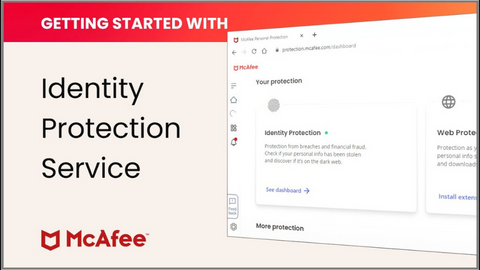
  • McAfee Identity Protection: Scans your entire online presence to identify potential threats to your identity, providing actionable recommendations to help you stay protected.

  • Norton LifeLock: Offers comprehensive identity theft protection, including dark web monitoring, identity restoration assistance, and a $1 million identity theft insurance policy.

  • Reship Virtual Address: Provides a secure, private mailing address that can be used to receive packages and mail, protecting your home address from exposure.

READ ALSO: What Is A Data Broker? [Including Best Data Removal Service]

Best Identity Theft Protection Services

McAfee Identity Protection
Total protection from identity theft and financial crimes.
Total protection from identity theft and financial crimes. Show Less
Norton LifeLock Identity Advisor
Your best solution to protect your personal information from data leaks.
Your best solution to protect your personal information from data leaks. Show Less
Incogni banner ad
Incogni
Incogni wipes off your personal information from data brokers.
Incogni wipes off your personal information from data brokers. Show Less
DeleteMe
DeleteMe
DeleteMe is a service provided by Abine that helps users remove their personal information from data brokers and other...Show More
DeleteMe is a service provided by Abine that helps users remove their personal information from data brokers and other websites to protect their privacy online. Show Less
Social Catfish
Social Catfish
Social Catfish is an online service that helps individuals verify and investigate the identity of people they meet...Show More
Social Catfish is an online service that helps individuals verify and investigate the identity of people they meet online, including potential scammers and catfishers. Show Less
Surfshark Alert
Surfshark Alert
Surfshark Alert is a real-time data breach protection tool that safeguards your email accounts, passwords, personal...Show More
Surfshark Alert is a real-time data breach protection tool that safeguards your email accounts, passwords, personal identification numbers, and credit cards from cyber-attacks. Show Less
OmniWatch
OmniWatch
Safeguard your identity with OmniWatch, the comprehensive identity theft protection service that provides proactive...Show More
Safeguard your identity with OmniWatch, the comprehensive identity theft protection service that provides proactive monitoring, dark web surveillance, and expert assistance in case of a breach. Show Less
AVG BreachGuard
AVG BreachGuard
AVG BreachGuard shields your online data from leaks and breaches, like a vigilant bodyguard for your digital life.
AVG BreachGuard shields your online data from leaks and breaches, like a vigilant bodyguard for your digital life. Show Less
Avast BreachGuard
Avast BreachGuard
Avast BreachGuard is a privacy tool designed to protect personal information online by preventing data breaches...Show More
Avast BreachGuard is a privacy tool designed to protect personal information online by preventing data breaches, removing personal data from data brokers, and providing real-time alerts for compromised data. Show Less
WhiteBridge AI
WhiteBridge AI
WhiteBridge AI is your digital identity detective — an AI-powered tool that uncovers, verifies, and organizes...Show More
WhiteBridge AI is your digital identity detective — an AI-powered tool that uncovers, verifies, and organizes everything the internet says about a person into one powerful, insightful report. It transforms scattered online chaos into a clear story you can trust, helping you protect your reputation, make smarter decisions, and see people as they truly are. Show Less
Privacy365
Privacy365
Privacy365 is a service that removes your personal information from data brokers and people search websites while...Show More
Privacy365 is a service that removes your personal information from data brokers and people search websites while continuously monitoring for new exposures. By cleaning up your digital footprint, it helps protect you from identity theft, doxxing, and unwanted contact. Show Less
NordProtect
NordProtect
NordProtect is a comprehensive identity theft and cyber protection service provided by Nord Security. It provides...Show More
NordProtect is a comprehensive identity theft and cyber protection service provided by Nord Security. It provides all-around protection against identity theft, including credit monitoring, dark web surveillance, security alerts, identity theft recovery, cyber extortion protection, and online fraud coverage. Show Less

Types Of Identity Theft

There are several types of identity theft, but the most common form of identity theft includes:

1. Financial Identity Theft

This remains the most widespread form of identity theft. Perpetrators target credit card information, banking details, and other financial data to make unauthorized transactions.

This can involve creating credit cards in your name, making online purchases, or withdrawing funds using stolen credit/debit cards. The scale of financial identity theft is staggering, with over 12.7 million residents lost over $16 billion to financial identity theft.

2. Medical Identity Theft

Medical identity theft occurs when criminals fraudulently access medical services, insurance, and prescription drugs while posing as you.

By using stolen personally identifiable information and medical details, they create false medical records in your name.

Correcting these records can be a challenging and time-consuming process, making prevention crucial to avoiding the associated complications.

3. Criminal Identity Theft

In cases of criminal identity theft, individuals provide false identities—often stolen ones—when arrested for a crime. Some may go as far as obtaining state-issued documents, such as driver’s licenses, using stolen information.

The consequences are severe, as innocent victims may end up serving time for crimes they didn’t commit while the actual criminals remain at large, exploiting the stolen identity to evade justice.

4. Social Media Identity Theft

With the rise of social media, identity thieves exploit online platforms to impersonate individuals. They use stolen personal information to create fake profiles, engage in fraudulent activities or tarnish the victim’s digital reputation.

Social media identity theft can lead to significant emotional distress and reputational damage, emphasizing the importance of securing personal information online.

Types Of Identity Theft

5. Child Identity Theft

Children are increasingly becoming targets of identity theft. Thieves may use a child’s Social Security number to open fraudulent accounts, and the crime often goes unnoticed for years.

Discovering child identity theft can be particularly challenging, making it essential for parents to monitor their children’s personal information and take preventive measures.

READ ALSO: Online Privacy Explained

6. Tax Identity Theft

Tax identity theft involves criminals using stolen Social Security numbers to file fraudulent tax returns and claim refunds.

Victims often discover the crime when their legitimate tax returns are rejected or when they receive unexpected notices from tax authorities. This type of identity theft can result in financial losses and complications with tax authorities.

7. Employment Identity Theft

In cases of employment identity theft, individuals use stolen personal information to secure employment.

The thief may present your details to potential employers, creating a situation where your work history becomes intertwined with the imposter’s actions. This can lead to legal complications and damage your professional reputation.

8. Driver’s License Identity Theft

Driver's License Identity Theft

Perpetrators may use stolen information to obtain a driver’s license in the victim’s name. This not only poses a risk to the victim’s driving record but may also link them to criminal activities committed by the imposter.

Discovering such identity theft can be challenging, and victims may only become aware when legal issues arise.

9. Utility Identity Theft

Identity thieves may use stolen information to open utility accounts, such as electricity or water, in the victim’s name. This not only results in financial repercussions for the victim but can also lead to disruptions in essential services.

Regularly monitoring utility bills and promptly addressing any discrepancies is crucial in preventing and mitigating this form of identity theft.

10. Insurance Identity Theft

In this type of identity theft, criminals use stolen personal information to fraudulently obtain insurance policies. This can include health, life, or property insurance.

The victim may remain unaware until they encounter difficulties in obtaining legitimate insurance or face unexpected policy changes due to the imposter’s activities.

Regularly reviewing insurance documents and promptly reporting any discrepancies is essential for protection against this form of identity theft.

READ ALSO: Identity Protection Guide: Safeguarding Your Personal Data

Why Is Identity Theft Not A Joke, Jim?

Why Is Identity Theft Not A Joke, Jim

In product recall, there’s an attempt to make the audience wake up to the reality that identity theft affects almost every American household. Hence Dwight’s exclamation, ‘identity theft is not a joke Jim, millions of family suffer every year’ from identity theft.

In the UK, identity theft remains a persistent issue, with over 600 identity theft frauds occurring daily in 2022, representing a significant increase from the previous year. This alarming trend highlights the urgent need for heightened vigilance and comprehensive identity protection measures.

The vulnerability of personal information, particularly credit card details and Social Security Numbers (SSN), remains a major concern. These sensitive details, once stolen, become readily available on the dark web at shockingly low prices, often less than a dollar. This commodification of personal information underscores the urgency for robust identity protection strategies.

A closer examination of reported data breaches in the US reveals the staggering scale of the problem. In 2022 alone, over 1.4 billion records were compromised in data breaches, highlighting the ever-expanding reach of identity theft. The consequences of these breaches extend far beyond mere statistics; they translate into tangible, life-altering consequences for victims.

Over half of the stolen data leads to significant financial losses for victims, painting a vivid picture of the devastating aftermath of identity theft. In 2022, identity theft losses in the US reached a staggering $5.8 billion, demonstrating the far-reaching financial impact of this crime.

Furthermore, a considerable portion of the purloined data ends up on the dark web, amplifying the risks and demonstrating that the consequences are not confined to the digital realm.

Identity theft’s impact extends far beyond financial losses. It can jeopardize life’s savings, compromise medical insurance, and even lead to unjust imprisonment, all orchestrated by cunning identity thieves.

These stark realities underscore that identity theft is not a mere punchline; it is a profound threat that demands our collective attention and proactive measures to protect against its far-reaching consequences.

READ ALSO:  Incogni Review – Remove Your Personal Information From People Search Sites

Having witnessed the fallout of identity theft firsthand, I’ve come to appreciate the paramount importance of proactive protection—because in the digital age, safeguarding your identity isn’t just a choice; it’s a necessity for a secure and resilient online presence.

How Do I Protect My Information On The Internet?

How Do I Protect My Information On The Internet

Most identity thefts happen online due to the massive proliferation of social media accounts and the increasing use of IoT devices. Here are some tips to protect you from online identity theft.

  1. Use strong passwords for your accounts: A good enough password is a mix of alphabets in upper and lower keys, numbers, and symbols not associated with your name, date of birth, address, spouse’s name or date of birth, workplace, etc. ideally, you can use a password generator to generate and manage secure passwords for your accounts.
  2. Use financial details only on secure sites: before using your credit card details on any website, ensure that the website you’re visiting displays ‘HTTPS’ rather than ‘HTTP’ and a secure padlock icon signifying that information entered on such website is securely encrypted to avoid theft.
  3. Install antivirus on your devices: antivirus or malware software protects your devices from harmful software engineered to steal information from your devices.
  4. Use a VPN: A VPN protects your IP address, location, and other device-identifying information traceable to you.
  5. Limit your usage of personally identifiable information online on social media websites. You should use the correct personal details on secure websites only for official purposes.
  6. Use secure browsers, clear your browsing history, or use incognito mode while browsing. Secure browsers and browsing in Incognito mode do not store browsing history nor collect cookies. Alternatively, you can hold down the Shift+Control+Delete keys to clear your browsing history.
  7. Tape your webcams and block your microphone to prevent hackers from remotely using your laptop’s camera and microphone to collect compromising images of you or listen in on your conversations.
  8. Activate an ad-blocker on your browser while surfing the net to protect you from malware that can collect information from your devices while disguising itself as an ad.
  9. Have a dedicated email address for your bank account to protect your account from mass email compromise. Ideally, you should use secure email service providers like ProtonMail for your financial accounts.
  10. Password-protect your WiFi router: Aside from stealing your bandwidth, you can also lose passwords and important data to hackers and identity thieves intercepting your WiFi network.

How Do I Prevent Identity Theft?

How Do I Prevent Identity Theft

No doubt, identity protection is very essential. Patronizing and installing the following software on your device can act as added protection from identity theft.

  1. Identity protection tools such as Incogni by Surfshark, McAfee Identity Protection, Norton LifeLock Identity Advisor, and IOLO Privacy Guardian can help you remove your personal information from public websites on the internet.
  2. Kamo by CCleaner to protect you from online tracking
  3. Abine DeleteMe to delete your data from data brokers’ servers.
  4. Hushed Phone number to protect your original phone number from identity thieves
  5. VPN to protect your data, IP address, and location. Some of the best VPN services you can subscribe to include CyberGhost VPN, IPVanish, PureVPN, ExpressVPN, NordVPN, Ivacy, PIA, Surfshark, ZoogVPN, TunnelBear, HideMyName VPN and FastVPN.
  6. Antivirus software that incorporates strong and intelligent antivirus engines to protect your devices from spyware. Some of these include Heimdal Security, McAfee, NortonKaspersky, Trend Micro, Panda Security, AVG, ESET, Vipre, Acronis True Image, G DATA Security, and Intego.

Wrapping Up The Identity Is Not A Joke Jim Episode

Now that you’re aware that identity theft is not a joke, you should take the appropriate steps recommended in this post to protect yourself from falling victim to identity theft.

If you’ve once fallen victim to identity theft, act quickly by reporting to your financial institution and notifying the authorities. You should also follow our advice and recommendations strictly to prevent future occurrences.


INTERESTING POSTS
Is Cyberbullying Worse Than Ever Before?

0
cyberbullying

In this post, we will answer the question – is cyberbullying worse than before?

Bullying, in whatever form, is, of course, something that should be condemned. There is no place in our society for those who would willingly, and without conscience, actively set out to hurt someone else’s feelings just because they have the capacity to do so.

Bullying is something that millions upon millions of people experience at some point in their lifetime. Research suggests that, in the UK, nearly half (45%) of all adults say that they were bullied before the age of 18, while around one in five school-aged children say that they have been the victims of bullying in the last 12 months.

These statistics are, of course, horrific, but they only reflect the instances of bullying that have actually been reported. Likely, far more people are actually bullied, but they are simply not capable – or willing – of making their voice heard.

Also, it is certainly worth noting the fact that, with the internet now becoming a universal tool of communication and interaction, it is far easier to bully people anonymously, often without consequence.

And, when people with malicious intentions find a medium that allows them to be cruel without having to be wary of punishment, they are far more likely to choose it as their primary bullying method.

Cyberbullying

cyberbullying worse

According to research carried out by Vodafone and YouGov, who spoke to young people from 11 different countries around the world, cyberbullying is more detrimental to mental health than bullying in person.

The study discovered that around one in five children have been bullied over the internet, while a fifth of these people have admitted that such bullying has made them feel suicidal. 40% also admitted that they do not believe they would be capable of helping a friend should they say they were being bullied.

According to another study, 37% of those who have been cyberbullied then went on to develop a form of depression.

It’s clear, then, that cyberbullying is a major cybercrime that has a severe impact on its victims. But is it getting worse?

The Current State

bullied

According to a study conducted by the Pew Research Center, a think tank dedicated to understanding and analyzing social issues and how they can be tackled, online harassment is getting worse, not better.

The research declared that over 40% of adults have been caught up in a direct case of bullying, while nearly three in four (73%) admit that they have at some point seen bullying happen to someone else.

Bullying is, of course, not the only threat facing people when they are online. More than half of women (53%) say that at some point they have been sent an explicit image that they were not anticipating and did not want. This is a massive increase when compared to the 35% of women who gave the same answer when the first iteration of the study took place in 2014.

What is being done, and what can be done?

Cyberbullying

Cyberbullying is, undoubtedly, an issue that needs to be tackled. But, given that it is so easy to be anonymous online, and due to the fact that it is incredibly easy to create fake profiles, avatars or email addresses, stopping online bullying is a problem without an obvious solution.

Major social media platforms such as Instagram, Twitter and Facebook have dedicated funds and time to try to mitigate the issue, but this can only do so much. It is, therefore essential that individuals also play a role.

So what can you do?

  1. If you experience or witness cyberbullying, in whatever form, you must raise the issue to either the platform upon which it is happening or to an authority.
  2. Keep all of the relevant information – message logs, for example – to ensure that any claim you make can be supported.
  3. Refrain from engaging and trying to fight back, because many bullies are simply looking for a reaction, and will thrive in such a scenario.
  4. Don’t give out private information or data, as this will make it far easier for people with malicious intent to target you directly.

Arguments for Cyberbullying Being Worse

  • Increased Reach: Social media and online platforms allow cyberbullying to reach a wider audience than traditional bullying, causing more humiliation and distress for the victim.
  • 24/7 Nature: Online harassment can be relentless, as victims can’t escape it by going home from school or work.
  • Anonymity: Cyberbullies can hide behind anonymity, making them bolder and less likely to face consequences.

Arguments Against Cyberbullying Being Worse

  • Traditional Bullying Still Exists: Physical bullying and social exclusion haven’t disappeared and can still have devastating effects.
  • Increased Awareness: There’s more awareness and discussion about cyberbullying today, leading to the potential for better prevention and intervention strategies.
  • Evidence is Documented: With online communication, evidence of cyberbullying can be preserved (screenshots, messages), which can be helpful when addressing the issue with authorities or schools.

Conclusion

Cyberbullying presents unique challenges due to its reach and potential for anonymity. However, it’s important to acknowledge the ongoing presence of traditional bullying as well.

The “worse” label might be subjective, but the focus should be on effective solutions to address all forms of bullying.


INTERESTING POSTS

What Is Whaling And How To Protect Your Business

0
What is whaling attack?

Whaling attacks have become a major concern for organizations and individuals alike in the world of cybersecurity. These attacks, also known as executive phishing, target high-level executives and aim to steal sensitive information or money. 

It is crucial to have proper whaling cyber awareness to protect yourself and your business from these sophisticated phishing techniques. 

In this comprehensive guide, we will explore what whaling is in cybersecurity, how it works, and provide essential tips to enhance your whaling attack protection.

What Is A Whaling Attack?

whaling attack is a type of phishing attack

A whaling attack is a type of phishing attack that targets high-profile individuals, such as CEOs, CFOs, and other executives. The goal of a whaling attack is to trick the victim into providing sensitive information, such as their login credentials, credit card numbers, or Social Security numbers.

Whaling attacks are often more successful than traditional phishing attacks because they are targeted at individuals who have a higher level of authority and responsibility. These individuals are more likely to be targeted because they have access to sensitive information, and they are more likely to be fooled by a well-crafted phishing email.

The goal of a whaling attack is to trick the victim into providing sensitive information, such as their login credentials, credit card numbers, or Social Security numbers.

Whaling attacks are often more successful than traditional phishing attacks because they are targeted at individuals who have a higher level of authority and responsibility.

Whaling attacks are usually highly sophisticated and use methods that exploit established trust structures to fool the target.

Whaling emails are very often personalized, including details such as the target’s name, job title, or other relevant information that the criminals have collected from a variety of sources.

Incogni banner ad
Incogni
Incogni wipes off your personal information from data brokers.
Incogni wipes off your personal information from data brokers. Show Less

Understanding Whaling in Cybersecurity

Whaling, also known as CEO fraud, is an advanced phishing attack method that specifically targets high-ranking executives within an organization. 

These attackers meticulously research their targets, gather information from various sources such as social media profiles, press releases, and company announcements, and then use this information to impersonate executives and gain access to sensitive company data or financial resources. 

Whaling attacks require careful planning and execution, making them more sophisticated than traditional phishing attempts.

READ ALSO: Web Security Guide: Keeping Your Website Safe

How Whaling Attacks Work

Whaling attacks involve several stages
Whaling attacks involve several stages, including extensive research, email spoofing, and social engineering tactics. Hackers identify their targets by scouring publicly available information about the organization and its executives. 

Once they have gathered enough information, they create a fake but convincing email account that appears to be from a high-level executive. 

These emails are carefully crafted to convey urgency, trust, and legitimacy. The attackers then send these emails to their targets, attempting to trick them into revealing sensitive information or making financial transactions.

Types of Whaling Attacks

Whaling attacks are a type of phishing attack that targets high-level individuals, such as CEOs, CFOs, and other executives.

The goal of a whaling attack is to trick the victim into providing sensitive information, such as their login credentials, credit card numbers, or Social Security numbers.

There are a number of different techniques that hackers use to carry out whaling attacks. These include:

  • Email corruption: Hackers create sophisticated emails that appear legitimate, often impersonating CEOs or CFOs. These emails may request urgent money transfers or ask for sensitive information under the guise of a legitimate business transaction.

Email corruption is a type of whaling attack

  • Social media exploitation: Hackers utilize information from executives’ public social media profiles to craft personalized whaling attacks. By gathering specific details and personal connections from these profiles, they can create emails that appear trustworthy and relevant to the targets.
  • Phone verification: Some attackers go a step further by following up their whaling emails with phone calls. This additional step aims to verify the email request and add an extra layer of authenticity to the attack.
  • Email + follow-up phone call: Cybercriminals will often follow up on a whaling email with a phone call confirming the email request. This social engineering tactic both corroborates the email request and makes the victim complacent as they have also had a ‘real world’ interaction.
  • Impersonating a trusted partner: The most recent and sophisticated whaling attacks have access to information about suppliers or partners of the target organization, especially if they advertise their partners such as charities, law firms, think tanks, or academic institutions. By impersonating a trusted partner, hackers can trick the victim into believing that the email is legitimate.
  • Impersonating colleagues: Criminals will either compromise or spoof a colleague’s email address in order to trick other employees into believing the attack is a legitimate request. Often, this comes from a “senior” and is targeting a junior within the organization. By impersonating a colleague, hackers can take advantage of the trust that exists between colleagues and trick the victim into providing sensitive information.
  • Whaling via social media: Social media provides cyber criminals with a means to research and contact senior executives. Victims are also usually less vigilant in social situations. Scammers may try to befriend the target or pretend to be a potential business partner, love interest, peer, or authority figure. By building a relationship with the victim, hackers can increase the chances of the victim falling for the attack.
  • Baiting: Criminals may leave an infected USB drive at the target’s office or gym locker or even mail it to their home with the hopes that they will try to use it. Once the victim inserts the USB drive, the malware will be installed on their computer and can be used to steal sensitive information.

Whaling attacks are a serious threat to businesses of all sizes. By being aware of the different techniques that hackers use, businesses can take steps to protect themselves from these attacks.

READ ALSO: Email Security Guide: Safeguarding Your Digital Communication

Consequences Of A Whaling Attack

The consequences of falling victim to a whaling attack can be severe for both individuals and organizations. Some of the potential outcomes include:

  • Financial Loss: Whaling attacks often involve attempts to transfer funds from company accounts to the attacker’s control. These fraudulent transactions can result in significant financial losses for the organization.

Financial loss is one consequence of whaling attack

  • Data Breach: Whaling attacks can lead to the exposure of sensitive company data, such as financial records, employee information, or intellectual property. This can have long-term consequences for the affected organization, including reputational damage and legal implications.
  • Operational Disruption: Whaling attacks can disrupt normal business operations, especially if critical systems or accounts are compromised. This disruption can lead to downtime, loss of productivity, and additional expenses associated with recovery and remediation efforts.

How To Spot Whaling

There are a number of things that you can look for to spot a whaling attack. These include:

  • A sense of urgency: Whaling attacks often try to create a sense of urgency by implying that there will be adverse consequences if the victim does not act immediately. For example, the email may claim that there is a problem with the victim’s account that needs to be fixed right away, or that there is a time-sensitive business opportunity that the victim needs to take advantage of.
  • Spoofed email addresses and names: Whaling attackers often spoof the email addresses and names of legitimate people or organizations. This makes the email appear more legitimate and makes it more likely that the victim will trust it. For example, the email may appear to be from the CEO of the victim’s company, even though it is actually from a scammer.
  • Requests for money transfers or personal information: Whaling attacks often involve requests for money transfers or personal information. This information can then be used to steal the victim’s identity or commit other crimes. For example, the email may ask the victim to wire money to a specific account, or to provide their Social Security number or credit card number.

securing against whaling attacks

  • A domain age that does not match the domain age of the trusted correspondent: Whaling attackers often use domains that are only a few days or weeks old. This can be a red flag, as legitimate companies typically have domains that have been around for much longer.

If you receive an email that contains any of these warning signs, it is important to be very careful before responding. You should never click on any links in the email, and you should never provide any personal information. 

Instead, you should contact the person or organization that the email claims to be from directly to verify that the email is legitimate.

Here are some additional tips to help you spot whaling attacks:

  • Be suspicious of emails that you receive from unfamiliar senders.
  • Do not open emails that contain attachments that you are not expecting.
  • Do not click on links in emails that you are not sure about.
  • Keep your software up to date.
  • Use a firewall and antivirus software.

By following these tips, you can help to protect yourself from whaling attacks.

READ ALSO: What To Do If You’ve Been Scammed Online: A Comprehensive Guide

Examples Of Whaling Attacks

Whaling attacks are a serious threat to businesses of all sizes. In recent years, there have been a number of high-profile whaling attacks that have resulted in significant financial losses.

Email is popular for whaling attacks

2015: A Hong Kong subsidiary of Ubiquiti Networks Inc. lost $47 million due to a whaling email attack targeted at a finance employee. The attacker posed as the CEO of Ubiquiti Networks and sent an email to the finance employee requesting a wire transfer of $47 million. The finance employee was fooled by the email and wired the money to the attacker.

2016: A criminal, posing as the CEO of Snapchat, tricked a high-ranking employee into giving the attacker employee payroll information. The attacker sent an email to the employee that appeared to be from the CEO of Snapchat. The email requested the employee’s payroll information, which the employee provided. The attacker then used the payroll information to steal the identities of several employees.

2017: A small business owner lost $50,000 to a man-in-the-middle whaling attack. The attacker intercepted an email from the business owner’s bank and sent a fake email that appeared to be from the bank. The fake email requested the business owner’s login credentials, which the business owner provided. The attacker then used the login credentials to access the business owner’s bank account and steal $50,000.

2018: A European cinema company called Pathé lost $21.5 million to attackers posing as high-ranking employees who emailed the CEO and CFO with highly confidential financial transaction requests. The attackers were able to trick the CEO and CFO into approving the fraudulent transactions, which resulted in a loss of $21.5 million for Pathé.

Whaling targeted a cinema company

2020: A whaling attack that sent a malicious link to the co-founder of an Australian hedge fund with fraud resulted in the business closing down. The co-founder clicked on the malicious link, which installed malware on his computer. The malware gave the attackers access to the co-founder’s computer and allowed them to steal confidential financial information from the hedge fund. The hedge fund was forced to close down due to financial losses.

These are just a few examples of the many whaling attacks that have occurred in recent years. Whaling attacks are a serious threat to businesses of all sizes.

How To Protect Yourself From A Whaling Attack

Follow these steps to protect yourself from a whaling attack:

  • Educate employees: The most important step in protecting yourself from a whaling attack is to educate your employees about the risks. Employees should be aware of the signs of a whaling attack and know how to respond if they receive a suspicious email. For example, they should be taught to look for things like poor grammar or spelling, urgent requests, and requests for sensitive information.
  • Have your IT department carry out mock whaling exercises. This is a great way to test your employees’ knowledge of whaling attacks and to see how they would respond if they received a real one.

Educating employees help stop whaling attacks

  • Check the sender’s email address: When you receive an email, take a moment to check the sender’s email address. If the address doesn’t look legitimate, don’t click on any links or open any attachments. If you’re not sure if the address is legitimate, you can hover your mouse over the address to see the full email address. Also, check if it perfectly matches the company name and format to avoid falling for a spoof. Cybercriminals often spoof the email addresses of legitimate companies in order to trick people into thinking that the email is from a trusted source.
  • Be careful what you share on social media: Cybercriminals can use information that you share on social media to target you with whaling attacks. Be careful what you share, and make sure that your privacy settings are set to private. For example, you should avoid sharing your full name, job title, and company information.
  • Use anti-phishing software: Anti-phishing software can help to protect you from whaling attacks by blocking suspicious emails. Use a service that provides services such as URL screening and link validation. This can help to prevent you from clicking on malicious links in emails.
  • Change the procedures at your organization so that two people have to sign off on payments. This can help to prevent unauthorized payments from being made in response to a whaling attack.
  • Use DNS authentication services: DNS authentication services use DMARC, DKIM, and SPF protocols to identify whether an email sent from a specific domain can be trusted. This can help to prevent you from receiving emails that appear to be from a legitimate company but are actually from a cybercriminal.
  • Use anti-impersonation software: Anti-impersonation software can help to identify the social-engineering-based techniques that are common to whaling emails and block them.
  • Be aware that it is impossible to stay 100% safe from whaling attacks. Cybercriminals are constantly evolving their techniques, so it is important to be vigilant and to take steps to protect yourself.

100% cybersecurity is difficult

  • Use a personal information removal service: A personal information removal service can help protect you from whaling attacks by removing your personal information from public records. This will make it less likely that cybercriminals will be able to find your information and target you with a whaling attack. Examples include Incogni and DeleteMe.

READ ALSO: 6 Ways To Protect Your Business From Phishing Attacks

Whaling Cyber Awareness: Protecting Yourself and Your Business

To enhance whaling cyber awareness and protect yourself and your business from whaling attacks, it is crucial to implement a comprehensive cybersecurity strategy. Here are some essential measures to consider:

Employee Training and Education

Educating employees about the risks of whaling attacks and providing training on identifying and reporting suspicious emails is crucial. 

Regular cybersecurity awareness training sessions can help employees recognize the signs of a whaling attack and understand the importance of following security protocols.

Implementing Multistep Verification

Multi step verification is important

To prevent unauthorized access and fraudulent financial transactions, implementing multistep verification processes can provide an additional layer of security.

This can involve verifying requests for sensitive information or financial transfers through alternate communication channels or requiring approval from multiple individuals.

Developing Data Protection Policies

Establishing data protection policies that outline guidelines for handling sensitive information and restricting the sharing of critical data can help mitigate the risks of whaling attacks. 

These policies should include measures such as prohibiting the transfer of files to personal email accounts and discouraging the use of public Wi-Fi networks for accessing company systems.

Social Media Education and Best Practices

Executives and employees should be educated about the risks associated with sharing sensitive information on social media platforms. 

Implementing best practices, such as setting privacy restrictions on personal social media accounts and limiting the disclosure of work-related details, can help minimize the potential for social engineering attacks.

Social media education can protect against whaling

Utilizing Anti-Phishing Tools and Services

Leveraging anti-phishing software and managed security services can provide an added layer of protection against whaling attacks. 

These tools can help detect and block suspicious emails, scan attachments and URLs for malware, and provide real-time threat intelligence to enhance overall cybersecurity posture.

Additional Protection Measures

  • Regularly updating and patching software and systems to address vulnerabilities that attackers could exploit.
  • Implementing strong password policies and encouraging the use of multi-factor authentication.

Strong passwords are critical

  • Conducting regular security audits and penetration testing to identify potential weaknesses and vulnerabilities in the organization’s infrastructure.
  • Encouraging employees to report any suspicious emails or incidents to the designated IT or security team.

Personal Information Removal Services: Incogni

Data removal tools increase online security

To further reduce the risk of whaling attacks, it is essential to keep your personal information secure and minimize its availability to potential scammers.

Utilizing personal information removal services, such as Incogni, can help remove your personal data from the internet, making it less accessible to cybercriminals. 

By reducing the level of personalization and effectiveness of a scam, these services can significantly lower the likelihood of a successful whaling attack.

Incogni banner ad
Incogni
Incogni wipes off your personal information from data brokers.
Incogni wipes off your personal information from data brokers. Show Less

Conclusion

Whaling attacks pose a significant threat to individuals and organizations, targeting high-level executives to gain access to sensitive information or financial resources. 

Understanding what whaling is in cybersecurity and implementing comprehensive whaling cyber awareness measures can help protect yourself and your business from these sophisticated phishing techniques. 

By educating employees, implementing security protocols, and utilizing anti-phishing tools, you can significantly enhance your defense against whaling attacks and maintain a strong cybersecurity posture. 

Additionally, leveraging personal information removal services like Incogni can further minimize the risk of exposure to potential scammers. Stay vigilant, stay informed, and prioritize cybersecurity to safeguard your business from whaling attacks.

Incogni banner ad
Incogni
Incogni wipes off your personal information from data brokers.
Incogni wipes off your personal information from data brokers. Show Less

INTERESTING POSTS

Enhancing Public Safety: The Role of Drones in Emergency Response

Here, I will talk about the role of drones in emergency response.

In the rapidly evolving world, technology plays an ever-expanding role in ensuring public safety. One remarkable advancement in this regard is the utilization of drones in emergency response operations.

Drones have proven to be invaluable tools for various purposes, from search and rescue missions to disaster management. 

This article delves into the multifaceted role of drones, such as Skydio X10, in enhancing public safety during emergencies, exploring the ways in which these unmanned aerial vehicles (UAVs) are making a difference.

Aerial Reconnaissance: Eyes in the Sky

Aerial Reconnaissance: Eyes in the Sky

When emergencies strike, getting a clear picture of the situation on the ground is paramount. Drones provide an aerial perspective that was once unimaginable.

Equipped with high-resolution cameras and thermal imaging technology, they can quickly survey vast areas affected by natural disasters, accidents, or other emergencies. This real-time aerial reconnaissance helps first responders assess the extent of the damage, identify potential risks, and plan their response more effectively.

Furthermore, drones can access hard-to-reach or hazardous areas, such as unstable buildings or wildfire zones, where sending human personnel might be too risky. This capability not only enhances the safety of rescue teams but also accelerates the response time, increasing the chances of saving lives.

Rapid Deployment: Speed Saves Lives

Time is often the critical factor in emergency response scenarios. Traditional methods of deploying resources can be time-consuming and limited by factors such as traffic congestion.

Drones, on the other hand, can be launched rapidly and reach the scene within minutes. This rapid deployment is particularly crucial in situations like missing person searches, where every second counts.

For example, in search and rescue missions, drones equipped with thermal cameras can quickly cover large areas, helping locate individuals who may be stranded, injured, or lost. This swift response can make the difference between life and death.

Communication and Coordination

Effective communication and coordination are the pillars of a successful emergency response. Drones play a vital role in establishing and maintaining these essential elements.

They can be equipped with communication relay devices, allowing them to extend the range of radio signals and provide connectivity in remote or disaster-stricken areas where communication infrastructure may be compromised.

Moreover, it can act as an aerial communication hubs, relaying critical information between various response teams, including firefighters, law enforcement, and medical personnel. This seamless coordination enables responders to work together efficiently and make informed decisions, leading to more effective emergency management.

READ ALSO: Essential Cyber Security Plan for Small Business

Delivering Essential Supplies

Delivering Essential Supplies

In times of crisis, delivering essential supplies, such as medical equipment, food, and water, to affected areas can be challenging. Drones are increasingly being used for this purpose, especially in hard-to-reach or isolated regions.

They can airlift supplies to disaster-stricken areas, bypassing roadblocks and inaccessible terrain. This capability ensures that relief reaches those in need promptly.

Additionally, medical drones equipped with defibrillators or other life-saving equipment can be dispatched to provide emergency medical assistance before paramedics arrive, increasing the chances of survival for cardiac arrest or other critical situations.

Environmental Monitoring and Early Warning

Another entry among the role of drones in emergency response is environmental monitoring.

Natural disasters, like hurricanes, floods, and wildfires, pose significant threats to public safety. Drones equipped with environmental sensors can monitor changing conditions and provide early warnings to authorities and residents.

These warnings allow for timely evacuation and preparation, reducing the potential for loss of life and property.

Furthermore, drones can assess the impact of environmental disasters after they occur, helping authorities prioritize response efforts and allocate resources where they are needed most. This data-driven approach ensures a more effective and targeted response to mitigate the aftermath of disasters.

Conclusion

In conclusion, the role of drones like Skydio X10 in enhancing public safety during emergencies is undeniably transformative. These versatile aerial vehicles provide critical support in disaster management, search and rescue missions, communication, supply delivery, and environmental monitoring.

Their ability to access remote or hazardous areas swiftly and provide real-time data has revolutionized the way one responds to emergencies.

As technology continues to advance, one can expect drones to play an even more significant role in public safety efforts. With ongoing research and development, one can anticipate further improvements in drone capabilities, making them an indispensable asset for emergency response teams worldwide.

As drones become an integral part of everyone’s emergency response toolkit, they will undoubtedly continue to save lives and enhance the collective ability to protect and serve communities in times of crisis.

Leave a comment below regarding the role of drones in emergency response.


INTERESTING POSTS

Importance of CAPTCHA in Web Security

captcha web security

In this post, we will reveal the significance of CAPTCHA in web security and why you should use it on your website.

In this digital age, every primary internet user must have encountered the CAPTCHA when visiting certain websites. 

What is CAPTCHA?

What is CAPTCHA?

If you have ever wondered what it means, CAPTCHA entirely means “Completely Automated Public Turing Test to tell Computers and Humans Apart.”

CAPTCHA is a program that checks if the website visitor is a human or some malicious spambot. They are usually (but not only) randomly generated colourful text and distorted, so software robots are unable to interpret the text.

Why CAPTCHA? Those images are annoying.

For this reason, one may ask, “Why CAPTCHA, and why should I incorporate it into my website?”

The CAPTCHA test emerged as a test to detect if computers possessed artificial intelligence, i.e., they could reason like humans. During this research, they discovered that some tests are easy for humans but very difficult for robots, and then CAPTCHA was developed.

Robots are sometimes used to wreak havoc on the internet. They are used by hackers to perform malicious tasks on the internet. However, with the implementation of CAPTCHA on a website, bots are granted no entry.

Besides, CAPTCHAs are automatically generated and need no human maintenance. This means CAPTCHA could help keep bots off a website without constant checks or excessive spending.

READ OUR: Web Security Guide

Importance of CAPTCHAs in Web Security

A CAPTCHA is indeed not separating humans from bots for no reason. Here are some of the main reasons one should implement CAPTCHA on a website.

  1. Prevents DDoS Attacks

Sometimes, hackers flood a site with bot traffic. This makes it difficult or even impossible for legitimate users to access the website.

A DDoS attack is a common form of attack usually targeted at large scale websites that offer premium services, such as bank websites, web hosting companies, etc. This is done to get some of their traffic to a competing website.

Wikipedia suffered a DDoS attack, which made it inaccessible on September 6 and 7, 2019. Many other popular websites have also been victims of DDoS.

To prevent this scenario, the CAPTCHA is implemented as a preventive measure. A CAPTCHA makes it impossible for bots to gain access, thereby wreaking havoc.

  1. Protecting free sign-ups on websites

Create an unprotected free service, and you’ll see hundreds of sign-ups per minute. This happened to the earlier free mail services like Gmail and Yahoo! Mail.

With the advent of CAPTCHAs, however, these services can be protected and kept away from bots so that they can handle the requests of real humans.

  1. Prevents sensitive information from scrapers

Some bots are automated to copy confidential information from online sources. Such bots scour the internet in search of emails in text format. These emails may be used to create email lists that are then sold to people to buy.

Not protecting emails with CAPTCHA on a website can lead to the receipt of unwanted emails due to the inclusion of one’s email address in unwanted lists. This could compromise digital security.

Therefore, it is necessary to protect sensitive information, such as emails and phones, on one’s websites with CAPTCHAs.

READ ALSO: How To Prevent A DDoS Attack On Your WordPress Site

  1. Secure online shopping

To maximize digital security, CAPTCHAs are generally integrated into online shopping websites, so customers can complete it before making any order.

If a CAPTCHA is not implemented in online shopping website, a spam bot could utilize the opportunity to get hundreds of giveaways, and even complete fake orders and disrupt customer service using DDoS attacks.

  1. Keeps webpages safe from bots

Sometimes, it may be desirable to keep some websites un-indexed and not discovered by search engine bots.

However, the HTML tag does nothing to stop bots from getting access. All it does is to tell the bots, “you are not allowed.”

To keep your web page safe, it is essential to protect it with CAPTCHA web security.

READ ALSO: What Are Overlays Used For In Web Design?

  1. Prevents dictionary attacks

Ever heard of brute force? It’s a system where an automated program tries guessing a user password by trying hundreds of guesses per minute. This can compromise digital security and lead to the loss of information, to bots.

Brute force can be attacked simply by using CAPTCHAs. The bot isn’t able to solve the CAPTCHA, so brute force is impossible.

READ ALSO: Top 5 DDoS Attack Challenges For Telecom Companies

Is CAPTCHA Effective For Web Security?

captcha web security

So far, CAPTCHAs have performed their duties, to a large extent. However, with the advent of modern technology and even more sophisticated artificial intelligence, some programs are gradually outsmarting CAPTCHAs.

When this was discovered, it was quickly attended to, and a new generation of CAPTCHAs evolved. This became known as reCAPTCHA.

No matter how annoying a CAPTCHA might look, you should have it on your website for improved digital security.

READ ALSO: What Is Automated IP Address Management?

Importance of CAPTCHA in Web Security: FAQs

CAPTCHAs play a significant role in protecting websites from malicious activity. Here’s a breakdown of their importance:

What is the importance of CAPTCHA?

CAPTCHAs act as a challenge-response test designed to distinguish between humans and automated bots. This helps prevent automated attacks on websites, such as:

  • Spam Bots: Filling comment sections or contact forms with unwanted content.
  • DDoS Attacks: Overwhelming a website with traffic to make it inaccessible to legitimate users.
  • Brute-Force Attacks: Trying to guess passwords or login credentials through automation.

How does CAPTCHA improve web security?

By presenting a challenge that’s difficult for bots to solve, CAPTCHAs add an extra layer of security. This makes it more time-consuming and resource-intensive for attackers to launch automated attacks.

What is the original purpose of CAPTCHA?

Originally, CAPTCHAs were created to tell humans and computers apart to:

  • Decipher distorted text scanned from books for digital archives.
  • Identify objects in images to improve image recognition software.

Who benefits from CAPTCHAs?

Several parties benefit from CAPTCHAs:

  • Website Owners: Reduced spam, fake accounts, and protection from automated attacks.
  • Legitimate Users: A more secure and reliable online experience.
  • The Internet as a Whole: Protects against large-scale disruptions caused by automated attacks.

What are the positives and negatives of using CAPTCHAs?

Positives:

  • Enhanced web security
  • Reduced spam and automated attacks

Negatives:

  • Can be frustrating for users, especially if difficult to solve
  • May not be entirely foolproof against sophisticated bots

What is the difference between CAPTCHA and reCAPTCHA?

Both are challenge-response tests, but reCAPTCHA is a more advanced version developed by Google. reCAPTCHA offers various challenges, including:

  • Ticking a box to confirm you’re not a robot (simpler version)
  • Selecting images that meet certain criteria (more complex)

Some reCAPTCHA versions even leverage user input to improve image recognition software further.

Was this helpful?


RELATED POSTS

Identity Theft: How To Safeguard Your Personal Information

0
Identity Theft How To Safeguard Your Personal Information

Here, I will talk about how to safeguard your personal information.

Identity theft is often the punchline in many TV shows and movies, but those who go through it know it is far from a joke. When you become a victim of identity theft, it’s more than your name that’s at stake; your finances, your safety, and your upstanding record are all on the line. 

That is why you must take essential preventative measures to protect yourself from this infringement on your privacy, safety, and personal rights. While doing so may seem difficult at first, it does not ask much from you.

To help you protect your identity, here is an overview of how to safeguard your personal information. 

How To Safeguard Your Personal Information From Identity Theft

#1 Be Careful While Shopping Online

Online shopping has become such a staple in our lives that it’s hard to imagine buying day-to-day items without it. But as convenient as online shopping might be, it is also a beacon of scams and bad actors.

That is why you should practice online safety tips while online shopping, such as checking the seller’s website URL, reviews, and encryption setup. This allows you to protect your information without any hassle. 

READ ALSO: OmniWatch Online Identity Protection Review

#2 Utilize Specialized Tools

Utilize Specialized Tools

In some cases, identity theft is so sophisticated that you may not realize it’s happening to you until cybercriminals have made their way to your finances and private data.

To protect yourself from these scenarios, you can subscribe to a comprehensive identity theft protection service. These solutions can notify you of irregular activity with your personal and online credentials, which helps you determine if someone else is using your identity. 

#3 Use Different Login Credentials

If you use the same login username and password across streaming services, banking accounts, and emails, it is time to rethink that strategy. In the event that even one of these accounts gets hacked, it becomes easy for bad actors to access your other information across the web.

Because of this, it’s crucial to use different login credentials to access different accounts. If you have trouble remembering different passwords, you can use a password manager service.

#4 Don’t Click on Links From Unknown Senders

Don’t Click on Links From Unknown Senders

It’s natural to have some curiosity about a random email in your inbox. But if you don’t know the sender, the links shared in these emails can often lead you to harmful software downloads or virus programs.

Besides using one of the most secure email service providers, you can also adopt the practice of only clicking links from emails that come from legitimate or known senders. This can go a long way towards maintaining your safety.  

#5 Know the Telltale Signs of Modern Scams

While the days of the prince who wanted to give away his fortune in exchange for some funds are mostly gone, scam emails still run rampant. Nowadays, they claim to be from services such as PayPal, Amazon, and even the IRS.

Additionally, some malicious actors may call you to lie about abducting loved ones to manipulate you out of your funds and information. By learning about phishing scams and how to stay away from them, you can protect yourself against these issues. 

READ ALSO: Identity Protection Guide

#6 Turn to Multi-Factor Authentication Solutions

Multi-factor authentication (MFA) is the practice of verifying account logins through another source than your password. This can be done through a web alert on your phone or a text to your number.

By turning on MFA, you can strengthen the security of your accounts. Otherwise, you can use an authenticator app for platforms that don’t have it built into them.

#7 Change Your Passwords Regularly

Another simple way to protect your identity comes in the form of changing your account passwords every now and then. This way, if anyone even comes close to guessing your password, you stay one step ahead of them.

This also protects you from data breaches that may happen on the platforms that you use with your email. You can use a personal reminder app to change your passwords every three months promptly. 

Conclusion

With these tips, you can effectively protect your online information from malicious parties. When you adopt these suggestions on an ongoing basis, it also helps you follow them without any struggle.


INTERESTING POSTS

How to Determine if DiskWarrior is Legit or a Scam: A Comprehensive Look

0

Learn how to determine if DiskWarrior is legit or a scam in this post.

Data management is a crucial topic today with the increase in the need for data and with many businesses now relying on data to make decisions. With this growing reality, there are many data management tools revolutionizing data management, including the retrieval of lost files. 

DiskWarrior is one of the most talked about data management software in the market today. Although widely talked about, many people who have yet to try it do not know whether it keeps the promise of what its designers say about it or it’s just one other big scam.

In this article, we give you a complete review of DiskWarrior. However, feel free to check out this link for top Mac data recovery software picks.

The information we are about to share will help you gain a universal view of the software and be able to understand the legitimacy of the tool before making a final decision on whether to use or ignore it for people who want to restore lost data or recover corrupted files. 

READ ALSO: Data Recovery Guide: Strategies, Tools, and Best Practices

What is DiskWarrior?

What is DiskWarrior

Developed by Alsoft, DiskWarrior is a data recovery software built to restore lost files from hard drives. It is built with multiple repair features with the ability to restore even some of the highly corrupted hard drives back to normalcy. 

Alsoft has been around for a very long time and has gained recognition for its contribution to data recovery.

You will be stunned to hear that, at times, Apple would bundle DiskWarrior with Applecare to offer robust data management to its customers, Won’t you?  This should be enough to demonstrate to you that this tool is not just some random software with unidentified developers behind it. 

However, regardless of this history, we may not guarantee that the DiskWarrior that Alsoft developed, in the beginning, is still the one circulating in the market today! Let’s begin by exploring some facts.

DiskWarrior Developers

DiskWarrior was developed by Alsoft, Inc., a USA-based company founded in 1984 by two former Apple employees. 

The company has developed many other tools, including PlusOptimizer, MasterJuggler, and the common disk optimizer for Macintosh computers, DiskExpress. 

DiskWarrior Fact Sheet

Firmware 

It is a data recovery firmware that supports macOS 10.8 to 13.0 only with the latest version 5.3.1 released on 15th February 2023. Its new download size is 19.7 MB, and UI supports the English language only.

Cost 

It is a premium disk repair and data recovery tool that is completely distributed as a paid software. Users installing new purchases have to pay up to 119.95 USD or pay 59.95 USD to upgrade from an earlier version. 

Amazingly, it only takes Alsoft developers one to two days to build the software on a USB flash drive and to make an online link available to customers for remote download immediately!

In addition to the software package, customers also get one-on-one tech support offered to them by a USA-based Alsoft expert. Worth noting is that Alsoft donates part of the proceeds obtained from the software sales to Texas Children’s Cancer Center and Mothers Against Cancer! What a generous show!

Customer Feedback

Callidus Auctor, a Mac user and developer since the 1990s, says in his comment on Quora, “DiskWarrior is quite good at fixing directory problems that Apple’s Disk Utility can’t fix.” However, he adds that the software won’t fix everything and will not be of good use, particularly when you have a dead drive or one that has malfunctioned. 

Another customer on Quora, John Benante, when asked in 2019 how good he thinks DiskWarrior is, says, “2 or 3 years ago, I would have answered an emphatic YES about DiskWarrior. Here in 2019, I’m not so sure.”

Yet Vaughn Cordero, an Apple Certified Technician and Registered Developer, when asked a similar question, said that he had owned and updated DiskWarrior for many years and could happily say that he had not had to use it very often, though it had come through for him every time. 

While some customers from Amazon claimed the software was kind of dated, kind of expensive, and offered no guarantee of success, some of them clearly demonstrated that DiskWarrior worked for them, with one clearly saying it is worth every penny!

So, by reading the various customer comments and feedback from Quora, Amazon, and the various platforms you can interact with these users, you can easily determine whether DiskWarrior is legit or a scam! Plus, you can quickly tell from our review that this software can save your day. It is not a rip-off!

Washington Apple Pi

Washington Apple Pi is a community of Apple iPad, iPhone, and Mac users. To further justify the legitimacy of DiskWarrior, this website has published crucial information on the various occasions you can use DiskWarrior, including checking directory structure among many disk problems.

READ ALSO: What is Data Recovery: Its Importance and Application?

How to Use DiskWarrior?

How to Use DiskWarrior

Excited to know whether this tool really does what it says? You can try this tool by installing it on your Mac. Purchase the full version to get a download link. Download it and install it on your device. The software is divided into three main tabs – Directory, Files, and Hardware. 

 If you are dealing with damaged directories, you will be able to rebuild them with the Directory tab. On the other hand, the Files tab helps you run tests on files to be able to fix user permissions, while the Hardware tab helps you perform S.M.A.R.T. diagnostics. 

Is DiskWarrior Safe?

Other than legitimacy, users also want to know whether the software they are about to use is safe. It is no different with DiskWarrior. Also, see the Mac guide for corrupted SD card retrieval if you care about safe SD card recovery. Based on our trials, DiskWarrior is a safe to use software with the following offers that should exceed your confidence in it.

  • Zero malware 
  • Requires full disk access to your macOS but guarantees the privacy of your data
  • Fail-safe method applied by software when replacing damaged directories and prevents damage to your data
  • Long time reputation earned by Alsoft in the industry, guaranteeing confidence in the software

READ ALSO: What Do You Get With Professional Data Recovery Services

Bottom Line

Despite all the good reviews about DiskWarrior, it is very clear that the time when this software was worth the premium price is now long gone. This is because data recovery tools have greatly evolved, and the expectations of users have evolved with it. 

While DiskWarrior is still good at repairing HFS and HFS+ devices, they may not be the major problems users are trying to solve today.

Even if that were the case, DiskWarrior would not stand out among the many data recovery software, including Disk Drill, owing to the lack of free trial and the complicated UI. 


INTERESTING POSTS