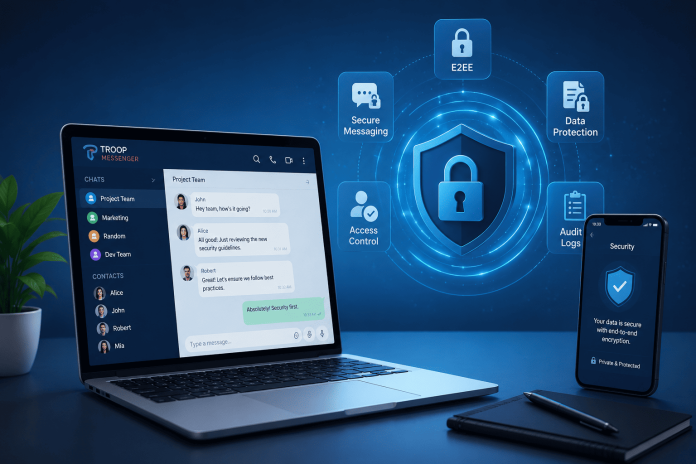
This post will reveal how to control the aftermath of a data breach by using DRM for document security.
Gathering physical and digital evidence to correlate data from multiple sources to piece together a data breach incident is crucial in evaluating how and when the incident occurred.
The evidence can show if someone had infiltrated the system within the company or breached it through identity theft or third-party access.
Sufficient evidence can show how cybercriminals access documents online through genuine usernames and passwords or fraudulent accounts.
Sometimes, having adequate proof may also not be enough. Organizations must understand exactly what the evidence they have in their possession means, which could be a far more complicated procedure than it appears.
Often, data breach response teams look into evidence logs for the first time when a breach occurs. In such a scenario, they may not always be clear on what each field denotes, and there could often be little or no documentation regarding the record format. This lack of familiarity could lead to delays and errors, eventually ruining the organization’s reputation.
Moreover, the facts could change with any investigation in a data breach incident, mainly related to the IT department. This is because, with IT-related experiences, the nature of the beast is such that numbers keep fluctuating.
For instance, when an investigative team discovered one set of logs and concluded that a line item indicated a “get” request, it meant that a particular individual had access to the record.
Eventually, the investigative team correlated the first set of logs with another set of evidence and realized that the line item meant that the individual did not access the records but merely had clicked on to the next document in the same folder.
This shows how a lack of familiarity with internal processes could be one of the largest factors that could complicate and slow down a data breach response. In some cases, even though the organization may have the procedures in place to maintain audit logs, the response team may not understand them, thus showing that no pre-established method was in place to interpret them.
As a result, investigating teams can find it challenging to get the right information from frontline responders about the company’s logging capabilities.
IT experts strongly suggest that organizations must think ahead of a data breach incident. They need to realize and comprehend what they can retain and why, and the same information must be passed on to the right people with adequate training and instructions.
How DRM Can Ensure Document Security
With millions of records being exposed in data breaches, any and every organization is likely to experience an inevitable breach. But given the bank-breaking expenses associated with such a massive calamity, it does not have to be.
To cut down the cost of a data breach, it is vital to have an incident response plan, a robust document security solution, and the relevant professionals handling the system. As a critical security tool to be used in defense against data breaches, PDF DRM works as a proactive document security solution that can prevent a data breach from occurring.
While it helps to prepare for the worst so you can respond effectively at your best, it is also crucial to have all the relevant members on a data breach response team to comprehend their individual tasks both in preparing in advance and acting effectively to a breach.
You can address your document security concerns safely today with digital rights management solutions. Using PDF DRM you can secure your sensitive content in documents and PDF files without compromising the productivity of your users and employees. With PDF DRM, you can:
Control who has access to your protected documents.
Prevent the sharing, editing, altering, screen grabbing, copying and pasting of protected content and saving to unprotected formats.
Stop printing or control the number of prints allowed.
Control the use of how long the document can be viewed.
Enforce the use of documents on only specifically authorized devices, such as your company laptops.
Control the locations from which documents can be viewed (i.e. office only).
Track and log the use of documents such as when they are viewed and printed.
Apply dynamic watermarks with user information to identify users that have access to the document. And more.
Through DRM, your company can easily share protected content securely with the right individuals with full control over your intellectual property at all times.
You also remain fully compliant with privacy laws and regulations and can ensure that your protected documents are no longer accessible after their use-by date. It can be simple to reduce your company’s document security risk once you move to PDF DRM to secure your documents and ensure data security.
Controlling Data Breaches and Using DRM for Document Security: Pros and Cons
Data breaches are a major concern in today’s digital world, exposing sensitive information and causing significant financial and reputational damage. Document Rights Management (DRM) can be a tool to consider for enhancing document security, but it has limitations. Here’s a breakdown of both approaches:
Controlling Data Breaches
Data breaches can occur due to various factors:
Hacking: Malicious actors exploit computer system vulnerabilities to gain unauthorized data access.
Insider Threats: Employees or contractors with access to sensitive information might misuse it intentionally or unintentionally.
Social Engineering: Deceptive tactics trick individuals into revealing sensitive data or clicking on malicious links.
Physical Security Lapses: Loss or theft of physical devices containing sensitive data can lead to breaches.
Strategies to Mitigate Data Breaches
Strong Cybersecurity Practices: Implement robust security measures like firewalls, intrusion detection systems, and regular security updates to safeguard your systems.
Access Controls: Limit access to sensitive data based on the principle of least privilege, granting access only to those who genuinely need it for their job functions.
Employee Training: Educate employees on cybersecurity best practices, including identifying phishing attempts and handling sensitive information responsibly.
Data Encryption: Encrypt sensitive data at rest and in transit to render it unreadable in case of a breach.
Incident Response Plan: Develop a comprehensive plan outlining steps to take in case of a data breach, including data recovery, notification of affected individuals, and containment measures.
Document Rights Management (DRM)
DRM can offer some security benefits for documents by:
Access Control: DRM allows you to restrict who can access a document, preventing unauthorized individuals from viewing or modifying it.
Permissions Management: You can set permissions for users, such as allowing them only to view or print a document but not edit it.
Tracking and Auditing: Some DRM systems can track who has accessed a document and when providing an audit trail.
However, DRM also has limitations:
Complexity: Implementing and managing DRM systems can be complex, requiring additional software and expertise.
Compatibility Issues: DRM-protected documents might not be compatible with all software programs, potentially hindering collaboration.
Reduced Usability: DRM restrictions can make it difficult for authorized users to work with documents freely, affecting their productivity.
Circumvention Methods: Tech-savvy individuals might find ways to circumvent DRM protections, rendering them less secure in the long run.
Combining Strategies
For optimal document security, consider using DRM alongside other security measures:
Classification: Classify documents based on their sensitivity level and apply appropriate security controls, including DRM for highly confidential documents.
Password Protection: Even with DRM, password-protecting sensitive documents adds an extra layer of security.
Data Loss Prevention (DLP): DLP solutions can prevent unauthorized data exfiltration, including document leaks.
Conclusion
Data breaches are a complex issue requiring a multi-layered approach. While DRM can play a role in document security, it should be carefully evaluated alongside other security practices to ensure the best balance between protection and usability.
Here, I will show you 5 creative ways to show employee appreciation…
Showing appreciation to employees is a crucial aspect of maintaining a motivated and productive workforce. Recognizing their efforts not only boosts morale but also fosters loyalty and a positive work environment.
While traditional methods like bonuses and awards are effective, incorporating creative ways to show appreciation can make a more significant impact. These unique gestures demonstrate genuine gratitude and can make employees feel truly valued.
Here are five creative ways to show employee appreciation that goes beyond the conventional approaches.
5 Creative Ways to Show Employee Appreciation
1. Personalized Recognition Programs
Personalized recognition programs tailored to individual preferences can have a profound effect on employee satisfaction.
Instead of generic rewards, consider customizing recognition based on the employee’s hobbies, interests, or achievements. For example, if an employee loves cooking, a personalized cooking class or a gourmet gift basket would be a thoughtful gesture. Another thoughtful option is a custom challenge coin tailored to the employee’s milestone or interests.
This approach shows that you have taken the time to understand and appreciate their unique qualities. Moreover, it encourages employees to engage more with their work, knowing that their interests are acknowledged and celebrated.
2. Give Corporate Gifts
Giving corporate gifts is a creative and effective way to demonstrate appreciation for employees’ contributions within an organization. These gifts can range from personalized items to experiential rewards tailored to reflect the interests and achievements of each individual.
By selecting the best corporate gifts thoughtfully, employers not only acknowledge hard work but also strengthen the bond between employees and the company. Whether it’s a custom-engraved plaque, a wellness package, or a gift card for a memorable experience, the gesture goes beyond monetary value to convey genuine gratitude and recognition.
Incorporating corporate gifts into employee appreciation strategies fosters a positive work culture, boosts morale, and inspires continued dedication to achieving organizational goals.
Investing in the professional development of workers is a strong method to demonstrate gratitude for their work. Providing workers with the opportunity to develop their skills and career prospects by attending industry conferences, obtaining certifications, or participating in training programs can be beneficial.
The whole skill set of the workforce is improved as a result of this, which not only enhances the value of the firm but also helps the individuals inside it. Furthermore, it indicates a commitment to their long-term success and growth, which is a significant benefit.
It is possible to increase employee engagement and motivation by providing opportunities for ongoing learning and advancement. This is because workers will feel supported in their professional journeys.
4. Surprise Appreciation Events
Creating experiences that are memorable and connect with workers can be accomplished via the organization of surprise appreciation events.
These activities can vary from simple gestures, such as spontaneous team meals or snacks, to major celebrations, such as workplace parties or trips where employees are invited to participate.
You are demonstrating that you are prepared to go the extra mile to make them feel appreciated by including the element of surprise, which adds a layer of excitement to the situation.
These activities provide the chance to strengthen the bonds between members of the team and can enhance morale by providing a break from the monotony of everyday work. The culture of appreciation and pleasure can be strengthened via the use of unexpected methods to celebrate achievements and significant milestones.
5. Customized Wellness Programs
Implementing customized wellness programs is a thoughtful way to show appreciation for employees’ health and well-being.
These programs can include fitness classes, mental health resources, or wellness challenges tailored to the interests of the team. Providing access to wellness initiatives shows that you care about their holistic well-being, not just their work output.
It can also lead to improved productivity, reduced absenteeism, and a more positive workplace atmosphere. By focusing on their health and happiness, you demonstrate a commitment to their overall quality of life.
Conclusion
Creative ways to show employee appreciation can significantly enhance the work environment and boost morale. Personalized recognition programs, corporate gifts, professional development opportunities, surprise appreciation events, and customized wellness programs are just a few examples of how to make employees feel valued.
These gestures go beyond traditional rewards, demonstrating genuine care and respect for employees’ unique needs and contributions. By implementing these creative approaches, organizations can foster a more engaged, motivated, and loyal workforce.
Ultimately, showing appreciation in meaningful ways can lead to greater job satisfaction and long-term success for both employees and the organization.
In this post, I will show you the best 5 cybersecurity management security tools.
With more companies moving their work online, the risk of cyberattacks has grown. From data breaches to ransomware, small security gaps can lead to big problems. That’s why having the right cybersecurity management tools is a must-have for organisations of all sizes.
That means companies need tools that will detect threats early, provide continuous system monitoring and rapid response rather than just protecting them. These tools are popularly used to improve network security management and overall protection.
1. CrowdStrike Falcon
CrowdStrike Falcon is becoming a very popular endpoint protection solution. It majorly focuses on identifying and stopping threats to individual devices.
Key Features
AI-powered threat detection
Advanced algorithms are used to block abnormal activity and attacks at an early stage.
Lightweight system
The system is lightweight, and thus it doesn’t impact the performance during system scans.
Live reply
Identifies threats early and doesn’t let them spread across the network.
2. ManageEngine Log360
As the name itself suggests, ManageEngine Log360 is a log management and security analytics platform. It also aids in tracking activity across systems and adds to network visibility and security.
Key Features
Collection of logs
It allows you to gather data from different devices to track activity.
Real-time alerts
Alarms if anything fishy or suspicious is detected.
Compliance Support
Detailed reports help meet regulatory requirements.
If your organization needs detailed monitoring, then this is the best tool for you.
3. Tenable
When it comes to trusted platforms, Tenable is one of the best tools for vulnerability management. All major threats are identified and fixed before they can harm any system.
The platform offers a subscription-based model that helps you save your organization from any kind of security threat. To save money on subscriptions, you can check out CouponzGuru and use coupon codes and deals for maximum savings. This way, you can get security at an affordable price.
Key Features
AI for detecting threats
The platform uses AI to detect any type of abnormal behavior and block any threat, if found.
Lightweight system
It runs silently in the background without disrupting the device’s performance.
Real-time reactions
Quickly contains attacks before they spread over the network.
It is quite popular for robust endpoint security solutions.
4. Palo Alto Networks Cortex XDR
The next tool on the list of the best 5 cybersecurity management security tools is Cortex XDR. The platform provides advanced threat detection across multiple platforms. It collects data from different sources to enhance IT security management, proving itself to be one of the best and most reliable.
Key Features
Unified data analytics
The platform makes it easier to track different devices at once by bringing them together. This way, you can keep track of every device.
Correlation of Threats
Correlates multiple alerts to detect advanced threats.
Automated response
Automates the response and reduces manual effort.
5. IBM Security QRadar
IBM QRadar is a popular SIEM tool to handle a large amount of security data. It is used to improve cybersecurity monitoring tools used by businesses.
Key Features
Threat intelligence
Quickly identifies known threats and prevents them from attacking the system.
Incident management
Enables teams to effectively investigate and respond to attacks.
Scalable system
It is one of the best options for organizations that believe in growing as it helps in scaling.
How to Choose the Right Tool
Selecting the right tool is important if you want total security for your organization.
Consider
Type of protection that you need
Make sure you understand your needs; endpoint, network or full-system security.
Ease of use
Make sure you invest in tools that are not too complex to understand.
Integration
Make sure that the tool integrates well with your existing system for easy adaptation.
Final Thoughts
With cyber threats evolving with each passing day, it has become extremely difficult to keep your systems safe and free from malware. Businesses need to be well prepared so that any type of attack can be detected even before it can impact their system.
The above-mentioned tools can help businesses to stay safe and monitor, detect and respond for better security and long-term stability.
In this post, I will talk about the innovations driving the rise of intelligent marine systems.
Boating has entered a new era—one where vessels aren’t just powered by engines and steered by hands, but enhanced by digital systems that deliver smarter, safer, and more intuitive control.
From navigation to onboard automation, the marine industry is seeing a rapid transformation fueled by advanced electronics, touch-based interfaces, and real-time data integration. At the forefront of this shift is the rise of thesmart boat by Barantech, a concept that’s redefining what it means to be connected at sea.
As boat owners, manufacturers, and fleet operators demand more from their vessels, intelligent systems are stepping up—offering increased reliability, better situational awareness, and more seamless control over every onboard function. It’s no longer enough for a boat to float and move. Today, it needs to think, communicate, and respond.
Smarter Navigation and Control
One of the primary drivers behind smart marine systems is the integration of advanced navigation technology with touch-enabled control panels. GPS-based autopilot systems, digital charts, collision avoidance alerts, and integrated engine diagnostics all work together to give captains a comprehensive view of their surroundings.
Modern control interfaces replace outdated switches and analog gauges with sleek, programmable screens that combine essential functions into one centralized hub. The result is a cleaner helm, faster access to critical data, and more precise control—especially important during docking, anchoring, or navigating narrow channels.
In multi-system environments, smart controls can integrate with lighting, HVAC, bilge pumps, entertainment, and more—reducing the need for multiple control stations and simplifying onboard management. For more advanced marine, defense, or autonomous platforms, a mission computer can serve as the central processing hub that coordinates navigation, sensor data, communications, and onboard control systems.
Remote Monitoring and Cloud Connectivity
A defining feature of next-generation marine systems is connectivity. Boaters can now monitor their vessel’s location, fuel levels, battery status, and onboard temperature from their smartphone—whether they’re in the marina or halfway across the world.
These cloud-connected systems allow for:
Remote diagnostics and maintenance alerts
Real-time geofencing and anti-theft tracking
Push notifications for power loss or water intrusion
Over-the-air firmware updates for system improvements
For commercial fleets and charter companies, this level of insight enables the simultaneous management of multiple boats—optimizing maintenance schedules, enhancing safety, and boosting operational efficiency.
Safety is one of the biggest beneficiaries of smart marine technology. Automated systems can monitor onboard conditions 24/7, automatically activating pumps, alarms, or lights in response to changing conditions. High-resolution cameras and sensors provide visual feedback in low-visibility scenarios, while integrated radar and sonar help avoid hazards.
Touchscreen HMIs (Human Machine Interfaces) also simplify training and reduce human error. With intuitive layouts and responsive controls, even new boaters can navigate complex systems with confidence.
Systems like those found in Barantech’s marine lineup combine rugged durability with intelligent control logic—built to withstand marine environments without compromising on performance or safety.
Customization and Modular Flexibility
Modern boaters want systems that can be customized to their needs—whether that’s a weekend leisure cruiser, a fishing vessel, or a high-performance workboat. Smart marine systems today are built with modularity in mind, allowing users to:
Choose which systems they want to control (lighting, climate, navigation, etc.)
Configure interface layouts for specific user roles
Add new features or integrations as technology evolves
Scale from single-cabin vessels to multi-deck yachts
This flexibility makes it easy to upgrade without overhauling the entire system—protecting long-term investment and future-proofing the vessel.
Eco-Friendly Efficiency
Environmental awareness is growing in the marine world, and smart systems play a vital role in reducing fuel use, minimizing emissions, and protecting marine ecosystems. Intelligent control interfaces allow for:
Engine optimization for fuel-efficient cruising
Smart battery management to extend range on electric vessels
Monitoring of waste discharge systems to prevent pollution
Integration with solar power or hybrid propulsion systems
By helping boaters make data-driven decisions, smart systems not only improve performance but also support sustainability on the water.
Designed for Real-World Marine Demands
Smart marine systems must function in one of the harshest environments on Earth—exposed to saltwater, vibration, temperature extremes, and constant movement. That’s why durability and reliability are core components of intelligent marine design.
Products in this category are built to meet IP ratings for water resistance, with rugged housings, waterproof connectors, and corrosion-resistant components.
Barantech’s marine offerings, for example, are engineered with both form and function in mind—offering responsive, glove-friendly touch controls that perform flawlessly in wet conditions.
Choosing asmart boat system that’s built from the helm up for marine use ensures that technology enhances the journey rather than complicates it.
Where Innovation Meets Open Water
The rise of intelligent marine systems marks a new chapter for the boating industry—one where automation, connectivity, and design converge to make life on the water more enjoyable, efficient, and secure.
Whether for leisure, business, or exploration, the smart boat is no longer a concept of the future—it’s a reality today. And with every innovation, that experience gets smoother, safer, and more in tune with the rhythms of the sea.
Conclusion
Intelligent marine systems are revolutionizing boating, transforming vessels into connected, responsive, and safer environments.
By integrating advanced navigation, automation, remote monitoring, and eco-friendly efficiency, these systems provide captains with greater control, situational awareness, and peace of mind.
Customizable, durable, and designed for real-world marine conditions, smart boats like those from Barantech enhance performance while future-proofing investments.
Ultimately, the rise of intelligent marine technology ensures that life on the water is not only more efficient and enjoyable but also safer, smarter, and fully in harmony with the sea.
In this post, I will talk about the human factor in manufacturing cybersecurity and show you how to turn your workforce into a security asset.
You can deploy next-generation firewalls, endpoint detection and response, and layered monitoring across your environment, yet a single convincing phishing email or social engineering call can bypass all of it.
In manufacturing environments, the stakes are higher. Systems run continuously, production schedules are tightly orchestrated, and downtime is not just an IT issue; it is an operational and financial event.
After more than two decades working with manufacturers through Real IT Solutions, one pattern is consistent. The difference between a contained incident and a full operational disruption is often not the technology stack. It is how people respond in the moment.
The human factor is not just the weakest link. It is the most underutilized layer in your cybersecurity strategy.
Why the Human Layer Is Now the Primary Attack Surface
Cybercriminals have adapted. As technical defenses improve, attackers increasingly target human behavior.
In manufacturing, this risk is amplified by:
High operational tempo and shift-based work
Frequent vendor, supplier, and logistics communication
Increasing remote access to systems and equipment
Converged IT and OT environments
Attack methods have evolved accordingly:
AI-generated phishing emails that replicate tone and context
Business email compromise targeting finance, purchasing, and logistics
Social engineering calls impersonating vendors or internal leadership
Physical intrusion tactics such as malicious USB devices
These are not theoretical risks. They are the most common entry points in real-world manufacturing incidents.
When successful, the impact is immediate and measurable:
Production lines halt while systems are isolated
ERP, MES, or SCADA systems become unavailable
Intellectual property and design data are exposed
Recovery consumes operational time, labor, and capital
In this environment, cybersecurity is no longer just an IT function. It is part of production continuity.
Security Culture as an Operational Discipline
The most effective manufacturers treat cybersecurity training the same way they treat safety and quality. It is embedded, repeatable, and operationalized.
A strong security culture does not rely on annual compliance training. It is built through continuous reinforcement and real-world relevance.
Make Security Contextual to the Manufacturing Floor
Generic training fails because it does not reflect real workflows.
Training must map directly to roles:
A shipping coordinator verifying unexpected routing changes
A procurement manager reviewing vendor payment requests
A plant supervisor receiving urgent system access calls
When employees recognize the scenario, they respond correctly.
Security awareness training should be framed similarly to safety protocols. It is not optional, and it is not abstract. It is part of doing the job correctly.
Replace Annual Training with Continuous Reinforcement
Once-a-year training creates awareness, but not behavior change.
Effective programs use:
Short, 10 to 15 minute sessions integrated into existing meetings
Monthly or quarterly cadence
Microlearning formats such as short videos and quick exercises
This approach aligns with how manufacturing teams already absorb operational procedures.
Consistency drives retention.
Simulate Real Attacks in a Controlled Environment
Phishing simulations and social engineering exercises are essential.
They serve two purposes:
Identify real-world vulnerabilities in behavior
Reinforce correct responses through experience
The critical factor is how results are handled.
Organizations that see the best outcomes:
Treat failures as coaching opportunities
Avoid punitive responses
Recognize and reward correct reporting behavior
This builds engagement rather than resistance.
Establish a Clear, Universal Response Protocol
Every employee should know exactly what to do when something feels off.
This includes:
How to report suspicious emails or activity
Who to contact immediately
What not to do, such as clicking links or inserting unknown devices
In cybersecurity, speed of response often determines impact.
Align Security with Leadership Behavior
Culture is set at the top and reinforced on the floor.
When leadership actively participates:
Security becomes a shared priority, not an IT directive
Employees see it as part of operational excellence
Near-misses can be discussed constructively
Plant managers and supervisors play a critical role. Their reinforcement during daily operations has more impact than formal training alone.
Measuring the Effectiveness of the Human Layer
Manufacturers already track performance metrics across operations.Cybersecurity should be no different.
Key indicators include:
Phishing simulation click rates
Reporting rates of suspicious activity
Time to report potential threats
Reduction in successful incidents
These metrics should be reviewed alongside operational KPIs.
Improvement should be visible, measurable, and communicated.
Recognition matters. Teams that see progress take ownership.
The Role of Technology: Supporting, Not Replacing People
Training alone is not sufficient. It must operate within a layered security model.
Effective environments combine:
Advanced email filtering and threat detection
Endpoint protection and monitoring
Network segmentation between IT and OT systems
Continuous monitoring and response capabilities
This layered approach ensures that when human error occurs, additional controls are in place.
However, without an engaged workforce, even the best technology stack has gaps.
The Strategic Advantage: A Workforce That Acts as a Sensor Network
When properly trained, employees become an active detection layer.
They:
Identify anomalies early
Report suspicious behavior quickly
Prevent incidents before they escalate
This transforms cybersecurity from a reactive function into a proactive operational capability.
Manufacturers that achieve this shift gain:
Reduced downtime risk
Faster incident containment
Stronger overall resilience
In a competitive environment where uptime and reliability define performance, this is a meaningful advantage.
From Risk to Capability
The narrative around human error in cybersecurity is outdated.
People are not just a vulnerability to manage. They are a capability to develop.
Organizations that invest in this layer see measurable results:
Fewer successful attacks
Faster response times
Stronger alignment between IT, operations, and leadership
This aligns directly with the mission of Real IT Solutions, improving quality of life through proactive systems, strong partnerships, and continuous learning.
Security, when done correctly, does not create friction. It creates confidence.
Getting Started Without Disrupting Operations
The most effective approach is incremental:
Assess current training and awareness levels
Identify high-risk roles and workflows
Introduce targeted, short-form training
Layer in simulations and tracking
Build consistency over time
This does not require a large internal team. It requires a structured approach.
For manufacturing leaders, the objective is clear. Build a workforce that not only operates systems but also actively protects them.
Learn the importance of cybersecurity in manufacturing in this post.
Manufacturing is quickly adopting digital transformation, with advanced automation, IoT-enabled machinery, and cloud-connected systems becoming standard in production environments. These changes have improved efficiency, reduced waste, and opened the door for more flexible, data-driven operations.
Industry leaders such as Beyonics Manufacturing demonstrate how integrating modern technology into production can enhance quality and scalability across global markets. In specialized sectors such as injection molding in Malaysia, digital tools are now indispensable for maintaining precision, controlling costs, and meeting demanding customer timelines.
Yet as manufacturing becomes more connected, it also becomes more exposed to cyber threats. A single breach can bring production to a standstill, corrupt critical design files, or allow competitors to gain access to proprietary technology. Cybersecurity is no longer a back-office IT concern. It is a core component of operational resilience, protecting both digital and physical assets from disruption.
Why Manufacturing Is a High-Value Target
Cybercriminals target manufacturing because the industry holds valuable data and operates on tight schedules where downtime is costly. Intellectual property, such as CAD files, process specifications, and material formulas, is a prime target for theft. In sectors with high customization or proprietary processes, losing such data can cause irreversible damage.
The integration of IT (information technology) and OT (operational technology) creates additional vulnerabilities. Systems controlling physical equipment are often networked, allowing cyberattacks to move from digital platforms onto the factory floor. This means a successful intrusion can disrupt production lines, damage equipment, or compromise safety protocols.
Threat actors are aware that manufacturers cannot afford prolonged shutdowns. Ransomware attacks exploit this urgency, demanding payment to restore access to critical systems. Even a short interruption can lead to missed delivery commitments, penalties from clients, and reputational harm.
Common Cybersecurity Challenges in Manufacturing
One of the biggest challenges in manufacturing is the reliance on legacy equipment that was never designed for modern cybersecurity demands. Many older machines have limited or no authentication protocols, leaving them open to exploitation when connected to a network. Retrofitting security into such systems can be complex and costly, but ignoring the risk leaves critical gaps.
Another challenge is the growing complexity of supply chains. Manufacturers often collaborate with multiple vendors, contractors, and logistics providers, each with its own cybersecurity posture. A vulnerability in a partner’s network can create an indirect path for attackers into your systems.
Human factors also remain a major concern. Employees who are unfamiliar with phishing techniques or careless with credentials can inadvertently grant attackers access. Ongoing training and clear security policies are essential to reducing this risk.
The immediate costs of a cyberattack in manufacturing are often visible in halted production and recovery expenses. However, the long-term consequences can be even more damaging. Stolen intellectual property can erode competitive advantage, while breaches of customer or partner data can result in legal liabilities and compliance fines.
Downtime also has a ripple effect across the supply chain. Delays in one facility can impact multiple downstream partners, leading to strained relationships and lost business opportunities. In industries where just-in-time delivery is standard, even a minor disruption can trigger significant financial losses.
Reputational damage is harder to quantify but equally critical. Clients and partners may hesitate to work with a manufacturer perceived as insecure, especially in sectors handling sensitive or proprietary products.
Key Strategies to Strengthen Cybersecurity
Manufacturers can reduce their risk by adopting a layered security approach that protects both IT and OT environments. This includes firewalls, intrusion detection systems, and network segmentation to limit the spread of an attack. Critical systems should be isolated from less secure networks, with strict access controls in place.
Regular patching and firmware updates close known vulnerabilities before attackers can exploit them. For legacy systems, adding protective gateways or deploying monitoring solutions can improve security without requiring a complete equipment overhaul.
Employee training should be ongoing, with clear guidance on spotting phishing emails, handling sensitive data, and reporting suspicious activity. Many breaches occur not because of sophisticated hacking techniques but due to basic lapses in security hygiene.
Leveraging Technology for Threat Detection and Response
Modern cybersecurity tools use AI and machine learning to detect unusual activity across a network. These systems can identify anomalies in machine behavior or data flow that might indicate a breach, allowing security teams to respond before damage escalates.
Security Information and Event Management (SIEM) systems centralize monitoring across IT and OT environments, providing a clearer picture of emerging threats. Coupled with incident response plans, these tools help reduce the time between detection and containment.
Manufacturers should also conduct regular penetration testing and security audits. These assessments simulate potential attacks, revealing weak points that can be addressed before they’re exploited in the real world.
Building a Cyber-Resilient Manufacturing Operation
Effective cybersecurity for manufacturing is an ongoing effort, not a single event. Facilities modernization leads to evolving threats, the emergence of new vulnerabilities, and changes in systems. A resilient manufacturer builds cybersecurity into every stage of operations, from design and production to vendor selection and logistics.
Collaboration is also critical. Sharing threat intelligence within industry groups and maintaining open communication with supply chain partners strengthens collective defense. The more coordinated the effort, the harder it becomes for attackers to find exploitable gaps.
In a sector where precision, efficiency, and reliability define success, protecting digital infrastructure is as vital as maintaining quality control on the production line. Manufacturers who invest in robust cybersecurity not only safeguard their operations but also reinforce their reputation as dependable, forward-thinking partners in an increasingly connected world.
In this post, I will show you 3 simple tricks to verify a site is secure before signing up.
Halt! Have you checked it’s secure? This is exactly the mindset forsigning up to a new website for the first time — be it for shopping, gaming, info, lifestyle, or joining a membership community. The whole process can feel properly boring and routine, and your mind can go straight on autopilot.
But just think… every time you hand over your email, personal deets, preferences, or card information, you’re trusting that site with your entire identity as well as your money. Cybercrime is rife, and has grown only more sophisticated over the past two decades, as the digital realm has become widespread.
Fake sites or cleverly disguised phishing emails and pages look more convincing than ever, so verifying a site’s security before signing up isn’t old fashioned paranoia; it’s basic “digital hygiene” for the everyday person.
This is especially true when money is on the line! Just think about the number of people you may know who register on new sites for shopping or online casinos and digital betting platforms for gaming (both of which make use of your financial details).
The latter especially leads people eagerly to claim a bonus or try a new slot. So, knowing how to check a site’s credentials first is as important as understanding things like casino wagering requirements, because both are about making sure you know exactly what you’re getting into. A secure website can still have strict terms, but at least you know your personal and financial information is protected from outright theft, which you want to always avoidf.
Let’s look at three practical, low-tech ways to tell if a site is safe to sign up to, thinking about elements that are simple enough for anyone to apply, but detailed enough to catch most of the common red flags.
3 Simple Tricks to Verify a Site Is Secure Before Signing Up
1) Domain Research and Reputation
Just think, even a shiny SSL certificate won’t save you from a scam if the site itself is fraudulent! The trick is to look up the domain name, as scammers often use URLs that are very close to legitimate ones, changing just a letter or adding a hyphen. Take a moment to read the domain carefully and compare it with the official address you know.
Of course, there are loads of decent free tools, such as WHOIS lookups, to see when the domain was registered and who owns it. A brand-new domain registered anonymously may not always be a scam, but it’s another warning sign, especially if it’s claiming to be a big, established brand. Conversely, a domain that’s been active for years and has a named owner with a real address looks much more trustworthy.
Also, check online reviews and reputation scores and see what other users of the site are saying, because this is where you can often find useful discussions on forums or watchdog sites. Any pattern of complaints about missing payments, poor support, lack of contact, or disappearing accounts can reveal a problem before you ever sign up.
2) Check HTTPS and Valid Security Certificates
The first and most clear (and obvious) trick is to examine the web address bar. Secure websites use HTTPS (HyperText Transfer Protocol Secure) instead of plain HTTP. This means the data you send and receive is encrypted, making it far harder for hackers to intercept.
In modern browsers, you’ll see a padlock icon to the left of the URL, and clicking on it reveals information about the site’s security certificate. But don’t stop at just spotting the padlock!
Anyone can technically get a basic SSL certificate, so you have to look deeper by clicking the padlock or the “Site Information” tab to see who issued the certificate and for which domain, as reputable businesses typically have an extended validation (EV) certificate that lists their name or company.
While these EV certs are less common now, legitimate sites will at least have a certificate issued by a recognized authority (you can find these with a quick search online). Of course, if the browser warns you of an invalid certificate or mismatched domain, treat it as a red flag!
That doesn’t always mean the site is malicious, but it’s a clear sign you shouldn’t enter personal info until you know what’s fully going on- Think of HTTPS as the seatbelt: it won’t guarantee your safety in every scenario, but you’re at much greater risk without it!.
3) Evaluate Payment and Privacy Methods
Lastly, a site’s payment options and security policies tell you a lot about how it handles customer info, as a legitimate site typically offers well-known payment gateways (think PayPal, Stripe, Visa, Mastercard, and others) rather than obscure processors or cryptocurrency-only payments. Established payment providers have their own security vetting, so the presence of these options is a good sign!
On top of this, you can read the site’s privacy policy and terms of service. Yes, indeed everyone agrees that they are universally boring (not to mention often time consuming), but they’re also a space you’ll find out how your data is stored, whether it’s shared with third parties, and what recourse you have if something goes wrong. If the policy is vague, non-existent, sketchy or riddled with errors, that’s a signal to think twice before you act and move ahead.
Another useful check is whether the site supports two-factor authentication (2FA) for account logins, an extra layer of protection, as well as clear contact information (a physical address, a phone number, and/or a customer-service email). Scam sites often hide behind contact forms or provide no details at all.
Small Effort, Big Pay Off
The online realm is great, but full of risks if you’re unaware, such as malicious messages and email scams. By applying these three simple tricks: checking HTTPS and certificates, researching the domain, and evaluating payment methods and policies, you’re giving yourself a large and powerful layer of protection.
It’s not about being paranoid, it’s about staying informed and aware of those red flags that say to the prepared, “do not enter”. Next time you’re ready to sign up for a new website, just slow down long enough to verify it’s the real deal — think of it as a quick security checklist!
This post will show you how to repair PST files in under 5 minutes like a pro.
Information from Outlook 365 accounts, Outlook.com, IMAP accounts, and Exchange accounts are stored in PST (Personal Storage Table) format. This information can be email messages and attachments, contacts, calendar information, or even tasks on your computer.
Like every other file, PST files can be damaged or corrupted by various factors, including malware, power outages, incorrect system recovery, device failure, shortage of storage space, or bugs in the PST file.
In such instances, users will likely experience any of the following error messages:
‘The current PST file is in use.’
‘Cannot open our default email folders.’
‘Cannot start Microsoft Outlook.’
‘Outlook Send Receive Error 0x800ccc13.’
‘Outlook PST file is not a personal Folder File.’
‘Data error.’
‘The Operation timed out, waiting for response…’
Microsoft includes a built-in PST file repair tool to help users resolve simple PST issues, but in dealing with more complex PST faults, you might need a much more advanced PST file repair tool.
In this post, you will learn how to quickly resolve any PST issue like a Pro in less than five minutes.
Issues you will most likely experience with PST files might include the following:
Damaged or corrupted Outlook PST file which can be due to any of the following reasons:
New PST File Creation
Large PST file size
Malware attack
Installation or use of unverified software and tools
System issues
File sharing on unsecured networks
An MS Outlook program is still running in the background.
Running other conflicting software or add-ons such as Adobe Reader, Adobe Flash, communicator, Lync, or Ucmapi.
Running a backup of a large PST file.
The antivirus program may scan the desired PST file at the time of use.
If you’re experiencing any of the PST issues listed above, try the following steps to resolve such issues.
Use the ‘Find’ feature to find the PST file or Click ‘Browse’ to select the PST file from its location.
Click Repair to fix the faulty PST file.
Save the repaired PST file in a folder of your choice.
Select ‘PST’ format from the pop-up that appears on the screen
Click ‘OK’ to save the recovered PST file in PST file format.
Solution 2: End all related tasks that might be running in the background
Such tasks might include ‘Communicator, ‘Lync,’ ‘Outlook,’ and ‘UCMAPI.’
To end the tasks listed above, follow the steps listed below.
Launch the ‘Task Manager’ tool by pressing the keys on your keyboard: ‘Shift, Ctrl, and ESC’ keys.
Right-click on related tasks listed above that might be running, select ‘End Task’ from the command prompt, or click ‘End Task at the bottom right of the ‘Task Manager.’
Solution 3: Troubleshoot Outlook by launching in Safe Mode
To launch and troubleshoot MS Outlook in Safe Mode, follow the steps below
Hold down the ‘Windows key and R’ together on the keyboard to launch the ‘Run’ dialogue
Type or copy outlook.exe /safe, paste in the run dialogue, and click ‘OK.’
If MS Outlook starts without displaying error messages, then it conflicts with other programs like UCMAPI, LYNC, etc.
Disable the add-ins one after the other while attempting to launch MS Outlook.
Open MS Outlook and click on File >> ‘Options’ >> ‘Add-Ins’ and click on ‘Go’
Uncheck the Add-Ins one after the other while attempting to launch your email in MS Outlook until you find the defaulting Add-in.
Click on ‘Remove’ to remove the ‘Add-In’ and relaunch your mailbox in Outlook.
Solution 4: Run ‘ScanPST,’ an Outlook repair tool
Below are file paths for locating the SCANPST tool in different versions of Microsoft Office.
To locate the location of the SCANPST.exe,
Open ‘Local Disk (C:),
Open the ‘Program Files’ folder
Copy and paste ‘SCANPST.exe’ into the ‘Search Programs File’ search bar.
Click on the blue arrow or hit the ‘Enter’ key on your keyboard.
Click on ‘SCANPST to launch the PST repair tool.
Enter the name of the file you want to scan in the space provided or click on ‘Browse’ to select the PST file from its location.
Click ‘Start’ to begin the scan process.
After completing the scan, tick the ‘Make a backup of Outlook PST’ checkbox to initiate the repair process.
Wait for the repair process to start.
You get a message saying, ‘Repair process completed.’
Here are more file paths for locating scanPST.exe in the local disk ‘(C:):
Office 365 / Outlook 2019 / Outlook 2016
Windows OS (32 & 64 bit): C:\Program Files\Microsoft Office\root\office16\
Windows OS (32 bit): C:\Program Files\Microsoft Office\Office16\
Windows OS (64 bit):C:\Program Files (x86)\Microsoft Office\Office16\
Outlook 2013
Windows OS (32 bit): C:\Program Files\Microsoft Office\Office15\
Windows OS (64 bit): C:\Program Files (x86)\Microsoft Office\Office15\
Outlook 2010
Windows OS (32 bit): C:\Program Files\Microsoft Office\Office14\
Windows OS (64 bit): C:\Program Files (x86)\Microsoft Office\Office14\
Outlook 2007
Windows OS (32 bit): C:\Program Files\Microsoft Office\Office12\
Windows OS (64 bit): C:\Program Files (x86)\Microsoft Office\Office12\
How To Repair PST Files: Frequently Asked Questions
Outlook PST files store your emails, contacts, and calendar items. Corrupted PST files can wreak havoc, rendering your data inaccessible. Here are some FAQs to help you diagnose, repair, and potentially recover your PST files:
Can corrupted PST files be repaired?
Yes, corrupted PST files can sometimes be repaired. The success rate depends on the severity of the corruption.
How do PST files get corrupted?
Several factors can corrupt PST files, including:
Sudden computer shutdowns
Hardware malfunctions
Network issues
Malware attacks
File size limitations (older PST formats)
What is the best software to repair PST files?
There are two main approaches to PST repair:
Microsoft Inbox Repair Tool (ScanPST): This free tool from Microsoft is an excellent first attempt. It’s included with most Outlook installations.
Third-party Repair Software: If ScanPST fails, consider data recovery software designed specifically for PST files. These can offer more advanced repair capabilities but often come at a cost.
While ScanPST is an excellent first step, it might not always be successful. Here’s what you can do:
Try a recent backup: If you have a recent backup of your PST file, restoring it might be the quickest solution.
Third-party software: Consider reputable data recovery software designed for PST repair. These can offer advanced recovery features.
How do I restore a PST file?
The process depends on your backup method. If you’re using Outlook’s built-in backup feature, you can usually restore from within the program. For other backup methods, consult your backup software’s instructions.
Here are some additional tips:
Act Quickly: The sooner you attempt repair, the better the chances of success.
Avoid Further Damage: Once you suspect PST corruption, stop using Outlook to prevent further damage to the file.
Seek Professional Help (For Critical Data): If you’re dealing with critical data and these methods fail, consider consulting a data recovery professional.
A Final Word…
The solutions I have detailed above will take you less than five minutes to resolve any PST-related issue like a pro.
By following these FAQs repair options available, you can increase your chances of recovering your valuable email data from a corrupted PST file.
In this post, we will answer the question – is Windows Defender good enough for 2026? Also, we will reveal its effective use cases as well as alternatives.
With the increasing spate ofcyber attacks, which have become much more sophisticated than ever before, PC users have been asking; would Windows Defender be enough come 2026? Follow us as we attempt to provide a credible answer to this question.
Windows Defender is the proprietary antivirus program for Windows PCs. And it comes pre-installed on modern PCs, particularly Windows 8/8.1/10/11.
However, the antivirus has been viewed as somewhat “substandard”, compared to other notable AV programs. This, coupled with the increasing sophistication of cybercriminals, has raised questions over the reliability of the software.
Nonetheless, in spite of the widespread assumption, WinDefender remains one of the best out there. And while the program has been below-par in the past, recent upgrades have significantly jacked up its performance.
However, the controversial question is still hanging over it: Is Windows Defender enough for 2026? Read on!
Is Windows Defender Enough For 2026?
While Windows Defender has undergone significant improvements and gained ground against standard antivirus programs, it remains insufficient for comprehensive cybersecurity in 2026.
This insufficiency stems from the evolving nature of cyber threats and the limitations of single-layered security solutions.
The Changing Landscape of Cyber Threats
Diversification of attack vectors: Cyberattacks have moved beyond traditional virus injections. Today, a diverse range of threats including malware, adware, spyware, ransomware, and trojans pose significant dangers.
Evolving sophistication: Malicious programs have become increasingly sophisticated, employing advanced techniques like camouflage and disguise. This makes them difficult to detect, bypassing even robust antivirus defenses.
Hidden and persistent: Many malware strains remain hidden within the system, mimicking legitimate applications or extensions. This stealthy approach further hinders detection and mitigation efforts.
Limitations of Single-layered Defense
Rigid detection methods: Traditional antivirus programs rely on known virus signatures for detection, leaving them vulnerable to novel or disguised threats.
Limited scope of protection: Antivirus programs primarily focus on malware detection and removal, neglecting other critical aspects of cybersecurity like data protection and online privacy.
Moving beyond Windows Defender
While Windows Defender offers basic protection, it falls short in addressing the multifaceted nature of modern cyber threats. A layered approach to cybersecurity is crucial for comprehensive protection. This may involve:
Multi-layered antivirus solutions: Combining multiple antivirus engines with different detection mechanisms can offer broader coverage against diverse threats.
Advanced threat detection tools: Employing sandboxing, behavioral analysis, and machine learning enhances the ability to identify and neutralize novel or disguised malware.
Data security solutions: Encryption, data backup, and intrusion detection systems provide additional layers of protection for sensitive information.
Privacy-focused tools: VPNs, ad-blockers, and anti-tracking software can help safeguard privacy and control online data exposure.
Best Third-Party Antivirus to Pair With Windows Defender
The obvious downside of Windows Defender, which is basically in the area of malware detection, is obtainable in other standard AV packages. Forget the hype; no antivirus program offers absolute protection against malware, which is the key element of cyber attacks today.
Therefore, to reinforce your system and internet security setup, you need a stand-alone “anti-malware” package – to augment Windows Defender.
While Windows Defender has improved significantly in recent years, its limitations against evolving threats require additional security measures. Pairing it with a third-party solution can offer a more comprehensive defense against malware, ransomware, and other cyber threats.
Additionally, here are some recommended antivirus programs you can use to replace Windows Defender:
Kaspersky Lab
Kaspersky Antivirus is an antivirus protection solution that protects your computers from virus attacks and other...Show More
Kaspersky Antivirus is an antivirus protection solution that protects your computers from virus attacks and other threats that may result from internet usage or other forms of usage. Show Less
Panda Dome Security Suite
Your advanced protection suite for home and business needs.
Your advanced protection suite for home and business needs. Show Less
Norton 360
Norton 360 is a security suite that utilizes advanced machine learning technology in dealing with all types of malware...Show More
Norton 360 is a security suite that utilizes advanced machine learning technology in dealing with all types of malware including Trojans, ransomware, etc. 100% guaranteed protection against all types of malware and your best bet for privacy protection. Show Less
Avira Prime
Avira Prime is the ultimate security suite for data safety and protection from online threats that gives you full access...Show More
Avira Prime is the ultimate security suite for data safety and protection from online threats that gives you full access to Avira products like antivirus, Phantom VPN, software updater, system optimization tool, and a password manager. Show Less
ESET HOME Security Premium
ESET HOME Security Premium is a fully-fledged security software with amazing features and even a password manager. Smart...Show More
ESET HOME Security Premium is a fully-fledged security software with amazing features and even a password manager. Smart protection for Windows, Mac, and Android devices. Show Less
G DATA Total Security
G DATA Total Security is a complete protection suite that offers total security online and offline. The suite includes...Show More
G DATA Total Security is a complete protection suite that offers total security online and offline. The suite includes an antivirus engine, a password manager, firewall protection, device control, and internet security tools. Intelligent security suite for all device types. Show Less
AVG Ultimate
A combined antivirus plus VPN for total protection.
A combined antivirus plus VPN for total protection. Show Less
McAfee Total Protection
An easy-to-use security suite for data safety and device protection.
An easy-to-use security suite for data safety and device protection. Show Less
Trend Micro Premium Security Suite
Premium security suite for device protection and identity safety.
Premium security suite for device protection and identity safety. Show Less
VIPRE Advanced Security
Best security solution for emerging threats and data safety.
Best security solution for emerging threats and data safety. Show Less
Total AV
Protects your devices and online activities in real-time.
Protects your devices and online activities in real-time. Show Less
PC Matic Security
PC Matic Security is a security software that protects against malware, viruses, and ransomware.
PC Matic Security is a security software that protects against malware, viruses, and ransomware. Show Less
K7 Total Security
K7 Total Security is a comprehensive security software suite that provides protection against malware, viruses, and...Show More
K7 Total Security is a comprehensive security software suite that provides protection against malware, viruses, and other cyber threats, as well as features such as parental controls, data encryption, and a personal firewall. Show Less
F-Secure Total
F-Secure Total is a security suite that provides protection for your devices against malware, viruses, and online...Show More
F-Secure Total is a security suite that provides protection for your devices against malware, viruses, and online threats with features like antivirus, firewall, VPN, and parental control. Show Less
Sophos
Sophos Antivirus is a security software that helps protect computer systems from various malware and online threats.
Sophos Antivirus is a security software that helps protect computer systems from various malware and online threats. Show Less
Surfshark One
Surfshark One is a cybersecurity bundle that provides users with Surfshark VPN, Alert, Search, and Antivirus that...Show More
Surfshark One is a cybersecurity bundle that provides users with Surfshark VPN, Alert, Search, and Antivirus that combines security, privacy, and convenience into one powerful package. Surfshark is an award-winning VPN service for keeping your digital life secure. Show Less
Avast One
Avast One is an all-in-one security suite offering antivirus protection, VPN, performance optimization, and privacy...Show More
Avast One is an all-in-one security suite offering antivirus protection, VPN, performance optimization, and privacy tools for comprehensive digital security. Show Less
Summarily, Windows Defender is enough to serve your “virus protection” needs; however, you should consider getting a third-party antivirus program or antimalware as a backup. Nonetheless, it’s recommended to get a standard anti-malware tool, like Malwarebytes, as a support program.
Microsoft Defender: Your Built-In Antivirus Powerhouse
Windows Defender, formerly known as Microsoft Security Essentials, is the free, built-in antivirus solution for Windows 8/8.1 and Windows 10. This means you already have a robust security tool at your disposal, eliminating the need for a separate third-party antivirus program for most users.
So, is Windows Defender enough?
Let’s delve into its capabilities and see how it stacks up:
What Windows Defender Offers:
Real-time protection against viruses and threats: This includes blocking malware, spyware, and other harmful software before it can harm your PC.
Network firewall: This monitors incoming and outgoing network traffic, blocking suspicious activity and protecting your computer from online threats.
App and browser control: You can manage which apps can access your system resources and which websites you can visit, providing an extra layer of security.
Performance and system health optimization: Helps keep your computer running smoothly and efficiently.
Free updates and upgrades: Microsoft regularly provides updates and upgrades to Windows Defender, ensuring you always have the latest protection.
How Does Windows Defender Compare?
In the past, Windows Defender often fell short of other antivirus programs. However, recent updates have significantly improved its reliability and effectiveness:
Independent Labs: Other independent labs have also praised Windows Defender’s performance, often ranking it among the best free antivirus solutions available.
Enhanced Zero-Day Protection: Windows Defender now boasts an improved 99.7% detection rate for zero-day attacks, according to AV-Test’s October 2023 report. This signifies a significant advancement in combating previously unseen threats.
AI-Powered Threat Detection: Microsoft leverages advanced machine learning and artificial intelligence to detect and neutralize emerging malware strains. This proactive approach helps stay ahead of even the most sophisticated threats.
Improved Performance Optimization: Recent updates have further optimized Windows Defender’s resource utilization, ensuring it runs seamlessly without impacting your system’s performance.
Enhanced Tamper Protection: Windows Defender now features strengthened tamper protection, making it more resistant to malicious attempts to disable or manipulate its functionalities.
Cloud-Based Threat Intelligence: By leveraging Microsoft’s vast global security intelligence network, Windows Defender receives real-time updates on the latest threats and vulnerabilities, ensuring continuous protection.
Why Choose Windows Defender?
Free and Pre-Installed: It’s readily available on your Windows system, eliminating the need for additional software purchases and installations.
Effective Threat Detection: With consistently high detection rates for known and emerging threats, Windows Defender provides reliable protection against a wide range of malware.
Minimal System Impact: Its optimized design ensures smooth operation without compromising your computer’s performance.
Automatic Updates and Improvements: Microsoft continuously updates Windows Defender with the latest security definitions and features, ensuring you always have the best protection available.
Seamless Integration with Windows: As a built-in solution, Windows Defender integrates seamlessly with the Windows operating system, providing a user-friendly and streamlined security experience.
Is Windows Defender Enough for Windows 7, 8, 10, and 11?
Windows 7
While Windows Defender still technically runs on Windows 7, it is not recommended as your primary antivirus solution. Microsoft stopped supporting Windows 7 in 2020, which means Windows Defender no longer receives updates or bug fixes. This leaves your system vulnerable to new threats that emerge after support ends.
Windows Defender offers basic protection for Windows 8, but it may not be sufficient for everyone. It performs well in detecting and removing viruses, but it lacks some features found in more advanced antivirus programs, such as:
Real-time protection against ransomware and phishing attacks.
Parental controls.
Firewall protection.
Password management.
If you need these additional features, consider using a third-party antivirus program.
Windows 10
Windows Defender has significantly improved in recent years and now provides excellent protection for Windows 10. It offers real-time protection against viruses, ransomware, phishing attacks, and other threats. It also includes features like parental controls and firewall protection.
For most users, Windows Defender is sufficient to protect their Windows 10 computer. However, if you need advanced features or want peace of mind, you can consider using a third-party antivirus program.
Windows 11
Windows Defender continues to evolve and is the recommended antivirus solution for Windows 11. It offers comprehensive protection against all types of threats, including zero-day attacks, malware, ransomware, and phishing attacks. It also integrates seamlessly with Windows 11 and has minimal impact on system performance.
For most users, there is no need to look beyond Windows Defender for their antivirus needs on Windows 11.
Yes, Windows Defender is enough for virus protection for most users. While it may not offer all the bells and whistles of some paid antivirus programs, it provides excellent protection against the most common threats, including:
Viruses
Malware
Ransomware
Spyware
Phishing attacks
Here are some reasons why Windows Defender is a good choice for virus protection:
1. Free and Pre-installed: Windows Defender comes pre-installed on all Windows 10 and 11 machines, so there is no need to purchase or install any additional software. This makes it a convenient and cost-effective option for most users.
2. Excellent Detection Rates: Windows Defender has received consistently high marks from independent testing labs for its ability to detect and block malware. In recent tests, it has been found to detect over 99% of all known malware threats.
3. Real-time Protection: Windows Defender provides real-time protection against malware, meaning it is constantly scanning your system for threats and taking action to block them before they can cause any damage.
4. Regular Updates: Microsoft regularly releases updates for Windows Defender that include the latest virus definitions and security features. This ensures that you are always protected against the latest threats.
5. Low System Impact: Windows Defender is designed to be lightweight and efficient, so it will not slow down your computer.
6. Built-in Features: Windows Defender includes a number of useful features, such as:
Firewall: Protects your computer from unauthorized access by hackers.
Parental Controls: Allows you to monitor and restrict your children’s online activity.
Tamper Protection: Helps to prevent malware from disabling or modifying Windows Defender.
However, there are a few limitations to Windows Defender:
Lacks some advanced features: Some paid antivirus programs offer additional features, such as password management, file encryption, and VPN protection.
May not be sufficient for high-risk users: If you use your computer for sensitive activities, such as online banking, you may want to consider using a more robust antivirus program.
Windows Defender has come a long way in its ability to remove malware. While it might not have been the most effective solution in its early days, Microsoft has significantly improved its capabilities, making it a capable defense against various threats, including:
Here’s a breakdown of Windows Defender’s effectiveness in malware removal:
Pros:
Improved Detection Rates: Independent testing labs consistently give Windows Defender high marks for detecting and blocking malware. Recent tests show a detection rate exceeding 99% for known malware threats.
Real-time Protection: Windows Defender constantly scans your system for threats and takes action to block them before they can cause harm.
Offline Scan: The offline scan mode specifically targets rootkits and other malware that hides when connected to the internet.
Free and Pre-installed: No need to purchase additional software, making it convenient and cost-effective.
Low System Impact: Designed to be lightweight and efficient, ensuring minimal impact on your computer’s performance.
Regular Updates: Microsoft regularly releases updates with the latest virus definitions and security features, keeping you protected against evolving threats.
Cons:
Limited Advanced Features: Some paid antivirus programs offer additional functionalities like password management, file encryption, and VPN protection.
Might Not Be Sufficient for High-Risk Users: Users involved in sensitive activities, like online banking, might benefit from a more robust antivirus solution.
Windows Defender offers a strong foundation for small business security, but it might not be enough on its own.
While it boasts excellent features like:
Virus and Malware Detection: Provides reliable protection against common threats.
Microsoft Defender Security Center Integration: Enables centralized monitoring of multiple computers, vulnerability assessments, and security recommendations.
Detailed Security Reports: Offers comprehensive insights into your system’s security status.
File Encryption with Labels: Enhances data security for sensitive information.
However, some limitations make it less than ideal for all small businesses:
Limited Advanced Features: Lacks functionalities like password management, advanced threat prevention, and endpoint protection, which are crucial for data security and compliance.
Management Challenges: Manually managing security across multiple computers can be cumbersome for growing businesses.
Limited Protection for Mobile Devices: This does not offer mobile security solutions, leaving mobile devices vulnerable.
Therefore, whether Windows Defender is enough for your small business depends on:
Size and Complexity: Small businesses with few computers and basic security needs might find it sufficient.
Industry and Data Sensitivity: Businesses dealing with sensitive data or operating in regulated industries might require additional security features.
Budget: Paid antivirus solutions offer more comprehensive protection but require investment.
Here’s a balanced approach for small businesses:
Leverage Windows Defender: Utilize its built-in features for basic protection.
Invest in a Business-Grade Antivirus: Consider a paid solution with advanced features like centralized management, mobile security, and endpoint protection.
Implement Security Best Practices: Implement strong passwords, regular backups, and employee training to minimize vulnerabilities.
Review Security Needs Regularly: As your business grows and data becomes more sensitive, re-evaluate your security needs and adjust your approach accordingly.
Remember, a layered security approach is crucial for small businesses. Combining Windows Defender with additional solutions and best practices can ensure robust protection for your valuable data and assets.
While Windows Defender has significantly improved over the years, it still has limitations that some users might find inconvenient or deal-breaking.
Here are some of its key limitations:
1. User Interface Complexity
The dashboard can be overwhelming for beginners, with a complex layout and unclear navigation.
Microsoft’s attempt at a professional aesthetic might have sacrificed user-friendliness.
2. Activation and Deactivation
The process for enabling and disabling Windows Defender can be confusing and unintuitive.
3. Detection Consistency
While it effectively detects most threats, Windows Defender’s ability to identify some emerging threats might not be as consistent.
4. Browser Protection
Limited functionality with popular browsers like Firefox and Chrome, leaving users vulnerable to online threats and phishing attacks.
Although add-ons and extensions exist for these browsers, their effectiveness is questionable.
5. Parental Control Limitations
Parental control features work only with Microsoft browsers, hindering their effectiveness in monitoring children’s online activities across all platforms.
6. Performance Impact
Users have reported performance slowdowns during system scans, particularly on older or less powerful PCs.
While faster on high-end systems, the scan speed still lags behind some competitors.
7. Lack of Additional Features
Unlike many antivirus programs, Windows Defender lacks features like password management, a VPN, and advanced threat prevention.
8. Limited Customization
Users have limited control over how Windows Defender operates, making it difficult to tailor its behavior to their specific needs.
It’s important to note that these limitations may not be significant for all users. However, for those who prioritize user-friendliness, comprehensive protection, and advanced features, a paid antivirus solution might be a better choice.
Ultimately, the decision of whether Windows Defender is enough for you depends on your specific circumstances and priorities. Weigh the limitations against its benefits and consider exploring other options if necessary.
Do I Need Antivirus Software If I Have Windows Defender?
While Windows Defender offers good protection against most threats, you may still consider installing another antivirus program depending on your specific needs and priorities.
Here’s a breakdown of the factors to consider:
Reasons to stick with Windows Defender:
Free and Pre-installed: No need for additional purchase or installation.
Effective Protection: Provides robust protection against common viruses, malware, ransomware, and phishing attacks.
Real-time Protection: Continuously scans your system for threats.
Minimal System Impact: Designed to be lightweight and not affect your computer’s performance.
Regular Updates: Microsoft constantly updates Windows Defender with the latest virus definitions and security features.
Reasons to consider another antivirus program:
Limited Advanced Features: Lacks features like password management, VPN, and advanced threat prevention.
User Interface Complexity: The dashboard might be confusing for beginners.
Performance Impact: Scans can slow down older or less powerful PCs.
Limited Browser Protection: Less effective with popular browsers like Firefox and Chrome.
Parental Control Limitations: Only works with Microsoft browsers.
Inconsistent Detection: Might miss out on some emerging threats.
No Customization: Limited control over how Windows Defender operates.
If you prioritize user-friendliness, comprehensive protection, advanced features, or specific functionality not available in Windows Defender, then investing in another antivirus program might be beneficial.
Remember:
Installing another antivirus program automatically disables Windows Defender.
Paid antivirus programs often offer more features and customization options.
Consider your individual needs and threat profile before making a decision.
Combining Windows Defender with other security best practices can significantly enhance your protection.
Ultimately, the choice of whether to use another antivirus program alongside Windows Defender is a personal one. Weigh the pros and cons carefully and choose the solution that best suits your security needs and preferences.
Are Windows Defenders and Windows Firewalls Enough for My PC?
To answer the question, you should note that both Windows Defender and Windows Firewall offer value.
While both Windows Defender and Windows Firewall offer valuable security features, whether they are sufficient for your specific needs depends on your individual circumstances and priorities.
Here’s a breakdown of their strengths and limitations:
Windows Defender
Strengths
Free and pre-installed.
Effective protection against common threats.
Real-time protection.
Minimal system impact.
Regular updates.
Limitations
Limited advanced features.
Complex user interface.
Performance impact on older PCs.
Limited browser protection.
Parental control limitations.
Inconsistent detection of some threats.
No customization options.
Windows Firewall
Strengths
Free and pre-installed.
Effective at filtering data and blocking harmful programs.
Blocks unauthorized connections.
Allows creation of advanced rules.
Comparable functionality to most third-party firewalls.
Limitations
Unfriendly user interface.
For most users, Windows Defender and Windows Firewall can offer a good level of protection against common threats. However, if you need:
Customization options: Control over how security programs operate.
Then considering additional software solutions might be beneficial.
Here are some additional points to consider:
Combining Windows Defender and Windows Firewall with other security practices like strong passwords and regular backups can significantly improve your overall protection.
The effectiveness of these programs depends on your individual threat profile and online activities.
Paid security solutions often offer more features and customization options.
Ultimately, the decision of whether Windows Defender and Windows Firewall are enough for you depends on your specific needs and security priorities. Weigh the pros and cons carefully and choose the solution that best suits your situation.
Windows Defender represents a good starting point for basic antivirus protection. However, its limitations and the evolving threat landscape demand a more comprehensive approach to cybersecurity in 2026.
Utilizing a layered security strategy that combines antivirus with additional tools and best practices can provide robust protection against the ever-evolving threats of the digital world.