




Is KiwiVPN safe? This question appeared in our comment box. Find out in this KiwiVPN review.
KiwiVPN is a relatively new VPN service with just 6898 downloads so far. When choosing a VPN service, consider both experience and features, as these factors indicate the reliability and security of the service.
However, before we examine the features, prices, pros, cons, and KiwiVPN alternatives, let’s first address your curiosity by determining whether it is safe or not. Read on.
Table of Contents
Is KiwiVPN Safe?
No, KiwiVPN is not safe. It only uses OpenVPN servers with TCP and UDP protocols. There is no evidence of a no-logs policy and encryption technology. It lacks features like a kill switch, bypasser, and multihop. It masks users’ IP addresses, but its connection can be slow. Furthermore, its free version lasts for just five days and allows third-party ad,s while its premium version has just a 3-day money-back guarantee.
How Much Does KiwiVPN Cost?
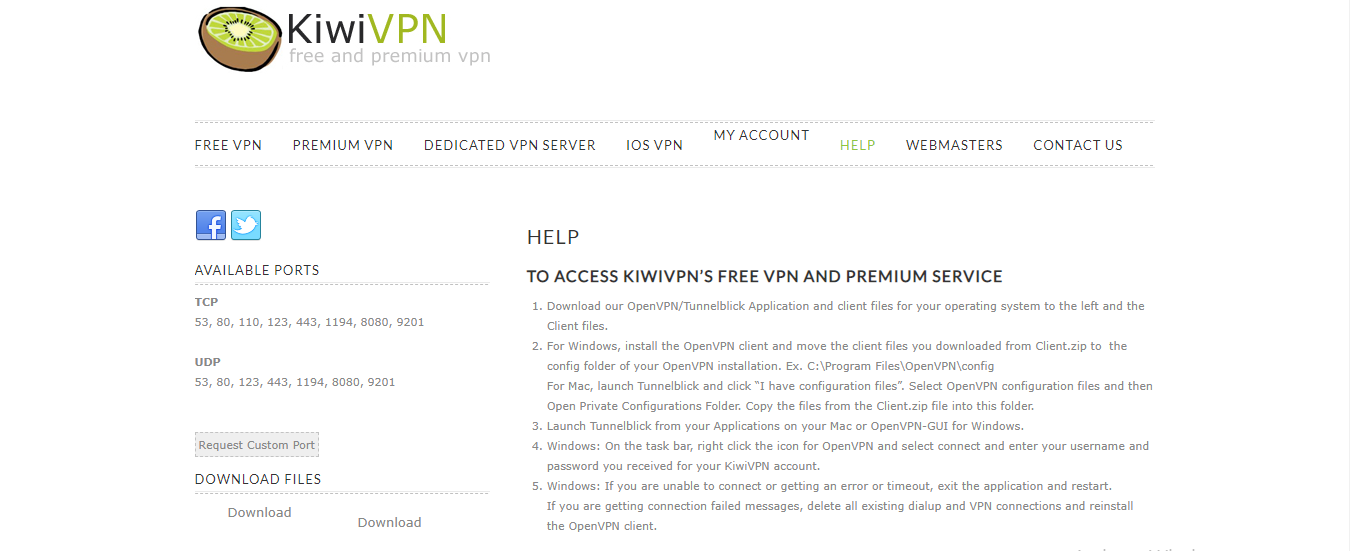
KiwiVPN has a free VPN and a premium VPN version. The free version is very limited, allowing you to browse the internet anonymously and download torrents. Its bandwidth is shared, gives no support to users, and it expires in 5 days.
The Premium version costs $ 5 per month and includes a 3-day refund period. It contains everything in the free version, but it has dedicated bandwidth and gives email support.
KiwiVPN also offers a Dedicated VPN, billed at $50/month. It allows users to use private servers, provides 24/7 customer support, and unlimited accounts.
For this KiwiVPN review, I encourage you to try out other established VPN service providers in the industry, as KiwiVPN is relatively expensive.
READ ALSO: The Ultimate VPN Guide – What Is A VPN?
TLDR – Is KiwiVPN Safe?
Based on our comprehensive KiwiVPN review, we have found that KiwiVPN falls short in terms of safety and overall value. While it offers various features, the service’s speed and reliability raise concerns, making it difficult to recommend.
When it comes to ensuring user safety and privacy, KiwiVPN has shown inconsistencies. There are concerns regarding its logging practices and data handling, which may compromise user anonymity. This is a significant drawback for those seeking a VPN service to protect their online activities.
Furthermore, the speed and reliability of KiwiVPN’s servers have been inconsistent during testing. Users may experience frequent connection drops, slow browsing speeds, and interruptions while streaming or downloading content. These issues can greatly impact the overall user experience and limit the functionality of the VPN service.
Considering these factors, it is challenging to justify paying for KiwiVPN when more reliable and trustworthy VPN options are available on the market. It is crucial to prioritize safety and performance when choosing a VPN service to ensure a secure and seamless online experience.
What Are The Best KiwiVPN Alternatives?
Below are the best KiwiVPN alternatives:
1. KiwiVPN vs Surfshark VPN
KiwiVPN limits its support across its versions but Surfshark VPN provides 24/7 support to customers. It costs $2.30 per month for the 24-month Plan, and it protects an unlimited number of devices simultaneously.
In over 65 countries, Surfshark has more than 5200 servers. Furthermore, it is available on all major platforms and has a strict no-logs policy.

==>> Get Surfshark VPN
2. KiwiVPN vs PureVPN
PureVPN, unlike KiwiVPN, has a no-logs policy, but doesn’t have a free version. It can be used to protect 10 devices simultaneously, regardless of platform (including virtual machines).
Its 24-month plan starts at $2.29 per month, and its 6500+ VPN servers are located in 88+ locations in 70+ countries.
==>> Get PureVPN
3. KiwiVPN vs IPVanish VPN
Unlike KiwiVPN, which protects only one device, IPVanish VPN allows an unlimited number of devices to be connected to one account and protects them simultaneously.
The IPVanish VPN 2-Year plan costs $3.33 per month and features more than 2,200 servers across over 75 locations, with 40,000+ IP addresses.
READ ALSO: Best VPN For 2023: Top Picks Reviewed by Our VPN Experts
KiwiVPN Features
Easy to Use
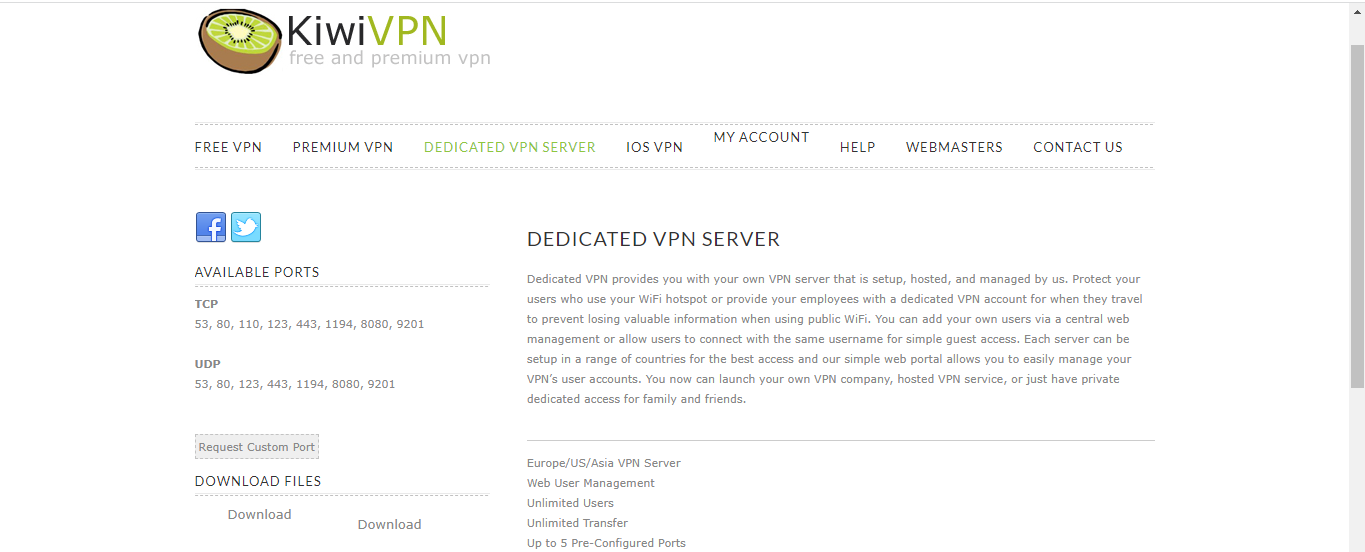
The KiwiVPN app is quite easy to use and the servers can be connected to it with one click.
Anonymous Browsing
KiwiVPN masks users’ IP addresses, allowing them to browse anonymously. They get to access Facebook, YouTube, Twitter, and other restricted sites.
OpenVPN Technology
Users get to choose between the TCP and UDP protocols of the KiwiVPN OpenVPN servers. It requires that a client program be installed on the user’s desktop before it can be used.
Secure Connection
KiwiVPN ensures a secure connection by encrypting data transmitted between the user’s device and the VPN server. This prevents unauthorized access and protects sensitive information from being intercepted by third parties.
Global Server Network
KiwiVPN offers a wide range of server locations worldwide. This allows users to connect to servers in different countries, enabling them to access region-restricted content and bypass geo-blocking.
Unlimited Bandwidth and Data
With KiwiVPN, users can enjoy unlimited bandwidth and data usage. They can stream high-definition content, download large files, and browse the internet without worrying about data caps or speed restrictions.
Multiple Device Support
KiwiVPN allows simultaneous connections on multiple devices. Users can protect their smartphones, tablets, laptops, and other devices with a single VPN account, ensuring privacy and security across all their devices.
Kill Switch Feature
In the event of a VPN connection drop, KiwiVPN’s kill switch feature automatically terminates the internet connection to prevent any data leaks or exposure. This ensures that users’ online activities are always protected, even if the VPN connection is interrupted.
Fast and Stable Connection
KiwiVPN aims to provide a fast and stable connection for its users. By optimizing server performance and utilizing advanced technologies, it minimizes latency and ensures smooth and uninterrupted browsing and streaming experiences.
Customer Support
KiwiVPN offers customer support to assist users with any technical issues or questions they may have. Whether it’s troubleshooting connection problems or getting help with setup, users can rely on KiwiVPN’s support team for assistance.
KiwiVPN Pros and Cons
Pros
- It is easy to use.
- Has a dedicated VPN plan.
- It is quite cheap.
- Good for masking IP addresses.
Cons
- Protects users’ devices with just OpenVPN protocols.
- Doesn’t include a kill switch.
- Slow internet connection.
- Its free VPN version allows ads.
- Just a 3-day money-back guarantee.
- No evidence of a no-logs policy.
- Limited servers.
How To Get Started With KiwiVPN
- Visit the KiwiVPN website and choose between the free, premium, and dedicated VPN versions, and sign up.
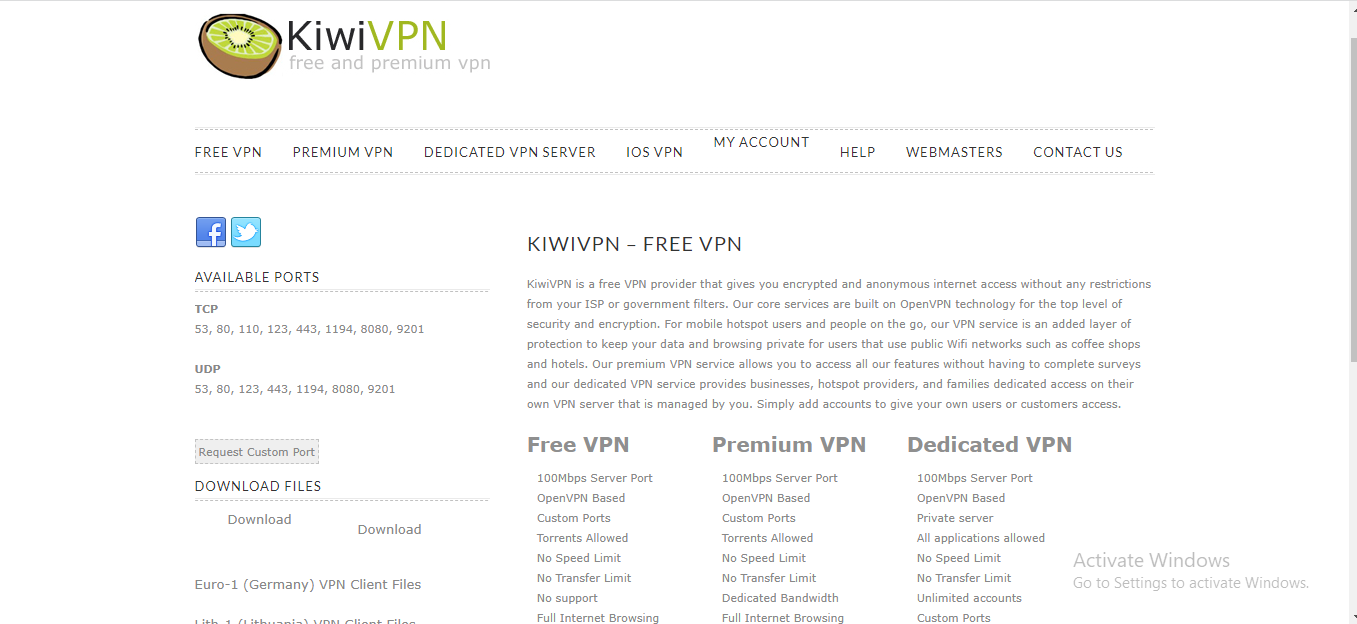
- Select between the two client file options, German and Lithuanian, and download it to be able to use the OpenVPN protocols.
- Download the KiwiVPN OpenVPN or Tunnelblick Application.
- On your device, install the OpenVPN client and transfer all the client files you downloaded from Client.zip to the OpenVPN installation config folder.
- Launch the application and then connect by logging in.
Is KiwiVPN Safe? – FAQs
How To Delete KiwiVPN Account
If you decide to delete your KiwiVPN account, you will need to contact the KiwiVPN support team via email and submit a request for your account to be deleted.
READ ALSO: How to Use a VPN to Protect Your Online Privacy
Is KiwiVPN Worth It?
No, KiwiVPN is not worth it. It is easy to use, yes, but it doesn’t really protect users’ data and privacy, and its free version is filled with ads. It doesn’t have an extended refund policy, a no-logs policy, or features like the kill switch, unlike other premium VPN services. Even more, its connection can be quite slow.
How To Use Kiwi VPN
Using KiwiVPN is a straightforward process. Here is a step-by-step guide on how to use KiwiVPN:
- Download and Install the KiwiVPN App:
- Visit the official KiwiVPN website or your device’s app store (e.g., Google Play Store for Android or the Apple App Store for iOS).
- Search for “KiwiVPN” and download the app.
- Install the app on your device.
- Launch the KiwiVPN App:
- Locate the KiwiVPN app on your device’s home screen or app drawer.
- Tap on the app icon to launch it.
- Create a KiwiVPN Account (if required):
- Some VPN services, including KiwiVPN, may require you to create an account before using their app. If prompted, sign up for a KiwiVPN account using your email address and a secure password.
- Connect to a VPN Server:
- Once you launch the KiwiVPN app, you will typically see a list of server locations to choose from.
- Select a server location by tapping on it. You can choose a server based on your desired region or specific needs (e.g., accessing region-restricted content).
- Tap on the “Connect” or “On” button to establish a VPN connection. KiwiVPN will initiate the connection process.
- Wait for the Connection to Establish:
- The KiwiVPN app will establish a connection with the chosen server. This may take a few seconds or longer, depending on your internet connection speed.
- Enjoy Secure Browsing:
- Once the connection is established, your device will be protected by the KiwiVPN server.
- You can now browse the internet, access websites, and use online services with an encrypted and secure connection.
- KiwiVPN will mask your IP address, ensuring your online activities remain private and anonymous.
- Disconnect from the VPN Server:
- When you’re done using the VPN, or if you wish to switch to a different server, you can disconnect from the VPN server.
- Open the KiwiVPN app and tap the “Disconnect” or “Off” button to terminate the VPN connection.
That’s it! You have successfully used KiwiVPN to establish a secure and private connection on your device. Remember to disconnect from the VPN server when you no longer need its protection or want to conserve battery life.
Wrapping Up The KiwiVPN Review
According to our KiwiVPN review, KiwiVPN is neither safe nor worth paying attention to its features, speed, and reliability. Its experience in the cybersecurity market doesn’t inform our decision, as there are other great VPNs with limited experience.
To help you get the best out of a VPN service, ensure you use premium VPN services like Surfshark VPN, IPVanish VPN, and PureVPN, rather than shady VPN services that don’t guarantee your security and privacy.
RELATED POSTS
- Surfshark One Review: Smart Cybersecurity Bundle [4 Tools In One]
- Full PureVPN Review
- Is KingoRoot Safe? KingoRoot Review [+Best Alternatives]
- Turbo VPN Review: Is Turbo VPN Safe? [+Best Alternatives]
- VPN Tomato Review: Is VPN Tomato Safe? [+Best Alternatives]
- The Ultimate IPVanish VPN Backup Review For Cloud Storage Users
- The Ultimate IPVanish VPN Antivirus Review For 2022
About the Author:

Marie Beaujolie is a computer network engineer and content writer from Paris. She is passionate about technology and exploring new ways to make people’s lives easier. Marie has been working in the IT industry for many years and has a wealth of knowledge about computer security and best practices. She is a regular contributor for SecureBlitz.com, where she writes about the latest trends and news in the cyber security industry. Marie is committed to helping people stay safe online and encouraging them to take the necessary steps to protect their data.



