


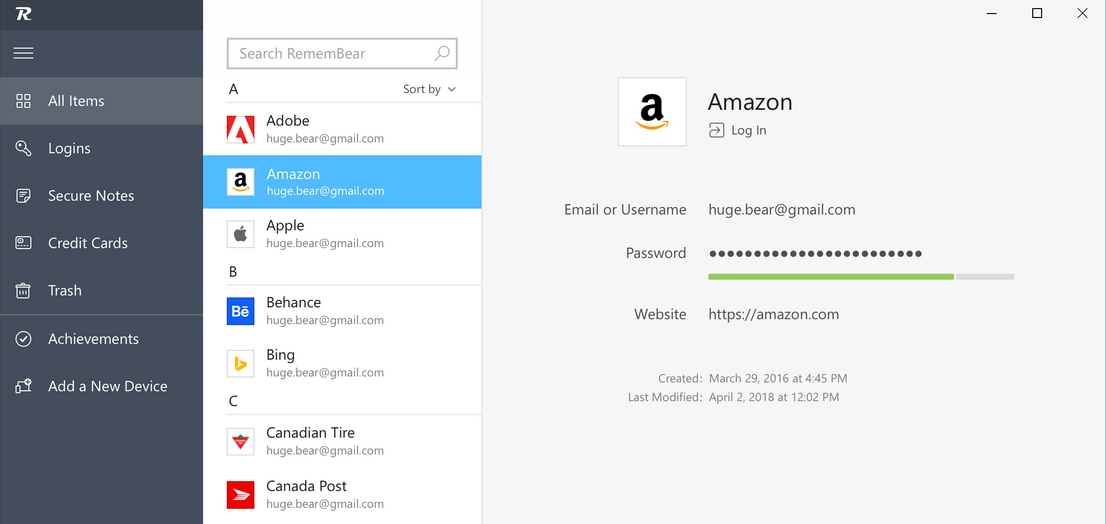

In this article, we shall review the reliable RememBear password manager.
When it first launched, RememBear aimed to make password security fun — a bold move in a cybersecurity landscape full of serious interfaces, complex settings, and intimidating warnings. Developed by the same team behind TunnelBear VPN, RememBear embraced a cheerful, animated bear aesthetic while delivering encrypted password management across devices.
However, despite its innovation and charm, RememBear was officially discontinued on January 1, 2024. In this retrospective review, we’ll explore what made RememBear special, why it was shut down, its features, whether former users should migrate, and which modern alternatives now fill its role.
Even though you can no longer download or purchase it, RememBear remains a memorable chapter in the world of password managers — and a great case study on usability, branding, and consumer-friendly encryption tools.
Table of Contents
What Was RememBear? 🐻
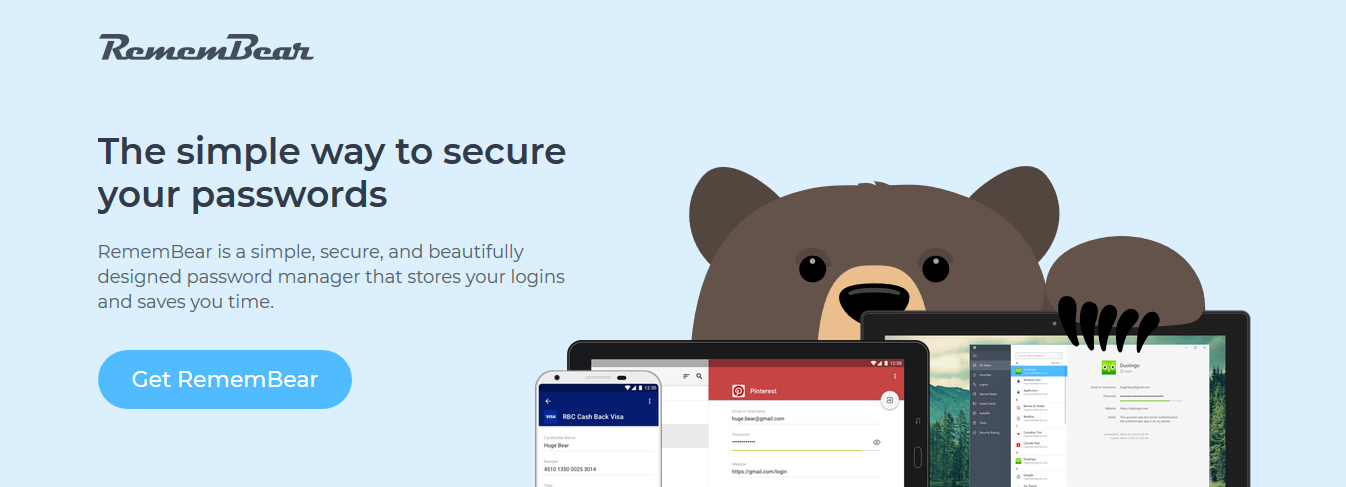
RememBear was a cross-platform password manager that combined strong encryption with a playful brand identity. It was developed by the cybersecurity company TunnelBear, known for its cartoonish style and privacy-focused tools.
With RememBear, users could:
- Save and autofill passwords
- Store credit cards and secure notes
- Generate strong passwords
- Sync data across devices
- Unlock vaults with cryptographic security
- Enjoy an interface that made password management fun rather than stressful
RememBear stood out from the crowd because of:
- Adorable animations
- User-friendly onboarding
- Transparency in password protection
- Straightforward syncing
It made security less intimidating for beginners — something many password managers still struggle with today.
Looking for a replacement? Try the top-rated password managers here:
How Did RememBear Work?
RememBear followed a simple but secure architecture:
Vault Creation
Users created a master password — never stored by TunnelBear.Local Device Encryption
All passwords, notes, and credit cards were encrypted with AES-256-bit encryption before syncing.Syncing Across Devices
Encrypted vaults synced via TunnelBear’s secure infrastructure to desktops, mobile devices, and browsers.Decryption Only on Your Device
The company had zero-knowledge architecture — no one could access your passwords but you.Autofill
Browser extensions and mobile apps autofilled credentials for convenience.
The workflow was smooth, simplified, and especially friendly for beginner users.
How to Download or Use RememBear Today
You cannot.
RememBear is no longer available for download. Apps have been pulled from:
- App Stores
- Windows/macOS installers
- Browser extension marketplaces
Existing users lost access on January 1, 2024, when the service officially shut down.
All paid users received prorated refunds, and the vaults ceased syncing after deactivation.
RememBear Features (Legacy Overview)
Despite its discontinuation, it’s worth reviewing the features that made RememBear popular.
🔐 Password Management
- Securely stored all login credentials
- Autofilled saved usernames and passwords
- Encrypted with industry-standard AES-256
- Zero-knowledge — RememBear never saw your data
Perfect for users who wanted a plug-and-play password manager with no learning curve.
🧸 Password Generator (With Bear Strength Indicator)
One of its most memorable features:
- Generate strong passwords
- Choose length and character types
- The animated bear showed password strength
- Encouraged fun while promoting security best practices
This is the feature many users still remember most fondly.
🔄 Cross-Device Syncing
Supported platforms included:
- Windows
- macOS
- iOS
- Android
- Chrome, Firefox, Safari (via extensions)
Syncing required a premium plan, but it was smooth and reliable during its lifespan.
💳 Data Storage Options
RememBear stored more than just passwords:
- Credit cards
- Secure notes
- Personal info for autofill
Its vault acted as a simple all-in-one secure storage tool.
🛡 Security Architecture
RememBear used:
- Zero-knowledge encryption
- End-to-end encrypted syncing
- Secure keychain storage
- 2-device pairing mechanism (QR-based authentication)
It passed independent audits, adding credibility to its security claims.
What Happened to RememBear? (Shutdown Explanation)
RememBear was officially discontinued in January 2024.
Key reasons cited by TunnelBear:
Business consolidation
TunnelBear chose to focus its resources on its VPN business rather than continuing to support the password manager.Competition with giants
Players like 1Password, LastPass, Bitwarden, and Dashlane dominate the market, backed by substantial development budgets.Infrastructure cost vs. revenue
Maintaining a secure syncing infrastructure is expensive.User base wasn’t growing fast enough
Despite receiving positive reviews, the adoption rate was modest compared to that of competitors.
Impact on Users
- Users could access their vaults until January 1, 2024
- All premium users got prorated refunds
- Syncing stopped permanently
- The service was sunset gracefully and ethically
Customer Support & After-Service
Before shutdown, RememBear provided:
- Email support
- Help articles
- Setup guides
- Deactivation FAQs
- Export instructions for migration
They also provided instructions on exporting data to migrate to alternatives like:
- Bitwarden
- 1Password
- Dashlane
Pros & Cons (Legacy)
Pros
- ✔ Extremely beginner-friendly
- ✔ Adorable, memorable UI
- ✔ Secure encryption model
- ✔ Strong password generator
- ✔ Trusted developer (TunnelBear)
- ✔ Fast syncing
Cons
- ❌ Discontinued (cannot use today)
- ❌ Limited advanced features
- ❌ No business/enterprise plans
- ❌ No custom fields or complex items (like 1Password)
- ❌ Not ideal for power users
RememBear Ratings (While It Existed)
| Category | Rating (Legacy) |
|---|---|
| Features | ⭐⭐⭐⭐ (4.2/5) |
| Usability | ⭐⭐⭐⭐⭐ (5.0/5) |
| Security | ⭐⭐⭐⭐⭐ (5.0/5) |
| Pricing | ⭐⭐⭐⭐ (4.0/5) |
| Long-term viability | ❌ (Service discontinued) |
It excelled in usability and friendliness but lacked advanced-depth for professionals.
Best Alternatives to RememBear in 2026
If you’re looking for modern, top-rated replacements:
1. 1Password (Best Overall Premium)
- Beautiful design
- Extremely secure
- Rich features
- Great for families and teams
- Cross-platform excellence
2. Dashlane
- Built-in VPN
- Web-first interface
- Strong autofill
- Dark web monitoring

3. NordPass
- Created by Nord Security
- Zero-knowledge
- Affordable
- Strong security suite

4. Bitwarden (Best Free & Open Source)
- End-to-end encrypted
- Cloud sync
- Free forever tier
- Highly trusted
- Supports families, teams, businesses

Final Verdict — Was RememBear Good? Yes. Should You Use It Today? No.
RememBear was one of the most delightful password managers ever created, proving that security tools don’t always need to be dull or intimidating. Its playful design and straightforward setup made it especially inviting for beginners.
However, since the service has been fully discontinued, it can no longer be used or downloaded.
If you loved RememBear, the best replacements today are:
- Bitwarden
- 1Password
- Dashlane
- NordPass
Each offers modern features, long-term roadmap stability, and extensive security protections.

READ ALSO:
- 7 Best Password Managers for 2026
- Full Review of TunnelBear VPN
- Full Review of RoboForm – Secure Password Manager
- Firefox Lockwise: What is it? Benefits, Features & How to Download?
- 8 Best Firefox Lockwise Alternatives [Tested, Reviewed & Ranked]
- TunnelBear VPN Review 2026: Honest, In-Depth, and Unbiased
About the Author:

John Raymond is a cybersecurity content writer, with over 5 years of experience in the technology industry. He is passionate about staying up-to-date with the latest trends and developments in the field of cybersecurity, and is an avid researcher and writer. He has written numerous articles on topics of cybersecurity, privacy, and digital security, and is committed to providing valuable and helpful information to the public.




I use remembear and kinda liked the service they are providing, but recently my friend recommended Atlas VPN for safe and fast browsing, did you heard something about them? I was thinking about trying them out, is it safe to use free ones?
Thanks, we will review Atlas VPN in one of our upcoming posts