


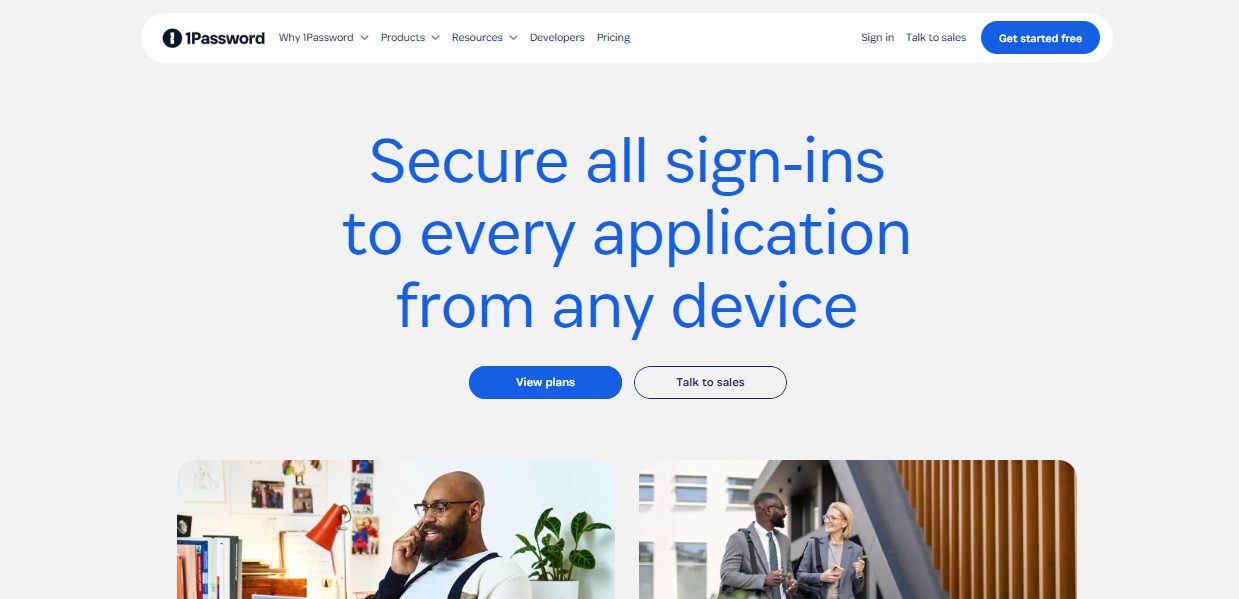

In this 1Password review, we will delve into its password manager features, browser extensions, pricing plans, account setup process, and strategies for managing passwords effectively.
In a digital world overflowing with logins, passwords, authentication codes, and security breaches, users need a reliable, fast, and ultra-secure tool to manage their online identity. This is where 1Password remains one of the most recognized and trusted password managers globally.
Cybersecurity threats have evolved in 2026, including data leaks, AI-powered phishing scams, biometric hacking attempts, and vulnerabilities in open-source tools. In this environment, a password manager is no longer a “nice to have,” but a mandatory digital survival tool.
This review will cover everything you need to know about 1Password today—its features, security architecture, apps and usability, pricing, customer support, pros and cons, alternatives, and FAQs. By the end, you’ll know whether 1Password is the right tool for your personal use, family protection, or business security infrastructure.
Table of Contents
What Is 1Password?
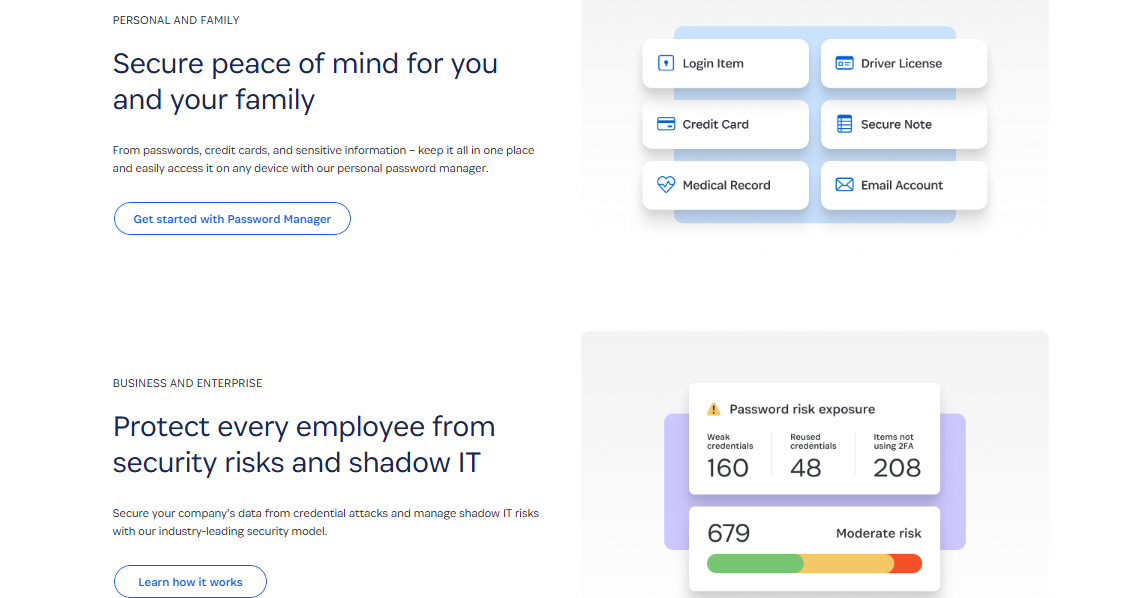
1Password is a premium password manager created by AgileBits Inc., founded in 2006 by Dave Teare and Roustem Karimov. Headquartered in Toronto, Canada, the company has since grown into one of the most influential players in the global cybersecurity and identity-management landscape.
Definition & Purpose
1Password is a vault-based password management service designed to store:
- Passwords
- Logins
- Credit cards
- Secure notes
- IDs & passports
- Software licenses
- Wi-Fi credentials
- Recovery data
- SSH keys
- 2FA secrets (one-time passwords)
Its main purpose is to simplify your digital life while using industry-leading encryption to make sure your data never falls into the wrong hands.
Why It Stands Out
Unlike some competitors, 1Password emphasizes:
- Zero-knowledge architecture (they can’t access your vault)
- Universal platform consistency (macOS, Windows, Linux, iOS, Android, browsers)
- Enhanced team/business security tools
- Travel Mode, a unique safety feature that removes sensitive data from your device during international travel
👉 Try 1Password — secure your passwords instantly.
How Does 1Password Work?
At its core, 1Password uses a vault encryption system that locks all your data behind one Master Password + a Secret Key.
How It Protects You
1Password uses:
- PBKDF2 key strengthening
- AES-256 encryption
- Zero-knowledge proof
- Secure Remote Password (SRP) protocol
This means your master key never leaves your device. Even if servers are compromised, your data remains mathematically impossible to decrypt.
How Users Interact With It
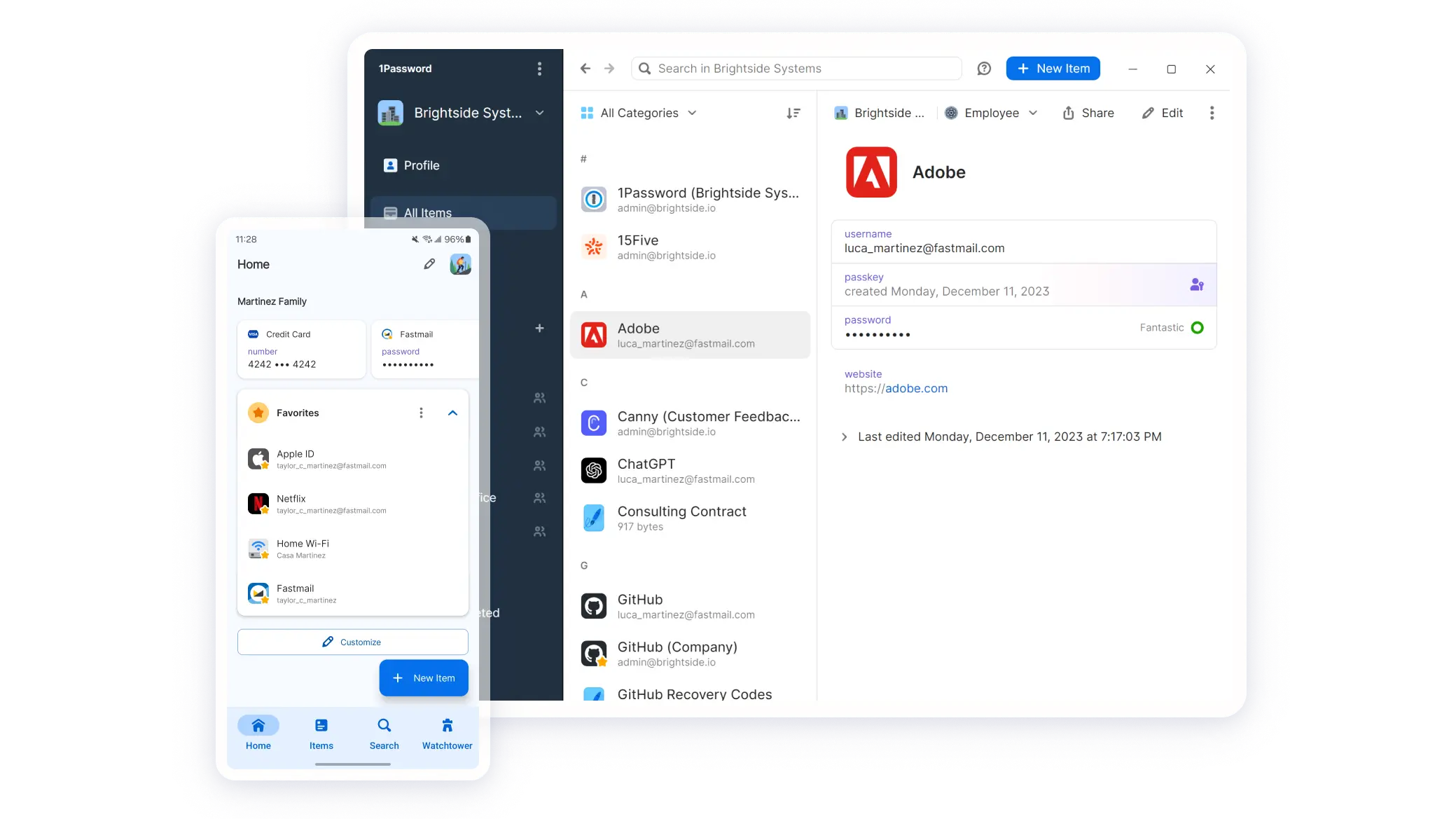
1Password offers:
- Browser extensions for autofill
- Desktop apps for deeper vault management
- Mobile apps for on-the-go logins
- Watchtower dashboard for breach alerts
- Shared vaults for teams and families
Simple Workflow Diagram
- Install 1Password on device
- Create master password
- 1Password creates Secret Key
- Your vault is encrypted locally
- Data syncs securely across your devices
- Autofill and login automation begins
Everything is encrypted before it leaves your device.
How To Download And Use 1Password
Supported Devices
1Password runs on:
- Windows
- macOS
- Linux
- Chrome OS
- Android
- iOS
- All major browsers (Chrome, Firefox, Edge, Safari, Brave)
- Command-line interface (CLI)
- Browserless environments via SSH agent
Setup Steps
- Go to the 1Password website.
- Choose your plan (individual, family, business).
- Create your account.
- Download the desktop or mobile app.
- Install the browser extension.
- Create your Master Password.
- Save your Secret Key (printed, USB, cloud backup).
- Import or save your existing passwords.
Troubleshooting Tips
- If autofill fails → re-enable browser integration.
- If sync doesn’t work → check device permissions.
- If login fails → use your Emergency Kit to recover the account.
Free Trial
All 1Password plans include a 14-day free trial.
👉 Start your free trial of 1Password today.
1Password Features
This section breaks down every major feature category, including real-world examples and comparisons.
🔐 Security / Privacy Features
Zero-Knowledge Architecture
1Password cannot see your data—only you hold the key.
AES-256 Encryption
Military-grade standard used by banks and governments.
Secret Key (Unique to 1Password)
Adds an extra layer of cryptographic protection beyond a master password.
Encrypted Backups & Sync
Everything syncs securely across your devices with no third-party access.
Watchtower
Alerts you to:
- Data breaches
- Weak passwords
- Reused passwords
- Expired credit cards
- Vulnerable websites
- Outdated 2FA
- Compromised accounts
Travel Mode
Unique feature that temporarily removes vaults from your device during travel.
Comparison with competitors:
- LastPass: No Travel Mode
- Dashlane: Has VPN but weaker vault controls
- Bitwarden: Open-source but no Secret Key
⚡ Performance / Convenience Features
Autofill & Auto-login
Works flawlessly across browsers and apps.
Password Generator
Creates strong, random passwords for every site.
Multi-Device Sync
Instant syncing across mobile and desktop.
Clean User Interface
1Password is known for its simple, minimal, intuitive design.
Categories & Tags
Helpful for organizing:
- Bank accounts
- Work accounts
- Family accounts
- Licenses
- Docs
- IDs
SSH Key Management
Developers can use 1Password as a secure SSH agent.
🎬 Content / Media Features
Secure Digital Wallet
Stores credit cards and allows auto-fill for online checkouts.
Dark Web Monitoring (via Watchtower)
Checks if your email or login has been exposed in any data breaches.
File & Document Storage
Upload secure files (contracts, certificates, IDs).
📞 Support Features
- 24/7 email support
- Live chat (business plans)
- Community forum
- Extensive FAQ library
- Educational cybersecurity content
- Developer documentation
🌟 Extra Features
Browser Extensions
Available for all major browsers.
Personalization
Custom vaults, icons, tags, categories.
Shared Vaults
For families and teams.
Customer Support & Resources
1Password offers excellent customer support:
- Email support available 24/7
- Live chat for business plans
- Extensive documentation
- Video tutorials
- Knowledge base / FAQ
- Community forum
- Developer resources
Response time is usually 1–3 hours, and the support agents are polite, knowledgeable, and solution-oriented.
1Password Review – Pricing & Plans
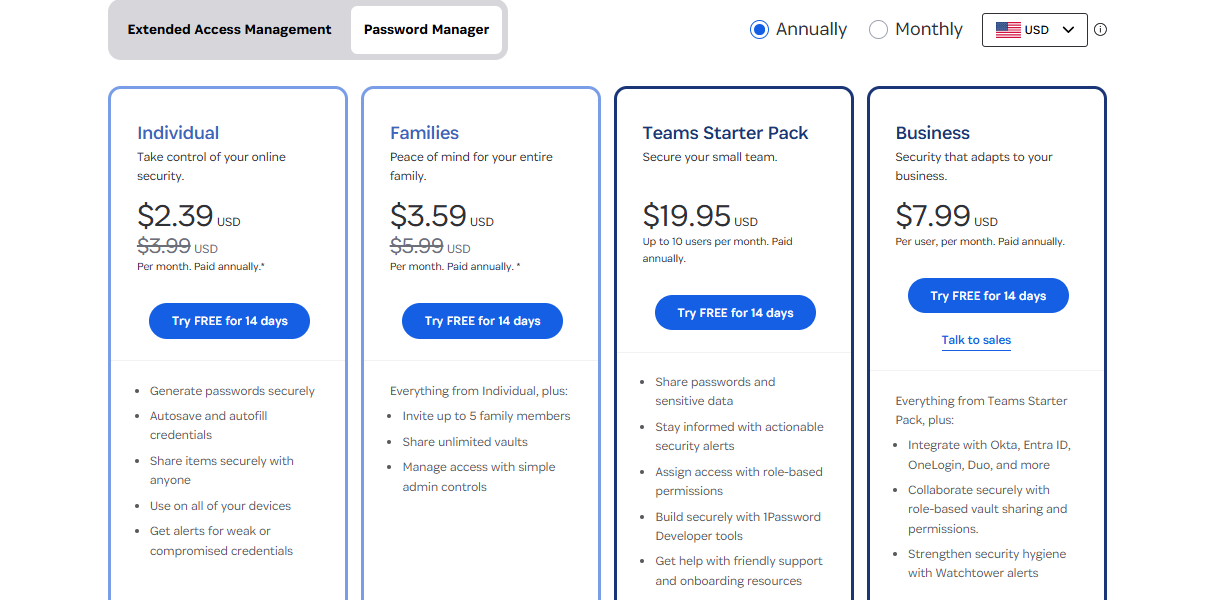
1Password’s pricing is straightforward and competitive.
Individuals
- $2.99/month (billed annually)
Families
- $4.99/month (up to 5 members)
Teams Starter Pack
- $19.95/month (up to 10 people)
Business
- $7.99/user/month
Enterprise
- Custom pricing
All plans include:
- Unlimited passwords
- Unlimited devices
- 1GB encrypted storage
- Watchtower monitoring
- 2FA support
Refund & Trial
- 14-day free trial
- Refunds reviewed case-by-case
Review Ratings
| Category | Rating |
|---|---|
| Features | ⭐⭐⭐⭐⭐ 5/5 |
| Apps & Usability | ⭐⭐⭐⭐✰ 4.7/5 |
| Pricing | ⭐⭐⭐⭐ 4.5/5 |
| Customer Service | ⭐⭐⭐⭐✰ 4.8/5 |
Reasoning:
- Features are industry-leading
- Apps are clean and consistent
- Pricing is fair, though not the cheapest
- Support is responsive and knowledgeable
Pros & Cons
Pros
- Ultra-secure vault encryption
- Secret Key for added protection
- Beautiful, easy-to-use apps
- Watchtower breach monitoring
- Travel Mode ✈️
- Shared vaults for families/teams
- Supports 2FA and biometric unlock
- Cross-platform excellence
Cons
- No free version (only trial)
- Slightly more expensive than open-source competitors
- Requires strong master password discipline
- Some advanced features locked to business plans
Frequently Asked Questions
Is 1Password safe?
Yes. It uses AES-256 encryption, zero-knowledge design, and a unique Secret Key mechanism that makes brute-force attacks mathematically impossible.
Is 1Password legit?
Absolutely. It’s been in operation since 2006 and serves millions of users worldwide, including Fortune 500 companies.
Is 1Password free?
No. It only offers a 14-day free trial, then requires a paid subscription.
Can ISPs or authorities track my 1Password usage?
No. They cannot see your vault or decrypt your data.
Does 1Password keep logs?
No. All vault content is fully encrypted and inaccessible to 1Password employees.
Is it suitable for businesses?
Yes — 1Password Business is one of the most robust enterprise identity platforms.
Alternatives & Competitors
1. Proton Pass
- Strong enterprise features
- Beginner-friendly UI
- Affordable pricing

2. Dashlane
- Built-in VPN
- More expensive
- Browser-based only

3. LastPass
- Popular
- Free version available
- But suffered major security breaches in the past
4. Bitwarden
- Open-source
- Free version available
- Cheaper
- But less polished UI and no Secret Key
Wrapping Up
1Password remains one of the best password managers in 2026, offering elite security, beautiful design, enterprise-grade features, and unmatched reliability. It’s ideal for:
- Individuals who want maximum security
- Families who want shared vaults
- Businesses seeking identity management
- Developers who want SSH + 2FA integration
If you want a secure, intuitive, and future-proof password manager, 1Password is absolutely worth it.
👉 Get 1Password now — protect your digital identity instantly.
RELATED POSTS
- Full Review of RoboForm – Secure Password Manager
- How To Generate Strong Passwords With SecureBlitz Password Generator
- Full Review Of eM Client 8 Email Management Application
- 8 Confidential Tips for Selecting a Password Manager
- 7 Best Password Managers for 2025
- Browser Compartmentalization: How to Compartmentalize Your Web Browsers
About the Author:

Fiorella Salazar is a cybersecurity expert, digital privacy advocate, and VPN evangelist based in Canada. She holds an M.Sc. in Cybersecurity from a Canadian university. She is an avid researcher and frequent contributor to several cybersecurity journals and magazines. Her mission is to raise awareness about the importance of digital privacy and the benefits of using a VPN. She is the go-to source for reliable, up-to-date information on VPNs and digital privacy.



