
In this post, I will answer the question – do call tracker apps really work for parents?
Parenting has always been full of worries. But raising a child in the smartphone era adds completely new layer to that anxiety. The moment your child gets their first phone, you suddenly feel like part of their world has moved out of your sight.
Most parents are not trying to spy on their kids. They just want to feel confident that their child is safe. They want to know the people their child talks to are trustworthy and that nothing harmful is quietly making its way into their everyday life.
This is exactly where call tracker apps have found their place. These tools have become popular choice for parents who want some visibility into their child’s digital activity without having to physically grab the phone every evening. But do they actually deliver on what they promise? That is what this article is going to answer.
We will walk through how these apps work in practice and break down each key feature in plain language so you can make an informed decision for your family.
Table of Contents
What Is a Call Tracker App?
A call tracker app is software tool that you install on phone to monitor how it is being used for communication. At its most basic level it keeps log of phone calls including who called, at what time and how long the conversation lasted.
Most modern versions go well beyond just phone calls though. They also track text messages and monitor activity across social media platforms like WhatsApp, Instagram and Snapchat. Many of them including location tracker as well. All of this information is sent to secure online dashboard that the parent can access from their own device at any time.
The idea is to give parents a centralised view of their child’s digital life. How complete that view is will depend on the app you choose and the type of device your child uses.
Do Call Tracker Apps Really Work?
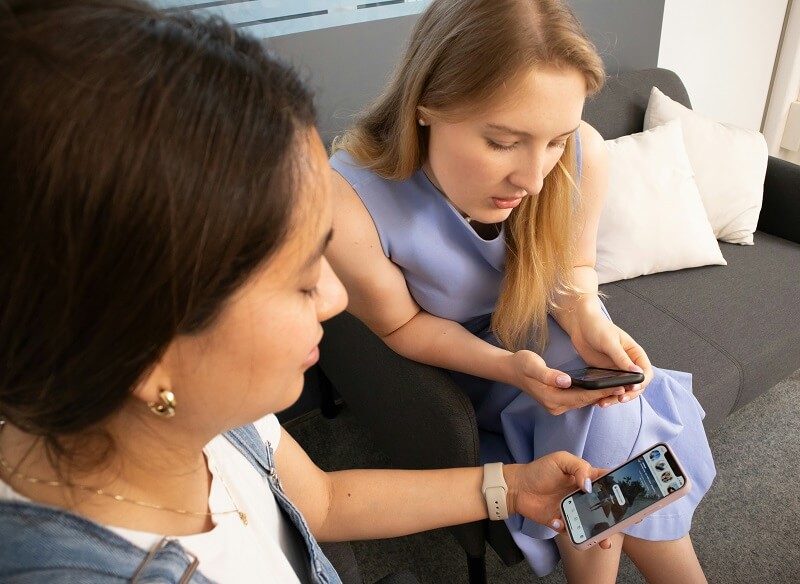
The short answer is yes. But the full picture is worth understanding before you commit to anything.
On Android devices most monitoring apps work quite reliably. Android is an open operating system which means these apps can access call data, messages and location information without many technical barriers. In most cases the features perform exactly as described.
Apple places very strict privacy controls on its operating system. This means third party apps are limited in what they can access. If your child uses an iPhone you will likely find that location tracking and call logs work well but deeper features like social media monitoring may not be fully available.
It is also important to understand what these apps actually give you. They provide data. A call log shows you that a call happened and how long it lasted. It does not tell you what was said or what kind of relationship your child has with that person. You still need to apply your own judgment and that is completely normal because these tools are designed to inform you rather than replace your role as a parent.
Parents who go in with clear and realistic expectations tend to find these apps genuinely useful. They are particularly good at helping you spot patterns in behaviour over time which is often far more telling than any single call or message.
Feature Based Breakdown
Here is a practical look at each major feature and what it actually means for you as a parent on daily basis.
Call Tracking
This is the core feature. A good call tracker app logs every incoming and outgoing call on your child’s phone. It shows you the contact name if it is saved, phone number, time of the call and how long it lasted.
What makes this useful in real life is not any single call but the patterns you notice over time. If your child is getting late night calls from number that is not in their contacts that is worth looking into. If they are calling the same unknown number repeatedly throughout the week you now have something specific to bring up with them.
Think of this feature less as checking up on your child and more as staying quietly aware of who is consistently part of their daily communication.
SMS Tracking
Text messages are still widely used even though apps have taken over lot of communication. Kids often rely on SMS when talking to people outside their usual social circle. SMS tracking lets you view sent and received messages along with the contact details on each end.
One genuinely helpful aspect of this feature is that many monitoring apps capture messages as they arrive or are sent. So even if your child deletes a conversation from their phone but message record is still safely stored on your parent dashboard.
Imagine your child comes home from school clearly upset but will not open up about what happened. Being able to look back at their recent text exchanges could give you enough background to approach the conversation in a way that actually helps.
WhatsApp Monitoring
WhatsApp is one of the most popular messaging apps among young people around the world. It is free and works seamlessly across devices. Teenagers use it for one on one chats as well as large group conversations with classmates and friends.
Monitoring apps that include WhatsApp tracking let you view chat content, see shared photos or files and identify who is involved in those conversations. This becomes especially useful when your child is part of group chats that you know nothing about.
It also helps you get a broader sense of the social environment your child is navigating online every day, which plays a key role in their online security.
Facebook Monitoring
Facebook might seem like an older platform but plenty of teenagers are still active on it. Facebook Messenger is widely used for private conversations. Parental monitoring apps that cover Facebook typically focus on Messenger activity and the contacts your child is regularly communicating with.
The most valuable aspect of this feature is the awareness. it gives you around unknown contacts. Social platforms make it easy for strangers to send a message and not every teenager has the experience to tell when an approach is not genuine. Knowing who is reaching out to your child on Facebook is a meaningful layer of protection.
Instagram Monitoring
Instagram is where most teenagers spend significant portion of their online time. It is often the first app they open in the morning and the last one they look at before sleeping. While most of what happens there is harmless the direct message feature is also where lot of private conversation takes place involving people the parent may not know at all.
Monitoring apps that support Instagram can show you who your child is messaging privately. Some also give you insight into the type of content they are regularly viewing and engaging with. For parents of children between 12 and 16 this tends to be one of the most important features because Instagram is where outside influences are often at their strongest.
The goal here is not to control what your child sees. It is to stay aware enough to step in if something does not seem right.
Snapchat Monitoring
Snapchat is the platform that makes most parents uneasy and it is easy to understand why. Messages and images are designed to disappear after they are viewed. Teenagers appreciate that level of privacy but from parenting perspective it means there is very little trace of what has actually been shared or received.
Some monitoring apps handle this by capturing Snapchat activity before it disappears. They log conversation details and in some cases save screenshots of content. This does not mean you need to review every snap your child sends. What it does mean is that if something genuinely concerning happens you will have a record to refer back to rather than finding yourself with nothing at all.
Snapchat monitoring can be inconsistent across different apps so it is worth testing this specific feature during any trial period before you commit to a full plan.
Location Tracking
Location tracking is often the feature parents turn to first and for good reason. Knowing where your child is when they are out on their own feels less like surveillance and more like basic parenting responsibility. It is the digital version of asking your child to let you know when they arrive somewhere.
A location tracker shows you real-time GPS position through GPS tracking as well as history of places visited throughout the day. Many apps also let you set up geofence alerts around specific locations like school or home. If your child leaves one of those areas at an unexpected time you receive a notification immediately so you can follow up.
Many families who are open about using location tracking actually find that it strengthens trust rather than weakening it. When child understands the reason behind it the feature feels much less like an intrusion.
Other Supporting Features
Most monitoring apps include additional tools beyond the core features. These vary between providers but here is a quick look at what you might also find:
- Web History Tracking: See which websites your child visits and how frequently they return to certain pages.
- App Usage Reports: Understand which apps are being used the most and for how long each day.
- Contact Directory Access: View the full list of contacts saved on the monitored device.
- SIM Change Alerts: Get an instant notification if the SIM card is swapped out.
- Email Activity Monitoring: Some apps also keep track of email accounts used on the device.
- Daily or Weekly Summary Reports: Receive regular digest of activity straight to your inbox so you do not need to log in every day.
Pros and Cons

Pros
- Gives you a clear view of your child’s communication activity without needing to check their phone every day
- Location tracking delivers genuine peace of mind especially as children start going out independently
- Covers multiple platforms in one dashboard so you are not chasing information across different apps
- Activity summary reports keep you informed without making it daily time commitment
- Helps you have more informed conversations with your child rather than reacting to guesswork
Cons
- You need physical access to the device to complete the initial setup
- Subscription costs can add up if you are monitoring more than one device
- Monitoring without your child’s knowledge can seriously damage trust if they ever find out
Are Call Tracker Apps Worth It for Parents?
Whether these apps are worth it depends entirely on your situation as a family also your child’s age matters. So does how independent they currently are and what specific concern is making you consider a monitoring tool in the first place.
For children between 10 and 14 who are getting their first smartphone a monitoring app makes a lot of sense. At that age kids are still developing the judgment to navigate online spaces safely. Having some parental awareness during that period is a reasonable and widely accepted approach.
For teenagers between 15 and 17 the situation is little more nuanced. At that age monitoring tends to work far better when your child actually knows about it. Many parents who are open about using tracking tool find that their teenager accepts it without much resistance especially when it is framed around safety rather than distrust.
It also helps to be clear about what you are actually trying to address. If your main concern is knowing your child got to school safely then basic location tracking is probably enough. If you are more concerned about who they are talking to online across various platforms then a more complete monitoring app will serve you better.
Above all remember that these apps work best alongside active and present parenting. No tool can tell you how your child is feeling emotionally or what a particular conversation really meant to them. That understanding only comes from real time spent together and keeping an honest line of communication open between you.
Conclusion
So do call tracker apps actually work? Yes they do. They log calls, monitor messages across multiple platforms, track location in real time and give you structured window into your child’s digital activity. For many parents that level of visibility genuinely makes a difference.
That said these are tools and not solutions. They give you information. What you do with that information is still entirely up to you. No app can replace the trust and open communication that sit at the heart of healthy parent and child relationships.
If you are considering a call tracker app for your family treat it as one sensible part of broader approach to digital parenting. Find something that fits your child’s device, covers the platforms they actually use and is upfront about what it can and cannot do. Used with the right intentions it can give you meaningful sense of confidence and peace of mind without getting in the way of the trust you have built with your child.
INTERESTING POSTS
- Best Parental Control Software for 2025
- Understanding How Tool Tracker Software Improves Operations
- Tips For Keeping Children Safe Online [Detailed Guide For Parents]
- Does VPN Give Free Data Or Internet Access? [Expert Answer]
- How To Use A VPN To Keep Your Children Safe Online
- How To Track Facebook Messages With The Free Android Tracker
About the Author:

Meet Angela Daniel, an esteemed cybersecurity expert and the Associate Editor at SecureBlitz. With a profound understanding of the digital security landscape, Angela is dedicated to sharing her wealth of knowledge with readers. Her insightful articles delve into the intricacies of cybersecurity, offering a beacon of understanding in the ever-evolving realm of online safety.
Angela's expertise is grounded in a passion for staying at the forefront of emerging threats and protective measures. Her commitment to empowering individuals and organizations with the tools and insights to safeguard their digital presence is unwavering.