

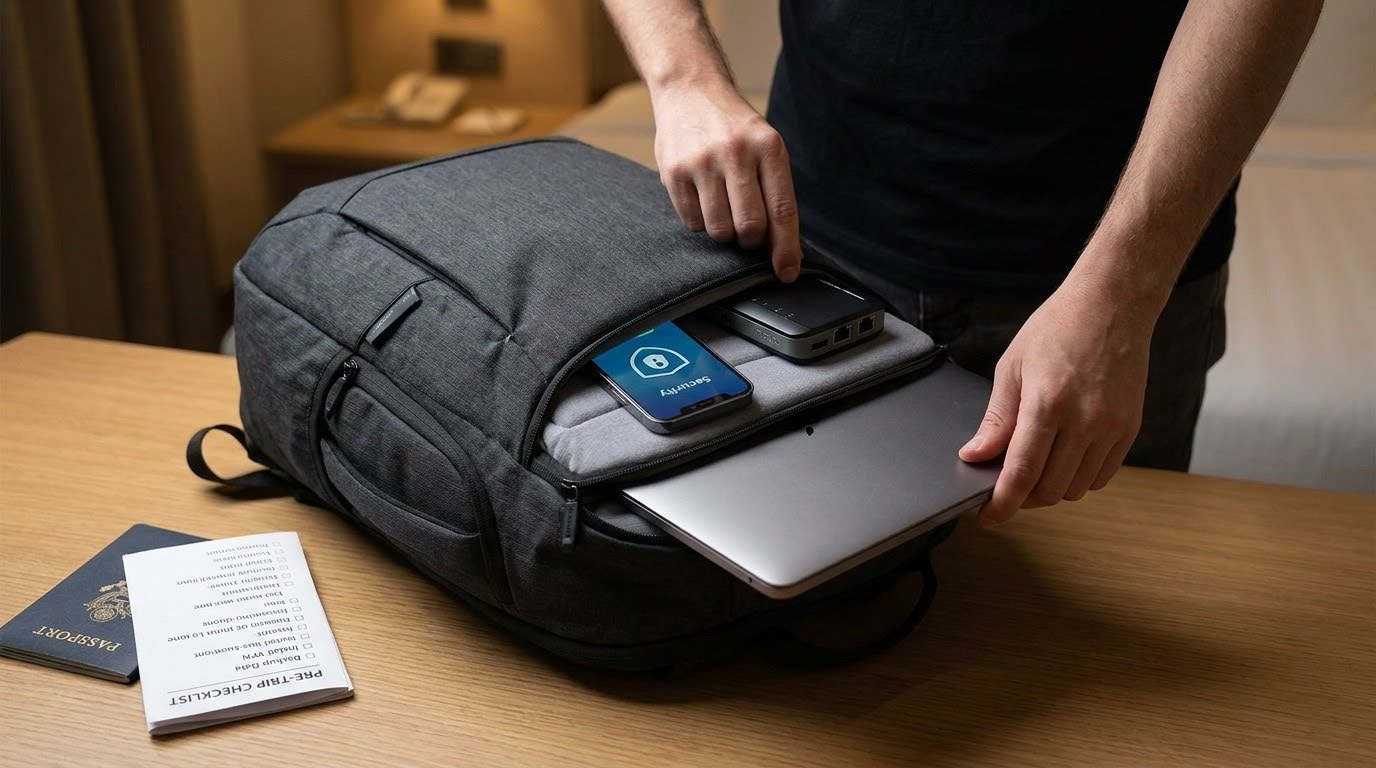
In this post, I will talk about cybersecurity essentials for International travelers and protecting your digital life on the move.
Traveling internationally has never been easier, but staying digitally secure has become increasingly challenging. Whether you’re a business traveler, digital nomad, remote worker, or vacationer, your devices contain valuable personal and financial information that cybercriminals actively target. Public Wi-Fi networks, unfamiliar charging stations, and phishing scams are just a few of the risks travelers face.
This guide explores the most effective cybersecurity practices for protecting your digital identity while traveling, ensuring you can enjoy your journey without compromising your online security.
Table of Contents
Why Travelers Are Prime Targets for Cybercriminals
Travelers often operate outside their normal routines, making them more vulnerable to cyber threats. They frequently rely on hotel networks, airport Wi-Fi, shared workspaces, and public charging stations—all environments where attackers may attempt to intercept sensitive information.
Common threats include:
- Man-in-the-middle attacks on unsecured Wi-Fi
- Fake public hotspots
- Device theft
- Credential phishing
- Malicious USB charging stations (juice jacking)
- SIM swapping attacks
- Malware infections from compromised networks
Understanding these risks is the first step toward preventing them.
Secure Your Devices Before You Leave
Preparation begins long before boarding your flight.
Update Everything
Install the latest operating system and software updates on:
- Smartphones
- Tablets
- Laptops
- Smartwatches
- Password managers
- Security software
Updates often contain critical security patches that close newly discovered vulnerabilities.
Enable Full Device Encryption
Modern operating systems offer built-in encryption that protects your data if your device is lost or stolen.
Ensure encryption is enabled on:
- Windows (BitLocker)
- macOS (FileVault)
- Android
- iPhone
Without encryption, anyone with physical access could potentially recover your files.
Back Up Your Data
Create both:
- Cloud backups
- Offline encrypted backups
If your device is damaged, stolen, or infected with ransomware, you’ll still have access to your important documents and photos.
Strengthen Your Authentication
Passwords alone are no longer sufficient.
Use Strong Unique Passwords
Never reuse passwords across multiple accounts.
Instead:
- Use long passphrases
- Store credentials in a trusted password manager
- Generate unique passwords for every service
Enable Multi-Factor Authentication (MFA)
MFA significantly reduces the likelihood of unauthorized access.
Authenticator apps are generally safer than SMS verification because text messages may be intercepted through SIM-related attacks.
Be Careful with Public Wi-Fi
Public internet is convenient but rarely secure.
Avoid accessing:
- Banking portals
- Corporate dashboards
- Medical records
- Government services
while connected to unsecured networks.
If you must use public Wi-Fi:
- Verify the official network name
- Disable automatic connection
- Turn off file sharing
- Forget the network after use
Consider Safer Mobile Connectivity
Instead of relying exclusively on public wireless networks, many travelers prefer mobile data solutions that reduce exposure to unknown hotspots. During your trip, I recommend to always stay connected with Holafly so you can access secure mobile connectivity options that help minimize dependence on public Wi-Fi.
Protect Against Charging Station Attacks
Public USB charging stations may expose devices to data theft if compromised.
A safer approach includes:
- Carrying your own charger
- Using a wall outlet whenever possible
- Bringing a portable battery pack
- Using a USB data blocker when necessary
Power-only connections eliminate many potential attack vectors.
Disable Unnecessary Wireless Features
When not actively using them, disable:
- Bluetooth
- NFC
- AirDrop
- Nearby Sharing
- Wi-Fi auto-discovery
Reducing your device’s discoverability limits opportunities for nearby attackers.
Protect Sensitive Work Data
Business travelers often carry confidential information.
Consider:
- Separating work and personal devices
- Using encrypted cloud storage
- Avoiding local storage of highly sensitive files
- Locking screens immediately when unattended
Many organizations also require secure VPN connections and endpoint protection policies for remote work.
Watch for Phishing Attempts
Cybercriminals frequently impersonate:
- Airlines
- Hotels
- Booking platforms
- Customs agencies
- Delivery companies
Before clicking any link:
- Verify the sender
- Inspect the domain
- Avoid opening unexpected attachments
- Visit websites directly instead of using emailed links
Travel-related phishing campaigns often increase during holiday seasons.
Secure Your Online Accounts
Review account security before traveling.
Recommended steps include:
- Checking recent login history
- Removing old devices
- Updating recovery information
- Confirming backup email addresses
- Reviewing connected third-party applications
These precautions make account recovery easier if something goes wrong abroad.
Be Cautious with Public Computers
Avoid logging into important accounts from:
- Hotel business centers
- Internet cafés
- Shared workstations
If unavoidable:
- Use private browsing
- Never save passwords
- Log out completely
- Clear browser history afterward
Public systems may contain malware or keyloggers.
Prepare for Device Theft
Losing a device while traveling can be stressful.
Before departure:
- Enable remote location tracking
- Activate remote wipe capabilities
- Record device serial numbers
- Store emergency recovery codes securely
Quick action greatly improves the chances of protecting your information.
Monitor Financial Activity
Travel often involves increased payment activity.
Monitor:
- Credit card transactions
- Bank notifications
- Mobile payment accounts
Enable real-time transaction alerts so suspicious purchases can be identified immediately.
Practice Safe Social Media Sharing
Posting your location in real time may unintentionally reveal:
- Your current whereabouts
- Hotel location
- Travel schedule
- Empty home
Consider waiting until after returning home before sharing detailed travel updates.
Build a Personal Cybersecurity Travel Checklist
A simple checklist helps ensure nothing is overlooked.
Include reminders to:
- Update all devices
- Charge backup batteries
- Pack chargers
- Verify MFA access
- Download offline maps
- Secure important documents
- Review emergency contacts
- Enable device tracking
- Confirm backups
- Test password manager access
Having a repeatable routine reduces mistakes during busy travel days.
Final Thoughts
International travel offers incredible opportunities, but it also expands your digital attack surface. Cybersecurity should be considered just as essential as your passport and travel insurance. By preparing your devices, strengthening authentication, avoiding risky networks, and practicing smart online habits, you can significantly reduce the chances of becoming a victim of cybercrime.
A proactive approach to digital security allows you to focus on your trip with greater confidence, knowing your personal information, financial accounts, and sensitive data remain well protected wherever your travels take you.
INTERESTING POSTS
About the Author:

Chandra Palan is an Indian-born content writer, currently based in Australia with her husband and two kids. She is a passionate writer and has been writing for the past decade, covering topics ranging from technology, cybersecurity, data privacy and more. She currently works as a content writer for SecureBlitz.com, covering the latest cyber threats and trends. With her in-depth knowledge of the industry, she strives to deliver accurate and helpful advice to her readers.




![Exclusive Tips to Stop Cyberbullying [For Teens and Parents]](https://secureblitz.com/wp-content/uploads/2019/09/Exclusive-Tips-to-Stop-Cyberbullying-For-Teens-and-Parents.png "Exclusive Tips To Stop Cyberbullying [For Teens, Parents & Schools]")
