
In this post, we will compare the best QuickBooks Enterprise hosting providers by dedicated server support, Advanced Reporting performance, industry edition compatibility, pricing, and compliance.
Your local server feels like control. It is not. One failed hard drive, one corrupted Windows update, one user accidentally locking a company file over a glitchy VPN, and your firm’s entire operation freezes.
For accounting teams running Advanced Reporting against large datasets, managing multi-entity consolidations, or working across multiple office locations, a local machine is just a single point of failure with a power cord.
The skepticism about moving QuickBooks Enterprise to the cloud is real, and it is worth taking seriously. Advanced Reporting depends on Microsoft SQL Server. Industry-specific editions, such as Contractor, Nonprofit, Manufacturing and Wholesale, and Retail, carry configuration data that a careless migration can break.
ODBC (Open Database Connectivity) connections to external tools like Power BI or Excel need to stay intact. These are not concerns a generic file host can handle.
But the best QuickBooks Enterprise hosting providers are not generic file hosts. They build dedicated infrastructure specifically for Desktop Enterprise, preserve every capability from 200 custom fields to 200-plus third-party integrations, and do it inside a compliance framework that satisfies the FTC Safeguards Rule and IRS Publication 4557.
This article covers seven of the top QuickBooks Enterprise cloud hosting providers. Each entry covers server architecture, enterprise-specific support, pricing, compliance credentials, and the exact type of firm it fits best.
Table of Contents
What to Know Before You Read
- The best hosting for QuickBooks Enterprise runs on dedicated private servers, not shared infrastructure. Server type directly determines Advanced Reporting speed and multi-user stability.
- All seven providers in this list support QB Enterprise industry editions (Contractor, Nonprofit, Manufacturing and Wholesale, Retail, and more) and allow third-party add-on connections.
- Dedicated QB Enterprise hosting starts at roughly $60 to $70 per user per month. Shared hosting plans start lower, around $30 to $45 per user per month.
- Security credentials to look for before signing: SOC 2 Type II certification, AES-256 encryption at rest and in transit, MFA on every login, and demonstrated alignment with the FTC Safeguards Rule and IRS Publication 4557.
- The seven providers compared in this article: Verito, Rightworks, Ace Cloud Hosting, Summit Hosting, GoToMyERP, Apps4Rent, and Cloudwalks.
What Separates Enterprise Hosting from Standard QuickBooks Hosting
Most QuickBooks hosting listicles treat Pro, Premier, and Enterprise as interchangeable. They are not. QuickBooks Enterprise is a substantially different product, and hosting it correctly requires infrastructure built to match its demands.
Standard QB cloud hosting focuses on remote file access and basic multi-user functionality. Enterprise hosting providers go further. The five capabilities below separate a capable Enterprise hosting environment from a generic remote access setup.
The Enterprise Hosting Readiness Stack: Five Capabilities Any QB Enterprise Host Must Cover
Not every provider passes all five. Each capability below represents a real gap where shared or generic hosting environments fail Enterprise-specific workflows.
Advanced Reporting Performance
Advanced Reporting in QuickBooks Enterprise is powered by Microsoft SQL Server, not the standard QB file engine. It is resource-intensive by design. On a shared server, where CPU and RAM are distributed across dozens of tenants, concurrent usage from other firms degrades your report generation times.
A dedicated server assigns resources exclusively to your environment. Whether you are running a 5,000-row P&L by class or a multi-department budget variance report, the performance stays consistent.
Full Industry Edition Compatibility
QuickBooks Enterprise ships in six editions: Contractor, Manufacturing and Wholesale, Nonprofit, Retail, Professional Services, and Accountant.
Each carries unique modules. Contractor edition includes job costing and progress invoicing. Nonprofit tracks donors and grants. Manufacturing handles build assemblies and inventory. Your hosted environment must run the full edition you use, including those modules, not just the base Enterprise install. Ask your provider directly before signing.
ODBC Connectivity and Integration Depth
Enterprise supports ODBC for external database access, allowing direct data pulls into Excel, Power BI, and third-party reporting tools. It also connects natively with more than 200 integrations, including Fishbowl, Salesforce, Expensify, and BILL.com.
A hosting environment that restricts outbound connections or blocks third-party installs will break these workflows. Confirm your specific integrations are allowed before committing.
Multi-entity and Concurrent Multi-user Access
QuickBooks Enterprise supports up to 40 simultaneous users. Firms managing multiple company files or serving multiple client entities need stable concurrent access without file-locking conflicts.
Shared virtual desktop infrastructure struggles with this at scale. Dedicated servers with allocated vCPUs handle it without degradation.
Compliance and Data Residency
The FTC Safeguards Rule classifies accounting and tax firms as financial institutions under the Gramm-Leach-Bliley Act (GLBA). IRS Publication 4557 requires a formal Written Information Security Plan (WISP) and specifies technical safeguards for tax preparers.
At minimum, your hosting provider needs SOC 2 Type II certification, MFA enforcement, AES-256 encryption, and a clear compliance posture. This is a federal legal requirement, not a bonus feature.
At a Glance: QuickBooks Enterprise Hosting Providers Compared
The Enterprise Hosting Benchmark below applies six criteria specific to QB Enterprise workloads, not the generic hosting criteria that apply equally to Pro or Premier. Pricing is verified from publicly available sources at the time of writing. Custom-quote providers are noted as such.
| Provider | Server Type | Starting Price | Industry Editions | Advanced Reporting | Contract Type | Key Compliance |
| Verito | Dedicated private | $69/user/month | All editions | Yes | Month-to-month | SOC 2, FTC Safeguards Rule, IRS Pub. 4557 |
| Rightworks | Shared/optimized | $85/user/month | All editions | Yes | Annual contract | SOC 2 |
| Ace Cloud Hosting | Shared + Dedicated option | $74.69/user/mo | All editions | Yes | Month-to-month | SOC 2 |
| Summit Hosting | Dedicated | Custom quote | All editions | Yes | Custom | SOC 2 |
| GoToMyERP | Dedicated private | Custom quote | All editions | Yes | Custom | SOC 2 |
| Apps4Rent | Shared | $34.95/user/month | All editions | Yes | Month-to-month | SOC 2 |
| Cloudwalks | Shared + Dedicated | $29/user/month | All editions | Yes | Month-to-month | SOC 2 |
The 7 Best QuickBooks Enterprise Hosting Providers
The providers below were selected specifically for their ability to handle QuickBooks Enterprise’s advanced requirements: dedicated server availability, Advanced Reporting performance under load, full industry edition support, ODBC connectivity, and compliance credentials.
Providers without demonstrated Enterprise-grade infrastructure were excluded. Each entry includes what the provider does well, what it costs, and who it fits best.
1. Verito
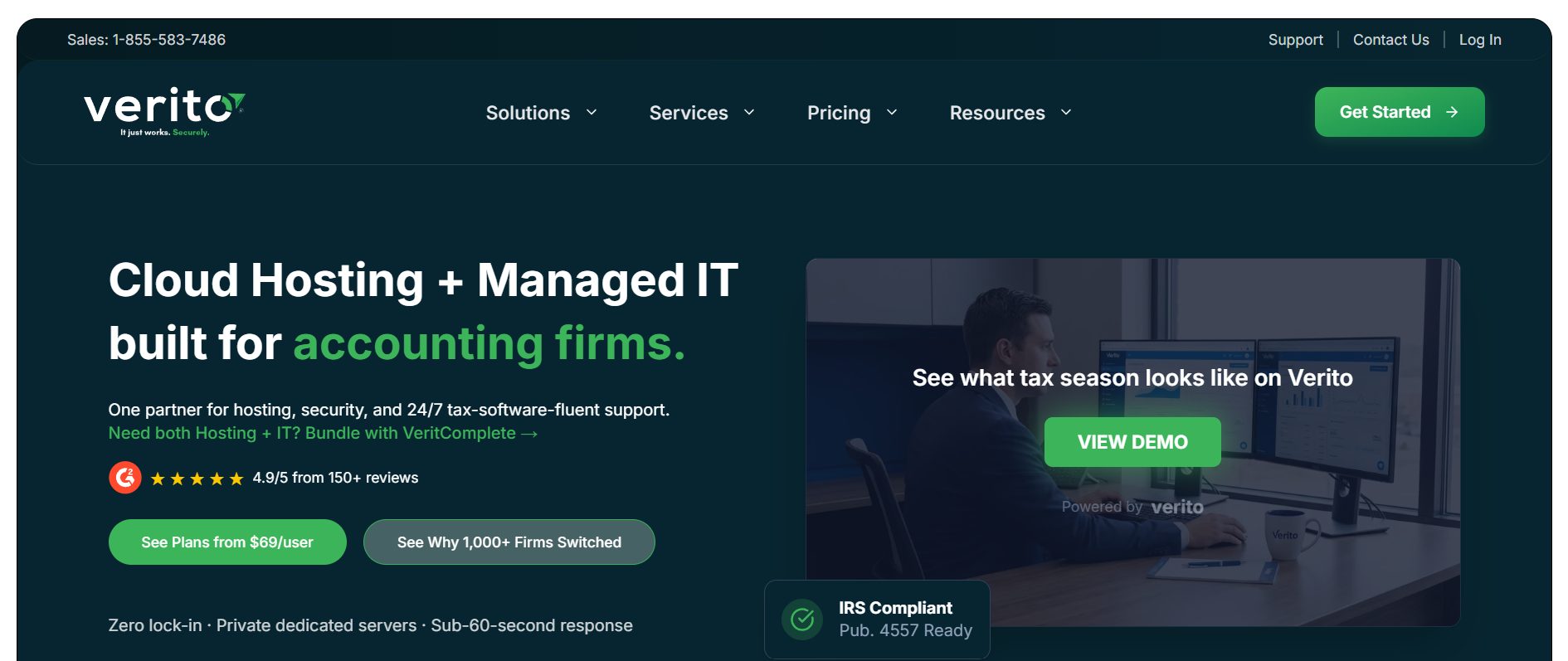
Verito is a U.S.-based cloud hosting and managed IT provider built exclusively for tax and accounting firms, serving 1,000-plus firms since 2016.
Unlike multi-industry hosting platforms that added accounting as an afterthought, Verito was designed from day one for the specific demands of CPAs, tax preparers, and enrolled agents, including the complexities of QuickBooks Enterprise.
Every client runs on a dedicated private server with fully isolated resources. There is no shared infrastructure, no noisy-neighbor performance issues during tax season, and no resource contention when Advanced Reporting is running heavy queries.
The firm’s environment is completely separate from every other client on the network, backed by a 100 percent uptime SLA that has held since 2016.
On the support side, every Verito engineer completes VeritCertified™ certification, an internal training program covering QuickBooks Enterprise workflows, industry-specific modules, and compliance fundamentals, before taking a single client call. That is why Verito engineers understand the difference between a file-lock issue in QuickBooks Enterprise versus a server-level problem, without escalating you three tiers before anyone helpful shows up.
Average support response time is under 60 seconds. First Touch Resolution sits at 92 percent, meaning most issues are resolved on the first call without bouncing.
Enterprise-specific capabilities are fully intact. Advanced Reporting performs without degradation. All six industry editions are supported. ODBC connectivity is preserved. The environment supports 200-plus integrations, including Fishbowl, Salesforce, Expensify, and BILL.com.
Compliance is included on every plan, not just premium tiers. All cloud hosting plans align with the FTC Safeguards Rule, IRS Publication 4557, and SOC 2 security standards. MFA is enforced on every login.
Automated nightly backups with up to 90-day retention are included. Migration is fully managed by Verito’s team at no cost, with most firms live in three to five days.
Pricing:
Cloud hosting plans start at $69 per user per month (10GB dedicated RAM, 2 apps), $99 per user per month (15GB dedicated RAM, 6 apps), and $149 per user per month (unlimited RAM and apps). All plans are month-to-month with no contracts. A one-time server setup fee of $200 applies.
Best fit:
Accounting and tax firms that need dedicated Enterprise hosting with compliance built in, deep QB-specific support, and no long-term contracts. For a closer look at plan details, see Verito’s QuickBooks Enterprise hosting plans.
2. Rightworks
Rightworks is Intuit’s designated hosting provider for QuickBooks Enterprise. That designation carries real weight. It means Rightworks can be purchased directly through Intuit’s website when a firm buys or renews their Enterprise license, and it gives Rightworks access to deeper product integration and Intuit’s support escalation channels.
Rightworks holds Elite QuickBooks Solution Provider (QSP) status, placing it among a small group of providers certified by Intuit for both licensing and hosting.
The platform supports all Enterprise editions, handles complex add-on configurations, and offers specialized training and custom integrations beyond basic hosting.
The primary infrastructure consideration is server architecture. Rightworks operates on shared, performance-optimized servers rather than dedicated private environments.
For most standard Enterprise workloads, this performs well. Firms running sustained Advanced Reporting queries or managing more than 15 to 20 concurrent users may notice performance variability during peak periods.
Pricing:
Pricing starts from $85 per user per month (annual contract) for the Cloud Hosting plan. This is apart from the $45 per user per month Rightworks charges for managed security.
Pricing for the enterprise Cloud Premier plan is available on request. License bundling with an existing Enterprise subscription may affect the total cost compared to standalone hosting.
Best fit:
Existing QuickBooks Enterprise users who want a direct relationship with Intuit’s ecosystem and the simplicity of purchasing hosting and licensing from a single source.
3. Ace Cloud Hosting
Ace Cloud Hosting is an Intuit-authorized QuickBooks Solution Provider based in Florida.
As an authorized QSP, Ace can sell and host QuickBooks Desktop licenses, allowing firms to bundle licensing and hosted QuickBooks Desktop access under one provider.
The platform supports all Enterprise editions and versions, including multi-version deployments where a firm runs Enterprise 2023 and 2024 simultaneously.
The integration catalog is broad, with 200-plus supported add-ons including Salesforce, Expensify, Fishbowl, TrueCommerce, and BILL.com. ODBC access is available.
Ace Cloud Hosting offers both shared and dedicated server options. Shared hosting is the default for lower-tier plans and carries a 99.99 percent uptime SLA. Dedicated servers are available at higher price points for Enterprise users who need full resource isolation.
For firms with six or more concurrent users running resource-intensive workflows, a dedicated configuration is the recommended path.
Pricing:
Shared plans start at approximately $74.69 per user per month (Essential), and $79.19 per user per month for the Business Plan. The price of these plans reduce with the number of users. Dedicated pricing is higher and requires a custom quote. License bundles are available at up to 20 percent off standard Intuit pricing.
Best fit:
Firms that need to purchase a QuickBooks Desktop Enterprise license alongside hosting, or those managing multi-version deployments.
4. Summit Hosting
Summit Hosting is built specifically for firms that push QuickBooks Enterprise hard. The platform targets power users running large datasets, heavy batch invoicing, complex inventory workflows, and multi-application environments where QB Enterprise shares a server with tools like Fishbowl, BILL, or ShipRush.
All hosting at Summit runs on dedicated servers. Firms build their own quote based on user count, storage requirements, and applications, which means the plan scales precisely to the workload rather than fitting into a predetermined tier.
This flexibility is particularly valuable for Enterprise users whose server requirements differ significantly from a small Premier firm.
Summit is Intuit-authorized, supports all Enterprise industry editions, and has a documented track record in the Enterprise hosting space. Support is specialized, with staff trained on accounting and business software environments.
Pricing:
Entirely custom. Contact Summit for a quote based on your specific setup. No publicly listed per-user pricing.
Best fit:
Mid-to-large firms with 6-plus concurrent users, complex integration stacks, or workloads that require maximum server configuration flexibility.
5. GoToMyERP
GoToMyERP is a managed cloud hosting provider focused on business and accounting software, supporting QuickBooks, Sage, and SAP environments on dedicated private infrastructure.
The platform does not share server resources across tenants. Every client runs on a fully isolated private network.
That architecture makes GoToMyERP a strong candidate for Enterprise users running QuickBooks alongside other business-critical software.
Accounting teams in distribution, manufacturing, or wholesale industries often run QuickBooks Enterprise in parallel with ERP tools or inventory management systems. GoToMyERP’s multi-application environment supports these configurations without the performance compromises that come from shared hosting.
The platform is Intuit-authorized and supports all Enterprise editions. ODBC connectivity and third-party integrations are preserved within the hosted environment.
Pricing:
Custom quote based on environment specifications. Contact GoToMyERP directly for Enterprise-specific pricing.
Best fit:
Manufacturing, distribution, or wholesale firms running QB Enterprise alongside ERP or Sage tools in a multi-application cloud environment.
6. Apps4Rent
Apps4Rent is an Intuit-authorized hosting provider that differentiates itself through deep Microsoft ecosystem integration.
A hosted QuickBooks Desktop Enterprise plan with Apps4Rent can include Microsoft 365, SharePoint, Exchange, and Teams within the same environment.
For accounting firms whose teams work heavily in Outlook and Word alongside QB Enterprise, this eliminates the friction of managing separate subscriptions or dealing with cross-platform connectivity.
Apps4Rent operates on shared infrastructure with a 99 percent uptime guarantee and a 15-day money-back policy. All Enterprise editions are supported.
The integration catalog covers standard QuickBooks add-ons, though firms running specialized or enterprise-grade third-party tools should confirm compatibility before switching.
Pricing:
Approximately $34.95 per user per month for hosted QuickBooks Desktop, though entry-tier pricing varies by configuration. Verify current rates directly on Apps4Rent’s site before committing. Microsoft 365 bundling adds to the total and varies by plan.
Best fit:
Accounting firms that rely heavily on Microsoft 365 and want a single provider managing both their QB Enterprise hosting and their Microsoft productivity environment.
7. Cloudwalks
Cloudwalks has been in the hosted QuickBooks Desktop space for over a decade, building a client base across North America, Europe, Asia, and Australia.
The platform supports QuickBooks Pro, Premier, and Enterprise alongside Sage hosting, making it an option for firms managing both accounting platforms or serving international clients.
Both shared and dedicated server configurations are available. Cloudwalks supports all Enterprise editions and maintains Intuit-authorized status.
For firms with remote teams spread across time zones or geographies, Cloudwalks’ international data center presence and cross-platform access are notable differentiators.
Pricing:
Approximately $29 per user per month for standard shared plans. Dedicated configurations are available at higher price points on request.
Best fit:
Accounting firms with international access requirements, multi-geography teams, or those running both QuickBooks Enterprise and Sage within the same organization.
How to Choose the Right QuickBooks Enterprise Hosting Provider
The comparison table narrows the field. But the final decision comes down to specifics that only you know about your firm: how many concurrent users you have, which integrations you depend on, whether you are a tax-focused practice (where FTC and IRS compliance is non-negotiable) or a multi-industry accounting team, and how much tolerance you have for performance variability under load.
The Pre-Commitment Vetting Framework: Five Questions to Ask Every Provider
1. Is the server dedicated or shared?
This is the single most important infrastructure question for Enterprise users. Advanced Reporting performance, multi-user stability, and ODBC query speeds are all affected by whether you have guaranteed resource isolation or are sharing compute with other tenants.
2. Does the provider support your specific Enterprise edition?
Do not assume. Contractor edition job costing, Nonprofit donor tracking, and Manufacturing assembly builds require edition-specific configurations. Ask the provider to confirm your exact edition is supported and tested in their environment.
3. What integrations does the environment allow?
Get a list of your add-ons and send it to the provider before signing. ODBC access, Fishbowl, Salesforce, BILL.com, Expensify, and industry-specific tools all need to be confirmed individually.
4. What compliance credentials does the provider hold?
For CPA firms and tax preparers, the minimum standard is SOC 2 Type II certification, AES-256 encryption at rest and in transit, MFA enforcement, and alignment with the FTC Safeguards Rule and IRS Publication 4557. Ask whether compliance is included on all plans or only on premium tiers.
5. What does migration look like, and what does it cost?
Data migration is where most firms encounter unexpected problems. Ask for a step-by-step migration plan, a timeline, and a clear answer on whether migration support is included in the base price or charged separately. Zero-downtime migration with a dedicated migration team is a meaningful differentiator.
Frequently Asked Questions
1. What is the best hosting for QuickBooks Enterprise?
For accounting and tax firms that need dedicated servers, accounting-specific support, and compliance on every plan, Verito is a strong option. It serves 1,000-plus firms on isolated private servers with a 100 percent uptime SLA and a 92 percent First Touch Resolution rate.
For firms that want a direct Intuit relationship and are comfortable with shared infrastructure, Rightworks is the designated Intuit hosting provider for Enterprise. The right choice depends on your server requirements, compliance needs, and budget.
2. Can QuickBooks Enterprise Advanced Reporting work in a hosted cloud environment?
Yes, and it often performs better than on a local server. Advanced Reporting in QuickBooks Enterprise is powered by Microsoft SQL Server.
On a dedicated hosted server with allocated RAM, NVMe SSD storage, and guaranteed CPU resources, Advanced Reporting query times are comparable to a well-maintained local server and faster than a shared VPN setup.
The key variable is server type. Shared hosting environments can throttle Advanced Reporting performance when other tenants spike their resource usage.
3. How much does QuickBooks Enterprise hosting cost per user per month?
Shared hosting for QB Enterprise starts at roughly $30 to $45 per user per month. Dedicated hosting, which is what Enterprise-grade workloads typically require, starts at around $60 to $70 per user per month. Verito’s dedicated plans start at $69 per user per month.
Some providers, including Summit Hosting and GoToMyERP, price by custom quote based on user count and configuration.
4. Does cloud hosting support all QuickBooks Enterprise industry editions?
All seven providers in this comparison support every QB Enterprise industry edition, including Contractor, Manufacturing and Wholesale, Nonprofit, Retail, Professional Services, and Accountant. That said, confirm with your provider before signing.
Some budget-tier shared hosts may not have tested edition-specific modules like job costing or donor management. A written confirmation is worth requesting.
5. Is QuickBooks Enterprise hosting the same as QuickBooks Online?
No. QuickBooks Online (QBO) is a separate, cloud-native application with a different interface, different features, and different limitations. Hosted QuickBooks Desktop Enterprise is the full-featured Desktop version of the software running on a secure remote server.
The entire Enterprise experience, including Advanced Reporting, 200 custom fields, ODBC connectivity, industry editions, and 200-plus integrations, is preserved exactly as it would be on a local machine.
6. What security certifications should I require from a QuickBooks Enterprise hosting provider?
At minimum: SOC 2 Type II certification (independently audited annually), AES-256 encryption at rest and in transit, MFA on every login, and alignment with the FTC Safeguards Rule and IRS Publication 4557.
For professional tax preparers, the FTC Safeguards Rule is a legal requirement under the Gramm-Leach-Bliley Act, and IRS Publication 4557 mandates a Written Information Security Plan (WISP). Your hosting provider’s infrastructure should support WISP implementation, not just recommend you figure it out on your own.
7. Does QuickBooks Enterprise Advanced Reporting run faster on a hosted server or a local server?
On a properly provisioned dedicated hosted server, Advanced Reporting performs comparably to, and in many cases faster than, a well-maintained local server. The reason is controlled resource allocation. Advanced Reporting runs on Microsoft SQL Server, which requires consistent CPU headroom and fast storage I/O.
A dedicated hosted server provides both, with NVMe SSD storage that accelerates SQL query speeds significantly compared to the spinning hard drives in most office servers purchased more than three years ago.
A local server, by contrast, competes with Windows background processes, antivirus scans, OS updates, and other user activity for the same hardware. On a shared hosted server, the same noisy-neighbor resource contention applies. Dedicated hosting removes that variable and gives Advanced Reporting a clean, consistent environment to run in.
Final Thoughts
QuickBooks Enterprise is built for complexity. Its hosting environment should match. Shared infrastructure might work for a two-user Premier setup, but firms running Advanced Reporting, managing multi-entity files, connecting ODBC to external tools, or operating under IRS and FTC compliance requirements need a provider that understands those demands at the infrastructure level.
Of the seven providers covered here, the right choice depends on your priorities. If you want the official Intuit relationship, Rightworks is the designated path. If you need maximum server customization for a large user count, Summit Hosting or GoToMyERP fits better. If Microsoft 365 bundling is a priority, Apps4Rent is worth evaluating.
For accounting and tax firms that need dedicated server infrastructure, accounting-specific support, and compliance alignment without paying for a premium tier to get it, Verito covers all three by default.
Plans start at $69 per user per month, migration is fully managed at no cost, and the month-to-month structure means no long-term commitment. See how the plans break down for Enterprise workloads on Verito’s accounting software hosting page.
INTERESTING POSTS
- What Are The Security Features On The QuickBooks Desktop?
- Cloud Hosting Provider: QuickBooks Hosting Vs In-House Server
- The Best Accounting Tools for Startups to Stay Financially Secure
- AOMEI Partition Assistant Software Review – Benefits and Features
- AOMEI Backupper Software Review – Benefits and Features
About the Author:

John Raymond is a cybersecurity content writer, with over 5 years of experience in the technology industry. He is passionate about staying up-to-date with the latest trends and developments in the field of cybersecurity, and is an avid researcher and writer. He has written numerous articles on topics of cybersecurity, privacy, and digital security, and is committed to providing valuable and helpful information to the public.