

In this post, I will show you how to actually evaluate a VPN’s security.
Walk through almost any VPN homepage and you will be told it is “military-grade,” “ultra-secure,” and “100% private.” Those phrases sound reassuring, but they do not prove much. The encryption standard many providers cite, such as AES-256, is widely used across the industry, and a marketing adjective is not the same thing as a security control.
For anyone willing to read beyond the homepage, the useful question is not which provider shouts the loudest. It is which claims can actually be verified. Here is the framework that separates the two.
Table of Contents
Independent Audits: Who, What Scope, and How Often
The strongest signal is whether a provider has submitted to independent auditing — but the details matter more than the headline. A “no-logs audit” can mean a thorough review of infrastructure and operational controls, or a narrower check of a single policy area. Scope is everything.
Look for what the audit actually examined. Did auditors inspect production servers, configurations, internal processes, and privacy controls? Did they review client applications or only the written privacy policy? Is the report available to users, even if only through an account dashboard? These questions matter because an audit that cannot be read or understood is harder to treat as evidence.
Who performed the audit also matters. Big-four accounting firms and specialist security labs often work under recognised assurance or penetration-testing frameworks. But reputation alone is not enough. The report should state what was tested, when it was tested, and the level of assurance provided.
Cadence matters too. An annual or repeated audit creates more accountability than a one-time report from years ago. VPN infrastructure, ownership, server fleets, and privacy practices can change with them. A provider with no independent audit at all is not automatically unsafe, but it is asking users to accept more on trust.
What to record when reading an audit
Keep a short record of the auditor, examination dates, products covered, exclusions, findings, and any independently verified fixes. An application penetration test and a no-logs assurance engagement answer different questions.
A report covering one app does not automatically cover every platform. An audit also cannot guarantee that subsequent releases or operational changes adhere to the same practices.
Server Architecture: RAM-Only and Why It Matters
The second pillar is how the servers are built. RAM-only, or diskless, infrastructure is designed so servers boot from controlled images and hold runtime data in volatile memory rather than writing it to persistent local disks. When the server reboots, that runtime state is wiped.
The practical value is straightforward: there is less persistent data sitting on the server for someone to seize, recover, or misuse. This design can support a no-logs claim by reducing what remains on hardware.
Still, the follow-up question is the important one: has anyone verified it? A provider advertising RAM-only infrastructure is making a technical claim. A provider whose RAM-only design has been checked through an infrastructure audit is offering stronger evidence. Claims and verified claims are not the same thing.
Look beyond the server itself
RAM-only infrastructure reduces local persistence of runtime information. It does not establish whether data is sent to remote logging, authentication, or monitoring systems.
Check whether the design covers the entire VPN fleet and whether independent examination includes those connected systems. Server access controls and the process for distributing trusted software images matter too.
Protocol Transparency and Practical Performance
Encryption strength is rarely the only differentiator. Protocol design, transparency, performance, and reliability often matter just as much.
Open and widely reviewed protocols have a clear advantage in transparency because their design can be inspected by researchers, developers, and the wider security community. That does not make any protocol perfect, but it does make its security assumptions more visible.
For ordinary users, the practical question is simpler: does the VPN offer modern, well-maintained connection options, and do they work reliably on the devices and networks you actually use? A secure setup that constantly drops, slows work to a crawl, or fails on restrictive networks can push users back to unprotected browsing. Security has to be strong enough to trust and usable enough to leave on.
The best approach is to look for clear documentation, regular updates, platform support, and transparent explanations of how the provider handles encryption, connection stability, and fallback behaviour. If the provider cannot explain those basics clearly, that is a reason to be cautious.
Check maintenance as well as protocol names
Review app release notes, supported operating systems, update delivery, and security reporting channels.
A familiar protocol name does not prove correct implementation. Likewise, AES-256 is not a requirement for every secure protocol: WireGuard’s official documentation describes its use of ChaCha20 and other cryptographic components.
Leak Protection You Can Verify Yourself
The reassuring part of VPN evaluation is that some of it does not require trusting anyone. After installing a client, you can test it.
DNS, IPv6, and WebRTC leaks are common failure points where your real IP address or DNS queries can escape the tunnel despite an active VPN connection. A proper kill switch should also stop traffic if the tunnel drops, rather than quietly letting apps reconnect over the open network. These are practical protections, not marketing claims, and they can be checked with simple leak-test tools.
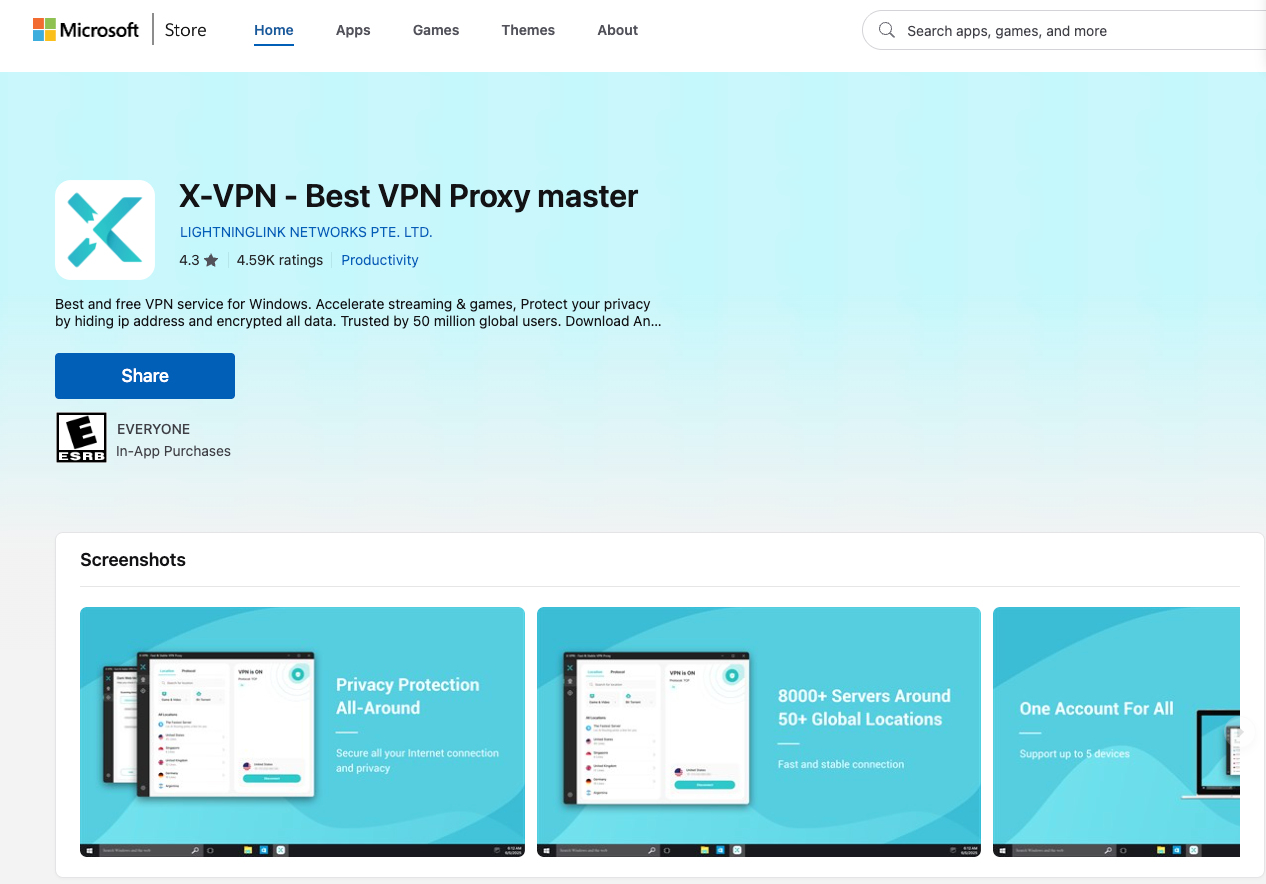
This is where hands-on assessment beats a glossy feature list. Install the client on the platform you actually use — for instance, X-VPN on the Microsoft Store for a Windows machine — connect, and run DNS, IPv6, and WebRTC leak tests before trusting it with anything sensitive.
A tool that passes your own checks has earned more credibility than one that only sounds impressive on a landing page.
Follow a repeatable testing procedure
- Record the baseline. With the VPN disconnected, note your public IPv4 address, any public IPv6 address, and the DNS resolvers shown by an independent testing service.
- Connect the VPN. Enable its recommended leak protection and kill switch. Temporarily disable split tunnelling so your test browser uses the tunnel.
- Compare addresses. Your browser should show the VPN exit address rather than your normal public address. IPv6 should be tunnelled or made unavailable rather than exposing your normal public IPv6 address.
- Review DNS results. Compare them with the provider’s documented configuration. An unfamiliar resolver or a different displayed country does not by itself prove a leak.
- Check WebRTC. Investigate exposure of your normal public IP. A private local address is not equivalent to revealing your public internet address.
- Repeat after network changes. Check again after sleep, reconnection, and switching between trusted Wi-Fi and mobile data.
Keep sensitive activity closed during testing. Record the device, operating system, app version, protocol, and settings so results have useful context.
Understand what a kill-switch test establishes
Check the documented behaviour for your platform. Unexpected tunnel failure and deliberately pressing Disconnect can trigger different behaviour. Mozilla’s documentation provides an example of how a provider explains its protection.
A page failing to load while the entire internet connection is offline does not prove the kill switch works. A page loading after connectivity returns does not prove a leak either: the VPN may already have reconnected.
Browser tests can miss brief traffic escapes. Technical users can examine traffic captured on the physical network interface during a controlled failure, accounting for permitted VPN connection traffic and configured exceptions.
Passing these checks supports confidence in the tested configuration at that time. It does not verify internal logging practices or establish that every application is protected.
Privacy Policies: What Does “No Logs” Cover?
Read the privacy policy alongside the homepage. Look separately for browsing activity, connection metadata, diagnostics, and account records.
Ask whether the provider collects source IP addresses, connection timestamps, DNS queries, bandwidth information, device identifiers, or crash reports. For each category, check retention periods and whether records can be connected to an account.
Identify the operating company and its owner, and review available transparency reports. A country of registration is useful context, but it does not establish how the service operates.
Know the Limits of VPN Protection
A VPN protects the connection between your device and its VPN endpoint. HTTPS separately protects communication with websites.
Using a VPN does not prevent identification through signed-in accounts, cookies, browser fingerprinting, or device location services. EFF’s VPN selection guide explains why VPN protection should be evaluated against a specific privacy goal.
Keep HTTPS enabled and continue installing security updates. A VPN complements those protections.
Frequently Asked Questions
Does AES-256 prove a VPN is secure?
No. Encryption strength does not verify logging practices, app security, or leak protection. Other cryptographic designs can also provide strong protection.
Does a RAM-only server guarantee no logging?
No. It reduces local persistence of runtime data, but connected systems may still receive or store information.
Can leak tests verify a no-logs policy?
No. They examine observable connection behaviour. Internal logging and retention require separate evidence.
Should I test every device?
Yes. Applications, operating systems, network settings, and supported features differ. Results from one device do not establish protection on another.
When should I reassess my VPN?
After major app updates, policy or ownership changes, relevant security incidents, or changes to your device and network configuration.
A Framework, Not Brand Loyalty
The reason to think in terms of criteria rather than brand names is that the market shifts constantly. Audits age. Jurisdictions change. Ownership can turn over. Server architecture can evolve. A provider that was a good fit two years ago may not be the right fit today, and a provider that once looked weak may improve.
Hold any VPN against the same checklist: verifiable audits with meaningful scope, server architecture that supports its privacy claims, clear documentation of its security approach, and leak behaviour you have personally tested.
That is the difference between feeling secure and being able to show your work.
INTERESTING POSTS
- Should I Trust VPN Review Sites?
- How ERP Project Recovery Consultants Rescue Failing Projects and Boost ROI
- How Companies Can Use AI Cybersecurity Tools to Audit Their Defenses
- Best DNS, IP, and WebRTC Leaks Test Sites
- Beyond Breaches: Turning Cybersecurity Transparency Into a Business Advantage
- 3 Critical Cybersecurity Questions To Ask Before Buying a Marketing SAAS Product
About the Author:

Gina Lynch is a VPN expert and online privacy advocate who stands for the right to online freedom. She is highly knowledgeable in the field of cybersecurity, with years of experience in researching and writing about the topic. Gina is a strong advocate of digital privacy and strives to educate the public on the importance of keeping their data secure and private. She has become a trusted expert in the field and continues to share her knowledge and advice to help others protect their online identities.