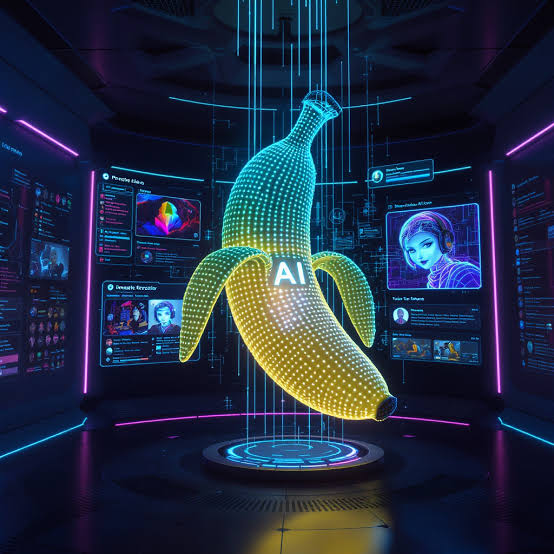
In this post, I will show you how to use Nano Banana 2 AI Image Generator as AI Image Editor in 2026.
The 2026 AI visual production is more than simply creating a picture from a prompt. A practical AI Image Editor workflow can begin with concept creation, then reference-led editing, cleanup and finally campaign-ready outputs. Nano Banana 2 is an image generation and photo editing model in Gemini, which is capable of generating text and editing uploaded images, according to Google. The benefit for teams working on the Nano Banana 2 AI image generator is knowing when to create, edit or modify tools.
Table of Contents
1. Get Your AI Image Editor Workflow Right
First decide if the task requires a new image or a modification. Text-to-image is good for concepts, but image-to-image editing is often better for product photos, portraits, posters, and existing campaign assets.
My experience reviewing content-production workflows tends to lead me to prefer separating creative direction from correction. I start with defining the subject, framing, lighting, style and final platform. Then I use an AI Image Editor for smaller changes, like swapping out a background or making different versions. This allows for controlled revisions instead of starting over again and again.
2. Editing With Nano Banana 2 AI Image Generator: Prompt-Driven Workflow
Nano Banana 2 AI image generator generates and edits photos using natural-language instructions. Users can generate images through Google’s Gemini interface by either providing a prompt or uploading an image to edit.
A Better Prompting Strategy
Prompts that explain what not to change work better for image editing. For example, instead of “improve this product photo,” say: keep the bottle shape and label placement, change the background to a bright kitchen, add soft window lighting and keep a square composition. Clear constraints work well for ecommerce and marketing visuals.
3. Select the Right Model for the Actual Task
The Nano Banana 2 AI image generator should not be automatically assumed to be the right model for every brief. OpenAI introduces GPT Image 2, a supporting image generation and editing model with image inputs. ByteDance introduces Seedream 5.0 Lite, a multimodal image-generation model with reasoning capabilities.
That’s where an AI Image Editor platform can be handy. AI Image Editor allows you to select models for your editing workflow and offers dedicated tools for image generation. This allows creators to compare models for instruction following, composition, text handling, source-image fidelity, or creative direction without assuming that one choice will work for all.
4. Develop Product and Marketing Visuals
Nano Banana 2 AI image generator can help generate product-scene concepts, lifestyle variations, posters, thumbnails, and social media creatives for ecommerce. Assets remain under review. Packaging, labels, logos, proportions, text, reflections, and product details should all be checked before publishing.
An AI Image Editor workflow can then support completion tasks. The platform features Background Remover and Image Upscaler tools that can help isolate subjects or prepare approved visuals for larger outputs. These utilities are meant to make a good image better, not to hide generation errors.
5. Polish From References, Not From Scratch
A practical approach to using the Nano Banana 2 AI image generator is to keep what works and change only what’s wrong. Change the lighting, background, wardrobe or one product detail while keeping the same subject and composition.
Why Reference-Based Editing Matters
An evaluation of Nano Banana 2 in 2026 on image restoration tasks found that prompt design and explicit fidelity constraints influenced reconstruction quality and controllability. This supports a reference-based approach rather than regenerating the entire visual after every imperfect result.
6. Animate Approved Visuals
The platform can be used in conjunction with text-to-video, image-to-video and other supported video workflows, where appropriate. The Nano Banana 2 AI image generator can help with the still-image stage. A marketplace listing may require a clean static visual, while a social campaign may want to turn an approved product concept into short-form motion.
From Static Images to Short-Form Video
Once the key visual has been approved, teams can use it as the starting point for motion-based content. This approach can help maintain greater visual consistency between ecommerce imagery, ads, social posts and short-form video campaigns.
7. Verify All Possible Outcomes
The Nano Banana 2 AI image generator is best used as part of a controlled production process: generate, edit, compare, refine, upscale or remove backgrounds as needed, then check the result for accuracy, rights, brand consistency and platform requirements.
Final Quality Control Before Publishing
AI Image Editor might save time on repetitive artistic work, but professional review is still essential. The strongest workflow is not one based on a single model; it is one based on choosing the right generation, editing and finishing tool for each visual task.
INTERESTING POSTS
- Nano Banana Review: Features, Benefits, and User Experience
- Managing Brand Drift: A Framework for Multi-Channel Batch Asset Production
- How to Use insMind’s AI Image Generator to Improve Clarity and Trust in Cybersecurity Content
- How to Create a Strong Dissertation Proposal for Academic Approval
- The Fastest Way to Create Videos Without Editing Skills
- 11 Best Password Generators Of 2026
About the Author:
Chandra Palan is an Indian-born content writer, currently based in Australia with her husband and two kids. She is a passionate writer and has been writing for the past decade, covering topics ranging from technology, cybersecurity, data privacy and more. She currently works as a content writer for SecureBlitz.com, covering the latest cyber threats and trends. With her in-depth knowledge of the industry, she strives to deliver accurate and helpful advice to her readers.