


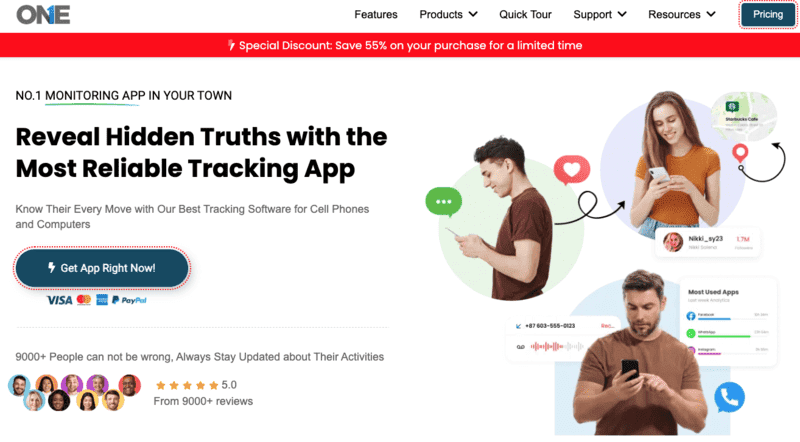

Read on for TheOneSpy review, the ultimate monitoring software.
TheOneSpy aims to be your go-to monitoring software for Android, Mac, and Windows. This review is for parents who want their kids to be safe online, bosses who manage remote workers, and people who want to keep track of their own stuff.
We’re going to check out what makes TheOneSpy different and go over all its Android features. We’ll also check how it works on Mac and Windows, and see if it’s actually worth the price.
Table of Contents
What’s Cool About TheOneSpy
It works on Android, Mac, and Windows. TheOneSpy solves the usual problem with monitoring software by working across different platforms. Lots of other programs make you pick different apps for different systems, but TheOneSpy gives you one thing that works on Android, Mac, and Windows without problems.
TheOneSpy is perfectly suited for Android devices as it tracks the calls, messages, social media, GPS locations, keylog, and everything seamlessly without the rooting. The app is compatible with all major Android devices; whether it’s a Samsung Galaxy, a Google Pixel, or another brand, it runs smoothly.
Mac users get a lot, too; it watches more than just the basics. It can see what you type, which apps you use, and which websites you visit, and even record your screen without slowing things down. The Mac version works with macOS security, but can still keep an eye on things.
It works with Windows versions from Windows 7 to the newest Windows 11. It can monitor which files you open, which programs you use, what your network does, and how you use your computer, really well. The Windows version is good for both home and business use.
- One app for everything, so you don’t need a bunch of them.
- Most monitoring programs make you use a bunch of different apps, which can be a pain. TheOneSpy fixes this by putting all the features you need into one place.
Instead of using different apps to see what people type, record their screen, track their location, and watch their social media, you can do it all from TheOneSpy’s one dashboard. Let you save time and resolve the issues by switching to different apps.
The collected data is recorded in a single place where you can check the devices’ tracking. What’s happening around them, what they’re doing and chatting at the spot, showing the clear images to the linked secured dashboard.
The software can handle various monitoring tasks without extra hardware. Whether you need to control what your kids do, watch your workers, or keep your own devices safe, TheOneSpy can do it all while using the same look and controls.
It can hide itself for secret monitoring. TheOneSpy runs completely hidden, showing no outward signs and leaving no clues behind what they tracked. Unlike other tools that break the privacy, TheOneSpy runs in stealth mode and makes no compromise on security leakage.
When installed on the Android device, it was hidden; no icon or app notification appeared on the target device. Once it is set up, it starts recording the live screens and the actions in real time. There are no battery-draining issues as such, and there is no effect on internet data, so no one noticed any external interference.
On Mac and Windows, TheOneSpy also remains undetectable and causes no disturbance to system managers, like the taskbar and menu bar. Does not interrupt the regular files and data that could indicate the involvement. Just smooth tracking, with no alerting sounds or notification tones to indicate it’s installed on their device.
It can also protect itself from being removed or messed with. Even if someone finds it, TheOneSpy has security that makes it hard to turn off or delete without the right codes.
It updates data right away. TheOneSpy records and updates data continually, so you never miss the older and latest data reports. The calls, messages, maps, routes, and activity reports are available to you on the spot.
It uses the cloud to send data quickly from all devices. When the chat conversation takes place on the targeted Android device, you will get the instant look after. Plus, the routes and location updates are just transparent to you, so you never have to decide what to check and what not to.
You can also get alerts and notifications right away. You can make your dashboard your own, and you can block the adult websites, so that no underage users can access them. You can block the numbers of calls that seem unknown. You can set alerts on the dangerous zones. Get the instant alert when someone tries to access that again. It still works when the device goes out of internet range, holds it, and uploads to the dashboard when the connection is back.
TheOneSpy Android Monitoring Features
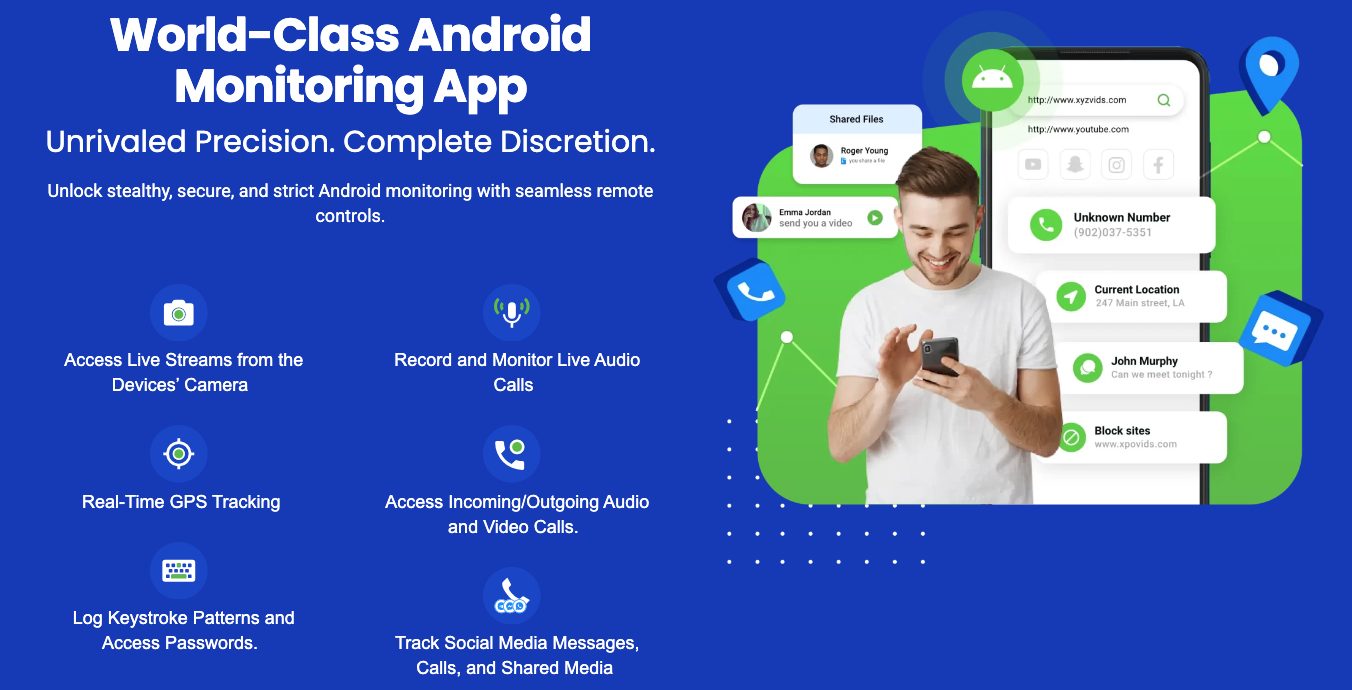
Records Calls and Tracks Call Info
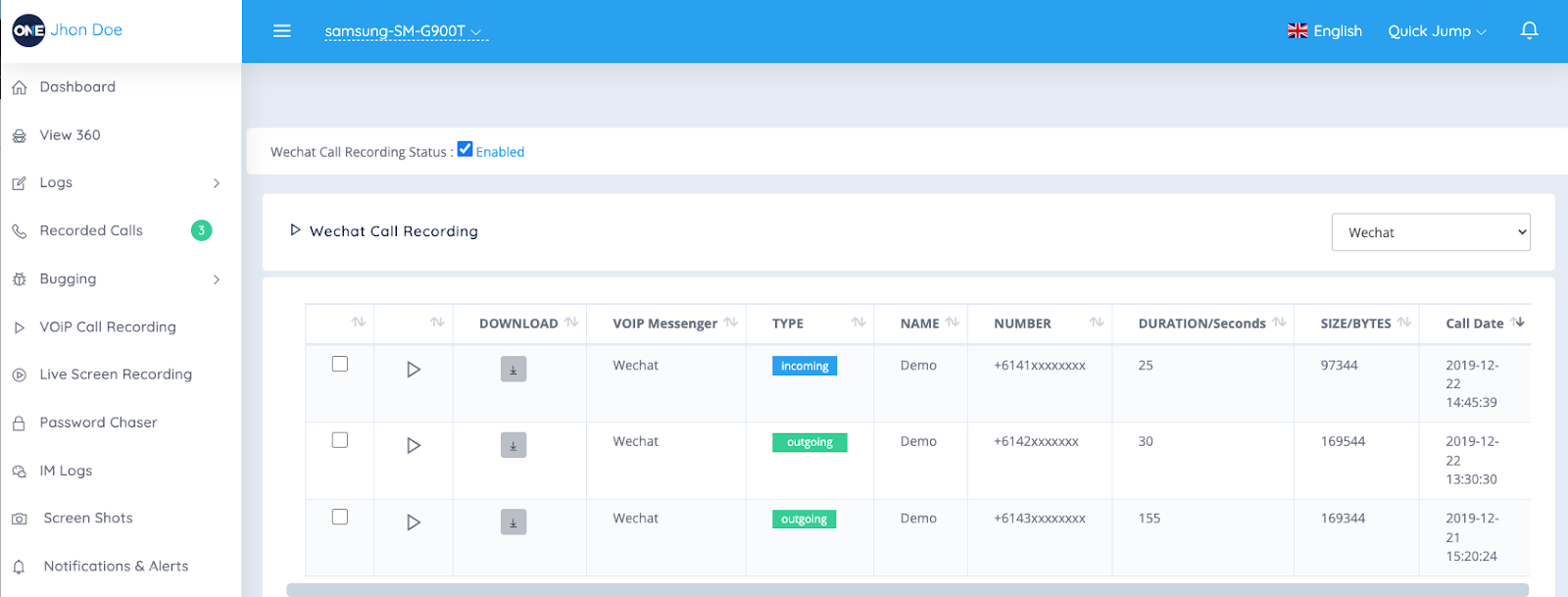
TheOneSpy has good call monitoring that lets you see everything about phone calls. TheOneSpy records the live calls in high-quality sound and saves them to the dashboard, so you can access them whenever you need.
It does more than just record calls. Every call includes the contact name, phone number, duration, date, and type of call. It groups calls to show you who gets called the most and what the calling patterns are. You can sort calls by date, contact, or length to find what you need fast.
What makes TheOneSpy special is that it records secretly. It does not appear to be a screen or live recording signal that alerts the user during a voice conversation. The files are automatically compressed and take up less memory space, but do not affect the sound quality. The dashboard lets you search for specific calls using words, numbers, or contact names. It also generates call reports with daily, weekly, and monthly summaries and charts.
Texts and Social Media
TheOneSpy grabs all text message data from different messaging apps. You can track the MMS, SMS, and message conversation with date and exact time. Plus, the attached files contain the information, accessible to you even if deleted or misplaced among hundreds of chats.
It tracks popular social media platforms and has millions of users, including Facebook, Instagram, Snapchat, Twitter, and more. The tracking is easy with TheOneSpy; you can track their shared media files, chats, calls, VoIP calls, and video and audio files. The app is designed with the discreet feature and fulfills every person’s safety demands.
The best way to track WhatsApp data is not just the chats, but also the capture status profiles, locations, and privacy updates. For Facebook, it covered the messenger chats, the shared documents, the posted content, and more. For Instagram, it tracks the direct messages, the story views, and the followers.
It handles media without problems; it automatically downloads and stores photos, videos, and voice notes. You can view this on the dashboard or download it. Group chats are clearly marked with everyone’s names and what they said.
Social media reports sort activity by app, showing how often they’re used, who they talk to the most, and how often they communicate. From the TOS dashboard, you can search for the specific app data you want to check. All done seamlessly with no stress.
Location Mapping and Creating Virtual Restrictions
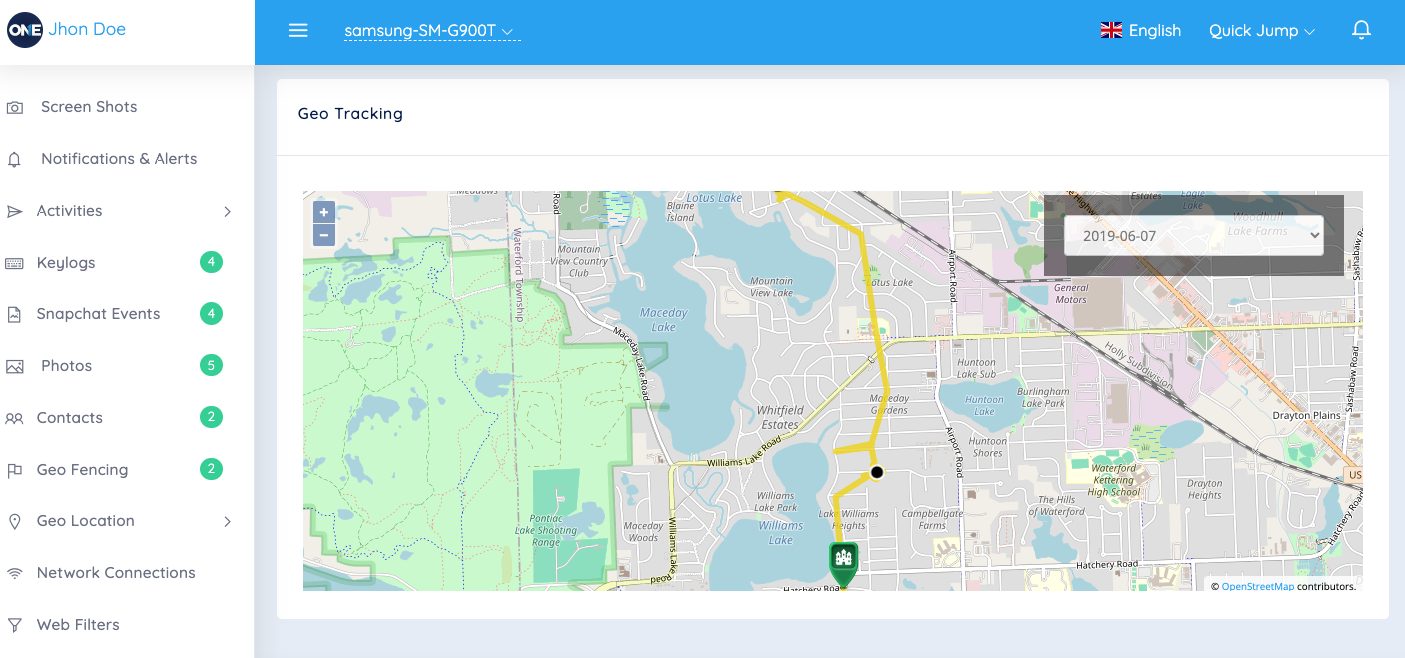
Real-time GPS tracking is one of TheOneSpy’s best tools. It watches the device location all the time, updating the coordinates every few minutes to give you accurate location info. You can check the latest and visited locations, and track the location in real time. The location tracking works inside and outside by using GPS, Wi-Fi, and cell towers to stay accurate. It saves battery so that tracking doesn’t drain the device.
Geofencing lets you make custom zones on a map. You can draw circles or shapes and set alerts when the device enters or leaves them. This is a tracking of home, school, work, or forbidden areas.
You get alerts right away—by email or on the dashboard—when geofences are crossed. You can set up many geofences, each with its own alert settings. The system puts dates on all location events, so you have a detailed log of when they arrived and left.
Location reports provide detailed information about movement, including common locations, routes, and the time spent at each location. The map shows movement trails, so you can see daily patterns.
App Control and Screen Time
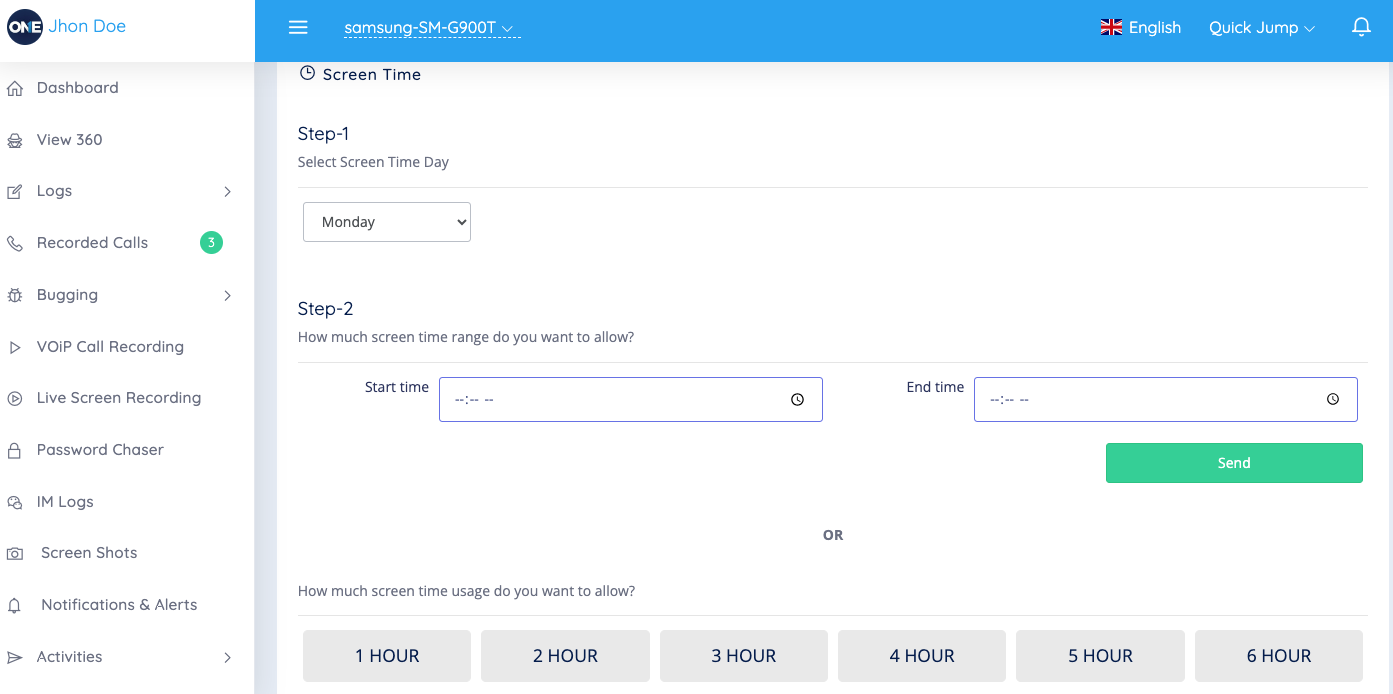
TheOneSpy tracks app usage, showing which app takes the most time. It tracks the apps’ logs, the installed apps, how long it was used, how frequently they were used, and the ratio each day.
You can remotely block access to specific apps. Blocked apps can’t be opened until you remove the block, which helps you the right way. You can make custom schedules to block certain apps during certain times, but allow them at other times.
On the online dashboard, you can explore the categorized option. Screen time reports have different options, such as social media, the gaming apps, or communication. The graph there shows the screen ratio weekly, so you can easily understand the numbers or hours. It lists the installed and deleted apps, along with when they were added to the device. This helps you know what software is being used. You can see full app lists with versions, install dates, and storage.
The remote app lets you uninstall apps from the dashboard. You can remove apps without touching the device, which gives you control over the software. You can sort app usage data by time, duration, or app type. You can make more detailed reports.
TheOneSpy Mac Monitoring Feature
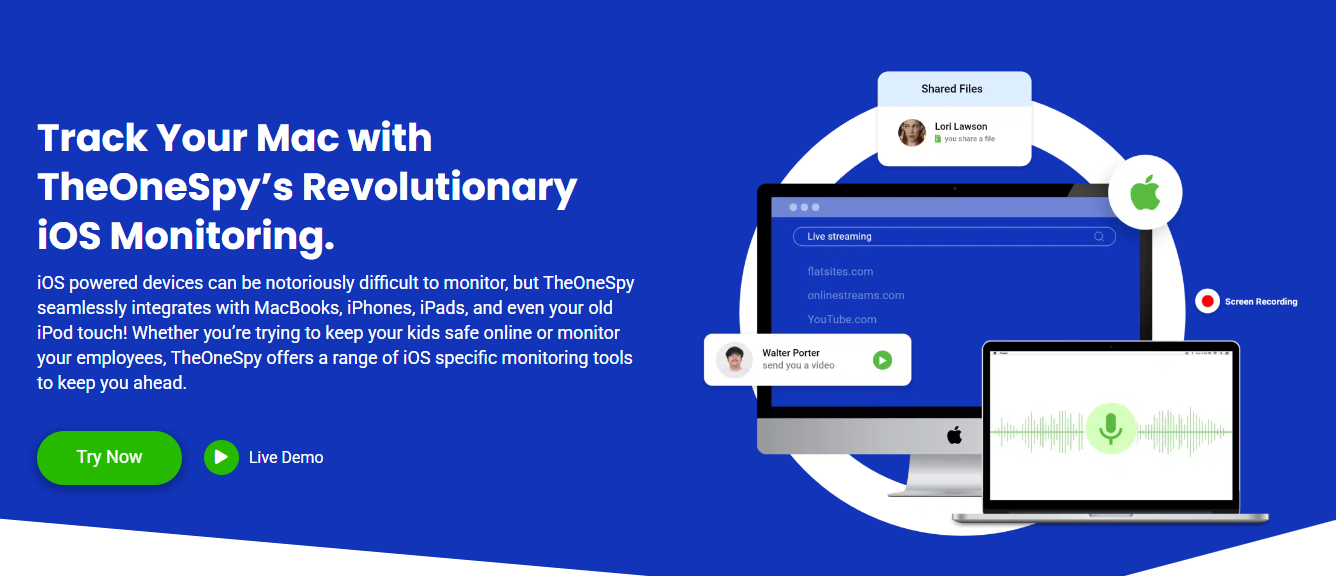
Keylogging and Password Capture
TheOneSpy Mac monitoring is like having a superpower that lets you see everything typed on the device. It quietly grabs everything, from casual messages and emails to private login info and passwords. It works in all apps without problems, no matter which app they’re using—Safari, Chrome, Messages, or others.
It finds and sorts password entries, so you can find specific logins without going through pages of random typing. It knows where password fields are and marks them with dates and app names.
You get clear info on which app was used, which website was visited, and when. It even captures complex keyboard shortcuts and function keys, so you know everything the user did.
It runs without slowing down the Mac. Does not affect the Mac performance, and it provides smooth tracking of the device without being watched and leaving no traces behind. All typing data is encrypted and saved locally before being sent to your dashboard.
Browsing History and Content Blocking
Mac users may think private browsing and clearing history hide their online activity, but TheOneSpy grabs everything no matter what. It watches Safari, Chrome, Firefox, and other browsers, recording every website visit with dates and how long they spent on each page.
The browsing monitoring goes past basic history. TheOneSpy captures incognito and private browsing sessions that normally leave no trace. You can see deleted bookmarks, cleared downloads, and even websites visited through VPNs. It also logs searches on all search engines and social media.
You can stop access to specific sites or types of content. You can block social media during work, stop adult content, or block gaming sites. When your target device tries to catch the blocked sites, TheOneSpy instantly alerts and gets you the quick notifications.
TheOneSpy filters the sites and lets you block them so your young ones do not come across explicit content. Allow to block the website and the address so no one can try to access it through proxies or other tricks. Moreover, on Mac devices, you can easily change the block setting from the dashboard.
Screen Recording and Screenshots
TheOneSpy changes the way you monitor your Mac, letting you see what’s happening in real time. The screen recording grabs everything on the desktop in good-quality video. You can set up schedules to record all the time or when certain apps or websites are used.
The screenshot tool can grab screens every few seconds for detailed monitoring or take random snapshots to check general activity. The software adjusts image quality and file sizes based on your storage and internet connection. Screenshots include info about what apps were open, window titles, and the time.
The changes based on use. When nothing’s happening, fewer screenshots are needed to save space. When it detects typing, mouse movement, or app switching, it records more often.
All data is compressed and encrypted before being sent to your dashboard. You can watch recordings and screenshots or see old stuff from other days or weeks. The interface lets you jump to specific times or search for screenshots of specific apps or content.
TheOneSpy Windows Monitoring Features
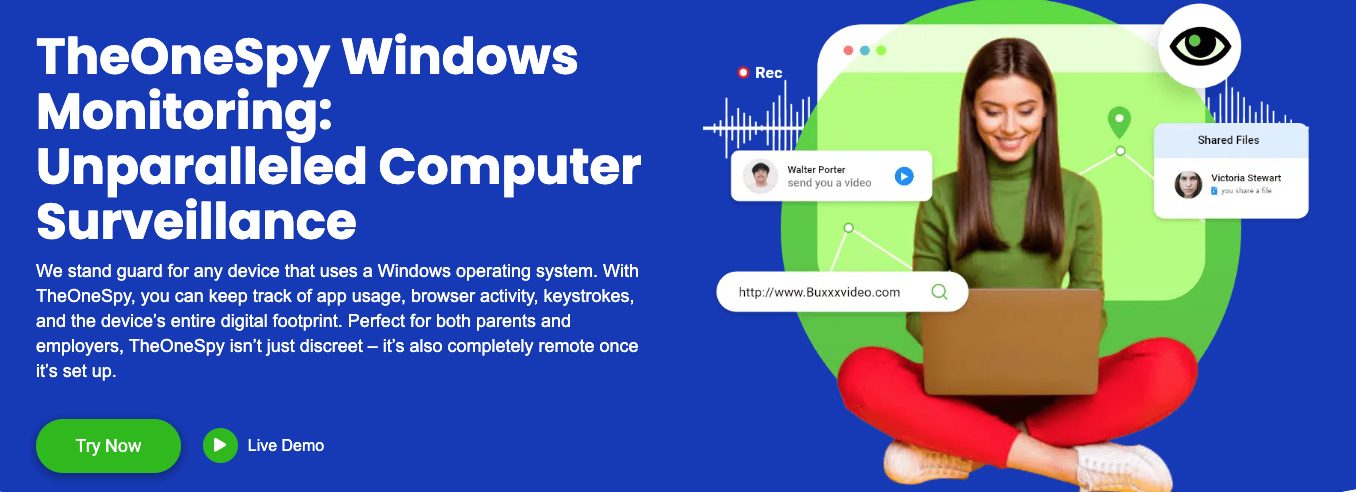
Employee Productivity Tracking
TheOneSpy turns Windows computers into surveillance centers, allowing bosses to monitor how productive people are and how workers behave.TheOneSpy captures screenshots and saves them to the dashboard with the date and time you mentioned. You can visually take proof of what they are doing at that time.
TheOneSpy keyloggers capture the keys that are pressed on kids’ devices, whether for passwords, in chats, emails, or documents. Helps keep an eye on employees during office hours and track keystrokes for every activity — whether on social media, in the group chat, or in the inbox —to reduce the risk of data theft.
The app lets you see which programs workers use the most and for how long. TheOneSpy tracks everything from Microsoft Office to web browsers and games, making reports that show productivity and wasted time. Bosses can set alerts for certain apps or set limits for non-work software.
It also sees when someone’s not doing anything, helping show the difference between work time and breaks. This is important for billing, time on projects, and understanding how productive teams really are.
File and Folder Monitoring
Windows file system monitoring through TheOneSpy watches document access, changes, and transfers. The software logs every file action — opening, editing, copying, moving, or deleting — creating a record that’s important for security and the protection of sensitive secrets.
Real-time file transfer monitoring watches data as it moves through email, the cloud, USB drives, and networks. It can flag suspicious file access or attempts to transfer large amounts of data, sending alerts to security teams.
TheOneSpy tracks who has access to folders and when they try to access them, recording successful and failed tries. This helps find security problems or unauthorized access while keeping logs. It can watch folders with private info, trade secrets, or customer data.
Version control monitors changes, showing exactly what was changed and when. This helps with the project, quality control, and understanding how teams work.
Remote Desktop Control
Remote desktop through TheOneSpy lets people control Windows computers from anywhere with an internet connection. Managers can see the desktop, control the mouse and keyboard, and do anything as if they were there. This is good for IT issues, fixing problems, and when things go wrong.
It allows connections at the same time, letting several managers watch different parts of the same thing. The screen adjusts to the internet, so it works well even on slow networks.
Remote file lets managers send files to and from computers without the user knowing. This helps with software updates, security fixes, and the retrieval of important documents during emergencies. The system logs everything done remotely for recordkeeping.
Streaming the desktop provides constant monitoring without needing action, which is good for managers who want to see stuff without doing anything.
Network Use Tracking
Network monitoring through TheOneSpy gives the details on internet use and online behavior. The software tracks every website visit, recording addresses, time on the site, and how often they visit to make browsing for each user.
Breaks down data by app, website, and time, helping find which causes the most and hurts the network. This is important for handling limited internet access or for making rules for it.
Real-time network traffic shows active connections, speeds, and online services. Detect the suspicious entrance and alerts you before it causes a virus, threat, malware, or affects personal information.
Plus, detect the non-ethical behavioral conversations for safety purposes. Shows the data of the social media, including Facebook, WhatsApp, Instagram, Snapchat, during company hours to track how much time employees use them. TheOneSpy can block sites or apps based on the company while keeping logs.
Email monitoring includes webmail, message tracking, attachments, and contact information. This helps with company rules and the sharing of secrets.
How to Install and Use It Step-by-step
Setting up TheOneSpy differs on Android, Mac, and Windows, and each requires a different approach.
- First, download the APK file directly from TheOneSpy’s official website.
- Because it’s not available on Google Play, you’ll need to enable “Unknown Sources.”
- Go to your phone’s Settings > Security and turn on “Install apps from unknown sources.
- Next, open your File Manager and find the downloaded APK file.
- Tap on it to install the app.
- Once installed, TheOneSpy will ask for some permissions — such as access to location, camera, microphone, and storage.
- After that, create your account and link the device to your online dashboard.
Mac installation follows the same steps as installing software. After buying a license, you get a link to download the installer. The .dmg file opens like a normal Mac app, but you need computer access to install it. The software with macOS is asking for access and full disk access to work properly. You need to add TheOneSpy to the Security & Privacy settings under Privacy, giving it access to.
Windows setup is the easiest. The installer takes you through a Windows installation. The program needs computer access and might show Windows Defender alerts, which you need to fix by making the TheOneSpy files. During installation, you set your monitoring and the connection to your dashboard.
Dashboard and Interface
TheOneSpy’s dashboard is clean; it consolidates all device data in one place. The main screen shows status updates from each device, like battery, connection, and recent activity.
The sidebar puts features into groups: Location, Communication, Files, Apps, and System. Each group shows tools and reports. Location shows maps with GPS, and while communication shows calls, messages, emails, and social media.
The interface displays data in charts that make the info easy to see. Activity reports are made automatically, showing data in lists and summaries. You can design your dashboard by pinning reports you use a lot and alerts for things. You can filter the words or features on the dashboard, and with a few clicks, everything appears on your screen.
Mobile App and Remote Control
TheOneSpy app is easily available for iOS and Android devices. You can track activities from the dashboard and access them whenever you want from anywhere in the world. It is available for Windows and macOS, but it is easy to use on cell phones.
Remote monitoring does not end at showing activities remotely, but also provides the full control. You can turn on the cell phone’s mic recordings and camera, take screenshots, lock the device, or block apps, all remotely.
The app stores reports when the internet is limited and uploads them when the internet returns. This helps users in areas with bad service.
Fingerprint and face ID secure the app while letting users get in fast. The interface uses gestures to move between areas and devices.
You can change between devices without logging in and out. The app has notifications for each device, so you know what’s from where.
Pricing and Value
Subscription Tiers
TheOneSpy has three plans for different needs and Everyone. The Basic plan starts at $22.99 per month and covers calls, texts, GPS, and social media. This is good for parents who need easy monitoring.
The Premium plan is $55 per month and unlocks recording, keylogging, screen recording, and social media. This is good for parents and bosses.
The Ultimate plan is $59.99 per month and includes all Android, Mac, and Windows features, as well as support.
You save money with yearly plans, with discounts of 40-50%. They also run deals that make the first year cheaper.
Cost Breakdown With Others
Compared to Spyzie, mSpy, and FlexiSpy, TheOneSpy is in the middle. The top programs cost $70-100+ for the same features, but TheOneSpy is 60-70% of that.
It’s better if it works with different platforms. Many programs charge extra for each system, but TheOneSpy includes Android, Mac, and Windows in one buy. This is good for families or businesses that use a mix of devices.
TheOneSpy has tools that other programs keep for plans. Keylogging, screen recording, and GPS are in the Premium plan.
Some cost programs offer AI and better reporting, so their prices are worth it. TheOneSpy focuses on basic monitoring rather than new features.
Refund Policy
TheOneSpy offered a 10-day money-back guarantee. Within 10 days, the customer can contact the support team to receive a refund.
Support team available 24/7 for you. Handle your queries via email and phone, and address them during company hours. With customer live chat, you get instant replies, take emails, and more. After hours of analysing your qualities, I properly resolved technical incompatibility issues across all devices.
The company has guides with installation, feature help, and common. It has videos that walk users through complex setups, making it easy to use.
Premium and Ultimate plan users get support with account managers and help. This ensures that the cost users get a better cost if they need it.
Free Trial
TheOneSpy has no free trial yet, but a demo that provides a trial-like experience, letting you see how the Dashboard works and what it feels like. This lets users explore before buying, while the install methods.
The demo includes sample data that shows what the info looks like in the dashboard. It shows calls, messages, location, and media.
New users can watch live demonstrations with support reps. These make users see the in action and ask questions.
The 10-day money-back guarantee serves as a trial, giving users time to test it on their devices. This is better than trials, since users can use all of them before.
Security and Legal
End-to-end encryption and allocation. TheOneSpy protects data with layers of. Data is encrypted with AES-256 and issued by the government.
The company stores data on servers protected by SSL/TLS. These servers are checked regularly and comply with data laws. TheOneSpy makes copies of your data so you can access it even if the server is down.
User info gets protection through algorithms. TheOneSpy never stores passwords in plain text, so others can’t access accounts. It also watches for threats and acts when it sees them.
Data keeps info until you don’t need it. Users can delete items or remove data when they’re done. This improves security and gives users control over their data.
Legal Use
TheOneSpy complies with the GDPR, CCPA, and other applicable laws. Before installation, it takes consent, and after the agreement, it starts running.
They say it’s for parents watching kids, bosses watching workers, and people watching their devices. The software must help users comply with the law.
Legal says not to install TheOneSpy on devices without getting permission. The company has documents listing acceptable uses and legal info for each place to help users navigate the laws. TheOneSpy offers features that support the law, such as controls and records.
The software respects privacy by not taking data. TheOneSpy only takes info for. Users can change to only take certain sorts of data, reducing and meeting monitoring needs.
Account Protection
TheOneSpy allows the use of two-factor authentication. Users must verify their identity before using the apps; unauthorized access is not allowed.
The watches’ login patterns and flags are suspicious. Session closes users after if nothing happens to stop access. TheOneSpy also keeps logs showing when and where account logins occurred. These logs help identify security problems and support security checks.
Password requirements enforce strong security. TheOneSpy provides robust security to help users keep their accounts safe. The also offers a secure password that verifies users before giving access.
Features include the ability to stop account access to certain devices. This is good for business users who need to make sure data stays on devices.
Final Words!
TheOneSpy is the best app that combines Android, iOS, macOS, and Windows into a single place. Best for the individuals, parents, and employees to keep safe from the digital harm. The feature with the remote control, location updates, activity reports, and social media monitoring is working smoothly across the device. It’s working across the platform, with a slight difference in the number of installations.
TheOneSpy pricing plan is affordable if you need to track many devices at once. But remember, tracking a phenomenon can cause legal issues. Always follow and obtain the legal permission before choosing the software. If you want a single app that is compatible with all the devices, TheOneSpy is the digital faithful choice.
INTERESTING POSTS
About the Author:

Daniel Segun is the Founder and CEO of SecureBlitz Cybersecurity Media, with a background in Computer Science and Digital Marketing. When not writing, he's probably busy designing graphics or developing websites.



