




In this post, I will show you how to erase backgrounds in seconds with the 100% free tool.
Background removal is no longer a skill exclusive to professional designers. It’s becoming an essential workplace skill for more professionals, while ordinary people increasingly seek to master image editing techniques.
For instance, e-commerce sellers need clean, crisp product images to captivate consumers and boost conversion rates; content creators crave eye-catching social media visuals that highlight their subject matter to attract users and build traffic; and everyday users want to effortlessly change the background color of ID photos.
We all know that traditional image editing software often demanded significant learning time and came with hefty price tags, making background removal seem daunting for students and those on a tight budget.
Meanwhile, many so-called free background removal tools turn out to be scams—they either add watermarks when you export images or demand further paid upgrades, otherwise all your efforts go to waste.
UltraPic, as an AI all-in-one image tool, perfectly solves these problems. It allows you to erase backgrounds for free while preserving details, exports without adding watermarks, and lets you directly download high-quality images.
Table of Contents
What can UltraPic offer you?
In a crowded market of similar tools, UltraPic stands out with four groundbreaking features, making it the star product in the “erase background free” category:
- Lightning-fast image processing speed
With a stable internet connection, whether you’re uploading a single image or removing backgrounds from multiple photos at once, the process completes in mere seconds.
For e-commerce professionals’ batch-optimizing product images, this efficiency boost is a true time-saver. No more waiting minutes per image or processing large volumes in separate batches—upload and instantly receive transparent backgrounds, transforming time-consuming tasks into instant results.
- Hair-level precision recognition, flawless details
It accurately captures and fully restores challenging elements like fine strands of hair in backlit shots, semi-transparent gauze fabrics, and the fluffy fur of plush toys.
This precision isn’t compromised by free access. Results rival manual Photoshop retouching, requiring virtually no secondary adjustments.
- Universal compatibility
Supports cutting out all subject types—portraits, products, logos, and more. Compatible with PNG, JPG, WEBP, and BMP formats, requiring no conversion for direct upload. Works seamlessly with mobile photos, camera exports, and any source material.
After cutting, instantly add solid backgrounds or leverage AI-generated backgrounds to create creative composites.
How to use UltraPic to erase backgrounds for free
Simply open the webpage to start removing backgrounds for free. Whether you’re a beginner or a professional, the steps are straightforward and clear:
- First, register your account to receive free credits. If you’re only removing backgrounds, there’s no limit on the number of times you can use it. Click “BG Remover” and upload your image. You can drag and drop files directly or select them from your local folder.
For e-commerce sellers needing to batch-process product images, batch editor is available to save time.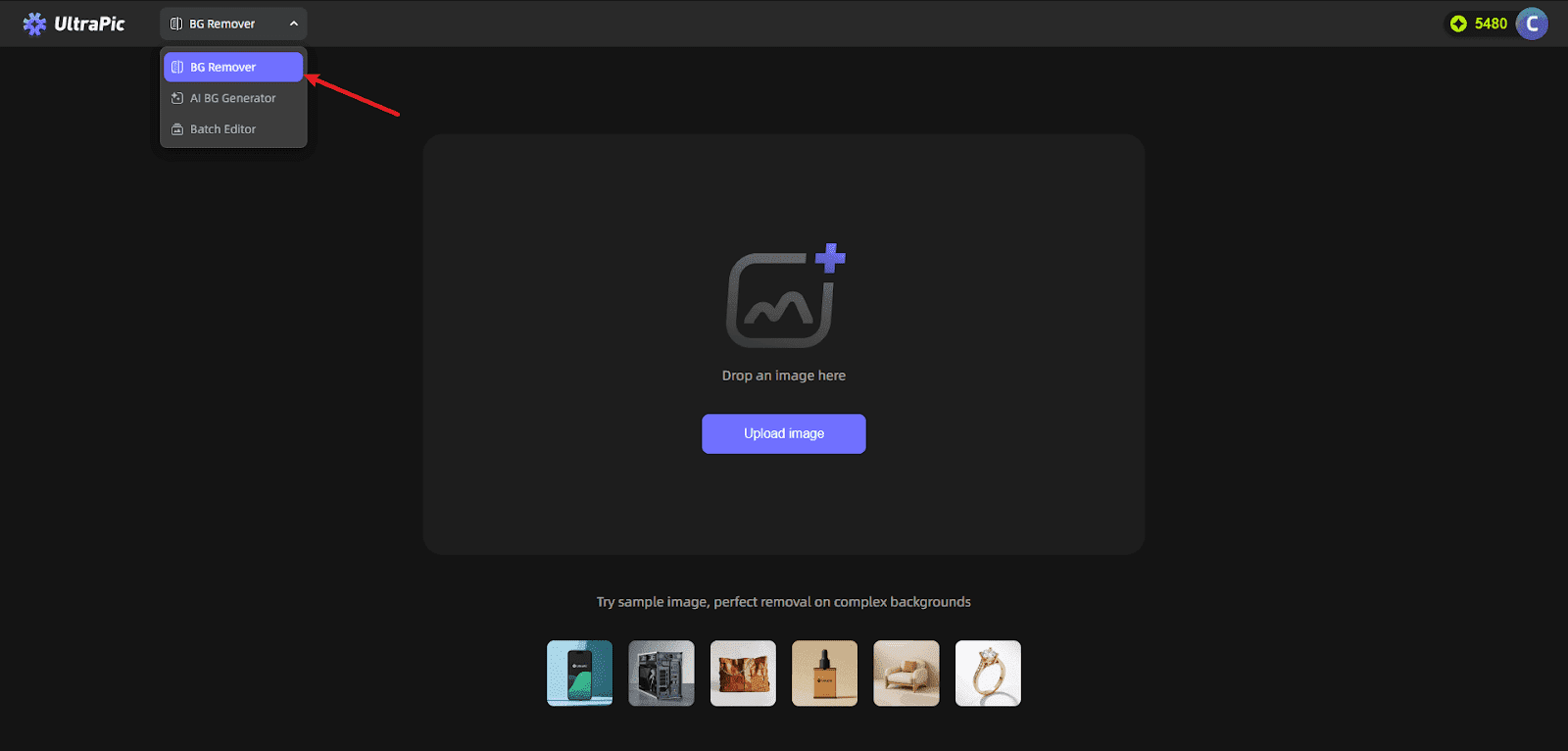
- After successful upload, UltraPic’s AI automatically initiates recognition without requiring any parameter adjustments. Background removal typically completes within seconds, generating a transparent-background image.

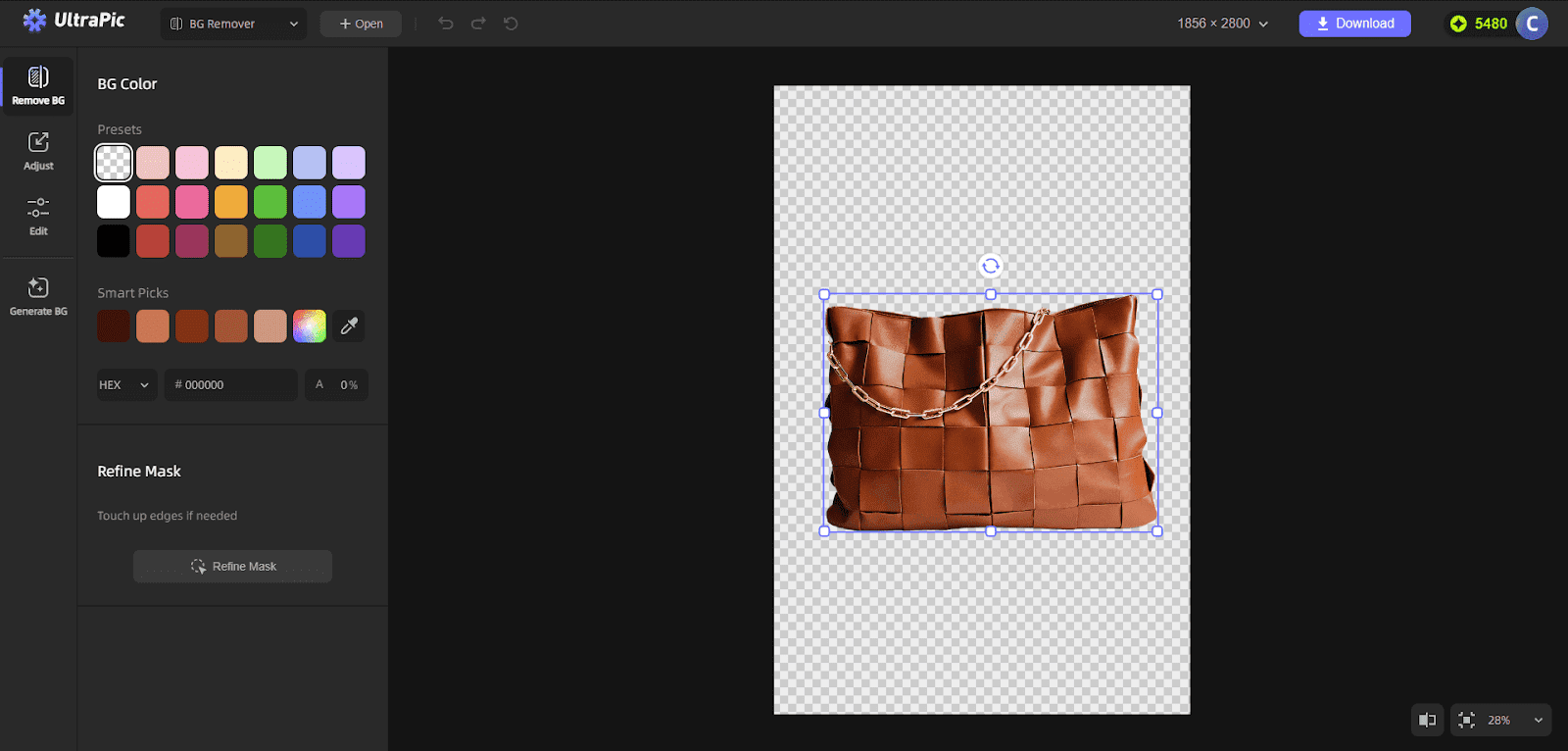
To change backgrounds, select solid colors below or unleash creativity with AI Generate BG.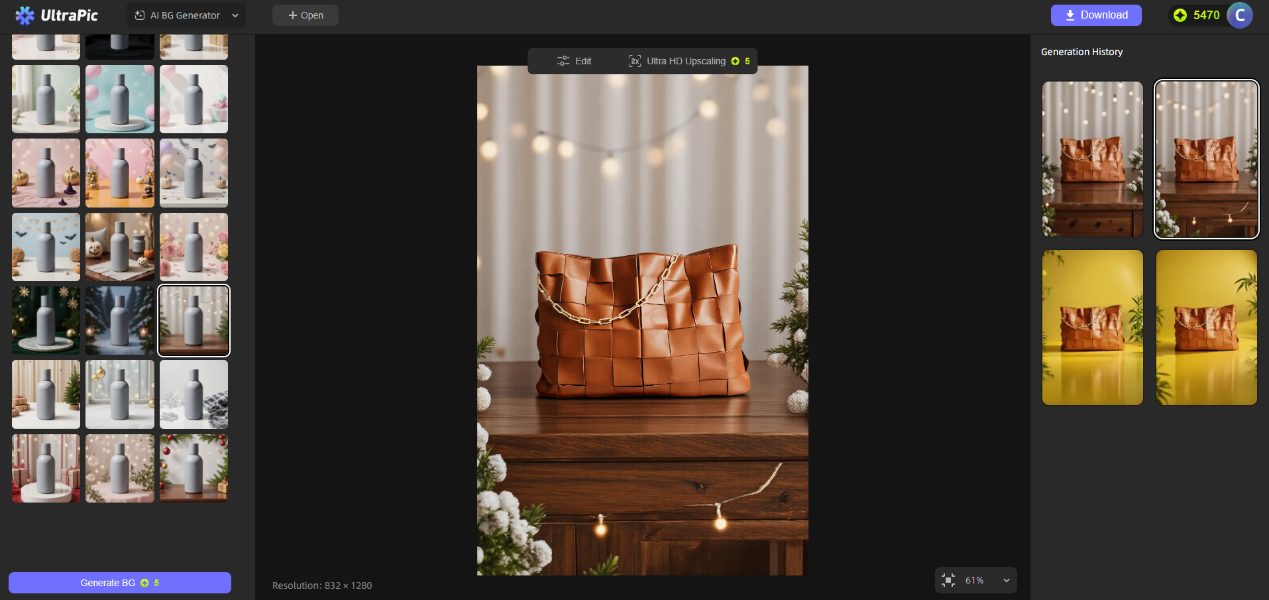
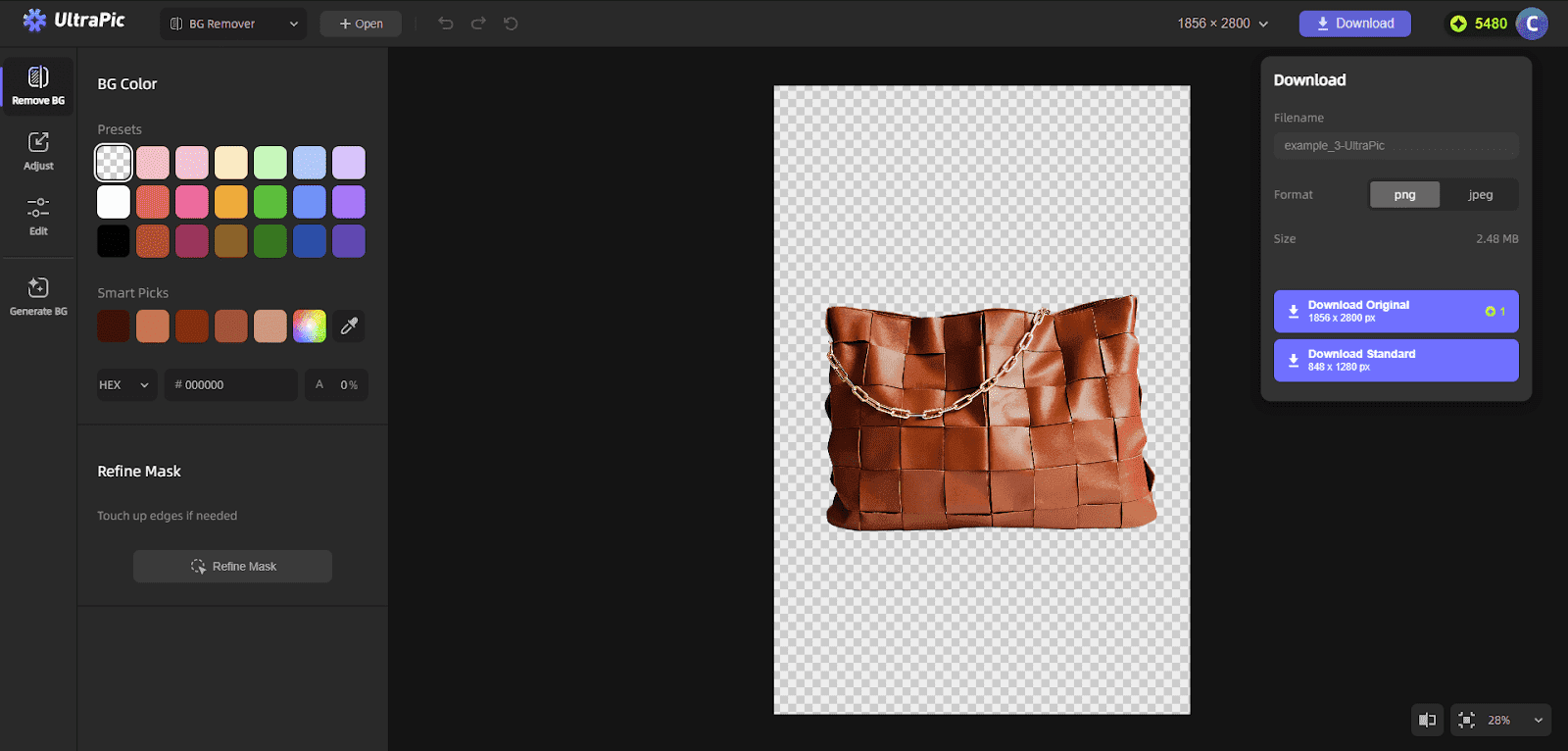
- After processing, zoom in to inspect details. Once satisfied with the result, click “Download,” select the PNG transparent format, and save the image with a transparent background for professional design use.
Who Needs UltraPic Background Removal the Most?
UltraPic’s background eraser caters to everyone, becoming an “efficiency powerhouse” across various scenarios:
E-commerce professionals: Batch process product images—10 high-res photos done in 12 seconds. Remove cluttered backgrounds to create consistent main images, making products stand out among competitors and effectively boosting click-through rates.
Content creators: Extract images for posters and short video covers, eliminating tedious manual work and doubling content production efficiency;
Professionals: Quickly process materials for PPTs and resumes. High-definition, watermark-free images make presentations more professional, enhancing reports and job applications;
Everyday Users: Change ID photo backgrounds or create personalized avatars;
Photographers: Instantly isolate subjects with hair-level detail preservation, slashing post-processing time.
Summary
A clean, professional image doubles your message’s impact. Erase background for free allows everyone to effortlessly access high-quality visuals—and UltraPic delivers this promise flawlessly.
No more staying up late learning complex software for image masking. No more paying premium prices for high-quality images. UltraPic AI Background Remover boosts your productivity, meets your daily creative needs, and efficiently removes unwanted backgrounds.
INTERESTING POSTS
- Do You Still Need Antivirus Protection For Your Business?
- Shield Your Privacy With AI-Powered Image Search
- Image to Video AI: What It Is and How to Use It Effectively
- When Images Get Stuck, AIEnhancer’s Watermark Remover Helps Them Move Again
- Keeping Your Apple Devices Running Smoothly and Securely
- Driving Rich: How Forza Horizon 5 Credits Fuel the Ultimate Racing Lifestyle
About the Author:

Christian Schmitz is a professional journalist and editor at SecureBlitz.com. He has a keen eye for the ever-changing cybersecurity industry and is passionate about spreading awareness of the industry's latest trends. Before joining SecureBlitz, Christian worked as a journalist for a local community newspaper in Nuremberg. Through his years of experience, Christian has developed a sharp eye for detail, an acute understanding of the cybersecurity industry, and an unwavering commitment to delivering accurate and up-to-date information.



