

In this post, I will talk about the best AI portrait upgrades.
Portrait work usually fails in two places. The photo is almost perfect but slightly blurred, or you do not have a usable portrait at all and need styled options quickly. Those are different problems, so here are two separate tools that map cleanly to each.
Table of Contents
Tool A. Fix blurry photos without reshooting
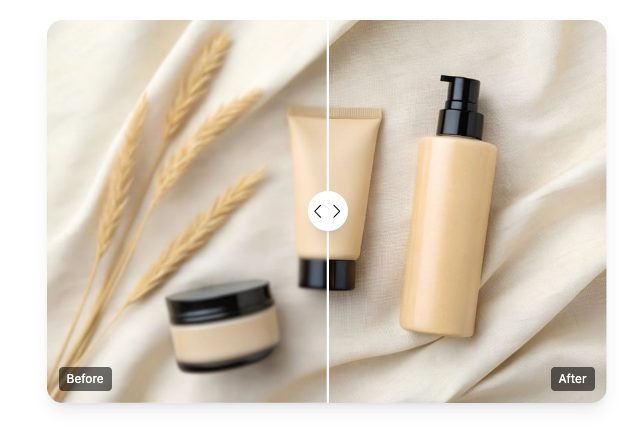
If you have a great moment that is just a bit soft, Unblur image is designed for sharpening and recovering clarity so the photo becomes usable again. It is most helpful for mild blur, motion softness, and low-detail captures that need a clarity boost.
Quick workflow tips.
- Start with the highest resolution version you have.
- Unblur once, then inspect at 100 percent zoom.
- Pay attention to eyes, eyelashes, hair edges, and small text.
- Stop before it looks “crunchy” or over-sharpened.
Competitor snapshot. Unblur and sharpening
| Option | Best for | Strengths | Tradeoffs |
| BeArt unblur | Quick clarity recovery | Fast, simple, no pro editor needed | Extreme motion blur may not recover naturally |
| Phone “sharpen” sliders | Light touch ups | Convenient | Easy to overdo, limited recovery |
| Pro desktop editors | Precision retouching | Layer control and masking | Slower, requires skill |
| Upscaling tools | Detail enhancement | Can improve perceived clarity | Not the same as true deblur |
Tool B. Generate portrait styles for branding
When you need portraits for profiles, creator branding, or character concepts, an AI portrait generator can produce a set of styled options from a few inputs. AI Portrait Generator is oriented toward creating portrait variations in different aesthetics and looks.
Practical tips for better outputs.
- Use clear photos with neutral lighting.
- Avoid heavy filters and extreme angles.
- Choose one style theme per batch for consistency.
- Review details like glasses, teeth, earrings, and background artifacts.
Competitor snapshot. Portrait generators
| Option | Best for | Strengths | Tradeoffs |
| Remaker portrait generator | Fast style variations | Many looks without a photoshoot | Fine details can occasionally warp |
| General image generators | Concept art | Flexible creativity | Harder to keep identity consistent |
| Pro studio headshots | High trust use | Most realistic and controlled | Time and cost |
| Manual retouching | Specific fixes | Full control | Slow for batch creation |
Wrap up
If you already have a photo and it is just too soft, start with unblur. It is the quickest way to rescue a moment. If you need a range of portrait looks for branding, go with portrait generation. Use one clean input set and keep style direction consistent.
INTERESTING POSTS
- How To Generate Strong Passwords With SecureBlitz Password Generator
- 12 Companies For Outsourcing Web Development [MUST READ]
- Image Sharpening: Best Tools For Enhancing Your Pictures
- A Comprehensive Guide to Online Security in Payments, Casinos, and E-Commerce
- From Scroll to Style: How AI Is Changing the Way We Dress, Post, and Shop Online
- Let Viddo AI Take You to Witness the Next Revolution in Video Creation
- Banana Pro Launches Major Usability Upgrades While Solana Traders Show the Highest On-Chain Consistency of the Month
About the Author:
Christian Schmitz is a professional journalist and editor at SecureBlitz.com. He has a keen eye for the ever-changing cybersecurity industry and is passionate about spreading awareness of the industry's latest trends. Before joining SecureBlitz, Christian worked as a journalist for a local community newspaper in Nuremberg. Through his years of experience, Christian has developed a sharp eye for detail, an acute understanding of the cybersecurity industry, and an unwavering commitment to delivering accurate and up-to-date information.