


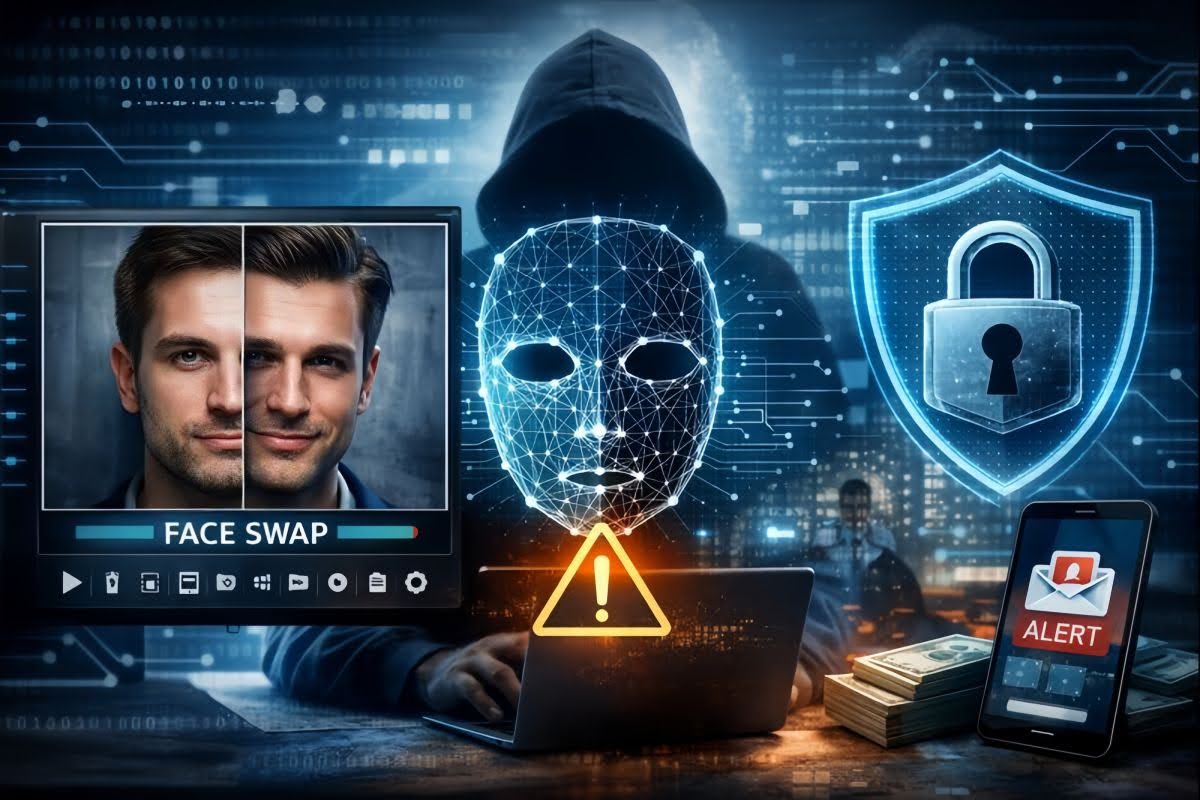

Face swap videos have gone mainstream—people use them for memes, quick social clips, and creative experiments that would’ve required a full editing suite a few years ago. But from a cybersecurity perspective, face swapping isn’t just “fun content.” It’s a form of identity manipulation, and your face is one of the most valuable pieces of personal data you own.
If you’re experimenting with face swap tools (or even if you’re just seeing them in your feed), it’s worth treating the topic like any other digital risk: understand what can go wrong, set a few rules, and use the technology without handing over more data than you intended.
This guide breaks down the main threats, how to reduce exposure, and how to spot suspicious face swap content—without turning your creative curiosity into a privacy headache.
Table of Contents
Why Face Swap Deserves a Place in Cybersecurity Discussions

A face swap tool doesn’t “steal” your identity by default—but it can create new attack surfaces:
- Biometric sensitivity: Your face is increasingly used for account recovery, device unlock, and identity verification workflows.
- Impersonation potential: A swapped face paired with a convincing voice or script can pressure people into actions they wouldn’t normally take.
- Social engineering fuel: Even a short, convincing clip can be used to build trust in a scam (“Look, it’s me. I’m on video.”).
- Digital footprint expansion: Uploading face media adds another copy of your likeness into systems you don’t control.
The point isn’t to panic. The point is to operate with the same mindset you’d use for passwords: convenience is great, but boundaries matter.
Start With Consent and “Scope Control”
Before you upload anything, set two simple rules:
- Use your own face—or get clear permission.
Face swapping someone without consent is where “fun” quickly becomes harassment, reputational damage, or legal trouble. - Avoid “high-stakes identities.”
Don’t use media tied to your workplace, government IDs, financial accounts, or anything that can be weaponized. If a clip could plausibly be used to impersonate you at work, it’s not a good candidate.
A good mental check: Would I be comfortable if this video got forwarded to a stranger or re-uploaded elsewhere? If the answer is no, keep it offline.
A Basic Threat Model: What’s at Risk in Practice?
Not all face swap content carries the same exposure. Here’s a quick breakdown.
| Scenario | Risk Level | What Can Go Wrong | Safer Alternative |
| Meme swap with obvious humor | Low | Mild embarrassment, reposting | Watermark + limit audience |
| Creator content with your real name | Medium | Doxxing signals, impersonation attempts | Use a handle + remove identifying context |
| “Realistic” swap with work context | High | Social engineering, reputational damage | Don’t publish; avoid creating it |
| Swaps involving minors | Very High | Safety/legal concerns | Don’t create or share |
If you’re aiming for realistic results, treat it like you’re producing sensitive media—because scammers love realism.
A Safer Workflow for Creating Face Swap Videos

If you want to make face swap content while minimizing risk, use a repeatable workflow.
1) Limit personal identifiers in the original media
Choose a clip/photo that doesn’t include:
- Badges, uniforms, company logos
- Street signs, license plates, school names
- Mail/packages with addresses
- Background screens showing emails or chats
2) Use “throwaway” sharing habits
- Export the final video and store it locally.
- If the platform supports it, delete the uploaded assets after export.
- Avoid reusing the same source face image across multiple tools and sites.
3) Upload only what you’d be okay losing
Avoid:
- Passport/ID selfies
- Videos that show your home interior clearly
- Anything used for account verification or professional identity
4) Add friction for misuse
Before you post:
- Add a visible watermark or text overlay (“edited” / “parody”).
- Keep it short and context-limited.
- Prefer private sharing links over public uploads.
If you want a straightforward way to create swaps for entertainment content, tools like AI face swap video can get you from upload to export quickly—just treat the upload step like you would when sharing any sensitive media: intentional, minimal, and reversible.
When Photo Animation Makes More Sense Than Face Swap
A useful alternative to realistic face swapping is photo animation—turning a still image into a short motion clip. In many cases, it gives you the creative punch you want while keeping the content less impersonation-ready than a realistic swap.
For example, a simple animated portrait can be great for:
- Profile visuals
- Brand-style motion posts
- Lightweight storytelling without “this is definitely me on camera” implications
If you’re exploring that approach, photo animation can be a safer creative lane for many users because it’s typically easier to keep the output stylized and clearly edited.
How to Spot a Malicious Face Swap (What to Look For)
Detection is getting harder, but scams still leave clues—especially when the goal is to rush you.
Visual red flags (not perfect, but helpful)
- Unnatural skin texture around the cheeks, jawline, or hairline
- Lighting that doesn’t match the background
- Weird blinking patterns or “too-still” eyes
- Teeth and tongue artifacts during speech
- Earrings/glasses that warp oddly during movement
In practice, context red flags are often more reliable than pixel-level clues
- Urgency: “Do it now—no time to explain.”
- Secrecy: “Don’t tell anyone, it’s confidential.”
- Payment requests or “account reset” demands.
- A new number/account suddenly claiming to be someone you know.
Best defense: verify through a second channel. If a “boss” appears on video asking for a wire transfer, you still call a known number. If a friend sends an alarming clip, you message them on a different platform.
A Quick Personal Checklist (Save This)
Before creating or sharing a face swap or animated clip:
- I have permission from anyone featured
- The source media doesn’t reveal my job, address, school, or documents
- I’m not using the same “verification-style” selfie I use elsewhere
- I can delete uploads after export (or I keep uploads minimal)
- I watermark or label realistic edits before posting
- I’m comfortable if this gets reshared publicly
Final Takeaway: Enjoy the Tech, Keep the Guardrails
Face swap tools aren’t inherently dangerous—but they do change the cost of impersonation and accelerate social engineering. The safest users aren’t the ones who avoid new tools entirely; they’re the ones who treat identity media like sensitive data, keep uploads minimal, and verify anything that asks for money, credentials, or urgent action.
Create, experiment, have fun—but do it with the same security habits you’d apply to passwords and private documents. That’s the difference between “viral content” and “avoidable incident.”
INTERESTING POSTS
About the Author:

Chandra Palan is an Indian-born content writer, currently based in Australia with her husband and two kids. She is a passionate writer and has been writing for the past decade, covering topics ranging from technology, cybersecurity, data privacy and more. She currently works as a content writer for SecureBlitz.com, covering the latest cyber threats and trends. With her in-depth knowledge of the industry, she strives to deliver accurate and helpful advice to her readers.



