


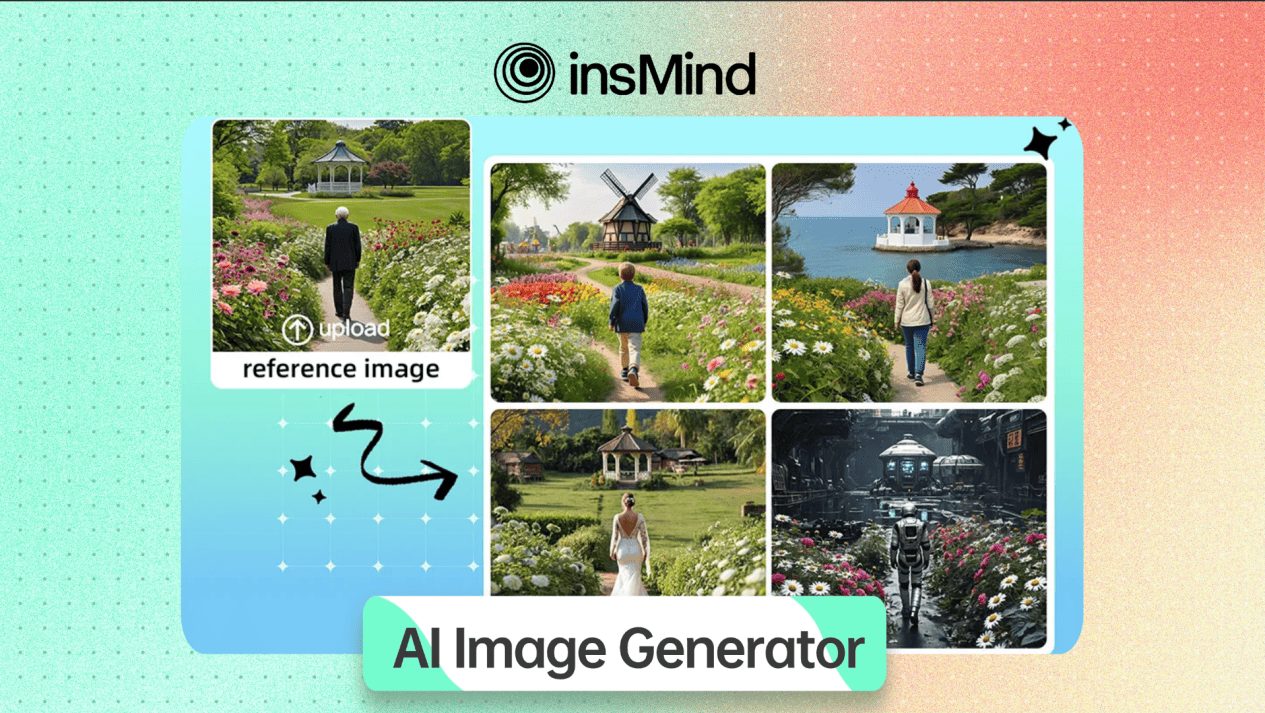

In this post, I will show you how to use insMind’s AI image generator to improve clarity and trust in cybersecurity content.
In cybersecurity, trust depends on clarity. Complex threats, abstract attack flows, and invisible system processes are difficult to explain using text alone.
As security content becomes more technical and audiences more diverse, visual communication plays an increasingly important role. Readers expect explanations that are not only accurate but also easy to understand and apply.
InsMind is an all-in-one AI image generation and photo editing platform. Its AI Image Generator helps cybersecurity writers and educators create clearer, more trustworthy visual content that supports effective learning and decision-making.
Table of Contents
Part 1: Why AI-Generated Visuals Matter in Cybersecurity Communication
Cybersecurity topics often describe processes that cannot be directly observed, such as data breaches, phishing attacks, malware execution, or network vulnerabilities. These concepts are abstract by nature, and when they are explained without visual support, readers may struggle to fully understand how threats operate or how defenses protect systems.
AI-generated visuals offer a practical and scalable solution. Using an AI Image Generator, content creators can produce custom illustrations, diagrams, and conceptual images that match the exact scenario being discussed. Instead of relying on generic stock photos that add little educational value, writers can create visuals that directly reinforce their explanations.
Clear visuals improve comprehension by helping readers form mental models of complex security concepts. They also increase engagement, as readers are more likely to stay focused when information is presented in multiple formats.
For cybersecurity blogs, training materials, and awareness campaigns, AI-generated visuals support both understanding and credibility.
Part 2: How to Use insMind’s AI Image Generator for Cybersecurity Content
Using insMind’s AI Image Generator does not require advanced design skills or complex workflows. For cybersecurity writers and educators, the goal is not artistic experimentation but clarity and accuracy.
By following a simple and repeatable process, AI-generated visuals can be integrated naturally into articles, tutorials, and training materials without disrupting existing content workflows.
Take guidance from the steps given below to learn how to apply insMind’s AI Image Generator:
Step 1: Upload an Image or Start From Text
Upon accessing the insMind’s “AI Image Generator” website, click the “Gallery” icon to upload your original photo.
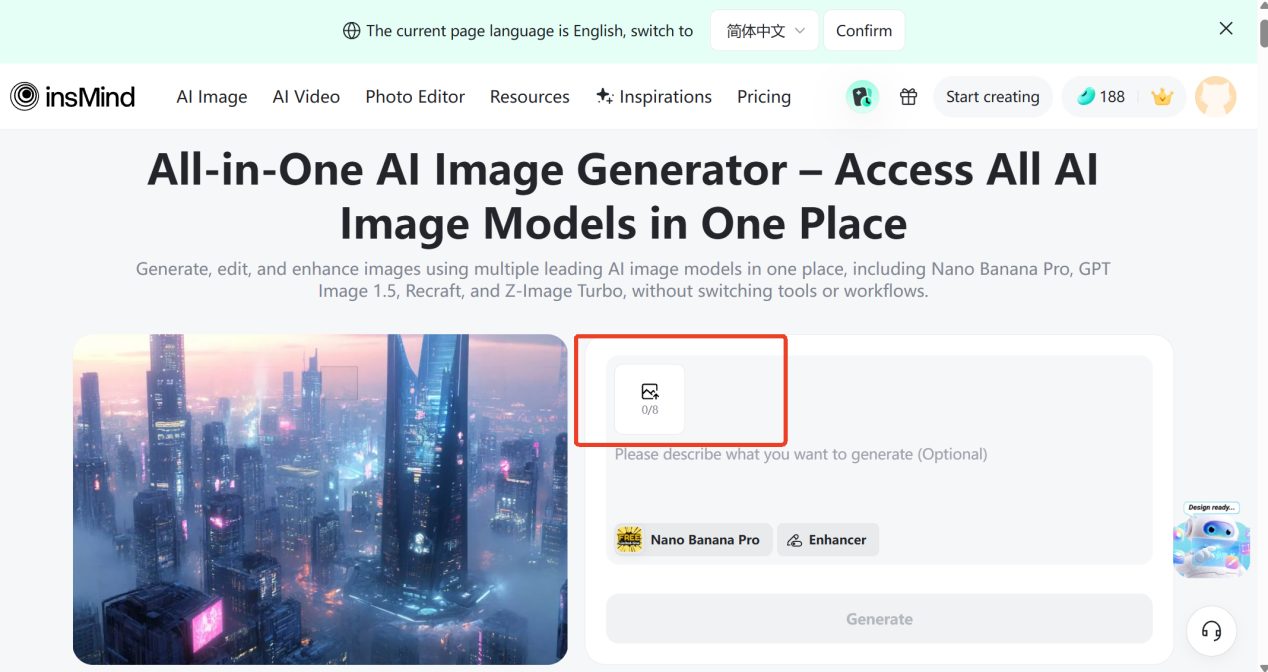
The AI Image Generator supports both text to image and image to image workflows. This flexibility allows you to either generate visuals entirely from written descriptions or transform existing materials into clearer, more refined images.
Step 2: Enter Your Clear Prompt
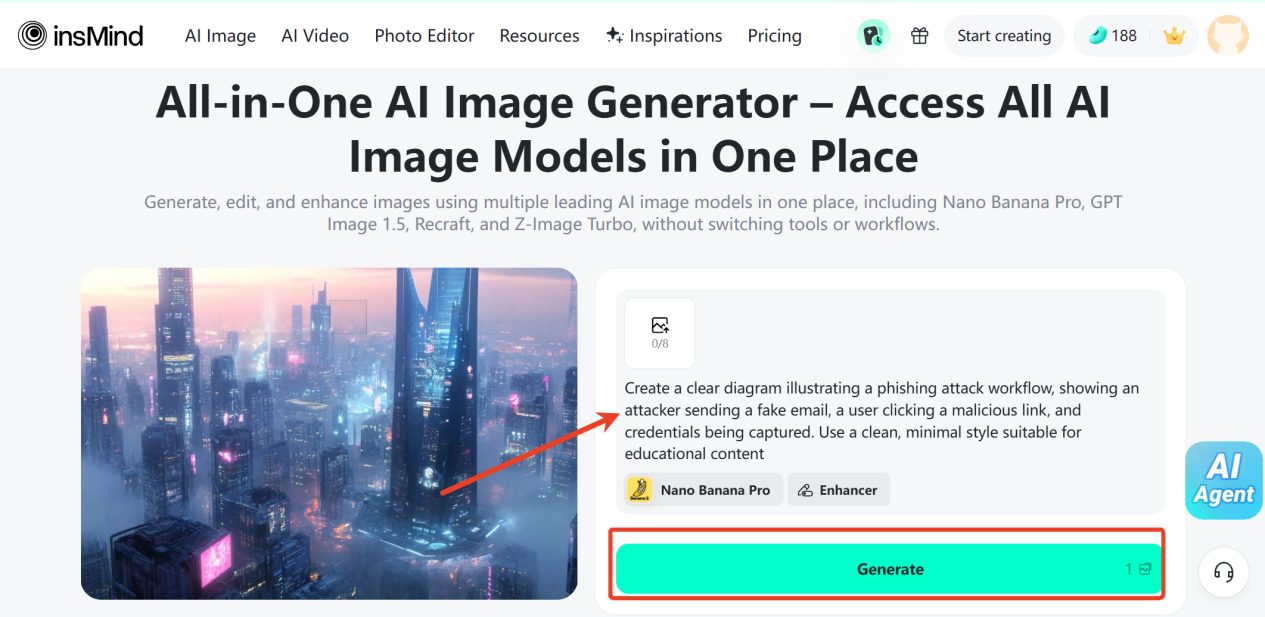
Next, enter clear instructions to describe the image you want to generate and press the “Generate” button. With text to image, written descriptions are transformed directly into visuals.
With image to image, existing visuals are refined or reinterpreted while preserving their original structure. Clear instructions help the AI generate images that align closely with your content narrative and technical intent.
Step 3: Download the Generated Image
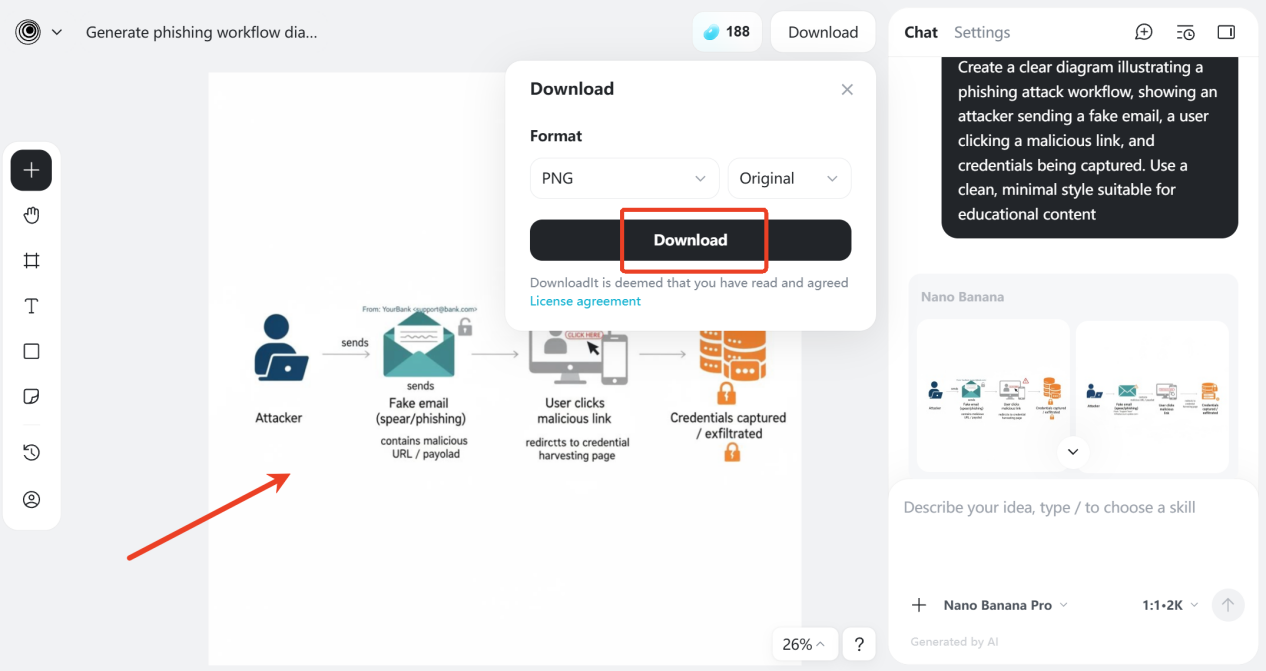
Once the image is generated, review it carefully for accuracy and clarity. Then press the “Download” button to save it on your device.
Part 3: Practical Use Cases of AI Image Generator in Cybersecurity
AI image generation can be applied across a wide range of cybersecurity content scenarios. Educational articles benefit from visuals that explain threats and defensive strategies in a clear and structured way.
Tutorials become easier to follow when complex steps are illustrated visually. Security awareness materials are more engaging when images clearly demonstrate real-world risks and consequences.
Because AI-generated visuals can be created without exposing real systems, infrastructure, or sensitive data, they are especially suitable for public-facing cybersecurity content.
This reduces the risk of accidental information disclosure while maintaining strong instructional value. For organizations concerned about compliance and privacy, this is a significant advantage.
Part 4: What Else You Can Do With insMind
Beyond AI image generation, insMind offers additional tools that further support cybersecurity content creation and refinement.
- AI Background Remover helps isolate key elements in an image by removing unnecessary or distracting backgrounds. This improves visual focus in security tutorials, guides, and documentation, ensuring readers concentrate on the most relevant information.
- AI Photo Editor allows you to make precise adjustments after an image has been generated or cleaned. You can crop visuals, adjust layout, remove remaining distractions, or highlight specific areas of interest without altering the core technical meaning of the image. This is especially helpful for preparing visuals for step-by-step guides, security documentation, or presentations where accuracy and clarity are critical.
- AI Image Enhancer improves image quality by increasing sharpness, resolution, and overall readability. This is particularly useful for low-quality screenshots, compressed images, or visuals captured from virtual environments commonly used in technical documentation.

Together, these tools allow cybersecurity professionals to create clean, consistent, and high-quality visuals without relying on multiple platforms or complex design workflows.
Conclusion: Clear Visuals Build Trust in Cybersecurity Content
In an environment where accuracy and trust are critical, how cybersecurity information is presented matters as much as the information itself. Tools like insMind make it easier for security writers and educators to communicate complex concepts with clarity and control. By using insMind AI Image Generator to create visuals through text to image and image to image workflows, professionals can explain abstract threats and processes without relying on real systems or sensitive data.
When supported by features such as AI Background Remover, AI Photo Editor, and AI Image Enhancer, these visuals become cleaner, more focused, and easier to understand across blogs, documentation, and training materials.
As cybersecurity challenges continue to evolve, clear and well-prepared visuals help audiences better grasp risks, follow best practices, and take informed action. In this context, AI-powered visual tools are not just a convenience, but a practical asset for building trust in modern cybersecurity communication.
INTERESTING POSTS
- How To Generate Strong Passwords With SecureBlitz Password Generator
- When Images Get Stuck, AIEnhancer’s Watermark Remover Helps Them Move Again
- How to Use Image-to-Image AI to Create Stunning Visuals
- 11 Best Password Generators Of 2025
- Shield Your Privacy With AI-Powered Image Search
- Image to Video AI: What It Is and How to Use It Effectively
About the Author:

Christian Schmitz is a professional journalist and editor at SecureBlitz.com. He has a keen eye for the ever-changing cybersecurity industry and is passionate about spreading awareness of the industry's latest trends. Before joining SecureBlitz, Christian worked as a journalist for a local community newspaper in Nuremberg. Through his years of experience, Christian has developed a sharp eye for detail, an acute understanding of the cybersecurity industry, and an unwavering commitment to delivering accurate and up-to-date information.



