


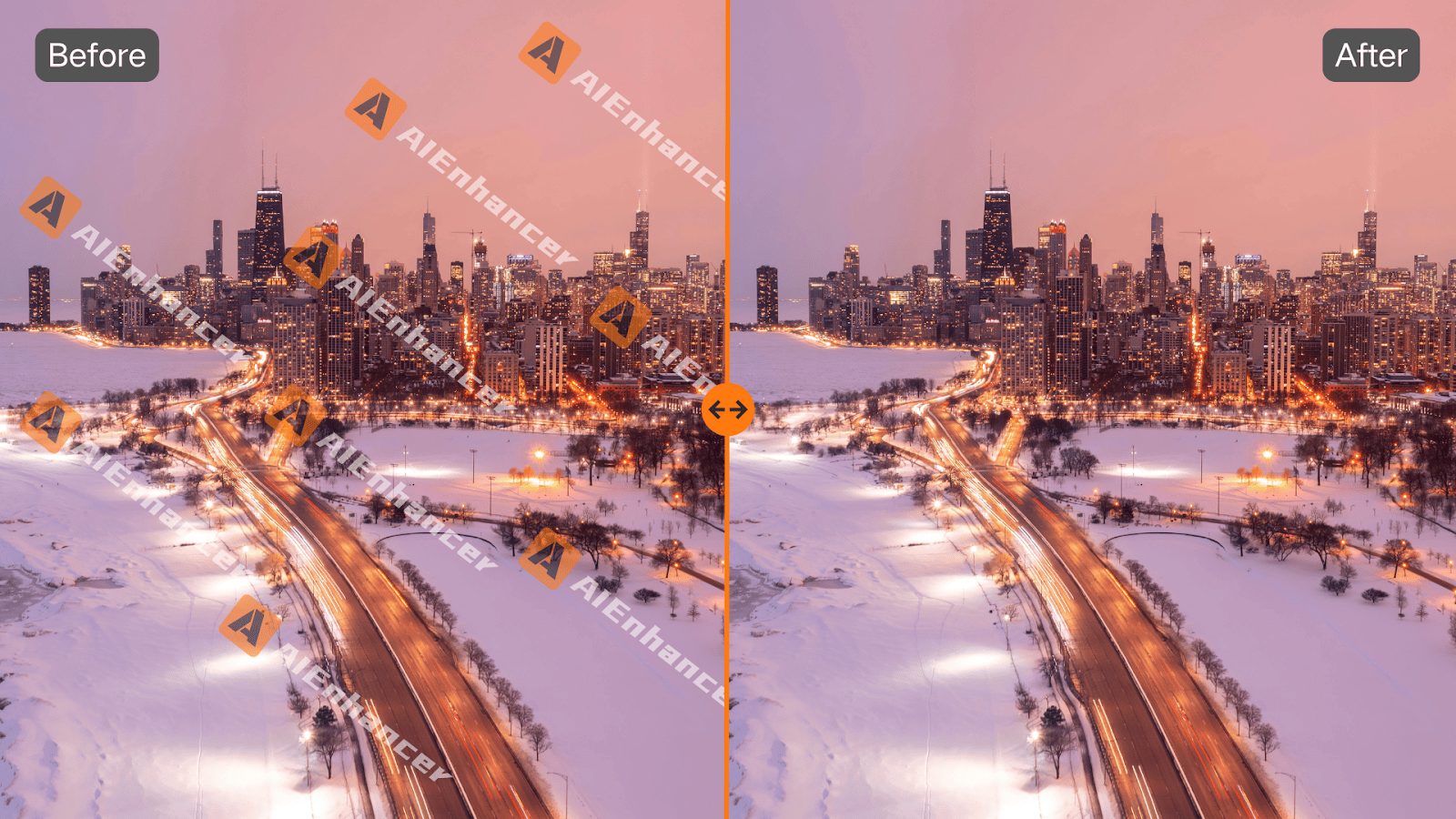

In this post, I will talk about – when images get stuck, AIEnhancer’s watermark remover helps them move again.
Images often enter a workflow in a usable but unfinished state. Resolution is acceptable, colors look fine, and composition holds up. Yet a small visual interruption remains, and that interruption blocks the image from being published or reused.
AIEnhancer is designed to handle this final stage of image preparation, offering targeted tools that focus on removing friction rather than adding complexity.
Table of Contents
Why Image Cleanup Still Needs a Dedicated Tool
Small defects create outsized delays
In real workflows, images are reused far more often than they are created from scratch. A banner from a past campaign, a screenshot saved for documentation, a product image pulled from an internal folder. These images are not broken, but they are not clean either. The time lost deciding what to do with them often exceeds the time needed to fix them.
General editors are not optimized for quick fixes
Full-featured image editors are built for creation and detailed manipulation. They are less suited for fast, repetitive cleanup. Opening a complex interface to solve a single, specific issue interrupts focus and slows teams down. Over time, this friction leads to avoidance rather than action.
Why specialization matters
AIEnhancer treats cleanup as a discrete task with a clear outcome. When users rely on a watermark remover, they are not entering an open-ended editing session. They are executing a defined step in a larger workflow. This separation is what makes the tool effective in practice.
How the Watermark Remover Fits into Real Workflows
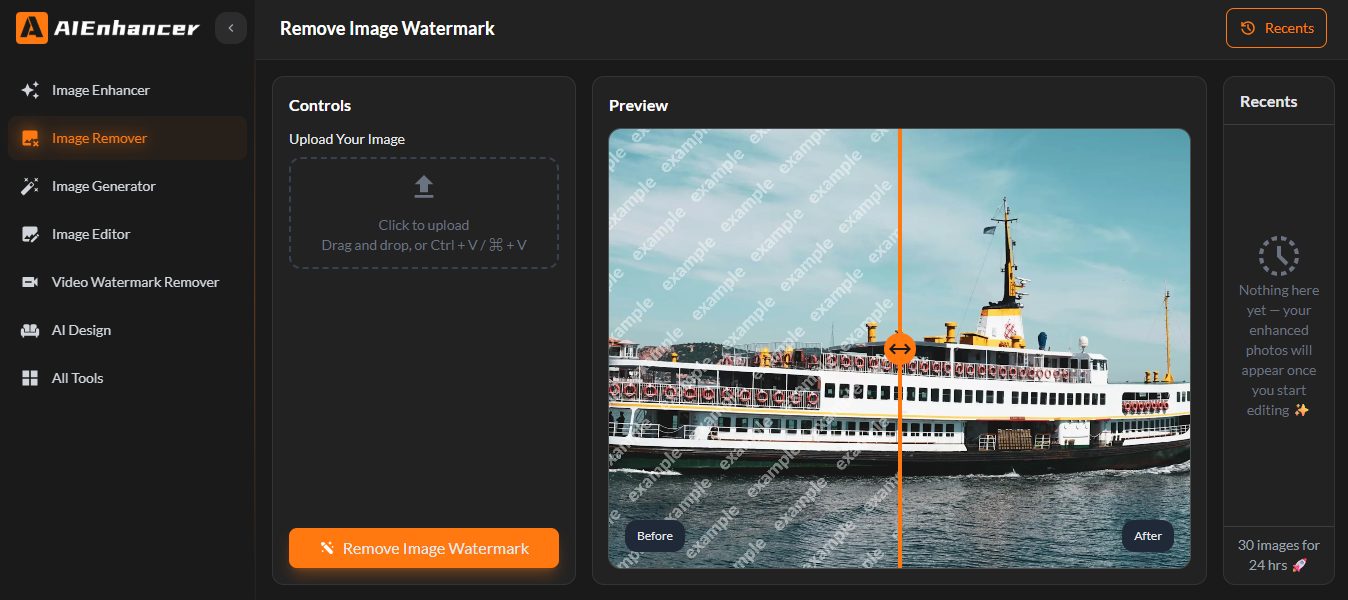
Input without preparation
The watermark remover does not require users to mark regions or define boundaries. Images are uploaded as they are. This reduces setup time and eliminates guesswork, which is critical when processing many images in sequence.
Context-aware restoration
Instead of simply removing visible elements, the watermark remover analyzes surrounding areas to reconstruct what should appear underneath. Textures, gradients, and edges are regenerated in a way that maintains visual continuity. This approach avoids the patchwork effect common in simpler tools.
Consistency across image categories
Teams rarely work with one image type. Screenshots, photos, illustrations, and mixed graphics are often processed together. AIEnhancer applies the same watermark remover logic across these formats, which produces predictable results and simplifies quality control.
READ ALSO: Erase Backgrounds in Seconds with the 100% Free Tool
Evaluating Effectiveness Through Common Scenarios
Reusing marketing visuals
Marketing teams frequently adapt visuals from earlier campaigns. While layouts and messaging may still be relevant, leftover marks can make assets feel outdated. Using a watermark remover allows teams to refresh visuals without redesigning them, preserving both time and consistency.
Editorial and content production
Writers and editors often collect reference images early in the drafting process. These images may include visible marks that were acceptable during research but become problematic in final layouts. Applying a watermark remover late in the process keeps production moving without forcing content changes.
Internal documentation and knowledge bases
Screenshots used in documentation tend to accumulate visual clutter over time. A watermark remover helps standardize these visuals, making internal resources clearer and more professional without revisiting the original sources.
When Image Cleanup Extends Beyond Removal
Revealing secondary adjustments
Once an image is cleaned, other issues sometimes become apparent. The framing may feel tight, or the aspect ratio may not align with a new platform. Cleanup clarifies what still needs attention instead of masking it.
Controlled editing with prompts
For teams that want to continue refining images without complex interfaces, AIEnhancer provides the AI image editor. After cleanup, users can select a model, define an output ratio, and describe changes in plain language. This makes adaptation efficient while keeping the watermark remover as a standalone step.
Modular workflow design
Not every image requires further editing. In many cases, the watermark remover completes the task. In others, additional refinement follows. AIEnhancer keeps these tools separate, allowing workflows to remain flexible rather than linear.
Operational Benefits of a Dedicated Watermark Remover
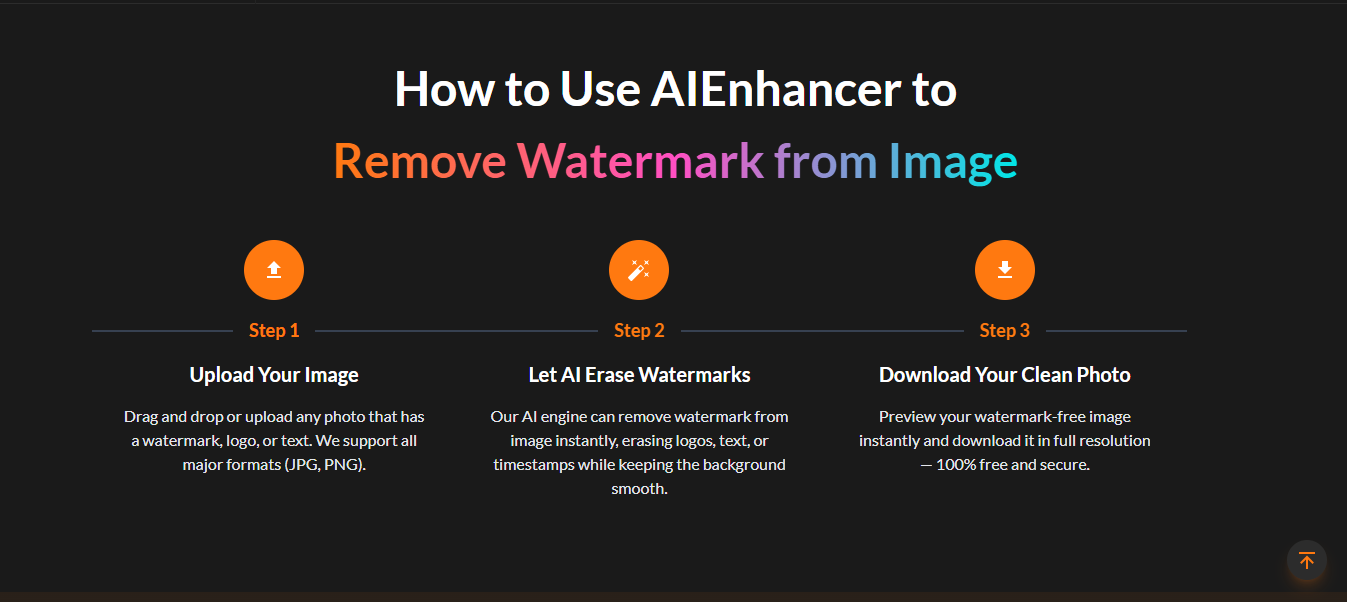
Reduced backlog of unfinished assets
When removing visual interruptions becomes quick and predictable, fewer images are left unused. A reliable watermark remover lowers the threshold for completion, which has a compounding effect on productivity.
Lower cognitive load
The simplicity of the watermark remover reduces decision fatigue. Users do not need to evaluate multiple settings or methods. This allows them to stay focused on broader objectives rather than the mechanics of cleanup.
Improved visual consistency over time
As more images pass through the same cleanup process, overall visual consistency improves. This is especially valuable for teams managing large libraries of reused assets. The watermark remover becomes part of a quiet standardization process.
Scaling Image Cleanup Across Teams
Supporting high-volume workflows
Content-heavy teams often process dozens or hundreds of images per cycle. Manual cleanup does not scale efficiently. A consistent watermark remover enables batch-style thinking, even when images are handled individually.
Aligning output across contributors
When multiple people contribute visuals, differences in cleanup quality can become noticeable. Using the same watermark remover reduces variability and simplifies review processes.
Long-term maintenance of image libraries
Over time, image libraries degrade as standards change and assets age. Periodic cleanup with a watermark remover helps maintain usability without recreating content from scratch.
Choosing AIEnhancer as a Practical Recommendation

Focus on defined problems
AIEnhancer does not attempt to replace full creative suites. It focuses on specific, repeatable problems that slow real workflows. The watermark remover is a clear example of this design philosophy.
Reliability over novelty
In production environments, consistency matters more than experimentation. A watermark remover that behaves predictably builds trust and becomes part of routine operations rather than an occasional fix.
Integration into existing processes
Because the watermark remover operates independently, it fits easily into existing pipelines. Teams do not need to redesign workflows to adopt it.
Final Perspective on Image Cleanup Systems
Image preparation is rarely the most visible part of creative work, but it has a measurable impact on speed and quality. Small visual interruptions create disproportionate delays when tools are not aligned with the task.
A focused watermark remover addresses this gap directly, turning almost-ready images into usable assets with minimal overhead. AIEnhancer approaches image cleanup as a system rather than a feature, making it a practical choice for teams that value efficiency, consistency, and momentum.
INTERESTING POSTS
About the Author:

John Raymond is a cybersecurity content writer, with over 5 years of experience in the technology industry. He is passionate about staying up-to-date with the latest trends and developments in the field of cybersecurity, and is an avid researcher and writer. He has written numerous articles on topics of cybersecurity, privacy, and digital security, and is committed to providing valuable and helpful information to the public.


