


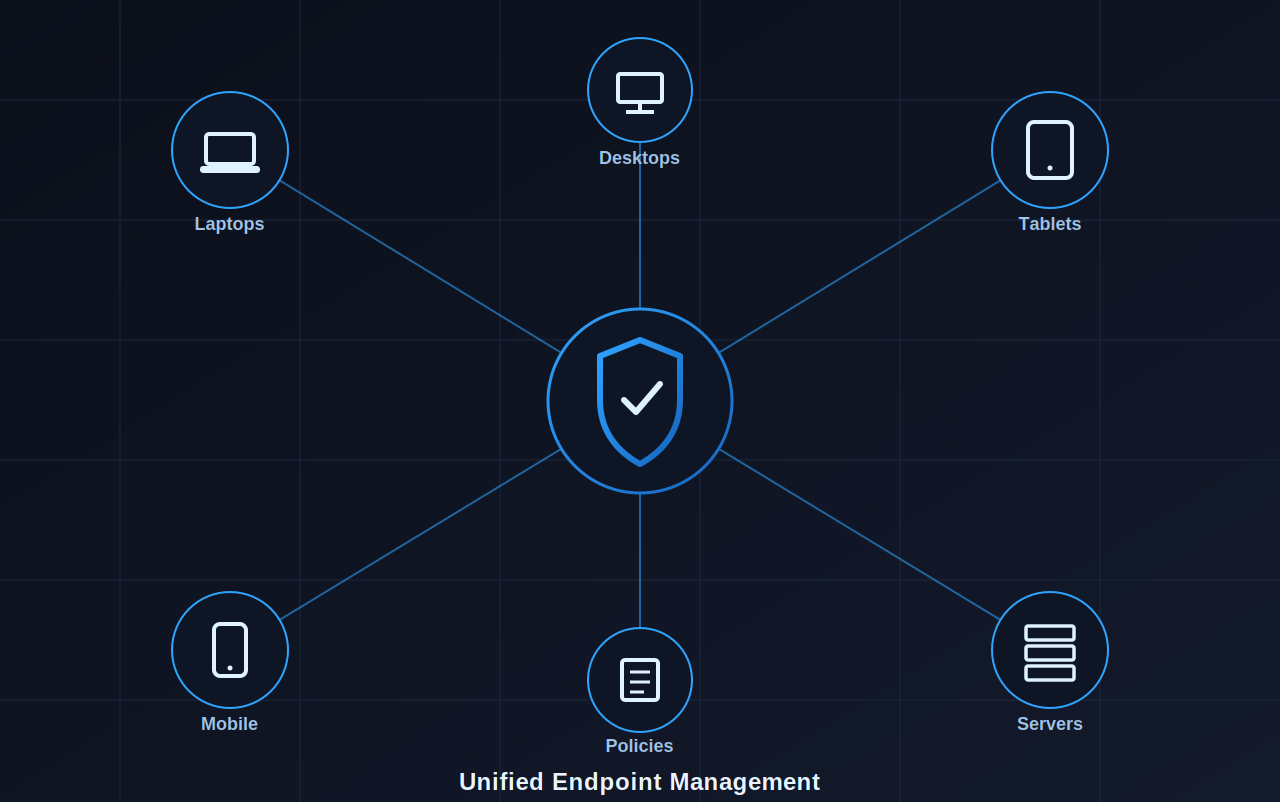

In this post, I will show you how to choose the right Unified Endpoint Management (UEM) software for an organization?
For IT teams, juggling five different tools to manage laptops, smartphones, tablets, and IoT devices across varied regions can be quite exhausting.
This fragmented approach is exactly why so many organizations are searching for ways to choose the right Unified Endpoint Management (UEM) software. The right platform doesn’t just simplify device management; it transforms how your entire IT operation runs, from onboarding new employees to locking down a lost device in seconds.
In this guide, we’ll break down what UEM actually means, why it matters for growing businesses, the features that separate great platforms from mediocre ones, and the practical checklist you need before signing a contract.
Table of Contents
What is UEM?
Unified Endpoint Management (UEM) software is a centralized platform that lets IT teams monitor, secure, and control every device connecting to a company’s network, regardless of operating system or device type. This includes laptops, smartphones, tablets, wearables, and even rugged devices used in warehouses or retail floors.
In short, UEM is the evolution of device management built for how modern, hybrid organizations actually operate. Furthermore, some of the UEM tools to look out for are Mobile Device Management (MDM) Solution, Data Loss Prevention (DLP) Solution, BYOD, and Enterprise Mobility Management (EMM)
Why is UEM Critical for Growing Organizations?
As your workforce and device fleet expand, manual management becomes a liability rather than a workaround. Here’s why UEM has become non-negotiable for scaling businesses.
1. Consolidated Visibility and Control
Instead of switching between platforms to check device health, patch status, or compliance, UEM gives you one dashboard for everything. You see every device, its location, its software version, and its risk level, all in real time. This visibility alone eliminates the guesswork that leads to security gaps.
2. Support Remote and Flexible Workflows
Hybrid and remote work aren’t going anywhere. UEM lets IT teams configure, update, and troubleshoot devices without ever needing physical access to them. Whether an employee is in New York or working from a co-working space in another city, their device stays compliant and secure.
3. Strengthen Security Posture
With endpoints scattered across networks and locations, each device is a potential entry point for threats.
UEM enforces encryption and separates work data from personal data. It also remotely wipes and locks compromised devices. These UEM features help build a proactive defense and prevent breaches.
4. Lower Operational Cost and Time Efficiency
Manually configuring hundreds of devices one by one drains hours that IT teams don’t have. UEM automates repetitive tasks like app installations, OS updates, and policy pushes, freeing your team to focus on strategic projects instead of routine maintenance.
5. Eliminate Manual Bottlenecks
Beyond cost savings, UEM removes the human error factor. Automated workflows mean fewer missed updates, fewer misconfigured devices, and fewer late-night calls about a forgotten password reset.
Top-Notch Features that Make UEM Software Stand Out
Not all platforms are built equally. Here’s what separates the best UEM software from tools that merely check boxes.
1. Cross-Platform Compatibility
Organizations mostly operate on a mixture of Windows, macOS, iOS, Android, and even Linux devices. A strong UEM solution manages all of them from one place, without requiring separate licenses or dashboards for each OS.
2. Varied Enrollment Modes
The best platforms offer multiple enrollment options, so IT teams can onboard devices quickly, regardless of how they’re distributed.
Key enrollment methods to look for include:
- Zero-touch enrollment for pre-configuring devices before they even reach the employee.
- QR code-based enrollment for quick, self-service setup.
- Email-based enrollment for sending device configuration links directly to end users.
Having multiple options ensures flexibility, whether you’re onboarding one new hire or rolling out 500 devices company-wide.
3. Zero-Touch Deployment
This feature deserves its own spotlight. Zero-touch deployment lets IT teams ship devices straight to employees, pre-loaded with all necessary apps, settings, and security policies, without ever touching the devices themselves. It’s a massive time-saver for distributed teams and reduces the risk of setup errors.
4. Kiosk Mode
For businesses using a dedicated-purpose device, kiosk mode locks a device into a single app or a curated set of apps.
Single-app kiosk mode allows access to one application only, ideal for point-of-sale systems. Multi-app kiosk mode allows access to a controlled set of apps, useful for logistics or field service teams who need a few tools without full device access.
5. Control From One Dashboard
A unified dashboard isn’t a nice-to-have; it’s the core value proposition of UEM. From this single interface, admins should be able to push updates, monitor compliance, track device location, and manage user permissions across every endpoint.
6. Policy Enforcement
Strong UEM platforms let you set granular policies (password complexity, app restrictions, network access rules) and enforce them automatically across all devices. If a device falls out of compliance, the system flags it or restricts access until it’s resolved.
7. Remote Device Management
Remote management lets IT teams lock, wipe, or troubleshoot devices instantly, without needing physical possession. This is critical for minimizing data exposure risk.
8. Compartmentalize Work and Personal Data
Especially relevant for BYOD (Bring Your Own Device) policies, this feature separates corporate data from personal apps and files on the same device. Employees keep their privacy, and companies keep their data secure, without needing to issue separate hardware.
Key Aspects to Look Out for Before Choosing the Right UEM Software
Feature lists look impressive on paper, but the right choice depends on how well a platform fits your specific environment. Here’s your practical checklist.
1. OS and Device Compatibility
Confirm the UEM solution genuinely supports every operating system and device type your organization uses today. Also, check its roadmap for upcoming device categories you might adopt later.
2. Availability of Security Features
Look beyond the basic security features. Strong platforms offer MDM, endpoint Data Loss Prevention (DLP), Mobile Application Management (MAM), risk management, and more. Make sure these are built into the product, not as expensive add-ons.
3. Pricing Plans
Understand the full cost structure, including per-device fees, tiered feature access, and any hidden charges for premium support or advanced integrations. A cheaper plan that lacks essential features often costs more in the long run.
4. Compliance Readiness and Mandates
If your industry has specific regulatory requirements (healthcare, finance, or government sectors, for instance), verify the UEM solution supports the certifications and audit trails you need, such as GDPR, HIPAA, or India’s DPDP framework.
5. Scope of Scalability
Choose a platform that grows with you. If you’re managing 200 devices today but expect 2,000 within two years, ensure the solution can scale without requiring a complete platform migration later.
6. Device Profiling and Usage Patterns
Different departments use devices differently. Sales teams might need mobile-first access, while engineering teams rely on desktops with heavier security controls. The right UEM software should let you create distinct profiles based on how devices are actually used across teams.
7. Vendor Reputation and Support
Read reviews, ask for client references, and test the vendor’s support responsiveness during your trial period. A platform is only as reliable as the support behind it when something goes wrong.
8. User Experience
A powerful platform means little if your IT team struggles to navigate the interface. Prioritize platforms with intuitive dashboards, clear reporting, and a minimal learning curve, so your team can actually use the tool efficiently from day one.
Making the Right Call for Your Business
Choosing the right UEM software isn’t about picking the platform with the longest feature list. It’s about finding the solution that aligns with your device ecosystem, security requirements, and growth trajectory.
Start by mapping out your current pain points (Is it security? Scalability? Manual onboarding?) and use that as your filter when evaluating vendors. Request trials, ask tough questions about compliance and support, and involve your IT team in the decision since they’ll be the ones using it daily.
The right UEM partner doesn’t just manage devices. It becomes the backbone of how your organization stays secure, agile, and ready for whatever growth comes next.
INTERESTING POSTS
About the Author:

Meet Angela Daniel, an esteemed cybersecurity expert and the Associate Editor at SecureBlitz. With a profound understanding of the digital security landscape, Angela is dedicated to sharing her wealth of knowledge with readers. Her insightful articles delve into the intricacies of cybersecurity, offering a beacon of understanding in the ever-evolving realm of online safety.
Angela's expertise is grounded in a passion for staying at the forefront of emerging threats and protective measures. Her commitment to empowering individuals and organizations with the tools and insights to safeguard their digital presence is unwavering.



 software for an organization?)